YouTube Transcript Extractor: A Developer's 2026 Guide
Most advice on a youtube transcript extractor starts from the wrong assumption, that a transcript is sitting there waiting for a single clean request. In practice, YouTube pages are dynamic, caption data lives behind internal endpoint logic, and reliable extraction is a pipeline, not a shortcut. If you're building for SEO research, RAG, or batch content analysis, the essential question isn't how to copy one subtitle block, it's how to build something that still works when the page shape, transcript format, or bot checks change.
That shift matters because transcript access has moved from a niche script to reusable infrastructure. The open-source youtube-transcript-api project helped standardize the pattern of retrieving captions and subtitles from video URLs, and modern tools now support transcript text, timestamps, metadata, and multi-entity workflows across channels, playlists, and search queries PyPI project page. The output is no longer just text for reading, it's structured input for indexing, summarization, and LLM pipelines.
For teams that are also dealing with broader scraping problems, the same reliability issues show up in other places too, especially on JavaScript-heavy pages and sites with anti-bot checks. That's why extraction patterns used for transcripts often overlap with the same playbook used in modern AI scraping systems, including the approaches described in AI web scraping workflows.
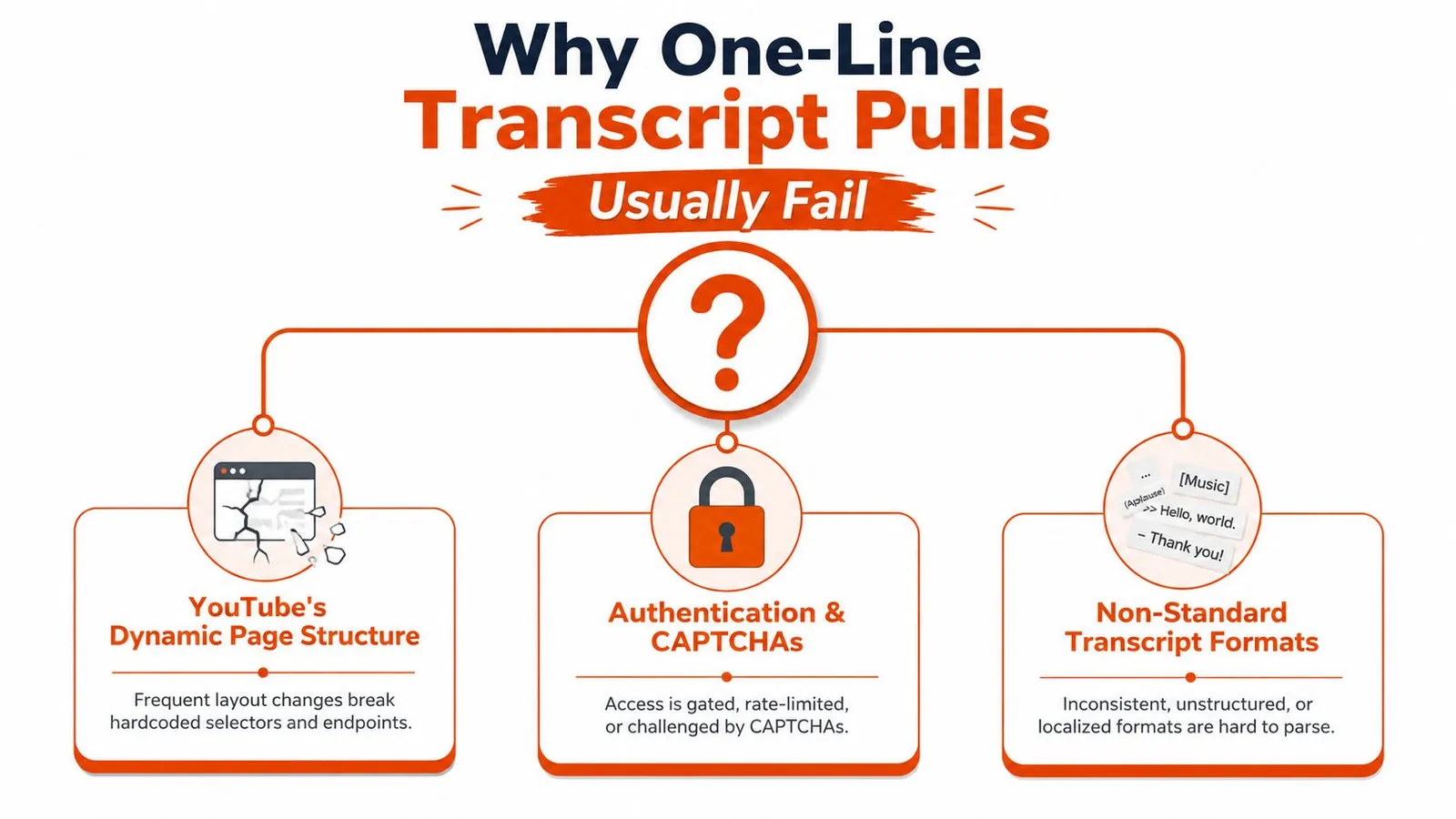
Why One-Line Transcript Pulls Usually Fail
A one-line call looks attractive because the use case feels simple. Paste a YouTube URL, get text back, move on. That works only when the transcript is already available, the page structure is stable enough, and the extractor knows how to find the right payload without depending on the visible HTML alone.
The watch page is not the transcript
The watch page usually doesn't hand you a neat transcript block in the first response. An extractor has to fetch the page, inspect the page source, and locate transcript-related data such as getTranscriptEndpoint or continuation payloads before it can even ask for the text. That's why “download the page and grep for captions” breaks so often. The transcript data is typically embedded in a nested structure, not exposed as plain text.
Practical rule: if your code only handles the initial HTML, it's not an extractor yet, it's just a page fetcher.
This is also why a transcript tool can appear to work in demos and still fail in production. YouTube changes page behavior, and the failure doesn't always look dramatic. Sometimes you get an empty payload, sometimes a consent wall, sometimes a shell page that looks like HTML but contains none of the data you need.
The real workflow is a chain
A functioning youtube transcript extractor follows a sequence, fetch the watch-page HTML, locate the transcript endpoint or continuation data, extract token and request context, call the internal endpoint, parse nested JSON, then normalize the result into segments with timestamps and metadata Webclaw's scraping API guide. That chain matters because each step depends on the previous one. If token extraction fails, the endpoint call fails. If parsing is sloppy, you end up with text that looks usable but is missing time anchors.
The hidden cost is maintenance. One-off scripts are fine for a single video. They're a bad fit for an archive, because the fragile parts multiply every time you repeat the workflow across dozens of URLs, channels, or playlists.
The Six-Step Transcript Extraction Pipeline
A reliable transcript extractor starts with the page, not the transcript. First, fetch the watch-page HTML. Second, inspect the response for getTranscriptEndpoint or continuation data. Third, extract the token, params, and request context. Fourth, call the internal endpoint with the right headers. Fifth, parse the nested JSON for transcript segments. Sixth, normalize the output into text, timestamps, and metadata.
Where each step tends to break
The first failure point is usually the fetch itself. If the request gets a consent screen, a bot challenge, or a shell page, there's no transcript to parse downstream. The second failure point is data discovery, because the transcript endpoint isn't always exposed in the same shape. A scraper that depends on one selector or one response pattern will fall apart fast.
The third and fourth steps are where many homegrown scripts get brittle. Internal endpoints often need the right request context, not just a URL. Even if the endpoint call succeeds, the response can still be useless unless you parse the nested JSON carefully and preserve segment boundaries. That's the difference between “it returned something” and “it returned a dataset I can use.”
Normalization is where transcript quality is won or lost
Normalization is the part often skipped. Good pipelines start from timestamped segments, merge only short adjacent segments, split on topic shifts or speaker changes, and keep start and end times for each chunk. That avoids tiny fragments that waste tokens and confuse retrieval systems.
Don't flatten everything into one blob if you care about citations later.
The result should be predictable. A downstream system should know whether it's getting raw segments, a clean text export, or structured records with metadata. That's especially important when you're routing the same transcript into SEO tooling, search indexing, and LLM prompts. Clean separation at this stage saves you from rebuilding the pipeline later.
Working Code for a YouTube Transcript Extractor
A practical setup is boring on purpose. The fastest path is to let the API handle the messy endpoint flow, then return transcript text and metadata in one response. That keeps your code small and avoids recreating the page parsing logic yourself.
Quick tests in curl, Python, and Node
Use the scrape endpoint to request available captions and video metadata. Captions may be absent; check the warning or error before treating a result as a transcript.
curl -X POST https://api.webclaw.io/v1/scrape \
  -H "Authorization: Bearer $WEBCLAW_API_KEY" \
  -H "Content-Type: application/json" \
  -d '{"url":"https://www.youtube.com/watch?v=VIDEO_ID","formats":["text"]}'
from webclaw import Webclaw

client = Webclaw(api_key="YOUR_TOKEN")
doc = client.scrape("https://www.youtube.com/watch?v=VIDEO_ID", formats=["text"])
print(doc.transcript)
print(doc.youtube)
import { Webclaw } from "@webclaw/sdk";

const client = new Webclaw({ apiKey: "YOUR_TOKEN" });
const doc = await client.scrape({
  url: "https://www.youtube.com/watch?v=VIDEO_ID",
  formats: ["text"],
});
console.log(doc.transcript);
These examples differ mainly in transport and ergonomics. REST is good for shell scripts and quick automation. SDKs are better when you want retry logic, typed responses, and easier error handling. If you're wiring this into a larger scraping stack, the developer experience is usually smoother when the API owns the transcript discovery steps internally Webclaw's Python scraping tutorial.
Quick reference for implementation
| Surface | Command shape | Output |
|---|---|---|
| REST | Bearer-token request to a YouTube URL | Available captions and metadata |
| Python SDK | client.scrape(url, formats=["text"]) | Structured Python object |
| Node SDK | await client.scrape({ url, formats: ["text"] }) | Structured JavaScript object |
| CLI | One command against a URL | Transcript text and metadata |
The CLI is useful for scripting and one-off runs when you don't want to write a wrapper. It's also the right choice for sanity checks before you drop the extractor into a larger batch job. For teams that already have a scraping workflow, raw REST stays attractive because it's easy to orchestrate from existing jobs and schedulers.
Comparing Methods Side by Side
Transcript extraction breaks in different ways depending on where you start. Copying subtitles from the YouTube UI works for a quick check, but it gives you no repeatable pipeline. The official YouTube Data API gives structure, yet caption access sits inside a broader API surface, so it is rarely the shortest path if your goal is transcript text plus usable metadata.
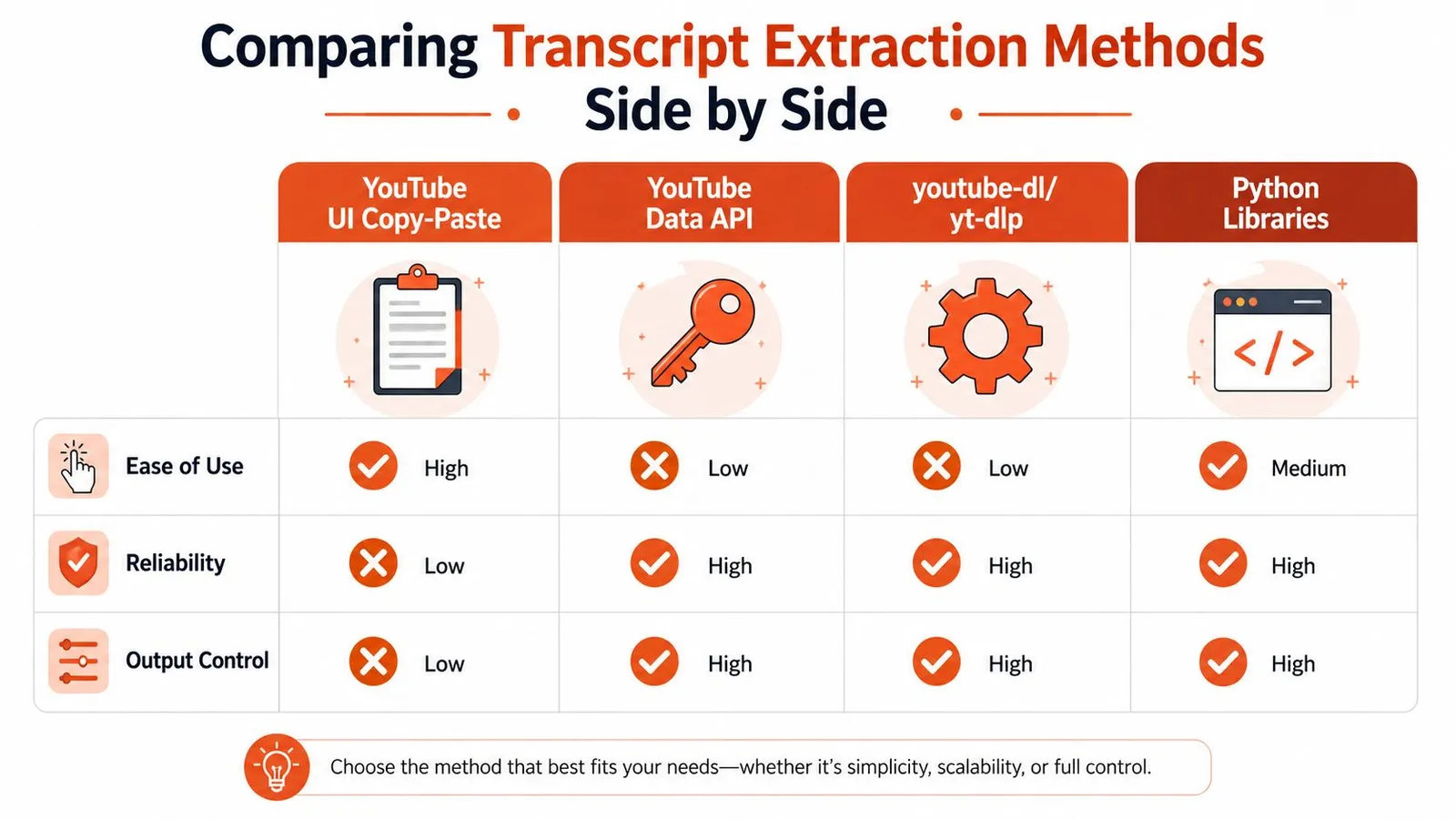
youtube-dl and yt-dlp fit teams that already run media tooling, but they tend to break when YouTube changes page behavior or signature logic. That failure mode usually shows up after a workflow is already in production, which makes it a poor surprise. For local Python work, youtube-transcript-api stays attractive because it follows a transcript-first model and stays close to simple scripting patterns youtube transcript extractor library on GitHub.
A hosted extractor sits in a different category. It is the better fit when you want transcript text, timestamps, and metadata without maintaining page parsing or recovery logic yourself. If your team is choosing between browser automation layers, the trade-offs between Puppeteer and Playwright for scraping matter most once you are already dealing with dynamic pages and retry logic.
Here is the practical read.
| Method | Setup | Bot-resistant | Metadata | Channel scale | LLM-ready |
|---|---|---|---|---|---|
| YouTube UI copy-paste | Easiest | Weak | Low | None | Weak |
| YouTube Data API | Moderate | Medium | Medium | Medium | Medium |
youtube-dl / yt-dlp | Moderate | Mixed | Medium | Medium | Medium |
youtube-transcript-api | Easy | Mixed | Low to medium | Medium | Good |
| Hosted extractor API | Easy to moderate | Stronger | High | High | Strong |
The table is only half the story. A method that looks fine for a single video can fail at channel scale because of rate limits, page churn, transcript availability, or normalization gaps. If your pipeline needs clean transcript output for retrieval or summarization, the hosted route is usually the most predictable. If you only need a handful of videos and want local control, a Python library still wins on simplicity. For caption workflows, the deliverable matters too, especially if you later need SRT and VTT caption files for editing or repackaging.
Cleaning Transcript Output for LLM Pipelines
Raw transcript text is rarely the thing you want. It often contains tiny segment boundaries, filler text, repeated phrasing, or punctuation that makes sense for subtitles but not for retrieval. A good pipeline cleans the transcript before it ever reaches embedding, summarization, or answer generation.
Merge carefully, not aggressively
Start with timestamped segments and merge only short adjacent ones. That keeps a transcript readable without destroying temporal precision. If you merge across speaker changes or topic shifts, the chunk gets harder to cite and less useful for retrieval.
Keep the start and end times for each final chunk. That matters because LLM output is easier to trust when you can point back to the source moment. It also helps when the transcript becomes part of a QA workflow or a content audit.
Practical rule: preserve timing until the last possible step, then remove it only if the downstream system truly doesn't need it.
Strip noise, keep meaning
YouTube transcripts often include artifacts that don't help the model. Music cues, auto-generated filler, and obvious repetition should be removed or normalized. The point isn't to sanitize every rough edge, it's to make the text token-efficient and semantically dense.
A useful format choice is simple, JSON when the consumer needs structure, markdown when human review matters, and plain text when the pipeline only needs raw content. If you're converting transcript notes or a surrounding page into LLM input, a cleaner text shape like the one described in HTML-to-markdown workflows for LLMs gives you a good comparison point for how much structural noise you want to keep.
The best result is usually not the prettiest transcript. It's the one that survives chunking, retrieval, and citation without forcing your model to infer structure that should've been preserved upstream.
Batching Channels, Playlists, and Search Queries
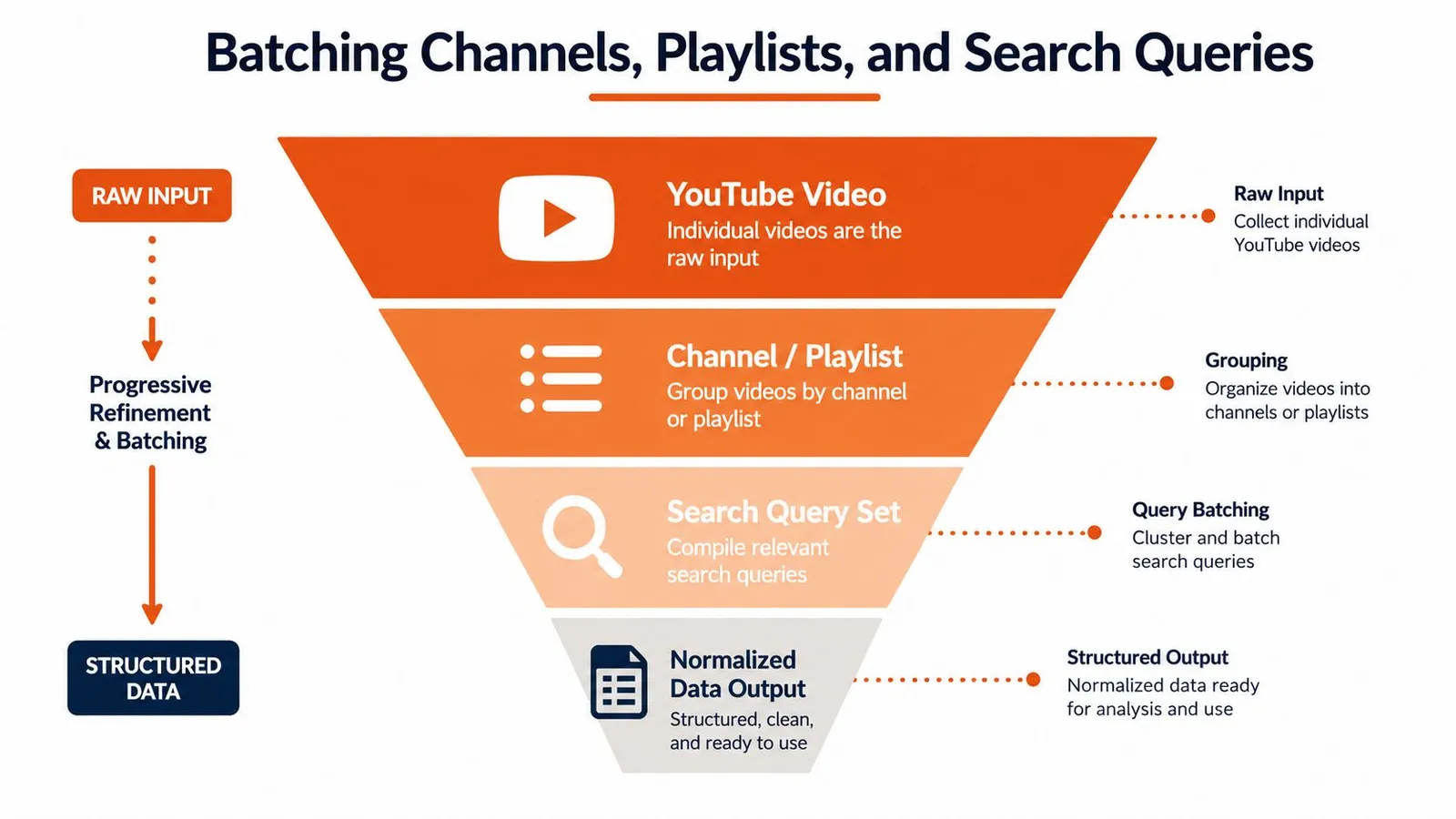
Single-video extraction is useful for demos. Real work starts when you need a channel archive, a long playlist, or a search query result set normalized into one dataset. That's where a youtube transcript extractor becomes an ingestion system instead of a convenience tool.
Parallelism needs guardrails
Batch jobs need concurrency, but not blind concurrency. You want a controlled queue, retries for transient failures, and a resumable state so a partially completed run doesn't wipe out progress. That matters most when a channel contains a large number of videos or when you're building a repeatable SEO audit.
A channel-level flow also needs schema consistency. One transcript with title and duration is useful. Fifty transcripts with mismatched fields and missing timestamps are not. The task is to normalize different source shapes into one dataset you can sort, filter, and compare.
Don't start from transcripts if the source list is incomplete
For channels and playlists, the better pattern is to map the video list first, then fetch transcripts. That gives you a stable inventory before any extraction begins. Search queries are a little looser, but the same idea holds, collect the set, then normalize the result set.
A lot of tools stop at paste-and-go on one URL. That misses the harder question: how do you collect and normalize dozens or hundreds of transcripts into a searchable corpus? Independent tools have started to support channel-scale extraction because that's the actual workload for research, competitive analysis, and content intelligence channel-scale transcript extraction workflows.
If you're building a production batch job, treat failures as expected events. Log them, retry selectively, and keep the successful records intact. The point isn't perfect runs, it's recoverable ones.
Troubleshooting Blocked Pages and Choosing Your Next Step
Blocked pages usually fail in one of four ways. You get a consent screen, the transcript endpoint returns empty segments because captions are disabled, requests get throttled, or the watch page comes back as a shell that never exposes the data you need. None of those are solved by “just retry harder” if the underlying issue is consent, auth, or bot detection.
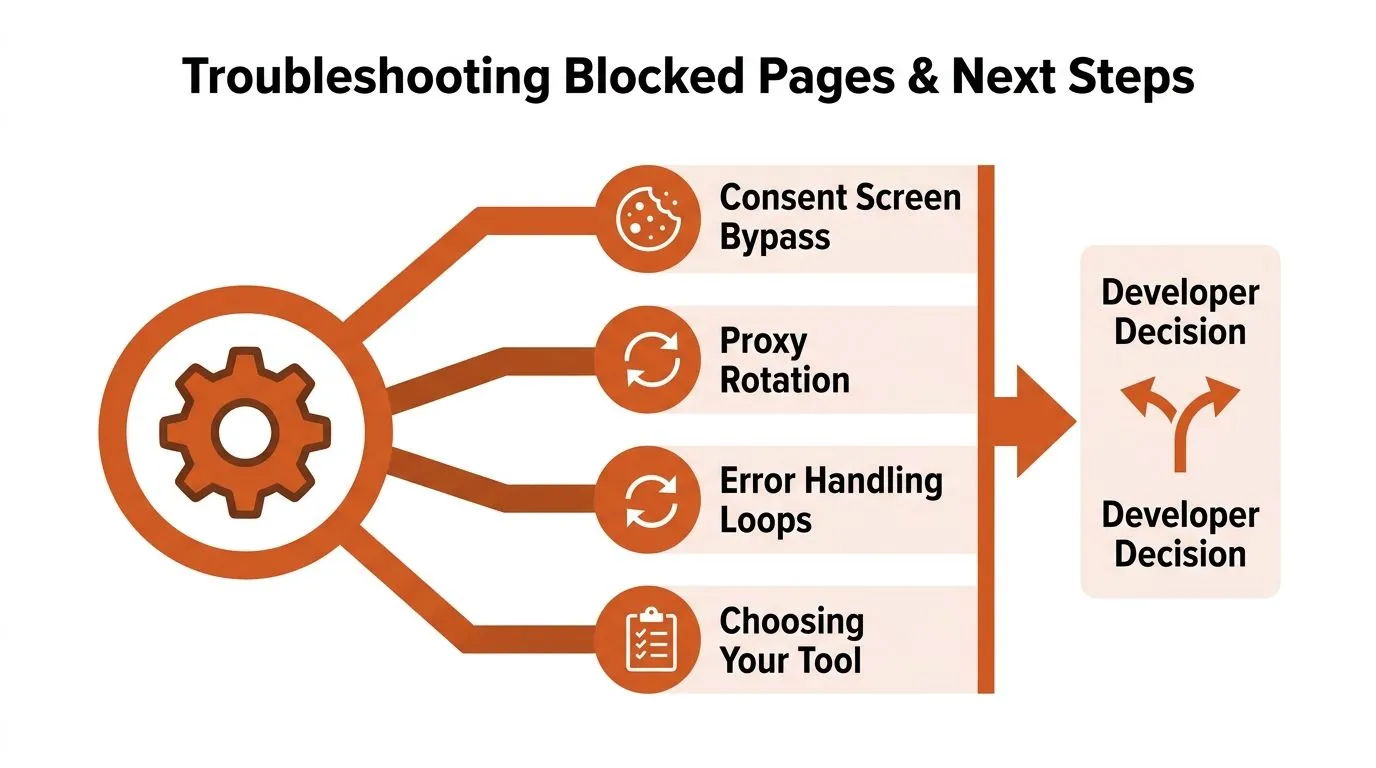
Decide where the fix belongs
Some problems belong in application logic. Empty captions should be treated as a valid missing-data state, not a crash. Retry loops help with transient throttling, and resumable batch jobs protect you from partial failures. Those are basic engineering controls.
Other problems belong in the extraction layer. If the page requires rendering, anti-bot handling, or proxy strategy, the time you spend reproducing that locally can easily outrun the value of keeping the script fully self-managed. When teams need browser-level routing, resources like using Chromium proxy in Puppeteer become useful because they show how the transport layer itself can be part of the fix.
Choose the tool that matches the failure mode
Local libraries make sense for low-volume personal work, especially when you only need a few transcripts and you can tolerate occasional manual fixes. yt-dlp fits better when media download is already part of the workflow. A hosted extractor is the cleaner choice when reliability, batch handling, and LLM-ready output matter more than owning every low-level detail.
If your pipeline already depends on browser automation, a hosted extraction API can still be the better operational fit because it removes one of the most fragile parts of the stack. For teams that need clean transcript outputs and structured metadata without maintaining endpoint discovery logic, Webclaw is one option that accepts a YouTube URL and returns transcript data plus video metadata in one response.
If you're building transcript pipelines that need to survive page changes, batch volume, and LLM cleanup, Webclaw gives you a direct way to extract clean YouTube transcript data without stitching the internal steps together yourself. Visit Webclaw if you want to test a URL, compare transcript output with your current stack, or wire transcript extraction into a production workflow.