
URL to Markdown: The Ultimate Guide for 2026
You fetch a URL, pass the response to a language model, and get an answer about cookie settings, navigation links, or an empty page shell instead of the article you wanted. The request succeeded, the status code looks healthy, and yet the extraction failed where it matters.
That's the central problem with URL to Markdown work. Markdown isn't merely a nicer presentation format. A reliable pipeline must retrieve the rendered page, remove boilerplate, preserve meaningful structure, and deliver context that fits the model's input budget. The wrong converter can produce valid Markdown that is still useless.
Why Raw HTML Fails Your Language Model
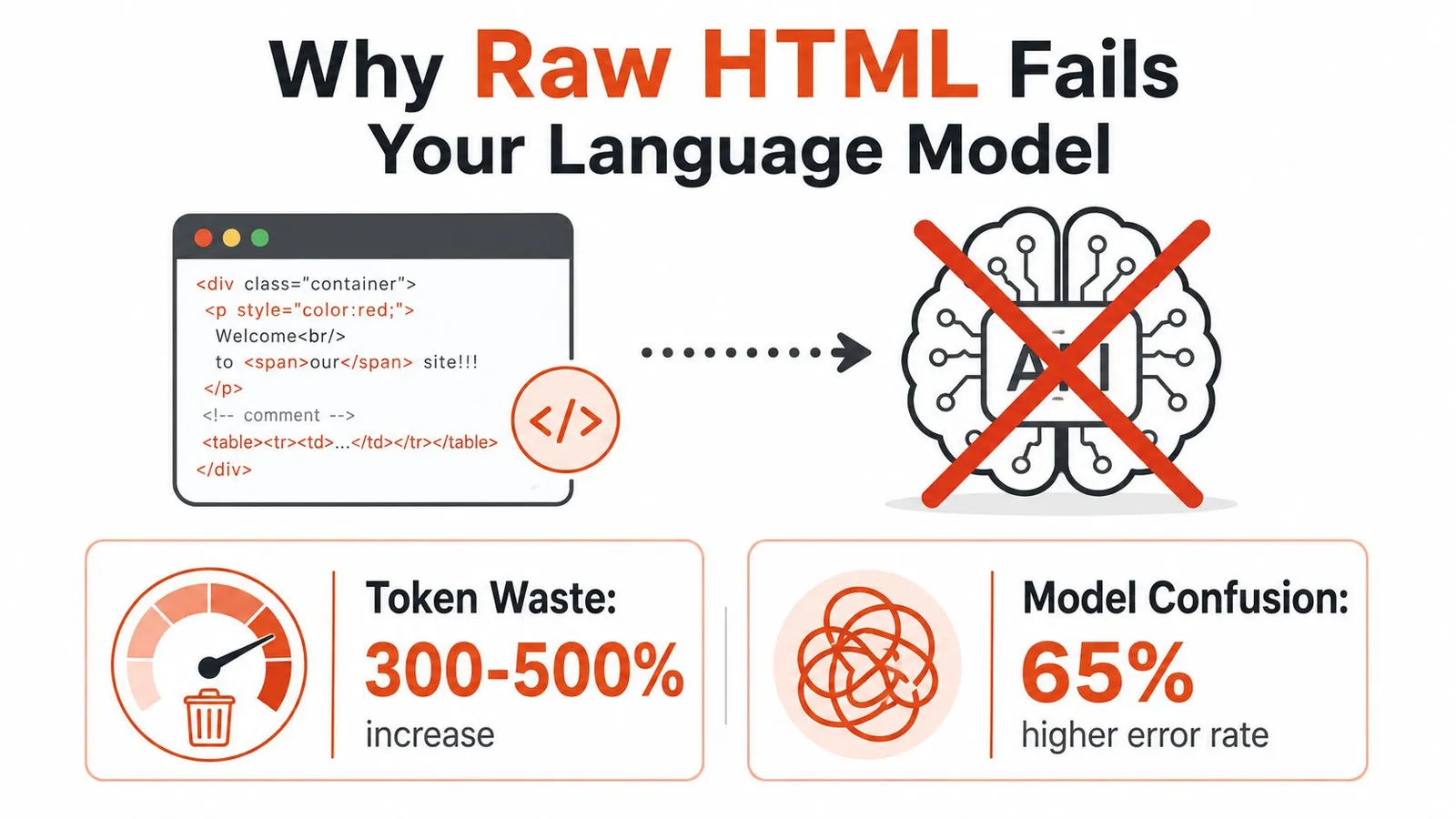
Most first attempts are simple: fetch a URL with curl or an HTTP client, then place the HTML inside a prompt. That approach preserves everything the browser needs, including navigation, tracking elements, cookie banners, accessibility attributes, inline styles, scripts, duplicated links, and structured markup intended for machines other than your language model.
The model sees a large document where the article is only one region among many. It may answer from a footer, confuse menu labels with content, or spend context processing tags that carry no value for the task.
The fetch can succeed while the content is missing
A static HTTP request often returns only the application shell for a single-page application. The meaningful text arrives later through JavaScript, API calls, or client-side hydration. A converter that receives that initial response can't extract content that wasn't present in the response.
Even a server-rendered page can be difficult. Article text may sit beside repeated recommendation cards, hidden navigation variants, consent dialogs, and related-content modules. Boilerplate removal is therefore an extraction problem, not a search-and-replace operation.
For a practical comparison of extraction approaches, see this guide to extracting text from a website. The useful question isn't whether a tool returns Markdown. It's whether the output contains the right material in the right order.
Markdown reduces noise, but conversion can lose structure
Cloudflare's April 17, 2026 analysis found that Markdown content negotiation was supported by only 3.9% of sites, which means direct Markdown delivery is still an early web standard rather than a universal capability. The same analysis reported that Markdown responses can reduce token usage by up to 80% in some cases. Cloudflare's agent-readiness analysis documents both findings and describes separate /index.md endpoints and llms.txt references to those endpoints.
That reduction matters because context cost and context quality are connected. A smaller, cleaner document gives the model more room for the actual task, but a careless converter can strip table relationships, heading hierarchy, image meaning, link destinations, or list nesting.
Practical rule: Treat HTML retrieval, content selection, and Markdown rendering as separate stages. Debug them separately.
The output should be tested semantically, not just syntactically. A document can pass a Markdown parser while still omitting the product table, mixing sidebar text into the article, or returning a JavaScript shell with no useful body.
Open-Source Converters and Where They Break
Open-source converters remain useful when you control the input and can inspect failures. They become less predictable when the source contains malformed markup, complex tables, client-side rendering, or anti-bot defenses. The right choice depends less on brand familiarity than on where in the pipeline the HTML comes from.
Pandoc is powerful after you have stable input
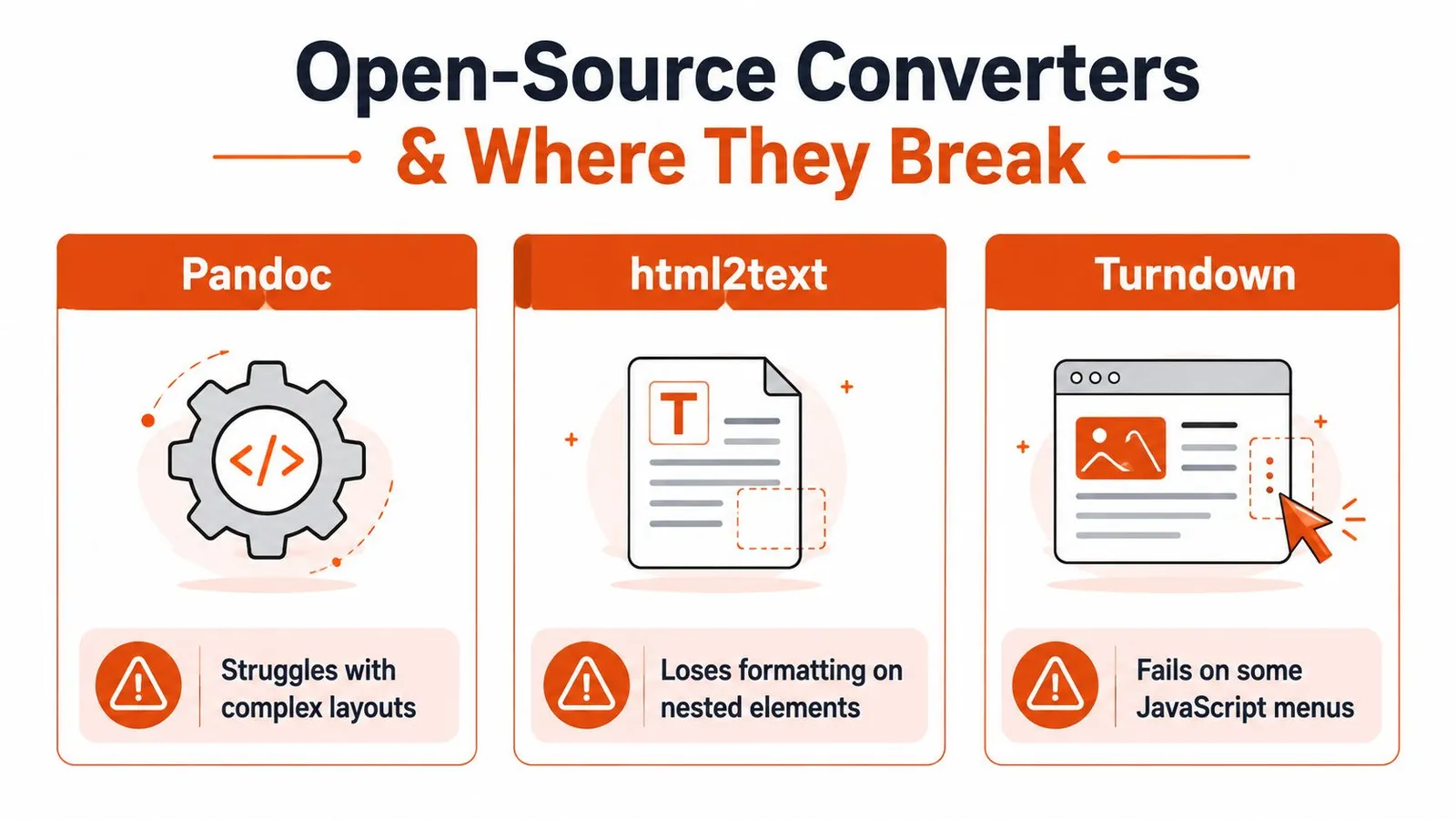
Pandoc is a strong document conversion engine when the source is reasonably structured and the document model is conventional. It can handle many common block elements and provides a mature set of output options.
Its weakness appears earlier than most developers expect. If the HTML contains complicated layout wrappers, malformed nesting, application-generated fragments, or presentation markup that carries meaning only through CSS, Pandoc can't infer the publisher's intent reliably. It converts the tree it receives, not the page a human sees.
Use it for controlled exports, documentation repositories, and known templates. Don't use it as a substitute for browser rendering or article-body detection.
html2text is convenient, but tables expose its limits
html2text is attractive for small scripts because it's easy to install and produces readable plain Markdown-like output quickly. It works well for simple headings, paragraphs, links, and basic lists.
Tables and nested elements are the stress test. A table that looks clear in a browser may become a sequence of lines with weak row and column relationships. Nested lists can flatten or acquire confusing indentation, especially when the source includes layout lists that weren't intended as editorial content.
For a one-off internal page, that may be acceptable. For retrieval, the loss is more serious because the model may assign a value to the wrong label or treat separate records as one paragraph.
Turndown needs the DOM you actually want to convert
Turndown works naturally in browser-oriented workflows because it converts a DOM into Markdown. That makes it a good fit after Playwright or Puppeteer has rendered a page and your code has selected the relevant element.
It doesn't solve the acquisition problem by itself. If you run it against the initial HTML from a JavaScript-heavy site, it can faithfully convert an empty shell. Menus assembled after interaction, content loaded after scrolling, and consent-gated sections still require browser logic.
A useful tool-selection rule looks like this:
| Input condition | Reasonable starting point | Main risk |
|---|---|---|
| Controlled, clean HTML | Pandoc | Complex layouts may lose intent |
| Simple pages and scripts | html2text | Tables and nested lists can degrade |
| Rendered DOM in a browser | Turndown | Browser infrastructure becomes your responsibility |
| Unpredictable public URLs | Hosted extraction service or custom browser pipeline | Cost, access, and observability |
A 2025 PyPI benchmark for an HTML-to-Markdown library reported 144 to 208 MB/s on real Wikipedia pages, with latency as low as 0.62 ms for a 129 KB document and 4.56 ms for a 656 KB document. The benchmark also reported peak RSS below 80 MB on a 500 KB page and a v2 implementation 19 to 30 times faster than the earlier Python and BeautifulSoup version. The benchmark announcement is useful operationally because it separates conversion speed from the harder retrieval and cleaning problems.
For broader scraper design considerations, this open-source web scraper guide provides relevant context. Fast rendering of bad input is still bad extraction.
Using Webclaw for Clean LLM-Ready Output
A hosted API is useful when you don't want every project to own browser orchestration, content selection, retries, and output normalization. Webclaw exposes a REST scrape endpoint that accepts a URL and can return Markdown, including an LLM-oriented output shape designed to remove navigation, ads, duplicate links, and other boilerplate.
The basic request uses bearer authentication and asks for Markdown explicitly:
curl -X POST  \
  -H "Authorization: Bearer $WEBCLAW_API_KEY" \
  -H "Content-Type: application/json" \
  -d '{"url":"https://example.com/article","formats":["markdown"]}'
That gives you a conventional Markdown representation. For an agent or retrieval pipeline, request the LLM-optimized format when the endpoint and account configuration support it. The distinction matters because generic Markdown can preserve useful page material that an agent doesn't need, while the optimized form prioritizes the main content.
Choose output for the downstream task
A research assistant usually needs headings, paragraphs, links, and enough metadata to cite the source. A RAG index often benefits from cleaner body text with navigation removed. An editorial archive may need images, frontmatter, canonical links, and structured fields.
The API's HTML-to-Markdown capability fits the first step, but you should still inspect representative outputs before indexing a whole domain. Check headings, tables, code blocks, lists, source links, and the page title. Don't assume a successful HTTP response means a successful extraction.

The same workflow can be called through SDKs or a command-line interface, which is convenient when a Python ingestion job and a TypeScript agent need identical extraction behavior. Keep the raw response, the normalized Markdown, and the extraction metadata separately so you can diagnose regressions without refetching every page.
A clean context layer also supports an AI search engine optimization framework, because discoverability for AI systems depends on more than visible page copy. Structured, accessible content gives downstream systems a clearer representation to retrieve and cite.
Handling JavaScript-Rendered and Bot-Protected Pages
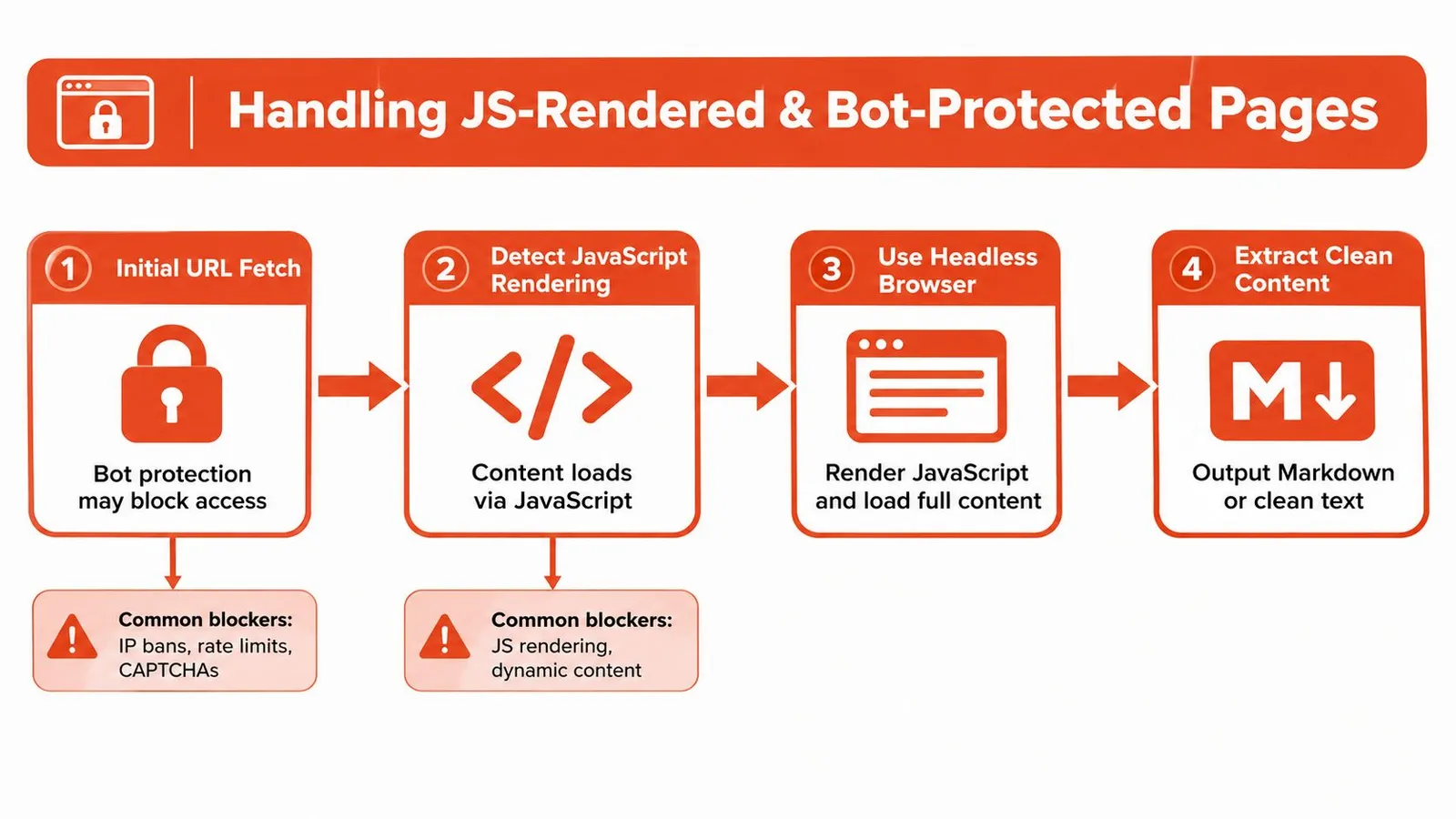
The hardest part of URL-to-Markdown conversion happens before Markdown exists. A plain HTTP client can receive an application shell, a challenge page, or a denial response. No renderer can recover content that the origin never supplied.
Cloudflare's agent-readiness analysis also shows why this problem is still unsettled. Markdown delivery is supported by a small minority of sites, so most systems must continue to fetch and transform ordinary HTML themselves.
Detect the failure mode before choosing a fix
Start by comparing the response body with the rendered browser view. If the response contains an empty root element and script references, you have a rendering problem. If it contains a challenge, denial message, or incomplete response, you have an access problem. If it contains the article plus large repeated regions, you have a content-selection problem.
Playwright and Puppeteer solve the first category by running a browser and waiting for the page to reach a meaningful state. The wait condition should reflect the page, not an arbitrary delay. Look for a content selector, a network-idle boundary where appropriate, or a page-specific readiness signal.
A browser still needs operating discipline:
- Wait for content, not time: Fixed sleeps make pipelines slow on fast pages and unreliable on slow ones.
- Capture the rendered DOM: Convert the DOM after scripts have populated it, not the original response body.
- Handle consent and interaction: Some content appears only after a dialog closes, a tab opens, or a section expands.
- Preserve diagnostics: Save status, final URL, title, and a small failure snapshot for retries and review.
Bot protection is a separate layer
A headless browser may render a page correctly and still fail an anti-bot check. Challenge systems can inspect browser behavior, session state, IP reputation, and interaction patterns. A production system needs compliant access handling, sensible rate controls, and an explicit policy for pages it isn't authorized to retrieve.
Where geographic variation or larger crawl volumes matter, teams may bring their own residential, ISP, or datacenter proxies. That adds routing, privacy, cost, and operational complexity, so it shouldn't be the default fix for a broken parser.
For CAPTCHA-specific considerations, see what a CAPTCHA solver is. The key engineering distinction is simple: rendering makes content available, while access controls determine whether you can reach it at all.
Deciding What to Keep, Images, Metadata, and Frontmatter
There isn't one correct Markdown shape. The right output depends on who consumes it next.
A retrieval pipeline usually wants the article body, heading hierarchy, meaningful links, and enough provenance to identify the source. Removing navigation and repeated page chrome improves retrieval precision, but stripping every link can make citations and follow-up browsing harder. Images may be irrelevant for text-only question answering, yet essential when a diagram carries the explanation.
Match fidelity to the downstream consumer
| Downstream use | Keep | Usually remove |
|---|---|---|
| RAG context | Main text, headings, source URL, useful links | Navigation, ads, repeated recommendations |
| Archive | Body, metadata, images, links, canonical information | Only clearly disposable interface elements |
| Editorial workflow | Title, description, author fields, dates, images, frontmatter | Tracking parameters and duplicated chrome |
| Structured extraction | Schema-relevant fields and page-type signals | Markdown formatting that adds no field value |
The market has not settled on a single convention. Current HTML-to-Markdown coverage shows tools that focus on body-only output alongside tools that retain metadata, titles, descriptions, logos, and schema-related fields. That difference reflects real use cases rather than a minor formatting preference.
Frontmatter is useful when it carries provenance
For an archive, frontmatter can hold the title, description, publication details, canonical URL, author, image references, and content type. For a short-lived model prompt, those fields may waste context unless the model needs them. Keep them outside the body or return them as typed JSON when the consumer can handle separate fields.
Page-type-aware extraction is often better than asking a generic converter to infer every structure. A product page, help article, event listing, and news post have different useful fields. Generic Markdown is a strong interchange format, but it shouldn't be mistaken for a complete data model.
A practical compromise is to store three layers: normalized Markdown for reading, metadata JSON for provenance, and the original response or snapshot for audit. That lets you re-index, cite, or rebuild a richer representation without changing the crawler.
Batch Processing and Production Error Handling
One URL hides operational problems. A batch exposes them immediately. Pages time out, return access errors, render incomplete content, or produce structurally valid Markdown with no meaningful article body.
Use a queue rather than a loop that fails the entire job on the first exception. Each item should carry the source URL, attempt count, request status, elapsed time, output format, and a classification such as success, retryable failure, permanent denial, or semantic-empty result.
A resilient workflow looks like this:
- Submit work in bounded parallelism. Concurrency should be configurable and tied to the target sites and service limits.
- Apply targeted retries. Retry transient timeouts and temporary server failures, but don't blindly repeat a stable denial.
- Validate the result semantically. Check for a title, meaningful headings, expected content markers, and a minimum substance threshold defined by your application.
- Persist every outcome. Store failures with enough context to reproduce the issue and successes with their extraction metadata.
- Reprocess selectively. Send JavaScript-heavy or challenge responses to a browser-capable path instead of retrying the same basic fetcher.
The batch processing guide is relevant when you need to separate scheduling, concurrency, retries, and result storage. Those concerns should remain independent from Markdown rendering.
For quality evaluation, compare extracted output with labeled references where you can. The WebMarkdown-1M study trained and evaluated HTML-to-Markdown and JSON extraction across a 1M-page corpus. For main-content conversion, ReaderLM-v2 reached 0.86 Rouge-L, compared with 0.69 to 0.71 for several frontier models, and reduced Levenshtein distance to 0.20 from about 0.40 to 0.41. For instruction-guided extraction, it reached 0.84 Rouge-L and 0.22 Levenshtein. The arXiv paper shows why readable output alone isn't enough. Evaluate ordering, tables, and task-specific fields, not just whether the Markdown looks clean.
Choosing the Right Approach for Your Pipeline
Choose the smallest system that handles your actual pages.
| Use case | Starting approach |
|---|---|
| Controlled static documentation | Pandoc or html2text with fixtures |
| Browser-rendered application | Playwright or Puppeteer followed by DOM extraction |
| Public URLs with mixed difficulty | Hosted API with rendering and retries |
| High-volume ingestion | Queue, bounded concurrency, validation, and selective fallbacks |
| Archive or publishing workflow | Markdown plus separate metadata and asset handling |
| Known page types | Schema-aware extraction rather than generic conversion |
Open-source tools are appropriate when you control templates, can tolerate manual tuning, and want self-hosting. A hosted service makes more sense when JavaScript rendering, bot protection, proxy routing, and operational maintenance would otherwise become your team's main project. Custom extraction is justified when the value lies in precise fields, stable schemas, or domain-specific semantics.
The durable design is a staged pipeline: acquire the page, render it when necessary, identify the main content, convert it, validate its meaning, and preserve provenance. Markdown is the interface between those stages, not the solution to every failure.
Webclaw turns URLs into clean Markdown and other model-ready formats, with browser rendering, extraction, batch workflows, and structured output for harder pages. Visit Webclaw to test the scrape API against the URLs that currently return shells, boilerplate, or blocked responses, then use the result as a dependable context layer for your agent or retrieval pipeline.