What Is Screen Scraping: Understanding Its Risks & AI Uses
Screen scraping is a data extraction technique that captures data from a user interface by reading what's rendered on screen, often as a last resort when no API exists. Its logic made sense in a world built around screens, and that world is still huge: 50.4% of U.S. teenagers ages 12 to 17 had 4 hours or more of daily screen time, 22.8% had 3 hours, and 17.8% had 2 hours during July 2021 through December 2023.
You're probably here because you need data from a place that doesn't want to hand it to you neatly. Maybe it's a web app with no public API. Maybe it's a partner portal that renders everything after login. Maybe it's an old desktop system, a PDF-heavy workflow, or a dashboard that only exists for human eyes.
That's where screen scraping entered the picture. It was the brute-force answer to a practical problem: if a human can see the data, a program should be able to see it too. For a long time, that was enough.
It still works in narrow cases. But modern developers should treat it like a legacy compatibility tactic, not a default architecture. If you're building retrieval systems, automation, or LLM pipelines today, the better question usually isn't just what is screen scraping. It's whether reading pixels and rendered UI is still the right layer to extract from at all. In many AI workflows, it isn't. A cleaner path starts with tools built for extraction rather than imitation, especially if you're working on web scraping for AI agents.
Introduction The Last Resort for Data Extraction
A team needs data from a banking portal by tomorrow morning. The vendor dashboard has no API, the page markup is useless, and the only thing that reliably shows the data is the screen a human clicks through every day. That is the situation where screen scraping shows up.
Screen scraping is a fallback technique. It automates the user interface, logs in, clicks through the workflow, and pulls data from what gets rendered on the screen. Engineers usually reach for it when they cannot get structured access any other way.
In plain terms, screen scraping reads the presentation layer instead of a structured system interface. That made it common in older enterprise software, desktop apps, terminal systems, and financial workflows where human access arrived long before developer access. The method solved a real integration problem, but it solved it at the least stable layer. A button label changes, a page layout shifts, a login flow adds a prompt, and the extraction breaks.
Why it existed for so long
Screen scraping stuck around because many systems were built for people first and software second. If a user could see the data, businesses assumed a program could be made to capture it too.
That logic sounds crude, but it was often practical. A lot of business software exposed reports through GUIs, PDFs, remote desktops, or browser sessions without offering structured exports. Screen-based interaction is still central to how people use software. The CDC data brief on teen screen time reports that 50.4% of U.S. teenagers had four or more hours of daily recreational screen time in 2021. When systems are designed around screens, teams often end up extracting from screens.
Practical rule: If an integration depends on what a user sees instead of what a system publishes, it depends on the least reliable part of the stack.
Why modern teams should be skeptical
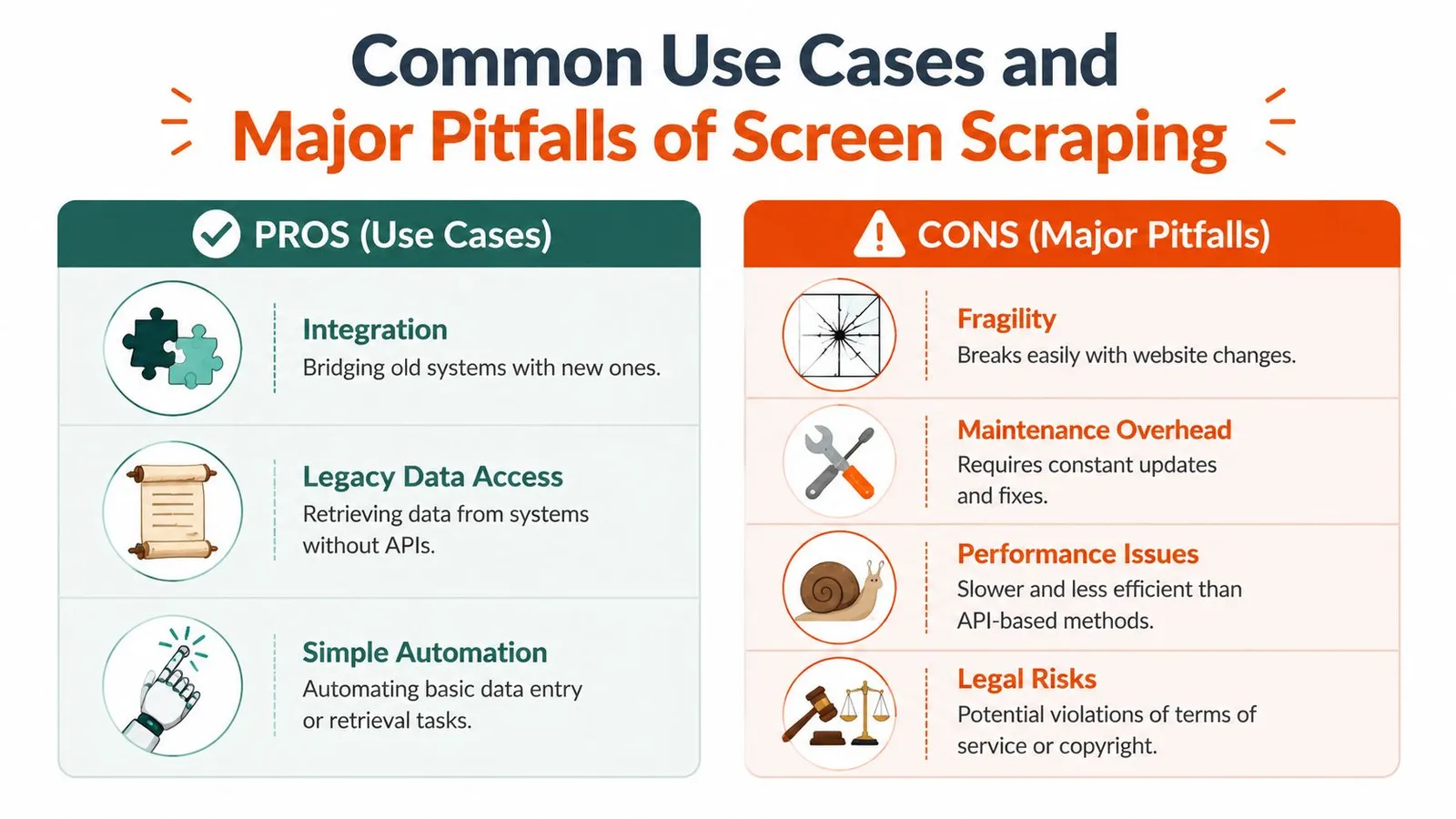
Screen scraping still has a place. It can keep a legacy process alive, bridge a gap during a migration, or recover data from software that was never designed for integration.
But it is a poor default for modern data work. Reliability is hard. Security gets complicated fast when credentials, sessions, and MFA enter the picture. The output is often noisy, layout-dependent, and expensive to normalize. That is a bad fit for AI pipelines that need clean context, stable structure, and repeatable extraction.
The better direction is to move up the stack whenever possible. Use APIs when they exist. Parse source documents instead of screenshots. Extract directly from rendered web content in a structured way when the goal is downstream LLM use. Teams building web scraping pipelines for AI agents usually need normalized text, metadata, and predictable chunking, not a fragile imitation of a user's mouse clicks.
Screen scraping matters because it explains how teams used to get data out of closed systems. It also shows why modern extraction tools are replacing it.
How Screen Scraping Actually Works
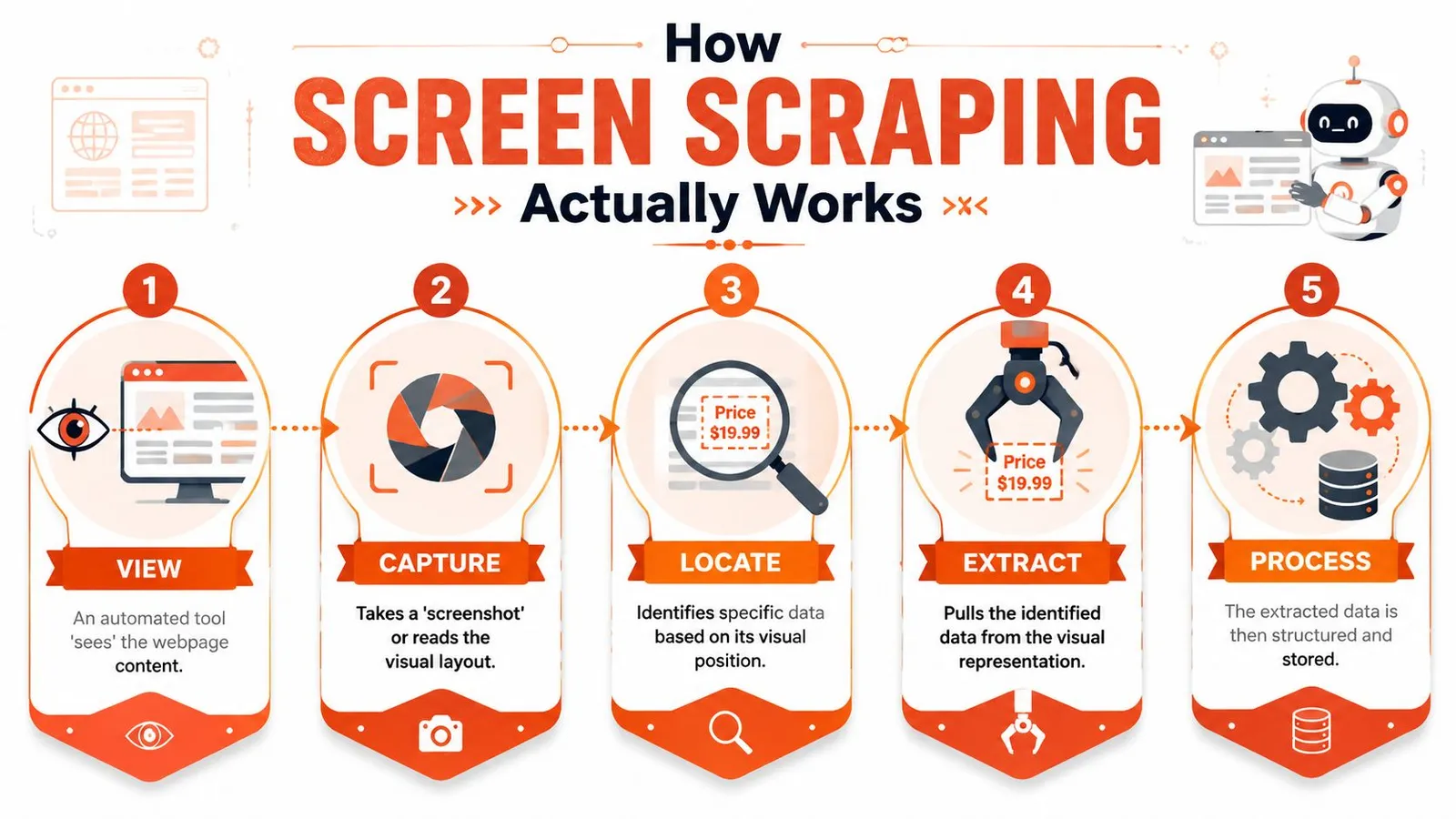
At a technical level, screen scraping automates the same path a human would take through an interface. It opens the application, waits for the view to render, finds the target information on the visible screen, then converts that visible output into text or fields a program can use.
It reads the interface, not the source
That distinction matters. A DOM scraper reads page markup. An API client reads structured responses. A screen scraper reads the final rendered interface.
The TechTarget definition of screen scraping describes it as a GUI-driven extraction method where software automates user-interface navigation, identifies visible elements, and converts on-screen content into machine-readable text. When the data is embedded in an image, chart, or PDF, OCR is used to recover the text. That's why screen scraping can work on interfaces that don't expose useful HTML, but it's also why it's slower and more brittle than parsing structured markup.
The extraction pipeline in practice
A real scraper usually follows a sequence like this:
- Render the target view
The tool launches a browser or application context and waits for the content to appear. On modern sites, that often means handling JavaScript rendering, delayed hydration, and async requests.
- Find the data visually or semantically
Some scrapers use coordinates. Others rely on GUI selectors, labels, or image matching. Both approaches are sensitive to layout changes.
- Capture the output
If the content is text in accessible UI elements, extraction may be straightforward. If it's rendered into a canvas, chart, scanned PDF, or image, OCR enters the loop.
- Normalize the result
The scraper cleans line breaks, fixes OCR mistakes, maps fields, and stores the output.
Screen scraping succeeds when the interface stays predictable. It fails when the interface is treated like a product, because products change.
Why developers confuse it with browser scraping
A lot of teams say “screen scraping” when they really mean “using a browser to scrape a site.” Those aren't always the same thing. If you're using a headless browser to render JavaScript and then reading the DOM, you're still scraping markup, not the visual screen itself. That's a different failure mode and usually a better one.
If you've run into pages that only work after rendering, the practical problem is often less about screen scraping and more about choosing a scraper with proper JavaScript rendering and browser fallback support. True screen scraping starts when the rendered view is the only reliable source left.
Screen Scraping vs Web Scraping vs APIs
Teams often collapse three different methods into one bucket. That creates bad architecture decisions. The fastest way to understand what screen scraping is is to place it next to the two alternatives it gets confused with most often.
Three layers of access
API access is the sanctioned path. You request specific data through a defined contract and receive structured output. If an official API exists and fits your needs, use it.
Web scraping using DOM parsing reads the page's underlying HTML. It's useful when a site doesn't offer an API but still exposes meaningful markup. It's usually more efficient than screen scraping because it works with structure instead of appearance.
Screen scraping reads the rendered interface itself. It's what you reach for when the useful information isn't accessible through an API or stable page markup.
That gives you a simple hierarchy:
Data Extraction Methods Compared
| Criterion | API Access | Web Scraping (DOM Parsing) | Screen Scraping |
|---|---|---|---|
| Data source | Structured backend response | HTML and page structure | Rendered user interface |
| Stability | Usually highest if officially supported | Moderate, depends on markup changes | Lowest, depends on visible layout and flow |
| Speed | Usually fastest | Often efficient | Usually slower because rendering and OCR may be involved |
| Maintenance | Lower if contract is stable | Ongoing selector maintenance | High ongoing maintenance |
| Works on JS-heavy apps | Only if API exists | Sometimes, often requires browser rendering | Yes, if the UI can be rendered and read |
| Works on non-HTML views | No, unless exposed separately | Limited | Yes, including charts, PDFs, and image-based screens |
| Security model | Defined permissions and auth flows | Varies by target | Risky if it depends on credential replay |
| LLM readiness | Good if response is already structured | Mixed, often noisy | Poor by default unless heavily cleaned |
A good mental model is this: APIs expose intent, DOM scraping reads implementation, screen scraping observes appearance.
Decision test: If a button moves and your pipeline breaks, you didn't build on data. You built on pixels.
What works and what doesn't
Use APIs when the provider wants machines to access the data. That's what they're for.
Use DOM scraping when the content is public or permissioned, the markup is usable, and the site doesn't provide a suitable API. Most modern scraping stacks operate under these conditions, especially when paired with a managed web scraping API that handles rendering and extraction.
Use screen scraping only when the interface is the only practical access path left. That usually means legacy software, visual-only workflows, or systems where the content exists solely in the rendered layer. It can work. It just shouldn't be your first design choice.
Common Use Cases and Major Pitfalls
A team inherits a core workflow that still runs through a terminal window, a Citrix session, or a PDF export. The business needs the data now, not after a two-year replacement project. That is when screen scraping gets approved.
It still shows up in production for one reason. Some systems leave no cleaner access path.
Where teams still use it
The most defensible use case is legacy enterprise software. Older ERP clients, mainframe front ends, and internal desktop tools often expose data only through rendered screens. In those environments, a screen scraper acts as a temporary adapter between a system nobody wants to touch and a downstream process that needs structured output.
Another real use case is visual and document extraction. Some workflows depend on PDFs, scanned statements, charts, image-based dashboards, or remote desktop sessions where the meaningful content exists only after rendering. OCR and UI automation can pull data out, but reliability depends heavily on document quality, screen consistency, and post-processing.
Financial aggregation was another major use case. Products logged in as the user, replayed the same screens a person would see, and collected balances and transactions from the account interface. That approach expanded access quickly, but it also showed the hard limits of GUI-dependent extraction under production load.
Why it breaks so often
Screen scraping fails at the layer that changes most often. The UI.
A scraper may depend on a button position, a label, a tab order, a timing assumption, or text extracted from pixels. Any small product update can break that chain. Worse, some failures stay invisible because the automation still runs and returns output that looks valid until someone checks it closely.
The common breakpoints are predictable:
A field moves, a label changes, or a modal interrupts the flow. The scraper clicks the wrong target or reads the wrong value.
Resolution, zoom, fonts, viewport size, and browser behavior can all change what the automation sees. OCR quality also drops fast when image quality is inconsistent.
Login flows change. MFA appears. Sessions expire early. A job that passed in staging gets stuck halfway through a live run.
Public-facing sites often detect automation and respond with interstitials, CAPTCHAs, or blocked sessions. If that is part of the failure pattern, this Cloudflare scraping diagnostic checklist is more useful than guessing at random fixes.
The expensive bugs are usually silent ones. A script that crashes gets noticed. A script that extracts the wrong account number, misses a negative sign, or reads last month's label into this month's column can contaminate downstream systems for days.
Maintenance is the real cost
The first version is usually the cheapest part.
After launch, the team owns every UI change, every login prompt, every OCR regression, and every edge case where the rendered view differs from the business meaning of the data. That maintenance load is why screen scraping ages poorly as a foundation for AI workflows. LLM pipelines need stable, structured, repeatable input. Pixel-derived output usually needs heavy cleanup, validation, and retries before it is safe to use as context.
That is the practical inflection point. If the goal is reliable extraction for search, automation, or LLM context, screen scraping should be treated as a fallback for hostile or legacy interfaces. When teams can access the page structure directly or use a modern extraction stack such as Webclaw, they usually get cleaner data, fewer breakages, and far less operational babysitting.
Legal and Ethical Considerations
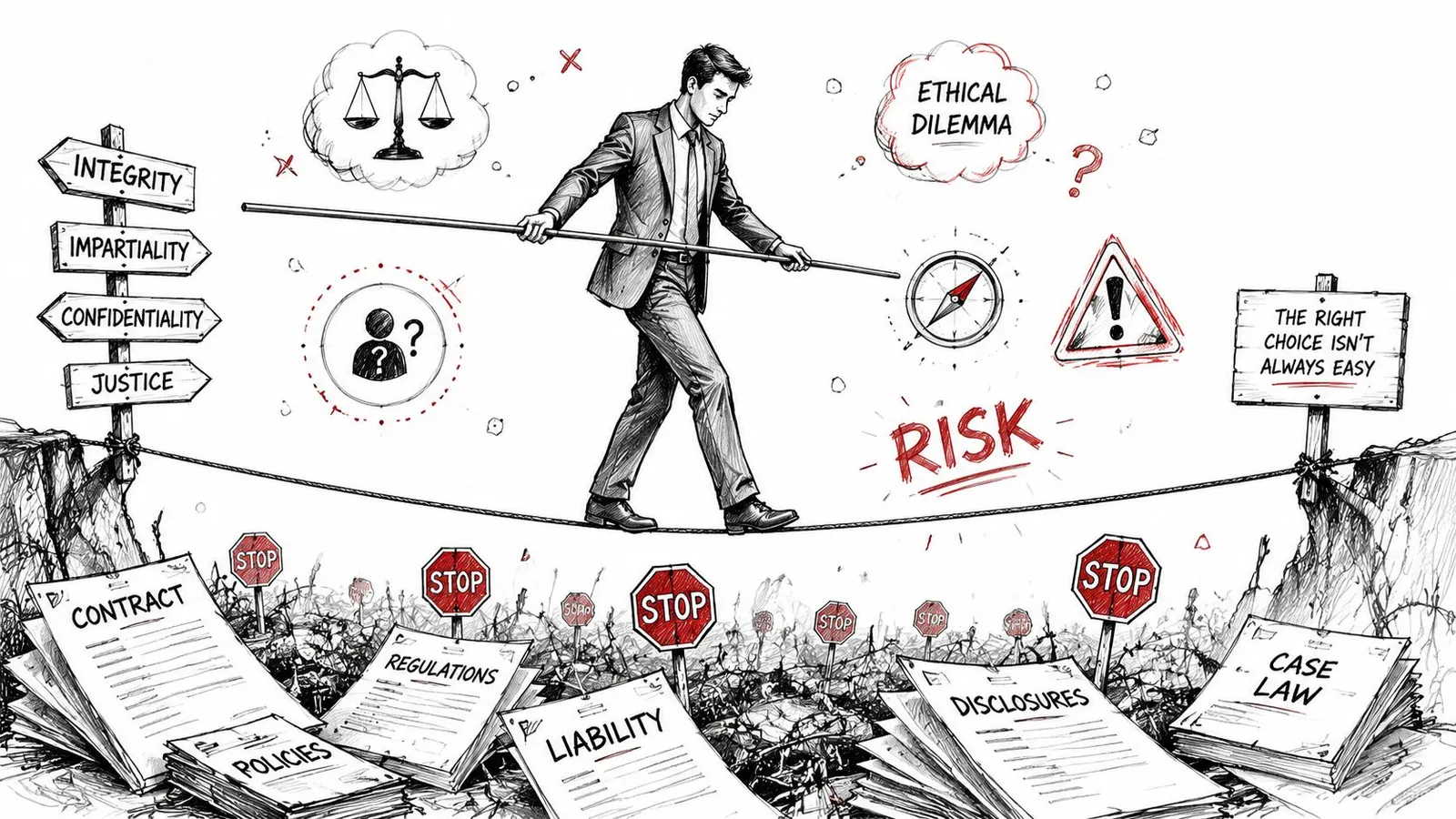
Engineering teams sometimes treat legal risk as a downstream concern. With screen scraping, that's backwards. The method itself can create the risk.
Credential sharing changes the risk
The sharpest example comes from financial workflows. A consumer advisory from Saskatchewan on screen scraping risks warns that screen scraping can expose usernames, passwords, balances, transactions, and other financial products. It also notes that users may violate bank terms and could be liable for losses if an account is hacked or compromised.
That should reset how you think about the trade-off. This isn't just a flaky parser problem. In some contexts, it's a liability and trust problem.
Risk check: If your data access method requires users to hand over credentials that were meant for direct login, the technical shortcut may create a business exposure larger than the integration itself.
Terms privacy and liability matter more than convenience
Even outside banking, the same pattern holds. If you automate access through an interface in ways the provider didn't authorize, you may run into terms-of-service issues, privacy concerns, and disputes over who is responsible when something goes wrong.
Three practical questions matter before anyone ships a scraper into production:
Public visibility and authorized machine access aren't the same thing.
If a third party stores or replays authentication secrets, that decision needs security review, not just engineering approval.
If the scraper over-collects, exposes sensitive data, or triggers account issues, someone owns that outcome.
A lot of teams don't ask those questions early enough. They focus on whether the data can be accessed, not whether it should be accessed this way.
There's also a practical ethical issue. Screen scraping often collects more than the exact field a workflow needs because the method operates at the interface level. That can lead to unnecessary data capture, especially in authenticated products.
A modern access strategy should reduce exposure, not widen it. If your only route involves replaying user behavior, bypassing intended integration paths, or fighting anti-bot systems directly, the safer move is often to redesign the workflow. For teams working through those access challenges on the open web, this guide on bypassing web blocks in 2026 is useful as a technical reference, but the policy and consent questions still come first.
A short explainer helps illustrate why these concerns aren't theoretical:
From Brittle Scraping to Reliable Extraction
A team inherits an old automation job that clicks through a browser, waits for a table to appear, and copies values off the screen. It works until the vendor adds a consent modal, renames a CSS class, or moves one button. Then the pipeline breaks, and someone spends the morning debugging a UI instead of shipping product.
That is the transition this section is really about. Screen scraping was built for environments where the visible interface was the only practical way to get data out. Modern extraction systems aim at a different goal: reliable access to usable content, without tying the whole pipeline to a fragile GUI.
The web changed the failure modes. Older scraping workflows assumed a page arrived mostly complete, the structure stayed recognizable, and extraction started after access. On many current sites, access and extraction are coupled problems. Client-side rendering, async content, login state, consent flows, and anti-bot controls can all block the pipeline before a selector or OCR step even runs.
Reliable extraction has to do more than load a page. It has to render the right state, isolate the content that matters, and return it in a format the downstream system can use.
That matters even more for AI workloads. An LLM does not want a full page dump packed with navigation, repeated links, cookie notices, and layout noise. It wants compact, meaningful context. Legacy screen scraping was often good enough when the target was a single field on a screen. It is a poor fit when the target is clean text, structured records, or markdown that feeds retrieval, agents, or prompt pipelines.
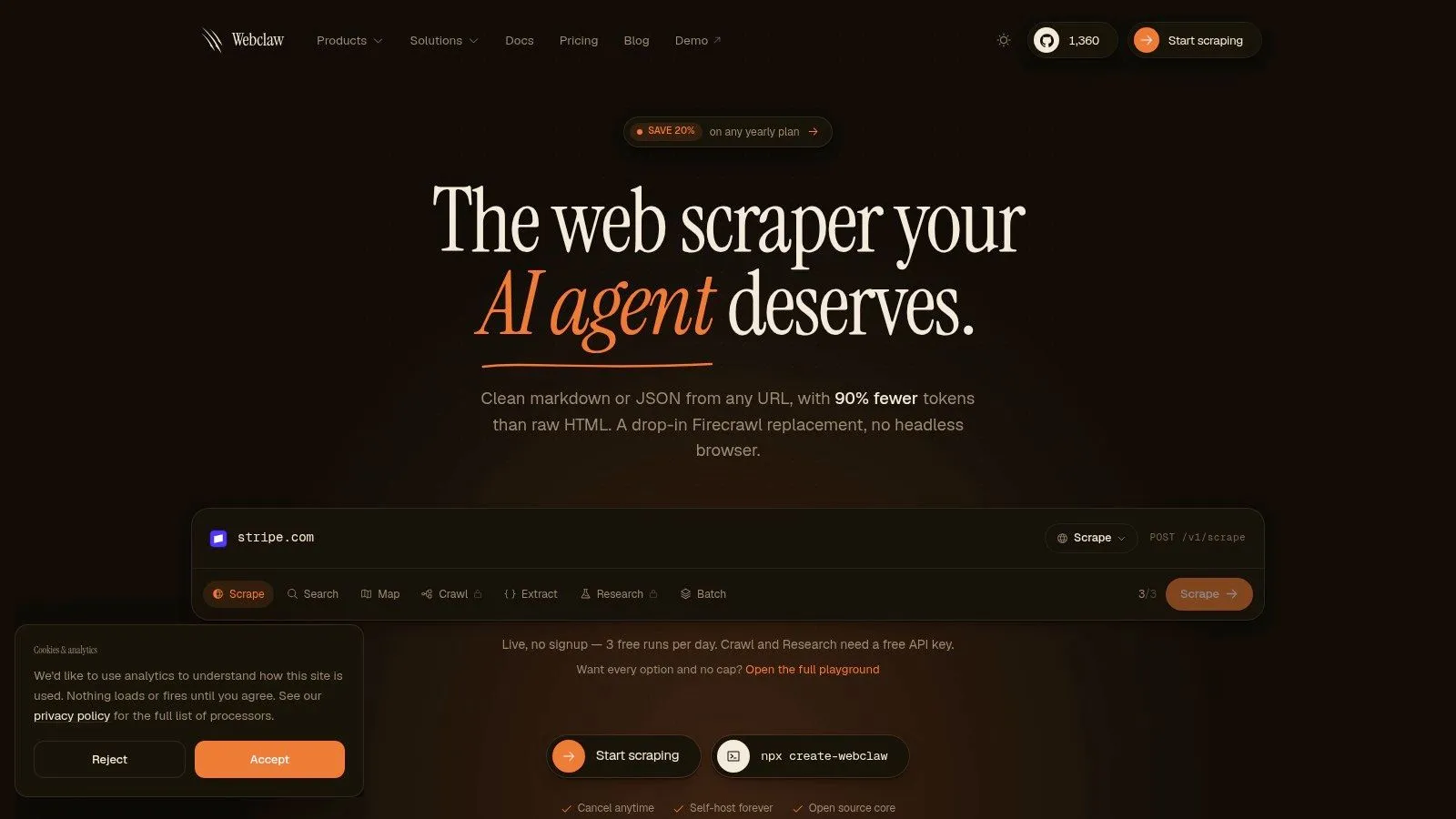
A practical example is Webclaw, which exposes extraction as an API and returns content in formats such as markdown, JSON, text, and LLM-oriented output. That approach reflects the current requirement more accurately. The system handles rendering and hostile site behavior upstream, then returns content the application can use directly.
Maintenance is usually the cost that changes minds. A workflow that depends on pixels, click paths, or brittle selectors keeps failing for reasons unrelated to the business logic. A workflow built around reliable extraction still needs monitoring, but it fails less often and degrades more predictably.
Old scraping pipelines were built to collect pages. Modern extraction pipelines should produce context.
Once you frame the problem that way, screen scraping stops looking like a default method. It becomes a fallback for legacy desktop apps, image-only interfaces, and a small set of edge cases where no structured layer is available.
Best Practices for Modern Data Extraction
If you're building a data-dependent system today, a few rules keep you out of most screen scraping traps.
If a supported API exists, use it. You'll get clearer contracts, cleaner auth, and less maintenance.
Don't jump straight to reading pixels. Many “screen scraping” problems are really rendering problems that a browser-based extractor can handle without OCR.
Use it for legacy apps, image-based interfaces, PDFs, or cases where the visible layer is the only layer available.
Build checks for schema drift, missing fields, and suspicious output. Silent failures are more dangerous than loud ones.
Review terms, consent flows, and credential handling before you ship. Security and legal review shouldn't be cleanup work after deployment.
If the destination is an LLM, focus on clean context, not maximum capture. Less noise usually means better retrieval and better prompts.
The short version is straightforward. Read from the most structured layer you can reach. Fall back only when necessary. And when your real goal is AI context rather than raw page collection, choose extraction tools that produce usable content instead of forcing your model to sort through interface debris.
If you're building retrieval pipelines, crawlers, or agent workflows and you need web content in markdown, JSON, or other LLM-friendly formats, Webclaw is one option to evaluate. It's built for teams that need reliable page access plus clean extraction output, which is a better fit for modern AI systems than legacy screen scraping.