How to Scrape a Website for Emails (the 2026 Guide)
You run a quick script against a target site, search the HTML for @, and expect a clean contact list. Instead, you get nothing useful. The page source is mostly JavaScript bundles, the contact page loads client-side, and after a few retries the site starts returning challenge pages instead of content.
That's where most “scrape a website for emails” tutorials stop being useful. They assume email extraction means spotting mailto: links on static pages. Real-world scraping doesn't look like that anymore. You usually need to discover the right pages first, render modern frontends, survive anti-bot controls, parse messy or obfuscated contact details, and then clean the output so the list is usable instead of dangerous.
A professional workflow treats email scraping as contact discovery plus data quality control. The extraction step matters, but it's only one piece. If the crawl is shallow, you'll miss contacts. If the parser is naive, you'll collect junk. If the list isn't validated and used responsibly, you'll create deliverability and compliance problems for yourself.
More Than Just Finding Mailto Links
The old playbook was simple. Fetch HTML, pull out mailto: links, maybe run a regex over the page, then dump everything into CSV. That still works on a small number of simple sites, but it fails on a large share of modern ones.
Commercial tools changed because the web changed. By 2025, email scraping had become a mainstream feature in lead-generation tools that combine web crawling, pattern matching, and API integration, which marks the shift from a simple regex task to a broader extraction stack used across sales and marketing operations, as described in Kaspr's overview of email scraping tools.
That shift matters because email discovery is usually a public-web search problem, not a one-page parsing problem. The email may live on a contact page, a footer loaded after hydration, a team bio, a press page, a careers page, a PDF, or nowhere visible at all. Sometimes the only public clue is a person's name and a company domain.
Practical rule: If your plan starts with “run regex on the homepage,” your failure rate will be high before anti-bot defenses even enter the picture.
There's a second problem. Sites don't just hide emails through layout choices. They also block automated access. JavaScript-heavy frameworks, deferred rendering, bot scores, rate limits, and challenge pages break the naive requests + regex stack fast. A script that works on one brochure site often falls apart on the next ten targets.
Professional-grade scraping looks more like this:
- Discover relevant URLs first instead of hammering only the homepage.
- Render when necessary because many contact details don't exist in initial HTML.
- Extract with context so you can distinguish a founder's address from
support@. - Normalize and validate before anyone uses the data.
- Apply compliance judgment before outreach starts.
The useful output isn't “some strings that match an email pattern.” The useful output is a contact dataset you can trust enough to act on.
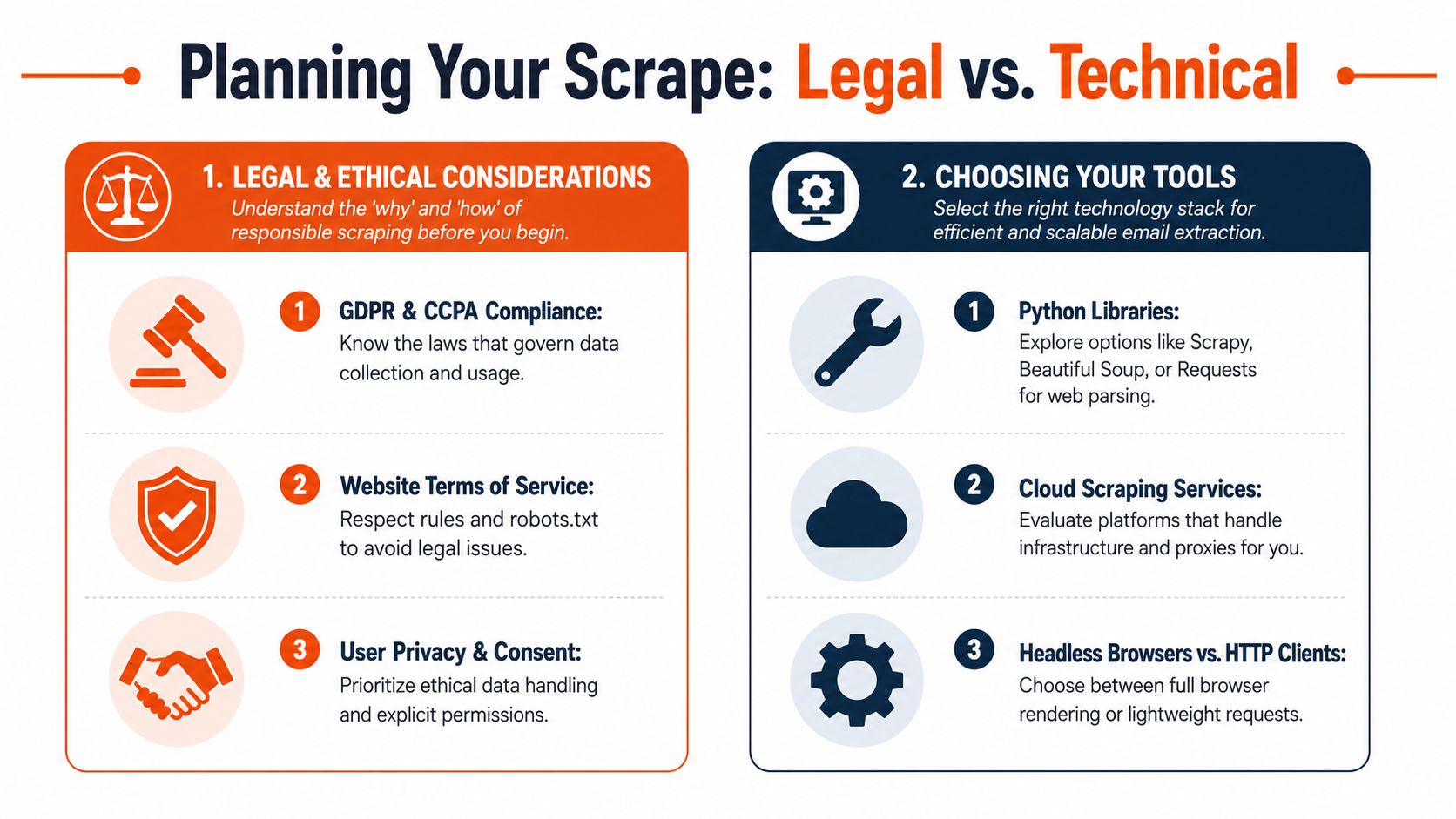
Planning Your Scrape and Choosing Your Tools
Tool choice decides whether an email scrape stays manageable or turns into weeks of patching around avoidable failures. I have seen teams start with a quick script, get partial results from a handful of sites, then realize too late that their target set includes JavaScript apps, PDFs, contact forms without visible addresses, and pages that score and throttle bots differently by session.
Separate collection from outreach
A public email address is still personal or business contact data that can be mishandled. The scrape itself is only one part of the system. Storage, enrichment, scoring, suppression, and outreach each create their own legal and operational risks.
That separation matters because the output you want is not "every string that looks like an email." You want a list that can survive review and still be useful. A generic info@ mailbox, an expired address buried in a PDF, and a named employee address pulled from a press release should not flow into the same outreach queue.
Scraping a public email address doesn't automatically make it a good outreach target.
Set the goal before you write code. A company-level contact list, a directory of named people, and role-based prospecting each require different crawl depth, extraction rules, and QA checks. If the target is "find any reachable contact method," your scraper should capture forms, social links, and phone numbers alongside email. If the target is "find decision-makers," then context extraction matters as much as the address itself.
Choose tools based on failure modes
The cleanest tool is the one that matches how the target site behaves.
HTTP clients and HTML parsers are still the right starting point for static sites and predictable templates. requests, httpx, BeautifulSoup, and Scrapy give good speed and low overhead. They are easy to test, easy to run in bulk, and easy to reason about when the page source contains the data you need.
They break fast on modern frontends. If contact details appear only after hydration, sit inside expandable components, or depend on chained requests, a simple parser will miss them. You also end up writing your own retry policy, session handling, and edge-case logic once the target set gets messy.
Headless browsers such as Playwright and Puppeteer handle those cases better. They can render the page, wait for async content, click through menus, and inspect the DOM the user sees. That often makes the difference between finding a real contact page and getting an empty shell.
The trade-off is maintenance. Browser jobs cost more to run, take longer, and fail in more ways. A cookie banner, a modal, a minor selector change, or a bot challenge can break a crawler that looked stable last week.
Managed scraping APIs shift that operational work to a service layer. They can bundle rendering, proxy rotation, and extraction behind an API. This can reduce custom infrastructure when your target pool is broad and inconsistent. If you want to evaluate that route, Webclaw's getting started guide for URL-based scraping workflows shows the basic request pattern.
A practical tooling comparison
Browser extensions and no-code scrapers are useful for reconnaissance, small jobs, and validating extraction logic before you build a pipeline. The Data Scraper Chrome Web Store listing is a good example of how these tools now support paginated extraction and multiple export formats. They are less useful once you need repeatability, monitoring, and per-domain controls.
| Approach | Works well for | Breaks when | Operational cost |
|---|---|---|---|
| HTTP client + parser | Static pages, simple sites, controlled targets | JS-heavy pages, anti-bot challenges, deferred content | Low at first, then rises through edge cases |
| Headless browser | Dynamic content, interactive flows, rendered contact pages | Detection pressure, flaky selectors, browser overhead | Moderate to high |
| Managed API | Broad target sets, mixed site architectures, structured output needs | Vendor fit may vary by extraction pattern | More predictable, less infra work |
Use the lightest stack that gets complete data from the actual target set, not from your easiest test domain. For a plain directory, a browser is unnecessary overhead. For a React site that loads team profiles after client-side requests, BeautifulSoup will give you false confidence and incomplete results.
Building a Resilient Crawling and Scraping Strategy
Most failed email scrapes have the wrong shape. They focus on extraction logic before they build a URL discovery process, and they scale request volume before they test whether the crawl path is even correct.
Treat crawling and scraping as different jobs
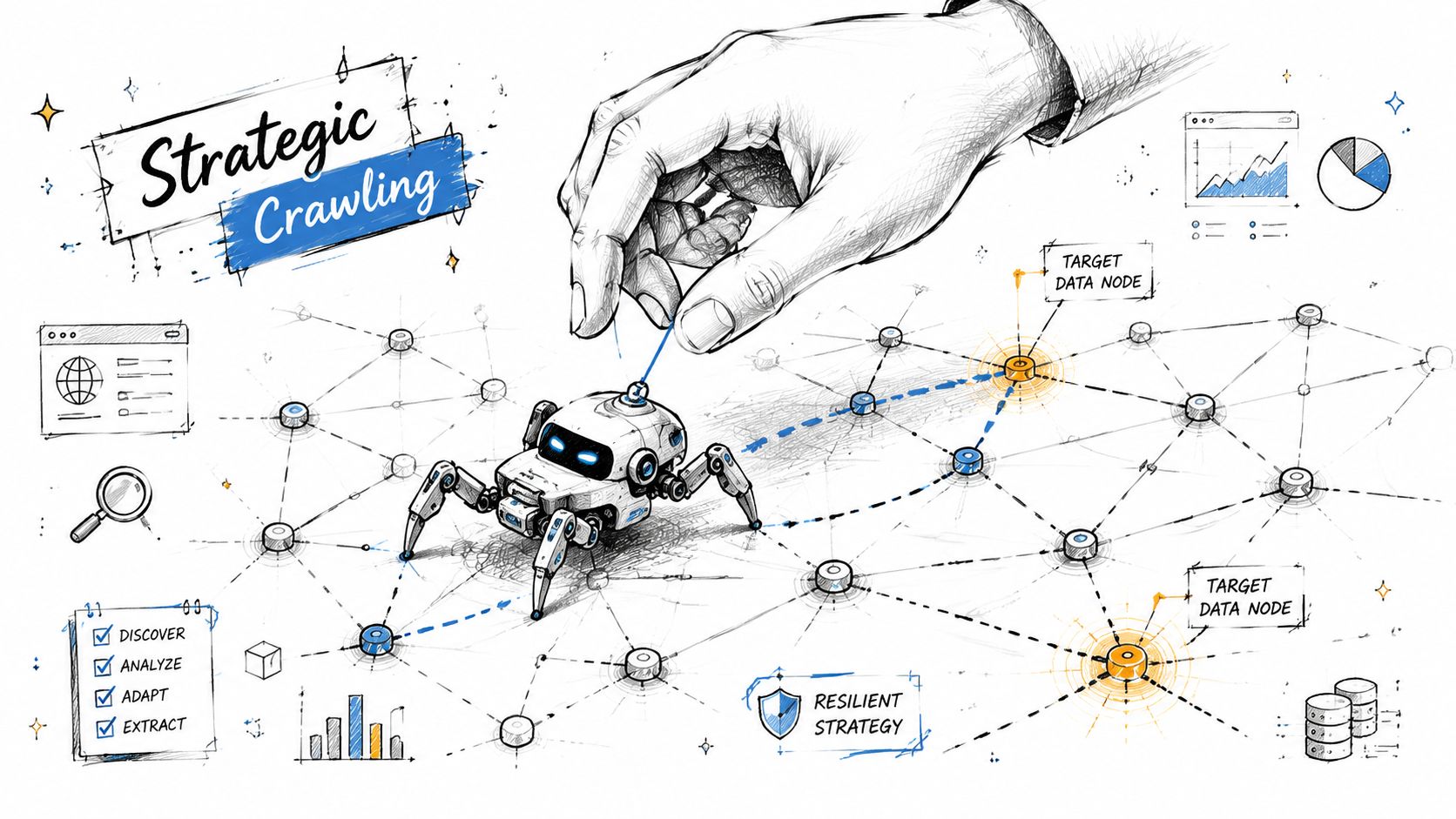
Crawling means finding pages worth checking. Scraping means extracting fields from those pages. Keep them separate in your pipeline.
A practical workflow is to collect target URLs first, then run an email-scraper pass with a per-domain limit and proxy mode enabled. A vendor tutorial also recommends testing with small batches first and notes that a faster mode may have a lower success rate than the standard mode, which is a good summary of the trade-off between speed and reliability in production scraping, as shown in Hexomatic's email scraping workflow guide.
Start your crawl with likely contact-bearing pages:
- High-signal paths such as
/contact,/about,/team,/company,/press,/careers, and/support - Footer and header links because many sites hide contact routes there
- Sitemaps when available
- Internal link graph expansion with depth limits so the crawl doesn't drift into irrelevant content
Then rank pages before extraction. A page with “team,” “leadership,” or “contact us” in the URL deserves more attention than a blog archive page.
A shallow but targeted crawl usually beats a deep blind crawl.
Reduce blocks before they start
Anti-bot systems react to patterns. Repeated requests from one IP, identical headers, zero pacing, or a fetch sequence no human would produce all increase friction. You don't need to mimic a person perfectly. You need to avoid behaving like a broken loop.
A practical baseline looks like this:
- Throttle by domain so one target doesn't get hammered
- Retry selectively on transient failures, not on every empty result
- Separate render-required pages from simple fetches to reduce browser load
- Log challenge responses so you can distinguish “no email found” from “never reached the page”
- Sample before scaling because a hundred bad requests only fail faster
When sites sit behind more aggressive protections, diagnostic work matters more than brute force. If you're troubleshooting challenge pages, intermittent blocks, or render failures, a checklist like Webclaw's Cloudflare scraping diagnostic guide is the kind of operational reference that helps isolate whether the issue is pacing, fingerprinting, rendering, or session handling.
Use proxies deliberately
Proxy choice depends on the target and the crawl goal. Don't treat proxies as a magic “bypass” switch.
- Datacenter proxies are fine for many low-friction targets and high-volume work where cost matters.
- ISP proxies often give a middle ground between stability and trust.
- Residential proxies are useful when targets score traffic more aggressively or when geolocation matters.
If you're scraping public company sites across many domains, you can often start with lighter infrastructure and only escalate when block rates justify it. If you're dealing with location-sensitive content, choose proxy geography intentionally rather than rotating blindly.
The resilient setup is usually boring on purpose. It discovers pages methodically, renders only when needed, throttles requests, and records enough telemetry to explain failures.
Extracting and Parsing Email Addresses Effectively
Extraction gets easier once your crawl feeds it the right pages. It gets much harder when you expect one regex to cleanly solve every site shape.
Target the right content before regex
Start by narrowing the DOM or text region you care about. On a contact page, scrape the main content, footer, and team cards before you run generic extraction across the whole page. That reduces false positives from scripts, schema blobs, and unrelated assets.
Good targets include:
- Contact blocks with phone, address, and support text nearby
- Team sections where names and roles can be paired with emails
- Footer contact areas that repeat across the site
- Press or investor pages where media contacts are often listed
A plain regex still has a place. It just shouldn't be your only tool. Use one pattern for conventional emails and a second pass for common obfuscations such as name [at] domain [dot] com or name(at)domain.com.
Handle obfuscation and missing emails
A lot of sites don't expose direct addresses anymore. That doesn't mean the workflow stops. It means the job shifts from extraction to contact assembly.
Recent tutorials reflect this shift. When a site doesn't expose emails directly, marketers increasingly combine scraping with enrichment steps that start from a website URL, crawl linked pages, and build out a fuller contact record rather than relying on one-page extraction, as described in Axiom's guide to scraping emails from websites.
That usually means collecting some combination of:
- person name
- role
- company name
- company domain
- public contact page text
- social profile links
- department or location context
From there, you can infer likely address formats if your workflow allows it, but inferred emails should be labeled as inferred, not mixed with directly observed ones.
Treat observed emails and inferred emails as different data classes. They don't deserve the same confidence score.
Here's a walkthrough of that extraction mindset in video form:
Basic extraction examples
A simple Python pass might look like this:
import re
import requests
from bs4 import BeautifulSoup

EMAIL_RE = re.compile(r'\b[A-Za-z0-9._%+-]+@[A-Za-z0-9.-]+\.[A-Za-z]{2,}\b')

def normalize_obfuscation(text: str) -> str:
    return (text.replace('[at]', '@')
                .replace('(at)', '@')
                .replace(' at ', '@')
                .replace('[dot]', '.')
                .replace('(dot)', '.')
                .replace(' dot ', '.'))

url = "https://example.com/contact"
html = requests.get(url, timeout=20).text
soup = BeautifulSoup(html, "html.parser")

text = soup.get_text(" ", strip=True)
normalized = normalize_obfuscation(text)
emails = sorted(set(EMAIL_RE.findall(normalized)))
print(emails)
And the same idea in JavaScript:
const emailRe = /\b[A-Za-z0-9._%+-]+@[A-Za-z0-9.-]+\.[A-Za-z]{2,}\b/g;

function normalizeObfuscation(text) {
  return text
    .replaceAll("[at]", "@")
    .replaceAll("(at)", "@")
    .replaceAll(" at ", "@")
    .replaceAll("[dot]", ".")
    .replaceAll("(dot)", ".")
    .replaceAll(" dot ", ".");
}

const html = await fetch("https://example.com/contact").then(r => r.text());
const text = normalizeObfuscation(html);
const emails = [...new Set(text.match(emailRe) || [])];
console.log(emails);
These examples are fine for straightforward pages. They won't solve rendering, anti-bot access, or structure-aware extraction on their own.
API-driven extraction
For teams that want a cleaner extraction layer, an API can return structured page content before parsing. Webclaw's extract API documentation shows the pattern: send a URL and request extracted fields in a structured format instead of hand-parsing raw HTML.
That's useful when your goal is broader than “find any string with an at-sign.” You can ask for fields such as emails, names, titles, and contact sections in one pass, then review the structured result downstream.
Ensuring Data Quality and Responsible Use
The scrape is not done when you have a list of addresses. That's just the point where mistakes become expensive.
Bad lists cost more than missed emails
A bad contact list hurts twice. First, it wastes time because people work leads that were never valid. Second, it damages sender reputation if the list gets pushed into outreach without review.
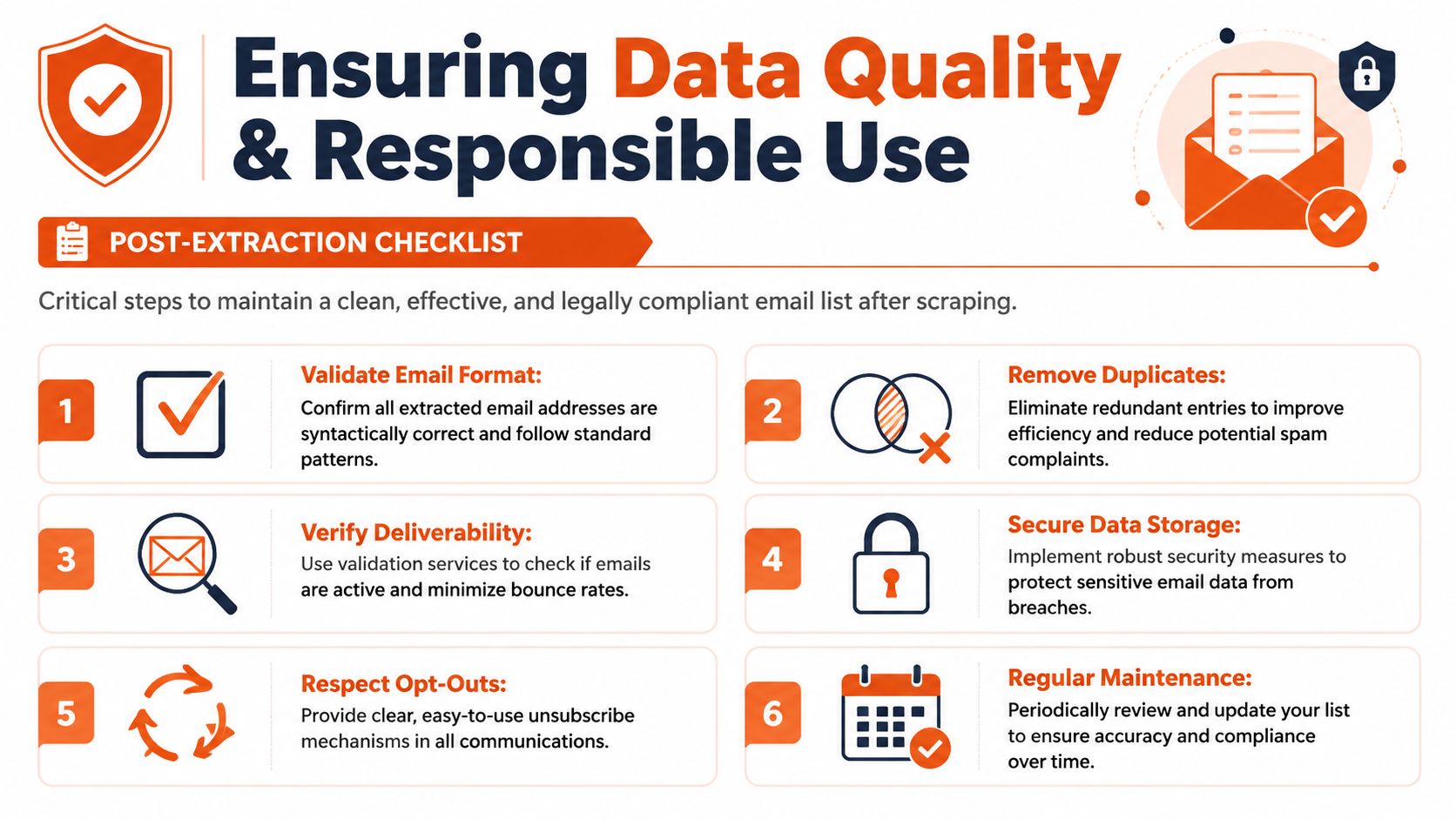
That's why post-processing is not optional. Expert guidance recommends validating extracted lists before outreach by removing duplicates, checking deliverability, filtering out role-based addresses such as info@ or support@, and revalidating every few months because bounce behavior changes over time, as explained in Lindy's guide to scraping and validating emails.
You don't need a huge system to start doing this well. You do need discipline.
What a usable list looks like
A usable list is consistent, labeled, and reviewable. At minimum, each row should keep:
| Field | Why it matters |
|---|---|
| Email address | Primary contact value |
| Source URL | Lets you audit where it came from |
| Discovery type | Observed, obfuscated, inferred, or enriched |
| Page context | Contact page, team page, footer, press page, and so on |
| Person or role | Helps separate named contacts from generic inboxes |
| Validation status | Prevents unreviewed data from flowing into campaigns |
Then clean it.
- Normalize casing so comparisons and dedupes work correctly.
- Deduplicate by email and domain context because the same address often appears across many pages.
- Flag role accounts instead of deleting them blindly.
press@may be valuable,support@may not fit your use case. - Keep provenance so compliance review has a paper trail.
The address alone isn't the record. The surrounding context is what makes the record useful.
Compliance starts after extraction
A scraped list is not a consent-based list. Teams get into trouble when they treat public availability as blanket permission for mass outreach. The safer posture is narrower targeting, clear relevance, documented source context, and a process for honoring objections and opt-outs.
If the workflow is part of a broader lead-building system, connect quality control to enrichment rather than pushing raw addresses directly into campaigns. Webclaw's Extract API is a good example of how extracted site data can be turned into fuller company and contact records before anyone acts on it.
Store only what you need. Label what was inferred. Keep review gates between collection and outreach. Those habits do more for long-term deliverability than any clever extraction trick.
From Raw Data to Actionable Intelligence
A scraper that finds email addresses is easy to demo. A workflow that produces contacts a team can safely use is harder to build and much more valuable.
The difference shows up after extraction. Raw addresses need context, review, and routing before they belong in sales, recruiting, research, or support workflows. Teams that skip that step usually end up with a noisy list full of duplicates, stale inboxes, role accounts that do not fit the campaign, and records with no source trail to review later.
The useful output is a contact record, not a string that matched a pattern. That record should keep the email, source URL, page title or page type, the company or domain it was associated with, whether it was explicitly published or inferred, and any validation or confidence flag your pipeline assigns. Without that metadata, downstream users cannot tell the difference between a founder email pulled from a team page and a generic inbox scraped from a footer.
This also changes how the system fits into the rest of your stack. In production, email scraping often feeds enrichment, account research, territory building, or knowledge systems instead of ending in a CSV export. Teams building those pipelines should also read this guide to RAG pipelines built on web data, because the same discipline around provenance, normalization, and structured extraction matters once scraped data starts feeding search, ranking, or AI workflows.
One more practical point. Publicly visible contact data is not blanket permission for outreach. Keep collection tied to a clear use case, store only what you need, and put a review step between extraction and sending.
If you're building this into a real product or internal workflow, Webclaw is worth evaluating as part of the stack. It handles URL-based scraping and structured extraction for modern sites, which can reduce the amount of browser automation and HTML cleanup you have to maintain yourself.