
How to Convert Website to Text with a Web API
You've indexed a site for retrieval, asked a straightforward product question, and received an answer assembled from cookie banners, navigation labels, tracking parameters, and embedded JSON-LD. The page looked usable in a browser, but your pipeline captured either a JavaScript shell or several thousand tokens of boilerplate. The result is lower-quality context, harder debugging, and a model bill that grows without adding useful information.
Reliable website to text conversion is an AI data-pipeline problem. A production workflow must render the page, identify meaningful content, normalize it, preserve useful structure, and deliver a predictable payload that fits the model's context budget. The extraction layer sits between an unpredictable web and every downstream system, including RAG, agents, search, analytics, and fine-tuning.
Why Website to Text Needs an API Workflow
A team can index product pages successfully at the HTTP level and still fail at retrieval. A basic request may return a page shell because the product description is rendered by JavaScript. A browser script may retrieve the visible page but retain menus, consent dialogs, recommendation carousels, and duplicated accessibility labels. The vector store then treats those elements as legitimate source material.
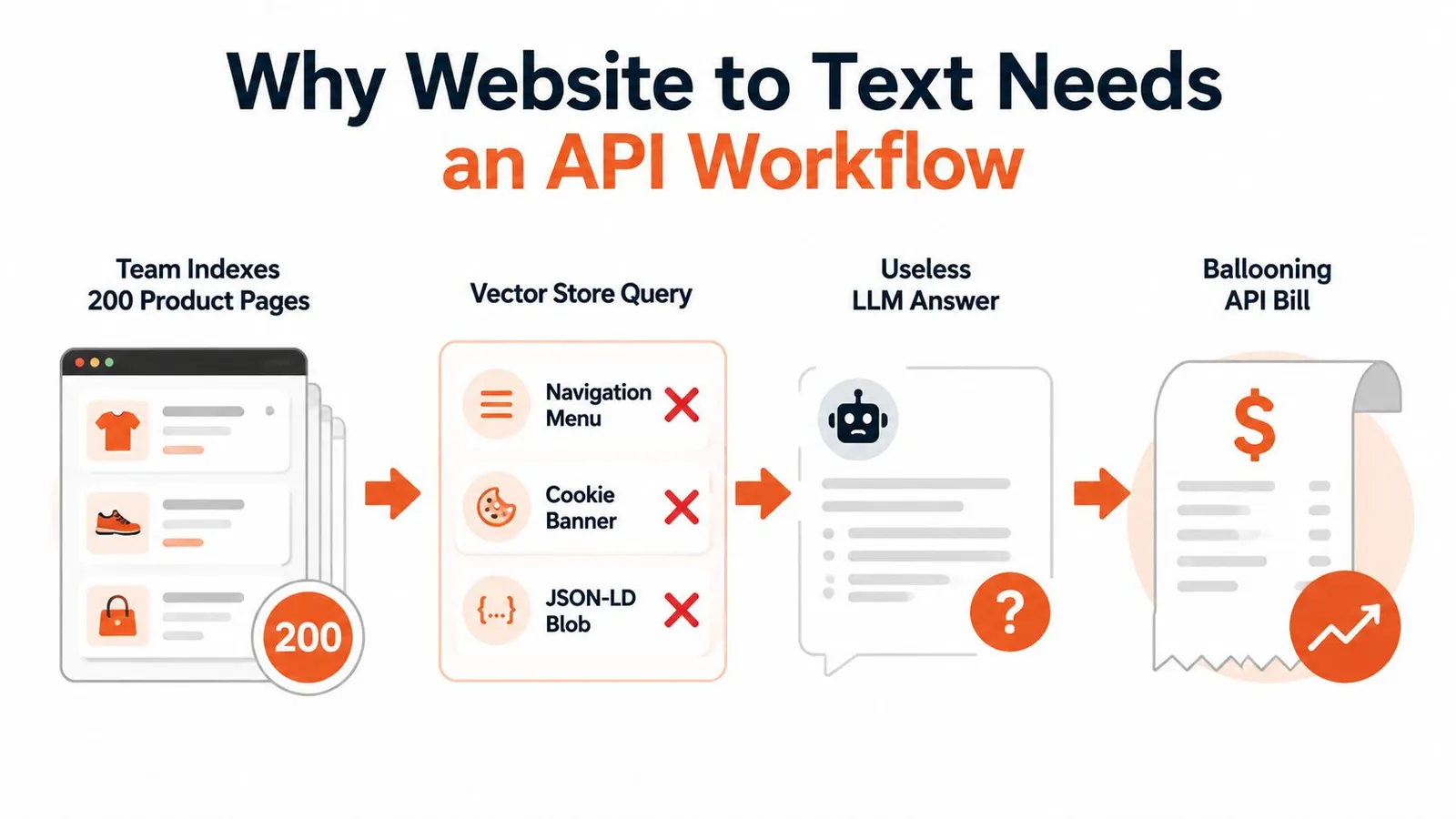
The useful target isn't “the HTML.” It's a consistent record containing four layers:
- Rendered DOM: The content after client-side scripts have populated the page.
- Readable text: Main content with navigation, repeated controls, and decorative markup removed.
- Structured fields: Titles, headings, prices, authors, dates, language, and other fields your application can query directly.
- Model-ready payload: Output sized and shaped for embedding, summarization, or generation.
A plain HTTP fetch fails on single-page applications because the initial response often contains templates rather than the final content. A headless browser solves rendering, but it introduces its own problems, including excess bytes, browser lifecycle failures, and protection systems such as Cloudflare or DataDome. Copy-paste scraping is even less durable when the page is regional, gated, rate-limited, or dependent on a session.
Practical rule: Treat extraction as four stages, render, extract, clean, and batch. If one stage is hidden inside ad hoc scripts, it will eventually become the stage you can't reproduce.
The web is extractable in many cases, but not uniformly. A historical benchmark reported an overall scrapability rate of 79.40% across mixed website categories, while static informative pages reached 100% in that benchmark, showing both the opportunity and the unresolved edge cases (academic web-scraping benchmark). More recent evaluation also shows why article-only testing is misleading. WCXB contains 2,008 human-reviewed pages from 1,613 domains across 7 page types, with article extraction converging at F1 = 0.93 while structured-page results range from 0.41 to 0.84 (WCXB benchmark).
An API-based approach centralizes rendering, extraction, cleaning, and batching behind an authenticated endpoint. That gives you one place to apply timeouts, proxy policy, output formats, validation, and observability instead of making every scraper guess independently. If your support system also needs to turn customer conversations into usable context, an AI-powered API for support tickets illustrates the broader pattern, unstructured input becomes a controlled data interface. For implementation patterns, see this web scraping API guide.
Set Up the Webclaw API
Start with account access and a key that has the scope required for extraction. Keep the credential outside source control. An environment variable such as WEBCLAW_API_KEY works locally and maps cleanly to a secret manager in deployment.
A small project structure is enough:
.env: StoresWEBCLAW_API_KEYlocally and remains excluded from version control.- Config module: Reads the key once and exposes the API base URL and timeout.
- Health check: Makes a lightweight authenticated request and records the returned quota object.
- Adapter: Owns request construction so your application never depends directly on vendor-specific response details.
The API uses bearer authentication. Use the service's documented base URL, set the request timeout explicitly, and choose an output format based on the consumer rather than on habit. Supported formats include text, markdown, json, and llm-optimized. The default request timeout is 30 seconds, while individual extraction calls can use a shorter application-level timeout when the page doesn't justify a long wait.
Store the key once, construct the authorization header once, and keep extraction behind one adapter. That makes rotation and provider changes routine instead of invasive.
Before writing a client, follow the Webclaw getting started documentation and confirm the account's plan limits. The free tier has usage limits, and paid plans impose concurrency caps, so a burst of parallel requests can be throttled even when each individual request is valid. Build your queue around the documented allowance, not around the speed of your local machine.
A sanity check should confirm three things: authentication works, the format flag is accepted, and the target URL resolves. Use a short request and inspect the JSON payload before adding retries, persistence, or embedding code:
curl -X POST "https://api.webclaw.io/v1/extract" -H "Authorization: Bearer $WEBCLAW_API_KEY" -H "Content-Type: application/json" -d '{"url":"https://example.com","format":"text","target":"Readable"}'
The exact endpoint path and payload fields should follow your account's current API documentation. A successful response should expose the requested content and metadata, while an authentication or validation error should be obvious before it reaches your indexing workers.
Extract a Page in Three Languages
The request should remain identical across languages. Only the HTTP client, JSON decoding, and output printing change. The examples below use a stable reference URL, request Markdown, target the readable content, and apply a 25-second timeout.
JavaScript with fetch
const controller = new AbortController();
const timer = setTimeout(() => controller.abort(), 25_000);

try {
  const response = await fetch("https://api.webclaw.io/v1/extract", {
    method: "POST",
    headers: {
      "Authorization": `Bearer ${process.env.WEBCLAW_API_KEY}`,
      "Content-Type": "application/json"
    },
    body: JSON.stringify({
      url: "https://example.com",
      format: "markdown",
      target: "Readable"
    }),
    signal: controller.signal
  });

  if (!response.ok) throw new Error(`HTTP ${response.status}`);

  const result = await response.json();
  console.log(result.content);
  console.log(JSON.stringify({
    statusCode: result.metadata?.statusCode,
    bytes: result.metadata?.bytes,
    tokensEstimated: result.metadata?.tokensEstimated
  }, null, 2));
} finally {
  clearTimeout(timer);
}
fetch gives you direct control over cancellation. Keep the abort timer outside the parsing logic so a slow render and a malformed response produce distinguishable errors.
Python with requests
import os
import requests

payload = {
    "url": "https://example.com",
    "format": "markdown",
    "target": "Readable",
}

response = requests.post(
    "https://api.webclaw.io/v1/extract",
    headers={
        "Authorization": f"Bearer {os.environ['WEBCLAW_API_KEY']}",
        "Content-Type": "application/json",
    },
    json=payload,
    timeout=25,
)
response.raise_for_status()

result = response.json()
print(result["content"])
print({
    "statusCode": result.get("metadata", {}).get("statusCode"),
    "bytes": result.get("metadata", {}).get("bytes"),
    "tokensEstimated": result.get("metadata", {}).get("tokensEstimated"),
})
Python's raise_for_status() prevents an error document from being treated as page content. Keep the original response body in logs only when your privacy policy permits it.
Go with net/http
package main

import (
	"bytes"
	"encoding/json"
	"fmt"
	"net/http"
	"os"
	"time"
)

func main() {
	payload := map[string]any{
		"url":    "https://example.com",
		"format": "markdown",
		"target": "Readable",
	}

	body, _ := json.Marshal(payload)
	client := &http.Client{Timeout: 25 * time.Second}

	req, _ := http.NewRequest(
		"POST",
		"https://api.webclaw.io/v1/extract",
		bytes.NewReader(body),
	)
	req.Header.Set("Authorization", "Bearer "+os.Getenv("WEBCLAW_API_KEY"))
	req.Header.Set("Content-Type", "application/json")

	resp, err := client.Do(req)
	if err != nil {
		panic(err)
	}
	defer resp.Body.Close()

	if resp.StatusCode < 200 || resp.StatusCode >= 300 {
		panic(fmt.Sprintf("HTTP %d", resp.StatusCode))
	}

	var result struct {
		Content  string `json:"content"`
		Metadata struct {
			StatusCode      int `json:"statusCode"`
			Bytes           int `json:"bytes"`
			TokensEstimated int `json:"tokensEstimated"`
		} `json:"metadata"`
	}
	if err := json.NewDecoder(resp.Body).Decode(&result); err != nil {
		panic(err)
	}

	fmt.Println(result.Content)
	fmt.Printf("%+v\n", result.Metadata)
}
Go's explicit client and response handling suit workers that need predictable connection reuse and clear failure paths. The same endpoint and payload work across all three stacks, so the choice is about deployment preference, team expertise, and operational tooling rather than extraction capability. The API extraction reference should remain the authority for the current request schema.
| Language | HTTP call | Response content | Metadata fields | Error path |
|---|---|---|---|---|
| JavaScript | fetch with AbortController | result.content | statusCode, bytes, tokensEstimated | Check response.ok, then parse |
| Python | requests.post | result["content"] | result["metadata"] | raise_for_status() |
| Go | net/http client | Decoded Content field | Decoded metadata struct | Check status before decoding |
Across languages, preserve the same response contract. The top-level content string is the material for chunking or display. The metadata block should retain the page title and language alongside transport details. The warnings array identifies partial renders or extraction concerns, and requestId lets you correlate a failed page with provider logs and your own worker trace.
Choose Clean LLM-Ready Output
Output format determines how much interpretation your downstream code must perform. There isn't a universal winner because archival fidelity, semantic structure, token efficiency, and parser risk pull in different directions.
Raw HTML preserves the source representation, including attributes, links, embedded data, and layout markers. That makes it useful for replay, auditing, and custom selectors, but it carries the greatest cleanup burden. It can also preserve the very navigation and consent elements that polluted retrieval in the first place.
Plain text works well for narrative pages where headings and link destinations add little value. It's easy to embed and inspect, but it removes hierarchy, tables, lists, and code boundaries. That loss can damage documentation retrieval even when the text itself remains readable.
Markdown is a strong default for documentation, blogs, guides, and help centers. Headings, lists, emphasis, links, and code blocks survive in a compact form, giving chunkers and language models useful semantic signals without exposing the full DOM.
Structured JSON fits product listings, articles, profiles, and pages with stable fields. A schema can return values such as title, author, price, summary, or specification groups without forcing every downstream service to infer them from prose. The trade-off is maintenance. A schema that matches one template can become brittle when the site changes.
LLM-optimized output removes markup, repeated links, and boilerplate. Webclaw supports this through formats: ["llm"]. Measure tokens and retained facts on your own corpus; a shorter response can omit information you need.
An independent library evaluation found Trafilatura, Readability, and Newspaper3k each achieved mean F1, precision, and recall above 0.9 as general-purpose baselines, but it also warns that precision and recall must be reviewed together (main-content extraction evaluation). Aggressive trimming can remove useful content, while retaining boilerplate can make recall look healthy and precision poor.
| Format | Token cost | Structure preservation | Best use case |
|---|---|---|---|
| Raw HTML | Highest and highly variable | Maximum source fidelity | Archival replay and custom extraction |
| Plain text | Low to moderate | Minimal hierarchy | Simple narrative content |
| Markdown | Moderate | Headings, lists, links, and code | Documentation and blog content |
| JSON | Variable | Explicit typed fields | Listings, articles, and structured records |
| LLM-optimized | Usually minimized | Semantic blocks without common boilerplate | RAG, agents, and model context |
Use Markdown when humans and models both need to inspect the result. Choose JSON when downstream logic depends on named fields. Choose LLM-optimized when the primary cost is context noise, but retain raw or Markdown output for audit and replay. This web-to-text overview provides additional context on choosing an output representation.
Map Sitemaps and Process Batches
A crawl starts with URL discovery, not with blind page requests. Check the site's XML sitemap first, then supplement it with internal links when the sitemap is incomplete. Sitemaps can contain stale URLs, redirects, login paths, tag archives, and pagination traps, so every discovered URL still needs validation.
The following Python example handles a namespaced sitemap, filters obvious non-content paths, and deduplicates the result before submission:
import requests
from urllib.parse import urlparse
from xml.etree import ElementTree as ET

SITEMAP = "https://example.com/sitemap.xml"
SKIP_PARTS = ("/tag/", "/login", "/account", "/search")

xml = requests.get(SITEMAP, timeout=25).content
root = ET.fromstring(xml)

urls = []
seen = set()

for node in root.findall(".//{*}loc"):
    url = (node.text or "").strip()
    path = urlparse(url).path.lower()

    if not url.startswith(("http://", "https://")):
        continue
    if any(part in path for part in SKIP_PARTS):
        continue
    if url in seen:
        continue

    seen.add(url)
    urls.append(url)

print(f"Prepared {len(urls)} candidate URLs")
For sitemap indexes, fetch each child sitemap and apply the same function recursively. For sites without a useful sitemap, crawl from approved entry points and maintain a visited set. Respect canonical URLs and avoid following every query-string variation.
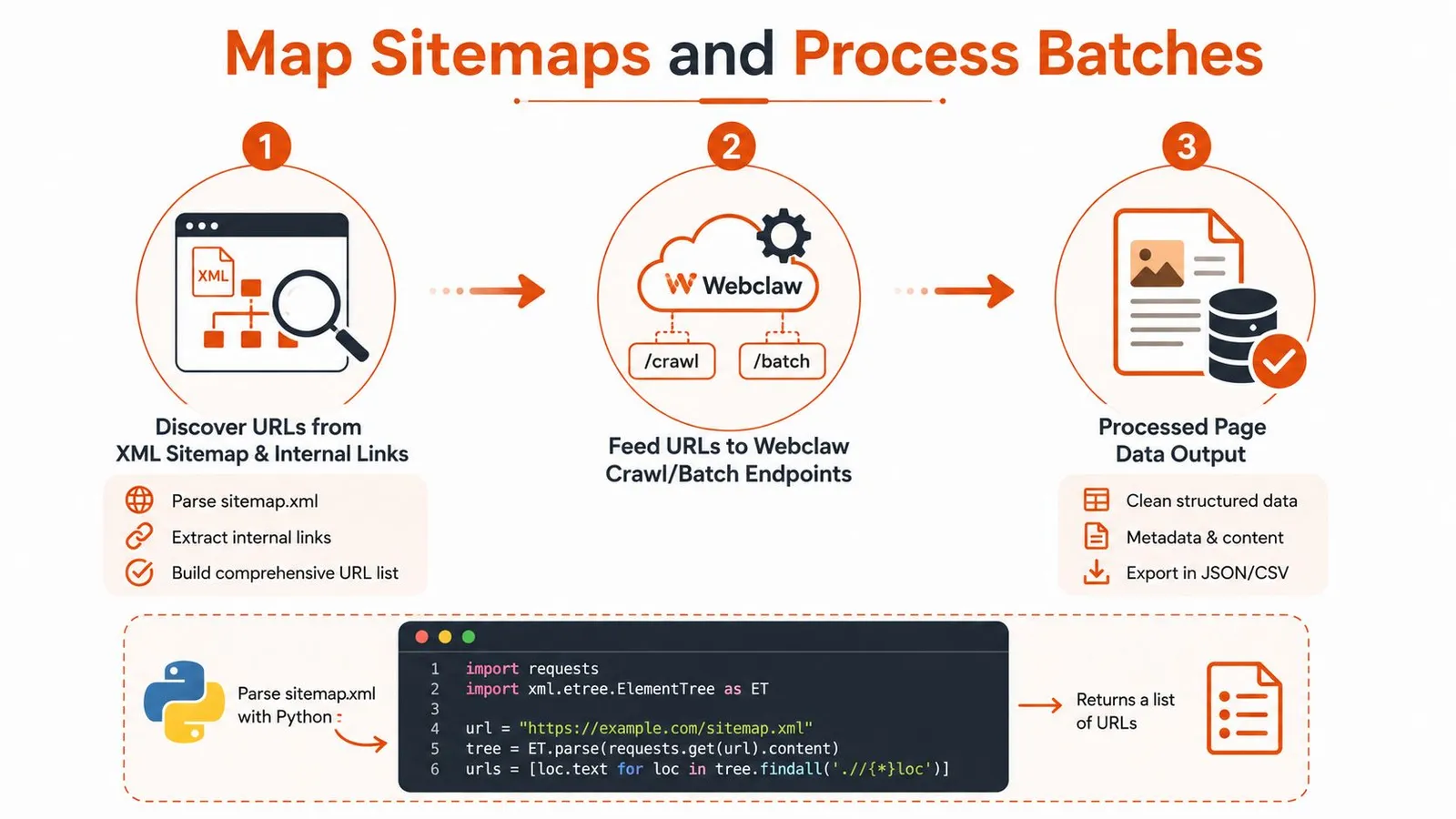
Send selected URLs to crawl or batch endpoints in bounded groups. A practical starting range is 50 to 200 pages per request, with concurrency between 5 and 15, then tune against host behavior, account limits, and observed latency. Those are operating settings, not universal truths. A small documentation site may need less parallelism, while a collection of independent hosts can tolerate more.
Keep discovery, scheduling, extraction, and persistence separate. If a batch fails, you should be able to replay the same URL set without rediscovering the entire site.
Persist each result as JSONL with the source URL, retrieval timestamp, request ID, status, warnings, content hash, and extracted payload. For a large crawl that exceeds 60 seconds, use the asynchronous job pattern supported by the service, then poll or receive a webhook. Store the job ID and cursor as durable state so a worker restart resumes rather than duplicates work. Throttle during peak hours, and route pages that repeatedly fail to a review queue.
A sitemap entry can return a 404, redirect to a generic landing page, or expose a paginated listing instead of an item. Pagination traps are especially damaging because a crawler can revisit near-identical pages indefinitely. Before using extracted content for SEO analysis or an AI workflow, teams may also benefit from this guide to AI-powered SEO performance, particularly when the extraction output feeds broader content decisions.
Handle Protected Pages and Failures
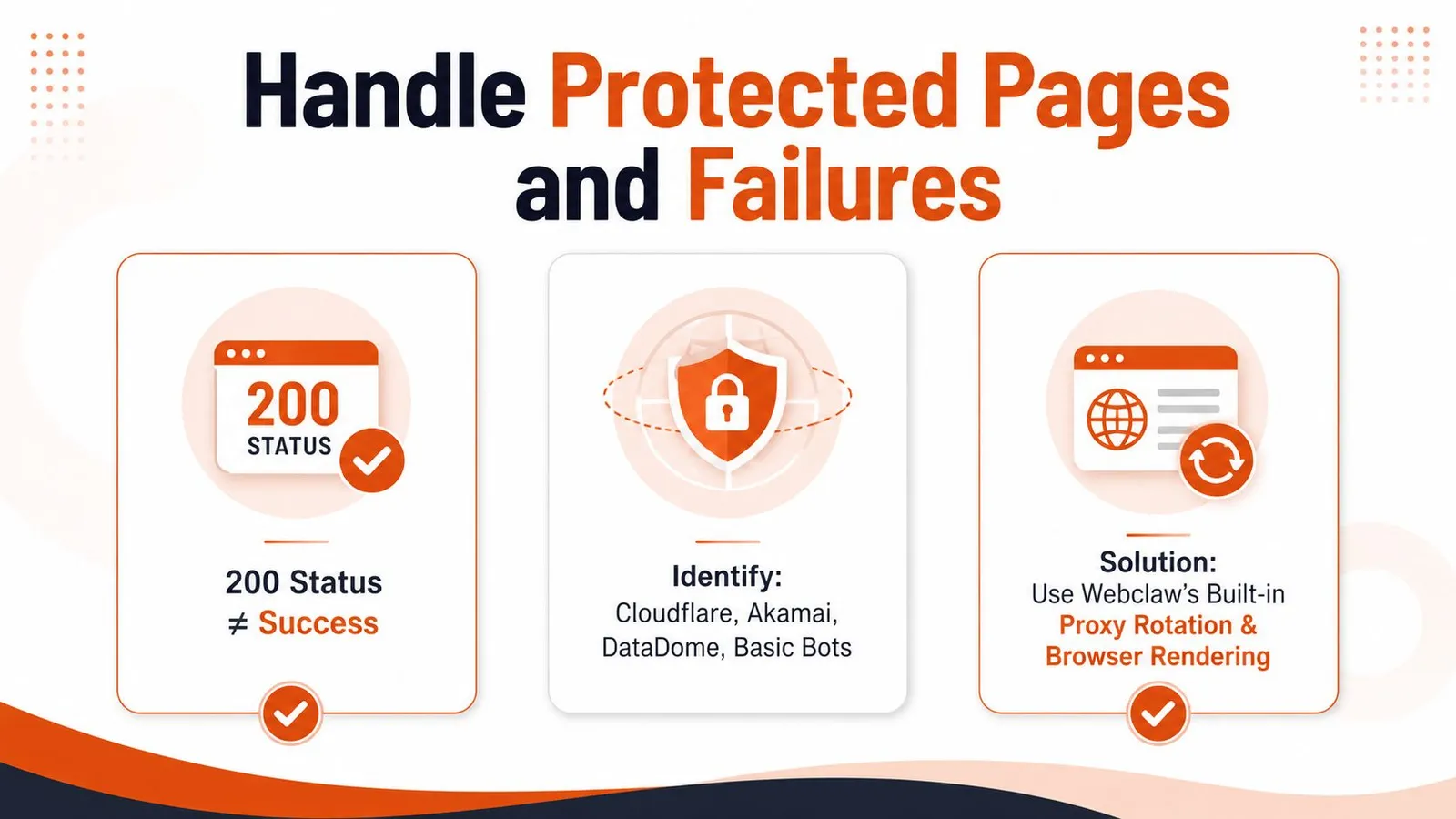
A 200 response proves that a server returned something. It doesn't prove that you received the requested page. Protected sites may return a challenge, an access-denied template, a consent wall, or a thin shell with a successful status code.
Common obstacles include Cloudflare, Akamai, DataDome, and basic bot detection. Browser rendering and built-in proxy rotation can handle ordinary JavaScript requirements and some protection patterns, but difficult targets may require a stealth tier, a residential network, an ISP proxy, or a sticky session. No proxy strategy works identically across every site, and repeated requests can trigger defenses even after an initial success.
Use bounded retries rather than an endless loop. Exponential backoff with a maximum of three attempts is a reasonable starting policy, while a per-request timeout between 10 and 30 seconds should reflect page complexity and queue requirements.
| Response or symptom | Likely interpretation | Action |
|---|---|---|
403 | Forbidden or bot challenge | Retry cautiously, then move to a stronger proxy tier |
429 | Rate limit | Back off, reduce concurrency, and respect retry guidance |
503 | Temporary service failure | Retry with delay and preserve the failed record |
520 to 525 | Edge, origin, or TLS failure | Retry once or twice, then inspect proxy and rendering settings |
Validate the body before accepting it. Check that content length exceeds your application's minimum threshold, confirm that the text doesn't contain known CAPTCHA or access-denied markers, and verify that detected language matches the expected page language. A page that returns a short challenge document should be marked failed, not embedded.
def looks_usable(result, expected_language=None):
    text = (result.get("content") or "").strip().lower()
    warnings = " ".join(result.get("warnings") or []).lower()

    blocked = any(marker in text for marker in (
        "captcha", "access denied", "verify you are human"
    ))

    if len(text) < 200 or blocked:
        return False
    if expected_language and result.get("metadata", {}).get("language") != expected_language:
        return False
    return not ("partial" in warnings and len(text) < 500)
Start with the default tier, fall back to stealth or a suitable proxy configuration after a classified failure, and record every transition. Don't drop inaccessible URLs. Put them in a dead-letter queue with the status, request ID, selected proxy tier, and validation reason. For background on one narrow class of access challenge, see this explanation of CAPTCHA solver approaches.
Protected-page handling must also respect authorization, robots directives, terms, and applicable law. Technical access isn't permission to collect or republish content.
Production Tips and Final Takeaways
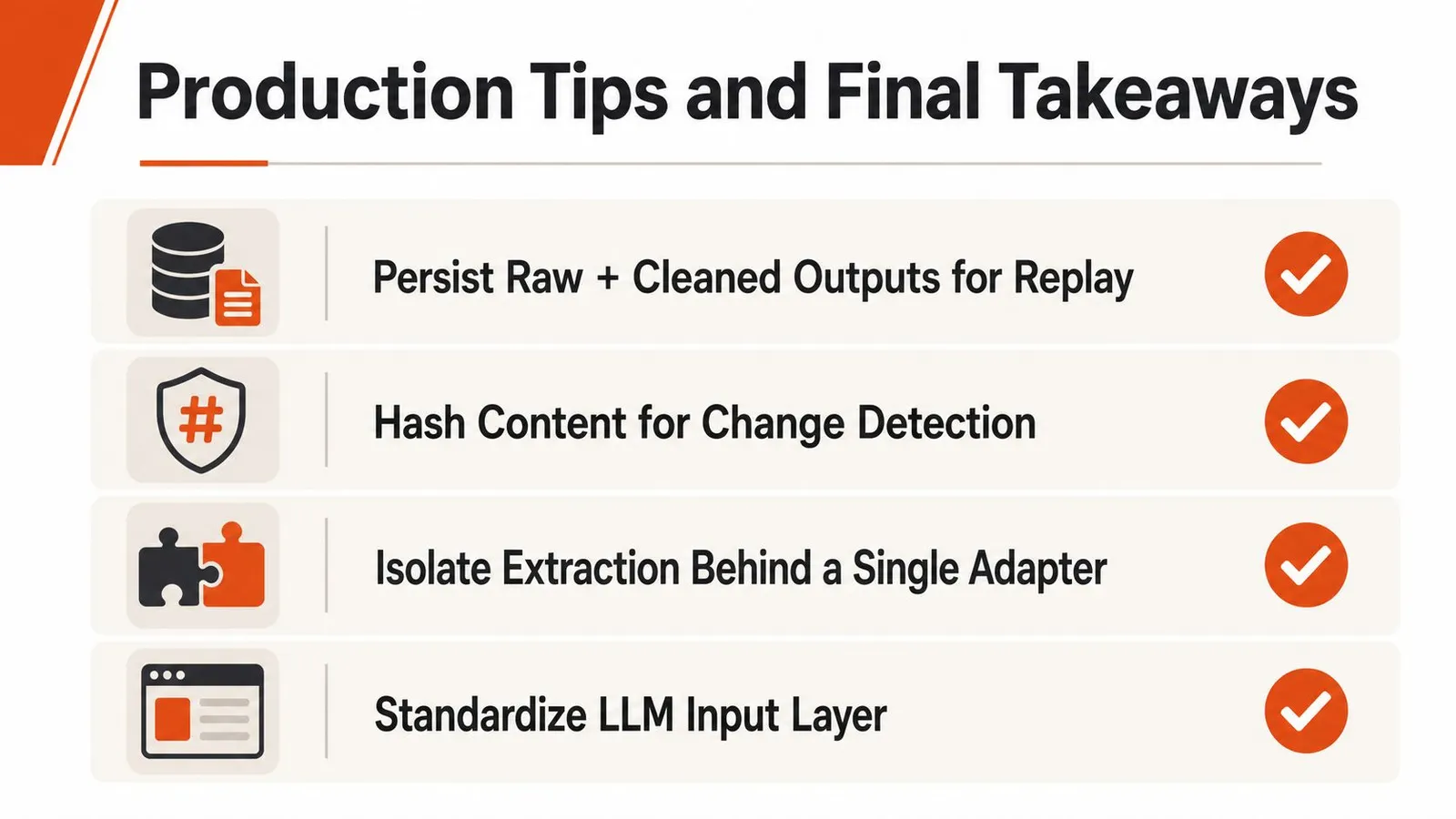
A dependable website-to-text service behaves like a data pipeline, not a one-off scraper. Keep raw and cleaned outputs so you can replay a transformation without fetching the source again. Hash normalized content to detect changes, and isolate the provider behind one adapter so your LLM layer keeps receiving the same contract if extraction settings change.
Use a short operational checklist:
- Control load per host: Throttle independently for each domain and reuse keep-alive connections.
- Watch model economics: Monitor token estimates by source and output format, not only total request volume.
- Sample quality: Review extracted pages for missing headings, truncated content, challenge pages, and layout drift.
- Handle permanent failures: Send repeated failures to a dead-letter queue instead of retrying them forever.
- Preserve provenance: Store the source URL, request ID, warnings, retrieval time, and content hash with every record.
A useful extraction library can be a strong baseline, but production systems need broader evaluation. WCXB's divergence across page types shows why testing only articles can conceal failures in listings, forums, documentation, and service pages (WCXB benchmark). Accessibility adds another boundary: OCR can recover text from images and scanned documents, but review is still required because structure, language metadata, contrast, and alternative text determine whether the result is usable (OCR and accessibility guidance).
Formalize the workflow when you're growing beyond a few domains, encountering stronger protection, or seeing unpredictable context costs. An API-based design gives rendering, extraction, validation, batching, and observability a stable home.
Webclaw turns URLs into Markdown, plain text, JSON, or LLM-optimized content, with rendering, crawling, batching, structured extraction, and protection-aware workflows behind an API. Try the Webclaw extraction workflow on a representative set of difficult pages, then measure content quality, warnings, failures, and token usage before connecting it to your RAG or agent pipeline.