How to Choose a Web Crawler Tool in 2026
You're probably staring at a crawler output right now that looked fine in the demo and turned into a mess in production. The pages load, but the LLM gets fed cookie banners, nav bars, duplicate links, and half the page you didn't want. Then the token bill lands, and the problem becomes obvious: you didn't buy a crawler tool, you bought a cleanup tax.
That tax is why most feature checklists are the wrong way to compare a web crawler tool. The question isn't how fast it can fetch pages, it's how clean the output is before your model ever sees it, because every extra token downstream costs you twice, once in compute and once in noise. If you care about RAG, agents, or research pipelines, the crawler choice is a model-cost decision dressed up as infrastructure.
The Token Tax Nobody Warns You About
You wire a crawler into a prototype, point it at a documentation site, and hand the raw HTML to an LLM. The first prompt looks okay. The second one gets worse because the model keeps seeing repeated headers, unrelated footer links, and dense markup that has nothing to do with the answer. By the time you batch this across a site, you've turned a simple extraction task into a context-window landfill.
That's the cleanup tax. It's the hidden cost of taking crawler output that was built for humans or generic data pipelines and forcing it through an AI workflow without normalizing it first. If your tool returns raw HTML, your model spends tokens stripping the page down to meaning. If your tool returns clean markdown, JSON, or extraction-ready text, you stop paying for junk.
Practical rule: if a page needs heavy post-processing before the model can use it, your crawler is too loose for AI work.
The best comparison for a crawler isn't feature count, it's how much garbage it leaves behind. You can see the same difference in output formats across web extraction workflows, and this internal breakdown of CSV vs JSON is a useful reminder that structure matters before you ever reach the model. A clean crawler output shrinks prompt size, reduces reformatting code, and lowers the chance that your system hallucinates off irrelevant page chrome.
The right mindset is simple. A crawler is not just a fetcher, it's a filter on the way into your LLM pipeline. If your current stack hands the model pages full of boilerplate, you're paying an invisible tax every time you call it.
What a Web Crawler Tool Does
A web crawler tool discovers URLs, fetches pages, parses content, and stores what it found. In practice, it starts from a seed page, follows links, and turns a site's reachable structure into something a downstream system can use. For AI work, the point is not coverage for its own sake, it is getting page content into a cleaner form with less token waste.
The distinction between crawling and scraping matters because the market keeps mixing them together. Crawling is traversal and discovery, scraping is extraction from a known page. One is breadth, the other is precision.
Crawling Fits Discovery, Scraping Fits Extraction
If you're building a RAG corpus, mapping a site, or finding all the pages under a docs tree, you want crawling. If you already know the page and need a product price, a table, or a specific article field, scraping is the better fit. In AI systems, that split changes how much cleanup work sits between the fetch and the model.
The first widely recognized web crawler, the World Wide Web Wanderer, was built by Matthew Gray at MIT in 1993 to measure the size of the web, and by 1994 WebCrawler launched as the first parallel crawler downloading 15 links simultaneously (source). That history matters because the core pattern hasn't changed. Crawlers still discover URLs, fetch pages, parse content, and build an index. The surrounding tech changed, but the job description didn't.
If you want a broader framing of the category itself, this overview of a website crawler is a useful companion.
Where Each One Belongs in an AI Pipeline
Use crawling when the model needs coverage, freshness, or site-wide context. Use scraping when the model needs a small, structured answer from a known location. If you mix them up, you usually get bloated prompts on one side and brittle point lookups on the other.
A good crawler tool makes the discovery step explicit and keeps the output tight enough for downstream use. That is the difference between a web indexer and a pile of fetched pages.
The Four Components Every Production Crawler Needs
A crawler that survives production has four parts that matter: the URL frontier, the fetcher, the parser, and the storage layer. The frontier decides what to visit next. The fetcher makes the request. The parser pulls out links and content. The store keeps the results deduplicated and queryable.
Frontier First, Because Order Decides Cost
The frontier is where most crawler tools fail. If it's weak, the crawler chases low-value URLs, revisits duplicates, or walks into traps that explode scope. For a docs site, the frontier should prioritize canonical pages, respect depth limits, and avoid wasting time on near-identical parameterized URLs.
The fetcher is the transport layer, and it's more than a simple HTTP client. It has to handle retries, compression, protocol negotiation, and failures without poisoning the crawl. Google's crawler documentation says its crawlers support HTTP/1.1 and HTTP/2, support gzip, deflate, and Brotli, and by default only crawl the first 15 MB of a file, ignoring the rest (Google crawler overview). That's a useful benchmark because even major crawlers make hard trade-offs around transport and payload limits.
Clean crawling is mostly a systems problem, not a request problem.
Parser and Storage Are Where AI Quality Starts
The parser decides whether your output is model-ready or full of page noise. For AI use, it has to strip navigation, decode structure, and preserve meaning without smearing everything into one blob. The storage layer then needs content hashes, URL fingerprints, and an index that can survive repeated crawls without ballooning.
That's not theoretical. A published high-performance crawler design targets 1 billion pages per month, roughly 386 pages/second sustained and about 1,930 pages/second at 5× peak, while also handling 10 billion seen URLs and watching for a 30–60% duplicate rate as a healthy filter signal (design notes). Those numbers show why frontier control and duplication handling matter more than raw fetch speed. If your tool can't manage that pressure, it won't stay sane once you point it at real web data.
For AI workflows, this architecture isn't optional. It's the difference between a crawler that feeds clean context and one that fills your pipeline with junk.
Six Criteria That Matter for AI Workloads
Reliability and Output Cleanliness
A crawler that misses pages or returns broken content is expensive. Every failed fetch becomes a retry, every malformed page becomes cleanup work, and every empty response becomes a wasted model call. Reliability matters because your agent or RAG pipeline cannot reason over pages it never received.
Output cleanliness is the bigger lever. If the crawler strips boilerplate, duplicate links, and styling noise before you ever touch the content, your prompts get shorter and more stable. If it does not, you end up writing normalizers that should have been part of the crawler from the start.
Token Efficiency and Scalability
Token efficiency is the metric many teams ignore until the bill arrives. Clean markdown or typed JSON usually creates far less downstream waste than raw HTML, because the model does not need to burn context parsing the page structure. For a large crawl, that difference adds up fast.
Scalability matters too, but not as a vanity metric. Peak speed is less important than whether the system stays useful when the workload gets messy. You do not need a crawler that can brag about throughput if it falls over once you run it in batches, handle retries, or crawl a JS-heavy domain.
Proxy Support and API Ergonomics
If the crawler has to reach blocked or geo-sensitive sites, proxy support is a hard requirement. Residential, ISP, and datacenter options give you room to handle different target sites without rebuilding transport logic every time. That is operational efficiency, not a luxury.
The API and SDK story matters too. Bearer-token auth, sensible REST endpoints, and SDKs that fit your stack save real time. If you are stitching crawler calls into a pipeline, AI web scraping patterns work better when the tool returns clean, structured output instead of forcing you to reinvent the extraction layer.
Bottom line: if the crawler makes your team write a lot of cleanup code, it is the wrong tool for AI.
Google's own crawler docs also make a good sanity check here. If a vendor promises full-page extraction on giant files without caveats, be skeptical. Large-document handling always has boundaries.
Matching Crawler Capabilities to Real Use Cases
Retrieval Pipelines Need Clean Context
RAG corpus construction, knowledge base freshness, and citation-grounded QA all care about one thing first, model cleanliness. If the crawler returns noisy pages, you'll pay the cleanup tax every time you chunk, embed, or retrieve content. For retrieval pipelines, the best tool is the one that minimizes formatting work before indexing.
Output shape matters more than traversal tricks. A crawler that returns concise markdown or structured fields lets you skip a bunch of preprocessing. The less you normalize, the less you break.
Agents Need Reach and Page Fidelity
Web-capable assistants, autonomous research loops, and tool-using LLMs need reliability first. If a page is client-rendered, blocked, or split across multiple links, the agent needs a crawler that can reach it and preserve enough structure for reasoning. A brittle fetcher turns an agent into a guess engine.
The crawler also has to play nicely with JS-heavy pages, because agents don't care that a site is messy, they just need the page to load. That's why rendering support matters more in agent workflows than in simple batch extraction.
Research Workflows Need Batch Discipline
Competitive intelligence, market monitoring, and multi-source synthesis usually live or die on batch behavior. The crawler has to process many URLs without turning every run into a hand-tuned script. Structured extraction matters here because researchers want comparable outputs, not just raw page dumps.
The right priority order is different for each bucket. Retrieval wants cleanliness, agents want reach, research wants batch discipline. If a tool is strong in one and weak in the others, that's fine, as long as you know which workflow you're buying for.
Build It Yourself or Buy a Hosted API
Building your own crawler makes sense when crawling is the product, not a side function. If you need custom rendering, an air-gapped environment, or a very specific crawling policy, owning the stack can be the right call. In those cases, you control the trade-offs directly, and you also own the cleanup work that comes with them.
The Hidden Costs Show Up Fast
The part people underestimate is maintenance. You are not just building an HTTP client. You are managing proxies, browser fleets, JS rendering, anti-bot behavior, deduplication, retries, rate limits, and storage growth. Each one needs monitoring, and each one can fail on its own schedule.
That complexity gets worse as the web gets harder to crawl. Google's early crawling in 1998 indexed about 25 million unique URLs, and by 2008 Google said it had seen 1 trillion unique URLs, a 40,000x increase in ten years (Stanford survey). The lesson is blunt. The open web keeps getting more hostile and more bloated, and your crawler inherits all of it.
My Recommendation Is Simple
Buy unless crawling is core to your product. Hosted APIs already absorb a lot of the mess, and that matters more than owning every line of transport code. If your team is trying to ship an AI workflow, the crawler should disappear into the background and deliver clean output on demand. If you need a practical reference point for the trade-offs between a hosted crawler and rolling your own, start with the Webclaw web scraping API overview.
Building makes sense when the crawler is strategic infrastructure. Otherwise, you are signing up for a long tail of maintenance that does not improve your model output enough to justify the work.
How Webclaw Fits This Picture
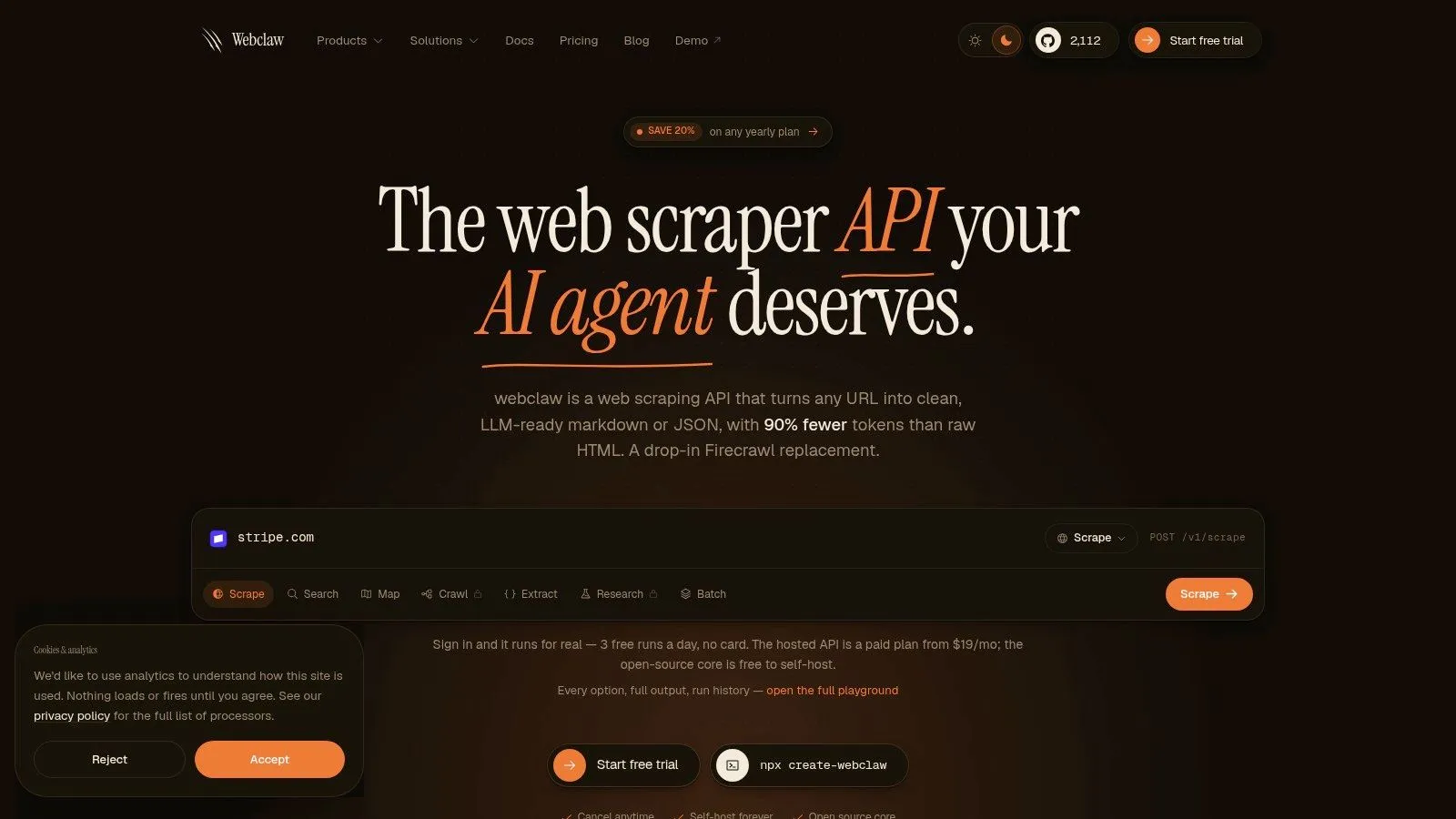
Webclaw lines up with the criteria above in the most practical way possible, it treats clean output as the default. A single-URL extract call returns LLM-optimized markdown, and that format is built to strip boilerplate before your model sees it. A Crawl API call traverses a site with configurable depth and page limits, which is the right shape for corpus-building jobs. For teams that need to process many URLs at once, batch workflows keep the pipeline simple.
The integration story is straightforward too. It uses bearer-token auth and ships SDKs for TypeScript, Python, and Go, which is exactly what you want if you're wiring this into production services. It also supports Bring-Your-Own-Proxy setups, which matters when you need broader reach across harder sites.
Here's the kind of budget framing that helps before you decide how much crawl output your LLM pipeline should process. The agentic development budget guide is useful context if you're comparing infrastructure spend across tools and model calls.
Three ways teams usually wire it in
- Single URL extraction: Pull one page and hand the model a clean markdown response instead of raw HTML.
- Site crawl: Traverse a docs tree or content hub with limits so the crawl stays bounded.
- Batch processing: Send a URL list through in parallel when the job is already scoped.
Practical rule: if your model output improves when you remove cleanup code, the crawler is doing the right kind of work.
The internal API reference for the Web Crawler API is the right place to check the request shapes and integration details. For AI teams, that's usually where the decision gets easy, because the tool's job is to hand the model less junk, not more.
Choosing Your Crawler With Intent
Stop treating crawler selection like a generic tooling exercise. If your downstream system is an LLM, the crawler has to be judged by the cleanup tax it creates, not by how impressive the feature list looks on a landing page. The wrong tool forces your team to write normalizers, fix extraction bugs, and burn tokens on garbage.
Use this checklist before you commit
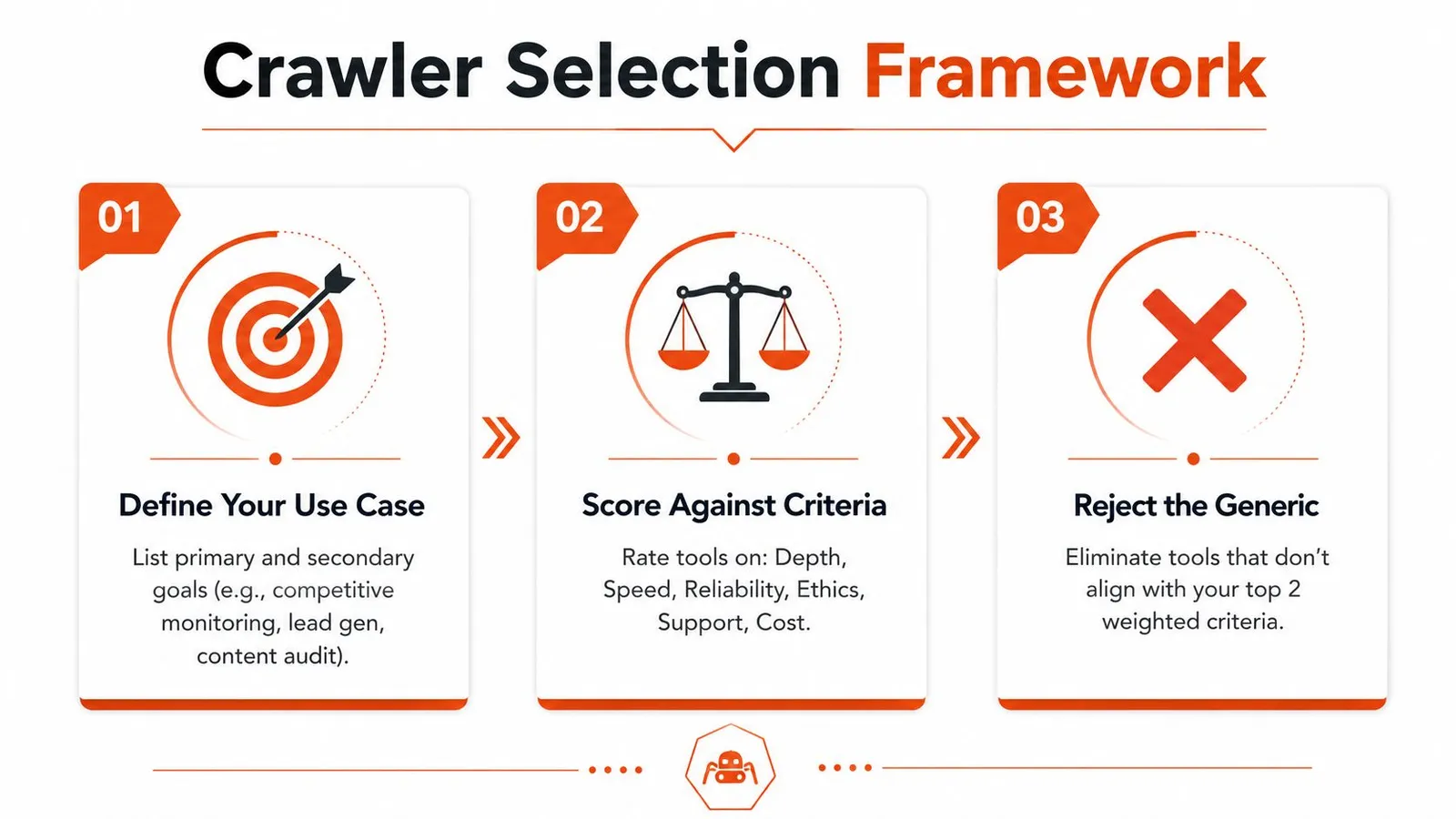
- Define your use case. Be explicit about whether you're building retrieval, agent, or research workflows.
- Score against the six criteria. Reliability, output cleanliness, token efficiency, scalability, proxy support, and API ergonomics.
- Reject generic output. If the tool can't give you clean context without a pile of post-processing, skip it.
If you want a crawler that was designed around AI pipelines instead of retrofitted from generic scraping, put Webclaw on the shortlist. It's built to return cleaner context, crawl sites in a controlled way, and keep the integration surface simple for developers who care about model cost.
If you're building RAG, agents, or research workflows, Webclaw gives you a crawler that hands your model cleaner context and less boilerplate. Visit Webclaw to see how its crawl, batch, and extraction workflows fit into a production AI stack.