
Python Load JSON File
You tested your script on a tiny JSON file, everything worked, and then production handed you a file large enough to make the process crawl or fail. That's the moment most developers realize that Python load JSON file isn't a single question. It's a family of problems with different answers depending on file size, speed requirements, and how trustworthy the data is.
For a small config file, the built-in solution is exactly right. For a giant export, it can be the wrong tool. For pipeline work, the parser might be fine but the data itself might be messy. For APIs and ETL jobs, the parsing step might become a bottleneck even when memory isn't the issue.
That's why I treat JSON loading as a decision, not a snippet. You need a default pattern, but you also need to know when to stop using it. The same applies when JSON is only one input among many. Teams that work on parsing diverse document formats run into the same shift from toy examples to operational constraints very quickly.
If your JSON comes from HTTP rather than disk, it also helps to understand the request side of the pipeline, especially when posting payloads or testing endpoints with cURL and JSON requests.
Introduction
The usual search for Python load JSON file starts with a simple need. You have a file on disk, you want a dictionary or a list, and you want to move on. That part is easy.
The hard part shows up later. A nightly job starts failing because the file is too large. A pipeline slows down because parsing becomes expensive. A file loads successfully, but the data shape is wrong and the bug doesn't surface until much later in your application.
Those are separate problems. They need separate fixes.
Practical rule: Start with the built-in
jsonmodule. Keep it until you can name the production problem that requires something else.
I've seen junior developers jump straight to specialized libraries before they understand the baseline. That usually makes debugging harder, not easier. The safer path is to learn the canonical pattern first, then switch tools only when the workload gives you a concrete reason.
This is also why “works on my machine” isn't a useful standard here. JSON handling sits at the edge of file systems, APIs, export jobs, data vendors, and user-generated content. The parser is only one part of the system.
The Standard Way with json.load and Context Managers
Use the built-in path first
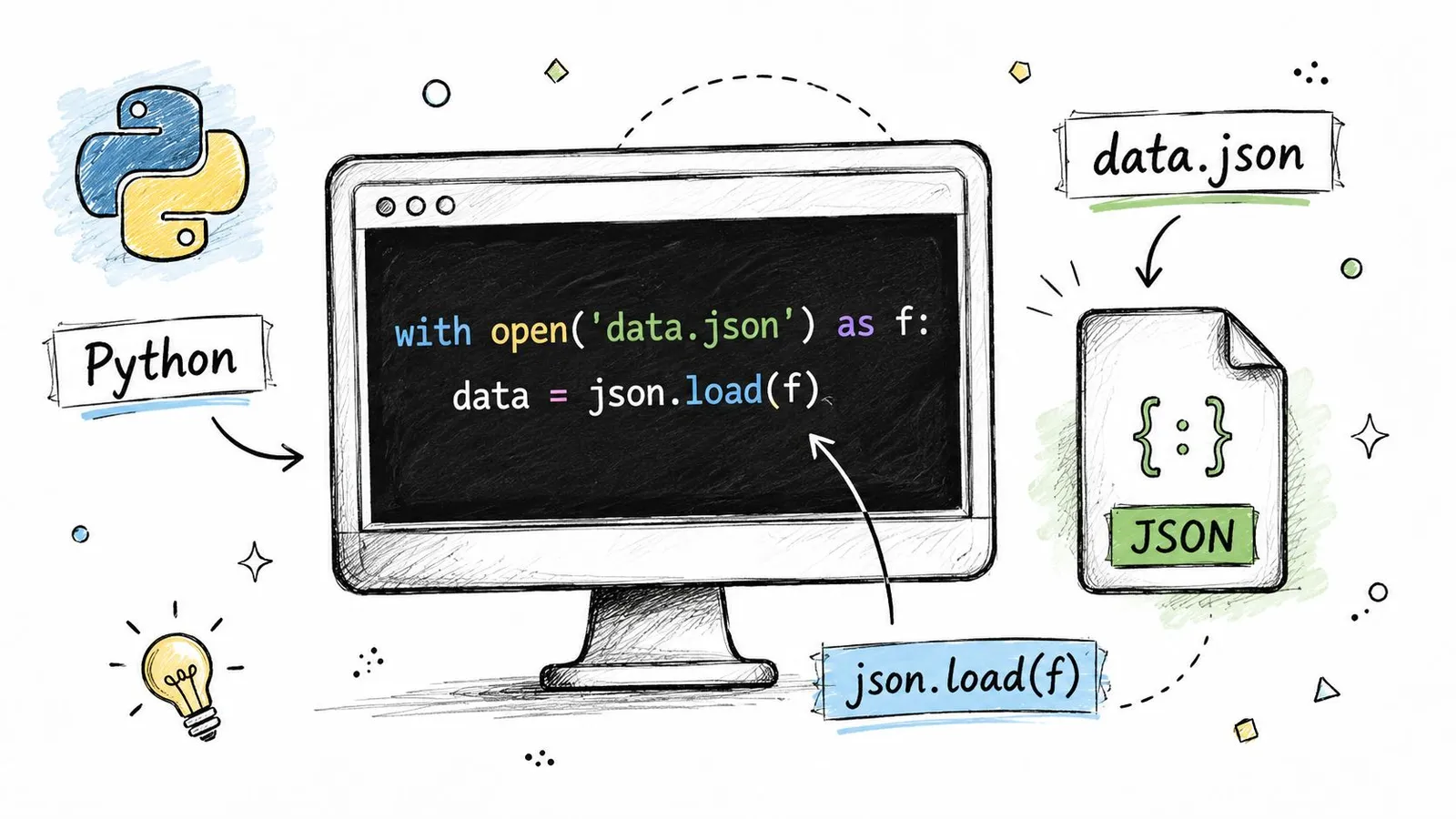
Python already gives you the default answer. The standard library includes the built-in json module, and json.load() reads a JSON file directly into native Python objects such as dictionaries or lists. The usual pattern is to open the file in a with block and pass the file object to json.load(), which deserializes the JSON into native Python objects, as described in Real Python's JSON guide.
That means no extra dependency and no extra installation. For small and medium files, that's exactly what you want.
import json

with open("data.json", "r", encoding="utf-8") as f:
    data = json.load(f)

print(type(data))
print(data)
A few details matter here:
- Use a context manager:
with open(...) as f:closes the file even if parsing fails. - Set encoding explicitly:
encoding="utf-8"avoids platform-specific surprises. - Expect native Python objects: a JSON object becomes a
dict, and a JSON array becomes alist.
If you're building scraping or extraction workflows in Python, the Webclaw Python SDK fits naturally around this pattern because the handoff into Python data structures stays simple.
Know when to use load and loads
This trips people up all the time. The names are close, but the inputs are different.
| Function | Use it for | Input |
|---|---|---|
json.load() | Reading JSON from a file | File object |
json.loads() | Reading JSON already in memory | String or bytes |
json.dump() | Writing JSON to a file | Python object plus file object |
json.dumps() | Converting JSON to a string | Python object |
Here's the difference in code:
import json

# File-based JSON
with open("config.json", "r", encoding="utf-8") as f:
    config = json.load(f)

# String-based JSON
payload = '{"name": "alice", "active": true}'
user = json.loads(payload)
Use load() when the data lives in a file. Use loads() when some other part of your application has already read the bytes or produced a string.
If you're holding a file path, reach for
open(...); json.load(...). If you're holding a string, reach forjson.loads(...).
That distinction sounds minor, but it keeps code readable. It also prevents awkward patterns where developers read the whole file into a string first for no real benefit.
When Your JSON Is Too Big for Memory
Why the simple approach breaks
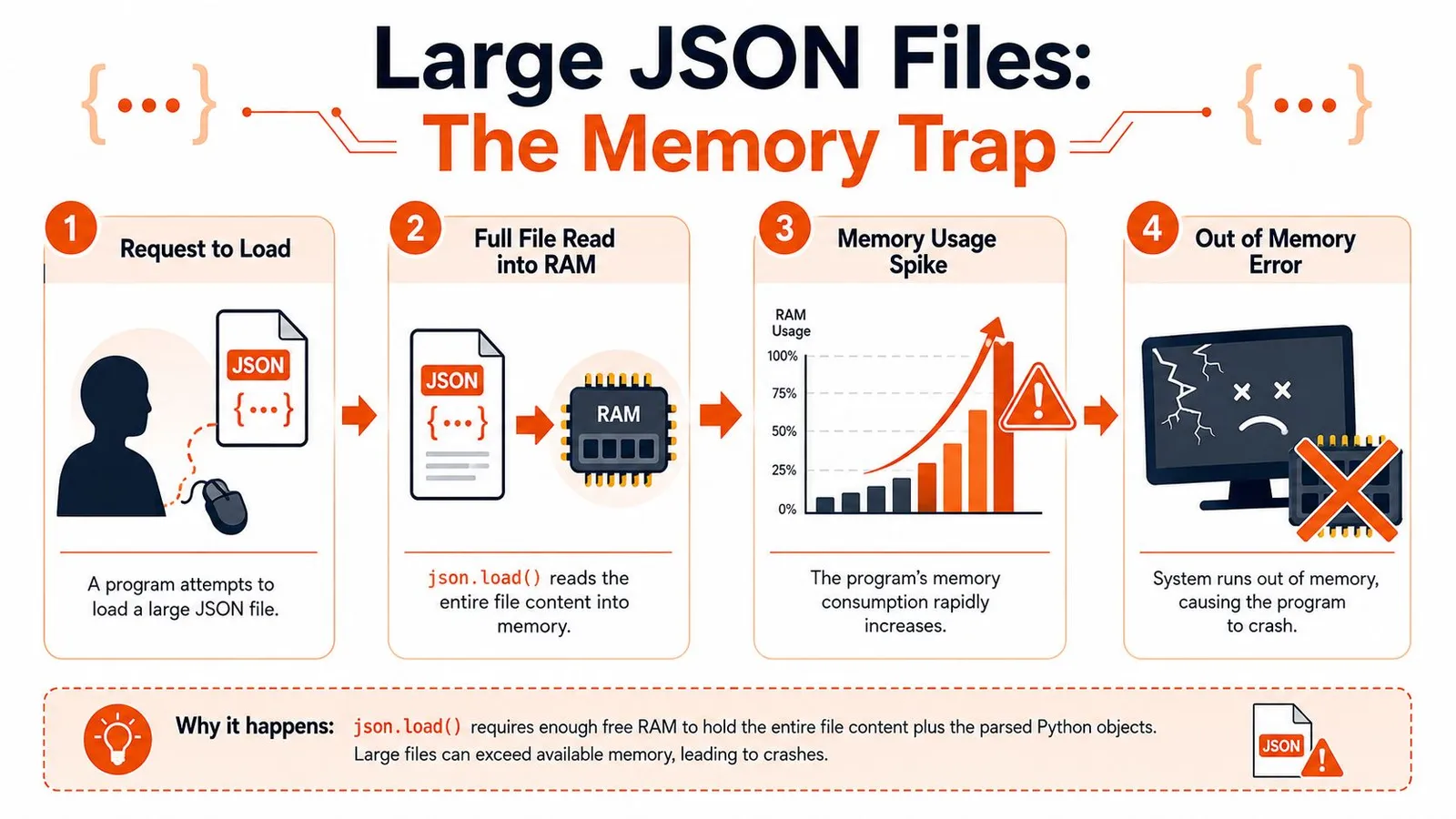
The biggest production failure mode is memory. json.load() is clean and Pythonic, but it assumes loading the data structure in memory is acceptable. For very large files, that assumption breaks.
Practitioner guidance recommends avoiding a full in-memory json.load() when the file is very large. Streaming parsers such as ijson are suggested for large files, and rewriting data into JSONL is often a better strategy for scalable processing, as discussed in this large-file JSON handling guide.
That advice becomes important when the file is one giant array. A beginner tutorial can make JSON look like a “read once and loop” problem. Large exports aren't like that. They behave more like datasets.
For teams that process lots of records in scheduled jobs, it helps to think in terms of chunked work and queue-friendly design. The same mindset shows up in batch processing systems, where you avoid designs that require the entire dataset to be present in memory at once.
A short walkthrough helps visualize the failure pattern:
Stream large JSON with ijson
If the file is huge and you can't change its format, stream it. That means processing one item at a time instead of materializing the whole thing as a single Python object.
import ijson

with open("large_export.json", "rb") as f:
    for record in ijson.items(f, "items.item"):
        process(record)
The path "items.item" depends on the JSON structure. If your file looks like this:
{
  "items": [
    {"id": 1, "name": "A"},
    {"id": 2, "name": "B"}
  ]
}
Then ijson.items(f, "items.item") yields one object at a time from the array.
This pattern changes how you design your code:
- Don't accumulate results unless you must. Process and write out each record as you go.
- Push side effects downstream. Insert into a database, write to CSV, or emit another stream.
- Keep transformations local. A small per-record function scales much better than building giant intermediate lists.
Large-file code usually fails because of one innocent line: a list append inside a loop that quietly rebuilds the in-memory dataset you were trying to avoid.
Prefer JSONL when you control the format
If you have influence over the upstream format, JSONL is often better than one monolithic JSON array. Each line is an independent JSON object, which makes processing much simpler.
import json

with open("events.jsonl", "r", encoding="utf-8") as f:
    for line in f:
        line = line.strip()
        if not line:
            continue
        record = json.loads(line)
        process(record)
JSONL works well when:
- Records are append-heavy: logs, events, incremental exports.
- Processing is record-oriented: each line stands on its own.
- Recovery matters: a bad line is easier to isolate than a broken giant file.
It's also friendlier to Unix-style tooling and incremental workflows. When files become massive or frequently updated, rewriting an entire monolithic JSON document gets awkward fast. Guidance on production handling also points toward ijson, orjson, ujson, JSONL, or even a database depending on the workload, especially when frequent rewrites are costly and risky, as noted in OneUptime's JSON file guide.
Boosting Performance with Faster JSON Libraries
When the parser becomes the bottleneck
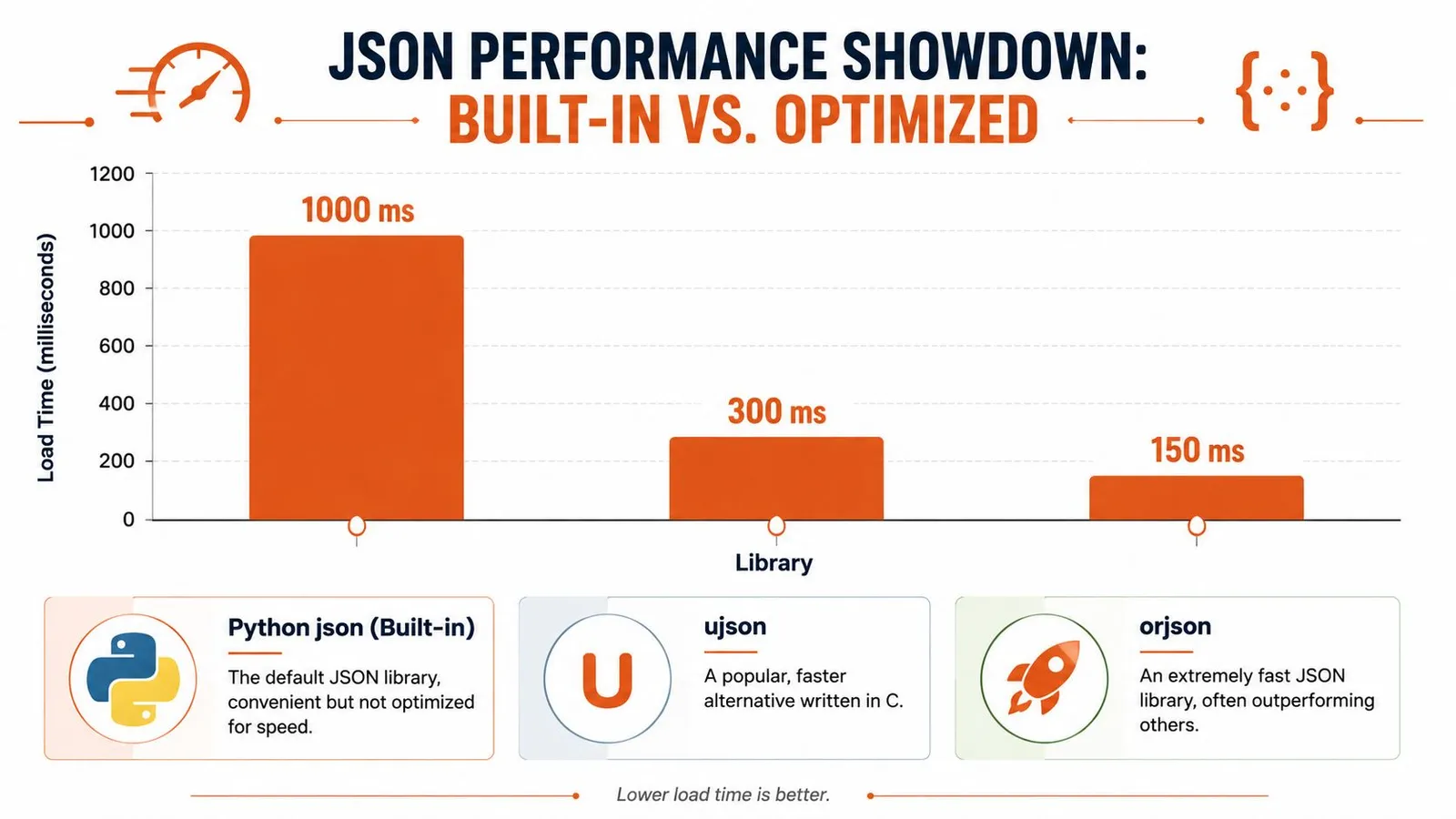
Sometimes memory isn't the issue. The file fits just fine, but the code still feels slow because you're parsing JSON over and over in a hot path. That happens in APIs, message consumers, ETL workers, and crawling systems.
In those situations, the built-in module can be good enough functionally but still not ideal operationally. Practitioner guidance recommends alternatives like orjson or ujson for performance-critical workloads instead of treating the standard library as the only option.
That doesn't mean you should replace json everywhere. It means you should change libraries when parsing speed is a measurable part of the problem.
If your broader pipeline spends a lot of time fetching and normalizing remote content before parsing it, the bottleneck may not even be JSON itself. In scraping-heavy workloads, performance questions often start further upstream in Python crawling pipelines, then show up later in parsing and transformation.
orjson ujson and pandas in practice
Here's the practical comparison I use:
| Tool | Best fit | Trade-off |
|---|---|---|
json | General application code | Easiest default, not the fastest |
orjson | Performance-sensitive services and pipelines | Extra dependency, slightly different API feel |
ujson | Faster parsing with a familiar intent | Also an extra dependency |
pandas.read_json | Data analysis into DataFrames | Not a general-purpose replacement |
Typical usage with orjson looks like this:
import orjson

with open("data.json", "rb") as f:
    data = orjson.loads(f.read())
With ujson:
import ujson

with open("data.json", "r", encoding="utf-8") as f:
    data = ujson.load(f)
A few judgment calls matter here:
- Choose
jsonfirst when clarity matters more than marginal speed. - Choose
orjsonwhen parsing is on the hot path and you've already confirmed it matters. - Choose
ujsonif you want a faster option and the integration suits your codebase. - Choose
pandas.read_jsonwhen your real destination is a DataFrame, not a nested Python object graph.
Fast parsers help when parsing is the work. They don't fix bad schema design, expensive downstream transforms, or an oversized file format.
One warning. Don't switch libraries just because a benchmark chart looks attractive. The key question is where your application spends time. If parsing is a small slice of the total runtime, swapping libraries won't change much. If parsing dominates a high-throughput service, it might be exactly the right move.
Ensuring Data Quality with Error Handling and Validation
Catch broken JSON early
A file that fails to parse is the easiest problem to detect. Python gives you a clear exception for that, and you should catch it at the boundary where the file enters your system.
import json

try:
    with open("input.json", "r", encoding="utf-8") as f:
        data = json.load(f)
except json.JSONDecodeError as exc:
    print(f"Invalid JSON: {exc}")
That's the minimum. It turns a stack trace into a controlled failure path.
I also like to separate file access errors from parsing errors. Missing file, wrong permissions, and malformed JSON aren't the same incident. If you log them as one generic “load failed” event, debugging gets slower.
A good defensive loading function usually checks for:
- Missing files
- Permission problems
- Malformed JSON
- Unexpected empty content
- Wrong top-level type
Validate structure not just syntax
Many systems, in this regard, remain too shallow. A file can be perfectly valid JSON and still be useless. Maybe the key is missing. Maybe email is null where your code expects a string. Maybe a field moved from list to object and half your pipeline still assumes the old shape.
That's why parsing isn't enough. You also need validation.
pydantic is a strong fit for this because it lets you define the structure you expect and validate incoming data immediately.
from pydantic import BaseModel, ValidationError
import json

class UserRecord(BaseModel):
    id: int
    name: str
    email: str
    active: bool

try:
    with open("user.json", "r", encoding="utf-8") as f:
        raw = json.load(f)
    user = UserRecord.model_validate(raw)
except json.JSONDecodeError as exc:
    print(f"Bad JSON syntax: {exc}")
except ValidationError as exc:
    print(f"Schema validation failed: {exc}")
That changes the role of the loader. It's no longer “read some bytes and hope the rest of the code deals with it.” It becomes “admit only data that matches the contract.”
If you extract content from pages and then shape it into structured records, the same principle applies outside file handling too. Reliable systems usually add validation right after extraction, especially when trying to extract structured data from webpages that may change shape without warning.
Backslashes usually are not corruption
One of the most common sources of confusion isn't malformed data at all. It's representation.
Many developers see backslashes or \n in output and assume the JSON loader damaged the content. In reality, those are often just normal JSON string escapes. A Python discussion on this topic highlights that many searches around loading JSON are really about why parsed data looks different from the original text, and that backslashes and newline escapes are often standard JSON encoding rather than corruption, as discussed in this Python.org thread on JSON output confusion.
Here's the distinction:
import json

text = '{"message": "hello\\nworld"}'
data = json.loads(text)

print(data["message"])
print(repr(data["message"]))
The first print shows the actual string with a newline. The repr(...) form shows the escaped representation.
A parsed Python string and the original JSON text are not supposed to look identical. One is data in memory. The other is an encoded textual representation.
Once you understand that, a lot of “JSON corruption” bug reports disappear.
A Practical Decision Guide for Loading JSON
A working rule set
Teams often don't need more snippets. They need a stable set of choices they can apply quickly.
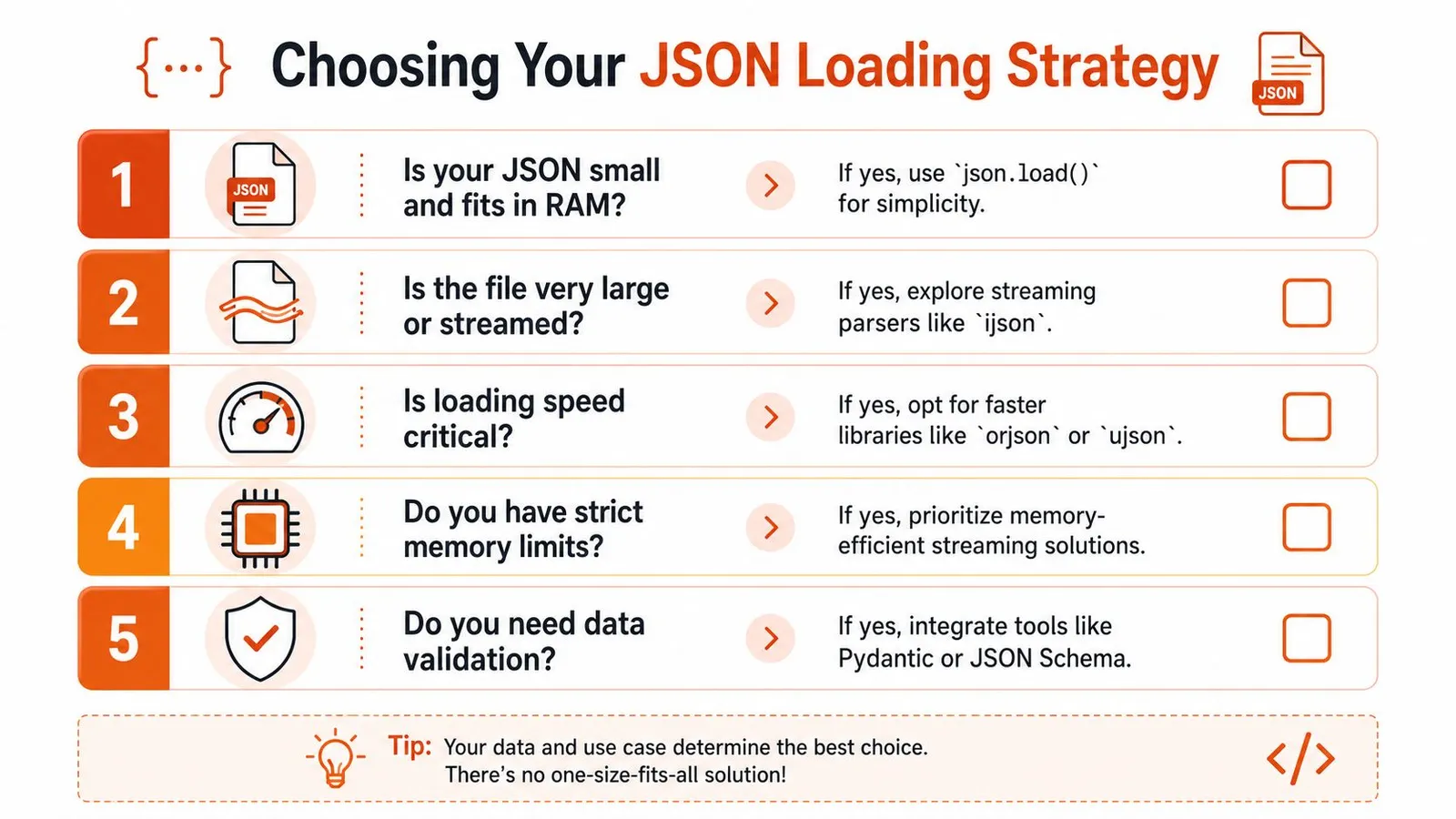
Use these rules:
- If the file is small and local, use the built-in module.
with open(..., encoding="utf-8") as f: data = json.load(f)stays the best default. - If the file is too large to load comfortably, stream it. Don't fight memory pressure with bigger machines when the access pattern is the core issue.
- If you control the file format and process records independently, prefer JSONL. It's simpler to process and friendlier to incremental workflows.
- If parsing speed is a significant bottleneck, test
orjsonorujson. Don't optimize speculatively. - If the data feeds production logic, validate it. Syntactic validity is not enough.
What I would choose in common situations
Here's the short version I'd give a teammate:
| Situation | What I'd use |
|---|---|
| Small config file | json.load() |
| API payload already in memory | json.loads() |
| Large export file | ijson |
| Event stream or append-heavy records | JSONL |
| Performance-sensitive parser path | orjson or ujson |
| Untrusted or contract-sensitive input | pydantic after parsing |
The key is not loyalty to one library. It's matching the tool to the failure mode.
A lot of Python code around JSON stays stuck at tutorial level for too long. Production code can't. It needs clear defaults, explicit trade-offs, and defensive boundaries. Once you adopt that mindset, loading JSON stops being a trivial utility call and becomes a part of system design.
If you're building agents, research workflows, or scraping pipelines that need clean structured content before it ever reaches your JSON layer, Webclaw is worth a look. It gives you model-friendly extraction from difficult websites, supports structured outputs, and helps reduce the amount of brittle cleanup code you'd otherwise write around raw web content.