
Undetectable Internet Browser: Web Scraping & Compliance
Your scraper works in development. It loads the page, waits for the selector, extracts clean data, and passes every test. Then you deploy it against a real target with rate limits, bot scoring, and account controls, and the exact same flow starts returning blank pages, login loops, soft bans, or challenge screens.
That's usually when teams start searching for an undetectable internet browser.
The phrase sounds like a destination. In practice, it describes a category of tools built to make browser sessions look less correlated, less repetitive, and less easy to cluster. That can help. It can also create a lot of operational debt if you treat it like a permanent solution instead of one component in a data access strategy.
Privacy behavior is mainstream now, not fringe. Fathom Analytics reports that 86% of internet users have taken steps to remove or mask their digital footprints, a signal that both users and websites have adapted to a more defensive web environment, as cited in Undetectable's privacy browser article.
The Illusion of Invisibility Online
A common failure pattern looks like this. A Playwright or Puppeteer script works from your laptop because your session count is low, your browser state is fresh, and your home network looks ordinary. The same logic moves into a server fleet, starts opening repeated sessions from a narrow IP range, and suddenly every account looks related.
That pressure created the anti-detect browser market. Teams needed a way to stop every browser session from presenting the same identity surfaces, especially when managing parallel accounts, region-specific workflows, or repetitive extraction jobs. The tool category grew because websites stopped relying only on cookies and started evaluating the browser itself.
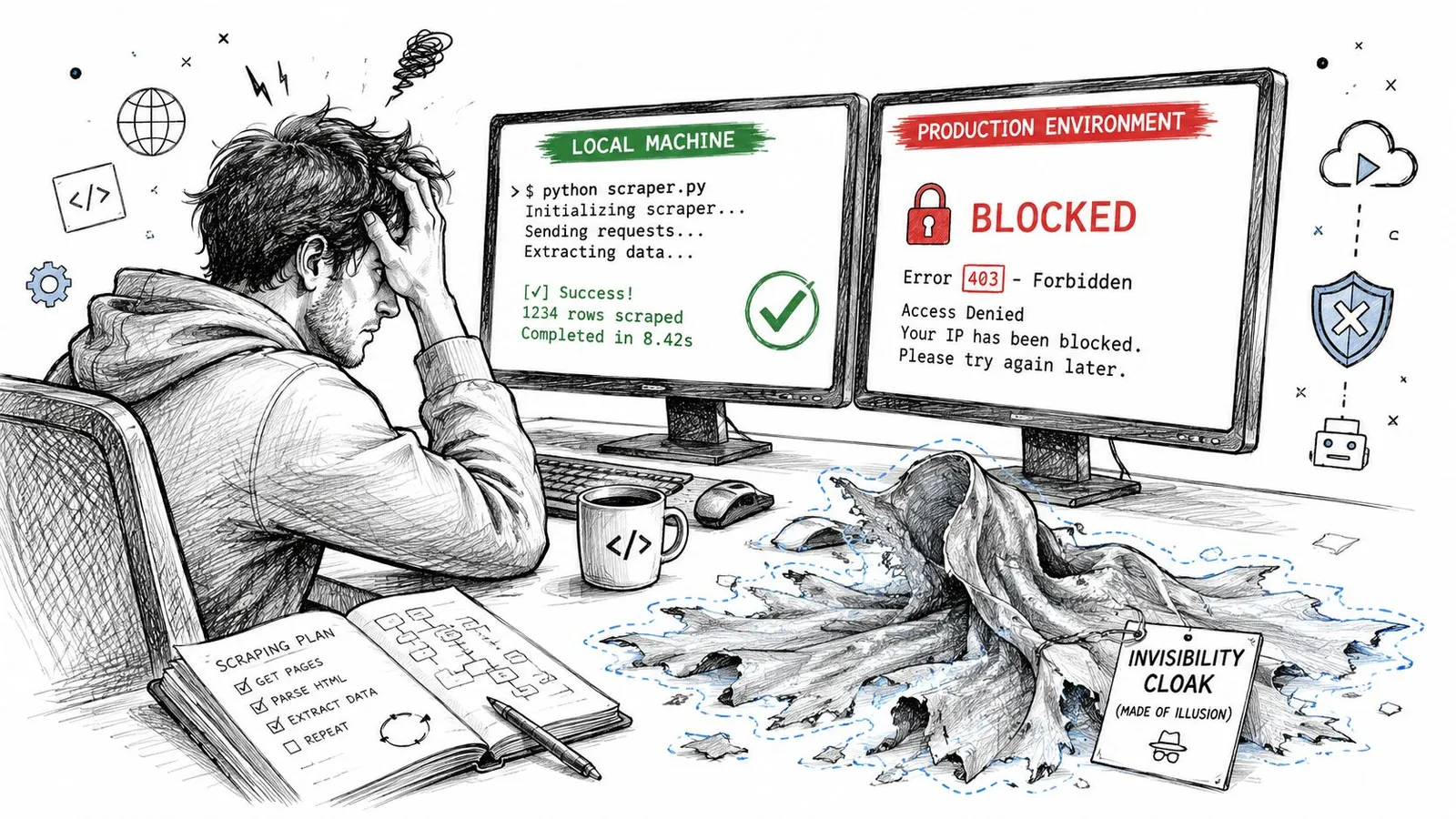
It's not invisibility
An undetectable internet browser isn't a cloak. It's a browser environment that tries to look like a different, plausible user each time.
That distinction matters because engineering decisions get worse when the naming is wrong. If you think the browser makes you invisible, you'll underinvest in network separation, session hygiene, request pacing, account policy, and legal review. If you treat it as a profile-isolation tool, you'll make better choices.
Practical rule: If a target can still correlate your behavior, your stack is detectable enough to matter.
The strongest use for these browsers is narrow. They reduce easy correlations between sessions. They don't remove the cat-and-mouse dynamic, and they don't replace a reliable data access architecture.
How Websites Identify Your Browser
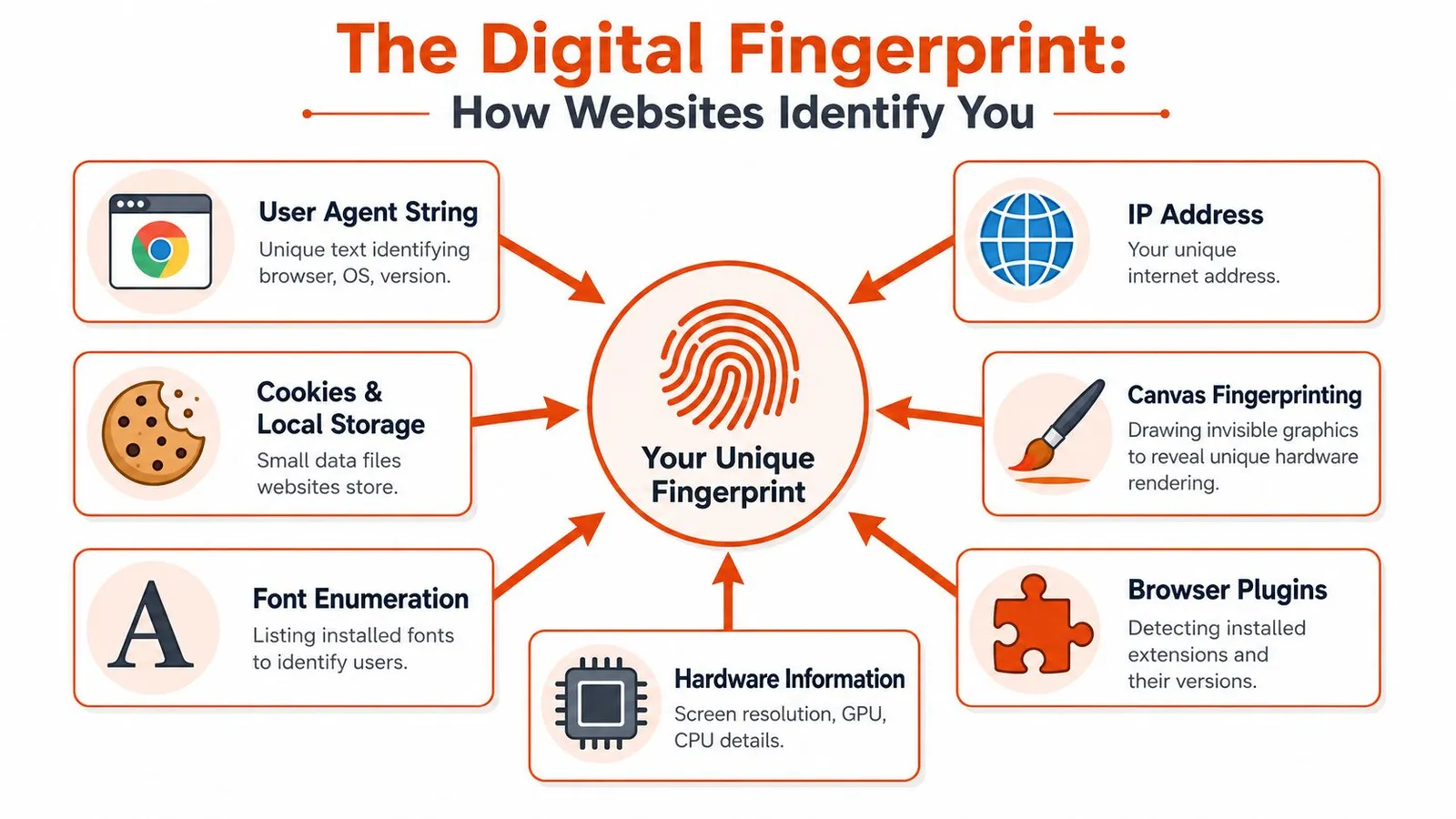
Browser identification works like a fingerprint assembled from many small ridges. No single signal needs to be unique on its own. The site combines enough of them to make your session recognizable.
Fingerprinting beats simple cookie logic
Most developers learn cookie handling first because it's visible and easy to debug. That's only part of the picture. If you need a refresher on how tracking cookies work, it helps as a baseline, but modern detection goes further.
A browser exposes many surfaces during page execution and network activity. Common examples include:
- User agent details: Browser family, version, operating system, and platform hints.
- Rendering behavior: Canvas output, WebGL characteristics, font availability, and graphics stack quirks.
- Storage state: Cookies, local storage, and other retained identifiers.
- Environment signals: Language, timezone, screen size, hardware-related attributes, and device metadata.
- Network-facing traits: IP reputation, transport behavior, and request-level consistency.
These signals are useful because they persist across page loads and often survive basic cleanup. Deleting cookies can reset one layer while leaving the larger fingerprint mostly intact.
A lot of teams miss the split between browser fingerprint and transport fingerprint. If you're debugging blocks, this breakdown of TLS fingerprint vs browser fingerprint under Cloudflare is useful because it shows why a session can look normal in the DOM and still look suspicious on the wire.
Here's the embedded explainer before we go deeper:
Why browser concentration helps detectors
Fingerprinting gets easier when most traffic comes from a small set of browser families. In 2026, Google Chrome held 71.37% of the global browser market, while the next-largest major browsers were far behind, according to SQ Magazine's browser statistics roundup.
That concentration changes the economics for defenders. They don't need perfect identification for every visitor. They need stable enough correlation across a very large share of sessions.
Independent privacy findings in the same roundup also point to a data-rich mainstream environment. Among popular mobile browsers, 11 of 15 collected data for advertising or analytics purposes. In the Play Store privacy disclosures cited there, Yandex collected 25 of 38 possible data types, Microsoft Edge collected 20, and Google Chrome collected 19. The core takeaway isn't that one browser is bad and another is good. It's that ordinary browsing already exposes plenty of measurable surfaces.
When a browser ecosystem is this standardized, anti-bot vendors don't need magic. They need consistency checks.
Inside an Undetectable Browser
A scraping job works in staging, then fails in production after a target starts scoring sessions instead of just rendering pages. The browser still loads the DOM. The account still logs in. But request patterns, profile inconsistencies, and IP reuse start linking sessions together. That is the underlying problem anti-detect browsers try to address.
Spoofing is the product
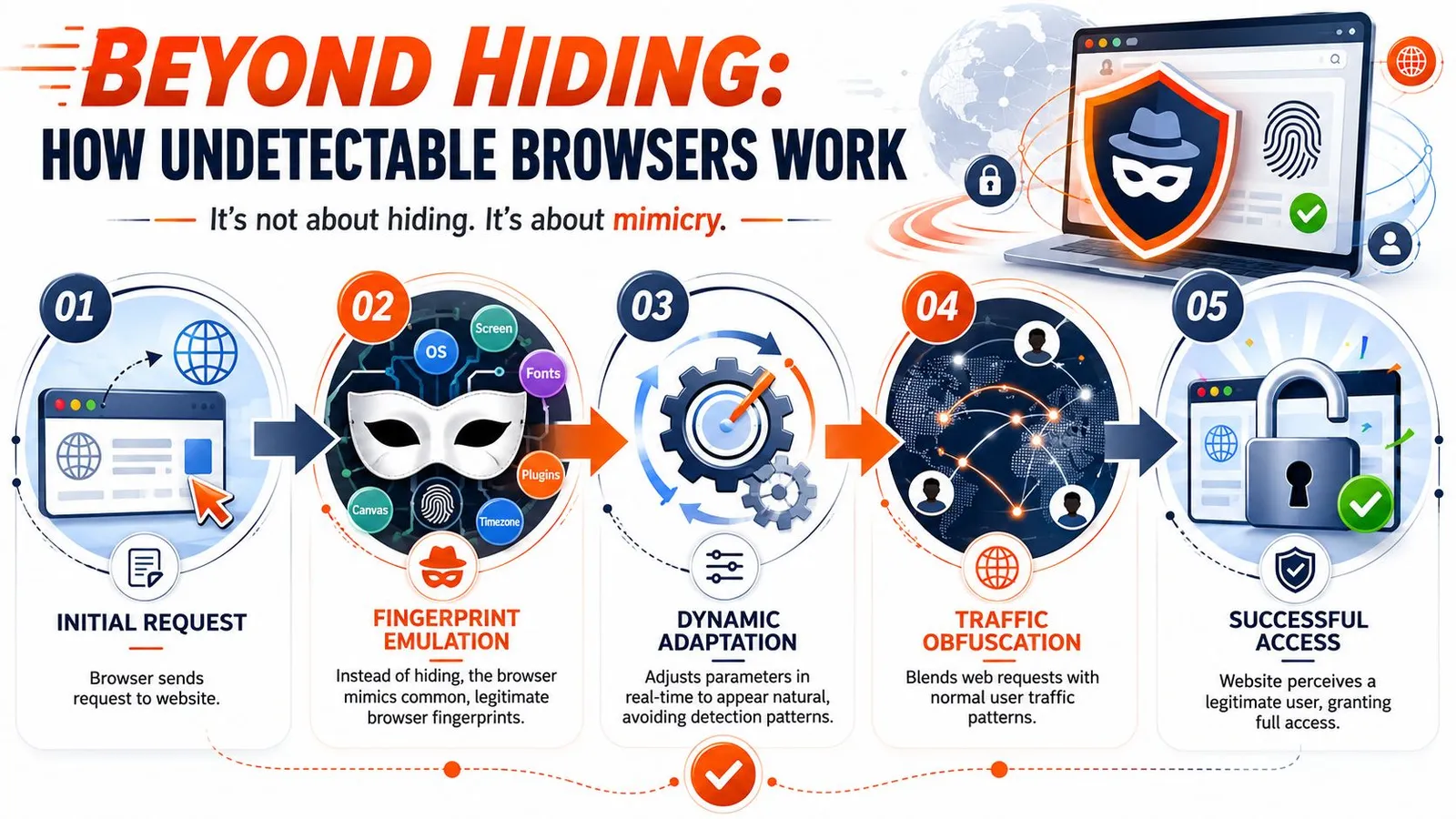
An undetectable browser is a profile-management system built on top of a browser engine. Each profile carries its own claimed device traits, storage, locale, fonts, timezone, and often a proxy assignment. The product value is not invisibility. It is controlled variation across many sessions.
According to an IProyal review of Undetectable, tools in this category swap browser fingerprint surfaces such as IP address, browser attributes, language, fonts, and device details so profiles appear distinct. The same review points out the practical limit. Browser spoofing alone does not hide the network path. Proxying still has to be configured separately if the operator wants network-level separation.
That constraint drives the core engineering work. A usable profile has to stay internally consistent over time, not just look plausible at creation. Language, timezone, geolocation, canvas behavior, WebGL output, cookies, login history, and egress IP all need to line up well enough that the session does not look synthetic under repeated checks.
For automation teams, browser patches only solve part of the stack. The harder failures usually come from cross-layer mismatches or challenge systems outside the browser runtime. This analysis of Puppeteer stealth against Cloudflare in 2026 covers where stealth plugins help and where they stop helping.
Profiles create operational overhead
Once a team moves past a handful of sessions, anti-detect usage starts to look less like browsing and more like infrastructure. Someone has to define profile templates, map them to regions, assign proxies, preserve state, rotate credentials, monitor failures, and decide whether a drop in success rate came from the browser patch set, the proxy pool, or the target changing its checks.
This is why I treat undetectable browsers as a tool for session isolation, not a durable answer to data access. They can be useful. They also create another system to maintain.
A profile that passes one target today can fail next week without any code change on your side. Vendors update spoofing layers. Sites add new correlation checks. Proxy providers shift routing. The result is a moving compatibility matrix that gets expensive to test at scale.
That maintenance burden matters more than the marketing claims. Teams collecting public web data usually care about throughput, retry behavior, extraction quality, and how quickly they can recover from target-side changes. If your team is still building the lower-level collection stack, it helps to learn Node.js web scraping techniques before adding another abstraction layer. In many cases, the cleaner path is an API-first system that handles browser orchestration, retries, and extraction upstream, which is the direction Webclaw takes for production data pipelines.
Navigating Use Cases and Compliance
A common failure pattern looks like this. A team starts with an anti-detect browser because they need data from a few sites and want to keep sessions separated. A month later, they are maintaining profile inventories, proxy assignments, login state, and exception handling. The original problem was data access. The browser became one part of a larger operational system.
That does not make anti-detect browsers useless. It means they fit a narrower set of jobs than the marketing suggests.
Legitimate operators use these tools for isolation
Session isolation is a real requirement. Agencies may need separate client logins. Marketplace teams may need distinct browser state for storefronts, support tools, and region-specific checks. Researchers may need repeated access to public pages without collapsing every workflow into one shared identity.
Those are valid engineering cases, especially when the requirement is account separation or environment-specific QA rather than high-volume extraction.
Examples that usually hold up in practice:
- Marketplace operations: Separate sessions for multiple seller accounts, brand environments, or regional catalog reviews.
- Ad verification and QA: Checking geo-targeted pages, logged-in experiences, and account-specific flows under controlled conditions.
- Targeted data collection: Gathering public listings, pricing pages, or search results where session continuity affects what the site returns.
If the main job is extraction, anti-detect tooling is often a detour. Teams still need parsers, retries, storage, and change monitoring. If you are building those pieces yourself, start with the basics and learn Node.js web scraping techniques before adding fingerprint management on top.
For teams comparing production data workflows, Webclaw's web scraping use cases page is a useful reference for where an API-first collection layer fits better than browser profile management.
Compliance depends on intent, access, and process
The legal line is usually less ambiguous than the tooling discussion makes it sound. Using a browser that isolates sessions is not the issue by itself. Risk shows up when a team uses it to bypass access controls, ignore platform terms, automate fraud, or collect data without legal review and internal approval.
Operational discipline matters here. Keep a record of which targets are approved, which accounts are authorized, what data is being collected, and who signed off on the workflow. Engineers should not make policy calls alone, and compliance teams should not be asked to approve a system they cannot audit.
A workable standard is simple:
- Define allowed targets clearly: Public pages, partner portals, and first-party accounts each need different approval rules.
- Document why isolation is needed: Support testing, client account management, and region-specific QA are easier to defend than vague "stealth" requirements.
- Log operator actions and access paths: Audit trails help when a platform asks questions or your legal team reviews a workflow.
- Choose the right tool for the job: Use session-isolated browsers for browser-state problems. Use an API-first system when the actual requirement is stable, repeatable data collection.
That last distinction saves teams a lot of time. If the goal is dependable access to web data for AI pipelines, analytics, or monitoring, "undetectable" is usually not the end state. It is a temporary workaround for a problem better solved upstream.
The Limits of Spoofing and Better Alternatives
The name is the first problem. “Undetectable” suggests a binary outcome. Real systems don't work that way.
Independent analysis from Castle's anti-detect browser detection write-up shows that even advanced anti-detect browsers can still be detected through fingerprint inconsistencies, JavaScript injection traces, and browser-specific artifacts such as modified function strings and script patterns. That's the technical reality behind the marketing.
Why anti-detect setups become expensive to maintain
For a solo operator, an anti-detect browser can feel efficient. For a team running production data flows, the cracks show quickly.
You don't just maintain automation scripts. You maintain:
- Profile quality: Each identity has to stay plausible and internally consistent.
- Proxy assignment: Session separation falls apart when network routing is sloppy.
- Challenge handling: CAPTCHA, login review, and soft blocks don't disappear because the fingerprint changed.
- Vendor drift: Detection teams update heuristics, browser vendors change internals, and anti-detect products react after the fact.
- Observability gaps: It gets harder to know whether a failure came from target changes, fingerprint scoring, transport traits, proxy reputation, or your own automation logic.
Some teams try to solve the network side with a general-purpose privacy stack. That can help for internal security, but it isn't the same thing as scraping reliability. If you're evaluating organizational network controls, a secure VPN for businesses is useful for workforce access. It doesn't replace a purpose-built anti-blocking system.
Here's the trade-off in a cleaner format:
| Factor | Self-Managed Anti-Detect Browser | Managed Scraping API (e.g., Webclaw) |
|---|---|---|
| Setup model | You assemble browser profiles, proxies, automation, and retries | You call an API and let the provider manage the hard parts |
| Operational burden | High. Failures spread across many layers | Lower. The abstraction is narrower and easier to monitor |
| Fingerprint control | Direct but fragile | Indirect but maintained as part of the service |
| Scaling sessions | Possible, but profile orchestration gets messy | Built around parallel execution workflows |
| Output quality for AI | Often raw DOM or custom parsing work | Usually cleaner extraction formats |
| Team fit | Specialists who want low-level control | Data and AI teams that need reliability more than browser micromanagement |
A more durable engineering approach
For professional data work, the better question isn't “How do I become undetectable?” It's “How do I get reliable access to allowed data with a maintainable system?”
That leads to two stronger approaches.
First, if you need custom interaction, use standard automation frameworks and treat stealth as one layer among many. Keep the browser real, the state management disciplined, the network pool well-governed, and the failure analysis observable.
Second, if your core need is data access rather than browser experimentation, use a managed scraping API with rendering, anti-blocking, retry logic, and structured output built in. That shifts the engineering effort away from stealth tuning and back toward product work, retrieval quality, and downstream model use.
A useful benchmark for evaluating managed options is whether they can combine browser fallback, anti-bot handling, and clean output in one path. This overview of anti-bot scraping APIs with browser fallback signals reflects the direction serious teams are moving.
The best scraping stack is the one your team can debug, govern, and keep running next quarter.
How Webclaw Solves the Scraping Reliability Problem
The cleanest way to avoid anti-detect browser sprawl is to stop operating one as your primary interface.
What changes in the implementation model
With Webclaw, the unit of work is an API request, not a hand-maintained browser identity. That changes the shape of the problem.
Instead of stitching together automation framework patches, proxy allocation, rendering logic, anti-blocking behavior, and HTML cleanup, you send a URL and ask for output that a model or pipeline can use. Webclaw is built for AI-oriented extraction, so the output can be Markdown, JSON, plain text, or an LLM-optimized format rather than raw page clutter.
That matters because most AI teams don't want to own browser fingerprint management. They want reliable access to the page, JavaScript rendering when needed, and content that doesn't waste tokens on navigation chrome, cookie banners, or duplicate links.
The product details are on Webclaw's web scraping API feature page. The practical advantage is simpler than the feature list. Your team spends less time acting like a browser vendor and more time building retrieval pipelines, evaluators, agents, and downstream applications.
Frequently Asked Questions
Are undetectable browsers legal
The tool itself can be legal. The use case might not be. Legality depends on what data you access, what permissions you have, what terms govern the target platform, and whether you're bypassing restrictions in a way your counsel would reject. Teams should review this with legal and compliance before they operationalize it.
Is an undetectable browser the same as a VPN or Tor
No. They solve different problems.
A VPN changes the network path. Tor routes traffic through a privacy-focused relay network. An undetectable internet browser changes or substitutes browser identity surfaces so sessions look like different devices or users. You can combine these tools, but one doesn't replace the others.
What kind of proxy should a scraping team choose
Choose based on the target and the tolerance for cost, latency, and scrutiny.
- Residential proxies: Usually the best fit when a target scores IP reputation aggressively and you need user-like traffic patterns.
- Datacenter proxies: Easier to operate and often cheaper, but more likely to be classified as automation traffic on sensitive targets.
- Mobile proxies: Useful for certain regional or app-adjacent scenarios, but usually harder to source and govern well.
The bigger point is consistency. Match proxy geography to browser locale, keep session stickiness where the workflow requires it, and avoid mixing identities carelessly across accounts.
Do anti-detect browsers work for AI data pipelines
Sometimes, but they're often the wrong abstraction. They make more sense when a human operator needs isolated sessions or when a team is doing narrow, custom browser automation. AI data pipelines usually benefit more from managed extraction infrastructure that returns clean content directly.
If your team is tired of juggling browser fingerprints, proxy routing, rendering failures, and raw HTML cleanup, Webclaw is the more durable path. It turns hard-to-scrape pages into clean, model-ready content through an API, so you can focus on retrieval quality and product logic instead of maintaining an “undetectable” browser stack.