
Optimize Your Proxy for Downloads Performance
Large downloads fail in ways that feel random until you inspect the path closely. A file starts fast, then stalls. The host serves a few chunks, then rate-limits your IP. A regional mirror works in the browser but not in your downloader. Or the file is technically public, but every retry from the same address gets challenged, throttled, or cut off halfway through.
That's usually the point where a simple downloader script stops being enough. You need a proxy for downloads that matches the behavior of the source, the size of the file, and the failure modes you expect. That might mean a sticky residential IP for a geo-locked dataset, an ISP proxy for long-lived authenticated sessions, or a datacenter proxy for bulk fetches from tolerant origins. It also means handling the ugly details, like resumable transfers, session pinning, and HTTPS behavior that breaks large file transfers in ways most proxy guides never mention.
If your job includes AI model pulls, dataset mirroring, media ingestion, or scrape pipelines that occasionally need binary assets instead of just HTML, download reliability becomes infrastructure, not convenience.
Why Your Downloads Fail and Proxies Are the Fix
Most broken download pipelines have one of four root causes. The source doesn't trust your IP. The route is unstable. The server expects regional access. Or your client treats a large file like a normal web request and gets punished for it.
A proxy fixes different problems depending on where you place it in the path. For a region-locked release artifact, it gives you the right geography. For a host that rate-limits repeated pulls, it gives you controlled identity changes. For a brittle route, it gives you a different network path and often a better egress profile. For a session-bound download, it gives you continuity if you keep the same exit IP.
This isn't niche infrastructure. In 2021, worldwide proxy user adoption reached approximately 28.9%, and India reached 43.2% adoption. Turkey and India also hosted over 15% of global residential proxy infrastructure, which shows how central proxy networks are to web access and scalable extraction in markets where direct access is often constrained, as detailed in this proxy adoption analysis.
Before you buy more proxy bandwidth, check whether the problem is the network path. If you're seeing stalled transfers, variable throughput, or failures only from specific regions, this guide to troubleshooting network latency is worth using first. A bad route and a blocked route can look the same from the application layer.
Practical rule: Don't treat all download failures as anti-bot failures. Some are just transport problems wearing the same symptoms.
For HTML and document retrieval, you can often simplify the acquisition side before optimizing binary transfer logic. If your workflow includes page capture before file extraction, Webclaw's post on downloading HTML files is a useful companion because it separates page acquisition from heavy file transfer, which usually deserve different proxy and retry policies.
Choosing the Right Proxy Type for Your Download Task
A download-heavy workload exposes proxy trade-offs faster than a page-fetch workload does. HTML requests are short. File transfers are long-lived, stateful, and expensive when they fail at the end instead of the beginning.
By 2024, 78% of Fortune 500 companies used proxy networks for secure browsing and structured data harvesting, and 2.5 billion web pages were scraped monthly using proxy infrastructure, according to proxy market reporting on enterprise usage. That matters here because the same proxy decisions that affect scraping success also affect download reliability, especially when the source uses bot protection or regional controls.
What changes when the payload is a file
With file downloads, the proxy type influences more than access. It changes how long the connection survives, how predictable throughput is, and how often the origin decides your traffic looks suspicious.
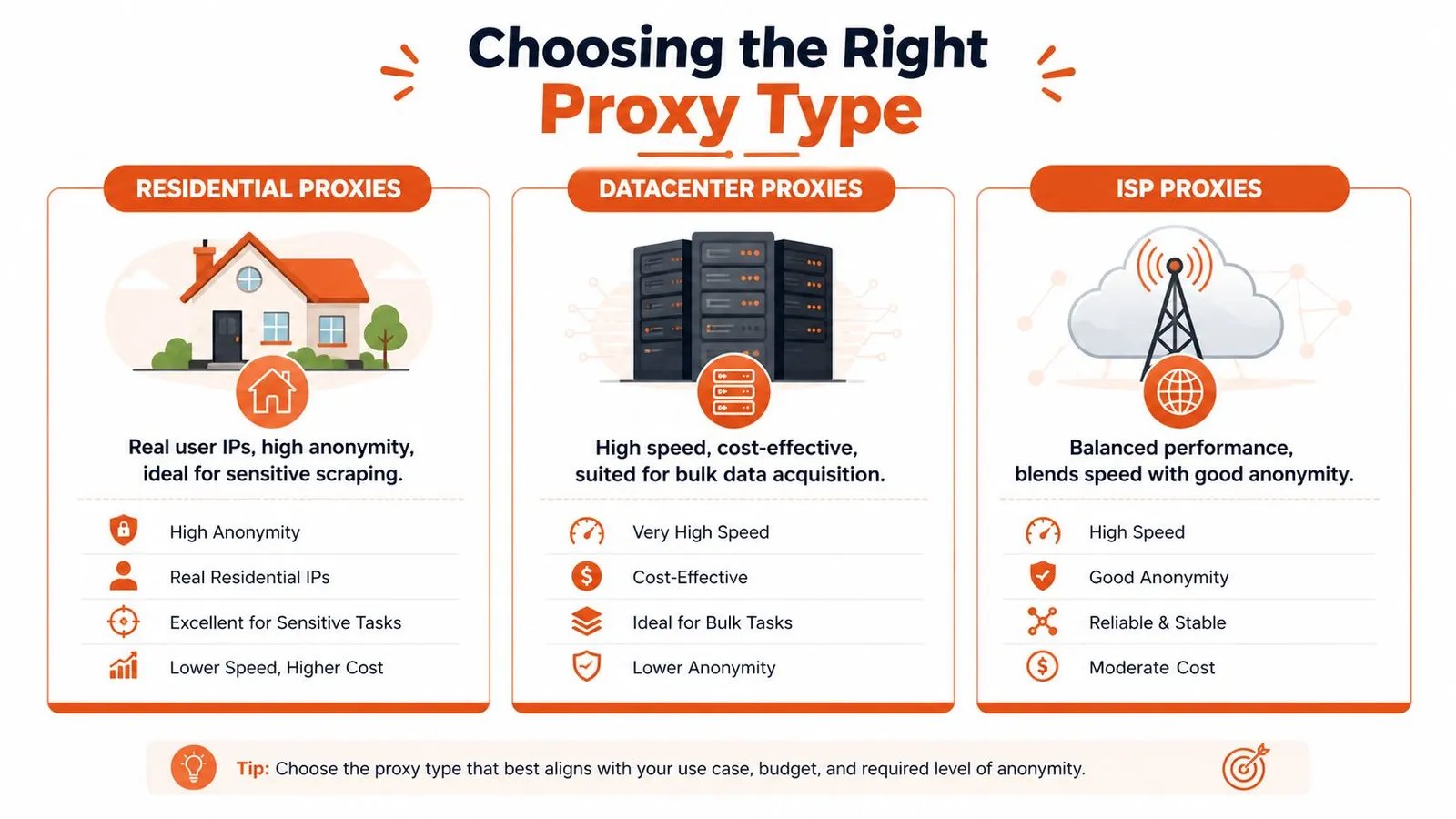
- Residential proxies use real user IPs. They're the right fit when the source is sensitive to automation, enforces geography aggressively, or blocks known hosting ranges.
- Datacenter proxies are usually the cheapest and easiest to scale for bulk acquisition from tolerant sources. They can be fast, but they also get flagged faster on sites that inspect ASN reputation.
- ISP proxies sit in the middle. They usually behave more like residential addresses from the origin's perspective while keeping better stability for long-lived transfers.
If your workload looks more like scraping plus file capture than raw binary mirroring, this overview of a Bright Data alternative for LLM web scraping is relevant because the same proxy categories show up in extraction stacks that mix page rendering with downstream asset retrieval.
Proxy Type Comparison for Downloads
| Proxy Type | Cost | Speed | Ban Risk | Best For |
|---|---|---|---|---|
| Residential | Higher | Variable | Lower on sensitive sites | Geo-restricted files, protected origins, session-bound downloads |
| Datacenter | Lower | High when tolerated | Higher on strict sites | Bulk downloads from permissive hosts, internal mirroring, tolerant CDNs |
| ISP | Mid to high | Stable | Lower than datacenter in many real-world cases | Long downloads, authenticated sessions, large binary transfers |
A mistake I see often is choosing by headline speed alone. A fast proxy that gets cut off at byte range boundaries is slower than a stable proxy that finishes every job.
A practical selection rule
Use this sequence when you're deciding:
- Start with the source's trust model. If the host blocks cloud egress aggressively, skip datacenter first.
- Match proxy persistence to file size. The larger the file, the more a stable exit IP matters.
- Separate test traffic from production traffic. Don't benchmark proxies with tiny files and expect the same behavior on large archives.
- Price for completion, not requests. A cheaper network that forces repeated restarts can cost more in bandwidth and operator time.
For download pipelines, the winning proxy isn't the one with the highest burst speed. It's the one that survives the whole transfer under the source's policy.
Configuring Proxies for Peak Performance and Reliability
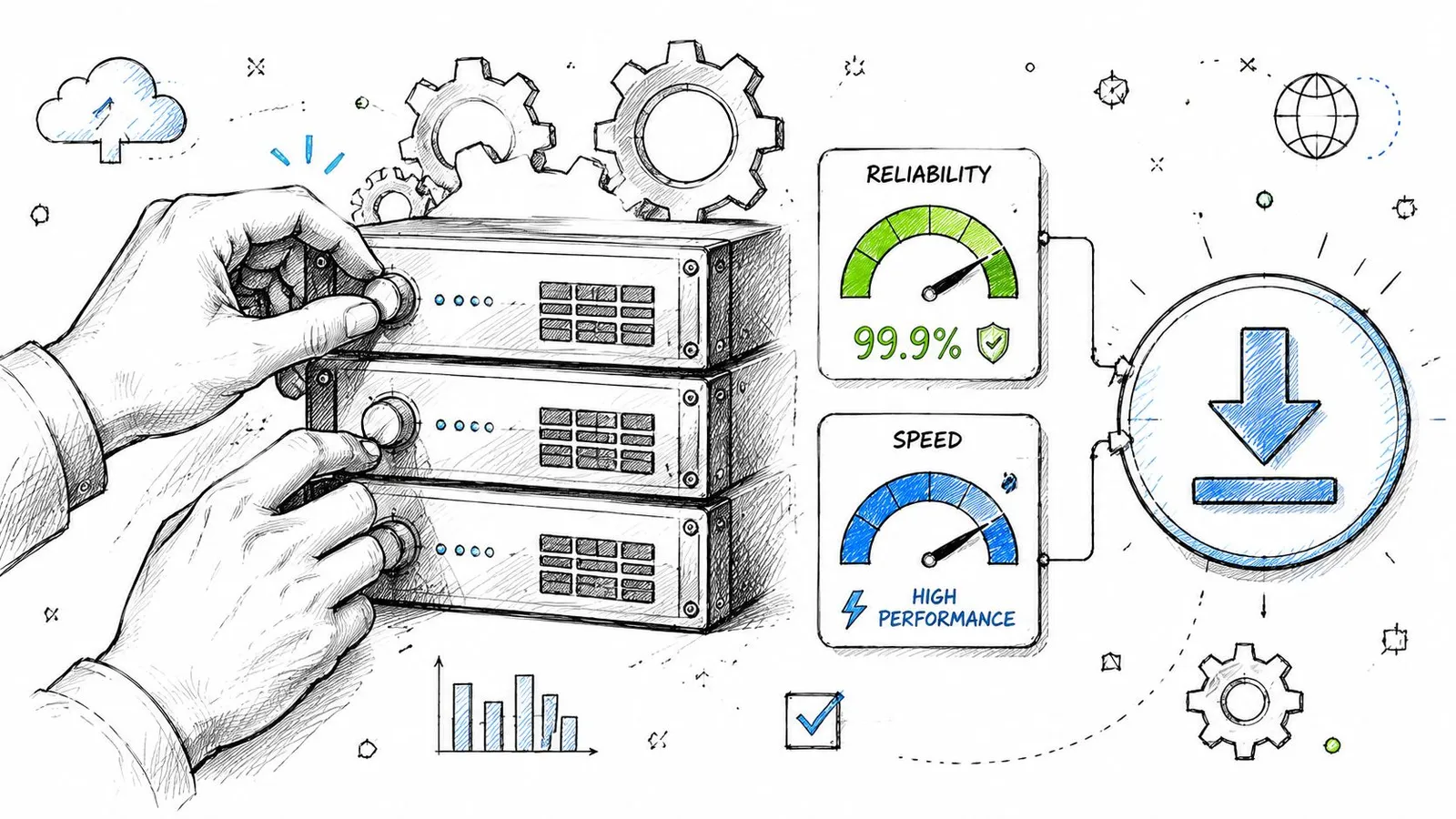
Once you've picked the proxy class, configuration starts to matter more than the vendor label. The downloader, the proxy, and the origin all have opinions about timeouts, connection reuse, and authentication. If those opinions conflict, large transfers fail in ways that look arbitrary.
Tune the downloader before blaming the proxy
Teams often under-tune the client. They run default settings, then assume the proxy is bad because throughput swings or sockets close early.
For curl, aria2c, Python httpx, or Go's http.Client, focus on a few things first:
- Connection timeouts: Keep connect timeouts short enough to fail fast on dead routes.
- Read timeouts: Set them long enough for large files and slower origins.
- Concurrency: Parallel chunk downloads can help, but too much fan-out trips anti-bot controls or causes session inconsistency.
- Connection reuse: Reused sessions reduce handshake overhead, but some origins behave better with fresh connections for each range request.
A practical curl example through an HTTP proxy looks like this:
curl -L \
  --proxy http://user:pass@proxy-host:port \
  --retry 5 \
  --retry-all-errors \
  --connect-timeout 10 \
  --max-time 0 \
  -C - \
  -o model.bin \
  "https://example.com/path/model.bin"
And the same idea in Python with httpx:
import httpx

proxies = {
    "http://": "http://user:pass@proxy-host:port",
    "https://": "http://user:pass@proxy-host:port",
}

with httpx.Client(proxies=proxies, timeout=None, follow_redirects=True) as client:
    with client.stream("GET", "https://example.com/file.zip") as resp:
        resp.raise_for_status()
        with open("file.zip", "ab") as f:
            for chunk in resp.iter_bytes():
                f.write(chunk)
If you're comparing providers, don't just run a latency check and call it done. Use a practical guide for robust proxy evaluation as a template, but adapt the test to your actual workload: authenticated URLs, realistic file sizes, and the same client you'll use in production.
Get authentication and session behavior right
A surprising number of failures are self-inflicted.
Here's what usually works:
- Sticky sessions for multi-request downloads: If the origin expects continuity across redirects, cookies, or range requests, keep the same exit IP.
- Rotating sessions for repeated independent jobs: When each file is a separate transaction, rotate between jobs, not during a single file transfer.
- Header discipline: Don't send a random browser header set from one request and a barebones downloader signature on the next if the same session is meant to look consistent.
- Credential placement: Prefer standard proxy auth mechanisms over hacks in custom headers unless your provider requires them.
The HTTPS blindness problem
One of the least documented problems in this area is HTTPS proxy blindness. Proxies that tunnel HTTPS without SSL inspection often can't see the file metadata well enough to apply or bypass size-based handling cleanly. In practice, this can cause large HTTPS downloads to fail because the proxy can't determine the file size and a hidden policy limit gets triggered. That behavior is captured in this Stack Overflow discussion of HTTPS download limits through proxies.
This matters most when a file works over one route and fails over another with no obvious HTTP error. Developers often blame the origin, but the proxy layer is the one handling the transfer improperly.
What to do instead:
- Use proxy types that support your transport path cleanly. ISP and residential paths can avoid some enterprise inspection behavior.
- Test with native clients, not only browser traffic. Browsers and
curldon't always traverse proxies the same way. - Avoid rotating IPs mid-download. If the origin uses signed URLs or binds transfer state to a client fingerprint, rotation can corrupt resumability.
- Validate with a known large HTTPS object. Small files won't expose this problem reliably.
If a large HTTPS file fails consistently at roughly the same stage, inspect the proxy path before you change application code.
Building Resilient Downloads That Handle Failures
A production downloader assumes failure. The only question is whether the failure costs a few seconds or forces a full restart from byte zero.
Resume instead of restarting
If the origin supports byte ranges, use them. That means checking for Accept-Ranges, storing the partial file, and resuming with Range requests instead of discarding progress.
A minimal Python pattern looks like this:
import os
import httpx

url = "https://example.com/bigfile.tar"
path = "bigfile.tar"
existing = os.path.getsize(path) if os.path.exists(path) else 0

headers = {}
mode = "ab" if existing else "wb"

if existing:
    headers["Range"] = f"bytes={existing}-"

with httpx.Client(follow_redirects=True, timeout=None) as client:
    with client.stream("GET", url, headers=headers) as resp:
        if resp.status_code not in (200, 206):
            resp.raise_for_status()
        with open(path, mode) as f:
            for chunk in resp.iter_bytes():
                f.write(chunk)
This isn't just a speed optimization. It changes the economics of failure. Losing a socket near the end of a large transfer is annoying. Restarting the whole file is operationally expensive.
Retry logic that doesn't get you blocked faster
Retry policy should depend on failure class.
- Transient network errors: Retry quickly, then back off.
- Rate limits or soft blocks: Slow down and consider switching identity.
- Auth or signed URL failures: Don't keep hammering. Refresh the token or session first.
- Corrupt partial file: Verify integrity before appending more bytes.
Use exponential backoff with jitter. Fixed retry intervals create synchronization bursts across workers and make your traffic look robotic.
If the source uses active bot defense, put browser fallback and challenge detection in a separate lane from binary transfer. This write-up on anti-bot scraping APIs with browser fallback and signals is useful for that split. The lesson is simple: acquire access state with the right tool, then download the file with a client built for streams and resumes.
Detect failure classes early
Don't log only status codes. That's too coarse for file transfer work.
Track at least:
- Failure stage: connect, TLS handshake, redirect, first byte, midstream, finalization
- Resume success: whether partials continue cleanly
- Proxy identity used: enough to quarantine bad exits
- Response shape: HTML challenge page instead of binary payload is a common false success
- Content validation: checksum, expected MIME type, or archive open test
A resilient pipeline also marks a proxy as “bad for this origin” instead of globally bad. Some exits are fine for one host and terrible for another.
Advanced Proxy Strategies and Webclaw Integration
Most proxy guides stop at rotation and geo-targeting. That's enough for page fetches. It's not enough when teams repeatedly pull the same heavy artifacts across multiple workers or locations.

Using proxies as a cache layer
A stronger pattern is to treat parts of the proxy path as a distributed cache. Instead of viewing the proxy as a pure pass-through hop, you let it recognize previously fetched large files by hash or stable naming and serve repeated requests without re-pulling the full object from origin every time.
That matters for AI and data engineering teams in particular. An emerging use case described in this homelab discussion about proxying large files is caching large files such as 100GB+ AI models, where hash-based proxy caching can reduce redundant bandwidth usage by 60% to 80%.
In practice, the pattern looks like this:
- Normalize file identity. Use content hash, release checksum, or immutable versioned paths.
- Store cache metadata near the egress layer. Don't rely only on app workers to remember what was already fetched.
- Prefer immutable artifacts. This model breaks down when the URL stays constant but the payload changes unannounced.
- Separate cache hit logic from access logic. The same worker can authenticate through one path and retrieve cached content through another.
A proxy for downloads can do more than hide an IP. In the right topology, it becomes a bandwidth control point.
An API-first integration pattern
When your workflow mixes rendered page extraction, bot-protected access, and occasional file retrieval, it helps to keep the proxy configuration outside individual scripts.
One clean pattern is to centralize the acquisition layer behind an API that supports bring-your-own-proxy settings, then let your downloader handle only the file stream itself. For example, Webclaw's API endpoints support extraction workflows where you can bring your own proxy configuration for the page acquisition side, while the binary download path remains under your own client control. That split is useful when a page requires rendering or anti-bot handling but the final file URL should be fetched by a resumable native client like curl, aria2c, or a custom Python/Go worker.
That design also makes incident response easier. You can swap proxy pools, geographies, or session rules in one layer without touching every download worker.
Monitoring Costs and Navigating Ethical Guidelines
Proxy cost gets out of control when teams monitor the wrong unit. They count requests. The bill usually follows transferred bytes, failed retries, and waste from partial downloads that never complete.
Watch the metrics that actually matter
At minimum, track these per origin and per proxy pool:
- Successful completion rate: A completed file is the only success that matters.
- Average resumed bytes: High resumed volume can mean unstable routes, but it can also mean your resume logic is saving you.
- Bandwidth by outcome: Separate completed downloads from failed or abandoned transfers.
- Cost by file class: Small artifacts and large model files shouldn't share the same budget assumptions.
- Challenge rate: If the source is serving HTML or interstitials instead of files, your spend is leaking.
If you're running this in cloud infrastructure, cost controls belong next to transfer metrics, not in a separate finance dashboard. This guide on how to optimize your cloud spend is useful for building that habit, especially when egress and proxy bandwidth rise together.
For teams comparing plans or estimating operating cost, Webclaw publishes its pricing details, which is useful when you're deciding whether to keep more acquisition logic in-house or move some of it behind an API layer.
Operate like a good citizen
A reliable download pipeline isn't just technical. It's also behavioral.
Follow a few rules consistently:
- Respect access rules: Check
robots.txtwhere relevant and read the site's Terms of Service before automating retrieval. - Limit concurrency per host: Don't flood a single origin just because your proxy pool can fan out.
- Identify yourself when appropriate: A clear
User-Agentand contact path can reduce friction for benign use cases. - Avoid bypass for prohibited content: Proxies don't make a restricted target fair game.
- Verify file integrity and provenance: Download pipelines should protect your systems, not just complete transfers.
Ethical operation also helps performance. Sites that see measured, consistent behavior are less likely to respond with harsh controls than sites that see bursty, evasive traffic from constantly changing clients.
If you're building retrieval or scraping systems that need both hard-to-fetch pages and controlled proxy routing, Webclaw is one option to evaluate. It supports bring-your-own proxies for extraction workflows, which can simplify the access side while you keep large-file download logic in your own resumable pipeline.