Build a Job Board Scraper: A Production-Ready Guide
You wrote a Python script over the weekend. It grabbed a few job listings, parsed the title and company, and dumped the result into a CSV. On Monday it looked solid. By Wednesday it was missing fields, duplicating records, and choking on a JavaScript-heavy page that returned almost nothing useful.
That's the normal path for a first job board scraper.
The mistake isn't writing the script. The mistake is assuming the script is the system. A production job board scraper isn't a single request plus a parser. It's discovery, rendering, extraction, normalization, deduplication, freshness management, and output formatting that downstream systems can use. If you're building talent intelligence, sales signals, labor market analytics, or an LAG and RAG workflow on top of job data, the pipeline matters more than the first successful scrape.
Why Most Job Scrapers Fail and What to Do Instead
The first version usually fails for boring reasons. A selector changes. A site starts rendering key fields client-side. Your IP gets challenged. A “simple” salary field turns out to be free text in one source, hidden in another, and absent in a third.
Those failures feel like extraction problems, but that's only part of the story. As Cavuno's breakdown of job scraping pipelines points out, most content overemphasizes the extraction step even though the true value comes from everything after it: normalization, deduplication, completeness checks, enrichment, and freshness. Their framing is useful because it matches what teams discover the hard way. Extraction is merely step 3 of a 10-step pipeline.
Practical rule: If your scraper outputs raw rows but has no opinion about canonical companies, duplicate listings, or update detection, you don't have a data product yet.
A fragile job board scraper also creates a false sense of progress. The demo works because you tested a handful of URLs manually. Production hurts because source formats vary across boards, career sites, and ATS pages. One source uses “Senior Data Engineer.” Another uses “Data Engineer III.” A third puts location in the title. If you don't design for these inconsistencies, your downstream analytics become noisy fast.
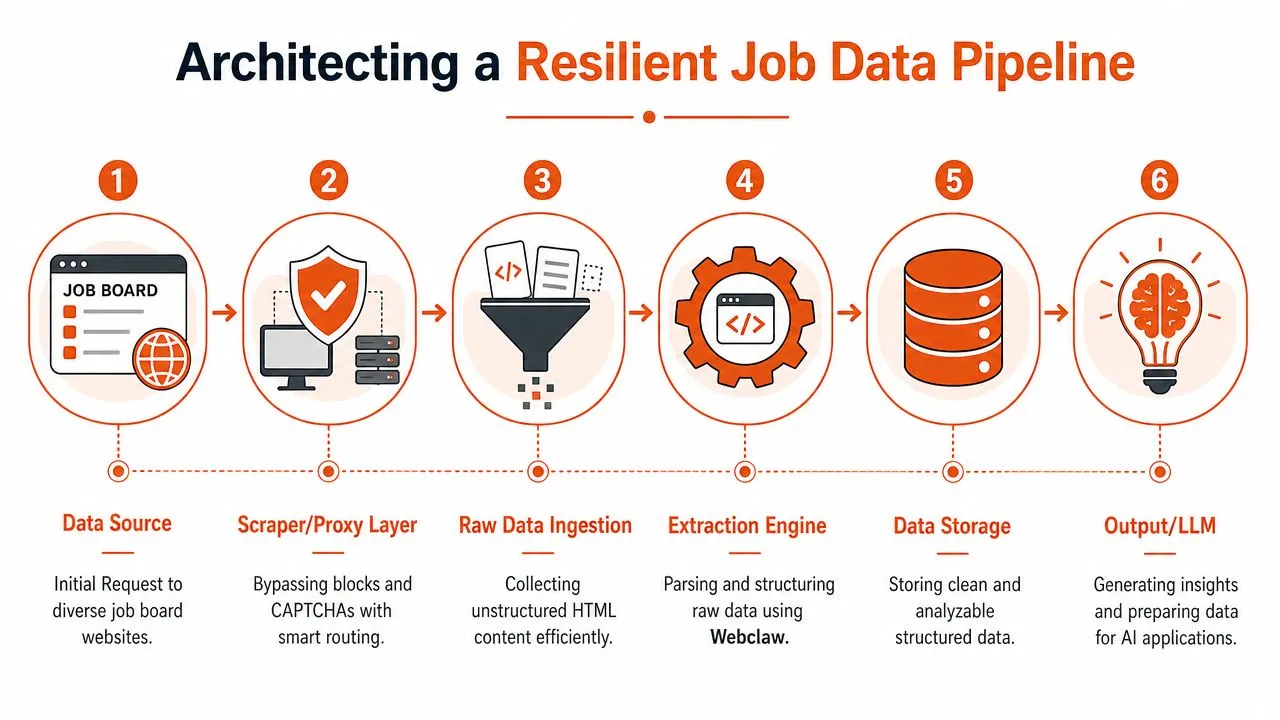
A better approach starts with architecture, not clever parsing. Treat scraping as a pipeline with independent components that can fail, retry, and evolve separately. Discovery finds candidate URLs. Extraction renders and captures the page. Processing turns that into typed, searchable records. Monitoring tells you when freshness or completeness drifted.
If you want a broader view of that mindset, this guide to scraping websites for data is a useful companion because it frames scraping as an operational system rather than a one-off script.
Here's the shift that matters:
- Stop optimizing for first success. A page working once doesn't mean the source is stable.
- Start optimizing for maintenance. The expensive part is keeping the pipeline healthy.
- Design for downstream use. Recruiters, analysts, and models need structured, trustworthy data, not scraped HTML fragments.
That's what separates a toy scraper from a production one.
Architecting a Resilient Scraping Pipeline
A production job board scraper needs clear boundaries between stages. When discovery, extraction, and normalization live in one script, every source quirk turns into a maintenance problem. When they're decoupled, you can improve one layer without breaking the others.
Separate discovery from extraction
This architectural step is frequently overlooked.
As Olostep's production-grade job scraping analysis notes, resilient systems decouple Discovery from Extraction. Discovery can crawl XML sitemaps or search engine result pages. Extraction can then focus on rendering and parsing the pages that matter. That separation reduces maintenance because you stop fighting aggregator pagination directly, and it keeps your collector focused on canonical job URLs rather than volatile UI flows. The same source also notes that engineering teams report 20+ engineering hours per month maintaining brittle custom scrapers.
That trade-off becomes obvious when you compare two approaches:
| Approach | What happens in practice |
|---|---|
| Scrape aggregator pagination directly | You fight UI changes, infinite scroll, anti-bot prompts, and duplicate paths |
| Discover canonical URLs first | You feed a cleaner extraction queue and isolate extraction failures from URL discovery |
A practical discovery layer often includes:
- XML sitemaps for boards and career sites that expose them
- Search-based discovery using
site:operators for specific job URL patterns - ATS-first discovery for Greenhouse, Lever, and similar systems
- Company lists when you're monitoring a fixed set of employers
If you're designing recurring jobs, batch processing patterns for web data are worth understanding because scraping at scale is mostly queue design, retry policy, and snapshot timing.
Normalize early enough to stay queryable
Normalization isn't glamorous, but it's what turns scraped strings into something analysts can use.
Location is the classic example. “NYC,” “New York, NY,” and “Manhattan” may refer to overlapping entities depending on your use case. Seniority labels vary too. So do salary formats, remote status, and employment types. If you store source-native text only, every dashboard and every model prompt has to clean the mess again.
Use a canonical schema at ingestion time for fields such as:
- Identity fields like source URL, source platform, and listing fingerprint
- Core job fields like title, company, location, salary text, description, and posting date
- Derived fields like normalized location, normalized seniority, remote flag, and inferred department
Think like a data engineer, not a parser author
A parser extracts fields. A data pipeline answers questions.
For example, if you were analyzing hiring demand for large engineering organizations, a live posting like this Eset data engineering role is useful not because it's one page you can parse, but because it fits into a broader system: detect the URL, capture the content, normalize the role, deduplicate reposts, and track whether the posting changes or disappears.
If your architecture can't tell whether a job was updated, reposted, or removed, your hiring trend analysis will drift long before your parser throws an error.
That's the standard to build toward.
Extracting Structured Job Data with Webclaw
Once you have the pipeline shape right, extraction becomes much simpler. You don't need to hand-roll HTML handling for every source if the API returns rendered content and structured output.
Start with a single page scrape
A job board scraper usually starts with one URL and one question: can I reliably get the full page content?
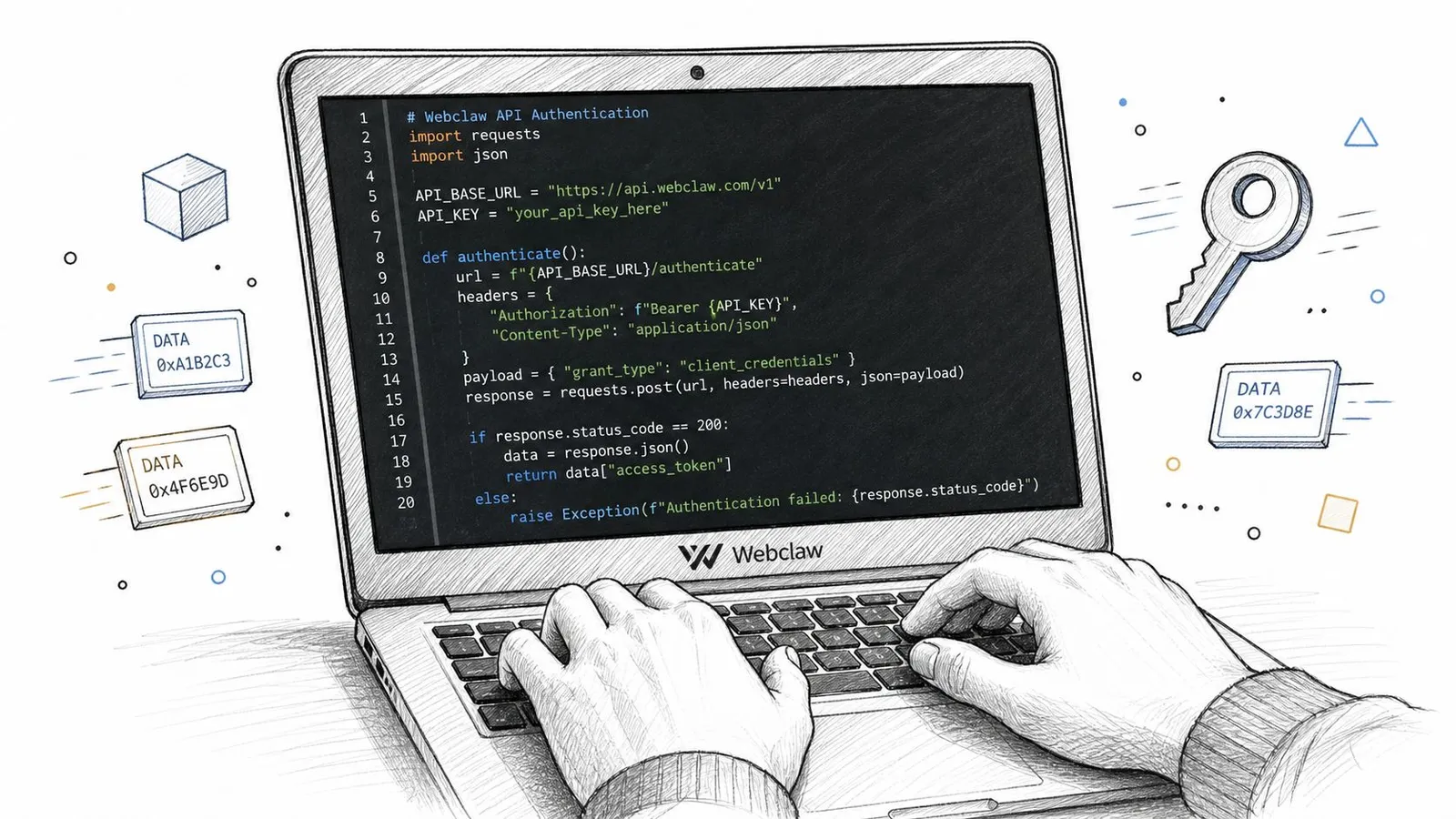
In Python, a basic request pattern looks like this:
import requests

API_TOKEN = "YOUR_WEBCLAW_TOKEN"

url = "https://example.com/jobs/123"

response = requests.post(
    "https://api.webclaw.io/v1/scrape",
    headers={
        "Authorization": f"Bearer {API_TOKEN}",
        "Content-Type": "application/json"
    },
    json={
        "url": url,
        "formats": ["markdown"]
    },
    timeout=120
)

response.raise_for_status()
data = response.json()

print(data["markdown"])
That gets you rendered page content in a cleaner format than raw HTML. For job pages, that alone removes a lot of pain because titles, descriptions, and metadata are often wrapped in JavaScript-rendered components or cluttered by navigation and apply widgets.
This matters when you're collecting data from multiple sources. Jobspikr's overview of automated job scrapers notes that job scrapers collect listings from sources such as Indeed, Glassdoor, Monster, and company websites, extracting fields like title, company, location, salary, and description. They also note that modern solutions can aggregate listings from 19 different job boards into one place. Once you work across that many sources, standardized extraction stops being a nice-to-have.
Move from raw page content to structured extraction
For production use, scraping markdown and writing your own parser is often the wrong end state. It's better to define the fields you want and have the extraction layer return typed JSON.
Webclaw's structured extraction API docs support this pattern. A simple schema for job listings might look like this:
import requests

API_TOKEN = "YOUR_WEBCLAW_TOKEN"

payload = {
    "url": "https://example.com/jobs/123",
    "schema": {
        "type": "object",
        "properties": {
            "title": {"type": "string"},
            "company": {"type": "string"},
            "location": {"type": "string"},
            "salary": {"type": "string"},
            "description": {"type": "string"},
            "employment_type": {"type": "string"},
            "posted_date": {"type": "string"}
        }
    }
}

response = requests.post(
    "https://api.webclaw.io/v1/extract",
    headers={
        "Authorization": f"Bearer {API_TOKEN}",
        "Content-Type": "application/json"
    },
    json=payload,
    timeout=120
)

response.raise_for_status()
job = response.json()
print(job)
That design does two things well. First, it keeps extraction logic close to your desired output schema. Second, it reduces custom parser sprawl across sources.
A few field choices make life easier later:
- Keep the original text fields. Don't over-normalize at extraction time.
- Store salary as raw text first. Parse ranges downstream with source-aware rules.
- Capture source URL and scrape timestamp. You'll need both for freshness and audits.
If you're building document-heavy pipelines elsewhere, AI-powered IDP explained is a useful parallel read. The same lesson applies here: extraction gets more reliable when you define target structure instead of reverse-engineering every page ad hoc.
Use batch for known URLs and crawl for career sites
Known job URLs and unknown career-site inventories are different workloads. Don't force them through the same shape.
For a fixed URL list, batch mode is the right fit:
import requests

API_TOKEN = "YOUR_WEBCLAW_TOKEN"

payload = {
    "urls": [
        "https://example.com/jobs/123",
        "https://example.com/jobs/456",
        "https://example.com/jobs/789"
    ],
    "formats": ["markdown"]
}

response = requests.post(
    "https://api.webclaw.io/v1/batch",
    headers={
        "Authorization": f"Bearer {API_TOKEN}",
        "Content-Type": "application/json"
    },
    json=payload,
    timeout=120
)

response.raise_for_status()
results = response.json()
print(results)
For a company career site, crawl mode is better because you often need discovery plus extraction:
import requests

API_TOKEN = "YOUR_WEBCLAW_TOKEN"

payload = {
    "url": "https://example.com/careers",
    "max_depth": 2,
    "max_pages": 50
}

response = requests.post(
    "https://api.webclaw.io/v1/crawl",
    headers={
        "Authorization": f"Bearer {API_TOKEN}",
        "Content-Type": "application/json"
    },
    json=payload,
    timeout=120
)

response.raise_for_status()
crawl_data = response.json()
print(crawl_data)
Use batch when your discovery layer already knows the pages. Use crawl when the site itself is part of discovery.
That split keeps your job board scraper predictable.
Defeating Anti-Bot and JavaScript Challenges
If your current scraper works on a plain HTML page and fails on LinkedIn-style or Indeed-style experiences, that isn't bad luck. It's the expected result of modern site architecture and active anti-bot defenses.
Why naive fetchers fail fast
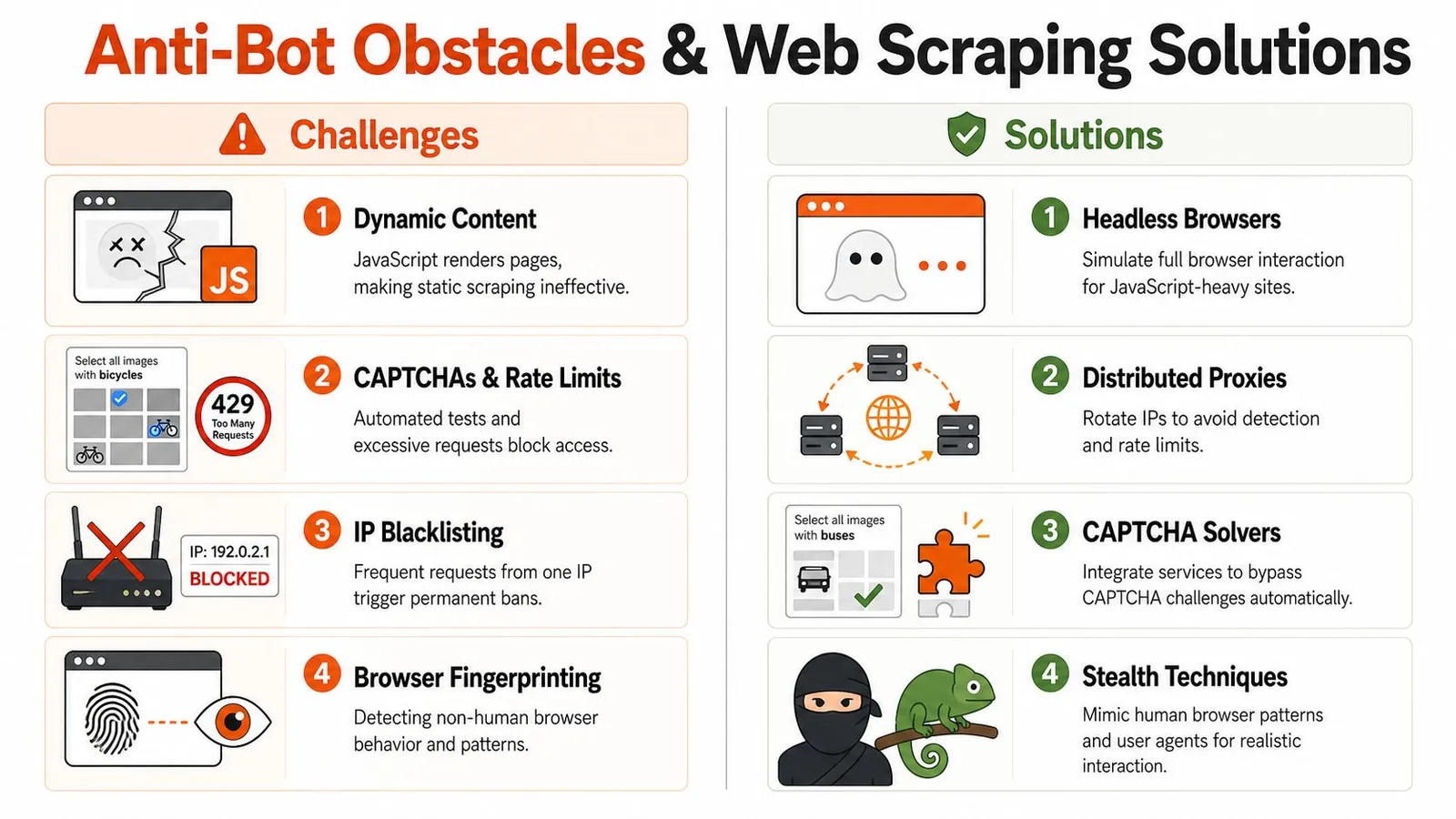
A basic HTTP client only sees the initial response body. On many job sites, that body is incomplete because the page depends on client-side rendering. The visible description, location, or apply state may appear only after JavaScript runs.
That's one reason Bright Data's review of Indeed scraping approaches is so revealing. They note that success rates vary sharply by target complexity, and that specialized engines scraping anti-bot-protected sites like Indeed top out at 98.44% average success rates only when using advanced anti-bot bypass strength and IP rotation. The same source also notes that naive HTTP fetchers fail instantly on client-rendered SPAs without JavaScript rendering.
There's another operational detail hidden in that same analysis: some targets require residential proxies because datacenter IPs get blocked immediately. That means the scraper you thought you were building is no longer just a parser. It's now a browser automation cluster with proxy rotation, fingerprint management, retry logic, and challenge handling.
The anti-bot stack is now the real scraper
Many in-house projects become maintenance traps. Teams start by saying “we'll just use Playwright.” Then they discover that running a browser is the easy part. Staying unblocked is the hard part.
Useful components often include:
- Headless browser rendering to execute JavaScript-heavy pages
- Proxy strategy to avoid request concentration from one network
- Fingerprint management so automated sessions don't look obviously synthetic
- Challenge handling for CAPTCHAs, interstitials, and rate limits
If you want a grounded comparison of browser automation tools, this Playwright vs Puppeteer scraping write-up is worth reading. The main takeaway is that browser choice matters, but reliability still depends on everything around the browser.
A short demo helps make the gap obvious:
The practical lesson isn't that anti-bot is impossible. It's that anti-bot turns a scraper into an infrastructure problem. If job data is supporting your product, your internal team should spend time on canonical records, matching logic, and insight generation, not on chasing browser fingerprints across job boards.
Ensuring Data Quality with Deduplication and Change Tracking
A scraper that fetches pages reliably can still produce bad data. The most common failures after extraction are duplicates and stale records. Those are analytics failures first and engineering failures second.
Duplicates are a product problem, not just a cleanup problem
The same role can appear on a company career page, on a major board, and on a niche board. It can also be reposted with a new URL, edited in place, or syndicated with small wording differences. If your system counts all of those as separate openings, your demand signals become inflated.
A decent deduplication strategy usually combines multiple signals:
| Signal | Why it helps | Limitation |
|---|---|---|
| Source URL | Fast and easy | Misses cross-site duplicates |
| Company + title + location | Good first-pass grouping | Can merge distinct roles too aggressively |
| Description similarity | Catches reposted or syndicated jobs | Needs text cleaning and threshold tuning |
| Stable fingerprint | Supports canonical record creation | Requires careful field selection |
A practical workflow looks like this:
- Create a raw record first. Preserve the original source page and extracted fields.
- Build candidate groups. Use company, title, and normalized location as a rough match key.
- Resolve duplicates conservatively. Compare descriptions and metadata before merging.
- Store a canonical listing plus source variants. Analysts want one job. Operators still need source lineage.
If you're working through match logic, this duplicate detection guide is a useful reference because duplicate handling gets much easier when you think in terms of canonical entities rather than row cleanup.
Don't delete duplicates blindly. Merge them into a canonical job record and keep the evidence trail.
Track changes instead of re-scraping everything
Freshness isn't just about running a cron job more often. It's about knowing what changed.
A comprehensive pipeline watches for listing edits, removals, and reactivations. That can mean checking page snapshots, comparing extracted fields over time, or triggering reprocessing only when a page differs from the prior version. This avoids waste and gives you a clean history of a listing's lifecycle.
Good change tracking lets you answer operational questions such as:
- Was the role updated? Description edits can signal shifting requirements.
- Was it removed? That often matters more than another successful fetch.
- Was it reopened? Reactivated postings shouldn't always count as net-new jobs.
Scheduling depends on source behavior, but the pattern is consistent. Use a scheduler or serverless function to run discovery, queue extraction jobs, compare snapshots, and update canonical records. Don't tie freshness only to static intervals. Some sources change rarely. Others churn constantly.
That's where a production-ready job board scraper earns its keep. You're not collecting pages. You're maintaining a trustworthy view of hiring activity over time.
Preparing Job Data for LLMs and Analytics
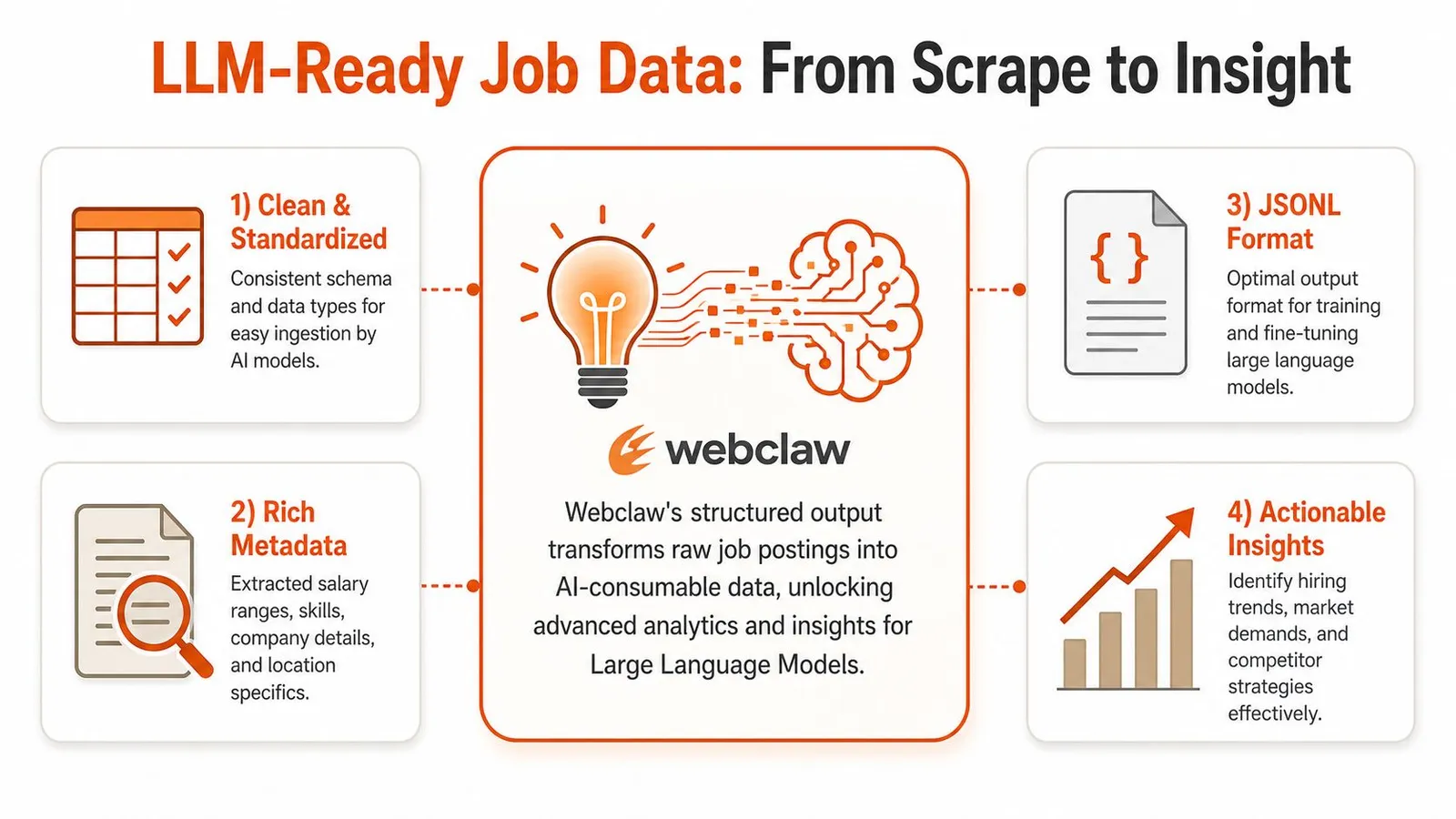
The final output format determines whether your scraped data becomes useful or expensive noise. That's especially true when you feed job listings into LLM pipelines.
Clean output changes what your models can do
Job pages are full of clutter. Navigation links, cookie banners, related jobs, employer marketing copy, and application widgets all pollute the context window if you pass raw HTML or poorly cleaned text into a model.
The better pattern is simple:
| Input style | What the model sees |
|---|---|
| Raw HTML | Layout noise, repeated links, scripts, irrelevant chrome |
| Clean markdown or structured JSON | Role content, requirements, salary text, company details |
That distinction matters because job board scraping exists to create structured datasets from scattered recruitment content. As Browse AI's recruiting category overview explains, job board scraping extracts job listings, company profiles, and salary data so teams can understand hiring trends, source candidates, benchmark salaries, and monitor competitor hiring activity at scale. The key phrase there is the right one: it transforms scattered, unstructured information into structured datasets that support better decisions.
For LLM work, “structured” means the model gets only the content that deserves tokens.
Clean context beats bigger context. A smaller, focused job document usually produces better retrieval and more stable answers than a larger noisy page dump.
Two downstream uses that justify the pipeline
One path is RAG for talent or labor market search. You extract clean job descriptions, chunk them intelligently, embed them, and build semantic retrieval over role requirements, tools, seniority, and location. That lets a recruiter ask for “backend data platform roles requiring Spark and distributed systems experience” without relying on brittle keyword filters.
The other path is analytics. Your structured JSON can flow into a warehouse or BI tool, where normalized titles, locations, and posting states power dashboards for hiring trends, compensation benchmarking, and competitor monitoring.
Useful outputs often include:
- LLM-ready documents with title, company, summary, requirements, and metadata
- Structured records for warehouses, notebooks, and dashboards
- Historical snapshots so analysts can study edits, removals, and reposting behavior
If you're thinking about job-search and recruiting workflows from the user side, AI tools to get ahead is a helpful read because it shows how cleaner hiring data can support more practical applicant-facing experiences too.
A production job board scraper stops being “a scraper” at this stage. It becomes a data layer for search, analytics, and AI applications.
Frequently Asked Questions
Is it legal to scrape job boards
It depends on the site, the data, the terms involved, and your jurisdiction. Public availability doesn't automatically mean unrestricted use. You should review terms of service, access controls, and any privacy implications with counsel before running a production workflow.
Should you build a custom scraper or use an API
Build it yourself when the scope is narrow, the source set is small, and your team is comfortable owning rendering, retries, parser maintenance, deduplication, and freshness logic. Use an API when reliability, speed, and lower operational overhead matter more than controlling every moving piece.
What fields should a job board scraper capture
At minimum, keep source URL, source platform, company name, title, location, salary text if present, description, posting date if present, and scrape timestamp. Add normalized fields later rather than replacing raw source values too early.
What breaks most first-generation scrapers
JavaScript rendering issues, anti-bot challenges, selector drift, duplicate records, and stale listing logic. The first extraction usually isn't the actual problem. The missing operational layer is.
How often should job data be refreshed
There's no universal schedule. The right cadence depends on how quickly the source changes and whether your system can detect edits and removals efficiently.
If you're building a job board scraper that needs to survive real production conditions, Webclaw is worth a look. It handles hard-to-scrape pages, returns clean model-ready content, supports structured extraction, crawling, batching, and change tracking, and saves you from turning your team into part-time anti-bot infrastructure engineers.