
Web Scraping with Go: A 2026 Guide to Building Scrapers
You're probably staring at one of three results right now.
A basic Go scraper returns a thin HTML shell with no data in it. A target site responds with a block page instead of content. Or the scraper worked in local testing, then fell apart the moment you put it on a schedule and aimed it at more than a handful of URLs.
That's what web scraping with Go looks like in practice now. The language is still a strong fit for crawling and extraction. The easy version of the problem just isn't the problem anymore. Modern sites render content in the browser, gate requests behind anti-bot systems, and punish sloppy concurrency. The hard part isn't sending requests. It's building something that keeps working.
Go is still one of the best tools for this job because it gives you tight control over HTTP, concurrency, deployment, and memory use. But library tutorials usually stop at http.Get, a CSS selector, and a happy-path demo page. Production scraping starts where those examples fail.
Why Simple Go HTTP Scrapers Fail in 2026
The old demo still looks clean:
resp, err := http.Get("https://example.com")
Then reality hits. The response body contains a bare app container, some script tags, and none of the product listings, article text, or reviews you expected. On another site, you get a challenge page. On the next one, a straight 403. Same code. Same machine. Different forms of failure.
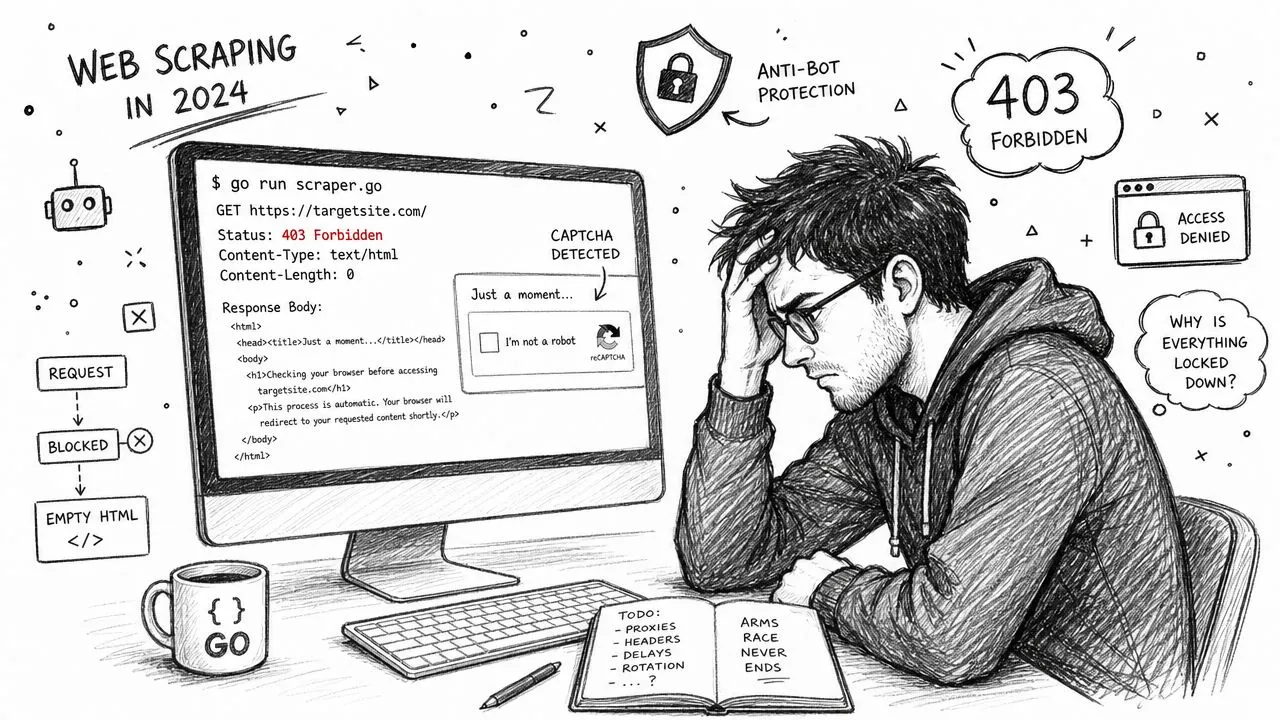
Two things usually break naive scrapers.
First, the browser now does much of the work on a lot of sites. The server returns a skeleton, then JavaScript fetches data, hydrates components, and mutates the DOM after load. If your scraper only downloads the initial HTML, it never sees the content users see.
Second, anti-bot systems score the full request context, not just the URL. They look at headers, request patterns, cookies, browser behavior, TLS characteristics, and IP reputation. A plain Go client with defaults often looks synthetic before it parses a single byte.
Practical rule: If a page looks complete in your browser and empty in Go, assume rendering. If it looks complete in both but starts failing under volume, assume bot protection or concurrency mistakes.
What works is matching the tool to the site. For static pages, keep things light and fast. For organized crawling, use a framework that handles traversal and policies cleanly. For JavaScript-heavy targets, use a headless browser and wait on real conditions instead of sleeping blindly. And for teams that need clean output without operating the whole stack, a dedicated extraction API can be the shortest path.
Choosing Your Go Scraping Toolkit
Most scraping failures start with the wrong tool, not bad code. Go gives you solid options, but they solve different problems. If you treat all sites the same, you'll either overbuild and pay for browser automation you don't need, or underbuild and spend days debugging empty pages.
Use goquery when the HTML is already there
goquery is the right choice when the target returns server-rendered HTML and the document structure is reasonably stable. It feels familiar if you've used jQuery selectors before. That familiarity matters because most scraping bugs aren't algorithmic. They're selector drift, whitespace cleanup, and defensive parsing around missing elements.
It's also the easiest way to keep a scraper boring. Boring is good. You fetch the page, parse it once, select what you need, and move on.
doc, err := goquery.NewDocumentFromReader(resp.Body)
if err != nil {
	return err
}

title := strings.TrimSpace(doc.Find("h1.product-title").First().Text())
price := strings.TrimSpace(doc.Find(".price").First().Text())
Use it for:
- Static marketing sites where content is in the initial response
- Publisher pages with predictable article markup
- Internal pages you control or can inspect easily
Don't use it when the page is assembled in the browser. goquery is a parser, not a renderer.
Use Colly when you need crawl structure
Colly sits a level above raw parsing. It helps when you're not scraping one page but traversing a site with callbacks, link discovery, request scoping, and policies around domains and parallelism. If goquery is a sharp knife, Colly is a proper kitchen setup.
Its biggest strength is operational structure. You define handlers for HTML nodes, response events, request events, and error handling in one place. That makes crawlers easier to maintain than ad hoc goroutines glued to a parser.
c := colly.NewCollector(
	colly.AllowedDomains("example.com"),
)

c.OnHTML(".item", func(e *colly.HTMLElement) {
	name := e.ChildText(".name")
	link := e.ChildAttr("a", "href")
	log.Println(name, link)
})

c.OnHTML("a.next", func(e *colly.HTMLElement) {
	_ = e.Request.Visit(e.Attr("href"))
})

c.OnError(func(r *colly.Response, err error) {
	log.Printf("request failed: %s: %v", r.Request.URL, err)
})
Use it for:
- Multi-page crawls with pagination and discovery
- Site-scoped jobs where domain controls matter
- Repeatable jobs that benefit from a callback model
What Colly doesn't solve by itself is heavy client-side rendering. You can combine it with rendering strategies, but if the browser is central to the extraction, Colly stops being the core tool.
Use chromedp or rod when the browser is the scraper
When the target is a single-page app, or content only appears after scripts run, a headless browser stops being optional. In Go, the practical choices are usually chromedp and rod.
chromedp is closer to the Chrome DevTools Protocol. It fits teams that want explicit control and don't mind a more verbose style. rod often feels more ergonomic for browser flows and interactive work. Neither is “better” in the abstract. The right choice depends on whether you value low-level control or a higher-level API.
Here's the decision table I use:
| Library | Ideal Use Case | Handles JavaScript? | Best For |
|---|---|---|---|
| goquery | Parsing static HTML after a normal HTTP fetch | No | Fast extraction from server-rendered pages |
| Colly | Structured crawling across many linked pages | Limited on its own | Crawl management, traversal, and callback-based scraping |
| chromedp | Browser-driven extraction with explicit control | Yes | JS-heavy pages, login flows, waiting on render state |
| rod | Browser automation with a more fluent API | Yes | Interactive scraping flows and browser scripting |
If you can avoid launching a browser, avoid it. Browser automation is slower, heavier, and more fragile in production. But when a site needs it, pretending otherwise wastes more time than it saves.
There's one more category worth mentioning. Some teams don't want to own rendering, proxy rotation, and extraction cleanup at all. In those cases, an API-first option like a hosted extraction service can make sense. That trade-off belongs later, after you know what you're giving up and what work you're avoiding.
Scraping Dynamic Content with Headless Browsers
Browser scraping fails when developers treat it like screenshot automation instead of state automation. The page might “look loaded” while the data request is still in flight, a skeleton loader is still mounted, or a client-side route hasn't committed the final DOM.
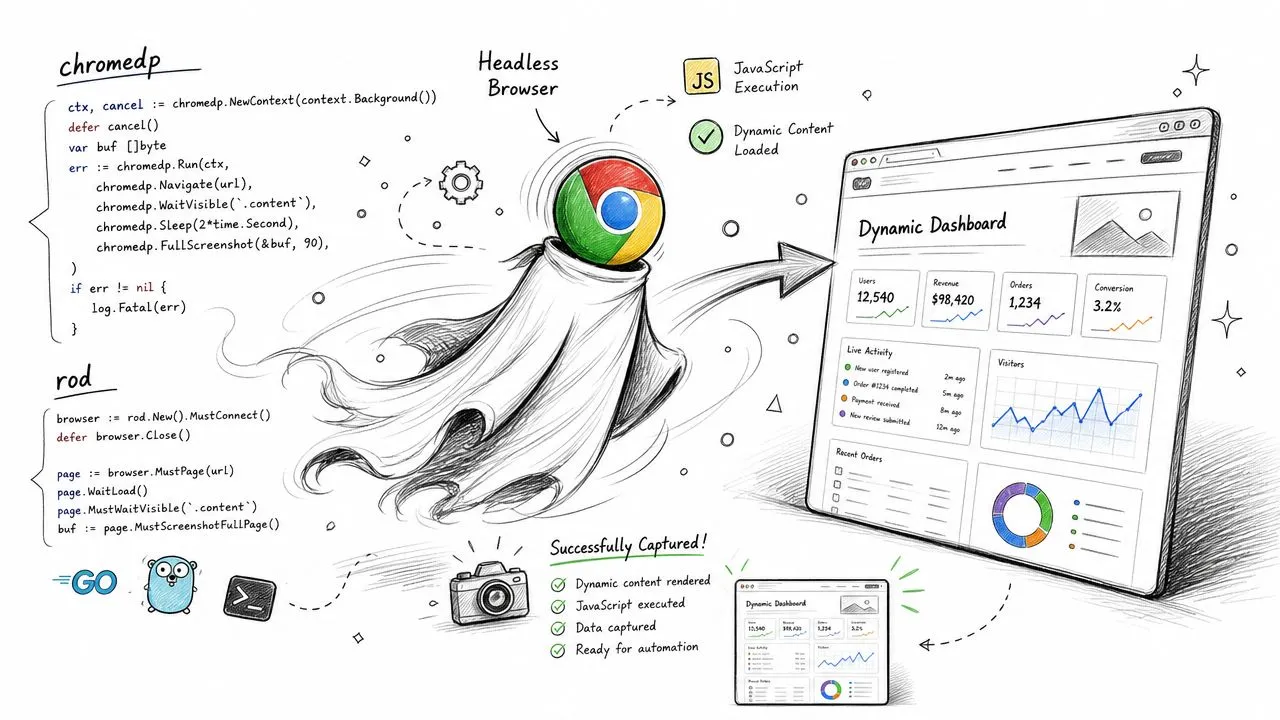
Wait for state, not time
time.Sleep() is the fastest path to a flaky scraper. It's too short on slow pages and wasteful on fast ones. More importantly, it tells you nothing about whether the page reached the state you need.
Better waiting patterns:
- Element visibility when the data container is rendered into the DOM
- JavaScript predicates when the app exposes state you can test
- Network-aware waits when a known XHR or fetch call must complete
- Text or attribute checks when placeholders must be replaced with real values
With chromedp, waiting on a selector is usually the first reliable step.
A reliable chromedp pattern
This example accesses a page, waits for a content container, and extracts text. It uses context timeouts and explicit waits, which is what you want in production.
package main

import (
	"context"
	"fmt"
	"log"
	"time"

	"github.com/chromedp/chromedp"
)

func main() {
	ctx, cancel := chromedp.NewContext(context.Background())
	defer cancel()

	ctx, timeoutCancel := context.WithTimeout(ctx, 30*time.Second)
	defer timeoutCancel()

	var title string
	var content string

	err := chromedp.Run(ctx,
		chromedp.Navigate("https://example.com/app-page"),
		chromedp.WaitVisible(`main .article-content`, chromedp.ByQuery),
		chromedp.Text(`h1`, &title, chromedp.ByQuery),
		chromedp.Text(`main .article-content`, &content, chromedp.ByQuery),
	)
	if err != nil {
		log.Fatal(err)
	}

	fmt.Println("TITLE:", title)
	fmt.Println("CONTENT:", content)
}
That pattern survives frontend churn better than sleeping for a fixed duration, because it ties extraction to actual page conditions.
For harder cases, inspect the network panel in DevTools first. Sometimes the cleanest scraper doesn't parse the rendered DOM at all. It watches the page's API calls, reproduces the underlying request, and skips the browser after discovery.
The most reliable browser scraper often uses the browser only long enough to learn how the site loads data.
If you spend a lot of time comparing browser automation trade-offs, this guide on Playwright vs Puppeteer for web scraping is useful background, even if your implementation is in Go. The same reliability issues show up across runtimes.
A deeper browser walkthrough helps when you're debugging waits and DOM timing:
When rod is the better fit
rod shines when you need a more fluent browser API and more interactive control over pages, tabs, and actions. I tend to reach for it when the flow includes clicking through UI state, dealing with modals, or evaluating custom scripts repeatedly.
The core reliability advice stays the same:
- Anchor waits to selectors or predicates
- Set context deadlines
- Capture page HTML or screenshots on failure
- Treat browser sessions as disposable
What doesn't work is pretending browser automation is just HTTP plus a little JavaScript. It's a full runtime environment. Once you accept that, your scraper design gets better fast.
Navigating Bot Protection and Proxies
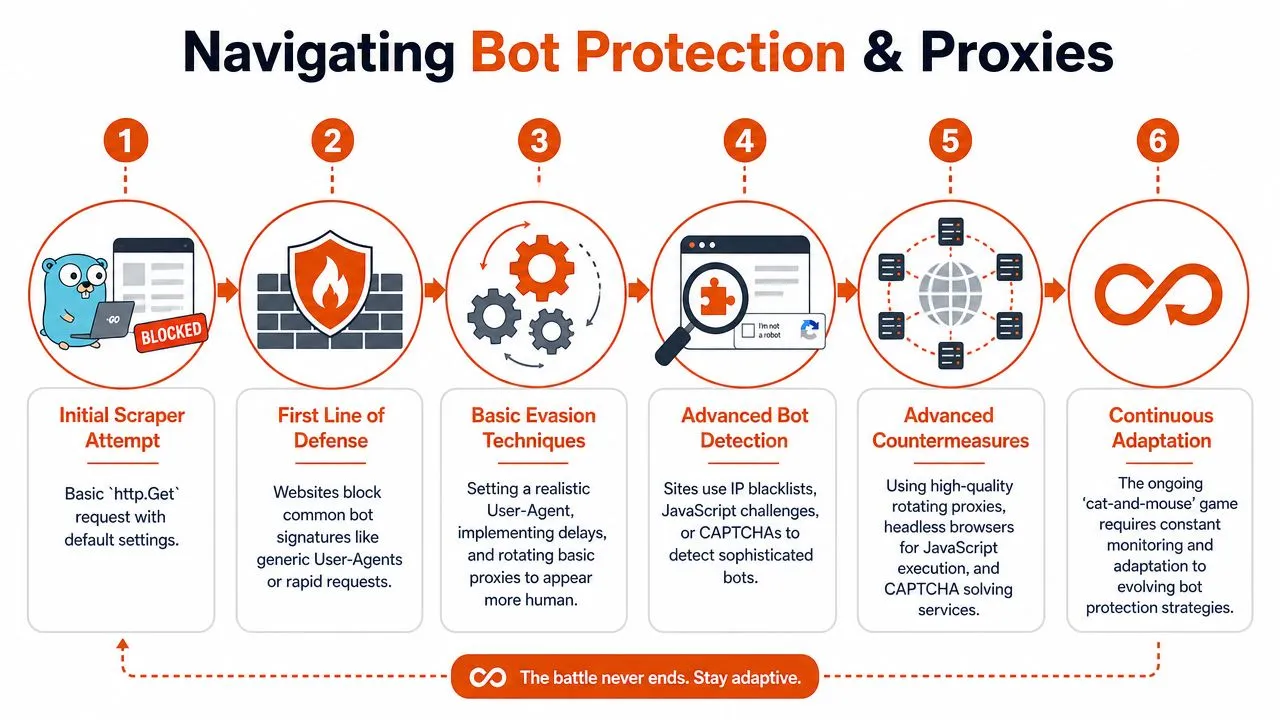
A lot of scraper advice still starts with “set a User-Agent.” That's fine as a baseline. It's nowhere near enough for sites that actively score traffic.
A modern target might accept one request from your Go client, then block the next sequence because the request cadence is too clean, the cookie flow doesn't match a real browser session, or the IP reputation is already poor. That's why people get confused. The scraper works just enough to create false confidence.
Headers help, but they don't solve fingerprinting
You should still send realistic headers. Defaults from Go's standard client stand out on some targets. At minimum, align the request with a plausible browser profile and keep header sets internally consistent.
req, _ := http.NewRequest("GET", targetURL, nil)
req.Header.Set("User-Agent", "Mozilla/5.0")
req.Header.Set("Accept", "text/html,application/xhtml+xml,application/xml;q=0.9,*/*;q=0.8")
req.Header.Set("Accept-Language", "en-US,en;q=0.9")
req.Header.Set("Cache-Control", "no-cache")
That fixes the easy failures. It doesn't fix advanced detection.
Sites behind Cloudflare, Akamai, PerimeterX-style systems, or custom WAF rules often combine multiple signals. They care about more than the header string. They care about whether your traffic behaves like a browser session from a credible network origin.
For a grounded view of why operators escalate defenses and why sloppy crawlers trigger them, Herman Martinus's writeup on aggressive bots and the operational fallout they cause is worth reading.
Choose proxies based on the target
Not all proxies are interchangeable. Matching proxy type to target saves a lot of pain.
- Datacenter proxies are cheap and fast. They're fine for low-friction sites, internal tooling, and targets with weak reputation checks.
- Residential proxies look more like normal user traffic because they route through consumer networks. They're the usual choice when reputation and geolocation matter.
- ISP proxies sit somewhere in between. They can be a good fit when you need more stability than rotating residential traffic but better trust characteristics than datacenter ranges.
If you're comparing network types and rotation patterns, this overview of a residential backconnect proxy is a good reference.
Rotate too aggressively and you lose session continuity. Don't rotate enough and the target learns your pattern. Good proxy strategy is less about “more rotation” and more about matching session behavior to the site.
A simple proxy pool pattern in Go
A production proxy layer usually needs health tracking, backoff, and failure scoring. But the basic routing pattern is straightforward.
package main

import (
	"log"
	"math/rand"
	"net"
	"net/http"
	"net/url"
	"time"
)

var proxies = []string{
	"http://user:pass@proxy-a.local:8080",
	"http://user:pass@proxy-b.local:8080",
	"http://user:pass@proxy-c.local:8080",
}

func clientWithProxy(proxyStr string) (*http.Client, error) {
	proxyURL, err := url.Parse(proxyStr)
	if err != nil {
		return nil, err
	}

	transport := &http.Transport{
		Proxy: http.ProxyURL(proxyURL),
		DialContext: (&net.Dialer{
			Timeout: 10 * time.Second,
		}).DialContext,
		TLSHandshakeTimeout: 10 * time.Second,
	}

	return &http.Client{
		Transport: transport,
		Timeout:   20 * time.Second,
	}, nil
}

func main() {
	rand.Seed(time.Now().UnixNano())
	proxy := proxies[rand.Intn(len(proxies))]

	client, err := clientWithProxy(proxy)
	if err != nil {
		log.Fatal(err)
	}

	resp, err := client.Get("https://example.com")
	if err != nil {
		log.Fatal(err)
	}
	defer resp.Body.Close()

	log.Println("status:", resp.Status)
}
What matters in production is what you wrap around that snippet. Track which proxies fail by target. Separate transport errors from block pages. Log challenge responses distinctly from normal HTTP failures. Otherwise, you'll have no idea whether the parser is broken or the network edge is.
Managing Concurrency and Rate Limiting at Scale
Go makes parallel crawling easy. That's exactly why it's easy to build a scraper that harms the target, gets itself blocked, or collapses under its own retry storm. Concurrency isn't just about speed. It's about controlled pressure.
A worker pool that won't melt down
The simplest production-safe pattern is still a bounded worker pool. A channel holds jobs, a fixed number of workers consume them, and a WaitGroup keeps shutdown clean. You get parallelism without spawning unbounded goroutines for every discovered URL.
package main

import (
	"log"
	"net/http"
	"sync"
	"time"
)

type Job struct {
	URL string
}

func worker(id int, jobs <-chan Job, wg *sync.WaitGroup, limiter <-chan time.Time, client *http.Client) {
	defer wg.Done()

	for job := range jobs {
		<-limiter

		resp, err := client.Get(job.URL)
		if err != nil {
			log.Printf("worker %d failed for %s: %v", id, job.URL, err)
			continue
		}

		log.Printf("worker %d fetched %s -> %s", id, job.URL, resp.Status)
		resp.Body.Close()
	}
}

func main() {
	urls := []string{
		"https://example.com/a",
		"https://example.com/b",
		"https://example.com/c",
	}

	jobs := make(chan Job)
	var wg sync.WaitGroup

	client := &http.Client{Timeout: 15 * time.Second}
	limiter := time.Tick(500 * time.Millisecond)

	workerCount := 3
	for i := 0; i < workerCount; i++ {
		wg.Add(1)
		go worker(i, jobs, &wg, limiter, client)
	}

	for _, u := range urls {
		jobs <- Job{URL: u}
	}
	close(jobs)

	wg.Wait()
}
This pattern has a few advantages that matter in production:
- Backpressure comes naturally from the bounded queue and fixed worker count.
- Failure handling stays centralized instead of scattered across detached goroutines.
- Request velocity becomes explicit, which helps both debugging and site friendliness.
If you're designing larger pipelines around queued URL batches, this explainer on what batch processing means in practice is a useful mental model.
Rate limiting is part of scraper design
Rate limiting is often added only after a block occurs. That's backwards. Rate limiting belongs in the first draft.
Good rate limiting isn't just “sleep between requests.” It should reflect:
- The target's tolerance. Some sites are fine with low parallelism and steady flow. Others react badly to bursts.
- The shape of your crawl. A broad crawl across many hosts wants per-host limits. A deep crawl on one host needs especially careful pacing.
- The failure mode. Spikes in timeouts, challenges, or forbidden responses should reduce pressure automatically.
For smaller jobs, time.Ticker is enough. For more serious crawlers, use a token bucket and apply it per host or per proxy identity. Also pay attention to robots.txt when it specifies crawl behavior. It won't solve legal or ethical questions by itself, but ignoring it is a good way to create problems you didn't need.
Good scraper throughput comes from stability. Fast pipelines are the ones that keep running, not the ones that spike hardest in the first minute.
The anti-pattern here is retrying aggressively across many workers with no coordination. That creates synchronized failure, which looks a lot like a self-inflicted denial of service.
From Raw HTML to Clean Structured Data
Getting a response body is the easy half. The useful half is turning that response into something a downstream system can trust. That might be a struct for analytics, markdown for search and retrieval, or JSON for an LLM pipeline.
Map stable pages into structs
When the page structure is stable and the schema is known, regular parsing still wins. It's fast, deterministic, and easy to validate.
type Product struct {
	Title string
	Price string
	URL   string
}
Then populate the struct with goquery, clean whitespace, normalize URLs, and validate required fields. Keep this layer strict. If the title is missing, fail loudly. Silent partial extraction creates worse data than an explicit error.
Convert noisy pages into usable markdown
Article pages, documentation, and long-form content usually need a different treatment. Raw HTML is full of navigation, footer links, consent banners, and styling junk that doesn't help search, retrieval, or summarization.
For those workloads, convert the main content area into clean markdown or plain text and strip boilerplate early. That's especially important if you're feeding content into a retrieval pipeline. A lot of teams focus on chunking and embeddings while ignoring the extraction layer, but document cleanup is often a critical bottleneck in optimizing RAG performance.
A practical extraction flow often looks like this:
- Identify the main content region instead of parsing the whole page equally
- Remove repeated page chrome such as nav bars, sidebars, cookie prompts, and related-link blocks
- Normalize links and headings so markdown stays readable downstream
If your end goal is JSON instead of markdown, this guide on how to extract structured data from any webpage covers the trade-offs well.
Use LLM extraction carefully
Prompt-based extraction is flexible. It's also easy to misuse.
LLMs are useful when page layouts vary but the semantic target stays similar, like pulling author, title, and published date from many publisher templates. They're less appealing when the target is repetitive and selectors would work fine. In that case you're paying extra latency and complexity for a problem the DOM already solved.
The best pattern is selective use:
- Use selectors for stable, repeated layouts
- Use markdown conversion for content-heavy pages
- Use LLM extraction when the schema matters more than exact layout predictability
That mix produces cleaner outputs than trying to force every page through one extraction method.
The Production Shortcut Webclaws Go SDK
Manual scraping stacks grow sideways. You start with an HTTP client and parser. Then you add retries, timeouts, cookie jars, proxy routing, browser rendering, challenge handling, selector fallbacks, content cleanup, structured output, and logging around every layer. None of those pieces are unreasonable on their own. Together, they become infrastructure.
What manual pipelines actually cost
A scraper that works on hard sites usually combines several moving parts:
- A fetch layer that can switch between raw HTTP and a browser
- A network layer for proxies, session continuity, and retry policy
- An extraction layer that turns messy pages into markdown or JSON
- An operations layer for failure capture, observability, and reruns
That's manageable if scraping is the product. It's overhead if scraping only feeds another product.
For teams that need rendered pages, anti-bot handling, and model-friendly output without building that stack themselves, Webclaw's Go SDK documentation is the relevant entry point. The SDK wraps a service that handles page fetching, JavaScript rendering, and cleaned outputs in one API.

A much shorter path
The shape of the code is the main argument. Compare the amount of code you write and maintain yourself versus calling a service that returns parsed content directly.
A typical usage pattern in Go looks like this:
package main

import (
	"context"
	"fmt"
	"log"

	"github.com/webclaw/webclaw-go"
)

func main() {
	client := webclaw.NewClient("YOUR_API_KEY")

	result, err := client.Scrape(context.Background(), webclaw.ScrapeRequest{
		URL:    "https://example.com/protected-app-page",
		Format: "markdown",
	})
	if err != nil {
		log.Fatal(err)
	}

	fmt.Println(result.Markdown)
}
That trade-off isn't philosophical. It's operational. If your team needs control over every request, session, and browser action, build the stack directly. If your team mainly needs reliable page content in markdown or structured output, pushing the hard parts behind an API can be the cleaner decision.
You don't need to prove you can beat a WAF with custom Go code. You need data that arrives on time, in the shape your system needs.
Include maintenance in the evaluation. Check whether the pipeline still works after target changes, network blocks, and a larger queue.
Frequently Asked Questions
Is web scraping legal
It depends on what you scrape, how you access it, what the site terms say, and what you do with the data afterward. Publicly accessible pages aren't a blanket permission slip. If the target matters commercially or legally, get counsel involved early and review both terms of service and jurisdiction-specific rules.
When should I build my own scraper instead of using an API
Build it yourself when scraping behavior is core product logic, you need custom browser flows, or you want full control over networking and extraction. Use an API when scraping is support infrastructure and you mainly care about reliable output, not operating headless browsers and proxy systems.
How should I measure scraper reliability
Track success and failure by target, not just globally. Separate transport failures, block pages, empty-content extractions, and parser mismatches. Save representative failed responses so you can tell whether the issue was rendering, anti-bot protection, or a broken selector.
What's the biggest mistake in web scraping with Go
Treating the first working script as the architecture. A single successful run proves almost nothing. The actual test is whether the scraper survives dynamic rendering, rate control, retries, and site changes without constant hand repair.
If you want a shorter path to reliable web extraction in Go, Webclaw is worth evaluating. It's built for teams that need rendered pages, cleaner outputs like markdown or JSON, and less time spent maintaining scraping infrastructure by hand.