` tag with a class of `product-title`. That's your target.
> **Pro Tip:** Don't just inspect one element; inspect several of the same type. If you want every article headline, check three or four. You’ll quickly spot the repeating pattern, like a shared HTML tag and class name. That pattern is the key to grabbing them all in one go.
### Extracting and Organizing the Data
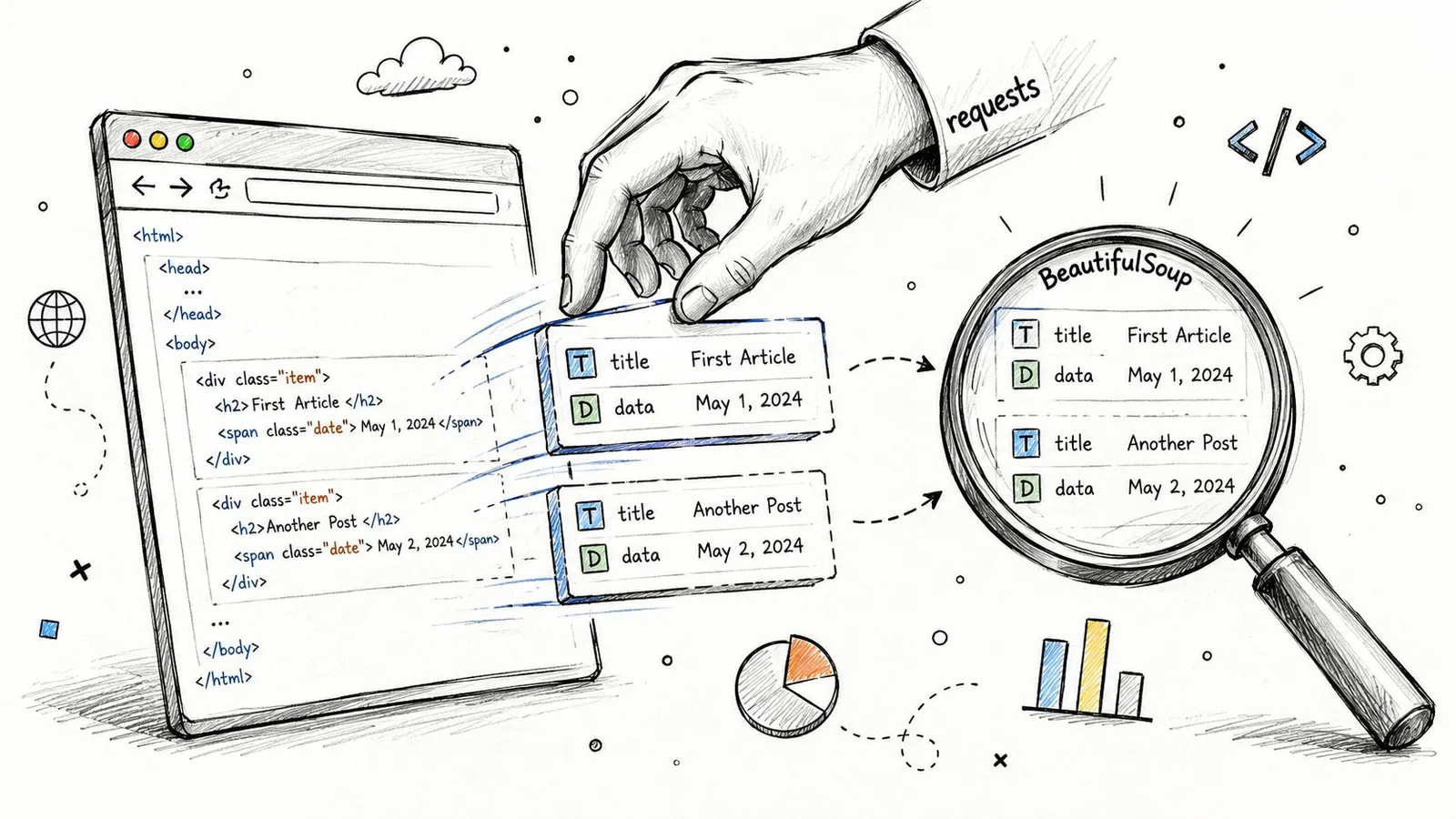
Once you have the HTML from `requests` and know your CSS selectors, `BeautifulSoup` does the heavy lifting. You can tell it to find every element that matches your selector, then pull out the inner text or an attribute like a link’s `href` value.
This is the bread and butter of scraping. While CSS selectors are the most common tool for the job, sometimes you need more power for complex documents. You can learn about an alternative in our guide on [finding elements that contain specific text using XPath](https://webclaw.io/blog/xpath-contains-text).
The job isn't done once you've pulled the raw text. The final step is cleaning it up. This usually means stripping out extra whitespace, removing currency symbols, and organizing the data into a clean, usable format like a list of Python dictionaries. Now your data is ready for whatever you have planned next, whether that’s saving it to a CSV file or feeding it into another application.
Sooner or later, your `requests` and `BeautifulSoup` script will hit a wall. You’ll run it against a page that looks packed with data in your browser, but the script returns a nearly empty HTML file. What gives?
You've just run into a dynamic website. The content isn't in the initial HTML; it's loaded by JavaScript *after* your browser gets the first response. Simple HTTP clients like `requests` can't run JavaScript, so they never see the final, data-rich version of the page. This is probably the most common roadblock you'll face today.
To scrape these sites, you need a scraper that thinks like a browser. You need to automate a real browser engine that can load the page, execute the JavaScript, and render the final content. This is where headless browsers come in.
### Automating a Real Browser with Playwright
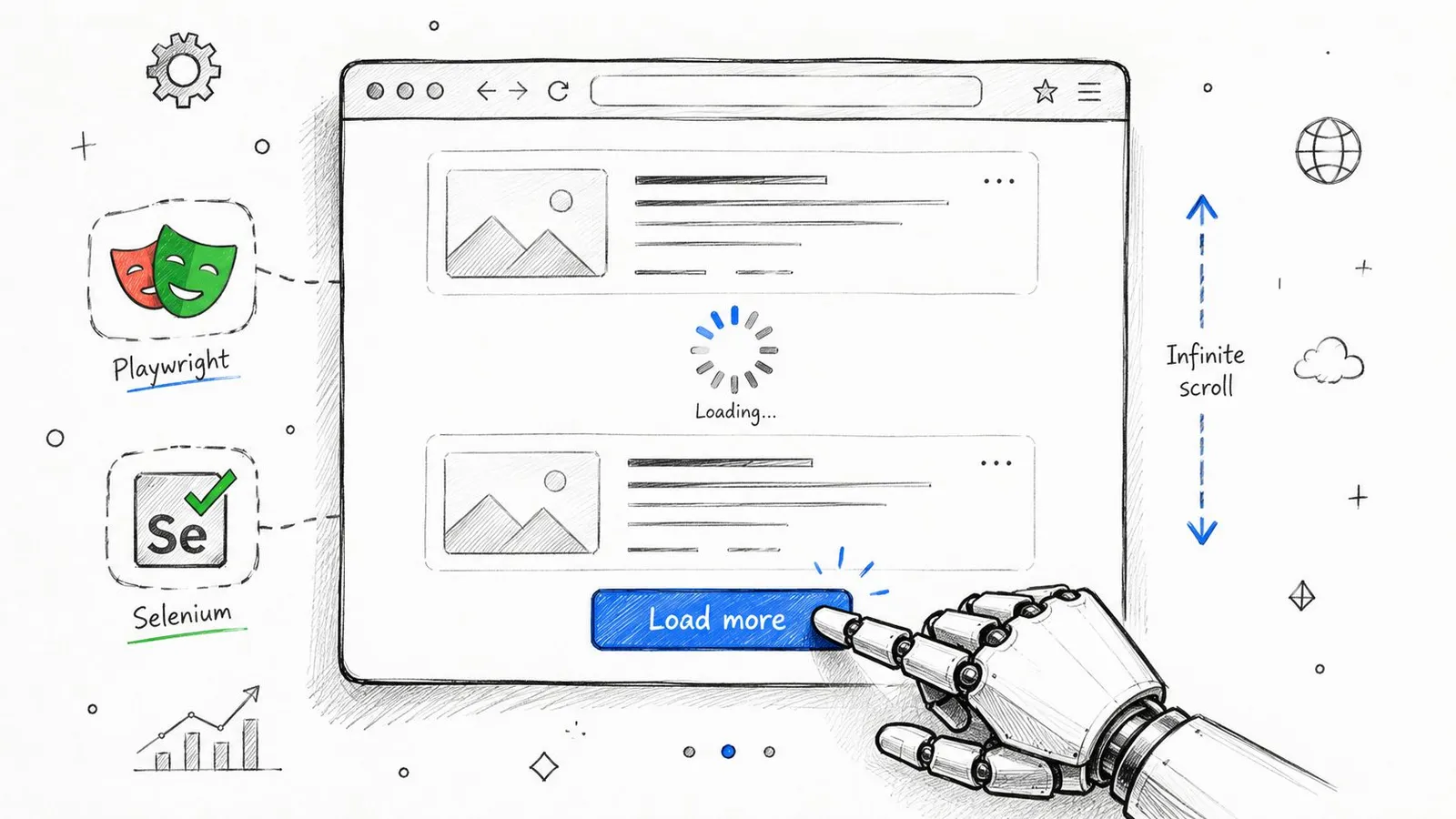
Tools like [Playwright](https://playwright.dev/) or Selenium are built for this. They launch a full browser instance (like Chromium or Firefox) that your script can control from the background. Instead of just fetching a static file, you can now command the browser to act like a person.
Your script can tell the browser to:
* **Wait for specific elements** to appear before it tries to extract them.
* **Click "Load More" buttons** or expand accordions to reveal hidden content.
* **Scroll to the bottom of the page** to trigger infinite-scroll loaders.
This isn't a niche trick anymore; it's an essential part of the modern scraping toolkit. The web has fundamentally shifted. In fact, some studies show that as many as **69% of websites** now rely on JavaScript to render their full content. You can read more about this trend and its impact on [scraping with Python from Bright Data](https://brightdata.com/blog/how-tos/web-scraping-with-python).
> By controlling a browser, your scraper can wait, click, and scroll—accessing data that would be completely invisible to a simpler tool like `requests`. This is the key to scraping modern web applications.
Playwright's API is quite intuitive because its commands mirror the actions a human would take. You can write code that clearly instructs the browser on what to do, making even complex interactions scriptable.
Of course, running a full browser adds a layer of complexity and resource overhead to your script. It's a powerful tool, but you need to know when and why to use it. If you're weighing your options, our detailed guide comparing Playwright vs Puppeteer for web scraping can help you decide which tool is the right fit for your project.
As your Python scraping projects get more ambitious, you’re going to get blocked. It’s not a matter of if, but when. Websites actively defend against automated traffic, and navigating those defenses isn't about brute force—it’s about making your scraper behave less like a script and more like a human.
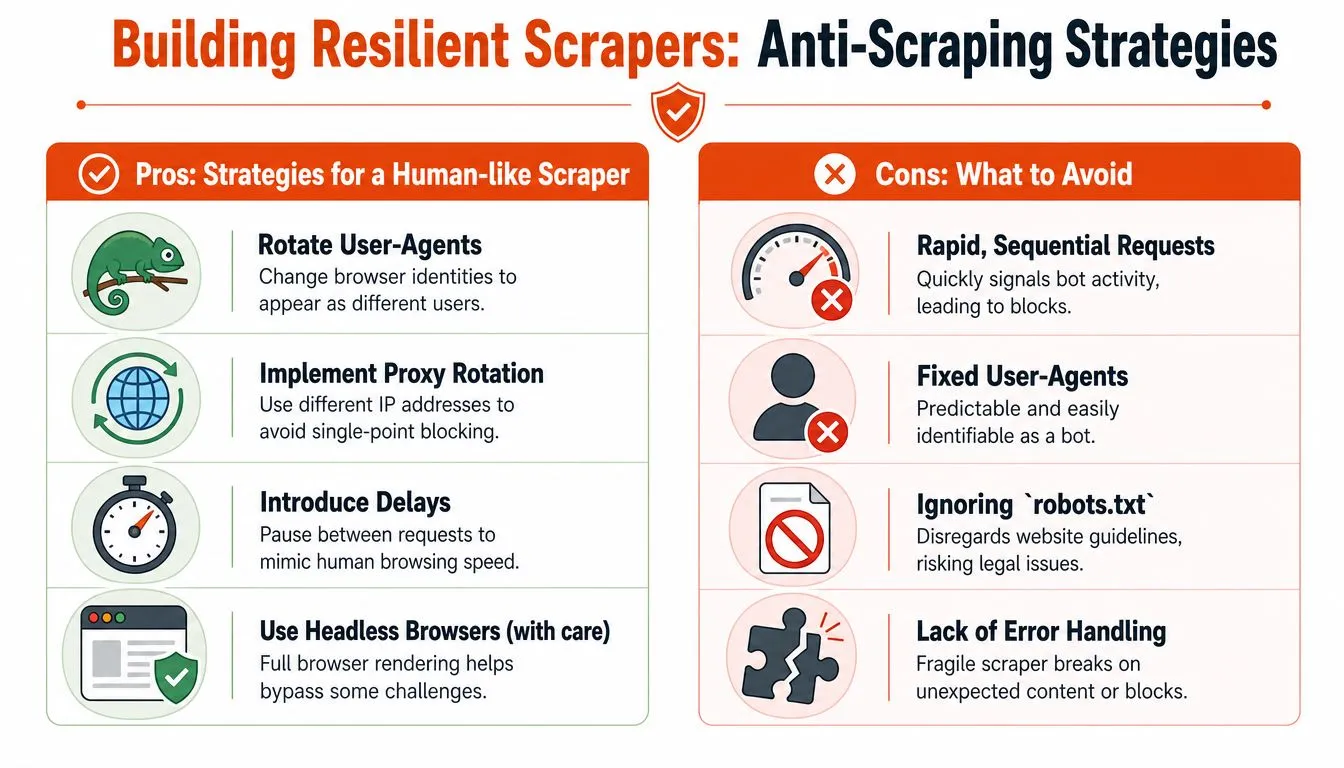
The first wall you'll hit is usually **IP-based rate limiting**. Send too many requests from one IP address in a short time, and the server will show you the door, either temporarily or for good. The simplest fix is to slow down. Add delays between your requests.
### Mimicking Human Behavior
Your first line of defense is to stop your scraper from screaming, "I am a bot!" This all comes down to the request headers you send.
* **Rotate User-Agents**: The User-Agent is a string that tells the server about your browser and OS. If every request uses the exact same one, it’s a dead giveaway. Cycle through a list of common User-Agents for Chrome, Firefox, and Safari to make your traffic look like it's coming from different people.
* **Set Realistic Headers**: Real browsers send a whole suite of headers, not just a User-Agent. Look at a real request in your browser's developer tools and you'll see things like `Accept-Language`, `Accept-Encoding`, and `Referer`. A script sending *only* a User-Agent is easy to spot. Match the headers a real browser sends.
> The goal is to make your scraper's requests indistinguishable from a regular user's. Get this right, and you'll sail past the most basic bot detectors.
### Using Proxies for Scale and Access
When managing headers and slowing down isn't enough, you need proxies. A proxy acts as a middleman, routing your requests through different IP addresses. They are essential for getting around IP bans and scraping sites that serve different content based on your location.
Proxies are a deep topic, especially when you start looking at datacenter vs. residential IPs. To get a better handle on how they work, check out our deep dive into [how residential backconnect proxies operate](https://webclaw.io/blog/residential-backconnect-proxy).
Finally, smart scraping is ethical scraping. Always start by checking the website's rules. The `robots.txt` file is a site's way of telling crawlers which pages to avoid. Understanding the guidance from resources like this explainer from [Raven SEO on robots.txt](https://raven-seo.com/what-is-robots-txt-file/) is a critical step in scraping responsibly.
## When to Use a Scraping API Instead of Building It Yourself
Building your own Python scraper is an essential skill. There's no better way to learn the nuts and bolts of how the web works. But as your project grows, you inevitably hit a wall.
The time you spend managing proxies, reverse-engineering the latest anti-scraping measures, and patching brittle code every time a site changes its layout starts to pile up. This is the point of diminishing returns, where the maintenance overhead begins to swamp the actual goal: getting the data.
This is the tipping point where a dedicated web scraping API becomes a no-brainer. Think of it as outsourcing all the frustrating, failure-prone parts of the job. A good API handles the complex backend infrastructure for you.
* **JavaScript rendering** can expose content that is absent from the initial HTML response. Confirm that the fields you need are present in the result.
* **Hosted fetching** can reduce the infrastructure you maintain. Available options and costs depend on the service.
* **Error reporting** lets you distinguish inaccessible pages from successful extraction. No service guarantees access to every target.
### Focus on the Data, Not the Plumbing
When you run into a sophisticated block, understanding the theory behind a [proxy server API architecture](https://www.thirstysprout.com/post/proxy-server-api) is one thing. Building and maintaining a robust version yourself is a full-time job. A dedicated service abstracts all that complexity away.
This is especially relevant to AI applications, which need clean, structured information rather than raw HTML.
Webclaw can return Markdown or LLM-oriented output after extraction. Compare the result with the original page: markup removal can save tokens, while aggressive cleanup can also remove useful information.
> The question quickly changes from "Can I build this?" to "Should I?" A scraping API frees you up to focus on using the data, not just fighting to get it.
This process is a constant battle against a moving target. The infographic below highlights the core challenges that an API automates away.
Every one of those boxes represents hours of development and maintenance you don't have to do. By offloading these infrastructure tasks, your team can get back to working on your actual product.
To see how this works in practice, you can [learn more about the features of a modern web scraping API](https://webclaw.io/features/web-scraping-api).
## Common Scraping Questions, Answered
Every scraper hits a wall eventually. It's part of the game. Here are the most common roadblocks I see people run into and the practical ways to get past them.
### What if the Data Isn’t in the HTML?
This is the classic "it works in my browser but not in my script" problem. You run `requests.get(url)`, print the response, and the data you see in Chrome DevTools is just... gone.
The reason is almost always JavaScript. Your browser runs it; `requests` does not. The initial HTML you get back is often just a shell, and the actual content gets loaded in a second step by client-side JavaScript.
The fix is to use a tool that *can* run JavaScript. This means automating a real browser. Your two main options are [Playwright](https://playwright.dev/) and [Selenium](https://www.selenium.dev/). They'll spin up a headless Chrome instance, let the JavaScript run, and give you the final, fully-rendered HTML to parse.
### Is Web Scraping Legal?
This is a massive grey area, and anyone giving you a simple "yes" or "no" is wrong. Scraping publicly available data is *generally* considered permissible, but the ethics and legality get complicated fast.
Always start by checking the website's `robots.txt` file (e.g., `example.com/robots.txt`) and their Terms of Service. These documents are the site owner's explicit rules. Ignoring them is a bad start.
> The core principle is to act like a respectful human, not a DDoS bot. Don't hammer a server with thousands of requests a second. Never scrape personal data, and be very careful with content that's clearly copyrighted. Responsible scraping shouldn't disrupt the website's operation.
### How Do I Handle Different Data Formats?
Scraping isn't just about parsing HTML. You'll hit all sorts of data formats in the wild, and you need to know how to handle them.
* **JSON Data:** A lot of modern websites are just frontends for an API. Open your browser's Network tab, filter by "Fetch/XHR," and watch what happens when you load a page. You'll often find clean, structured **JSON** being returned from an API endpoint. You can usually call that endpoint directly with `requests` and get perfect data without touching a line of HTML. It's a huge win when you find it.
* **PDF Documents:** You'll often find data locked away in PDFs. The process here is two-step: first, you scrape the page to find the link to the PDF file. Then, you use a library like `PyPDF2` or `pdfplumber` to download and extract the text from the document itself.
Anticipating these issues is what separates a brittle script from a resilient scraper. You learn to check for JavaScript rendering and background API calls before you even write the first line of parsing code.
[Webclaw](https://webclaw.io) provides an extraction API for supported public pages, with managed rendering and access fallbacks. Results depend on the target page and its restrictions; validate the returned content for your application.
---
### Master Web Scraping in Python: 2026 Guide
URL: https://webclaw.io/blog/web-scraping-in-python
Published: 2026-07-05
Updated: 2026-09-08
Author: Massi
Learn modern web scraping in Python. Cover requests, JavaScript, bypassing blocks, & getting LLM-ready data.
You wrote a scraper in Python, pointed it at a real site, and got one of three outcomes. Empty HTML. A page that looked fine in your browser but not in your script. Or a burst of success followed by blocks, 403s, and 429s.
That failure pattern isn't a beginner mistake anymore. It's the default state of web scraping in Python on modern sites. A lot of tutorials still teach `requests.get()` plus `BeautifulSoup` as if the web were mostly server-rendered HTML with light JavaScript on top. In 2026, that assumption breaks fast. Client-rendered apps, bot defenses, TLS fingerprint checks, and noisy page output have changed the job.
There's another problem most scraping guides still ignore. Even when you do get the page, the output often isn't useful for AI workflows. Raw HTML full of nav links, cookie banners, repeated footers, and ad slots is a bad input for retrieval, summarization, and agent pipelines. Clean extraction now matters as much as access.
## Why Your Python Scraper Broke in 2026
The old playbook was simple. Send a request, parse the HTML, loop over elements, save to CSV. That still works on some sites. It fails on many of the ones people care about.
Plain HTTP clients can fail on targets that require JavaScript execution, browser state, or stronger request validation.
What changed is not just JavaScript rendering. Sites inspect behavior across layers. Headers, timing, cookies, browser APIs, TLS fingerprints, and navigation flow all matter. A naked `requests` client looks wrong before your parser even gets a chance.
> **Practical rule:** If a target uses modern frontend tooling and serious bot protection, assume plain `requests` is your baseline for debugging, not your production solution.
There's also a bad habit in scraping culture. People keep patching symptoms. Add one header. Add a retry. Sleep for two seconds. Maybe throw in a proxy. Sometimes that buys time. It doesn't fix a scraper that's structurally mismatched to the site.
If you want a fast way to diagnose what's failing, this [Cloudflare scraping diagnostic checklist](https://webclaw.io/blog/cloudflare-scraping-diagnostic-checklist) is useful because it forces you to separate rendering problems, transport fingerprint issues, and challenge failures instead of treating every block like the same problem.
The fix is usually one of three things. Use a simple parser stack for static pages. Use a browser when the page is rendered in the client. Or stop owning every hard part yourself and move up a layer when the target mix gets ugly.
## Scraping Static Sites with Requests and BeautifulSoup
There are still plenty of places where the classic stack is the right tool. Internal sites. Docs pages. Older blogs. Product catalogs that render content on the server. For those, web scraping in Python is still clean, fast, and easy to maintain with `requests` and `BeautifulSoup`.
### When this stack still works
Use this approach when the response HTML already contains the data you want. The simplest test is blunt and effective. Open DevTools, load the page, inspect the response body, and see whether the data is present before any client-side code runs.
A few signs you can stay simple:
- **The page source contains the content:** Titles, prices, descriptions, or table rows appear directly in the server response.
- **There is no loading shell:** You don't just see placeholders, skeleton screens, or an empty root element.
- **The page behaves the same without script execution:** Your target data doesn't depend on browser events, async fetches, or client hydration.
If you're unsure whether you're looking at the right document, it helps to save and inspect the raw response. This guide on [downloading HTML files](https://webclaw.io/blog/downloading-html-files) is a practical way to verify what your script received instead of what the browser assembled later.
### A minimal working example
Here's the baseline pattern:
```python
import requests
from bs4 import BeautifulSoup
url = "https://quotes.toscrape.com/"
headers = {
"User-Agent": "Mozilla/5.0"
}
response = requests.get(url, headers=headers, timeout=30)
response.raise_for_status()
soup = BeautifulSoup(response.text, "html.parser")
for quote in soup.select(".quote"):
text = quote.select_one(".text").get_text(strip=True)
author = quote.select_one(".author").get_text(strip=True)
print({"text": text, "author": author})
```
This stack is good at a few things:
| Task | Requests + BeautifulSoup |
|---|---|
| Static HTML retrieval | Strong |
| Fast iteration while developing | Strong |
| Low memory usage | Strong |
| JavaScript-heavy pages | Weak |
| Anti-bot resilience | Weak |
That trade-off matters. On cooperative sites, this code is hard to beat. On anything with client rendering or serious defenses, it becomes a trap because it keeps failing in ways that look like parser bugs but aren't.
### What to look for in the HTML
When people say BeautifulSoup "doesn't work," the parser usually isn't the problem. The selector is wrong, the response isn't complete, or the target classes are unstable.
Use a disciplined extraction pass:
1. **Start with stable selectors.** IDs, semantic containers, and predictable attributes beat random CSS classes generated by frontend tooling.
2. **Print small fragments.** Don't dump the whole page unless you need to. Print the first matching node and verify the structure.
3. **Strip text deliberately.** `get_text(strip=True)` avoids carrying whitespace junk into your output.
> Static scraping is less about clever code and more about proving the data exists in the response before you write selectors.
If the target is static, this approach stays maintainable for a long time. If the page gives you an empty container, a spinner, or a giant JavaScript app shell, stop forcing it. That's where browser automation earns its keep.
## Winning the Fight Against JavaScript-Rendered Content
You open DevTools, copy a selector that works in the browser, run your Python script, and get an empty list. The selector is fine. The problem is timing and execution. The page you see is the result of JavaScript, API calls, and client-side state. `requests` only gets the initial shell.
A lot of 2026 scraping pain starts here. Traditional tutorials still assume the HTML response contains the data you want. On many React, Vue, and Next.js apps, it does not. The server sends a bootstrapping document, then the browser hydrates components, fetches JSON, and patches the DOM after load. If you're scraping pages built this way, [Bridge Global on building Reactpy apps](https://www.bridge-global.com/blog/building-web-applications-with-reactpy/) is useful context because it shows why visible content often exists only after client execution.
A minimal response often looks like this:
```html
```
That HTML is technically valid and practically useless for extraction.
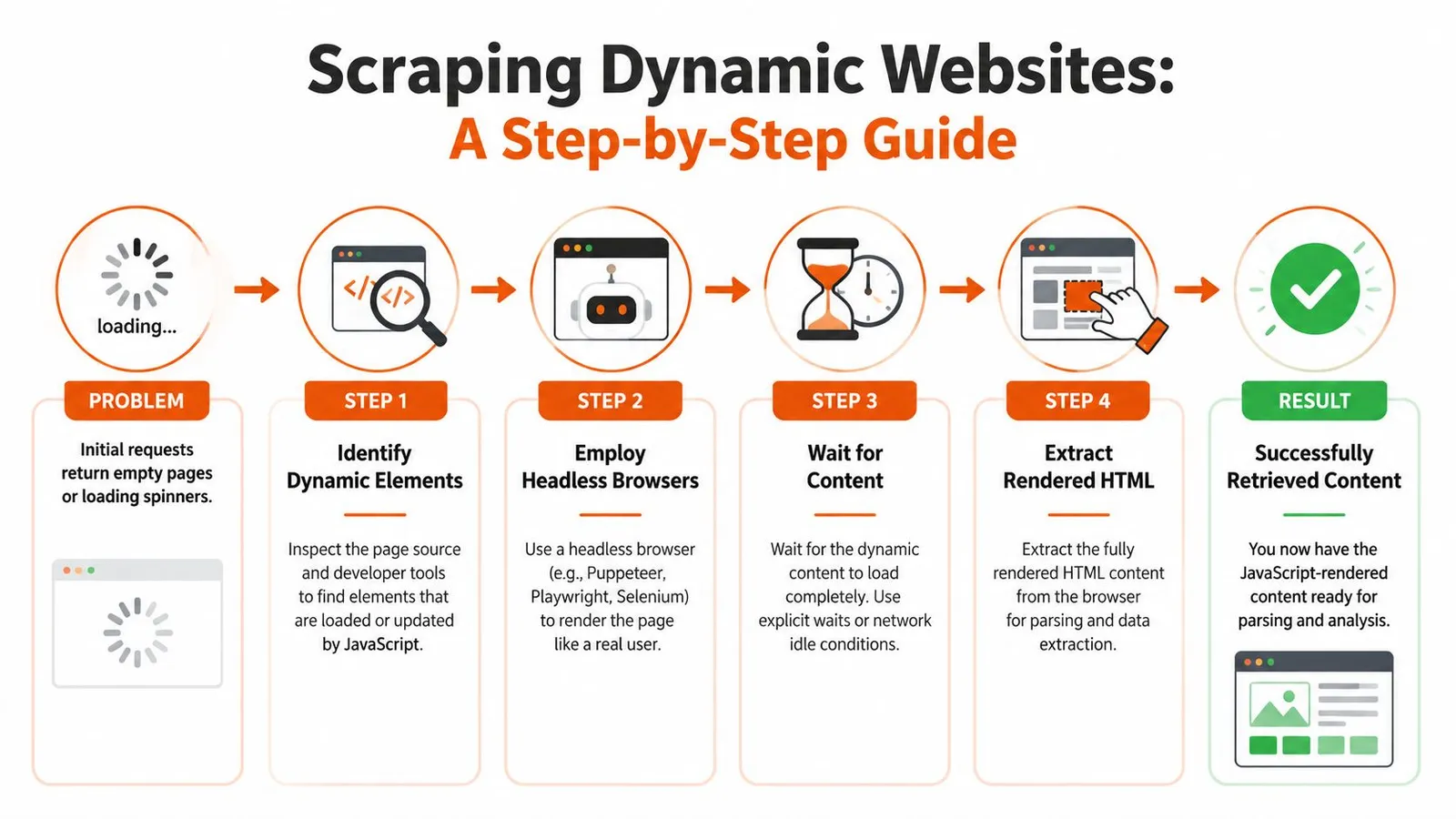
The reliable workflow is simple:
1. **Open the page in a real browser context**
2. **Wait for a signal tied to actual data**
3. **Read from the rendered DOM, or intercept the underlying API response**
Step two decides whether the scraper is stable or flaky. Waiting for `load` or `networkidle` helps sometimes, but neither guarantees the specific table, price block, or review list is ready. SPAs often keep background requests open, lazy-load sections on scroll, or replace placeholders after the main page event fires.
### A Playwright pattern that actually works
Playwright is a good default because its locator model maps well to how modern pages behave, and its auto-waiting reduces a lot of timing bugs.
```python
from playwright.sync_api import sync_playwright
with sync_playwright() as p:
browser = p.chromium.launch(headless=True)
page = browser.new_page()
page.goto("https://quotes.toscrape.com/scroll")
page.wait_for_selector(".quote")
quotes = page.locator(".quote")
for quote in quotes.all():
text = quote.locator(".text").text_content().strip()
author = quote.locator(".author").text_content().strip()
print({"text": text, "author": author})
browser.close()
```
That pattern works because it waits on the element that proves the content exists.
A few rules save a lot of wasted debugging time:
- **Wait for evidence, not for page chrome.** A price cell, product card, or review row is meaningful. `body` is not.
- **Prefer stable attributes over build-generated classes.** `data-testid`, ARIA labels, and semantic structure usually survive deploys longer than hashed class names.
- **Develop in headed mode first.** Watch the page scroll, click, expand, and fail. Headless mode hides useful clues.
- **Capture the network tab when a page feels inconsistent.** If the browser fetches clean JSON, scraping the API is often cheaper than parsing the DOM.
That last point matters more now because many teams scrape for downstream LLM use, not just CSV exports. Raw rendered HTML is expensive to clean and noisy to send into a model. If you can capture the structured payload behind the page, you get cleaner fields, lower token use, and fewer hallucination-inducing scraps of template text.
If you're deciding between browser stacks, this comparison of [Playwright vs Puppeteer for web scraping](https://webclaw.io/blog/playwright-vs-puppeteer) is a useful reference, especially if debugging workflow and selector ergonomics matter.
Before you keep reading, this video gives a practical browser-automation walkthrough:
### What usually breaks dynamic scrapers
The failures are usually mundane.
- **The scraper reads the DOM before the data arrives.**
- **The page needs interaction.** Scroll, click, hover, dismiss a modal, switch a tab.
- **The target content lives inside an iframe or shadow DOM.**
- **The selector matches a placeholder skeleton instead of the final content.**
- **The visible page is hydrated from an API your scraper never inspected.**
The fix is to tie extraction to the page's real behavior. I usually inspect three things before writing any parser: which request returns the data, what user action triggers it, and what DOM change proves it finished. That discipline beats adding random sleeps.
Browser automation costs more CPU, more memory, and more engineering care than plain HTTP. It also gets you correct data from pages that static scrapers will never read properly. On mixed targets, the practical setup is a hybrid one. Use lightweight requests for pages that return usable HTML. Escalate to Playwright only where rendering or interaction is required.
## Navigating Anti-Scraping and IP Blocks
A scraper can render the page correctly and still get shut out by the access layer. That is the part older Python tutorials usually skip. In 2026, many failures come from traffic scoring, fingerprint checks, session anomalies, and soft blocks that return HTML without returning the data you wanted.
Anti-bot systems rarely rely on one signal. They correlate request rate, IP reputation, cookie continuity, TLS and header fingerprints, geolocation consistency, and whether a browser session behaves like an actual user journey. A simple `requests` loop from one IP works on low-friction sites. It fails fast on consumer platforms, search-heavy properties, and anything that has spent the last few years training on scraper traffic.
### Why brute force burns good infrastructure
Before changing parsers, inspect the response. The site may be serving challenge pages, degraded responses, or partial payloads. Sending more requests from the same blocked setup can make access problems worse.
That changes how the scraper should be designed. Rate limits, retries, proxy rotation, session handling, and fingerprint consistency belong in the first version, not as cleanup work after production starts dropping rows.
### The minimum hardening that actually helps
For plain HTTP scraping, the baseline is boring but effective:
- **Throttle on purpose:** Add jitter between requests and cap concurrency per domain. Fixed intervals are easy to fingerprint.
- **Retry selectively:** Retry transient failures and throttling responses. Do not blindly replay every `403`.
- **Rotate IPs by target type:** Datacenter IPs are cheaper and often good enough for low-defense sites. Residential pools fit tougher public targets where reputation matters more. If you're comparing options, this guide to a [residential backconnect proxy](https://webclaw.io/blog/residential-backconnect-proxy) is a practical reference.
- **Keep sessions coherent:** Cookies, `Accept-Language`, user agent, timezone, and geo should make sense together.
- **Detect block pages, not just status codes:** A `200 OK` can still be a CAPTCHA, interstitial, or empty shell.
Here is a basic retry sketch for plain HTTP work:
```python
import requests
from requests.adapters import HTTPAdapter
from urllib3.util.retry import Retry
session = requests.Session()
retry = Retry(
total=5,
backoff_factor=2,
status_forcelist=[403, 429, 500, 502, 503, 504],
allowed_methods=["GET"]
)
adapter = HTTPAdapter(max_retries=retry)
session.mount("http://", adapter)
session.mount("https://", adapter)
response = session.get(
"https://example.com",
headers={"User-Agent": "Mozilla/5.0"},
timeout=30
)
```
That example is a starting point, not a production policy. On defended targets, retries need circuit breakers, per-domain budgets, and content validation. Otherwise the scraper politely retries its way into a larger block.
### Soft blocks are the expensive failure mode
Hard failures are obvious. Soft failures cost more because they look successful in logs. The request returns `200`, the HTML parses, and your pipeline keeps running while product pages lose prices, search pages return fewer results, or article pages swap real content for consent walls.
Log more than status codes:
| Signal | Why it matters |
|---|---|
| Response time | Sudden latency spikes often mean throttling, challenge checks, or upstream queueing |
| Error rate | Clusters of 403s and 429s usually mean the current fingerprint is burned |
| Content shape | Missing key nodes, shorter bodies, or repeated templates often signal block pages |
| Completion rate | Partial extraction exposes business impact faster than raw request totals |
I also track hash changes on known-good pages and alert on unexpected template drift. That catches challenge pages earlier than waiting for the parser to fail.
### Platform scraping needs tighter controls
High-friction platforms care about account safety, behavior patterns, and session trust far more than basic blogs or ecommerce catalogs. LinkedIn is a good example. If the job involves that surface area, this guide on how to [safely scrape data from LinkedIn](https://www.cyndra.ai/blog/scrape-data-from-linkedin) is worth reading because it treats access strategy as part of the scraper, not as an afterthought.
This matters even more if the output feeds LLM pipelines. Dirty capture from challenge pages, consent flows, or truncated responses creates noisy datasets and wastes tokens downstream. Clean extraction starts with reliable access. If the fetch layer is contaminated, every later cleanup step gets harder and more expensive.
The practical goal is simple. Use the lightest setup that returns stable, complete data, and treat anti-bot handling as an engineering constraint, not a bag of tricks.
## Beyond Raw Data LLM-Friendly Extraction with an API
Getting HTML is not the same as getting useful content. That gap matters more now because a lot of scraping output goes straight into retrieval, summarization, classification, and agent pipelines.
Dirty web data can hurt retrieval and model output. Cleanup can reduce token use, but aggressive compression may remove facts; measure both token reduction and fact retention on your corpus.
### Why clean content matters more than raw capture
Most traditional scraping tutorials stop too early. They show you how to fetch a page and extract nodes. They don't deal with what happens next when that content becomes model input.
Typical raw HTML problems:
- **Boilerplate dominates the payload:** Navigation, repeated menus, and legal text crowd out the page's actual meaning.
- **Token waste gets expensive:** The model burns context on irrelevant page chrome.
- **Structured extraction gets brittle:** If you pass noisy content into downstream parsing, everything gets harder.
A professional workflow for AI-facing scraping usually wants one of these outputs:
- **Clean markdown** for retrieval and summarization
- **Typed JSON** for extraction tasks
- **Plain text** when layout doesn't matter
- **Crawled site content** with duplication and boilerplate removed
### What an API-first approach changes
When a project needs JavaScript rendering, anti-bot handling, and clean AI-ready output at the same time, many teams stop hand-assembling every layer. They use an extraction API and keep Python focused on orchestration.
One option is [Webclaw's API for LLM-oriented scraping](https://webclaw.io/blog/best-web-scraping-api-for-llms). Its role is different from BeautifulSoup or Playwright. Instead of just fetching the page, it handles rendering and hard-site access, then returns cleaner markdown or structured JSON that is meant for model consumption rather than raw pipeline storage.
That changes the trade-off:
| Need | Hand-built stack | API-first stack |
|---|---|---|
| Full control over parsing | Strong | Medium |
| Fast setup for difficult sites | Weak | Strong |
| Clean AI-ready output by default | Weak | Strong |
| Maintenance burden | High | Lower |
This isn't about replacing Python. It's still web scraping in Python. You're just moving the brittle parts out of your codebase when they stop being worth owning.
If your real target is "give my model the page's meaning," not "I want the original HTML at all costs," then cleaner extraction is often the more important win.
## Choosing the Right Python Scraping Approach
There's no single correct stack. There is only the stack that matches the site, the scale, and how much maintenance you want to own.
Use `requests` and BeautifulSoup when the page is static, the selectors are stable, and speed matters more than browser realism. This is still the fastest way to get from URL to structured data on cooperative sites.
Use Playwright or Selenium when the page is client-rendered, interaction-driven, or impossible to parse from the initial response. Browser automation is heavier, but it solves a different class of problem. That's often the price of accuracy.
Use an API-first approach when the project has one or more of these traits:
- **Mixed hard targets:** Some pages need rendering, others need anti-bot handling, and some need clean post-processing.
- **AI-facing output:** You care more about token-efficient context than raw markup.
- **Maintenance fatigue:** Your team is spending too much time on fingerprints, retries, waits, and proxy orchestration.
If you're building agent workflows around scraping, tools like the [Flaex.ai webscraping server](https://www.flaex.ai/tool/webscraping-ai-mcp-server) are also worth looking at because they push extraction into an MCP-compatible service layer, which can simplify tool use inside AI systems.
The practical decision is simple. Stay low-level when the target is easy and control matters. Move up the stack when the target mix gets hostile or the output needs to be model-ready from the start.
---
If you're tired of stitching together browser automation, proxy handling, and post-cleaning just to get usable page content, [Webclaw](https://webclaw.io) is a straightforward option to test. It lets Python workflows scrape URLs into clean markdown or JSON, with JavaScript rendering and hard-site access handled upstream.
---
### Amazon Scrape API: A Guide to Building Reliable Pipelines
URL: https://webclaw.io/blog/amazon-scrape-api
Published: 2026-07-04
Updated: 2026-09-08
Author: Massi
Learn to build a reliable Amazon scrape API pipeline. This guide covers anti-scraping, ASIN extraction, LLM-optimized JSON output, and scaling.
You probably started with a simple scraper. A requests call, a few selectors, maybe BeautifulSoup or Playwright. It worked on a couple of product pages. Then Amazon changed the response shape, the page came back half-empty, pricing stopped matching what users saw, or your requests started landing on CAPTCHA screens.
That's the point where Amazon scraping stops being a parsing problem and becomes a systems problem.
A production-grade **Amazon scrape API** setup isn't just about getting HTML or even structured JSON. It's about building a pipeline that can fetch the right regional page, render what Amazon serves to browsers, survive anti-bot friction, and produce output clean enough for downstream analytics or LLM workflows. If you're feeding raw Amazon pages into a model, you're also paying for a lot of junk you never wanted.
## Why Scraping Amazon in 2026 Is a Hard Problem
The common failure mode is boring. Your script returns a 200 response, but the content is wrong. The title is missing, price selectors don't exist, and the HTML looks like a shell instead of a real product page. A day later, the same script gets challenged, throttled, or blocked completely.
That happens because Amazon isn't a static target. It's a massive marketplace with **over 1.7 million third-party sellers and 300 million active products globally as of 2024**, which forces scraping systems to operate at marketplace scale and handle real-time changes in pricing, availability, and reviews data, as noted in [Scrapingdog's overview of Amazon scraping APIs](https://www.scrapingdog.com/blog/best-amazon-scraping-apis/). If your data is even slightly stale, your downstream logic can make the wrong decision.
### Why simple scripts fail fast
The first problem is rendering. Naive HTTP fetchers often fail on JavaScript-rendered pages and return incomplete or empty responses. That's a known pitfall in Amazon scraping, especially when the page depends on client-side execution before key content appears.
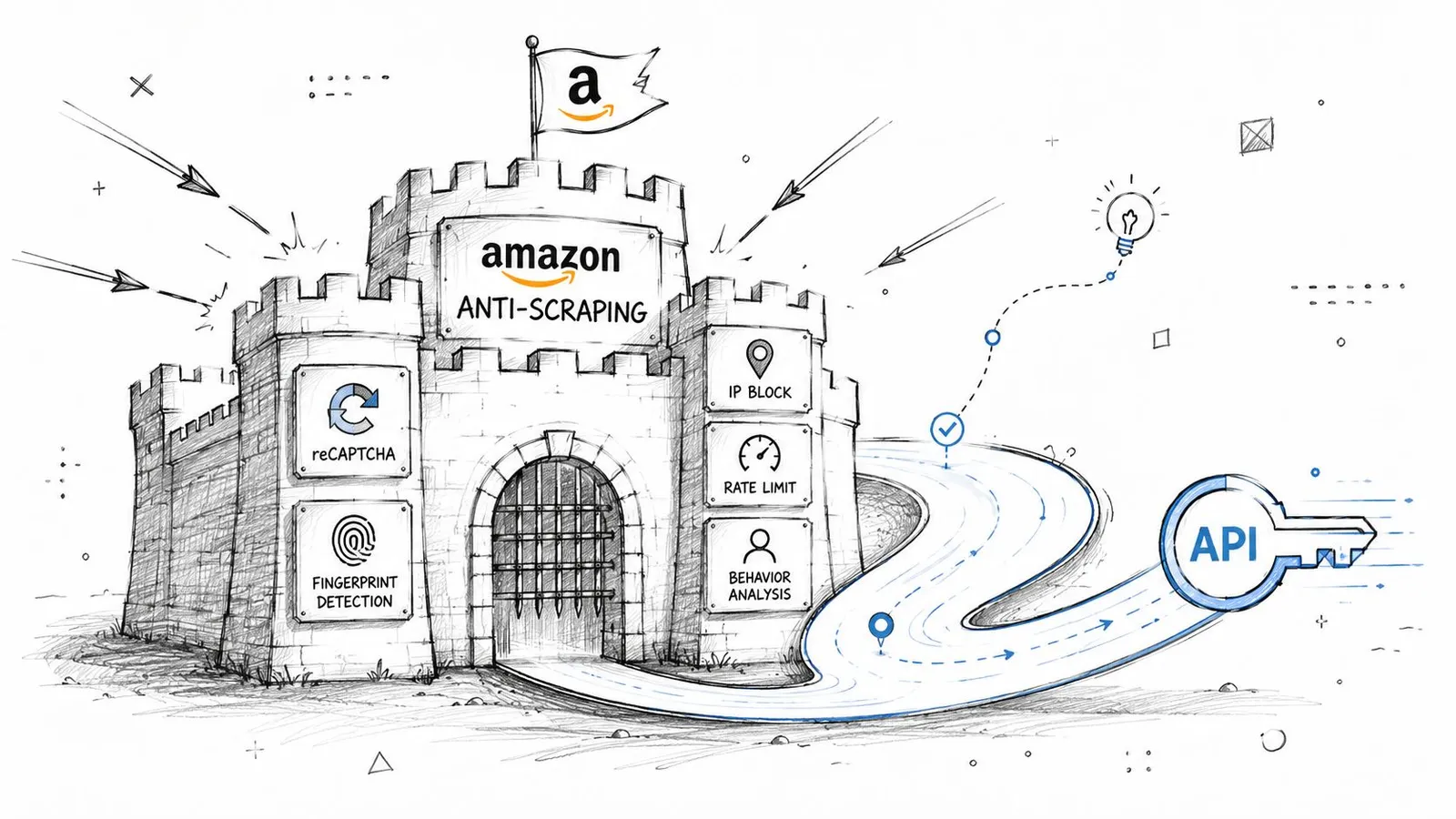
The second problem is anti-bot enforcement. A generic stack that only rotates IPs won't hold up for long. Amazon can block inconsistent sessions, detect bad request patterns, and force CAPTCHA or challenge flows when requests don't behave like normal browser traffic.
> **Practical rule:** If your system depends on raw requests plus ad hoc proxy rotation, assume it will fail under production load.
Regional variation makes this worse. Price, stock, seller offers, and shipping context can depend on storefront and delivery location. If your scraper doesn't preserve that context, you can easily collect data that looks valid but doesn't match what a buyer in that market sees. For a good grounding in why Amazon pricing shifts so often, [Market Edge's Amazon pricing guide](https://marketedgemonitoring.com/blog/amazon-dynamic-pricing) is useful background.
A lot of teams try to patch this with bigger proxy pools. That helps, but only as one layer. The transport layer, browser behavior, session flow, and geo-targeting all matter. If you want a concise breakdown of how residential rotation fits into that stack, this piece on [residential backconnect proxies](https://webclaw.io/blog/residential-backconnect-proxy) is worth reading.
### Why scale makes everything worse
Amazon data decays quickly. Product positions move. Deals expire. Inventory flips. Seller offers change. That means a working scraper isn't enough. You need a system that can keep collecting fresh data continuously without spending your engineering time on block recovery.
Specialized APIs exist because they package the ugly parts into one managed layer. The hard work is not the GET request. The hard work is rendering, retries, CAPTCHA handling, regional routing, and returning something your application can use immediately.
> Most Amazon failures don't come from bad parsing logic. They come from fetching the wrong page, at the wrong location, with the wrong session state.
## Architecting Your Amazon Scraping Pipeline
A reliable Amazon pipeline is simpler when each part has one job. Keep your business logic in your app, delegate retrieval and anti-bot handling to a scraping API, and store normalized output in a data layer built for reprocessing.
### A clean separation of concerns
Use a three-part architecture:
1. **Application logic** handles scheduling, target generation, deduplication, and downstream decisions.
2. **Scraping API** handles the hard retrieval layer, including proxy routing, rendering, retries, and challenge mitigation.
3. **Storage layer** keeps raw responses, normalized fields, and any LLM-ready derivative outputs.
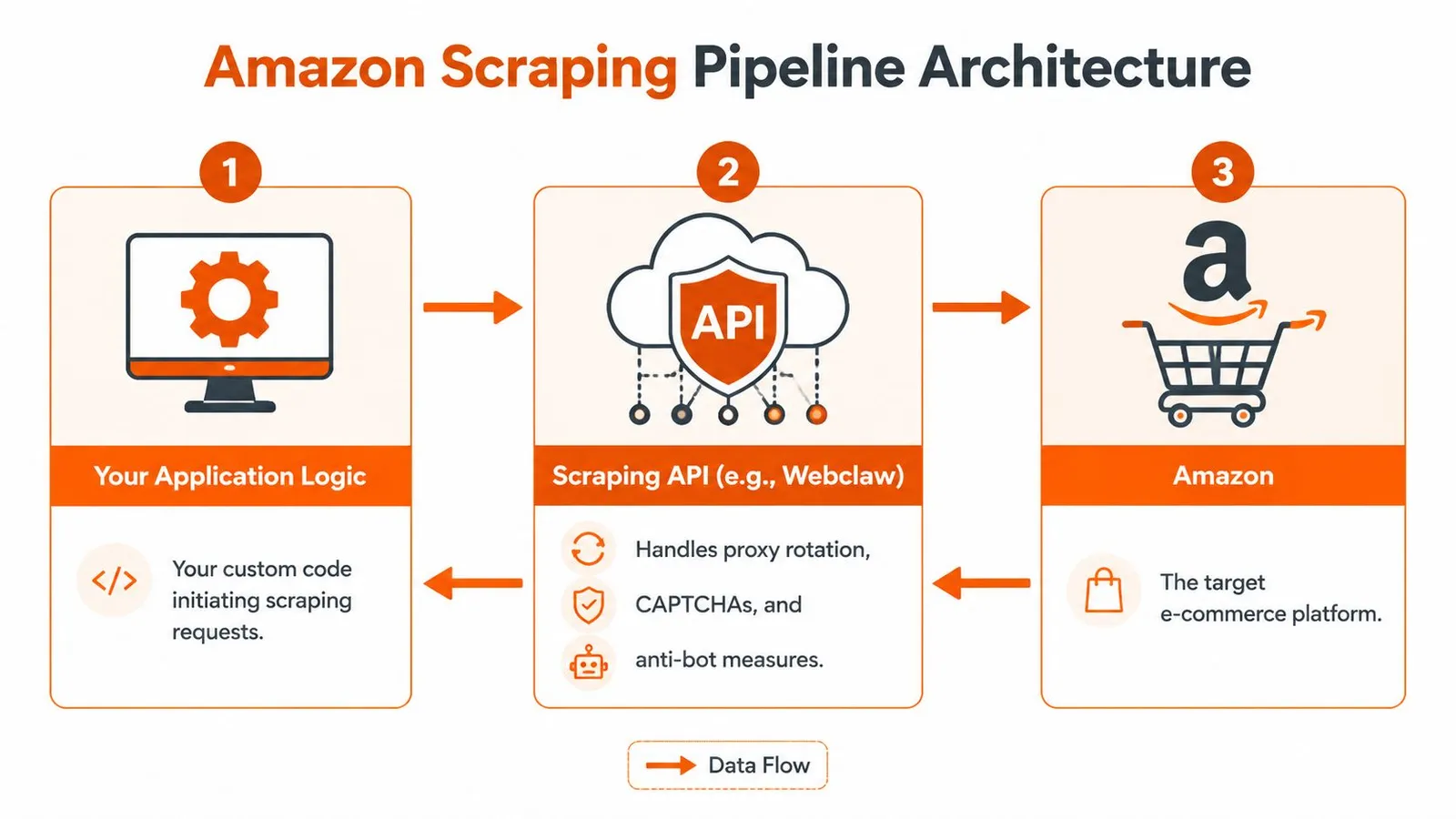
This separation matters because your application shouldn't know how to beat Amazon's front end. It should know what products to fetch, when to refresh them, and what to do with the results. That's the difference between a tool you can maintain and a scraper you're constantly babysitting.
For teams designing broader ingestion workflows, NanoPIM's writeup on [optimizing data flows for eCommerce](https://nanopim.com/post/data-pipeline-etl) is a useful companion read. The core lesson carries over cleanly to scraping systems. Keep extraction, transformation, and consumption loosely coupled.
### A practical request flow
The strongest API designs expose dedicated endpoints instead of one generic fetch primitive. According to [Pangolinfo's discussion of Amazon scraper APIs](https://www.pangolinfo.com/amazon-scraper-api/), the most capable APIs support **Bearer token authentication** and official SDKs for **Python, TypeScript, and Go**, and APIs with dedicated endpoints for product pages, search results, and seller offers outperform generic scrapers.
That pattern is exactly what you want in production. A product-detail request shouldn't look like a search request. Seller offers shouldn't be parsed from the same shape as a listing page. Different page types have different volatility and failure modes.
A simple flow looks like this:
| Layer | Responsibility | Failure if omitted |
|---|---|---|
| App | Chooses ASINs, keywords, marketplaces, cadence | Duplicate work, stale jobs |
| Scraping API | Fetches rendered, geo-correct page data | Blocks, empty pages, CAPTCHA loops |
| Store | Preserves normalized and reusable output | No audit trail, hard reprocessing |
If you expect large refresh runs, build around batches rather than one request at a time. This overview of [batch processing](https://webclaw.io/blog/what-is-batch-processing) maps well to Amazon jobs where you refresh thousands of ASINs or search pages on a schedule.
### A minimal Python example
The retrieval layer should feel boring from your side. That's the point.
Here's a minimal Python pattern using a Bearer token and a typed request payload:
```python
import requests
API_TOKEN = "YOUR_TOKEN"
resp = requests.post(
"https://api.webclaw.io/v1/scrape",
headers={"Authorization": f"Bearer {API_TOKEN}"},
json={
"url": "https://www.amazon.com/dp/B0EXAMPLE",
"formats": ["json", "markdown"]
},
timeout=60
)
resp.raise_for_status()
data = resp.json()
print(data)
```
That example is intentionally plain. Your code should stay focused on targets and outputs. The retrieval service should absorb the mechanics of browser rendering and anti-bot friction.
> The right abstraction is the one that removes scraper maintenance from the application code, not the one that gives you the most knobs.
## Navigating Amazon Defenses with an API
Amazon blocks brittle clients in several different ways. You don't solve that with one trick. You solve it with a coordinated stack that handles location, rendering, and session behavior together.
### Proxy type changes the result
Amazon scraping depends heavily on **geo-targeting through residential, ISP, and datacenter proxies**, which advanced APIs use to access localized marketplace data across storefronts like amazon.com, amazon.co.uk, and amazon.de, as described in [SerpApi's Amazon product scraping tutorial](https://serpapi.com/blog/scrape-amazon-product-data-tutorial/).
That matters because proxy choice isn't only about getting through. It changes what you see.
- **Residential proxies** are useful when you need pages that look like normal consumer traffic and when localized results matter.
- **ISP proxies** can be a good middle ground for stable sessions that still resemble consumer connectivity.
- **Datacenter proxies** can work for lighter tasks, but they're more likely to produce generic or challenged responses on harder pages.
If your workload includes marketplace comparisons, seller offers, or location-sensitive stock checks, use the proxy tier that matches the target behavior. Don't treat all page fetches as equivalent.
For teams comparing API-based approaches with retail automation patterns, Zinc's explainer to [explore Amazon API on Zinc](https://www.zinc.com/blog/amazon-api) is useful context because it highlights how much operational complexity sits between a request and a meaningful Amazon result.
### Rendering matters because Amazon doesn't always ship complete HTML
A basic GET request often isn't enough. Common Amazon scraping failures include inconsistent handling of JavaScript-rendered content, and naive fetchers can return empty responses when they don't execute the page properly.
That's why capable APIs render JavaScript and return structured data instead of forcing you to reconstruct the page state yourself. When you need a concrete fetch interface, a managed endpoint like [Webclaw's scrape API](https://webclaw.io/docs/api/scrape) gives you one way to request rendered output directly.
A browser-backed retrieval layer is doing more than opening a page. It's managing timing, executing scripts, preserving a believable environment, and waiting for the right content to stabilize before extraction.
Here's a useful visual primer before going deeper:
### Session consistency beats random retries
The hardest failures are intermittent. A request works, then the next one fails, then a retry works from a different IP but returns the wrong regional page. That's usually not a parser problem. It's a session coherence problem.
The better systems keep request identity consistent across related fetches. That includes coherent headers, stable fingerprinting, cookie continuity when needed, and the right delivery-location parameters. Pangolinfo notes that failure to implement delivery ZIP code parameters leads to generic pricing rather than location-accurate values. That's a frequent mistake in non-specialized scrapers.
> Random retries can reduce failure counts. They can also increase bad data if each retry lands in a different context.
When you debug Amazon scraping, always ask two questions before you touch selectors: did I fetch the right page, and did I fetch it in the right market context?
## Extracting Data from Search Pages and Product ASINs
A common failure mode looks like this: the search scraper collects titles and prices, but skips stable identifiers. Two weeks later, the ranking layout changes, sponsored blocks shift organic positions, and the team can no longer tell whether a product drop is real or just a matching error. Search scraping without identifier capture creates noisy data fast.
Amazon collection usually splits into two pipelines. One pipeline discovers products from search results. The other refreshes known products by ASIN. Keep them separate, because they fail differently, scale differently, and produce different kinds of data for downstream systems.
### Search pages are discovery endpoints
Search result pages are for coverage, not truth. They tell you which products appeared for a query, in what order, under which marketplace and query parameters. They are a discovery layer.
The main artifact to extract from search is the ASIN. Amazon uses ASINs as product identifiers, and in practice they are the key you use to revisit the same item across refresh cycles, ranking checks, and enrichment jobs. Titles, prices, badges, and review snippets are still useful, but they are secondary if your goal is a pipeline that stays stable after the page layout changes.
A search workflow that holds up in production usually does four things:
- Submit the query with explicit marketplace context.
- Paginate with a stored page number or cursor so runs are reproducible.
- Capture ASINs as early as possible instead of tying product identity to page position.
- Store rank position with the ASIN when visibility tracking matters.
If you want to define extraction rules at the API layer instead of maintaining page-specific parsers, a structured [field extraction endpoint for Amazon pages](https://webclaw.io/docs/api/extract) can return the fields you care about directly.
Search pages also need more context than many teams store on the first pass. Query text, applied filters, sort order, marketplace, zip code context, sponsored status, and scrape timestamp all affect interpretation later. If you plan to feed this data into an LLM workflow, that metadata matters because it explains why two near-identical products appeared in different positions or why the same ASIN showed a different price in separate runs.
### ASIN lookups are the stable core
Once you have ASINs, product-detail fetching becomes the durable part of the pipeline. Search pages are good at discovery. Product pages are where you build the record you trust.
For each ASIN, collect the fields that support both operational use and later normalization:
| Field | Why it matters |
|---|---|
| ASIN | Stable key for joins and refreshes |
| Title | Human-readable product identity |
| Price | Core signal for monitoring |
| Rating and review summary | Buyer trust signal |
| Bullet points and specs | Product understanding and categorization |
| Best Sellers Rank | Competitive context |
| Seller offers | Availability and merchant landscape |
That table is the minimum useful shape. In practice, the hard part is not getting one successful response. It is getting the same field set consistently across variants, seller states, mobile and desktop templates, and partial page loads.
For LLM-facing systems, raw capture is not enough. Bullet points often contain duplicated marketing text. Specs may be split across tables, expandable modules, and image captions. Offer sections can mix the featured merchant with secondary sellers and warehouse deals. If you pass that output downstream without cleanup, the model has to infer structure from noisy fragments, which raises token cost and lowers answer quality.
### What to request and what to store
Storage design decides how expensive future fixes will be.
Store three layers:
1. **Canonical identifiers** such as ASIN, marketplace, parent or child variation context, and scrape timestamp.
2. **Normalized product fields** such as title, current price, rating summary, category path, and seller state.
3. **Raw or semi-raw payloads** kept for audit, parser repair, and reprocessing into cleaner LLM-ready documents.
If you only keep final parsed fields, extractor bugs become permanent history. There is no clean way to rebuild past records when you later discover that a price parser grabbed a coupon string or merged two specification blocks.
Keep the search discovery job independent from the ASIN refresh job as well. Search tells you what appeared for a query and where it ranked at that moment. ASIN refresh tells you what the product page says now. Separating those concerns makes retries cleaner, deduplication simpler, and downstream data easier to trust.
## Structuring Output for Humans and LLMs
A lot of Amazon tooling stops at “we return JSON.” That's useful, but it's not the end of the problem. For AI workflows, the output format determines both cost and accuracy.
### JSON is necessary but not sufficient
The baseline requirement is structured JSON with fields already parsed. That's better than shipping raw HTML and hoping downstream code can infer price, title, rating, and offers from changing selectors.
The gap is what happens after that. According to [Nimbleway's review of Amazon scraping APIs](https://www.nimbleway.com/blog/top-9-amazon-scraping-apis), most APIs still return structured JSON or raw HTML without stripping navigation, ads, and boilerplate, even though **90% of raw Amazon HTML is noise** and **7 of 9 top Amazon scraper APIs reviewed in 2026 lacked LLM-specific output formats**.
That's the hidden cost often overlooked. Your model doesn't care about top-nav links, cookie banners, ad modules, carousel clutter, or duplicated footer text. But if you feed raw page output into RAG or summarization pipelines, you still pay to process it.
### Why LLM-ready output changes the economics
A good LLM-ready Amazon document should preserve meaning, not markup. It should keep the product title, seller context, core specs, bullet points, visible pricing, review summary, and other meaningful sections. It should discard boilerplate.
Here's the practical comparison:
| Output type | Good for | Main problem |
|---|---|---|
| Raw HTML | Archival debugging | Huge noise load |
| Structured JSON | Analytics and app logic | Often too verbose for direct model input |
| LLM-ready markdown or minimal text | RAG, summarization, agents | Requires deliberate cleaning at extraction time |
This matters even if you already have JSON. Verbose JSON often contains nested fragments, duplicate content, irrelevant UI labels, and residual page chrome. That still hurts retrieval quality.
A useful supporting read here is Webclaw's comparison of [CSV vs JSON](https://webclaw.io/blog/csv-vs-json), especially if your team is deciding what belongs in analytics storage versus model-facing context.
> Clean output is not a convenience feature for AI systems. It's part of the model quality stack.
### A practical output split
For Amazon pipelines, keep two parallel outputs:
- **Operational JSON** for machines. Use it for pricing monitors, dashboards, and joins.
- **LLM-ready text or markdown** for retrieval and summarization. Keep only the content a model should reason over.
A practical shape for LLM-ready output might include:
- **Product identity** with title, brand, and ASIN
- **Pricing block** with visible price and availability notes
- **Feature bullets** with duplicates removed
- **Review summary** with rating context
- **Seller section** for merchant and fulfillment clues
- **Specification section** in readable key-value form
If you skip this cleanup stage, you'll spend the difference elsewhere. Usually in prompt engineering, post-processing, and debugging hallucinated answers caused by noisy context.
## Building Production-Ready Scraping Systems
Once the fetches work, the actual work starts. Production scraping is operations, not heroics.
### Operational rules that prevent fragile pipelines
The basics matter more than cleverness:
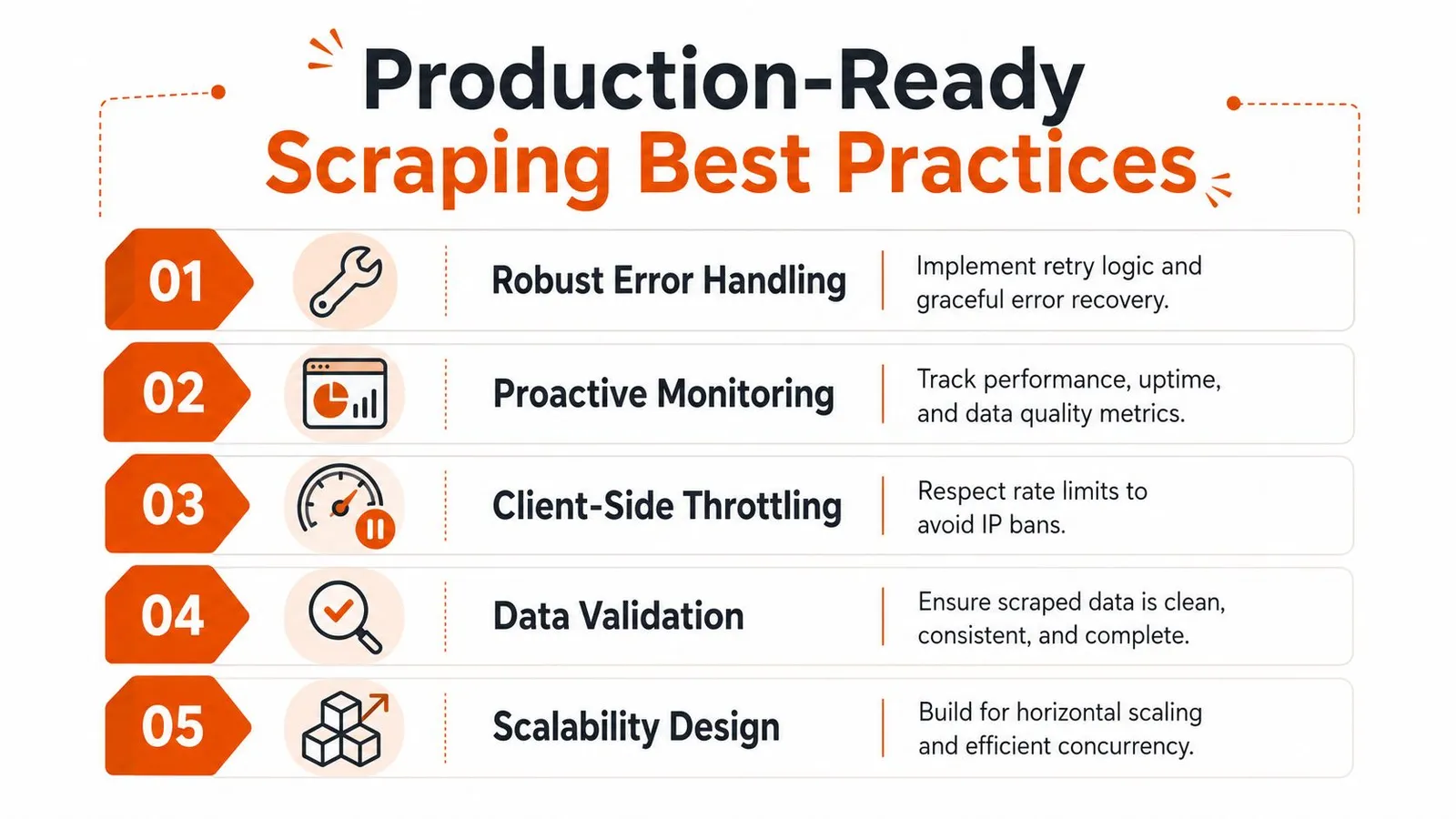
- **Throttle on the client side:** Respect provider rate limits and spread work across queues instead of firing uncontrolled bursts.
- **Retry with intent:** Use bounded retries and exponential backoff. Don't blindly retry context-sensitive failures that may return different regional results.
- **Validate payloads:** Check for missing ASINs, empty titles, generic pricing, or obviously incomplete responses before data lands in your warehouse.
- **Log enough context:** Store marketplace, delivery context, endpoint type, response class, and parse status. Otherwise you won't be able to explain bad data later.
- **Design for reprocessing:** Keep inputs and intermediate outputs so you can rerun extraction logic without recollecting everything.
Monitoring should focus on correctness, not just uptime. A request that returns the wrong region or a generic fallback page is a bad result even if the HTTP status looks fine.
> Healthy scraping systems watch data quality signals, not just response codes.
### The legal and ethical line
Scraping public product data is one thing. Crossing into login-protected, personal, or clearly restricted content is another. Keep your collection limited to publicly accessible pages, and involve legal review if your use case carries real commercial or compliance risk.
Terms of service, robots directives, jurisdiction, and business risk all matter. So does basic restraint. Don't hit pages harder than your workflow needs. Don't collect data you can't justify. Don't assume technical access equals operational permission.
A resilient Amazon scrape API setup is really an abstraction choice. You either own rendering, proxies, blocking, session control, normalization, and AI cleanup yourself, or you delegate parts of that stack and concentrate on the data product you're trying to build.
---
If you're building Amazon data pipelines for analytics, RAG, or agent workflows, [Webclaw](https://webclaw.io) is one option for handling the retrieval and cleanup layer. It supports rendered extraction, structured outputs, and LLM-oriented formats so you can spend more time on downstream logic and less time fighting blocked pages and noisy HTML.
---
### CSV vs JSON: Which Format to Choose in 2026
URL: https://webclaw.io/blog/csv-vs-json
Published: 2026-07-03
Updated: 2026-09-08
Author: Massi
Choosing between CSV vs JSON for your data? This guide compares structure, performance, LLM token efficiency, and use cases to help you decide.
You scraped a set of product pages, support docs, or listings. The extraction worked. Now you need to decide what leaves the scraper and enters the rest of your stack.
That choice sounds small until it isn't. Pick CSV and your analyst can open it in Excel immediately, but your app code may spend the next week inferring types and flattening nested fields. Pick JSON and your API layer stays clean, but your spreadsheet handoff gets clumsier. If the data is headed into an LLM, the decision gets even sharper because structure, prompt clarity, and token usage all start to matter.
For many organizations, **CSV vs JSON** isn't a format debate. It's a downstream reliability decision. The right choice depends less on ideology and more on who consumes the data next, how much structure you need to preserve, and whether you're optimizing for human spreadsheet workflows, application interoperability, or model-ready context.
## When to Choose Between CSV and JSON
The most common trigger for this decision is simple. You scraped structured data from a site, and now you need to persist it, move it through a pipeline, or hand it to another tool.
If the output is a flat table such as product name, price, SKU, and URL, CSV is often enough. If the output includes variants, reviews, breadcrumbs, seller info, availability by region, or embedded metadata, JSON usually saves you from a mess later. The mistake isn't choosing one over the other. The mistake is choosing based on habit instead of the next consumer.
A quick rule set works better than a long checklist:
- **Choose CSV** when the data is naturally tabular, the consumer is Excel, Google Sheets, pandas, Polars, or a bulk import tool, and each row represents one record cleanly.
- **Choose JSON** when the data has nesting, optional fields, arrays, mixed types, or needs to move between APIs, apps, queues, and LLM workflows without losing meaning.
- **Pause before exporting** if you're scraping first and cleaning later. The format you choose at extraction time shapes how much cleanup code you carry downstream.
For scheduled crawls and batched jobs, the decision also affects operability. A large flat export that lands in cloud storage nightly is a good CSV candidate. A multi-step enrichment pipeline with transformations, validation, and API reuse usually benefits from JSON from the start. Teams doing [batch processing for repeated data jobs](https://webclaw.io/blog/what-is-batch-processing) learn this quickly. Flat data survives flat pipelines. Real-world web data usually doesn't stay flat for long.
> **Practical rule:** If you need to explain the meaning of multiple columns in a separate document, you're already leaning toward JSON.
Here's the high-level comparison most engineers need early on:
| Dimension | CSV | JSON |
|---|---|---|
| Best for | Flat tabular data | Structured and nested data |
| Human editing | Easy in spreadsheets | Easier in code editors than spreadsheets |
| Typing | Implicit, often string-first | Explicit for common primitives |
| APIs | Awkward | Native fit |
| LLM context | Good for very regular tables | Better when field meaning must stay clear |
| Data pipelines | Fine for simple ingestion | Better for complex transformations |
| Common failure mode | Type inference and dialect issues | Verbosity and deeper parsing logic |
## A Visual Comparison of CSV and JSON
A side-by-side example makes the trade-off obvious faster than any definition.
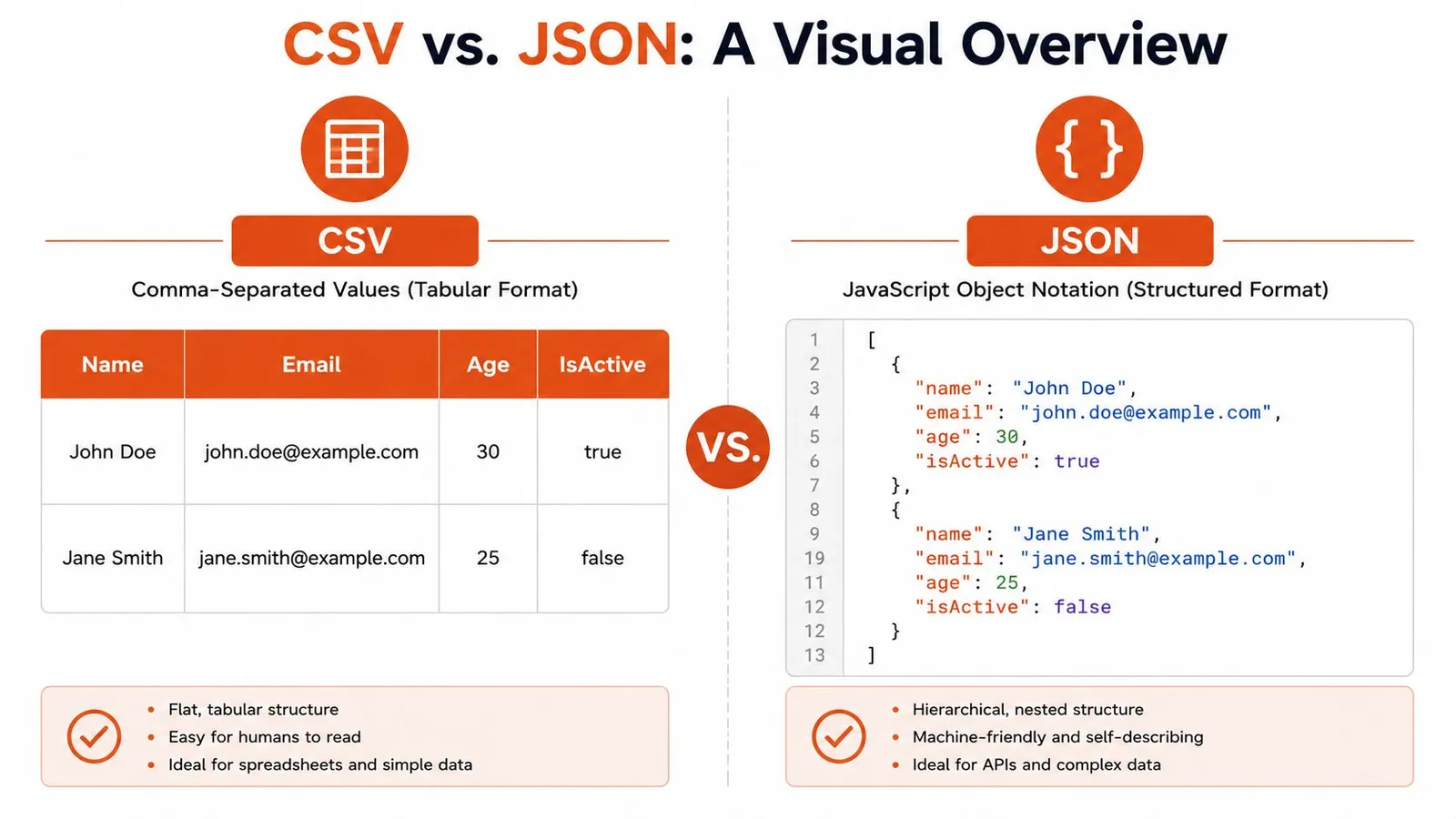
Take a tiny user dataset. In CSV, it looks like a spreadsheet exported as text:
```csv
Name,Email,Age,IsActive
John Doe,john.doe@example.com,30,true
Jane Smith,jane.smith@example.com,25,false
```
In JSON, the same information becomes a list of self-described objects:
```json
[
{
"name": "John Doe",
"email": "john.doe@example.com",
"age": 30,
"isActive": true
},
{
"name": "Jane Smith",
"email": "jane.smith@example.com",
"age": 25,
"isActive": false
}
]
```
### What tabular really means
CSV is **row and column data**. Meaning comes from header names and column position. That's why it works so well for spreadsheet workflows, bulk import screens, and simple reporting exports.
That simplicity has a cost. CSV doesn't natively say that `30` is a number, `true` is a boolean, or that one user might have multiple phone numbers. You can represent those ideas, but only through conventions layered on top.
### What hierarchical really means
JSON is a **tree of objects and arrays**. Each field carries its own name, and nested structures stay nested. A user can contain an address object, a list of roles, and an array of recent orders without inventing a flattening scheme.
That extra structure is why developers keep reaching for JSON in app code. The format preserves intent instead of forcing the consumer to reconstruct it.
> CSV is great when the table is the truth. JSON is better when the table is only one view of the truth.
The visual difference also hints at the AI-centric angle. A language model can often infer the role of JSON fields directly from keys like `name`, `email`, or `isActive`. With CSV, the model depends more heavily on the prompt or surrounding explanation, especially once headers become less obvious.
## Structure Semantics and Data Typing
### How each format carries meaning
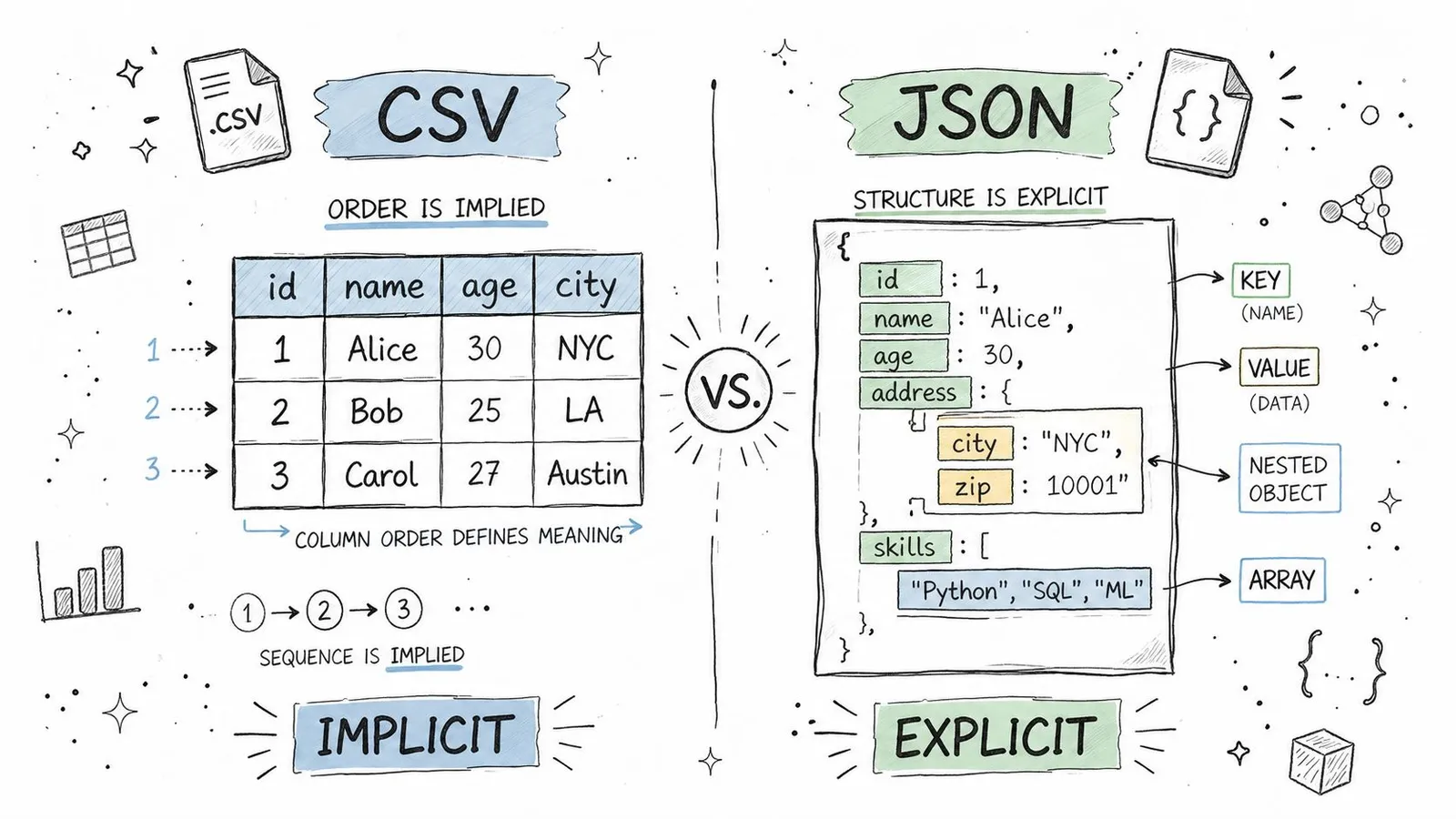
CSV has structure, but it's **implicit structure**. The third value in a row means whatever the third header says it means. Move a column, drop a header, or export from a tool with different delimiter rules, and consumers can misread the file without any syntax error.
JSON is **self-describing**. Keys travel with values. If an object contains `{"price": 19.99, "inStock": true}`, the consumer doesn't need positional assumptions to know what those values represent.
That difference matters in long-lived systems. CSV works best when producer and consumer already agree on the table shape. JSON works better when data crosses service boundaries, teams, or languages.
### Why typing bugs show up in CSV pipelines
The biggest practical gap is typing. CSV has no native number, boolean, array, or object semantics. Most parsers read rows as strings first and let you decide what comes next.
That sounds harmless until a pipeline starts making assumptions. ZIP codes lose leading zeroes. Boolean strings vary between `true`, `TRUE`, `1`, and `yes`. Empty strings become null in one stage and stay empty in another.
CSV type inference can turn leading-zero identifiers, booleans, and empty values into incorrect types unless the schema is explicit.
> The hidden cost of CSV isn't usually file creation. It's the defensive parsing every consumer has to add.
If you're loading JSON in Python, the runtime already preserves common types for you. A straightforward example appears in guides on [loading JSON files in Python](https://webclaw.io/blog/python-load-json-file). With CSV, you have to define that behavior yourself or trust a library's guesses.
### What the code actually looks like
CSV consumption usually starts simple:
```python
import csv
with open("users.csv", newline="") as f:
reader = csv.DictReader(f)
rows = list(reader)
first = rows[0]
age = int(first["Age"])
is_active = first["IsActive"].lower() == "true"
```
That code is normal, but notice what's happening. You are doing schema work manually. The parser gave you text. Your application has to recover the intended types.
JSON removes part of that overhead:
```python
import json
with open("users.json") as f:
users = json.load(f)
first = users[0]
age = first["age"]
is_active = first["isActive"]
```
In JavaScript the same pattern holds:
```javascript
const csvRow = { Age: "30", IsActive: "true" };
const age = Number(csvRow.Age);
const isActive = csvRow.IsActive === "true";
const jsonRow = { age: 30, isActive: true };
```
This doesn't make JSON perfect. You can still get malformed payloads, missing fields, or inconsistent producers. But JSON starts closer to the data model your code wants.
For anything beyond a flat export, explicit structure wins more often than teams expect.
## Performance Size and LLM Token Efficiency
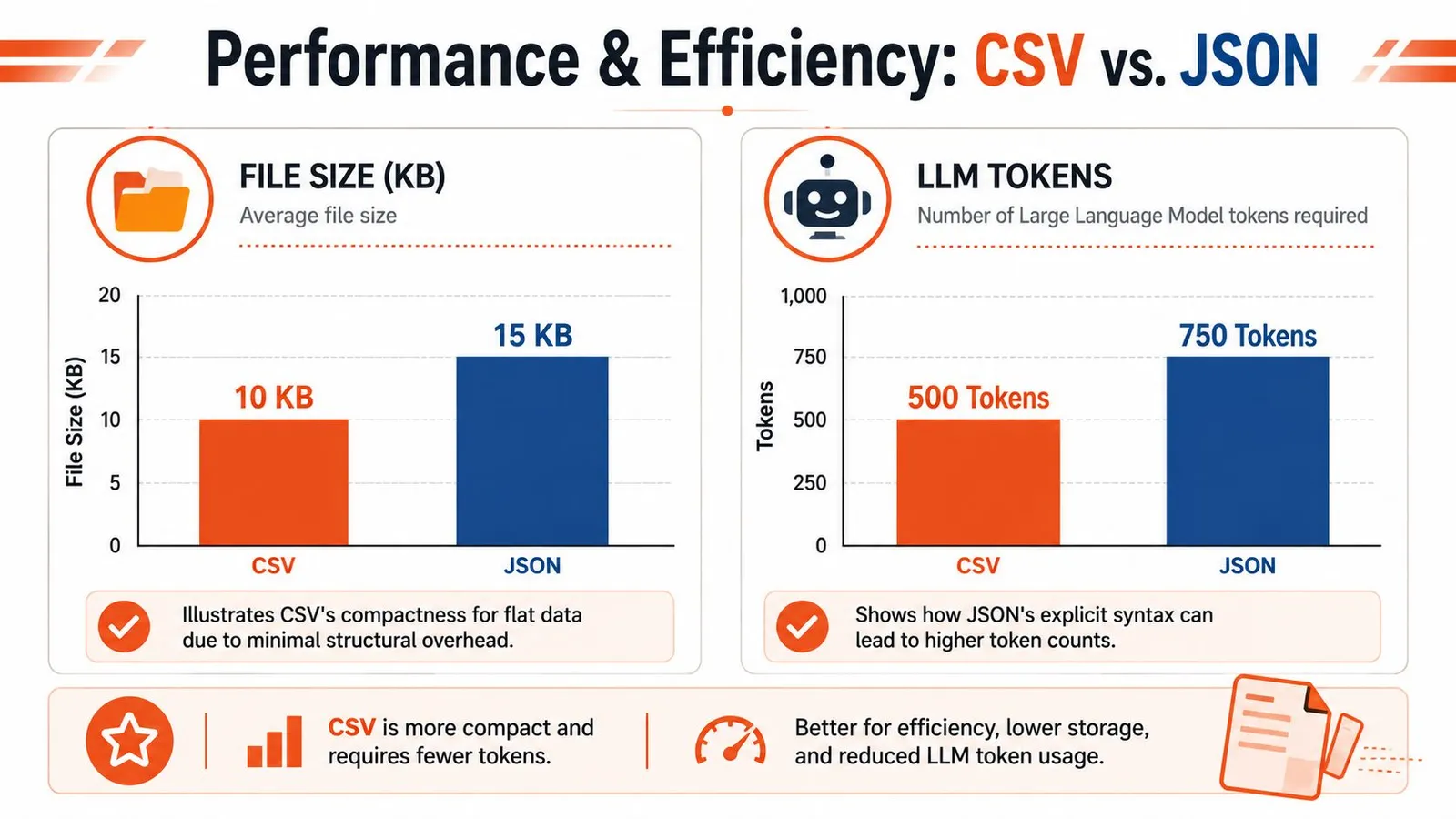
The performance discussion around CSV vs JSON gets sloppy fast because people collapse three different concerns into one: **disk size, parsing behavior, and model token cost**. They overlap, but they aren't the same problem.
### Where CSV stays lean
For flat data, CSV is usually more compact on disk. It doesn't repeat field names for every row, and it doesn't carry braces, brackets, or quoted keys.
A product export with columns like `title,price,brand,url` often stays very lean in CSV form. If you only need append-friendly records and line-by-line ingestion, CSV is hard to beat for basic storage efficiency.
This matters when you're moving plain tabular exports between systems or archiving raw extracts that nobody needs to query as nested objects.
### Why JSON can still be better for model input
The AI use case changes the calculation. Raw token count isn't the only thing that matters. **Interpretability per token** matters too.
A CSV blob may look shorter, but if the model needs extra prompt text to explain column meanings, special delimiters, missing value rules, or how nested values were flattened, some of that apparent efficiency disappears. JSON often gives the model enough semantic context directly through keys and nesting.
That's why I don't treat file size and LLM efficiency as identical. For a clean, regular table, CSV can be concise and effective. For semi-structured scraped content, JSON often produces more reliable model behavior because the schema is visible in the payload itself.
A lot of teams working on retrieval and enrichment learn this when building [RAG pipelines with web data](https://webclaw.io/blog/rag-pipeline-web-data). The best format isn't always the one with fewer characters. It's the one that needs less explanation around it.
Here's a useful mental model:
| Optimization target | Usually better choice |
|---|---|
| Small flat export | CSV |
| Human-readable API payload | JSON |
| Model input with nested fields | JSON |
| Spreadsheet handoff | CSV |
A short walkthrough on the broader trade-off helps here:
### Parsing cost depends on access pattern
Parsing performance depends more on access pattern than format tribalism.
- **CSV streams cleanly** when you want row-by-row processing. That's useful for ingestion jobs that don't need to hold complex structure in memory.
- **JSON fits object access better** when your code wants nested fields, arrays, and typed values without reconstructing relationships.
- **Large JSON documents** can become memory-heavy if you load the whole thing at once. In those cases, newline-delimited JSON or chunked processing often works better than one huge array.
- **CSV loses time later** when every downstream step has to normalize strings into real types.
> If your bottleneck is reading rows fast, CSV often helps. If your bottleneck is understanding what each row actually means, JSON usually helps more.
For LLM systems, reliability usually outweighs raw compactness unless the data is clearly tabular.
## Common Use Cases in Data Pipelines and Web Scraping
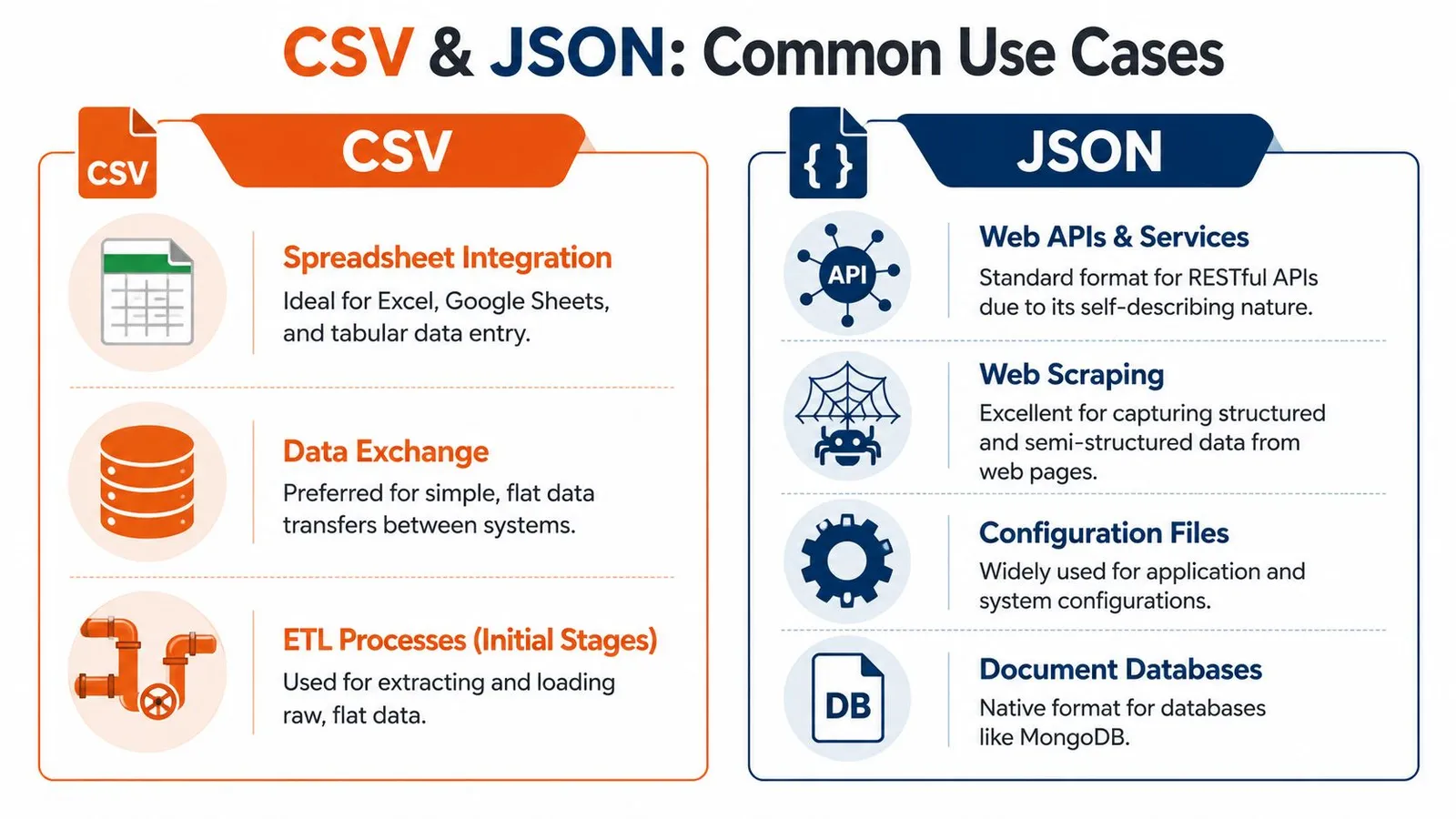
The fastest way to settle CSV vs JSON is to stop asking which format is better in general and ask where the data is going next.
### Where CSV is still the practical default
CSV remains the right choice in several very common workflows.
- **Spreadsheet operations:** If someone needs to filter, edit, or review data in Excel or Google Sheets, CSV keeps the handoff painless.
- **Bulk imports and exports:** Many databases, CRMs, finance tools, and admin panels still expect row-based uploads.
- **Simple feature tables:** For basic machine learning prep or analyst workflows, a rectangular dataset is easier to inspect and transform as a table.
- **Operational file exchange:** Finance and back-office systems still rely on tabular interchange. If you're converting spreadsheet-driven payment data to bank-ready files, tools that [streamline SEPA direct debit processing](https://www.generatesepa.com/blog/excel-to-sepa-xml-converter) show why CSV and Excel-style inputs still dominate certain business pipelines.
CSV is strongest when each row is one thing and each column is one stable property.
### Where JSON is the only sane option
JSON takes over as soon as the data stops being flat.
A scraped product page might contain the base product, a list of variants, multiple images, seller metadata, shipping rules, FAQs, and user reviews. You can flatten that into CSV, but you'll spend the rest of the project inventing separators, duplicating parent rows, or splitting records across multiple files.
JSON is also the natural fit for:
- **REST and GraphQL responses**
- **Configuration exchanged between services**
- **NoSQL document storage**
- **Web scraping outputs with optional or nested fields**
- **App-to-app transport where structure needs to survive intact**
> When a record contains lists inside it, CSV stops being a format and starts becoming a workaround.
### Scraping output should match the consumer
Teams often overcomplicate matters by scraping once, saving one master format, and forcing every downstream consumer to adapt. This approach creates friction for no real benefit.
A better pattern is to match the output to the use case:
1. Extract complex page structure into JSON when building apps, APIs, agents, or enrichment pipelines.
2. Export a flattened CSV view only for stakeholders or tools that need tables.
3. Keep the flattening logic explicit and reversible when possible.
If you're [scraping websites for data in production workflows](https://webclaw.io/blog/scraping-websites-for-data), this split becomes practical quickly. Raw web pages are messy and semi-structured. Your delivery format shouldn't pretend otherwise unless the consumer truly needs a spreadsheet.
JSON preserves optionality. CSV optimizes convenience. Use each where it wins.
## A Decision Framework for Choosing Your Format
You don't need a philosophical answer. You need a fast decision that won't create cleanup work next week.
### Five questions that settle it quickly
Ask these in order.
1. **Is the data nested or hierarchical?**
If yes, choose JSON. Variants, arrays, embedded objects, and optional subfields belong there.
2. **Who consumes it first?**
If the next stop is Excel, Google Sheets, or a legacy BI import, CSV is often the shortest path. If the next stop is an API, service, queue, app, or agent tool, JSON is usually the cleaner fit.
3. **Do types need to be preserved immediately?**
If booleans, numbers, arrays, and nulls matter from the start, JSON avoids a whole class of conversion bugs.
4. **Are you optimizing for the smallest flat export?**
For simple row-and-column data, CSV usually has the edge.
5. **Is an LLM going to read it?**
If the model needs field meaning, relationships, or nested context, JSON is usually more dependable than a flattened table.
That last question matters more than many teams expect. Once you're extracting fields directly from pages or documents, it often makes sense to [extract structured data from any webpage](https://webclaw.io/blog/extract-structured-data-from-any-webpage) into a schema-shaped result instead of reverse-engineering meaning from a text table later.
### A practical default for modern teams
My default is simple: **start with JSON unless spreadsheet interoperability is the top constraint**.
That default works because modern systems rarely end at storage. Data gets validated, enriched, merged, indexed, serialized again, and increasingly passed into LLM workflows. JSON holds up better under those transitions because it preserves meaning instead of relying on positional conventions.
Use CSV deliberately, not automatically.
- Choose it for flat business exports.
- Choose it for analyst-friendly tables.
- Choose it when direct spreadsheet compatibility is the indispensable requirement.
For everything else, JSON is usually the safer starting point and the easier long-term format to live with.
## Frequently Asked Questions About CSV and JSON
### Can CSV store nested data
Not natively. Teams usually work around this by flattening fields, duplicating parent rows, or stuffing JSON strings into a single cell.
That last pattern works technically, but it's often the worst of both worlds. You keep CSV's ambiguity and add JSON parsing inside selected columns. If part of the record is truly nested, store the record as JSON and generate a flat export only when needed.
### Is JSON replacing CSV
No. The two formats serve different jobs.
JSON dominates web APIs, structured app data, and machine-to-machine exchange. CSV still owns a lot of spreadsheet workflows, tabular imports, and lightweight data sharing between people and tools. The practical shift isn't replacement. It's that more modern workflows now start with structured data and flatten later.
### Which format is better for big data
Usually neither. For large-scale analytics and columnar processing, teams often move to formats designed for that environment, such as Parquet or Avro.
CSV and JSON are still useful at the boundaries. They are interchange formats, debugging formats, and integration formats. They just aren't always the best long-term storage format once volume, schema evolution, and query performance become central concerns.
---
If you're building with scraped web data and need output that's usable for apps, pipelines, and LLM workflows, [Webclaw](https://webclaw.io) is worth a look. It can turn pages into clean JSON, markdown, text, or other model-friendly formats, which makes the CSV vs JSON decision much easier because you can start with structured output instead of cleaning raw HTML by hand.
---
### Residential Backconnect Proxy: Ultimate Guide 2026
URL: https://webclaw.io/blog/residential-backconnect-proxy
Published: 2026-07-02
Author: Massi
Uncover how a residential backconnect proxy works for web scraping & geo-targeting. Find providers that defeat modern behavioral blocks in 2026. Get started
Your scraper worked in staging. It even survived a few production runs. Then the target site changed something small and now you're getting login walls, CAPTCHAs, empty product grids, or clean-looking HTML that contains none of the data you need.
It's common to blame the IP first. That's often the wrong diagnosis. On modern sites, the block usually comes from the pattern around the request. Headers don't line up. Sessions jump around. Timing is too regular. Navigation makes no sense. A plain HTTP client hitting a bot-protected page from a fresh address every few seconds doesn't look like a user, even if the IP itself is hard to blacklist.
That's where a **residential backconnect proxy** stops being a commodity and starts being infrastructure. Used well, it gives your scraper a way to enter the site through real household IP space while the provider handles the ugly parts of rotation, routing, and pool management. Used badly, it becomes an expensive way to generate suspicious traffic.
## Your Scraper Is Blocked Not Your IP
A familiar failure pattern looks like this. Your crawler fetches category pages fine, starts opening product pages, then the site begins returning partial responses. A few minutes later, every request gets a challenge page. You swap in a fresh proxy and it works briefly, then fails again.
That doesn't mean one address got burned. It means the site recognized the workflow as automated.
A lot of new teams treat proxies like a bucket of spare tires. One goes flat, grab another. That logic works on weak targets. It breaks on retail, travel, classifieds, marketplaces, search, and any site with serious fraud or abuse tooling. Those defenses don't just score IP reputation. They score continuity, request sequencing, cookies, TLS behavior, navigation path, and whether the whole sequence resembles a human session.
> **Practical rule:** If changing IPs gives you only a short reprieve, the issue is usually fingerprint and behavior, not simple reputation.
A residential backconnect proxy helps because it routes traffic through consumer ISP space instead of obvious server infrastructure. That gives you a better starting trust profile. More important, it lets you control session behavior without manually juggling a long list of individual endpoints.
The mistake is thinking the proxy alone solves the problem. It doesn't. It gives you room to build a believable scraper. You still need sane concurrency, coherent sessions, realistic retries, proper cookie handling, and different flows for listing pages versus authenticated pages.
Teams that succeed in production usually stop asking, “How do we rotate faster?” and start asking, “What does this site expect a normal user journey to look like?”
## How a Backconnect Proxy Hides You in the Crowd
A backconnect proxy gives your scraper one stable entry point while the provider chooses the outbound residential IP for each request or session.
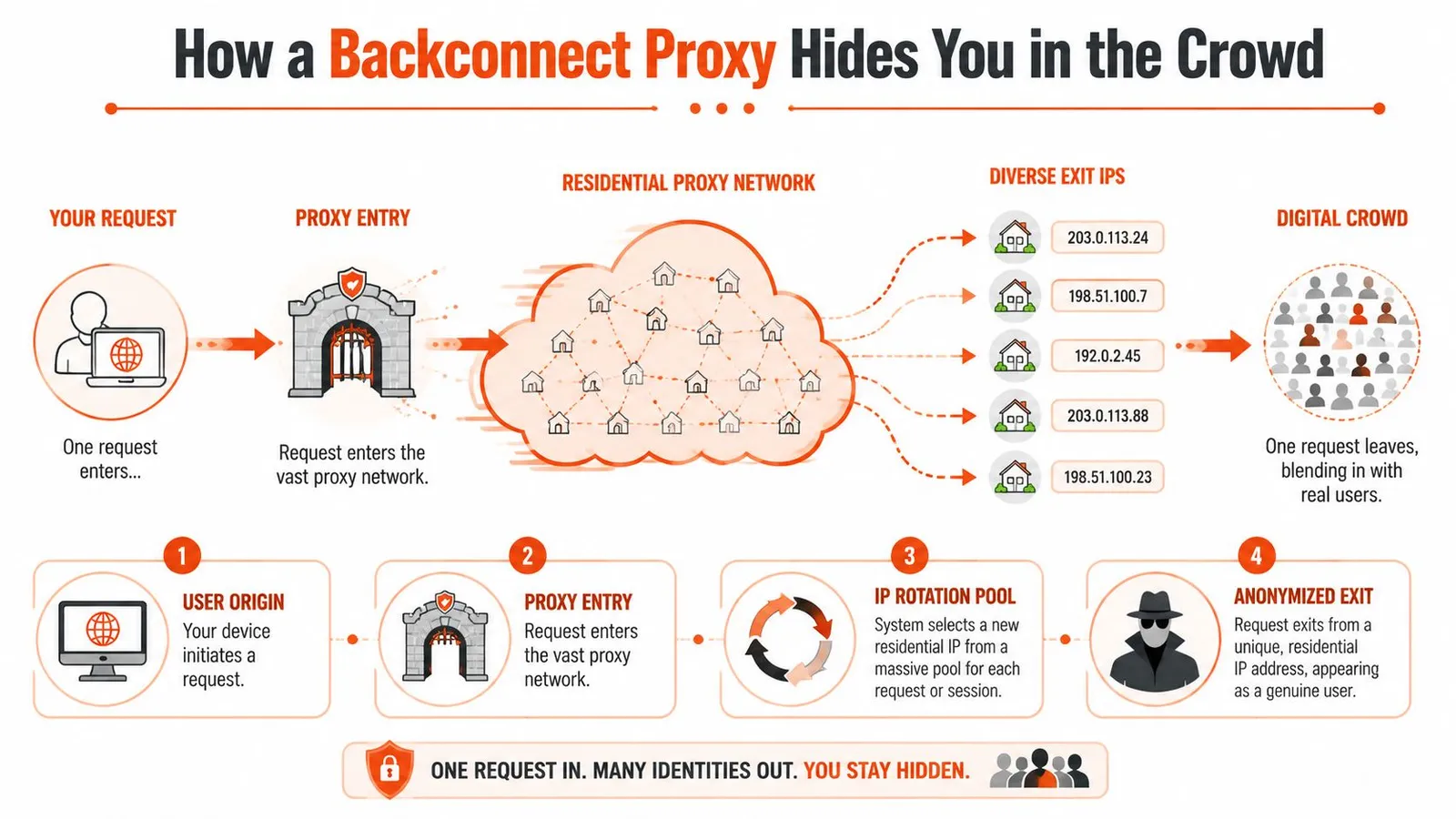
### The single gateway model
From the application side, this is simpler than maintaining a large proxy list. Workers send traffic to one gateway and attach routing parameters such as country, city, ASN, or a sticky session token. The provider handles exit selection and rotation behind that gateway.
That operating model matters because it keeps proxy management out of your scraper code. You do not need to distribute thousands of host-port pairs, track dead endpoints across workers, or rebuild your own rotation service. Providers pitch this around very large residential pools and broad country coverage, as outlined in [ProxyEmpire's overview of backconnect residential networks](https://proxyempire.io/best-backconnect-residential-proxies/), but the production advantage is simpler than the marketing. One endpoint in your app. Many possible exits on the wire.
That simplicity can also hide mistakes.
If every request gets a fresh IP, the target may score the rotation pattern itself as suspicious. A user who changes networks every page view, every asset fetch, or every second does not look like normal traffic. Good backconnect setups use rotation rules that match the job. Keep a session stable for pagination, cart flows, or cookie building. Rotate more aggressively for broad discovery crawls where continuity is less important.
That is also why guides on [Google scraping proxy selection](https://webclaw.io/blog/proxies-for-google) usually focus on geo controls, session behavior, and pool quality instead of raw request throughput.
### Why residential exits help, and where they fail
Residential exits usually start with better trust than datacenter IPs because they originate from consumer ISP space. On sites that heavily score ASN type, that difference is real.
It is not automatic cover.
Anti-bot teams now look at the full request profile, and many providers overstate what they sell. Some so-called residential inventory is mobile, ISP, or even mislabeled datacenter capacity routed through reseller layers. If the ASN, reverse DNS, TLS profile, and request cadence do not line up, the target will still classify the traffic as automated. Teams that skip ASN validation often pay residential rates for traffic that behaves like cheap server proxy inventory.
Performance is the trade-off. Residential backconnect traffic is usually slower and less predictable than datacenter proxy traffic. Latency and throughput vary by peer quality, geography, and how the provider assigns exits. On hard targets, that is often acceptable because fewer blocks and fewer retries matter more than benchmark speed.
The practical question is whether the proxy gives you stable enough sessions, believable geography, and clean enough IP quality for the target you scrape. If it does, slower requests are usually a good trade. If it does not, rapid rotation just gives you a larger, more expensive failure surface.
## Backconnect vs Datacenter vs Static Proxies
Teams often compare proxies as if they were interchangeable. They aren't. You're choosing between three different operating models, each with different failure modes.
### Proxy Type Comparison
| Attribute | Datacenter Proxy | Static Residential Proxy | Residential Backconnect Proxy |
|---|---|---|---|
| **IP source** | Server infrastructure | One long-lived residential IP | Rotating pool of residential IPs |
| **Trust profile** | Lowest on protected consumer sites | High | High |
| **Speed** | Fastest | Usually steadier than rotating residential | Slower but acceptable for hard targets |
| **Session stability** | Good if the site tolerates the IP | Best option for long multi-step sessions | Good only when configured with sticky sessions |
| **Scale** | Easy to scale | Limited by how many stable IPs you lease | Excellent for broad crawling and geo spread |
| **Typical cost profile** | Usually cheapest | Usually more expensive than datacenter | Usually expensive because you pay for trust and pool management |
| **Best fit** | Low-friction targets, internal tooling, broad fetch workloads | Logins, carts, account workflows, repeated identity continuity | Search, retail, geo-targeting, ad verification, distributed scraping |
| **Common failure mode** | IP reputation gets flagged quickly | Single IP gets burned on a specific target | Rotation itself becomes suspicious if misused |
### What usually fails in production
Datacenter proxies fail first on reputation. The request might be perfectly formed, but the target sees server-origin traffic and applies friction immediately. They're still useful. For feed ingestion, public docs, sitemap fetching, and download-heavy jobs, they can be the right economic choice. If your task resembles [bulk proxy use for downloads](https://webclaw.io/blog/proxy-for-downloads), throughput may matter more than residential trust.
Static residential proxies fail differently. They're excellent when one consistent user identity matters, but they don't give you broad distribution. Once a target scores that IP poorly, your workflow stalls until you replace it.
Backconnect residential proxies cover the middle ground that most scraping systems need. They combine residential trust with centralized rotation and location control. The catch is operational discipline. If you use them like a machine gun, you'll still get flagged.
Here's the practical shortcut I give new teams:
- **Choose datacenter first** when the target is permissive and cost matters more than stealth.
- **Choose static residential** when continuity matters more than scale.
- **Choose backconnect residential** when the target is hostile, geo-sensitive, or large enough that manual pool management becomes a liability.
## Use Cases for AI and Web Scraping in 2026
The best use cases are the ones where a normal proxy setup keeps failing for reasons that have nothing to do with parsing. You can write a perfect extractor and still collect nothing if the page never renders the actual content for your session.
### Where they earn their cost
E-commerce monitoring is the obvious example. Product pages often behave differently by region, traffic source, and session history. A scraper that looks fine in a browser can still receive alternate HTML, missing price blocks, or challenge pages at scale. Residential backconnect proxies help when you need category traversal, product detail extraction, review collection, and seller monitoring across many locations without maintaining a separate proxy list for each market.
SERP collection is another one. Search pages are sensitive to automation, geography, and repeated query patterns. If you're building ranking monitors, local SEO tools, or AI systems that need search-result grounding, residential exits are often the only practical way to see the page the way a local user would.
Ad verification and localized QA also fit well. Teams use residential routes to check how a campaign, landing page, or localized offer appears from a given country or city. That includes checking whether the right creative renders, whether redirects behave correctly, and whether compliance text appears where it should.
For lighter workflows or rapid prototyping, a [no-code scraping platform](https://agenty.com/tools/scrape) can be useful to validate selectors and output shape before you commit engineering time to a custom pipeline. That won't replace serious anti-bot handling, but it can shorten the path from idea to working extraction logic.
### Where they are the wrong tool
Not every job needs residential traffic.
If you're collecting public documents, fetching APIs with valid credentials, or pulling pages from sites that don't actively defend against bots, residential backconnect proxies can be unnecessary overhead. They add cost and complexity, and they can hide problems in your own crawler design because the proxy absorbs some of the consequences.
They're also not a substitute for a clean search pipeline. If your system needs to discover pages first and scrape them second, it usually makes sense to separate discovery from extraction. A dedicated [web search API workflow](https://webclaw.io/blog/web-search-api) can handle the first part more cleanly than trying to brute-force discovery with the same crawler that does rendering and parsing.
> Use residential backconnect proxies where access is the bottleneck. Don't pay for them where parsing is the real problem.
## The Behavioral Footprint Beyond the IP
Most proxy advice is stuck in an older model. Rotate more. Change addresses often. Spread requests across a larger pool. That still matters, but it's no longer enough.
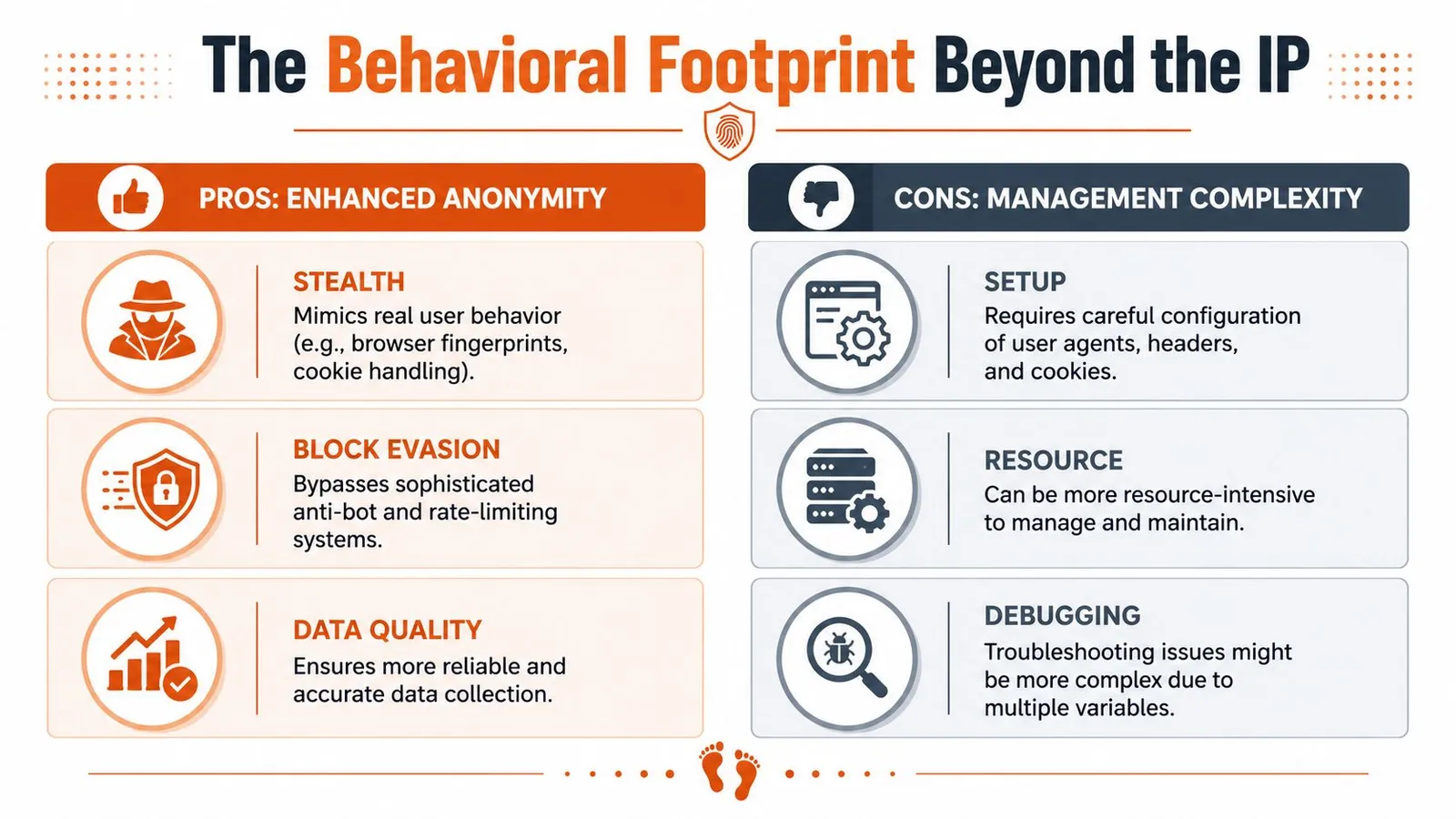
### Why high rotation can backfire
A **2025-2026 analysis by Bitsight** says defenders are moving away from simple static IP blocking and toward detecting **sequential, single-touch interactions where multiple distinct residential IPs perform identical low-volume actions against authentication or checkout endpoints**, which flags standard backconnect usage as fraud in sensitive flows, according to [Bitsight's analysis of residential proxy services and malware ecosystems](https://www.bitsight.com/blog/residential-proxy-services-malware-ecosystems).
That should change how you think about rotation.
If one IP loads the login page, another submits credentials, a third loads the account page, and a fourth attempts checkout, you've created a trail no human user would produce. Every step looks low volume in isolation. The sequence looks machine-made as a whole.
This is why some teams say, “Residential worked for listing pages but failed on account pages.” The issue isn't that the network was weak. The session story was incoherent.
A normal user identity has continuity. Geography doesn't jump between steps. Headers stay stable. Cookies persist. Timing isn't perfectly uniform. The browser fingerprint isn't rebuilt every time the page changes.
### What to change in your scraper
The fix usually isn't “rotate less everywhere.” It's “rotate according to the page type.”
Use different strategies for different flows:
- **Broad discovery pages:** Rotation can be aggressive because each request is mostly independent.
- **Product detail expansion:** Moderate stickiness helps if the site expects a browsing trail from list to detail.
- **Authenticated workflows:** Keep one coherent identity across the full session.
- **Sensitive endpoints:** Treat login, payment, account settings, and checkout as continuity-critical.
> Don't optimize around IP freshness alone. Optimize around whether the whole session makes sense to the target site.
That often means using sticky sessions, persisting cookies correctly, and running a real browser stack when the site correlates browser-level signals. If your team is testing hardened browsing workflows, material on an [undetectable internet browser setup](https://webclaw.io/blog/undetectable-internet-browser) is usually more relevant than another article about proxy rotation frequency.
The hidden lesson is simple. **The behavioral footprint is now part of the fingerprint.** A residential backconnect proxy improves your starting position, but a chaotic session can still negate that advantage.
## Integrating and Managing Proxy Rotation
The good news is that integration is usually simple. The complexity lives in the strategy, not in the first code sample.
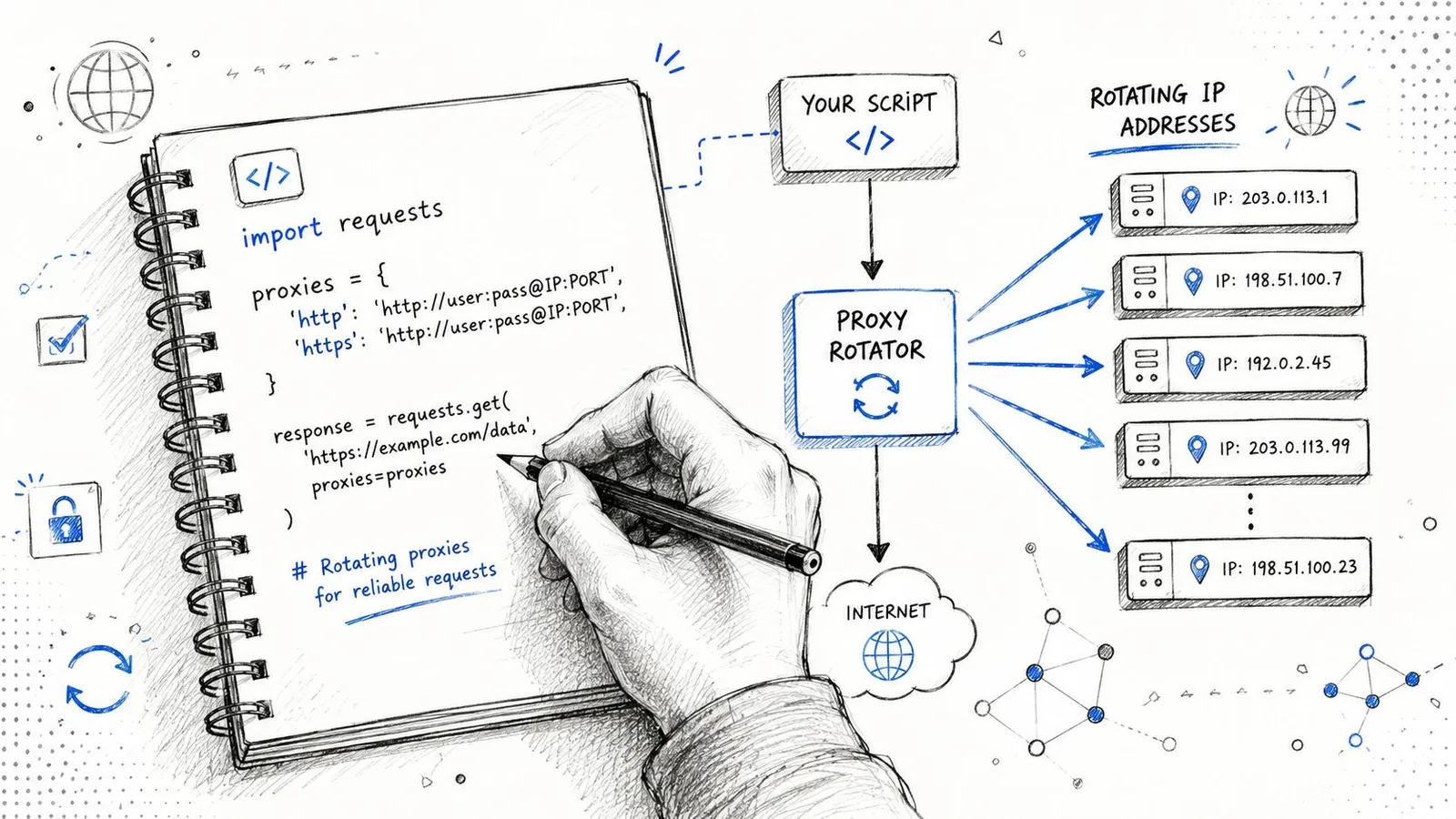
### A minimal Python example
Here's the basic pattern using `requests`:
```python
import requests
proxy_url = "http://USERNAME:PASSWORD@gateway-provider-endpoint:PORT"
proxies = {
"http": proxy_url,
"https": proxy_url,
}
headers = {
"User-Agent": "Mozilla/5.0",
"Accept-Language": "en-US,en;q=0.9",
}
session = requests.Session()
session.headers.update(headers)
response = session.get(
"https://example.com",
proxies=proxies,
timeout=30,
)
print(response.status_code)
print(response.text[:500])
```
That's enough to prove connectivity. It isn't enough to survive a difficult target.
The first production improvement is to stop thinking in raw requests and start thinking in **sessions**. Reuse cookies when continuity matters. Keep headers stable within a session. Bind the session to one sticky proxy identity if the flow spans multiple pages.
The second improvement is to split traffic classes. Don't send your login sequence, category expansion, and image fetching through the same rotation rule. They create different signatures and deserve different policies.
A quick walkthrough helps if you're wiring this into a wider crawler stack:
### Choosing between rotating and sticky sessions
A useful operating model looks like this:
- **Per-request rotation:** Best for independent fetches such as broad search-result collection or one-off page sampling across locations.
- **Timed stickiness:** Good for a short burst of related navigation, like category page to item page to review page.
- **Longer sticky sessions:** Necessary for logins, carts, checkout simulations, and account pages.
Where teams usually get burned:
1. They rotate on every request because the provider dashboard makes that the default.
2. They forget that cookies tied to one IP or one device story may look wrong when replayed from a new exit.
3. They retry failed requests through a new geography, which turns a normal timeout into a suspicious identity shift.
If you're building a serious scraper, make rotation a decision in your crawl policy, not just a proxy setting. That one change prevents a lot of false debugging.
## How to Choose a Residential Proxy Provider
A provider can look excellent in a sales call and still fail in production within the first hour. The failure mode is rarely obvious. You see intermittent blocks, odd geo mismatches, or sessions that pass once and then collapse on retry. Teams often blame headers, browser fingerprints, or parser bugs first. Sometimes the simpler answer is the provider sold a mixed pool and weak controls.
Start by checking whether the network gives you operational control. You need clear options for geo-targeting, session duration, authentication, concurrency limits, and routing rules. If the provider only exposes a basic rotating endpoint and a sticky toggle, that is a warning sign. Real scraping systems need more than a pool size claim.
Sourcing also matters. Residential traffic can come from peer-to-peer apps, browser extensions, SDKs, or installed client software tied to user consent flows. If a provider cannot explain how endpoints enter the pool, treat that as a procurement risk and a performance risk. Poor sourcing discipline often shows up later as unstable exits, abuse history, and support that cannot answer basic debugging questions.
Pool purity deserves its own check. A technical deep-dive by [Bulletproof Dev](https://bulletproofdev.github.io/posts/proxies/) described cases where IPs marketed as residential included mislabeled datacenter space. That problem is easy to underestimate. One contaminated subnet can make a residential network behave like bargain datacenter inventory on the exact targets you care about.
This also ties back to a point many vendor pages ignore. Anti-bot systems do not only score the IP class. They score the pattern created by your proxy network. If a provider rotates too aggressively, recycles abused exits, or sends inconsistent geos under the same cookie story, the rotation behavior itself becomes part of the detection signal. A large pool does not help if the provider makes your traffic look mechanically unstable.
Ask sales and support questions that force concrete answers:
- **How do you source IPs, and what user consent model backs that sourcing?**
- **How do you verify that residential exits are residential?**
- **Can I control rotation by request, by time window, and by session token?**
- **What location granularity do I get: country, region, city, carrier, ASN?**
- **What happens when a target starts blocking? Do you provide target-specific guidance, or just generic docs?**
- **Can you show how the network behaves under concurrency, not just single-request demos?**
The strongest providers answer with implementation detail. Weak ones fall back to marketing language.
Run your own bake-off before signing anything. Send the same target set through each vendor, keep browser settings and session policy identical, and inspect outcomes beyond raw success rate. Look for captcha rate, cookie continuity, geo consistency, latency spread, and whether retries degrade fast. A structured [proxy provider comparison process](https://webclaw.io/compare) is far more useful than reading feature tables side by side.
Buy for debuggability. Clean logs, predictable routing, honest sourcing, and precise session controls save more engineering time than an oversized pool claim ever will.
If you're building AI agents or retrieval pipelines that need clean web content from pages normal scrapers can't reach, [Webclaw](https://webclaw.io) is worth a look. It's built to turn hostile, noisy pages into clean model-ready output, with support for rendering, extraction, crawling, and bring-your-own proxy setups when access gets difficult.
---
### Amazon Scraping API: A Developer's Guide for 2026
URL: https://webclaw.io/blog/amazon-scraping-api
Published: 2026-07-01
Author: Massi
A complete guide to using an Amazon scraping API in 2026. Learn to handle anti-bot measures, extract structured data, and integrate with your applications.
You're probably here because the straightforward version already failed.
You wrote a quick script with `requests`, maybe added BeautifulSoup or Playwright, pointed it at a product page, and expected a title, price, rating, and seller info. Instead you got a blocked page, partial HTML, inconsistent pricing, or markup that changed the next morning. That's the normal Amazon scraping experience.
An **Amazon scraping API** exists to remove that entire operational layer. Instead of spending your time fighting anti-bot systems, rendering JavaScript, rotating proxies, and repairing parsers, you call a service that returns data you can use in your application. For engineering teams, that's the difference between maintaining a brittle scraper and consuming a dependable data interface.
## What Is an Amazon Scraping API
A basic Amazon scraper usually fails in one of three ways. It gets blocked immediately, it returns incomplete page content, or it works for a few hours and then breaks when the page structure changes. That failure pattern is why teams often eventually stop thinking about “writing a scraper” and start thinking about “getting reliable Amazon data.”
An **Amazon scraping API** is a managed layer between your application and Amazon's front end. You send a URL, ASIN, or search query. The service handles browser rendering, session behavior, proxy routing, and anti-bot friction, then returns output in a usable format such as JSON, markdown, or cleaned text.
That distinction matters. If you fetch raw pages yourself, your team owns every moving part. If you use a scraping API, your code can stay focused on catalog sync, price monitoring, seller intelligence, search ingestion, or AI retrieval.
### What the API is really abstracting
Under the hood, a serious Amazon scraping stack usually includes:
- **Browser execution:** Amazon pages often depend on client-side behavior, not just initial HTML.
- **Network evasion:** Requests need to look like legitimate traffic, not a bot loop from one machine.
- **Parser stability:** Product pages, search pages, and offer listings all evolve.
- **Localization control:** The same ASIN can show different availability, currency, and shipping details by region.
A managed API turns that into one call pattern instead of a full scraping platform.
> **Practical rule:** If your product depends on Amazon data, the expensive part isn't the first successful scrape. It's keeping the pipeline working next month.
There's also a broader integration question. Some teams don't need scraping alone. They need marketplace connectivity across order, catalog, and seller systems. In that case, it's worth reviewing [unified API strategies for Amazon](https://api2cart.com/api-technology/amazon-integration/) to understand where scraping fits versus official integration layers.
For developers who want the scraping side to feel like a normal API call, a reference point is a direct [scrape endpoint for URL-based extraction](https://webclaw.io/docs/api/scrape). The architectural win is simple. You stop building page acquisition machinery and start consuming data.
## Why Is Scraping Amazon So Hard
You can get an Amazon page to load in a test script by lunch and still have a broken pipeline by Friday. That gap is the problem. Amazon scraping fails less from basic HTTP mistakes and more from production realities: active bot detection, JavaScript-heavy page assembly, and marketplace-specific variation that changes what the page contains.
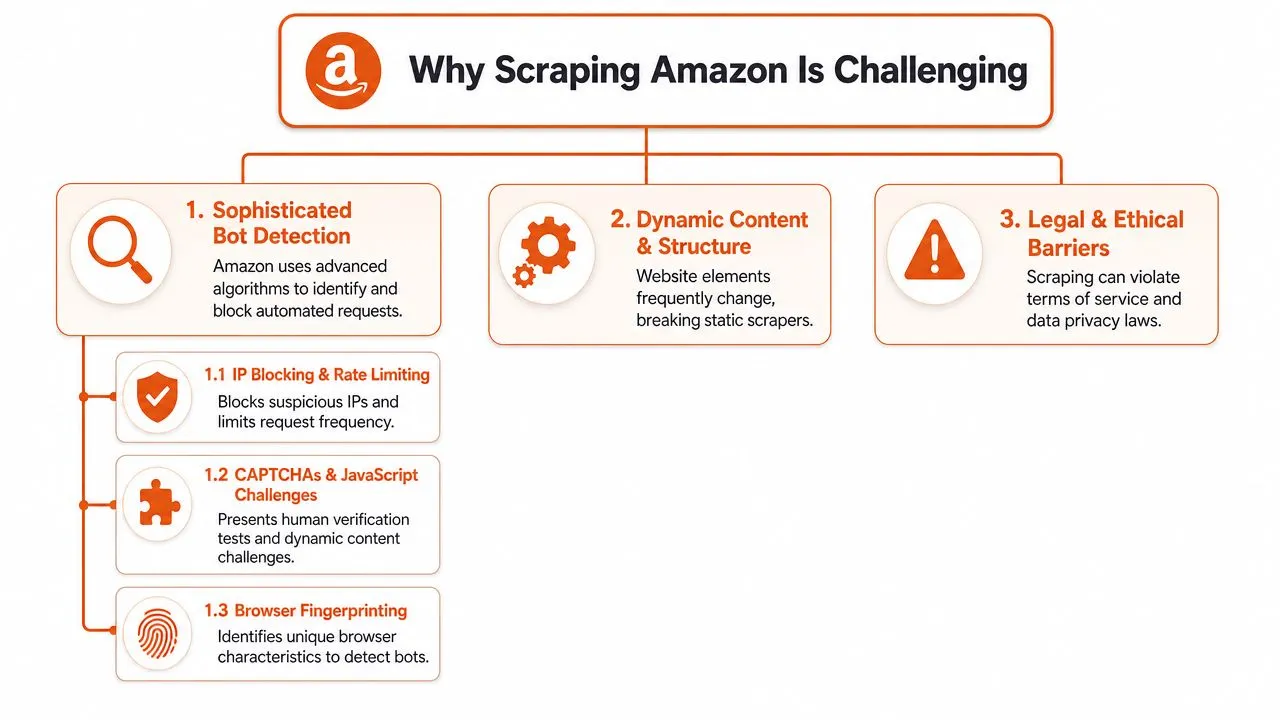
### Bot detection is a systems problem
Amazon evaluates far more than whether an IP has been used too often. Request timing, TLS and browser fingerprints, cookie behavior, challenge responses, navigation patterns, and session consistency all matter. A plain HTTP client can get blocked fast. A poorly tuned headless browser can get through and still receive incomplete or misleading content.
That changes the engineering decision. The job is not "fetch HTML." The job is "acquire the same page state a normal shopper would see, at scale, without poisoning your own signal profile."
Proxy choice is part of that, but only part. Teams that have dealt with search engines will recognize the same acquisition trade-offs discussed in [proxy design trade-offs in search scraping](https://webclaw.io/blog/proxies-for-google). IP rotation helps. It does not solve fingerprint quality, browser behavior, or challenge handling.
### The HTML is often not the product data
A successful 200 response does not mean your scrape worked. Amazon pages frequently assemble key sections after initial load, vary modules by session state, and defer content that only appears after scripts run or requests complete in the browser. If your parser reads the first HTML snapshot and stops there, you can miss price blocks, offer modules, delivery estimates, or sponsored placements.
This is the failure mode that wastes the most time in production. The request looks healthy. Logs show success. Downstream systems ingest partial data, and nobody notices until a pricing model, ranking job, or LLM retrieval workflow starts producing bad output.
That is why the architectural split matters. A DIY stack has to solve rendering, retries, challenge handling, and parser maintenance before it can even discuss data quality. An API-based approach pushes those concerns behind a stable interface and returns either normalized fields or cleaner page content for your own extraction layer.
### Amazon is many contexts, not one site
The same ASIN can produce different prices, stock signals, shipping promises, offer counts, and even visible modules depending on marketplace, delivery ZIP code, language, and session history. For engineering teams, "What is the price?" is usually underspecified. A precise query is, "What price does this buyer in this region see under this marketplace context?"
A few consequences matter immediately:
- **Search results shift by locale:** Ranking, sponsored density, and available listings can change across countries and delivery regions.
- **Offer visibility is contextual:** Buy Box behavior and seller availability often depend on destination.
- **Delivery messaging changes the page structure:** Shipping estimates and arrival badges can appear or disappear based on ZIP code.
- **Parser portability is limited:** Logic that works on one marketplace can quietly fail on another because labels, layout, and field order differ.
This is one reason teams outgrow raw HTML pipelines. You are not scraping one template. You are maintaining a matrix of templates and contexts.
### Defensive pressure extends beyond the page request
Amazon also treats suspicious automation as an enforcement problem, not just a traffic problem. That matters if your scraping operation is adjacent to seller tools, account workflows, or anything that could trigger broader scrutiny. The seller side of that reality is visible in these [attorney insights into Amazon AI suspensions](http://www.amazonsellers.attorney/blog/how-amazon-uses-ai-to-detect-and-respond-to-violations-and-suspend-seller-accounts).
The practical takeaway is simple. Amazon is hard to scrape because page acquisition, rendering, and data correctness are all coupled. That is why build-versus-buy usually becomes an architectural discussion early. A professional scraping API is not just a convenience layer. It is a way to stop spending engineering time on anti-bot survival and start deciding whether you want raw page output, structured commerce fields, or AI-ready content for downstream systems.
## Navigating the Legal and Ethical Maze
Scraping Amazon is a technical problem, but it's also a policy and risk problem. The right way to approach it is operationally, not casually. This isn't legal advice. It's the checklist a careful engineering team should work through before shipping anything.
### Public product data and private data are not the same
Public product information and private user data belong in separate categories. Product titles, visible prices, public descriptions, rankings, and seller offers are one class of data. Login-protected pages, account details, personal information, and anything tied to an identifiable user are another.
The bright line is simple:
- **Public catalog and merchandising data:** Often the target for pricing, research, and analytics use cases.
- **Private or personal data:** A red line. Don't collect it.
- **Authenticated content:** Treat it as out of scope unless your legal team says otherwise.
- **User-generated content with identity signals:** Review carefully before ingestion or storage.
A useful primer on the broader mechanics is [this explanation of screen scraping](https://webclaw.io/blog/what-is-screen-scraping), especially if your stakeholders still treat scraping as one monolithic practice.
### Terms risk and operational restraint matter
Even if your target data is public, that doesn't erase terms-of-service risk or operational consequences. Teams should involve counsel when the project is material, customer-facing, or high volume. A hobby script and a production data product don't carry the same exposure.
Good engineering hygiene also matters ethically:
- **Throttle responsibly:** Don't hammer pages because your queue got ahead of you.
- **Cache aggressively:** Avoid re-fetching unchanged product pages on every run.
- **Minimize collection:** Pull the fields you need, not everything visible.
- **Keep audit trails:** Track what your system requested and why.
> Responsible scraping starts with restraint. If you can answer the business question with fewer requests and less data, do that.
The strongest teams treat legality, ethics, and infrastructure as one system. If the scraping plan depends on collecting more than the product requires, the architecture is usually wrong.
## Building vs Buying Your Scraping Solution
The build-versus-buy decision is where Amazon scraping gets real. On paper, building in-house looks straightforward. In practice, you're signing up for browser automation, anti-bot handling, proxy operations, parser maintenance, and incident response.
If your team already runs stealth browser infrastructure, you may decide to build. If not, the hidden cost is almost always maintenance, not initial development.
### What DIY really includes
A DIY stack usually starts with Playwright or Selenium. Then it expands.
You add proxy routing. You add session handling. You tune concurrency so you don't trigger blocks too fast. You write parsers for product details, search results, ratings, and offers. Then Amazon changes markup or interaction patterns, and your “completed” scraper becomes an ongoing operational workload.
That maintenance burden also has a security angle. Once you run browser automation, proxy credentials, scheduled collectors, and storage pipelines, you're operating a real surface area that deserves review. For teams formalizing that stack, [affordable SaaS pentesting](https://www.affordablepentesting.com/post/saas-pentesting) is a useful reference point for thinking through external exposure.
### Build vs Buy Comparison for Amazon Scraping
| Factor | Build (DIY with Libraries) | Buy (Scraping API) |
|---|---|---|
| Initial setup | Fast for a prototype, slower for production hardening | Fast if the provider already handles Amazon well |
| Anti-bot handling | You own browser fingerprints, retries, sessions, proxies, CAPTCHAs | Provider owns the acquisition layer |
| Parser maintenance | Your team updates selectors and extraction logic | Often reduced or eliminated with structured endpoints |
| Geo-targeting | You assemble and manage proxy coverage yourself | Usually exposed as request parameters |
| Reliability | Varies with your infra maturity | More predictable for sustained workloads |
| Speed to market | Good for small experiments | Better for products that need dependable output |
| Total cost of ownership | Lower cash cost at tiny scale, higher engineering cost over time | Higher direct spend, lower internal maintenance |
| Best fit | Research spikes, niche extraction, teams with scraping expertise | Production apps, catalog monitoring, AI pipelines |
If you're evaluating the two paths, a good internal question is this: do you want your differentiation to come from **how you fetch Amazon pages**, or from **what you do with the data after you have it**?
For many teams, the answer makes the decision obvious. If the value sits in analytics, repricing, research, or LLM features, then a bought acquisition layer is often the cleaner architecture. For a broader walkthrough of the data workflow side, [this guide to scraping websites for data](https://webclaw.io/blog/scraping-websites-for-data) is a good complement.
## Integrating an API Into Your Application
A production integration usually starts with one question: what should your application consume. Raw HTML, or a stable product object.
That choice drives the rest of the design. If the API returns structured data, the integration looks like any other upstream service in your stack. You make a request, validate the response, normalize a few fields, and store the result. If the API returns page source, your application also inherits parsing, selector drift, and debug tooling.
### Start with one product request
For Amazon, the smallest useful integration test is usually an ASIN-based product fetch. That gives you a clean way to verify authentication, marketplace handling, response shape, and storage before you add search, reviews, or batch jobs.
```python
import requests
API_KEY = "your_api_key"
asin = "B0EXAMPLE123"
resp = requests.get(
"https://api.example.com/amazon/product",
headers={"Authorization": f"Bearer {API_KEY}"},
params={
"asin": asin,
"marketplace": "amazon.com",
"format": "json"
},
timeout=30
)
resp.raise_for_status()
product = resp.json()
print(product.get("asin"))
print(product.get("title"))
print(product.get("price"))
```
This is the practical benefit of buying the acquisition layer. The client asks for a product record and gets data back in a form the rest of the system can use. There is no browser automation in your app, no waiting on selectors, and no parsing logic mixed into business code.
If you prefer a typed client or wrapper instead of hand-rolled HTTP calls, the [Python SDK docs for Webclaw](https://webclaw.io/docs/sdks/python) are the kind of reference many teams use when they turn a prototype into a maintained service.
### Model locale and pagination early
Single-product fetches prove the connection. Real applications usually break later on localization, pagination, and caching.
Geo-targeting affects price, availability, delivery messaging, and even which seller wins the Buy Box. Treat marketplace, country, ZIP code, and language as request inputs that can change the output materially. They belong in your cache key and in your stored metadata.
Pagination needs the same level of care. Search results and reviews are not infinite feeds from an application perspective. They are bounded collection jobs with cursors, retry rules, and stop conditions. If you model them that way from the start, resumability gets much easier.
A practical baseline looks like this:
- **Request by stable identifier first:** use ASINs when you have them, instead of depending on product URLs.
- **Pass locale explicitly:** set marketplace and delivery context on every request.
- **Persist cursors and request context:** page number, filters, locale, and sort order should be recoverable.
- **Normalize once:** map price, rating, review count, seller, and availability in one place, not in each downstream consumer.
### Structured output changes the failure model
Purpose-built Amazon endpoints reduce work in a way that matters architecturally. Your application can validate fields against an expected schema instead of reverse-engineering a page after every fetch.
That changes operations too.
With raw HTML, failures are ambiguous. The page may have rendered partially. The selector may have moved. The response may be a CAPTCHA or a region-specific variant your parser never saw before.
With structured output, the checks are clearer:
- Did the request succeed
- Did the response include the fields this workflow requires
- Did the provider return data for the requested locale
- Should this record be retried, quarantined, or stored as partial
For production systems, predictable schemas usually beat clever parsers.
HTML still has a place, mainly for debugging disputed records or testing extraction edge cases. Keep it as an optional debug path. Do not make it the primary interface your application depends on.
## Why Modern APIs Are Built for AI
An Amazon scraper that works for analysts exporting CSVs can still be the wrong interface for an LLM application. Models do not need page chrome, tracking scripts, duplicate navigation, or half-rendered widgets. They need the few fields and text blocks that support a decision, answer, or retrieval step.
That changes what a good API should return.
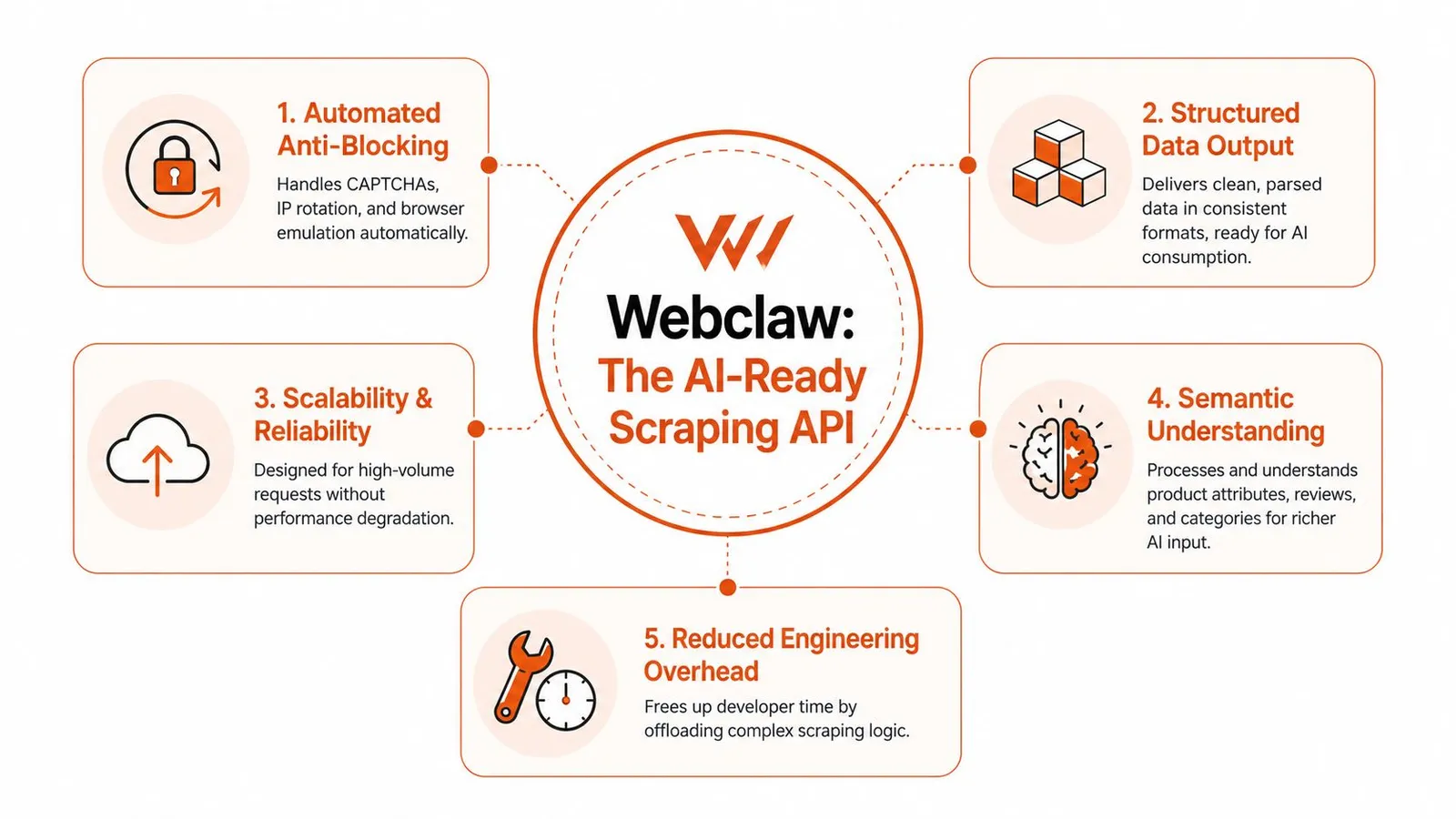
### Raw HTML creates avoidable AI costs
Passing full Amazon HTML into an LLM pipeline is usually a design mistake. The model burns tokens on boilerplate, and your application inherits every inconsistency in the rendered page. One locale might place delivery text near the buy box. Another might move it into a separate module. Sponsored blocks, review snippets, and recommendation carousels add even more noise.
For a human reviewer, that clutter is tolerable. For a model, it reduces precision and raises cost.
The stronger pattern is to treat scraping and AI ingestion as one system. Fetch the page through a service that handles rendering and anti-bot defenses, then return the small set of fields and content your application uses. That might be title, brand, current price, availability, rating, review count, bullets, seller identity, and selected normalized text for downstream prompts.
### AI pipelines need stable inputs, not clever parsers
A prompt chain or retrieval pipeline fails differently from a dashboard export job. If one selector drifts, you do not just get a missing field. You can end up grounding a model on stale prices, mixing marketplace variants, or answering with partial product data that still looks plausible.
That is why modern APIs increasingly act as a machine-consumption layer, not just a fetch layer.
For AI use cases, the design priorities are usually:
- **Rendered acquisition:** dynamic modules need to resolve before extraction
- **Schema-first output:** product facts should arrive in predictable fields
- **Content filtering:** remove navigation, scripts, and repeated boilerplate before the model sees it
- **Parser maintenance by the provider:** site changes should not trigger emergency fixes in your prompt pipeline
- **Consistent normalization:** the same concept should arrive the same way across locales and page variants
These choices reduce a very specific class of failure. The model receives less noise, your token spend stays under control, and downstream evaluation becomes easier because the input shape is consistent.
### APIs like Webclaw solve the last mile too
This is the practical shift in the Amazon scraping stack. Earlier generations focused on getting past blocks and returning the page. Modern products such as Webclaw are built for teams that need usable output on the other side of the scrape, especially teams building agents, RAG systems, or product intelligence workflows.
That matters because scraping is only half the job. The expensive part often starts after acquisition, when you have to clean, compress, label, and reshape the result for AI consumers. If the API already returns LLM-friendly content or structured product objects, you remove a whole layer of custom transformation code.
For teams deciding between DIY extraction and an API, this is the architectural question to ask: do you want to maintain browser automation plus parsers plus AI-oriented post-processing, or do you want one service that returns data your application can use immediately? For production AI systems, the second option is usually the cleaner design.
## Common Pitfalls and Best Practices
Production Amazon scraping usually fails in boring ways. The block rate gets attention, but the expensive problems tend to be stale data, silent parser drift, duplicate jobs, and retry logic that turns a transient issue into a cost spike.
Treat the scraper as one component in a data system, not the system itself.
### Design for retries and partial failure
Even with a good provider, some requests will timeout, some pages will come back incomplete, and some records will parse incorrectly because Amazon changed a template or localized a field differently. Build for that from day one.
A simple operating model works well:
- **Use exponential backoff:** Retry transient failures without sending the same request pattern over and over.
- **Separate transport errors from data errors:** A timeout, a blocked request, and a response missing price should not follow the same retry path.
- **Store failure context:** Save request parameters, marketplace, timestamps, and the raw response or error payload so bad records can be investigated later.
- **Make jobs resumable:** Restart from the failed page or ASIN set, not from the beginning of the crawl.
- **Set idempotent write rules:** Reprocessing the same product should update one record, not create duplicates.
### Keep the pipeline efficient
A strong API can solve acquisition, but teams still waste money after the response arrives. The common mistake is fetching full page output for every workflow, then pushing all of it through parsing, storage, and sometimes an LLM, whether the application needs that data or not.
Use narrower fetch patterns instead:
- **Cache by ASIN and locale:** The same product can return different availability, shipping, currency, and offer data across markets.
- **Fetch the smallest useful unit:** Request product details, search results, reviews, or offers separately when the API supports those endpoints.
- **Avoid oversized batches:** Smaller job units are easier to retry, audit, and replay after a partial failure.
- **Validate business fields before accepting the record:** Missing price, wrong marketplace, or mismatched seller data should fail validation even if the HTTP request succeeded.
- **Version your extraction contract:** If your downstream app expects title, price, rating, and review count, define that schema explicitly and alert on drift.
One practical rule helps a lot. Keep raw captures for debugging, but feed downstream systems the normalized fields they use. That matters even more in AI pipelines, where noisy page output increases token cost and makes model behavior less predictable.
If you are evaluating providers, prefer one that returns structured, application-ready output instead of forcing your team to maintain browser automation, parsers, and post-processing code separately. [Webclaw](https://webclaw.io) is a good fit when the output is headed into a model, a retrieval pipeline, or a production application that depends on consistent structure.
---
### XPath Contains Text: Syntax & Best Practices
URL: https://webclaw.io/blog/xpath-contains-text
Published: 2026-06-30
Updated: 2026-09-08
Author: Massi
Xpath contains text - Master XPath `contains text` for reliable web scraping. Covers syntax, pitfalls (whitespace, case-sensitivity), & alternatives
You copied a selector from DevTools, it worked once, and then the site shipped a harmless-looking UI tweak. “Submit” became “Submit now.” A React component wrapped half the label in a ``. Localization changed `CHECKOUT` to `Checkout`. Your scraper didn't fail because XPath is bad. It failed because the easy version of **XPath contains text** stops being easy on modern frontends.
That's where most guides fall short. They teach `contains(text(), 'Login')` as if text on the page is a single clean string. Real apps don't behave that way. Single-page apps split text across nodes, design systems inject whitespace, and global products surface casing and spacing quirks that break brittle locators fast. The syntax is simple. The production trade-offs aren't.
## Why XPath Contains Is Your Scraper's Best Friend
A scraper built on exact text matching is living on borrowed time. If your locator says `//button[text()='Submit']`, one copy edit breaks it. If the product team changes the label to `Submit order`, you're back in the DOM inspector debugging something that shouldn't have been fragile in the first place.
`contains()` is useful when a stable substring is safer than an exact-text match.
That lines up with what survives in production. Teams rarely control the frontend markup, but they can often rely on a stable word or phrase inside it. `Login`, `Checkout`, `Add to cart`, `Welcome`, and `Continue` tend to persist even when wrappers, classes, and exact copy shift around them.
> **Practical rule:** If only part of the visible label is stable, match the stable part and ignore the rest.
A simple example:
```xpath
//button[contains(text(), 'Submit')]
```
This matches `Submit`, `Submit now`, and `Submit order`. That flexibility is why XPath stays useful even if you normally prefer CSS selectors for simpler attribute-based lookups.
If you're doing broader [website data extraction work](https://webclaw.io/blog/scraping-websites-for-data), this matters beyond buttons. The same pattern helps with links, headings, banners, and menu items that keep their semantic meaning while the UI keeps shifting underneath.
Still, `contains()` isn't magic. It's strong against small copy changes and weak against structural text fragmentation, whitespace noise, and localization quirks. Those are the failure modes that separate a tutorial selector from one you can trust overnight.
## Mastering the Core Syntax of XPath Contains
The core form is small:
```xpath
//tag[contains(text(), 'substring')]
```
Read it left to right. Find every `tag` where the direct text node contains `substring`. The `contains()` function returns a boolean, so inside the predicate it acts as a filter.
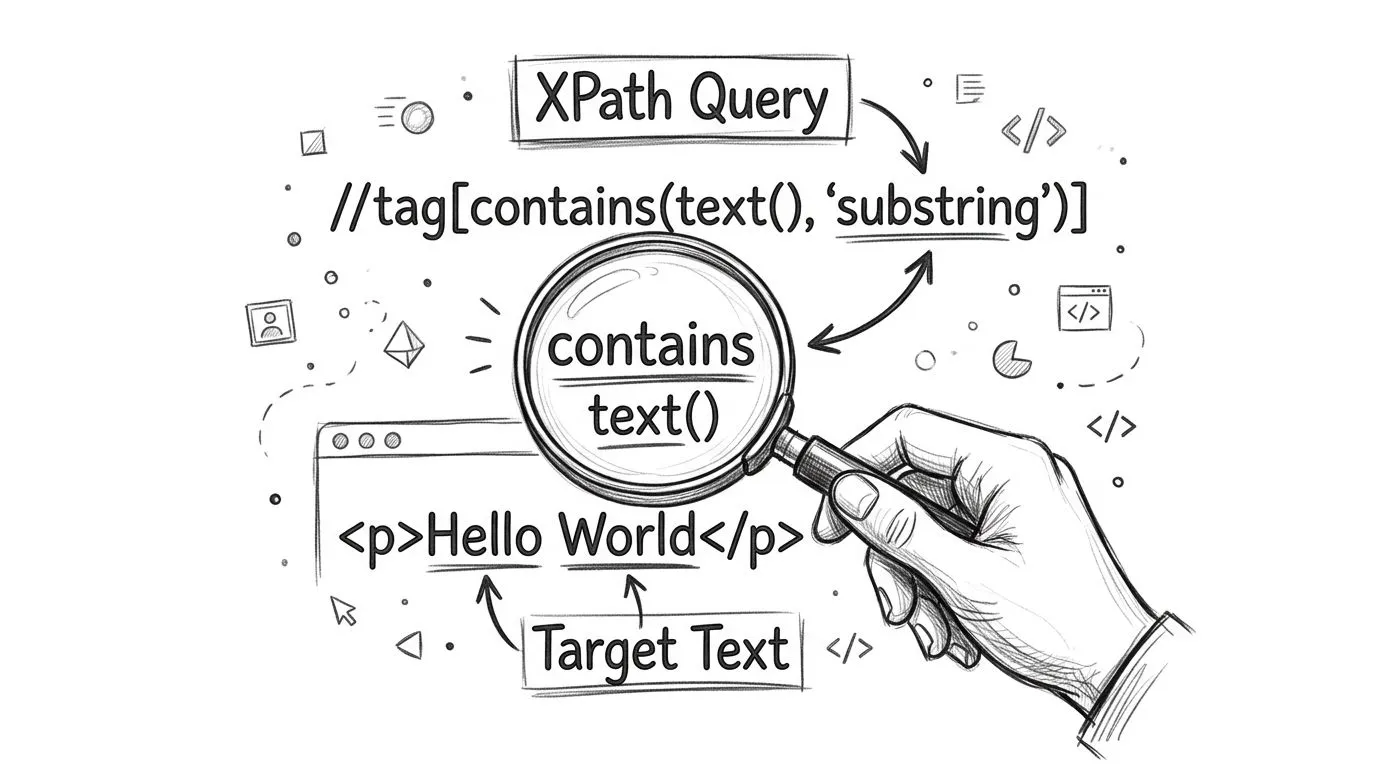
### The basic pattern
Start with the narrowest tag you can. Don't write `//*[contains(text(), 'Login')]` unless you have no better option. If you know it's a button, say button. If it's a link, say `a`.
```xpath
//button[contains(text(), 'Login')]
```
That's better than exact matching when content isn't perfectly static. **Empirical studies in Selenium automation show that locators using `contains(text(), '...')` survive DOM redesigns and copy edits 3.2 times longer than exact text() matches**, as documented in [ScrapingBee's XPath text selection guide](https://www.scrapingbee.com/webscraping-questions/xpath/how-to-select-elements-by-text-in-xpath/).
That durability matters because maintenance usually costs more than writing the first selector. A brittle locator doesn't stay cheap.
### Copy-paste examples that hold up
Here are the patterns I reach for first.
**Buttons with minor label changes**
```xpath
//button[contains(text(), 'Continue')]
```
Works when the UI flips between `Continue`, `Continue to payment`, or `Continue securely`.
**Links with descriptive anchor text**
```xpath
//a[contains(text(), 'Forgot password')]
```
Useful when the product team adds punctuation or supporting text.
**Status or message blocks**
```xpath
//div[contains(text(), 'Welcome')]
```
Good when the exact string changes because the app includes a username or account state.
A quick comparison helps:
| Use case | XPath |
|---|---|
| Button label changed slightly | `//button[contains(text(), 'Submit')]` |
| Link text has extra words | `//a[contains(text(), 'Reset password')]` |
| Banner includes dynamic name | `//div[contains(text(), 'Welcome')]` |
For extraction workflows, it also helps to test selectors against rendered page output instead of raw fetched HTML. A page can look simple in the browser and still differ after JavaScript runs. When I need to inspect what the rendered DOM exposes, I usually pull the page through a renderer or extraction layer first, then validate the selector against that output. If you need a structured workflow for that, Webclaw's [content extraction API docs](https://webclaw.io/docs/api/extract) are useful as a reference for rendered extraction pipelines.
> Keep the selector readable. A slightly less clever XPath that another engineer can debug next week is usually the right one.
One caveat matters before you get comfortable. `contains(text(), ...)` only sees direct text nodes. On plain HTML, that's fine. On component-heavy UIs, it's the trap that causes the most confusing failures.
## The `text()` Versus `.` Trap in Modern Web Apps
Most failed text-based XPath debugging sessions come down to one misunderstanding. You can see the label on screen, but XPath can't find it with `text()`. The problem usually isn't timing. It's node structure.
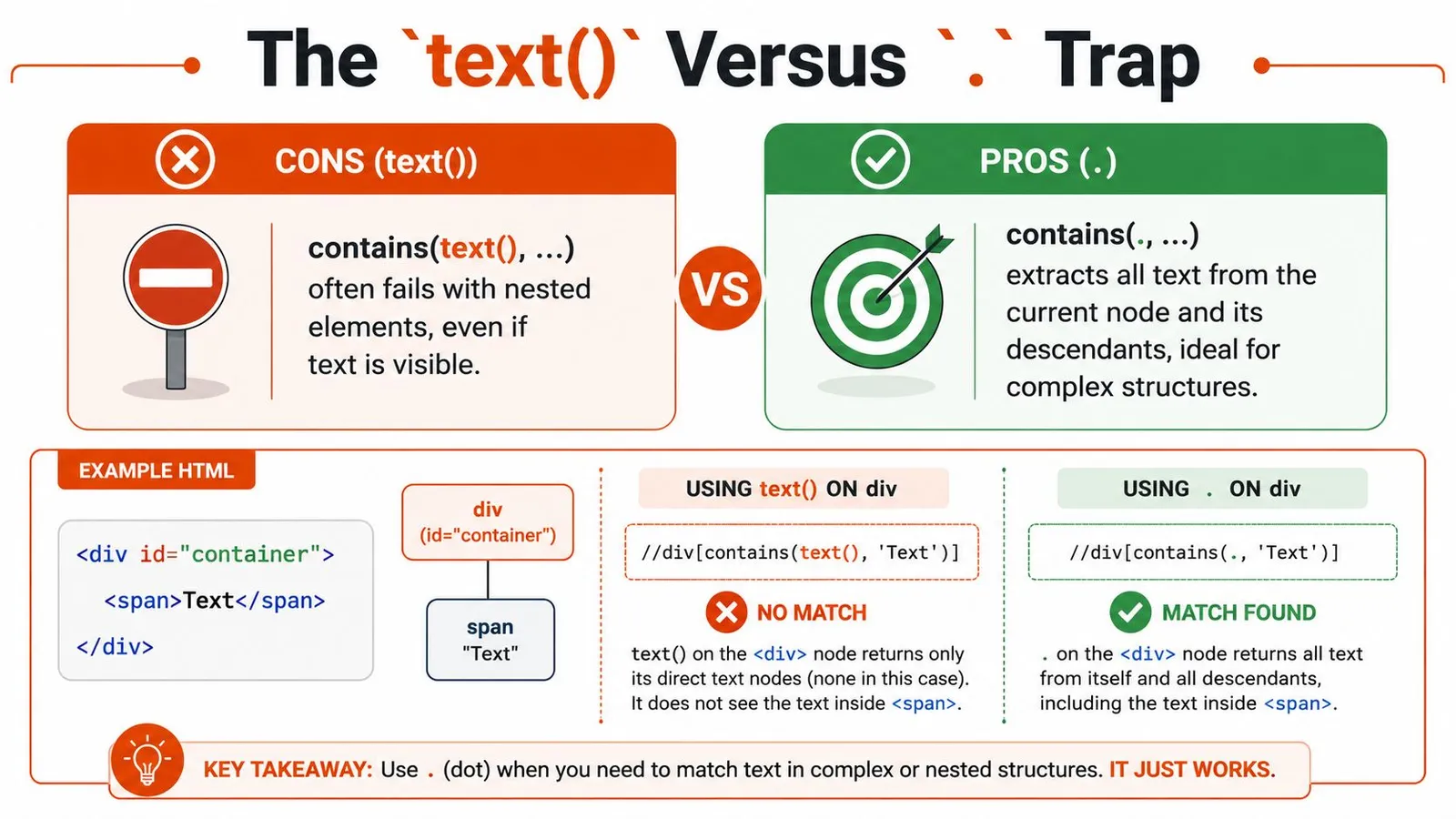
**The `text()` function reads direct text nodes only.** It doesn't automatically flatten text from child elements. In modern SPAs, labels often get split across nested tags for styling, icons, emphasis, or state-specific rendering.
`contains(text(), 'Login')` can fail when text is split across child elements; `contains(., 'Login')` tests the element’s full descendant string value.
### Why visible text still doesn't match
Take this markup:
```html
```
The full visible label is `Sign Up`. A beginner often writes:
```xpath
//button[contains(text(), 'Sign Up')]
```
That can fail because the text is split. Part sits inside ``, part sits in the button's direct text node.
Another example:
```html
```
This often breaks:
```xpath
//button[contains(text(), 'Log In')]
```
Because `text()` doesn't represent the flattened visible string the way you expect.
Here's the practical difference:
| Pattern | What it checks | Good for |
|---|---|---|
| `contains(text(), 'Login')` | Direct text nodes only | Simple flat HTML |
| `contains(., 'Login')` | String value of current node and descendants | Nested labels in SPAs |
A lot of React and Vue markup falls into the second category.
Here's a helpful walkthrough before the next example:
### The fix that works on nested labels
Use a dot when you want the element's full descendant text value:
```xpath
//button[contains(., 'Sign Up')]
```
That succeeds on nested content because `.` evaluates the string value of the current node, including descendant text.
Compare them side by side:
```xpath
//button[contains(text(), 'Login')]
//button[contains(., 'Login')]
```
> If the text is visible but `contains(text(), ...)` returns nothing, inspect the child nodes before you blame timing.
This shows up constantly in component libraries. Material UI, Chakra UI, Tailwind-heavy design systems, and custom React components all tend to wrap pieces of visible text in extra elements. Beginners see the word on screen and assume XPath sees a single node. It doesn't.
If you need the rendered HTML to diagnose whether the issue is timing or node fragmentation, saving a full page snapshot helps. A simple [HTML download workflow](https://webclaw.io/blog/downloading-html-files) makes it much easier to compare what the browser rendered against what your scraper parsed.
`contains(., ...)` is not always better, though. It's broader. That means it can match parent containers whose descendants also contain the same text. Scope it with the right tag, nearby attributes, or structural context so you don't trade one flaky selector for an overbroad one.
## Handling Whitespace and Case Sensitivity Like a Pro
Once you fix the `text()` versus `.` issue, the next class of failures feels smaller but wastes just as much time. The text is technically there, but spacing or capitalization doesn't line up with your query.
That's common on multilingual products, CMS-driven pages, and A/B-tested flows. One environment renders `CHECKOUT`. Another renders `Checkout`. A third inserts a non-breaking space or line break that your eye ignores but XPath doesn't.
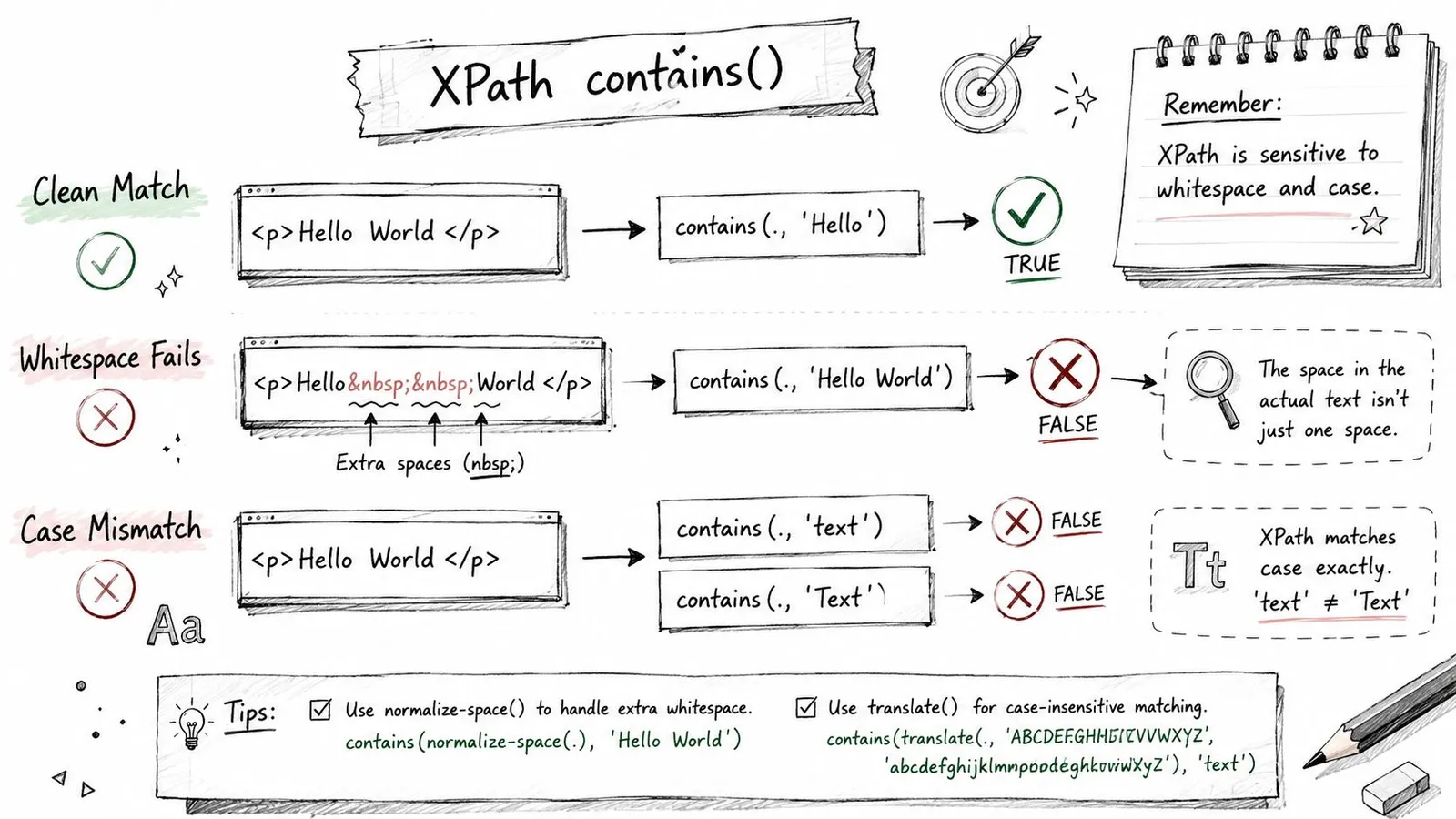
Case differences and Unicode whitespace can make naive `contains()` matches brittle. `normalize-space()` handles XML whitespace and `translate()` can map an explicit set of characters; neither provides full Unicode case folding.
### Clean up whitespace before matching
`normalize-space()` trims leading and trailing whitespace and collapses repeated internal whitespace into a single space.
That makes this:
```html
```
behave more like what a human reads.
Use it like this:
```xpath
//button[contains(normalize-space(.), 'Sign In')]
```
That pattern handles line breaks, tabs, repeated spaces, and a lot of markup formatting noise. It's one of the safest upgrades you can make to text-based selectors.
A few reliable examples:
- **Whitespace-heavy buttons:** `//button[contains(normalize-space(.), 'Continue')]`
- **Messy labels:** `//label[contains(normalize-space(.), 'Email address')]`
- **Rendered content blocks:** `//div[contains(normalize-space(.), 'Order summary')]`
### Make matching case-insensitive in XPath 1.0
XPath 1.0 doesn't have a simple lowercase function in the environments most automation tools expose, so the standard workaround is `translate()`.
Use this template:
```xpath
//*[contains(
translate(normalize-space(.), 'ABCDEFGHIJKLMNOPQRSTUVWXYZ', 'abcdefghijklmnopqrstuvwxyz'),
'checkout'
)]
```
That converts uppercase letters to lowercase before matching. Pairing it with `normalize-space(.)` deals with both casing and spacing in one expression.
For a narrower selector, keep the tag specific:
```xpath
//button[contains(
translate(normalize-space(.), 'ABCDEFGHIJKLMNOPQRSTUVWXYZ', 'abcdefghijklmnopqrstuvwxyz'),
'checkout'
)]
```
That's verbose, but it's dependable. In production code, I often assign the alphabet strings to constants so the XPath stays readable in the source file.
> Case-insensitive matching is worth the extra verbosity when the same flow runs across markets, brand variants, or CMS-controlled pages.
If your scraping pipeline feeds text into downstream parsers, this same normalization mindset helps outside XPath too. A lightweight [website text extraction workflow](https://webclaw.io/blog/text-extractor-from-website) is useful when you need to compare what users see with what your parser consumes after cleanup.
One warning. Don't automatically apply `translate()` everywhere. It makes expressions longer and harder to read. Use it where casing is unstable, not as a default reflex.
## Powerful Alternatives When Contains Is Not Enough
`contains()` is the workhorse, but a scraper built around one function only tends to get sloppy. The better habit is choosing the tightest string function for the specific instability you're dealing with.
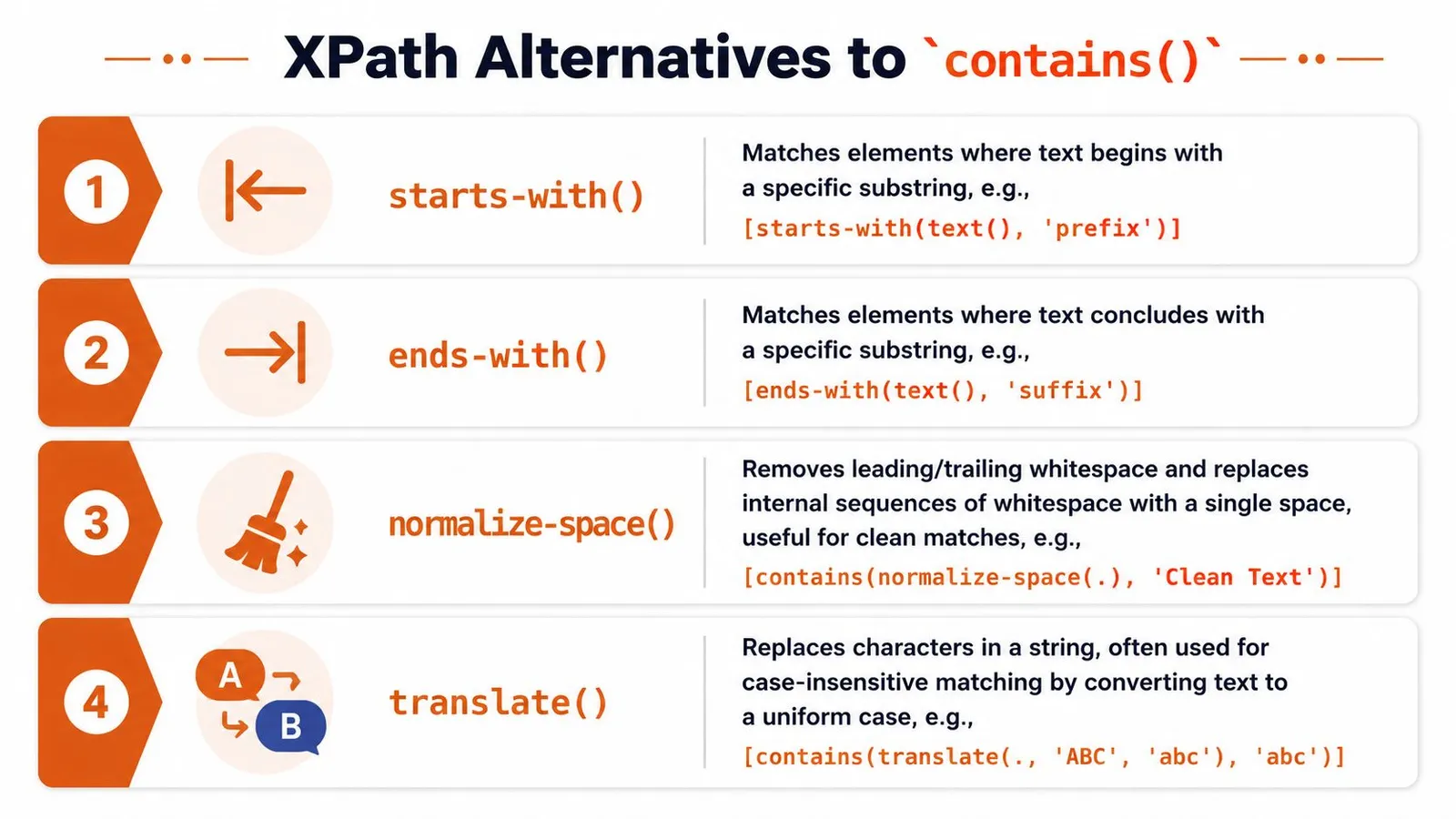
### When the beginning is stable
Use `starts-with()` when only the prefix is predictable.
Example markup:
```html
User: Alice
User: Bob
```
XPath:
```xpath
//div[starts-with(normalize-space(.), 'User:')]
```
This is usually cleaner than `contains()` when the meaningful token is expected right at the start. It also reduces accidental matches from elements that mention the same text later in a sentence.
Good fits:
- **User labels:** `//div[starts-with(normalize-space(.), 'User:')]`
- **Prices with stable currency prefix:** `//span[starts-with(normalize-space(.), '$')]`
- **System messages:** `//p[starts-with(normalize-space(.), 'Warning')]`
### When whitespace normalization matters more than substring matching
Sometimes the issue isn't “contains text” at all. It's dirty formatting. In that case, `normalize-space()` may be the answer, with or without `contains()`.
Compare these:
```xpath
//button[contains(., 'Sign In')]
```
```xpath
//button[normalize-space(.)='Sign In']
```
The first is forgiving on extra words. The second is stricter but resilient to ugly spacing. If you know the final normalized label should be exact, equality after normalization is often a better locator than substring matching.
That trade-off matters:
| Function pattern | Best use |
|---|---|
| `contains(...)` | Partial stable text |
| `starts-with(...)` | Stable prefix |
| `normalize-space(.)='...'` | Exact text with dirty spacing |
| `contains(normalize-space(.), '...')` | Partial text with dirty spacing |
A lot of flaky selectors come from using `contains()` when the underlying need is whitespace cleanup plus exact matching.
### When regex support exists
If your engine supports XPath 2.0 or later, `matches()` becomes a strong option for structured text patterns. That's useful when labels follow a pattern rather than a single fixed substring.
Example:
```xpath
//div[matches(normalize-space(.), '^Order #[A-Z0-9]+$')]
```
Or:
```xpath
//span[matches(., '^(Error|Warning|Notice)')]
```
That said, don't assume browser-driven automation tools support it. Many common Selenium environments expose XPath 1.0 behavior, so `matches()` may not be available even if it looks elegant in theory.
A practical decision guide:
- **Use `contains()`** when one durable substring is enough.
- **Use `starts-with()`** when the start of the text is the stable part.
- **Use normalized equality** when the full label should match after cleanup.
- **Use `matches()`** only if you know your runtime supports XPath 2.0+.
When teams hit increasingly dynamic sites, they often stop debating individual XPath tricks and move up a layer. Tools that rely on rendered extraction or schema-guided parsing can remove a lot of low-level selector maintenance for structured jobs. If you're evaluating that direction, an [AI web extraction API](https://webclaw.io/features/ai-web-extraction-api) is worth understanding as a different operating model, especially for pages where the DOM is noisy and text selectors keep drifting.
One last trade-off is easy to miss. The more expressive the XPath, the more likely another engineer will misunderstand it six months later. Production-ready doesn't mean clever. It means specific, scoped, and debuggable.
## From Theory to Practice with Actionable Snippets
The patterns above matter only if they survive in real tools. Here are two versions I'd ship: one in Selenium for browser automation, one in Playwright for modern app flows.
### Selenium in Python
Use `contains(., ...)` when nested text is likely, and normalize when formatting is unstable.
```python
from selenium.webdriver.common.by import By
login_button = driver.find_element(
By.XPATH,
"//button[contains(normalize-space(.), 'Log In')]"
)
checkout_button = driver.find_element(
By.XPATH,
"//button[contains(translate(normalize-space(.), 'ABCDEFGHIJKLMNOPQRSTUVWXYZ', 'abcdefghijklmnopqrstuvwxyz'), 'checkout')]"
)
```
A stricter exact-match version after cleanup:
```python
submit_button = driver.find_element(
By.XPATH,
"//button[normalize-space(.)='Submit Order']"
)
```
### Playwright in JavaScript
Playwright gives you higher-level text locators, but XPath still helps when you need tight control over nested structures or mixed attribute-plus-text constraints.
```javascript
const loginButton = page.locator(
"xpath=//button[contains(normalize-space(.), 'Log In')]"
);
const accountLink = page.locator(
"xpath=//a[starts-with(normalize-space(.), 'Account')]"
);
const checkoutButton = page.locator(
"xpath=//button[contains(translate(normalize-space(.), 'ABCDEFGHIJKLMNOPQRSTUVWXYZ', 'abcdefghijklmnopqrstuvwxyz'), 'checkout')]"
);
```
For support workflows, agent tooling often needs the same kind of DOM resilience. If you're building automated support or browser-driven task execution, AgentStack's [guide to automated support solutions](https://www.agentstack.build/docs/quickstart) is a practical reference for wiring those systems together.
The main lesson is simple. Basic XPath contains text syntax is easy to memorize. Stable selectors come from understanding where it fails. Use `text()` only when the DOM is flat. Switch to `.` when nested elements split visible labels. Normalize whitespace when markup is noisy. Fold case when localization or CMS output makes casing unpredictable.
Even then, some sites will still fight you. Heavy client rendering, anti-bot systems, and inconsistent markup can turn handcrafted selectors into a maintenance loop. At that point, the problem isn't your XPath skill. It's the extraction surface you're operating on.
---
If you're tired of debugging fragile selectors on JavaScript-heavy pages, [Webclaw](https://webclaw.io) is worth a look. It turns hard-to-scrape URLs into clean, structured output that's easier for both engineers and language models to work with, which means less time babysitting DOM quirks and more time shipping the part that matters.
---
### Proxies for Google: A Developer's Guide for 2026
URL: https://webclaw.io/blog/proxies-for-google
Published: 2026-06-29
Author: Massi
A developer-focused guide on using proxies for Google scraping. Learn to choose residential vs. datacenter proxies, manage rotation, and bypass blocks in 2026.
You're probably in one of two situations right now.
Either you built a Google scraper with cheap proxies, watched it work for a moment, and then hit a wall of CAPTCHAs, empty pages, and bans. Or you're evaluating providers and getting the usual vague advice: “use residential proxies” and “rotate IPs.” That advice isn't wrong. It's just incomplete.
Google scraping is a hostile environment. Proxy choice matters, but the bigger issue is failure mode. Some setups fail loudly and immediately. Others fail slowly, by poisoning sessions, burning IPs, and turning supposedly cheap traffic into expensive garbage. If you're serious about proxies for Google, you need to think in terms of success rate, session integrity, geo consistency, and cost per successful request.
## Choosing the Right Proxy for Google Scraping
The first mistake is often treating all proxy types as interchangeable. On ordinary sites, you can sometimes get away with that. On Google, you can't.
Google identifies bad traffic patterns fast. According to a [discussion of proxy types for scraping Google Search](https://www.reddit.com/r/proxies/comments/1sjxqdd/what_proxy_type_for_scraping_google_search/), datacenter IPs are often flagged after just a few consecutive searches, while rotating residential IPs are far more effective because they look like normal traffic from real households and mobile devices. That matches what most production systems run into. Datacenter proxies look clean on paper and fail in practice.
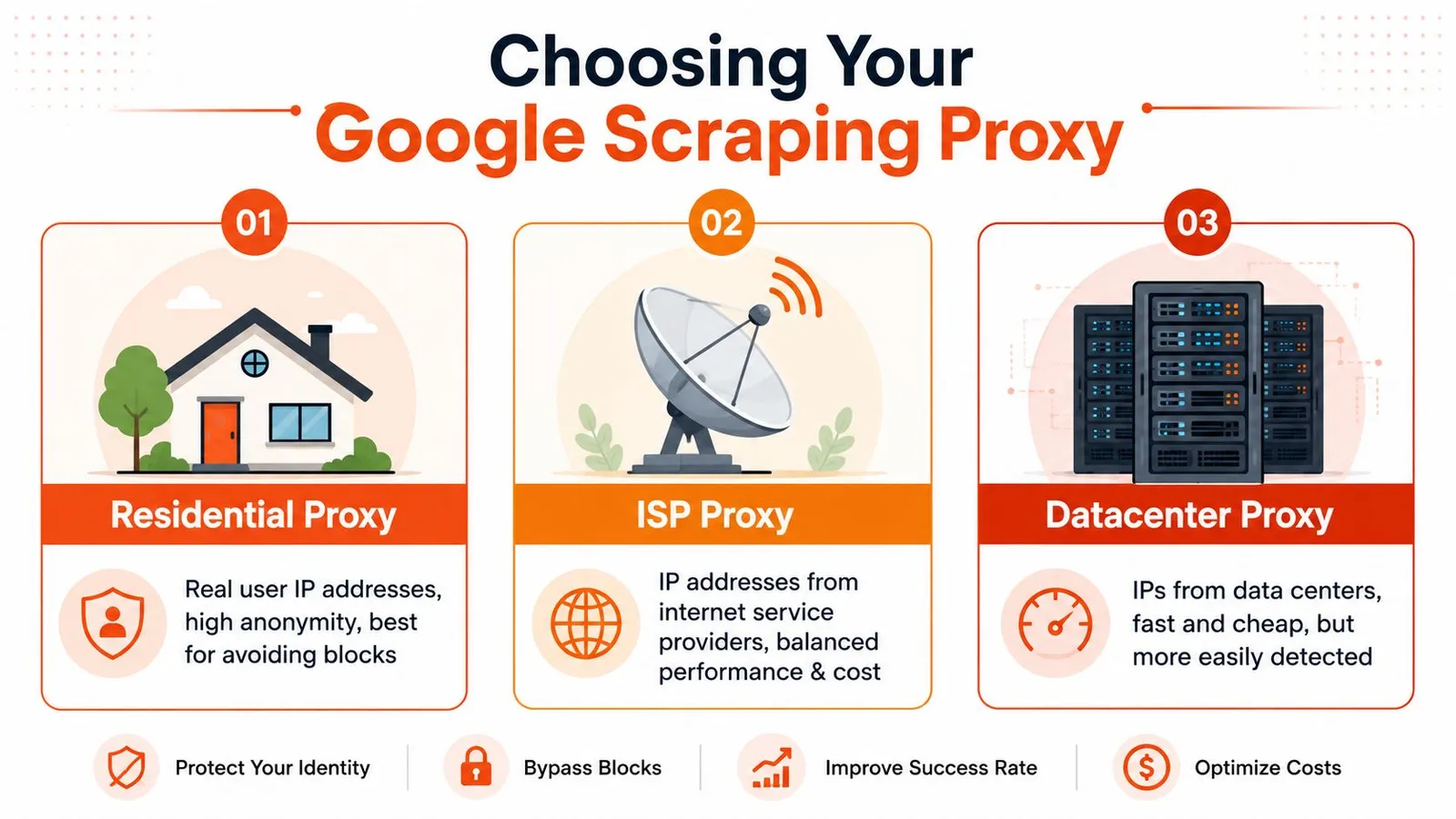
### What fails first on Google
Datacenter proxies usually fail on reputation and traffic shape. They come from ranges that Google already treats with suspicion, and repeated SERP requests push them into CAPTCHA territory fast. That's why they feel fine in small tests and then collapse once you add concurrency or repetition.
Static ISP proxies sit in the middle. They often look better than datacenter IPs because they come from internet service providers, but a static identity has its own problem. If you keep issuing search queries through the same endpoint, you build a very obvious pattern. They can work for low-volume, tightly controlled tasks, but they're easy to overuse.
Residential proxies are the default choice when the target is Google. They aren't magic, and they still need sane session handling, but they start with the one property you need most: they resemble normal users.
> **Practical rule:** For Google, don't choose a proxy type by price per GB. Choose it by how long it survives under your real search pattern.
### A practical comparison by proxy type
Here's the decision table I'd use in production:
| Proxy type | Best use on Google | Main strength | Main failure mode |
|---|---|---|---|
| Residential | SERP scraping at scale, localized search, repeated query workloads | Looks like organic traffic | Burns fast if rotation and fingerprints are sloppy |
| ISP | Lower-volume workflows, controlled sessions, some geo-specific tasks | Cleaner reputation than datacenter, more stable than pure rotation | Static identity becomes detectable under repeated search behavior |
| Datacenter | Usually not worth it for Google SERPs | Cheap and fast | CAPTCHAs and bans arrive quickly |
If your workload is “search term in, parse result page out,” residential is the starting point. If your workload includes longer-lived browser sessions or manual review pipelines, ISP proxies can be useful, but only with conservative usage. Datacenter proxies belong on less defended targets, not on Google.
A lot of teams also underestimate routing hygiene. Mixing proxy classes in the same job creates weird behavior that's hard to debug. One request comes from a residential IP in the target city, the next from a datacenter in another region, and your scraper starts seeing verification pages with no obvious reason. Keep jobs segmented.
There's also a business-side lesson here. Cheap infrastructure that fails repeatedly isn't cheap. That same logic applies outside Google too. If you're comparing specialized proxy workflows for other traffic-heavy tasks, this breakdown on [proxy choices for large download workflows](https://webclaw.io/blog/proxy-for-downloads) is worth reading because the operational trade-offs are similar even when the target differs.
## Mastering Rotation and Session Management
A good proxy pool can still fail if you use it like a slot machine.
Most Google scraping problems after proxy selection come from bad session logic. Teams rotate too aggressively, or they don't rotate at all. They change the IP but keep stale cookies. They keep the IP but change the user agent. They paginate search results with one identity on page one and a different identity on page two. That's the kind of inconsistency Google notices.
Getting the proxy right is half the job. For the request layer that sits on top of it, see [how to scrape Google search results](/blog/how-to-scrape-google-search-results).
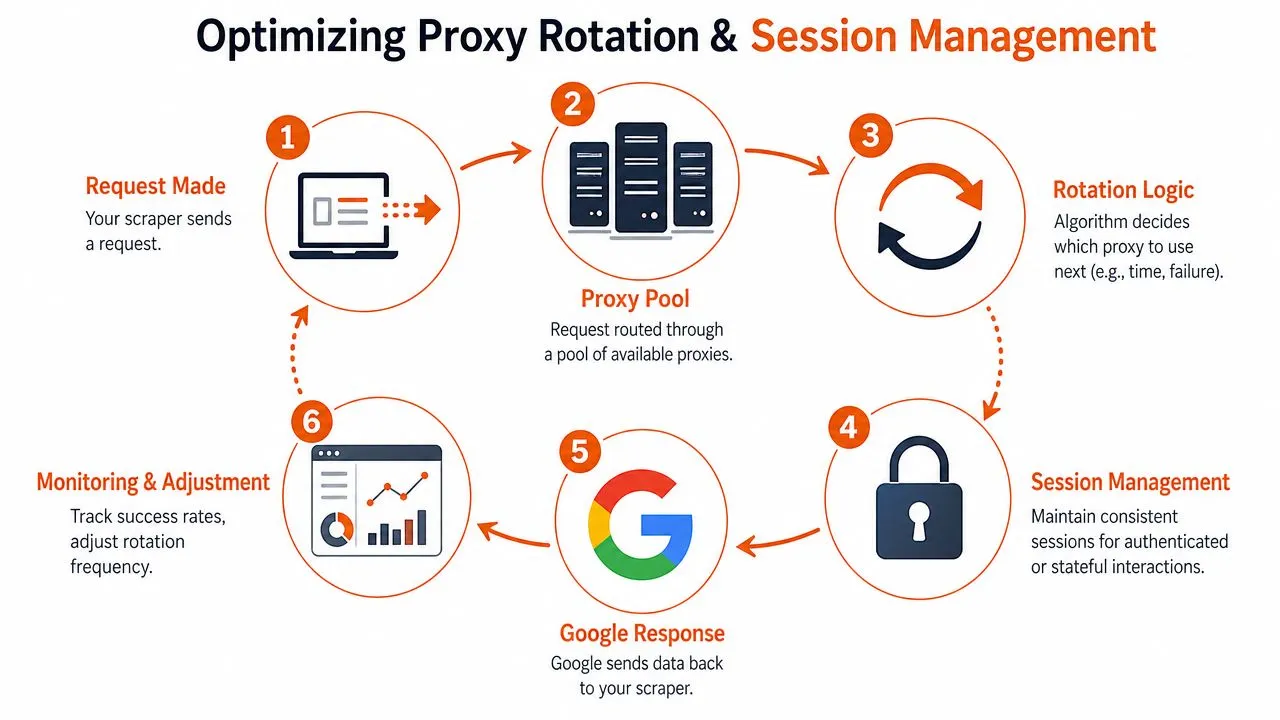
### When to rotate and when to stay sticky
Use **rotating sessions** when each request is independent. A single keyword lookup with no follow-up navigation is the obvious example. In that case, fresh identity per request helps spread risk across the pool.
Use **sticky sessions** when requests belong to one coherent user journey. If you submit a query, click to the next page, refine the search, or fetch related result views, keep the identity stable for that sequence. Same IP, same user agent family, same language preferences, same cookie jar. Don't mutate half the session between steps.
A simple way to think about it:
- **Independent SERP fetches:** rotate aggressively.
- **Pagination or refinement flows:** keep sticky state for the full task.
- **After a challenge page:** retire that session and rebuild cleanly.
> A “session” isn't just the proxy. It's the proxy, headers, cookies, language, and browser fingerprint acting like the same person for the life of a task.
That's one reason account automation people eventually learn the same lesson. The mechanics differ, but identity continuity matters everywhere. If you've worked on workflows that [automate X accounts with Telegram](https://twtaio.com/blog/telegram-twitter-bot), the operational principle is familiar: abrupt identity shifts are what get you noticed.
### What a stable Google session actually means
Google doesn't only evaluate IP reputation. It looks at the whole request profile. If you're using a browser automation stack like Playwright or Puppeteer, keep the browser context coherent. If you're using plain HTTP, your headers need to stay believable and internally consistent.
A production-safe session usually includes:
1. **One query task, one cookie jar**
Don't reuse cookies across unrelated identities. Cross-contaminated sessions create weird verification loops.
2. **Stable request headers**
Accept-Language, user agent, and related headers should match the geography and device profile you're simulating.
3. **Rotation tied to outcome, not just a timer**
Time-based rotation is crude. Better triggers are challenge pages, abnormal response templates, or repeated empty result bodies.
4. **Per-session logging**
Track which proxy identity produced which result. Without that, you can't isolate bad pools or poisoned sessions.
If you're building this into an API workflow, keep the session abstraction explicit instead of burying it inside random retry code. A clean request pipeline like the one shown in the [Webclaw scrape API docs](https://webclaw.io/docs/api/scrape) is the right mental model even if you're implementing your own stack. Request configuration, identity, and retry policy should live in one place.
The biggest anti-pattern is “retry until success” with no identity hygiene. That only teaches Google more about your automation.
## Geo-Targeting and Navigating CAPTCHAs
Localized Google data isn't just a matter of adding a location parameter and hoping for the best. Google cross-checks the request context.
According to [guidance on Google proxies and localization](https://infatica.io/blog/google-proxies/), accurate localized search results depend on IP geolocation matching the target region closely, including city-level targeting when needed. The same source notes that mismatched geography and inconsistent browser fingerprints frequently trigger verification challenges and CAPTCHAs. That means geo-targeting is part of anti-detection, not a separate feature.
### Geo-targeting is part of anti-detection
If you want results that look like they came from Berlin, don't send the request through an IP from another country and slap a German language header on it. That mismatch is exactly the kind of thing Google tests for.
The safe pattern is boring:
- **Match IP to the target market**
Country for broad research, region or city for local SEO work.
- **Align language and locale settings**
Headers should make sense for that geography. Don't ask for city-level results in one place while presenting a browser profile from somewhere else.
- **Keep the same profile within the session**
Once a search flow starts, don't change the apparent user halfway through.
For local rank tracking, this matters more than people expect. Teams often think the ranking delta comes from normal personalization, when the actual problem is that their own request setup is inconsistent.
### What to do when CAPTCHAs appear
CAPTCHAs aren't always a sign that your whole stack is broken. Sometimes they mean a single identity is burned. Treat them as a signal, not a random annoyance.
When a CAPTCHA appears, start with triage:
- **Single-session CAPTCHA:** drop the session, rotate identity, and retry later.
- **Repeated CAPTCHAs in one geography:** inspect your geo alignment and header consistency.
- **Widespread CAPTCHAs across the pool:** the proxy source, browser fingerprint, or traffic rhythm is probably the problem.
In many cases, backing off and retrying with a fresh identity is smarter than forcing every challenge through a solver. Solvers have a place, especially in browser-heavy workflows, but they can also mask a broken setup. If your baseline behavior is bad, paying to solve more CAPTCHAs just scales the wrong thing.
For teams dealing with broader anti-bot friction beyond Google, this guide on [Cloudflare Turnstile defenses and handling strategies](https://webclaw.io/blog/cloudflare-turnstile-2026-guide) is useful because the tactical lesson carries over. Prevention beats challenge solving.
## Practical Implementation and Troubleshooting
Most Google proxy guides stop right before the ugly part: implementation. The difference between a toy script and a useful scraper is all the error handling wrapped around the request.
Here's what a bare-bones Python setup looks like with `requests`. It's intentionally simple so the moving parts are obvious.
### A basic Python requests setup
```python
import requests
from requests.adapters import HTTPAdapter
from urllib3.util.retry import Retry
session = requests.Session()
retries = Retry(
total=3,
backoff_factor=1,
status_forcelist=[429, 500, 502, 503, 504],
allowed_methods=["GET"]
)
session.mount("http://", HTTPAdapter(max_retries=retries))
session.mount("https://", HTTPAdapter(max_retries=retries))
session.headers.update({
"User-Agent": "Mozilla/5.0",
"Accept-Language": "en-US,en;q=0.9",
})
proxies = {
"http": "http://username:password@proxy-provider-endpoint",
"https": "http://username:password@proxy-provider-endpoint",
}
resp = session.get(
"https://www.google.com/search",
params={"q": "site:example.com"},
proxies=proxies,
timeout=30,
)
print(resp.status_code)
print(resp.text[:500])
```
That script still isn't production-ready. You'd need per-session cookies, a stronger user-agent strategy, challenge-page detection, logging, retry logic tied to identity changes, and a parser that can distinguish valid SERPs from interstitials. That's why many teams eventually move from raw HTTP to a browser stack, then spend time comparing tools like [Playwright and Puppeteer for scraping workloads](https://webclaw.io/blog/playwright-vs-puppeteer) when JavaScript rendering and fingerprint control start to matter.
### Common failures and what usually fixes them
Most failures fall into a few buckets.
- **Proxy authentication errors**
If you see `407 Proxy Authentication Required`, the credentials format is wrong or the provider expects a different auth scheme. Check whether auth belongs in the URL, headers, or an allowlisted configuration.
- **Timeouts and connection resets**
These usually point to overloaded proxies, poor routing, or too-short client timeouts. Don't immediately assume Google blocked you. Sometimes your proxy provider cannot sustain the concurrency you're pushing.
- **SSL handshake problems**
These often show up when the proxy endpoint, client TLS handling, and target negotiation don't play nicely together. Confirm the provider supports HTTPS CONNECT properly for your client stack.
- **HTML that isn't a SERP**
This is the classic silent failure. You get a `200` response and think the request succeeded, but the body is a challenge page, consent page, or degraded template. Always validate the page structure before counting a request as successful.
A cleaner implementation separates transport success from extraction success. “The request returned” is not the same as “the Google results page was usable.”
Later, if you want to see a browser-based workflow in action, this walkthrough is a useful reference point:
> If your logs only track status codes, you're blind. Google failures often arrive as valid HTTP responses with useless bodies.
## Monitoring Your Success and Calculating True Cost
The proxy market loves vanity metrics. Uptime. Pool size. Bandwidth price. Those numbers don't tell you whether your Google scraper is working.
For Google-specific workloads, the number that matters is **target-specific request success rate**. According to [TitanNet's comparison of residential, datacenter, and ISP proxy performance for protected targets](https://www.titannet.io/learn/resources/top-proxies-for-web-scraping-2026-residential-vs-datacenter-vs-isp-comparison), residential proxies can achieve **90 to 99 percent** success rates on high-volume Google tasks, while datacenter proxies often land at **40 to 60 percent**. The same analysis shows that collecting **1 million** valid records would require about **1.67 million** total requests with datacenter proxies at a **60 percent** success rate, versus about **1.01 million** requests with residential proxies.
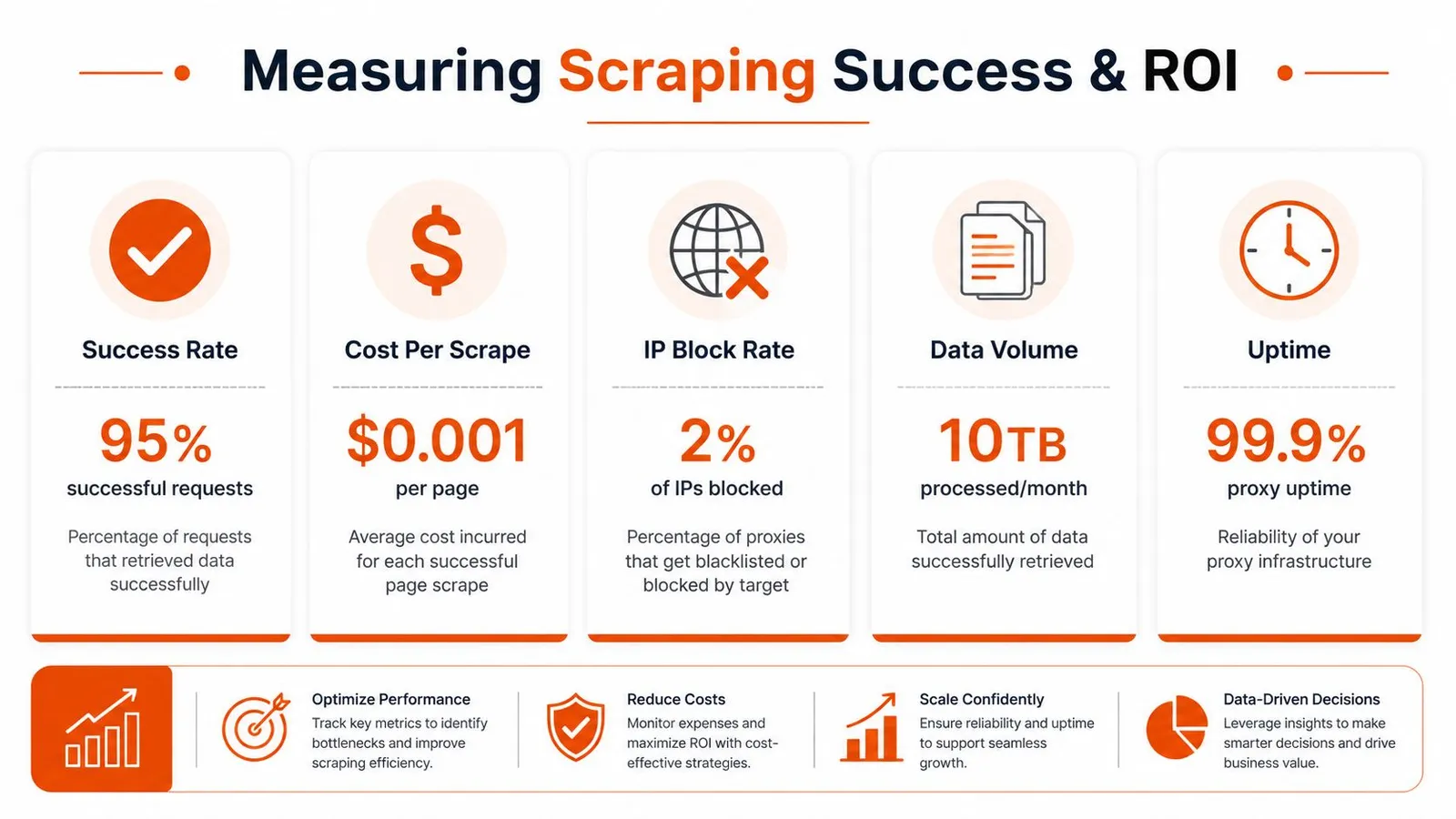
### The metric that actually matters
A “successful request” should mean one thing only: you received a parseable Google result page that matched the task you intended to run.
Track failures by type, not as one blob:
| Failure type | What it usually means |
|---|---|
| Network or proxy error | Provider instability, saturation, routing issues |
| CAPTCHA or verification page | Identity flagged, session hygiene problem, or bad geo alignment |
| Empty or malformed page | Rendering issue, consent flow, or parsing logic mismatch |
| Soft block | Google responded, but withheld usable content |
This level of logging tells you where to intervene. Otherwise, teams waste time replacing parsers when the core issue is burned sessions, or they blame proxies when the problem is malformed retries.
### How to calculate effective cost
The useful formula is simple: **proxy spend ÷ success rate**.
That's the lens that exposes “cheap” datacenter traffic for what it is on Google. A lower per-GB price can still produce a worse cost per usable SERP if too many requests fail or need to be retried. Once retries, delays, and parsing waste enter the picture, bad traffic gets expensive.
> Don't budget by request volume alone. Budget by valid records returned.
There's also a deployment lesson in the same source. For protected targets, run pilots at **1 to 10 percent** of planned production scale before rollout, then compare providers on actual success under your workload, not on generic uptime claims from marketing pages. If you're operationalizing this across many jobs, batch-level observability becomes important too. This overview of [batch processing patterns for web data pipelines](https://webclaw.io/blog/what-is-batch-processing) is a good companion read because it maps well to SERP collection at scale.
## Conclusion The Right Way to Scrape Google in 2026
Google scraping doesn't break because you picked the wrong header. It breaks because the whole system is fragile.
The stable approach is straightforward, even if the implementation isn't. Start with residential proxies when Google is the target. Treat session management as part of identity, not just cookie storage. Align geography, language, and browser profile so the request looks coherent. Count success only when you get valid SERP data back. Then measure cost by successful extraction, not by the sticker price of bandwidth.
That's the part most proxy guides miss. They talk about access, but not reliability. Or they talk about speed, but not what happens after challenge pages, pagination, and localization enter the picture. In production, proxies for Google are a systems problem. Proxy type, rotation policy, fingerprint stability, geo-targeting, parser validation, and monitoring all interact. If one layer is sloppy, the rest won't save you.
There are still teams that can justify building and maintaining this stack themselves. If Google data is core infrastructure for your product, that may be the right call. But if your real goal is feeding clean web data into AI systems, ranking pipelines, or internal tools, owning every brittle moving part usually isn't the best use of engineering time.
That's why the practical end state for many teams is abstraction. Either you become very good at running anti-bot-sensitive extraction infrastructure, or you use a tool that already handles the hard parts. The worst option is staying in the middle. That's where you pay for proxies, spend hours debugging challenge pages, and still don't trust the output.
---
If you want Google and other hard-to-scrape pages turned into clean, model-ready content without managing the proxy, rendering, and anti-bot stack yourself, take a look at [Webclaw](https://webclaw.io). It's built for teams that need reliable extraction and usable output, not another pile of raw HTML.
---
### Text Extractor from Website: A 2026 Practical Guide
URL: https://webclaw.io/blog/text-extractor-from-website
Published: 2026-06-28
Updated: 2026-09-08
Author: Massi
Need a text extractor from website that handles modern JS sites and bot blocking? This guide shows how to get clean, LLM-ready text using Python or an API.
You've got a URL. You need the text. Maybe it's for a RAG pipeline, a content audit, an internal research bot, or an AI workflow that has to read the page before it can do anything useful.
So you fetch the page and get back a blob of HTML, scripts, styles, navigation labels, cookie banners, footer junk, and ten versions of the same link text. On a modern site, you might get almost nothing at all because the actual content only appears after JavaScript runs. That's usually the moment people realize a **text extractor from website** isn't just a convenience tool. It's a content preparation problem.
The practical goal isn't “pull some text.” The goal is to produce **model-ready context**. That means visible content, minimal noise, predictable structure, and output you can send straight into an LLM without wasting tokens on boilerplate.
## Why Extracting Website Text Is Harder Than It Looks
A lot of extraction projects start with the wrong mental model. People assume the page already contains the text they want and that they only need to “strip tags.” That works on a basic blog post. It breaks quickly on modern websites.
Many pages are built for browsers, not parsers. The browser executes JavaScript, opens network requests, hydrates client-side components, and assembles the final page after the first response arrives. If your extractor only grabs the initial HTML, you often miss the actual article body, product details, or page state entirely.
Raw HTML can contain substantial navigation, styling, scripts, and repeated UI text that increases token use without helping the task.
That's why the actual problem isn't scraping. It's filtering.
> A page that looks readable to a human can still be terrible input for a model.
There's also a terminology trap. Teams often mix up text extraction, scraping, crawling, and screen scraping. They overlap, but they aren't identical. If you need a quick refresher on where those boundaries matter in practice, this guide on [what screen scraping means in modern workflows](https://webclaw.io/blog/what-is-screen-scraping) is a useful reference.
### What usually goes wrong
- **Raw HTML is noisy:** You get headers, footers, menus, legal text, and duplicated anchor text mixed into the main body.
- **Single-page apps hide the content:** The initial response may not contain the visible text at all.
- **Bot controls interfere:** Sites may return degraded content, challenge pages, or inconsistent responses to automated traffic.
- **LLMs pay for junk:** Every irrelevant token competes with the content you need the model to reason over.
### What good extraction actually means
A good extractor from website content should give you something close to what a careful human would copy from the page. It should preserve meaning, remove clutter, and output a format your downstream system can use without cleanup.
That's the shift that matters. You're not just extracting text. You're creating **clean context**.
## Two Paths to Text Extraction DIY Code vs a Dedicated API
There are really two ways to build a text extractor from website content in production. You either write and maintain the stack yourself, or you call a service that handles rendering, extraction, cleanup, and reliability for you.
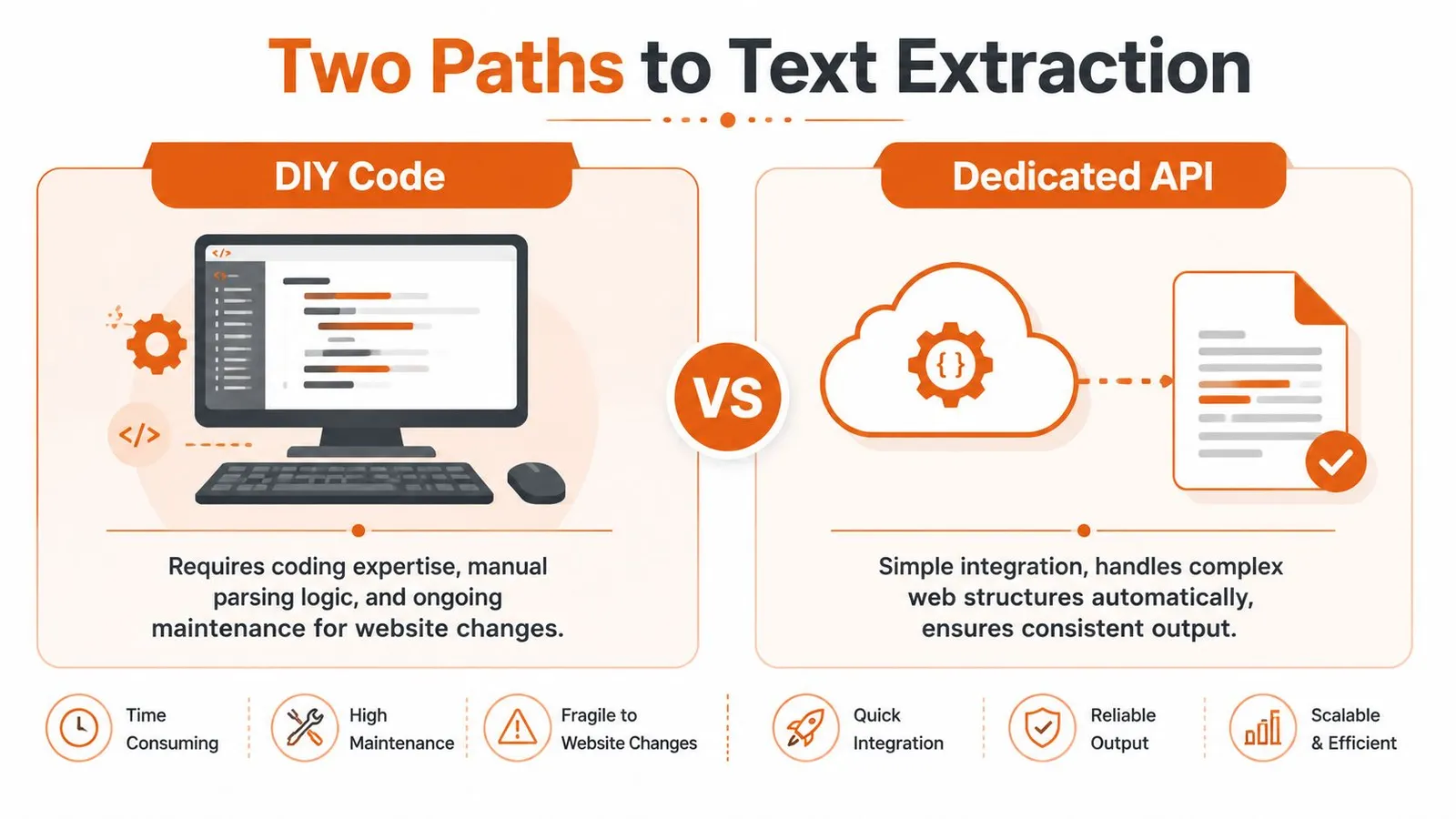
The split in the market is clear. There are manual and browser-driven methods on one side, and automated API-driven solutions on the other. Python with BeautifulSoup remains a standard choice for custom development, but modern tools now need JavaScript rendering and ways to deal with bot protection that break naive fetchers, as described in [Databar's 2025 guide to web data extraction](https://databar.ai/blog/article/extract-text-from-website-complete-guide-to-web-data-extraction-in-2025).
### DIY fits when control matters most
If you're extracting from a small number of predictable pages, DIY can be a reasonable choice. You control selector logic, output format, retry behavior, and deployment. You can tailor extraction to a specific site structure and integrate directly with your data pipeline.
That's useful when:
- **You know the target sites well:** Internal tools, a few partner domains, or stable documentation sites.
- **You need custom rules:** You want exact control over which blocks stay or go.
- **You already run browser automation:** Your team has Playwright or Puppeteer infrastructure in place.
The cost is maintenance. Every site change becomes your problem. So do rendering issues, challenge pages, inconsistent markup, and extraction regressions.
### APIs fit when reliability matters more than ownership
A dedicated extraction API is usually the practical choice when you care about throughput, consistency, and time to production. You don't spend engineering time building browser orchestration, proxy routing, extraction heuristics, and cleanup pipelines just to get readable text.
Instead, you send a URL and get back content in a usable format.
> **Practical rule:** If text extraction is core to your product, build selectively. If it's supporting infrastructure, don't over-own it.
### DIY Code vs. Extraction API A Head-to-Head Comparison
| Factor | DIY (Python + Libraries) | Extraction API (e.g., Webclaw) |
|---|---|---|
| Initial setup | Install libraries, build fetching and parsing logic, wire retries | Call an endpoint and parse the response |
| JavaScript pages | Requires browser automation | Typically handled by the service |
| Bot defenses | You manage headers, sessions, proxies, and failures | Typically abstracted behind the API |
| Output cleaning | You implement boilerplate removal and formatting | Usually returned as clean text, markdown, or structured output |
| Maintenance | Ongoing selector and workflow upkeep | Lower operational burden |
| Debugging | Full control, but more surface area | Less low-level control, faster path to usable data |
| Best fit | Narrow, known targets and custom rules | Production pipelines, broad coverage, LLM-ready extraction |
The decision isn't ideological. It's operational. If your team wants to spend time on retrieval quality, agent behavior, ranking, or product logic, a dedicated API usually frees up more of that time.
## The DIY Approach Extracting Text with Python
The classic starting point is `requests` plus `BeautifulSoup`. For a simple static page, that still works well enough and it's the fastest way to understand the mechanics.
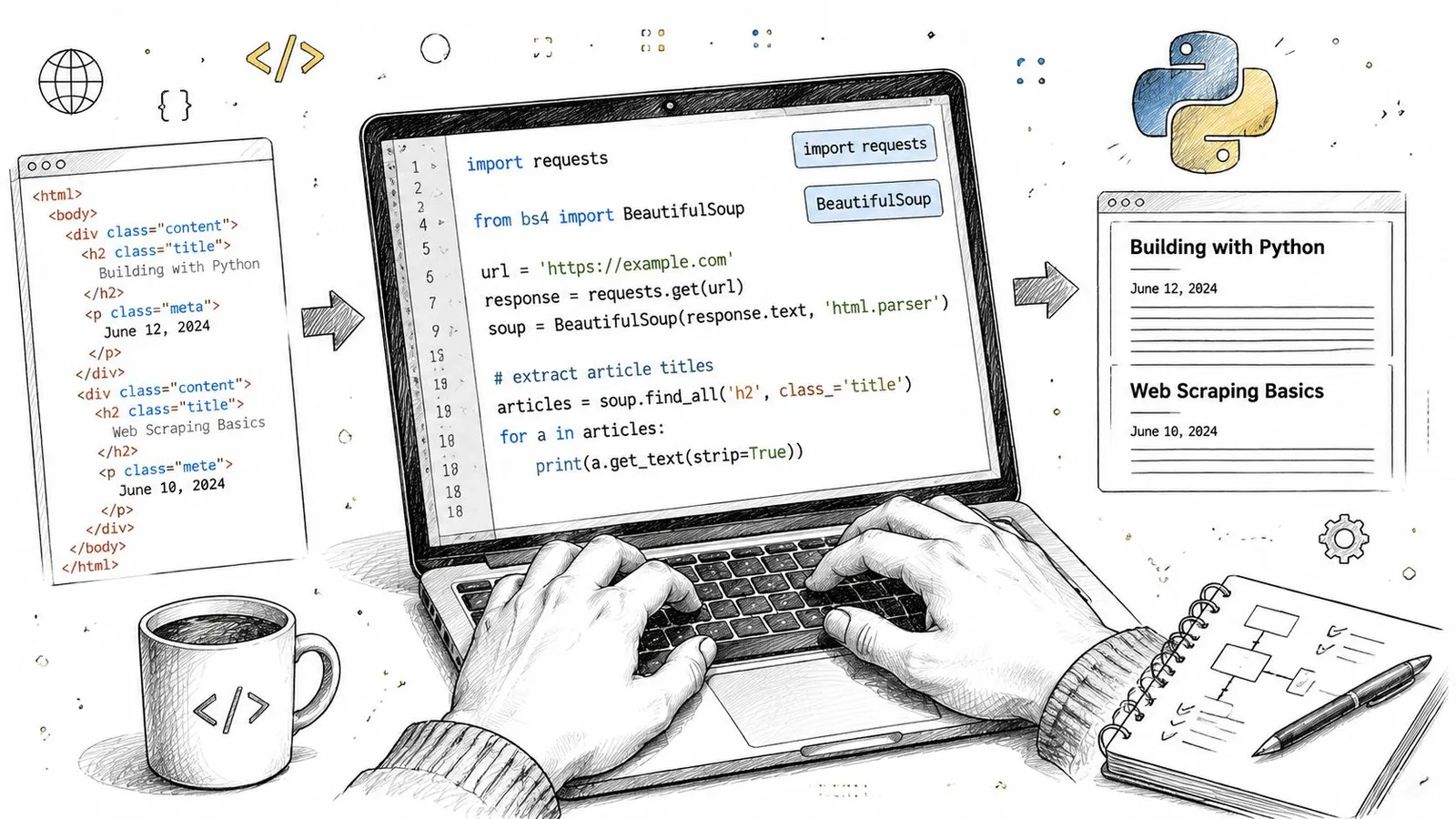
### A basic static extraction example
```python
import requests
from bs4 import BeautifulSoup
url = "https://example.com/article"
html = requests.get(url, timeout=30).text
soup = BeautifulSoup(html, "html.parser")
for tag in soup(["script", "style", "nav", "footer", "header"]):
tag.decompose()
text = soup.get_text(separator="\n")
clean_lines = [line.strip() for line in text.splitlines() if line.strip()]
print("\n".join(clean_lines[:80]))
```
This is fine for static HTML where the article body already exists in the response. You fetch, parse, remove obvious junk, and flatten the remaining text.
For many first attempts, that feels like success. Then you point the same script at a modern site and the result falls apart.
### Where the simple script breaks
On JavaScript-heavy sites, the article body may not appear in the initial HTML. On messy pages, the text output is technically complete but semantically useless because menus, repeated labels, sidebar blocks, and hidden junk dominate the output.
That's where DIY work changes from “parse the page” to “build a content extraction system.”
Layout changes remain a challenge for both rule-based and machine-learning systems. Header, footer, and navigation noise still require explicit evaluation, as discussed in [Trends in web data extraction using machine learning](https://journals.sagepub.com/doi/10.3233/WEB-210465).
### The real engineering work is in cleanup
Once basic parsing stops being enough, you start layering heuristics:
- **Tag removal:** Drop scripts, styles, nav, footer, aside, forms, and known ad containers.
- **Selector targeting:** Prefer `article`, `main`, role-based containers, or site-specific content classes.
- **Text normalization:** Collapse whitespace, remove duplicate lines, and preserve heading structure.
- **Fallback logic:** If one selector fails, try others before returning noisy full-page text.
If you're building this route seriously, it helps to understand the broader crawling side too. This walkthrough on [crawling in Python for structured extraction workflows](https://webclaw.io/blog/crawling-in-python) covers the adjacent pieces teams often forget until they need them.
Here's a useful explainer before you go deeper into custom parsers:
### What DIY still does well
DIY extraction is still a good fit when the target is stable and known. A docs site with predictable HTML, a single publisher with repeatable templates, or an internal content source can often justify custom code.
But on the open web, your extractor isn't finished when the code runs once. It's finished when it keeps working after layout changes, rendering differences, and content variants.
## Handling JavaScript Rendering and Bot Defenses
Once `requests` and `BeautifulSoup` stop working, the next step is usually a headless browser. That means Playwright, Puppeteer, or a similar tool that loads the page like a real browser, waits for scripts to run, and only then extracts the visible content.
That's the point where many teams discover they're no longer building a parser. They're building browser infrastructure.
### Rendering the page first
A headless browser solves one specific problem well. It can execute client-side JavaScript and expose the DOM after rendering. For single-page apps, this is often the minimum requirement.
A minimal Playwright workflow usually looks like this:
1. Launch a browser context.
2. Open the target URL.
3. Wait for network activity or a page selector.
4. Read the rendered DOM or visible text.
5. Run cleanup logic on the final content.
That sounds straightforward until you scale it. Browser sessions consume memory, page events are inconsistent, and “wait until loaded” means different things on different sites.
### Waiting is the hard part
You don't just need the page to load. You need the **right content state**.
If you extract too early, you get shells and placeholders. If you wait on the wrong selector, your job hangs or times out. If you rely on network idle, background analytics calls can keep the page “busy” long after the main content is visible.
> Headless browsers solve rendering. They don't solve judgment.
That's why serious extraction systems often combine rendering with content scoring or structural heuristics, rather than copying everything in the final DOM.
### Bot defenses are a separate system problem
Even a fully rendered browser can still get blocked. Modern sites inspect traffic patterns, session behavior, browser fingerprints, and IP reputation. A headless browser helps, but it doesn't automatically make your requests look trustworthy.
A plain fetch may miss content assembled by client-side JavaScript, while a rendered page can still be restricted. Inspect the actual response and required source content before choosing a fallback.
That leads to a second layer of work:
- **Proxy strategy:** Residential, ISP, or datacenter routing depending on the target site.
- **Session handling:** Cookies, headers, and user flows that don't look synthetic.
- **Challenge recovery:** Detecting block pages and retrying with different execution paths.
- **Fingerprint management:** Browser-level consistency across requests.
If you're deciding between browser stacks, this comparison of [Playwright vs Puppeteer for web automation work](https://webclaw.io/blog/playwright-vs-puppeteer) is worth reading before you commit to one tool.
### Why DIY gets expensive fast
There's nothing wrong with owning this stack if extraction itself is your product. But if your actual goal is a search agent, content intelligence tool, or retrieval system, browser orchestration can swallow time that should go elsewhere.
The work doesn't stop at successful rendering. You still need to:
| Problem | What you still have to handle |
|---|---|
| Rendered page | Decide when the content is actually ready |
| Dynamic DOM | Find the meaningful block, not the full page chrome |
| Bot protection | Route traffic and recover from blocks |
| Scale | Manage concurrency, browser crashes, and retries |
### What experienced teams optimize for
Experienced teams usually stop asking “Can we scrape this page?” and start asking better questions:
- Can we get **consistent visible text** across many different sites?
- Can we return content in a form an LLM can consume immediately?
- Can we do it without turning browser automation into a full-time maintenance job?
That last question is usually the turning point.
## The API Approach Clean LLM-Ready Text in One Call
A dedicated extraction API changes the shape of the problem. Instead of managing rendering, browser state, fallback logic, and cleanup in your own stack, you send a URL and ask for the output format you need.
The key benefit isn't convenience. It's that the extractor is built around the final artifact: **usable text**.
Extraction can reduce the amount of markup sent to a model. Measure token reduction alongside retention of the facts your application needs; a smaller output is not automatically a better one.
### What one-call extraction looks like
Here's the shape often desired.
#### Curl
```bash
curl -X POST "https://api.example.com/extract" \
-H "Authorization: Bearer YOUR_API_KEY" \
-H "Content-Type: application/json" \
-d '{
"url": "https://example.com/article",
"format": "markdown"
}'
```
#### JavaScript
```javascript
const response = await fetch("https://api.example.com/extract", {
method: "POST",
headers: {
"Authorization": "Bearer YOUR_API_KEY",
"Content-Type": "application/json"
},
body: JSON.stringify({
url: "https://example.com/article",
format: "markdown"
})
});
const data = await response.json();
console.log(data);
```
#### Python
```python
import requests
response = requests.post(
"https://api.example.com/extract",
headers={"Authorization": "Bearer YOUR_API_KEY"},
json={
"url": "https://example.com/article",
"format": "markdown"
},
timeout=30
)
print(response.json())
```
The implementation varies by provider, but the pattern is the same. You request text, markdown, JSON, or an LLM-oriented output instead of fetching raw page markup and dealing with the mess later.
### Why format matters more than people expect
For AI systems, plain text isn't always enough. Markdown often works better because it preserves hierarchy. JSON works better when you need downstream field mapping. LLM-focused output works best when you want the extractor to remove token noise before the model ever sees the page.
That's where a service like [Webclaw's AI web extraction API](https://webclaw.io/features/ai-web-extraction-api) fits. It's one example of an API that returns clean web content in formats built for model consumption rather than generic scraping output.
> If your next step after extraction is “clean this up for the model,” your extractor hasn't finished the job.
### The before and after that matters
Raw HTML is transport format. It isn't reasoning format.
A useful extractor should remove repeated navigation labels, promotional blocks, footer clutter, and decorative wrappers while preserving the actual headings, paragraphs, lists, and page semantics. That gives you content you can chunk, embed, summarize, classify, or feed into an agent without another cleanup stage.
This also helps when your workflow spans multiple content types. If you're handling both web pages and documents, it's worth looking at tools for [programmatic PDF processing](https://pdf.ai/api-hub) so your ingestion layer stays consistent across URLs and uploaded files.
### When an API usually wins
A dedicated API often makes more sense when:
- **You need production reliability:** Broad site coverage matters more than custom parser ownership.
- **You care about model efficiency:** Cleaner output beats larger payloads.
- **You're ingesting many sources:** Operational simplicity matters more than handcrafted rules per domain.
- **You want one integration surface:** The rest of your pipeline can stay focused on retrieval and application logic.
For one-off scraping on a stable static site, DIY can still be enough. For modern, defended, AI-bound extraction, APIs tend to align better with the actual outcome teams want.
## Integrating Extracted Text into Your AI Pipeline
Clean extraction only matters if the next stage can use it well. Once you have readable, structured text, the usual path is chunking, embeddings, retrieval, and response generation.
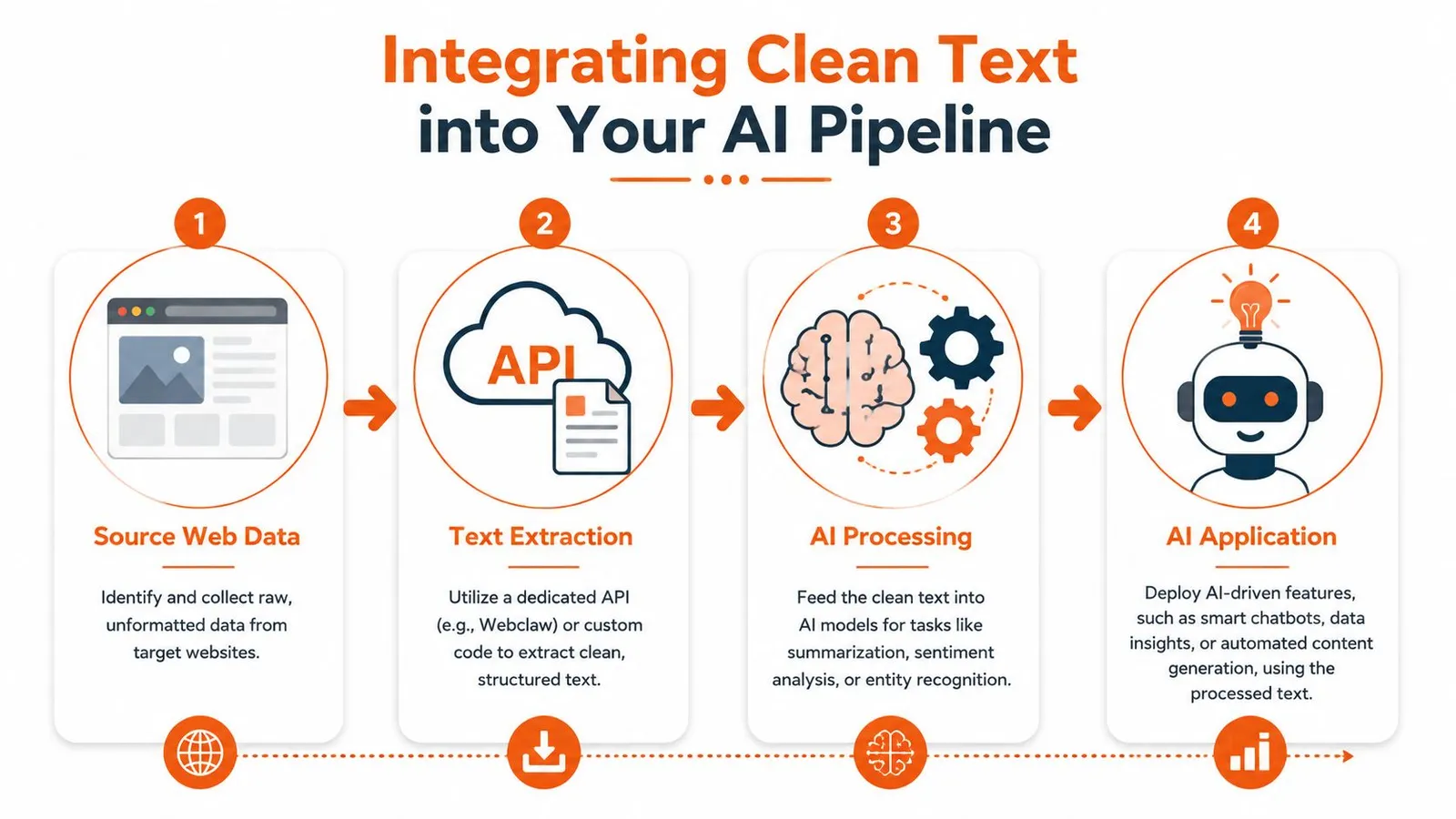
### The practical flow
1. **Extract the page cleanly**
Start with markdown, text, or structured JSON instead of raw HTML.
2. **Chunk by meaning**
Split by headings, sections, or logical paragraph groups rather than arbitrary character cuts.
3. **Embed and store**
Send chunks to your embedding model and index them in a vector database.
4. **Retrieve with context discipline**
Pull only the most relevant chunks into the prompt window.
Cleaner source text can reduce irrelevant retrieval candidates, but downstream accuracy must be measured on the target corpus.
### Structure matters after extraction too
Even good extraction can be wasted if the rest of the pipeline is sloppy. If multiple tools, agents, or assistants share the same retrieved material, context boundaries matter just as much as content quality. This guide on [managing AI context across assistants](https://geodemcp.com/blog/ai-context-management) is useful if your workflow has grown beyond a single prompt-response loop.
For teams using LangChain-based pipelines, [Webclaw's LangChain integration](https://webclaw.io/integrations/langchain) shows the practical handoff from extraction into retrieval workflows.
> Clean text helps twice. It improves what you store, and it improves what you send back to the model later.
A text extractor from website content is no longer just an ingestion utility. In AI systems, it's the first quality gate.
---
If you need a web extraction layer that returns model-ready text instead of raw page clutter, [Webclaw](https://webclaw.io) is built for that workflow. It handles modern pages, returns clean formats like markdown and JSON, and fits the kind of retrieval and agent pipelines where extraction quality directly affects downstream results.
---
### Optimize Your Proxy for Downloads Performance
URL: https://webclaw.io/blog/proxy-for-downloads
Published: 2026-06-27
Author: Massi
Choose and configure a proxy for downloads. This guide covers residential vs. datacenter options, performance, and large file handling for reliable data
Large downloads fail in ways that feel random until you inspect the path closely. A file starts fast, then stalls. The host serves a few chunks, then rate-limits your IP. A regional mirror works in the browser but not in your downloader. Or the file is technically public, but every retry from the same address gets challenged, throttled, or cut off halfway through.
That's usually the point where a simple downloader script stops being enough. You need a **proxy for downloads** that matches the behavior of the source, the size of the file, and the failure modes you expect. That might mean a sticky residential IP for a geo-locked dataset, an ISP proxy for long-lived authenticated sessions, or a datacenter proxy for bulk fetches from tolerant origins. It also means handling the ugly details, like resumable transfers, session pinning, and HTTPS behavior that breaks large file transfers in ways most proxy guides never mention.
If your job includes AI model pulls, dataset mirroring, media ingestion, or scrape pipelines that occasionally need binary assets instead of just HTML, download reliability becomes infrastructure, not convenience.
## Why Your Downloads Fail and Proxies Are the Fix
Most broken download pipelines have one of four root causes. The source doesn't trust your IP. The route is unstable. The server expects regional access. Or your client treats a large file like a normal web request and gets punished for it.
A proxy fixes different problems depending on where you place it in the path. For a region-locked release artifact, it gives you the right geography. For a host that rate-limits repeated pulls, it gives you controlled identity changes. For a brittle route, it gives you a different network path and often a better egress profile. For a session-bound download, it gives you continuity if you keep the same exit IP.
This isn't niche infrastructure. In 2021, worldwide proxy user adoption reached approximately 28.9%, and **India reached 43.2% adoption**. Turkey and India also hosted **over 15% of global residential proxy infrastructure**, which shows how central proxy networks are to web access and scalable extraction in markets where direct access is often constrained, as detailed in [this proxy adoption analysis](https://env.media/proxies-beyond-internet-privacy/).
Before you buy more proxy bandwidth, check whether the problem is the network path. If you're seeing stalled transfers, variable throughput, or failures only from specific regions, this guide to [troubleshooting network latency](https://fivenines.io/blog/how-to-check-network-latency/) is worth using first. A bad route and a blocked route can look the same from the application layer.
> **Practical rule:** Don't treat all download failures as anti-bot failures. Some are just transport problems wearing the same symptoms.
For HTML and document retrieval, you can often simplify the acquisition side before optimizing binary transfer logic. If your workflow includes page capture before file extraction, Webclaw's post on [downloading HTML files](https://webclaw.io/blog/downloading-html-files) is a useful companion because it separates page acquisition from heavy file transfer, which usually deserve different proxy and retry policies.
## Choosing the Right Proxy Type for Your Download Task
A download-heavy workload exposes proxy trade-offs faster than a page-fetch workload does. HTML requests are short. File transfers are long-lived, stateful, and expensive when they fail at the end instead of the beginning.
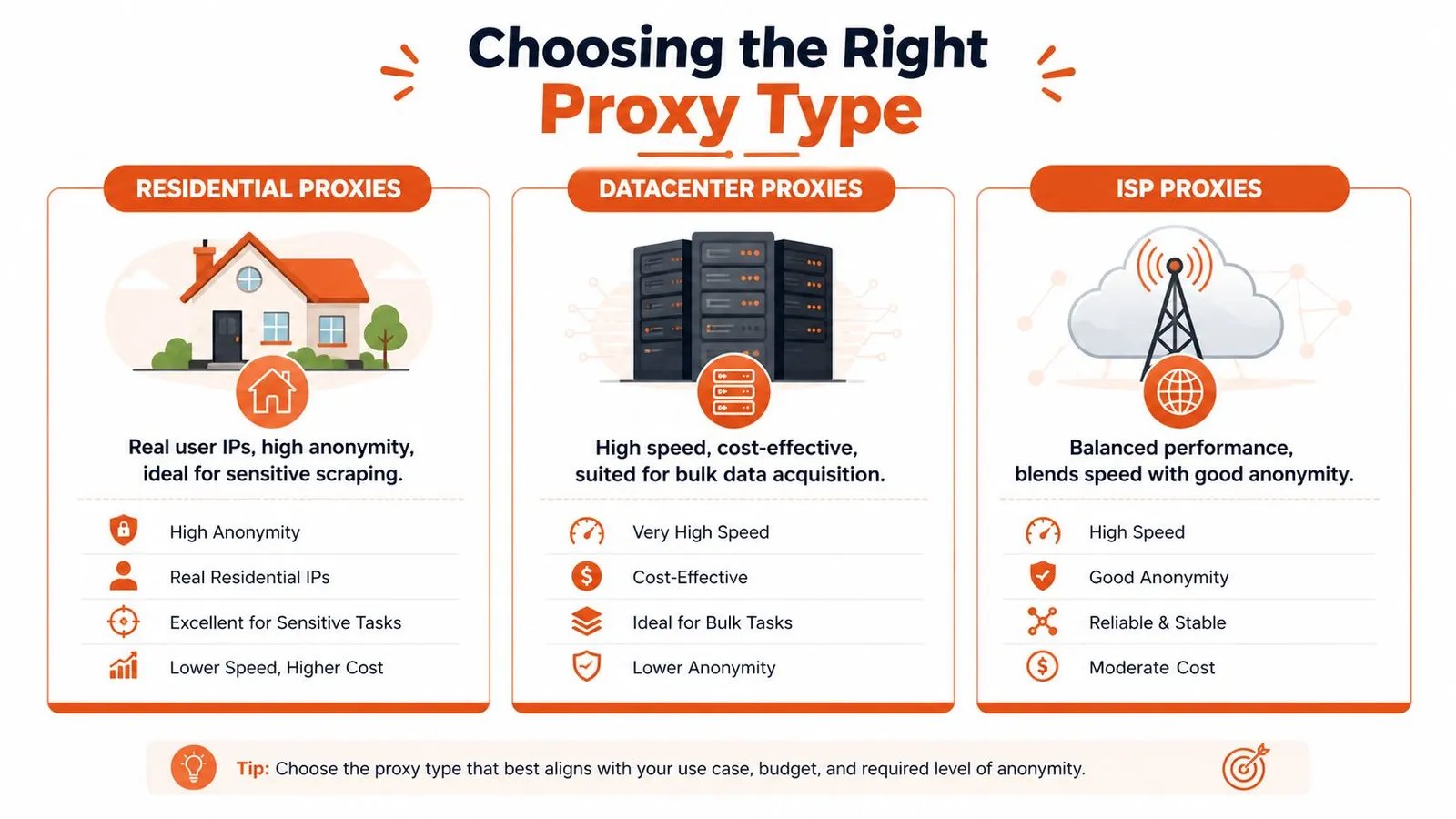
By 2024, **78% of Fortune 500 companies used proxy networks for secure browsing and structured data harvesting, and 2.5 billion web pages were scraped monthly using proxy infrastructure**, according to [proxy market reporting on enterprise usage](https://www.marketgrowthreports.com/market-reports/proxy-server-service-market-113792). That matters here because the same proxy decisions that affect scraping success also affect download reliability, especially when the source uses bot protection or regional controls.
### What changes when the payload is a file
With file downloads, the proxy type influences more than access. It changes how long the connection survives, how predictable throughput is, and how often the origin decides your traffic looks suspicious.
- **Residential proxies** use real user IPs. They're the right fit when the source is sensitive to automation, enforces geography aggressively, or blocks known hosting ranges.
- **Datacenter proxies** are usually the cheapest and easiest to scale for bulk acquisition from tolerant sources. They can be fast, but they also get flagged faster on sites that inspect ASN reputation.
- **ISP proxies** sit in the middle. They usually behave more like residential addresses from the origin's perspective while keeping better stability for long-lived transfers.
If your workload looks more like scraping plus file capture than raw binary mirroring, this overview of a [Bright Data alternative for LLM web scraping](https://webclaw.io/blog/bright-data-alternative-llm-web-scraping) is relevant because the same proxy categories show up in extraction stacks that mix page rendering with downstream asset retrieval.
### Proxy Type Comparison for Downloads
| Proxy Type | Cost | Speed | Ban Risk | Best For |
|---|---|---|---|---|
| Residential | Higher | Variable | Lower on sensitive sites | Geo-restricted files, protected origins, session-bound downloads |
| Datacenter | Lower | High when tolerated | Higher on strict sites | Bulk downloads from permissive hosts, internal mirroring, tolerant CDNs |
| ISP | Mid to high | Stable | Lower than datacenter in many real-world cases | Long downloads, authenticated sessions, large binary transfers |
A mistake I see often is choosing by headline speed alone. A fast proxy that gets cut off at byte range boundaries is slower than a stable proxy that finishes every job.
### A practical selection rule
Use this sequence when you're deciding:
1. **Start with the source's trust model.** If the host blocks cloud egress aggressively, skip datacenter first.
2. **Match proxy persistence to file size.** The larger the file, the more a stable exit IP matters.
3. **Separate test traffic from production traffic.** Don't benchmark proxies with tiny files and expect the same behavior on large archives.
4. **Price for completion, not requests.** A cheaper network that forces repeated restarts can cost more in bandwidth and operator time.
> For download pipelines, the winning proxy isn't the one with the highest burst speed. It's the one that survives the whole transfer under the source's policy.
## Configuring Proxies for Peak Performance and Reliability
Once you've picked the proxy class, configuration starts to matter more than the vendor label. The downloader, the proxy, and the origin all have opinions about timeouts, connection reuse, and authentication. If those opinions conflict, large transfers fail in ways that look arbitrary.
### Tune the downloader before blaming the proxy
Teams often under-tune the client. They run default settings, then assume the proxy is bad because throughput swings or sockets close early.
For `curl`, `aria2c`, Python `httpx`, or Go's `http.Client`, focus on a few things first:
- **Connection timeouts:** Keep connect timeouts short enough to fail fast on dead routes.
- **Read timeouts:** Set them long enough for large files and slower origins.
- **Concurrency:** Parallel chunk downloads can help, but too much fan-out trips anti-bot controls or causes session inconsistency.
- **Connection reuse:** Reused sessions reduce handshake overhead, but some origins behave better with fresh connections for each range request.
A practical `curl` example through an HTTP proxy looks like this:
```bash
curl -L \
--proxy http://user:pass@proxy-host:port \
--retry 5 \
--retry-all-errors \
--connect-timeout 10 \
--max-time 0 \
-C - \
-o model.bin \
"https://example.com/path/model.bin"
```
And the same idea in Python with `httpx`:
```python
import httpx
proxies = {
"http://": "http://user:pass@proxy-host:port",
"https://": "http://user:pass@proxy-host:port",
}
with httpx.Client(proxies=proxies, timeout=None, follow_redirects=True) as client:
with client.stream("GET", "https://example.com/file.zip") as resp:
resp.raise_for_status()
with open("file.zip", "ab") as f:
for chunk in resp.iter_bytes():
f.write(chunk)
```
If you're comparing providers, don't just run a latency check and call it done. Use a [practical guide for robust proxy evaluation](https://evoproxy.com/wiki/proxy-speed-test) as a template, but adapt the test to your actual workload: authenticated URLs, realistic file sizes, and the same client you'll use in production.
### Get authentication and session behavior right
A surprising number of failures are self-inflicted.
Here's what usually works:
- **Sticky sessions for multi-request downloads:** If the origin expects continuity across redirects, cookies, or range requests, keep the same exit IP.
- **Rotating sessions for repeated independent jobs:** When each file is a separate transaction, rotate between jobs, not during a single file transfer.
- **Header discipline:** Don't send a random browser header set from one request and a barebones downloader signature on the next if the same session is meant to look consistent.
- **Credential placement:** Prefer standard proxy auth mechanisms over hacks in custom headers unless your provider requires them.
### The HTTPS blindness problem
One of the least documented problems in this area is **HTTPS proxy blindness**. Proxies that tunnel HTTPS without SSL inspection often can't see the file metadata well enough to apply or bypass size-based handling cleanly. In practice, this can cause large HTTPS downloads to fail because the proxy can't determine the file size and a hidden policy limit gets triggered. That behavior is captured in [this Stack Overflow discussion of HTTPS download limits through proxies](https://stackoverflow.com/questions/23638769/how-to-make-downloads-through-a-proxy-exceeding-proxis-download-file-size-limit).
This matters most when a file works over one route and fails over another with no obvious HTTP error. Developers often blame the origin, but the proxy layer is the one handling the transfer improperly.
What to do instead:
- **Use proxy types that support your transport path cleanly.** ISP and residential paths can avoid some enterprise inspection behavior.
- **Test with native clients, not only browser traffic.** Browsers and `curl` don't always traverse proxies the same way.
- **Avoid rotating IPs mid-download.** If the origin uses signed URLs or binds transfer state to a client fingerprint, rotation can corrupt resumability.
- **Validate with a known large HTTPS object.** Small files won't expose this problem reliably.
> If a large HTTPS file fails consistently at roughly the same stage, inspect the proxy path before you change application code.
## Building Resilient Downloads That Handle Failures
A production downloader assumes failure. The only question is whether the failure costs a few seconds or forces a full restart from byte zero.
### Resume instead of restarting
If the origin supports byte ranges, use them. That means checking for `Accept-Ranges`, storing the partial file, and resuming with `Range` requests instead of discarding progress.
A minimal Python pattern looks like this:
```python
import os
import httpx
url = "https://example.com/bigfile.tar"
path = "bigfile.tar"
existing = os.path.getsize(path) if os.path.exists(path) else 0
headers = {}
mode = "ab" if existing else "wb"
if existing:
headers["Range"] = f"bytes={existing}-"
with httpx.Client(follow_redirects=True, timeout=None) as client:
with client.stream("GET", url, headers=headers) as resp:
if resp.status_code not in (200, 206):
resp.raise_for_status()
with open(path, mode) as f:
for chunk in resp.iter_bytes():
f.write(chunk)
```
This isn't just a speed optimization. It changes the economics of failure. Losing a socket near the end of a large transfer is annoying. Restarting the whole file is operationally expensive.
### Retry logic that doesn't get you blocked faster
Retry policy should depend on failure class.
- **Transient network errors:** Retry quickly, then back off.
- **Rate limits or soft blocks:** Slow down and consider switching identity.
- **Auth or signed URL failures:** Don't keep hammering. Refresh the token or session first.
- **Corrupt partial file:** Verify integrity before appending more bytes.
Use exponential backoff with jitter. Fixed retry intervals create synchronization bursts across workers and make your traffic look robotic.
If the source uses active bot defense, put browser fallback and challenge detection in a separate lane from binary transfer. This write-up on [anti-bot scraping APIs with browser fallback and signals](https://webclaw.io/blog/anti-bot-scraping-api-2026-browser-fallback-signals) is useful for that split. The lesson is simple: acquire access state with the right tool, then download the file with a client built for streams and resumes.
### Detect failure classes early
Don't log only status codes. That's too coarse for file transfer work.
Track at least:
- **Failure stage:** connect, TLS handshake, redirect, first byte, midstream, finalization
- **Resume success:** whether partials continue cleanly
- **Proxy identity used:** enough to quarantine bad exits
- **Response shape:** HTML challenge page instead of binary payload is a common false success
- **Content validation:** checksum, expected MIME type, or archive open test
A resilient pipeline also marks a proxy as “bad for this origin” instead of globally bad. Some exits are fine for one host and terrible for another.
## Advanced Proxy Strategies and Webclaw Integration
Most proxy guides stop at rotation and geo-targeting. That's enough for page fetches. It's not enough when teams repeatedly pull the same heavy artifacts across multiple workers or locations.
### Using proxies as a cache layer
A stronger pattern is to treat parts of the proxy path as a distributed cache. Instead of viewing the proxy as a pure pass-through hop, you let it recognize previously fetched large files by hash or stable naming and serve repeated requests without re-pulling the full object from origin every time.
That matters for AI and data engineering teams in particular. An emerging use case described in [this homelab discussion about proxying large files](https://www.reddit.com/r/homelab/comments/dmmpup/proxy_server_for_large_files/) is caching large files such as **100GB+ AI models**, where hash-based proxy caching can reduce redundant bandwidth usage by **60% to 80%**.
In practice, the pattern looks like this:
1. **Normalize file identity.** Use content hash, release checksum, or immutable versioned paths.
2. **Store cache metadata near the egress layer.** Don't rely only on app workers to remember what was already fetched.
3. **Prefer immutable artifacts.** This model breaks down when the URL stays constant but the payload changes unannounced.
4. **Separate cache hit logic from access logic.** The same worker can authenticate through one path and retrieve cached content through another.
> A proxy for downloads can do more than hide an IP. In the right topology, it becomes a bandwidth control point.
### An API-first integration pattern
When your workflow mixes rendered page extraction, bot-protected access, and occasional file retrieval, it helps to keep the proxy configuration outside individual scripts.
One clean pattern is to centralize the acquisition layer behind an API that supports bring-your-own-proxy settings, then let your downloader handle only the file stream itself. For example, [Webclaw's API endpoints](https://webclaw.io/docs/api/endpoints) support extraction workflows where you can bring your own proxy configuration for the page acquisition side, while the binary download path remains under your own client control. That split is useful when a page requires rendering or anti-bot handling but the final file URL should be fetched by a resumable native client like `curl`, `aria2c`, or a custom Python/Go worker.
That design also makes incident response easier. You can swap proxy pools, geographies, or session rules in one layer without touching every download worker.
## Monitoring Costs and Navigating Ethical Guidelines
Proxy cost gets out of control when teams monitor the wrong unit. They count requests. The bill usually follows transferred bytes, failed retries, and waste from partial downloads that never complete.
### Watch the metrics that actually matter
At minimum, track these per origin and per proxy pool:
- **Successful completion rate:** A completed file is the only success that matters.
- **Average resumed bytes:** High resumed volume can mean unstable routes, but it can also mean your resume logic is saving you.
- **Bandwidth by outcome:** Separate completed downloads from failed or abandoned transfers.
- **Cost by file class:** Small artifacts and large model files shouldn't share the same budget assumptions.
- **Challenge rate:** If the source is serving HTML or interstitials instead of files, your spend is leaking.
If you're running this in cloud infrastructure, cost controls belong next to transfer metrics, not in a separate finance dashboard. This guide on how to [optimize your cloud spend](https://resources.cloudcops.com/blogs/cloud-cost-optimization-strategies) is useful for building that habit, especially when egress and proxy bandwidth rise together.
For teams comparing plans or estimating operating cost, Webclaw publishes its [pricing details](https://webclaw.io/pricing), which is useful when you're deciding whether to keep more acquisition logic in-house or move some of it behind an API layer.
### Operate like a good citizen
A reliable download pipeline isn't just technical. It's also behavioral.
Follow a few rules consistently:
- **Respect access rules:** Check `robots.txt` where relevant and read the site's Terms of Service before automating retrieval.
- **Limit concurrency per host:** Don't flood a single origin just because your proxy pool can fan out.
- **Identify yourself when appropriate:** A clear `User-Agent` and contact path can reduce friction for benign use cases.
- **Avoid bypass for prohibited content:** Proxies don't make a restricted target fair game.
- **Verify file integrity and provenance:** Download pipelines should protect your systems, not just complete transfers.
Ethical operation also helps performance. Sites that see measured, consistent behavior are less likely to respond with harsh controls than sites that see bursty, evasive traffic from constantly changing clients.
---
If you're building retrieval or scraping systems that need both hard-to-fetch pages and controlled proxy routing, [Webclaw](https://webclaw.io) is one option to evaluate. It supports bring-your-own proxies for extraction workflows, which can simplify the access side while you keep large-file download logic in your own resumable pipeline.
---
### Residential Proxies for Self-Hosted webclaw Scraping
URL: https://webclaw.io/blog/residential-proxies-self-hosted-webclaw
Published: 2026-06-27
Author: Massi
Route self-hosted webclaw scrapes through ColdProxy residential proxies with rotation and geo-targeting. Setup, pool files, and crawl commands.
You run the webclaw CLI on your own box. It works for the first hundred pages. Then a site that returned clean markdown an hour ago starts handing you 429s, captchas, or a page localized to the wrong language. Your code did not change. The site noticed one IP pulling pages faster than any human would, and it throttled you.
Every self-hosted scraper hits this. One origin IP carries one reputation, one rate budget, and one location. Spread the same volume across hundreds of IPs in the right countries and the per-IP request rate drops below the threshold that triggers blocks. The site sees ordinary traffic from many places.
This guide puts [ColdProxy](https://coldproxy.com/?utm_source=webclaw.io&utm_medium=sponsorship&utm_campaign=webclaw-sponsor&utm_content=blog-guide) residential proxies in front of the webclaw CLI: a single proxy first, then a rotating pool across a crawl, then geo-targeting by country. webclaw is open source, so you wire up the proxy layer yourself. ColdProxy supplies the IPs. Use webclaw and ColdProxy to collect publicly available data, and in line with each target site's terms of service and robots.txt. Every command below uses a real webclaw flag, so you can paste it straight into a terminal.
## Key takeaways
- A self-hosted scraper sends every request from one IP, so it gets rate-limited or geo-walled fast. Spread requests across many proxy IPs to fix both.
- webclaw's hosted cloud includes managed proxy handling. The open-source CLI supports proxies, but self-hosted users bring their own proxy endpoints. That is the audience for this guide.
- Set one proxy with `WEBCLAW_PROXY` or `--proxy`. Rotate a pool with `--proxy-file`, where each proxy gets its own client and TLS fingerprint.
- Residential IPs look like real home connections and suit geo-specific and protected targets. Datacenter IPs run faster and cost less for high-volume crawling of tolerant endpoints.
- Geo-target by putting one country-tagged ColdProxy endpoint per line in the pool file. ColdProxy covers 195+ countries with country, city, ZIP, and ASN targeting.
- Proxies help distribute throughput and reduce single-IP reputation pressure. They do not handle JS rendering or challenge solving. For heavily protected sites, switch to webclaw's managed cloud.
## Why a self-hosted scraper needs its own proxies
webclaw comes two ways. The hosted cloud at [webclaw.io](https://webclaw.io) runs the full extraction pipeline on managed infrastructure with proxies included: you send a URL, you get content back, and IPs never enter the picture. The open-source CLI runs on your machine and gives you the same extraction engine without the managed plumbing. This guide covers the CLI.
When you self-host, your scraper inherits the network identity of the machine it runs on. A laptop, a VPS, a CI runner: each has a single egress IP, and every request to a target stamps that same address. The target counts requests per IP over time, and once you cross the rate it tolerates, it throttles or bans the IP. A datacenter VPS IP often gets flagged as non-human before you send a single request.
Proxies break the one-IP bottleneck. Route each request through a different upstream address and the target sees a spread of clients. Residential proxies go one step further: they use real consumer IPs from actual ISPs, so to the target your scraper reads as an ordinary home visitor. That can decide whether a request returns the page or a block.
## Residential vs datacenter proxies for scraping
Residential and datacenter proxies fit different jobs. Residential IPs come from consumer ISP connections and carry the trust of a real household, which matters when a site scrutinizes IP reputation or serves region-specific content. Datacenter IPs live in server farms. They run faster and cost less per gigabyte, and they work on endpoints that do not inspect IP origin closely, like public APIs or sitemaps.
| Factor | Residential (IPv4 / IPv6) | Datacenter IPv6 |
|--------|---------------------------|-----------------|
| IP source | Real consumer ISP connections | Server farms / cloud ranges |
| Trust with strict sites | High, reads as a home user | Lower, often pre-flagged |
| Speed | Good | Fastest |
| Cost per request | Higher | Lowest |
| Geo-targeting | Country / city / ZIP / ASN | Country-level |
| Best for | Region-specific testing, localized content, public-data collection, market monitoring | High-volume crawling of tolerant endpoints |
A practical default: pick residential when the target cares who is asking or where you are, and pick datacenter when you need to move a lot of pages cheaply from a forgiving source. ColdProxy offers residential IPv4, residential IPv6, and datacenter IPv6 from one dashboard, so you can mix both in the same project. ColdProxy's [residential vs datacenter breakdown](https://coldproxy.com/blog/datacenter-vs-residential-proxies-how-to-choose/?utm_source=webclaw.io&utm_medium=sponsorship&utm_campaign=webclaw-sponsor&utm_content=blog-guide) covers the trade-offs in more depth.
## Step 1: Install webclaw
Pick whichever install path fits your machine. Homebrew is the shortest on macOS and Linux:
```bash
brew tap 0xMassi/webclaw && brew install webclaw
```
With a Rust toolchain, build from source via cargo:
```bash
cargo install --git https://github.com/0xMassi/webclaw.git webclaw-cli
```
Want a prebuilt binary with no toolchain? Grab one from the [GitHub releases page](https://github.com/0xMassi/webclaw/releases) and drop it on your `PATH`.
Confirm it runs by scraping a page with no proxy yet:
```bash
webclaw https://example.com --format markdown
```
You should get clean markdown on stdout. Once that works, you can route it through ColdProxy.
## Step 2: Get your ColdProxy endpoint
Sign in to the [ColdProxy dashboard](https://coldproxy.com/?utm_source=webclaw.io&utm_medium=sponsorship&utm_campaign=webclaw-sponsor&utm_content=blog-guide) and open the proxy product you picked in Step 1 (residential IPv4 is a safe starting choice). The dashboard gives you four pieces:
- a **host** (the proxy gateway hostname)
- a **port**
- a **username**
- a **password**
ColdProxy uses a username-tag scheme, so the username string also carries your targeting options. You select a country, a sticky or rotating session, and similar controls in the dashboard, and those choices fold into the username it hands you. Copy the values as shown.
Assemble them into a standard proxy URL. The shape webclaw expects is `http://USERNAME:PASSWORD@HOST:PORT`. With the four values in hand, you have everything for the next step.
## Step 3: Scrape through a single ColdProxy proxy
The cleanest way to set a proxy is the `WEBCLAW_PROXY` environment variable. Export it once and every webclaw call in that shell routes through it:
```bash
export WEBCLAW_PROXY="http://USERNAME:PASSWORD@HOST:PORT"
webclaw https://example.com --format markdown
```
To keep the proxy out of your environment, pass it inline with `--proxy` on the single command instead:
```bash
webclaw https://example.com --proxy "http://USERNAME:PASSWORD@HOST:PORT" --format markdown
```
Run the scrape and check the page for anything that echoes your apparent location, like a currency or a language banner. With the proxy working, that location reflects the ColdProxy exit IP, not your real one. A single proxy covers low-volume work. Once you crawl a whole site, you want rotation.
## Step 4: Rotate a ColdProxy pool across a crawl
Past a few hundred requests, spread the load across many IPs. webclaw reads a pool from a plain text file: one proxy per line in `host:port:user:pass` format, with `#` lines ignored as comments. Create `coldproxy.txt`:
```
# residential IPv4
HOST:PORT:USERNAME:PASSWORD
HOST:PORT:USERNAME:PASSWORD
# datacenter IPv6
HOST:PORT:USERNAME:PASSWORD
```
Point a crawl at the file with `--proxy-file`. webclaw rotates the pool per request, and each proxy gets its own client with its own TLS fingerprint, so the rotation goes beyond a swapped IP:
```bash
webclaw https://docs.example.com --crawl --depth 2 --max-pages 200 \
--concurrency 10 --delay 200 --proxy-file coldproxy.txt --format markdown
```
That crawls two levels deep, caps the job at 200 pages, runs 10 requests in parallel, and waits 200ms between requests on each worker. With 10 proxies in the pool, no single IP carries the full crawl rate. The same `--proxy-file` works for batch jobs over a fixed URL list:
```bash
webclaw --urls-file urls.txt --proxy-file coldproxy.txt --concurrency 10 --format json
```
You can also set the pool through the `WEBCLAW_PROXY_FILE` environment variable instead of the flag, the same way `WEBCLAW_PROXY` mirrors `--proxy`. ColdProxy's [sticky vs rotating session guide](https://coldproxy.com/blog/ip-rotation-rotating-and-sticky-proxies-explained/?utm_source=webclaw.io&utm_medium=sponsorship&utm_campaign=webclaw-sponsor&utm_content=blog-guide) covers when to lock an IP for a multi-step session versus rotating on every call, which maps onto whether you want one proxy line or a full pool here.
## Geo-targeting by country
A lot of scraping fails not because the site blocks you but because you sit in the wrong country. Pricing pages, search results, and content libraries change by region. Scrape a US storefront from a German IP and you get euros, German copy, and a different catalog than a US shopper sees.
ColdProxy targets 195+ countries, with city, ZIP, and ASN precision on top of country. The targeting rides in the username tag you copied from the dashboard, so a US endpoint and a UK endpoint differ only in their credentials. To collect region-correct data, put one endpoint per country in the pool file and label each with a comment:
```
# United States exit
US_HOST:PORT:US_USERNAME:US_PASSWORD
# United Kingdom exit
UK_HOST:PORT:UK_USERNAME:UK_PASSWORD
# Germany exit
DE_HOST:PORT:DE_USERNAME:DE_PASSWORD
```
To pin a whole crawl to one country, build a pool of only that country's endpoints. To compare a page across markets, mix countries in the file and run the crawl. Each page comes back stamped with the exit a local visitor would use. ColdProxy's [geo-targeting guide](https://coldproxy.com/blog/geo-targeting-with-proxies-country-city-zip-and-asn/?utm_source=webclaw.io&utm_medium=sponsorship&utm_campaign=webclaw-sponsor&utm_content=blog-guide) documents the city, ZIP, and ASN syntax for drilling below the country level.
## Reliability beyond the proxy layer
Good proxies get you part of the way. Three webclaw flags carry most of the reliability load on a self-hosted crawl.
`--concurrency` sets how many requests run in parallel. Higher numbers finish faster and lean harder on the target. Start at 10 and raise it only if both the site and your pool absorb the load without errors climbing. `--delay` adds a pause in milliseconds between requests per worker, which smooths your request pattern so it reads as less mechanical; 200ms is a reasonable floor for a polite crawl. `--timeout` caps how long a single request waits before giving up, so one slow proxy does not stall the job.
Match concurrency to pool size. Ten parallel workers against three proxies means each IP eats heavy load and the pool advantage disappears. Size the pool large enough that per-IP rate stays low, then tune concurrency under it. Watch your error rate as you scale. A creeping share of 429s or timeouts tells you to add proxies, lower concurrency, or raise the delay before the target bans IPs outright.
Pool hygiene matters over a long run. Dead or slow proxies drag down throughput and inflate error rates, so prune them and refresh the file. ColdProxy's [pool management guidance](https://coldproxy.com/blog/proxy-pool-management-rotation-health-checks-failover/?utm_source=webclaw.io&utm_medium=sponsorship&utm_campaign=webclaw-sponsor&utm_content=blog-guide) covers keeping a rotating set clean. On your side, log status codes per run so you catch a degrading pool before it tanks a crawl.
## When to use webclaw's managed cloud instead
Proxies have a ceiling. Proxy rotation helps with throughput and IP reputation. It does not replace request fingerprinting, JS rendering, or challenge handling for heavily protected sites. For those, use webclaw's hosted cloud mode (set `WEBCLAW_API_KEY`), which handles that for you.
The line is concrete. If a site serves its content in the initial HTML and only rations requests by IP, a good ColdProxy pool with sane concurrency and delay carries you a long way. If the page renders its content with JavaScript after load, throws an interactive challenge, or fingerprints the browser beyond the TLS layer, no proxy alone solves it. You would rebuild a rendering and challenge pipeline by hand, which is the work the managed cloud already does. Self-host with ColdProxy for tolerant-to-moderate targets and bulk collection. Reach for the cloud when the target fights back at the browser level.
## Frequently asked questions
### Do I need residential proxies, or will datacenter ones work?
Depends on the target. Datacenter IPv6 runs faster and costs less, and it works on public APIs, sitemaps, and sites that do not scrutinize IP origin. Sites that check IP reputation or serve region-specific content flag datacenter ranges, so use residential IPv4 or IPv6 there. Many projects mix both: datacenter for the easy bulk pages, residential for the fussy ones.
### How many proxies should my pool have?
Enough that no single IP carries a request rate a human would never produce. There is no fixed number; it scales with your total volume and the target's tolerance. A rough rule: keep per-IP requests per minute well under what the site tolerates from one visitor, then size the pool to hit your throughput target. If error rates climb as you scale concurrency, add proxies before pushing parallelism higher.
### Does webclaw rotate proxies automatically?
Yes, when you pass a pool with `--proxy-file` (or the `WEBCLAW_PROXY_FILE` env var). webclaw rotates per request and builds a separate client with its own TLS fingerprint for each proxy. A single `--proxy` or `WEBCLAW_PROXY` value does not rotate; it routes every request through that one endpoint.
### Why am I getting blocked even with proxies?
Most often the target needs more than a clean IP. If it renders content with JavaScript or throws a challenge, rotation alone will not get you the page. Confirm whether the content sits in the initial HTML. If it does not, switch that target to webclaw's hosted cloud, which handles rendering and challenges. If the content is in the HTML, check your concurrency and delay; an aggressive rate from too few proxies gets IPs banned regardless of how clean they are.
## Next steps
Two moves take you from single-IP limits to more stable, distributed collection. Pick up a residential proxy plan from [ColdProxy](https://coldproxy.com/?utm_source=webclaw.io&utm_medium=sponsorship&utm_campaign=webclaw-sponsor&utm_content=blog-guide), copy your endpoint, and drop it into a `coldproxy.txt` pool. Run the rotating crawl command from Step 4 against your real target and watch the error rate stay flat where one IP used to fall over.
When you hit a site that renders with JavaScript or throws challenges, stop fighting it by hand. Set `WEBCLAW_API_KEY` and route that target through [webclaw's managed cloud](https://webclaw.io), which handles fingerprinting, rendering, and challenges for you. Self-host with ColdProxy where it fits, and lean on the cloud for the sites that fight back.
---
### Web Search API: The 2026 Guide for AI Developers
URL: https://webclaw.io/blog/web-search-api
Published: 2026-06-26
Updated: 2026-09-08
Author: Massi
Explore what a web search API is in 2026. Learn about architectures, features, and how to integrate one for AI agents, RAG, and clean data extraction.
Your agent works in the demo. It fails in production the first time it needs live information.
The usual sequence is familiar. The model gets a question about a recent product launch, a regulation update, or a breaking outage. It calls a web search API, receives a neat list of links, then hits a wall: JavaScript-heavy pages, consent banners, anti-bot checks, or raw HTML so bloated that the useful text is buried under navigation and boilerplate. The model doesn't look stupid because it lacks reasoning. It looks stupid because your data pipeline handed it the wrong shape of web data.
That's the significant shift happening in search infrastructure for AI. A web search API used to mean “search results in JSON.” For AI teams, that standard is outdated. What matters now is whether the API returns **model-ready content** that can go directly into retrieval, ranking, summarization, and answer generation.
## Your AI Agent is Blind Without the Right Web Data
A strong model with weak retrieval behaves like a smart analyst locked in an empty room. It can reason well, summarize cleanly, and follow instructions. But if it can't reliably reach current, relevant web content, it starts guessing.
That failure shows up in ordinary workflows. A customer support copilot needs the latest pricing page. A compliance assistant needs a current regulator notice. A research agent needs a blog post published this morning. In each case, returning ten links is only the start of the job. The hard part is getting **usable content** out of those links consistently.
> Raw links are not retrieval. They're a handoff to another fragile system.
This is why search infrastructure now matters far beyond classic search products. The global search engine market reached **USD 280.48 billion in 2026** and is projected to reach **USD 474.73 billion by 2031**, with AI adoption and programmatic search interfaces cited as major drivers in [Mordor Intelligence's search engine market analysis](https://www.mordorintelligence.com/industry-reports/search-engine-market). That tracks with what engineering teams are building: agents, RAG systems, monitoring pipelines, and automation that all need live web access.
### Where agents usually fail
- **They fetch links, not context.** The model still has to open pages and figure out what matters.
- **They hit modern websites badly.** Client-rendered pages often return partial or useless content to basic fetchers.
- **They waste context window budget.** Even when scraping works, the result is often full of headers, menus, disclaimers, and duplicate links.
- **They lack a retrieval bridge.** Tools built for [AI agent web workflows](https://webclaw.io/use-cases/ai-agents) need current content in a format the model can consume.
The practical lesson is simple. If your agent depends on the web, your bottleneck isn't the model. It's the data path between search and usable text.
## What Is a Web Search API
At the basic level, a **web search API** is a programmatic interface that lets software send a query and receive search data back in a structured format. That's the familiar definition, and it's still true.
For AI systems, though, that definition is too narrow. A useful web search API isn't just an endpoint for fetching search results. It's a retrieval layer between the live web and a model, agent, or downstream pipeline.
### More than a list of results
The old mental model is “Google results, but in JSON.” That works if your application is doing rank tracking, SEO analysis, or storing result pages for later review. It's not enough if your application needs to answer questions grounded in the web right now.
A better mental model is this: a web search API is **an intake system for live information**. Sometimes that intake stops at titles, URLs, and snippets. Better systems go further and return extracted passages, cleaned article bodies, markdown, metadata, and fields that plug directly into a retriever or prompt.
That shift matters because AI products don't browse like humans do. They don't scan a page, ignore the cookie banner, and visually find the important paragraph. They process whatever text you give them. If you feed them noisy page markup, you get noisy reasoning.
For teams trying to make sense of this broader shift in search, Algomizer's piece on [navigating AI-native discovery](https://algomizer.com/blog/what-is-ai-search) is a useful companion read because it frames how search behavior is changing around machine consumers, not just human users.
### The modern role in the stack
In production, I think about a web search API as serving one of three roles:
1. **Result discovery**
It finds relevant pages and returns metadata.
2. **Content acquisition**
It extracts the useful text from those pages.
3. **Model preparation**
It packages the result into structured, token-efficient content that an LLM can rank, cite, or summarize.
If an API only does the first part, you still have real engineering work left. If it handles all three, your retrieval stack gets much simpler. That's why docs that show only a search endpoint are incomplete for AI use cases. What matters is the full path from query to model-ready context, not just the request itself. A typical reference point for that workflow is an API spec like the [search endpoint documentation](https://webclaw.io/docs/api/search).
## Comparing Web Search API Architectures
Not all web search APIs solve the same problem. The name sounds uniform. The architecture usually isn't.
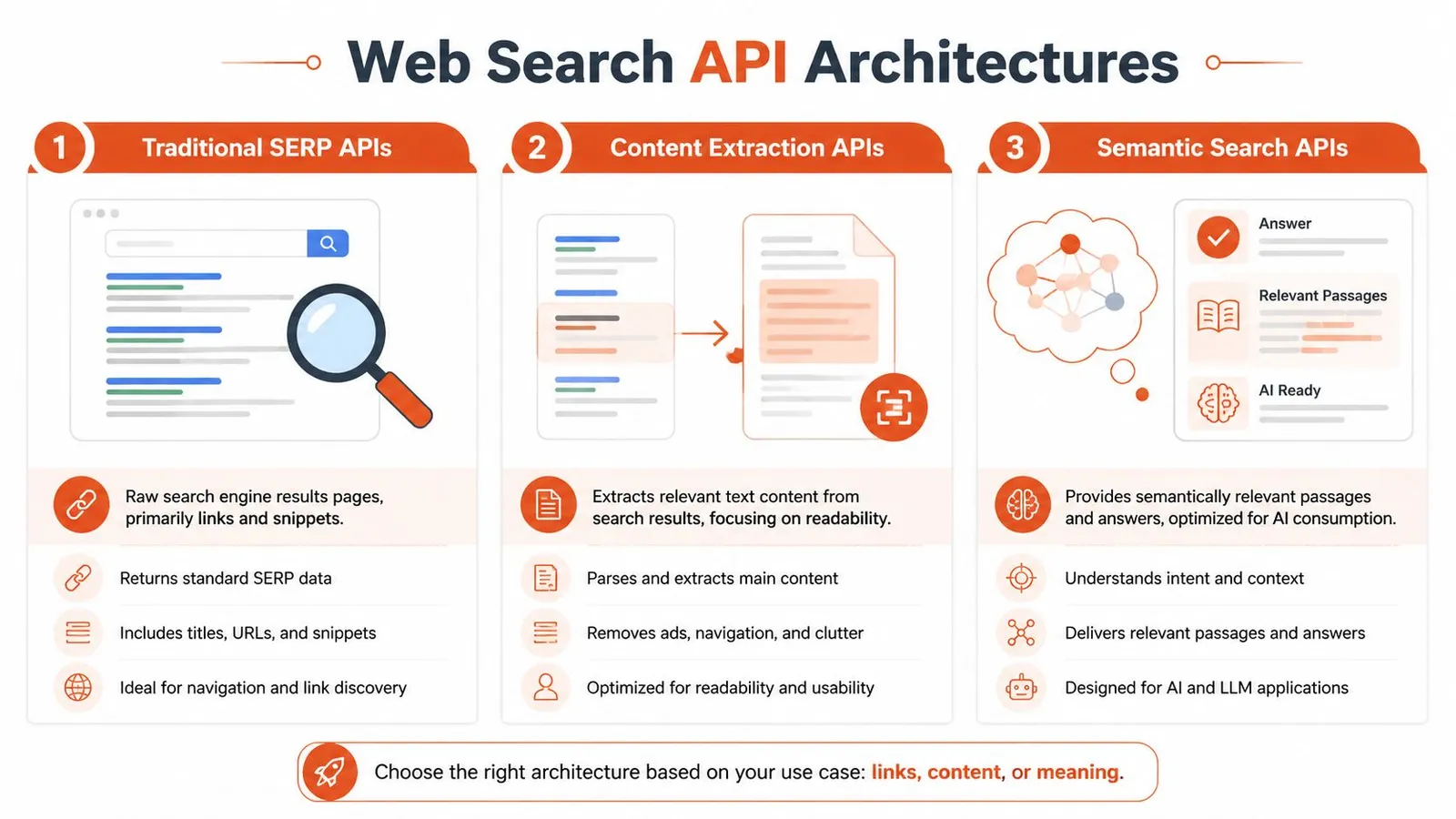
### Traditional SERP wrappers
These APIs wrap a search engine result page and return rankings, titles, snippets, and URLs in structured JSON. They're often the easiest category to understand because they mirror what a human sees on a search engine. If you would rather run the scrape yourself, [how to scrape Google search results](/blog/how-to-scrape-google-search-results) covers the methods these wrappers use internally.
They work well for:
- **SEO monitoring**
- **Competitor tracking**
- **Ad and ranking analysis**
- **Localization-focused result inspection**
They work poorly for direct LLM retrieval because the payload is mostly metadata. Your application still has to open the links, scrape the page, clean the content, and then decide what to feed the model.
Their biggest strength is visibility into the result layer itself. Their biggest weakness is that they stop before content acquisition.
### Live crawl search APIs
These systems search by crawling or scanning a live index and can be better suited to freshness-sensitive workflows. They often behave less like a SERP mirror and more like a queryable web index.
They're useful when you care about:
- **Broader web coverage**
- **Fresh pages**
- **Less dependence on one search engine's presentation**
- **Programmatic retrieval workflows**
The trade-off is operational variability. Depending on the provider, result structure can differ across domains and query types. Some providers are great at finding documents but weaker at turning them into clean downstream content.
### Integrated search and extraction APIs
This is the architecture AI teams should pay closest attention to. These APIs combine search with content extraction, so the response includes not only the page URL and title but also the cleaned page body or a model-oriented text representation.
> **Practical rule:** If your application ends with an LLM call, evaluate the extraction layer before you evaluate the search layer.
This category is usually the best fit for:
- **RAG systems**
- **Agent research loops**
- **Fact-checking workflows**
- **Multi-source summarization**
The difference is subtle until you build with it. A plain SERP wrapper says, “Here are relevant pages.” An integrated API says, “Here are relevant pages and the usable text you need.”
That's why architecture matters more than feature lists. Two products can both claim to be a web search API while serving very different jobs. If you're comparing providers, a dedicated [search architecture comparison guide](https://webclaw.io/compare) is the kind of resource worth checking before you commit to one model of retrieval.
## Key Features and Common Limitations
Marketing pages usually emphasize breadth, speed, and simplicity. Production systems expose what really matters: output shape, error handling, consistency, and cost behavior under load.
The market pressure behind this is real. The AI agents market is projected to grow from **$5.40 billion in 2024 to $139.12 billion by 2033**, and **per-query costs in 2026 typically range from $0.001 to $0.025**, according to [WebSearchAPI.ai's analysis of web search APIs](http://websearchapi.ai/blog/what-is-web-search-api). When teams run agents in loops, those costs stop being trivial.
### What actually helps in production
A good API for AI work usually gets these basics right:
- **Structured JSON output**
You want stable fields, predictable nesting, and response formats that don't vary wildly by query type.
- **Localization controls**
Region, language, and time-range filters matter when your answer quality depends on local or recent content.
- **Search depth controls**
Sometimes you want a few highly relevant documents. Sometimes you need broader recall for synthesis.
- **Low-latency retrieval**
Fast responses matter because search often sits inside a multi-step loop. Slow tools don't just slow one call. They slow the whole agent.
- **Extracted content fields**
Title and snippet are useful. Clean body text is what feeds the model.
### What breaks projects
A lot of failures come from features that looked fine in the sandbox.
| Limitation | Why it hurts |
|---|---|
| Aggressive rate limiting | Agents burst traffic. A few concurrent tasks can turn into retries and partial failures quickly. |
| Inconsistent schemas | Downstream ranking, chunking, and citation logic becomes brittle. |
| Weak JavaScript handling | Modern sites return incomplete content or empty shells to basic fetchers. |
| Hidden pricing edges | Costs climb when every search triggers follow-up extraction or multiple retries. |
The pricing issue is usually underestimated. A cheap query can become an expensive workflow if one user request turns into several searches, several fetches, and repeated cleaning logic. Cost discipline means evaluating the full retrieval path, not the top-line API price.
> A low query price doesn't mean a low system cost.
The safest evaluation method is boring and effective: test against the ugliest sites in your target domain, inspect the raw response objects, and measure how much custom cleanup code your team still has to write after the API returns.
## How to Integrate a Web Search API for RAG
For RAG, the useful question isn't “Can this API search the web?” It's “Can this API return context my retriever can trust without an extra cleanup pipeline?”
A modern API designed for AI often folds extraction into the search response. Firecrawl describes this pattern as integrating full-page extraction directly into search, reducing latency by sub-second intervals and returning clean markdown or token-efficient content that can be **up to 90% smaller than raw HTML** in its [web search API write-up](https://www.firecrawl.dev/blog/web-search-api).
### The pipeline that works
The most reliable RAG flow is usually:
1. Search the web for the query.
2. Receive already-extracted content with each result.
3. Rank or filter documents.
4. Chunk only the useful text.
5. Store or pass the chunks to the model with citations.
That avoids the common trap where search and scraping are separate systems with separate failure modes.
If you need a grounding refresher, Supagen's guide on [understanding AI retrieval and RAG](https://supagen.dev/blog/what-is-retrieval) is a solid primer on how retrieval quality shapes model output quality.
A practical integration point for many teams is a connector layer such as [LangChain-compatible search tooling](https://webclaw.io/integrations/langchain), where search results can flow directly into retrievers or agent tools instead of being manually transformed.
### A simple Python example
This example shows the shape you want. One search call. Extracted markdown in the response. Minimal glue code.
```python
import os
import requests
API_KEY = os.getenv("WEBCLAW_API_KEY")
url = "https://api.webclaw.io/v1/search"
payload = {
"query": "latest AI infrastructure announcements",
"limit": 5,
"format": "markdown",
"language": "en"
}
headers = {
"Authorization": f"Bearer {API_KEY}",
"Content-Type": "application/json"
}
response = requests.post(url, json=payload, headers=headers)
response.raise_for_status()
data = response.json()
documents = []
for item in data.get("results", []):
documents.append({
"title": item.get("title"),
"url": item.get("url"),
"content": item.get("markdown", ""),
})
# Example: pass documents into your chunker or vector store
for doc in documents:
print(doc["title"])
print(doc["url"])
print(doc["content"][:500])
print("=" * 80)
```
This matters because your retrieval step should produce **content**, not another queue of work.
The walkthrough below gives a visual sense of what that simplified setup looks like in practice.
## Beyond SERPs Why LLM-Ready Content Matters
Ten blue links were built for people. LLM applications need something else.
A model doesn't benefit from “discoverability” in the same way a user does. It benefits from **clean evidence**. If your pipeline returns links first and content later, your system spends time and tokens just getting to the point where reasoning can start.
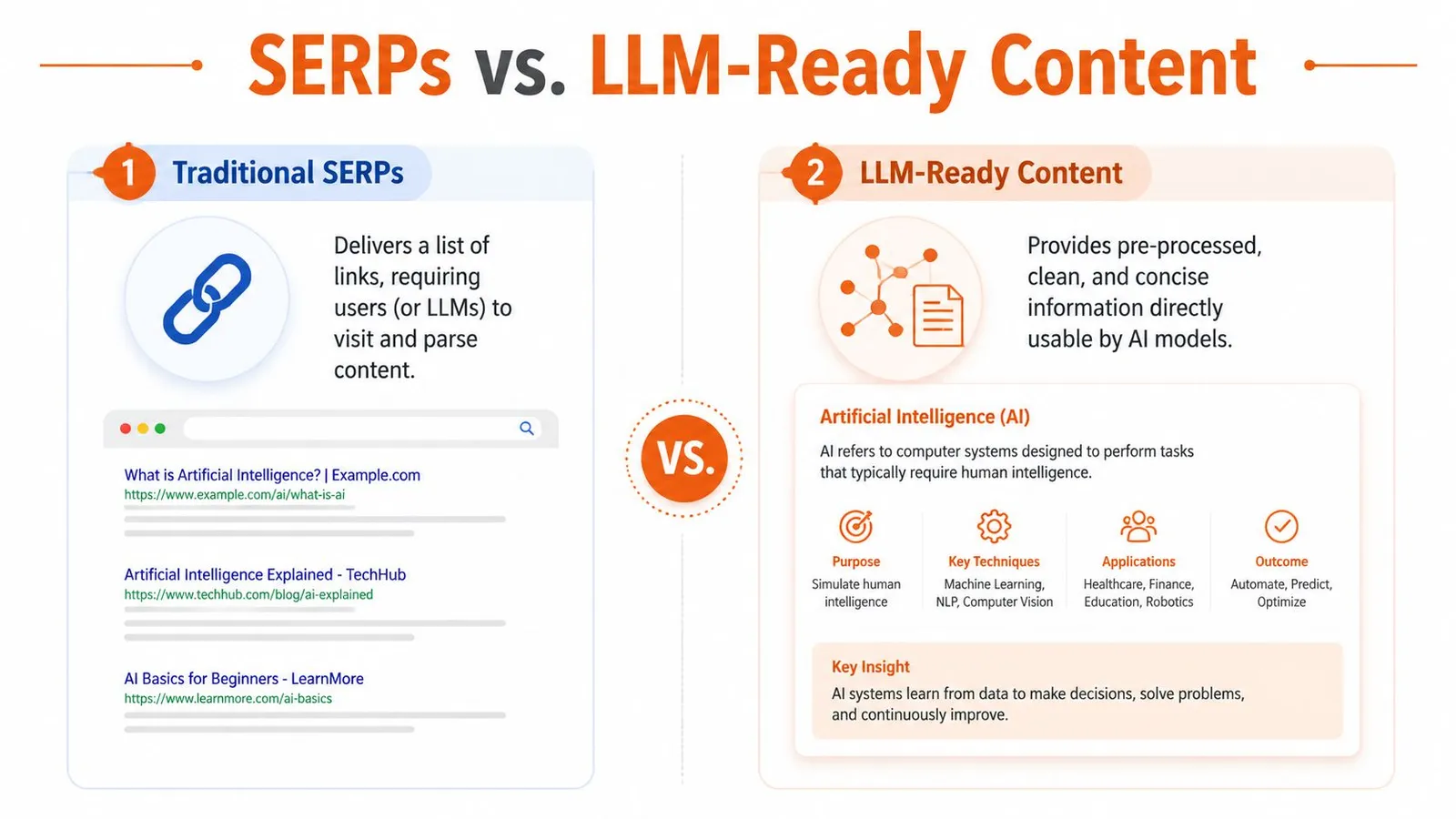
### Links are not knowledge
A separate search-then-scrape loop adds network latency and can send substantially more markup to the model. Measure end-to-end latency and tokens on your own queries before choosing an integrated API.
Those numbers line up with what teams feel operationally. The slowness isn't coming from the model alone. It's coming from orchestration overhead, redundant requests, and noisy page content.
### What the better pipeline changes
When the API returns cleaned content directly, a few things improve at once:
- **Latency drops** because you've removed a second network step.
- **Chunking gets easier** because the input is already stripped down.
- **Prompts get cheaper** because you aren't stuffing menus, footer links, and banner text into context.
- **Citations improve** because each content block stays tied to a source URL from the start.
For teams thinking about generative interfaces more broadly, MyMentions has a useful article on [strategies for generative answers](https://www.mymentions.org/blog/llm-search-engine) that complements this shift from result pages to direct answer inputs.
> If your final consumer is an LLM, the best search result is often not a result page. It's extracted text with provenance.
That's also why HTML-to-markdown conversion has become more important than SERP fidelity in AI systems. The hard engineering work isn't finding a URL. It's converting the web into a compact, faithful representation the model can use. A practical example of that transformation is the kind of [HTML to Markdown workflow for LLMs](https://webclaw.io/blog/html-to-markdown-for-llms) many teams now treat as a core retrieval step rather than an afterthought.
## How to Choose the Right Web Search API
The right choice depends on what you're building, not what the vendor homepage emphasizes.
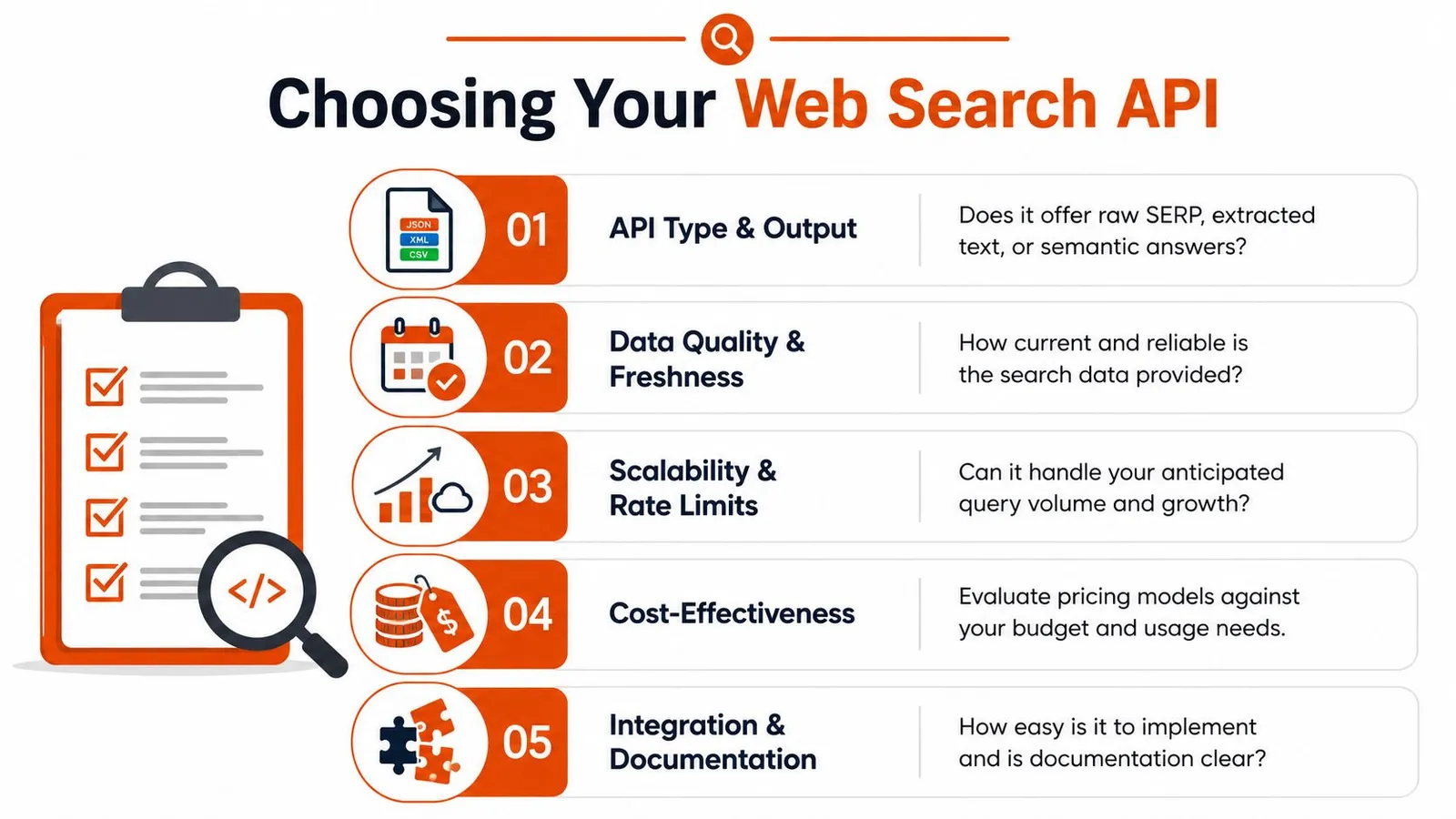
### Pick by job to be done
If you're building **production RAG or agent workflows**, prioritize extracted content quality, stable schemas, and reliability on hard-to-fetch pages. A search result that still needs manual cleanup isn't finished retrieval.
If your use case is **SEO or market research**, SERP visibility may matter more than cleaned body text. In that case, localization controls, ranking fidelity, and result metadata are more important than markdown output.
If you're prototyping a **simple assistant**, a lightweight API can be enough. But be honest about where the prototype will go next. A lot of teams start with “just links” and later realize they've built a brittle scraping stack around it.
A simple filter helps:
- **Need rankings and snippets?** Use a SERP-oriented API.
- **Need current documents from the web?** Use a search system with strong live retrieval.
- **Need model-ready context for LLMs?** Use integrated search and extraction.
Choose based on whether the API returns the final artifact your system needs, not merely whether it offers a search endpoint.
## Frequently Asked Questions
Some of the hardest implementation questions show up after the first successful API call. That's where retrieval systems either mature or become a maintenance burden.
### Practical answers to common objections
Ranking position is not evidence quality. Fact-checking and sensitive RAG workflows should evaluate source authority and corroboration.
That changes how you evaluate providers. You want diversity across sources, clear citation granularity, and enough transparency to avoid grounding answers in a narrow or commercially distorted slice of the web.
| Question | Answer |
|---|---|
| How do I reduce biased search results in RAG? | Don't trust a single top-ranked list. Pull from multiple sources, preserve citations, and favor APIs that make it easier to inspect source diversity rather than only returning a narrow top set. |
| Can a web search API handle JavaScript-heavy pages? | Some can, some can't. This is usually an extraction problem, not a search problem. Test against real client-rendered pages in your domain before committing. |
| Is building in-house cheaper? | Sometimes at tiny scale. At production scale, teams usually underestimate rendering, anti-bot handling, schema normalization, retries, and long-term maintenance. |
| Should I store raw HTML or cleaned text? | For most LLM workflows, cleaned text or markdown is the better default. Raw HTML is useful for debugging, but it's a poor primary format for prompting and retrieval. |
| Do I need search and scraping as separate tools? | Only if your use case truly requires it. For AI retrieval, integrated search and extraction is usually simpler, faster, and easier to maintain. |
> Build your evaluation set from the pages most likely to fail, not the pages most likely to impress in a demo.
The mature way to choose a web search API is to judge it by downstream answer quality, not by how pretty the response looks in a console. If your model gets cleaner context with less orchestration, you picked the right abstraction.
---
If you're building agents, RAG pipelines, or web-scale research workflows, [Webclaw](https://webclaw.io) is worth a look. It focuses on the part that usually breaks in practice: turning messy, blocker-heavy web pages into clean, token-efficient content that models can use.
---
### Downloading HTML Files: From Browser to API in 2026
URL: https://webclaw.io/blog/downloading-html-files
Published: 2026-06-25
Updated: 2026-09-08
Author: Massi
Learn modern methods for downloading HTML files. This guide covers browser saving, curl/wget, headless browsers for JS, and APIs for developers and AI.
You're usually trying to do one of four things when you look up downloading HTML files.
You want to save a page for later. You want the raw markup for analysis. You want to automate collection across many URLs. Or you've hit the much messier version of the problem, where a browser, extension, or scraper keeps giving you a useless `.html` wrapper instead of the actual content.
The method that works for one of those jobs often fails badly on the next. Browser Save As is fine for a one-off page. `curl` and `wget` are excellent when the site is mostly static. Headless browsers are the right move when JavaScript builds the page in the browser. And once you need repeatability, anti-bot resilience, or AI-ready output, raw HTML downloading stops being a simple “save the page” task and turns into infrastructure.
## The Foundational Method Using Your Browser
The simplest way to download HTML is still the browser menu. For one page, one time, nothing beats it for speed. Open the page, save it, and inspect the file locally.
Choose **Webpage, HTML Only** when you need one HTML file. **Webpage, Complete** also creates an asset folder, which complicates parsing and model ingestion.
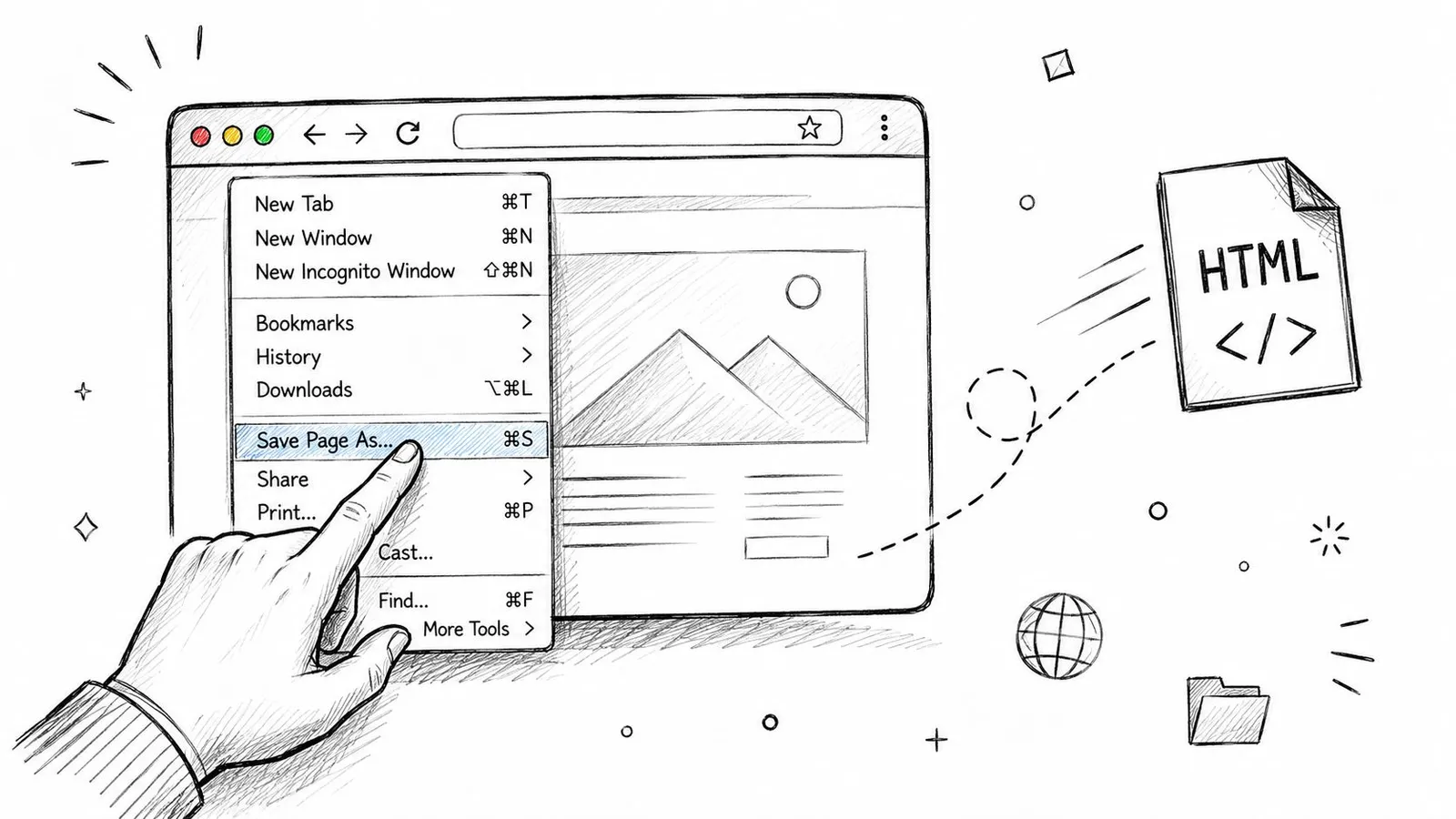
### Use HTML Only unless you need assets
If your goal is offline visual fidelity, “Complete” can make sense. It saves the HTML plus a companion folder for images, CSS, JavaScript, and related files.
If your goal is extraction, comparison, or AI ingestion, **HTML Only** is usually the better choice.
> **Practical rule:** If a downstream system expects one file, save one file. Don't hand it an HTML document plus a folder tree unless you explicitly need the assets.
That single decision avoids a lot of cleanup later:
- **Cleaner parsing:** You get one document instead of a document plus a separate asset directory.
- **Less noise:** You avoid bundling images, stylesheets, and scripts that don't help with content extraction.
- **Better portability:** A lone `.html` file is easier to version, diff, upload, and inspect.
If you're testing extraction workflows and want a quick baseline before automation, a minimal local HTML file is a good starting point. That's also a sensible point to review [Webclaw getting started docs](https://webclaw.io/docs/getting-started) if your one-off manual process is about to become a repeatable pipeline.
### Browser-specific steps that actually matter
The exact menu varies a little, but the principle stays the same.
1. **Chrome and Firefox on Windows**
- Open the page.
- Right-click and choose **Save as**.
- In **Save as type**, select **Webpage, HTML Only**.
- Name the file and save it.
2. **Safari on macOS**
- Open the page.
- Use **File > Save As** or **File > Save Page As** depending on your version.
- Choose the HTML-only style option if available in the format menu.
- Save the file to a predictable folder.
3. **If the result looks wrong**
- Open the saved file in a text editor.
- Check whether it contains the article or main page content, not just navigation and scripts.
- If it's mostly boilerplate, the site may be rendering content with JavaScript after load.
> A browser save is a snapshot, not a guarantee. On modern apps, it may preserve the shell of the page rather than the content you actually wanted.
That's where manual saving stops being enough.
## Automating Downloads with Command-Line Tools
If you're saving more than a few pages, clicking around gets old fast. `curl` and `wget` become indispensable for such tasks. They're fast, scriptable, and available almost everywhere developers work.
They're also blunt instruments. They fetch what the server returns. If the page is static, that's perfect. If the page depends on client-side rendering, you'll often save an empty shell.
### Curl for direct page fetches
`curl` is the straightforward option when you need a direct request and a file on disk.
```bash
curl -L https://example.com/page -o page.html
```
That does three useful things in one line:
- **Fetches the URL**
- **Follows redirects** with `-L`
- **Writes to a file** with `-o`
A few practical variants come up often.
```bash
curl -L -A "Mozilla/5.0" https://example.com/page -o page.html
```
Use a browser-like user agent when a site behaves differently for generic clients.
```bash
curl -L -H "Accept: text/html" https://example.com/page -o page.html
```
Use an explicit `Accept` header when you want to be clear that you're requesting HTML, not an API format.
```bash
curl -L "https://example.com/page?view=print" -o print.html
```
Target print or reader variants if the site exposes them. Those often produce cleaner markup than the default page.
A common failure mode is thinking the output file proves you downloaded the intended resource. It doesn't. In a landmark analysis of repository usage, **Google generated 95.8% of measurable full-text downloads** from repository content, and the same analysis noted the risk that automated tools can misinterpret download links and capture an HTML wrapper instead of the target file at scale, as documented in the [Digital Library Federation repository usage analysis](https://www.dlib.org/dlib/november06/organ/11organ.html).
That matters outside academic repositories too. If a link points to a download flow, consent gate, or redirect page, `curl` may save the wrapper page rather than the file users thought they were grabbing.
### Wget for recursive capture and batch work
`wget` is the better fit when one page turns into a section, a docs tree, or a small site mirror.
```bash
wget -E -H -k -K -p https://example.com/docs/start
```
This family of flags is useful because `wget` can:
- **Convert links for local viewing**
- **Pull page requisites** like images and styles
- **Store pages in a browsable offline form**
For a limited recursive crawl:
```bash
wget --mirror --convert-links --adjust-extension --page-requisites --no-parent https://example.com/docs/
```
That's a practical archive command for static documentation.
If you need to process a list of URLs:
```bash
wget -i urls.txt
```
For sites that gate behavior based on client identity, pairing `wget` with custom headers and a realistic user agent usually helps, but it doesn't solve rendering.
> Static fetchers are dependable when the server sends final HTML. They're frustrating when the server sends a skeleton and expects the browser to finish the job.
There's also a strategic angle here. Teams doing large-scale site capture for content, indexing, or commerce visibility usually end up thinking beyond raw downloads. If that work overlaps with discoverability, this guide on how to [ensure your store's AI readiness](https://searchmention.com/blog/allow-openai-crawlers-for-chatgpt-shopping-visibility) is worth reading because crawler access and extractability often become the same operational problem.
For one-off shell scripts and local experiments, a dedicated command-line workflow is still hard to beat. If you want a cleaner operational wrapper around that style of usage, the [Webclaw CLI docs](https://webclaw.io/docs/cli) show what a more modern extraction-oriented command interface looks like.
## Handling JavaScript-Rendered Content with Headless Browsers
A lot of failed HTML downloads aren't network failures. They're rendering failures.
You hit a URL with `curl`, save the result, open the file, and find a page title, some empty containers, and a pile of JavaScript. The content was never in the initial response. The browser was supposed to execute scripts, fetch additional data, and build the final DOM after the first HTML arrived.
For client-rendered applications, use a renderer when the initial HTML does not contain the required content. Inspect the rendered DOM and network responses to determine what must be captured.
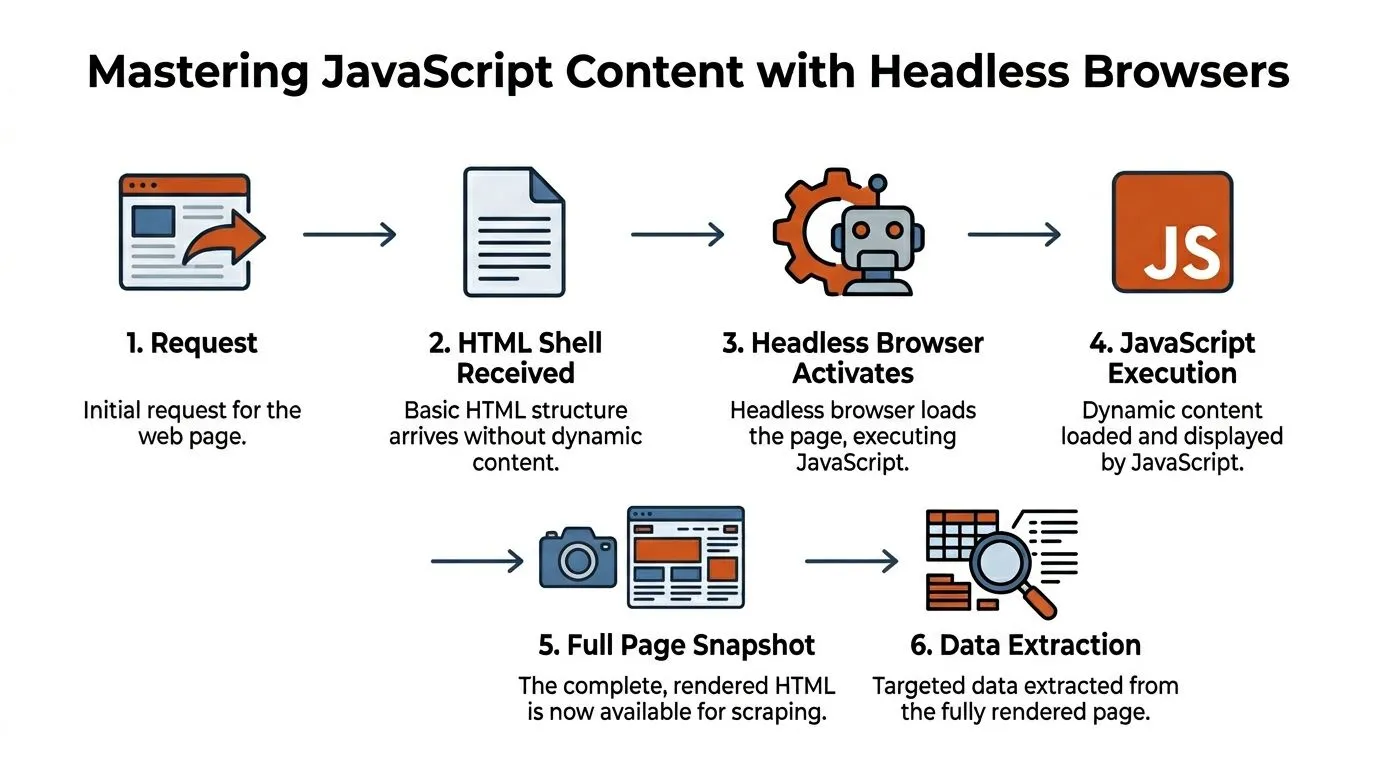
### Why static fetchers return empty shells
Modern frontends often send a minimal document first:
- A root `` for the app
- Script tags for the JavaScript bundle
- Very little actual page content
The browser then does its main work. It runs application code, makes API calls, hydrates components, and mutates the DOM. If your downloader never executes that JavaScript, it never sees the rendered state.
This is why developers move to Puppeteer, Playwright, or Selenium. These tools drive an actual browser engine, even when running headless, so they can wait for rendering and then capture the final HTML.
> Don't ask “Did I get a response?” Ask “Did I get the rendered state I actually need?”
### A reliable extraction workflow
The basic pattern is simple even if the operational details get messy.
1. **Launch a browser context**
2. **Go to the target page**
3. **Wait for a meaningful selector**, not just page load
4. **Extract the DOM** after rendering completes
5. **Save the result** or pass it into your parser
In Playwright, the logic usually looks like this in practice:
```javascript
const { chromium } = require('playwright');
(async () => {
const browser = await chromium.launch();
const page = await browser.newPage();
await page.goto('https://example.com', { waitUntil: 'domcontentloaded' });
await page.waitForSelector('article, main, [data-loaded="true"]');
const html = await page.content();
require('fs').writeFileSync('page.html', html);
await browser.close();
})();
```
The key line isn't `goto`. It's `waitForSelector`. Waiting for a useful content signal is what separates a rendered capture from a race condition.
A few trade-offs matter immediately:
| Choice | What it helps | What it costs |
|---|---|---|
| `domcontentloaded` | Faster initial control | May be too early for data-rich pages |
| `networkidle` | Good for many apps | Can hang on pages with background requests |
| Selector wait | Most reliable content signal | Requires page-specific knowledge |
### When inspector tools are enough
Sometimes you don't need a full scripted browser. If you're debugging a single page, browser DevTools can help you confirm what the real document looks like after rendering.
A practical manual workflow looks like this:
- **Open DevTools:** Right-click and choose Inspect.
- **Check Sources:** Find the root document and related resources.
- **Inspect Elements:** Confirm that the content exists in the live DOM.
- **Save the right thing:** If the DOM is present, save after render, not before.
If you're deciding between Playwright and Puppeteer for this style of work, the [Playwright vs Puppeteer comparison on the Webclaw blog](https://webclaw.io/blog/playwright-vs-puppeteer) is a useful technical reference because the differences usually show up in reliability, browser support, and workflow ergonomics rather than raw capability.
One more practical note. Timing still breaks otherwise sound scripts. If a page is highly dynamic, loading too early can leave you with a structurally valid but semantically empty HTML file. In those cases, deterministic waits, network inspection, and explicit element checks beat “sleep for five seconds” every time.
## Navigating Advanced Scraping Challenges
A headless browser solves rendering. It doesn't solve the web.
The first version of a scraper often works on a laptop against a handful of pages. Then it moves to a server, starts running repeatedly, and falls apart. Requests get challenged. Sessions expire. Geographic variants change the markup. The login flow behaves differently. A selector that worked yesterday breaks after a frontend deployment.
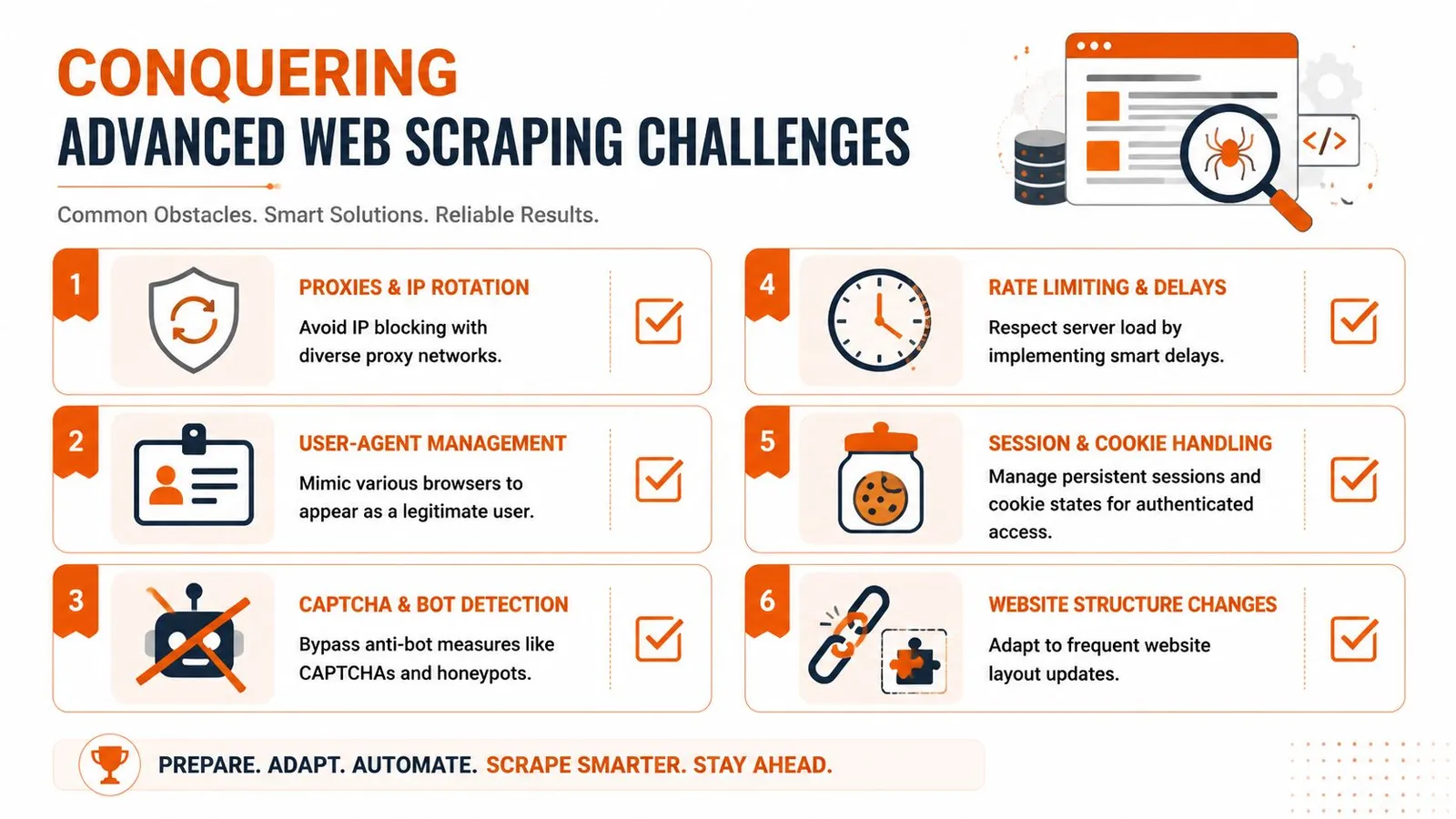
### Why working code still fails in production
Reliable downloading HTML files at scale is less about “can I fetch this page?” and more about operational discipline.
The usual breaking points are familiar:
- **IP reputation:** A script running from one obvious server address gets blocked much faster than a real user.
- **Session state:** Logged-in flows need cookies, headers, and consistent context across requests.
- **Rate control:** Hammering endpoints gets you throttled or flagged.
- **Markup drift:** Sites change class names, DOM shape, and interaction patterns constantly.
That's why mature scraping systems end up with proxy management, retry logic, session storage, browser fingerprint controls, and ongoing monitoring. None of those pieces are glamorous, but each one becomes mandatory once uptime matters.
> The browser is only one layer. The network identity, session behavior, and request rhythm matter just as much.
For teams diagnosing why a script works locally but not against protected targets, this [Cloudflare scraping diagnostic checklist](https://webclaw.io/blog/cloudflare-scraping-diagnostic-checklist) is a practical troubleshooting reference because it forces you to inspect the entire request path instead of just the page code.
### The hidden layer is often the browser itself
Not every HTML download problem comes from the target site. Sometimes the local browser is the culprit.
A well-documented Chrome anomaly causes the browser to recognize all download links as HTML files, often named `download.html`. Historical support reports tied this behavior to conflicting extensions, especially Free Download Manager, which altered default handling of download links, as shown in the [Chrome community thread on links being recognized as HTML](https://support.google.com/chrome/thread/39288433/chrome-recognizes-all-download-links-as-html-files?hl=en).
That kind of issue causes two common mistakes in troubleshooting:
1. You blame the site when the browser extension rewrote the flow.
2. You blame malware when the browser is merely saving a safe redirect page.
If a file keeps arriving as HTML no matter what link you click, check extensions before you rewrite your scraping logic. Disable download managers, retry in a clean profile, and compare the network request path. Many “the site is broken” reports collapse quickly once the browser stops intercepting the download.
## The Production-Ready API Method for Flawless Extraction
At some point, building your own extraction stack stops being an engineering advantage and starts becoming maintenance debt.
The shift usually happens when one of these becomes true: you need JavaScript rendering across many domains, you need consistent output for AI systems, or you need reliability on sites that actively interfere with scraping. That's when an extraction API starts to look less like convenience and more like sensible architecture.
### What an API removes from your stack
A managed API can abstract away the ugliest parts of downloading HTML files in production:
- **Rendering:** It handles JavaScript-heavy pages without you running browser fleets yourself.
- **Retries and failure handling:** It can retry transient failures without custom orchestration.
- **Anti-bot friction:** It can manage the evasive plumbing you'd otherwise have to build and maintain.
- **Output shaping:** It can return formats that are easier to consume than raw browser dumps.
This matters because the hard part of extraction usually isn't making one request. It's making thousands of requests reliably while keeping the result useful.
A good parallel exists in adjacent SEO and data workflows. Teams that outgrow hand-built scripts often make the same move toward managed interfaces for rank tracking and search intelligence. If you work on that side too, this guide to [mastering SEO ranking APIs](https://llmrefs.com/blog/seo-ranking-api) captures the same architectural lesson: abstraction becomes valuable once consistency matters more than local control.
### Why clean output matters more than raw output
Raw HTML is often a poor artifact for AI pipelines. It includes nav trees, repeated links, cookie prompts, scripts, styling hooks, hidden elements, and template clutter. You can clean that yourself, but then you've added another layer of custom logic to maintain.
That's where API-first extraction is often stronger than “just download the page and parse it later.” It can return content that is already normalized into markdown, plain text, or structured JSON.
Here's the practical distinction:
| Output type | Best for | Weakness |
|---|---|---|
| Raw HTML | Full forensic access to page markup | Noisy and expensive to process |
| Markdown | LLM input and readable content review | Loses some structural detail |
| JSON | Structured pipelines and downstream apps | Requires schema design |
If you want to see what an API-first integration looks like, the [Webclaw API docs](https://webclaw.io/docs/api) are the right reference point because they show the request and output model directly.
A short product walkthrough is useful here before you decide whether building in-house is worth it.
The main trade-off is simple. You give up some low-level control, but you remove a lot of repetitive infrastructure work. For teams shipping AI agents, retrieval systems, or web-scale content ingestion, that's usually the right trade.
## Choosing the Right HTML Download Method
The right approach depends less on the page and more on the job.
If you're saving one article, use the browser. If you're scripting repeatable static fetches, use `curl` or `wget`. If the page renders in the browser after load, reach for Playwright or Puppeteer. If the work needs to survive hostile sites, changing markup, and production AI ingestion, use an extraction API and stop treating scraping as a side script.
### HTML Download Method Comparison
| Method | Use Case | Handles JavaScript? | Scalability | Effort |
|---|---|---|---|---|
| Browser Save As | One-off page capture, manual review | Sometimes, but unreliable for dynamic apps | Low | Low |
| `curl` | Direct static page fetches, scripting | No | Medium | Low |
| `wget` | Recursive downloads, archives, batch pulls | No | Medium | Medium |
| Headless browser | Dynamic pages, SPAs, authenticated flows | Yes | Medium to high | High |
| Extraction API | Production pipelines, AI ingestion, protected sites | Yes | High | Low to medium |
A few rules of thumb help:
- **Choose the browser** when speed matters more than repeatability.
- **Choose command-line tools** when the site is simple and you need automation without browser overhead.
- **Choose a headless browser** when the content isn't present in the initial response.
- **Choose an API** when the extraction itself isn't your product and you'd rather avoid maintaining scraping infrastructure.
Good HTML downloading isn't about using the most powerful tool every time. It's about using the cheapest tool that still produces the correct artifact.
---
If you're building AI workflows and need more than raw page dumps, [Webclaw](https://webclaw.io) is worth a look. It's designed for turning hard-to-scrape URLs into clean, token-efficient content that language models can use, without making you run the full browser, proxy, and anti-bot stack yourself.
---
### R Programming Web Scraping: The 2026 Practical Guide
URL: https://webclaw.io/blog/r-programming-web-scraping
Published: 2026-06-24
Author: Massi
Master R programming web scraping. This guide covers rvest, dynamic sites with RSelenium, anti-scraping, and how to build reliable data pipelines for AI.
You're probably in one of two situations right now. Either you have an R workflow that's already solid for cleaning, modeling, and plotting data, and you just need to pull source material from the web. Or you tried a few `rvest` examples, they worked on a demo page, and then your real target returned empty nodes, partial text, or a login wall.
That gap frustrates a lot of people because the problem usually isn't R. The problem is that most web pages worth scraping today aren't simple server-rendered HTML anymore. They're JavaScript-heavy applications, they load content after the first request, and they often push back against automated access.
R programming web scraping still works well. But it only works well when you choose the right approach for the site in front of you. On static pages, `rvest` is still excellent. On dynamic pages, you need browser automation or an API. For production pipelines, especially anything feeding analytics systems or LAG and RAG workflows, reliability matters more than elegance.
## Why Scrape with R and What Breaks Most Scripts
You pull a page into Chrome, see the prices, reviews, and stock status, then run `read_html()` in R and get a page full of empty containers. That mismatch is the failure that trips up a lot of otherwise solid scraping code.
R is still a strong choice for web scraping when the goal is more than raw extraction. It keeps collection, cleaning, analysis, and model prep in one place. If the end product is a tibble, a report, a feature table, or text prepared for an LLM pipeline, staying in R cuts handoffs and keeps the workflow easier to audit.
That is why `rvest` remains useful. For static pages, it is fast, readable, and easy to combine with `dplyr`, `stringr`, `purrr`, and `tidyr`. The problem is not that `rvest` is weak. The problem is that many tutorials still teach a version of the web where the first HTML response contains the data you want.
Modern sites often render key content in the browser with JavaScript, fetch records through background API calls, or gate access behind login flows and bot checks. In those cases, `rvest` is often the wrong first tool, even if your CSS selectors are correct.
### What usually goes wrong
The most common failure mode is simple. The browser shows data that never appears in the raw HTML returned to R.
`rvest` only parses what the server sends in that initial response. If the page fills in product cards, article bodies, or search results after JavaScript runs, you will see symptoms like these:
- **Empty selector results** because the target nodes are missing from the initial document
- **Placeholder content only** because R captured the loading shell rather than the final page state
- **Pagination failures** because the site loads the next batch through an XHR request or scroll event instead of a normal link
- **Debugging confusion** because DevTools shows the rendered DOM, while `read_html()` sees the original server response
A quick check saves time. If the content appears in the browser but not in `View Page Source`, treat the page as dynamic until proven otherwise.
The bigger workflow mistake is starting with selectors before diagnosing the delivery method. For each target, decide whether you are dealing with static HTML, client-rendered content, authenticated pages, or an API hiding behind the front end. That decision determines the tool. Use `rvest` for static HTML. Step up to `RSelenium` or another browser automation tool when the page depends on JavaScript interactions. Skip both and call the API directly when the network panel shows clean JSON responses. For teams building repeatable collection jobs, especially for [scraping websites for data](https://webclaw.io/blog/scraping-websites-for-data) into downstream analytics or LLM systems, that decision point matters more than any individual selector trick.
Basic R scraping works well. It just breaks fast when the site is modern, stateful, or actively defensive.
## Scraping Static HTML with rvest and the Tidyverse
A good static page can save hours. You fetch the HTML once, parse predictable nodes, and move straight into cleaning data instead of debugging a browser session.
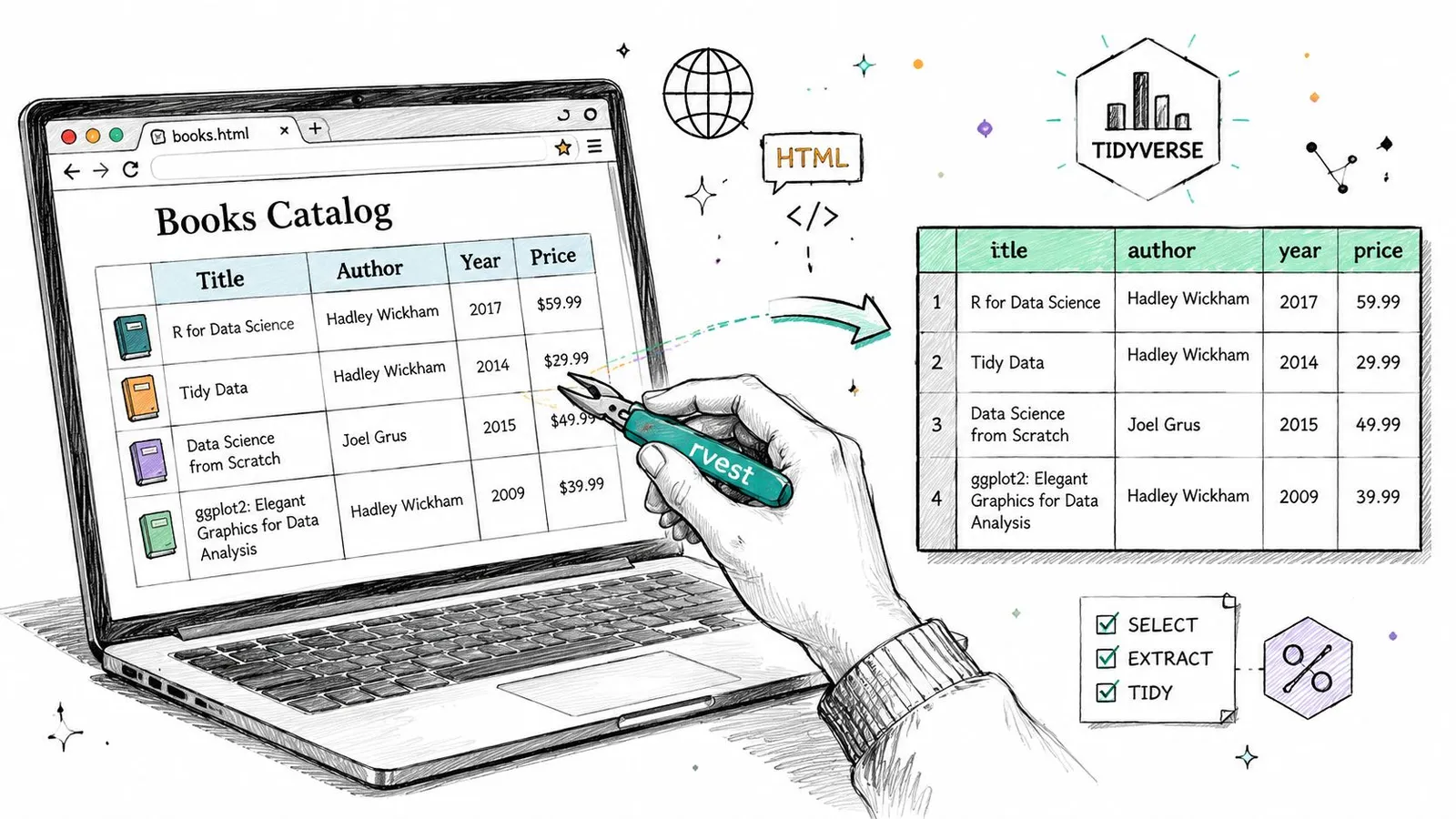
`rvest` works best when the server returns the actual content in the initial response. Product listings, archive pages, documentation tables, press release indexes, and many blog pages still fit that pattern. In those cases, R gives you a fast workflow from request to tibble with very little ceremony.
### The core rvest workflow
The usual pattern is simple:
1. `read_html()` fetches and parses the page
2. `html_elements()` targets nodes with CSS selectors or XPath
3. `html_text()` or `html_attr()` extracts the values you need
That simplicity is the main reason `rvest` remains useful. For static HTML, it is often the fastest path from page to structured dataset, especially when the next step is analysis in `dplyr`, feature generation, or content preparation for an LLM pipeline.
### A practical static page example
Here's the kind of pattern I use for list pages that expose titles, links, and short metadata in plain HTML:
```r
library(rvest)
library(dplyr)
library(stringr)
library(tibble)
url <- "https://example.com/articles"
page <- read_html(url)
titles <- page |>
html_elements(".article-card .title") |>
html_text(trim = TRUE)
links <- page |>
html_elements(".article-card .title a") |>
html_attr("href")
summaries <- page |>
html_elements(".article-card .summary") |>
html_text(trim = TRUE) |>
str_squish()
articles <- tibble(
title = titles,
link = links,
summary = summaries
) |>
mutate(
link = if_else(str_detect(link, "^http"), link, paste0("https://example.com", link))
)
articles
```
This pattern holds up well when the HTML is regular and the page template is stable. The output is already in a shape you can filter, join, deduplicate, or push into a downstream storage layer.
A few habits make static scraping less fragile:
- **Normalize text early** with `str_squish()` so whitespace noise does not break joins, clustering, or prompt construction later.
- **Extract text and attributes separately** because visible labels and URLs often live on different nodes.
- **Check lengths before building a tibble** so you catch missing cards, sponsored blocks, or lazy-loaded fragments that throw columns out of alignment.
- **Resolve relative URLs immediately** because broken links are easy to miss until much later in the pipeline.
Selector work matters here. I use browser DevTools first, then a visual helper when the page is straightforward. In practice, SelectorGadget often cuts the time needed to get to a working CSS selector, but treat that as a convenience estimate, not a benchmark. It is helpful for quick extraction jobs, though I still verify selectors against the raw HTML because autogenerated choices can be too broad or depend on brittle class names.
One trade-off is easy to miss. `rvest` feels clean enough that teams keep using it after the page has outgrown it. For static HTML, that instinct is correct. For JavaScript-heavy sites, it leads to partial datasets and false confidence. The right move is to use `rvest` aggressively where it fits, then stop forcing it onto pages that only become complete after scripts run.
If your goal is not just extraction but creating cleaner text artifacts for retrieval, labeling, or prompt input, this guide to [converting scraped HTML into Markdown for downstream processing](https://webclaw.io/blog/convert-html-to-markdown-2026-guide) is a practical next step.
## When rvest Fails Tackling JavaScript with RSelenium
You load a product page in Chrome, see 60 listings, then run `read_html()` and get six empty nodes plus a lot of layout markup. That is the normal failure mode on modern sites. `rvest` fetches the server response. It does not wait for JavaScript to populate the page, trigger a search request, expand a lazy list, or click away a modal before the actual content appears.
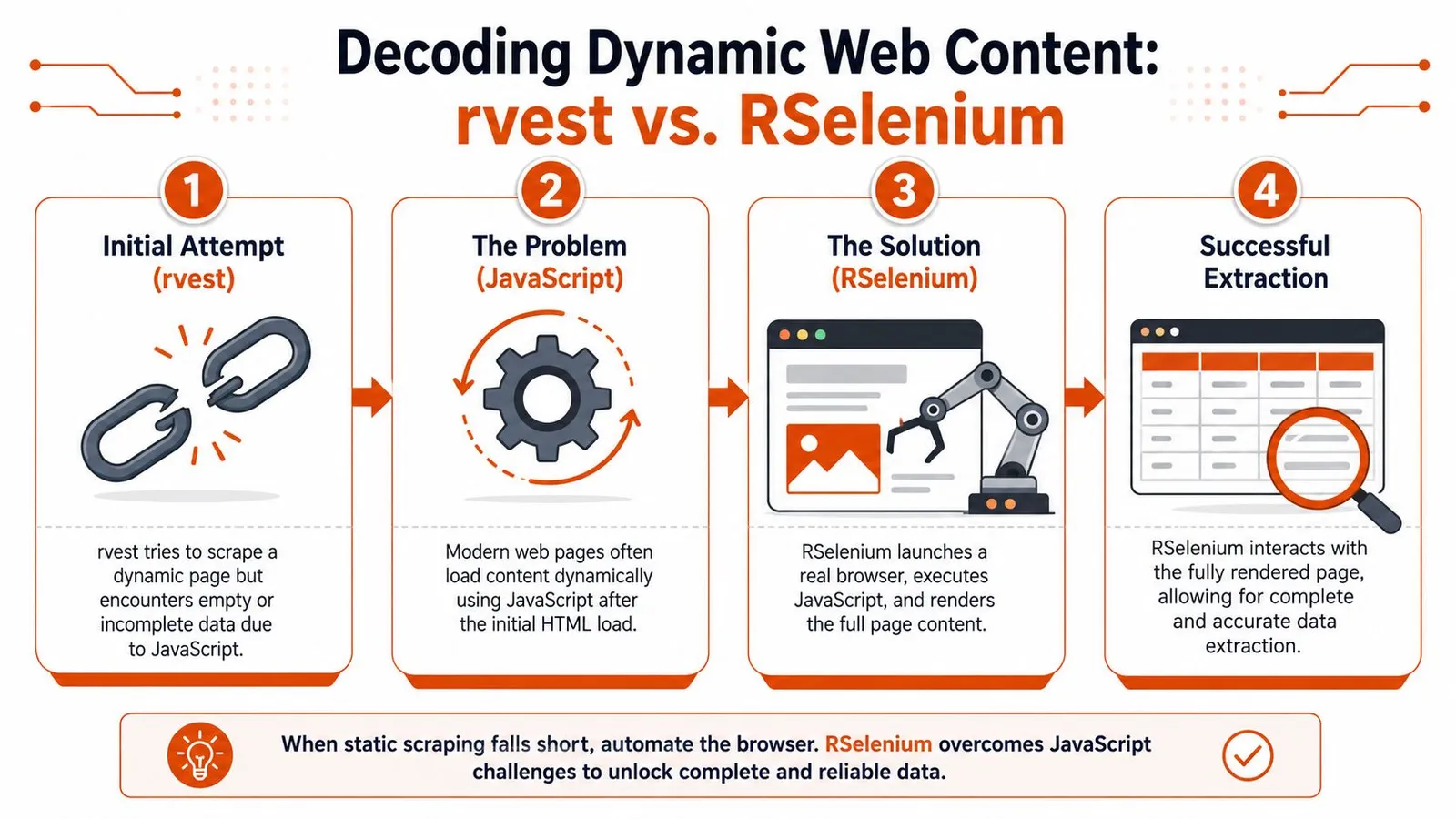
That difference matters more now than it did a few years ago. Many high-value targets are React, Vue, or Next.js apps that ship a thin HTML shell and fill it in through API calls after load. On those pages, forcing `rvest` to work usually produces partial data, inconsistent row counts, and a false sense that the scraper is stable because it returns something.
The practical decision is simple. Use `rvest` if the first response already contains the records you need. Switch to browser automation when the page must render, scroll, click, or submit input before the data exists in the DOM. If your end goal is an LLM pipeline, this decision matters early because incomplete extraction creates poor text chunks, missing metadata, and retrieval noise later.
### How to confirm JavaScript is the problem
Before adding Selenium, verify that the content is client-rendered. I usually check a few concrete signals:
- **View Source vs Elements panel**. If the data appears in DevTools after render but not in the raw page source, the browser is building the page after load.
- **Network requests after the initial document**. XHR or fetch calls that return JSON often reveal where the actual data comes from.
- **User actions that trigger content**. Filters, pagination buttons, infinite scroll, and tab clicks often drive requests that `rvest` never performs on its own.
- **Loading states**. Skeleton cards, spinner components, and placeholder text usually mean the first HTML response is incomplete.
One extra check saves time. Open the Network tab and inspect the API calls directly. If the page requests clean JSON from an endpoint you can access legitimately, skip Selenium and call the API from R instead. Browser automation should be the fallback, not the default.
### A repeatable RSelenium setup
For R users, `RSelenium` is the standard escalation path. It is slower and heavier than `rvest`, but it gives you a real browser session that can render JavaScript and interact with the page. The useful pattern is not replacing `rvest`. It is combining them. Let Selenium render the page, then pass the resulting HTML back into `rvest` for parsing.
```r
library(RSelenium)
library(rvest)
library(dplyr)
library(stringr)
rD <- rsDriver(
browser = "chrome",
chromever = NULL,
verbose = FALSE
)
remDr <- rD$client
remDr$navigate("https://example.com/products")
Sys.sleep(4)
page_source <- remDr$getPageSource()[[1]]
page <- read_html(page_source)
products <- page |>
html_elements(".product-card .name") |>
html_text(trim = TRUE)
prices <- page |>
html_elements(".product-card .price") |>
html_text(trim = TRUE) |>
str_squish()
tibble(product = products, price = prices)
```
That workflow holds up well for medium-complexity jobs. You still write selectors in the tidy style, but you stop depending on the initial server response. The trade-off is maintenance. Browser sessions break more often, need waits, and consume more memory. They are also much slower at scale than direct HTTP requests or clean API access.
If you are comparing browser automation stacks more broadly, this comparison of [Playwright and Puppeteer for browser automation](https://webclaw.io/blog/playwright-vs-puppeteer) is a useful reference point. In practice, many teams outgrow Selenium for larger scraping systems and move toward Playwright-based tooling or a dedicated scraping API. In R, though, `RSelenium` is still a practical bridge when `rvest` stops being enough.
A short demo can help if you haven't worked with browser automation from R before:
### Handling infinite scroll
Infinite scroll breaks a lot of otherwise decent scrapers because the page looks populated before most records are loaded. A browser session lets you trigger the same scroll events a user would.
```r
library(RSelenium)
remDr$navigate("https://example.com/feed")
Sys.sleep(3)
last_height <- 0
for (i in 1:10) {
remDr$executeScript("window.scrollTo(0, document.body.scrollHeight);")
Sys.sleep(2)
new_height <- remDr$executeScript("return document.body.scrollHeight;")[[1]]
if (identical(new_height, last_height)) {
break
}
last_height <- new_height
}
```
This pattern works, but it is still the simple version. Some sites load more results only after a button click. Others virtualize the list and remove older nodes from the DOM as you scroll, which means `getPageSource()` can miss records unless you extract data during the interaction loop. For long feeds, I often capture each batch as it appears instead of waiting until the very end.
> **Decision rule:** Use `rvest` when the first HTML response contains the data. Escalate to `RSelenium` when the page must be rendered or interacted with before the data exists.
That is the core workflow in R scraping today. Start with plain HTTP and `rvest`. Check for a direct API. Use `RSelenium` when the browser is part of the data path. If the target is large, heavily defended, or central to a production LLM pipeline, that is usually the point where a dedicated scraping service becomes easier to maintain than a growing pile of browser scripts.
## Navigating Logins and Anti-Scraping Defenses
A scraper can render JavaScript correctly and still fail the moment it hits authentication, rate limits, or bot checks. That is the part many R guides gloss over. In practice, this is often where a quick `rvest` script stops being a data pipeline and starts becoming an operations problem.
Login walls are the simplest example. If your account is permitted to access the data, `RSelenium` can replay the same form submission a user performs in the browser.
```r
library(RSelenium)
remDr$navigate("https://example.com/login")
Sys.sleep(2)
email_el <- remDr$findElement(using = "css selector", "#email")
password_el <- remDr$findElement(using = "css selector", "#password")
submit_el <- remDr$findElement(using = "css selector", "button[type='submit']")
email_el$sendKeysToElement(list("your_email@example.com"))
password_el$sendKeysToElement(list("your_password"))
submit_el$clickElement()
Sys.sleep(4)
```
After login, the browser keeps the authenticated session cookies, local storage, and request context that the site expects. That is useful for member dashboards, research portals, and publisher archives. It is also brittle. A minor UI change, an added consent screen, or a one-time passcode step can break the flow overnight.
Store credentials in environment variables, not in the script. Plan for session expiry. Expect selectors to drift. If the target uses SSO, CAPTCHA, device verification, or frequent MFA prompts, browser automation may be too fragile for scheduled jobs. At that point, the better option is often an official API, exported data feed, or a managed scraping service that handles session state and browser identity more reliably.
Blocking usually starts before a hard ban. You see intermittent 403s, empty responses, truncated HTML, or pages that load fine manually but fail in a loop. Those failures are rarely random. The site is responding to request frequency, header patterns, cookie state, IP reputation, or browser fingerprints.
Start with the controls you can justify and maintain.
- **Respect `robots.txt`** where it applies to your use case and the site's terms.
- **Reduce request speed** so the host sees a human pace instead of a tight polling loop.
- **Send realistic headers** so requests do not look like a default library call.
- **Retry selectively** on transient failures instead of repeating the same blocked pattern.
- **Log status codes and page snapshots** so you can tell the difference between parsing bugs and active blocking.
With `httr`, you can set request headers more explicitly:
```r
library(httr)
resp <- GET(
"https://example.com/page",
add_headers(
"User-Agent" = "Mozilla/5.0",
"Accept-Language" = "en-US,en;q=0.9"
)
)
```
That will not get past serious anti-bot systems by itself, but it removes one easy signal. Timing matters too:
```r
Sys.sleep(runif(1, min = 2, max = 5))
```
For small jobs, that level of care is often enough. For high-value targets, it usually is not. Modern defenses look at TLS signatures, browser APIs, canvas and WebGL fingerprints, interaction timing, IP rotation patterns, and whether your browser session behaves like a real device. If you are evaluating that class of problem, this overview of an [undetectable browser setup for anti-bot detection](https://webclaw.io/blog/undetectable-internet-browser) is a useful reference point.
The trade-off is straightforward. `rvest` and direct HTTP requests are easier to debug and cheaper to run. `RSelenium` gets you through login flows and rendered pages, but maintenance costs rise fast. If the scraper feeds a production LLM pipeline and uptime matters, repeated break-fix work in browser scripts is often a sign to switch to an API or a dedicated scraping platform.
## Cleaning and Structuring Data for Analysis and LLMs
Extraction is only half the job. Raw scraped output is usually messy enough to hurt analysis quality if you pass it straight through.
Navigation labels, duplicated links, cookie text, formatting artifacts, and irregular whitespace all inflate the dataset without adding meaning. In ordinary analysis work, that creates noisy categories and brittle joins. In LLM pipelines, it wastes context and makes retrieval less precise.
### Turn raw extraction into tidy data
A practical cleanup pass in R usually combines `stringr`, `dplyr`, and a bit of domain judgment.
```r
library(dplyr)
library(stringr)
library(tidyr)
cleaned <- raw_results |>
mutate(
title = str_squish(title),
body = str_squish(body),
body = str_remove_all(body, "Read more|Share this article|Cookie Policy"),
date = str_squish(date)
) |>
filter(!is.na(title), title != "") |>
distinct(link, .keep_all = TRUE)
```
That kind of pipeline does more than make the data pretty. It defines the unit of analysis. Are you storing one row per article, per product, per forum post, or per content block? If you don't decide that early, your downstream work gets inconsistent fast.
A simple comparison helps frame the output choices:
### Data Output Comparison
| Output Type | Example | Use Case Fitness |
|---|---|---|
| Raw HTML | Full page source with scripts, navigation, and markup | Useful for debugging and DOM inspection. Poor for direct analysis |
| Clean text | Main article or product text with whitespace normalized | Good for search indexing, text mining, and lightweight NLP |
| Structured table | Tibble with fields like title, date, author, body, URL | Best for analysis, dashboards, and joins |
| Markdown | Clean content with headings and links preserved | Strong fit for knowledge bases and document ingestion |
| JSON schema output | Explicit fields such as `title`, `price`, `rating`, `description` | Best when downstream systems expect consistent structure |
### Why raw HTML is bad LLM input
For LLM use cases, raw HTML is often the wrong artifact. It contains too much boilerplate and too little hierarchy that the model can use cleanly.
The most common failure patterns are easy to spot:
- **Token waste** from menus, footers, cookie banners, and repeated link blocks
- **Weak retrieval chunks** because the text includes irrelevant fragments
- **Schema drift** when every page type gets dumped into the same unstructured field
- **Lower answer quality** because the model sees too much noise around the facts you wanted
If you're building retrieval or agent workflows, the output format matters as much as the extraction itself. This guide on [web scraping for LlamaIndex workflows](https://webclaw.io/blog/web-scraping-llamaindex-guide) is a good reference for thinking about web data as model input rather than just text to store.
## Scaling Your Scraper and Ethical Best Practices
A scraper that behaves well on 20 pages can fail badly at 20,000. The failure usually is not parsing. It is volume, retries, duplicate work, session churn, and target sites deciding your traffic is no longer welcome.
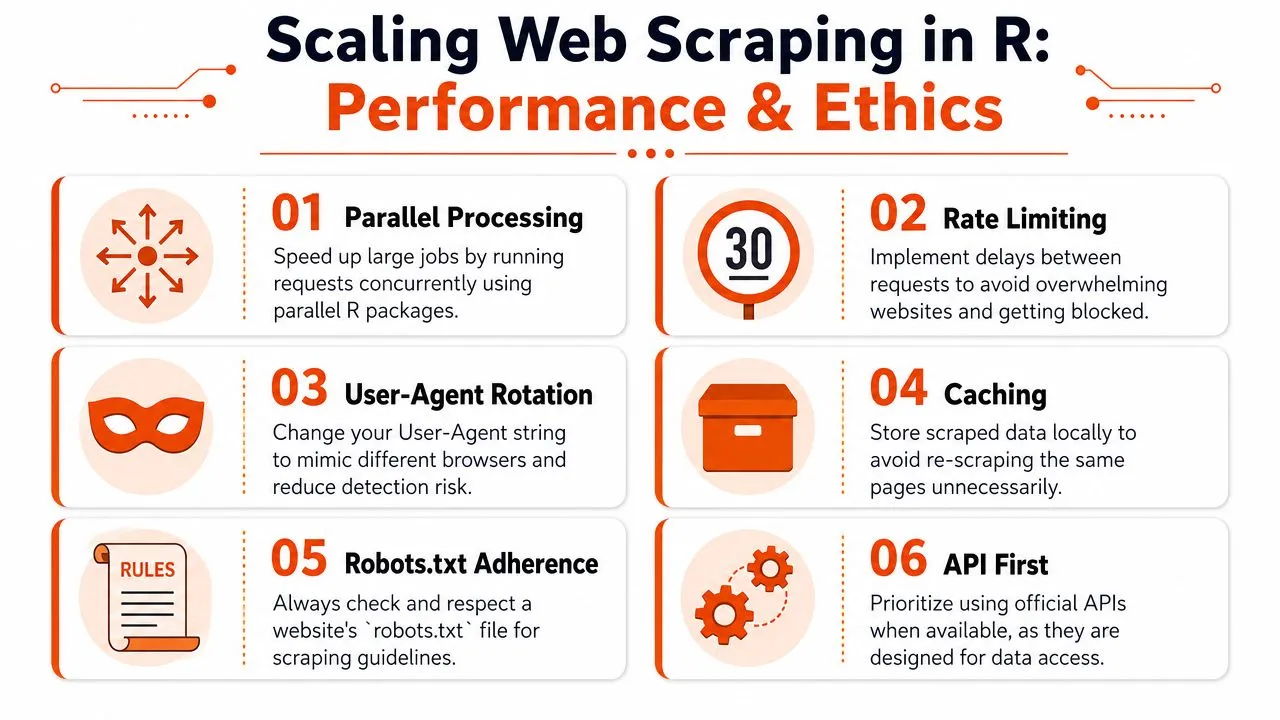
In R, the first instinct is often to add concurrency. That can help for static HTML, but it is only one part of scaling. If each worker retries aggressively, ignores caching, and requests pages faster than a human could reasonably browse them, parallelism just turns a small scraper into a noisy one.
### Parallelize carefully
For static pages, parallel requests can improve throughput a lot. In R, `future` and `furrr` are practical choices when you want to fan out URL fetches and keep the code readable.
```r
library(furrr)
library(purrr)
library(rvest)
plan(multisession)
urls <- c(
"https://example.com/page1",
"https://example.com/page2",
"https://example.com/page3"
)
results <- future_map(urls, \(u) {
page <- read_html(u)
page |>
html_elements("h1") |>
html_text(trim = TRUE)
})
```
That pattern is a good fit for modest jobs on stable, server-rendered pages. It is a poor fit for browser automation. `RSelenium` sessions are heavier, slower to start, and harder to run in parallel without exhausting memory or drawing more anti-bot scrutiny. On modern JavaScript-heavy sites, scaling often means reducing wasted browser work before adding more workers.
Useful habits include batching URLs by page type, reusing sessions where possible, storing raw responses for debugging, and separating fetch failures from parse failures. Those choices make reruns cheaper and incident handling much easier.
### Build for durability and restraint
Production scrapers need controls from day one.
- **Use `polite` for permissions checks** so your scraper respects published crawling guidance.
- **Add backoff logic** after transient failures instead of retrying instantly.
- **Cache completed fetches** so reruns do not request the same pages again.
- **Identify your client clearly** when the use case calls for transparency.
- **Prefer official APIs** when the site provides one. They are usually more stable than scraping the front end.
- **Set stop conditions** for repeated 403s, 429s, or login failures so the scraper backs off instead of escalating the problem.
A compact retry wrapper can improve reliability without adding much complexity:
```r
safe_read_html <- function(url, max_attempts = 3) {
for (attempt in seq_len(max_attempts)) {
out <- tryCatch(read_html(url), error = function(e) NULL)
if (!is.null(out)) return(out)
Sys.sleep(attempt * 2)
}
NULL
}
```
Caching matters as much as retries. If you are collecting content for analytics or LLM pipelines, repeated fetches add cost and create version drift. Saving the raw HTML, response metadata, and extraction timestamp gives you a reproducible record when the page changes later.
### Choose the right scaling path
There is a practical decision point that many R scraping tutorials skip. If `rvest` can fetch and parse the page cleanly, use it. It is faster, cheaper, and easier to maintain. If the content depends on JavaScript, authenticated flows, or API calls made after page load, forcing `rvest` to keep up usually wastes time.
At that point, move to one of two options. Use `RSelenium` when you need true browser behavior such as clicking, scrolling, waiting for client-side rendering, or stepping through a login flow. Use an API or managed scraping service when the main problem is reliable collection at scale, not browser interaction itself. That trade-off matters for LLM ingestion work, where consistency, metadata, and clean failure handling usually matter more than hand-built browser scripts.
A fast scraper that burns through rate limits, creates duplicate records, and breaks every time the front end changes is not a production system. A slower scraper with caching, backoff, audit logs, and a clear escalation path usually wins over time.
Ethical scraping and durable scraping are closely related. Respectful request pacing reduces bans. Caching reduces unnecessary load. API-first choices reduce maintenance and legal risk. Good scraping hygiene is not separate from engineering quality. It is part of it.
## FAQ R Programming Web Scraping
### Is R or Python better for web scraping
For **R programming web scraping**, R is excellent when your extraction step sits close to analysis, reporting, or statistical workflows. `rvest` is clean, expressive, and easy to combine with the Tidyverse.
Python still has the broader scraping ecosystem, especially for browser automation and production crawler tooling. If your work centers on large scraping systems first and analysis second, Python is often the easier operational choice. If your team already lives in R, it usually makes more sense to keep static and moderately complex scraping there and only escalate when the site forces you to.
### Why does my scraper return empty content even though I can see the page in my browser
The page is probably rendered client-side. Your browser runs JavaScript and builds the visible content after the initial load. A plain `rvest` request only sees the initial HTML response.
That's the point where you should inspect the source, check network activity, and decide whether to switch to `RSelenium` or use an API that renders the page for you.
### Can R handle CAPTCHAs
Not in any simple, reliable way through basic scraping code alone. CAPTCHAs are designed to interrupt automation.
If a target uses them heavily, the practical options are usually to use an official API, reduce the behaviors that trigger blocking, or move the extraction problem to a service built to handle harder sites. Treat CAPTCHAs as a product and access problem, not a selector problem.
### How do I avoid getting my IP banned
Slow down, respect the site's rules, avoid naive request bursts, and make your client behavior look deliberate rather than mechanical. Use retries with backoff, cache results, and don't parallelize blindly.
Most bans come from poor operational hygiene, not from the fact that a request came from R.
---
If your R workflow keeps running into JavaScript-heavy pages, anti-bot defenses, or noisy output that's bad for model pipelines, [Webclaw](https://webclaw.io) is worth a look. It's built for turning hard-to-scrape URLs into clean, token-efficient content that's ready for analysis, retrieval, and AI applications.
---
### Playwright vs Puppeteer: The 2026 Developer's Guide
URL: https://webclaw.io/blog/playwright-vs-puppeteer
Published: 2026-06-23
Updated: 2026-09-08
Author: Massi
Playwright vs Puppeteer: Which to choose in 2026? A technical guide on performance, APIs, and when to use a scraping API like Webclaw instead.
Neither library is universally faster. Browser version, launch strategy, workload, waits, tracing, and concurrency affect results, so benchmark the exact flow you plan to run.
If you're deciding between Playwright and Puppeteer, you're probably not choosing in the abstract. You're choosing while staring at flaky CI runs, timing bugs in a scraper, a browser process that eats memory, or an AI pipeline that only needs clean page content but somehow ended up managing headless browsers.
That's why most Playwright vs Puppeteer articles miss the practical question. Local scripts are the easy part. The fundamental question is what happens when that script becomes a test platform, a scraping service, or a browser layer behind an API that other systems call all day. Once you think at that level, the choice changes.
A lot of teams start by asking which library has the nicer API. The better question is which problem you're solving. If you need browser control, the trade-off is real. If you need extracted content, a browser automation library may be one layer too low, as I cover in this guide to [scraping websites for data](https://webclaw.io/blog/scraping-websites-for-data).
| Criteria | Playwright | Puppeteer |
| --- | --- | --- |
| Best fit | Complex testing, multi-step automation, cross-browser work | Fast Chrome-only scripts, focused automation, lightweight scraping |
| Browser model | First-class Chromium, Firefox, and WebKit support | Effectively Chromium-first |
| API style | Higher-level, locator-driven, more auto-wait behavior | Leaner, more direct Chrome DevTools oriented control |
| Short script speed | Usually a bit slower on tiny jobs | Often faster on short single-purpose runs |
| Long suite reliability | Better for consistency and lower variance in larger flows | Can need more manual timing and guardrails |
| Install footprint | Larger, about **1 to 1.6 GB** with bundled engines | Smaller, about **180 to 400 MB** for Chromium bundle |
| Best for AI extraction teams | Good if you must control the browser yourself | Good if you want low overhead on Chromium tasks |
| When neither is ideal | When you really need a managed extraction API instead of raw browser automation | Same |
## The Core Decision in Browser Automation
Teams commonly don't struggle because Playwright and Puppeteer are wildly different. They struggle because both are good enough to overlap, while each one breaks down in different production conditions.
Puppeteer came first. Google's Chrome DevTools team shipped it in 2017. Microsoft released Playwright in January 2020 as a next-generation browser automation library built to modernize and extend the same core ideas. By June 2026, Playwright had reached **about 90,292 GitHub stars** versus Puppeteer's **94,423**, despite Puppeteer's multi-year head start, which tells you how quickly Playwright became a first-class option in practice, as documented in [this 2026 comparison of Playwright and Puppeteer adoption](https://getautonoma.com/blog/playwright-vs-puppeteer-2026).
That history matters because the tools still reflect their origins.
Puppeteer feels like a Chrome automation library that grew up into a wider platform. Playwright feels like a reliability-first automation system that started from the assumption that one browser engine isn't enough.
> **Practical rule:** If your automation target is Chromium and your workflow is simple, Puppeteer usually gets you there with less overhead. If the workflow is brittle, multi-step, or likely to grow, Playwright usually ages better.
There's also a third path that engineers skip too often. If your actual goal is extracted content for search, AI, RAG, or downstream analysis, you may not want to own browser orchestration at all. At production scale, the hardest parts aren't `click()` and `waitForSelector()`. They're retries, blocked sessions, rendering failures, session isolation, and output cleanup.
That changes the decision from "Which library should I install?" to "Should I even be writing browser code for this problem?"
## Understanding Each Tool's Philosophy
Puppeteer and Playwright look similar because they share lineage. They don't behave the same because they were built with different priorities.
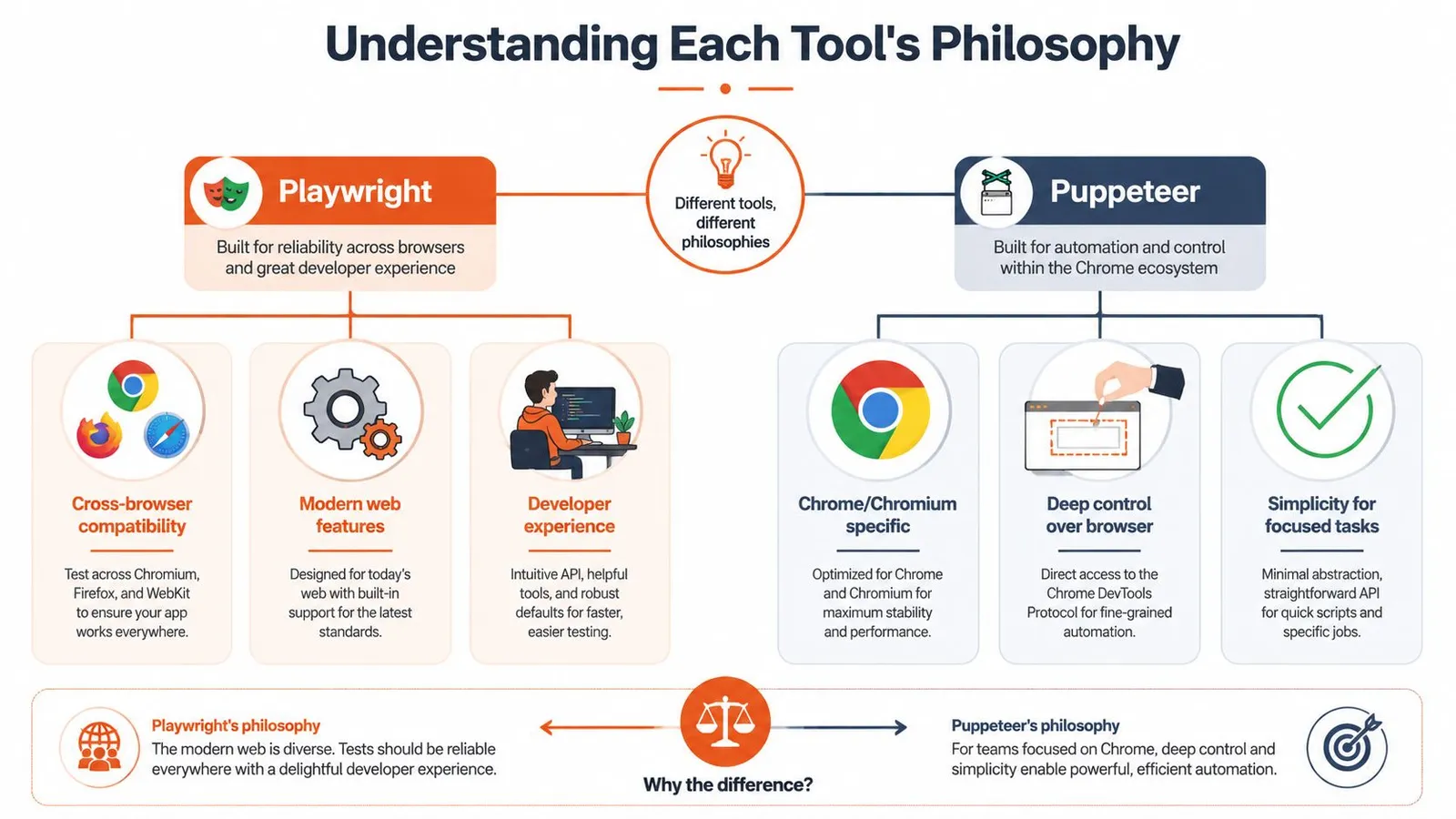
Puppeteer's original job was clear. Give developers a high-level Node API over Chrome's DevTools Protocol and make browser scripting straightforward. That design still shows up everywhere in the product. It feels close to Chromium. It feels fast. It feels like a tool written by people who expected Chrome to be the center of the world.
Playwright started from the pain points that appeared after teams tried to scale that model. Browser differences mattered. Timing bugs mattered. Test flakiness mattered. Cross-browser parity mattered. So Microsoft pushed it toward a more opinionated framework with stronger defaults.
### Playwright optimizes for reliability
Playwright's philosophy is that the framework should absorb more of the instability for you. Instead of exposing only primitive actions, it gives you a model that tries to make those actions dependable across browsers and more resilient in dynamic UIs.
That has practical consequences:
- **Cross-browser consistency:** The same mental model applies to Chromium, Firefox, and WebKit.
- **Safer defaults:** More waiting and actionability logic happens for you.
- **Framework feel:** It nudges you toward patterns that reduce brittle scripts.
### Puppeteer optimizes for control and minimalism
Puppeteer still appeals to engineers who want less abstraction between the code and the browser.
- **Chromium-first focus:** That keeps the core path tighter.
- **Directness:** For many scraping or rendering tasks, that directness is exactly what you want.
- **Smaller surface area:** There are fewer opinions in the way, which can be good or bad depending on the problem.
> Playwright tries to prevent common failure modes. Puppeteer assumes you want sharper tools and don't mind handling more of the edge cases yourself.
Neither philosophy is universally better. The right one depends on whether you're optimizing for raw control, low-latency Chromium work, or a more fault-tolerant automation layer.
## Feature Matrix and API Deep Dive
The biggest difference in the Playwright vs Puppeteer debate isn't a checkbox feature. It's how the API pushes you to think.
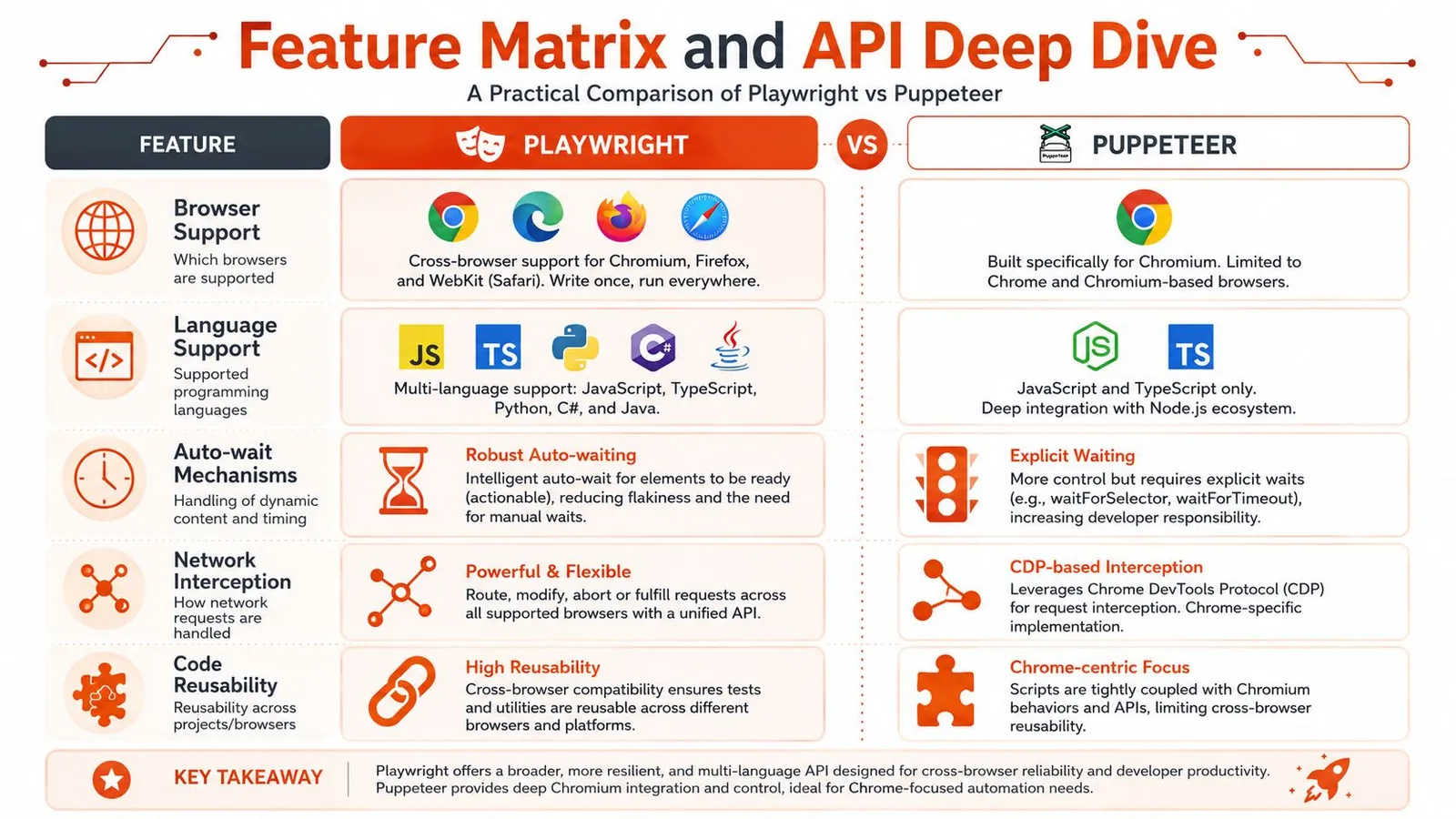
### Browser support changes the real workload
If you only automate Chromium, Puppeteer's narrower scope is a strength. Less abstraction usually means less to reason about. If you need the same test or workflow to run across Chromium, Firefox, and WebKit, Playwright is built for that from the start.
That sounds obvious, but the downstream effect is what matters. Cross-browser support isn't just about compatibility testing. It affects how much custom logic you carry in your codebase, how many environment-specific bugs you chase, and how portable your automation becomes when product requirements shift.
### Locators versus handles
Playwright's locator model is often the biggest day-to-day difference. It encourages retryable interactions and built-in waiting behavior. Puppeteer gives you a more direct element-handle style workflow.
A simple contrast makes the difference obvious.
**Puppeteer style**
```js
const button = await page.$('button.submit');
await page.waitForSelector('button.submit');
await button.click();
```
**Playwright style**
```js
const button = page.locator('button.submit');
await button.click();
```
The Playwright version isn't just shorter. It encodes more assumptions about waiting, element readiness, and retriability.
> **What this means in practice:** Playwright code is usually less flaky by default. Puppeteer code often gives you finer control, but you pay for that control with more explicit timing and state management.
For scraping-heavy workflows, that difference matters on modern frontends. React, Vue, and client-rendered pages often fail in ways that aren't really selector problems. They're hydration problems, overlay problems, or "the node exists but isn't stable yet" problems.
A related workflow matters for Python teams too. If you're building crawlers outside Node, Playwright usually fits multi-language stacks more naturally, while many teams using Chromium-only scraping in Python end up looking at broader architecture questions anyway, like those covered in this guide to [crawling in Python](https://webclaw.io/blog/crawling-in-python).
Here's a useful visual summary before going deeper.
### Language bindings and footprint
Playwright also makes a different trade-off at install time. Its default install, including bundled browser engines, can take **about 1 to 1.6 GB**, while Puppeteer typically lands around **180 to 400 MB** for a single Chromium bundle, according to [this bundle-size comparison of Playwright and Puppeteer](https://qaskills.sh/blog/playwright-vs-puppeteer-bundle-size-2026).
That disk footprint isn't just an install annoyance. It affects cold starts, CI image size, and how expensive it is to replicate environments across workers and containers.
A quick matrix helps frame it:
| Area | Playwright | Puppeteer |
| --- | --- | --- |
| Element interaction model | Locator-centric | Element-handle oriented |
| Waiting strategy | More built-in | More explicit |
| Browser footprint | Larger | Smaller |
| Cross-browser reuse | Strong | Limited |
| Low-level Chromium feel | Good, but abstracted more | Excellent |
If you like explicit control and can standardize on Chromium, Puppeteer feels clean. If you want fewer timing bugs and broader browser coverage, Playwright's abstraction usually earns its keep.
## Performance and Reliability Under Load
A script that feels fast on a laptop can become the slowest part of a production pipeline once you run hundreds of sessions in parallel, rotate proxies, and deal with pages that load inconsistently. That is the context that matters for AI teams and scraping platforms. Local benchmarks only answer a small part of the question.
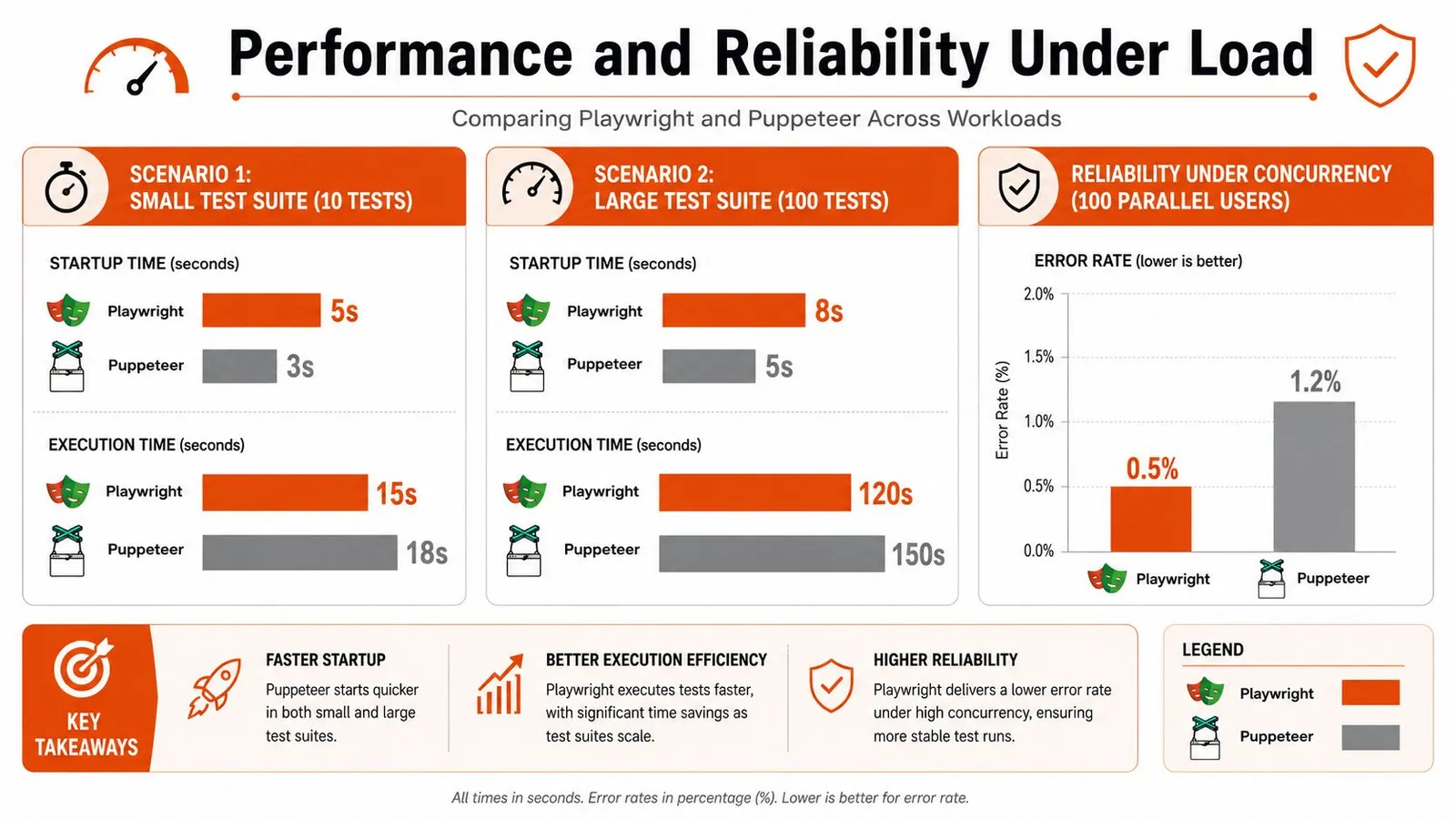
### Where Puppeteer keeps an edge
Puppeteer usually feels leaner for short Chromium-only jobs. Launch the browser, open a page, pull a few fields, exit. That path has less abstraction, and in many real scraping scripts it shows.
I have seen the same pattern in production workers that do one job per browser instance. Puppeteer is often the cleaner fit when the page flow is simple, the target is stable, and the team wants tight control over CDP-level behavior. Smaller installs also help in containerized fleets where image size and cold start time affect cost.
This matters outside test automation too. Teams that scrape and validate page performance in the same pipeline often split concerns. Browser automation handles interaction and extraction, while a separate service can [automate tests with PageSpeed Plus](https://pagespeedplus.com/blog/automate-pagespeed-insights-tests) for performance checks in CI.
### Where Playwright earns its overhead
Load changes the trade-off.
Longer flows expose timing bugs, state leakage, and retry churn. Playwright usually handles those cases better because its waiting model and browser-context isolation reduce the amount of custom synchronization code teams have to maintain. That does not make every single run faster. It often makes the whole system more predictable.
Predictability is what operations teams pay for. A worker that finishes slightly later but fails less often will usually deliver more throughput across the day than a worker that is quick on clean runs and noisy under contention.
That shows up in test farms, scraping clusters, and API products. Once jobs are queued across many workers, the actual cost is not just raw execution time. It is the number of retries, the amount of failure triage, and how much code the team writes to paper over race conditions.
### Reliability under concurrency is the real separator
Puppeteer can absolutely run at scale. Plenty of large scraping systems still use it well. The catch is that teams usually end up building more of the reliability layer themselves. They add stricter wait helpers, browser recycling rules, request interception patterns, and their own failure recovery logic.
Playwright ships with more of that discipline built in. For browser testing, that often means fewer flaky runs. For scraping APIs, it means fewer edge-case incidents where a page "loaded" but the data dependency did not, or one poisoned session affected the next task.
That production view is the part many Playwright vs Puppeteer articles skip. If you are building something like Webclaw, or using an API that already manages browser pools, fingerprinting, retries, and extraction at scale, the library choice matters less than the behavior of the full system. A higher-level API can abstract the Playwright-versus-Puppeteer decision away entirely, which is often the right outcome for AI teams that care more about reliable data delivery than browser internals.
Anti-bot pressure also changes the answer. If your workload depends on stealth plugins, proxy rotation, and hardened Chromium behavior, the package comparison is only one layer of the stack. That is why engineers working on defended targets end up studying topics like [how Puppeteer Stealth interacts with Cloudflare protections](https://webclaw.io/blog/puppeteer-stealth-cloudflare-2026) instead of treating runtime speed as the whole decision.
## Debugging Tooling and Anti-Bot Resilience
When automation breaks, the fastest library stops mattering. The better tool is the one that helps you understand the failure quickly.
### Debugging workflow feels different
Playwright has a more integrated debugging experience. Its tooling is designed around replaying what happened, inspecting action timing, and reducing the guesswork around state transitions. For teams that run larger suites or maintain browser code across several services, that matters a lot.
Puppeteer debugging feels more traditional. You lean on Chrome DevTools, screenshots, logging, and whatever instrumentation you build around it. That's not a weakness by itself. Some engineers prefer it because it stays closer to the browser's native debugging model.
Here's one way to understand it:
- **Choose Playwright's tooling style** if you want a cohesive framework experience with stronger built-in visibility.
- **Choose Puppeteer's tooling style** if you want to stay close to Chromium internals and don't mind assembling more of the workflow yourself.
> If a junior engineer can diagnose a broken flow from artifacts alone, your tooling is doing its job.
### Anti-bot is a systems problem
A lot of Playwright vs Puppeteer content becomes misleading because neither tool is a magic bypass for Cloudflare, Akamai, or modern bot detection.
Puppeteer has a longer scraping history and a more familiar stealth ecosystem. That has real value, especially on Chromium-first workloads. But "has stealth plugins" doesn't mean "solves detection." Playwright's newer abstractions also don't, in themselves, make it harder to detect.
The hard truth is that anti-bot resilience usually depends on a stack:
- **Identity management:** Stable sessions, cookies, and realistic request behavior.
- **Network strategy:** Residential, ISP, or datacenter routing chosen for the target.
- **Browser hardening:** Patching automation signals and reducing obvious fingerprints.
- **Operational discipline:** Rate control, retry policy, and fallback logic.
If you're trying to run serious extraction pipelines, that broader stack matters more than whether the core library is Playwright or Puppeteer. That's also why engineers evaluating browser evasion strategies eventually move beyond package-level tweaks and into topics like [undetectable internet browser setups](https://webclaw.io/blog/undetectable-internet-browser).
## When to Use an API Like Webclaw Instead
The sharpest shift in this space isn't inside the Playwright or Puppeteer API. It's one level above them.
### The abstraction changed
A lot of AI and data teams don't want browser automation. They want reliable page retrieval, rendered content, and structured output. Those are related problems, but they're not the same.
External extraction APIs let an application request content without operating browsers in-process. The trade-off depends on required browser control, target coverage, and cost.
That tracks with what many production teams learn the hard way. Once an LLM pipeline needs live web context, the annoying part isn't writing a click flow. The annoying part is operating browsers as infrastructure.
### What an extraction API replaces
If your end goal is content, a managed extraction layer can replace a surprising amount of custom code:
- **Browser lifecycle management:** You don't babysit launches, crashes, or pool exhaustion.
- **Rendering and retries:** The service decides when a static fetch isn't enough and when a browser is required.
- **Normalization:** You get markdown, JSON, or cleaned text instead of raw page noise.
- **Operational overhead:** Rate limits, blocking, and concurrency move out of your app.
A service like [Webclaw API](https://webclaw.io/products/api) exposes web extraction over REST and returns cleaned outputs such as markdown or structured JSON, which is often more useful to AI systems than a browser object and raw DOM.
That doesn't make Playwright or Puppeteer obsolete. If you need authenticated workflows, exact browser actions, or deep page interaction logic, you'll still reach for browser automation. But if your team keeps building brittle page scripts just to produce extractable text, you're probably solving the wrong layer of the problem.
> For AI pipelines, "can I control the browser?" is often the wrong first question. "Can I get reliable, clean context?" is usually the right one.
## The Decision Checklist and Final Recommendation
The cleanest answer is to choose based on the workload, not the hype.
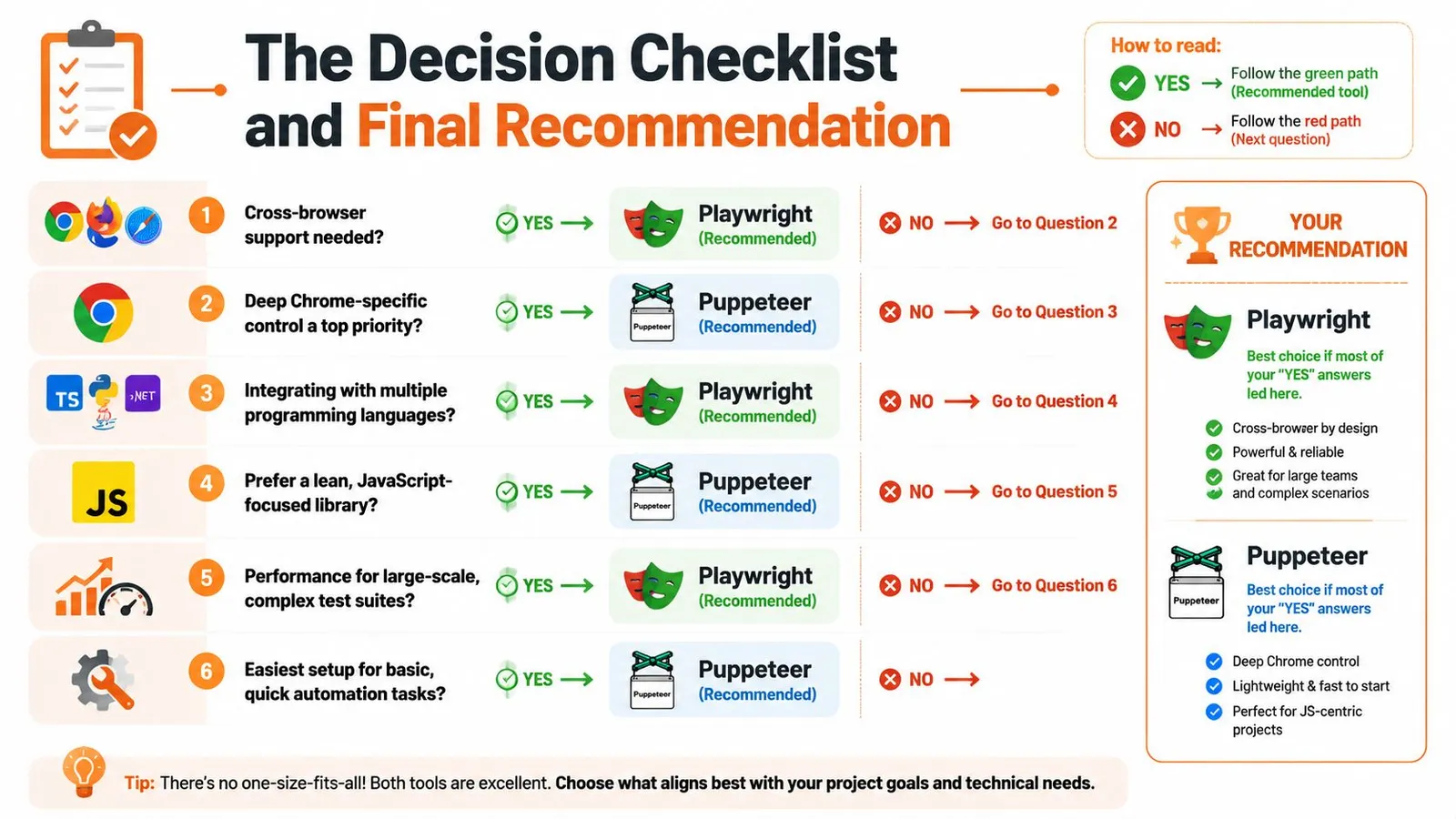
Use this checklist the way an engineering lead would use it. Start with constraints, not preferences.
- **Choose Puppeteer if** your world is Chromium, your scripts are short-lived, and raw overhead matters. It's a strong fit for screenshot services, PDF-style rendering tasks, focused scraping jobs, and protocol-oriented Chrome automation where you want a lean path.
- **Choose Playwright if** the workflow is long, stateful, or hard to stabilize. It fits end-to-end testing, multi-page flows, browser parity requirements, and teams that want stronger defaults around waiting, isolation, and debugging.
- **Choose an extraction API instead if** the browser is only a means to get content. That's common in AI retrieval, RAG ingestion, monitoring, content intelligence, and research tooling where the value sits in the extracted result, not in browser control itself.
A few yes-or-no questions make the choice even simpler:
| Question | Better answer |
| --- | --- |
| Need Firefox or WebKit without separate tooling? | Playwright |
| Need the leanest Chrome-centric path? | Puppeteer |
| Fighting flaky dynamic UI interactions? | Playwright |
| Building tiny single-purpose Chromium jobs? | Puppeteer |
| Need LLM-ready content more than browser control? | API layer |
My recommendation is straightforward.
For **general-purpose modern automation**, pick **Playwright** unless you have a clear reason not to. It gives users fewer ways to shoot themselves in the foot.
For **Chromium-only speed and control**, pick **Puppeteer**. It's still the sharper tool when the job is narrow and you care about low overhead.
For **AI data extraction**, stop defaulting to browser frameworks just because they feel familiar. If you're paying the operational cost of browsers but your application only needs cleaned content, the library choice is often secondary to the service architecture.
## Frequently Asked Questions
### Is Playwright replacing Puppeteer?
No. The split is clearer than that.
Playwright has become the default choice for many teams building new automation because it handles more of the failure cases that show up in real apps. Puppeteer still has a solid place in Chromium-first environments, especially for narrow jobs where low overhead and direct control matter more than cross-browser support or richer test ergonomics.
A mixed setup can be useful: Playwright for broad automation coverage and Puppeteer for small Chrome-only workers. Keep both only when the additional maintenance serves a concrete requirement.
### Is Playwright faster than Puppeteer?
Sometimes, but speed depends on what the script is doing.
For short, simple Chromium scripts, Puppeteer often feels lighter. For longer flows with more waiting, retries, and interaction logic, Playwright can close the gap because more of that work is built into the framework instead of being bolted on in user code.
The mistake is treating a local benchmark as the whole story. At API scale, the bigger variables are browser startup strategy, concurrency limits, proxy behavior, session reuse, and how often jobs need a second attempt. A framework that is slightly faster on a laptop can still lose in production if it creates more flaky runs or more operator time.
### Is Playwright better for web scraping?
For modern, JavaScript-heavy sites, I usually give Playwright the edge.
Its locator model and built-in waiting behavior reduce a lot of the brittle interaction code that accumulates in scraping projects. That matters once you are running thousands of jobs and every extra wait, stale selector, or mistimed click turns into retries and support work.
Puppeteer still makes sense for lean Chromium scraping pipelines. If the target renders cleanly in Chrome and the job is straightforward, Puppeteer stays attractive because it is simpler and often easier to trim down.
For AI and data teams, there is a bigger point. Once the job includes anti-bot defenses, proxy coordination, parsing, normalization, and output shaping for downstream models, the browser library is only one layer of the stack.
### Can you migrate from Puppeteer to Playwright easily?
Usually, yes.
The APIs are close enough that many core flows port without a full rewrite. The primary migration work is not the method names. It is cleaning up assumptions that grew around Puppeteer over time, especially explicit waits, selector strategy, and Chrome-specific shortcuts.
Typical friction points include:
- **Waiting logic:** Playwright often lets you remove manual waits that were needed to keep Puppeteer scripts stable.
- **Selectors:** Locator-based patterns change how interaction code is structured.
- **Browser assumptions:** Scripts written around Chromium quirks usually need cleanup if you want Firefox or WebKit to behave the same way.
### Does cross-browser support matter for scraping?
Usually less than it matters for testing, but it is not irrelevant.
If a site behaves predictably in Chromium, extra browser engines may add little value. If a target breaks differently across engines, fingerprints one browser more aggressively, or renders inconsistently, having Firefox and WebKit available becomes useful very quickly.
This matters even more for teams building scraping infrastructure for other users. A production API has to care about failure isolation and fallback options in a way a one-off local script does not.
### What's the hidden cost of running either tool at scale?
Operations. That is the actual bill.
Browser memory usage, queue backpressure, retry storms, blocked sessions, screenshot and trace storage, container maintenance, and time spent debugging flaky jobs usually cost more than the initial library choice. Playwright vs. Puppeteer is a real decision, but at scale it sits under bigger architectural questions about scheduling, observability, anti-bot handling, and extraction quality.
That is why many AI teams should at least evaluate an API layer instead of defaulting to browser ownership. If the application needs cleaned content more than raw browser control, [Webclaw](https://webclaw.io) can remove a lot of the browser fleet and post-processing work that both Playwright and Puppeteer leave to you.
---
### Undetectable Internet Browser: Web Scraping & Compliance
URL: https://webclaw.io/blog/undetectable-internet-browser
Published: 2026-06-22
Author: Massi
Discover what an undetectable internet browser is. Learn about browser fingerprinting, legitimate web scraping, and how to stay compliant in 2026.
Your scraper works in development. It loads the page, waits for the selector, extracts clean data, and passes every test. Then you deploy it against a real target with rate limits, bot scoring, and account controls, and the exact same flow starts returning blank pages, login loops, soft bans, or challenge screens.
That's usually when teams start searching for an **undetectable internet browser**.
The phrase sounds like a destination. In practice, it describes a category of tools built to make browser sessions look less correlated, less repetitive, and less easy to cluster. That can help. It can also create a lot of operational debt if you treat it like a permanent solution instead of one component in a data access strategy.
Privacy behavior is mainstream now, not fringe. **Fathom Analytics reports that 86% of internet users have taken steps to remove or mask their digital footprints**, a signal that both users and websites have adapted to a more defensive web environment, as cited in [Undetectable's privacy browser article](https://undetectable.io/blog/best-web-browser-for-privacy/).
## The Illusion of Invisibility Online
A common failure pattern looks like this. A Playwright or Puppeteer script works from your laptop because your session count is low, your browser state is fresh, and your home network looks ordinary. The same logic moves into a server fleet, starts opening repeated sessions from a narrow IP range, and suddenly every account looks related.
That pressure created the anti-detect browser market. Teams needed a way to stop every browser session from presenting the same identity surfaces, especially when managing parallel accounts, region-specific workflows, or repetitive extraction jobs. The tool category grew because websites stopped relying only on cookies and started evaluating the browser itself.
### It's not invisibility
An undetectable internet browser isn't a cloak. It's a browser environment that tries to look like a different, plausible user each time.
That distinction matters because engineering decisions get worse when the naming is wrong. If you think the browser makes you invisible, you'll underinvest in network separation, session hygiene, request pacing, account policy, and legal review. If you treat it as a profile-isolation tool, you'll make better choices.
> **Practical rule:** If a target can still correlate your behavior, your stack is detectable enough to matter.
The strongest use for these browsers is narrow. They reduce easy correlations between sessions. They don't remove the cat-and-mouse dynamic, and they don't replace a reliable data access architecture.
## How Websites Identify Your Browser
Browser identification works like a fingerprint assembled from many small ridges. No single signal needs to be unique on its own. The site combines enough of them to make your session recognizable.
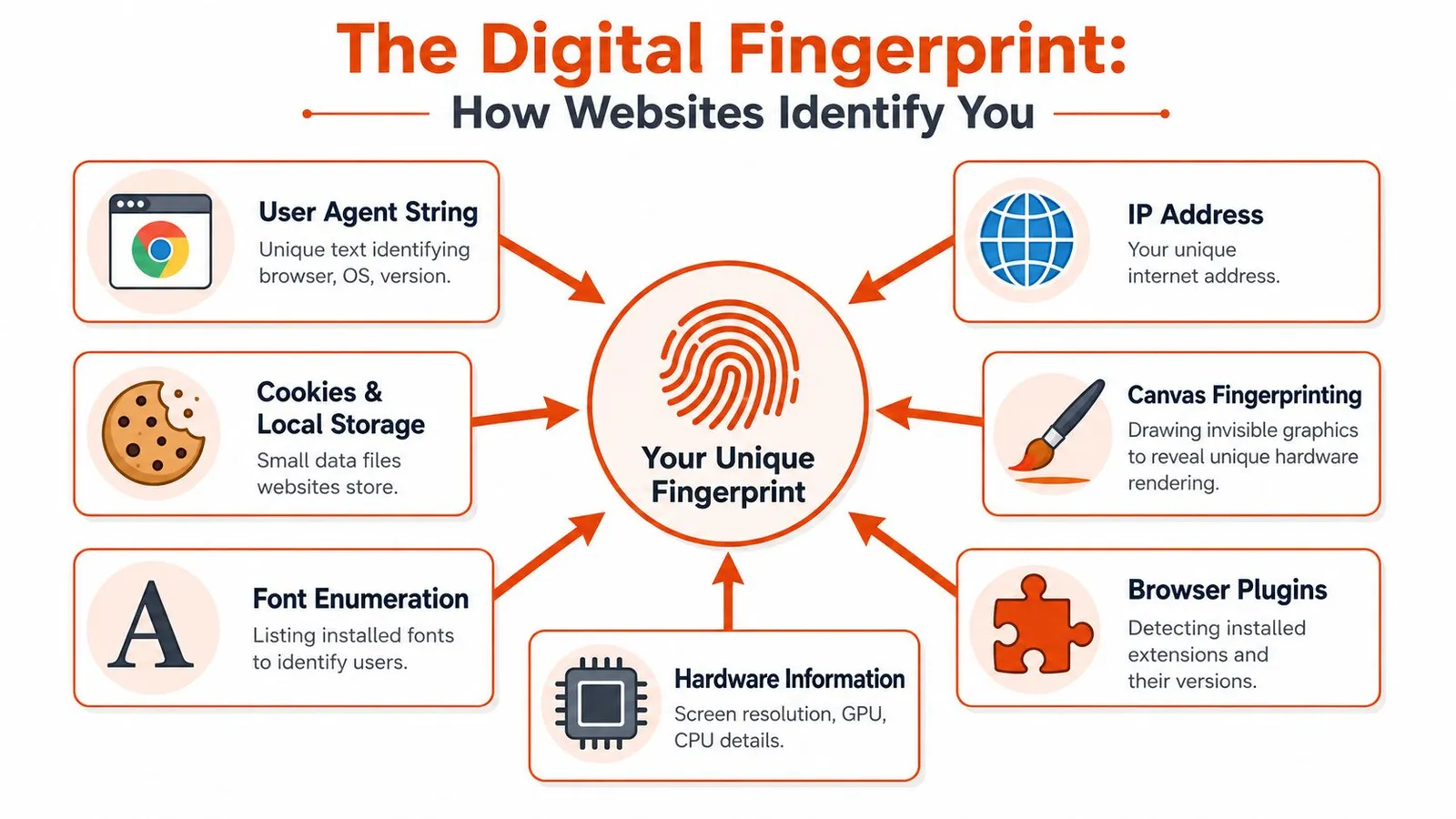
### Fingerprinting beats simple cookie logic
Most developers learn cookie handling first because it's visible and easy to debug. That's only part of the picture. If you need a refresher on [how tracking cookies work](https://www.trackingplan.com/blog/what-is-a-tracking-cookie), it helps as a baseline, but modern detection goes further.
A browser exposes many surfaces during page execution and network activity. Common examples include:
- **User agent details:** Browser family, version, operating system, and platform hints.
- **Rendering behavior:** Canvas output, WebGL characteristics, font availability, and graphics stack quirks.
- **Storage state:** Cookies, local storage, and other retained identifiers.
- **Environment signals:** Language, timezone, screen size, hardware-related attributes, and device metadata.
- **Network-facing traits:** IP reputation, transport behavior, and request-level consistency.
These signals are useful because they persist across page loads and often survive basic cleanup. Deleting cookies can reset one layer while leaving the larger fingerprint mostly intact.
A lot of teams miss the split between browser fingerprint and transport fingerprint. If you're debugging blocks, this breakdown of [TLS fingerprint vs browser fingerprint under Cloudflare](https://webclaw.io/blog/tls-fingerprint-vs-browser-cloudflare) is useful because it shows why a session can look normal in the DOM and still look suspicious on the wire.
Here's the embedded explainer before we go deeper:
### Why browser concentration helps detectors
Fingerprinting gets easier when most traffic comes from a small set of browser families. **In 2026, Google Chrome held 71.37% of the global browser market, while the next-largest major browsers were far behind**, according to [SQ Magazine's browser statistics roundup](https://sqmagazine.co.uk/web-browser-statistics/).
That concentration changes the economics for defenders. They don't need perfect identification for every visitor. They need stable enough correlation across a very large share of sessions.
Independent privacy findings in the same roundup also point to a data-rich mainstream environment. Among popular mobile browsers, **11 of 15** collected data for advertising or analytics purposes. In the Play Store privacy disclosures cited there, Yandex collected **25 of 38** possible data types, Microsoft Edge collected **20**, and Google Chrome collected **19**. The core takeaway isn't that one browser is bad and another is good. It's that ordinary browsing already exposes plenty of measurable surfaces.
> When a browser ecosystem is this standardized, anti-bot vendors don't need magic. They need consistency checks.
## Inside an Undetectable Browser
A scraping job works in staging, then fails in production after a target starts scoring sessions instead of just rendering pages. The browser still loads the DOM. The account still logs in. But request patterns, profile inconsistencies, and IP reuse start linking sessions together. That is the underlying problem anti-detect browsers try to address.
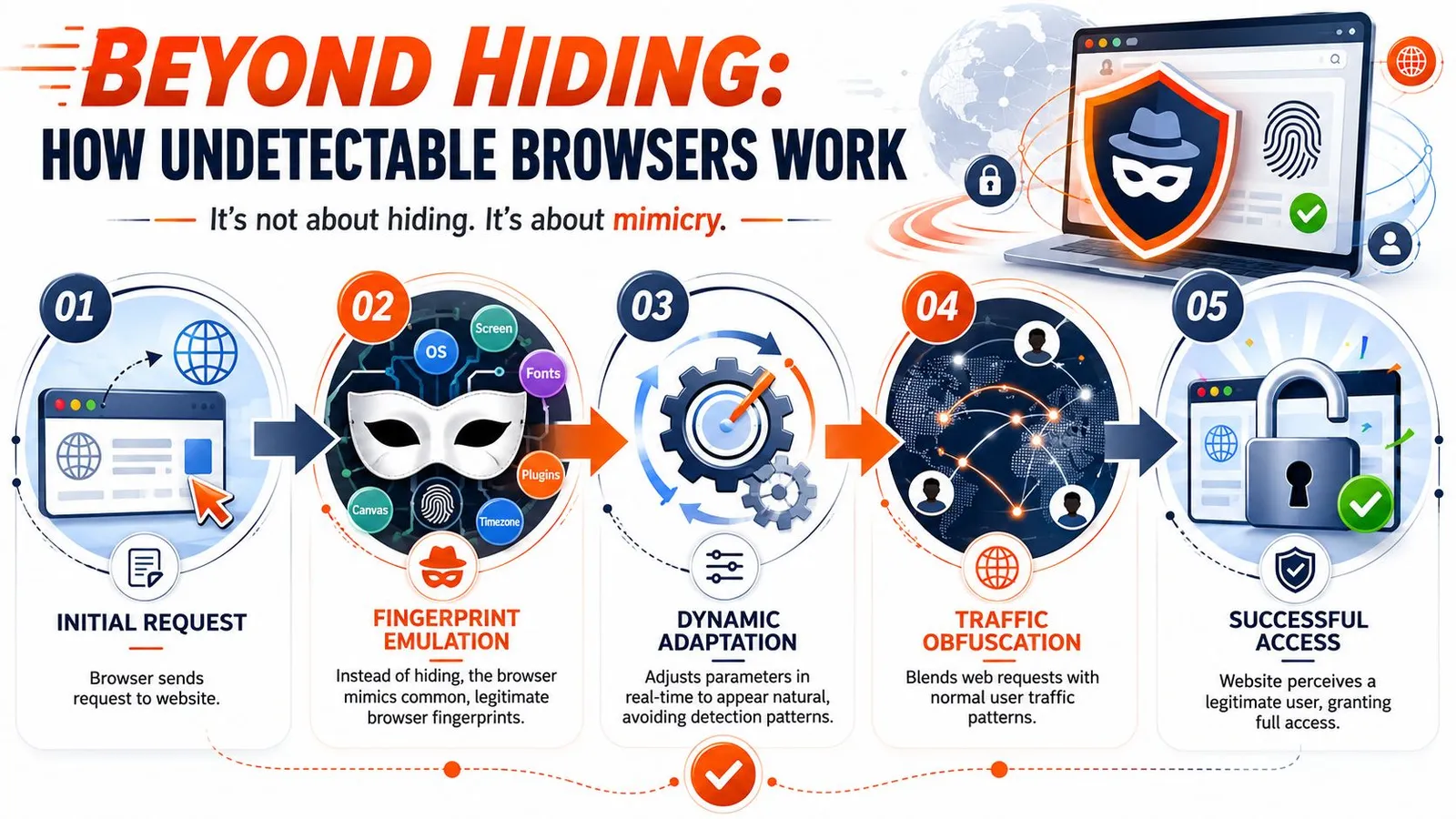
### Spoofing is the product
An undetectable browser is a profile-management system built on top of a browser engine. Each profile carries its own claimed device traits, storage, locale, fonts, timezone, and often a proxy assignment. The product value is not invisibility. It is controlled variation across many sessions.
According to an [IProyal review of Undetectable](https://iproyal.com/blog/undetectable-io-review/), tools in this category swap browser fingerprint surfaces such as IP address, browser attributes, language, fonts, and device details so profiles appear distinct. The same review points out the practical limit. Browser spoofing alone does not hide the network path. Proxying still has to be configured separately if the operator wants network-level separation.
That constraint drives the core engineering work. A usable profile has to stay internally consistent over time, not just look plausible at creation. Language, timezone, geolocation, canvas behavior, WebGL output, cookies, login history, and egress IP all need to line up well enough that the session does not look synthetic under repeated checks.
For automation teams, browser patches only solve part of the stack. The harder failures usually come from cross-layer mismatches or challenge systems outside the browser runtime. This analysis of [Puppeteer stealth against Cloudflare in 2026](https://webclaw.io/blog/puppeteer-stealth-cloudflare-2026) covers where stealth plugins help and where they stop helping.
### Profiles create operational overhead
Once a team moves past a handful of sessions, anti-detect usage starts to look less like browsing and more like infrastructure. Someone has to define profile templates, map them to regions, assign proxies, preserve state, rotate credentials, monitor failures, and decide whether a drop in success rate came from the browser patch set, the proxy pool, or the target changing its checks.
This is why I treat undetectable browsers as a tool for session isolation, not a durable answer to data access. They can be useful. They also create another system to maintain.
A profile that passes one target today can fail next week without any code change on your side. Vendors update spoofing layers. Sites add new correlation checks. Proxy providers shift routing. The result is a moving compatibility matrix that gets expensive to test at scale.
That maintenance burden matters more than the marketing claims. Teams collecting public web data usually care about throughput, retry behavior, extraction quality, and how quickly they can recover from target-side changes. If your team is still building the lower-level collection stack, it helps to [learn Node.js web scraping techniques](https://captapi.com/blog/node-js-web-scraping) before adding another abstraction layer. In many cases, the cleaner path is an API-first system that handles browser orchestration, retries, and extraction upstream, which is the direction Webclaw takes for production data pipelines.
## Navigating Use Cases and Compliance
A common failure pattern looks like this. A team starts with an anti-detect browser because they need data from a few sites and want to keep sessions separated. A month later, they are maintaining profile inventories, proxy assignments, login state, and exception handling. The original problem was data access. The browser became one part of a larger operational system.
That does not make anti-detect browsers useless. It means they fit a narrower set of jobs than the marketing suggests.
### Legitimate operators use these tools for isolation
Session isolation is a real requirement. Agencies may need separate client logins. Marketplace teams may need distinct browser state for storefronts, support tools, and region-specific checks. Researchers may need repeated access to public pages without collapsing every workflow into one shared identity.
Those are valid engineering cases, especially when the requirement is account separation or environment-specific QA rather than high-volume extraction.
Examples that usually hold up in practice:
- **Marketplace operations:** Separate sessions for multiple seller accounts, brand environments, or regional catalog reviews.
- **Ad verification and QA:** Checking geo-targeted pages, logged-in experiences, and account-specific flows under controlled conditions.
- **Targeted data collection:** Gathering public listings, pricing pages, or search results where session continuity affects what the site returns.
If the main job is extraction, anti-detect tooling is often a detour. Teams still need parsers, retries, storage, and change monitoring. If you are building those pieces yourself, start with the basics and [learn Node.js web scraping techniques](https://captapi.com/blog/node-js-web-scraping) before adding fingerprint management on top.
For teams comparing production data workflows, Webclaw's [web scraping use cases](https://webclaw.io/use-cases) page is a useful reference for where an API-first collection layer fits better than browser profile management.
### Compliance depends on intent, access, and process
The legal line is usually less ambiguous than the tooling discussion makes it sound. Using a browser that isolates sessions is not the issue by itself. Risk shows up when a team uses it to bypass access controls, ignore platform terms, automate fraud, or collect data without legal review and internal approval.
Operational discipline matters here. Keep a record of which targets are approved, which accounts are authorized, what data is being collected, and who signed off on the workflow. Engineers should not make policy calls alone, and compliance teams should not be asked to approve a system they cannot audit.
A workable standard is simple:
- **Define allowed targets clearly:** Public pages, partner portals, and first-party accounts each need different approval rules.
- **Document why isolation is needed:** Support testing, client account management, and region-specific QA are easier to defend than vague "stealth" requirements.
- **Log operator actions and access paths:** Audit trails help when a platform asks questions or your legal team reviews a workflow.
- **Choose the right tool for the job:** Use session-isolated browsers for browser-state problems. Use an API-first system when the actual requirement is stable, repeatable data collection.
That last distinction saves teams a lot of time. If the goal is dependable access to web data for AI pipelines, analytics, or monitoring, "undetectable" is usually not the end state. It is a temporary workaround for a problem better solved upstream.
## The Limits of Spoofing and Better Alternatives
The name is the first problem. “Undetectable” suggests a binary outcome. Real systems don't work that way.
Independent analysis from [Castle's anti-detect browser detection write-up](https://blog.castle.io/anti-detect-browser-analysis-how-to-detect-the-undetectable-browser/) shows that even advanced anti-detect browsers can still be detected through **fingerprint inconsistencies, JavaScript injection traces, and browser-specific artifacts such as modified function strings and script patterns**. That's the technical reality behind the marketing.
### Why anti-detect setups become expensive to maintain
For a solo operator, an anti-detect browser can feel efficient. For a team running production data flows, the cracks show quickly.
You don't just maintain automation scripts. You maintain:
- **Profile quality:** Each identity has to stay plausible and internally consistent.
- **Proxy assignment:** Session separation falls apart when network routing is sloppy.
- **Challenge handling:** CAPTCHA, login review, and soft blocks don't disappear because the fingerprint changed.
- **Vendor drift:** Detection teams update heuristics, browser vendors change internals, and anti-detect products react after the fact.
- **Observability gaps:** It gets harder to know whether a failure came from target changes, fingerprint scoring, transport traits, proxy reputation, or your own automation logic.
Some teams try to solve the network side with a general-purpose privacy stack. That can help for internal security, but it isn't the same thing as scraping reliability. If you're evaluating organizational network controls, a [secure VPN for businesses](https://arphost.com/arphost-announces-arpvpn-a-modern-wireguard-vpn-platform/) is useful for workforce access. It doesn't replace a purpose-built anti-blocking system.
Here's the trade-off in a cleaner format:
| Factor | Self-Managed Anti-Detect Browser | Managed Scraping API (e.g., Webclaw) |
|---|---|---|
| Setup model | You assemble browser profiles, proxies, automation, and retries | You call an API and let the provider manage the hard parts |
| Operational burden | High. Failures spread across many layers | Lower. The abstraction is narrower and easier to monitor |
| Fingerprint control | Direct but fragile | Indirect but maintained as part of the service |
| Scaling sessions | Possible, but profile orchestration gets messy | Built around parallel execution workflows |
| Output quality for AI | Often raw DOM or custom parsing work | Usually cleaner extraction formats |
| Team fit | Specialists who want low-level control | Data and AI teams that need reliability more than browser micromanagement |
### A more durable engineering approach
For professional data work, the better question isn't “How do I become undetectable?” It's “How do I get reliable access to allowed data with a maintainable system?”
That leads to two stronger approaches.
First, if you need custom interaction, use standard automation frameworks and treat stealth as one layer among many. Keep the browser real, the state management disciplined, the network pool well-governed, and the failure analysis observable.
Second, if your core need is data access rather than browser experimentation, use a managed scraping API with rendering, anti-blocking, retry logic, and structured output built in. That shifts the engineering effort away from stealth tuning and back toward product work, retrieval quality, and downstream model use.
A useful benchmark for evaluating managed options is whether they can combine browser fallback, anti-bot handling, and clean output in one path. This overview of [anti-bot scraping APIs with browser fallback signals](https://webclaw.io/blog/anti-bot-scraping-api-2026-browser-fallback-signals) reflects the direction serious teams are moving.
> The best scraping stack is the one your team can debug, govern, and keep running next quarter.
## How Webclaw Solves the Scraping Reliability Problem
The cleanest way to avoid anti-detect browser sprawl is to stop operating one as your primary interface.
### What changes in the implementation model
With Webclaw, the unit of work is an API request, not a hand-maintained browser identity. That changes the shape of the problem.
Instead of stitching together automation framework patches, proxy allocation, rendering logic, anti-blocking behavior, and HTML cleanup, you send a URL and ask for output that a model or pipeline can use. Webclaw is built for AI-oriented extraction, so the output can be Markdown, JSON, plain text, or an LLM-optimized format rather than raw page clutter.
That matters because most AI teams don't want to own browser fingerprint management. They want reliable access to the page, JavaScript rendering when needed, and content that doesn't waste tokens on navigation chrome, cookie banners, or duplicate links.
The product details are on Webclaw's [web scraping API feature page](https://webclaw.io/features/web-scraping-api). The practical advantage is simpler than the feature list. Your team spends less time acting like a browser vendor and more time building retrieval pipelines, evaluators, agents, and downstream applications.
## Frequently Asked Questions
### Are undetectable browsers legal
The tool itself can be legal. The use case might not be. Legality depends on what data you access, what permissions you have, what terms govern the target platform, and whether you're bypassing restrictions in a way your counsel would reject. Teams should review this with legal and compliance before they operationalize it.
### Is an undetectable browser the same as a VPN or Tor
No. They solve different problems.
A VPN changes the network path. Tor routes traffic through a privacy-focused relay network. An undetectable internet browser changes or substitutes browser identity surfaces so sessions look like different devices or users. You can combine these tools, but one doesn't replace the others.
### What kind of proxy should a scraping team choose
Choose based on the target and the tolerance for cost, latency, and scrutiny.
- **Residential proxies:** Usually the best fit when a target scores IP reputation aggressively and you need user-like traffic patterns.
- **Datacenter proxies:** Easier to operate and often cheaper, but more likely to be classified as automation traffic on sensitive targets.
- **Mobile proxies:** Useful for certain regional or app-adjacent scenarios, but usually harder to source and govern well.
The bigger point is consistency. Match proxy geography to browser locale, keep session stickiness where the workflow requires it, and avoid mixing identities carelessly across accounts.
### Do anti-detect browsers work for AI data pipelines
Sometimes, but they're often the wrong abstraction. They make more sense when a human operator needs isolated sessions or when a team is doing narrow, custom browser automation. AI data pipelines usually benefit more from managed extraction infrastructure that returns clean content directly.
---
If your team is tired of juggling browser fingerprints, proxy routing, rendering failures, and raw HTML cleanup, [Webclaw](https://webclaw.io) is the more durable path. It turns hard-to-scrape pages into clean, model-ready content through an API, so you can focus on retrieval quality and product logic instead of maintaining an “undetectable” browser stack.
---
### Python Load JSON File
URL: https://webclaw.io/blog/python-load-json-file
Published: 2026-06-21
Author: Massi
Learn to python load json file efficiently. Covers basic loading, large files, performance, error checking, and schema validation with practical examples.
You tested your script on a tiny JSON file, everything worked, and then production handed you a file large enough to make the process crawl or fail. That's the moment most developers realize that **Python load JSON file** isn't a single question. It's a family of problems with different answers depending on file size, speed requirements, and how trustworthy the data is.
For a small config file, the built-in solution is exactly right. For a giant export, it can be the wrong tool. For pipeline work, the parser might be fine but the data itself might be messy. For APIs and ETL jobs, the parsing step might become a bottleneck even when memory isn't the issue.
That's why I treat JSON loading as a decision, not a snippet. You need a default pattern, but you also need to know when to stop using it. The same applies when JSON is only one input among many. Teams that work on [parsing diverse document formats](https://www.digiparser.com/blog/semi-structured-data-examples) run into the same shift from toy examples to operational constraints very quickly.
If your JSON comes from HTTP rather than disk, it also helps to understand the request side of the pipeline, especially when posting payloads or testing endpoints with [cURL and JSON requests](https://webclaw.io/blog/curl-post-json).
## Introduction
The usual search for **Python load JSON file** starts with a simple need. You have a file on disk, you want a dictionary or a list, and you want to move on. That part is easy.
The hard part shows up later. A nightly job starts failing because the file is too large. A pipeline slows down because parsing becomes expensive. A file loads successfully, but the data shape is wrong and the bug doesn't surface until much later in your application.
Those are separate problems. They need separate fixes.
> **Practical rule:** Start with the built-in `json` module. Keep it until you can name the production problem that requires something else.
I've seen junior developers jump straight to specialized libraries before they understand the baseline. That usually makes debugging harder, not easier. The safer path is to learn the canonical pattern first, then switch tools only when the workload gives you a concrete reason.
This is also why “works on my machine” isn't a useful standard here. JSON handling sits at the edge of file systems, APIs, export jobs, data vendors, and user-generated content. The parser is only one part of the system.
## The Standard Way with json.load and Context Managers
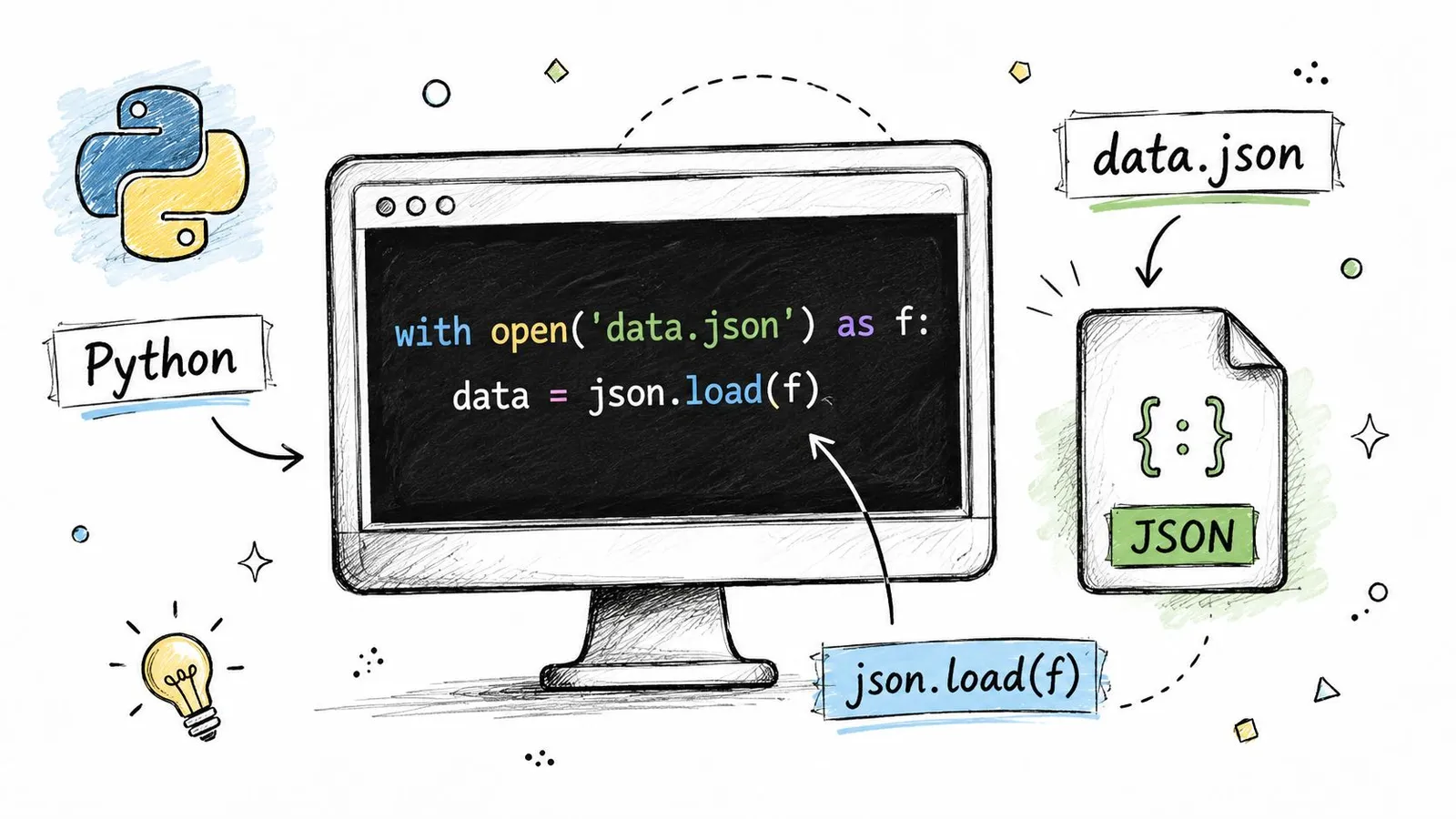
### Use the built-in path first
Python already gives you the default answer. The standard library includes the built-in `json` module, and `json.load()` reads a JSON file directly into native Python objects such as dictionaries or lists. The usual pattern is to open the file in a `with` block and pass the file object to `json.load()`, which deserializes the JSON into native Python objects, as described in [Real Python's JSON guide](https://realpython.com/python-json/).
That means no extra dependency and no extra installation. For small and medium files, that's exactly what you want.
```python
import json
with open("data.json", "r", encoding="utf-8") as f:
data = json.load(f)
print(type(data))
print(data)
```
A few details matter here:
- **Use a context manager:** `with open(...) as f:` closes the file even if parsing fails.
- **Set encoding explicitly:** `encoding="utf-8"` avoids platform-specific surprises.
- **Expect native Python objects:** a JSON object becomes a `dict`, and a JSON array becomes a `list`.
If you're building scraping or extraction workflows in Python, the [Webclaw Python SDK](https://webclaw.io/docs/sdks/python) fits naturally around this pattern because the handoff into Python data structures stays simple.
### Know when to use load and loads
This trips people up all the time. The names are close, but the inputs are different.
| Function | Use it for | Input |
|---|---|---|
| `json.load()` | Reading JSON from a file | File object |
| `json.loads()` | Reading JSON already in memory | String or bytes |
| `json.dump()` | Writing JSON to a file | Python object plus file object |
| `json.dumps()` | Converting JSON to a string | Python object |
Here's the difference in code:
```python
import json
# File-based JSON
with open("config.json", "r", encoding="utf-8") as f:
config = json.load(f)
# String-based JSON
payload = '{"name": "alice", "active": true}'
user = json.loads(payload)
```
Use `load()` when the data lives in a file. Use `loads()` when some other part of your application has already read the bytes or produced a string.
> If you're holding a file path, reach for `open(...); json.load(...)`. If you're holding a string, reach for `json.loads(...)`.
That distinction sounds minor, but it keeps code readable. It also prevents awkward patterns where developers read the whole file into a string first for no real benefit.
## When Your JSON Is Too Big for Memory
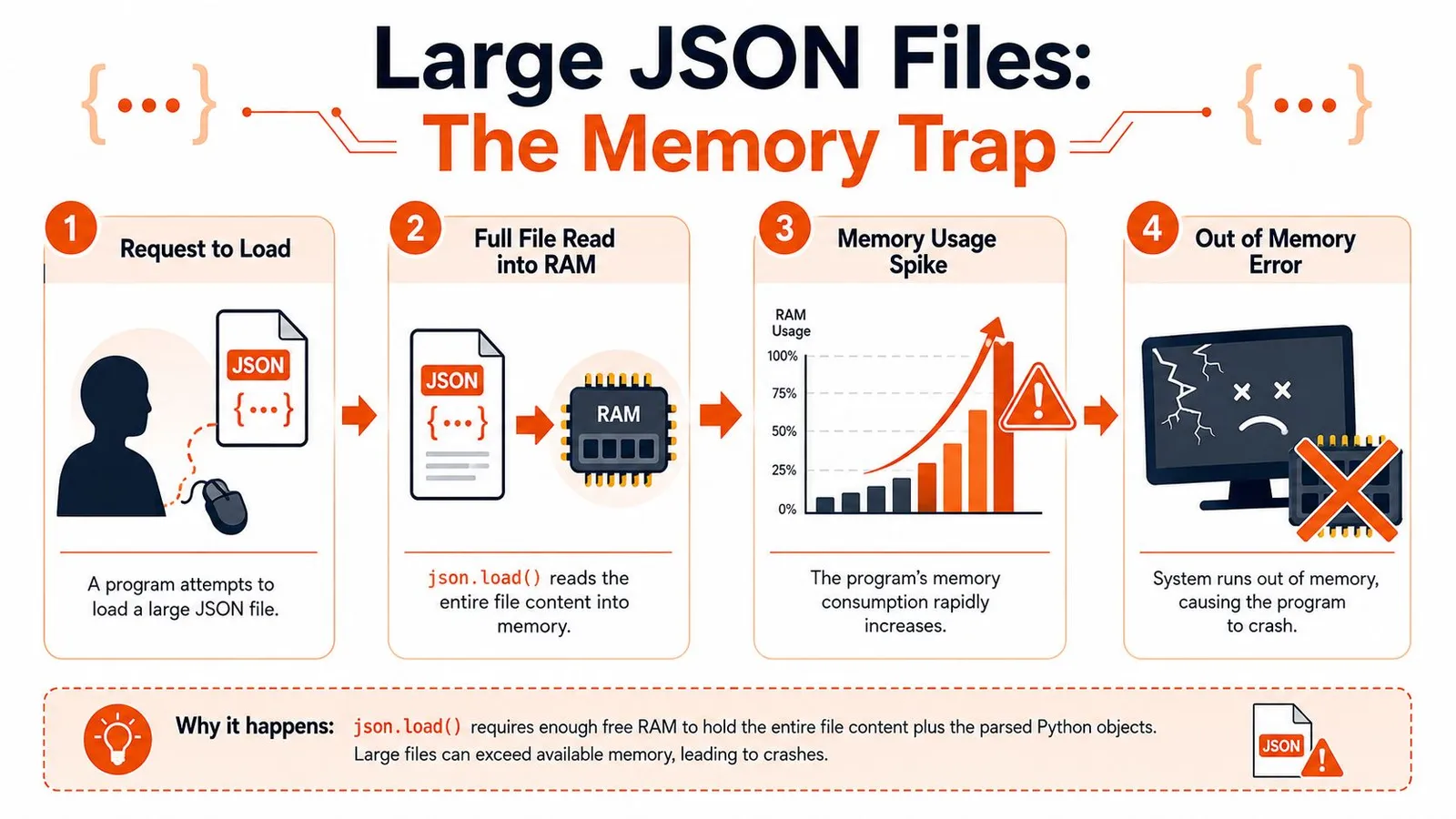
### Why the simple approach breaks
The biggest production failure mode is memory. `json.load()` is clean and Pythonic, but it assumes loading the data structure in memory is acceptable. For very large files, that assumption breaks.
Practitioner guidance recommends avoiding a full in-memory `json.load()` when the file is very large. Streaming parsers such as `ijson` are suggested for large files, and rewriting data into JSONL is often a better strategy for scalable processing, as discussed in this [large-file JSON handling guide](https://dev.to/lovestaco/handling-large-json-files-in-python-efficient-read-write-and-update-strategies-3jgg).
That advice becomes important when the file is one giant array. A beginner tutorial can make JSON look like a “read once and loop” problem. Large exports aren't like that. They behave more like datasets.
For teams that process lots of records in scheduled jobs, it helps to think in terms of chunked work and queue-friendly design. The same mindset shows up in [batch processing systems](https://webclaw.io/blog/what-is-batch-processing), where you avoid designs that require the entire dataset to be present in memory at once.
A short walkthrough helps visualize the failure pattern:
### Stream large JSON with ijson
If the file is huge and you can't change its format, **stream it**. That means processing one item at a time instead of materializing the whole thing as a single Python object.
```python
import ijson
with open("large_export.json", "rb") as f:
for record in ijson.items(f, "items.item"):
process(record)
```
The path `"items.item"` depends on the JSON structure. If your file looks like this:
```json
{
"items": [
{"id": 1, "name": "A"},
{"id": 2, "name": "B"}
]
}
```
Then `ijson.items(f, "items.item")` yields one object at a time from the array.
This pattern changes how you design your code:
- **Don't accumulate results unless you must.** Process and write out each record as you go.
- **Push side effects downstream.** Insert into a database, write to CSV, or emit another stream.
- **Keep transformations local.** A small per-record function scales much better than building giant intermediate lists.
> Large-file code usually fails because of one innocent line: a list append inside a loop that quietly rebuilds the in-memory dataset you were trying to avoid.
### Prefer JSONL when you control the format
If you have influence over the upstream format, **JSONL** is often better than one monolithic JSON array. Each line is an independent JSON object, which makes processing much simpler.
```python
import json
with open("events.jsonl", "r", encoding="utf-8") as f:
for line in f:
line = line.strip()
if not line:
continue
record = json.loads(line)
process(record)
```
JSONL works well when:
- **Records are append-heavy:** logs, events, incremental exports.
- **Processing is record-oriented:** each line stands on its own.
- **Recovery matters:** a bad line is easier to isolate than a broken giant file.
It's also friendlier to Unix-style tooling and incremental workflows. When files become massive or frequently updated, rewriting an entire monolithic JSON document gets awkward fast. Guidance on production handling also points toward `ijson`, `orjson`, `ujson`, JSONL, or even a database depending on the workload, especially when frequent rewrites are costly and risky, as noted in [OneUptime's JSON file guide](https://oneuptime.com/blog/post/2026-01-25-read-write-json-files-python/view).
## Boosting Performance with Faster JSON Libraries
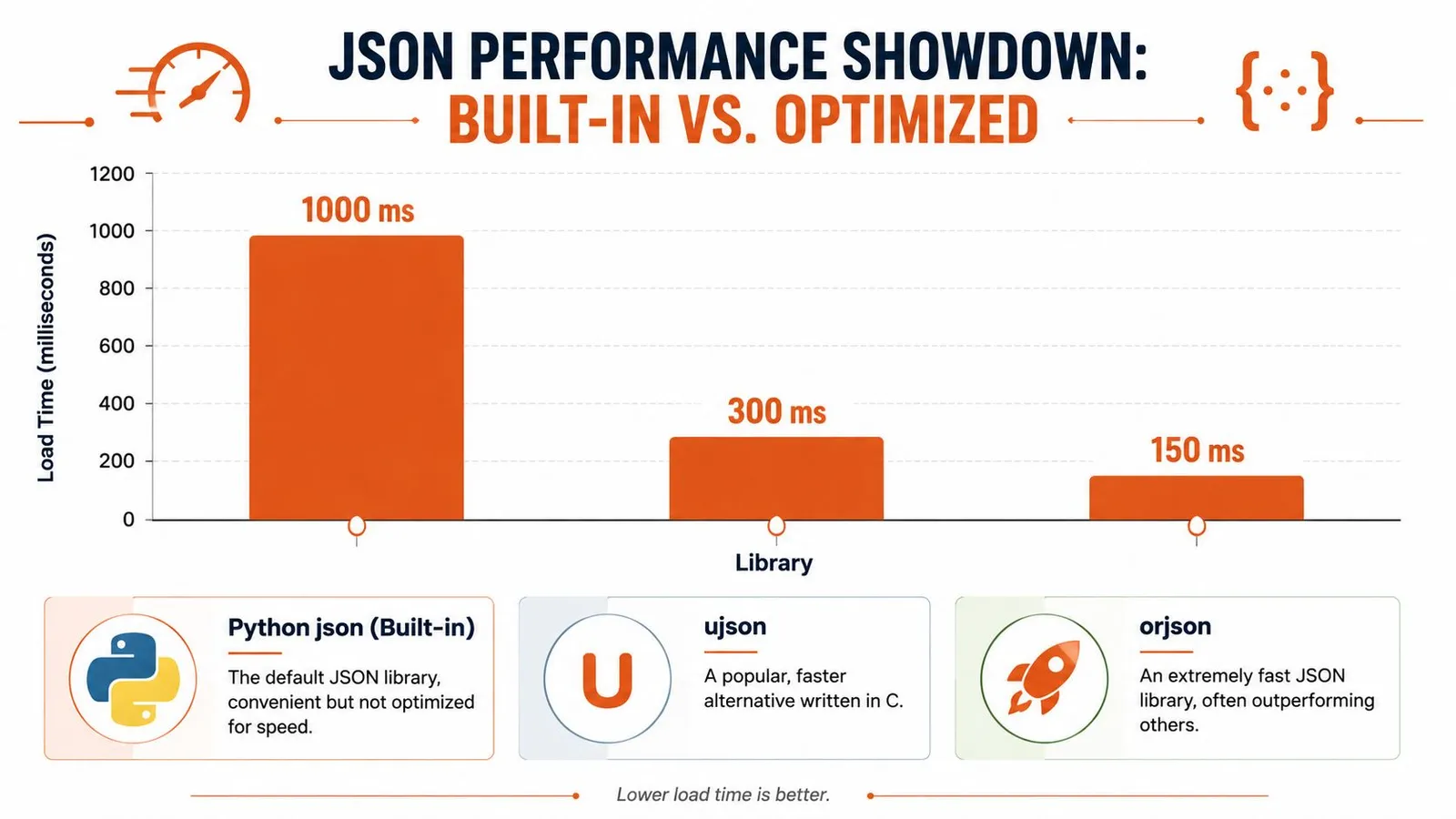
### When the parser becomes the bottleneck
Sometimes memory isn't the issue. The file fits just fine, but the code still feels slow because you're parsing JSON over and over in a hot path. That happens in APIs, message consumers, ETL workers, and crawling systems.
In those situations, the built-in module can be good enough functionally but still not ideal operationally. Practitioner guidance recommends alternatives like `orjson` or `ujson` for performance-critical workloads instead of treating the standard library as the only option.
That doesn't mean you should replace `json` everywhere. It means you should change libraries when parsing speed is a measurable part of the problem.
If your broader pipeline spends a lot of time fetching and normalizing remote content before parsing it, the bottleneck may not even be JSON itself. In scraping-heavy workloads, performance questions often start further upstream in [Python crawling pipelines](https://webclaw.io/blog/crawling-in-python), then show up later in parsing and transformation.
### orjson ujson and pandas in practice
Here's the practical comparison I use:
| Tool | Best fit | Trade-off |
|---|---|---|
| `json` | General application code | Easiest default, not the fastest |
| `orjson` | Performance-sensitive services and pipelines | Extra dependency, slightly different API feel |
| `ujson` | Faster parsing with a familiar intent | Also an extra dependency |
| `pandas.read_json` | Data analysis into DataFrames | Not a general-purpose replacement |
Typical usage with `orjson` looks like this:
```python
import orjson
with open("data.json", "rb") as f:
data = orjson.loads(f.read())
```
With `ujson`:
```python
import ujson
with open("data.json", "r", encoding="utf-8") as f:
data = ujson.load(f)
```
A few judgment calls matter here:
- **Choose `json` first** when clarity matters more than marginal speed.
- **Choose `orjson`** when parsing is on the hot path and you've already confirmed it matters.
- **Choose `ujson`** if you want a faster option and the integration suits your codebase.
- **Choose `pandas.read_json`** when your real destination is a DataFrame, not a nested Python object graph.
> Fast parsers help when parsing is the work. They don't fix bad schema design, expensive downstream transforms, or an oversized file format.
One warning. Don't switch libraries just because a benchmark chart looks attractive. The key question is where your application spends time. If parsing is a small slice of the total runtime, swapping libraries won't change much. If parsing dominates a high-throughput service, it might be exactly the right move.
## Ensuring Data Quality with Error Handling and Validation
### Catch broken JSON early
A file that fails to parse is the easiest problem to detect. Python gives you a clear exception for that, and you should catch it at the boundary where the file enters your system.
```python
import json
try:
with open("input.json", "r", encoding="utf-8") as f:
data = json.load(f)
except json.JSONDecodeError as exc:
print(f"Invalid JSON: {exc}")
```
That's the minimum. It turns a stack trace into a controlled failure path.
I also like to separate file access errors from parsing errors. Missing file, wrong permissions, and malformed JSON aren't the same incident. If you log them as one generic “load failed” event, debugging gets slower.
A good defensive loading function usually checks for:
- **Missing files**
- **Permission problems**
- **Malformed JSON**
- **Unexpected empty content**
- **Wrong top-level type**
### Validate structure not just syntax
Many systems, in this regard, remain too shallow. A file can be perfectly valid JSON and still be useless. Maybe the key is missing. Maybe `email` is `null` where your code expects a string. Maybe a field moved from list to object and half your pipeline still assumes the old shape.
That's why parsing isn't enough. You also need **validation**.
`pydantic` is a strong fit for this because it lets you define the structure you expect and validate incoming data immediately.
```python
from pydantic import BaseModel, ValidationError
import json
class UserRecord(BaseModel):
id: int
name: str
email: str
active: bool
try:
with open("user.json", "r", encoding="utf-8") as f:
raw = json.load(f)
user = UserRecord.model_validate(raw)
except json.JSONDecodeError as exc:
print(f"Bad JSON syntax: {exc}")
except ValidationError as exc:
print(f"Schema validation failed: {exc}")
```
That changes the role of the loader. It's no longer “read some bytes and hope the rest of the code deals with it.” It becomes “admit only data that matches the contract.”
If you extract content from pages and then shape it into structured records, the same principle applies outside file handling too. Reliable systems usually add validation right after extraction, especially when trying to [extract structured data from webpages](https://webclaw.io/blog/extract-structured-data-from-any-webpage) that may change shape without warning.
### Backslashes usually are not corruption
One of the most common sources of confusion isn't malformed data at all. It's representation.
Many developers see backslashes or `\n` in output and assume the JSON loader damaged the content. In reality, those are often just normal JSON string escapes. A Python discussion on this topic highlights that many searches around loading JSON are really about why parsed data looks different from the original text, and that backslashes and newline escapes are often standard JSON encoding rather than corruption, as discussed in this [Python.org thread on JSON output confusion](https://discuss.python.org/t/getting-extra-in-python-json-file-output/78417).
Here's the distinction:
```python
import json
text = '{"message": "hello\\nworld"}'
data = json.loads(text)
print(data["message"])
print(repr(data["message"]))
```
The first `print` shows the actual string with a newline. The `repr(...)` form shows the escaped representation.
> A parsed Python string and the original JSON text are not supposed to look identical. One is data in memory. The other is an encoded textual representation.
Once you understand that, a lot of “JSON corruption” bug reports disappear.
## A Practical Decision Guide for Loading JSON
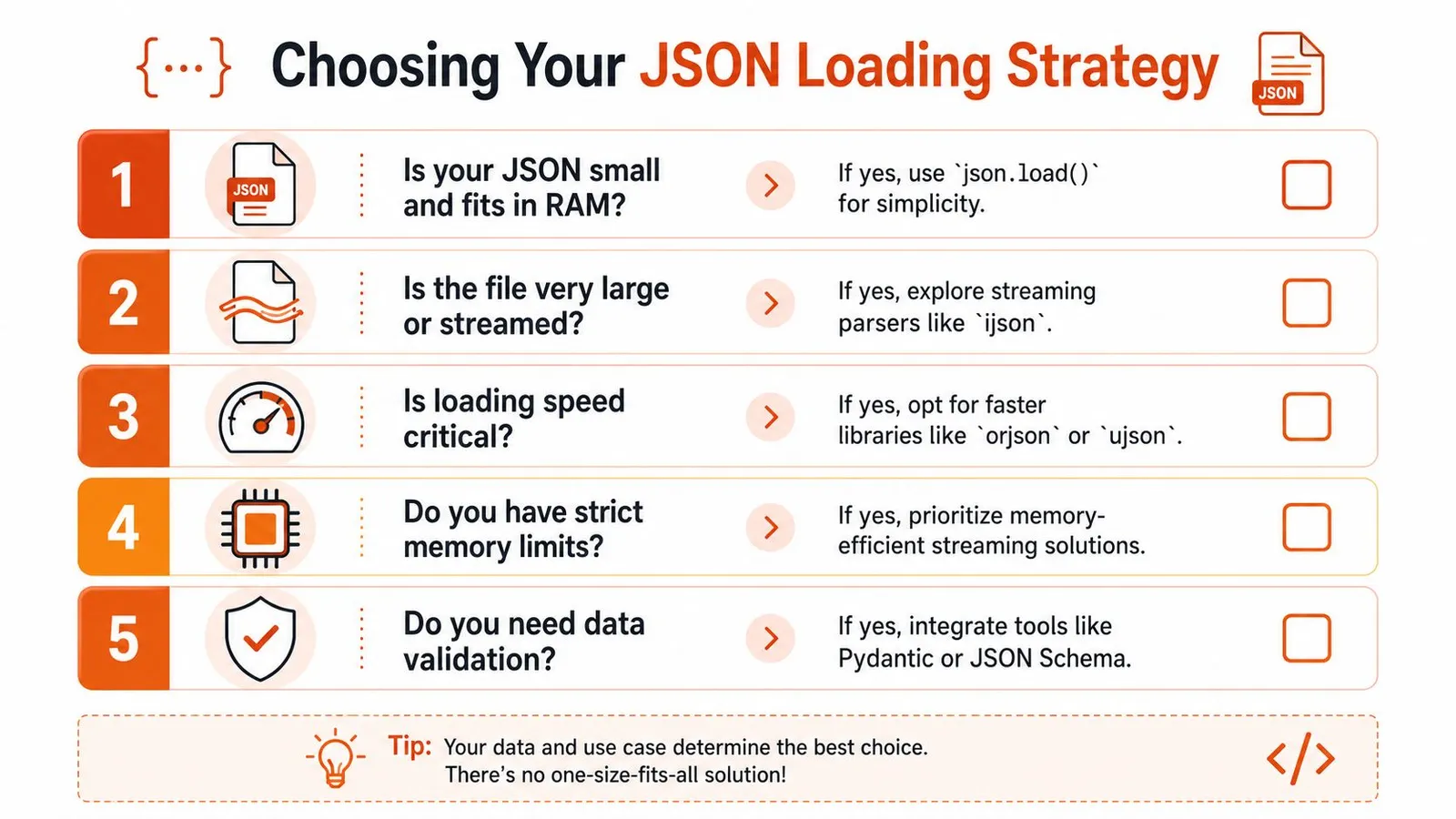
### A working rule set
Teams often don't need more snippets. They need a stable set of choices they can apply quickly.
Use these rules:
1. **If the file is small and local, use the built-in module.** `with open(..., encoding="utf-8") as f: data = json.load(f)` stays the best default.
2. **If the file is too large to load comfortably, stream it.** Don't fight memory pressure with bigger machines when the access pattern is the core issue.
3. **If you control the file format and process records independently, prefer JSONL.** It's simpler to process and friendlier to incremental workflows.
4. **If parsing speed is a significant bottleneck, test `orjson` or `ujson`.** Don't optimize speculatively.
5. **If the data feeds production logic, validate it.** Syntactic validity is not enough.
### What I would choose in common situations
Here's the short version I'd give a teammate:
| Situation | What I'd use |
|---|---|
| Small config file | `json.load()` |
| API payload already in memory | `json.loads()` |
| Large export file | `ijson` |
| Event stream or append-heavy records | JSONL |
| Performance-sensitive parser path | `orjson` or `ujson` |
| Untrusted or contract-sensitive input | `pydantic` after parsing |
The key is not loyalty to one library. It's matching the tool to the failure mode.
A lot of Python code around JSON stays stuck at tutorial level for too long. Production code can't. It needs clear defaults, explicit trade-offs, and defensive boundaries. Once you adopt that mindset, loading JSON stops being a trivial utility call and becomes a part of system design.
---
If you're building agents, research workflows, or scraping pipelines that need clean structured content before it ever reaches your JSON layer, [Webclaw](https://webclaw.io) is worth a look. It gives you model-friendly extraction from difficult websites, supports structured outputs, and helps reduce the amount of brittle cleanup code you'd otherwise write around raw web content.
---
### Web Scraping in R: A Practical 2026 Guide
URL: https://webclaw.io/blog/web-scraping-in-r
Published: 2026-06-20
Author: Massi
Learn modern web scraping in R. This guide covers rvest for static sites, RSelenium for JavaScript, and APIs for tough targets. Start scraping data today.
You've probably hit one of these two states already. Either `rvest` worked in minutes and made web scraping in R feel easy, or it returned an empty shell and sent you into browser devtools, network tabs, and vague forum posts about JavaScript.
That split is why most scraping advice feels incomplete. The basic tutorials are fine for static HTML, but they usually stop right where real projects start getting interesting. Production scraping isn't about memorizing one package. It's about choosing the right level of tooling for the site in front of you, then keeping the job stable when pages change, requests fail, or a target starts pushing back.
R is a strong fit for this work because scraping and analysis live in the same workflow. You can pull a page, extract fields, turn them into a tibble, clean them with `dplyr`, and move straight into modeling or monitoring. If you want a broader look at how teams use scraping as a data source, [this guide to scraping websites for data](https://webclaw.io/blog/scraping-websites-for-data) is a useful companion.
## Your Starting Point for Web Scraping in R
If you already work in R, scraping is usually the shortest path between “that data exists on a website” and “that data is ready for analysis.” The appeal isn't just collection. It's that you can collect and analyze in one environment without bouncing between languages or tools.
### Why R became a practical scraping language
Web scraping in R became mainstream when **`rvest` fit naturally into the tidyverse workflow**. The common pattern is simple: read a page with `read_html()`, target elements with CSS selectors, and extract the text or attributes you need. That familiar flow made scraping accessible to people who were already comfortable with tibbles, pipes, and tidy data work, as described in the [R for Data Science web scraping chapter](https://r4ds.hadley.nz/webscraping.html).
That matters in day-to-day work. A scraped page doesn't stay “web data” for long. In R, it quickly becomes a tibble you can filter, join, plot, or model.
> **Practical rule:** Don't pick a scraper first. Identify what the page actually delivers. Static HTML, browser-rendered content, and protected targets each need a different approach.
### The decision that matters first
Most scraping failures come from using the wrong tool level for the site.
A simple way to think about web scraping in R is this:
| Site type | Typical signal | Best starting tool | Why |
|---|---|---|---|
| Static HTML | Data appears in page source | `rvest` | Fast, clean, low overhead |
| JavaScript-rendered | Browser shows content, raw HTML doesn't | `RSelenium` or hidden API inspection | Browser executes page scripts |
| Protected or brittle | Blocks, CAPTCHAs, repeated failures | Scraping API or official API | Less local maintenance |
That escalation path saves time. Too many people jump straight to browser automation for a page that plain HTML parsing could handle. Others stay with `rvest` too long, trying to coerce data out of a page that never sends the content in the initial response.
A few checks usually tell you where to start:
- **View source first:** If the data is in the HTML response, use `rvest`.
- **Inspect network requests:** If the page loads content later, there may be a JSON endpoint worth calling directly.
- **Watch for interaction requirements:** Infinite scroll, login walls, and click-triggered panels push you toward browser automation.
- **Notice blocking behavior:** Frequent retries, challenge pages, or inconsistent output mean your problem is no longer just parsing.
R handles all three layers. What changes is how much of the browser stack you need to simulate.
## The Foundation Scraping Static HTML with rvest
Most useful scraping scripts still start with `rvest`. When the page is static and reasonably well structured, it's hard to beat for speed and clarity.
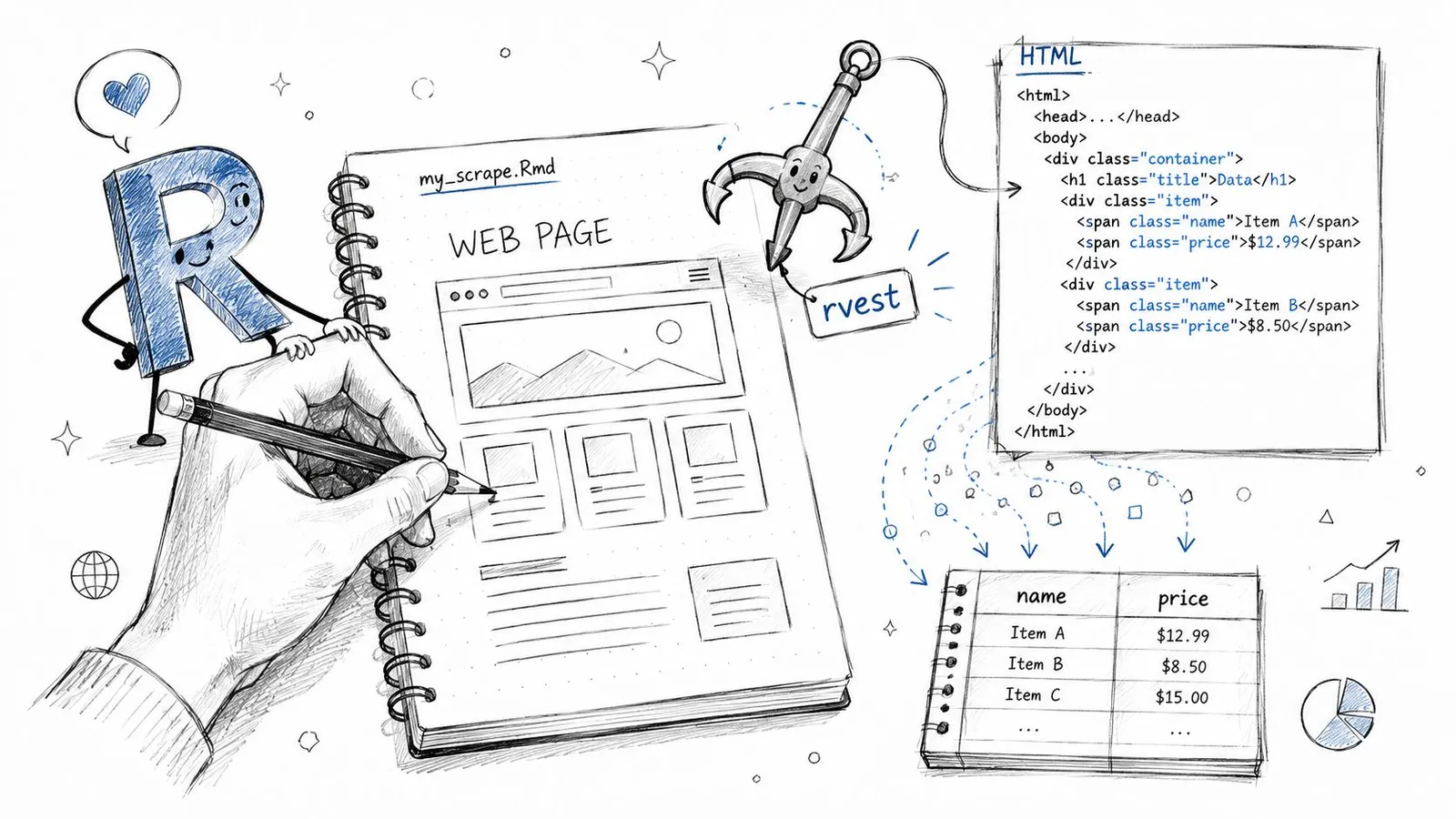
### The core workflow
The pattern is stable across most static pages:
1. Fetch the page with `read_html()`
2. Select nodes with `html_elements()`
3. Extract values with `html_text2()` or `html_attr()`
4. Assemble the results into a tibble
Here's the shape of that workflow:
```r
library(rvest)
library(dplyr)
library(tibble)
url <- "https://example.com/articles"
page <- read_html(url)
titles <- page |>
html_elements(".article-title") |>
html_text2()
links <- page |>
html_elements(".article-title a") |>
html_attr("href")
dates <- page |>
html_elements(".article-date") |>
html_text2()
articles <- tibble(
title = titles,
link = links,
date = dates
)
articles
```
This style works because the page already contains the information in its HTML. `rvest` doesn't need to act like a browser. It just needs to parse a document and let you target the right nodes. If you want a separate walkthrough on turning page elements into structured fields, [this guide to extracting structured data from any webpage](https://webclaw.io/blog/extract-structured-data-from-any-webpage) is worth keeping nearby.
### A simple example you can adapt
The hard part usually isn't the R code. It's choosing selectors that survive minor frontend changes.
Good selectors tend to be tied to structure, not presentation:
- **Prefer stable classes:** `.article-title` is usually better than a long nested path.
- **Use attributes when needed:** Product links, image URLs, and IDs often live in `href`, `src`, or `data-*` attributes.
- **Keep parallel vectors aligned:** If titles and dates come from different parts of the page, check that their lengths match before binding them into a tibble.
> If your extracted vectors have different lengths, stop there. Don't patch the mismatch after the fact unless you know exactly why it happened.
That one habit prevents a lot of silent bad data.
### How to find selectors without guessing
Browser developer tools do most of the work. Right-click the element you want, inspect it, and look for a class, ID, or parent container that cleanly identifies the repeated item.
A practical checklist helps:
- **Start from the repeated unit:** article card, product tile, table row
- **Work inside that unit:** extract title, price, date, link from the same container
- **Avoid brittle selectors:** long chains like `div:nth-child(4) > span > a`
- **Clean text early:** `html_text2()` is often better than raw text extraction because it trims whitespace more cleanly
When a page exposes a proper HTML table, scraping gets even easier:
```r
tables <- page |> html_table()
```
That's the happy path. It won't cover modern interactive sites, but when it works, it keeps your script small, readable, and easy to maintain.
## When rvest Fails Handling JavaScript with RSelenium
The most common symptom is a script that runs without errors and returns almost nothing useful. You inspect the browser, see the data on screen, then inspect the raw response and find a thin HTML shell.
That's not an `rvest` bug. It's a different class of website.
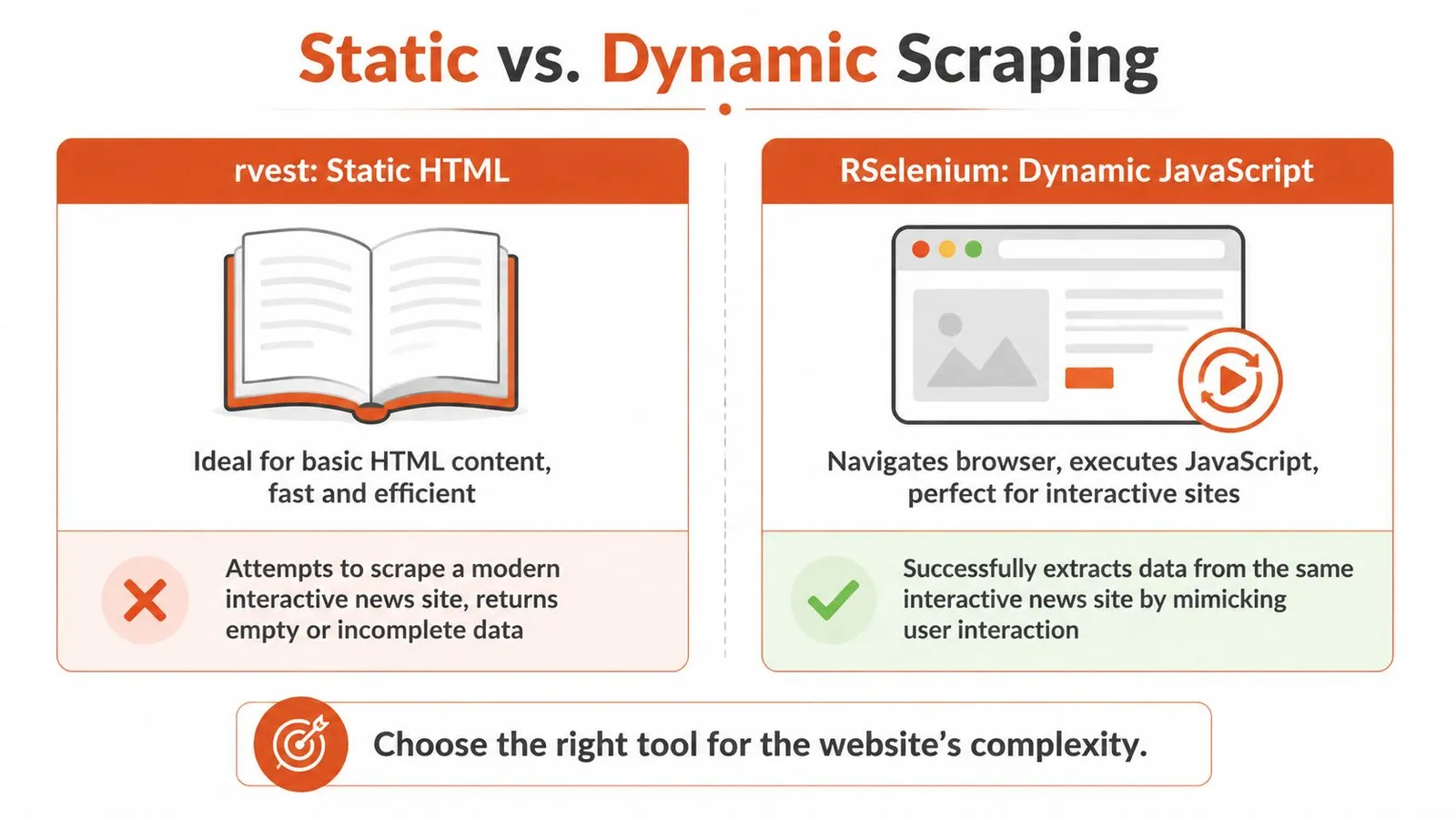
### How to recognize a dynamic site
Many modern pages rely on JavaScript frameworks, which is one reason basic HTML scraping often breaks. The [2025 Web Almanac figures cited by R-Squared Academy](https://blog.rsquaredacademy.com/web-scraping/) report **React on 4.6%** and **Vue.js on 2.5%** of analyzed home pages. You don't need those frameworks to dominate the web for this to matter. You only need your target site to depend on one.
Typical signs you need something beyond `rvest`:
- **Empty node sets:** your selector is valid, but no data comes back
- **Placeholder HTML:** the initial document contains containers, not content
- **Interaction dependency:** content appears only after clicking, scrolling, or waiting
- **Asynchronous loading:** XHR or fetch requests populate the page after load
A lot of developers stop at “use Selenium” without checking whether the page is calling a hidden JSON endpoint. That's a miss. If the browser is fetching structured data behind the scenes, calling that endpoint directly is often cleaner than automating clicks.
For hard client-rendered pages, a [JavaScript rendering API with browser fallback](https://webclaw.io/blog/javascript-rendering-api-browser-fallback-web-scraping) is another route when you want rendered output without running and managing a full browser locally.
### What RSelenium changes
`RSelenium` controls an actual browser session. That means JavaScript runs, the DOM updates, and your script can wait for the page to settle before extracting content.
The trade-off is complexity.
| Tool | Strength | Weakness |
|---|---|---|
| `rvest` | Fast, simple, low resource use | Can't render client-side content |
| `RSelenium` | Handles interactive and rendered pages | Slower, heavier, more moving parts |
That extra machinery is often necessary. It's also why Selenium scripts fail in ways static scrapers don't. Browser versions drift. Timing becomes part of the job. Elements appear later than expected. Clicks get intercepted by banners or overlays.
Here's a useful video if you want to see the browser-driven approach in action:
### A minimal browser automation pattern
A basic pattern in R looks like this:
```r
library(RSelenium)
library(rvest)
rD <- rsDriver(browser = "chrome")
remDr <- rD$client
remDr$navigate("https://example.com/app")
Sys.sleep(5)
page_source <- remDr$getPageSource()[[1]]
page <- read_html(page_source)
titles <- page |>
html_elements(".article-title") |>
html_text2()
titles
```
A few practical notes matter more than the code itself:
- **Use explicit waits when possible:** fixed sleeps are blunt, but still common in prototypes.
- **Extract page source after render:** that lets you return to the cleaner `rvest` parsing model.
- **Expect more maintenance:** browser automation breaks more often than direct HTML parsing.
> Browser automation is a rendering tool first and a scraper second. Use it when the browser is part of the data path.
## Scaling Up Scraping Multiple Pages Responsibly
The jump from one page to many is where scraping turns from a script into a system. The code doesn't get much longer, but the operational mistakes get more expensive.
### From one URL to a repeatable job
R scraping tutorials have long shown that the same HTML-parsing workflow can extend across repeated URLs and pagination patterns, replacing manual copying with repeatable collection. That shift from one-off extraction to programmable batch work is what made web scraping in R useful for research and monitoring rather than just demos, as illustrated in [this multi-page scraping tutorial](https://statsandr.com/blog/web-scraping-in-r/).
The mechanics are straightforward. Discipline is the differentiator.
For larger jobs, the main failure modes are **bot blocking**, **request overloading**, and unstable collection. Guidance from the University of Wisconsin's SSCC stresses checking `robots.txt`, adding delays, and using error handling because aggressive scraping can trigger blocks and lower data quality on multi-page runs, especially in production-like workloads, as noted in their guide to [production-grade scraping practices in R](https://sscc.wisc.edu/sscc/pubs/webscraping-r/).
### A safe loop scaffold
Here's a simple pattern that behaves better than a bare `for` loop firing requests as fast as possible:
```r
library(rvest)
library(tibble)
library(dplyr)
library(purrr)
urls <- c(
"https://example.com/page1",
"https://example.com/page2",
"https://example.com/page3"
)
scrape_one <- function(url) {
tryCatch({
Sys.sleep(2)
page <- read_html(url)
tibble(
url = url,
title = page |> html_element("h1") |> html_text2()
)
}, error = function(e) {
tibble(
url = url,
title = NA_character_
)
})
}
results <- map_dfr(urls, scrape_one)
results
```
A few parts are doing real work here:
- **`Sys.sleep()` slows the request rate:** that reduces the chance of looking like a hammering bot.
- **`tryCatch()` keeps the job alive:** one bad page doesn't kill the entire batch.
- **`map_dfr()` returns a single data frame:** that makes downstream cleaning much easier.
> Slow down before the site forces you to. A scraper that finishes a bit later is more useful than one that gets blocked halfway through.
### When scale changes the architecture
At some point, loops stop being the only question. You also need to think about retry logic, logging, and whether your network setup matches the target's sensitivity.
That's where infrastructure considerations enter the picture. If you're running recurring jobs across many pages or regions, this guide on [leveraging proxies for data acquisition](https://www.stellaproxies.com/blog/proxies-for-web-scraping-data-boost-data-collection-with-best-practices) gives practical context on when proxy routing becomes part of a stable collection setup rather than a workaround.
For R users, batch design usually improves when you separate concerns:
- **Discovery layer:** gather URLs first
- **Fetch layer:** request pages with pacing and retries
- **Parse layer:** extract fields into a common schema
- **Storage layer:** save intermediate outputs so you can resume jobs
If you're thinking in those terms already, [batch processing for scraping workloads](https://webclaw.io/blog/what-is-batch-processing) is the right mental model. It's much easier to debug a scraping pipeline when fetching and parsing aren't tangled together.
## For Protected Sites The API-Driven Approach
Some targets don't fail because your selector is wrong or your browser wait is too short. They fail because the site is actively screening automated access.
That's the point where DIY scraping often turns into a maintenance tax.
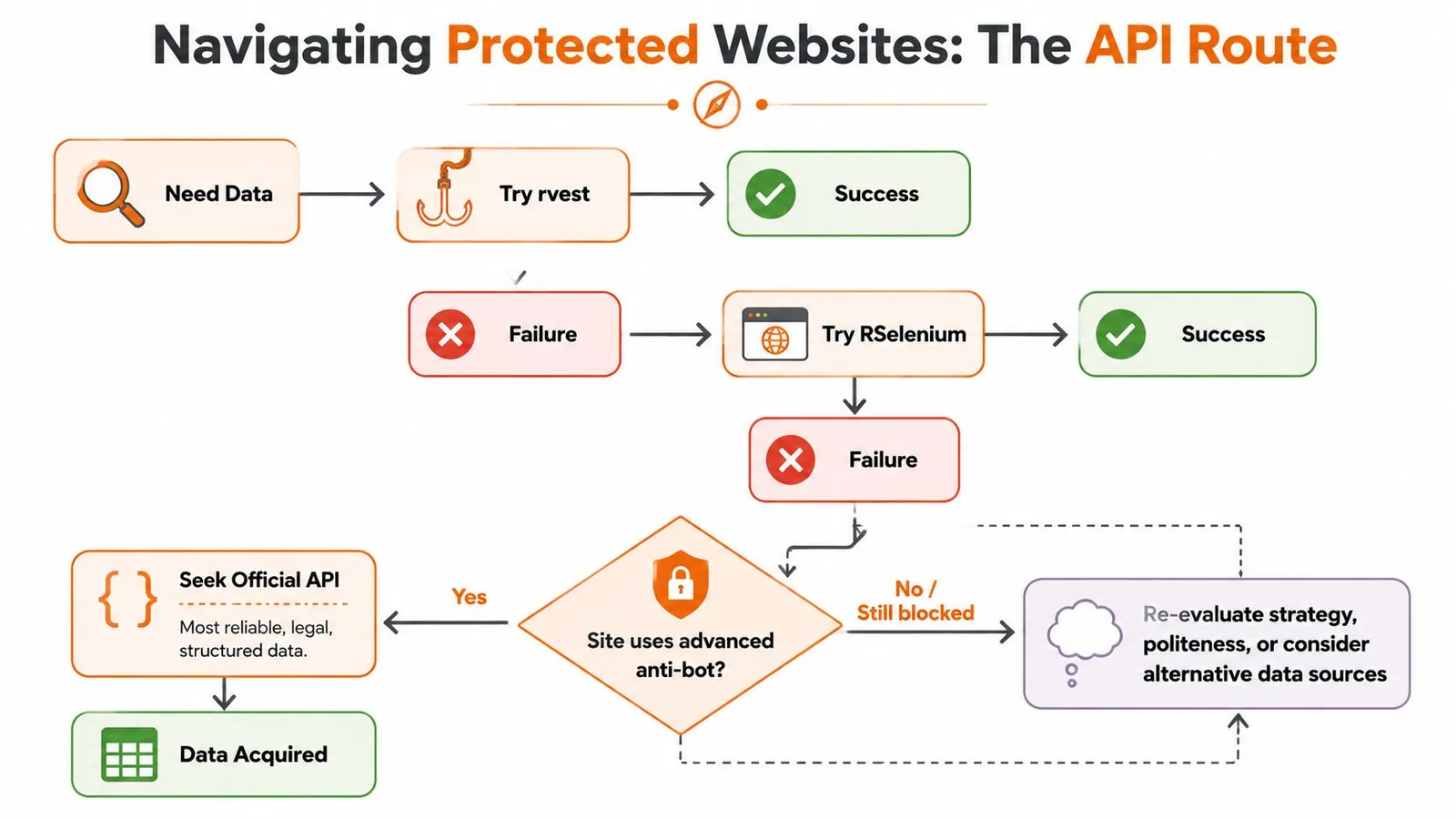
### When DIY scraping stops paying off
Protected sites change the economics of the task. Instead of spending most of your time on extraction logic, you spend it on browser fingerprints, intermittent challenge pages, session handling, and brittle reruns. If the data matters more than the scraping mechanics, that's often the wrong place to invest effort.
A scraping API can make sense here because it shifts the hard part outward. You send a URL, choose an output format, and work with the returned content instead of managing a defensive browser stack yourself.
I'd treat an API as an engineering choice, not a convenience feature. You're buying abstraction over infrastructure.
### Calling a scraping API from R
From R, that usually means an `httr` request with a bearer token and a URL payload. For example, [Webclaw's scrape endpoint](https://webclaw.io/docs/api/scrape) accepts a target URL and returns extracted content in formats such as Markdown, JSON, or plain text, which can fit better into analysis or LLM workflows than raw HTML.
A typical call pattern looks like this:
```r
library(httr)
library(jsonlite)
resp <- POST(
url = "https://api.webclaw.io/v1/scrape",
add_headers(Authorization = paste("Bearer", Sys.getenv("WEBCLAW_API_KEY"))),
encode = "json",
body = list(
url = "https://example.com/protected-page",
format = "markdown"
)
)
content <- content(resp, as = "text", encoding = "UTF-8")
parsed <- fromJSON(content)
```
The benefit is obvious when local scraping has turned into repeated operational cleanup. You don't need to manage a browser grid or local driver stack just to get page content back in a machine-friendly format.
### What you trade for that abstraction
You do give up some direct control. Browser APIs, third-party services, and managed extraction layers can hide the exact mechanics of how they reached the page. For some teams, that's fine. For others, especially when auditing or reproducing every detail matters, a local browser setup is still preferable.
There's also the security side. If you use any external scraping or data API, treat credentials carefully. This guide on [preventing API key leaks and breaches](https://envmanager.com/blog/api-key-security-best-practices) is a good reminder to keep keys out of scripts, notebooks, and shared repos.
A practical decision rule works well here:
- **Use `rvest`** when the page is static.
- **Use `RSelenium`** when the browser must render or interact.
- **Use an API** when access is the main problem and local tooling is consuming more time than the data is worth.
That last move isn't giving up. It's recognizing that scraping and access are different problems.
## From Raw HTML to Tidy Data and Analysis
Scraping is only useful when the output becomes analysis-ready. Raw vectors, nested lists, and half-clean strings don't help much until you shape them into rows and columns.
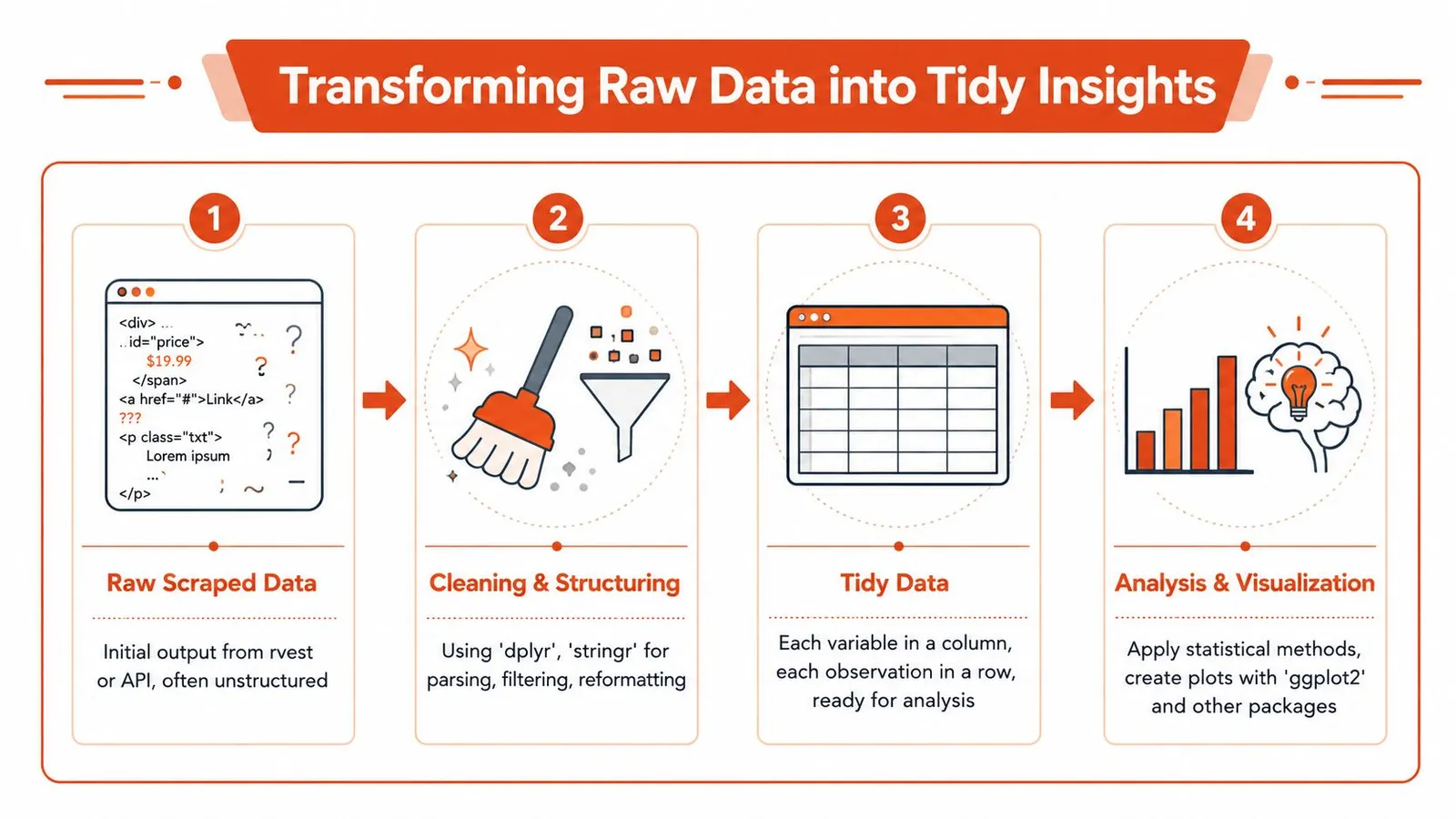
### Build rows from extracted pieces
Most scraped content starts fragmented. You may have one vector for titles, another for dates, and another for URLs. The first cleanup pass involves making those pieces coherent.
```r
library(dplyr)
library(stringr)
library(tibble)
library(readr)
titles <- c(" First item ", "Second item", "Third item")
dates <- c("2026-01-05", "2026-01-06", "2026-01-07")
links <- c("/a", "/b", "/c")
df <- tibble(
title = str_squish(titles),
date = as.Date(dates),
link = links
) |>
mutate(
link = str_c("https://example.com", link)
)
df
```
That's the payoff of web scraping in R. The extraction step feeds directly into the same cleaning grammar you already use for CSVs, databases, and APIs.
A few habits help a lot:
- **Normalize text immediately:** trim whitespace, decode obvious artifacts, standardize casing where appropriate
- **Convert types early:** dates should become dates, not stay character strings
- **Keep raw fields when needed:** if parsing rules may change, save the original extracted text alongside cleaned columns
### Clean once and analyze many times
Good scraping workflows separate acquisition from analysis. Save a clean intermediate file, then do your downstream work from that stable dataset rather than re-scraping every time you tweak a chart.
```r
write_csv(df, "scraped_articles.csv")
```
That one step makes the rest of your analysis reproducible. It also makes failure recovery much easier when a site changes later.
> The strongest reason to do web scraping in R isn't that R can fetch pages. It's that R can turn scraped output into tidy analytical data with very little friction.
Once the data is in a tibble, the broader R stack takes over. `dplyr` handles transformations, `tidyr` reshapes awkward fields, `stringr` cleans text, and `ggplot2` gives you a fast path from collection to insight.
---
If you've outgrown static scraping and don't want every difficult site to become a browser-maintenance project, [Webclaw](https://webclaw.io) is one practical option to evaluate. It exposes scraping through an API, returns content in formats such as Markdown or JSON, and fits well when your R workflow needs clean extracted output more than raw HTML.
---
### Advanced Crawling in Python: Techniques for 2026
URL: https://webclaw.io/blog/crawling-in-python
Published: 2026-06-19
Author: Massi
Crawling in python - Master Python crawling: requests, Scrapy, Playwright, anti-bot, data extraction, & AI scaling in 2026. Build production-grade web scrapers
You have a Python script open, a seed URL ready, and a simple goal. Crawl a site, extract the useful content, feed it into a search index, a monitoring job, or an LLM pipeline. The first version feels easy. A `requests.get()` call works, BeautifulSoup finds the nodes you want, and for a moment it looks like crawling in Python is just another afternoon task.
Then the substantial work starts. The site has duplicate paths, thin HTML shells, random `403` responses, and selectors that break as soon as the frontend team ships a redesign. If the target matters, you also inherit rate controls, retry logic, browser rendering, storage decisions, and anti-bot friction. The code is only the visible part. The maintenance bill shows up later.
That's the part most tutorials skip. They show how to fetch pages. They don't help you decide whether you should own the crawler at all. For AI and LLM workflows, that question matters even more because raw HTML isn't just messy. It's expensive, noisy context.
## Crawler Fundamentals Before You Code
Professional crawling starts before the first line of Python. The teams that skip this part usually end up debugging the wrong thing. They blame parsing, networking, or concurrency when the core problem is that the crawler has no operating rules.
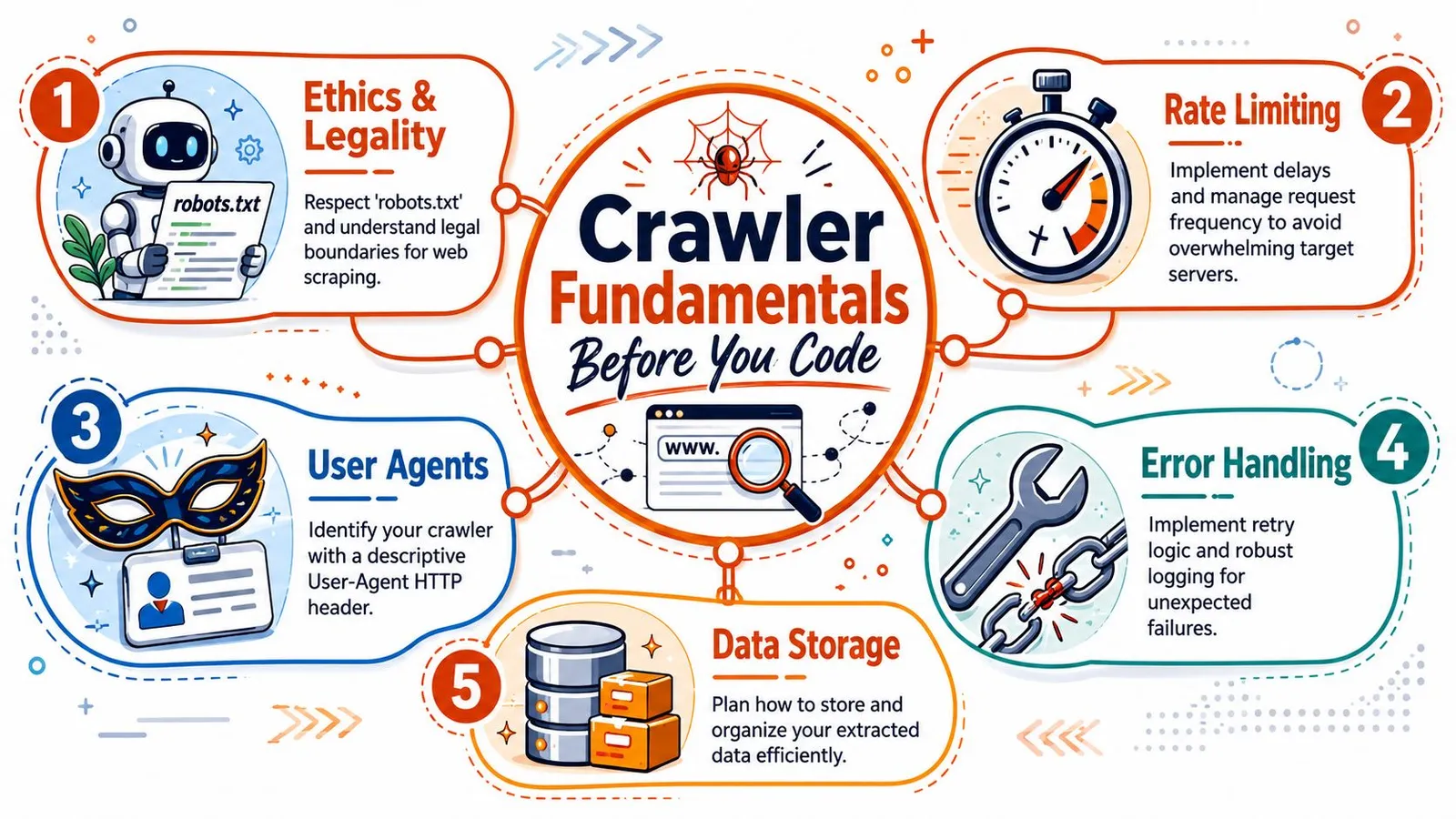
### Start with permission and scope
Read `robots.txt` first. That won't answer every legal or contractual question, but it does tell you how the site wants automated agents to behave. It also gives you a practical boundary. If a path is disallowed, don't make your crawler “smart” enough to ignore it.
Set scope in writing before you code. That means domain limits, path limits, stop conditions, and storage rules. A crawler without scope turns a straightforward extraction job into a site discovery project, and those are different systems.
A preflight checklist should include these basics:
- **Allowed paths:** Confirm what the target permits through `robots.txt` and any public site guidance.
- **Identity:** Send a descriptive `User-Agent` that explains who the crawler is.
- **Request pacing:** Decide how quickly you'll fetch and when you'll slow down.
- **Exit rules:** Define page budgets, depth limits, or completion criteria.
- **Data plan:** Decide whether you need raw HTML, cleaned text, or structured fields.
If you want to test assumptions before launching a larger run, tools that [simulate AI crawler behavior](https://www.trysight.ai/tools/crawler-simulator) can help you inspect how a target might respond to automated fetching. For broader extraction design patterns, this guide on [scraping websites for data](https://webclaw.io/blog/scraping-websites-for-data) is useful context.
> **Practical rule:** If you haven't written down crawl scope and rate rules, you don't have a crawler yet. You have a script that can become a liability.
### Treat HTTP responses as operational signals
Crawlers live and die by response handling. A `200` is success. A `404` tells you the URL is stale or discovered badly. A `403` often means access is denied or the request profile looks wrong. A `503` usually means back off, not retry forever.
This sounds obvious, but many early crawlers flatten every failure into “request failed.” That's a mistake. Different responses require different actions.
A simple response policy looks like this:
| Response pattern | What it usually means | Better action |
|---|---|---|
| **`200`** | Content is available | Parse and continue |
| **`403`** | Access denied or bot suspicion | Pause, inspect headers, scope, and fetch method |
| **`404`** | Missing or removed page | Mark dead and stop retrying |
| **`503`** | Temporary overload or active defense | Reduce pressure and retry later |
Politeness isn't just etiquette. It's uptime strategy. The practical workflow described in [ScrapingBee's Python crawling guide](https://www.scrapingbee.com/blog/crawling-python/) starts with `robots.txt` and rate controls, then adds retries with exponential backoff, realistic `User-Agent` headers, and per-domain concurrency limits.
## A Quick Start with Requests and BeautifulSoup
A lot of crawler projects start the same way. You need content from a site with predictable HTML, the page count is limited, and shipping something today matters more than designing a full crawl system. In that situation, `requests` plus BeautifulSoup is still a practical starting point.
It is also where teams often make an expensive mistake. A fetch script can solve a narrow extraction job fast, but it does not stay cheap once you add URL discovery, retry policy, state, and long-running maintenance. For AI and LLM pipelines, that cost shows up later as inconsistent coverage, stale content, and a growing pile of crawl logic nobody planned to own.
### The baseline fetch and parse loop
Here's the smallest useful pattern:
```python
import requests
from bs4 import BeautifulSoup
url = "https://example.com"
headers = {
"User-Agent": "MyCrawler/1.0"
}
response = requests.get(url, headers=headers, timeout=10)
if response.status_code == 200:
soup = BeautifulSoup(response.text, "html.parser")
headlines = [el.get_text(strip=True) for el in soup.select("h1, h2, h3")]
for item in headlines:
print(item)
else:
print(f"Request failed with status {response.status_code}")
```
This is enough to prove three things quickly. The site returns usable HTML. Your selectors match the content you care about. The extraction logic is simple enough that you can test it without introducing a framework too early.
That matters. If a site is static and your URL list is already known, starting with a full crawler stack is often wasted effort.
If you want to keep that local prototype compatible with a hosted path later, the [Webclaw Python SDK documentation](https://webclaw.io/docs/sdks/python) is a useful reference. It shows the kind of interface teams use when they stop owning fetch infrastructure themselves but want to preserve their parsing workflow.
### When this approach is enough
Use this stack when the problem is bounded.
Good fits include internal docs, public blogs with server-rendered pages, changelog archives, or one-time audits where another system already supplies the URLs. In those cases, `requests` and BeautifulSoup keep the code readable and the failure modes obvious.
A short script is also easier to debug than a framework project. You can inspect headers, print raw HTML, adjust selectors, and rerun in seconds.
### Where the lifecycle cost starts rising
The trouble starts when the task subtly shifts from extraction to crawling.
A few warning signs show up early:
- **You need discovery:** links, pagination, sitemaps, or category traversal now matter.
- **You need memory:** visited URLs, deduplication, and checkpoints become necessary.
- **You need resilience:** timeouts, retries, and partial reruns stop being optional.
- **You need repeatability:** the script has to run on a schedule and produce stable output.
- **You need scale for downstream AI use:** missing pages or duplicate content now affect embeddings, retrieval quality, or fine-tuning data.
At that point, the cheap script stops being cheap. You are building scheduling, state management, and operational controls by hand. Some teams should do that. Many should not.
> A single successful fetch proves extraction logic. It does not prove you should own a crawler in production.
### The practical decision rule
Stick with `requests` and BeautifulSoup if the crawl is small, the HTML is stable, and failure has a low business cost.
Reconsider the approach if the crawler needs to run repeatedly, support changing site structure, or feed an LLM workflow that depends on freshness and coverage. The code is still simple. The system around the code is what gets expensive.
That is the trade-off. `requests` and BeautifulSoup are excellent tools for a controlled job. They are a poor substitute for crawl infrastructure once the job becomes ongoing, high-volume, or operationally important.
## Building a Production Crawler with Scrapy
A crawler usually becomes a systems problem before it becomes a parsing problem. The first version works on a few pages. The production version needs URL discovery, retries, backpressure, structured exports, failure recovery, and enough discipline that another engineer can maintain it six months later. Scrapy earns its place here because it gives you those pieces in one framework instead of pushing you toward a growing pile of custom loops and cron jobs.
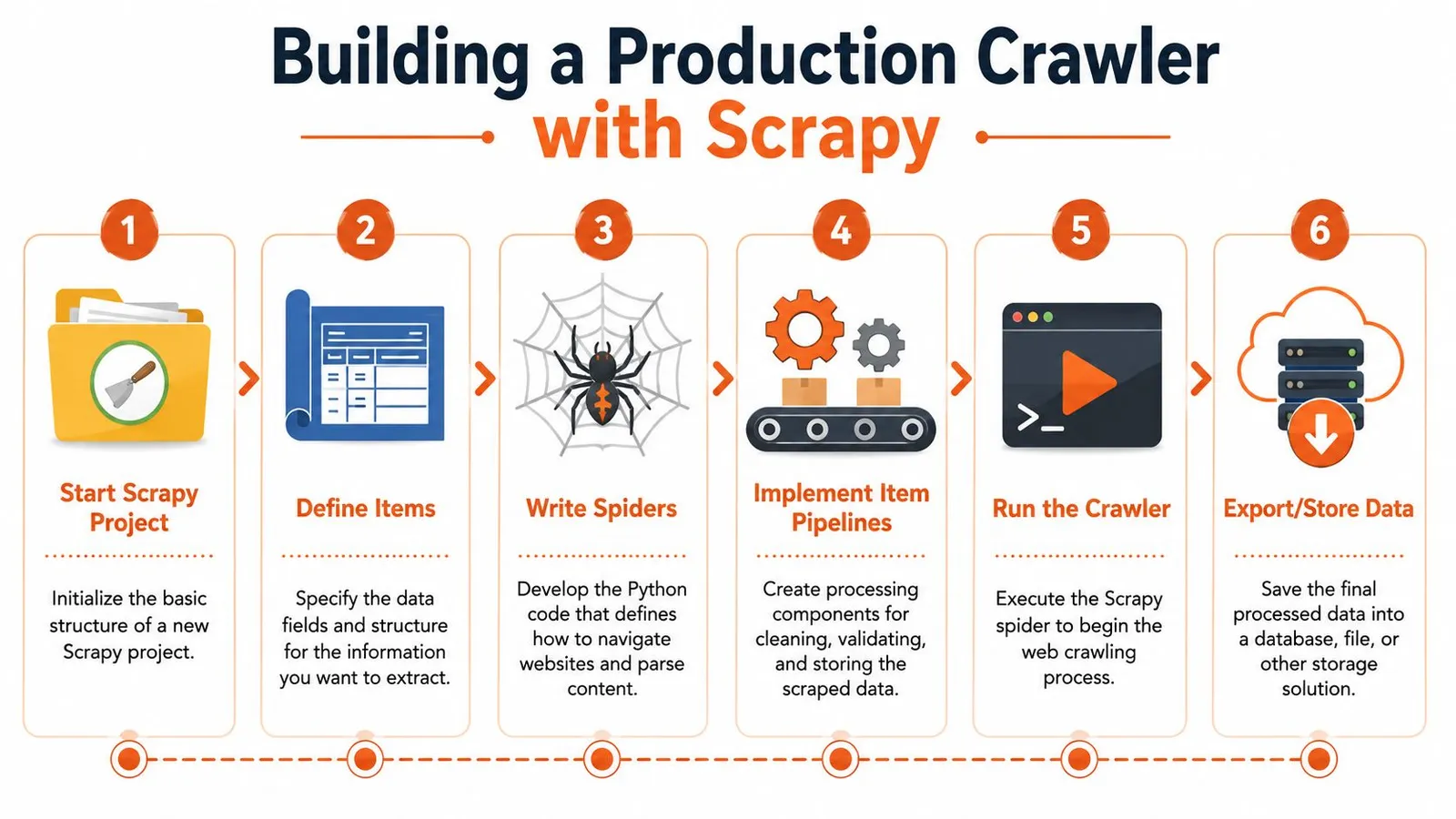
### Why Scrapy changes the shape of the project
Scrapy is opinionated in the right places. Spiders define how to discover and parse pages. The scheduler manages what gets fetched next. Pipelines handle validation and storage. Middleware gives you a place to shape requests and responses without burying that logic inside parsing code. The official [Scrapy architecture overview](https://docs.scrapy.org/en/latest/topics/architecture.html) is worth reading because these boundaries are what keep a crawler maintainable once the target site changes.
That separation matters more than the framework itself. Discovery logic tends to change for different sections of a site. Extraction rules drift as templates evolve. Storage requirements change when the crawl starts feeding search indexes, analytics, or LLM pipelines. Scrapy lets you change one part without rewriting the rest.
A typical spider looks conceptually like this:
```python
import scrapy
class DocsSpider(scrapy.Spider):
name = "docs_spider"
start_urls = ["https://example.com/docs/"]
def parse(self, response):
for href in response.css("a::attr(href)").getall():
if "/docs/" in href:
yield response.follow(href, callback=self.parse_doc)
def parse_doc(self, response):
yield {
"url": response.url,
"title": response.css("title::text").get(),
"headings": response.css("h1::text, h2::text").getall(),
}
```
That example is small, but the production pattern is already there. One callback discovers links. Another extracts records. The framework handles request scheduling and item flow. You can export to JSON for a quick test, then move the same items through validation, deduplication, and storage once the crawl starts mattering.
A short video walkthrough helps if you want to see that workflow in action:
### The controls that matter in production
The defaults are fine for learning. They are rarely fine for a recurring crawl.
In practice, a few settings do most of the operational work:
- **`DOWNLOAD_DELAY`** sets pace. Use it to reduce burstiness and avoid creating avoidable load spikes.
- **`CONCURRENT_REQUESTS_PER_DOMAIN`** caps parallelism against one host. This matters when one spider can otherwise saturate a small site.
- **`AUTOTHROTTLE_ENABLED`** adjusts request rate based on observed latency. It is one of the simplest ways to make a crawler less brittle.
- **Retry and timeout settings** determine whether transient failures become data gaps or short-lived noise.
- **Job persistence and feeds** decide whether an interrupted run can resume cleanly and whether downstream systems receive stable output.
These are operational controls, not polish. A crawler that feeds an AI retrieval system has different failure costs than a one-off research script. Missed pages reduce coverage. Duplicate pages pollute embeddings. Unstable runs force expensive cleanup later.
### What Scrapy does not solve for you
Scrapy gives you crawl orchestration. It does not give you rendering, proxy management, fingerprint rotation, or regional fetch coverage out of the box. If the target serves empty HTML and fills the page in the browser, you need a rendering path. If the target rate-limits aggressively, you need request strategy and often external infrastructure. If the site changes templates weekly, you need monitoring and tests, not just a clever selector.
That lifecycle cost is where teams misjudge the build decision. The framework itself is free. Operating it is not. Someone still owns deployments, crawl health, blocked requests, parser drift, data quality checks, storage growth, and on-call fixes when a target site changes overnight.
For a team that needs fine-grained control, Scrapy is a strong self-hosted baseline. For a team whose real goal is fresh content for search, analytics, or LLM ingestion, it is worth pricing the full system before you commit. Browser fallback alone can change the cost profile fast. If your targets regularly require rendering, read this guide on [browser fallback for JavaScript-heavy pages](https://webclaw.io/blog/javascript-rendering-api-browser-fallback-web-scraping) before you assume a standard Scrapy stack will be enough.
Use Scrapy when you need custom crawl behavior, repeatable jobs, and engineering control over the pipeline. Reconsider self-hosting when the hard part is no longer parsing HTML, but keeping the crawler running reliably at the quality bar your downstream systems require.
## Handling JavaScript and Modern Web Apps
A crawler can look healthy and still return useless pages. The request succeeds, logs stay green, and your parser finds nothing because the site builds the content in the browser after load. That is the point where a simple Python crawler turns into a browser automation system, with higher compute cost, slower jobs, and more operational work.
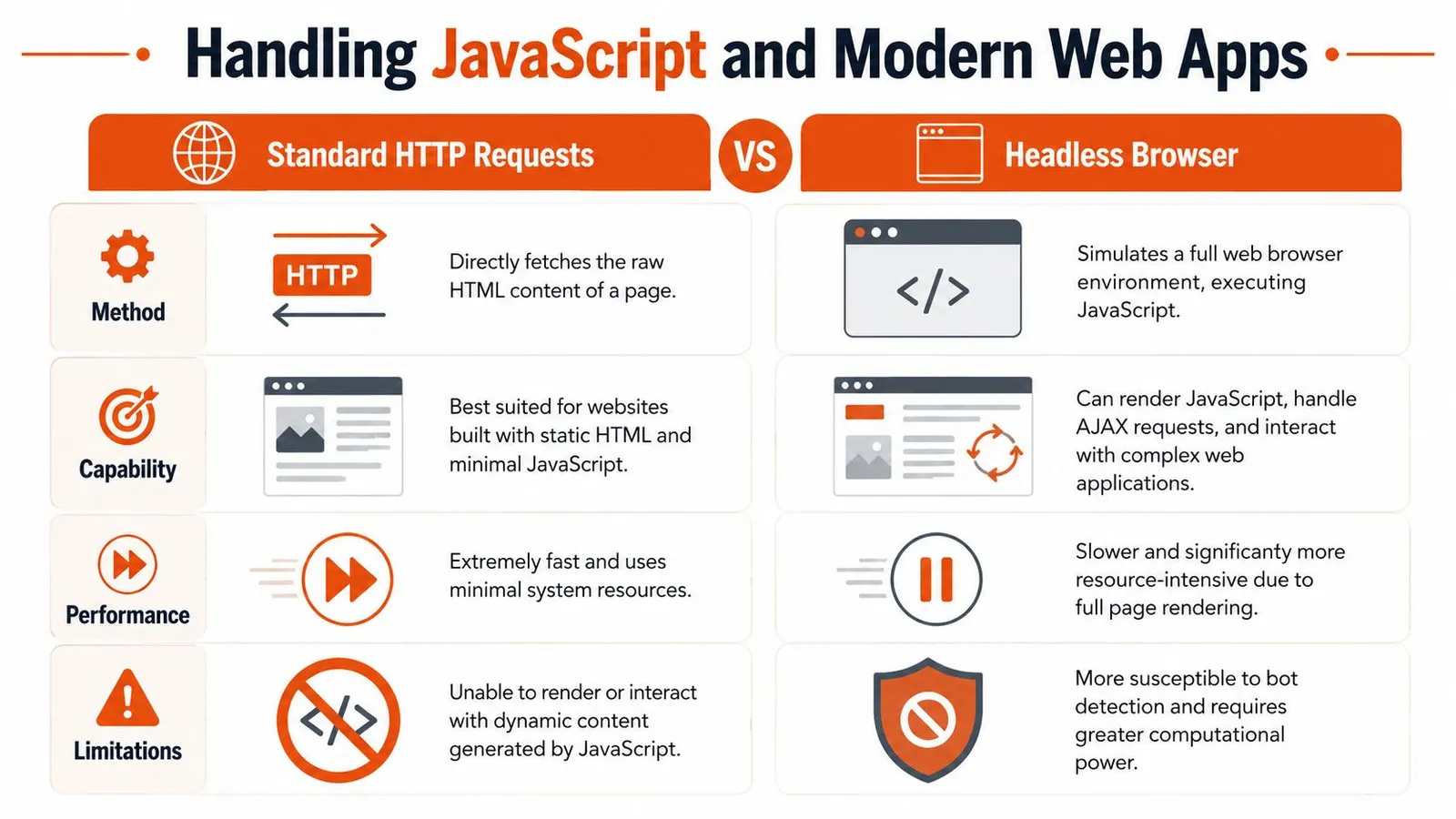
### How to tell whether rendering is required
Start by proving that JavaScript is the problem. Teams often send every hard page through a browser because it feels safer. In production, that decision gets expensive fast.
Use a short triage process:
- **Fetch the page with plain HTTP first:** Save the raw HTML and inspect it directly.
- **Search for the actual fields you need:** Product text, article body, prices, table rows, and metadata should be visible in the response if rendering is unnecessary.
- **Inspect browser network requests:** Many single-page apps pull JSON from internal APIs that are easier and cheaper to call than a full browser session.
- **Render only after you confirm the gap:** If the data appears only after client-side execution, switch to a browser path for that page type.
This decision matters more than many Python guides admit. Browser rendering is not just a coding choice. It affects queue design, retry policy, concurrency limits, infrastructure spend, and how much quality monitoring you need. If you need a practical decision framework, this guide to a [JavaScript rendering API with browser fallback for web scraping](https://webclaw.io/blog/javascript-rendering-api-browser-fallback-web-scraping) is a useful reference.
### Playwright versus Selenium
For new crawler builds, Playwright is usually the cleaner choice. Its waiting model is more predictable, multi-browser support is straightforward, and interactions with modern front-end apps tend to require less glue code. Selenium still has a place, especially in organizations that already run it for testing or have older automation built around WebDriver.
The trade-off is not subtle. Both tools increase failure modes compared with plain requests. You now own browser startup time, memory pressure, timeout tuning, crash recovery, and DOM states that change between runs.
| Tool | Where it fits | Main downside |
|---|---|---|
| **Playwright** | New browser-based crawlers, SPAs, interactive flows | Higher CPU and memory use than plain HTTP |
| **Selenium** | Existing WebDriver environments, compatibility with older automation stacks | More setup and maintenance friction for many scraping tasks |
A practical rule works well here. Use direct HTTP for pages that expose the data. Use a browser for login flows, client-rendered detail pages, or interactions you cannot reproduce with requests alone.
Regional delivery can complicate the decision further. Some targets load different assets, scripts, or content depending on where the request originates. If you are testing access constraints or regional fetch behavior, this piece on [bypassing China's internet blocks](https://www.throughwire.net/blog/circumvent-blocked-sites) gives useful context on why a page can behave differently across networks.
> Render because the page proves it needs rendering. Every browser session you can avoid makes the crawler cheaper, simpler, and easier to keep reliable.
## Navigating Anti-Bot Defenses
Many developers still treat crawling as a parser problem. On difficult targets, it's an acquisition problem first. If you can't get the right bytes back consistently, your extraction code doesn't matter.
### Blocking usually starts before your parser runs
A modern target can reject your crawler based on request shape, header consistency, TLS behavior, IP reputation, geography, session flow, or simple rate anomalies. That's why a crawler that works on one domain can fail instantly on another with the exact same parsing code.
A newer perspective on Python crawling is that it's increasingly less about HTML traversal and more about acquisition under defense: reliable fetches, geo-targeted access, and deciding whether the page even needs rendering before you spend browser compute, especially for AI and LLM pipelines, as discussed in this [recent video on modern crawling realities](https://www.youtube.com/watch?v=m_3gjHGxIJc).
The same shift shows up in practical production guidance. Recent coverage emphasizes reliability and efficiency, including async scaling, throttling tied to response latency, circuit breakers on repeated `503` responses, and minimizing headless-browser use unless raw HTML proves rendering is required, as noted in this [DigitalOcean Scrapy tutorial](https://www.digitalocean.com/community/tutorials/how-to-crawl-a-web-page-with-scrapy-and-python-3).
### What actually improves resilience
You don't beat anti-bot systems with one trick. You stack small improvements and escalate carefully.
Here's what tends to work better than brute force:
- **Header realism:** Send consistent headers and an honest `User-Agent`. Random junk often looks worse than a stable identity.
- **Rate discipline:** Most blocks are self-inflicted. Spiky behavior gets noticed.
- **Proxy selection:** Use proxy types that match the target's sensitivity and geography.
- **Session continuity:** Some sites expect cookies and navigation sequences that look human.
- **Render selectively:** Browser traffic is heavier and more detectable. Use it when the target requires it.
If your target varies by region or operates behind network restrictions, operational concerns can look more like access engineering than scraping. For teams dealing with cross-border availability issues, this overview of [bypassing China's internet blocks](https://www.throughwire.net/blog/circumvent-blocked-sites) is useful background. For a crawler-focused perspective, this piece on [anti-bot scraping APIs and browser fallback signals](https://webclaw.io/blog/anti-bot-scraping-api-2026-browser-fallback-signals) maps the practical decision points well.
What doesn't work well is pretending every site needs the same setup. Copying a giant proxy and browser stack into every crawler makes maintenance worse. Start with the lightest fetch that returns the right content, then escalate.
## Extracting Storing and Using Crawled Data
A crawl is only useful if the output survives contact with downstream systems. That's where many teams lose time. They fetch successfully, parse loosely, and dump inconsistent records into files nobody trusts.
### Write selectors for change tolerance
Extraction breaks more often than fetching. Frontend teams rename classes, reorder containers, or insert promotional blocks that shift your selectors just enough to poison the data.
Good selectors are anchored to stable structure, not styling noise. Prefer semantic containers, repeated content patterns, and clear field boundaries. If CSS becomes too fuzzy, XPath is often better for expressing structural relationships.
A practical extraction checklist:
- **Prefer stable anchors:** Titles, article containers, schema-like blocks, and repeated card structures tend to last longer than utility classes.
- **Normalize text early:** Strip whitespace, collapse line breaks, and resolve relative URLs before storage.
- **Validate required fields:** Drop or flag items missing the fields your application needs.
- **Keep raw context when stakes are high:** For important workflows, save enough source material to debug selector drift later.
> Quiet extraction failures are worse than loud request failures. A `403` gets noticed. Empty or wrong fields can flow downstream for days.
### Choose output based on downstream use
The output format should match the job. If a data analyst needs tables, structured JSON or CSV makes sense. If a search or retrieval pipeline needs text, cleaned content is usually more useful than raw DOM.
Scrapy examples often export directly to structured files such as `books.json` or `headlines.json`. That pattern matters because it treats extraction as a data product, not just console output.
A simple decision table helps:
| Downstream use | Better output |
|---|---|
| **Analytics and dashboards** | Structured JSON or CSV |
| **Archival and debugging** | Raw HTML plus metadata |
| **Search indexing** | Clean text or normalized document format |
| **LLM and RAG ingestion** | Minimal, boilerplate-reduced content |
### Storage is part of crawler design
Small crawls can write to local JSON files. That's fine for testing and throwaway jobs. Ongoing crawls need stronger guarantees around deduplication, updates, retries, and schema evolution.
The storage choice affects crawler behavior more than people expect. If you need re-crawl detection, change tracking, or resumable runs, the storage layer has to support that. Otherwise you end up using your crawl code as a state database, which gets messy fast.
A sensible progression looks like this:
1. **File output first** for local development and selector checks.
2. **Database storage next** when records need updates, querying, or job resumability.
3. **Normalized content pipelines** when the data will feed search, alerts, or AI systems.
The extraction layer should produce records that another system can trust without rereading the original page every time.
## The Final Mile Scaling for AI and When to Use an API
The hard part isn't getting one crawler to work. The hard part is keeping a fleet of crawlers reliable when the output must be clean enough for AI systems and cheap enough to run often.
### AI changes what good crawling output looks like
Traditional scraping pipelines often tolerate noisy output because a later transformation step can clean it. LLM workflows are less forgiving. Navigation menus, cookie text, duplicated links, and template clutter all consume context and dilute the signal.
That's why the last mile matters. Python crawling is increasingly less about HTML traversal and more about acquisition under defense, reliable fetches, geo-targeted access, and deciding whether the page even needs rendering before spending browser compute, especially for token-sensitive AI and LLM pipelines, as discussed in the earlier linked video.
If the end goal is retrieval, summarization, or agent execution, your real product isn't HTML. It's **useful context**.
A production-ready AI ingestion output should usually have:
- **Boilerplate reduction:** Navigation, footer junk, and repeated blocks removed.
- **Stable chunking boundaries:** Sections that can be indexed or passed to models cleanly.
- **Metadata:** URL, title, timestamps, and crawl provenance.
- **Predictable failure handling:** Clear empty states, not silent partial parses.
### The hidden cost centers of self-hosted crawling
Self-hosted crawling gets expensive in ways teams underestimate. Not just financially. Operationally.
The maintenance cost usually shows up in five places:
- **Fetch reliability:** Proxies, retries, browser orchestration, and site-specific workarounds.
- **Selector drift:** The target changes, and your extraction degrades.
- **Crawl state:** URL queues, deduplication, resumability, and recrawl policy.
- **Output normalization:** Converting messy pages into content your application can use.
- **Incident response:** Someone has to notice when a crawl starts succeeding technically but failing semantically.
For a narrow, stable target, owning that stack can still make sense. If you crawl a small set of predictable pages and the output schema is simple, a self-hosted Python pipeline is often the cleanest option.
If the target set is large, hostile, dynamic, or AI-facing, the break-even point moves fast. You're no longer maintaining code. You're maintaining acquisition infrastructure.
### A practical build versus buy decision
Use your own crawler when all of these are true:
- **The scope is tight**
- **The target structure is stable**
- **The content is mostly server-rendered**
- **Failures are visible and low risk**
- **Your team is comfortable owning ongoing maintenance**
Use a managed API when the crawl becomes infrastructure work:
- **You need browser fallback often**
- **Blocked fetches are common**
- **Output must be cleaned for LLM use**
- **You're crawling many domains with different behaviors**
- **The team's time is going into maintenance instead of using the data**
One practical option in that second category is [Webclaw's crawl API](https://webclaw.io/docs/api/crawl), which exposes crawling as an API and returns extraction-oriented output rather than forcing you to operate the full fetching and rendering stack yourself. That's relevant when the goal is not “learn how crawling works” but “deliver reliable content into an AI pipeline.”
The gap in most crawling advice is that it rarely answers the strategic question. Not how to follow links. Whether following links yourself is still the cheapest reliable path for the job in front of you.
If you're experimenting, build it. You'll learn a lot. If you're operating a critical pipeline across difficult sites, be honest about the lifecycle cost. The crawler you write in a day is not the crawler you maintain six months later.
---
If you need clean, structured web content for AI systems without owning the full crawler stack, [Webclaw](https://webclaw.io) is one option to evaluate. It handles crawling, rendering, and extraction with output formats designed for downstream model use, which can be a better fit when your bottleneck isn't writing Python but keeping acquisition and content quality reliable over time.
---
### Curl POST JSON: A Practical Guide for Developers
URL: https://webclaw.io/blog/curl-post-json
Published: 2026-06-18
Author: Massi
Master how to curl post json data. This guide covers sending inline and file-based JSON, auth, headers, and the modern --json flag with practical examples.
You're probably here because an API endpoint is rejecting what looks like perfectly valid JSON, or because you're tired of copying the same verbose `curl` command from old docs and tweaking quotes until it finally works. That's a normal place to be. A lot of curl post JSON examples still teach the older pattern first, and that's where many of the avoidable mistakes start.
The short version is simple. **The classic `-d` approach still works**, and you need to understand it because most API docs still use it. But for new scripts, **`--json` is usually the cleaner option**. It cuts down on manual headers, reduces command noise, and gives you a better default for real API work. The subtle detail most guides skip is payload fidelity. If you're sending multi-line JSON, reading from stdin, or trying to debug malformed requests, newline handling matters more than people think.
## The Anatomy of a Basic JSON POST Request
Most developers first learn curl post JSON with a command like this:
```bash
curl -X POST \
-H 'Content-Type: application/json' \
-d '{"name":"Ada","role":"developer"}' \
'https://api.example.com/users'
```
That pattern has held up across major guides: use `POST`, set `Content-Type: application/json`, and send the payload with `-d` or `--data`, as shown in this ReqBin curl POST JSON example. It's still the baseline because it maps directly to how HTTP requests work.
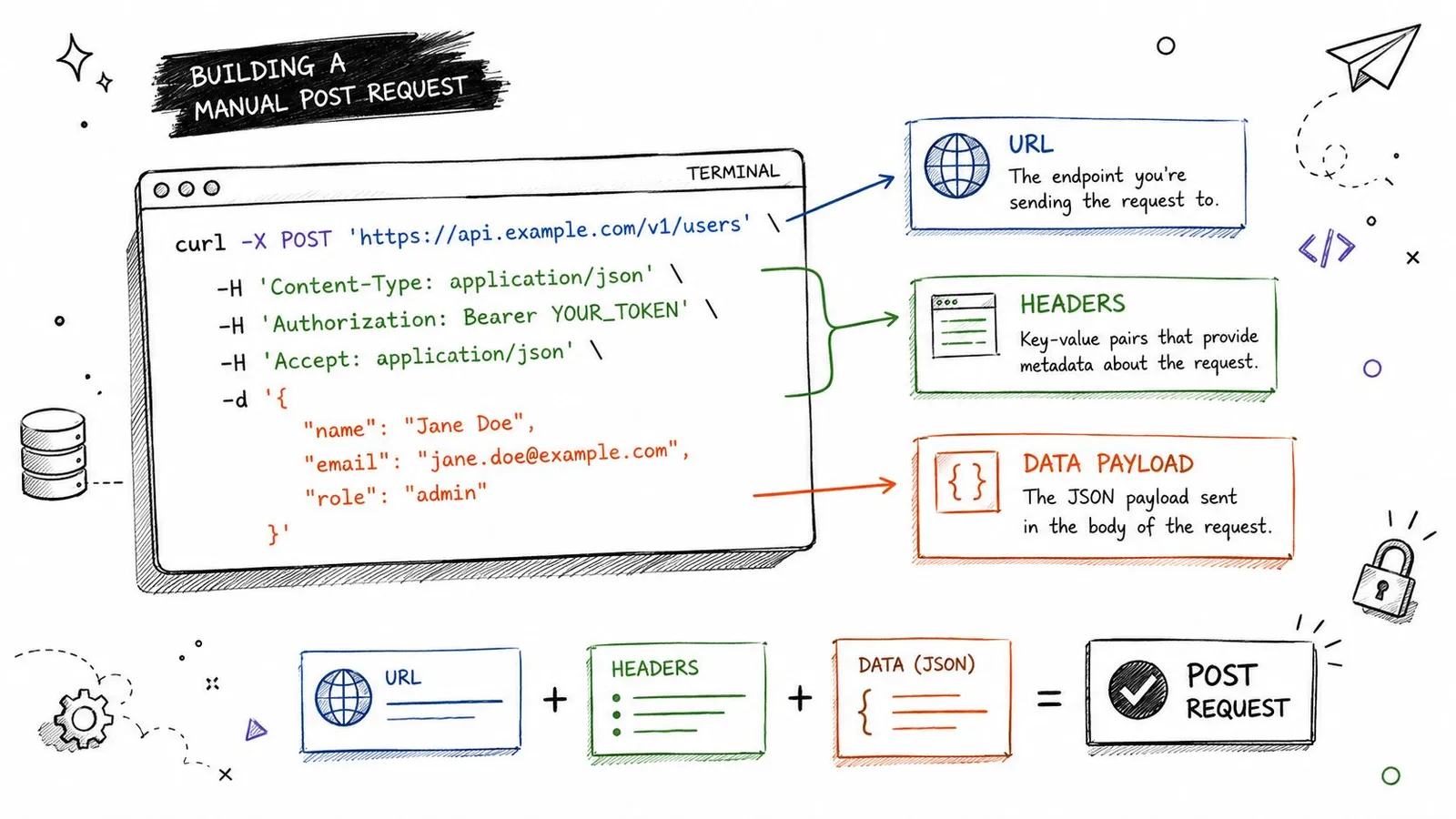
### What each part is doing
`-X POST` tells curl which HTTP method to use. In some cases it's technically optional, because curl can infer a POST when you send data, but I still like it in examples because it makes the request intent obvious when you scan a command quickly.
`-H 'Content-Type: application/json'` tells the server how to interpret the request body. Without that header, you're leaving room for the server to treat the payload as something else, which is where confusing API errors start.
`-d '{...}'` is the body itself. For small test payloads, inline JSON is fine. It's fast, readable enough, and easy to paste from API docs.
> **Practical rule:** If an endpoint says it accepts JSON, treat the `Content-Type` header as required unless the API explicitly says otherwise.
### Why the manual form still matters
Even if you plan to use `--json`, you still need to know what the older command is assembling under the hood. That helps when you're reading vendor docs, translating examples into scripts, or comparing curl behavior with Postman, Insomnia, or a client SDK.
A good way to build that intuition is to compare docs and terminal examples side by side. If you work with API-heavy workflows, GitDocAI's guide to [mastering API POST requests](https://gitdoc.ai/resources/post-to-api) is useful because it stays close to real request construction rather than abstract HTTP theory. And if you want an example of a production API that expects JSON request bodies, Webclaw's [API documentation](https://webclaw.io/docs/api) shows the kind of request shape you'll see in actual tooling.
### A quick command breakdown
| Part | Purpose | Why it matters |
|---|---|---|
| `curl` | Runs the HTTP request | The command-line client |
| `-X POST` | Sets the method | Makes intent explicit |
| `-H 'Content-Type: application/json'` | Declares the body format | Prevents misinterpretation by the server |
| `-d '{...}'` | Sends the payload | Carries the JSON body |
| URL | Target endpoint | The destination that receives the request |
This style is verbose, but it's transparent. When something fails, that transparency helps.
## Posting JSON Data from a File
Inline JSON works for quick tests. It stops being practical once the payload gets longer than a few fields, especially when nested objects, arrays, or copied fixtures are involved.
A more realistic workflow is to keep the body in a file:
```bash
curl -X POST \
-H 'Content-Type: application/json' \
-d @payload.json \
'https://api.example.com/users'
```
That immediately makes the command easier to read. It also separates request logic from request data, which is a better habit for repeatable scripts.
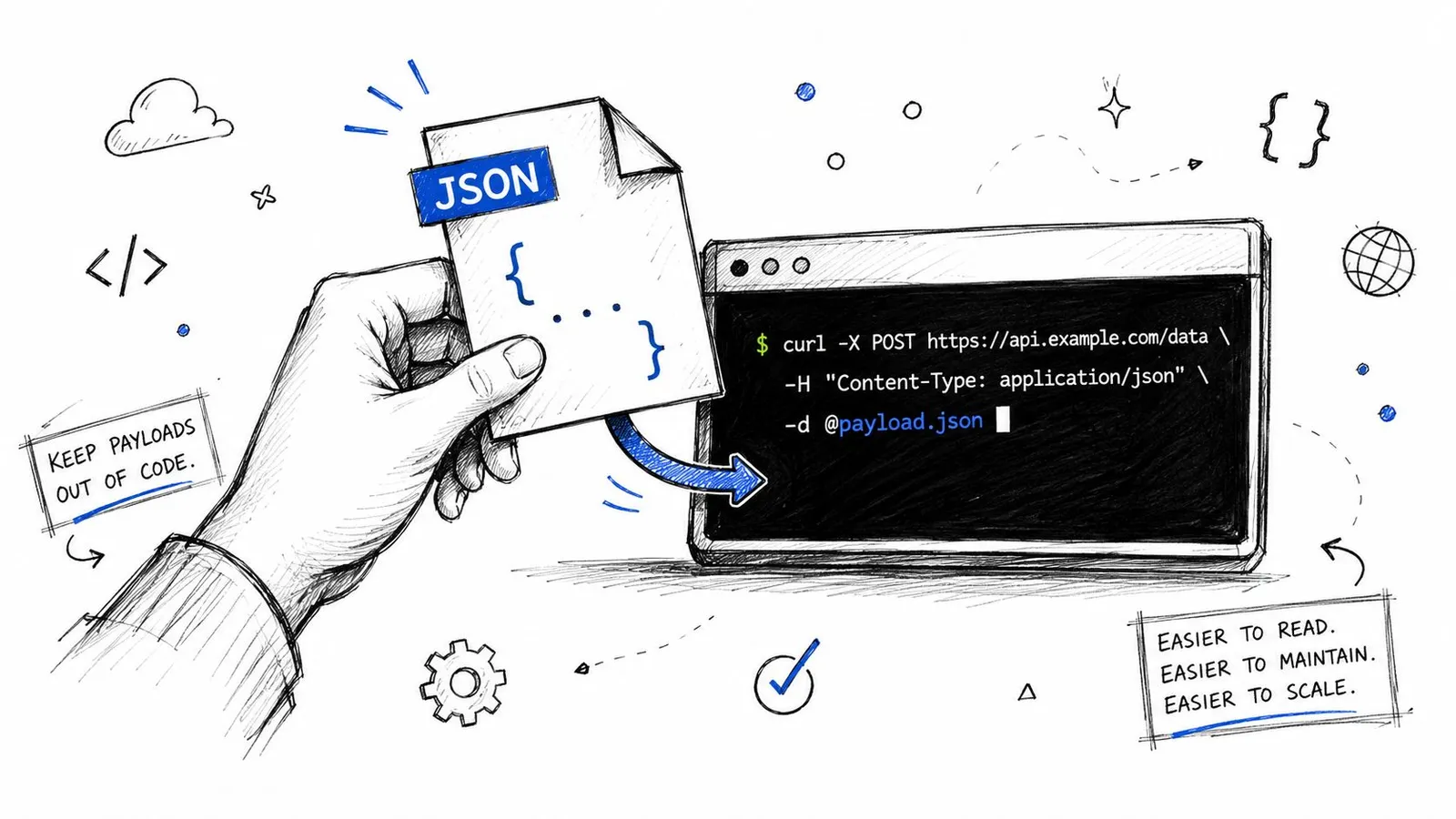
### The part many guides skip
The trap is that **`-d` and `--data-binary` are not interchangeable when payload fidelity matters**. A common issue in curl post JSON guides is newline handling. The standard `-d` flag can strip or alter line breaks, while `--data-binary` preserves the payload exactly as-is, which matters when you're debugging malformed requests, as explained in this video on curl JSON pitfalls.
If your JSON file is pretty-printed and multi-line, or if you're piping content from another command, preserving the body exactly is often the safer move:
```bash
curl -X POST \
-H 'Content-Type: application/json' \
--data-binary @payload.json \
'https://api.example.com/users'
```
> When a server says “invalid JSON” but the file itself parses fine, the first thing I check is whether the body changed on the way out.
### When to choose each option
- **Use inline `-d`** for quick, disposable tests with short payloads.
- **Use `-d @file.json`** when readability matters and the payload is simple.
- **Use `--data-binary @file.json`** when you need exact body preservation.
- **Use stdin carefully** when chaining commands in a shell pipeline.
If you already work from a terminal-first workflow, Webclaw's [CLI documentation](https://webclaw.io/docs/cli) is a good example of how teams structure command-line interactions around JSON inputs and outputs. The main lesson is the same regardless of tool: keep complex JSON out of your shell history when you can, and don't assume every “data” flag treats the body identically.
## The Modern and Simple Way with JSON
The biggest usability improvement for curl post JSON is `--json`. It was introduced in **curl 7.82.0**, and curl's own documentation shows that it replaces three separate pieces of manual setup: `--data-binary`, `Content-Type: application/json`, and `Accept: application/json`, which makes it a real shift in day-to-day command ergonomics in [everything curl's JSON POST docs](https://everything.curl.dev/http/post/json.html).
Here's the old style:
```bash
curl -X POST \
-H 'Content-Type: application/json' \
-H 'Accept: application/json' \
--data-binary '{"name":"Ada"}' \
'https://api.example.com/users'
```
Here's the newer form:
```bash
curl --json '{"name":"Ada"}' \
'https://api.example.com/users'
```
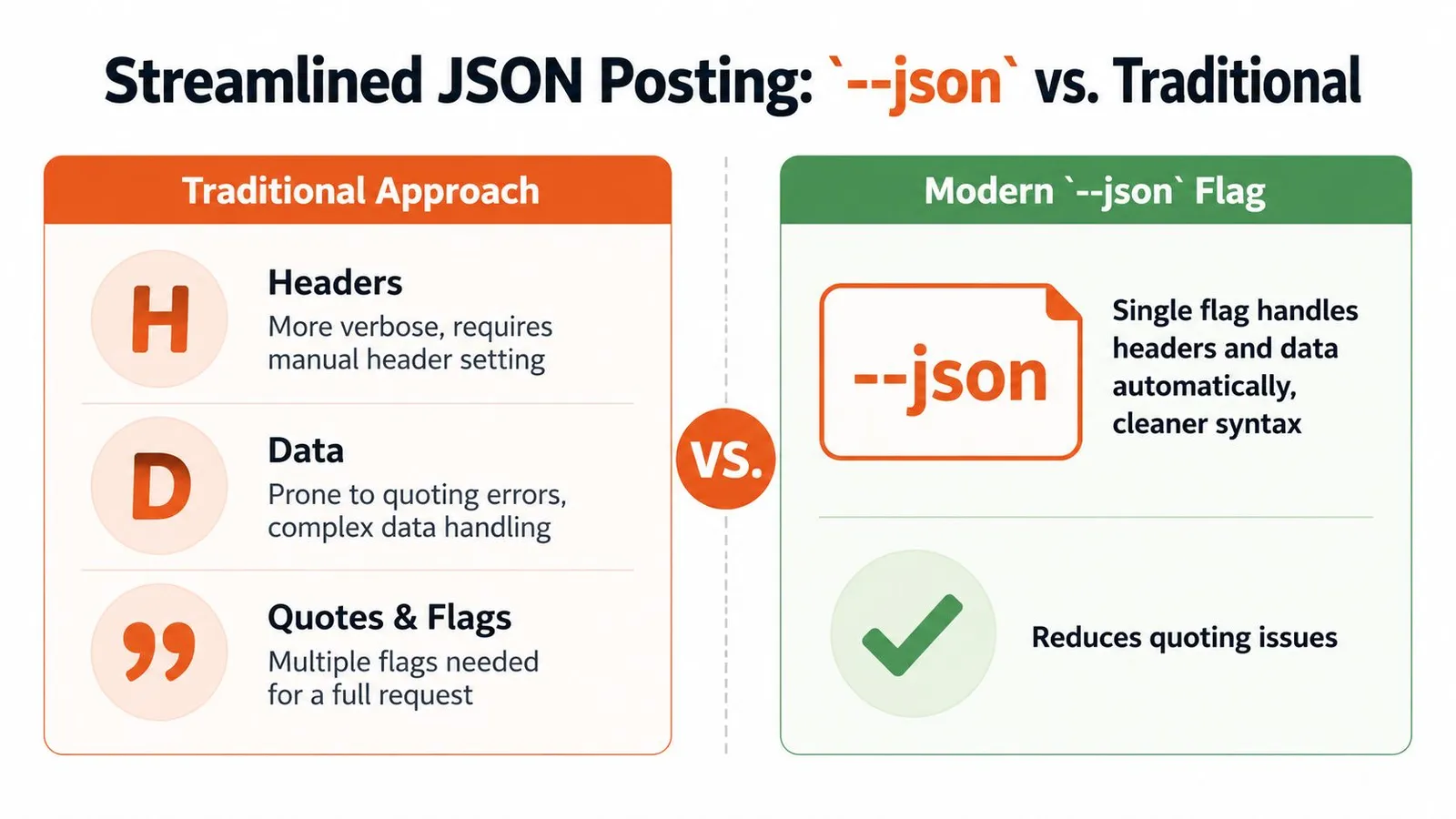
### Why this is better for new scripts
The main advantage isn't that it saves a few characters. The key advantage is that it removes places where people make mistakes. You don't forget a header. You don't mix `-d` with the wrong assumptions. You express intent directly: “send JSON.”
That matters when you come back to a script later and need to understand it in seconds instead of re-parsing a bundle of flags.
### It also handles more than inline strings
`--json` isn't limited to literal JSON typed into the command. curl documents support for:
- **A literal string**, such as `--json '{"name":"Ada"}'`
- **A local file**, such as `--json @payload.json`
- **Standard input**, such as `--json @-`
- **Multiple `--json` flags**, which curl can concatenate in one command
That flexibility is why I'd default to `--json` for most modern usage unless I had a compatibility reason not to.
A quick video demo helps if you want to see that cleaner syntax in action:
### When not to use it
There's still one practical caveat. Some environments have older curl versions installed, especially on long-lived servers or locked-down enterprise systems. If you don't know what version is available, the older manual form is more portable because it works across a wider range of setups.
For new local scripts, team docs, and examples you control, I'd choose `--json` first. For shared snippets that must survive on unknown systems, I'd at least keep the manual fallback nearby. If your team also uses terminal tooling for API workflows, Webclaw's [CLI product page](https://webclaw.io/products/cli) is one example of how JSON-first command patterns fit naturally into developer tools.
## Handling Authentication and Custom Headers
Most real API calls need more than a JSON body. They need identity, context, and sometimes tenant-specific metadata.
Bearer token auth is the common case:
```bash
curl --json '{"query":"status"}' \
-H 'Authorization: Bearer YOUR_TOKEN' \
'https://api.example.com/search'
```
That `Authorization` header is independent of how you send the JSON body. Whether you use the classic form or `--json`, auth still rides along as another header.
### Typical header combinations
You'll often see requests that include several headers at once:
```bash
curl --json '{"url":"https://example.com"}' \
-H 'Authorization: Bearer YOUR_TOKEN' \
-H 'X-Request-ID: abc-123' \
-H 'User-Agent: my-script' \
'https://api.example.com/jobs'
```
A few patterns show up often:
- **Bearer tokens** for authenticated API access
- **Idempotency or request IDs** for safer retries and tracing
- **Custom user agents** for internal observability
- **Vendor-specific headers** for versioning or workspace selection
> Keep auth and body concerns separate in your head. If the request fails, you want to know whether the problem is identity, headers, or JSON structure.
### What to watch for
Don't stuff secrets directly into reusable shell history if you can avoid it. Environment variables or a secret manager are safer for anything beyond throwaway local testing.
Also, remember that `--json` doesn't replace custom headers. It removes some boilerplate, not all header work. Protected endpoints still need the same explicit auth you'd send in Postman or a language SDK. For a concrete example of endpoint-oriented API structure, Webclaw's [endpoint docs](https://webclaw.io/docs/api/endpoints) show the kind of request organization that makes this easier to script consistently.
## Inspecting Responses and Debugging Your Requests
A request that sends successfully can still be wrong. The server response tells you whether the body was accepted, rejected, transformed, or ignored.
Start with headers included:
```bash
curl -i --json '{"name":"Ada"}' \
'https://api.example.com/users'
```
`-i` prints the response headers along with the body. That gives you the status code, response content type, and other metadata that often explains what happened faster than the body alone.
### Use verbose mode when the behavior is strange
If the request still doesn't make sense, switch to verbose mode:
```bash
curl -v --json '{"name":"Ada"}' \
'https://api.example.com/users'
```
`-v` shows the request and response exchange in far more detail. It's useful when you need to confirm which headers curl sent, whether redirects happened, or whether the server closed the connection unexpectedly.
A practical debugging flow looks like this:
1. Run the request normally.
2. Add `-i` to inspect the response headers.
3. Add `-v` if the problem still isn't obvious.
4. Save the output if you need to inspect it outside the terminal.
### Save responses for inspection
For JSON APIs, shell redirection is often enough:
```bash
curl --json '{"name":"Ada"}' \
'https://api.example.com/users' > response.json
```
Then inspect the file with your normal tools, including `jq`, an editor, or a follow-up script step.
If you prefer to compare terminal output with browser-based request tooling, Digital ToolPad's roundup of [best online API testers](https://www.DigitalToolpad.com/blog/api-tester-online) can help you cross-check request shape and headers without rebuilding everything from scratch. That's handy when you're trying to answer a basic question: is curl the problem, or is the API rejecting the request no matter what client you use?
## Common Pitfalls and Cross-Platform Shell Tips
The hardest part of curl post JSON often isn't HTTP. It's your shell.
A command that works in Bash may break in PowerShell. A payload that looks fine in terminal history may contain quotes your shell already interpreted before curl ever saw them. That's why developers end up blaming APIs for what is really a quoting problem.
### The failures that waste the most time
A frequent error is forgetting the `Content-Type: application/json` header when using `-d`. When omitted, `curl -d` defaults to `application/x-www-form-urlencoded`, which can make JSON APIs parse the body incorrectly or fail, as noted in this [curl JSON header gist](https://gist.github.com/subfuzion/08c5d85437d5d4f00e58).
Quoting is the second major problem:
- **Bash and Zsh** usually handle single-quoted JSON well.
- **Double quotes** can trigger variable expansion or escaping issues.
- **Windows shells** often need different escaping rules than Unix-like shells.
- **Complex nested JSON** gets fragile fast when typed inline.
### Practical shell habits
For Bash or Zsh, this is usually clean:
```bash
curl --json '{"name":"Ada","role":"developer"}' 'https://api.example.com/users'
```
For cross-platform work, files are often the better answer than clever escaping. A `payload.json` file avoids quote gymnastics and makes diffs, reviews, and debugging much easier.
| Problem | Better approach |
|---|---|
| Long inline JSON | Put it in `payload.json` |
| Multi-line body | Prefer exact-preservation methods |
| Unknown shell behavior | Test with a file first |
| Reused command | Turn it into a script with variables |
> Use inline JSON for speed. Use JSON files for reliability.
### A final checklist that actually prevents mistakes
- **Confirm the shell first.** A copied command isn't portable just because it looks standard.
- **Prefer files for non-trivial payloads.** They're easier to validate, version, and reuse.
- **Use `--json` when available.** It removes manual setup you don't need to manage yourself.
- **Inspect the response, not just the command.** Headers and verbose output explain more than guesswork does.
- **Reach for an SDK when the workflow grows.** If you're moving from curl experiments into application code, a typed client or an SDK such as Webclaw's [Python SDK docs](https://webclaw.io/docs/sdks/python) can replace a lot of brittle shell logic.
---
If you're building API-driven scraping, extraction, or agent workflows and need endpoints that accept structured JSON cleanly, [Webclaw](https://webclaw.io) is one option to evaluate. It provides a REST API, CLI, MCP support, and SDKs for teams that want to move from one-off curl commands to repeatable JSON-based automation.
---
### Scraping Websites for Data: A 2026 Developer's Guide
URL: https://webclaw.io/blog/scraping-websites-for-data
Published: 2026-06-17
Author: Massi
Learn how scraping websites for data works in 2026. This guide covers planning, JS rendering, bypassing bots, and creating clean, LLM-ready data pipelines.
Your scraper worked yesterday. Today it returns empty shells, duplicate rows, or a wall of cookie-banner HTML that's useless for analysis and even worse for an LLM prompt.
That failure usually isn't a parsing bug. It's a pipeline bug. You're no longer just pulling text from pages. You're discovering where the data really lives, deciding when to fetch HTML versus render a browser, staying within ethical and operational limits, validating output, and turning noisy web content into structured data an application can use.
That last part matters more than commonly realized. If your end use case is AI, raw extraction isn't the finish line. You need output that is clean, compact, and consistent enough to feed into retrieval, summarization, classification, or agent workflows without wasting tokens on nav bars, footer links, or boilerplate.
## Why Scraping Websites for Data Got Harder
You can still scrape a plain server-rendered page with a simple HTTP request. The problem is that fewer important pages behave that way, and even when they do, the HTML often isn't the essential product you need.
### The old model broke
A lot of scraping code still assumes this flow: request URL, parse HTML, select nodes, save CSV. That worked when pages were mostly static and content arrived in the first response. It breaks when the server returns a minimal shell and JavaScript fills the page later, or when the useful data sits behind asynchronous calls, consent flows, or anti-bot checks.
Modern scraping websites for data means treating breakage as normal. Your parser isn't failing because you picked the wrong library. It's failing because the page delivery model changed.
> **Practical rule:** If a scraper depends on one HTML layout and one request path, it's a prototype, not production infrastructure.
There's also a deeper reason scraping became essential in the first place. The core purpose is to turn unstructured web information into **structured, rectangular datasets** that fit tidy data principles, and automation makes it possible to collect larger amounts of data faster while minimizing errors compared with manual copying, as described in this [web scraping curriculum paper](https://www.tandfonline.com/doi/full/10.1080/10691898.2020.1787116).
### The real job is data shaping
For AI teams, the challenge isn't only collection. It's deciding what counts as the canonical representation of a page.
A retrieval system doesn't want:
- **Navigation chrome:** Header links, footers, sidebars, and account menus
- **Repeated clutter:** “Related posts,” duplicated mobile menus, and sticky UI text
- **Presentation markup:** Extensively nested tags that add tokens but no meaning
It wants content blocks with stable metadata. Title. Main body. Author when available. Published date when available. Source URL. Section headings. Possibly extracted entities or typed fields.
That's why a resilient scraper starts to look like a pipeline:
1. **Discover** where the data comes from
2. **Fetch or render** using the lightest method that works
3. **Extract** with selectors or schema-based parsing
4. **Normalize** into consistent fields
5. **Validate** for missing or broken records
6. **Store** in a format useful to analysis or LLM workflows
When sites push back, debugging has to move beyond “why is my selector null.” You start checking network activity, response shape, browser behavior, and edge protection signals. A practical reference for that kind of diagnosis is this [Cloudflare scraping diagnostic checklist](https://webclaw.io/blog/cloudflare-scraping-diagnostic-checklist).
## Planning Your Scraping Project Strategically
Most scraping failures start before code. The team didn't define the extraction path, didn't lock a schema, or treated legal and ethical review as a cleanup task for later.
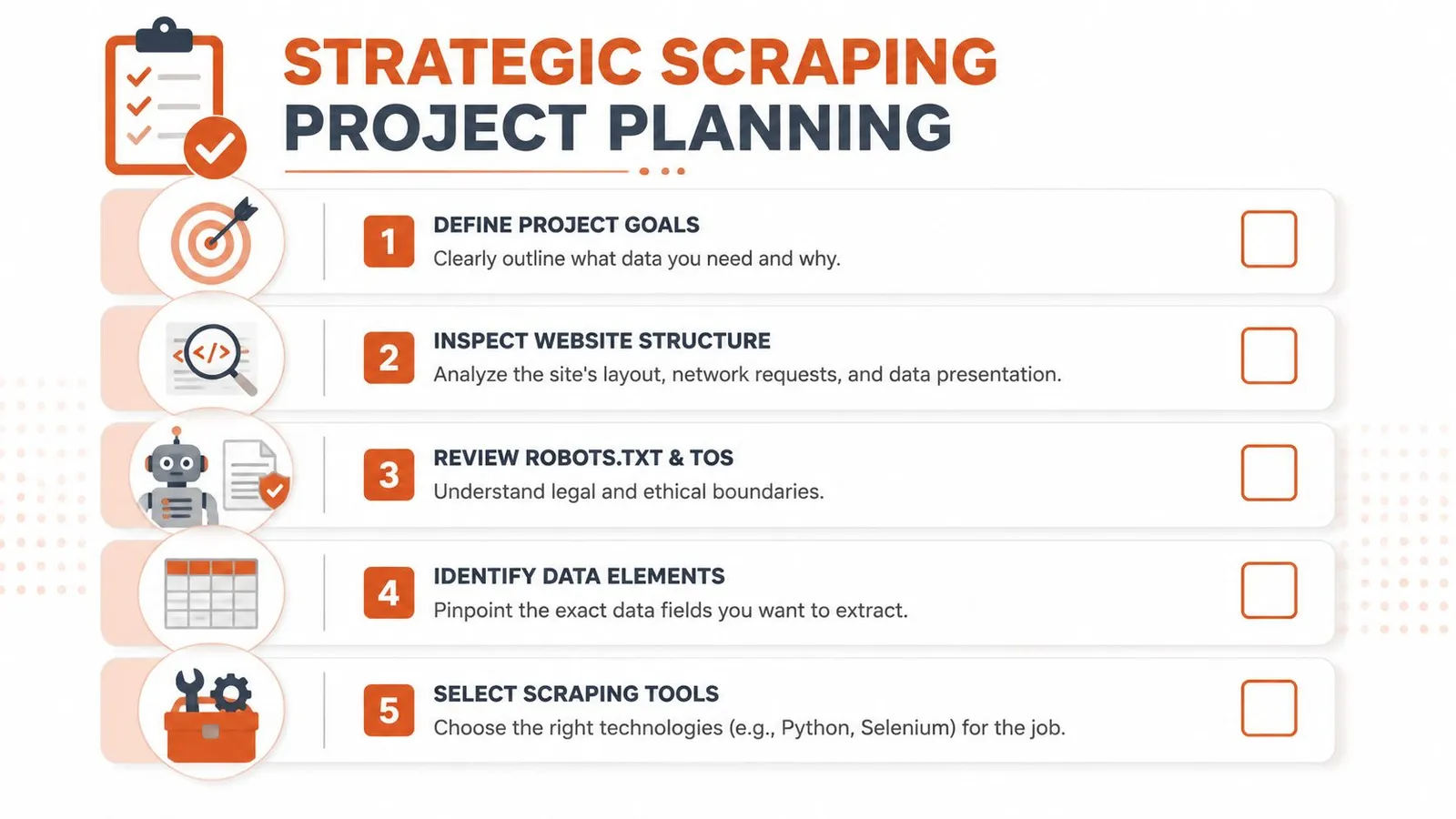
### Start with the acquisition path
Open browser devtools before you write a script. Reload the page and inspect the network tab. You're looking for whether the visible content comes from:
- **Initial HTML:** Best case for simple extraction
- **A hidden JSON endpoint:** Often the cleanest source
- **GraphQL or XHR calls:** Good candidates if authentication and parameters are manageable
- **Client-side rendering only:** Browser automation may be required
For hard pages, a practical workflow is to first check whether the page is rendered from a hidden JSON or API response, then compare those network calls against the visible DOM, and only fall back to a headless browser when needed, as outlined in this [guide to difficult page types](https://www.scraperapi.com/blog/difficult-to-scrape-page-types/).
If your target is broad, don't think page by page. Think job by job. Group similar URLs, define retry behavior, and decide whether the work runs as a stream or in batches. For larger jobs, this overview of [what batch processing means in scraping workflows](https://webclaw.io/blog/what-is-batch-processing) is a useful mental model.
### Define the output before the scraper
A surprising amount of scraping waste comes from collecting fields no one uses. Start with the schema, not the parser.
For each record, decide:
- **Required fields:** The data that makes the record usable
- **Optional fields:** Nice to have, but not a reason to fail the page
- **Normalization rules:** Whitespace cleanup, date parsing, canonical URLs, text deduplication
- **Primary key strategy:** URL, product ID, article slug, or another stable identifier
For AI use cases, add another layer. Decide the exact output object you want to pass downstream. A common pattern is a content object with `url`, `title`, `markdown`, `plain_text`, `metadata`, and `extracted_fields`. That keeps your scraper from becoming a pile of one-off page parsers.
> If you can't describe the final JSON object before implementation, the scraper will drift.
### Treat ethics and site impact as design constraints
You can collect public data and still build a bad system. Public-health and university guidance is clear that web scraping raises ethical implications that aren't obvious at first sight. Recommended practice is to check robots.txt, terms of service, bandwidth impact, and to **“scrape only what you need”**, as explained in Columbia's [web scraping guidance](https://www.publichealth.columbia.edu/research/population-health-methods/web-scraping).
That advice changes implementation details:
- **Reduce request volume:** Don't crawl entire sections if a smaller URL set answers the question
- **Avoid wasteful rendering:** Headless browsers burn more resources on both sides
- **Handle sensitive content carefully:** Especially if data may be repurposed for analysis
- **Log what you collected and why:** Teams need a defensible record
A sustainable scraper isn't just one that avoids blocks. It's one you can justify to your own legal, product, and data stakeholders.
## Core Extraction Techniques for Static Sites
Static pages are still worth mastering because they teach the cleanest extraction habits. They're also common in documentation, blogs, directories, category pages, and a lot of publishing systems.
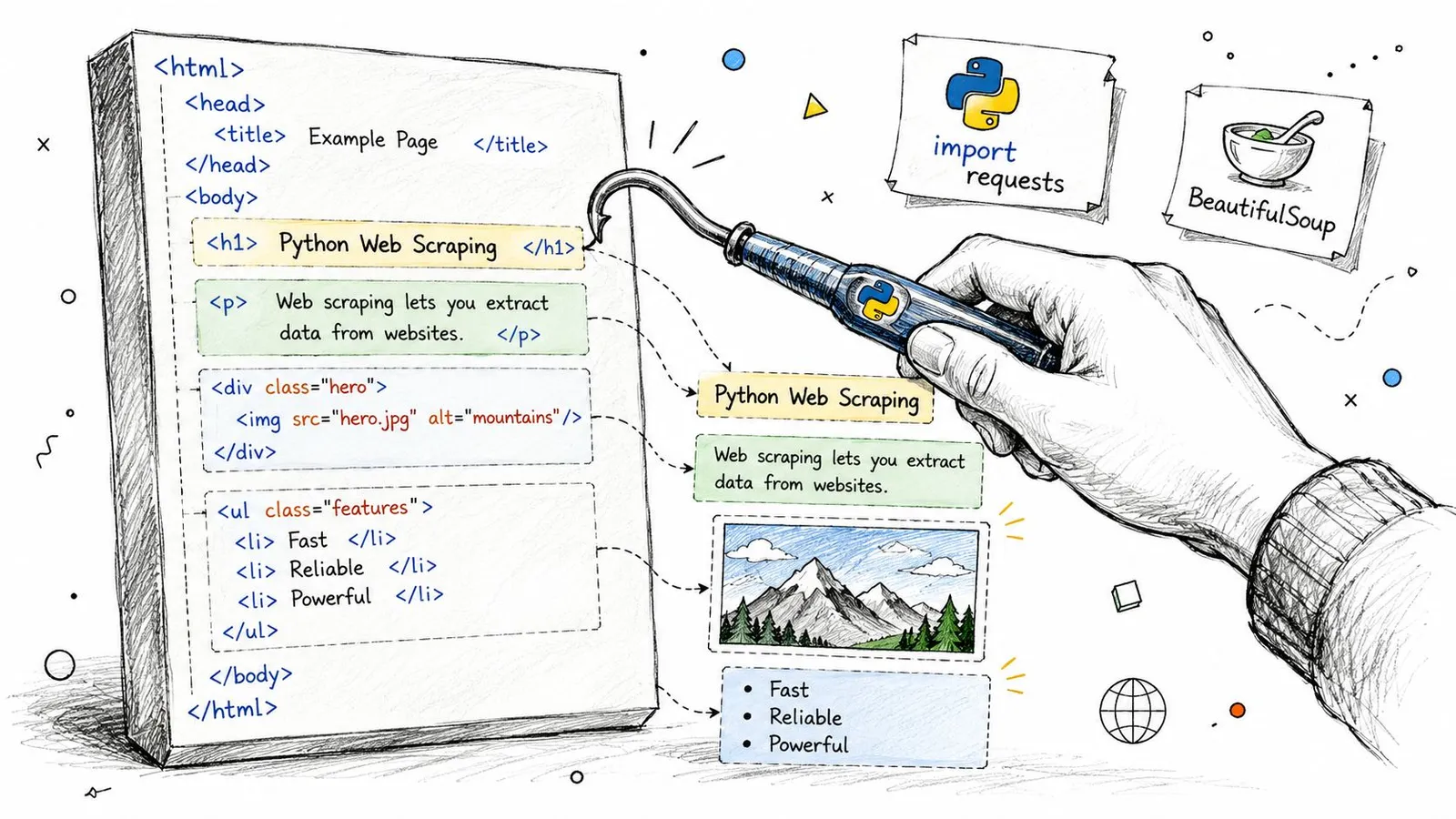
### Check for JSON before parsing HTML
Even on a page that looks static, inspect the network panel first. Many sites embed a cleaner machine-readable payload than the rendered markup suggests.
The production habit is simple:
1. Load the page manually
2. Open network requests
3. Filter for XHR or fetch calls
4. Look for JSON carrying the same fields you see on screen
5. Prefer that source if it's stable and complete
This saves maintenance. HTML is presentation. JSON is often closer to the site's internal data model.
### A minimal static scraper in Python
If the page really is server-rendered, keep it boring. `requests` plus `BeautifulSoup` is still the right starting point.
```python
import requests
from bs4 import BeautifulSoup
from urllib.parse import urljoin
url = "https://example.com/articles"
headers = {
"User-Agent": "Mozilla/5.0"
}
resp = requests.get(url, headers=headers, timeout=30)
resp.raise_for_status()
soup = BeautifulSoup(resp.text, "html.parser")
items = []
for card in soup.select("article.card"):
title_el = card.select_one("h2 a")
summary_el = card.select_one("p.summary")
if not title_el:
continue
items.append({
"title": title_el.get_text(" ", strip=True),
"url": urljoin(url, title_el.get("href", "")),
"summary": summary_el.get_text(" ", strip=True) if summary_el else None
})
print(items)
```
That snippet is intentionally plain. It doesn't solve pagination, retries, or validation. It does show the core extraction pipeline: fetch HTML, locate fields with selectors, and save structured output.
### Write selectors that survive small changes
Fragile selectors are the biggest self-inflicted problem on static sites. Avoid selectors tied to presentation order, nested wrappers, or CSS class names that look autogenerated.
Use these rules:
- **Prefer semantic anchors:** `article`, `main`, heading tags, `data-*` attributes, stable link paths
- **Select from the nearest container:** Find the record block first, then query within it
- **Avoid nth-child unless unavoidable:** Layout reorder breaks it fast
- **Separate extraction from cleanup:** Don't cram text normalization into selector logic
A quick comparison helps:
| Selector style | Better use | Common failure |
|---|---|---|
| `.product-card .title a` | Stable card components | Class names change |
| `main article h1` | Content pages | Wrapper layout changes |
| `div:nth-child(4) > span` | Last resort | Breaks on minor DOM edits |
> CSS selectors usually beat XPath for readability in everyday scraping. XPath becomes useful when you need relationship-aware queries or text-based matching the DOM structure doesn't expose cleanly.
For LLM-oriented pipelines, extract the main content block separately from page metadata. Don't flatten everything at once. You'll want a cleaner pass later that can remove UI fragments without touching title, author, or canonical URL fields.
## Handling JavaScript Rendering and Dynamic Content
A lot of developers hit the same wall: `requests.get()` returns HTML, but the content you need isn't there. You inspect the response and find a div with an app root, a few script tags, and not much else.
That's normal on client-rendered sites.
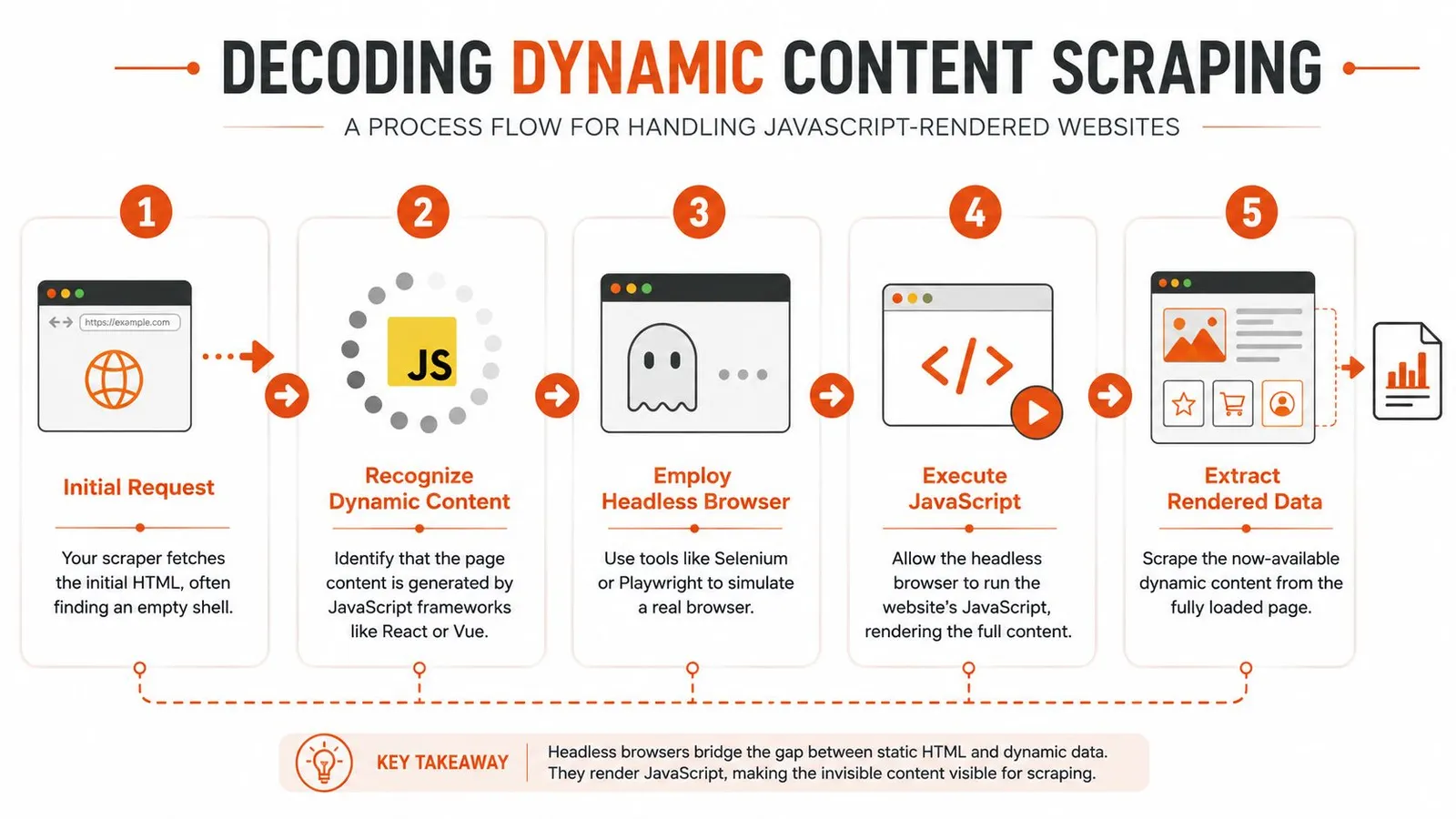
### Why requests gets an empty page
On many modern sites, the server sends a shell. JavaScript running in the browser fetches data, builds components, and updates the DOM after load. A plain HTTP client can only see the shell unless you replicate the underlying data calls directly.
Browser automation became necessary because many sites load content dynamically. Tools such as Selenium or Playwright are used to control a browser, fully load dynamic pages, and then parse the DOM, which is described in this [web scraping overview](https://en.wikipedia.org/wiki/Web_scraping).
That changes how you debug. You stop asking “why is the HTML wrong” and start asking:
- Is the data loaded after initial response?
- Which request populates the component?
- Does the page require interaction before the content appears?
- Is a browser needed, or can I call the underlying endpoint directly?
This guide on a [JavaScript rendering API with browser fallback](https://webclaw.io/blog/javascript-rendering-api-browser-fallback-web-scraping) is a useful reference if you're designing that decision path.
Here's a short walkthrough before the code example.
### A Playwright pattern that works
For dynamic pages, the most reliable pattern is to wait for a meaningful selector, not a generic load event.
```python
from playwright.sync_api import sync_playwright
url = "https://example.com/app-page"
with sync_playwright() as p:
browser = p.chromium.launch(headless=True)
page = browser.new_page()
page.goto(url, wait_until="domcontentloaded", timeout=60000)
page.wait_for_selector("main article, [data-testid='content']", timeout=30000)
title = page.locator("h1").first.text_content()
body = page.locator("main").first.inner_text()
print({
"title": title.strip() if title else None,
"body": body.strip() if body else None,
})
browser.close()
```
What matters here isn't Playwright syntax. It's the waiting strategy. `networkidle` can be noisy on pages with analytics or background polling. A stable content selector is usually a better signal that extraction can begin.
### When browser automation is the wrong choice
Headless browsers solve rendering, but they also add cost and failure modes. They're slower, heavier, and more exposed to fingerprinting than direct HTTP calls.
Use a browser when you need:
- **Client-side rendered content**
- **User interactions:** Clicks, scrolls, tab switches, dismissing overlays
- **Session-driven state:** Authenticated or localized flows
- **DOM-only data:** Content not exposed through clean API calls
Don't use one by default when:
- **A hidden API already returns the fields**
- **The page is static enough for direct parsing**
- **You're crawling large volumes where browser cost will dominate**
> Browser automation should be a fallback with a reason, not your default fetcher.
## Bypassing Anti-Bot Protections at Scale
Your first hundred pages may scrape cleanly. Then the job scales up, traffic patterns repeat, and the target starts pushing back. A few workers get `403` responses, others receive challenge pages, and some return `200` with thin HTML that looks valid until your parser turns it into garbage records.
Anti-bot failures rarely come from one rule. They come from a detection stack that checks whether your requests, browser signals, and behavior fit a believable session.
### Blocking happens across several signals
A target may score traffic using rate limits, IP reputation, TLS fingerprints, header consistency, browser characteristics, cookie state, and navigation behavior. You can fix one layer and still lose on another.
That is why single-variable fixes waste time. Rotating only the user-agent does little if the proxy range is burned. Swapping proxies does little if every session advertises the same automation fingerprint. Random sleep calls do little if the crawl path jumps between pages in ways a human session never would.
At scale, anti-bot work is less about bypassing one gate and more about keeping the whole request profile coherent.
### What holds up in production
Reliable scrapers control pace first. Aggressive concurrency causes more damage than it saves, especially on sites that watch request bursts per IP, per session, or per path.
The basic playbook is straightforward:
- **Control request tempo:** Keep concurrency and per-origin request rates predictable.
- **Retry with backoff:** Fast retries often turn a soft block into a hard one.
- **Rotate identity as a unit:** Proxy, headers, cookies, locale, and browser profile should agree with each other.
- **Separate fetch from accept:** A successful HTTP status should not mean the page is usable.
- **Detect block types explicitly:** CAPTCHA, consent wall, login redirect, empty shell, and soft block each need different handling.
If you are building high-volume crawlers in Python, this article on [scaling web scraping with Sota Proxy](https://sotaproxy.com/en/blog/python-web-crawling) is a useful companion because it focuses on operational failure points instead of parsing alone.
A decision table helps more than a generic checklist:
| Symptom | Likely cause | First response |
|---|---|---|
| Frequent `403` responses | IP reputation or request pacing | Lower concurrency, rotate proxy pool, compare request headers |
| Challenge page HTML | Fingerprint mismatch or anti-bot trigger | Switch to browser execution, preserve session consistency |
| Empty `200` pages | Soft block, consent wall, or geo variant | Classify page type before parsing, add branch logic |
| High duplicate or partial records | Weak validation and blunt retries | Validate content before acceptance, retry only on recoverable cases |
### Measure success at the pipeline level
A scraper that "loads pages" can still fail your data pipeline. For AI and LLM workflows, soft-blocked pages are expensive because they look like content until you clean them, chunk them, and send useless tokens downstream.
Track reliability at two layers. First, fetch outcomes: success, timeout, block, challenge, parse failure. Second, content quality: missing title, suspiciously short body, repeated boilerplate, language drift, and template-only output.
This is the difference between scraping pages and producing usable corpus data.
A practical setup records raw fetch metadata, stores a normalized block reason, and runs content validation before the record enters your cleaned dataset. That last step matters. If anti-bot pages slip into your pipeline, they poison retrieval, inflate token cost, and hide the fact that the crawl is degrading.
### Plan for fallback paths
No single fetch mode stays reliable forever. Static HTTP is cheap and fast. Browser automation gets through more flows but costs more and exposes more fingerprint surface. Scraping APIs reduce operational work but add vendor cost and less control over low-level tuning.
Choose the fallback chain before you launch the crawl. Start with the lowest-cost method that returns complete content. Escalate only when validation fails or block signals appear. This guide to [anti-bot scraping API patterns and browser fallback signals](https://webclaw.io/blog/anti-bot-scraping-api-2026-browser-fallback-signals) covers the escalation logic well.
That trade-off matters more than any single bypass tactic. At scale, the winning system is the one that keeps clean records flowing into the rest of your pipeline without wasting proxy budget, browser minutes, or LLM tokens.
## Structuring and Cleaning Data for AI
Raw extraction is cheap. Clean context is where the true work happens.
If you feed raw HTML into an LLM pipeline, you pay for every useless token. Menus, footer links, legal text, hidden labels, social widgets, and duplicated mobile navigation all consume context window space while lowering retrieval quality.
### Raw HTML is a bad final format
HTML is a transport and presentation format. It is rarely the best storage format for model consumption.
For AI workflows, the output should preserve meaning while dropping noise:
- **Markdown** for readable, section-aware content
- **JSON** for typed fields and downstream systems
- **Plain text** when structure doesn't matter
- **Schema-constrained objects** for extraction tasks
The right question isn't “did I scrape the page.” It's “did I produce the smallest useful representation of the page.”
> A good LLM input keeps headings, paragraphs, lists, and links when they carry meaning. It drops everything that only helped a browser render the page.
If you're building a knowledge base or bot that ingests website content directly, this guide on [training AI with website URLs](https://docsbot.ai/documentation/doc/training-docsbot-ai-with-website-urls-guide) is a helpful example of the downstream format requirements these systems care about.
### A practical cleaning pipeline
A production cleaning pass usually includes these stages:
1. **Isolate main content**
Remove obvious non-content regions such as nav, footer, sidebars, banners, and modal leftovers.
2. **Normalize text**
Collapse repeated whitespace, decode entities, and preserve meaningful line breaks around headings and lists.
3. **Deduplicate repeated fragments**
Many pages repeat CTA blocks, breadcrumb labels, or mobile/desktop copies of the same content.
4. **Preserve semantic structure**
Convert headings, paragraphs, list items, and tables into a stable textual representation instead of flattening everything into one blob.
5. **Attach metadata**
Keep source URL, canonical URL if known, title, and extraction timestamp if your system tracks snapshots.
For extraction jobs aimed at analysis, add validation for duplicate records, outliers, and missing items before the data lands in storage. For AI-oriented jobs, also inspect whether the cleaned output still answers the downstream question without needing the original DOM.
### Choose storage by downstream use
The storage format should match what happens next.
| Downstream use | Better format |
|---|---|
| Analytics and BI | CSV or tabular JSON |
| Search indexing | JSON with normalized text fields |
| RAG and retrieval | Markdown plus metadata |
| Structured extraction | JSON schema output |
A common mistake is trying to force one universal format for every consumer. Don't. Keep a canonical structured object, then derive the AI-friendly text representation from it. That separation makes reprocessing much easier when your cleaning rules improve.
## The Smart Path How Webclaw Solves the Hard Parts
By this point, the pattern is obvious. DIY scraping isn't just writing parsers. You're maintaining fetch strategy, rendering logic, retry systems, anti-bot workarounds, output cleaning, and storage contracts.
That's manageable for a narrow target. It gets expensive fast when you need broad coverage or AI-ready output.
### What you maintain yourself
With a manual stack, you typically own:
- **Request and browser orchestration**
- **Proxy and block handling**
- **Selector maintenance**
- **Boilerplate removal**
- **Output shaping for LLMs or structured pipelines**
An alternative is to use a scraping API that handles rendering, access, and content extraction as one service. One example is [Webclaw's web scraping API](https://webclaw.io/features/web-scraping-api), which supports single-URL extraction, crawling, and output formats such as markdown, JSON, plain text, and LLM-oriented content.
### Manual Scraping vs. Webclaw API
| Task | Manual Implementation (DIY) | Using Webclaw API |
|---|---|---|
| Fetch static pages | Build requests client and parser | Send URL to API |
| Handle JavaScript pages | Add Playwright or Selenium | Rendering handled by API |
| Deal with anti-bot friction | Manage proxies, headers, retries | Use service that handles blocked normal scrapers |
| Clean output for AI | Write boilerplate removal and formatting pipeline | Request clean markdown or structured output |
| Crawl multiple pages | Build queueing, dedupe, and concurrency controls | Use crawl-oriented API workflow |
| Maintain over time | Update scraping logic per site drift | Shift maintenance to service layer |
That trade-off isn't ideological. It's economic. If scraping is core product IP, building the stack yourself can make sense. If your real product is an AI agent, internal search tool, or research workflow, owning every brittle part of scraping often isn't the best use of engineering time.
---
If you're building AI or data products and you're tired of turning blocked pages and noisy HTML into usable context, [Webclaw](https://webclaw.io) is worth evaluating. It's built to return clean, token-efficient web content from a URL in formats that fit real pipelines, not just raw page source.
---
### Batch vs Stream Processing: Which One Your Pipeline Needs
URL: https://webclaw.io/blog/what-is-batch-processing
Published: 2026-06-16
Author: Massi
Discover what is batch processing, its role compared to streaming, and why it's a critical pattern for efficient data pipelines, web scraping, and AI in 2026.
You're probably dealing with a workload that feels wrong for request-by-request processing.
A common example is AI ingestion. You have a long list of URLs, PDFs, docs, or product pages that need to be fetched, cleaned, transformed, embedded, and stored for retrieval. Running each item one at a time through an interactive pipeline works for a demo. It breaks down fast when the job becomes repetitive, bounded, and large.
That's where batch processing still earns its place. Not as a legacy artifact from payroll systems, but as a practical way to push a lot of non-interactive work through a system with less overhead, better scheduling, and clearer operational boundaries. If you're building RAG pipelines, data backfills, offline enrichment, or large scraping runs, you're already in batch territory whether you call it that or not.
## An Introduction to Batch Processing
If you need to scrape a massive list of pages for a RAG system, interactive processing is usually the wrong shape for the problem. You don't need an instant answer for each URL. You need the whole job to finish reliably, produce clean outputs, and avoid wasting compute on repeated setup cost for every single item.
**Batch processing** is the model for that kind of work. You collect a bounded set of inputs, queue the work, and process it together later as a job. That can mean a nightly ETL run, an on-demand content backfill, or a scheduled batch of pages to extract and normalize before indexing.
This isn't a new idea. Batch processing has roots in **1890**, when an electronic tabulator was used for the **United States Census Bureau**, a milestone commonly cited as the first instance of batch processing in computing history, as explained in AWS's overview of [batch processing history and concepts](https://aws.amazon.com/what-is/batch-processing/). The reason that story still matters is simple. Batch processing was created to handle large, repetitive work without human intervention, and that's still the exact problem many modern data teams have.
For AI pipelines, the pattern shows up everywhere:
- **Content ingestion:** scrape or fetch a bounded set of URLs, then clean and store them
- **Transformation:** chunk, deduplicate, and normalize documents before embedding
- **Backfills:** reprocess old content after changing your parser or chunking strategy
- **Offline enrichment:** add metadata, summaries, classifications, or structured fields
If you want a more implementation-focused reference, RenderIO has a concise [batch processing guide](https://renderio.dev/docs/guides/batch-processing) that maps the concept to modern job execution. For web extraction specifically, a [batch scraping API](https://webclaw.io/features/batch-scraping-api) is a practical example of how the old batch model gets packaged into an API-first workflow.
> Batch processing isn't old-fashioned. It's what you use when the workload is bounded, repetitive, and more sensitive to cost and reliability than immediacy.
## Batch Processing vs Stream Processing
The easiest way to understand the difference is household work.
Batch processing is like waiting until the dishwasher is full, then running one efficient cycle. Stream processing is like washing each plate the moment it touches the sink. Neither is universally better. The right one depends on whether speed or throughput matters more.
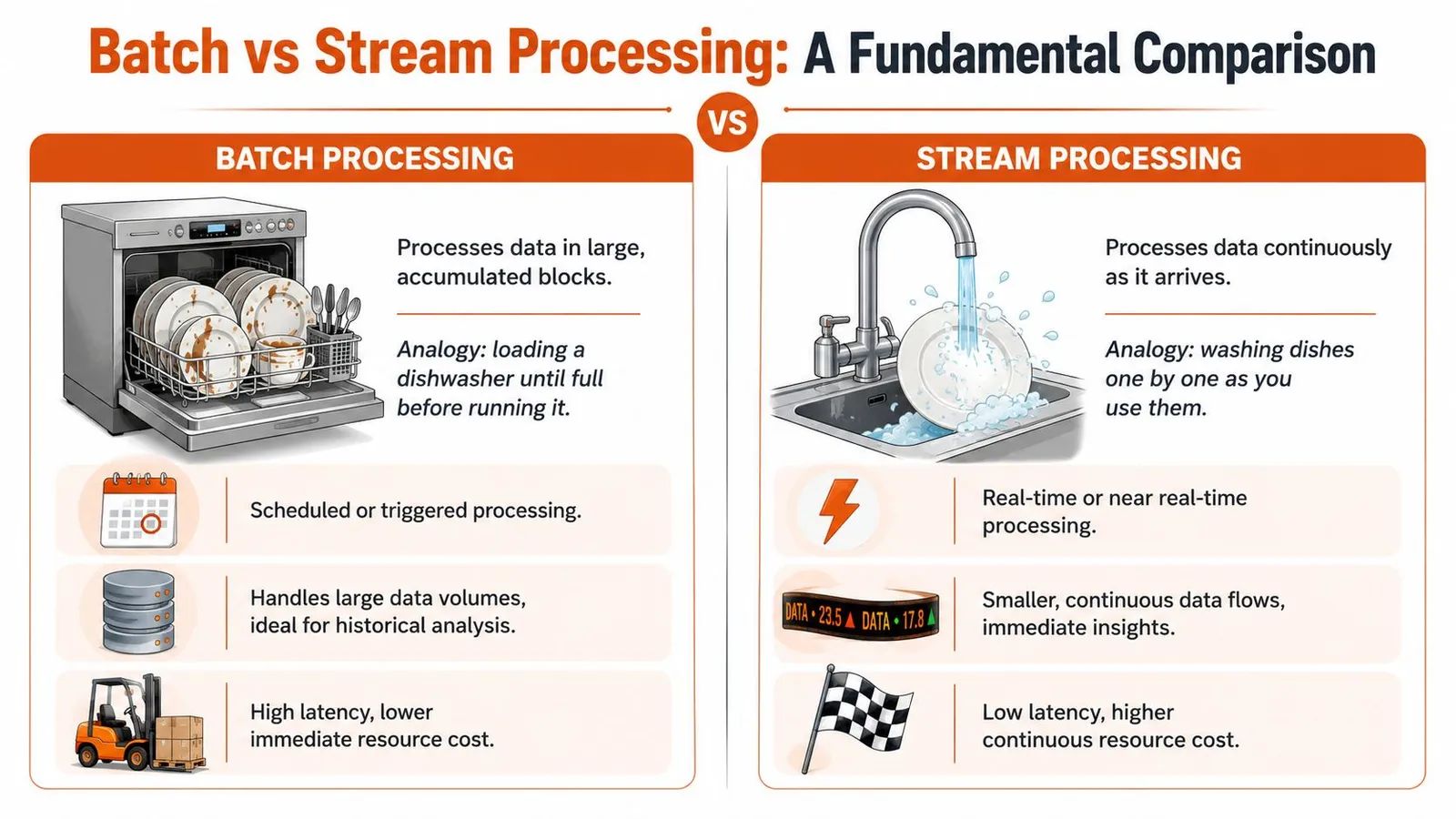
### What each model optimizes for
Batch systems optimize for **throughput**. They gather a bounded set of records and process them together. Rescale notes that batch processing is a throughput-oriented model, often handling **millions of records** in a single run during off-peak hours, with latency typically measured in **minutes or hours** in exchange for efficiency and scale, as described in this overview of [batch processing trade-offs](https://rescale.com/batch-processing/).
Stream systems optimize for **latency**. Data gets processed continuously as it arrives, which makes the model a better fit for fraud alerts, live dashboards, sensor monitoring, and anything else where waiting for the next job window would defeat the point.
A simple way to decide is to ask two questions:
| Question | If yes | If no |
|---|---|---|
| Do you need an answer immediately? | Stream is usually the better fit | Batch is often enough |
| Is the input naturally bounded? | Batch is usually simpler | Stream may fit better |
### Bounded work vs continuous work
RAG ingestion usually starts as bounded work. You have a sitemap export, a list of support articles, or a queue of URLs from search results. That dataset has edges. You can count what came in, track what finished, and retry failures in a controlled way.
A live event feed is different. There's no natural end to “incoming user activity” or “new transactions.” That's where streaming earns the added complexity.
For a developer, the practical distinction looks like this:
- **Use batch when** the workload can wait, the input set is known, and you care about cost per run
- **Use stream when** delay changes the product outcome
- **Use both when** you need fast detection followed by slower, heavier downstream processing
For example, you might use streaming to capture fresh events and batch to rebuild a searchable knowledge store from web content on a schedule. That hybrid model shows up in many AI systems, especially when teams combine live updates with larger offline rebuilds. If that's your world, this piece on [RAG pipelines using web data](https://webclaw.io/blog/rag-pipeline-web-data) is a useful companion because it shows why ingestion freshness and processing mode are separate decisions.
> **Practical rule:** If a delayed result is acceptable and the dataset is large, batch is usually the cheaper and calmer system to operate.
## The Architecture of a Batch Processing System
A batch system is easier to reason about when you treat it as a pipeline with explicit stages. Inputs arrive. Data gets stored. A scheduler decides when work starts. A processing engine runs the job. Outputs land somewhere durable.
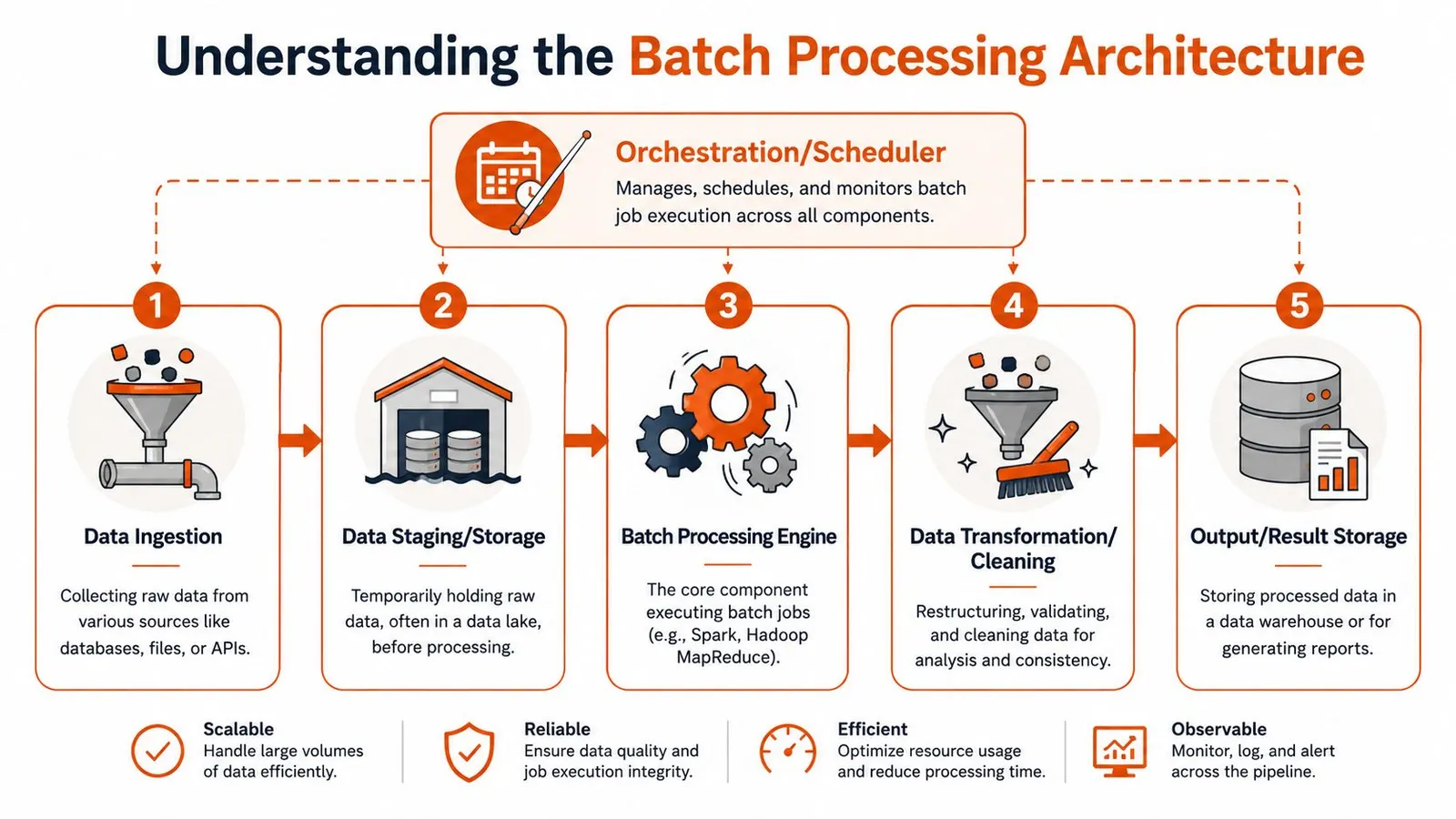
### The five moving parts
1. **Ingestion**
Raw inputs enter the system. The source might be files, database exports, message queues, or API calls. In a scraping pipeline, ingestion often means a list of URLs plus optional metadata like crawl depth, parser settings, or tenant ID.
2. **Staging and storage**
Raw input usually lands in object storage, blob storage, or a staging table. This gives you a stable checkpoint before expensive processing starts. It also helps when you need to replay a failed run or compare input snapshots across runs.
3. **Orchestration and scheduling**
Something has to decide when the job starts and in what order dependent tasks run. That can be a cron job, Airflow DAG, Dagster asset graph, or cloud scheduler. For managed infrastructure patterns, [cloud batch execution workflows](https://webclaw.io/docs/cloud) are useful to study because they show how compute, queues, and job control fit together operationally.
4. **Processing engine**
This is the worker layer that does the primary work. It fetches pages, parses content, validates records, chunks text, generates outputs, and writes status logs. The engine might be Spark, a Python worker pool, or a managed batch service.
5. **Output storage**
Processed results go somewhere downstream can use them. That could be a warehouse table, vector database input bucket, search index feed, or report destination.
Microsoft's architecture guidance emphasizes that batch systems need to scale out for large data volumes while staying automated, and that explicit job boundaries make failures easier to isolate and replay, which is one reason batch remains useful for correctness-focused workloads in [Azure batch processing architectures](https://learn.microsoft.com/en-us/azure/architecture/data-guide/technology-choices/batch-processing).
Here's a quick visual explainer before going further:
### How jobs get triggered
Not every batch job runs on a nightly schedule. In practice, teams use three common triggers:
- **Time-based schedules** for recurring jobs like daily exports or overnight rebuilds
- **Event-based triggers** when a file lands in storage or a queue reaches a threshold
- **On-demand runs** when an operator or application submits a job explicitly
What works best depends on the business boundary. Monthly billing wants predictable scheduling. A content backfill after a parser fix is usually on-demand. A “process this uploaded archive” workflow is event-driven.
> The strongest batch systems aren't just fast. They're replayable.
## Weighing the Pros and Cons
Batch processing gets recommended too casually. It solves real problems, but only when the workload matches the model. The mistake isn't choosing batch. The mistake is using it for jobs that need low-latency answers.
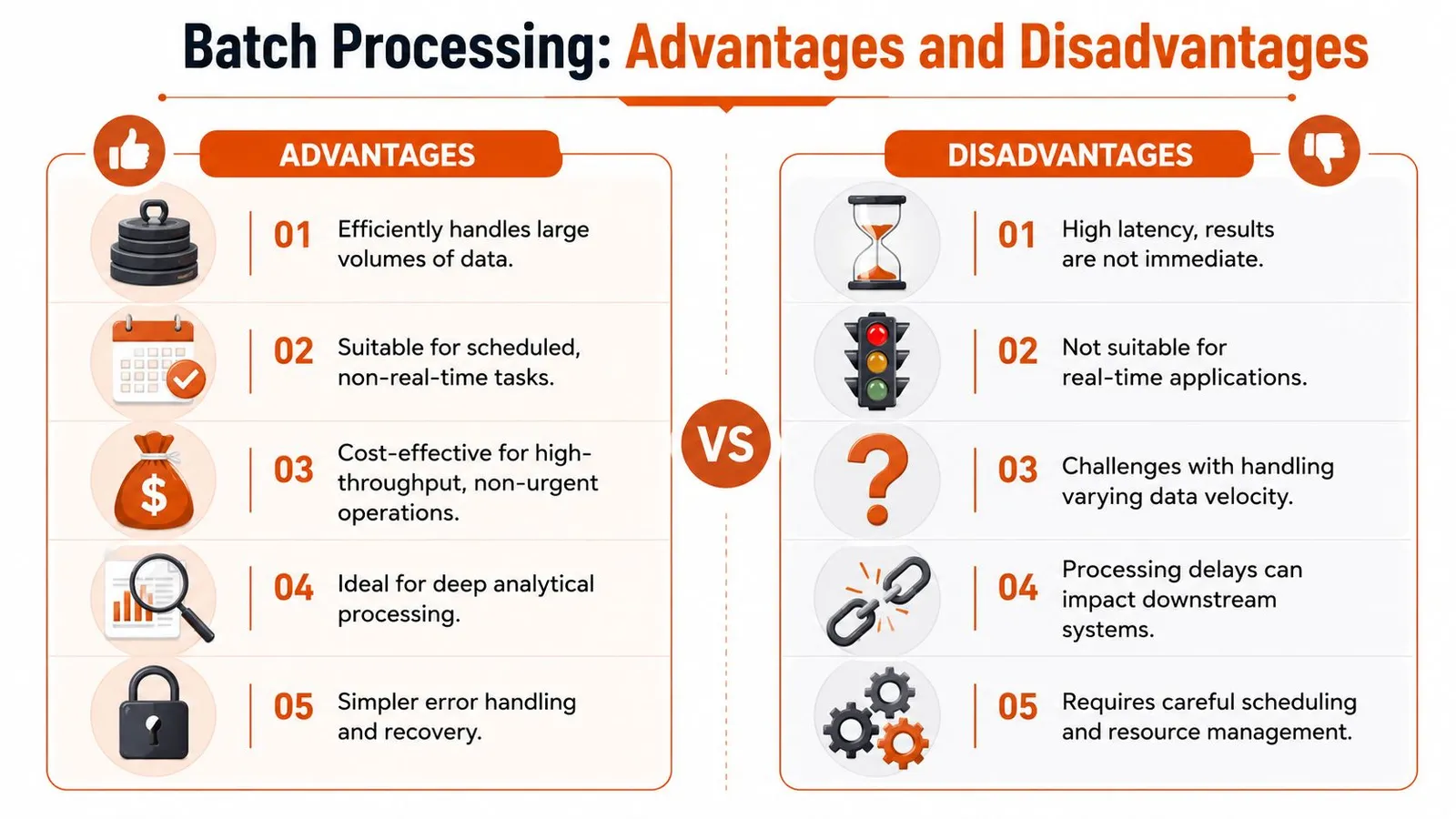
### Where batch works well
Batch shines when the dominant concern is processing a lot of work efficiently.
- **High throughput:** Grouping many records into one run reduces repeated setup overhead and lets teams push large bounded datasets through fewer execution windows.
- **Predictable operations:** Job boundaries are explicit, so operators can reason about inputs, outputs, retries, and failure states more easily than in continuously running systems.
- **Cost control:** Scheduling heavy jobs away from peak demand often makes infrastructure planning simpler. That matters for ETL, reporting, training data preparation, and bulk extraction.
- **Historical completeness:** Some workloads are more useful when processed as a complete unit than as isolated events.
If you're comparing implementation patterns across workloads, the examples in [batch-oriented use cases](https://webclaw.io/use-cases) make this clear. Jobs like large extraction runs and offline document preparation usually fit batch more naturally than live request-response systems.
### Where batch causes problems
The main downside is delay. If your application needs an answer now, batch is the wrong answer even if it's cheaper.
A few recurring failure modes show up in production:
- **Latency hurts the product:** If users expect immediate updates, waiting for the next run creates stale state.
- **Long jobs are harder to debug:** When a batch job does too much in one pass, root-cause analysis gets messy.
- **Downstream dependencies drift:** A delayed upstream batch can hold back reports, indexes, or secondary pipelines.
- **Resource spikes need planning:** Compressing work into scheduled windows is efficient, but it also creates concentrated demand.
The business question is straightforward. Is the cost and simplicity benefit worth delayed outcomes? If yes, batch is often the right operational trade.
## Real-World Use Cases and Code Examples
Some workloads have been batch jobs for decades because the shape of the problem hasn't changed. Others look modern on the surface but still benefit from the same execution model.
### Classic workloads still matter
Payroll, billing, ETL, backups, and reporting are still classic examples because they're repetitive, bounded, and sensitive to correctness. Splunk's explanation is useful here because it frames batch as a deliberate strategy, not just legacy inertia. For many back-office workflows, organizations use batch to compress expensive compute into off-peak windows and maximize infrastructure utilization, even when results arrive later, as described in this piece on [why batch still powers critical workflows](https://www.splunk.com/en_us/blog/learn/batch-processing.html).
If you work close to operating systems or older enterprise automation, it also helps to understand the simpler scripting side of the story. This roundup of [practical batch file automation](https://serverscheduler.com/blog/batch-file-examples) is a solid reminder that the core idea of grouping work and running it unattended exists at every layer, from shell scripts to cloud pipelines.
### A modern example for RAG ingestion
Now take a common AI task. You have a list of pages from documentation, blog archives, changelogs, and support centers. You want to fetch them, clean them, and feed them into an embedding pipeline. That job doesn't need interactive latency. It needs reliable parallel execution, clean outputs, and a way to check progress later.
An API-based batch workflow is a good fit. The basic pattern is:
1. Submit a bounded list of URLs.
2. Receive a batch job ID.
3. Poll for completion.
4. Retrieve structured outputs.
5. Push the cleaned content into chunking, embedding, and indexing.
The API details vary, but the shape is stable. Web APIs that expose [batch job endpoints for scraping](https://webclaw.io/docs/api/batch) package the same pattern you'd otherwise build yourself with queues, workers, storage, and retries.
A simplified Python example looks like this:
```python
import time
import requests
API_KEY = "YOUR_API_KEY"
headers = {
"Authorization": f"Bearer {API_KEY}",
"Content-Type": "application/json",
}
payload = {
"urls": [
"https://example.com/docs/page-1",
"https://example.com/docs/page-2",
"https://example.com/blog/post-1"
],
"format": "markdown"
}
submit = requests.post(
"https://api.webclaw.io/v1/batch",
headers=headers,
json=payload,
)
submit.raise_for_status()
batch_id = submit.json()["id"]
while True:
status = requests.get(
f"https://api.webclaw.io/v1/batch/{batch_id}",
headers=headers,
)
status.raise_for_status()
data = status.json()
if data["status"] in {"completed", "failed"}:
break
time.sleep(5)
if data["status"] == "completed":
results = requests.get(
f"https://api.webclaw.io/v1/batch/{batch_id}/results",
headers=headers,
)
results.raise_for_status()
for item in results.json()["items"]:
print(item["url"])
print(item["markdown"][:500])
```
That pattern is ordinary batch processing dressed in API terms. The system collects work, runs it asynchronously, and returns results when the job finishes. For RAG teams, that's often the right default.
## Tools and Orchestration for Batch Jobs
The batch ecosystem makes more sense when you divide it into layers. Instead of one universal tool, the focus should be on having the right tool at the right layer.
### Three layers of the batch stack
**Processing frameworks**
These include Spark, Hadoop MapReduce, and custom worker pools. Use these when you need direct control over execution, partitioning, transformations, and storage integration. They're powerful, but they also hand you more infrastructure responsibility.
**Managed cloud batch services**
AWS Batch and Azure Batch sit one layer higher. They schedule and run jobs on provisioned compute without forcing you to manage every part of the cluster lifecycle yourself. They're useful when the workload is compute-heavy and bursty.
**Workflow orchestrators**
Apache Airflow and Dagster coordinate the steps around the actual compute. They handle schedules, dependencies, retries, backfills, and visibility. In many production systems, the orchestrator matters more than the engine because operations fail at the boundaries between tasks, not just inside a single task.
There's also a fourth category that matters more than people admit: **specialized managed APIs**. These don't replace generic batch systems, but they can replace a lot of custom engineering for a narrow workload. For web extraction, **Webclaw** is an example of that abstraction. It exposes scraping and content extraction as an API, including batch execution, so teams can submit many URLs without building the worker fleet and scraping infrastructure themselves.
A good mental model is simple:
| Need | Typical tool category |
|---|---|
| Massive data transformations | Processing framework |
| Burst compute for isolated jobs | Managed cloud batch |
| Multi-step dependencies | Workflow orchestrator |
| One narrow batch workload via API | Specialized managed service |
Choose the layer that matches the problem. Don't spin up Spark for a job that's really “fetch these pages and return cleaned text.”
## Monitoring Batch Jobs and Best Practices
Batch systems fail unnoticed when nobody watches them. The dangerous jobs aren't the ones that crash loudly. They're the ones that keep running, produce partial output, or miss their expected window and block downstream work.
### What to watch in production
Start with a short set of signals you can act on:
- **Job state:** queued, running, succeeded, failed, canceled
- **Duration:** how long runs take relative to normal
- **Retry behavior:** repeated retries often point to bad input or unstable dependencies
- **Resource pressure:** CPU, memory, storage use, and external API bottlenecks
- **Output completeness:** expected records or files versus actual output
- **Cost drift:** whether a job is getting more expensive over time
A job that “succeeded” but returned incomplete data is still an incident.
### Operational habits that prevent pain
The best batch systems are boring to rerun.
- **Make jobs idempotent:** rerunning the same batch shouldn't corrupt output or duplicate records.
- **Log with job and item IDs:** you need to trace one failed record inside a large run.
- **Set timeouts:** stuck jobs burn money and block queues.
- **Split giant jobs into chunks:** smaller units are easier to retry and isolate.
- **Handle partial failure deliberately:** decide whether one bad item fails the whole run or gets quarantined.
- **Keep raw inputs when possible:** reprocessing is much easier when the original batch is preserved.
- **Alert on late jobs, not just failed jobs:** schedule drift breaks pipelines too.
> Monitor for completion, completeness, and cost. Success status alone isn't enough.
## Frequently Asked Questions
### Is batch processing outdated
No. It's old as a computing pattern, but not outdated as an engineering choice. If your workload is bounded, repetitive, and doesn't need immediate output, batch is often the simpler system to run.
### How do I choose between batch and stream processing
Start with latency. If waiting changes the product outcome, use streaming. If waiting is acceptable and the job benefits from grouped execution, use batch.
### Is ETL always batch processing
Not always, but ETL frequently uses batch because transformations often work better on bounded datasets with clear job boundaries.
### How does batch processing help with web scraping
It lets you submit many URLs together, process them asynchronously, and retrieve results after completion. That's a natural fit for large ingestion jobs, scheduled refreshes, and backfills for search or RAG systems.
### Can batch and streaming work together
Yes. Many production systems use streaming for immediate signals and batch for heavier downstream work like reprocessing, enrichment, reporting, or rebuilding indexes.
---
If you're building AI ingestion, large scraping runs, or document pipelines, [Webclaw](https://webclaw.io) is worth evaluating as a practical batch-friendly extraction option. It gives developers an API for fetching and cleaning web content, including multi-URL workflows, without having to assemble the full scraping stack from scratch.
---
### What Is Screen Scraping: Understanding Its Risks & AI Uses
URL: https://webclaw.io/blog/what-is-screen-scraping
Published: 2026-06-15
Author: Massi
Discover what is screen scraping, how it works, its legal risks, and comparisons to modern APIs & web scraping for AI in 2026.
Screen scraping is a data extraction technique that captures data from a user interface by reading what's rendered on screen, often as a last resort when no API exists. Its logic made sense in a world built around screens, and that world is still huge: **50.4% of U.S. teenagers ages 12 to 17 had 4 hours or more of daily screen time, 22.8% had 3 hours, and 17.8% had 2 hours** during July 2021 through December 2023.
You're probably here because you need data from a place that doesn't want to hand it to you neatly. Maybe it's a web app with no public API. Maybe it's a partner portal that renders everything after login. Maybe it's an old desktop system, a PDF-heavy workflow, or a dashboard that only exists for human eyes.
That's where screen scraping entered the picture. It was the brute-force answer to a practical problem: if a human can see the data, a program should be able to see it too. For a long time, that was enough.
It still works in narrow cases. But modern developers should treat it like a legacy compatibility tactic, not a default architecture. If you're building retrieval systems, automation, or LLM pipelines today, the better question usually isn't just **what is screen scraping**. It's whether reading pixels and rendered UI is still the right layer to extract from at all. In many AI workflows, it isn't. A cleaner path starts with tools built for extraction rather than imitation, especially if you're working on [web scraping for AI agents](https://webclaw.io/blog/web-scraping-for-ai-agents).
## Introduction The Last Resort for Data Extraction
A team needs data from a banking portal by tomorrow morning. The vendor dashboard has no API, the page markup is useless, and the only thing that reliably shows the data is the screen a human clicks through every day. That is the situation where screen scraping shows up.
Screen scraping is a fallback technique. It automates the user interface, logs in, clicks through the workflow, and pulls data from what gets rendered on the screen. Engineers usually reach for it when they cannot get structured access any other way.
In plain terms, **screen scraping reads the presentation layer instead of a structured system interface**. That made it common in older enterprise software, desktop apps, terminal systems, and financial workflows where human access arrived long before developer access. The method solved a real integration problem, but it solved it at the least stable layer. A button label changes, a page layout shifts, a login flow adds a prompt, and the extraction breaks.
### Why it existed for so long
Screen scraping stuck around because many systems were built for people first and software second. If a user could see the data, businesses assumed a program could be made to capture it too.
That logic sounds crude, but it was often practical. A lot of business software exposed reports through GUIs, PDFs, remote desktops, or browser sessions without offering structured exports. Screen-based interaction is still central to how people use software. The [CDC data brief on teen screen time reports that 50.4% of U.S. teenagers had four or more hours of daily recreational screen time in 2021](https://www.cdc.gov/nchs/products/databriefs/db513.htm). When systems are designed around screens, teams often end up extracting from screens.
> **Practical rule:** If an integration depends on what a user sees instead of what a system publishes, it depends on the least reliable part of the stack.
### Why modern teams should be skeptical
Screen scraping still has a place. It can keep a legacy process alive, bridge a gap during a migration, or recover data from software that was never designed for integration.
But it is a poor default for modern data work. Reliability is hard. Security gets complicated fast when credentials, sessions, and MFA enter the picture. The output is often noisy, layout-dependent, and expensive to normalize. That is a bad fit for AI pipelines that need clean context, stable structure, and repeatable extraction.
The better direction is to move up the stack whenever possible. Use APIs when they exist. Parse source documents instead of screenshots. Extract directly from rendered web content in a structured way when the goal is downstream LLM use. Teams building [web scraping pipelines for AI agents](https://webclaw.io/blog/web-scraping-for-ai-agents) usually need normalized text, metadata, and predictable chunking, not a fragile imitation of a user's mouse clicks.
Screen scraping matters because it explains how teams used to get data out of closed systems. It also shows why modern extraction tools are replacing it.
## How Screen Scraping Actually Works
At a technical level, screen scraping automates the same path a human would take through an interface. It opens the application, waits for the view to render, finds the target information on the visible screen, then converts that visible output into text or fields a program can use.
### It reads the interface, not the source
That distinction matters. A DOM scraper reads page markup. An API client reads structured responses. A screen scraper reads the final rendered interface.
The [TechTarget definition of screen scraping](https://www.techtarget.com/searchdatacenter/definition/screen-scraping) describes it as a GUI-driven extraction method where software automates user-interface navigation, identifies visible elements, and converts on-screen content into machine-readable text. When the data is embedded in an image, chart, or PDF, OCR is used to recover the text. That's why screen scraping can work on interfaces that don't expose useful HTML, but it's also why it's slower and more brittle than parsing structured markup.
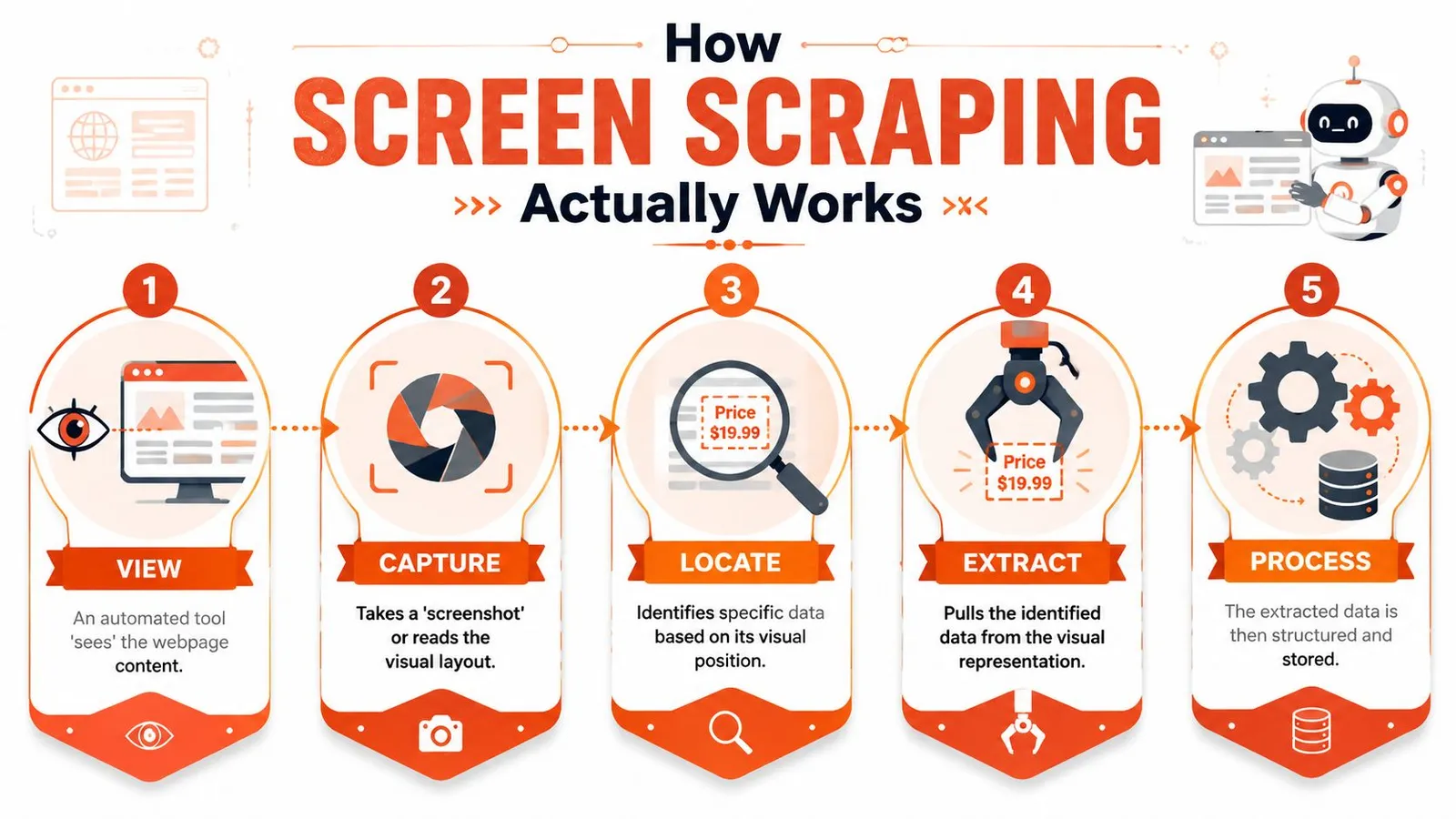
### The extraction pipeline in practice
A real scraper usually follows a sequence like this:
1. **Render the target view**
The tool launches a browser or application context and waits for the content to appear. On modern sites, that often means handling JavaScript rendering, delayed hydration, and async requests.
2. **Find the data visually or semantically**
Some scrapers use coordinates. Others rely on GUI selectors, labels, or image matching. Both approaches are sensitive to layout changes.
3. **Capture the output**
If the content is text in accessible UI elements, extraction may be straightforward. If it's rendered into a canvas, chart, scanned PDF, or image, OCR enters the loop.
4. **Normalize the result**
The scraper cleans line breaks, fixes OCR mistakes, maps fields, and stores the output.
> Screen scraping succeeds when the interface stays predictable. It fails when the interface is treated like a product, because products change.
### Why developers confuse it with browser scraping
A lot of teams say “screen scraping” when they really mean “using a browser to scrape a site.” Those aren't always the same thing. If you're using a headless browser to render JavaScript and then reading the DOM, you're still scraping markup, not the visual screen itself. That's a different failure mode and usually a better one.
If you've run into pages that only work after rendering, the practical problem is often less about screen scraping and more about choosing a scraper with proper [JavaScript rendering and browser fallback support](https://webclaw.io/blog/javascript-rendering-api-browser-fallback-web-scraping). True screen scraping starts when the rendered view is the only reliable source left.
## Screen Scraping vs Web Scraping vs APIs
Teams often collapse three different methods into one bucket. That creates bad architecture decisions. The fastest way to understand **what screen scraping is** is to place it next to the two alternatives it gets confused with most often.
### Three layers of access
**API access** is the sanctioned path. You request specific data through a defined contract and receive structured output. If an official API exists and fits your needs, use it.
**Web scraping using DOM parsing** reads the page's underlying HTML. It's useful when a site doesn't offer an API but still exposes meaningful markup. It's usually more efficient than screen scraping because it works with structure instead of appearance.
**Screen scraping** reads the rendered interface itself. It's what you reach for when the useful information isn't accessible through an API or stable page markup.
That gives you a simple hierarchy:
- **Best case:** API
- **Fallback:** DOM scraping
- **Last resort:** screen scraping
### Data Extraction Methods Compared
| Criterion | API Access | Web Scraping (DOM Parsing) | Screen Scraping |
|---|---|---|---|
| **Data source** | Structured backend response | HTML and page structure | Rendered user interface |
| **Stability** | Usually highest if officially supported | Moderate, depends on markup changes | Lowest, depends on visible layout and flow |
| **Speed** | Usually fastest | Often efficient | Usually slower because rendering and OCR may be involved |
| **Maintenance** | Lower if contract is stable | Ongoing selector maintenance | High ongoing maintenance |
| **Works on JS-heavy apps** | Only if API exists | Sometimes, often requires browser rendering | Yes, if the UI can be rendered and read |
| **Works on non-HTML views** | No, unless exposed separately | Limited | Yes, including charts, PDFs, and image-based screens |
| **Security model** | Defined permissions and auth flows | Varies by target | Risky if it depends on credential replay |
| **LLM readiness** | Good if response is already structured | Mixed, often noisy | Poor by default unless heavily cleaned |
A good mental model is this: **APIs expose intent, DOM scraping reads implementation, screen scraping observes appearance**.
> **Decision test:** If a button moves and your pipeline breaks, you didn't build on data. You built on pixels.
### What works and what doesn't
Use APIs when the provider wants machines to access the data. That's what they're for.
Use DOM scraping when the content is public or permissioned, the markup is usable, and the site doesn't provide a suitable API. Most modern scraping stacks operate under these conditions, especially when paired with a managed [web scraping API](https://webclaw.io/features/web-scraping-api) that handles rendering and extraction.
Use screen scraping only when the interface is the only practical access path left. That usually means legacy software, visual-only workflows, or systems where the content exists solely in the rendered layer. It can work. It just shouldn't be your first design choice.
## Common Use Cases and Major Pitfalls
A team inherits a core workflow that still runs through a terminal window, a Citrix session, or a PDF export. The business needs the data now, not after a two-year replacement project. That is when screen scraping gets approved.
It still shows up in production for one reason. Some systems leave no cleaner access path.
### Where teams still use it
The most defensible use case is **legacy enterprise software**. Older ERP clients, mainframe front ends, and internal desktop tools often expose data only through rendered screens. In those environments, a screen scraper acts as a temporary adapter between a system nobody wants to touch and a downstream process that needs structured output.
Another real use case is **visual and document extraction**. Some workflows depend on PDFs, scanned statements, charts, image-based dashboards, or remote desktop sessions where the meaningful content exists only after rendering. OCR and UI automation can pull data out, but reliability depends heavily on document quality, screen consistency, and post-processing.
**Financial aggregation** was another major use case. Products logged in as the user, replayed the same screens a person would see, and collected balances and transactions from the account interface. That approach expanded access quickly, but it also showed the hard limits of GUI-dependent extraction under production load.
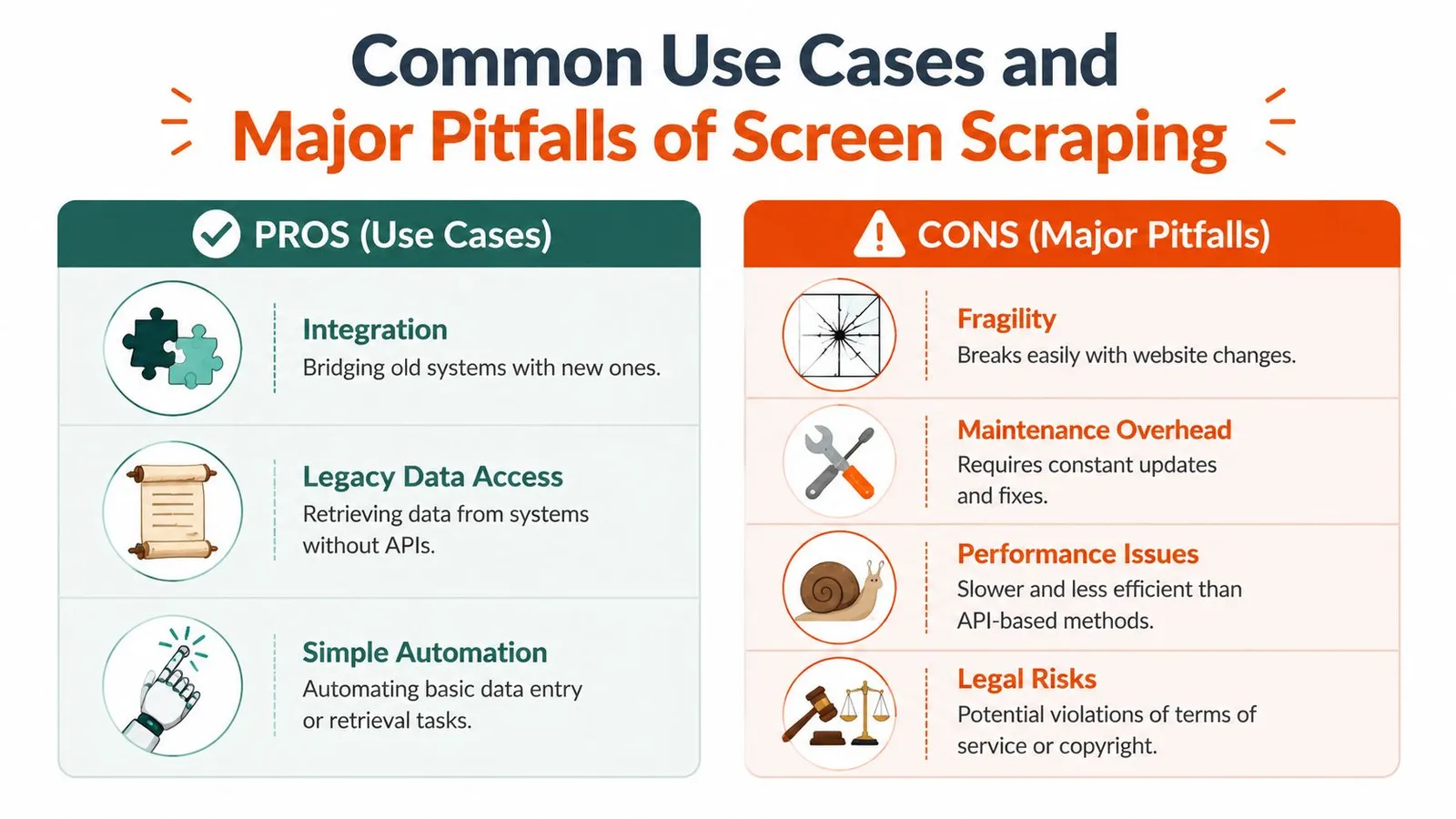
### Why it breaks so often
Screen scraping fails at the layer that changes most often. The UI.
A scraper may depend on a button position, a label, a tab order, a timing assumption, or text extracted from pixels. Any small product update can break that chain. Worse, some failures stay invisible because the automation still runs and returns output that looks valid until someone checks it closely.
The common breakpoints are predictable:
- **Layout drift**
A field moves, a label changes, or a modal interrupts the flow. The scraper clicks the wrong target or reads the wrong value.
- **Rendering variance**
Resolution, zoom, fonts, viewport size, and browser behavior can all change what the automation sees. OCR quality also drops fast when image quality is inconsistent.
- **Authentication friction**
Login flows change. MFA appears. Sessions expire early. A job that passed in staging gets stuck halfway through a live run.
- **Bot mitigation**
Public-facing sites often detect automation and respond with interstitials, CAPTCHAs, or blocked sessions. If that is part of the failure pattern, this [Cloudflare scraping diagnostic checklist](https://webclaw.io/blog/cloudflare-scraping-diagnostic-checklist) is more useful than guessing at random fixes.
The expensive bugs are usually silent ones. A script that crashes gets noticed. A script that extracts the wrong account number, misses a negative sign, or reads last month's label into this month's column can contaminate downstream systems for days.
### Maintenance is the real cost
The first version is usually the cheapest part.
After launch, the team owns every UI change, every login prompt, every OCR regression, and every edge case where the rendered view differs from the business meaning of the data. That maintenance load is why screen scraping ages poorly as a foundation for AI workflows. LLM pipelines need stable, structured, repeatable input. Pixel-derived output usually needs heavy cleanup, validation, and retries before it is safe to use as context.
That is the practical inflection point. If the goal is reliable extraction for search, automation, or LLM context, screen scraping should be treated as a fallback for hostile or legacy interfaces. When teams can access the page structure directly or use a modern extraction stack such as Webclaw, they usually get cleaner data, fewer breakages, and far less operational babysitting.
## Legal and Ethical Considerations
Engineering teams sometimes treat legal risk as a downstream concern. With screen scraping, that's backwards. The method itself can create the risk.
### Credential sharing changes the risk
The sharpest example comes from financial workflows. A [consumer advisory from Saskatchewan on screen scraping risks](https://fcaa.gov.sk.ca/consumers-investors-pension-plan-members/investors/financial-literacy/adults/what-you-need-to-know-about-screen-scraping) warns that screen scraping can expose usernames, passwords, balances, transactions, and other financial products. It also notes that users may violate bank terms and could be liable for losses if an account is hacked or compromised.
That should reset how you think about the trade-off. This isn't just a flaky parser problem. In some contexts, it's a liability and trust problem.
> **Risk check:** If your data access method requires users to hand over credentials that were meant for direct login, the technical shortcut may create a business exposure larger than the integration itself.
### Terms privacy and liability matter more than convenience
Even outside banking, the same pattern holds. If you automate access through an interface in ways the provider didn't authorize, you may run into terms-of-service issues, privacy concerns, and disputes over who is responsible when something goes wrong.
Three practical questions matter before anyone ships a scraper into production:
- **What permissions are you relying on**
Public visibility and authorized machine access aren't the same thing.
- **Who handles the credentials or session state**
If a third party stores or replays authentication secrets, that decision needs security review, not just engineering approval.
- **What happens after a breach or bad extraction**
If the scraper over-collects, exposes sensitive data, or triggers account issues, someone owns that outcome.
A lot of teams don't ask those questions early enough. They focus on whether the data can be accessed, not whether it should be accessed this way.
There's also a practical ethical issue. Screen scraping often collects more than the exact field a workflow needs because the method operates at the interface level. That can lead to unnecessary data capture, especially in authenticated products.
A modern access strategy should reduce exposure, not widen it. If your only route involves replaying user behavior, bypassing intended integration paths, or fighting anti-bot systems directly, the safer move is often to redesign the workflow. For teams working through those access challenges on the open web, this guide on [bypassing web blocks in 2026](https://webclaw.io/blog/bypassing-web-blocks-2026) is useful as a technical reference, but the policy and consent questions still come first.
A short explainer helps illustrate why these concerns aren't theoretical:
## From Brittle Scraping to Reliable Extraction
A team inherits an old automation job that clicks through a browser, waits for a table to appear, and copies values off the screen. It works until the vendor adds a consent modal, renames a CSS class, or moves one button. Then the pipeline breaks, and someone spends the morning debugging a UI instead of shipping product.
That is the transition this section is really about. Screen scraping was built for environments where the visible interface was the only practical way to get data out. Modern extraction systems aim at a different goal: reliable access to usable content, without tying the whole pipeline to a fragile GUI.
The web changed the failure modes. Older scraping workflows assumed a page arrived mostly complete, the structure stayed recognizable, and extraction started after access. On many current sites, access and extraction are coupled problems. Client-side rendering, async content, login state, consent flows, and anti-bot controls can all block the pipeline before a selector or OCR step even runs.
Reliable extraction has to do more than load a page. It has to render the right state, isolate the content that matters, and return it in a format the downstream system can use.
That matters even more for AI workloads. An LLM does not want a full page dump packed with navigation, repeated links, cookie notices, and layout noise. It wants compact, meaningful context. Legacy screen scraping was often good enough when the target was a single field on a screen. It is a poor fit when the target is clean text, structured records, or markdown that feeds retrieval, agents, or prompt pipelines.
A practical example is Webclaw, which exposes extraction as an API and returns content in formats such as markdown, JSON, text, and LLM-oriented output. That approach reflects the current requirement more accurately. The system handles rendering and hostile site behavior upstream, then returns content the application can use directly.
Maintenance is usually the cost that changes minds. A workflow that depends on pixels, click paths, or brittle selectors keeps failing for reasons unrelated to the business logic. A workflow built around reliable extraction still needs monitoring, but it fails less often and degrades more predictably.
Old scraping pipelines were built to collect pages. Modern extraction pipelines should produce context.
Once you frame the problem that way, screen scraping stops looking like a default method. It becomes a fallback for legacy desktop apps, image-only interfaces, and a small set of edge cases where no structured layer is available.
## Best Practices for Modern Data Extraction
If you're building a data-dependent system today, a few rules keep you out of most screen scraping traps.
- **Prefer official APIs first**
If a supported API exists, use it. You'll get clearer contracts, cleaner auth, and less maintenance.
- **Use DOM or rendered-page extraction before true screen scraping**
Don't jump straight to reading pixels. Many “screen scraping” problems are really rendering problems that a browser-based extractor can handle without OCR.
- **Treat visual extraction as a last resort**
Use it for legacy apps, image-based interfaces, PDFs, or cases where the visible layer is the only layer available.
- **Design for change**
Build checks for schema drift, missing fields, and suspicious output. Silent failures are more dangerous than loud ones.
- **Respect permissions and data boundaries**
Review terms, consent flows, and credential handling before you ship. Security and legal review shouldn't be cleanup work after deployment.
- **Optimize for downstream use**
If the destination is an LLM, focus on clean context, not maximum capture. Less noise usually means better retrieval and better prompts.
The short version is straightforward. Read from the most structured layer you can reach. Fall back only when necessary. And when your real goal is AI context rather than raw page collection, choose extraction tools that produce usable content instead of forcing your model to sort through interface debris.
---
If you're building retrieval pipelines, crawlers, or agent workflows and you need web content in markdown, JSON, or other LLM-friendly formats, [Webclaw](https://webclaw.io) is one option to evaluate. It's built for teams that need reliable page access plus clean extraction output, which is a better fit for modern AI systems than legacy screen scraping.
---
### How to Scrape a Website for Emails (the 2026 Guide)
URL: https://webclaw.io/blog/how-to-scrape-a-website-for-emails-2026
Published: 2026-06-13
Author: Massi
Scraping a website for emails in 2026 is contact discovery plus data-quality control, not regex on a homepage. How to crawl, render, extract, validate, and use email data responsibly.
You run a quick script against a target site, search the HTML for `@`, and expect a clean contact list. Instead, you get nothing useful. The page source is mostly JavaScript bundles, the contact page loads client-side, and after a few retries the site starts returning challenge pages instead of content.
That's where most “scrape a website for emails” tutorials stop being useful. They assume email extraction means spotting `mailto:` links on static pages. Real-world scraping doesn't look like that anymore. You usually need to discover the right pages first, render modern frontends, survive anti-bot controls, parse messy or obfuscated contact details, and then clean the output so the list is usable instead of dangerous.
A professional workflow treats email scraping as **contact discovery plus data quality control**. The extraction step matters, but it's only one piece. If the crawl is shallow, you'll miss contacts. If the parser is naive, you'll collect junk. If the list isn't validated and used responsibly, you'll create deliverability and compliance problems for yourself.
## More Than Just Finding Mailto Links
The old playbook was simple. Fetch HTML, pull out `mailto:` links, maybe run a regex over the page, then dump everything into CSV. That still works on a small number of simple sites, but it fails on a large share of modern ones.
Commercial tools changed because the web changed. By **2025, email scraping had become a mainstream feature in lead-generation tools that combine web crawling, pattern matching, and API integration**, which marks the shift from a simple regex task to a broader extraction stack used across sales and marketing operations, as described in [Kaspr's overview of email scraping tools](https://www.kaspr.io/blog/email-scraping-tools).
That shift matters because email discovery is usually a **public-web search problem**, not a one-page parsing problem. The email may live on a contact page, a footer loaded after hydration, a team bio, a press page, a careers page, a PDF, or nowhere visible at all. Sometimes the only public clue is a person's name and a company domain.
> **Practical rule:** If your plan starts with “run regex on the homepage,” your failure rate will be high before anti-bot defenses even enter the picture.
There's a second problem. Sites don't just hide emails through layout choices. They also block automated access. JavaScript-heavy frameworks, deferred rendering, bot scores, rate limits, and challenge pages break the naive `requests + regex` stack fast. A script that works on one brochure site often falls apart on the next ten targets.
Professional-grade scraping looks more like this:
- **Discover relevant URLs first** instead of hammering only the homepage.
- **Render when necessary** because many contact details don't exist in initial HTML.
- **Extract with context** so you can distinguish a founder's address from `support@`.
- **Normalize and validate** before anyone uses the data.
- **Apply compliance judgment** before outreach starts.
The useful output isn't “some strings that match an email pattern.” The useful output is a **contact dataset you can trust enough to act on**.
## Planning Your Scrape and Choosing Your Tools
Tool choice decides whether an email scrape stays manageable or turns into weeks of patching around avoidable failures. I have seen teams start with a quick script, get partial results from a handful of sites, then realize too late that their target set includes JavaScript apps, PDFs, contact forms without visible addresses, and pages that score and throttle bots differently by session.
### Separate collection from outreach
A public email address is still personal or business contact data that can be mishandled. The scrape itself is only one part of the system. Storage, enrichment, scoring, suppression, and outreach each create their own legal and operational risks.
That separation matters because the output you want is not "every string that looks like an email." You want a list that can survive review and still be useful. A generic `info@` mailbox, an expired address buried in a PDF, and a named employee address pulled from a press release should not flow into the same outreach queue.
> Scraping a public email address doesn't automatically make it a good outreach target.
Set the goal before you write code. A company-level contact list, a directory of named people, and role-based prospecting each require different crawl depth, extraction rules, and QA checks. If the target is "find any reachable contact method," your scraper should capture forms, social links, and phone numbers alongside email. If the target is "find decision-makers," then context extraction matters as much as the address itself.
### Choose tools based on failure modes
The cleanest tool is the one that matches how the target site behaves.
**HTTP clients and HTML parsers** are still the right starting point for static sites and predictable templates. `requests`, `httpx`, BeautifulSoup, and Scrapy give good speed and low overhead. They are easy to test, easy to run in bulk, and easy to reason about when the page source contains the data you need.
They break fast on modern frontends. If contact details appear only after hydration, sit inside expandable components, or depend on chained requests, a simple parser will miss them. You also end up writing your own retry policy, session handling, and edge-case logic once the target set gets messy.
**Headless browsers** such as Playwright and Puppeteer handle those cases better. They can render the page, wait for async content, click through menus, and inspect the DOM the user sees. That often makes the difference between finding a real contact page and getting an empty shell.
The trade-off is maintenance. Browser jobs cost more to run, take longer, and fail in more ways. A cookie banner, a modal, a minor selector change, or a bot challenge can break a crawler that looked stable last week.
**Managed scraping APIs** shift that operational work to a service layer. They can bundle rendering, proxy rotation, and extraction behind an API. This can reduce custom infrastructure when your target pool is broad and inconsistent. If you want to evaluate that route, Webclaw's [getting started guide for URL-based scraping workflows](https://webclaw.io/docs/getting-started) shows the basic request pattern.
### A practical tooling comparison
Browser extensions and no-code scrapers are useful for reconnaissance, small jobs, and validating extraction logic before you build a pipeline. The [Data Scraper Chrome Web Store listing](https://chromewebstore.google.com/detail/data-scraper-easy-web-scr/nndknepjnldbdbepjfgmncbggmopgden?hl=en-US) is a good example of how these tools now support paginated extraction and multiple export formats. They are less useful once you need repeatability, monitoring, and per-domain controls.
| Approach | Works well for | Breaks when | Operational cost |
|---|---|---|---|
| HTTP client + parser | Static pages, simple sites, controlled targets | JS-heavy pages, anti-bot challenges, deferred content | Low at first, then rises through edge cases |
| Headless browser | Dynamic content, interactive flows, rendered contact pages | Detection pressure, flaky selectors, browser overhead | Moderate to high |
| Managed API | Broad target sets, mixed site architectures, structured output needs | Vendor fit may vary by extraction pattern | More predictable, less infra work |
Use the lightest stack that gets complete data from the actual target set, not from your easiest test domain. For a plain directory, a browser is unnecessary overhead. For a React site that loads team profiles after client-side requests, BeautifulSoup will give you false confidence and incomplete results.
## Building a Resilient Crawling and Scraping Strategy
Most failed email scrapes have the wrong shape. They focus on extraction logic before they build a URL discovery process, and they scale request volume before they test whether the crawl path is even correct.
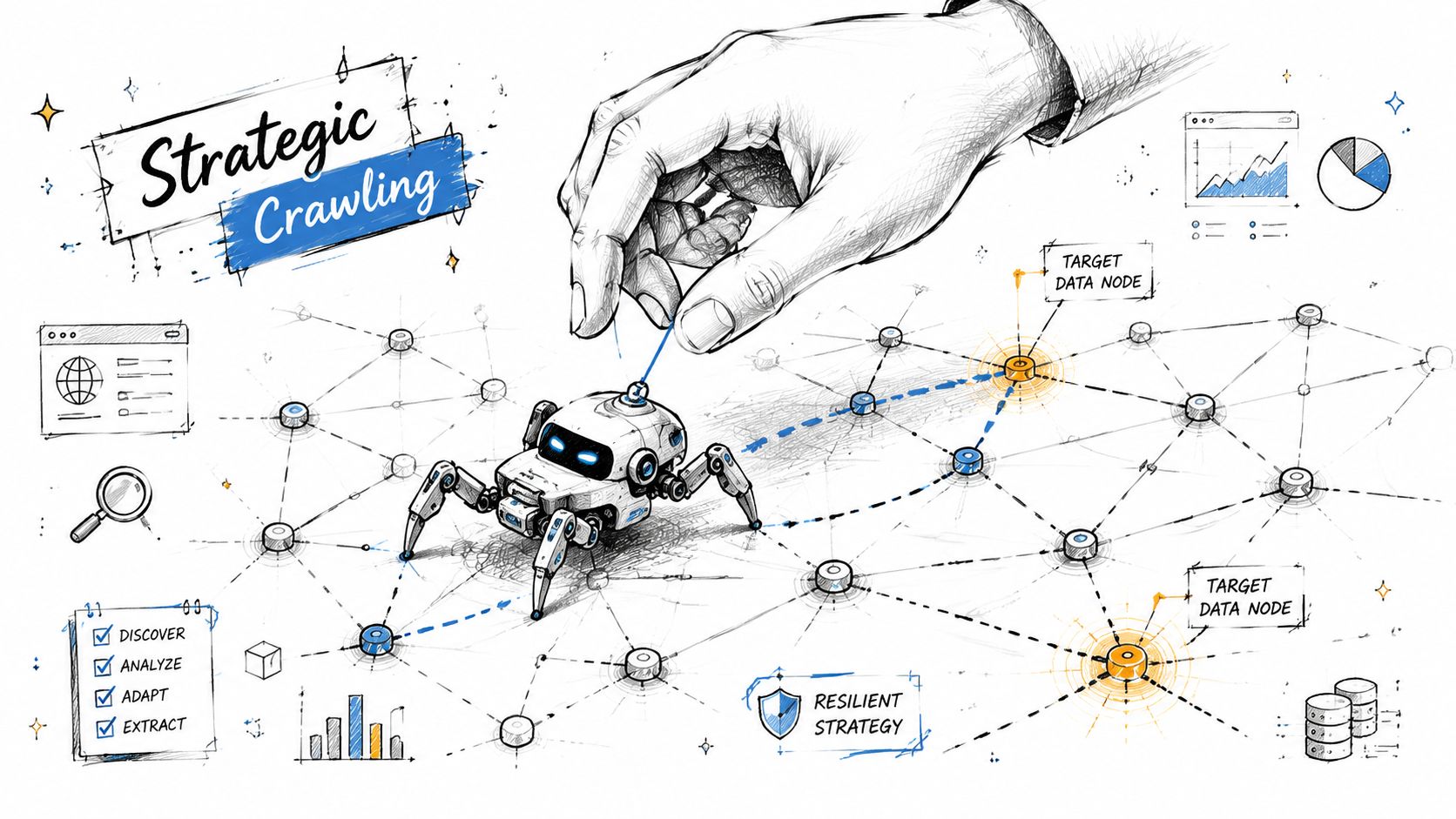
### Treat crawling and scraping as different jobs
**Crawling** means finding pages worth checking. **Scraping** means extracting fields from those pages. Keep them separate in your pipeline.
A practical workflow is to collect target URLs first, then run an email-scraper pass with a per-domain limit and proxy mode enabled. A vendor tutorial also recommends testing with small batches first and notes that a faster mode may have a lower success rate than the standard mode, which is a good summary of the trade-off between speed and reliability in production scraping, as shown in [Hexomatic's email scraping workflow guide](https://hexomatic.com/academy/2022/09/01/how-to-scrape-email-addresses-from-any-website/).
Start your crawl with likely contact-bearing pages:
1. **High-signal paths** such as `/contact`, `/about`, `/team`, `/company`, `/press`, `/careers`, and `/support`
2. **Footer and header links** because many sites hide contact routes there
3. **Sitemaps** when available
4. **Internal link graph expansion** with depth limits so the crawl doesn't drift into irrelevant content
Then rank pages before extraction. A page with “team,” “leadership,” or “contact us” in the URL deserves more attention than a blog archive page.
> A shallow but targeted crawl usually beats a deep blind crawl.
### Reduce blocks before they start
Anti-bot systems react to patterns. Repeated requests from one IP, identical headers, zero pacing, or a fetch sequence no human would produce all increase friction. You don't need to mimic a person perfectly. You need to avoid behaving like a broken loop.
A practical baseline looks like this:
- **Throttle by domain** so one target doesn't get hammered
- **Retry selectively** on transient failures, not on every empty result
- **Separate render-required pages** from simple fetches to reduce browser load
- **Log challenge responses** so you can distinguish “no email found” from “never reached the page”
- **Sample before scaling** because a hundred bad requests only fail faster
When sites sit behind more aggressive protections, diagnostic work matters more than brute force. If you're troubleshooting challenge pages, intermittent blocks, or render failures, a checklist like Webclaw's [Cloudflare scraping diagnostic guide](https://webclaw.io/blog/cloudflare-scraping-diagnostic-checklist) is the kind of operational reference that helps isolate whether the issue is pacing, fingerprinting, rendering, or session handling.
### Use proxies deliberately
Proxy choice depends on the target and the crawl goal. Don't treat proxies as a magic “bypass” switch.
- **Datacenter proxies** are fine for many low-friction targets and high-volume work where cost matters.
- **ISP proxies** often give a middle ground between stability and trust.
- **Residential proxies** are useful when targets score traffic more aggressively or when geolocation matters.
If you're scraping public company sites across many domains, you can often start with lighter infrastructure and only escalate when block rates justify it. If you're dealing with location-sensitive content, choose proxy geography intentionally rather than rotating blindly.
The resilient setup is usually boring on purpose. It discovers pages methodically, renders only when needed, throttles requests, and records enough telemetry to explain failures.
## Extracting and Parsing Email Addresses Effectively
Extraction gets easier once your crawl feeds it the right pages. It gets much harder when you expect one regex to cleanly solve every site shape.
### Target the right content before regex
Start by narrowing the DOM or text region you care about. On a contact page, scrape the main content, footer, and team cards before you run generic extraction across the whole page. That reduces false positives from scripts, schema blobs, and unrelated assets.
Good targets include:
- **Contact blocks** with phone, address, and support text nearby
- **Team sections** where names and roles can be paired with emails
- **Footer contact areas** that repeat across the site
- **Press or investor pages** where media contacts are often listed
A plain regex still has a place. It just shouldn't be your only tool. Use one pattern for conventional emails and a second pass for common obfuscations such as `name [at] domain [dot] com` or `name(at)domain.com`.
### Handle obfuscation and missing emails
A lot of sites don't expose direct addresses anymore. That doesn't mean the workflow stops. It means the job shifts from extraction to **contact assembly**.
Recent tutorials reflect this shift. When a site doesn't expose emails directly, marketers increasingly combine scraping with enrichment steps that start from a website URL, crawl linked pages, and build out a fuller contact record rather than relying on one-page extraction, as described in [Axiom's guide to scraping emails from websites](https://axiom.ai/blog/how-to-scrape-emails).
That usually means collecting some combination of:
- person name
- role
- company name
- company domain
- public contact page text
- social profile links
- department or location context
From there, you can infer likely address formats if your workflow allows it, but inferred emails should be labeled as inferred, not mixed with directly observed ones.
> Treat observed emails and inferred emails as different data classes. They don't deserve the same confidence score.
Here's a walkthrough of that extraction mindset in video form:
### Basic extraction examples
A simple Python pass might look like this:
```python
import re
import requests
from bs4 import BeautifulSoup
EMAIL_RE = re.compile(r'\b[A-Za-z0-9._%+-]+@[A-Za-z0-9.-]+\.[A-Za-z]{2,}\b')
def normalize_obfuscation(text: str) -> str:
return (text.replace('[at]', '@')
.replace('(at)', '@')
.replace(' at ', '@')
.replace('[dot]', '.')
.replace('(dot)', '.')
.replace(' dot ', '.'))
url = "https://example.com/contact"
html = requests.get(url, timeout=20).text
soup = BeautifulSoup(html, "html.parser")
text = soup.get_text(" ", strip=True)
normalized = normalize_obfuscation(text)
emails = sorted(set(EMAIL_RE.findall(normalized)))
print(emails)
```
And the same idea in JavaScript:
```javascript
const emailRe = /\b[A-Za-z0-9._%+-]+@[A-Za-z0-9.-]+\.[A-Za-z]{2,}\b/g;
function normalizeObfuscation(text) {
return text
.replaceAll("[at]", "@")
.replaceAll("(at)", "@")
.replaceAll(" at ", "@")
.replaceAll("[dot]", ".")
.replaceAll("(dot)", ".")
.replaceAll(" dot ", ".");
}
const html = await fetch("https://example.com/contact").then(r => r.text());
const text = normalizeObfuscation(html);
const emails = [...new Set(text.match(emailRe) || [])];
console.log(emails);
```
These examples are fine for straightforward pages. They won't solve rendering, anti-bot access, or structure-aware extraction on their own.
### API-driven extraction
For teams that want a cleaner extraction layer, an API can return structured page content before parsing. Webclaw's [extract API documentation](https://webclaw.io/docs/api/extract) shows the pattern: send a URL and request extracted fields in a structured format instead of hand-parsing raw HTML.
That's useful when your goal is broader than “find any string with an at-sign.” You can ask for fields such as emails, names, titles, and contact sections in one pass, then review the structured result downstream.
## Ensuring Data Quality and Responsible Use
The scrape is not done when you have a list of addresses. That's just the point where mistakes become expensive.
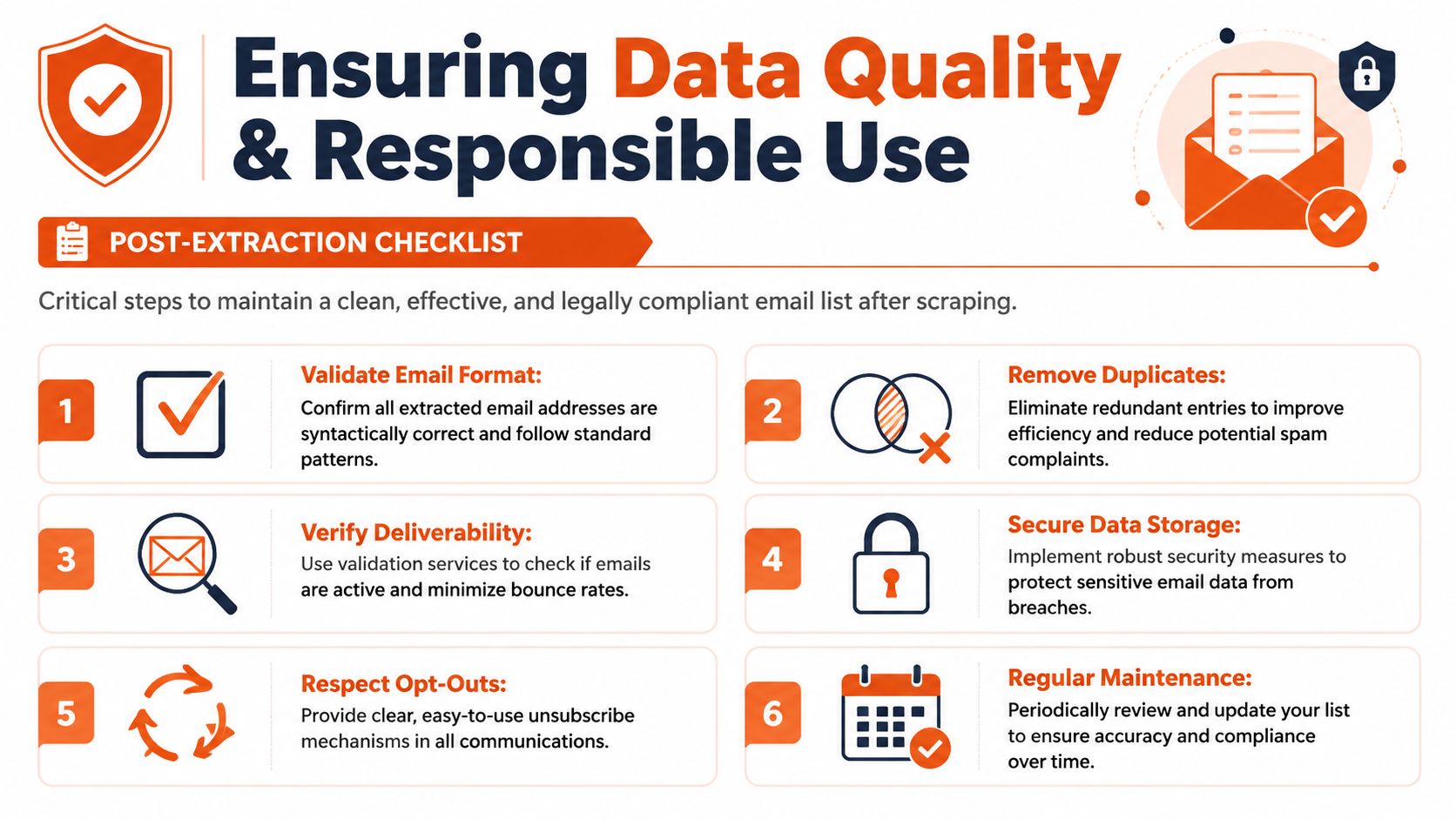
### Bad lists cost more than missed emails
A bad contact list hurts twice. First, it wastes time because people work leads that were never valid. Second, it damages sender reputation if the list gets pushed into outreach without review.
That's why post-processing is not optional. Expert guidance recommends validating extracted lists before outreach by removing duplicates, checking deliverability, filtering out role-based addresses such as `info@` or `support@`, and revalidating every few months because bounce behavior changes over time, as explained in [Lindy's guide to scraping and validating emails](https://www.lindy.ai/blog/scraping-emails).
You don't need a huge system to start doing this well. You do need discipline.
### What a usable list looks like
A usable list is consistent, labeled, and reviewable. At minimum, each row should keep:
| Field | Why it matters |
|---|---|
| Email address | Primary contact value |
| Source URL | Lets you audit where it came from |
| Discovery type | Observed, obfuscated, inferred, or enriched |
| Page context | Contact page, team page, footer, press page, and so on |
| Person or role | Helps separate named contacts from generic inboxes |
| Validation status | Prevents unreviewed data from flowing into campaigns |
Then clean it.
- **Normalize casing** so comparisons and dedupes work correctly.
- **Deduplicate by email and domain context** because the same address often appears across many pages.
- **Flag role accounts** instead of deleting them blindly. `press@` may be valuable, `support@` may not fit your use case.
- **Keep provenance** so compliance review has a paper trail.
> The address alone isn't the record. The surrounding context is what makes the record useful.
### Compliance starts after extraction
A scraped list is not a consent-based list. Teams get into trouble when they treat public availability as blanket permission for mass outreach. The safer posture is narrower targeting, clear relevance, documented source context, and a process for honoring objections and opt-outs.
If the workflow is part of a broader lead-building system, connect quality control to enrichment rather than pushing raw addresses directly into campaigns. Webclaw's [Extract API](https://webclaw.io/docs/api/extract) is a good example of how extracted site data can be turned into fuller company and contact records before anyone acts on it.
Store only what you need. Label what was inferred. Keep review gates between collection and outreach. Those habits do more for long-term deliverability than any clever extraction trick.
## From Raw Data to Actionable Intelligence
A scraper that finds email addresses is easy to demo. A workflow that produces contacts a team can safely use is harder to build and much more valuable.
The difference shows up after extraction. Raw addresses need context, review, and routing before they belong in sales, recruiting, research, or support workflows. Teams that skip that step usually end up with a noisy list full of duplicates, stale inboxes, role accounts that do not fit the campaign, and records with no source trail to review later.
The useful output is a contact record, not a string that matched a pattern. That record should keep the email, source URL, page title or page type, the company or domain it was associated with, whether it was explicitly published or inferred, and any validation or confidence flag your pipeline assigns. Without that metadata, downstream users cannot tell the difference between a founder email pulled from a team page and a generic inbox scraped from a footer.
This also changes how the system fits into the rest of your stack. In production, email scraping often feeds enrichment, account research, territory building, or knowledge systems instead of ending in a CSV export. Teams building those pipelines should also read this guide to [RAG pipelines built on web data](https://webclaw.io/blog/rag-pipeline-web-data), because the same discipline around provenance, normalization, and structured extraction matters once scraped data starts feeding search, ranking, or AI workflows.
One more practical point. Publicly visible contact data is not blanket permission for outreach. Keep collection tied to a clear use case, store only what you need, and put a review step between extraction and sending.
If you're building this into a real product or internal workflow, [Webclaw](https://webclaw.io) is worth evaluating as part of the stack. It handles URL-based scraping and structured extraction for modern sites, which can reduce the amount of browser automation and HTML cleanup you have to maintain yourself.
---
### Competitor Price Tracking: A Developer's Guide 2026
URL: https://webclaw.io/blog/competitor-price-tracking-2026
Published: 2026-06-12
Author: Massi
Competitor price tracking is a production data pipeline, not a dashboard. How to collect, normalize, match, and act on competitor price data without making the wrong pricing call.
You already know the symptom. A competitor drops price on a high-velocity SKU, your team notices too late, conversion dips, and the postmortem ends with the same conclusion: the data was stale, incomplete, or wrong. The hard part usually isn't deciding that competitor price tracking matters. It's building a system that can collect, normalize, match, and interpret price data reliably enough that pricing decisions don't create new problems.
Most guides stop at “monitor prices automatically.” That's not enough for a CTO or a data engineer. A real price tracking system is a production data pipeline with brittle inputs, changing front ends, anti-bot controls, ambiguous product identity, and business users who will act on whatever the dashboard says. If the data is wrong, the pricing decision is wrong.
## Why Competitor Price Tracking Is a Core Business System
Many organizations first treat competitor price tracking like a lightweight reporting task. A few spreadsheets. A few bookmarked product pages. Maybe a junior analyst checks Amazon and key retailer sites every morning. That setup works until pricing starts moving faster than the team can observe it.
Then the problem changes. You're no longer asking, “What does Competitor A charge today?” You're asking whether a rival is discounting selectively, whether a stockout changed the competitive set, whether a promotion is temporary, and how often price moves before your own sales soften. That's not ad hoc monitoring. It's a business system.
One reason this shifted from a niche tactic to a mainstream capability is scale. The global competitor price monitoring market is estimated at **$1.2 billion in 2024**, and is projected to rise to **$2.5 billion by 2033 at a 9.2% CAGR**, according to [Tendem's competitor price monitoring guide](https://tendem.ai/blog/competitor-price-monitoring-guide). That growth tracks a broader operational reality: pricing teams need continuous monitoring, historical context, and visibility into regular prices, sale prices, loyalty prices, and volume discounts.
### It supports revenue, margin, and response time
A CRM stores customer state. An ERP stores operational state. Competitor price tracking stores market state. If you sell across multiple categories or channels, that market state changes often enough that missing it becomes expensive.
A usable system answers questions like these:
- **Revenue protection:** Are we losing traffic because a direct rival undercut us on the products buyers compare first?
- **Margin protection:** Are we discounting against competitors who are out of stock or not comparable?
- **Promotion timing:** Is a competitor running a short sale, repeating a known pattern, or resetting a category baseline?
- **Execution speed:** How quickly can the pricing team move from signal to action?
> Competitor price tracking matters when pricing stops being a static benchmark and becomes a moving operational input.
That's why teams often end up investing in dedicated [price monitoring workflows](https://webclaw.io/use-cases/price-monitoring) instead of treating this as analyst overhead. Once the catalog grows and channels multiply, the system has to do more than collect pages. It has to preserve trust in the downstream decision.
## Defining Success with Price Tracking KPIs
A lot of price tracking projects fail for a simple reason: they measure collection volume instead of business usefulness. “We scraped more pages” isn't a KPI. “We can explain where we're overpriced, underpriced, or reacting too slowly” is.
### Pick KPIs that reflect decisions
The strongest KPI set usually combines market position, change velocity, promotional behavior, and availability context.
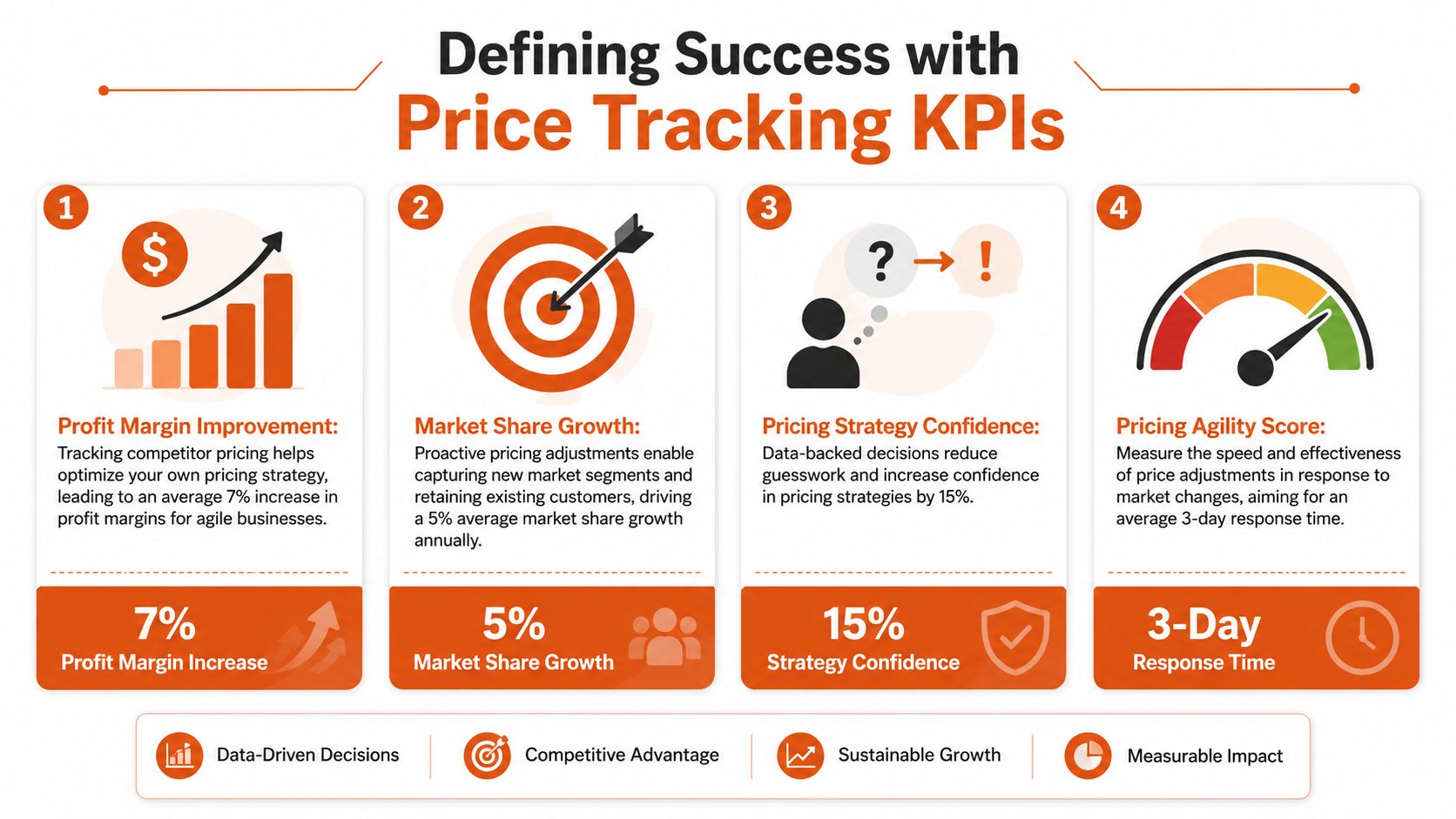
Use a dashboard that tracks signals like these:
- **Price index:** Your price relative to a selected competitor set or category baseline. This tells pricing leaders where they're positioned, not just what others charge.
- **Promotion frequency:** How often a competitor shifts into sale mode on matched products. Repeated short discounts tell a different story than stable everyday pricing.
- **Price change cadence:** Frequency and direction of changes by competitor, category, or SKU cluster.
- **Stock-aware competitiveness:** Whether you're expensive relative to sellers who are in stock and actively competing.
- **Coverage confidence:** Share of monitored products with strong matching confidence and valid latest observations.
> **Practical rule:** If a KPI can't support a pricing action, it belongs in an engineering ops dashboard, not an executive one.
The point is to distinguish monitoring from reflexive matching. A good system helps teams decide when to respond, when to hold price, and when a signal is noisy enough to ignore.
Later in the workflow, teams often pair extraction with change alerts. That's where APIs such as [Webclaw's change monitoring endpoint](https://webclaw.io/features/change-monitoring-api) fit. They're useful when the business wants to know not only the latest observed price, but exactly when a page changed and what field moved.
A quick visual walkthrough helps show how KPI design ties into operations:
### Build dashboards that preserve context
The common dashboard mistake is flattening everything into one table of latest prices. That destroys the context needed for decisions. A better layout uses separate views:
| Dashboard view | What it should answer |
|---|---|
| Executive summary | Where are we broadly overpriced or underpriced? |
| Category view | Which competitors are moving most often in this category? |
| SKU detail | Is this a clean match, a temporary promo, or a stock-driven anomaly? |
| Data quality panel | Can users trust the comparison enough to act? |
Keep the business and technical views distinct. Merchandising and pricing teams need interpretability. Engineers need freshness, extraction success, and matching confidence. Combining both into one screen usually helps neither audience.
## Comparing Data Collection Approaches
There are only a few ways to collect competitor price data, but significant differences show up in maintenance burden, freshness, and control over quality. Teams usually choose between manual review, third-party feeds, or web scraping.
### The trade-offs are operational, not theoretical
Manual collection looks cheap until the catalog expands. Data feeds look attractive until they don't cover the sites or fields you need. Scraping gives control, but only if you're willing to own extraction logic and breakage.
Here's the practical comparison.
| Method | Scalability | Data Freshness | Maintenance | Cost |
|---|---|---|---|---|
| Manual checking | Low | Low to moderate | High human effort | Low direct spend, high labor cost |
| Third-party data feeds | Moderate to high | Depends on provider cadence | Moderate vendor management | Moderate to high vendor cost |
| Web scraping APIs or in-house scraping | High | High if scheduled correctly | Moderate to high technical maintenance | Variable, tied to infrastructure and volume |
Manual checking still has a place for narrow catalogs, edge-case validation, or executive spot checks. It does not work as the primary collection layer once you care about historical movement, broad SKU coverage, or multiple marketplaces.
Feeds are useful when the provider has dependable access to relevant catalogs and already solves product mapping well in your vertical. Their weakness is rigidity. If you need a hidden price component, a specific promotion banner, or a custom extraction rule, you depend on the vendor roadmap.
Scraping is what teams choose when they need control. You define target pages, extraction fields, schedules, geographies, and retry logic. You also inherit rendering issues, anti-bot problems, changing templates, and the need to validate output continuously.
### When each method fits
A simple decision framework usually works better than abstract architecture debates.
- **Use manual checking** when the catalog is small, the stakes are limited, and you need a temporary process while validating use cases.
- **Use feeds** when a vendor already covers your target sources well and your team values operational simplicity over deep customization.
- **Use scraping** when you need broad market coverage, custom fields, or faster adaptation than a vendor can offer.
For teams building custom pipelines, a scraping interface such as [Webclaw's scrape API](https://webclaw.io/docs/api/scrape) is one path to avoid maintaining every browser, parser, and anti-bot layer internally.
> Don't choose a collection method by asking which one is “most advanced.” Choose the one that gives the business sufficient freshness and sufficient control at an acceptable maintenance cost.
One more warning. Collection method and data quality are not the same thing. A pristine scraper that pulls the wrong product is still a bad system. That's why architecture and matching deserve separate attention.
## Building a Scalable Price Tracking Architecture
The moment a team moves from dozens of pages to broad catalog coverage, architecture starts deciding outcome. A production price tracking system isn't one scraper. It's a coordinated pipeline that schedules fetches, handles rendering, extracts structured fields, stores snapshots, and triggers alerts without overwhelming target sites or your own infrastructure.
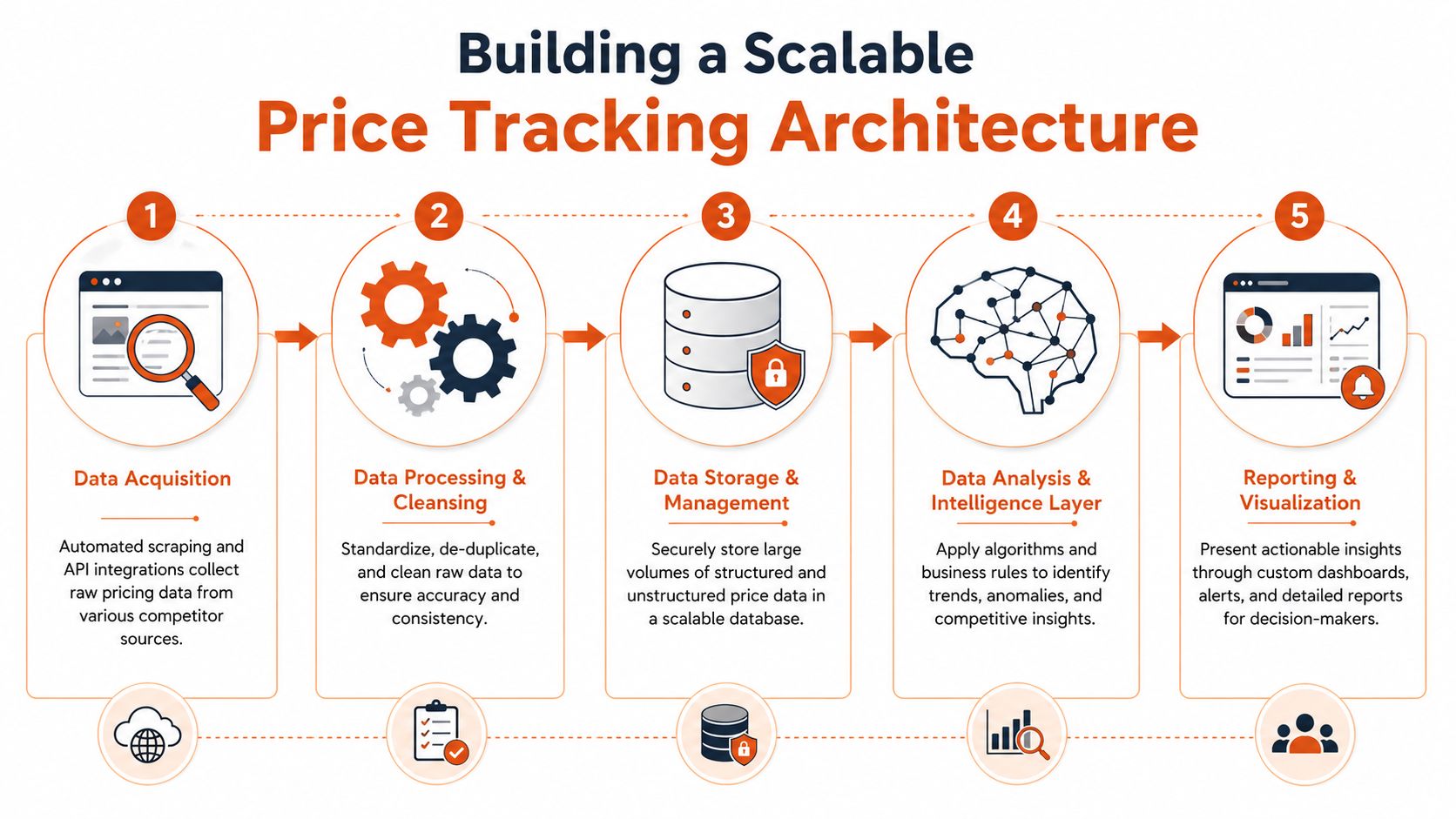
One industry example describes monitoring **1,000+ SKUs across 6+ competitors every 30 minutes** while reducing manual work by **90%**, and notes that reliable systems must handle client-side JavaScript rendering, pagination, and rate limits because simple fetchers often fail on modern storefronts, as described in [GroupBWT's overview of competitor price monitoring](https://groupbwt.com/blog/competitor-price-monitoring/).
### The pipeline components that matter
At a minimum, the architecture needs these layers:
1. **Target registry and scheduler**
Store product URLs, competitor mappings, market or locale, crawl priority, and refresh cadence. The scheduler shouldn't treat every page equally. Best sellers, volatile categories, and promotional windows need different priority.
2. **Acquisition workers**
Some pages can be fetched directly. Others need full browser rendering because the price is injected through JavaScript, hidden behind interaction, or loaded after initial page paint.
3. **Proxy and geo layer**
Price and stock can vary by region. The system has to request from the right geography and distribute load sensibly to reduce blocks and false observations.
4. **Extraction layer**
Convert a rendered page into fields such as current price, original price, sale flag, stock state, shipping indicator, seller identity, and timestamp. This is where selectors, schema extraction, and fallback rules matter.
5. **Snapshot storage**
Save raw page evidence plus normalized extracted output. If you only keep the latest value, you lose auditability and historical pattern analysis.
6. **Change detection and alerting**
Trigger on meaningful changes. A clean system distinguishes a price move from cosmetic page churn.
### Design for failures first
Most breakage doesn't come from your code being “wrong.” It comes from target sites changing their structure, adding bot defenses, delaying content until the browser executes scripts, or splitting price data across multiple DOM states.
That's why failure handling should be explicit:
- **Retry by failure class:** Timeout, block page, render failure, selector miss, and parse error should not all use the same retry path.
- **Separate fetch from parse:** Store the page artifact first, then run extraction. That makes debugging much faster.
- **Add template monitoring:** If extraction starts failing for one retailer template, quarantine affected jobs before they poison the dashboard.
- **Version your parsers:** Retail sites redesign often. Parser versioning keeps historical interpretation stable.
A cloud execution layer such as [Webclaw Cloud](https://webclaw.io/docs/cloud) can cover browser rendering and difficult target retrieval, but the broader architectural responsibility still sits with your team. You need queueing discipline, storage design, observability, and quality gates around every stage.
> A price tracking system should fail visibly, not silently. Silent failure is how stale data turns into pricing policy.
## Turning Raw Data into Actionable Intelligence
Raw extraction is only the start. What lands in storage is usually inconsistent, incomplete, and not yet comparable. Two pages can describe the same product with different titles, different units, different promotion language, and different implied final cost.
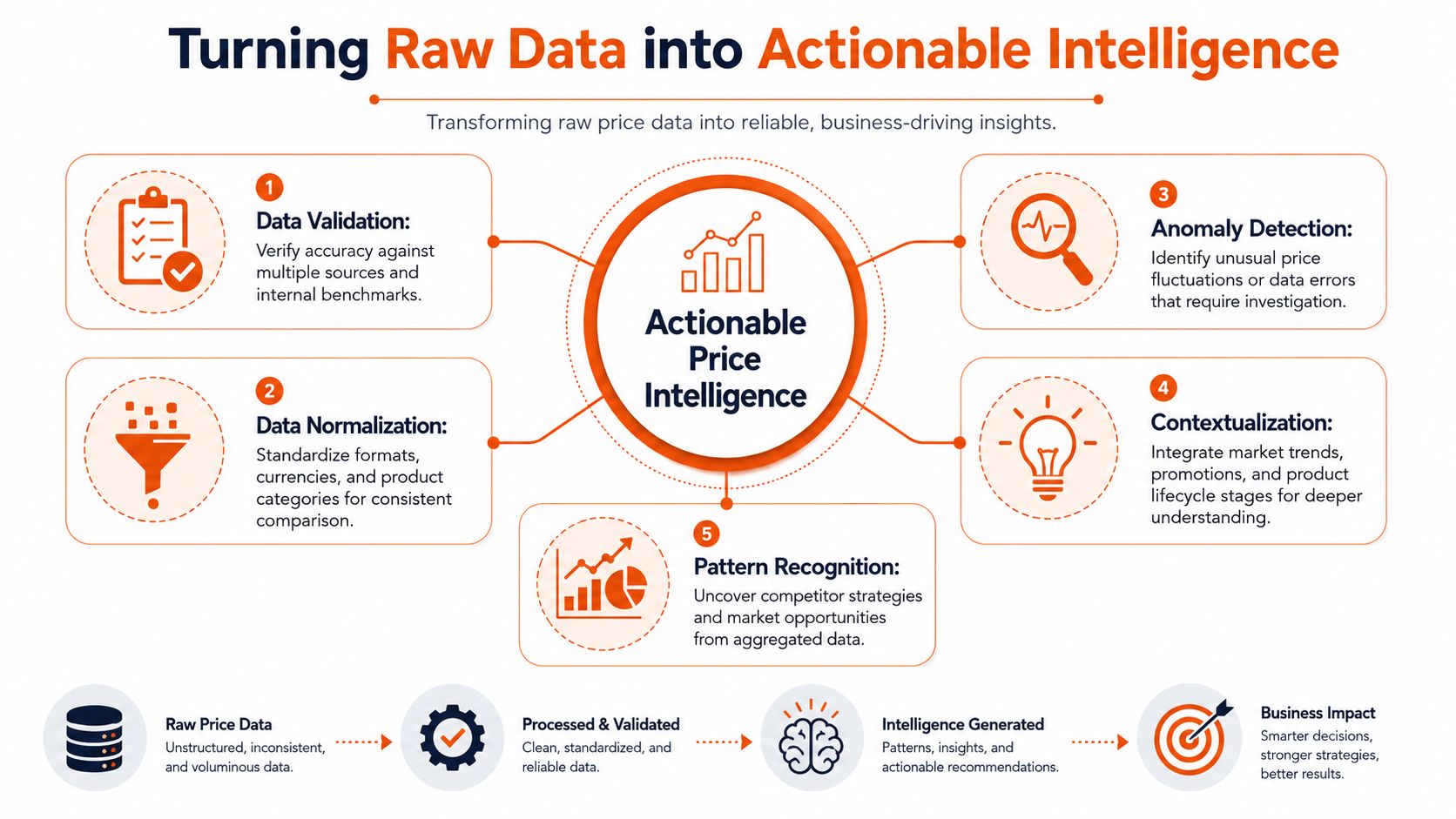
That's why competitor price tracking is often a **data-quality problem**, not just a price problem. The hardest part is accurate product matching across SKUs, and incorrect matches can lead to misleading alerts and margin-eroding decisions, as explained in [Profitmind's guide for enterprise retailers](https://www.profitmind.com/resources/competitive-price-monitoring-for-enterprise-retailers-what-the-best-operations-get-right).
### Normalization comes before analytics
Before anyone computes price index or promotion rates, the pipeline should standardize what “price” means.
That usually includes:
- **Unit normalization:** A pack of two isn't comparable to a single unit.
- **Currency normalization:** Multi-market monitoring needs a common analytical representation.
- **Promotion parsing:** “Buy more save more,” member pricing, and crossed-out list prices need separate fields.
- **Availability interpretation:** Out of stock, backorder, preorder, and marketplace seller churn shouldn't be lumped together.
If you skip this work, the dashboard will look precise while being wrong in the ways that matter most.
### Product matching decides whether the system is trustworthy
Matching is where most naive builds break. UPCs and GTINs help when they exist and are accurate. In practice, they're often missing, inconsistent, or absent on competitor pages. Then the system has to rely on a combination of title similarity, brand, model number, pack size, attributes, and sometimes image-based clues.
The right pattern is layered matching:
| Matching layer | Use case |
|---|---|
| Exact identifiers | Fast path when UPC, GTIN, or manufacturer part number aligns |
| Attribute rules | Brand, size, color, quantity, variant filtering |
| Similarity scoring | Title and description comparison with weighted fields |
| Human review queue | Ambiguous or high-value items where confidence is too low |
Confidence scoring matters. So does exception handling. A useful system doesn't force every candidate into a yes or no match. It allows “uncertain” and routes those records differently.
For teams using language models downstream, summarization can help explain anomalies or page differences for analysts. A page-to-summary workflow such as [Webclaw's summarize API](https://webclaw.io/docs/api/summarize) can be useful for internal review, especially when a page contains confusing promotional text around the displayed price.
> The business should only automate pricing actions on records the data pipeline can defend.
That line sounds conservative, but it prevents the classic failure mode: a machine compares near-duplicates, flags a fake undercut, and the pricing team gives margin away on the wrong basis.
## Best Practices for Frequency and Legal Compliance
A lot of teams overfocus on extraction code and underfocus on operating policy. That creates two common failures. They crawl everything at the same cadence, and they treat compliance as an afterthought.
### Set cadence by category behavior
Refresh rate should follow market velocity, not engineering convenience. According to [PriceShape's explanation of competitor price monitoring](https://priceshape.com/solutions/competitor-price-monitoring), fast-moving consumer goods may require **hourly** updates, while durable goods might only need **daily** checks. The operational point is simple: refresh quickly enough to catch promotions and price drops before they distort your own conversion and margin outcomes.
A good cadence policy usually looks like this:
- **High-velocity categories:** Check more frequently during trading hours or active campaign periods.
- **Stable categories:** Use a slower baseline schedule and increase only during promotional events.
- **Strategic SKUs:** Give best sellers and price-sensitive anchor products priority over long-tail items.
- **Exception-based boosts:** If a competitor starts changing often, temporarily increase frequency for that set.
### Treat compliance as part of system design
Legal review depends on jurisdiction and context, so teams should involve counsel early. From an engineering standpoint, a few operational rules are essential:
- **Respect published access expectations:** Review robots directives and the site's public terms before scaling collection.
- **Control request rate:** Don't hammer target infrastructure. Good scheduling is part of responsible access.
- **Avoid deceptive access patterns:** Don't create brittle workflows that rely on impersonation or questionable account behavior.
- **Keep audit trails:** Store when, where, and how data was collected so legal and security teams can review process, not guess at it.
The best long-term systems are boring in this respect. They collect public data carefully, at a measured pace, with enough observability to prove what happened.
## Frequently Asked Questions
### Is scraping competitor prices legal
It depends on jurisdiction, site terms, access method, and what data is being collected. Publicly accessible data is generally lower risk than gated content, but legal review should happen before you scale. Engineering teams should design for restraint, traceability, and documented collection practices.
### What about prices hidden behind logins
That's a separate risk tier. Once pricing is gated, your legal and security teams need to review both access rights and acceptable collection methods. From a systems standpoint, don't blur public monitoring and authenticated workflows into the same pipeline.
### Can AI help with competitor price tracking
Yes, but mostly in supporting roles. AI can help classify promotion language, explain page changes, assist with product matching review, and summarize noisy content. It does not remove the need for deterministic extraction, strong schema design, or confidence scoring.
### What's the difference between price monitoring and dynamic pricing
Price monitoring collects and interprets competitor signals. Dynamic pricing uses those signals, along with your own business rules, to change prices automatically. They're related, but they're not the same system and shouldn't share the same risk tolerance.
### What's the first thing to build
Start with a narrow slice: a defined competitor set, a controlled list of important SKUs, structured extraction, snapshot storage, and a human-reviewed matching workflow. Broad coverage too early usually creates a large volume of low-trust data.
---
If you're building competitor price tracking and need a reliable extraction layer for hard retail pages, [Webclaw](https://webclaw.io) is one option to evaluate. It can extract structured page data, handle JavaScript-rendered storefronts, and compare snapshots for change detection, which fits the collection side of a price monitoring pipeline.
---
### Bypassing Web Blocks: Expert Strategies for 2026
URL: https://webclaw.io/blog/bypassing-web-blocks-2026
Published: 2026-06-11
Author: Massi
Bypassing web blocks in 2026 is an architecture decision, not a single trick. When raw HTTP is enough, when you need a headless browser, and when to buy a scraping API.
You send a request that works in Postman, then fails in production. You add proxy rotation. It still gets blocked. You switch to a headless browser, and now the page loads, but half the runs hang on a challenge page and the other half return an empty shell because the data only appears after a client-side fetch. That's the point where it becomes evident that bypassing web blocks isn't a single trick. It's an architectural choice.
The mistake is treating every target the same. A product catalog with stable HTML, a React storefront behind Cloudflare, and a logged-out news site with aggressive bot heuristics need different stacks. If you start with the wrong architecture, you spend months tuning around a mismatch instead of solving the actual problem.
The useful question isn't “how do I bypass this block?” It's “what level of browser, network, and maintenance complexity does this target justify?” That framing changes everything. It helps you decide when raw HTTP is enough, when you need full browser automation, and when operating your own stack stops making economic sense.
## Understanding the Modern Web Blocking Landscape
Simple IP blocking still exists, but it's no longer the main story. Modern defenses score traffic across layers: network reputation, request structure, browser behavior, storage state, JavaScript execution, and interaction patterns. If your mental model is still “I'll rotate proxies and swap user agents,” you're debugging the wrong system.
### Why IP rotation stopped being enough
WAFs such as Cloudflare, AWS WAF, Azure WAF, Google Cloud Armor, and ModSecurity don't just inspect whether a request came from a “good” or “bad” address. They inspect whether the whole request looks like something the protected application expects. That includes headers, cookie progression, fetch timing, and whether JavaScript completed the page's anti-bot flow.
Some blocks are explicit. You get a challenge page, a CAPTCHA, or a hard deny. The harder failures are quiet. The server returns a normal status code with a degraded page, missing data, poisoned markup, or a script that never reveals the content.
> **Practical rule:** If the page renders for a real browser but your scraper gets partial content, assume layered detection before assuming parser bugs.
Teams also underestimate how many controls now sit above DNS and basic network policy. The rise of **DNS-over-HTTPS** moved name resolution into encrypted HTTPS traffic, which can bypass DNS-based filtering in some environments. CurrentWare describes how browsers with DoH support can route around DNS web filters and notes Firefox's `use-application-dns.net` canary-domain mitigation in managed environments, which is a good reminder that blocking has shifted from pure network controls toward browser policy, endpoint control, inspection, and traffic analysis in practice ([CurrentWare on DoH and web filter bypass methods](https://www.currentware.com/blog/how-employees-bypass-web-filters/)).
### How request shape became a detection surface
A lot of engineers think bypasses come from changing the payload. Sometimes they come from changing everything around the payload. An arXiv study found **1,207 unique bypasses** across five major WAFs by fuzzing parsing discrepancies in non-malicious request components such as header structure, XML namespaces, and multipart boundaries, rather than changing the attack payload itself ([arXiv paper on WAF parsing discrepancy bypasses](https://arxiv.org/html/2503.10846v4)).
That matters beyond security research. It tells you why “works in browser, blocked in script” can happen even when your URL, cookies, and body are correct. The WAF and backend may parse the same request differently. Your scraper may be losing before the application code ever sees a normal request.
For practitioners, the takeaway is blunt:
- **Headers are part of the contract**. A minimal client that omits browser-like request context can fail even when the endpoint is public.
- **Session continuity matters**. If the site expects a sequence of requests, isolated fetches look suspicious.
- **Transport details leak identity**. The browser stack isn't just a rendering engine. It's part of your fingerprint.
If you're diagnosing that kind of failure, a structured workflow helps more than random tweaks. A [Cloudflare scraping diagnostic checklist](https://webclaw.io/blog/cloudflare-scraping-diagnostic-checklist) is useful because it forces you to separate IP reputation problems from JavaScript challenges, cookie state issues, and browser-fingerprint mismatches.
## Choosing Your Scraping Architecture
A scraper that works in a one-off test can still fail in production because the architecture is wrong for the target. The real decision is not which bypass trick to try first. It is which execution model gives you the highest success rate at an acceptable operating cost.
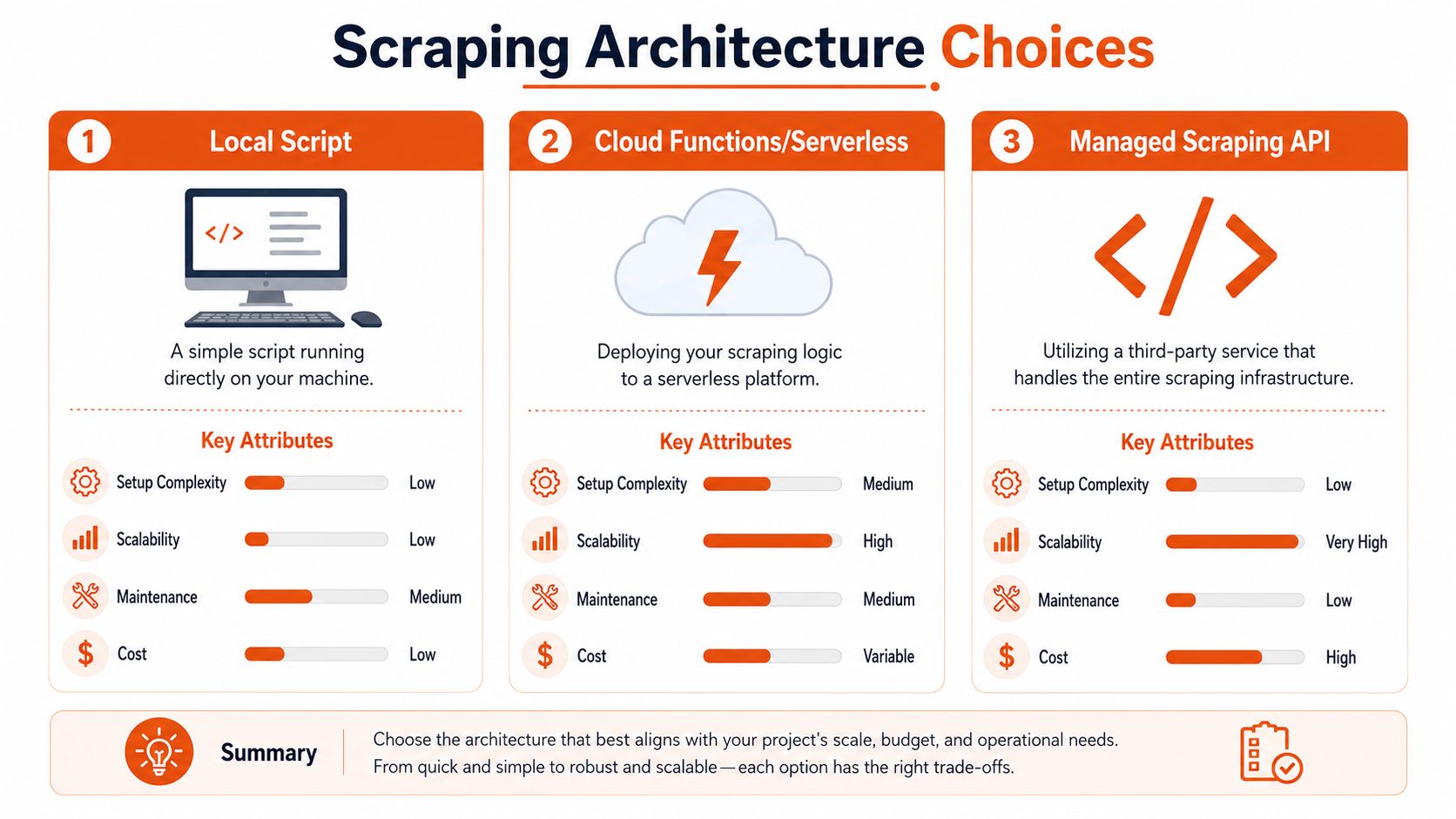
A common failure pattern is underbuilding for a JavaScript-heavy target, or overbuilding and paying browser overhead for pages that plain HTTP could fetch all day. Both mistakes hurt. One collapses your success rate. The other multiplies infrastructure cost, retry volume, and maintenance work.
### Raw HTTP when the site is simpler than it looks
Start with raw HTTP when the target returns useful HTML or predictable JSON without heavy client-side execution. `curl`, Python `requests`, `httpx`, Go `net/http`, and Node `undici` are fast, cheap, and easy to scale compared with a browser fleet.
This is the best fit when the site behavior is mostly deterministic.
| Target pattern | Raw HTTP fit | Main risk |
|---|---|---|
| Server-rendered pages | Strong | Basic rate limiting or cookie gating |
| Public JSON endpoints | Strong | Hidden anti-bot headers or token flow |
| Static documentation sites | Strong | Burst traffic causing throttling |
Use raw HTTP if you can replay the browser's request sequence with a small number of stable calls and get the same data. That usually means the browser is just a client shell, not a required runtime. In practice, this architecture wins on cost and throughput, and it is easier to debug because each failure sits at the request level instead of inside a full page session.
It also has a hard ceiling. If the target computes tokens in the browser, binds state to client-side execution, or only reveals data after scripted interaction, raw HTTP turns into a long series of brittle imitations.
### Headless browsers when the browser is the application
Some targets only make sense once you accept that the browser is part of the app. For React, Vue, Next.js, and similar front ends, Playwright, Puppeteer, or Selenium may be the simplest way to reproduce user flow.
A browser is usually the right choice when you need to:
- **Execute anti-bot JavaScript** before content is released
- **Trigger client-side navigation** across SPA routes
- **Preserve state across cookies, local storage, and in-page requests**
- **Interact with controls** such as infinite scroll, modal gates, or “load more” buttons
The trade-off shows up in operations. Browsers consume more CPU and memory. They introduce more timeout classes, more session cleanup problems, and more ways to fail halfway through a workflow. They also increase your fingerprinting surface, which means the maintenance burden is not just about rendering pages. It is about keeping the whole runtime believable and stable over time.
Use a browser because the target requires browser behavior, not because it feels safer than understanding the network calls.
### Managed Infrastructure for High-Reliability Scraping
There is a third path for teams that need dependable extraction without owning every layer of the stack. A managed service can handle request orchestration, rendering, proxy routing, anti-bot adaptation, and normalized output while your team stays focused on extraction logic and downstream use.
This option usually fits well when:
- **Your target mix is uneven**. Some pages work over HTTP, others require rendering or fallback logic.
- **Data delivery matters more than scraper infrastructure ownership**
- **Your team can write parsers but does not want to run browsers, proxies, and retries at scale**
- **You need stable output formats for search, analytics, or AI pipelines**
The main trade-off is control. You give up some low-level tuning in exchange for less operational drag. For many teams, that is the right deal. Infrastructure work accumulates fast once you are managing browsers, session pools, proxy health, observability, and failure recovery across multiple sites.
If you are deciding what to own versus what to outsource, [Webclaw's self-hosting documentation](https://webclaw.io/docs/self-hosting) is a useful reference because it shows the actual components you would need to run yourself. That makes the architecture boundary concrete instead of abstract.
The practical rule is simple. Match the architecture to the target's complexity and to your team's tolerance for ongoing maintenance. Raw HTTP gives the best efficiency when the site allows it. Browsers cover richer applications at a higher operating cost. Managed infrastructure reduces platform work when reliability and delivery deadlines are driving the decision.
## Strategies for Detection Avoidance and Politeness
The goal isn't to look invisible. The goal is to look consistent, low-impact, and unsurprising. Most bot defenses flag traffic that is internally contradictory long before they flag traffic that is merely automated.
### Look consistent before you try to look clever
A common mistake is randomization everywhere. Random user agents, random header order, random viewport sizes, random delays. That often produces a stranger fingerprint than a stable scraper would.
Do the basic things well:
1. **Keep header sets coherent**. If you claim to be Chrome, send the kind of requests Chrome would plausibly send for that flow.
2. **Preserve cookies across related requests**. Don't treat each page fetch as stateless unless the site does.
3. **Follow navigation logic**. If a detail page is normally reached from a listing page, jumping directly can change the site's risk score.
4. **Retry with intent**. A timeout, a soft block, and a malformed response should not all trigger the same retry behavior.
Researchers at UC San Diego reported that **UID smuggling** appeared in about **8% of the navigations** measured by their CrumbCruncher tool, showing that identifier-passing techniques that bypass privacy protections are embedded in ordinary browsing behavior, not just edge cases ([UC San Diego on UID smuggling in web navigations](https://today.ucsd.edu/story/UIDsmuggling)). For scraping, that's a reminder that session and identifier handling on the web is messy. If your bot drops state too aggressively or creates impossible state transitions, it stands out.
### Politeness is part of your bypass strategy
Aggressive scraping is usually self-defeating. It increases block rates, burns IPs faster, and creates exactly the behavioral signature detection systems are designed to catch.
Use a policy, not vibes:
- **Back off on friction signals**. If latency spikes, challenge pages appear, or responses degrade, reduce concurrency instead of brute-forcing.
- **Respect crawl boundaries**. `robots.txt` isn't the whole legal story, but it is a useful operational signal about what the operator expects automated access to touch.
- **Cache aggressively**. If a page or feed changes slowly, don't re-request it on every run.
- **Separate discovery from extraction**. A lightweight discovery pass can reduce repeated browser work on pages that haven't changed.
> **Operational advice:** The cleanest bypass is often fewer requests, better caching, and stricter scheduling.
If your target sits behind Cloudflare or similar protection, [this guide to bypassing Cloudflare bot protection for web scraping](https://webclaw.io/blog/bypass-cloudflare-bot-protection-web-scraping) is worth reading for the mechanics, but use that knowledge carefully. Solving a challenge once is not the same as building a stable, low-noise system that keeps working next month.
## Handling JavaScript-Rendered Content and SPAs
A lot of “scraping failures” are really rendering misunderstandings. You fetch the page and get HTML, but it contains almost no useful content because the application expects JavaScript to bootstrap the interface, fetch data, and paint the DOM after load.
### Why empty HTML is often a normal response
Single-page applications frequently serve a shell first. That shell may contain a root element, a few bundled scripts, and not much else. The actual product grid, article body, or reviews load later through API calls or client-side route transitions.
That changes the extraction model. You're not downloading a finished document. You're driving a program that eventually creates the document you want.
This is why scraper design often improves when you split the problem into two questions:
- Can I call the underlying data endpoint directly?
- If not, what browser event or network condition tells me the content is ready?
### What stable extraction looks like in a browser
Stable browser scraping is less about “wait five seconds” and more about waiting for the right evidence.
Use waits tied to application behavior:
- **Wait for a specific selector** that only appears when the target data has rendered.
- **Watch network activity** and identify the XHR or fetch response that carries the data.
- **Trigger the UI deliberately**. Click consent banners, open tabs, expand accordions, and paginate the way a real user would.
- **Extract from the final DOM or API response**, depending on which is more stable.
For SPAs, I usually prefer network interception when the payload is clean and the endpoint is stable. I switch to DOM extraction when the client heavily transforms the data, when auth tokens are short-lived, or when the browser state is part of access control.
A [JavaScript rendering API with browser fallback](https://webclaw.io/blog/javascript-rendering-api-browser-fallback-web-scraping) is useful here because it matches how many production systems operate: start lightweight, render when needed, and don't pay browser cost on every page if you don't have to.
## From DIY to Done When to Use a Scraping API
Build-versus-buy decisions usually get framed around feature lists. That's too shallow. The core question is whether scraping infrastructure is where you want your engineers spending time.

### The hidden cost is ongoing operations
A DIY scraper looks cheap when you count only the first successful run. It gets expensive when you include browser updates, proxy quality drift, challenge flow changes, parser maintenance, retry policy tuning, and all the alerting you need when extraction degrades unnoticed.
That's the point where a scraping API starts to make sense. Not because it's magical, but because it packages work you'd otherwise keep redoing across projects.
A managed API is often a better fit when:
- **Your application depends on consistent access**, not occasional best-effort scraping
- **The output needs to be normalized** into markdown, JSON, or clean text for downstream systems
- **Your team has product deadlines** that matter more than owning anti-bot infrastructure
- **Blocked targets are only part of a broader retrieval pipeline**
### What gets abstracted away
The useful abstraction isn't just “fetch this URL.” It's “fetch this URL using the minimum viable complexity needed to get complete content.” That can include retries, rendering, proxy handling, and content cleanup.
One option in that category is Webclaw, which exposes a scraping API for URL extraction and can return formats like markdown, JSON, plain text, HTML, and LLM-oriented output while handling JavaScript-rendered pages and hard-to-fetch targets. If you want to see the request shape directly, the [scrape API documentation](https://webclaw.io/docs/api/scrape) shows the contract clearly.
> Buy when scraping infrastructure keeps stealing time from the system you actually meant to build.
If scraping is core IP for your business, DIY may still be right. If scraping is a dependency for search, AI retrieval, monitoring, or market data enrichment, managed infrastructure is often the cleaner engineering call.
## Navigating the Legal and Ethical Tightrope
Bypassing web blocks is not just a technical problem. It's a permission, privacy, and risk problem. A lot of teams convince themselves they're safe because the data is public and the page loads in a browser. That's too narrow.
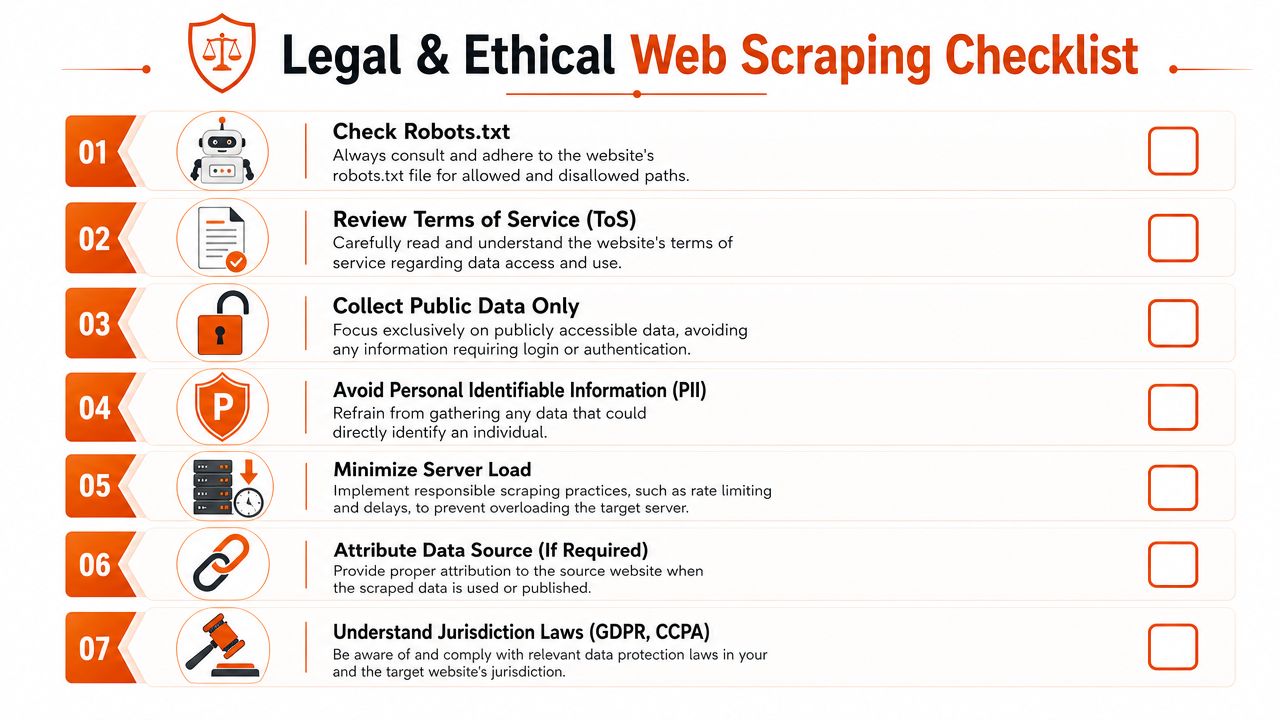
### Public access is not the same as unrestricted use
A publicly reachable page can still come with Terms of Service restrictions, copyright implications, and privacy obligations. The risk increases when you collect user-generated content, profile data, or any information that can identify a person.
That's why `robots.txt` is only one signal. It tells you something about crawl preference. It doesn't answer whether you should collect the data, how you can store it, whether you can republish it, or what happens when the site changes its terms.
WCAG's guidance on **bypass blocks** is a good example of why language matters here. In accessibility, bypass blocks means mechanisms like skip links, landmarks, headings, or region links that help users move past repeated page content. That is a completely different concept from bypassing network or anti-bot controls ([WCAG understanding bypass blocks](https://www.w3.org/WAI/WCAG21/Understanding/bypass-blocks)). Mixing those meanings leads to bad policy conversations and bad engineering assumptions.
Later in your review, it helps to compare that with [Silktide's explanation of the distinction between accessibility bypass blocks and filtering bypass](https://silktide.com/accessibility-guide/the-wcag-standard/2-4/navigable/2-4-1-bypass-blocks/), especially if your stakeholders are conflating product accessibility work with web-filter evasion language.
### A practical risk filter
Use a simple checklist before you scrape:
- **Access boundary**. Is the data public, or does it sit behind login, paywall, or account-specific state?
- **Data sensitivity**. Does the page expose personal data, even if technically public?
- **Use case**. Are you analyzing, indexing, enriching, or republishing?
- **Operational impact**. Could your collection load disrupt the target?
- **Jurisdiction**. Do privacy or consumer data rules affect collection, storage, or downstream use?
This video is a useful general prompt for responsible thinking before you ship an extractor:
Ethics here isn't abstract. It's applied risk management. The teams that stay out of trouble aren't just better at bypassing web blocks. They're better at deciding when not to.
## Conclusion A Framework for Responsible Access
The right approach depends on target complexity and on how much maintenance your project can absorb.
Use **raw HTTP** when the site gives you stable server-rendered HTML or predictable public endpoints. It's the fastest option and the easiest to operate. But it only works when the target is simple.
Use a **headless browser** when the browser is part of access. That includes client-rendered apps, JavaScript challenges, stateful navigation, and interactions that reveal content. You gain realism, but you also inherit more failure modes.
Use a **managed scraping API** when reliability, normalization, and team focus matter more than owning the stack. That's usually the right move once blocked sites become a recurring dependency instead of a one-off engineering task.
A practical decision path looks like this:
1. **Probe with HTTP first** and inspect what comes back.
2. **Escalate to browser automation** if the page depends on rendering or challenge execution.
3. **Stop building in-house** when the ops burden starts outgrowing the value of direct control.
That's the core lesson behind bypassing web blocks in production. Success rarely comes from one clever trick. It comes from choosing the right layer of abstraction, keeping your traffic consistent, and treating access as a systems problem instead of a scripting problem.
Long-term reliability comes from restraint as much as technique. Fetch less. Cache more. Render only when necessary. Respect boundaries. Build for change, because the target will change.
---
If you need a practical way to extract blocked or JavaScript-heavy pages into clean model-friendly output, [Webclaw](https://webclaw.io) is worth evaluating as part of your stack. It's built for teams that need web data in formats like markdown, JSON, or plain text without spending their engineering cycles on scraper infrastructure.
---
### How to Convert HTML to Markdown: The Complete 2026 Guide
URL: https://webclaw.io/blog/convert-html-to-markdown-2026-guide
Published: 2026-06-09
Updated: 2026-09-08
Author: Massi
Convert HTML to Markdown the right way: Pandoc for local files, Turndown and markdownify in code, and a URL-to-Markdown API for JavaScript-rendered pages.
You probably have one of three problems right now.
You exported a pile of HTML from a CMS and need Markdown for a docs site. You scraped a page and got a blob full of wrappers, inline styles, and tracking junk. Or you're trying to convert a live URL and discovering that the HTML you fetched isn't the page your browser shows.
That last case is where most advice falls apart. Converting static HTML files to Markdown is a solved problem. Converting modern, JavaScript-rendered pages into clean Markdown is a different class of problem, and it needs a different toolchain.
## Why Converting HTML to Markdown Is Tricky
You export a clean-looking page, run it through an HTML to Markdown converter, and get a mess. Headings collapse into plain text. Navigation leaks into the article body. Buttons, tabs, and callouts turn into awkward link lists or disappear entirely.
The core problem is simple. HTML and Markdown solve different jobs.
Markdown is built for document structure. HTML often mixes document structure with layout wrappers, styling hooks, analytics attributes, embedded components, and CMS output that was never meant to become readable source text. A converter has to decide what is content, what is decoration, and what to drop. That decision is where quality is won or lost.
I treat conversion as a content extraction problem first, and a syntax conversion problem second. That approach avoids a common mistake: judging the source by how it looks in a browser instead of how it is marked up. A page can look minimal and still be full of nested `` tags, pasted rich text, duplicated mobile elements, and brittle class names that mean nothing outside the original site.
Static HTML files are the easy case. If the full article is already present in the file, tools can usually map headings, paragraphs, lists, links, images, and code blocks into decent Markdown with predictable cleanup afterward.
Live pages are a different class of problem. Many modern sites ship an initial HTML shell and fill the actual content in with JavaScript after load. A plain fetch gives you placeholders, script tags, hydration blobs, and empty containers. The converter is not failing. It never received the article. If that pattern sounds familiar, it is the same scraping failure described in this post on [JavaScript rendering with browser fallback for web scraping](https://webclaw.io/blog/javascript-rendering-api-browser-fallback-web-scraping).
That gap matters more than people expect.
For practical planning, split HTML to Markdown work into three buckets:
- **Local static files** where the content already exists in the markup
- **Application HTML strings** where you control preprocessing and conversion rules
- **Live URLs** where rendering, extraction, and conversion have to work together
Pick the wrong bucket and the output looks broken for reasons the converter cannot fix. That is why a tool that works well on exported files often falls apart on modern, JavaScript-rendered pages.
## Fast Conversions with Command-Line Tools
A folder full of exported `.html` files is the cleanest HTML to Markdown job you will get. The content is already on disk, the structure is fixed, and a CLI can turn a manual cleanup project into a repeatable batch step.
Pandoc is still the default tool here because it handles real documents well, not just toy snippets. It supports multiple Markdown targets, writes directly to files, and fits naturally into shell scripts, cron jobs, and CI pipelines. An older walkthrough on R-bloggers shows the basic pattern of converting HTML straight to a Markdown file with Pandoc, which is still the core workflow many teams use today ([Pandoc HTML to Markdown example](https://www.r-bloggers.com/2018/12/rstudio-pandoc-html-to-markdown/)).
### When Pandoc is the right answer
Use Pandoc if the job looks like content migration, not web scraping.
It works best when:
- **The source files are already local** and contain the actual article body
- **You need repeatable output** across dozens or hundreds of files
- **You want conversion in scripts or CI** without adding application code
- **You can tolerate some post-conversion cleanup** for tables, odd inline HTML, or messy CMS exports
For shell-first workflows that also need extraction and conversion from the command line, Webclaw provides a [CLI for scripted scraping and Markdown conversion](https://webclaw.io/docs/cli).
### Single file conversion
For one file, keep the command simple:
```bash
pandoc input.html -t gfm -o output.md
```
`-t gfm` targets GitHub Flavored Markdown, which is a sensible default for docs repos, knowledge bases, and static site workflows. If the destination parser is stricter, switch formats early instead of cleaning up flavor mismatches later.
Review the output every time the source contains tables, embeds, copied editor markup, or layout HTML mixed with content. Pandoc is good at translating document structure, but it cannot guess which parts of a bad source file were presentational clutter and which parts were meant to survive.
### Batch conversion for folders
Command-line tools prove their worth.
On Unix-like systems, a basic loop covers the common case:
```bash
for f in *.html; do
filename="${f%.html}"
pandoc "$f" -t gfm -o "$filename.md"
done
```
If the export includes nested directories, use `find`:
```bash
find . -name "*.html" | while read -r f; do
filename="${f%.html}"
pandoc "$f" -t gfm -o "$filename.md"
done
```
A Windows batch version follows the same pattern:
```bat
for /r %%f in (*.html) do pandoc "%%f" -t markdown -o "%%~dpnf.md"
```
These commands are boring in the best way. They are easy to rerun, easy to diff, and easy to drop into a migration script. That matters more than cleverness when you are converting an archive and need the second run to behave exactly like the first.
Here's a quick walkthrough if you want to see the terminal flow before scripting it:
> Don't hand-edit hundreds of exported pages unless you have no other option. Batch conversion gets you to a reviewable baseline much faster.
The main limitation is not speed. It is input quality. CLI converters are strong when the file already contains the full rendered content. They break down on modern sites where the HTML response is only a shell and JavaScript fills in the article later. In that case, the conversion step is fine. The missing piece is rendering and extraction before conversion even starts.
## Integrating Conversion with Code Libraries
Once conversion moves inside an application, libraries are a better fit than shell commands.
This is the right layer when you're fetching HTML from another service, receiving fragments from a CMS, or converting content as part of a pipeline. The advantage isn't just convenience. You get hooks for preprocessing, custom rules, and downstream logic in the same runtime.
Modern tooling has also become more language-friendly. The `html-to-markdown` project describes itself as a high-performance, CommonMark-compliant converter powered by Rust and says it ships native bindings for **16 languages and runtimes** including Rust, Python, TypeScript/Node.js, Ruby, PHP, Go, and Java ([html-to-markdown language bindings on GitHub](https://github.com/kreuzberg-dev/html-to-markdown)).
### Node.js with Turndown
In Node.js, `turndown` is the library many developers reach for first because it's easy to plug into existing code.
```js
const TurndownService = require('turndown');
const turndownService = new TurndownService();
const html = `
Example
This is HTML.
`;
const markdown = turndownService.turndown(html);
console.log(markdown);
```
That works well for clean HTML snippets. It gets more interesting when you add rules for elements your content relies on, such as task lists or special code wrappers.
Turndown is also useful as a reminder of where basic conversion stops. Its implementation examples and plugin ecosystem point toward the same reality: preserving tables, task lists, and other richer structures often requires custom rules or plugins, because the default conversion path doesn't preserve every semantic detail.
### Python with markdownify style workflows
In Python, the pattern is similar. Take HTML as input, convert it in memory, then hand the Markdown to the next step in your system.
```python
from markdownify import markdownify as md
html = """
Release Notes
- Added export support
- Fixed table rendering
"""
markdown = md(html)
print(markdown)
```
The useful part isn't the conversion call itself. It's that you can place validation around it:
- sanitize incoming HTML
- strip scripts and irrelevant wrappers
- preserve selected tags
- test output against your own formatting rules
If you're building Python ingestion pipelines around live web content, SDK-based access matters too. That's where a hosted extraction layer can fit behind your application code, and Webclaw provides a [Python SDK for programmatic scraping workflows](https://webclaw.io/docs/sdks/python).
### Where libraries fit well
Libraries are the sweet spot for app-level conversion, but only when the input HTML is already trustworthy.
They're strong for:
- **CMS exports in memory**
- **email or rich text normalization**
- **Slack bots or internal tools** that process pasted HTML
- **post-fetch cleanup** after another system has already rendered the page
They're weak for:
- **single-page apps**
- **pages that require JavaScript to populate content**
- **URLs that block basic fetchers**
- **sites where the main article must be extracted from navigation and boilerplate first**
> A converter library can transform HTML you already have. It can't fetch the content a browser had to render before the HTML became meaningful.
That boundary matters. A lot of teams keep trying to fix rendering failures with better conversion rules. The problem is earlier in the pipeline.
## Comparing HTML to Markdown Methods
Different methods fail in different ways. That's why arguments about the "best" way to convert HTML to Markdown usually go nowhere.
If you're converting a local export from an old CMS, Pandoc is usually enough. If you're converting snippets inside an app, libraries are cleaner. If you're trying to turn a live article URL into readable Markdown at scale, you need a scraping pipeline that can render, extract, and convert.
### HTML-to-Markdown Method Comparison
| Criterion | CLI Tools (e.g., Pandoc) | Code Libraries (e.g., Turndown) | Scraping API (e.g., Webclaw) |
|---|---|---|---|
| Best input type | Local HTML files | HTML strings inside apps | Live URLs |
| Setup effort | Low for one-off use | Moderate, depends on app stack | Moderate, depends on API integration |
| Batch processing | Strong | Strong if you build the loop | Strong if the API supports bulk workflows |
| Control over rules | Limited to tool options and filters | High, especially with custom rules | Usually higher-level than libraries |
| JavaScript-rendered pages | Poor | Poor unless paired with a browser renderer | Strong when rendering is built in |
| Output cleanup needed | Moderate on messy content | Moderate to high on messy content | Lower when extraction removes boilerplate first |
| Good for migrations | Yes | Sometimes | Yes, especially from live sites |
| Good for production ingestion | Sometimes | Yes, for controlled inputs | Yes, for live web content |
A simple decision rule works well in practice:
- **Use CLI tools** when you have files on disk and want speed.
- **Use libraries** when conversion is one step inside a broader application.
- **Use a scraping API** when the source is a URL on the open web and reliability matters more than raw control.
The key trade-off isn't convenience. It's whether the method can see the same document a user sees in the browser.
## Advanced Challenges in HTML Conversion
A conversion pipeline usually looks fine in a demo. Then it hits a real page from a CMS, docs platform, or modern frontend app and starts dropping structure.
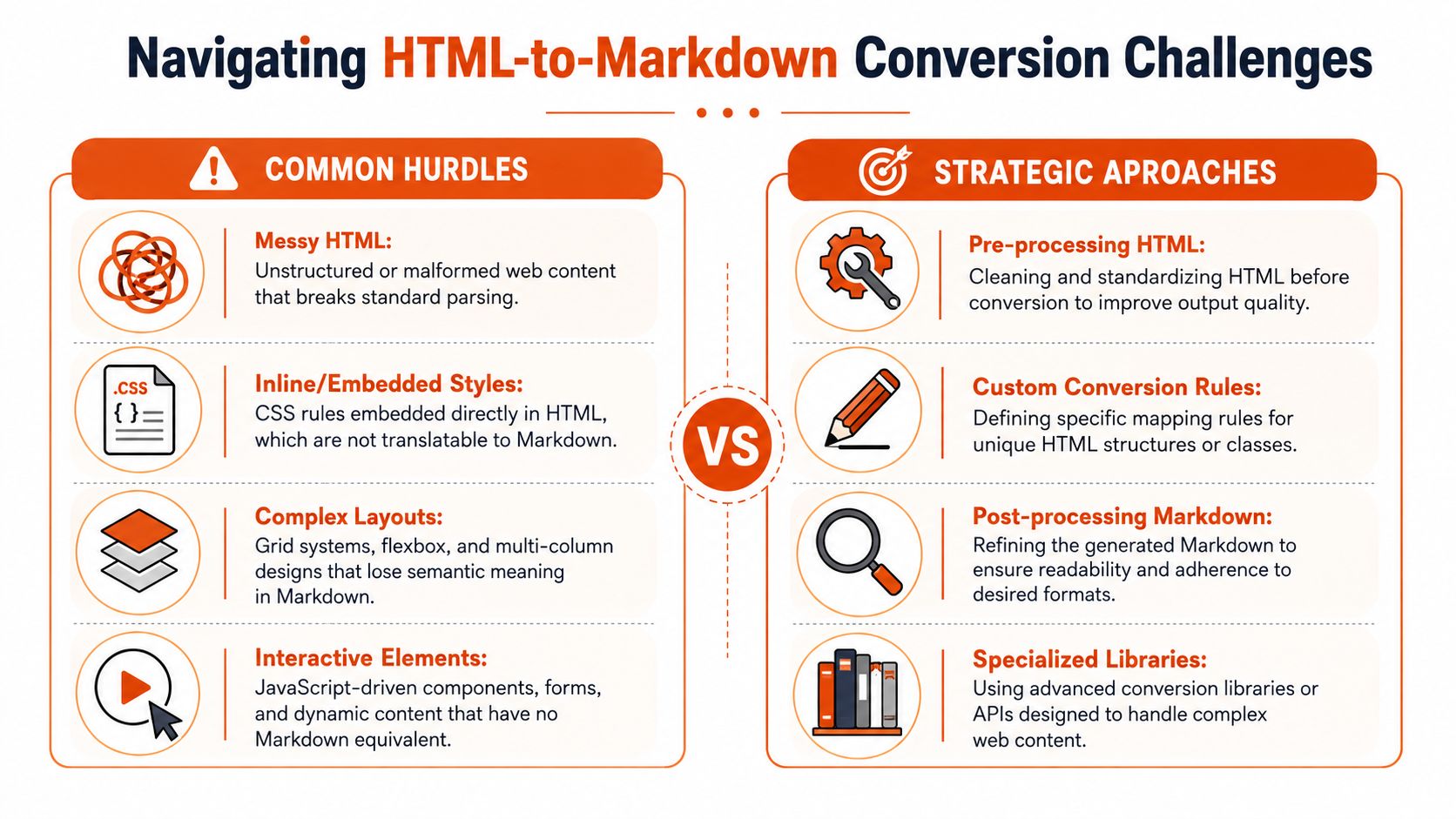
### Where fidelity breaks first
The hard part is not converting `` to `#`. The hard part is preserving meaning once the HTML gets messy.
Real input includes nested lists inside alerts, syntax-highlighted code blocks split across multiple wrappers, tables with merged cells, and UI-driven markup where classes carry semantics that Markdown cannot express. The converter still produces output, but the output can stop being trustworthy. That matters in docs migrations, knowledge base ingestion, and any workflow where people expect the Markdown to remain editable.
A few failure modes show up repeatedly:
- **Complex tables** flatten into paragraphs or broken pipe tables.
- **Nested lists** lose depth, numbering, or parent-child relationships.
- **Code blocks** keep text but lose language hints, indentation, or callout formatting.
- **Inline semantics** disappear when classes or attributes represented status, warnings, or domain-specific meaning.
Turndown is a good example of the trade-off. It gives developers room to add rules and plugins for edge cases, which is often the only way to keep difficult structures intact on controlled inputs ([Turndown repository with custom rule and plugin patterns](https://github.com/mixmark-io/turndown)).
Sometimes the right answer is to stop forcing a pure Markdown result. Dries Buytaert makes that point clearly. If Markdown cannot represent a fragment without mangling it, keep that fragment as HTML inside the document ([why unsupported markup can remain as HTML](https://dri.es/switching-to-markdown-after-20-years-of-html)).
That compromise works well in production. Clean Markdown for the parts Markdown handles well. Literal HTML for the parts it does not.
### Static HTML and live pages fail in different ways
Static files usually fail on representation. Live pages fail earlier, at acquisition.
With a local HTML file, the converter at least sees the document you intend to convert. The job is to map tags and preserve structure. With a live URL, the initial response may be an app shell, a placeholder, or a half-rendered tree that only becomes meaningful after JavaScript runs. A traditional converter can process that HTML perfectly and still return useless Markdown.
That gap trips up teams building LLM ingestion and content pipelines. The problem is no longer just syntax conversion. It becomes fetch, render, extract, and then convert. That is why practical [HTML to Markdown workflows for LLM pipelines](https://webclaw.io/blog/html-to-markdown-for-llms) treat rendered page state and content extraction as first-class concerns.
Even after rendering, another failure shows up. The browser sees everything. Navigation, cookie banners, sidebars, share widgets, related posts, hidden tabs, and footer boilerplate all compete with the article body. If extraction is weak, the Markdown is technically complete but operationally noisy.
For static files, custom conversion rules usually solve the worst problems. For live pages, fidelity depends on upstream decisions about rendering timing, DOM selection, and boilerplate removal before Markdown conversion starts. That is the dividing line between a tool that converts HTML and a system that can reliably convert the web.
## The Production Solution A URL to Markdown API
A common failure case looks like this: a team tests conversion on saved HTML, gets clean Markdown, then points the same pipeline at live URLs and starts ingesting cookie banners, empty app shells, and navigation text. The converter did its job. The input was wrong.
A production URL-to-Markdown system has to do more than transform tags. It has to fetch the page, deal with blocking, wait for JavaScript-rendered content when needed, isolate the main body, and return Markdown that is usable without another cleanup pass.
### What changes when the input is a live URL
URL input changes the problem definition.
With a static file, conversion quality mostly depends on how well the tool maps HTML elements into Markdown. With a live page, success depends on whether you can acquire the right DOM state before conversion starts. Older HTML-to-Markdown tools were built for pasted markup or local files. They often break on modern sites because the meaningful content is assembled after the initial response, sometimes behind client-side routing, deferred rendering, or interaction-heavy components.
That has direct engineering consequences:
- **HTTP fetches often miss the core content.** Some pages need a browser session and render time.
- **Rendered DOMs still need extraction.** The article body matters more than headers, popups, and sidebars.
- **Clean extraction still needs careful conversion.** Headings, links, lists, code blocks, and tables need to survive in a form downstream systems can use.
For one-off jobs, teams can stitch those steps together. In production, that stack gets expensive to maintain. Headless browser timing, anti-bot failures, per-site extraction fixes, and Markdown normalization all become ongoing work.
### A practical API workflow
A typical request pattern looks like this:
```bash
curl -X POST "https://api.webclaw.io/v1/scrape" \
-H "Authorization: Bearer YOUR_API_KEY" \
-H "Content-Type: application/json" \
-d '{
"url": "https://example.com/article",
"formats": ["markdown"]
}'
```
The application flow is straightforward:
1. Send a URL to the API.
2. Let the service fetch, render, and extract the page.
3. Receive Markdown centered on the main content.
4. Store it, index it, summarize it, or pass it into another pipeline.
That model fits the actual problem better than raw HTML input. If your source starts as a URL, URL-native tooling keeps rendering and extraction in the same system instead of pushing those concerns into separate scripts and services. Webclaw follows that pattern in its [URL scraping API docs with Markdown output options](https://webclaw.io/docs/api).
### When to use this approach
Use a URL-to-Markdown API when the source is the public web, the target pages rely on JavaScript, or you need consistent output across many domains without owning browser automation yourself.
Skip it when the input is already stable. If the team has exported HTML files, Pandoc is simpler. If the job is converting fragments inside your own app, a library keeps the logic close to the code that needs the result.
The practical rule is simple: if the request is "take this URL and give me readable Markdown," treat acquisition and extraction as part of conversion. File-based tools handle syntax well. They do not solve the live web.
---
### Apify Alternative for LLM Web Scraping and AI Agents
URL: https://webclaw.io/blog/apify-alternative-llm-web-scraping
Published: 2026-06-04
Updated: 2026-09-08
Author: Massi
Compare Apify actors, the Apify marketplace, and Webclaw for any-URL markdown extraction, structured JSON, crawling, MCP access, and AI agent web tooling.
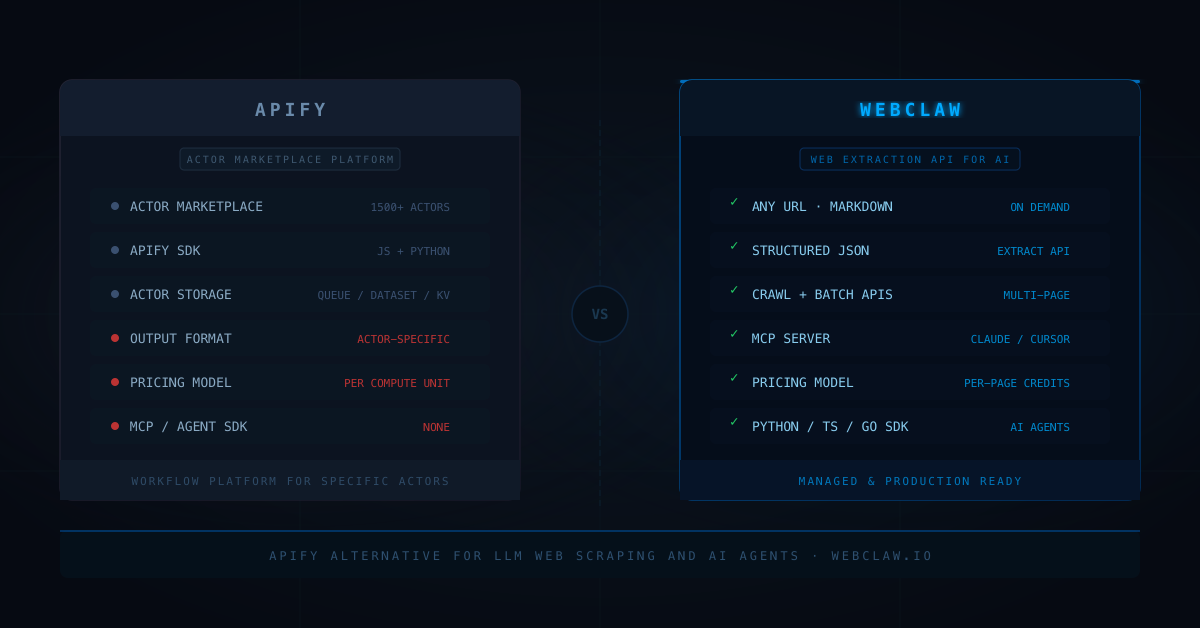
Apify is one of the most practical ideas in web scraping: a marketplace of pre-built actors where someone has probably already done the scraping work for the site you need.
Instead of writing a scraper from scratch, you find the right actor, configure it, and run it.
For specific sites with consistent structure, that is genuinely useful.
But the actor model has a shape that does not fit LLM workflows well.
Your AI agent or RAG pipeline rarely knows in advance which site it will visit. It needs to extract any URL as clean text, on demand, through a consistent API call. The caller should not need to know whether the page is a product listing, a news article, a docs page, or behind Cloudflare.
That is not what actors are built for.
This post covers where Apify excels, where it creates friction for LLM and agent workflows, and when an Apify alternative is the better choice.
For the product comparison, read [Webclaw vs Apify](/compare/apify).
## Quick answer
Use Apify when the job is running specific actors: a pre-built scraper for a known site, a custom scraping workflow with complex state, or a marketplace tool that already handles your target.
Use Webclaw when the job is web extraction as an API layer for an AI application:
```text
any URL to markdown on demand
structured JSON extraction
multi-page site crawling
batch URL list extraction
MCP tools for Claude and Cursor
Python, TypeScript, Go SDK for AI agents
per-page pricing without compute unit management
```
The distinction is actor-based extraction vs API-based extraction.
One is a workflow platform. The other is a web content layer.
If you are looking for the best alternative to Apify for LLM workflows specifically, that distinction is the whole answer: your agent needs a web content layer, not a marketplace of site-specific actors. You can test the flow in the [web scraping API demo](/demo) before reading the rest.
## What Apify is actually good at
Apify's actor marketplace is strong for specific scraping jobs.
If someone has already built an actor for the site you need, you inherit that work. The actor handles pagination, login flows, dynamic rendering, and output schema for that specific target. The Apify Store has actors for major e-commerce platforms, social networks, search engines, and hundreds of other specific sites.
Their SDK (available in JavaScript and Python) is also a serious tool for building custom scrapers. The SDK handles request queues, distributed crawling, storage, proxies, and actor lifecycle management.
Good use cases for Apify:
```text
scraping a specific site that has a marketplace actor
building a custom actor with complex state and pagination
workflows that need Apify's built-in storage and scheduling
teams already integrated with the Apify platform
```
The platform is well-documented and the ecosystem is real.
## Where Apify gets painful for LLM workflows
The core friction is the actor model itself.
An actor is a containerized scraper built for a specific purpose. Running one means spinning up a compute environment, consuming CPU and memory for the duration of the run, and paying per ACU (Apify Compute Unit, which combines CPU time and memory).
For an LLM application that needs to extract an arbitrary URL on demand, the actor model is the wrong abstraction.
```text
you do not know which actor to call for an unknown URL
you pay per compute unit, not per page
actor quality varies across marketplace contributors
output format depends on the actor, not a standard schema
no built-in markdown output designed for LLMs
no MCP server for Claude or Cursor integration
```
The bigger problem is latency and predictability.
An actor run has setup overhead. For a single-page extraction that an AI agent needs in real time, that overhead is not justified.
Webclaw is one HTTP POST. No container boot, no actor selection, no ACU math.
## The marketplace vs API-layer distinction
This is the key difference.
Apify's marketplace is strong when you know which site you need and there is already an actor for it.
An LLM application does not usually have that target specificity.
The agent gets a URL from the user, from a search result, from another agent, or from a document. It needs to extract that URL immediately and reliably, regardless of the domain.
That use case needs an API layer, not a marketplace.
The routing logic should live in the scraping layer:
```text
Is this page static or JavaScript-rendered?
Is this page behind bot protection?
Do we need browser fallback?
What is the main content region?
What output format does the caller need?
```
None of that should be an actor selection problem.
This is the same argument from our [anti-bot signals post](/blog/anti-bot-scraping-api-2026-browser-fallback-signals): the routing and fallback logic belongs in the scraping infrastructure, not in the calling application.
## Structured extraction, crawling, and batch jobs
For LLM workflows, the extraction shape usually expands.
```text
start: one URL to markdown
week two: crawl a whole docs site
week four: extract structured data from a product URL list
week six: refresh the whole pipeline on a schedule
```
That is why Webclaw exposes separate API surfaces for each job:
```text
/v1/scrape single URL extraction
/v1/crawl multi-page site crawl
/v1/batch parallel URL list extraction
/v1/extract schema-shaped JSON extraction
/v1/summarize page summarization
/v1/research deep research job
```
Each has a consistent input shape and a consistent output format.
Apify can handle all of these, but each one requires finding or building an actor. For a team that wants one API key and one integration to cover all web extraction needs, the API-layer approach is faster to ship and easier to maintain long-term.
## Apify alternative decision table
| Need | Apify | Webclaw |
|---|---|---|
| Marketplace actors for specific sites | Strong | Not the model |
| Custom scraper with complex state | Strong via Actor SDK | Not the main workflow |
| Any-URL markdown on demand | Requires generic actor | Built in |
| Structured JSON extraction | Actor-specific output | Built in via [Extract API](/docs/api/extract) |
| Multi-page crawling | Crawlee-based actors | Built in via [Crawl API](/docs/api/crawl) |
| Batch URL extraction | Actor with request queue | Built in via [Batch API](/docs/api/batch) |
| MCP for Claude and Cursor | No | Built in via [MCP server](/docs/mcp) |
| AI agent SDKs | No native LLM SDK | Python, TypeScript, Go |
| Pricing model | Per compute unit (ACU) | Per-page credits |
| Latency for single extraction | Actor boot overhead | Direct API call |
| Best fit | Site-specific actors and custom workflows | Web extraction API for LLM applications |
## Code comparison
Running an Apify actor:
```javascript
import { ApifyClient } from "apify-client";
const client = new ApifyClient({ token: "YOUR_TOKEN" });
// you need to pick the right actor for the site
const run = await client.actor("apify/web-scraper").call({
startUrls: [{ url: "https://example.com/article" }],
pageFunction: async ({ page }) => ({
html: await page.content(),
// markdown conversion is still your problem
}),
});
const { items } = await client.dataset(run.defaultDatasetId).listItems();
```
Webclaw is a single API call:
```javascript
import { Webclaw } from "@webclaw/sdk";
const client = new Webclaw({ apiKey: "YOUR_KEY" });
const result = await client.scrape({
url: "https://example.com/article",
formats: ["markdown", "json"],
});
console.log(result.markdown);
console.log(result.metadata.title);
```
For schema-shaped extraction:
```javascript
const result = await client.extract({
url: "https://example.com/product",
prompt: "Extract name, price, variants, and availability",
});
console.log(result.jsonData);
```
For crawling a docs site:
```javascript
const job = await client.crawl({
url: "https://docs.example.com",
limit: 50,
formats: ["markdown"],
});
```
The difference is the integration surface.
Apify gives you a platform for running and managing actors.
Webclaw gives you a web extraction API that returns content your model can use directly.
## When I would still use Apify
Apify makes sense when:
```text
there is a specific marketplace actor for your target site
the team is already integrated with the Apify platform
the workflow needs actor-based scheduling, storage, and orchestration
the scraping job has complex state that benefits from the actor model
the team wants a custom scraping workflow with JavaScript or Python
```
If you are building a scraper for a specific major site and someone has already done the work in the marketplace, that head start is real.
## When I would use Webclaw instead
I would use Webclaw when:
```text
the agent needs to extract any URL, not a known list of target sites
the output needs to be LLM-ready markdown or typed JSON
the integration needs to work with Claude, Cursor, or other MCP clients
the team wants per-page pricing without managing compute units
the workflow includes crawl, batch, extract, and research in one API
actor boot latency is not acceptable for real-time agent calls
```
That is the core difference.
Apify is a platform for running scrapers.
Webclaw is a web extraction layer for AI applications.
For the broader comparison, read [Best Web Scraping API for LLMs](/blog/best-web-scraping-api-for-llms), [Crawl4AI vs Playwright for LLM Web Scraping](/blog/crawl4ai-vs-playwright-web-scraping), and [Jina Reader Alternative for LLM Web Scraping](/blog/jina-reader-alternative-llm-web-scraping).
## The rule
Use the tool that owns the right abstraction for your system.
If your system is a workflow platform that runs actors, Apify is a strong foundation.
If your system is an LLM application that needs a reliable web content layer, you need an API, not an actor marketplace.
One call. Any URL. Clean output.
**Wiring web extraction into an agent or RAG pipeline?** Start with the [7-day Starter trial](/pricing) or grab an [API key](/dashboard/api-keys). The [Scrape API](/docs/api/scrape) and [MCP server](/docs/mcp) give your agent one consistent way to request public web content without selecting an actor. Access and extraction quality depend on the target page.
## Frequently asked questions
### What is the best Apify alternative for LLM workflows?
For LLM applications and AI agents, Webclaw is the most focused alternative. It returns clean markdown and structured JSON for supported public pages through a single API call, without actor selection, compute unit management, or per-actor output schemas.
### What is an Apify alternative for web scraping?
Apify alternatives for web scraping include Bright Data (proxy-focused enterprise), Zyte (extraction-focused), ScraperAPI (proxy-first API), and Webclaw (extraction API for LLM and agent workflows). The right choice depends on whether you need actor-based workflows or API-based extraction.
### Is Apify good for AI agents?
Apify can integrate with AI agents that call its API, but the actor model adds overhead: you need to select the right actor per site, manage compute units, and process the output format each actor returns. For agents that need to extract any URL on demand with consistent markdown output, a direct extraction API is a simpler integration.
### How does Apify pricing work?
Apify bills per Apify Compute Unit (ACU), which combines CPU time and memory over the actor run. The cost depends on how long the actor runs and how many resources it uses, plus proxy costs if enabled. For workloads where page count is the main variable, per-page pricing tools are more predictable.
### Can Apify handle Cloudflare-protected sites?
Apify provides proxy options and browser actors that handle many bot-protected sites. Their proxy network supports residential and datacenter IPs. For teams that want bot protection managed automatically inside the extraction API without choosing proxy tiers manually, a managed scraping API classifies pages and handles fallback internally.
### When should I use Webclaw instead of Apify?
Use Webclaw when your application needs an extraction API for public web pages: markdown output, structured JSON, MCP integration with Claude or Cursor, batch and crawl APIs, and predictable per-page pricing. Use Apify when you need site-specific actors or custom scraping workflows with complex state.
---
### Bright Data Alternative for LLM Web Scraping
URL: https://webclaw.io/blog/bright-data-alternative-llm-web-scraping
Published: 2026-06-02
Author: Massi
Compare Bright Data, Web Unlocker, and Webclaw for proxy infrastructure, markdown extraction, structured JSON, crawling, batching, and AI agent workflows.
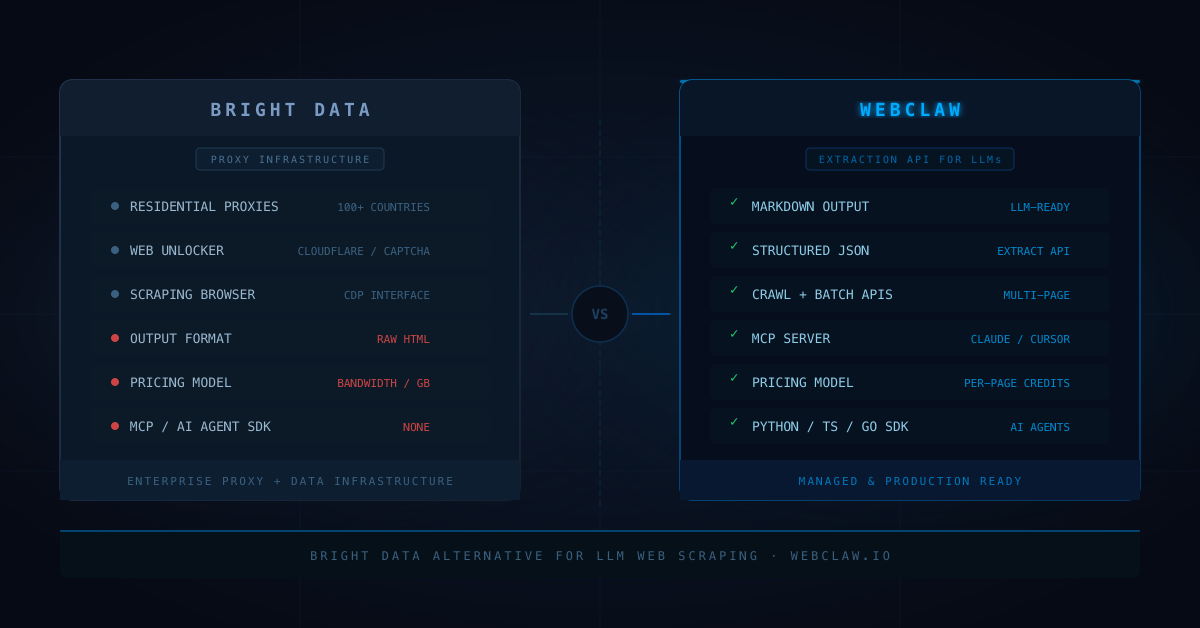
Bright Data is the largest proxy network in the world.
That is not marketing. Their residential network is enormous. Their Web Unlocker handles Cloudflare, DataDome, and other bot protection systems at a scale that almost nobody else matches.
If your team needs proxies and data at enterprise volume, Bright Data is a serious tool.
But if you are building an LLM application, an AI agent, or a RAG pipeline that needs clean web content, you are not primarily shopping for a proxy network.
You are shopping for a web extraction API.
That is a different product.
This post covers where Bright Data excels, where it creates friction for LLM workflows, and when a Bright Data alternative is the better call for teams building with AI.
For the product comparison, see [Webclaw vs Bright Data](/compare/bright-data).
## Quick answer
Use Bright Data when your problem is proxies at scale: residential IPs, ISP proxies, mobile proxies, geo-targeting, or enterprise data collection contracts.
Use Webclaw when your problem is web extraction for AI:
```text
clean markdown for LLMs
structured JSON extraction
multi-page crawling
batch scraping
MCP access for Claude and Cursor
AI agent SDK integration
per-page pricing without bandwidth surprises
```
The difference is not about which tool is better in general.
It is about what kind of infrastructure your AI application actually needs.
If you want to see the extraction side before reading further, open the [web scraping API demo](/demo) and run a page through it.
## What Bright Data is actually good at
Bright Data built its business on proxy infrastructure.
Their residential proxy network covers 100+ countries. Their datacenter and ISP proxy options give you clean IPs with predictable behavior. Their Web Unlocker service handles JavaScript rendering, CAPTCHA solving, and browser fingerprinting in one managed endpoint.
For teams that need:
```text
geo-targeted data access
residential IP rotation at scale
enterprise-grade SLAs
large-scale data collection contracts
SERP data pipelines
social media monitoring at volume
```
Bright Data is a serious choice.
The Bright Data Scraping Browser also exposes a CDP interface for browser automation through their proxy infrastructure. Their Datasets product lets you buy pre-collected data directly. These are real products with real engineering behind them.
## Where Bright Data gets painful for LLM workflows
The pain is usually not technical. It is structural.
Bright Data is priced by bandwidth and proxy tier, not by page extraction.
If your LLM application needs 10,000 pages per month at consistent quality, you are managing GB quotas, proxy pool selection, request routing, and output formatting yourself.
The Web Unlocker returns raw HTML.
Your application still needs to convert that HTML to markdown, remove boilerplate, extract structure, handle JavaScript shells, score content quality, and retry failed URLs.
For a traditional data pipeline, you probably have that processing layer already.
For an LLM application that needs to feed clean text to a model or vector database, you are building extraction infrastructure that is not in the product.
This is what creates friction:
```text
pay for bandwidth even when the page returns garbage content
build markdown conversion yourself
handle retry logic and failure classification yourself
route requests per proxy tier manually
no MCP server or AI agent SDK
```
The product was designed for data engineering teams, not for teams building AI-native applications.
## Proxy-first vs extraction-first
Most web scraping tools were designed around the proxy problem.
Route requests through enough IPs and you get the raw HTML.
For LLMs, the proxy problem is only one step.
You also need:
```text
content classification
boilerplate detection
main content extraction
markdown conversion
link and metadata preservation
structured JSON output
quality scoring
JavaScript rendering decisions
crawl orchestration
batch scheduling
```
Webclaw is designed around the extraction job, not the proxy job.
The proxy routing, TLS fingerprinting, bot protection bypass, and residential fallback are handled inside the API. You never configure proxy tiers or manage bandwidth quotas.
You get clean markdown or structured JSON per page, at per-page pricing.
This is the argument from our [JavaScript rendering API guide](/blog/javascript-rendering-api-browser-fallback-web-scraping) applied to the whole stack: the browser, the proxy, and the rendering decision should all be behind the API, not in front of it.
## Crawling, batch, and structured extraction change the cost model
A single URL is easy in any tool.
A production AI workload is different.
If your RAG pipeline needs to crawl a docs site weekly, your price monitoring agent watches 500 products daily, or your AI researcher needs batch extraction from a URL list, the pricing model matters as much as the extraction quality.
Bright Data bills by GB transferred through their proxies plus the platform fee.
Webclaw bills per page extracted.
For a job that crawls 1,000 pages, you know the Webclaw cost before you start. You pay for 1,000 pages.
With Bright Data, the cost depends on how much HTML each page transfers, how many retries the proxy layer needs, and which proxy tier handles each site.
For unpredictable page sizes and site difficulty, the per-GB model creates billing surprises for AI workloads where extraction count is the natural unit of measurement.
## Bright Data alternative decision table
| Need | Bright Data | Webclaw |
|---|---|---|
| Residential proxies at scale | Strong | Handled inside the API |
| Geo-targeted access | Strong | Locale-aware extraction |
| Enterprise proxy contracts | Strong | Not the use case |
| Web Unlocker for anti-bot pages | Strong | Managed at the extraction layer |
| Clean markdown output | Requires custom processing | Built in |
| Structured JSON extraction | Requires custom processing | Built in via [Extract API](/docs/api/extract) |
| Multi-page crawling | Scraping Browser + custom logic | Built in via [Crawl API](/docs/api/crawl) |
| Batch scraping | Custom implementation | Built in via [Batch API](/docs/api/batch) |
| MCP for Claude and Cursor | No | Built in via [MCP server](/docs/mcp) |
| AI agent SDKs | No | Python, TypeScript, Go |
| Pricing model | Bandwidth + platform fee | Per-page credits |
| Best fit | Enterprise proxy and data infrastructure | Web extraction API for LLM applications |
## Code comparison
Bright Data Web Unlocker gives you a connection to the page, not the content:
```python
import requests
response = requests.post(
"https://api.brightdata.com/request",
headers={"Authorization": f"Bearer {token}"},
json={
"zone": "unlocker",
"url": "https://example.com/article",
"format": "raw"
}
)
# returns raw HTML. markdown conversion is your problem
html = response.json()["html"]
```
Webclaw returns markdown, structured data, and metadata in one call:
```python
from webclaw import Webclaw
client = Webclaw("wc-YOUR_KEY")
result = client.scrape(
url="https://example.com/article",
formats=["markdown", "json"]
)
print(result.markdown)
print(result.metadata.get("title"))
```
For a full site crawl:
```python
result = client.crawl(
url="https://docs.example.com",
max_pages=100,
).wait()
```
For schema-shaped extraction:
```python
result = client.extract(
url="https://example.com/product",
prompt="Extract name, price, variants, and availability"
)
print(result.data)
client.close()
```
The difference is what you get back.
Bright Data gives you a connection to the page.
Webclaw gives you the content the model needs.
## When I would still use Bright Data
Bright Data makes sense when:
```text
the job is proxy infrastructure at enterprise scale
the team has existing data engineering tooling
the use case is residential IP rotation at high volume
the product already processes raw HTML internally
geo-targeting is the core requirement
the contract is with a data team, not a product team
```
If your company buys data at scale and already has extraction pipelines, Bright Data is the right infrastructure conversation.
## When I would use Webclaw instead
I would use Webclaw when:
```text
the product is an LLM application or AI agent
the output needs to be markdown or typed JSON
the workflow needs crawl, batch, or extract APIs
the same tool needs to serve Claude, Cursor, or other MCP clients
the cost model needs to be per-page, not per-GB
the team does not want to operate proxy infrastructure
JavaScript rendering should be a fallback, not a configuration
```
That is why Webclaw exists.
Not to replace a proxy network. To replace the infrastructure you would build on top of one.
For more context, read [Best Web Scraping API for LLMs](/blog/best-web-scraping-api-for-llms), [RAG Pipeline with Live Web Data](/blog/rag-pipeline-web-data), and [Jina Reader Alternative for LLM Web Scraping](/blog/jina-reader-alternative-llm-web-scraping).
## The rule
Use the tool that owns the output format your system needs.
If your system needs residential IPs at enterprise volume, Bright Data is a strong answer.
If your system needs clean web content for a language model, the proxy layer is already inside your extraction API.
You do not need to manage both.
**Building an LLM app and tired of processing raw HTML?** Start with the [7-day Starter trial](/pricing) or grab an [API key](/dashboard/api-keys). If you are coming from a proxy setup, the [Scrape API](/docs/api/scrape) returns the markdown and JSON your model needs without the bandwidth math.
## Frequently asked questions
### What is the best Bright Data alternative?
The best Bright Data alternative depends on the use case. For enterprise proxy infrastructure, few services match Bright Data's scale. For LLM applications, RAG pipelines, and AI agents that need clean markdown and structured JSON from web pages, Webclaw is a more focused extraction layer.
### What are the main Bright Data alternatives for web scraping?
The main Bright Data alternatives are Oxylabs, Smartproxy, and Zyte for proxy-first workflows. For extraction-first workflows built around LLMs and AI agents, Webclaw, Firecrawl, and Jina Reader are the relevant alternatives.
### Is Bright Data good for RAG pipelines?
Bright Data can supply raw HTML for a RAG pipeline, but you still need extraction, markdown conversion, chunking, and metadata handling yourself. For teams that want those steps managed by the API, a dedicated extraction tool is a better starting point than a proxy service.
### How much does Bright Data cost?
Bright Data pricing is based on bandwidth per proxy tier plus monthly platform fees. Costs vary depending on proxy type, volume, and data collection needs. Per-page pricing tools like Webclaw are more predictable for AI workloads where extraction count matters more than bandwidth transferred.
### Can Bright Data handle Cloudflare-protected sites?
Yes. Bright Data's Web Unlocker is designed for bot-protected pages including Cloudflare, DataDome, and other anti-bot services. For teams that want this handling inside an extraction API that already returns clean markdown, Webclaw manages the same classification and fallback without manual proxy tier selection.
### When should I use Webclaw instead of Bright Data?
Use Webclaw when your application needs web content in a format models can use directly: markdown, structured JSON, or MCP tool output. Bright Data is the right layer when the core need is proxy infrastructure, IP rotation, or enterprise data collection contracts.
---
### Jina Reader (r.jina.ai): URL to Markdown Guide and Alternative
URL: https://webclaw.io/blog/jina-reader-alternative-llm-web-scraping
Published: 2026-05-28
Updated: 2026-09-02
Author: Massi
How to use Jina Reader's r.jina.ai URL-to-markdown endpoint, where it works, its production limits, and when to choose a crawling and extraction API.
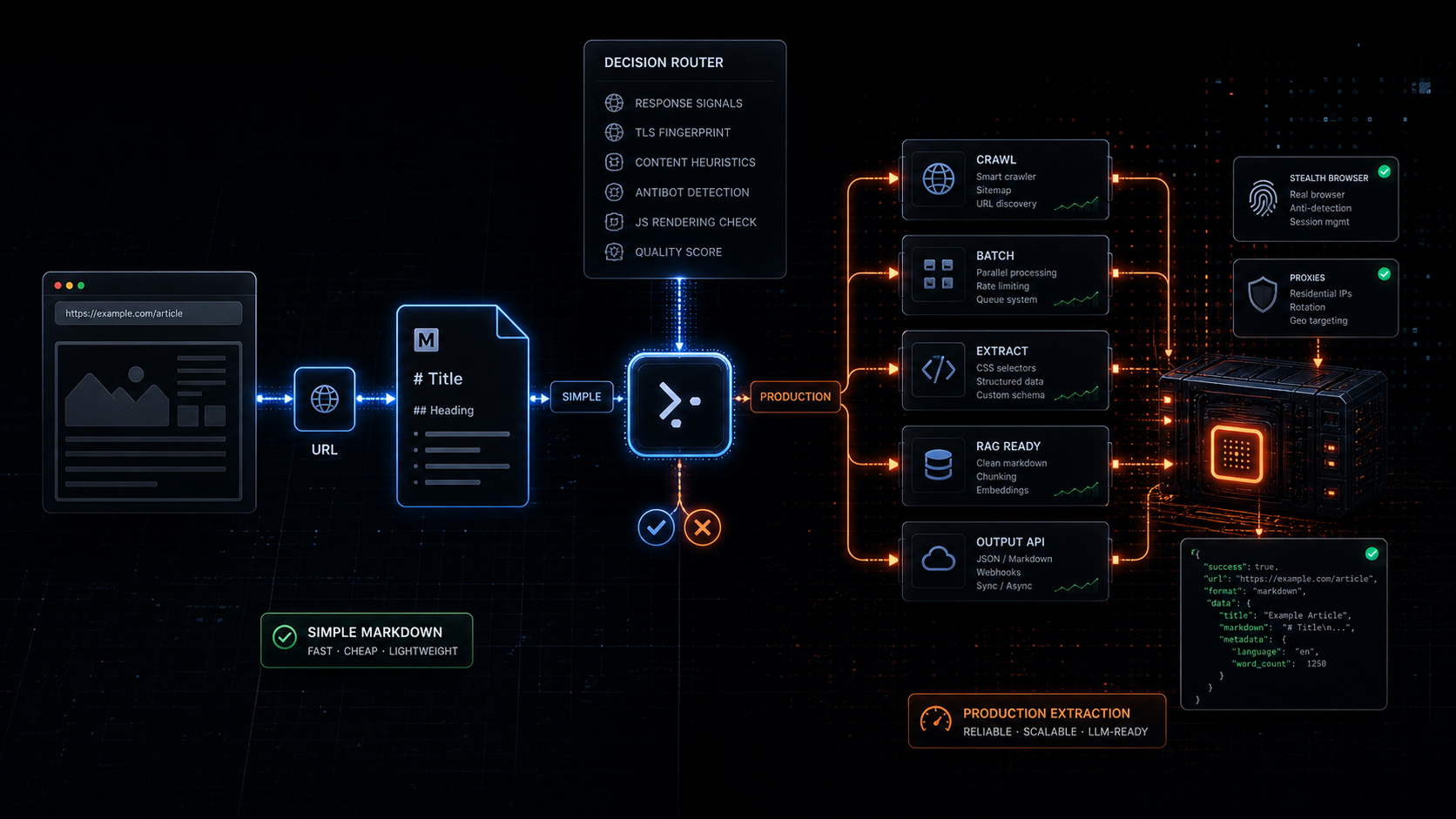
Jina Reader is one of the best ideas in LLM web tooling because it removed almost all ceremony.
Take a URL.
Put `https://r.jina.ai/` in front of it.
Get markdown.
That is clean. That is useful. That is why developers like it.
But there is a point where the simple trick stops being the system.
If your product needs one article as markdown, [Jina Reader](https://jina.ai/reader/) is probably enough.
If your product needs 5,000 pages refreshed weekly, schema-shaped product data, crawler control, batch retries, source metadata, JavaScript rendering decisions, and AI agents that can call the same web layer every day, you are no longer looking for a URL-to-markdown trick.
You are looking for a production web extraction layer.
That is where a [Jina Reader alternative](/compare/jina-reader) starts to make sense.
## Quick answer
Use Jina Reader when you need the fastest possible path from one public URL to LLM-friendly markdown.
Use Webclaw when the job needs more than single-page markdown:
```text
crawling
batch scraping
structured JSON extraction
RAG refresh pipelines
agent tooling
MCP access
predictable per-page pricing
JavaScript rendering fallback
anti-bot handling
```
The difference is not "markdown vs markdown."
The difference is whether markdown is the final job or just the first step in a larger scraping pipeline.
If you want the product-level comparison, read [Webclaw vs Jina Reader](/compare/jina-reader). If you want to test the flow first, open the [web scraping API demo](/demo).
## What Jina Reader is actually good at
Jina Reader is strongest when the input is simple and the output format is obvious.
The official pitch is direct: it converts a URL to LLM-friendly input by adding `r.jina.ai` in front of the URL. The [Reader docs](https://jina.ai/reader/) also expose `s.jina.ai` for search results, API key based rate limits, JSON mode, CSS selectors, wait selectors, token budgets, and browser engine options.
For a developer testing a page inside a prompt, that is excellent.
This is the whole mental model:
```text
https://r.jina.ai/https://example.com/article
```
For quick experiments, it is hard to beat.
Good use cases:
```text
one-off article reading
small RAG prototypes
manual research
basic URL to markdown
public documentation pages
simple static websites
```
The [open-source Reader repo](https://github.com/jina-ai/reader) also documents the two core modes clearly: Read through `r.jina.ai`, and Search through `s.jina.ai`. It can read web pages, PDFs, Office documents, and images. It can self-host through Docker. It can use browser mode or a lighter fetch path.
That is a serious tool.
The mistake is pretending every production scraping problem is still a single URL-to-markdown problem.
## Where r.jina.ai gets painful in production
The pain usually starts after the prototype works.
Your first request is simple:
```text
Read this URL.
Return markdown.
```
Then the product needs more.
```text
Read every page under this docs site.
Refresh it every week.
Ignore nav, cookie banners, and duplicate links.
Extract product prices as JSON.
Retry only the failed URLs.
Render JavaScript only when the page needs it.
Keep source metadata for citations.
Expose the same tool to agents.
Track usage by API key.
```
That is a different surface area.
Jina Reader gives you a very elegant read endpoint. A production scraping API needs to own the messy workflow around that endpoint.
This is why the "Jina Reader alternative" keyword is not only competitor search intent. It is architecture search intent.
People are not asking whether markdown is useful.
They already know it is.
They are asking what happens after markdown enters the product.
## URL to markdown is only step one
For LLMs, markdown is much better than raw HTML.
We have a full breakdown in [HTML to Markdown for LLMs](/blog/html-to-markdown-for-llms), but the short version is simple:
```text
raw HTML wastes context
markdown preserves useful structure
LLM-ready markdown removes boilerplate before retrieval
```
Jina Reader does this well for many pages.
The production question is what else comes back with the markdown.
For a RAG pipeline, the output should include:
```text
final URL
source URL
title
status code
timing
links
page metadata
clean markdown
optional raw HTML
optional JSON
extraction timestamp
```
For an AI agent, the output also needs to be predictable. The agent should not need to know which target needs browser rendering, which target needs a retry, and which target returned a block page instead of content.
That routing decision belongs in the scraping layer.
Webclaw's [Scrape API](/docs/api/scrape) is built around that shape: one request, multiple output formats, and response metadata that downstream systems can trust.
## Crawling and batching change the problem
Single-page URL to markdown is clean.
Multi-page web extraction is not.
A real RAG or monitoring job usually starts with a seed URL:
```text
docs site
blog index
help center
product category
competitor pricing page
directory page
```
Then it needs URL discovery, filtering, scheduling, deduplication, retries, and partial failure handling.
That is why Webclaw splits the workflow into separate API surfaces:
```text
/v1/scrape single URL extraction
/v1/crawl multi-page crawling
/v1/batch parallel URL extraction
/v1/extract schema-shaped JSON extraction
/v1/search search plus optional scraping
```
Use [Crawl API](/docs/api/crawl) when the job starts from one site and needs many pages.
Use [Batch API](/docs/api/batch) when your app already has the URL list and wants parallel extraction.
Use [Extract API](/docs/api/extract) when markdown is not enough and your app needs typed JSON.
That is the difference between a reader and an extraction platform.
## JavaScript pages and blocked pages need classification
Jina Reader's docs expose useful controls for harder pages, including browser mode, wait selectors, custom headers, cache bypass, and proxy options. The GitHub README also recommends escalating knobs when sites push back: use an API key, bypass cache, force the browser engine, route through proxy options, or bring your own proxy.
Those controls matter.
But in a production system, most of those choices should not be manual for every request.
The scraping layer should decide:
```text
Did the initial fetch return real content?
Is this only an empty JavaScript shell?
Did the page return a block page?
Is the markdown too small to be trusted?
Do we need browser rendering?
Do we need a retry?
Do we need to fail fast?
```
This is the same argument from our [JavaScript rendering API guide](/blog/javascript-rendering-api-browser-fallback-web-scraping): browser rendering should be fallback, not the default.
It is also the reason a production scraping API should not expose every low-level choice as a decision the caller has to make.
Most callers do not want a browser strategy.
They want the page data.
## Jina Reader alternative decision table
| Need | Jina Reader | Webclaw |
|---|---|---|
| Fast URL to markdown | Strong | Strong |
| Simple public pages | Strong | Strong |
| JSON response | Supported | Supported |
| Schema-shaped extraction | Limited | Built in via [Extract API](/docs/api/extract) |
| Crawl a full site | Not the core workflow | Built in via [Crawl API](/docs/api/crawl) |
| Batch many known URLs | Not the core workflow | Built in via [Batch API](/docs/api/batch) |
| Agent tools | API accessible | API, SDKs, and [MCP](/docs/mcp) |
| RAG refresh jobs | Prototype friendly | Production friendly |
| Anti-bot pages | Manual knobs and proxy options | Managed at the scraping layer |
| Pricing model | Token and rate-limit based | Per-page credits |
| Best fit | One URL to LLM input | Production web extraction |
## Code comparison
Jina Reader is beautifully small:
```bash
curl "https://r.jina.ai/https://example.com/article"
```
Webclaw is the production API shape:
```bash
curl -X POST https://api.webclaw.io/v1/scrape \
-H "Authorization: Bearer $WEBCLAW_API_KEY" \
-H "Content-Type: application/json" \
-d '{
"url": "https://example.com/article",
"formats": ["markdown", "json"],
"onlyMainContent": true
}'
```
For schema extraction:
```bash
curl -X POST https://api.webclaw.io/v1/extract \
-H "Authorization: Bearer $WEBCLAW_API_KEY" \
-H "Content-Type: application/json" \
-d '{
"url": "https://example.com/product",
"prompt": "Extract title, price, variants, availability, and reviews"
}'
```
For a full site:
```bash
curl -X POST https://api.webclaw.io/v1/crawl \
-H "Authorization: Bearer $WEBCLAW_API_KEY" \
-H "Content-Type: application/json" \
-d '{
"url": "https://docs.example.com",
"limit": 100,
"formats": ["markdown"]
}'
```
The tradeoff is obvious.
Jina Reader wins on minimum ceremony.
Webclaw wins when the web extraction job becomes part of your product.
## When I would still use Jina Reader
I would use Jina Reader when:
```text
the task is one URL
the target is public
the output can be markdown
the workflow is manual or experimental
the caller does not need crawling
the system does not need schema extraction
```
It is a great default for quick LLM grounding.
It is also useful as a mental model. A lot of developers still feed raw HTML into models and wonder why retrieval gets expensive. Jina Reader helped make URL-to-markdown feel normal.
That is a good thing.
## When I would use Webclaw instead
I would use Webclaw when:
```text
the product needs many URLs
the data needs to refresh
the output needs to be JSON
the target can be JavaScript-rendered
the target can be blocked or geo-sensitive
the workflow needs crawl and batch APIs
the same web layer needs to work for agents
the cost model needs to be predictable
```
That is why Webclaw exists.
Not because every page needs a giant scraping stack.
Because the pages that matter to a product usually become a pipeline.
For the broader landscape, read [Best Web Scraping API for LLMs](/blog/best-web-scraping-api-for-llms), [RAG Pipeline with Live Web Data](/blog/rag-pipeline-web-data), and [Crawl4AI vs Playwright for LLM Web Scraping](/blog/crawl4ai-vs-playwright-web-scraping).
## The rule
Use the simplest tool that owns the whole job.
If the job is "read this URL as markdown," Jina Reader is a very good answer.
If the job is "keep my product supplied with fresh web data," markdown conversion is only one stage.
You need crawl, batch, extraction, rendering decisions, failure handling, and agent access.
That is the point where a Jina Reader alternative is not a replacement for a prefix.
It is a replacement for the infrastructure you would otherwise have to build around it.
## Frequently asked questions
### What is the best Jina Reader alternative?
The best Jina Reader alternative depends on the workflow. For one-off URL-to-markdown, Jina Reader is already strong. For crawling, batching, structured JSON extraction, RAG refresh jobs, and AI agents, Webclaw is a stronger production layer.
### What is an r.jina.ai alternative?
An r.jina.ai alternative is any tool that converts web pages into LLM-ready content without only relying on the r.jina.ai prefix. Webclaw provides URL-to-markdown, website-to-JSON, crawl, batch, extract, search, and MCP workflows through a hosted API.
### Is Jina Reader good for RAG?
Yes, Jina Reader is good for simple RAG prototypes that need clean markdown from public URLs. For production RAG, you usually also need crawling, source metadata, refresh scheduling, retries, and chunkable content across many pages.
### Can Jina Reader handle JavaScript-rendered pages?
Jina Reader supports browser-mode fetching and wait selectors for JavaScript-heavy pages. The production question is whether your application should decide those settings manually or let the scraping layer classify each page and render only when needed.
### Can r.jina.ai bypass Cloudflare?
Jina Reader documents proxy and browser options for difficult sites. Results depend on the target, headers, cache state, API key, and proxy path. If protected pages are central to your product, use a scraping API designed to classify blocked responses and handle fallback automatically.
### When should I use Webclaw instead of Jina Reader?
Use Webclaw when the job needs more than single-page markdown: crawl jobs, batch extraction, schema-shaped JSON, RAG refresh pipelines, AI agent tools, MCP access, JavaScript rendering fallback, and predictable per-page pricing.
---
### Crawl4AI vs Playwright: Which to Use for Scraping (2026)
URL: https://webclaw.io/blog/crawl4ai-vs-playwright-web-scraping
Published: 2026-05-26
Author: Massi
Crawl4AI vs Playwright for web scraping: which one to pick, where each breaks, and when you need neither. Markdown output, browser control, RAG input.
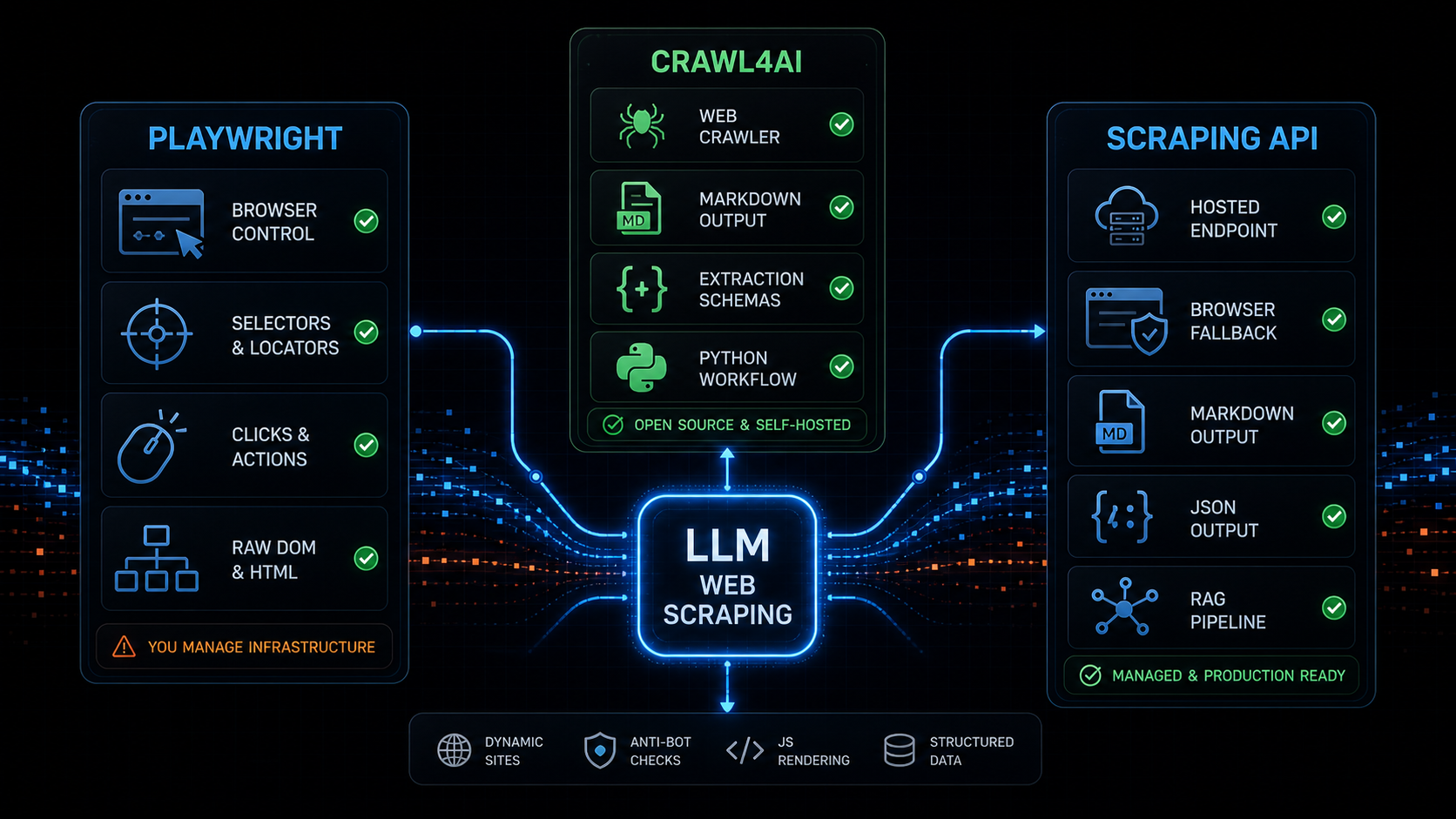
If you are searching for `crawl4ai vs playwright`, you are probably not comparing two versions of the same thing.
You are comparing two layers of a web scraping stack.
Playwright is browser automation. It gives you a programmable browser: navigate, click, type, inspect locators, wait for UI state, and read the DOM.
Crawl4AI is an LLM-friendly crawler and scraper. It gives you a higher-level Python workflow around crawling, markdown generation, structured extraction, and browser-backed page handling.
That distinction matters.
If you choose Playwright when you really need LLM-ready markdown, you inherit a lot of extraction work.
If you choose Crawl4AI when you really need fine-grained browser control, you may still end up touching the browser layer.
If you choose either one for production without thinking about browser pools, anti-bot checks, output quality, retries, and API ergonomics, the painful part shows up later.
This post compares Crawl4AI vs Playwright for LLM web scraping, headless extraction, dynamic sites, RAG input, and production reliability. I will also show when a hosted scraping API like [Webclaw](https://webclaw.io) is the better layer to use instead.
For the direct product comparison, see [webclaw vs Crawl4AI](/compare/crawl4ai).
## Crawl4AI vs Playwright
The shortest version:
```text
Playwright controls the browser.
Crawl4AI turns crawling and extraction into an LLM-oriented workflow.
Webclaw exposes extraction as a hosted API.
```
That means the right choice depends on the job.
Use Playwright when the main problem is browser behavior.
Use Crawl4AI when the main problem is crawling pages and converting them into useful LLM input from Python.
Use a scraping API when the main problem is production web extraction and you do not want to operate browser infrastructure, response classification, markdown cleanup, retries, and scale yourself.
This is the practical comparison:
| Need | Playwright | Crawl4AI | Webclaw |
|---|---|---|---|
| Browser control | Strong | Good, through crawler/browser config | Abstracted behind API |
| Click/type/scroll workflows | Strong | Supported through higher-level crawler tools | Not the main workflow |
| Markdown for RAG | Manual work | Built in | Built in |
| Structured extraction | Manual work | Built in | Built in via [Extract API](/docs/api/extract) |
| Multi-page crawling | Manual orchestration | Built in | Built in via [Crawl API](/docs/api/crawl) |
| Hosted API | No | Cloud API in progress | Yes |
| Production browser ops | You own it | You own it if self-hosted | Managed |
| Best fit | Browser automation | Python LLM crawling | Web extraction API for agents |
## What Playwright is actually good at
[Playwright](https://playwright.dev/docs/intro) is excellent when you need deterministic browser automation.
It is good at:
```text
navigating pages
clicking buttons
typing into forms
waiting for UI state
reading DOM nodes
taking screenshots
testing user flows
interacting with dynamic apps
```
Its locator model is strong. Its auto-waiting behavior is designed around actionability checks before actions such as clicks and fills. The official docs describe checks like visibility, stability, event receipt, and enabled state before actions proceed.
That is exactly what you want for UI automation.
But web scraping for LLMs is not only UI automation.
After the browser loads, you still need to answer:
```text
Which text is main content?
Which links matter?
What should be removed?
Is this a product page, docs page, or article?
Is the output clean enough for RAG?
Did we get a challenge page?
Did the page only render a skeleton?
```
Playwright gives you the DOM.
It does not give you an LLM-ready extraction pipeline by itself.
That means a Playwright web scraping stack usually grows extra parts:
```text
browser pool
proxy routing
retry policy
content extraction
boilerplate removal
markdown conversion
schema extraction
block detection
output quality scoring
```
If you need full browser control, Playwright is the right foundation.
If you need clean markdown or structured JSON for an AI agent, Playwright is only the browser layer.
This is why `playwright web scraping` often starts simple and becomes an extraction platform.
## What Crawl4AI is actually good at
[Crawl4AI](https://docs.crawl4ai.com/) sits higher in the stack.
The official docs position it as an open-source, LLM-friendly web crawler and scraper. Their quick start uses `AsyncWebCrawler`, runs a URL, and prints `result.markdown`. The docs also call out clean markdown generation, structured extraction, advanced browser control, parallel crawling, and an LLM-friendly output philosophy.
That is a different job than raw Playwright.
Crawl4AI is good at:
```text
Python-first crawling
markdown output
RAG-oriented content
structured extraction
multi-page crawling
browser-backed workflows
LLM extraction strategies
self-hosted experimentation
```
If your team is already in Python and wants an open-source crawler for AI workflows, Crawl4AI is a good fit.
It gives you more of the LLM web scraping pipeline out of the box than Playwright alone.
That matters because `html to markdown for RAG` is not a small detail. Raw HTML is usually full of nav, footer links, scripts, cookie banners, layout wrappers, and repeated junk. I wrote more about that in [HTML to Markdown for LLMs](/blog/html-to-markdown-for-llms).
Crawl4AI is closer to the output you want.
Playwright is closer to the control layer you may need.
## Where both get painful in production
The hard part is not the first successful scrape.
The hard part is the thousandth URL across noisy, dynamic, blocked, slow, regional, or inconsistent pages.
Both Playwright and Crawl4AI can become painful when the production system needs:
```text
browser pool management
memory limits
timeouts
concurrency control
queueing
proxy rotation
anti-bot detection
blocked-response classification
retry strategy
structured errors
output validation
cost control
```
With Playwright, you own almost all of this directly.
With Crawl4AI, you get a stronger crawling and extraction layer, but if you self-host it you still own the operational surface: dependencies, browser runtime, concurrency, infrastructure, and failure handling.
That does not make either tool bad.
It means you should be clear about the layer you are buying into.
If you want a library, use a library.
If you want a framework, use a framework.
If you want an API boundary, use an API.
This is where [browser scraping vs scraping API](/blog/anti-bot-scraping-api-browser-fallback) becomes a real architecture decision. A browser-first stack can work, but every unnecessary browser session adds latency and cost. A classifier-first API can return clean output quickly when the page does not need rendering, and escalate only when it does.
## Is Webclaw a Crawl4AI alternative?
Yes, but only for the jobs where you want the extraction layer to behave like an API instead of a Python library.
Crawl4AI is a strong choice when you want:
```text
open-source Python crawling
self-hosted browser-backed extraction
LLM-friendly markdown generation
local experimentation
framework-level control
```
Webclaw is a better Crawl4AI alternative when you want:
```text
hosted scraping API
markdown or JSON from one request
browser fallback without managing Chrome
structured extraction endpoint
SDKs outside Python
agent and RAG workflow integration
production retries and typed failures
```
That is the real comparison.
It is not "library good, API bad" or "API good, library bad."
It is:
```text
Do you want to own the crawler stack,
or do you want to call an extraction API?
```
If you are evaluating that trade-off, start with [webclaw vs Crawl4AI](/compare/crawl4ai), then test the [Scrape API](/docs/api/scrape) and [Extract API](/docs/api/extract) on the pages your product actually needs.
## LLM-ready markdown and RAG output
For LLM web scraping, the output format matters as much as the fetch.
An agent or RAG pipeline usually does not need:
```text
raw DOM
CSS classes
script tags
hydration noise
cookie banners
footer links repeated 20 times
```
It needs:
```text
clean markdown
source URL
metadata
headings
tables
links
structured JSON when requested
clear failure states
```
Crawl4AI is strong here because markdown and LLM use cases are central to its product surface.
Playwright is neutral. It can fetch and render the page, but it does not decide what content is useful for a model.
Webclaw is built around returning LLM-ready output from the API:
```bash
curl -X POST https://api.webclaw.io/v1/scrape \
-H "Authorization: Bearer $WEBCLAW_API_KEY" \
-H "Content-Type: application/json" \
-d '{
"url": "https://example.com",
"formats": ["markdown"],
"only_main_content": true
}'
```
If you want typed fields instead of full page content, use the [Extract API](/docs/api/extract). If you want a broader workflow, see [Build a RAG pipeline with live web data](/blog/rag-pipeline-web-data), [Web scraping for AI agents](/blog/web-scraping-for-ai-agents), and [MCP web scraping for Claude Code and Cursor](/blog/mcp-and-web-scraping).
## Dynamic sites, JavaScript rendering, and anti-bot checks
Dynamic websites are where the comparison gets blurry.
Playwright is great when the page really needs browser execution.
Crawl4AI can use browser-backed workflows and page interaction features around crawling and extraction.
But not every dynamic site should become a browser session.
Some pages contain useful server-rendered HTML.
Some pages contain the needed data in JSON-LD.
Some pages are empty app shells until JavaScript runs.
Some pages are not empty because of JavaScript at all. They are empty because you were blocked.
That is why I do not like this decision tree:
```text
page empty -> use browser
```
The better decision tree is:
```text
page empty -> classify why
```
For example:
```text
blocked page -> anti-bot fallback
empty app shell -> JavaScript rendering
content in JSON-LD -> parse structured data
content in HTML -> extract directly
bad extraction -> fix extraction quality
```
Playwright can help with the browser rendering part.
Crawl4AI can help with crawling and extraction around that browser flow.
A scraping API should make the decision for you.
This is the cluster to read next:
- [JavaScript Rendering API for Web Scraping](/blog/javascript-rendering-api-browser-fallback-web-scraping)
- [Anti-Bot Scraping API 2026: signals that force browser fallback](/blog/anti-bot-scraping-api-2026-browser-fallback-signals)
- [Puppeteer stealth vs Cloudflare](/blog/puppeteer-stealth-cloudflare-2026)
- [Cloudflare error codes for scrapers](/blog/cloudflare-error-codes-scraping)
One Playwright detail is worth calling out: its docs mark `networkidle` as discouraged for readiness and recommend assertions instead. That matters for scraping too. Waiting for network silence is not the same as waiting for useful content.
## When to use a scraping API instead
Use Playwright when you need precise browser control.
Use Crawl4AI when you want an open-source Python crawler for LLM-friendly markdown and extraction.
Use a scraping API when you want the extraction layer to be an API boundary.
That usually means:
```text
you do not want to operate browser pools
you need predictable API behavior
you want markdown or JSON directly
you need retries and typed errors
you need browser fallback only when required
you are building an agent or RAG product
you work outside Python
you want hosted infrastructure
```
This is where Webclaw fits:
```text
URL -> response classification -> extraction -> markdown / JSON
```
If the page is clean, return clean output.
If the page is dynamic, escalate to rendering.
If the page is blocked, classify that separately.
If extraction quality is low, do not pretend the scrape worked.
The caller should not need to know whether a URL needs Playwright, Crawl4AI, a JSON-LD parser, or a browser fallback path.
The API should decide.
That is the main difference between `crawl4ai vs playwright` as tools and a production scraping API as infrastructure.
## Decision table
| Situation | Best choice | Why |
|---|---|---|
| You need to click through a UI flow | Playwright | It is built for browser automation and interaction. |
| You need screenshots or visual state | Playwright | You need real browser rendering and page control. |
| You are a Python team building a self-hosted LLM crawler | Crawl4AI | It gives crawling, markdown, and extraction workflows closer to the target output. |
| You want markdown for RAG from many pages | Crawl4AI or Webclaw | Crawl4AI works well if you want a Python library. Webclaw works well if you want a hosted API. |
| You need structured JSON fields from a URL | Crawl4AI or Webclaw | Both can support structured extraction, but Webclaw exposes it as an API endpoint. |
| You want to avoid managing browsers | Webclaw | The browser/rendering layer is hidden behind the API. |
| You need JS rendering sometimes, not always | Webclaw | Browser fallback should be based on classification, not used by default. |
| You need a Crawl4AI alternative with hosted API behavior | Webclaw | See [webclaw vs Crawl4AI](/compare/crawl4ai). |
## Sources and references
- [Crawl4AI documentation](https://docs.crawl4ai.com/) describes Crawl4AI as an open-source LLM-friendly crawler and scraper with markdown generation, structured extraction, browser control, and crawling workflows.
- [Crawl4AI GitHub](https://github.com/unclecode/crawl4ai) is the main open-source repository.
- [Playwright documentation](https://playwright.dev/docs/intro) covers browser automation across Chromium, Firefox, and WebKit.
- [Playwright auto-waiting docs](https://playwright.dev/docs/actionability) explain locator actionability checks and auto-waiting.
- [Playwright Page API](https://playwright.dev/docs/api/class-page) documents navigation options, including the discouraged `networkidle` readiness mode.
## Frequently asked questions
### Is Crawl4AI better than Playwright for web scraping?
Crawl4AI is better when you want a higher-level Python crawler that produces markdown and supports LLM-oriented extraction workflows. Playwright is better when you need direct browser automation, interaction, and DOM control. They solve different layers.
### Is Playwright enough for LLM web scraping?
Playwright is enough for rendering and interacting with pages, but it does not provide an LLM-ready extraction pipeline by itself. You still need markdown conversion, boilerplate removal, structured extraction, output validation, retries, and failure classification.
### Does Crawl4AI use Playwright?
Crawl4AI provides crawler and browser configuration around browser-backed extraction workflows. In practice, it sits above the raw browser automation layer and focuses on crawling, markdown, and LLM-friendly output rather than only browser control.
### What is the best Crawl4AI alternative for a hosted scraping API?
If you want open-source Python crawling, Crawl4AI is a strong option. If you want a hosted scraping API that returns markdown or JSON and handles browser fallback behind the API, Webclaw is the better fit.
### Should I use Playwright for scraping Cloudflare-protected pages?
Playwright can help when browser execution is required, but Cloudflare-style blocking is not only a JavaScript rendering problem. You also need response classification, fingerprint consistency, retry logic, and clean failure handling. See [Anti-Bot Scraping API 2026](/blog/anti-bot-scraping-api-2026-browser-fallback-signals).
---
### Render JavaScript Pages: When You Need a Browser, When Not
URL: https://webclaw.io/blog/javascript-rendering-api-browser-fallback-web-scraping
Published: 2026-05-21
Author: Massi
Most pages do not need a headless browser. How to detect an empty React shell, when a JavaScript rendering API is worth it, and how to skip the slow path.
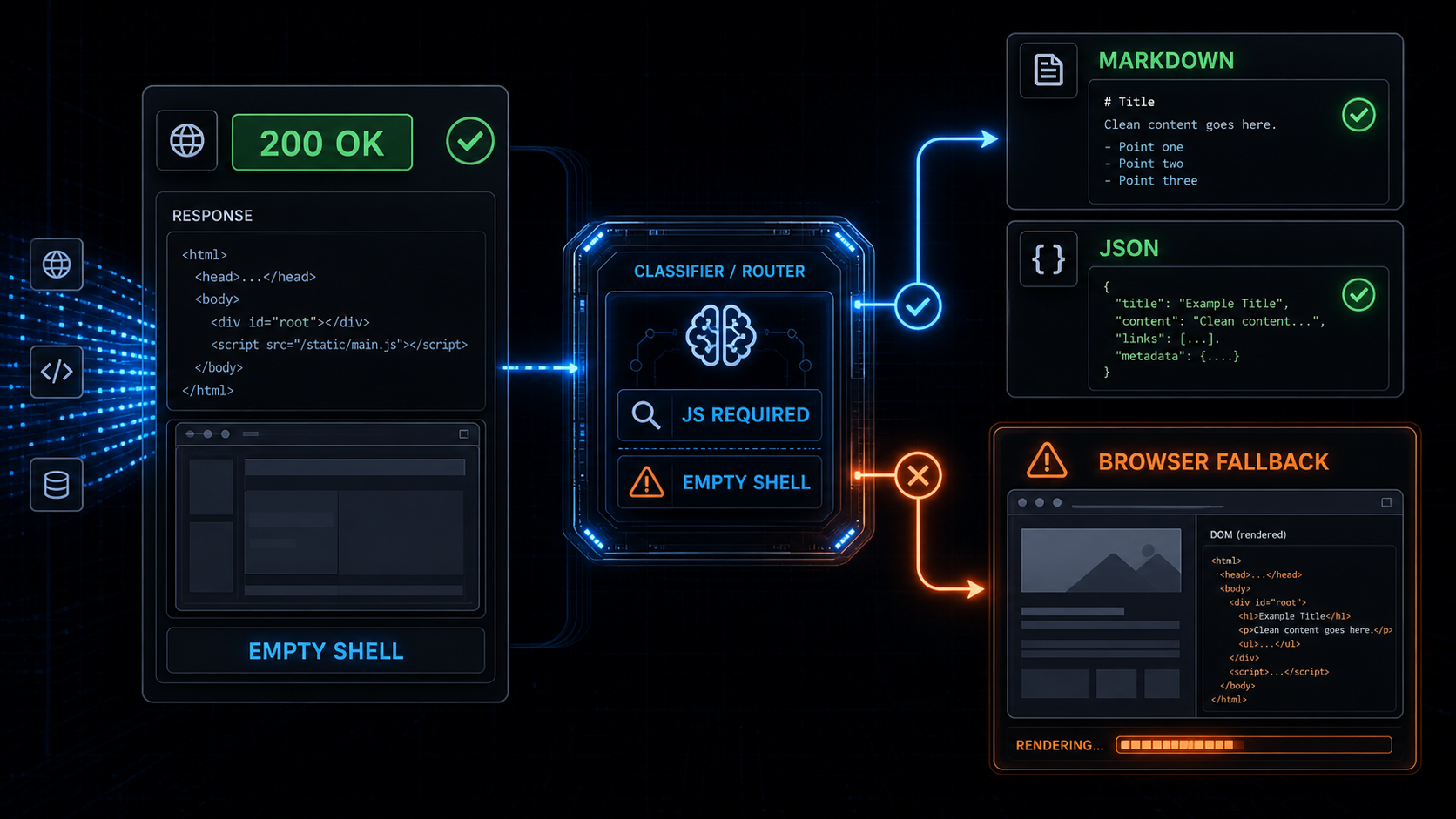
Your scraper got `200 OK`.
The HTML was valid.
The extractor ran.
The output was empty.
That is not always an anti-bot problem.
Sometimes the page just never existed until JavaScript ran.
This is where a lot of scraping systems make the wrong call. They see one failed extraction from a JavaScript-heavy page, then make headless Chrome the default for everything. The next scrape works, but now every article, docs page, product listing, and pricing page pays the browser tax.
That is not a rendering strategy.
It is panic with a browser pool attached.
When we built [Webclaw](https://webclaw.io), the rule stayed the same as the one behind our [anti-bot browser fallback architecture](/blog/anti-bot-scraping-api-browser-fallback):
```text
Fetch first.
Classify the response.
Render only when the page proves it needs JavaScript.
```
This post is about the rendering side of that decision.
Not every empty scrape is Cloudflare.
Not every React site needs Chrome.
Not every `200 OK` contains content.
If you are comparing this against other extraction tools, read [How to evaluate web scraping APIs for AI agents](/blog/stop-testing-scraping-apis-on-example-com) first. Most bad evaluations miss this exact distinction because they test static toy pages instead of dynamic sites, blocked sites, and pages with messy extraction output.
## Quick answer
A JavaScript rendering API is needed when the initial HTML is only an app shell and the target content appears after client-side execution.
The strongest signals are:
```text
empty root nodes
missing article or product content
missing expected JSON-LD
hydration-only payloads
client-side route placeholders
required XHR or fetch data calls
low extracted token count
```
If those signals are not present, a scraper should avoid browser rendering and return clean markdown or structured JSON from the initial response.
That is the difference between **browser fallback scraping** and **browser-first scraping**.
For the neighboring parts of this cluster, see [TLS fingerprinting in 2026](/blog/tls-fingerprint-vs-browser-cloudflare), [Puppeteer stealth vs Cloudflare](/blog/puppeteer-stealth-cloudflare-2026), and [Cloudflare Turnstile scraping](/blog/cloudflare-turnstile-2026-guide).
## The three problems people confuse
Most "my scraper returned nothing" bugs are actually one of three different problems:
```text
blocked page
JavaScript-rendered empty shell
bad extraction
```
They look similar downstream.
The output is empty or useless.
But the fix is different.
## 1. Blocked page
The site did not give you the target page.
It gave you a defensive artifact:
```text
403
429
503
challenge page
WAF interstitial
Turnstile page
bot cookie loop
```
That is an anti-bot problem.
The right response is not "parse harder." The right response is to classify the block and choose the correct fallback path.
For that layer, read [Anti-Bot Scraping API 2026: signals that force browser fallback](/blog/anti-bot-scraping-api-2026-browser-fallback-signals), [Cloudflare Web Scraping: What Works in 2026](/blog/bypass-cloudflare-bot-protection-web-scraping), [Cloudflare scraping checklist](/blog/cloudflare-scraping-diagnostic-checklist), and [Cloudflare error codes for scrapers](/blog/cloudflare-error-codes-scraping).
## 2. JavaScript-rendered empty shell
The site did give you a page.
The page just did not contain the content yet.
You might see:
```html
```
Or:
```html
```
The HTTP request succeeded.
The HTML parser succeeded.
The extractor had nothing real to extract.
That is a rendering problem.
The fix is JavaScript execution, but only for this URL class.
This is why "scrape React website" is too broad as a diagnosis. React hydration attaches client behavior to a DOM tree, but some React and Next.js sites still ship useful server-rendered HTML. Others ship almost nothing until the client runs. The scraper has to inspect the response, not guess from the framework name.
## 3. Bad extraction
Sometimes the content is already in the HTML, but the extraction layer misses it.
Common causes:
```text
main content selector is wrong
content is inside JSON-LD
content is inside script state
article body uses unusual markup
product data is split across tables
boilerplate removal is too aggressive
```
That is not an anti-bot problem.
It is not necessarily a rendering problem either.
It is an extraction quality problem.
This is why Webclaw checks the output after extraction instead of treating extraction as the final step. For the LLM side, see [HTML to Markdown for LLMs](/blog/html-to-markdown-for-llms), [Web scraping for AI agents](/blog/web-scraping-for-ai-agents), and [Extract structured data from any URL in one call](/blog/extract-structured-data-from-any-webpage).
## What a JavaScript rendering API should detect
The rendering decision should happen before launching a browser.
Launching Chrome is expensive:
```text
startup time
memory
browser pool contention
timeouts
network idle ambiguity
more moving parts
lower concurrency
```
Rendering is useful.
Rendering everything is the expensive part.
The classifier should inspect the raw response and the first extraction result, then decide whether browser fallback is justified.
This also matters when choosing a vendor. A [web scraping API for LLMs](/blog/best-web-scraping-api-for-llms) should not only fetch URLs. It should distinguish static content, client-rendered content, anti-bot artifacts, and extraction misses.
## Signal 1: empty app roots
This is the classic React, Vue, Svelte, Angular, or Next.js shell problem.
You fetch the page and get:
```html
```
or:
```html
```
or:
```html
```
The page has scripts, styles, and route metadata, but no meaningful text.
That is a strong rendering signal.
The right move is not to immediately treat the domain as browser-only forever. The right move is to mark this response as JavaScript-required and render this class of page.
For search indexing, Google documents the same broad risk from the other side: JavaScript content may need rendering before it is visible to a crawler. Scraping pipelines hit the same shape of problem, but the consequence is bad data instead of missed indexing.
## Signal 2: missing expected content blocks
A scraper usually knows what type of page it is trying to extract.
For a product page, you expect:
```text
title
price
availability
variants
reviews
product schema
```
For an article, you expect:
```text
headline
body text
author
publish date
article schema
```
For docs, you expect:
```text
main heading
section headings
code blocks
navigation links
```
If those blocks are missing from the initial HTML, the classifier should ask why.
Maybe the page is blocked.
Maybe the content hydrates client-side.
Maybe the extractor missed it.
The important part is that missing expected content is a signal, not a final result.
This is the point where schema-aware extraction helps. If you need exact fields rather than the whole page, use a schema and compare the result against what you expected. That pattern is covered in [Extract structured data from any URL](/blog/extract-structured-data-from-any-webpage).
## Signal 3: hydration-only payloads
Some pages ship enough state to render client-side, but not enough semantic HTML to extract cleanly.
You might see:
```text
__NEXT_DATA__
window.__INITIAL_STATE__
window.__APOLLO_STATE__
Nuxt payloads
Remix loader data
serialized route manifests
```
This is not automatically bad.
Sometimes the useful data is inside those payloads and can be extracted without a browser.
Sometimes the payload is only routing state and the real content comes from later API calls.
The classifier should distinguish between:
```text
state contains target content -> parse without browser
state does not contain target content -> render or fetch dependent data
```
That distinction saves a lot of unnecessary browser sessions.
Next.js, React, and other modern frameworks make this especially easy to misread. A payload can be useful content, routing metadata, cache state, or just enough information for the client to request something else. Treating every payload as "needs browser" leaves performance on the table.
## Signal 4: client-side data dependencies
Many dynamic pages are not empty because of anti-bot.
They are empty because the browser must make a second request:
```text
/api/products/123
/graphql
/search?q=
/inventory
/reviews
```
The initial HTML is just a bootloader.
If the target data only arrives through XHR, `fetch`, or GraphQL after hydration, a rendering API can capture the final DOM. A smarter extraction system can sometimes call the data endpoint directly, but that depends on the site and request shape.
The safe default is:
```text
detect the dependency
render if needed
return the final clean content
```
## Signal 5: low content quality after extraction
The final rendering signal comes from the extraction result.
If the cleaned output looks like this:
```text
12 tokens
no title
no article body
no product fields
mostly navigation
mostly cookie text
mostly script noise
```
then the scrape did not produce useful content.
That does not mean every bad extraction should launch a browser.
It means the system should classify the failure:
```text
blocked
JavaScript-required
extraction missed content
unsupported page shape
```
Returning empty markdown as success is the worst option.
This is where agent pipelines get fragile. If your LangChain or LlamaIndex workflow receives empty context, the model usually does not know the fetch layer failed. See [LangChain web scraping in 2026](/blog/web-scraping-langchain-guide), [LlamaIndex web scraping](/blog/web-scraping-llamaindex-guide), and [Build a RAG pipeline with live web data](/blog/rag-pipeline-web-data) for the downstream side.
## Browser fallback beats browser-first
A browser-first scraper has a simple pipeline:
```text
URL -> browser -> DOM -> extraction
```
It works.
It is also wasteful when the content was already available in the initial response.
This is also why [browser fallback beats browser-first](/blog/anti-bot-scraping-api-browser-fallback). Rendering is a fallback path. It should be available, reliable, and expensive only when the site forces the cost.
A browser fallback scraper looks more like this:
```text
URL
-> browser-like fetch
-> response classification
-> extraction
-> content quality score
-> browser fallback only if needed
-> markdown or JSON
```
This is the path Webclaw uses from the outside:
```bash
curl -X POST https://api.webclaw.io/v1/scrape \
-H "Authorization: Bearer $WEBCLAW_API_KEY" \
-H "Content-Type: application/json" \
-d '{
"url": "https://example.com",
"formats": ["markdown"],
"only_main_content": true
}'
```
For typed output, use the [Extract API](/docs/api/extract). For the full scrape endpoint, see the [Scrape API docs](/docs/api/scrape). If you are migrating an existing crawler or Firecrawl-compatible workflow, see [Migrating from Firecrawl](/blog/migrating-from-firecrawl-compatible-api) and the [API endpoint docs](/docs/api/endpoints).
The API stays boring.
The decision layer does the work.
## Why this matters for AI agents
AI agents amplify bad extraction.
If a scraper returns an empty shell, the model may reason from nothing.
If a scraper returns navigation text, the model may treat navigation as content.
If a scraper returns a challenge page, the model may summarize the challenge.
For RAG and agent workflows, "we got HTML" is not enough.
The output needs to be:
```text
clean
source-linked
deduplicated
structured when requested
honest when it failed
```
That is why JavaScript rendering should not be a separate manual mode bolted onto the side.
It should be part of the extraction decision.
The user should not have to guess whether a URL needs Chrome.
The API should figure it out.
For agent integrations, the same idea applies through [MCP web scraping for Claude Code and Cursor](/blog/mcp-and-web-scraping), [LangChain web scraping](/blog/web-scraping-langchain-guide), and [LlamaIndex web scraping](/blog/web-scraping-llamaindex-guide). The model should receive clean context, not a framework shell.
## The rule
Use JavaScript rendering when the page proves it needs JavaScript.
Do not use it because the site looks modern.
Do not use it because one naive HTTP client returned empty HTML.
Do not use it because the tutorial used Puppeteer.
Use it when the response classification says:
```text
the page is clean but empty
the target content is client-rendered
the extracted output is below quality threshold
browser execution is the cheapest correct fallback
```
That is the practical version of a JavaScript rendering API for web scraping.
Fetch first.
Classify.
Render only when needed.
Return clean markdown or JSON.
Everything else is just paying browser costs early.
## Sources and references
These are the external references I would keep nearby when debugging JavaScript-rendered pages:
- [React `hydrateRoot` documentation](https://react.dev/reference/react-dom/client/hydrateRoot) explains the hydration model behind many client-rendered apps.
- [Next.js data fetching documentation](https://nextjs.org/docs/app/getting-started/fetching-data) is useful for understanding which data can be available before render and which data may arrive later.
- [MDN Fetch API](https://developer.mozilla.org/en-US/docs/Web/API/Fetch_API) covers the browser-side request layer behind many dynamic page data dependencies.
- [Google Search Central JavaScript SEO basics](https://developers.google.com/search/docs/crawling-indexing/javascript/javascript-seo-basics) documents how JavaScript rendering affects content visibility for crawlers.
- [Google dynamic rendering documentation](https://developers.google.com/search/docs/crawling-indexing/javascript/dynamic-rendering) is useful historical context for why rendering is a workaround, not the default architecture you want everywhere.
## Frequently asked questions
### What is a JavaScript rendering API for web scraping?
A JavaScript rendering API executes a webpage in a browser or browser-like environment so client-side content can load before extraction. It is useful for React, Next.js, Vue, Angular, and other dynamic pages where the initial HTML does not contain the target content.
### When should a scraper use browser fallback?
A scraper should use browser fallback when the initial response is clean but does not contain the expected content, when the page is an empty app shell, when useful data only appears after client-side requests, or when extracted markdown or JSON falls below a content quality threshold.
### Is an empty HTML page always an anti-bot block?
No. Empty HTML can be a bot challenge, but it can also be a normal JavaScript app shell. The scraper should classify the response using status codes, headers, cookies, content structure, hydration payloads, and extraction quality before choosing an anti-bot or rendering fallback.
### Should I scrape React websites with headless Chrome every time?
No. Some React and Next.js pages include useful content or structured data in the initial HTML. Use browser rendering when the page proves the target content is client-rendered, not simply because the site uses a modern frontend framework.
### How does Webclaw handle JavaScript-rendered pages?
Webclaw starts with a fast browser-like fetch, classifies the response, extracts content, scores the output quality, and escalates to browser fallback only when the page requires rendering or another expensive fallback path.
---
### Anti-Bot Scraping API: Browser Fallback Signals
URL: https://webclaw.io/blog/anti-bot-scraping-api-2026-browser-fallback-signals
Published: 2026-05-19
Author: Massi
The exact block markers, JA4 fingerprints, empty shells, anti-bot cookies, JavaScript heuristics, and content-quality signals that decide when a scraping API should escalate to a browser.
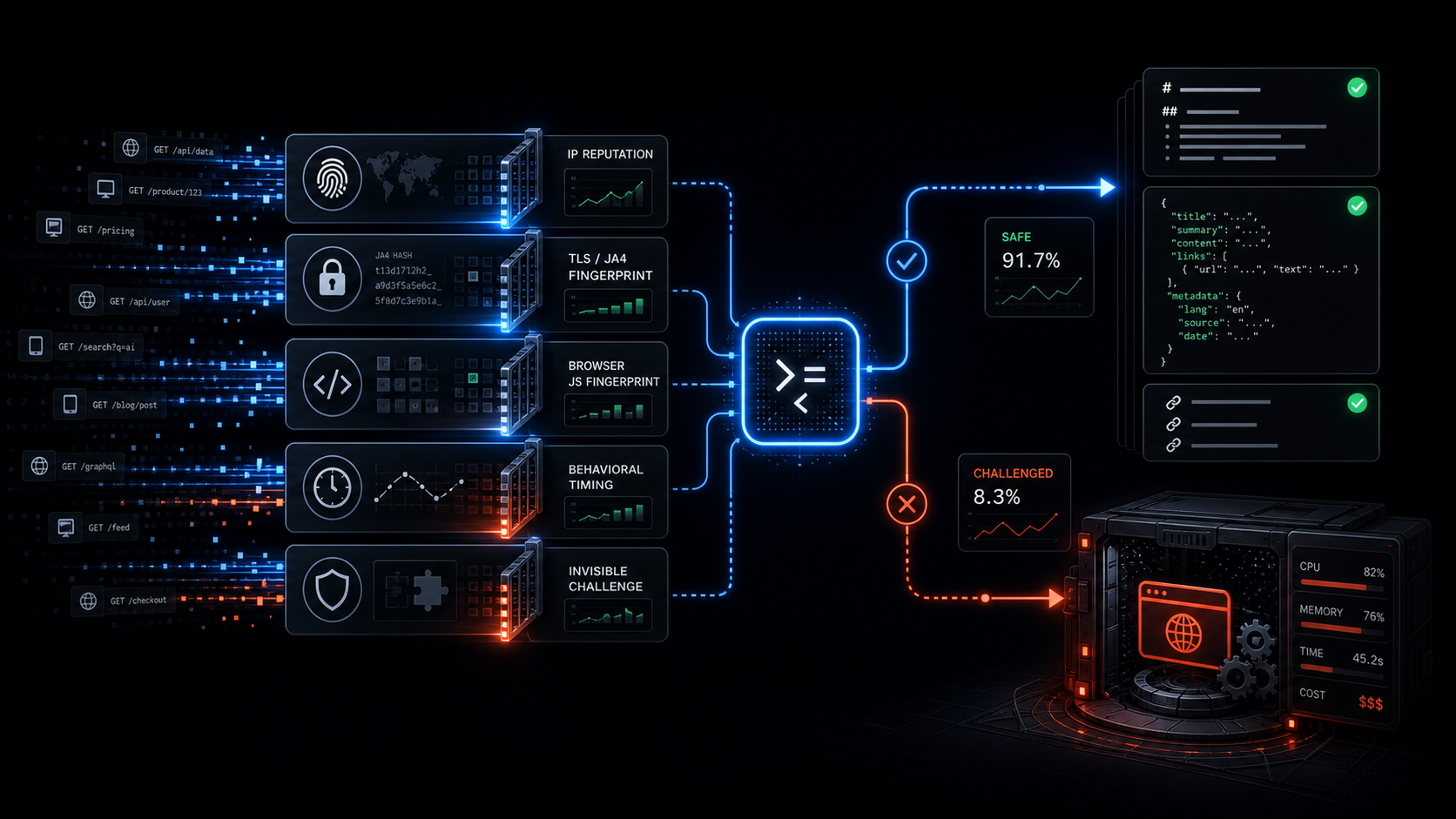
I used to treat headless Chrome as the default for every scrape.
It worked until Cloudflare, Akamai, DataDome, and PerimeterX started winning.
In 2026 those systems do not rely on one check. They stack signals: IP reputation, TLS fingerprinting with JA4, browser fingerprinting through JavaScript, behavioral timing, and invisible challenges. Most scraping APIs still fire a full browser on every request because "it just works." The result is high latency and a bill that scales with every job.
When we shipped [Webclaw](https://webclaw.io), I set one rule:
```text
Browser is fallback only.
The classifier must earn every session.
```
The API should start with a clean browser-like fetch, classify the response, and decide quickly whether the page actually needs browser rendering. That architecture is the difference between an anti-bot scraping API that scales and one that quietly becomes an expensive bottleneck.
For the broader architecture, read [browser fallback, not browser-first](/blog/anti-bot-scraping-api-browser-fallback). This post is the lower-level version: the signals that force escalation.
## Quick answer
A scraping API should escalate to browser fallback when the response shows one or more of these signals:
```text
403, 429, or 503 with challenge markers
TLS or HTTP/2 fingerprint mismatch
tiny HTML shell with almost no real text
anti-bot cookies or headers
Turnstile, reCAPTCHA, or challenge scripts
cleaned content quality below threshold
```
If none of those flags fire, the API should return clean markdown or structured JSON immediately. No browser spin-up. No extra wait. No unnecessary compute.
## The request starts cheap
The first request should not be a Chrome session.
It should be a coherent browser-like HTTP request:
```text
realistic User-Agent
matching TLS and HTTP/2 behavior
correct Accept headers
language preferences that make sense
cookie persistence when needed
no Python requests defaults
no generic library fingerprints
```
The important part is consistency. A Chrome User-Agent with a Python TLS fingerprint is not Chrome. It is a lie across layers, and modern bot systems are good at reading that mismatch.
If you want the deeper protocol explanation, see [TLS fingerprinting in 2026](/blog/tls-fingerprint-vs-browser-cloudflare). If you are debugging Cloudflare specifically, start with [Cloudflare error codes for scrapers](/blog/cloudflare-error-codes-scraping).
## The six checks
Once the response comes back, the classifier should inspect the raw response before extraction.
Not after the LLM sees it.
Not after the crawler indexes it.
Before.
## 1. Status code plus immediate block markers
Status code alone is not enough, but it is still a useful first signal.
The obvious escalation candidates:
```text
403
429
503
```
Those become much stronger when paired with challenge markers:
```text
cf-mitigated
__cf_bm
ak_bmsc
/cdn-cgi/challenge-platform/
cf-turnstile
challenges.cloudflare.com
```
A bare `403` can mean many things. A `403` with challenge markup means your scraper did not get the page. It got the bouncer.
That should never return as success.
For a more complete decision tree, see [Cloudflare scraping checklist](/blog/cloudflare-scraping-diagnostic-checklist) and [Cloudflare Turnstile scraping](/blog/cloudflare-turnstile-2026-guide).
## 2. TLS and HTTP/2 fingerprint mismatch
Modern anti-bot systems read the connection before the HTTP body exists.
They can score:
```text
JA4 fingerprint
TLS extension order
cipher suite order
ALPN
HTTP/2 SETTINGS
header order
client hints
```
If a target only accepts real-browser fingerprints and the fetch path does not match, browser fallback becomes more likely.
This is where a lot of scraping tutorials are outdated. Changing the User-Agent does not change the TLS handshake. A request can say Chrome in the header and still say Python at the transport layer.
That is why [Puppeteer stealth stopped being enough](/blog/puppeteer-stealth-cloudflare-2026). Stealth patches browser JavaScript leaks. It does not fix every lower-level request signal.
## 3. Content size and structure
Some blocked responses are tiny.
You asked for a product page, docs page, or article. You got:
```text
6 KB of HTML
almost no text nodes
no article body
no product schema
no JSON-LD
no expected title
```
That is usually not a small page.
It is an interstitial, empty shell, consent wall, or challenge path.
This check catches a lot of fake success. The HTTP request succeeded. The extraction would run. The output would be garbage. The classifier stops that before the result gets treated as real content.
This is the same reason we tell people to stop testing scraping APIs on toy pages like `example.com`. Use the pages your product actually depends on. The evaluation checklist is here: [How to evaluate web scraping APIs for AI agents](/blog/stop-testing-scraping-apis-on-example-com).
## 4. Anti-bot headers and cookies
Headers and cookies are noisy, but useful.
The classifier should scan for known anti-bot families:
```text
cf-ray
cf-mitigated
__cf_bm
ak_bmsc
px cookies
__ddg markers
challenge redirects
WAF body fingerprints
```
The point is not to blindly match one string and panic. The point is to build a combined score.
A suspicious cookie plus tiny content plus missing expected schema is a much stronger signal than any one marker alone.
Good anti-bot detection is not a magic bypass trick. It is response classification.
The API needs to know whether it received the target page or a defensive artifact pretending to be a page.
## 5. JavaScript requirement heuristic
Some pages are not blocked. They are just empty until JavaScript runs.
The classifier can detect this without launching a full JS runtime immediately.
Fast string scans catch many cases:
```text
empty app roots
hydration-only shells
missing window.__INITIAL_STATE__
missing __NEXT_DATA__ payloads
script tags that load Turnstile or reCAPTCHA
data attributes that only hydrate client-side
```
If the page clearly needs client-side execution, browser fallback is justified.
But the important thing is sequencing. You do not need to start Chrome to discover that every time. A cheap scan can decide whether browser time is worth spending.
For LLM pipelines, this is especially important because empty shells look deceptively harmless. The model gets a clean-looking page with no real content and starts reasoning from nothing.
## 6. Final content quality score
The last check happens after extraction.
Even if the raw HTML did not scream "blocked," the cleaned output can still tell you something is wrong.
Signals:
```text
very low token count
low entity density
missing title
missing expected JSON-LD
missing price, review, or article blocks
too much repeated navigation
too little main content
```
If the cleaned markdown or JSON looks like an empty shell, escalate.
This is the part many scraping APIs skip. They treat extraction as the end. In production, extraction output is another signal.
Bad data is worse than failed data. A failed scrape can be retried. Bad data gets indexed, summarized, billed, and trusted.
## What happens when no flags fire
If none of the checks fire, Webclaw returns clean output immediately:
```text
markdown
JSON
metadata
links
tables
structured fields
```
No browser session. No hidden headless mode. No extra wait.
From the API side, the call is boring:
```bash
curl -X POST https://api.webclaw.io/v1/scrape \
-H "Authorization: Bearer $WEBCLAW_API_KEY" \
-H "Content-Type: application/json" \
-d '{
"url": "https://example.com",
"formats": ["markdown"],
"only_main_content": true
}'
```
If you want typed extraction instead of full content, use the [Extract API](/docs/api/extract). If you want the full scrape endpoint reference, start with the [Scrape API docs](/docs/api/scrape).
## What happens when flags fire
When the classifier has enough evidence, it escalates.
That can mean browser rendering, challenge handling, or a more expensive fallback path. The important part is that the expensive path is earned by signals, not used as the default for every URL.
The session should close as soon as the data is captured.
Browsers should not sit idle.
The API should return either clean data or a clear error. It should not hand a challenge page to an agent and call that a successful scrape.
## A real production shape
One real pattern we see often:
```text
retail product page
Cloudflare or PerimeterX layer
first fetch returns fast
headers and content shape look challenged
classifier escalates
browser fallback returns rendered product data
```
The useful output is not "HTML." It is structured product data:
```text
title
variants
price
reviews
availability
metadata
```
A browser-first service pays the browser cost on every request, including the pages that never needed it.
A classifier-first service pays it only when the site forces its hand.
That is the whole margin difference.
## Why this matters for AI agents
AI agents make fake success more expensive.
If the fetch layer returns a challenge page, the agent may summarize the challenge.
If the fetch layer returns an empty app shell, the agent may confidently reason from nothing.
If the extraction layer returns navigation and cookie text, your RAG pipeline embeds garbage.
Agents do not need raw HTML. They need trustworthy web context.
That means the extraction API has to care about:
```text
response classification
clean markdown
structured JSON
source URLs
metadata
typed errors
browser fallback only when needed
```
For the output side of this problem, read [HTML to Markdown for LLMs](/blog/html-to-markdown-for-llms) and [Web scraping for AI agents](/blog/web-scraping-for-ai-agents).
## The rule
Anti-bot vendors spent the last two years making full-browser sessions deliberately expensive.
The winning move is to avoid them until the site forces your hand.
That is the rule behind Webclaw:
```text
Clean data first.
Browser only when the site demands it.
```
One POST to `/scrape` with a URL and optional schema. You get back either clean data, rendered data, or a clear failure.
No manual "headless mode" flag.
No browser-first tax.
The classifier decides.
That single rule is still the difference between an API that scales cleanly and one that becomes another expensive bottleneck.
## Frequently asked questions
### What is browser fallback in a scraping API?
Browser fallback means the API starts with a cheaper HTTP fetch, classifies the response, and only escalates to browser rendering when the target page actually requires JavaScript execution, challenge handling, or rendered DOM state.
### Why not use headless Chrome for every scrape?
Headless Chrome can work, but browser-first scraping makes every request pay the most expensive path. That increases latency, infrastructure cost, and queue pressure even for pages that could have returned clean markdown or JSON from a direct fetch.
### What signals usually force browser fallback?
The strongest browser fallback signals are challenge status codes, anti-bot cookies, TLS or HTTP/2 fingerprint mismatch, tiny HTML shells, missing expected structured data, Turnstile or reCAPTCHA scripts, and cleaned content that looks empty or low quality.
### Is JA4 fingerprinting enough to block a scraper?
JA4 is one signal, not the whole decision. Modern anti-bot systems combine transport fingerprints with headers, cookies, JavaScript browser fingerprints, reputation, behavior, and content flow. A good scraping API has to classify across layers.
### How does Webclaw handle anti-bot scraping for AI agents?
Webclaw classifies the response before handing content to an agent. Clean pages return markdown, JSON, metadata, links, and structured fields quickly. Challenged or empty pages escalate to the right fallback path instead of returning garbage context as a successful scrape.
---
### Anti-Bot Scraping API: Skip the Browser, Keep the Speed
URL: https://webclaw.io/blog/anti-bot-scraping-api-browser-fallback
Published: 2026-05-14
Author: Massi
An anti-bot scraping API that detects the block first, then escalates to a browser only when needed. Faster and cheaper, with clean markdown or JSON out.
If a scraping API launches a browser for every URL, it is solving the wrong default problem.
The best anti-bot scraping API is not the one that always opens Chrome. It is the one that can detect blocks, avoid fake success, extract clean content, and escalate to a browser only when the page actually needs browser behavior.
Browsers are useful. Sometimes they are the only correct fallback. But most production scraping failures are not fixed by making Chrome the first step. They are fixed by building a pipeline that can tell the difference between:
```text
a real page
a bot challenge
an empty JavaScript shell
a login wall
a consent interstitial
a stale cached response
a page that needs browser rendering
```
That distinction matters more than the tool you use to fetch the first byte.
For AI agents, RAG pipelines, competitor monitors, research workflows, and SaaS products that depend on live web data, the job is not "open a page." The job is:
```text
return clean, trustworthy web context
```
An anti-bot scraping API should optimize for that. Not for browser theatrics.
## Quick answer
The best architecture for an anti-bot scraping API is:
```text
fingerprinted fetch first
response classification
content extraction
browser fallback only when needed
clean markdown or JSON output
typed errors when the page cannot be trusted
```
This is faster, cheaper, and easier to scale than a browser-first scraper. A headless browser should be an escalation path for JavaScript-only pages, interactive challenges, and pages where the useful content is missing from the initial response.
If you are comparing scraping APIs for AI agents, RAG, research, monitoring, or data products, look for four things:
```text
anti-bot handling
bad-response detection
clean markdown or JSON output
browser fallback instead of browser-first execution
```
## Why browser-first scraping became the default
The browser-first approach became popular because it works in demos.
The page has JavaScript. Puppeteer renders it. The DOM appears. You extract the text. Problem solved.
That mental model is easy:
```text
URL -> browser -> rendered DOM -> content
```
And to be fair, it is correct for some pages.
Single-page apps, interaction-heavy flows, content behind client-side requests, infinite scroll, and pages that require real browser state can need browser rendering.
The mistake is treating those pages as the default case.
If you are scraping thousands of URLs, many of them are not interactive web apps. They are docs pages, articles, product pages, listings, changelogs, support pages, pricing pages, and marketing pages. The useful content is often already in the initial HTML or in structured data embedded in the response.
Launching a browser for all of those pages is expensive overkill.
## Browser-first costs show up late
Headless browser scraping looks fine at small volume.
At production volume, the cost curve changes.
You start paying for:
```text
browser startup time
memory per page
Docker image size
font and system dependencies
crashes and zombie processes
network idle timeouts
concurrency limits
queue backpressure
browser pool management
```
Those are not theoretical costs. They affect latency, margin, and reliability.
If the end user is waiting for an AI agent to answer, 5 seconds of browser overhead is visible. If a crawler is processing 50,000 URLs, browser-first architecture becomes an infrastructure problem. If your SaaS pricing is per request, unnecessary browser work attacks your margins.
The goal is not to avoid browsers forever.
The goal is to avoid paying the browser tax before the page proves it needs one.
## Anti-bot is not the same as JavaScript rendering
One common mistake is mixing two different problems:
```text
Can I access the page?
Can I render the page?
```
They overlap, but they are not the same.
A page can block your default HTTP client before JavaScript matters. A page can return a bot challenge with `200 OK`. A page can render perfectly in a browser but still fail because the session, headers, timing, or network-level behavior look wrong.
On the other side, many pages do not need JavaScript rendering at all. They need a browser-like fetch path, coherent request behavior, challenge detection, and a good extractor.
That is why "just use Playwright" is not a complete anti-bot strategy.
It may solve rendering. It does not automatically solve trust, response classification, cost, or extraction quality.
## The failure that hurts: fake success
The most dangerous scraping failure is not a clean error.
It is fake success.
```text
HTTP 200
body downloaded
extractor ran
pipeline continued
data is wrong
```
This happens when the response body is not the page you wanted.
It might be:
```text
a challenge page
a consent screen
a login prompt
an empty app shell
a region-specific block
a soft 404
a page with the main content missing
```
For traditional scraping, fake success pollutes a database.
For LLM workflows, it is worse. An agent may summarize the challenge page. A RAG index may embed the navigation shell. A research workflow may cite a login wall. The model does not know your fetch layer lied.
This is why an anti-bot scraping API needs response classification before extraction.
Status code is not enough.
## What a better anti-bot scraping API does
A production web extraction pipeline should look more like this:
```text
URL
-> fetch with browser-like request behavior
-> classify the response
-> extract main content
-> verify that useful content exists
-> return markdown / JSON / metadata
-> escalate only if needed
```
The important part is the decision layer.
If the first response is clean, return it.
If the response is a known challenge shape, escalate.
If the response is an empty shell, try rendering.
If the page looks like a login wall, fail clearly.
If the page returns content but extraction confidence is low, surface that instead of pretending the scrape worked.
This is the difference between a fetch wrapper and a web extraction API.
## Browser fallback, not browser religion
Browser fallback is still necessary.
Use a browser when:
```text
the main content is loaded only after JavaScript runs
the page requires interaction
the initial HTML is an app shell
a challenge genuinely needs browser execution
the target workflow depends on rendered state
```
Do not use a browser just because:
```text
the page is modern
the site uses React
the first basic request failed
the scraper tutorial said Puppeteer
you want to avoid building response detection
```
Browser fallback is a tool. Browser-first is an architecture choice. The second one is what gets expensive.
## Why this matters for AI agents
AI agents have made web extraction stricter.
A batch scraper can tolerate some latency. A nightly data job can retry for minutes. An agent running inside a user workflow cannot.
The agent needs:
```text
fresh content
clean markdown
source URL
metadata
links
tables
structured fields when requested
clear errors when the page cannot be trusted
```
It does not need 120,000 tokens of raw HTML. It does not need footer links. It does not need a screenshot unless the task is visual. It does not need a browser session for every docs page.
For agents, the best output is usually clean context:
```text
title
main content
links
metadata
structured extraction
```
That is why web scraping APIs for AI agents should be evaluated on output quality and failure handling, not just whether they can open a URL.
For a broader test checklist, see [how to evaluate web scraping APIs for AI agents](/blog/stop-testing-scraping-apis-on-example-com).
## Browser-first vs browser-fallback
| Architecture | Good for | Problem |
|---|---|---|
| Browser-first scraping API | Interactive pages, rendered state, screenshots | High cost and latency on pages that never needed a browser |
| Fetch-first scraping API | Docs, articles, product pages, RAG, agents, crawls | Needs strong bad-response detection and fallback logic |
| Fetch-first with browser fallback | Production web extraction at scale | More engineering work inside the API, better interface for users |
If you are choosing a scraping API, ask one question:
```text
Does this API know when the page it fetched is not the page I asked for?
```
If the answer is no, the rest of the feature list matters less.
## How Webclaw handles this
[Webclaw](https://webclaw.io) is built around fetch-first extraction with escalation.
The public interface is simple:
```bash
curl -X POST https://api.webclaw.io/v1/scrape \
-H "Authorization: Bearer $WEBCLAW_API_KEY" \
-H "Content-Type: application/json" \
-d '{
"url": "https://example.com",
"formats": ["markdown"],
"only_main_content": true
}'
```
And from TypeScript:
```ts
import { Webclaw } from "@webclaw/sdk";
const client = new Webclaw({
apiKey: process.env.WEBCLAW_API_KEY!,
});
const page = await client.scrape({
url: "https://example.com",
formats: ["markdown"],
only_main_content: true,
});
console.log(page.markdown);
```
The idea is not that users should configure every scraping layer themselves.
The interface should be:
```text
send URL
get clean content
move on
```
If the page can be handled without browser rendering, it should be. If the page needs escalation, the API should handle that path or fail clearly.
That is the difference between "we fetched something" and "we returned usable web context."
## What to test before choosing a provider
Do not test an anti-bot scraping API on `example.com`.
Use a small set of URLs that represent your actual workload:
```text
a docs page with sidebars
a product page with pricing
a page behind Cloudflare
a JavaScript-rendered page
a page with cookie consent
a page that should fail
```
Then compare:
```text
latency
markdown quality
main content extraction
links and metadata
table preservation
challenge detection
typed errors
cost at expected volume
browser fallback behavior
```
The winning API is not the one that returns the largest payload.
It is the one that returns the smallest useful payload and tells you when it cannot.
## Frequently asked questions
### What is an anti-bot scraping API?
An anti-bot scraping API is a web extraction service that handles common bot-protection failures, detects challenge or block pages, and returns usable content such as markdown, JSON, metadata, or structured fields. A good one does more than rotate User-Agent headers. It classifies responses and escalates when needed.
### What is the best anti-bot scraping API for AI agents?
The best anti-bot scraping API for AI agents is one that returns clean, source-linked context instead of raw HTML. It should detect challenge pages, avoid fake 200 OK responses, preserve headings and tables, return markdown or JSON, and use browser fallback only when the page needs JavaScript rendering.
### Is headless browser scraping better than HTTP scraping?
Not always. Headless browsers are better for pages that require JavaScript rendering, interaction, or visual state. HTTP-based fetch paths are faster and cheaper for pages where the useful content is already in the response. The best production architecture uses fetch first and browser fallback when needed.
### Why is browser-first scraping expensive?
Browser-first scraping pays the cost of a full browser process on every URL: memory, startup time, page lifecycle management, Docker dependencies, crashes, and lower concurrency. At scale, this affects latency and margin.
### How do I avoid fake success in web scraping?
Do not treat status code alone as success. Log and classify the response body, detect challenge pages and empty shells, verify that main content exists, and return typed errors when the page cannot be trusted. A 200 response with a bot challenge is still a failed scrape.
### What should a scraping API return for LLMs?
For LLMs, the best default output is clean markdown or structured JSON with title, source URL, metadata, links, tables, and main content preserved. Raw HTML is usually too noisy and too expensive for agents or RAG pipelines.
### What makes Webclaw different from a browser-only scraper?
Webclaw is designed as a web extraction API for agents and LLM workflows. It prioritizes clean markdown, structured output, response classification, and escalation only when needed instead of treating a browser as the default path for every URL.
### Is Webclaw a Firecrawl alternative?
Yes. Webclaw is a Firecrawl alternative for teams that need clean markdown, structured JSON, MCP support, and reliable extraction from real web pages. The API is designed for AI agents, RAG pipelines, crawlers, and production workflows that need more than raw HTML.
## The bottom line
An anti-bot scraping API should not be judged by whether it can launch a browser.
It should be judged by whether it can return trustworthy web context at production cost.
The winning architecture is boring from the outside:
```text
send URL
get clean markdown or JSON
handle failures clearly
```
The hard part is everything behind that interface.
---
### How to evaluate web scraping APIs for AI agents
URL: https://webclaw.io/blog/stop-testing-scraping-apis-on-example-com
Published: 2026-05-12
Author: Massi
A practical checklist for testing web scraping APIs on real agent and RAG workflows, not toy URLs like example.com.
Most web scraping API evaluations start with the wrong URL.
```text
https://example.com
```
It is fast. It is stable. It has clean HTML. It has no JavaScript app shell, no pricing table, no docs sidebar, no cookie banner, no bot protection, no weird markdown edge cases, and no downstream parser waiting to break.
That makes it useful for checking if an API key works.
It makes it almost useless for deciding if a web scraping API belongs in your product.
If you are building an AI agent, a RAG pipeline, a competitor monitor, or a research workflow, the question is not:
```text
Can this API scrape a page?
```
The real question is:
```text
Can this API return useful context from the pages my workflow actually depends on?
```
Those are very different tests.
I am building [webclaw](https://webclaw.io), a web extraction API, CLI, and MCP server for AI agents. The more I talk with teams testing scraping providers, the more I see the same mistake: they compare tools on toy pages, then discover the real failures only after wiring the tool into an agent, RAG ingestion job, or production data pipeline.
This is how I would evaluate a web scraping API before trusting it.
This post continues the provider-evaluation cluster after [Migrating from Firecrawl: compatible API for AI agents](/blog/migrating-from-firecrawl-compatible-api). The goal is simple: test scraping APIs like infrastructure, not like a landing-page demo.
## Start With A Real URL Set
Do not start with the homepage of a famous company.
Do not start with a static demo page.
Start with 10 to 20 URLs that represent your actual workflow. This is the fastest way to evaluate a scraping API for AI agents because agents do not browse the average web page. They hit docs, pricing pages, changelogs, search results, and weird edge cases.
| URL type | Why it matters |
| --- | --- |
| Documentation page | Tests headings, code blocks, tables, sidebars, and internal links. |
| Changelog page | Tests date structure, repeated entries, and incremental monitoring. |
| Pricing page | Tests tables, plan names, feature lists, and layout-heavy content. |
| Product page | Tests messy marketing pages, images, specs, and variant data. |
| Blog article | Tests main-content extraction and boilerplate removal. |
| Search results page | Tests dynamic content and anti-automation behavior. |
| JavaScript-heavy page | Tests whether the initial HTML is enough or rendering is needed. |
| Previously flaky URL | Tests the failure mode you already know exists. |
The best benchmark is not broad.
It is representative.
If your product monitors competitor pricing pages, test pricing pages.
If your agent reads docs, test docs.
If your RAG pipeline ingests help centers, test help centers.
That sounds obvious. It is also where most evaluations get lazy.
## A 200 Is Not Success
Web scraping APIs make it too easy to treat HTTP status as the result.
```json
{
"success": true,
"status": 200
}
```
That can still be a failure.
For AI workflows, these are common false positives:
| Failure | What it looks like |
| --- | --- |
| Empty app shell | The response contains header/nav text, but no real page body. |
| Challenge page | The API returns an anti-bot page as if it were content. |
| Login wall | The markdown describes a sign-in page instead of the requested page. |
| Boilerplate flood | The useful content is buried under nav, footer, cookie, and promo text. |
| Broken code blocks | Docs pages lose formatting and become useless for developer agents. |
| Flattened tables | Pricing or comparison data loses row/column meaning. |
| Missing source metadata | Your downstream answer has no reliable URL, title, or timestamp. |
For LLM apps, a clean-looking wrong page is worse than an error.
An error stops the workflow.
Bad context poisons the workflow.
The agent summarizes a block page. The retriever embeds repeated nav text. The monitor reports no change because it never saw the real page.
That is why your evaluation needs to inspect output quality, not just status.
## Compare The Output Shape
When testing providers, put the outputs side by side.
Not in a vibes-based way.
Use a checklist.
| Check | What to look for |
| --- | --- |
| Title | Is it the real page title, not a generic site title? |
| URL | Is the final URL preserved after redirects? |
| Headings | Are page sections represented clearly? |
| Main content | Is the actual article/docs/pricing content present? |
| Boilerplate | Are nav, footer, cookie banners, and repeated sidebars removed? |
| Code blocks | Are code samples preserved with formatting? |
| Tables | Are rows and columns understandable in text? |
| Links | Are important links preserved? |
| Metadata | Do you get useful title, description, language, and timing fields? |
| Error behavior | Does the API clearly report blocks, timeouts, and empty pages? |
The point is not to find the prettiest markdown.
The point is to find the output that survives your downstream workflow.
If the result goes into an agent, paste it into the actual agent prompt path.
If it goes into RAG, chunk it and inspect retrieval.
If it goes into a monitor, diff it against a later run.
The consumer decides whether the extraction is good.
## Measure Token Waste
For AI products, token size is not a cosmetic detail. If you are comparing website-to-markdown APIs for LLMs, output size and content quality should be part of the test.
It affects cost, latency, context quality, and retrieval quality.
There are three outputs you should compare:
| Output | Problem |
| --- | --- |
| Raw HTML | Huge, noisy, full of markup and scripts. |
| Plain text | Smaller, but often loses structure. |
| Clean markdown / LLM format | Keeps useful structure while cutting noise. |
A scraping API that returns raw HTML quickly is still pushing work downstream.
Your app now has to clean it.
Your LLM now has to ignore it.
Your vector database now has to embed it.
That is not free.
For each test URL, record:
```text
raw HTML size
markdown size
LLM-context size
useful content present: yes/no
boilerplate level: low/medium/high
```
Do not optimize only for the smallest output.
The smallest output can be wrong.
Optimize for the smallest output that still preserves the content your workflow needs.
## Test Crawl Separately From Scrape
Scrape and crawl are different products. A scraping API can be good at one-page extraction and still be weak for RAG web crawling.
Scrape answers:
```text
Can you extract this one page?
```
Crawl answers:
```text
Can you discover the right pages, stay inside boundaries, extract each page, and return a usable collection?
```
That adds new failure modes.
| Crawl concern | What can go wrong |
| --- | --- |
| Discovery | It misses pages that matter. |
| Boundaries | It wanders into irrelevant pages. |
| Deduplication | It extracts the same content many times. |
| Depth | It stops before reaching useful docs. |
| Pagination | It misses list/detail pages. |
| Status polling | Jobs are hard to debug or recover. |
| Output consistency | Pages come back in mixed formats or quality levels. |
For docs ingestion and RAG, crawl quality often matters more than single-page quality.
You do not want “more pages.”
You want the right pages.
Start with a tiny crawl:
```text
start URL: docs home
max pages: 10-25
depth: 1-2
format: markdown or LLM-ready
```
Then ask:
| Question | Why |
| --- | --- |
| Did it find the pages a human would click first? | Discovery quality. |
| Did it avoid login, legal, footer, and duplicate pages? | Boundary quality. |
| Is each page clean enough to embed or summarize? | Extraction quality. |
| Can I map each answer back to a source URL? | Citation quality. |
This is the test most teams skip until the week they need to ingest a whole site.
## Include Your Worst URLs
Every team has a few URLs they hate.
The page that randomly fails.
The docs site with weird sidebar navigation.
The pricing page with layout-heavy cards.
The competitor site that sometimes returns a block.
The JavaScript app where the initial HTML is just:
```html
```
Put those URLs in the evaluation set.
Do not hide them because they make the benchmark messy.
They are the benchmark.
If a provider works beautifully on easy pages and fails on the three pages your product depends on, it is not a good fit for your product.
## Test Error Behavior
A good scraping API should fail in a way your app can use.
Bad error behavior looks like this:
```text
200 OK
markdown: "Checking your browser..."
```
Or this:
```text
timeout
```
with no clue what timed out.
Useful error behavior tells you what happened:
| Error shape | Why it helps |
| --- | --- |
| Block detected | You can retry, route, or alert. |
| Empty content detected | You know rendering or another path may be needed. |
| Timeout type | You can distinguish connect, fetch, render, and extraction failures. |
| Source URL preserved | You can debug the exact page. |
| Partial crawl results | You can keep useful pages instead of losing the whole job. |
For agents, this matters even more.
An agent can recover from a typed failure.
It cannot recover from a lie.
## Do A Provider Swap Test
If you are migrating from an existing provider or evaluating a Firecrawl alternative, do not rewrite the whole integration first.
Put the provider behind a small adapter.
The adapter should normalize only the fields your app actually uses.
```ts
type ExtractedPage = {
url: string;
title?: string;
markdown: string;
metadata?: Record;
};
```
Then run the same URLs through both providers.
| Metric | Provider A | Provider B |
| --- | --- | --- |
| Returned useful content | yes/no | yes/no |
| Markdown size | tokens or chars | tokens or chars |
| Main content quality | low/medium/high | low/medium/high |
| Code/table preservation | yes/no | yes/no |
| Error clarity | low/medium/high | low/medium/high |
| Downstream parser success | yes/no | yes/no |
You are not trying to crown a universal winner.
You are trying to answer:
```text
Which provider works better for this workflow?
```
For some teams, that means switching one endpoint.
For others, it means keeping two providers and routing specific URL classes differently.
That is a better outcome than arguing from marketing pages.
## Where webclaw Fits
[webclaw](https://webclaw.io) is built around the idea that extraction quality is the interface.
The useful output is not “HTML fetched successfully.”
The useful output is:
```text
URL -> clean markdown / JSON / metadata -> agent, RAG pipeline, monitor, or script
```
That is why webclaw exposes:
- `scrape` for one page
- `crawl` for site ingestion
- `map` for URL discovery
- `batch` for lists of URLs
- `extract` for structured JSON
- `summarize` for quick page understanding
- `diff` for monitoring changes
- `brand` for identity extraction
- MCP for Claude Code, Cursor, and other agent clients
- Firecrawl-compatible `/v2` endpoints for migration tests
If you are already evaluating Firecrawl-shaped APIs, start with the migration checklist:
[Migrating from Firecrawl: compatible API for AI agents](/blog/migrating-from-firecrawl-compatible-api)
If you are building the RAG side, this connects directly to:
[Build a RAG pipeline with live web data](/blog/rag-pipeline-web-data)
And if the output goes into Claude Code, Cursor, or another MCP client:
[MCP web scraping for Claude Code and Cursor](/blog/mcp-and-web-scraping)
## The Practical Checklist
Before picking a scraping API, run this:
| Step | Done |
| --- | :-: |
| Pick 10-20 real URLs from your workflow | |
| Include docs, pricing, changelog, product, and flaky pages | |
| Compare markdown, not just status code | |
| Check title, URL, headings, links, code blocks, and tables | |
| Measure output size and boilerplate level | |
| Test crawl separately from scrape | |
| Test error behavior on blocked, empty, and slow pages | |
| Run output through the actual agent, RAG, parser, or monitor | |
| Keep the provider behind an adapter until you are confident | |
That is the evaluation.
Not the landing page.
Not the benchmark table.
Not `example.com`.
The only thing that matters is whether the API returns clean, useful context from the pages your product actually needs.
## FAQ
### What is the best way to evaluate a web scraping API?
Test it on the URLs your product actually depends on. Include docs pages, pricing pages, changelogs, JavaScript-heavy pages, and known flaky URLs. Then inspect the markdown, metadata, errors, and downstream parser or agent behavior. Do not stop at HTTP status.
### What should I test in a scraping API for AI agents?
For AI agents, test whether the API returns clean context with source URL, title, headings, links, code blocks, and useful metadata. Also check whether it detects empty pages, blocked pages, and login walls instead of returning them as successful content.
### How is RAG web scraping different from normal scraping?
RAG web scraping needs clean, chunkable, source-linked content. The output should preserve structure and remove boilerplate because it will be embedded, retrieved, and passed into an LLM. Raw HTML or noisy plain text usually hurts retrieval quality.
### Should I test crawl and scrape separately?
Yes. Scrape tests one-page extraction. Crawl tests URL discovery, boundaries, deduplication, depth, pagination, and consistency across many pages. A provider can be good at scrape and still weak for crawl-based docs ingestion.
### Is webclaw a Firecrawl alternative?
webclaw can be tested as a Firecrawl alternative because it exposes Firecrawl-compatible `/v2` scrape, crawl, map, and search endpoints. The safest path is to run the same real URLs through both providers and compare output quality, token size, error clarity, and downstream success.
Website: [webclaw.io](https://webclaw.io)
GitHub: [0xMassi/webclaw](https://github.com/0xMassi/webclaw)
---
### Migrating from Firecrawl: compatible API for AI agents
URL: https://webclaw.io/blog/migrating-from-firecrawl-compatible-api
Published: 2026-05-08
Author: Massi
Already using Firecrawl? Learn how Firecrawl-compatible endpoints work, what to test before switching, and how to evaluate webclaw with your existing scrape and crawl calls.
Firecrawl is a strong default for teams building with web data. It has good docs, a familiar API shape, and broad awareness in the LLM tooling world.
This post is not here to dunk on it.
It is for the more specific moment where you already have Firecrawl-shaped code in production or in a prototype, and you want to evaluate another API without rewriting the integration from zero.
Maybe you are building an AI agent that needs live web access. Maybe your RAG ingestion pipeline depends on scraped docs. Maybe you just want a second provider behind the same request shape so one vendor does not become a single point of failure.
That is the useful question:
Can you test a Firecrawl-compatible API with your existing scrape and crawl calls?

## What Firecrawl compatibility means
Firecrawl's own v2 API docs describe a base URL of `https://api.firecrawl.dev`, bearer authentication, and endpoints like `/v2/scrape` for scraping a single URL. The scrape endpoint accepts a URL, a `formats` array, `onlyMainContent`, headers, wait options, location, cache controls, and other options. Output formats include markdown, summary, HTML, raw HTML, links, images, screenshot, JSON, change tracking, and branding.
webclaw exposes Firecrawl-compatible endpoints for the common migration path:
| Method | Path | Use |
|---|---|---|
| POST | `/v2/scrape` | Single URL scrape |
| POST | `/v2/crawl` | Start an async crawl |
| GET | `/v2/crawl/{id}` | Poll crawl status and results |
| DELETE | `/v2/crawl/{id}` | Cancel a crawl |
| POST | `/v2/map` | Discover URLs from a site |
| POST | `/v2/search` | Search the web and scrape results |
For many apps, the first test is intentionally boring: keep the same body, change the base URL, use a webclaw API key, and compare the response your app receives.
```bash
curl -X POST https://api.webclaw.io/v2/scrape \
-H "Authorization: Bearer wc_live_YOUR_KEY" \
-H "Content-Type: application/json" \
-d '{
"url": "https://example.com",
"formats": ["markdown"],
"onlyMainContent": true
}'
```
If your current integration already builds requests for `https://api.firecrawl.dev/v2/scrape`, this is the migration surface to test first.
## Why this matters for OpenClaw and Hermes agents
This is especially relevant if Firecrawl entered your stack through an agent runtime instead of through backend code.
[OpenClaw's Firecrawl docs](https://docs.openclaw.ai/tools/firecrawl) describe Firecrawl as a bundled web plugin: choosing Firecrawl during onboarding or running `openclaw configure --section web` enables the Firecrawl plugin. Firecrawl also publishes an [OpenClaw quickstart](https://docs.firecrawl.dev/quickstarts/openclaw) for giving OpenClaw agents scrape, search, crawl, extract, and browser automation capabilities.
[Hermes Agent's web search and extract docs](https://hermes-agent.nousresearch.com/docs/user-guide/features/web-search) describe three web tools: `web_search`, `web_extract`, and `web_crawl`, with provider backends including Firecrawl, Tavily, Exa, SearXNG, and Parallel. Firecrawl's own Hermes guide says Hermes can route web extraction through Firecrawl when a `FIRECRAWL_API_KEY` is configured.
The pattern is the same in both worlds: the agent does not care about a scraper brand. It cares that a tool can return clean page content, search results, or crawl output in a shape the agent can use.
That is why compatibility is useful. If your OpenClaw or Hermes workflow already assumes a Firecrawl-style scrape/crawl tool, you can test webclaw as a provider path without redesigning the whole agent.
## When it is worth testing another compatible API
Do not switch tools because a blog post says so. Switch only if your real workload shows a reason.
The common reasons are practical:
- You want a backup provider with a similar request shape.
- Your AI agent needs MCP access as well as REST access.
- You run OpenClaw, Hermes, or another agent runtime where web extraction is a tool call, not a human browsing session.
- Your app is sensitive to output size, because scraped content goes straight into an LLM context window.
- Your team wants a predictable credit model for scrape, crawl, map, and batch usage.
- You have a small set of hard URLs that deserve a provider-by-provider test.
Those are all measurable. You can run the same URLs through both systems, inspect status, compare markdown, and check whether your downstream parser still works.
## A safe migration test plan
Do this before changing a production integration.
| Check | What to verify |
|---|---|
| Request shape | Does your existing body work unchanged? |
| Output fields | Do markdown, metadata, status, and errors match your parser? |
| Hard URLs | Do your flaky or high-value pages return useful content? |
| Agent fit | Does the result fit your context budget, MCP flow, and debug loop? |
## Step 1: pick the URLs that matter
Do not start with `https://example.com`.
Start with the URLs that represent your actual app:
- One simple marketing page
- One documentation page with code blocks
- One pricing or product page
- One JavaScript-heavy page if your app depends on one
- One page that has been flaky or slow in your current setup
The goal is not to prove a point. The goal is to find out if the migration keeps your product behavior intact.
## Step 2: compare the request body
Write down the exact options your app sends today.
For example:
```json
{
"url": "https://docs.example.com/api",
"formats": ["markdown"],
"onlyMainContent": true,
"waitFor": 1000,
"timeout": 60000
}
```
Then test that body against the compatible endpoint.
If a field is not supported, you want to know during a controlled test, not from a failed customer workflow. The first pass should be about compatibility, not performance.
## Step 3: compare output shape, not just success
A `200` is not enough.
For AI agents and RAG pipelines, output quality is the product. Check:
| Check | Why it matters |
|---|---|
| Title and URL metadata | Your citations and audit logs depend on it |
| Markdown headings | Chunking and retrieval often use heading structure |
| Code blocks | Docs ingestion breaks when code formatting is lost |
| Links | Agents often need source links for follow-up actions |
| Empty or tiny output | This can mean a shell page, blocked page, or wrong render path |
| Repeated nav/footer text | This inflates tokens and hurts retrieval |
If you are using the response in an agent, paste the markdown into the agent's actual prompt path and see what happens. A page can look fine in a modal and still be too noisy for your context budget.
## Step 4: test crawl separately
Scrape migration and crawl migration are different.
Scrape is one request, one page. Crawl adds discovery, queueing, limits, depth, status polling, and result pagination. Even if `/v2/scrape` works immediately, test `/v2/crawl` with a small site before moving a larger ingestion job.
```bash
curl -X POST https://api.webclaw.io/v2/crawl \
-H "Authorization: Bearer wc_live_YOUR_KEY" \
-H "Content-Type: application/json" \
-d '{
"url": "https://docs.example.com",
"limit": 10,
"scrapeOptions": {
"formats": ["markdown"],
"onlyMainContent": true
}
}'
```
Then poll the crawl:
```bash
curl https://api.webclaw.io/v2/crawl/YOUR_CRAWL_ID \
-H "Authorization: Bearer wc_live_YOUR_KEY"
```
For documentation ingestion, crawl quality usually matters more than single-page quality. You want the right pages, not just more pages.
## Step 5: decide what to migrate
You do not need to move everything at once.
A practical migration often looks like this:
1. Keep Firecrawl as the existing path.
2. Add webclaw behind a feature flag or provider setting.
3. Send a small set of URLs to both providers.
4. Compare output shape and downstream success.
5. Move the endpoint that benefits first.
For some teams that is `/v2/scrape`. For others it is `/v2/map` or `/v2/search`. If your agent stack uses MCP, the first win may be giving Claude Code, Cursor, or another MCP client a direct web extraction tool while the backend still uses your existing provider.
For OpenClaw or Hermes-style setups, start even smaller: route only `web_extract` or scrape-like calls first. Leave search and browser automation alone until extraction quality is stable on your real URLs.
## When you should stay with Firecrawl
Stay where you are if Firecrawl is already reliable for your URLs, your team likes the SDKs, and your current costs are predictable enough. Migration work has a cost, even when the API shape is similar.
Firecrawl is also a good fit if your team already depends deeply on its ecosystem, templates, or product-specific workflows.
The point of a compatible API is not that everyone should switch. The point is that switching should be a testable engineering decision, not a rewrite.
## Where webclaw fits
webclaw is built for teams that need web extraction inside AI products:
- REST endpoints for scrape, crawl, map, search, batch, extract, summarize, brand, diff, and research
- Firecrawl-compatible `/v2` endpoints for migration tests
- MCP server for Claude Code, Cursor, and other agent clients
- Markdown, JSON, text, HTML, and LLM-ready output formats
- A dashboard history view for inspecting previous runs
- Starter plan from $19/mo, cancel anytime
Start with the [Firecrawl comparison page](/compare/firecrawl) if you want the product-level trade-offs. Start with the [scrape API docs](/docs/api/scrape) if you want the raw endpoint details.
## FAQ
### Is webclaw a drop-in Firecrawl replacement?
For the common v2 scrape, crawl, map, and search paths, webclaw exposes Firecrawl-compatible endpoints. You should still test your exact request body and response parser, especially if you use advanced options.
### Can I keep using Firecrawl and test webclaw only for some URLs?
Yes. That is the safest way to evaluate it. Put the provider behind a small routing option and send a handful of known URLs through both paths.
### Do I need to rewrite my AI agent?
Not necessarily. If your agent calls an HTTP endpoint, test the compatible REST path. If your agent uses MCP, webclaw also ships an MCP server, so Claude Code, Cursor, and other MCP clients can call scrape, crawl, search, extract, and summarize as tools.
### What should I measure during the test?
Measure output shape, downstream parser success, token size, latency on your real URLs, and whether the result is useful to your agent or RAG pipeline. Do not stop at status code.
**Ready to test the migration path?** Grab an [API key](/dashboard/api-keys) on the [Starter plan](/pricing), then run your current scrape body against `/v2/scrape`. If you want the bigger picture first, read [webclaw vs Firecrawl](/compare/firecrawl) or [the best web scraping APIs for LLMs](/blog/best-web-scraping-api-for-llms).
**Read next:** [MCP web scraping for Claude Code and Cursor](/blog/mcp-and-web-scraping) | [HTML to Markdown for LLMs](/blog/html-to-markdown-for-llms) | [Cloudflare scraping checklist](/blog/cloudflare-scraping-diagnostic-checklist)
---
### Cloudflare Scraping Checklist: Diagnose the Block in 2026
URL: https://webclaw.io/blog/cloudflare-scraping-diagnostic-checklist
Published: 2026-05-05
Author: Massi
A checklist for Cloudflare scraping failures. What to log, what each signal means, and when to change fingerprint, session, rate limit, or render in a browser.
Most Cloudflare scraping failures get worse because the scraper retries too early.
You get a 403. You rotate the proxy. Same 403. You change the User-Agent. Now it is a 503. You launch Puppeteer. It works once. Then it dies on page three. At that point the code is no longer debugging Cloudflare. It is generating more bad traffic for Cloudflare to score.
This post closes the Cloudflare cluster with a checklist. Not a silver bullet. A way to decide what actually failed before you change anything.
If you want the deeper pieces, start here:
1. [Bypass Cloudflare bot protection](/blog/bypass-cloudflare-bot-protection-web-scraping)
2. [Cloudflare Turnstile in 2026](/blog/cloudflare-turnstile-2026-guide)
3. [Why Puppeteer stealth stopped working on Cloudflare](/blog/puppeteer-stealth-cloudflare-2026)
4. [Cloudflare error codes for scrapers](/blog/cloudflare-error-codes-scraping)
5. [TLS fingerprinting in 2026](/blog/tls-fingerprint-vs-browser-cloudflare)
The short version: log the layer first. Then change the layer that failed.
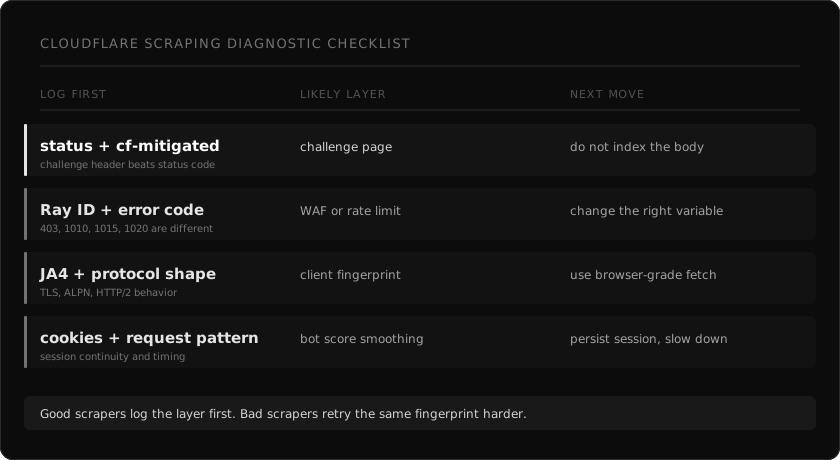
## The mistake: treating every block like the same block
A Cloudflare block can come from several places.
Cloudflare's own [bot detection engines docs](https://developers.cloudflare.com/bots/concepts/bot-detection-engines/) describe multiple engines: heuristics, JavaScript Detections, machine learning, and anomaly detection on some plans. Their ML docs say the model uses request features, headers, session characteristics, and browser signals. The `__cf_bm` cookie is used to smooth the bot score for a user's request pattern.
That means one scrape can fail because:
1. The TLS or HTTP fingerprint does not match the browser you claim to be.
2. The request hits a path-specific WAF rule.
3. JavaScript Detections failed or never had a chance to run.
4. The session has no believable history.
5. The IP, ASN, or country is wrong for the target.
6. The rate limit fired.
7. The body is a challenge page, even if the status code says 200.
Those are different failures. They need different fixes.
## What to log on every Cloudflare request
If your scraper does not store these fields, add them before changing the bypass logic.
| Field | Why it matters |
|---|---|
| URL and method | Cloudflare rules are often path-specific |
| Status code | Useful, but not enough by itself |
| `cf-ray` | The only useful handle if a site owner checks logs |
| `cf-mitigated` | Cloudflare sets this to `challenge` on Challenge Page responses |
| Content-Type | Challenge pages return HTML, even for some fetch/XHR flows |
| First 2 KB of body | Enough to detect `cf-turnstile`, `/cdn-cgi/challenge-platform/`, and error codes |
| Response headers | Rate limits, cookies, and challenge markers live here |
| Request headers sent | The bug is often in what you actually sent, not what you meant to send |
| Proxy ASN and country | A clean fingerprint from the wrong network still looks wrong |
| Session ID and cookie age | Fresh sessions and returning sessions are scored differently |
| Duration and retry number | Rate limit and challenge loops look different over time |
Cloudflare's challenge docs give one especially useful signal: Challenge Page responses include the `cf-mitigated` header with value `challenge`, and the content type is `text/html` regardless of the requested resource type. If you index that body as if it were the page, you just poisoned your dataset.
## Step 1: classify the response body
Do this before reading the status code.
```ts
type CloudflareShape =
| "real_page"
| "challenge_page"
| "turnstile"
| "waf_error"
| "rate_limited"
| "unknown_block";
export function classifyCloudflareResponse(input: {
status: number;
headers: Record;
body: string;
}): CloudflareShape {
const body = input.body.slice(0, 20_000).toLowerCase();
const mitigated = input.headers["cf-mitigated"];
if (mitigated === "challenge") return "challenge_page";
if (body.includes("cf-turnstile")) return "turnstile";
if (body.includes("challenges.cloudflare.com/turnstile")) return "turnstile";
if (body.includes("/cdn-cgi/challenge-platform/")) return "challenge_page";
if (body.includes("error 1015") || input.status === 429) return "rate_limited";
if (body.includes("error 1020") || body.includes("access denied")) return "waf_error";
if (input.status === 403 || input.status === 503) return "unknown_block";
return "real_page";
}
```
This is not magic. It is hygiene.
A 200 with a challenge body is not a success. A 503 with `/cdn-cgi/challenge-platform/` is not an origin outage. A 1015 is not fixed by another stealth plugin. Your first job is to stop treating all of them as "retry later."
## Step 2: read the status and Cloudflare code together
Status code alone is too coarse. Read the body and the Cloudflare error number.
| Signal | Likely layer | First fix to try |
|---|---|---|
| `cf-mitigated: challenge` | Challenge page | Detect as failure, do not parse body |
| `cf-turnstile` in body | Turnstile | Browser or token path may be required |
| 403 without code | WAF or bot score | Inspect fingerprint, headers, IP |
| 1020 | Custom WAF rule | Identify the matched request attribute |
| 1010 | Browser fingerprint classified as automation | Fix TLS and HTTP/2 fingerprint |
| 1015 or 429 | Rate limit | Back off, reduce per-host concurrency |
| 503 plus challenge script | Interstitial challenge | Persist clearance and retry coherently |
| Tiny word count | Shell, challenge, or blocked variant | Do not accept as extracted content |
The goal is not to memorize codes. The goal is to stop changing the wrong variable.
## Step 3: check whether the network fingerprint matches the claim
Cloudflare's [JA4 Signals post](https://blog.cloudflare.com/ja4-signals/) explains the direction clearly. JA4 fingerprints alone are not enough, so Cloudflare also computes inter-request features from traffic over the last hour. The post lists signals such as browser ratio, cache ratio, HTTP/2 and HTTP/3 ratio, request quantiles, and IP quantiles for a JA4 fingerprint.
That matters for scrapers because a request can look wrong before JavaScript ever runs.
Common mismatch:
| Claim | Observable mismatch |
|---|---|
| Chrome User-Agent | TLS ClientHello from Python, Go, Node, or curl |
| Chrome on macOS | Linux container browser surface |
| Browser traffic | No Client Hints or wrong Client Hints |
| Normal session | No cookies, no cache, no asset requests |
| Local user | Proxy country does not match language or site market |
| Human browsing | Direct deep links at machine cadence |
Cloudflare's [Detection IDs docs](https://developers.cloudflare.com/bots/additional-configurations/detection-ids/) also mention detection tags for categories Cloudflare has fingerprinted, including a `go` tag for traffic observed from a Go programming language bot. Do not read that as "Cloudflare hates Go." Read it as evidence that implementation fingerprints are visible.
If the connection says "library" and the User-Agent says "Chrome", the lie is the signal.
## Step 4: decide whether this needs JavaScript
A lot of teams launch a browser because Cloudflare is involved. That is expensive and often unnecessary.
Ask one question first: does the page content exist in the first HTML response?
If yes, a browser-grade HTTP client is usually the right first move. Match the TLS, HTTP/2, headers, locale, and proxy geography. Then parse the HTML.
If no, you need one of these:
1. The underlying JSON endpoint the page uses.
2. Browser rendering for the page.
3. A token or clearance flow if the page explicitly requires it.
The mistake is making browser rendering the default for every Cloudflare page. It hides the real failure and makes the system slower. Use it when the content or the challenge requires JavaScript, not because the domain uses Cloudflare.
## Step 5: keep sessions coherent
Cloudflare's docs say the `__cf_bm` cookie measures a user's request pattern and helps generate a reliable bot score for that user's requests. Their JavaScript Detections docs also describe a `cf_clearance` cookie that stores the JavaScript Detections outcome.
For a scraper, this means stateless retry loops are suspicious by design.
Bad pattern:
1. New proxy.
2. New browser context.
3. No cookies.
4. Deep product URL.
5. Same request every two seconds.
Better pattern:
1. Reuse a session per host.
2. Keep cookies between requests.
3. Keep language and proxy geography aligned.
4. Back off after challenge or rate-limit responses.
5. Escalate only after classifying the block.
You do not need to fake a full human life story. You do need the request sequence to be internally consistent.
## Step 6: separate WAF blocks from rate limits
A 1020 and a 1015 are not cousins.
1015 means rate limit. The fix is mechanical: slow down, respect `Retry-After`, reduce per-host concurrency, spread requests across more exits if the use case allows it.
1020 means a custom rule matched. Cloudflare's custom rules docs show how site owners can combine bot score with URI path, ASN, country, JA3/JA4 fingerprint, user agent, and other request fields. That is a very different problem.
If you hit 1020, changing speed may do nothing. The rule probably matched what the request is, not how often it runs.
## Step 7: write the retry policy last
Retries are useful after classification. They are harmful before it.
Use a policy like this:
| Classified shape | Retry policy |
|---|---|
| `real_page` | Accept only if content markers are present |
| `challenge_page` | Retry with session continuity or escalate |
| `turnstile` | Use a real browser or token path if allowed |
| `waf_error` | Change fingerprint, headers, geo, or path |
| `rate_limited` | Respect backoff and reduce concurrency |
| `unknown_block` | Store body, Ray ID, headers, and stop blind retry |
The worst retry policy is "same request, different proxy, ten times." That creates more negative history for every layer Cloudflare cares about.
## A concrete debugging flow
Here is the flow I use when a Cloudflare target starts failing.
1. Fetch once with logging enabled.
2. Store status, headers, first 20 KB of body, proxy metadata, duration, and session ID.
3. Classify the response body.
4. If `cf-mitigated` is `challenge`, stop parsing and mark the run as blocked.
5. If the body has a Cloudflare error number, route by that number.
6. If the response is 200 but the word count is tiny, treat it as a silent block until proven otherwise.
7. If the block is fingerprint-shaped, move to a browser-grade HTTP client.
8. If the content is JavaScript-only, escalate to rendering.
9. If the block is rate-shaped, reduce concurrency before changing fingerprints.
10. If it still fails, keep the Ray ID and the exact request. Do not guess.
That flow is boring. Boring is good. Boring means your scraper is producing evidence instead of folklore.
## How webclaw handles this
webclaw routes a scrape through the same idea.
The fast path is a browser-grade HTTP fetch. It keeps the request coherent across fingerprint, headers, locale, and proxy geography. The response classifier checks for Cloudflare challenge markers, Turnstile markers, WAF bodies, status codes, content size, and extraction quality.
If the response is a real page, it extracts markdown, text, JSON, or LLM-ready content. If the response is a challenge, it does not hand you that HTML as success. It escalates.
```ts
import { Webclaw } from "@webclaw/sdk";
const client = new Webclaw({
apiKey: process.env.WEBCLAW_API_KEY,
});
const page = await client.scrape({
url: "https://target.example/product/123",
formats: ["markdown", "llm"],
});
console.log(page.markdown);
```
Same thing over REST:
```bash
curl -X POST https://api.webclaw.io/v1/scrape \
-H "Authorization: Bearer $WEBCLAW_API_KEY" \
-H "Content-Type: application/json" \
-d '{"url": "https://target.example/product/123", "formats": ["llm"]}'
```
Full reference: [scrape API docs](/docs/api/scrape). If you are migrating from a browser-first stack, start with the [Cloudflare error code guide](/blog/cloudflare-error-codes-scraping) and the [TLS fingerprinting guide](/blog/tls-fingerprint-vs-browser-cloudflare).
## What to remember
Cloudflare does not block "scrapers" in one generic way.
It scores requests. It sees fingerprints. It runs JavaScript Detections when configured. It lets site owners write custom rules with bot scores, JA3/JA4, ASN, path, country, user agent, and detection IDs. It has challenge responses that can look like ordinary HTML if you only check status code.
So the fix is not one more header, one more proxy, or one more stealth plugin.
The fix is a scraper that knows what happened.
Log the layer. Classify the block. Change the right thing.
---
### JA4 Fingerprints Decoded: Format, Bot Score, curl 403s
URL: https://webclaw.io/blog/tls-fingerprint-vs-browser-cloudflare
Published: 2026-04-30
Updated: 2026-09-08
Author: Massi
Cloudflare fingerprints your TLS and HTTP/2 handshake with JA3 and JA4 — that is why curl gets 403 and Chrome gets 200 on the same request. How browser-grade clients flip the result.
You wrote a scraper in Python. You set a real Chrome `User-Agent`. You added the same `Accept-Language` header your browser sends. You opened the URL in Chrome and it loaded fine. You ran your scraper and got a 403.
This post is about why. The short answer: Cloudflare scored your TLS handshake before it ever read your User-Agent. The cipher order, the extensions, the GREASE values, the HTTP/2 SETTINGS, all of those tell Cloudflare you are not Chrome. The `User-Agent` says "Chrome." The connection itself says "Python."
This is the layer below most scraping advice. For the wider playbook see the pillar on [bypass Cloudflare bot protection](/blog/bypass-cloudflare-bot-protection-web-scraping). This post is the deeper version: what a TLS fingerprint actually is, why every default HTTP client has a unique one, and how to match a real browser without paying the cost of launching one.
## TLS fingerprint vs Cloudflare: quick answer
If Chrome loads a page and `curl`, Python `requests`, Go `net/http`, or Node fetch gets a 403, the User-Agent is probably not the problem.
1. Cloudflare sees the TLS ClientHello before it reads headers.
2. JA3 and JA4 fingerprints expose the real client family.
3. HTTP/2 SETTINGS and header wire order add another fingerprint.
4. A fake Chrome User-Agent on a library TLS stack is an inconsistency, not a disguise.
The practical fix is a browser-grade HTTP client for the first fetch, then a browser fallback only when the page really needs JavaScript. For the full decision tree see [bypass Cloudflare bot protection](/blog/bypass-cloudflare-bot-protection-web-scraping) and [Cloudflare error codes](/blog/cloudflare-error-codes-scraping).
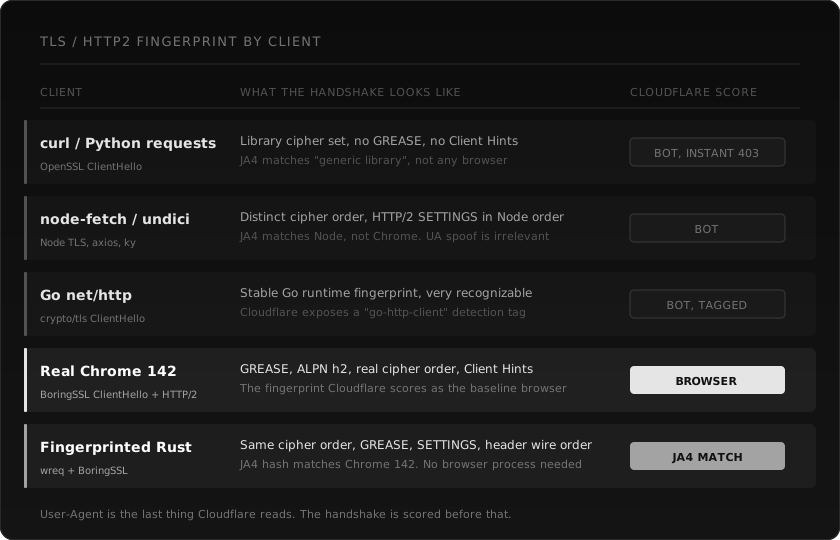
## What a TLS fingerprint actually is
When a client connects to a server over HTTPS, the first thing it sends is a **ClientHello** message. The ClientHello announces, in order:
- The TLS versions the client supports.
- The cipher suites it can negotiate.
- The extensions it understands (SNI, ALPN, EC point formats, signed certificate timestamps, and so on).
- The elliptic curves and signature algorithms it accepts.
- Optional GREASE values, dummy entries Chrome inserts to keep the protocol healthy.
All of those fields are observable to the server before any byte of HTTP is sent. Cloudflare sees them. So does every other CDN and WAF.
A **JA3** fingerprint is a hash of the ClientHello fields concatenated in a fixed order. Two clients that build the ClientHello differently will produce different JA3 hashes. Python `requests` has a JA3 hash. Chrome 142 has a different JA3 hash. They are not the same string and they cannot be made the same by changing a header.
**JA4** is the newer fingerprint family. It captures more of the handshake plus ALPN context, and is more stable across modern protocol behavior. Cloudflare uses JA4 in production. Their public [JA4 Signals post](https://blog.cloudflare.com/ja4-signals/) says they analyze more than 15 million unique JA4 fingerprints per day.
Past the TLS layer, **HTTP/2** has its own fingerprint surface:
- The order of SETTINGS frame parameters.
- The values used for `INITIAL_WINDOW_SIZE`, `MAX_HEADER_LIST_SIZE`, and so on.
- The order of pseudo-headers (`:method`, `:authority`, `:scheme`, `:path`).
- The order of regular headers on the wire.
- Whether the client uses HEADERS PRIORITY frames.
Two HTTP/2 clients that "look the same" at the application level can still send completely different SETTINGS and header order. Cloudflare reads that too.
## The handshake is scored before User-Agent
This is the part most scrapers get wrong. The diagnostic chain is roughly:
1. Client opens TCP connection.
2. Client sends TLS ClientHello.
3. Cloudflare hashes the ClientHello (JA3, JA4) and compares to known browser fingerprints.
4. TLS handshake completes.
5. Client sends HTTP/2 SETTINGS, opens stream, sends HEADERS frame.
6. Cloudflare hashes the HTTP/2 fingerprint and the header wire order.
7. **Only now** does Cloudflare read the `User-Agent` header.
8. Cross-check: does the User-Agent match the fingerprint?
If steps 3 or 6 already classified you as bot, step 7 is just confirmation. The User-Agent never had a chance.
That is why your "real Chrome user agent" did nothing. The decision was made three steps earlier.
## What every default client looks like
Same URL, six different clients, six different fingerprints.
**curl, Python `requests`, `httpx`.** All built on top of OpenSSL or its variants. The cipher set is the OpenSSL default, not Chrome's order. No GREASE values. No Client Hints. The JA4 hash matches "generic library", not any browser. Some sites flag this immediately.
**node-fetch, axios, undici.** Built on Node's TLS stack. Distinct cipher order. HTTP/2 SETTINGS in Node order. The JA4 hash matches Node, not Chrome. UA spoofing is irrelevant because the handshake already lost.
**Go `net/http`.** Stable Go runtime fingerprint, very recognizable. Cloudflare even exposes a public detection tag for it. Spoofing the UA does nothing because Cloudflare flags Go traffic at the transport layer.
**Real Chrome 142.** BoringSSL ClientHello, real cipher order, GREASE inserted, ALPN `h2`, Client Hints attached. HTTP/2 SETTINGS in Chrome's order. This is the baseline that Cloudflare's bot management considers normal browser traffic.
**Headless Chromium driven by Puppeteer.** The TLS fingerprint is technically Chrome (BoringSSL), but Linux container Chromium plus the driving process often mangles the HTTP/2 SETTINGS or the header wire order. Result: a "Chrome-like" fingerprint that does not quite match real Chrome. Some sites pass it. Aggressive Cloudflare configs do not. See [why Puppeteer stealth stopped working](/blog/puppeteer-stealth-cloudflare-2026) for the full story.
**Browser-emulating HTTP clients.** Some libraries provide browser-like handshake profiles. Profile support and target acceptance vary by version; matching a fingerprint alone does not establish access.
The pattern: every general-purpose HTTP library has a fingerprint that screams "library." Only clients explicitly built to match a browser produce a browser fingerprint.
## Why User-Agent rotation is theatre
A lot of scraping tutorials still recommend "rotate your User-Agent through a list of real browsers." This was useful in 2018. It is mostly noise in 2026.
User-Agent rotation does fix one specific problem: Cloudflare WAF rules that match on the literal string `python-requests/2.x` or `Go-http-client/1.1`. Default library UAs trigger 1020 errors on a non-trivial fraction of sites. Changing the UA to a real Chrome string clears those rules.
It does not fix:
- Mismatch between the UA you claim and the JA4 you produce.
- HTTP/2 SETTINGS frames that do not match the claimed browser.
- Header wire order that does not match the claimed browser.
- Missing Client Hints that Chrome would always send.
- Missing ALPN protocols that Chrome would always advertise.
Cloudflare's [Detection IDs docs](https://developers.cloudflare.com/bots/additional-configurations/detection-ids/) call out exactly this case: a request where the headers were sent in a different order than expected for the claimed browser. They built a detection ID for it.
If your stack lies at one layer and tells the truth at another, the inconsistency itself becomes the signal.
## The matrix of options
These approaches have different rendering requirements. They have different cost, speed, and pass-rate trade-offs.
| Approach | Executes page JavaScript? | What to check |
|---|---|---|
| Standard HTTP client | No | Response content and access requirements |
| Browser-emulating HTTP client | No | Supported profiles and target-specific results |
| Browser renderer | Yes | Render completion, missing content and resource use |
| HTTP with rendering fallback | When needed | Escalation behavior and total latency |
An HTTP client avoids browser execution work but cannot execute page JavaScript. Choose a rendering path based on the target content and measured results.
For comparing scraping APIs head to head, see [Best web scraping APIs for LLMs](/blog/best-web-scraping-api-for-llms).
## Using Webclaw for extraction
Webclaw offers public-page extraction, managed rendering, and automatic retries for some blocked pages. These features do not guarantee access. Inspect returned content and handle errors before indexing a response.
Use the [API reference](/docs/api) for request fields and the [scraping diagnostic checklist](/blog/cloudflare-scraping-diagnostic-checklist) when a target fails. Managed and self-hosted deployments have different capabilities and configuration.
## The trade-off you actually pay
An HTTP client can avoid browser startup and rendering work. The benefit depends on the target, network conditions, and whether a browser is already running.
For server-rendered pages (most blogs, most product pages, most documentation, most news, most listings), this is a non-issue. The HTML you fetch contains the content. You parse it and move on.
For client-rendered pages (some SPAs, some dashboards, pages that hydrate the real content from XHR after the shell loads), a fingerprinted fetch returns the shell. You see a hollow `` and you are missing the content.
Two strategies work here:
1. **Inspect the page once in DevTools and find the underlying API.** Most SPAs make their content visible through a JSON endpoint. Hit that endpoint directly with the fingerprinted client. You skip the rendering step entirely.
2. **Escalate to a real browser only when needed.** Run the fingerprinted fetch first. If the response body is missing the marker you expect (a price field, an article body, a product title), then escalate.
Webclaw supports managed rendering for dynamic content. Test target pages and account for rendering failures and latency.
## Diagnosing a failed request
Compare the response status and body with the content your application expects. A `403` indicates rejection but does not identify which signal caused it. A `200` can still contain a challenge or an empty application shell. Neither status alone proves extraction success.
Record the target, client version, rendering setting, timestamp, and returned fields. Change one setting at a time and compare actual page content; do not infer a fingerprint match from a successful request.
## Frequently asked questions
### What is the difference between JA3 and JA4?
JA3 is the older TLS fingerprint, a hash of the ClientHello field values. JA4 is the newer family that also captures HTTP/2 metadata and ALPN context. JA4 is more stable across modern protocol behavior and harder to fake because it covers more of the handshake. Cloudflare uses both but JA4 is the one mentioned in their newer bot management docs.
### Can I change my JA3 in Python `requests`?
Not directly. `requests` uses OpenSSL via `urllib3`. The ClientHello is built by OpenSSL with its default cipher order, which produces a fixed JA3 hash. To get a different fingerprint you need a library that builds the ClientHello differently. `curl-cffi` and `tls-client` are the common Python options.
### Why does Chrome ship GREASE values?
GREASE (Generate Random Extensions And Sustain Extensibility) is Chrome's mechanism to prevent middleboxes from ossifying around specific extension values. Chrome inserts dummy extension and cipher values that any compliant server should ignore. Real browsers send GREASE. Most default libraries do not. Cloudflare reads the presence of GREASE as a strong "real browser" signal.
### Does User-Agent rotation help against Cloudflare?
Only against the simplest WAF rules that string-match `python-requests` or `Go-http-client`. Against bot management with JA4 scoring, UA rotation does nothing. The handshake is scored before the UA is read.
### What is the fastest way to scrape Cloudflare-protected pages?
Measure representative pages with and without rendering. An HTTP client may be sufficient for server-rendered content; pages that need JavaScript require a renderer or an accessible data endpoint.
### Why do some libraries call themselves "Chrome impersonation"?
Because they specifically build the ClientHello to match a recent Chrome version's exact byte sequence: cipher order, GREASE values, extensions, ALPN protocols, signature algorithms. They also match Chrome's HTTP/2 SETTINGS frame and header wire order. The result is a JA4 hash that matches Chrome rather than the underlying language runtime.
### How often does Chrome's TLS fingerprint change?
Browser handshakes can change between releases. Check the client library's supported profiles and test compatibility instead of assuming a fixed update interval.
### Can Cloudflare detect "Chrome-impersonating" libraries?
Sometimes. If the library matches the JA4 but does not match the HTTP/2 SETTINGS or the header order, the inconsistency itself is detectable. The libraries that win are the ones that match every layer. The libraries that get caught are the ones that match TLS only and ignore HTTP/2.
### What is Cloudflare's bot score made of?
Per Cloudflare's public [Bot detection engines docs](https://developers.cloudflare.com/bots/concepts/bot-detection-engines/), the score combines a heuristics engine (request fingerprint matches), JavaScript Detections (browser environment checks), machine learning over header and session features, and a `__cf_bm` cookie that smooths the score across a request pattern. JA4 is one input among several. A coherent client is one that matches across all of them, not just the fingerprint.
### How do I check a Webclaw request?
Use documented CLI or API output to inspect the response and verify extracted fields against the source. The current CLI does not document a JA4-reporting command.
---
**Read next:** [Bypass Cloudflare bot protection](/blog/bypass-cloudflare-bot-protection-web-scraping) | [Cloudflare error codes for scrapers](/blog/cloudflare-error-codes-scraping) | [Why Puppeteer stealth stopped working](/blog/puppeteer-stealth-cloudflare-2026)
---
### Cloudflare Error 1020, 1015, 403, 503: Causes and Fixes
URL: https://webclaw.io/blog/cloudflare-error-codes-scraping
Published: 2026-04-28
Updated: 2026-09-08
Author: Massi
Cloudflare 403, 503, 1020, 1015 each mean a different block. A decision tree to read the code, find the failing layer, and fix it. Includes error 1020.
You are staring at a 403. Or a 503. Or a 1020. Maybe a 1015 with a Retry-After header. Your scraper is broken, but it is not broken in the same way each time. Same target, different days, different codes, different fixes.
Cloudflare error codes are noisy on purpose. The Ray ID and the four-digit number are a debugging gift if you read them. They tell you which layer of Cloudflare's stack rejected your request. That tells you what to actually change in your scraper, instead of trying random user agents until something works.
This post is a reference. For the wider playbook on getting past Cloudflare in the first place, the pillar is [bypass Cloudflare bot protection](/blog/bypass-cloudflare-bot-protection-web-scraping). For the specific case where the block is Turnstile, see the [Turnstile guide](/blog/cloudflare-turnstile-2026-guide). For why your old Puppeteer-stealth setup stopped working, see [why Puppeteer stealth stopped working](/blog/puppeteer-stealth-cloudflare-2026).
## Cloudflare error codes: quick answer
Do not treat every Cloudflare block as the same retry problem.
| Code | What it usually means | First fix to try |
|---|---|---|
| `403` | WAF block, failed challenge, or bad request signature | Inspect the body and Ray ID before retrying |
| `503` | JavaScript challenge or I'm Under Attack mode | Detect `cdn-cgi/challenge-platform` and persist cookies |
| `1020` | Custom firewall rule matched your request | Change the exact signature that triggered the rule |
| `1015` | Rate limit | Slow down and honor `Retry-After` |
If the body contains `cf-turnstile`, go to the [Turnstile guide](/blog/cloudflare-turnstile-2026-guide). If Chrome loads but your scraper gets blocked, read the [TLS fingerprint guide](/blog/tls-fingerprint-vs-browser-cloudflare).
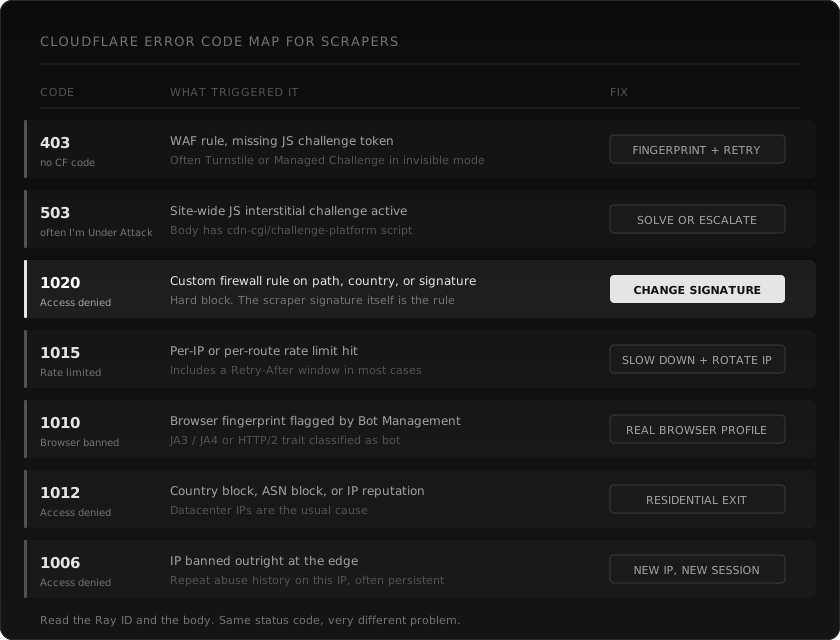
## How to read a Cloudflare error response
A real Cloudflare block has three things you should look at before changing any code.
1. **The HTTP status.** 403, 503, 429. The status alone is not enough. Cloudflare reuses the same status for multiple block types.
2. **The Cloudflare error code in the body.** The big four-digit number on the error page (1006, 1010, 1012, 1015, 1020). This is the layer that fired.
3. **The Ray ID.** A short hex string, usually at the bottom of the body or in the `cf-ray` header. If you ever email a site owner about being blocked unfairly, they need this.
The body itself also helps. A challenge page contains `/cdn-cgi/challenge-platform/`. A Turnstile page contains `cf-turnstile` or `challenges.cloudflare.com/turnstile`. A bare WAF block has none of those, just the error number.
If you only log the status code, you are throwing away most of the signal.
## 403, generic forbidden
This is the most common and the least specific.
A 403 from Cloudflare usually means a WAF rule denied the request, or an invisible challenge (Managed Challenge or Turnstile) failed to issue a token. There is often no four-digit error number on a 403. The body might be a Cloudflare-branded page, or it might be the site's own custom error template.
What it tells you: the request reached the edge and got rejected at the application or bot layer, not at the network or rate limit layer.
What to change:
- Check whether the response body contains `cf-turnstile` or `cdn-cgi/challenge-platform`. If yes, the page wants a token you did not provide. See the [Turnstile guide](/blog/cloudflare-turnstile-2026-guide).
- If the body is a clean WAF block (no challenge script), your TLS or HTTP/2 fingerprint is being scored as bot. Switch to a browser-grade fingerprinted client.
- If everything looks fine and you still get 403, the WAF rule may be path or country specific. Try a different geo or a different page on the same site to confirm.
What not to do: do not just rotate the User-Agent header and hope. Cloudflare scores the full handshake before it even reads the User-Agent.
## 503, usually "I'm Under Attack"
A 503 from Cloudflare on a scraping target rarely means the origin is down. It usually means the site has a JavaScript interstitial active, either site-wide ("I'm Under Attack" mode) or for the specific path.
What it tells you: the edge is asking you to run a JavaScript challenge before forwarding the request to origin. The body almost always includes the `cdn-cgi/challenge-platform/` script.
What to change:
- Detect the challenge body, do not treat the 503 as a soft retry.
- If the page does not need authentication, escalate to a fingerprinted fetch first. Many "I'm Under Attack" pages pass on the second request from a coherent browser-grade client because the first one collected the cookie.
- If the challenge is a real interactive one, you need a token solver or a real browser session.
- A 503 that returns a normal HTML body with no challenge script is the rare actual outage. Back off and try later.
What not to do: do not retry the same request immediately with the same client. You already got scored.
## 1020, access denied
This is the hard one. 1020 means a custom firewall rule explicitly matched and rejected your request.
The trigger is usually one of:
- Your IP, ASN, or country is on a denylist.
- Your User-Agent matches a known bot pattern (libraries that ship with `python-requests/X.Y` UA collect a lot of 1020s).
- A specific URL path is gated to logged-in users only.
- Some signature in your request (headers, missing fields, JA4) matches a custom rule the site owner wrote.
What it tells you: the rule fired on something specific to your request. Random retry will not help.
What to change:
- Get the Ray ID and check the literal request you sent. Curl it with `-v` to see exactly what went out.
- If the User-Agent says `python-requests` or `Go-http-client`, fix the User-Agent first. That alone fixes a lot of 1020s.
- If the path is gated (login, account, internal), 1020 is the correct response. You probably should not be scraping it anyway.
- If you have already changed the User-Agent and the IP, the signature is likely deeper. Move to a TLS-fingerprinted client. See [why Puppeteer stealth stopped working](/blog/puppeteer-stealth-cloudflare-2026) for what "deeper signature" means.
What not to do: do not assume 1020 means "they hate Rust" or "they hate Python." It means a specific rule matched. Find the rule.
## 1015, rate limited
The friendly one. 1015 means the per-IP or per-route rate limit hit. Cloudflare almost always sends a `Retry-After` header with it.
What it tells you: your scraper is too fast for this target. The fix is mechanical.
What to change:
- Read the `Retry-After` header and respect it.
- Add a per-host rate limiter to your scraper. One target, one bucket. Do not let a parallel queue hammer the same domain.
- Rotate IPs. Rate limits are scoped per IP, so a residential pool with 50 rotating exits gives you 50x the headroom.
What not to do: do not retry without backoff. 1015 hardens fast on repeat offenders.
## 1010, browser banned
1010 is the bot management code that says: your browser fingerprint was classified as automation. It is not about the User-Agent string. It is about the JA3 / JA4, the HTTP/2 SETTINGS frame, the header order, the Client Hints, and any combination of those that does not match the browser you claim to be.
What it tells you: the network-layer fingerprint is wrong. Cloudflare scored it as bot before any application-level check ran.
What to change:
- Switch to a TLS-fingerprinted HTTP client. Standard `requests`, `axios`, `fetch`, and Go's `net/http` will all keep getting 1010 on aggressive Cloudflare configs.
- If you already use a fingerprinted client, the profile may be stale. Real Chrome ships every six weeks. A fingerprint from Chrome 130 is no longer Chrome.
- Verify the HTTP/2 SETTINGS order matches the browser, not just the cipher list. Some libraries get TLS right and HTTP/2 wrong.
What not to do: do not add another `puppeteer-extra-plugin-stealth`. Stealth patches the browser surface, not the network surface.
## 1012, access denied (geo, ASN, IP reputation)
1012 fires on coarse network-level signals. Wrong country. Datacenter ASN. Known abuse history on the IP.
What it tells you: the request was blocked before bot management even looked at it. Coarse network signal, not subtle behavior.
What to change:
- Use a residential proxy with a country that matches the site's primary geo.
- If your proxy provider gives you ASN tagging, prefer mobile or residential ASNs over datacenter.
- Check whether the proxy IP is on public abuse lists (Spamhaus, AbuseIPDB). Some proxy pools recycle dirty IPs.
What not to do: do not stack User-Agent rotation on top of a bad IP. Cloudflare is not reading the User-Agent yet.
## 1006, IP banned
1006 is the heaviest network-level block. The IP is on Cloudflare's deny list across many sites or has a long abuse history with the specific zone.
What it tells you: this IP is done. Not for this request, for the foreseeable future from this account or zone.
What to change:
- Get a new IP. New session. New cookies.
- If you are seeing 1006 on a new residential IP, your proxy provider sold you a recycled, burned address. This is common with cheap pools.
What not to do: do not retry. Do not back off and try again in 60 seconds. The IP itself is the problem.
## A worked example
A real debugging session, simplified. You are scraping product pages on a mid-size e-commerce site behind Cloudflare.
**First request, plain Python `requests`.**
You get a 403 with a small body. The body says "Sorry, you have been blocked" and shows a Ray ID. No four-digit code visible. WAF rule.
You change the User-Agent to a real Chrome string and retry.
**Second request.**
Same 403. Now the body has the four-digit code: 1020. Custom firewall rule matched. Probably the WAF rule was looking at HTTP/2 SETTINGS order or JA3, both of which a UA change does nothing about.
You switch to a TLS-fingerprinted client (curl-cffi, tls-client, or a Rust client like wreq).
**Third request.**
Now you get 200, but the body is a Cloudflare interstitial with `cdn-cgi/challenge-platform/` in it. The status code lied to you. You did not get the page, you got a challenge.
You add cookie persistence and re-request the page after a 1.5s delay.
**Fourth request.**
200 with real HTML. You parse it, save it, move on.
You scale up to 200 concurrent requests against the same site.
**Fifth wave.**
1015 with `Retry-After: 60`. Rate limited per IP.
You add a per-host rate limiter, drop concurrency to 5 per IP, rotate across 40 residential IPs.
Now it is steady. Five different Cloudflare responses in one session. Each meant a different fix. Random retries would not have got you here.
## How webclaw classifies these in routing
When you call `/v1/scrape`, the routing layer reads the response body before it returns anything to you. The classifier looks for:
- `cdn-cgi/challenge-platform/` script tag
- `cf-turnstile` or `challenges.cloudflare.com/turnstile`
- The four-digit error number in the body
- The status code as a fallback signal
- Specific WAF body fingerprints (DataDome, AWS WAF, Akamai, PerimeterX)
If the body looks like a challenge, the request does not return as success. It triggers an internal escalation: fingerprinted retry first, then a token solver, then a real browser session if the page actually needs JavaScript. You see a clean markdown response or a typed error, not a 200 OK with a challenge page in it.
This matters because a 200 with a challenge body is the most common silent failure in scraping. It is the bug that poisons RAG indexes. Detecting it correctly is half the job.
```ts
import { Webclaw } from "@webclaw/sdk";
const client = new Webclaw({ apiKey: process.env.WEBCLAW_API_KEY });
const page = await client.scrape({
url: "https://target.example/product/123",
format: "llm",
});
console.log(page.markdown);
```
If the page is challenged, you get an error you can branch on. If the page is real, you get the markdown. There is no third state where "200 OK" silently means "you scraped a captcha."
Full endpoint reference is in the [scrape API docs](/docs/api/scrape). Get started in the [dashboard](/dashboard), or grab an [API key](/dashboard/api-keys).
## When to give up and use a real browser
Some pages will not pass any of the above. Usually they combine:
- Real Turnstile widget that requires a token, plus
- Content injected by JavaScript only after Turnstile passes, plus
- A secondary anti-bot layer (PerimeterX, DataDome) that inspects browser APIs.
For those, a TLS-fingerprinted client gets you a 200 OK with a challenge page in it, and there is nothing you can do at the network layer. The fix is a real browser on a residential exit, with a token solver wired in.
Use this as an explicit fallback when response evidence shows it is needed, rather than as the default request path.
## Frequently asked questions
### What is the difference between a 403 and a 1020?
A 403 is the HTTP status. 1020 is the Cloudflare-specific code that tells you which layer rejected you. Almost every 1020 is also a 403, but not every 403 has a 1020 (some are bare WAF, some are Turnstile, some are custom origin rules).
### How do I get the Ray ID from a Cloudflare block?
Two places: the `cf-ray` response header, and the bottom of the HTML error body. Always log it. If you ever need to ask a site owner why you are blocked, that is the only useful piece of information.
### Does retrying a Cloudflare 503 ever work?
If the body has a `cdn-cgi/challenge-platform/` script and you persist cookies, sometimes the second request passes because the JS challenge already set a token in the first one. If the body is a real outage page (no challenge script, no Cloudflare branding), retry with backoff. If neither, do not retry blindly, you will burn the IP.
### Can I bypass Cloudflare 1020 by changing my User-Agent?
Sometimes, if the rule was matching on a default library UA like `python-requests/2.x`. Most of the time no, because the rule is matching on TLS or HTTP/2 fingerprints that a UA change does not touch. See [bypass Cloudflare bot protection](/blog/bypass-cloudflare-bot-protection-web-scraping) for the layered fix.
### What does Cloudflare error 1015 mean?
You hit a rate limit. Per IP, per route, or per zone depending on the site's config. Read the `Retry-After` header. Slow down, rotate IPs, run a proper per-host rate limiter.
### Why does the same scraper get a 403 today and a 1020 tomorrow?
Cloudflare bot management updates rules continuously. The same request can match different rules on different days as the model retrains and as site owners tune their config. This is also why "it worked in January" is meaningless data in April.
### Should I treat all Cloudflare codes as the same kind of failure?
No. They tell you which layer to fix. A 1015 is fix-by-rate-limiting. A 1020 is fix-by-changing-signature. A 1006 is fix-by-getting-a-new-IP. Treating them all as "blocked, retry later" is how scrapers stay broken for weeks.
### Does webclaw return a typed error for each Cloudflare code?
The classifier returns success only when the body is real content. When the body is a challenge or a hard block, you get a typed failure with the detected category (challenge, rate limit, IP block, custom WAF). You branch on that, not on the raw status.
### What if the site is using Cloudflare on top of another anti-bot?
Common with high-value targets. The Cloudflare layer will return its own codes, and the layer behind it (DataDome, PerimeterX) will return its own challenge body. The decoder reads both. The fix usually needs a residential IP plus a token solver plus a fingerprinted client. This is where the [Turnstile guide](/blog/cloudflare-turnstile-2026-guide) and the [Puppeteer post](/blog/puppeteer-stealth-cloudflare-2026) connect.
### Are Cloudflare error pages legally meaningful?
A block is a signal that the site does not want your traffic. That is not the same as a contract. If the data is public and your scraping is legal in your jurisdiction, a 1020 is a technical fact, not a legal one. Talk to a lawyer for your specific case, not a blog.
---
**Read next:** [Bypass Cloudflare bot protection](/blog/bypass-cloudflare-bot-protection-web-scraping) | [Cloudflare Turnstile in 2026](/blog/cloudflare-turnstile-2026-guide) | [Why Puppeteer stealth stopped working](/blog/puppeteer-stealth-cloudflare-2026)
---
### Puppeteer Stealth vs Cloudflare: Which Evasions Still Fail
URL: https://webclaw.io/blog/puppeteer-stealth-cloudflare-2026
Published: 2026-04-24
Author: Massi
puppeteer-extra-plugin-stealth still gets caught by Cloudflare in 2026. The network, request, and session signals that give it away, and what to run instead.
Your Puppeteer script did not suddenly become stupid.
The setup that worked in 2023 usually looked like this: Puppeteer, `puppeteer-extra`, `puppeteer-extra-plugin-stealth`, maybe a residential proxy, maybe `headless: false` if the site was touchy. You could get past a lot of Cloudflare pages because the obvious leaks were gone. `navigator.webdriver` was patched. `HeadlessChrome` disappeared from the user agent. `navigator.plugins` looked less empty. WebGL stopped screaming "headless browser".
In 2026 that is not enough. You still get a 403, an endless "Just a moment" loop, or a page that loads once and dies on the next navigation. For the broader playbook, read the pillar on [bypass Cloudflare bot protection](/blog/bypass-cloudflare-bot-protection-web-scraping). This post is the narrower version: why the stealth plugin stopped being a reliable answer.
The short version: stealth plugins patch the browser surface. Cloudflare scores the whole request.
## Puppeteer stealth not working on Cloudflare: quick answer
If Puppeteer stealth used to work and now fails, the likely miss is outside the browser JavaScript surface.
1. Log whether the response is a real page, a Cloudflare challenge body, or a 403/1020 block.
2. Check whether the page contains Turnstile markers such as `cf-turnstile`.
3. Keep cookies and proxy identity stable across navigation. Fresh sessions on every page look automated.
4. Move the first fetch to a browser-grade TLS and HTTP/2 profile.
5. Use Puppeteer only when the page genuinely needs JavaScript interaction.
For the specific failure path, use the [Turnstile guide](/blog/cloudflare-turnstile-2026-guide), the [Cloudflare error code guide](/blog/cloudflare-error-codes-scraping), or the deeper [TLS fingerprinting guide](/blog/tls-fingerprint-vs-browser-cloudflare).
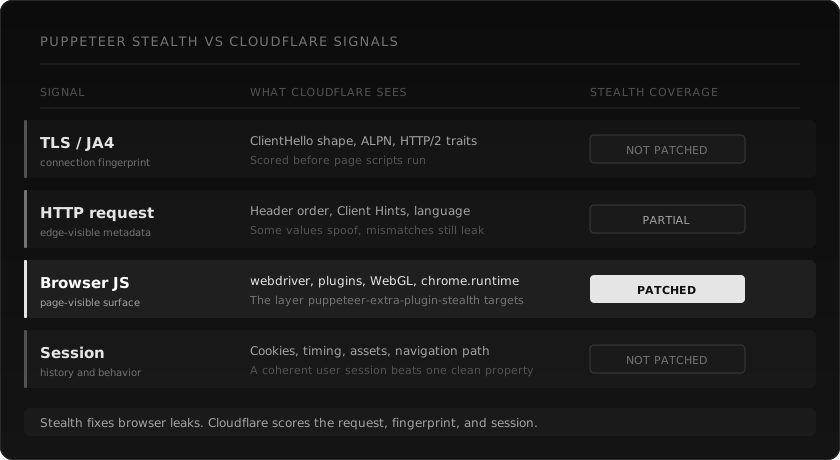
## What the stealth plugin actually does
Start with the real package, not folklore.
[`puppeteer-extra-plugin-stealth`](https://www.npmjs.com/package/puppeteer-extra-plugin-stealth) describes itself as a plugin for Puppeteer Extra and Playwright Extra "to prevent detection." The current npm package is `2.11.2`, published three years ago at the time of writing.
Its own changelog is useful because it tells you what class of problem the plugin was built for:
- `navigator.webdriver`
- `navigator.plugins` and MIME types
- `chrome.runtime`
- `webgl.vendor`
- user agent, language, and platform overrides
- iframe and `contentWindow` leaks
- `accept-language` behavior
Those are browser JavaScript fingerprints. They matter. If a detection script runs in the page and sees `navigator.webdriver === true`, you are done. If your headless browser has no plugins, a weird WebGL vendor, or a broken `chrome` object, you look like automation.
Stealth plugins made sense because a lot of early bot detection was exactly that: run JavaScript, inspect the browser object model, catch the obvious automation artifacts.
But look at what is missing from that list:
- TLS ClientHello shape
- JA3 and JA4 fingerprints
- HTTP/2 behavior
- header order at the edge
- IP and ASN reputation
- request history for the session
- cookie age and continuity
- navigation timing
- whether this "browser" ever loads images, fonts, CSS, or only HTML
That is the gap. The plugin is not useless. It is just solving one slice of a much larger scoring problem.
## What changed on Cloudflare's side
Cloudflare does not publish every detection detail, and anyone pretending otherwise is selling certainty they do not have. What Cloudflare does publish is enough to explain why browser-only stealth became brittle.
Cloudflare's [Bot detection engines docs](https://developers.cloudflare.com/bots/concepts/bot-detection-engines/) describe several layers:
- A heuristics engine that processes all requests and matches against malicious fingerprints.
- JavaScript Detections that identify headless browsers and malicious fingerprints with invisible client-side code.
- Machine learning that uses headers, session characteristics, and browser signals collected across Cloudflare's network.
- A `__cf_bm` cookie that helps smooth the bot score for a user's request pattern.
That last list is the important one. The model is not just asking, "does `navigator.webdriver` look normal?" It is asking whether the entire request behaves like a real browser session.
Cloudflare's [Detection IDs docs](https://developers.cloudflare.com/bots/additional-configurations/detection-ids/) are even more direct. They give an example of a detection ID catching a request where headers were sent in a different order than expected for the claimed browser. They also mention detection tags for things like Go traffic, which means Cloudflare is classifying traffic by the implementation fingerprints it observes, not just by what the user agent says.
And Cloudflare's [JA4 Signals post](https://blog.cloudflare.com/ja4-signals/) explains the network side. JA3 was a hash of TLS ClientHello fields. JA4 is the newer fingerprint family that handles modern protocol behavior better, including ALPN and HTTP/2 context. Cloudflare says JA4 fingerprints and inter-request JA4 Signals are available in Firewall Rules, Bot Analytics, and Workers. The same post says Cloudflare analyzes more than 15 million unique JA4 fingerprints per day, built from more than 500 million user agents and billions of IP addresses.
You do not need a leaked rulebook to see the direction of travel. Cloudflare moved from "does this browser object look fake?" toward "does this client, session, fingerprint, request order, and behavior fit the browser it claims to be?"
## The 2023 equilibrium
The old stack worked because it was coherent enough.
A lot of Cloudflare-protected sites were not running the full bot management stack aggressively. Many were using a Managed Challenge, a basic WAF rule, Bot Fight Mode, or JavaScript checks that looked for obvious automation. If your scraper launched Chrome, kept a normal user agent, and patched the top JavaScript leaks, you often got through.
There was also less pressure. Before AI agents and RAG crawlers hit every pricing page and docs site on the internet, many site owners were not tuning bot rules every week. The average scraper was still Python `requests` with a fake user agent. Puppeteer plus stealth looked expensive and human by comparison.
That equilibrium broke because defenders got better and the volume changed.
Cloudflare now exposes bot management fields for JA3, JA4, detection IDs, JavaScript detection, bot score, verified bots, and session cookies. Their public docs talk about request features, headers, session characteristics, browser signals, and request pattern smoothing. This is a system built to correlate layers.
A stealth plugin is not built to correlate layers. It patches properties.
## Why the failure is confusing
The annoying part is that Puppeteer with stealth still works sometimes.
That makes people debug the wrong thing. You change the proxy. You add `--disable-blink-features=AutomationControlled`. You switch headless modes. You spoof the locale. You add random waits. You try `puppeteer-real-browser`. You run it headed. One target works, the next one fails, then the first one fails again two days later.
That inconsistency is the signal.
If a site only checks `navigator.webdriver`, stealth helps. If the site has a loose Cloudflare config, stealth helps. If you already have a warm session with valid cookies, stealth helps keep you from tripping the next page-level script.
But if the block is coming from a mismatch across layers, another browser evasion does not touch it.
Common mismatches:
| Layer | What you claim | What Cloudflare can observe |
|---|---|---|
| User agent | Chrome on macOS | Linux container fonts, GPU, or WebGL |
| Locale | `en-US` | proxy exits from a different country |
| Browser | normal human session | no history, no cache, no aged cookies |
| Navigation | product page visit | direct deep link with no assets loaded |
| Headers | Chrome-like values | order or Client Hints do not match the browser |
| TLS / HTTP | browser-like client | JA4 or HTTP/2 behavior with odd global ratios |
You can make any one row look right. Cloudflare is looking at the table.
## A minimal repro that is honest
I am not going to put a fake benchmark table here. Cloudflare behavior changes by domain, plan, rule set, IP reputation, country, time, and session history. A "95% success rate" number without methodology is decoration.
What you can run is a small repro that tells you whether your target is being blocked before your scraper reaches useful content.
```js
import puppeteer from "puppeteer-extra";
import StealthPlugin from "puppeteer-extra-plugin-stealth";
puppeteer.use(StealthPlugin());
const url = process.argv[2];
if (!url) {
console.error("Usage: node cf-check.js https://example.com");
process.exit(1);
}
const browser = await puppeteer.launch({
headless: "new",
args: ["--no-sandbox"],
});
const page = await browser.newPage();
await page.goto(url, {
waitUntil: "networkidle2",
timeout: 45000,
});
const result = await page.evaluate(() => {
const text = document.body?.innerText || "";
const html = document.documentElement?.innerHTML || "";
return {
title: document.title,
statusText: text.slice(0, 500),
hasCfChallenge:
html.includes("/cdn-cgi/challenge-platform/") ||
html.includes("cf-turnstile") ||
text.includes("Just a moment") ||
text.includes("Checking your browser"),
wordCount: text.trim().split(/\s+/).filter(Boolean).length,
};
});
console.log(JSON.stringify(result, null, 2));
await browser.close();
```
Run it against a page you are allowed to test:
```bash
node cf-check.js https://target.example/page
```
If `hasCfChallenge` is true, stealth did not solve the challenge. If `wordCount` is tiny but your browser shows a real article or product page, you got a shell, a challenge, or a blocked variant. If it passes once and fails later, you are probably looking at score drift across session, IP, cookie, or behavior signals.
That is more useful than a yes-or-no "does stealth work?" test.
## Why adding more plugins keeps losing
Most stealth fixes are local. They patch what page JavaScript can read from the browser.
Cloudflare's public material points to a distributed scoring system:
- Request heuristics run at the edge.
- JavaScript Detections run invisibly in the browser.
- ML uses request features across a huge network.
- JA4 Signals aggregate behavior for a fingerprint over the last hour.
- Bot cookies track a request pattern across the session.
The failure mode is no longer one missing property. It is incoherence.
That is why the "just add one more evasion" approach feels good for a day and then collapses. It can hide a new JavaScript leak. It cannot make a fresh container session have a believable history. It cannot make a noisy datacenter IP look residential. It cannot make a scraper that only requests HTML behave like a browser that loads CSS, fonts, images, XHR, and analytics. It cannot make 1,000 identical sessions across different proxies look like 1,000 different people.
Even when Puppeteer uses real Chrome for navigation, the surrounding system can still betray it.
## The fix is architectural
For scraping, the default should not be "launch a browser and keep adding stealth."
The default should be:
- Use a browser-fingerprinted HTTP client for pages that do not need JavaScript rendering.
- Keep headers, Client Hints, TLS, HTTP/2 behavior, locale, and proxy geography aligned.
- Persist sessions where the target expects returning users.
- Detect challenge pages as failures, not as successful HTML.
- Escalate to a real browser only when the page actually needs JavaScript or interaction.
That is the architecture webclaw uses.
The fast path is a fingerprinted fetch. No Chrome process. No DevTools session. No 300 MB browser just to read server-rendered HTML. If the response looks like a Cloudflare challenge, the router escalates. If the page is a JavaScript app and the content is missing, it escalates. If interaction is required, it uses browser mode.
The point is not "browsers are bad." Browsers are great when you need a browser. The mistake is making Chrome the default transport for every URL, then pretending a stealth plugin can make every session coherent.
## A webclaw version of the same scrape
The Puppeteer version asks you to manage Chrome, stealth, proxies, challenge detection, session state, retries, and extraction.
With webclaw, the request is boring:
```ts
import { Webclaw } from "@webclaw/sdk";
const client = new Webclaw({
apiKey: process.env.WEBCLAW_API_KEY,
});
const page = await client.scrape({
url: "https://target.example/page",
format: "llm",
});
console.log(page.markdown);
```
Or over HTTP:
```bash
curl -X POST https://api.webclaw.io/v1/scrape \
-H "Authorization: Bearer $WEBCLAW_API_KEY" \
-H "Content-Type: application/json" \
-d '{
"url": "https://target.example/page",
"formats": ["llm"],
"only_main_content": true
}'
```
The important part is not the SDK. It is the routing. A page that can be fetched with a coherent browser-grade HTTP profile should not pay the browser tax. A page that really needs JavaScript should get a browser. A page that returns a challenge should be detected as a challenge and retried through the right path.
That is also why webclaw returns clean markdown instead of "whatever HTML came back." A Cloudflare challenge page is not content. Treating it as content is how broken scrapers poison RAG indexes and agent memory.
Full endpoint reference is in the [scrape API docs](/docs/api/scrape).
## When Puppeteer stealth is still fine
Do not delete Puppeteer from your toolbox.
It is still useful when:
- You own the target site and need browser automation for testing.
- The site is JavaScript-heavy and does not use strict bot rules.
- You need to click, type, scroll, upload files, or wait for client-side XHR.
- You already have a legitimate user session and need to automate a small workflow with permission.
- The only detection you are hitting is a browser JavaScript leak.
For those jobs, stealth can still reduce obvious headless artifacts.
Just do not mistake it for a Cloudflare bypass strategy. It is one layer of camouflage in a system that now scores multiple layers.
## What to check before blaming Cloudflare
Before you rip out your scraper, check the basics:
| Check | Why it matters |
|---|---|
| Are you getting the real page text? | A 200 with a challenge body is still a failed scrape. |
| Does the HTML contain `/cdn-cgi/challenge-platform/`? | That usually means Cloudflare challenge code was served. |
| Does it contain `cf-turnstile` or `challenges.cloudflare.com/turnstile`? | That page is using Turnstile. Read the [Turnstile guide](/blog/cloudflare-turnstile-2026-guide). |
| Are cookies persisted between requests? | Fresh sessions on every page look automated. |
| Does proxy country match locale and timezone? | Cross-signal mismatches raise suspicion. |
| Are you loading only HTML? | Real browsers load assets. Scrapers often skip them. |
| Are you retrying too fast? | Humans do not reload a blocked page ten times in two seconds. |
If all of that looks clean and you still fail, the target probably needs a different route: stronger TLS impersonation, a warmed session, a residential exit, a challenge solver, or a real browser fallback.
## The uncomfortable truth
There is no permanent "Cloudflare bypass."
There are only systems that stay coherent under current detection rules, and systems that drift until they get caught. Puppeteer stealth used to buy a lot of time because the obvious browser leaks were the main problem on many sites. Now the problem includes edge heuristics, machine learning, JA4, header order, JavaScript detections, cookies, and session behavior.
That is why your old setup stopped working even though your code did not change.
The web around it changed.
If you want to keep using Puppeteer, use it where a browser is genuinely required and treat stealth as one patch, not the platform. If you want reliable extraction from Cloudflare-protected pages, build around layered routing: fingerprinted HTTP first, challenge detection, browser fallback when needed, and clean extraction at the end.
That is what webclaw is for.
**Read next:** [Cloudflare Turnstile in 2026](/blog/cloudflare-turnstile-2026-guide) | [Bypass Cloudflare bot protection](/blog/bypass-cloudflare-bot-protection-web-scraping) | [Web scraping for AI agents](/blog/web-scraping-for-ai-agents)
---
### Cloudflare Turnstile: How It Works and What Bypasses It
URL: https://webclaw.io/blog/cloudflare-turnstile-2026-guide
Published: 2026-04-21
Updated: 2026-09-08
Author: Massi
How Cloudflare Turnstile works in 2026 and what actually bypasses it. The four signals that decide pass or block: TLS, HTTP/2, token, session. No solver hype.
You hit a page. No checkbox, no "pick all the buses", nothing to click. For a human the page just loads. For your scraper the page hangs, returns a 403, or comes back with the content missing and only the shell.
That is usually Turnstile or another Cloudflare challenge path. Not a CAPTCHA in the old sense. It can run in the background, decide if your request passes before the page finishes rendering, and fail without showing a visible widget.
This post is about what Turnstile is, how it is different from the old JS challenge, what signals it reads, why Puppeteer-stealth is unreliable on harder Cloudflare setups, and what you can do about it in 2026. If you are still diagnosing the failure shape, start with the [Cloudflare scraping diagnostic checklist](/blog/cloudflare-scraping-diagnostic-checklist). For the full Cloudflare playbook see the pillar on [bypass Cloudflare bot protection](/blog/bypass-cloudflare-bot-protection-web-scraping).
## Cloudflare Turnstile scraping: quick answer
Turnstile failures are rarely solved by adding one more stealth patch. The request has to stay coherent before, during, and after the token step.
1. First check the HTML for `cf-turnstile`, `challenges.cloudflare.com/turnstile`, or `cdn-cgi/challenge-platform`.
2. If the first request is blocked before JavaScript runs, fix TLS and HTTP/2 fingerprinting first.
3. If the page needs a token, solve it and retry from the same coherent session.
4. If the content is rendered only after JavaScript runs, use a real browser as the fallback, not the default path.
Turnstile is one part of the larger Cloudflare scraping stack. For neighboring problems see [Cloudflare error codes](/blog/cloudflare-error-codes-scraping), [TLS fingerprinting](/blog/tls-fingerprint-vs-browser-cloudflare), and [why Puppeteer stealth breaks](/blog/puppeteer-stealth-cloudflare-2026).
If you have a specific target, run it through the [web scraping API demo](/demo) before rebuilding your client. The result shows whether the page content is accessible through the managed extraction path.
## What Turnstile actually is
Turnstile is what Cloudflare put in place of the old "checking your browser" interstitial and of third-party CAPTCHAs like reCAPTCHA and hCaptcha. It ships as a small JS widget site owners embed on sensitive pages (login, signup, checkout, search), or as an invisible mode that runs on every request going through a protected domain.
From the [Turnstile docs](https://developers.cloudflare.com/turnstile/):
- Runs a set of **non-interactive challenges** in the browser. No puzzles, no checkboxes. Fingerprinting and behavioral signals.
- Returns a **one-time token** that the server verifies against Cloudflare's API.
- Three modes: **invisible, managed, non-interactive**. Site owners pick. Scrapers see different failure shapes depending on which one is on.
The part that matters if you are building a scraper: Turnstile does not only check your browser. It checks your **TLS handshake**, your **HTTP/2 frame order**, your **Client Hints**, plus more signals that fire way before any JavaScript runs. If the handshake already looks off, Turnstile never even gets to the token step. You are out before you started.
## How Turnstile is different from the old JS challenge
The pre-Turnstile "Cloudflare Managed Challenge" (the I'm-under-attack interstitial) was mostly JavaScript. You waited 5 seconds, a cookie got set, you were in. Headless browsers with a stealth plugin handled most of it because the challenge lived in JS land.
Turnstile pushed the hard checks earlier in the pipeline:
| Layer | Old JS challenge | Turnstile |
|---|---|---|
| TLS handshake | Not a primary signal | Primary signal (JA3/JA4) |
| HTTP/2 frame order | Ignored | Checked |
| Client Hints | Optional | Expected |
| JavaScript challenge | Blocking, visible | Runs in background, non-blocking |
| User interaction | Checkbox (managed) | None (invisible) |
| Server-side verification | Cookie | One-time token |
Why this matters: every layer Turnstile moved *before* JavaScript is a layer where a headless browser buys you nothing. Chrome's TLS handshake looks like Chrome because Chrome makes it. Puppeteer's handshake looks like the Go or Node HTTP client underneath, which does not look like Chrome.
## The signals Turnstile reads
From production failures, public Cloudflare documentation, and public fingerprinting research, these are the signal families to inspect first:
1. **JA3 / JA4 TLS fingerprint.** The ordered list of cipher suites, extensions, elliptic curves your client puts into the TLS ClientHello. Chrome 133 has a specific fingerprint. Python `requests` has a completely different one. Turnstile has the full table.
2. **HTTP/2 SETTINGS frame.** Chrome sends HTTP/2 SETTINGS in a specific order, with specific values. Go's `net/http` and Node's `undici` do not.
3. **Client Hints (Sec-CH-UA, Sec-CH-UA-Platform, Sec-CH-UA-Mobile).** Chrome sends these on every request. Your scraper probably does not, or sends values that do not match your User-Agent.
4. **Canvas, WebGL, audio fingerprints.** The classic browser fingerprints. Turnstile collects them but weighs them less than the network-layer ones, because they are easier to fake.
5. **Mouse movement and timing (managed mode only).** In the visible widget mode, Turnstile records how the cursor moved toward the widget before you clicked.
6. **Behavioral history.** If the IP or ASN has recent Turnstile failures, the bar goes up. Residential IPs with clean history pass easier than datacenter IPs with abuse records.
You cannot fake all of these from inside a headless browser without patching a lot. The TLS fingerprint in particular is decided at the OS or Node/Go runtime level, below Chromium. The stealth plugin does not touch that layer.
## Why Puppeteer-stealth stopped working
Through 2023 and most of 2024, `puppeteer-extra-plugin-stealth` was the default fix for Cloudflare. It patched around 20 browser-fingerprint leaks (the WebDriver flag, navigator.plugins, Notification permission, and so on) and it worked because Cloudflare was mostly reading browser-level signals.
In late 2025 Cloudflare moved a lot of the weight to **network-level** signals. The stealth plugin still patches what it always patched, but Turnstile does not use those signals as the first filter anymore. It reads your TLS fingerprint first. If your Puppeteer instance runs the bundled Chromium on Linux in Docker, your handshake is technically Chrome, but your HTTP/2 settings and Client Hints usually end up mangled by whatever process is driving it.
The symptom you see: your old Puppeteer-stealth scraper works on page 1 of a site, dies on page 3 where a Turnstile widget is embedded, and you cannot tell why, because the error is just a 403 with no visible challenge at all.
Adding another stealth plugin does not help. The miss is below Chromium, not inside it. Browser-level masking loses against network-level fingerprinting. To fix this you need to control the TLS layer directly, not patch more of the browser.
## What actually works in 2026
The three approaches that are still reliable today, from cheap to expensive:
1. **Browser-emulating HTTP client.** Can provide browser-like request profiles but does not execute JavaScript or guarantee access to a protected page.
2. **TLS-fingerprinted HTTP plus an external Turnstile solver** for the small slice of sites that require a real Turnstile token. The fetch still happens from a fingerprinted client, the token is solved by a service (Capsolver, 2Captcha, Parallax) and injected.
3. **Full browser, only as last resort.** Chrome over CDP on a real residential IP, for sites that actually need JS execution on top of a Turnstile widget. Slow, expensive, brittle. For most Turnstile pages this is overkill.
A cost-conscious escalation strategy starts with a coherent request and adds a token or browser only when response evidence requires it. Log each step so you do not keep retrying the same blocked request.
## Handling Turnstile with webclaw
[webclaw](/) provides a managed extraction API with rendering and access fallbacks. Protected targets may still reject requests; inspect the returned content and errors rather than assuming access succeeded.
Scraping a Turnstile-protected page with the Python SDK:
```python
from webclaw import Webclaw
client = Webclaw("wc-YOUR_API_KEY")
result = client.scrape(
url="https://shop.example.com/products/123",
formats=["llm"],
)
print(result.llm)
client.close()
```
No stealth plugin. No Chrome install. No solver configuration. The routing happens on our side. If the page needed a Turnstile token, it got solved. The response you see is the real page, not a challenge screen.
Same call from JavaScript:
```typescript
import { Webclaw } from "@webclaw/sdk";
const client = new Webclaw({ apiKey: process.env.WEBCLAW_API_KEY });
const { markdown } = await client.scrape({
url: "https://shop.example.com/products/123",
format: "llm",
});
```
From Go:
```go
client := webclaw.NewClient("YOUR_API_KEY")
result, err := client.Scrape(ctx, &webclaw.ScrapeRequest{
URL: "https://shop.example.com/products/123",
Format: "llm",
})
```
Full endpoint reference in the [scrape API docs](/docs/api/scrape).
Start on the [Starter plan](/pricing) or grab an [API key](/dashboard/api-keys) if you already have an account.
## When you still need a real browser
Turnstile by itself does not force you into a full browser. A page does force one when:
- The content you want is injected by JavaScript **after** Turnstile passes, and the page does not also render it server-side.
- The site runs a second JS anti-bot layer on top of Turnstile (PerimeterX, DataDome) that inspects browser APIs directly.
- You need to actually interact with the page: click, scroll, wait for an XHR, submit a form.
For those cases, use a rendering or interaction-capable request path. Enable it when the target requires client execution or interaction, and account for the extra latency.
Simple rule: try the fingerprinted fetch first. Only go to a browser when the markdown you get back is missing a section you can clearly see in your own browser.
## Comparing approaches
| Approach | Handles Turnstile | Handles JS content | Latency | Cost per 1k |
|---|---|---|---|---|
| `curl` / `requests` / `fetch` | No | No | Fast | Free |
| `curl-cffi` / `tls-client` direct | Partial | No | Fast | Free + infra |
| Puppeteer-stealth | Unreliable in 2026 | Yes | Slow | Infra + residential |
| Puppeteer + external solver | Yes, slow | Yes | Slow | Infra + solver fees |
| webclaw fingerprinted path | Yes | No (fallback when needed) | Fast | Included |
| webclaw browser fallback | Yes | Yes | Slow | Included, higher credit cost |
For a broader landscape view see [Best web scraping APIs for LLMs in 2026](/blog/best-web-scraping-api-for-llms).
## Frequently asked questions
### What is Cloudflare Turnstile?
Turnstile is Cloudflare's non-interactive challenge system. It replaced the old "checking your browser" interstitial and the third-party CAPTCHAs. Runs fingerprinting and behavioral checks in the background, issues a one-time token the server then verifies.
### Can Puppeteer-stealth bypass Turnstile in 2026?
Not reliably. Turnstile's main signals sit below the browser layer (TLS fingerprint, HTTP/2 frame order, Client Hints) and the stealth plugin does not patch any of that. Works on some sites, fails silently on others, and the failure looks just like a regular network error.
### How do I detect if a page is using Turnstile?
Look for a `cf-turnstile` div or a `https://challenges.cloudflare.com/turnstile/` script tag in the HTML. If the initial response is small and contains one of those, Turnstile is on. Invisible mode is harder to catch, but if your request returns a 403 with CF-Ray headers and no visible challenge, treat it as Turnstile.
### Does webclaw solve Turnstile?
Yes, as part of the routing pipeline. A TLS-fingerprinted fetch handles most Turnstile pages without even solving a token. For the subset that needs a real token, the pipeline routes through a solver plus retry. You call `/v1/scrape` and get back clean markdown either way. More on [how the bypass works](/blog/bypass-cloudflare-bot-protection-web-scraping).
### What is the difference between JA3 and JA4 fingerprints?
JA3 is the older TLS fingerprint, a hash of the ClientHello field values. JA4 is the newer version that also captures HTTP/2 metadata and ALPN negotiation. Harder to fake because it looks at more of the handshake. Cloudflare uses both. The hard target is a Chrome-accurate JA4.
### Does Turnstile work without JavaScript?
The widget itself needs JavaScript to run the non-interactive challenge and produce a token. But the site can still block you at the TLS layer before any JS runs. That is why HTTP-only bypasses sometimes work: the JS check never fires because the TLS fingerprint already got you through, and the challenge widget was just an extra layer.
### Is solving Turnstile legal?
Depends on your jurisdiction and the terms of service. Bypassing access controls on a site you are not authorized to scrape is normally a ToS breach and can become a CFAA issue in the US. Scraping public data on sites that allow it, or sites you own, is fine. For your specific case talk to a lawyer, not to a blog post.
### How often does Cloudflare update Turnstile?
Often. The public version ships quietly, sometimes weekly. What worked in January can stop working in April. This is why any scraping stack built around one bypass trick breaks in the end. A layered router that can escalate from fingerprinted fetch to solver to browser is more robust than any single method.
### Can I use a residential proxy to bypass Turnstile?
A residential IP helps with the IP reputation signal, which is one of Turnstile's signals. It does nothing for TLS or HTTP/2 fingerprint mismatches. Residential IP plus TLS-fingerprinted client together is stronger than either on its own.
### What about Puppeteer-extra with `puppeteer-real-browser`?
Better than vanilla stealth against Turnstile because it uses a real installed Chrome instead of the bundled Chromium, so the TLS handshake is closer to the real thing. Still slow, still expensive, still has CDP leaks on some CF configs. Fine as a fallback layer, not great as the default.
---
**Ready to ship past Turnstile?** [Get an API key](/dashboard/api-keys) or [read the scrape docs](/docs/api/scrape). Already building with LLMs? See the [LangChain](/blog/web-scraping-langchain-guide) and [LlamaIndex](/blog/web-scraping-llamaindex-guide) guides for plugging webclaw into your RAG pipeline.
**Read next:** [Cloudflare scraping checklist](/blog/cloudflare-scraping-diagnostic-checklist) | [Cloudflare error codes for scraping](/blog/cloudflare-error-codes-scraping) | [TLS fingerprint vs browser Cloudflare](/blog/tls-fingerprint-vs-browser-cloudflare)
---
### LlamaIndex Web Scraping: Fix SimpleWebPageReader
URL: https://webclaw.io/blog/web-scraping-llamaindex-guide
Published: 2026-04-17
Updated: 2026-09-08
Author: Massi
LlamaIndex web scraping fails on blocks, empty shells, and noisy HTML. Feed cleaner markdown into RAG pipelines and agents.
You're building a LlamaIndex RAG pipeline. You plug `SimpleWebPageReader` into your loader, point it at a URL, and one of three things happens. You get back a Cloudflare block page. You get 40,000 tokens of nav, footer, and cookie banners around 600 tokens of actual content. Or you get nothing at all because the page renders client-side and the reader fetched an empty React shell.
If you searched for `SimpleWebPageReader`, `TrafilaturaWebReader`, or LlamaIndex web scraping, this is the production question: how do you fetch clean web content before it reaches `VectorStoreIndex`?
That is the default state of web scraping in LlamaIndex today. The built-in readers were written for clean, static, public pages. The 2026 web is rarely that.
This guide explains how LlamaIndex handles web data, where each built-in reader fails, and how to get reliable LLM-ready content into any [LlamaIndex](https://docs.llamaindex.ai) pipeline, including agents, query engines, and vector indexes.
## LlamaIndex web scraping: quick answer
If `SimpleWebPageReader` is returning empty pages, Cloudflare blocks, or noisy documents, fix the fetch and extraction layer before building the index.
1. Fetch the page with a scraping layer that handles protected and JavaScript-rendered pages.
2. Convert the result to LLM-ready markdown before it reaches `VectorStoreIndex`.
3. Preserve URL, title, and source metadata for citations.
4. Use crawling only when you need many pages from the same site.
5. Use structured extraction when you need fields, not document chunks.
For the input format side, read [HTML to Markdown for LLMs](/blog/html-to-markdown-for-llms). For protected targets, use the [Cloudflare scraping diagnostic checklist](/blog/cloudflare-scraping-diagnostic-checklist) before indexing a challenge page by mistake.
## What LlamaIndex's built-in web readers actually do
LlamaIndex ships several web readers. The three most common are `SimpleWebPageReader`, `TrafilaturaWebReader`, and `BeautifulSoupWebReader`. Each has a different failure mode.
### SimpleWebPageReader
```python
from llama_index.readers.web import SimpleWebPageReader
reader = SimpleWebPageReader(html_to_text=True)
docs = reader.load_data(urls=["https://example.com"])
```
Under the hood this is a plain `urllib` request with a Python user agent, then a basic HTML-to-text strip. No JavaScript. No bot bypass. No boilerplate removal.
Results:
- JavaScript-rendered pages return empty or near-empty documents. If the target runs Next.js, Nuxt, React, Vue, or anything client-side, your document has the HTML shell and nothing else.
- Bot-protected sites return the challenge page. Cloudflare, DataDome, Akamai. Your vector index ends up containing "Verifying you are human" as a document, which poisons retrieval for every query that lands near that embedding. If you are not sure which layer is blocking you, use the [Cloudflare scraping diagnostic checklist](/blog/cloudflare-scraping-diagnostic-checklist) before retrying the same URL.
- Output is noisy. Nav, footer, sidebar, related articles, cookie consent, share buttons. A 1,200-token article becomes a 28,000-token document.
### TrafilaturaWebReader
```python
from llama_index.readers.web import TrafilaturaWebReader
reader = TrafilaturaWebReader()
docs = reader.load_data(urls=["https://example.com"])
```
Trafilatura is a content extraction library that targets article bodies. It cleans boilerplate better than `SimpleWebPageReader`. The fetch layer is still plain HTTP, so bot protection and JavaScript rendering are still unsolved.
What you get: cleaner output on pages the fetch actually reached. What you don't get: any way to reach bot-protected, JS-heavy, or geo-locked pages.
### BeautifulSoupWebReader
```python
from llama_index.readers.web import BeautifulSoupWebReader
reader = BeautifulSoupWebReader()
docs = reader.load_data(urls=["https://example.com"])
```
Plain `requests` fetch, BeautifulSoup parse, strip tags. Same fetch problems. Same noisy output. Minor control over what gets stripped.
### WholeSiteReader and RssReader
LlamaIndex also ships `WholeSiteReader` (selenium-based crawler) and `RssReader` (RSS/Atom feeds). `WholeSiteReader` at least handles JavaScript by driving a real browser, but spin-up cost is 4 to 8 seconds per URL, Selenium is a CI nightmare, and modern Cloudflare configurations still catch headless browsers at the TLS layer before JavaScript runs.
## What "LLM-ready" actually means in a LlamaIndex pipeline
This is where most LlamaIndex tutorials go wrong. They show you how to load HTML into `VectorStoreIndex`, not how to load content.
A typical webpage is 50,000 to 200,000 tokens of HTML. After tag stripping, you are at 10,000 to 30,000 tokens. Of that, maybe 1,500 tokens are the actual signal. The rest is:
- Global navigation repeated in header and footer
- Cookie and consent banners
- Related articles and "you might also like" blocks
- Sidebar widgets, ads, newsletter signups
- Social share buttons and tracking pixels
- Duplicate content from responsive design (mobile menu + desktop menu in the same DOM)
Dump that into `SentenceSplitter` and embed it, and your vector store now has thousands of chunks that look like "Subscribe to our newsletter" or "Read more articles". Every query hits those chunks. Retrieval precision drops. Inference costs rise. Answers get worse.
LLM-ready web content means boilerplate stripped, links deduplicated, nav collapsed, article body isolated. You want the [1,500 tokens of signal](/blog/html-to-markdown-for-llms), not the 28,000 tokens of wrapper.
## The right way to load web data into LlamaIndex
The cleanest approach is to handle fetching and content extraction at the source, before LlamaIndex sees the document. The webclaw Python SDK does not ship a dedicated LlamaIndex reader. Use the shipped `Webclaw` client, then wrap each response in LlamaIndex's native `Document` type.
```bash
pip install webclaw llama-index
```
```python
from llama_index.core import Document
from webclaw import Webclaw
def load_webclaw(urls: list[str]) -> list[Document]:
docs = []
with Webclaw("wc-YOUR_API_KEY") as client:
for url in urls:
result = client.scrape(url, formats=["llm"])
content = result.llm or result.markdown or result.text
if content:
docs.append(Document(
text=content,
metadata={
"source": result.url,
"title": result.metadata.get("title", ""),
},
))
return docs
docs = load_webclaw(["https://example.com"])
```
Each `Document` now has clean content in `text` plus source metadata. You can pass it directly to `VectorStoreIndex`, `SummaryIndex`, or another LlamaIndex index type. The conversion is explicit because there is no `webclaw.llamaindex` package today.
The `format` parameter controls output shape:
- `llm`: token-optimized, deduplicated, boilerplate stripped. Smallest token count, best for vector indexes and agent context.
- `markdown`: standard markdown, structure preserved.
- `text`: plain text, no formatting.
For most LlamaIndex use cases, `llm` is the right default. If you are building a citation-heavy query engine and need headings preserved for source attribution, use `markdown`.
Start on the [Starter plan](/pricing) or [get an API key](/dashboard/api-keys) if you already have an account.
## Building a LlamaIndex RAG with live web data
Use the `load_webclaw` function above as the ingestion boundary, then continue with normal LlamaIndex components:
```python
from llama_index.core import VectorStoreIndex, Settings
from llama_index.embeddings.openai import OpenAIEmbedding
from llama_index.llms.openai import OpenAI
# 1. Fetch and convert with load_webclaw from the previous example
docs = load_webclaw([
"https://docs.example.com/api",
"https://docs.example.com/pricing",
"https://docs.example.com/guides",
])
# 2. Configure models
Settings.llm = OpenAI(model="gpt-4o")
Settings.embed_model = OpenAIEmbedding(model="text-embedding-3-small")
# 3. Index
index = VectorStoreIndex.from_documents(docs)
# 4. Query
query_engine = index.as_query_engine()
response = query_engine.query("What are the API rate limits?")
print(response)
```
The `load_webclaw` function handles the webclaw-specific work. Standard LlamaIndex components handle indexing and retrieval. If you use `SimpleWebPageReader` or `TrafilaturaWebReader`, replace that ingestion step with the explicit bridge above.
For deeper RAG patterns, see the [RAG pipeline with live web data](/blog/rag-pipeline-web-data) walkthrough.
## Crawling a full site for LlamaIndex
For documentation sites, knowledge bases, or multi-page content, webclaw's [crawl endpoint](/docs/api/crawl) returns all pages under a URL as a list of LlamaIndex-ready documents:
```python
from llama_index.core import Document, VectorStoreIndex
from webclaw import Webclaw
with Webclaw("wc-YOUR_API_KEY") as client:
result = client.crawl(
"https://docs.example.com",
max_pages=50,
).wait()
docs = [
Document(
text=page.markdown,
metadata={
"source": page.url,
"title": page.metadata.get("title", ""),
},
)
for page in result.pages
if page.markdown
]
index = VectorStoreIndex.from_documents(docs)
```
Crawl handles pagination, follows internal links under the same domain, and respects robots.txt. It is the fastest way to index an entire docs site or blog archive without writing a custom spider.
## LlamaIndex agents with web access
For agent-based LlamaIndex setups, webclaw plugs in as a function tool:
```python
import asyncio
from llama_index.core.agent.workflow import FunctionAgent
from llama_index.core.tools import FunctionTool
from llama_index.llms.openai import OpenAI
from webclaw import Webclaw
client = Webclaw("wc-YOUR_API_KEY")
def scrape_url(url: str) -> str:
"""Fetch the clean markdown content of any URL, including bot-protected sites."""
result = client.scrape(url, formats=["llm"])
return result.llm or result.markdown or result.text or ""
def search_web(query: str) -> str:
"""Search the web and return the top results."""
rows = client.search(query, num_results=5).get("results", [])
return "\n".join(
f"- {row['title']}: {row['url']} | {row.get('snippet', '')}"
for row in rows
)
tools = [
FunctionTool.from_defaults(fn=scrape_url),
FunctionTool.from_defaults(fn=search_web),
]
agent = FunctionAgent(
llm=OpenAI(model="gpt-4o"),
tools=tools,
)
async def main() -> None:
response = await agent.run("What's the latest pricing on Stripe's API?")
print(response)
asyncio.run(main())
client.close()
```
The agent can now reach any URL the user asks about. The `requests` plus BeautifulSoup pattern that dies on Cloudflare and DataDome is replaced with a single call that handles [bot protection](/blog/bypass-cloudflare-bot-protection-web-scraping) at the TLS layer.
If you are running Claude or Cursor on the agent side, webclaw also ships as an [MCP server](/blog/mcp-and-web-scraping), which exposes the same tools without writing `FunctionTool` wrappers.
## Structured extraction in LlamaIndex chains
Sometimes you do not want a document in your index, you want typed data in your application. webclaw exposes a dedicated [extract endpoint](/blog/extract-structured-data-from-any-webpage) that returns schema-validated JSON from any page:
```python
from webclaw import Webclaw
from pydantic import BaseModel
class Product(BaseModel):
name: str
price: str
in_stock: bool
description: str
client = Webclaw("wc-YOUR_API_KEY")
response = client.extract(
url="https://shop.example.com/product/123",
schema=Product.model_json_schema(),
)
product = Product.model_validate(response.data)
client.close()
print(product.name) # "Widget Pro"
print(product.price) # "$49.99"
print(product.in_stock) # True
```
This matters for LlamaIndex pipelines that feed structured data into downstream tools. Parse once with an LLM at fetch time, not every query at retrieval time.
## Comparing readers
| Reader | JS rendering | Bot protection | Output quality | Setup complexity |
|---|---|---|---|---|
| `SimpleWebPageReader` | No | None | Raw text, very noisy | Zero |
| `TrafilaturaWebReader` | No | None | Cleaned article body | Low |
| `BeautifulSoupWebReader` | No | None | Raw text, noisy | Low |
| `WholeSiteReader` | Yes (Selenium) | Partial | Raw HTML-to-text | High |
| webclaw SDK + `Document` | Automatic fallback | TLS fingerprint plus antibot | LLM-optimized markdown | Low |
The "automatic fallback" for JS means webclaw uses a fast HTTP request first with browser-grade TLS fingerprints. If the page renders server-side (most of the web), no browser spins up. If it does not, webclaw routes through its antibot layer. You get browser reliability without paying browser latency on every request.
For a broader comparison of scraping APIs, see [Best web scraping APIs for LLMs in 2026](/blog/best-web-scraping-api-for-llms).
## Frequently asked questions
### Does SimpleWebPageReader work for production LlamaIndex pipelines?
For public, static, non-protected pages, it works. For anything behind Cloudflare, DataDome, PerimeterX, or any modern WAF, it fails silently. The document that lands in your index is the challenge page, not the content. Retrieval quality tanks and nobody notices until production.
### What's the best web reader for LlamaIndex in 2026?
Depends on the target. Public static pages: `TrafilaturaWebReader` is fine. Bot-protected, JavaScript-heavy, or token-sensitive pipelines: use a scraping layer with built-in extraction. With webclaw, use the SDK-to-`Document` bridge shown above. Start at [webclaw.io/dashboard](/dashboard).
### How do I scrape Cloudflare-protected sites with LlamaIndex?
None of the built-in readers handle Cloudflare. `SimpleWebPageReader` and `BeautifulSoupWebReader` get blocked at the TLS layer. `WholeSiteReader` gets blocked at the JavaScript challenge. The fix is a scraping API that handles [TLS fingerprinting](/blog/bypass-cloudflare-bot-protection-web-scraping) before the request reaches Cloudflare's JavaScript check. webclaw does this as the default path, not a fallback.
### Can LlamaIndex agents browse the web?
Yes, via `FunctionTool`. The standard pattern of wrapping `requests` and BeautifulSoup fails on protected sites. Wrapping a dedicated scraping API gives agents reliable web access on any target. Code example above.
### What's the difference between scraping and crawling in LlamaIndex?
Scraping is fetching one URL and extracting content. Crawling is starting at one URL and following internal links to index multiple pages. For RAG pipelines over documentation, you crawl once to populate the vector store. For agent queries, you scrape per request to get fresh content.
### How do I handle JavaScript-rendered pages in LlamaIndex?
`SimpleWebPageReader` and `TrafilaturaWebReader` cannot. `WholeSiteReader` runs Selenium but breaks in CI and Docker. A scraping API with an automatic JS fallback is the clean path. You get server-side fetch speed when possible, browser rendering when required, with no local Chromium dependency.
### How much does web scraping cost in a LlamaIndex RAG?
Two costs to measure are extraction requests and model processing. Compare the token count and retained facts of Markdown and LLM-oriented output on your own documents before estimating savings.
### Does webclaw work with LlamaIndex's async API?
Yes. Use the shipped `AsyncWebclaw` client, then create a native LlamaIndex `Document`:
```python
from llama_index.core import Document
from webclaw import AsyncWebclaw
async def load_one(url: str) -> Document:
async with AsyncWebclaw("wc-YOUR_API_KEY") as client:
result = await client.scrape(url, formats=["llm"])
return Document(
text=result.llm or result.markdown or result.text or "",
metadata={"source": result.url},
)
```
This works in LlamaIndex pipelines that load multiple URLs concurrently. The SDK exposes no `aload_data` method.
### Is there a free way to do web scraping with LlamaIndex?
`SimpleWebPageReader` is free and works on public pages without bot protection. For anything more, you need a scraping API. webclaw is paid from $19/mo at [webclaw.io/pricing](/pricing), open source to self-host. Jina Reader is free with rate limits. Firecrawl has a free credit bucket.
### How does webclaw compare to Firecrawl for LlamaIndex?
Firecrawl has a native LlamaIndex reader. webclaw uses the explicit SDK-to-`Document` bridge shown in this guide; its `llm` format reduces boilerplate before indexing. webclaw also ships an [MCP server](/blog/mcp-and-web-scraping) for Claude and Cursor, and is compatible with Firecrawl's v2 API if you are migrating. Full comparison in [Best web scraping APIs for LLMs](/blog/best-web-scraping-api-for-llms).
### Can I use webclaw with LlamaIndex and Claude together?
Yes. The native `Document` objects created above populate the index. If you are running Claude as the LLM in the query engine, point `Settings.llm` at `Anthropic`. If you are running Claude Code or Claude Desktop as the agent runtime, webclaw's [MCP server](/blog/mcp-and-web-scraping) exposes the scraping tools without any LlamaIndex glue.
---
**Ready to try it?** Start on the [Starter plan](/pricing), or read the [scrape](/docs/api/scrape) and [crawl](/docs/api/crawl) docs first. Already scraping with LangChain? See the [LangChain guide](/blog/web-scraping-langchain-guide) for the parallel setup.
**Read next:** [RAG pipeline with live web data](/blog/rag-pipeline-web-data) | [Web scraping for AI agents](/blog/web-scraping-for-ai-agents) | [HTML to markdown for LLMs](/blog/html-to-markdown-for-llms)
---
### LangChain web scraping in 2026: what loaders can't do
URL: https://webclaw.io/blog/web-scraping-langchain-guide
Published: 2026-04-14
Updated: 2026-09-08
Author: Massi
LangChain's built-in loaders break on bot-protected sites and return raw HTML your LLM can't use. Here's how to get clean, reliable web data into any LangChain pipeline.
You're building a LangChain pipeline. You need web data. You add `WebBaseLoader`, point it at a URL, and it comes back with either broken HTML, a Cloudflare block, or 50,000 tokens of noise around the 800 tokens you actually wanted.
That's the current state of web scraping in LangChain. The built-in loaders were designed for simple, public, static pages. The web in 2026 is mostly not that.
This guide covers how LangChain handles web data, where it falls short, and how to get clean and reliable content into your pipeline regardless of what the target site is running.
## What LangChain's built-in loaders actually do
LangChain ships several document loaders for web content. The most common ones are `WebBaseLoader` and `AsyncChromiumLoader`.
### WebBaseLoader
```python
from langchain_community.document_loaders import WebBaseLoader
loader = WebBaseLoader("https://example.com")
docs = loader.load()
```
Under the hood this is a `requests` call followed by BeautifulSoup parsing. No JavaScript rendering. No bot protection handling. The output is whatever the server returns to a plain HTTP GET with a Python `requests` user agent.
That means:
- **Any JavaScript-rendered content is missing.** React, Vue, Next.js client-side rendering — if the content isn't in the initial HTML response, it's not in your document.
- **Bot-protected sites return a challenge page.** Cloudflare, Datadome, Akamai. You get back a block page, your LLM reads it and hallucinates something confident about why it can't access the page.
- **The output is messy HTML-turned-text.** BeautifulSoup strips tags but keeps nav, footer, sidebar, and everything else. A typical page might be 30,000 tokens of noise around 800 tokens of content.
### AsyncChromiumLoader
```python
from langchain_community.document_loaders import AsyncChromiumLoader
from langchain_community.document_transformers import BeautifulSoupTransformer
loader = AsyncChromiumLoader(["https://example.com"])
docs = loader.load()
bs_transformer = BeautifulSoupTransformer()
docs_transformed = bs_transformer.transform_documents(docs)
```
This runs a headless Chromium browser through Playwright. JavaScript renders. Some bot protection bypasses that relies on having a browser in the loop.
The problems: it requires Playwright installed and a working Chromium binary (brittle in CI, Docker, serverless). It's slow — spinning up a browser per request adds 4-8 seconds. It still fails on modern Cloudflare configurations that check TLS fingerprints at the connection level before Chromium even runs its JavaScript. And the output still needs cleaning before it's LLM-usable.
## What "LLM-usable" actually means
This matters more than most people think when they're setting up a pipeline.
A typical webpage is 50,000 to 200,000 tokens of HTML. After tag stripping, you're at maybe 10,000 to 30,000 tokens. That still includes:
- Navigation menus (often repeated in header and footer)
- Cookie banners and consent modals
- Related articles sections
- Social share buttons
- Ad placeholders
- Sidebar widgets
The actual article content you wanted might be 1,500 tokens. You're paying for 20x that in inference costs and sending your LLM a document that's mostly noise. For a RAG pipeline, that noise contaminates your vector embeddings. For an agent, it burns context and slows responses.
LLM-ready web content isn't just "no HTML tags." It's boilerplate stripped, links deduplicated, empty sections collapsed, the actual signal isolated from the structure that existed for human navigation.
## The right way to get web data into LangChain
The cleanest approach is to handle fetching and output cleaning before LangChain sees the document. The webclaw Python SDK does not ship a dedicated LangChain loader. Use the shipped `Webclaw` client, then wrap each response in LangChain's native `Document` type.
```bash
pip install webclaw langchain-core
```
```python
from langchain_core.documents import Document
from webclaw import Webclaw
def load_webclaw(urls: list[str]) -> list[Document]:
docs = []
with Webclaw("wc-YOUR_API_KEY") as client:
for url in urls:
result = client.scrape(url, formats=["llm"])
content = result.llm or result.markdown or result.text
if content:
docs.append(Document(
page_content=content,
metadata={
"source": result.url,
"title": result.metadata.get("title", ""),
},
))
return docs
docs = load_webclaw(["https://example.com"])
```
Each `Document` now has clean content in `page_content` plus source metadata. Drop it directly into a splitter, embedder, or chain. The conversion is explicit because there is no `webclaw.langchain` package today.
For multiple URLs:
```python
docs = load_webclaw([
"https://competitor.com/pricing",
"https://docs.example.com/api",
"https://news.site.com/article",
])
# docs[0].page_content — clean markdown, bot protection handled
```
The `format` parameter controls output:
- `llm` — token-optimized, deduplicated, boilerplate stripped. Fewest tokens, best for inference-heavy pipelines.
- `markdown` — standard markdown, more structure preserved.
- `text` — plain text, no formatting.
For most LangChain use cases, `llm` is the right choice.
## Building a RAG pipeline with live web data
Use the `load_webclaw` function above as the ingestion boundary, then continue with normal LangChain components:
```bash
pip install langchain-chroma langchain-openai langchain-text-splitters
```
```python
from langchain_chroma import Chroma
from langchain_openai import OpenAIEmbeddings
from langchain_text_splitters import RecursiveCharacterTextSplitter
# 1. Fetch and convert with load_webclaw from the previous example
docs = load_webclaw(["https://docs.example.com"])
# 2. Split
splitter = RecursiveCharacterTextSplitter(chunk_size=1000, chunk_overlap=100)
splits = splitter.split_documents(docs)
# 3. Embed and store
vectorstore = Chroma.from_documents(
documents=splits,
embedding=OpenAIEmbeddings(model="text-embedding-3-small"),
)
# 4. Retrieve relevant chunks for your chain or agent
matches = vectorstore.similarity_search("What are the API rate limits?", k=4)
```
The `load_webclaw` function handles the webclaw-specific work. Standard LangChain components handle splitting, embedding, and retrieval. If you use `WebBaseLoader`, replace that ingestion step with the explicit bridge above.
## Crawling a full site for LangChain
For indexing documentation sites, knowledge bases, or multi-page content, webclaw's crawl mode returns all pages under a URL as a list of clean documents:
```python
from langchain_core.documents import Document
from webclaw import Webclaw
with Webclaw("wc-YOUR_API_KEY") as client:
result = client.crawl(
"https://docs.example.com",
max_pages=50,
).wait()
docs = [
Document(
page_content=page.markdown,
metadata={
"source": page.url,
"title": page.metadata.get("title", ""),
},
)
for page in result.pages
if page.markdown
]
```
This works on documentation sites, product pages, blog archives. The crawler respects robots.txt and handles pagination.
## LangChain agents with web access
For agent-based setups, expose the shipped SDK methods as ordinary LangChain tools:
```python
from langchain.agents import create_agent
from langchain.tools import tool
from webclaw import Webclaw
client = Webclaw("wc-YOUR_API_KEY")
@tool
def scrape_url(url: str) -> str:
"""Fetch a URL and return clean, LLM-optimized content."""
result = client.scrape(url, formats=["llm"])
return result.llm or result.markdown or result.text or ""
@tool
def search_web(query: str) -> str:
"""Search the web and return the top results."""
rows = client.search(query, num_results=5).get("results", [])
return "\n".join(
f"- {row['title']}: {row['url']} | {row.get('snippet', '')}"
for row in rows
)
agent = create_agent(
model="openai:gpt-5",
tools=[scrape_url, search_web],
system_prompt="You are a research assistant with web access.",
)
result = agent.invoke({
"messages": [{
"role": "user",
"content": "What's the pricing for Stripe's payment processing?",
}]
})
print(result["messages"][-1].content)
client.close()
```
The agent can now fetch any URL, handle bot protection, and return clean content as part of its reasoning loop. This replaces the `requests` + BeautifulSoup pattern that fails on protected sites.
## Structured extraction in LangChain chains
Beyond raw content, webclaw supports schema-based extraction — returning specific fields from a page as structured JSON. Useful when you need data, not documents:
```python
from webclaw import Webclaw
from pydantic import BaseModel
class ProductData(BaseModel):
name: str
price: str
in_stock: bool
description: str
client = Webclaw("wc-YOUR_API_KEY")
response = client.extract(
url="https://shop.example.com/product/123",
schema=ProductData.model_json_schema(),
)
product = ProductData.model_validate(response.data)
client.close()
print(product.name) # "Widget Pro"
print(product.price) # "$49.99"
print(product.in_stock) # True
```
The extraction runs LLM-powered parsing against the page content. You get back a typed object, not a document to parse yourself.
## Comparing approaches
| Approach | JS rendering | Bot protection | Output quality | Setup complexity |
|---|---|---|---|---|
| `WebBaseLoader` | No | None | Raw text, noisy | Zero |
| `AsyncChromiumLoader` | Yes | Partial | Raw text, noisy | Medium (Playwright dep) |
| webclaw SDK + `Document` | Secondary path | TLS fingerprinting + browser fallback | LLM-optimized | Low |
The "secondary path" for JS rendering means webclaw uses a fast HTTP request first. If that works (most sites), no browser is spun up. JavaScript rendering only runs when the fast path fails. You get the reliability of a browser-based approach without paying the latency cost on every request.
## Frequently asked questions
### Does WebBaseLoader work for production LangChain pipelines?
For simple public pages without bot protection, yes. For anything running Cloudflare, Datadome, or modern WAFs, it will fail silently or return block pages. LangChain's built-in loaders were not designed for production scraping of arbitrary web content.
### What's the best document loader for LangChain in 2026?
For public, static pages, `WebBaseLoader` is fine. For bot-protected sites, JavaScript-heavy content, or pipelines where token count matters, a dedicated scraping API with LLM-optimized output handles all three. With webclaw, use the SDK-to-`Document` bridge shown above.
### How do I scrape Cloudflare-protected sites with LangChain?
`WebBaseLoader` and `AsyncChromiumLoader` both fail on aggressive Cloudflare configurations. The fix is to use a scraping layer that handles TLS fingerprinting at the connection level before the request reaches Cloudflare's JavaScript challenge. webclaw does this as the default path, not a fallback.
### Can LangChain agents browse the web?
Yes, using tools. The standard approach with `requests` and BeautifulSoup fails on bot-protected sites. Using a scraping API as a tool gives agents reliable web access. webclaw also ships as an MCP server, which plugs directly into Claude and Cursor without writing any tool definitions.
### What's the difference between web scraping and web crawling in LangChain?
Scraping is fetching and extracting content from a specific URL. Crawling is starting at a URL and following links to index multiple pages under the same domain. For RAG pipelines, you typically crawl documentation sites or knowledge bases to get all pages, then scrape specific pages for agent queries.
### How much does web scraping cost in a LangChain RAG pipeline?
The main costs are hosted extraction and model processing. Webclaw's `llm` output removes some markup and repetition. Compare its token count and retained facts with Markdown on your own documents before choosing a format.
### Does webclaw work with LangChain's async API?
Yes. Use the shipped `AsyncWebclaw` client, then create the same native LangChain `Document`:
```python
from langchain_core.documents import Document
from webclaw import AsyncWebclaw
async def load_one(url: str) -> Document:
async with AsyncWebclaw("wc-YOUR_API_KEY") as client:
result = await client.scrape(url, formats=["llm"])
return Document(
page_content=result.llm or result.markdown or result.text or "",
metadata={"source": result.url},
)
```
This matters for LangChain pipelines that handle multiple URLs in parallel.
### Is there a free way to do web scraping with LangChain?
`WebBaseLoader` is free and requires no API key. It works on public pages without bot protection. For protected sites or when you need clean output for LLM use, you'll need a scraping API. webclaw is paid from $19/mo, with an open-source version you can self-host. Jina Reader is free for basic use with rate limits.
---
**Read next:** [HTML to Markdown for LLMs](/blog/html-to-markdown-for-llms) | [Build a RAG pipeline with live web data](/blog/rag-pipeline-web-data) | [MCP and web scraping](/blog/mcp-and-web-scraping)
---
### How to Scrape Google Search Results: 5 Ways and the Rules
URL: https://webclaw.io/blog/how-to-scrape-google-search-results
Published: 2026-04-10
Updated: 2026-09-08
Author: Massi
Google killed plain HTTP to search results. 5 ways that still work in 2026: TLS fingerprinting, headless browsers, SERP APIs. Code examples for each.
You open your terminal, fire off a GET request to `google.com/search?q=your+query`, and get back a wall of JavaScript with zero search results in it. Or a CAPTCHA page. Or a 429. Welcome to Google scraping in 2026.
This used to be simple. Five years ago you could hit Google with Python `requests`, parse the HTML, and pull out blue links. That era is over. Google has systematically closed every shortcut. If you're building something that needs search results, whether it's an AI agent, a rank tracker, a lead gen tool, or a research pipeline, you need to understand what changed and what actually works today.
## Why Google is hard to scrape now
Google made three changes that broke most scraping approaches.
**No more server-rendered results.** Google progressively moved search results behind JavaScript rendering. By late 2025, a plain HTTP request to Google Search returns a shell page with JavaScript that loads results client-side. The HTML you get from `requests` or `curl` is not the page you see in your browser. The actual search results aren't in the initial response. You need to execute JavaScript to get them.
**Aggressive bot detection.** Google's bot detection goes beyond IP rate limiting. It inspects TLS fingerprints, HTTP/2 settings, header ordering, cookie behavior, and JavaScript execution patterns. If your client doesn't look like a real browser at the network protocol level, Google knows. Even if you rotate IPs, the fingerprint stays the same and Google sees one bot on many addresses.
**Consent and interstitial walls.** Depending on geolocation and session state, Google may serve a consent page (GDPR regions), a CAPTCHA challenge, or an unusual traffic warning before showing results. These require JavaScript execution to get through.
The combination means that any approach based on plain HTTP requests is dead. You need either a real browser, a very convincing fake one, or an API that handles this for you.
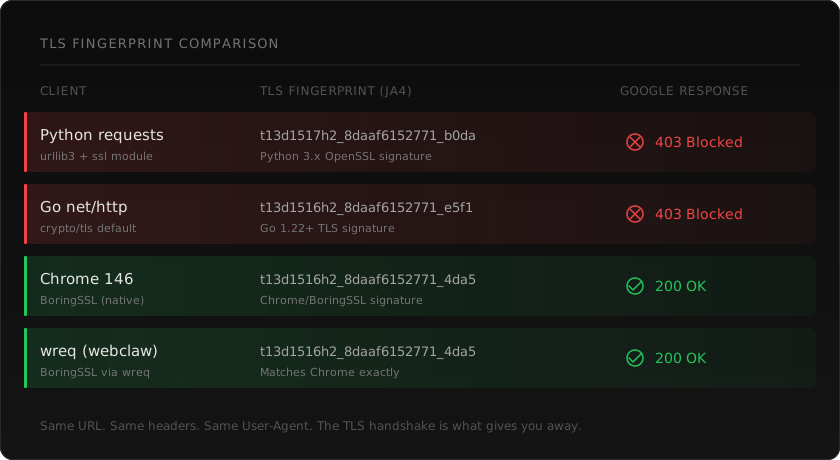
## Approach 1: Raw HTTP with Python (and why it fails)
Let's start with what doesn't work, so we can see why.
```python
import requests
response = requests.get(
"https://www.google.com/search",
params={"q": "best web scraping api"},
headers={"User-Agent": "Mozilla/5.0 (Macintosh; Intel Mac OS X 10_15_7)"}
)
print(len(response.text)) # ~60KB of JavaScript loader
print("search results" in response.text.lower()) # False
```
You get back HTML, but it's Google's JavaScript bootstrap. No search results. No snippets. No links. Just a script loader that fetches actual results client-side.
Even if you could get past the JS requirement, `requests` has a Python TLS fingerprint that Google recognizes instantly. The `User-Agent` header says Chrome, but the TLS handshake says Python. Google sees the mismatch and either blocks you or serves degraded results.
This approach is done. Don't spend time trying to make it work.
## Approach 2: Headless browser
The straightforward solution. Run a real Chrome instance, navigate to Google, wait for results to render, extract the HTML.
```python
from playwright.sync_api import sync_playwright
with sync_playwright() as p:
browser = p.chromium.launch(headless=True)
page = browser.new_page()
page.goto("https://www.google.com/search?q=best+web+scraping+api")
page.wait_for_selector("div#search")
results = page.query_selector_all("div.g")
for result in results:
title = result.query_selector("h3")
link = result.query_selector("a")
snippet = result.query_selector("div[data-sncf]")
if title and link:
print(f"Title: {title.inner_text()}")
print(f"URL: {link.get_attribute('href')}")
if snippet:
print(f"Snippet: {snippet.inner_text()}")
print()
browser.close()
```
This works. A real Chromium instance has the right TLS fingerprint, executes JavaScript, and renders the page like a user would see it.
The problems are practical:
**Speed.** Each search takes 3-6 seconds. Browser startup, page load, JavaScript execution, DOM rendering. For a one-off query that's fine. For thousands of queries it's a bottleneck.
**Resources.** Each Chromium instance uses 200-400MB of RAM. Running 10 concurrent searches means 2-4GB just for browsers. On a server, this adds up fast.
**Detection.** Google has gotten very good at detecting headless Chrome. The `navigator.webdriver` flag, missing browser plugins, specific rendering quirks. Tools like [Playwright Stealth](https://github.com/nicedayfor/puppeteer-extra-plugin-stealth-ts) help, but Google updates its detection and stealth patches play catch-up.
**Selectors break.** Google constantly changes its HTML structure. The `div.g` selector that works today might not work next month. Google's class names are often obfuscated and change between A/B test variants. You'll spend time maintaining your parser.
If you need a handful of searches per day and can tolerate the overhead, headless browsers work. For anything at scale, you need something lighter.
## Approach 3: TLS fingerprinting
The middle ground between raw HTTP (too detectable) and headless Chrome (too heavy). The idea: make your HTTP client produce a TLS handshake and HTTP/2 connection that looks identical to a real browser, without actually running a browser.
When your client connects to Google over HTTPS, it sends a ClientHello message during the TLS handshake. This message contains the list of cipher suites your client supports, in a specific order, along with TLS extensions, elliptic curves, and other parameters. Every HTTP library has a unique combination. Python `requests` looks like Python. Go `net/http` looks like Go. Chrome looks like Chrome.
Bot detection systems hash these parameters into a fingerprint (formats like [JA3](https://github.com/salesforce/ja3), [JA4](https://github.com/FoxIO-LLC/ja4), or proprietary hashes) and compare against known browser profiles. If your fingerprint doesn't match any real browser, you're flagged before your request headers are even read.
TLS fingerprinting libraries solve this by configuring the underlying TLS implementation to match a real browser's handshake exactly. Same cipher suites in the same order, same extensions, same HTTP/2 SETTINGS frame, same pseudo-header ordering.
### The notable libraries
**[tls-client](https://github.com/bogdanfinn/tls-client) (Go, by bogdanfinn).** The original and most widely used. Built on Go's `crypto/tls` with custom modifications to control cipher suite ordering and TLS extension parameters. Supports Chrome, Firefox, Safari, and other browser profiles. Has bindings for Python, Node.js, and other languages via a shared library. If you're working in Go or need cross-language support, this is the established choice.
```go
import (
http "github.com/bogdanfinn/fhttp"
tls_client "github.com/bogdanfinn/tls-client"
)
jar := tls_client.NewCookieJar()
client, _ := tls_client.NewHttpClient(
tls_client.NewNoopLogger(),
tls_client.WithClientProfile(tls_client.Chrome_131),
tls_client.WithCookieJar(jar),
)
req, _ := http.NewRequest("GET", "https://www.google.com/search?q=web+scraping+api", nil)
req.Header = http.Header{
"User-Agent": {"Mozilla/5.0 (Macintosh; Intel Mac OS X 10_15_7)"},
"Accept": {"text/html,application/xhtml+xml"},
"Accept-Language": {"en-US,en;q=0.9"},
http.HeaderOrderKey: {"user-agent", "accept", "accept-language"},
}
resp, _ := client.Do(req)
```
**[impit](https://github.com/nicedayfor/impit) (Rust, by Apify).** Takes a different approach. Instead of patching the TLS library from the outside, impit patches `rustls` directly to give fine-grained control over the ClientHello construction. Built by [Apify](https://apify.com/), the web scraping platform. Supports a wide range of browser profiles and includes HTTP/2 fingerprint matching. If you're building in Rust and want a pure-Rust solution that doesn't depend on C/C++ TLS libraries, impit is a solid option.
**[wreq](https://github.com/nicedayfor/wreq) (Rust, by @0x676e67).** Uses BoringSSL, which is Chrome's actual TLS implementation, rather than reimplementing TLS behavior from scratch. This means the fingerprint isn't an approximation of Chrome. It's Chrome's own TLS code producing the handshake. wreq supports 60+ browser profiles including Chrome, Firefox, Safari, and Edge variants, with full HTTP/2 SETTINGS and pseudo-header matching. This is what webclaw uses internally.
The philosophical difference matters. bogdanfinn and impit both modify non-browser TLS implementations (Go's crypto/tls and Rust's rustls respectively) to produce browser-like fingerprints. They're very good at this. But edge cases exist, certain TLS extensions, specific BoringSSL behaviors, unusual server responses, where the impersonation diverges from the real browser. wreq avoids this class of bugs entirely by using the actual browser TLS implementation.
### TLS fingerprinting alone isn't enough for Google
Even with a perfect Chrome TLS fingerprint, Google's search results still require JavaScript rendering. TLS fingerprinting gets you past the first detection layer, which is significant. Google won't immediately flag you as a bot. But the response you get back still contains the JavaScript bootstrap that loads results client-side.
For sites that serve content in the initial HTML response, TLS fingerprinting alone is often sufficient. Google Search is a special case because results are loaded dynamically regardless of your fingerprint quality.
So TLS fingerprinting is the foundation, not the complete solution. You need it plus JavaScript rendering.
## Approach 4: SERP APIs
If you don't need to scrape Google yourself, specialized SERP APIs do it for you and return structured data.
**[SerpAPI](https://serpapi.com/).** The longest-running option. Returns JSON with organic results, ads, knowledge panels, featured snippets, "People Also Ask" boxes, and other SERP features parsed into structured fields. Handles Google's bot detection internally. Pricing starts at $50/month for 5,000 searches.
**[Serper](https://serper.dev/).** Faster and cheaper than SerpAPI for most use cases. Returns structured JSON with organic results, snippets, and related searches. $50 for 50,000 queries (credits, not monthly). Good balance of cost and reliability.
**[Bright Data SERP API](https://brightdata.com/products/serp-api).** Enterprise-focused with high reliability. Returns structured data with geolocation options. More expensive but handles high volume well.
The trade-off with SERP APIs is that you get structured search data, not the page content. If you need the actual content of the pages Google links to, you still need a scraper. SERP APIs tell you *what* Google found. They don't give you the content of those pages.
For many use cases, this is exactly what you need. A rank tracker only needs positions and URLs. A keyword tool only needs search volume and related queries. An AI agent doing research needs both: the search results AND the content of those pages.
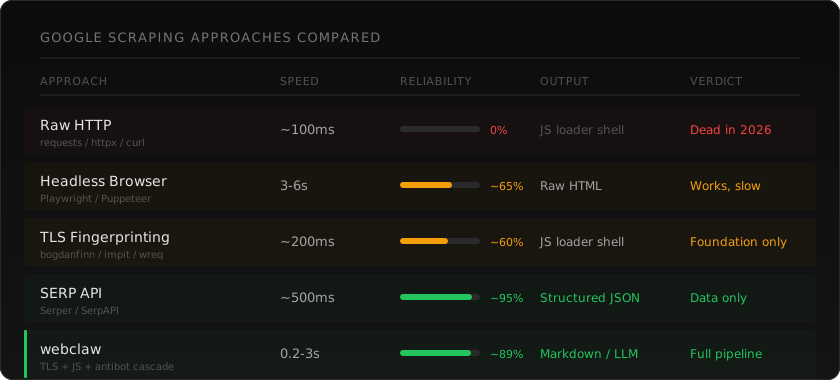
## Approach 5: webclaw
webclaw handles both parts. Search results and page content.
If you want to try the flow before writing code, open the [search demo](/demo?mode=search&q=best%20web%20scraping%20api). For a production integration, use the [Web Search API](/features/web-search-api) and its [endpoint reference](/docs/api/search).
For search results specifically, webclaw's `/v1/search` endpoint returns structured Google results:
```bash
curl -X POST https://api.webclaw.io/v1/search \
-H "Authorization: Bearer YOUR_API_KEY" \
-H "Content-Type: application/json" \
-d '{
"query": "best web scraping api 2026",
"num_results": 10
}'
```
```json
{
"query": "best web scraping api 2026",
"results": [
{
"title": "Best Web Scraping APIs for LLMs in 2026",
"url": "https://webclaw.io/blog/best-web-scraping-api-for-llms",
"description": "If you're building with LLMs, you need web data..."
},
{
"title": "...",
"url": "...",
"description": "..."
}
]
}
```
For scraping Google directly (or any of the linked pages), `/v1/scrape` handles the TLS fingerprinting, JS rendering, and bot detection automatically:
```bash
curl -X POST https://api.webclaw.io/v1/scrape \
-H "Authorization: Bearer YOUR_API_KEY" \
-H "Content-Type: application/json" \
-d '{
"url": "https://www.google.com/search?q=best+web+scraping+api",
"formats": ["markdown"]
}'
```
The pipeline does the heavy lifting. TLS fingerprint matches a real browser. If the page needs JavaScript rendering, it escalates automatically. If there's a challenge page, the antibot engine handles it. You don't configure any of this.

### CLI
```bash
# Search and get structured results
webclaw search "best web scraping api 2026"
# Scrape a specific page from the results
webclaw https://example.com --format llm
```
### Python SDK
```python
from webclaw import Webclaw
client = Webclaw(api_key="YOUR_API_KEY")
# Search
results = client.search("best web scraping api 2026", num_results=10)
for result in results:
print(f"{result.title} — {result.url}")
# Scrape one of the results
page = client.scrape(results[0].url, formats=["llm"])
print(page.llm) # LLM-oriented text; verify retained facts
```
### MCP (for AI agents)
If you're building with Claude, Cursor, Windsurf, or any MCP-compatible agent:
```json
{
"mcpServers": {
"webclaw": {
"command": "npx",
"args": ["-y", "@webclaw/mcp"]
}
}
}
```
Your agent gets search and scrape as native tools. Ask it to "search for X and summarize the top results" and it handles the search, scrapes each page, and gives you clean content. No per-page configuration, no dealing with Google's bot detection.
## The common patterns
### Rank tracking
Check where your site ranks for specific keywords:
```python
from webclaw import Webclaw
client = Webclaw(api_key="YOUR_API_KEY")
keywords = ["web scraping api", "scrape website to markdown", "mcp web scraping"]
for keyword in keywords:
results = client.search(keyword, num_results=20)
for i, result in enumerate(results):
if "webclaw.io" in result.url:
print(f"'{keyword}': position {i + 1}")
break
else:
print(f"'{keyword}': not in top 20")
```
### Research pipeline (search + scrape + feed to LLM)
The pattern most AI agents need. Search for a topic, scrape the top results, feed the content to an LLM:
```python
from webclaw import Webclaw
client = Webclaw(api_key="YOUR_API_KEY")
# Step 1: Get search results
results = client.search("TLS fingerprinting web scraping", num_results=5)
# Step 2: Scrape each result
pages = []
for result in results:
page = client.scrape(result.url, formats=["llm"])
pages.append({
"title": result.title,
"url": result.url,
"content": page.llm
})
# Step 3: Feed to your LLM
# Each page is ~800-3000 tokens in llm format
# vs 50,000-200,000 tokens as raw HTML
context = "\n\n---\n\n".join(
f"# {p['title']}\nSource: {p['url']}\n\n{p['content']}"
for p in pages
)
```
With MCP, your agent does this automatically. You say "research TLS fingerprinting for web scraping" and webclaw's `research` tool handles the search, scraping, and synthesis without you writing the pipeline code.
### Batch monitoring
Track a set of queries over time:
```python
from webclaw import Webclaw
import json
from datetime import datetime
client = Webclaw(api_key="YOUR_API_KEY")
queries = ["your brand name", "your product review", "competitor name vs yours"]
snapshot = {
"date": datetime.now().isoformat(),
"results": {}
}
for query in queries:
results = client.search(query, num_results=10)
snapshot["results"][query] = [
{"position": i + 1, "title": r.title, "url": r.url}
for i, r in enumerate(results)
]
with open(f"serp-snapshot-{datetime.now().strftime('%Y%m%d')}.json", "w") as f:
json.dump(snapshot, f, indent=2)
```
## What to watch out for
**Rate limiting.** Google rate limits aggressively. Even with perfect TLS fingerprinting, sending 100 queries per second from one IP will get you blocked. Space out your requests. Use proxies if you need volume. Or use an API that handles rate management for you.
**Geolocation.** Google results vary by location. A search from a US IP returns different results than from a German IP. If location matters for your use case (and for rank tracking, it always does), make sure your tool supports geolocation parameters.
**Personalization.** Logged-in Google results are personalized based on search history. For consistent, unbiased results, always scrape from a clean session without Google account cookies.
**Legal considerations.** Google's Terms of Service prohibit automated access to search results. The [hiQ v. LinkedIn](https://en.wikipedia.org/wiki/HiQ_Labs_v._LinkedIn) ruling supports scraping publicly accessible data, but Google's TOS is a separate consideration. SERP APIs like SerpAPI and Serper operate in a grey area that's been commercially accepted for years. Consult a lawyer if you're building something where this matters.
**SERP structure changes.** Google changes its result page layout constantly. Featured snippets, AI overviews, knowledge panels, "People Also Ask" boxes, local results, shopping carousels. If you're parsing Google's HTML directly, expect your selectors to break regularly. Structured SERP APIs abstract this away.
## Choosing the right approach
**You need search data (positions, URLs, snippets) and don't need page content:** Use a SERP API directly. Serper if you want cost efficiency, SerpAPI if you want the most parsed SERP features.
**You need search data AND the content of linked pages:** webclaw handles both. Search returns structured results, scrape returns clean content from any of those URLs.
**You're building an AI agent that needs to search the web:** Use webclaw with MCP. Your agent gets search and scrape as native capabilities.
**You need full control and don't mind maintaining infrastructure:** Headless browser with Playwright, plus a TLS fingerprinting library for the lighter requests. Be prepared to maintain it as Google updates detection.
**You need to scrape at massive scale (millions of queries):** You probably need dedicated SERP infrastructure. Bright Data, Oxylabs, or a custom setup with residential proxies and distributed browsers.
## Frequently asked questions
### Can you scrape Google search results with Python?
Yes, but not with basic HTTP libraries like `requests` or `httpx` anymore. Google requires JavaScript rendering to display search results, and Python HTTP libraries have detectable TLS fingerprints. You need either a headless browser (Playwright, Selenium), a TLS fingerprinting library (bogdanfinn's tls-client has Python bindings), or a scraping API that handles both layers.
### Is it legal to scrape Google?
Google's Terms of Service prohibit automated queries. However, SERP APIs have operated commercially for years in an area that the industry treats as accepted practice. The [hiQ v. LinkedIn](https://en.wikipedia.org/wiki/HiQ_Labs_v._LinkedIn) ruling supports scraping publicly accessible data. The legal landscape is nuanced. If you're building a commercial product that depends on Google data, get legal advice for your specific situation.
### What is TLS fingerprinting and why does it matter?
Every HTTP client produces a unique TLS handshake signature based on its supported cipher suites, TLS extensions, and connection parameters. Bot detection systems like Google's hash this into a fingerprint (JA3, JA4) and compare it against known browser profiles. Python `requests` has a fingerprint that looks nothing like Chrome. TLS fingerprinting libraries modify the underlying TLS implementation to produce browser-matching handshakes, so your client looks like Chrome or Firefox at the network level.
### What's the difference between scraping Google and using a SERP API?
Scraping Google means sending requests to google.com and parsing the HTML yourself. A SERP API does this for you and returns structured JSON. SERP APIs are easier, more reliable, and handle Google's bot detection and layout changes. The trade-off is cost and control. If you need custom SERP features or very high volume, scraping directly might make sense. For most use cases, a SERP API is the better choice.
### How many Google searches can I scrape per day?
Without proxies or special tooling, maybe 50-100 before Google starts serving CAPTCHAs. With rotating residential proxies and TLS fingerprinting, a few thousand. With a SERP API, it depends on your plan. Serper offers 50,000 queries for $50. SerpAPI offers 5,000/month at $50/month. webclaw's search endpoint handles rate management automatically.
### What is the best library for TLS fingerprinting?
The three main options are [tls-client](https://github.com/bogdanfinn/tls-client) by bogdanfinn (Go, with cross-language bindings), [impit](https://github.com/nicedayfor/impit) by Apify (Rust, patched rustls), and [wreq](https://github.com/nicedayfor/wreq) by @0x676e67 (Rust, BoringSSL). bogdanfinn's library is the most widely used and has the broadest language support. impit is a good choice for pure-Rust projects. wreq uses Chrome's actual TLS library (BoringSSL) rather than impersonating it, which avoids edge-case fingerprint mismatches.
### Does webclaw handle Google's JavaScript rendering?
Yes. When you scrape a URL through webclaw, the pipeline first attempts a fast HTTP fetch with browser-grade TLS fingerprinting. If the response requires JavaScript execution (as Google Search does), it automatically escalates to a JS rendering engine. You don't configure this. It happens transparently based on what the page needs.
---
**Read next:** [Bypass Cloudflare bot protection](/blog/bypass-cloudflare-bot-protection-web-scraping) | [Best web scraping APIs for LLMs](/blog/best-web-scraping-api-for-llms) | [Build a RAG pipeline with live web data](/blog/rag-pipeline-web-data)
---
### 6 web scraping APIs to evaluate for LLMs in 2026
URL: https://webclaw.io/blog/best-web-scraping-api-for-llms
Published: 2026-04-07
Updated: 2026-09-08
Author: Massi
If you're building with LLMs, you need web data. Here's how the main scraping APIs compare on the things that actually matter for AI use cases.
An LLM application needs more than a successful page request. It needs the right content, a usable output format, source links, and errors it can act on. Evaluate these separately when choosing an extraction API.
This guide compares publicly documented product capabilities, not results from a shared performance benchmark. I build Webclaw; the Webclaw section below describes its API rather than an independent ranking.
## What changes when the consumer is an LLM
**Output quality:** Compare raw HTML, Markdown, and structured output using both token count and retained facts. Shorter text can still omit a price, qualification, or source your application needs.
**Access and errors:** Test static pages, client-rendered pages, and any protected targets in your actual workload. A successful HTTP status is insufficient if the body is a challenge page or incomplete content.
**Latency and cost:** Measure the complete request, including rendering, retries, and post-processing. Record cold and cached runs separately, and calculate cost per usable result.
**Integration:** Check the SDK, MCP tools, request options, and response fields your application will use. A supported endpoint does not establish compatibility with every option.
## The options
### Jina Reader
[Jina Reader](https://jina.ai/reader/) provides a URL-to-content workflow using the `r.jina.ai` prefix. Its documented options include output formats, selectors, browser viewport settings, page readiness, cache controls, and custom JavaScript before extraction.
Evaluate it for a reader workflow where you want extracted content through a small HTTP integration. Validate your selected rendering and output options on the target pages.
### Firecrawl
[Firecrawl](https://docs.firecrawl.dev/) documents scraping, crawling, search, and structured extraction, with SDK and MCP integrations. It is an option to evaluate when those interfaces fit your application's existing tools.
Protected-page success varies by target and configuration. This article does not establish a comparative success rate or infer the provider's private retrieval implementation.
### ScrapingBee
[ScrapingBee](https://www.scrapingbee.com/) provides an API with JavaScript rendering and extraction options. Its current product documentation also describes AI-oriented extraction; evaluate the output mode you need rather than assuming every request returns only HTML.
Browser execution can add latency. Measure the pages, rendering options, and waits your application actually uses.
### Scrapfly
[Scrapfly](https://scrapfly.io/docs) exposes configurable retrieval and rendering options. Compare its output, latency, and target coverage using the same acceptance criteria as the other providers.
Choose request options based on the content required, and include their credit cost in the comparison.
### Apify
[Apify](https://docs.apify.com/platform) is a platform for running Actors: programs with their own input, execution, and output contracts. Actors can provide site-specific workflows or more general extraction.
Evaluate it when a selected Actor or custom program matches your workflow. Check that Actor's maintenance, pricing, and output schema; those details vary across the catalog.
### Webclaw
Webclaw offers a [Scrape API](/docs/api/scrape), [crawling](/docs/api/crawl), [search](/docs/api/search), [structured extraction](/docs/api/extract), and an [MCP server](/docs/mcp). It can render JavaScript when required. Access to protected pages remains best effort and target-dependent.
The scrape output choices include:
- `markdown`: Markdown content.
- `llm`: text with reduced markup, repeated links, and boilerplate; validate retained facts against the source.
- `json`: structured page content and metadata.
- `text`: plain text.
- `extract`: schema- or prompt-directed extraction, configured with nested `extract.schema` and/or `extract.prompt`.
Use the documented `formats` array for hosted API requests. MCP tools have their own argument schema, so follow the MCP reference rather than copying HTTP fields unchanged.
```bash
# CLI
webclaw https://example.com --format llm
# API
curl -X POST https://api.webclaw.io/v1/scrape \
-H "Authorization: Bearer YOUR_API_KEY" \
-H "Content-Type: application/json" \
-d '{"url": "https://example.com", "formats": ["llm"]}'
```
```json
{
"mcpServers": {
"webclaw": {
"command": "npx",
"args": ["-y", "@webclaw/mcp"]
}
}
}
```
## Compare using your own workload
| Check | Evidence to retain |
| --- | --- |
| Content | Expected facts and source links, including missing fields |
| Rendering | Required client-loaded text and interactions |
| Errors | Invalid input, unavailable pages, timeouts, and rate limits |
| Latency | Repeated cold and cached measurements, including retries |
| Cost | Credits or charges per usable result |
| Integration | Requests and responses from the SDK or MCP client you will ship |
Use the same URLs, expected facts, options, and measurement windows for each provider. Keep failed requests in the results instead of benchmarking only successes.
## Migrating from Firecrawl
Webclaw provides compatibility endpoints for Firecrawl v2-style scrape, crawl, and search requests. See the [API compatibility reference](/docs/api) for supported fields and limitations. Validate every option and response field your application depends on before switching providers.
## Frequently asked questions
### What's the best scraping API for a RAG pipeline?
The answer depends on the corpus. Compare retained content, source evidence, access success, latency, and cost. Markdown output alone does not prove that extraction preserves the facts your retrieval system needs.
### Can these APIs work with AI agents?
An agent can call an HTTP API through a tool integration. Several providers also publish MCP servers or framework integrations. Webclaw's [MCP documentation](/docs/mcp) lists its supported tools and arguments.
### Do these tools handle JavaScript-rendered pages?
The products above document rendering or browser-based workflows, but behavior and request options differ. Test the specific client-loaded content your application needs; rendering support is not a guarantee that every target will work.
### How much can Webclaw reduce tokens?
In the [2026-04-17 benchmark of Webclaw v0.3.18](https://github.com/0xMassi/webclaw/blob/e27ee1f86f91e96a53063102afeb38638f1cfbdd/benchmarks/README.md), three runs across 18 sites using `cl100k_base` showed 92.5% mean token reduction. The output retained 76 of 90 curated visible facts. This historical result is not a guarantee for other pages or current releases.
---
### Bypass Cloudflare Bot Protection: No Headless Browser
URL: https://webclaw.io/blog/bypass-cloudflare-bot-protection-web-scraping
Published: 2026-04-02
Updated: 2026-09-08
Author: Massi
Fix the four signals Cloudflare checks before you reach for a headless browser: TLS, HTTP/2, challenge, session. Why proxy and user-agent rotation alone fails.
You send a request. You get a 403. Or worse, you get back HTML that looks like content but is actually a Cloudflare challenge page. Your scraper reports success. Your data is garbage.
If you've tried to scrape anything meaningful in 2026, you've hit this wall. [Cloudflare](https://www.cloudflare.com/) protects somewhere north of 20% of all websites. That's not just enterprise sites. It's blogs, documentation, e-commerce stores, SaaS pricing pages. The kind of pages AI agents and data pipelines need to read every day.
Most scraping tools handle this by either failing silently or telling you to upgrade to a paid proxy tier. Neither is a real solution. So let me walk you through what Cloudflare actually does, why most bypass approaches fail, and what works reliably without a $500/month proxy bill.
## Bypass Cloudflare bot protection: quick answer
The fastest reliable path is not "more proxies." It is a coherent browser-grade session:
1. Match a real browser at the TLS and HTTP/2 layer.
2. Keep headers, Client Hints, cookies, locale, and proxy geography consistent.
3. Detect challenge bodies instead of treating every 200 response as success.
4. Escalate only when needed: fingerprinted fetch first, token solver second, real browser last.
If you already see a specific failure shape, use the focused guides:
| If you see this | Read this |
|---|---|
| Invisible widget, token failure, or `cf-turnstile` | [Cloudflare Turnstile scraping](/blog/cloudflare-turnstile-2026-guide) |
| `403`, `503`, `1020`, or `1015` | [Cloudflare error codes for scrapers](/blog/cloudflare-error-codes-scraping) |
| `curl` fails but Chrome works | [TLS fingerprint vs Cloudflare](/blog/tls-fingerprint-vs-browser-cloudflare) |
| Puppeteer worked last year and now loops | [Puppeteer stealth vs Cloudflare](/blog/puppeteer-stealth-cloudflare-2026) |
| You need a step-by-step debug flow | [Cloudflare scraping diagnostic checklist](/blog/cloudflare-scraping-diagnostic-checklist) |
## What Cloudflare actually checks
Cloudflare's bot detection isn't one thing. It's a stack of signals evaluated together. Understanding the layers matters because most tools only address one or two of them.
**TLS fingerprinting.** Before your request even reaches the server, Cloudflare inspects your [TLS handshake](https://www.cloudflare.com/learning/ssl/what-happens-in-a-tls-handshake/). Every HTTP client produces a unique fingerprint based on which cipher suites it supports, in what order, and which TLS extensions it sends. Python's `requests` library, Go's `net/http`, Node's `axios` — they all have fingerprints that look nothing like a real browser. Cloudflare knows this. The fingerprint is checked before your User-Agent header is even read.
**HTTP/2 fingerprinting.** Modern browsers use HTTP/2 with specific settings: `SETTINGS_HEADER_TABLE_SIZE`, `SETTINGS_MAX_CONCURRENT_STREAMS`, `WINDOW_UPDATE` values. These settings are negotiated at connection time and vary between Chrome, Firefox, and Safari. If your HTTP client sends default HTTP/2 settings that don't match any known browser, that's another signal.
**Header order and values.** Browsers send headers in a specific, consistent order. Chrome sends `sec-ch-ua` before `sec-ch-ua-mobile` before `sec-ch-ua-platform`. Most HTTP libraries send headers in hash-map order, which is random and immediately suspicious.
**JavaScript challenges.** For higher security levels, Cloudflare serves a JavaScript challenge that a real browser executes automatically. The challenge collects browser environment data: canvas fingerprint, WebGL renderer, installed fonts, screen dimensions, timezone. This is the [Turnstile](https://www.cloudflare.com/products/turnstile/) layer. No JavaScript engine, no pass.
**Behavioral analysis.** Request timing, mouse movements, scroll patterns, cookie handling. This layer kicks in for sites with "I'm Under Attack" mode or custom WAF rules.
The key insight: these layers work together. Passing one doesn't mean you pass them all. You can have a perfect TLS fingerprint and still get blocked by a JavaScript challenge. You can solve the JavaScript challenge and still get re-challenged because your subsequent requests have a non-browser fingerprint. Cloudflare is a stack, and you need to handle the whole stack.
## The approaches, and why most of them fail
### Proxy rotation
The most common advice is "just use proxies." Services like [Bright Data](https://brightdata.com/), [Oxylabs](https://oxylabs.io/), and [Smartproxy](https://smartproxy.com/) sell residential and datacenter proxies that rotate your IP address on each request.
The problem: Cloudflare doesn't primarily block by IP. It blocks by fingerprint. You can rotate through a thousand IPs, but if every request has the same Python `requests` TLS fingerprint, Cloudflare sees a thousand requests from the same bot on different IPs. You've spent money to look more suspicious, not less.
Proxies are useful as one component of a bypass stack. They're not a solution on their own.
### Headless browsers
[Puppeteer](https://pptr.dev/), [Playwright](https://playwright.dev/), [Selenium](https://www.selenium.dev/). Spin up a real Chrome instance, navigate to the page, solve the challenge, extract the content.
This works. A real Chrome instance has the right TLS fingerprint, the right HTTP/2 settings, and a real JavaScript engine. Cloudflare's challenge runs and passes.
The catch is everything else. Each request takes 3-8 seconds. You need 200MB+ of Chromium per instance. Scaling to thousands of pages means running a browser farm. Memory usage is brutal. And Cloudflare has gotten good at detecting headless Chrome specifically. The `navigator.webdriver` flag, missing plugins, headless-specific quirks. Tools like [puppeteer-extra-plugin-stealth](https://github.com/nicedayfor/puppeteer-extra-plugin-stealth-ts) patch some of these tells, but it's an arms race.
For a handful of pages, headless browsers work fine. For anything at scale, you need a lighter approach.
### Undetected Chrome wrappers
[undetected-chromedriver](https://github.com/ultrafunkamsterdam/undetected-chromedriver) and similar tools patch Selenium's Chrome to remove detectable artifacts. They modify the binary to strip headless tells, patch JavaScript APIs, and randomize fingerprint values.
These work better than raw Puppeteer but still carry the Chrome overhead. And they break regularly. Every Chrome update changes internals, and the patches need to catch up. You'll find GitHub issues filled with "stopped working after Chrome 130" posts.
### CAPTCHA solving services
[Capsolver](https://www.capsolver.com/), [2Captcha](https://2captcha.com/), [Anti-Captcha](https://anti-captcha.com/). These services solve Cloudflare Turnstile challenges by running them in real browser environments and returning the solution token.
The issue is that solving the challenge isn't enough. You still need to make subsequent requests with the right fingerprint and the cookies from the solved session. If your next request comes from a Python `requests` client with a non-browser TLS fingerprint, Cloudflare re-challenges you immediately. The solved token was worthless.
CAPTCHA solvers are a piece of the puzzle, not the whole picture.
### TLS fingerprint impersonation
Instead of running a full browser, you make your HTTP client _look like_ a browser at the network level. Same TLS cipher suites, same HTTP/2 settings, same header order.
Libraries like [curl-impersonate](https://github.com/lwthiker/curl-impersonate), [primp](https://github.com/deedy5/primp) for Python, and [tls-client](https://github.com/bogdanfinn/tls-client) for Go do exactly this. They patch the underlying TLS library to produce browser-matching fingerprints.
This helps with simpler bot detection systems and gets you past the first layer of Cloudflare's checks. But let's be honest: TLS impersonation alone doesn't reliably bypass Cloudflare in 2026. Cloudflare has evolved well beyond fingerprint checks. Even with a perfect Chrome TLS fingerprint, you'll still hit JavaScript challenges, Turnstile widgets, and behavioral analysis on most protected sites. TLS impersonation is a necessary foundation, but it's not a bypass on its own.
### Full-stack scraping APIs
Services like [ScrapingBee](https://www.scrapingbee.com/), [Scrapfly](https://scrapfly.io/), and [ZenRows](https://www.zenrows.com/) combine multiple bypass techniques behind an API. You send a URL, they handle the fingerprinting, proxies, JavaScript rendering, and challenge solving.
The trade-off is cost and control. You're paying per request (typically $1-5 per 1,000 pages), you don't control the browser profile, and you're dependent on their infrastructure. For some use cases that's fine. For high-volume scraping or latency-sensitive applications, the economics don't work.
## What webclaw does differently
Every approach above fails at Cloudflare for the same reason: they solve one layer and ignore the rest. Proxies don't fix your fingerprint. TLS impersonation doesn't solve JavaScript challenges. CAPTCHA solvers don't maintain sessions. Headless browsers work but don't scale.
webclaw has a built-in antibot engine that handles Cloudflare end-to-end. You send a URL, and the engine deals with whatever Cloudflare throws at it — challenges, Turnstile, behavioral checks. You don't pick a strategy, you don't configure bypass modes, you don't chain tools together. It just works.
I'm not going to go deep into how the antibot engine works internally. But the result is that it clears most Cloudflare-protected sites in our testing.
```bash
webclaw https://cloudflare-protected-site.com
```
No proxy configuration. No browser setup. No CAPTCHA API key. If the site is behind Cloudflare, webclaw handles it automatically.
### Using the API
```bash
curl -X POST https://api.webclaw.io/v1/scrape \
-H "Authorization: Bearer YOUR_API_KEY" \
-H "Content-Type: application/json" \
-d '{
"url": "https://cloudflare-protected-site.com",
"formats": ["markdown"],
"only_main_content": true
}'
```
When antibot bypass activates, the response includes timing data so you know what happened:
```json
{
"url": "https://cloudflare-protected-site.com",
"markdown": "# Page content...",
"antibot": {
"bypass": true,
"elapsed_ms": 3200
}
}
```
### Using the CLI
```bash
webclaw https://cloudflare-protected-site.com --format llm
```
The `llm` format returns text with markup and repetition reduced. Check the output against the source before indexing it.
### Using MCP
If you're building with [Claude](https://claude.ai/) or another MCP-compatible AI, add webclaw to your MCP config and your AI handles Cloudflare-protected pages automatically:
```json
{
"mcpServers": {
"webclaw": {
"command": "npx",
"args": ["-y", "@webclaw/mcp"]
}
}
}
```
Your AI calls `scrape` with a URL. If the site is behind Cloudflare, the bypass runs transparently.
## The bypass spectrum
Not all Cloudflare configurations are the same. The protection level depends on what the site operator has configured.
**Basic.** Standard Cloudflare proxy with default bot detection. These sites still check fingerprints and may serve lightweight challenges. Easier to bypass, but not trivial. A proper antibot tool handles these reliably.
**Managed challenge.** Cloudflare serves an interstitial challenge page. For low-risk visitors it auto-solves in the background (the "checking your browser" spinner). For higher-risk visitors it shows a Turnstile widget. You need a real browser environment or a specialized solver with proper session handling.
**I'm Under Attack mode.** The site operator has explicitly turned on aggressive bot filtering. Every visitor gets a 5-second JavaScript challenge. Behavioral signals are weighted heavily. This is the hardest tier to bypass consistently.
**Custom WAF rules.** The site has custom rules that go beyond Cloudflare's defaults. Rate limiting, geographic restrictions, specific header requirements, device fingerprint checks. These are site-specific and there's no one-size-fits-all bypass.
webclaw handles the first three tiers automatically. Custom WAF rules may need additional configuration like proxies.
## What I'd recommend
**You're scraping a few pages and don't want to think about it:** Use webclaw's CLI or API. Cloudflare bypass is automatic. You don't need to understand the layers.
**You're building an AI agent that needs web access:** Use [webclaw-mcp](https://github.com/0xMassi/webclaw). Your AI gets Cloudflare bypass as a transparent capability. No per-page configuration.
**You're scraping one specific Cloudflare site and want to DIY:** You'll need to combine multiple tools. [Puppeteer with stealth](https://github.com/nicedayfor/puppeteer-extra-plugin-stealth-ts) or [undetected-chromedriver](https://github.com/ultrafunkamsterdam/undetected-chromedriver) to solve challenges, then maintain the session cookies for subsequent requests. Expect to spend time keeping it working as Cloudflare updates its detection.
**You have budget and don't want infrastructure:** A managed service like [ScrapingBee](https://www.scrapingbee.com/) or [Scrapfly](https://scrapfly.io/) handles everything. Cost scales linearly with volume, so check your per-page economics first.
## Frequently asked questions
### How does Cloudflare detect web scrapers?
Cloudflare uses a stack of detection signals. The primary ones are TLS fingerprinting (analyzing the TLS handshake to identify the HTTP client), HTTP/2 settings analysis, header ordering, and JavaScript challenges. Most scrapers fail at the TLS layer before reaching the JavaScript challenge. Cloudflare also uses behavioral analysis for high-security configurations.
### Can you scrape a Cloudflare-protected website?
Yes. Cloudflare protection can be bypassed through headless browsers with stealth patches, specialized antibot engines, or scraping APIs that handle bypass automatically. The approach depends on the protection level. TLS fingerprint impersonation alone is no longer enough for most Cloudflare sites in 2026. You need a tool that handles the full detection stack including JavaScript challenges and behavioral analysis.
### Is it legal to scrape Cloudflare-protected websites?
Legality depends on what you're scraping and how, not whether Cloudflare is involved. The [hiQ v. LinkedIn](https://en.wikipedia.org/wiki/HiQ_Labs_v._LinkedIn) ruling established that scraping publicly accessible data is generally legal under US law. However, violating a site's Terms of Service, scraping personal data under GDPR, or circumventing access controls on non-public content can create legal risk. This is not legal advice. Consult a lawyer for your specific use case.
### What is TLS fingerprinting?
TLS fingerprinting identifies HTTP clients by analyzing their TLS handshake. When a client connects via HTTPS, it sends a ClientHello message containing supported cipher suites, TLS extensions, and other parameters. This combination is unique enough to distinguish Chrome from Firefox from Python's `requests`. The [JA3](https://github.com/salesforce/ja3) and [JA4](https://github.com/FoxIO-LLC/ja4) algorithms hash these parameters into a short fingerprint string. Anti-bot systems compare this fingerprint against known browser profiles.
### Why do proxies alone not work against Cloudflare?
Proxies change your IP address but not your fingerprint or behavior. Cloudflare checks far more than IP — TLS handshake, browser environment, JavaScript challenge responses, behavioral signals. A Python `requests` library routed through a residential proxy still looks like a bot to Cloudflare. Rotating through 1,000 IPs with the same bot fingerprint actually makes you more suspicious, not less. Proxies can be useful as part of a full bypass stack, but they solve the wrong problem on their own.
### What is the fastest way to scrape Cloudflare-protected sites?
A scraping API with a built-in antibot engine is the fastest practical approach. DIY solutions with headless browsers take 3-8 seconds per page and require constant maintenance. webclaw handles Cloudflare bypass automatically — you send a URL and get clean content back without configuring anything.
---
**Read next:** [Cloudflare Turnstile scraping](/blog/cloudflare-turnstile-2026-guide) | [Cloudflare error codes for scrapers](/blog/cloudflare-error-codes-scraping) | [Why Puppeteer stealth stopped working](/blog/puppeteer-stealth-cloudflare-2026)
---
### Extract structured data from any URL in one call
URL: https://webclaw.io/blog/extract-structured-data-from-any-webpage
Published: 2026-03-31
Updated: 2026-09-08
Author: Massi
You don't always need the full page. Sometimes you need three fields from a product listing. Here's how to pull exactly the data you want from any URL.
You scraped the page. You got clean markdown. Now what?
If you're building a price comparison tool, you don't need the whole article. You need the price, the product name, and whether it's in stock. If you're enriching leads, you need the company name, team size, and tech stack. Not the entire "About Us" page converted to markdown.
Most scraping tools stop at "here's the content." They give you text and leave the parsing to you. Which means you're back to writing regex, CSS selectors, or feeding the entire page to an LLM with a prompt like "please find the price somewhere in here."
There's a better way.
## Why selectors break
The traditional approach to pulling specific data from a webpage is CSS selectors. Find the element, grab the text.
```python
price = soup.select_one(".product-price .amount").text
```
This works until it doesn't. And it always stops working.
The site redesigns. The class name changes from `product-price` to `pdp-price-container`. The price moves from a `` to a ``. The format changes from "$29.99" to "US$29.99/mo". Your selector returns `None` and your pipeline breaks at 3am.
Selectors are brittle because they depend on implementation details. You're coupling your data extraction to someone else's frontend code. Every deploy on their end is a potential breakpoint on yours.
For one site, you can maintain selectors. For ten sites, it's a part time job. For "any URL an agent decides to visit," it's impossible.
## Schema-based extraction
webclaw's `/v1/extract` endpoint takes a different approach. You describe what data you want as a JSON schema. The extraction engine reads the page, understands the content, and returns data matching your schema.
No selectors. No XPath. No regex. You define the shape of the data you need, webclaw fills it in.
```bash
curl -X POST https://api.webclaw.io/v1/extract \
-H "Authorization: Bearer YOUR_API_KEY" \
-H "Content-Type: application/json" \
-d '{
"url": "https://store.example.com/product/wireless-headphones",
"schema": {
"type": "object",
"properties": {
"product_name": {"type": "string"},
"price": {"type": "number"},
"currency": {"type": "string"},
"in_stock": {"type": "boolean"},
"rating": {"type": "number"},
"review_count": {"type": "integer"}
}
}
}'
```
Response:
```json
{
"data": {
"product_name": "Sony WH-1000XM5",
"price": 279.99,
"currency": "USD",
"in_stock": true,
"rating": 4.7,
"review_count": 3842
}
}
```
The site can redesign completely. As long as the information is somewhere on the page, the extraction still works. You're extracting meaning, not DOM positions.
## How it works under the hood
The extraction pipeline has three steps.
First, webclaw fetches the page with TLS fingerprinting, the same way it handles any scrape. If the page needs JavaScript rendering, it renders. If it's behind anti-bot protection, it gets through. The extract endpoint inherits all of webclaw's fetch capabilities.
Second, the page content gets cleaned through the same 9-step optimization pipeline from the regular scrape. Navigation, ads, cookie banners, footers. All stripped. What's left is the actual content.
Third, an LLM reads the clean content against your schema and extracts the matching fields. Because the content is already optimized, the LLM focuses on actual information instead of wading through noise. This makes the extraction more accurate and costs fewer tokens.
A schema can ask the model to normalize prices, ratings, and counts into separate fields. Validate ambiguous values against the source: “Starting from $29/mo” should retain its monthly billing period and starting-price qualifier, and a review count should not be confused with a rating.
## You can also just ask in plain English
Not everything fits neatly into a JSON schema. Sometimes you don't know the exact structure upfront. For those cases, the extract endpoint accepts a `prompt` parameter alongside or instead of a schema.
```bash
curl -X POST https://api.webclaw.io/v1/extract \
-H "Authorization: Bearer YOUR_API_KEY" \
-H "Content-Type: application/json" \
-d '{
"url": "https://company.com/about",
"prompt": "Find the founding year, number of employees, and what the company does in one sentence"
}'
```
You get back structured data without having to define every field type. Useful for exploration, quick lookups, and cases where the data shape varies across pages.
For production pipelines where you need consistent output, use the schema. For ad-hoc extraction and agent workflows, the prompt is faster to set up.
## What you can extract
The same endpoint works across completely different types of pages. Same approach, different schema.
**Product pages.** Name, price, availability, specs, reviews. Works on any e-commerce site regardless of their frontend framework or layout.
**Job listings.** Title, company, location, salary range, requirements, remote status. Same schema works on LinkedIn, Greenhouse, Lever, Indeed. No per-site configuration.
**Contact pages.** Email, phone, address, social media links. Useful for lead enrichment at scale.
**Event listings.** Conference pages, meetup groups, concert venues. Pull dates, locations, speakers, prices into a consistent format regardless of how each site presents the information.
**Pricing pages.** Plan names, features, prices, billing frequency. Competitive analysis without manually checking each competitor's site every week.
The pattern is always the same. Define the data shape. Point it at a URL. Get clean JSON back.
## Extract vs scrape: when to use which
Use **scrape** when you want the content of a page. Articles, documentation, blog posts. You want to read it, summarize it, feed it to a RAG pipeline, or show it to a user. The output is text.
Use **extract** when you want specific data points. Prices, names, dates, structured fields. You want to store it in a database, compare it across sites, or use it in a calculation. The output is JSON.
You can combine them. Scrape a page to get the full content for context, then extract specific fields for your database. Or run extract on a batch of URLs to build a structured dataset from pages that all look completely different.
## Using extract through MCP
If you're using webclaw through MCP with an AI agent, the agent gets the `extract` tool automatically. During a conversation, the agent can call extract with a schema and get back structured data without you writing any code.
You say: "Compare the pricing of these three SaaS tools." The agent calls `extract` on each pricing page with the same schema, gets back consistent JSON, and builds a comparison table. Three pages, three seconds, structured output.
This is where extract gets really useful. The agent decides what to extract based on the conversation. You describe the outcome, the agent figures out the schema and the URLs.
```json
{
"mcpServers": {
"webclaw": {
"command": "npx",
"args": ["-y", "@webclaw/mcp"]
}
}
}
```
The `extract` tool is one of 12 tools in webclaw-mcp. It works alongside scrape, crawl, search, map, summarize, diff, and brand. Install once, your agent gets all of them.
## Accuracy and trade-offs
The extraction uses an LLM for the parsing step, which means it handles messy, inconsistent pages well. But it also means there are trade-offs worth knowing.
**Accuracy.** Check extracted fields against the source, especially prices, dates, and inferred categories. Schema validity does not establish factual accuracy, and missing or ambiguous content can produce incomplete results.
**Cost.** A successful hosted extract and a standard scrape each consume one credit under the current page-operation model. See the [pricing reference](/pricing) for endpoint costs and plan allowances.
**Missing data.** Allow null values where your schema permits missing information. An LLM can still infer an unsupported value, so validate source evidence before using the output.
**Timing.** Model processing adds latency. Measure representative pages and schemas, use explicit timeouts, and keep concurrent extraction requests within your plan limits. The batch scrape endpoint does not accept structured extraction requests.
## Getting started
The extract endpoint is available on the webclaw cloud API. If you have an API key, you can start using it right now.
```bash
curl -X POST https://api.webclaw.io/v1/extract \
-H "Authorization: Bearer YOUR_API_KEY" \
-H "Content-Type: application/json" \
-d '{
"url": "https://example.com/pricing",
"schema": {
"type": "object",
"properties": {
"plans": {
"type": "array",
"items": {
"type": "object",
"properties": {
"name": {"type": "string"},
"price": {"type": "number"},
"billing": {"type": "string"},
"features": {"type": "array", "items": {"type": "string"}}
}
}
}
}
}
}'
```
webclaw SDKs for Python, TypeScript, and Go are coming soon with native `extract()` methods. For now, the REST API and MCP cover everything.
Define the data you need. Point it at any page. Get structured JSON back. No selectors to maintain, no parsers to update, no pipelines to fix when a site changes its CSS.
Check the [API documentation](/docs/api) for the full schema reference and response format. Sign up at [webclaw.io](https://webclaw.io) to get your API key.
---
**Read next:** [Build a RAG pipeline with live web data](/blog/rag-pipeline-web-data) | [Web scraping for AI agents](/blog/web-scraping-for-ai-agents) | [API reference](/docs/api)
---
### Build a RAG pipeline with live web data (4 steps)
URL: https://webclaw.io/blog/rag-pipeline-web-data
Published: 2026-03-27
Updated: 2026-09-08
Author: Massi
Most RAG tutorials stop at "upload a PDF." Real apps need live web data. Here's how to build a pipeline that fetches, extracts, and indexes pages.
Most RAG tutorials show you how to upload a PDF and ask questions about it. Cool demo. Not a real product.
Real applications need live data. Stock prices change. Documentation gets updated. Blog posts get published. If your RAG pipeline only knows what was true when you last uploaded a file, your answers are stale and your users notice.
I've spent the last few months building webclaw specifically for this problem. Getting clean, structured content out of the web and into a vector database without losing your mind in the process. Here's what I learned.
## The pipeline
A RAG pipeline with web data has four steps. Every step has a way to go wrong.
**1. Fetch the page.** Sounds simple. It's not. Half the web is behind Cloudflare, cookie consent overlays, or JavaScript rendering. A basic HTTP request returns either a 403 or an empty shell with a loading spinner.
**2. Extract the content.** Raw HTML is 50,000 tokens for a typical page. The actual content you care about is maybe 800 tokens. Navigation, ads, footers, cookie banners, tracking scripts. All noise. If you feed raw HTML to your embeddings model, you're burning money and polluting your vector space with garbage.
**3. Chunk and embed.** Split the clean content into pieces that make semantic sense, then run them through an embeddings model. The quality of your chunks determines the quality of your retrieval. Bad chunks mean the right answer exists in your database but the retriever can't find it.
**4. Index and retrieve.** Store the vectors, build your retrieval logic, serve results. This part has the most tutorials and the least actual difficulty.
Most teams spend 80% of their time on steps 1 and 2. The fetching and extraction. The actual RAG part is well-documented. The "get clean data from the web" part is not.
## Step 1: fetching pages that don't want to be fetched
The naive approach is `requests.get(url)`. Works on about 40% of the web. The rest returns a challenge page, a redirect loop, or an empty response.
The reason is TLS fingerprinting. Modern anti-bot systems don't just check your User-Agent header. They look at your TLS handshake, HTTP/2 settings, header ordering, and dozens of other signals. A Python requests library looks nothing like a real browser at the network level.
Webclaw can render dynamic pages and retry some blocked requests. Your pipeline still needs to handle inaccessible pages, provider failures, and incomplete output.
```bash
# This gets through Cloudflare, Akamai, DataDome on most sites
webclaw https://example.com
```
For the pages that genuinely need JavaScript rendering (single-page apps, React sites), webclaw has a rendering pipeline that kicks in automatically when the initial fetch returns thin content.
## Step 2: extraction matters more than you think
Here's something that took me a while to understand. The quality of your extraction directly determines the quality of your RAG answers. Not somewhat. Directly.
If your extraction includes navigation menus, the embeddings model creates vectors for "Home | About | Contact | Blog" that are semantically similar to actual navigation queries. Now when a user asks "how do I navigate the API," the retriever pulls up nav menus instead of the actual documentation.
If your extraction includes cookie consent text, you get vectors about privacy policies mixed into your knowledge base. If it includes footer links, you get vectors about social media profiles.
webclaw strips all of that. Navigation, ads, cookie banners, footers, sidebars. What comes out is the actual content of the page in clean markdown.
```bash
# Returns just the content, no noise
webclaw https://docs.example.com/api/authentication --format llm
```
The `llm` format goes further. It strips emphasis markers, deduplicates links, merges statistics, and collapses whitespace. Optimized specifically for LLM consumption. It can reduce token count, but may omit useful detail. Compare the extracted facts with the source before indexing the result.
## Step 3: chunking strategies that actually work
Once you have clean content, you need to split it into chunks. The standard approach is recursive character splitting with some overlap. It works, but there are better options when your source is markdown.
**Heading-based splitting.** Markdown has structure. H1, H2, H3 headers create a natural hierarchy. Split on headers and you get chunks that are semantically coherent because the author organized the content that way.
```python
import re
def split_by_headings(markdown: str, max_chunk: int = 1500) -> list[str]:
sections = re.split(r'\n(?=#{1,3} )', markdown)
chunks = []
for section in sections:
if len(section) > max_chunk:
# Fall back to paragraph splitting for long sections
paragraphs = section.split('\n\n')
current = ""
for p in paragraphs:
if len(current) + len(p) > max_chunk and current:
chunks.append(current.strip())
current = p
else:
current += "\n\n" + p
if current.strip():
chunks.append(current.strip())
else:
chunks.append(section.strip())
return [c for c in chunks if len(c) > 50]
```
**Metadata enrichment.** Before embedding, prepend the page title and URL to each chunk. This gives the embeddings model context about where the content came from and improves retrieval accuracy significantly.
```python
def enrich_chunk(chunk: str, title: str, url: str) -> str:
return f"Source: {title}\nURL: {url}\n\n{chunk}"
```
This simple addition means when the retriever pulls a chunk, the LLM knows which page it came from and can cite sources.
## Step 4: keeping it fresh
Static RAG pipelines are easy. You run the ingestion once and you're done. Live web RAG is harder because you need to decide when to re-fetch and how to handle content changes.
webclaw has a `/v1/diff` endpoint that tracks content changes between snapshots. You can use this to build a refresh strategy:
1. Crawl your sources on a schedule (daily, hourly, whatever makes sense)
2. Diff each page against the last snapshot
3. Only re-embed pages that actually changed
4. Delete old vectors and insert new ones
This keeps your vector database fresh without re-embedding everything on every cycle.
For monitoring specific pages, webclaw's `/v1/watch` endpoint does this automatically. Set a URL, a check interval, and a webhook. When the content changes, you get notified.
## The full picture
Putting it all together:
```python
from webclaw import Webclaw
from openai import OpenAI
wc = Webclaw(api_key="your-key")
openai = OpenAI()
# 1. Fetch and extract
result = wc.scrape("https://docs.example.com/api", formats=["llm"])
content = result.llm
# 2. Chunk
chunks = split_by_headings(content)
enriched = [enrich_chunk(c, result.metadata.title, result.url) for c in chunks]
# 3. Embed
embeddings = openai.embeddings.create(
model="text-embedding-3-small",
input=enriched
)
# 4. Store (using whatever vector DB you prefer)
for chunk, embedding in zip(enriched, embeddings.data):
vector_db.upsert(
id=hash(chunk),
vector=embedding.embedding,
metadata={"text": chunk, "url": result.url}
)
```
For bulk ingestion, use `/v1/crawl` to discover all pages on a site and `/v1/batch` to extract them in parallel.
## What I'd do differently
After building this for several projects, here's what I wish I knew earlier:
**Start with fewer sources.** It's tempting to crawl everything. Don't. Start with 10 pages, get the quality right, then scale. Bad extraction at scale just means more garbage in your vector database.
**Monitor your retrieval quality.** Log what chunks get retrieved for each query. When the retriever returns irrelevant results, the problem is almost always in extraction or chunking, not in the retrieval algorithm.
**Clean content beats more content.** 100 well-extracted pages outperform 10,000 pages of noisy HTML every time. The extraction step is where you win or lose.
If you're building a RAG pipeline and the web is your data source, the extraction layer is the most important piece. Get that right and the rest follows.
webclaw is open source and AGPL-3.0 licensed. The whole extraction engine is on [GitHub](https://github.com/0xMassi/webclaw). Star it if it saves you time.
Install it in 30 seconds, or read the [documentation](/docs/getting-started) to get started. If you have questions, open an issue on the repo or join the [Discord](https://discord.gg/KDfd48EpnW).
---
**Read next:** [LangChain web scraping guide](/blog/web-scraping-langchain-guide) | [LlamaIndex web scraping guide](/blog/web-scraping-llamaindex-guide) | [HTML to markdown for LLMs](/blog/html-to-markdown-for-llms)
---
### MCP web scraping for Claude Code and Cursor
URL: https://webclaw.io/blog/mcp-and-web-scraping
Published: 2026-03-24
Updated: 2026-09-08
Author: Massi
MCP web scraping gives Claude Code, Cursor, and AI agents live web access. Scrape, crawl, search, extract, and summarize from one server.
Your AI agent can write code, analyze documents, query databases, and hold long conversations. But ask Claude, Cursor, or Windsurf to check a competitor's pricing page, read the latest docs for a framework, or pull product specs from a supplier's website, and it hits a wall. It can't read the web unless you give it a tool.
This is the gap that MCP closes. And web scraping is the use case that makes it obvious.
## What MCP actually is
MCP stands for Model Context Protocol. It's an open standard that lets AI models call external tools. Think of it like USB for AI. Before USB, every peripheral needed its own driver, its own connector, its own software. MCP does the same thing for AI tools: one protocol, any tool, any model.
The model describes what tools are available. The user (or the model itself) decides when to call one. The tool runs, returns data, and the model keeps going with the new context.
Claude Desktop, Claude Code, Cursor, Windsurf, and a growing list of other clients support MCP natively. You install an MCP server, it shows up as a set of tools your AI can call, and that's it. No API wiring, no middleware, no custom code.
The MCP SDK crossed 97 million monthly downloads. This is not experimental anymore.
## Why web data is the killer MCP use case
Most MCP tools are wrappers around APIs. Connect to Slack, read a GitHub issue, query a database. Useful, but limited to services you already have access to.
Web scraping is different. It gives your AI access to the entire public web. Any URL, any page, any site. The agent decides what to read based on the conversation, not a predefined list.
This changes what agents can do.
An agent helping you evaluate SaaS tools can read their actual pricing pages instead of relying on its training data from months ago. An agent writing documentation can crawl the framework's latest docs. An agent doing competitive research can pull real numbers from public filings and product pages.
Without web access, agents are limited to what they already know. With web access, they can go find what they need. That's a fundamental capability shift.
## Setting it up
webclaw ships an MCP server called `webclaw-mcp` with 12 tools. Install it once and your AI gets scraping, web search, crawling, sitemap discovery, batch extraction, structured extraction, summarization, content diffing, brand extraction, deep research, and site-specific extractors.
Add this to your Claude Desktop config:
```json
{
"mcpServers": {
"webclaw": {
"command": "npx",
"args": ["-y", "@webclaw/mcp"]
}
}
}
```
Restart Claude Desktop. The tools appear in the tool menu. Your AI can now call them during any conversation.
For Claude Code, same config in your project's `.mcp.json`. For Cursor, add it to the MCP settings panel.
No API key needed for the local server. It runs on your machine, uses its own HTTP client with TLS fingerprinting, and returns clean markdown. If you want to use the cloud API instead (for higher concurrency, JavaScript rendering, or anti-bot bypass), set the `WEBCLAW_API_KEY` environment variable and add `--cloud` to the command.
## What the tools do
**scrape** reads a single URL and returns clean content. You control the format: `markdown` for full fidelity, `llm` for token-optimized output, `text` for plain text, `json` for structured metadata. The agent picks the format based on what it needs.
**crawl** follows links from a starting URL. It discovers pages across the site, extracts each one, and returns the full set. Useful for ingesting documentation sites, mapping a competitor's product catalog, or building a knowledge base from a company's blog.
**search** queries the web and returns results with snippets. When the agent needs to find information but doesn't have a specific URL, it searches first, then scrapes the most relevant results. This is how research workflows start.
**map** discovers all URLs on a site without scraping them. It reads the sitemap, follows internal links, and returns a clean list. The agent uses this to understand the structure of a site before deciding what to extract.
**extract** pulls structured data from a page using a JSON schema. The agent describes the shape of data it wants (product names and prices, contact information, event dates), and the extraction engine returns exactly that. No regex, no selectors, no brittle parsing.
**summarize** condenses a page into a short summary. When the agent needs the gist of an article but not the full content, this saves tokens and keeps the context window focused.
**diff** compares a page against a previous snapshot. The agent uses this to detect content changes: updated pricing, new product listings, modified documentation.
**brand** extracts visual identity from a page: colors, fonts, logos, favicons, OG images. Useful for design tools, competitive analysis, or generating brand-consistent content.
**research** runs multi-step web research and returns a synthesized answer with sources. The agent can search, scrape, and summarize without you hand-rolling the workflow.
**vertical_scrape** extracts common vertical data, such as jobs, products, articles, events, or local business pages, through predefined extractors.
**list_extractors** shows which vertical extractors are available so the agent can pick the right one before calling `vertical_scrape`.
## How agents actually use these
The tools are simple. What makes them powerful is how agents chain them together.
**Research workflow.** You ask: "Compare the pricing of webclaw, firecrawl, and scrapingbee." The agent calls `search` to find each pricing page. Calls `scrape` on each result. Extracts the relevant pricing data. Compares them in a table. All within one conversation, all with live data.
**Documentation ingestion.** You say: "Read the Next.js App Router docs and explain how middleware works." The agent calls `map` on `nextjs.org/docs` to find all doc pages. Calls `crawl` to extract the middleware-related pages. Reads the content and explains it with references to the actual documentation.
**Content monitoring.** You run a daily check: "Has the pricing changed on these three competitor pages?" The agent calls `diff` against stored snapshots. Reports what changed. Stores the new snapshots for next time.
**Lead enrichment.** You pass a list of company URLs. The agent calls `extract` on each with a schema for company name, tech stack, team size, and recent news. Returns a structured spreadsheet of enriched data.
None of this requires custom code. The agent figures out which tools to call and in what order. You describe the outcome you want in plain language.
## What works well and what doesn't
MCP web scraping works best for focused, real-time extraction. Read a page, get the data, move on. The latency is low enough (100-300ms per page for static content) that it feels seamless in a conversation.
It works less well for massive scale. If you need to scrape 10,000 pages, doing it through MCP one conversation turn at a time is slow. For that, use the REST API directly with the batch or crawl endpoints, then bring the results into your agent's context.
JavaScript-heavy SPAs (React apps with client-side rendering only) sometimes return empty content through the local MCP server because it doesn't run a browser engine. The cloud API handles these through server-side JavaScript rendering, so if you're hitting SPAs, use `--cloud`.
Protected sites can still fail when the target checks network, browser, and behavior signals together. TLS fingerprinting handles many of them, and the cloud API adds protected access fallback for harder Cloudflare and DataDome pages. If you are debugging Cloudflare specifically, start with the [Cloudflare scraping diagnostic checklist](/blog/cloudflare-scraping-diagnostic-checklist).
MCP tool results consume model context. Webclaw's `llm` format removes some markup and repetition compared with Markdown. Check retained facts and token counts for the pages your agent uses; output size and quality vary.
## Beyond Claude
MCP is not Claude-specific. Any client that supports the Model Context Protocol can use webclaw-mcp. Cursor, Windsurf, Continue, and other coding tools already support MCP. OpenAI has announced MCP support. The ecosystem is converging on this standard.
This matters because the tool you install today works with every client that adopts MCP tomorrow. You're not locked into one vendor's tool ecosystem.
## Getting started
Install webclaw:
```bash
cargo install --git https://github.com/0xMassi/webclaw.git --tag v0.6.22 --locked webclaw-cli
```
Or download a prebuilt binary from the [releases page](https://github.com/0xMassi/webclaw/releases). The `webclaw-mcp` binary is included.
Add the config to your AI client. Start a conversation. Ask your agent to read a webpage. It will call `scrape`, get the content, and work with it like it was always there.
If you want the cloud API for JavaScript rendering, anti-bot bypass, and higher concurrency, sign up at [webclaw.io](https://webclaw.io) and set your API key in the MCP config.
The MCP server is open source and AGPL-3.0 licensed. The cloud API is paid, from $19/mo.
Check the [MCP product page](/products/mcp) for the overview, or the [MCP documentation](/docs/mcp) for the full tool reference and advanced configuration.
---
**Read next:** [HTML to Markdown for LLMs](/blog/html-to-markdown-for-llms) | [Web scraping for AI agents](/blog/web-scraping-for-ai-agents) | [Cloudflare scraping checklist](/blog/cloudflare-scraping-diagnostic-checklist)
---
### HTML to Markdown for LLMs and RAG
URL: https://webclaw.io/blog/html-to-markdown-for-llms
Published: 2026-03-20
Updated: 2026-09-08
Author: Massi
Convert HTML to Markdown for LLMs with boilerplate removed, links preserved, and cleaner RAG input for agents and summarization.
If you are feeding scraped pages into RAG, agents, or summarization, raw HTML is the expensive version of the truth.
A typical webpage is 50,000 to 200,000 tokens of raw HTML. The actual content on that page, the article, the product info, the documentation, is usually 500 to 2,000 tokens.
If you're feeding web data to an LLM, you're paying for every one of those tokens. The navigation bar. The footer with 47 links. The cookie consent banner. The inline SVGs. The `data-testid` attributes. The CSS classes that look like `flex items-center justify-between px-4 py-2 bg-gradient-to-r from-blue-500 to-purple-600`.
Your LLM reads all of it. Reasons over all of it. Bills you for all of it.
## HTML to Markdown for LLMs: quick answer
For LLM and RAG pipelines, do not feed raw HTML unless you need the full DOM. Convert the page into markdown that keeps content structure and removes interface noise.
| Problem in raw HTML | Better LLM input |
|---|---|
| Navigation, footer, and cookie text pollute chunks | Keep the main content and remove boilerplate |
| Links are scattered through every sentence | Deduplicate useful links and drop UI actions |
| Headings, lists, and code blocks get flattened | Preserve structure as markdown |
| Hydration scripts and CSS classes burn tokens | Strip framework and styling artifacts |
| Cloudflare challenge pages look like valid HTML | Detect blocks before indexing the page |
If you are building retrieval, pair this format with the [LlamaIndex web scraping guide](/blog/web-scraping-llamaindex-guide) or the [RAG pipeline walkthrough](/blog/rag-pipeline-web-data). If the target is protected, start with the [Cloudflare scraping checklist](/blog/cloudflare-scraping-diagnostic-checklist).
## Why you can't just strip the tags
The first thing everyone tries is stripping HTML tags and keeping the text. `innerText`, regex, BeautifulSoup's `.get_text()`. It works for about five minutes.
Then you realize you've lost all structure. Headings are gone. Lists are flat paragraphs. Code blocks are unformatted. Links disappear entirely, and those links were the whole point of some pages. Tables become meaningless rows of words. Your LLM gets a wall of text with no hierarchy to reason about.
Markdown is the right middle ground. It preserves headings, lists, code blocks, links, and tables using minimal syntax. An LLM reads markdown as well as it reads English. The token overhead of `##` and `- ` and `[text](url)` is tiny compared to ``.
But converting HTML to markdown is not the end of the story. Standard conversion tools just transliterate the HTML structure. Every `![]() ` becomes ``. Every `` becomes `**bold**`. Every link stays inline. The result is valid markdown, but it's not optimized for what an LLM actually needs.
## What's hiding in the markdown
Once you start looking at real HTML-to-markdown output, you find that web pages are full of things that make sense visually but are useless as text.
**Images that aren't content.** Most images on a page are logos, icons, and decorative elements. A partner section with 12 company logos generates 12 image references that an LLM can't see and can't use. On marketing pages, 30-40% of the markdown output is image references pointing at things with zero informational value.
**Emphasis that means nothing.** Designers bold entire paragraphs for visual weight. They italicize taglines for style. `**Get started today**` and `Get started today` carry identical information for an LLM. The `**` markers are pure token waste.
**Duplicate content.** A heading that says "Features" followed by a paragraph starting with "Features include..." says the same thing twice. Card carousels repeat content for mobile and desktop breakpoints. Sticky headers appear in the extraction. The same CTA shows up four times on one page.
**UI debris.** Material Icons render as icons in a browser but show up as random words in markdown. `navigate_before`, `chevron_left`, `expand_more`. Cookie consent text. "Your browser does not support video" messages. Breadcrumb separators. These are visual affordances, not content.
**Leaked code.** Tailwind class names appearing as text content: `text-4xl font-bold tracking-tight`. Next.js hydration code: `self.__wrap_n=...`. Stray `@keyframes` and `@font-face` declarations. Any HTML-to-markdown converter that isn't careful about element boundaries will include some of this.
**Links that aren't useful.** Navigation links, footer links, "reply" and "flag" and "hide" links on forums, pagination controls. A single Hacker News page has 200+ links where maybe 30 are relevant. All of those inline `[text](url)` patterns are burning tokens.
## What proper extraction looks like
webclaw runs a 9-step optimization pipeline that processes extracted markdown into LLM-ready output. Each step targets a specific category of noise.
**Image handling.** Logo clusters get collapsed into a single line ("WRITER, MongoDB, GROQ, LangChain" instead of four separate image references). Linked images become plain links. Standalone decorative images get stripped. Meaningful alt text descriptions are preserved.
**Text cleanup.** Bold and italic markers are removed while keeping the content. UI control text is stripped. CSS artifacts and leaked framework code are cleaned out.
**Link processing.** All links get pulled out of inline text and collected into a deduplicated list at the end. Navigation links, anchor links, JavaScript void links, and action links ("reply", "flag", "hide") are filtered out. This alone cuts 20-30% of token count on link-heavy pages.
**Deduplication.** Headings that duplicate their following paragraph get merged. Carousel content that repeats across breakpoints collapses to one instance. Consecutive identical phrases ("Read more Read more Read more") reduce to one.
**Stat merging.** Marketing pages love separating numbers from their labels. "100M+" on one line, "monthly requests" three lines below. The pipeline merges these into "100M+ monthly requests" and removes the whitespace.
After all of that, a final whitespace pass collapses the gaps left behind. The output reads like a well-edited document where every token carries information.
## The numbers
Here's what the pipeline does to real pages.
In the [2026-04-17 benchmark of Webclaw v0.3.18](https://github.com/0xMassi/webclaw/blob/e27ee1f86f91e96a53063102afeb38638f1cfbdd/benchmarks/README.md), three runs across 18 sites using `cl100k_base` showed 92.5% mean token reduction (97.8% median). The output retained 76 of 90 curated visible facts. This historical result is not a guarantee for other pages or current releases.
A few real datapoints from that run:
- **vercel.com**: 380,172 raw HTML tokens → 1,076 tokens after webclaw — a 99.7% reduction
- **github.com**: 234,232 → 1,438 — 99.4%
- **notion.com**: 109,312 → 13,416 — 87.7%
- **stripe.com**: 243,465 → 81,974 — 66.3% (floor: content-dense pages where most HTML *is* the content)
- **wikipedia / Rust**: 189,406 → 47,823 — 74.8%
Marketing SPAs see the biggest reductions because most of their raw HTML is bundler data, hydration scripts, and nav — not content. Content-dense pages like Wikipedia articles or Stripe's customer-story-heavy pages see smaller reductions because webclaw is preserving the information that's actually there.
For a cost estimate, measure tokens on your own page sample and apply your model's input price. Compare retained facts and answer quality too: the benchmark lost 14 of 90 curated facts, so a smaller payload is not automatically an equivalent document.
## Using the right format
webclaw exposes all of this through a single parameter. Set `formats` to `["llm"]` and you get the fully optimized output.
```bash
curl -X POST https://api.webclaw.io/v1/scrape \
-H "Authorization: Bearer YOUR_API_KEY" \
-H "Content-Type: application/json" \
-d '{"url": "https://example.com", "formats": ["llm"]}'
```
The other options: `markdown` for full formatting with images and emphasis preserved. `text` for plain text with all syntax stripped. `json` for structured metadata alongside content.
For LLM applications, `llm` is almost always what you want. It keeps the structure an LLM needs to reason (headings, lists, code blocks) and strips everything it doesn't.
With the [MCP server](/blog/mcp-and-web-scraping), your AI agent calls `scrape` with `format: "llm"` and gets back content ready for processing. No post-processing, no cleanup, no regex.
```json
{
"mcpServers": {
"webclaw": {
"command": "npx",
"args": ["-y", "@webclaw/mcp"]
}
}
}
```
If you need structured data instead of text, the `/v1/extract` endpoint takes a JSON schema and returns exactly the data shape you specify. Product names and prices from a pricing page, contact info from an about page, event details from a calendar. Different problem, different tool.
## The trade-offs
LLM-optimized markdown strips things. That's the whole point, but it means you lose information.
Images are gone. If the page has charts, diagrams, or screenshots that matter, you won't see them. For pages where visual content is important, use `markdown` format and pass the images to a multimodal model separately.
Emphasis is gone. If the original page used bold to highlight semantically meaningful terms (not just visual weight), that distinction is lost in the optimized output.
Links are relocated. Instead of inline links within sentences, they're collected at the end. For most use cases this is fine or better. For tasks where link position in context matters, use `markdown` format.
The dated benchmark above includes both token counts and fact retention. Content-heavy pages and application shells behaved differently; validate the formats on the pages your application needs.
## Why this matters for your pipeline
The extraction format is the most overlooked decision in any LLM pipeline that touches web data. Most people pick the default and never think about it again.
If you're building RAG, cleaner chunks produce better embeddings. Better embeddings produce better retrieval. Better retrieval produces better answers. The quality of your extraction is the ceiling for your application's output quality.
If you're building agents that read web pages, every saved token is faster response times and lower costs. The format you choose compounds across every page, every task, every user.
Check the [scrape API docs](/docs/api/scrape) for the full format reference, or try the API at [webclaw.io](https://webclaw.io). If you are building a retrieval pipeline, the [LlamaIndex guide](/blog/web-scraping-llamaindex-guide) and [RAG pipeline walkthrough](/blog/rag-pipeline-web-data) show where this format fits.
---
**Read next:** [LlamaIndex web scraping guide](/blog/web-scraping-llamaindex-guide) | [RAG pipeline with live web data](/blog/rag-pipeline-web-data) | [MCP and web scraping](/blog/mcp-and-web-scraping)
---
### Web scraping for AI agents: 3 hidden problems
URL: https://webclaw.io/blog/web-scraping-for-ai-agents
Published: 2026-03-17
Updated: 2026-09-08
Author: Massi
Most scraping tools were built for data pipelines, not AI agents. Three things quietly break your pipeline and how to fix them.
If you're building anything with LLMs right now, you've probably hit this wall: your agent needs to read a webpage, and suddenly you're deep into scraping infrastructure instead of working on your actual product.
I've spent the last months building webclaw specifically for this problem. Not scraping in general. Scraping for AI agents. It's a different problem than most people think.
## Why traditional scraping tools don't work for AI
Traditional web scraping was built for a different world. You'd write a scraper, schedule it to run every night, dump results into a database. The output was structured data: prices, product names, stock levels. You knew the exact CSS selectors because you picked them yourself.
AI agents don't work like that. An agent doesn't know what page it's going to visit next. It can't have a pre-written selector for every website on the internet. It needs to visit any URL, extract the useful content, and move on. In real time, not as a batch job.
This changes everything about what a scraping tool needs to do.
## The three problems nobody talks about
### Problem 1: Token waste
Give a raw HTML page to an LLM and watch your costs explode. A typical webpage is 50,000 to 200,000 tokens of HTML. The actual content? Maybe 800 tokens.
You're paying for navigation menus, footer links, cookie consent banners, inline SVGs, CSS classes, data attributes. All noise. Your LLM processes all of it, reasons over all of it, and bills you for all of it.
This is why output format matters more than speed. A fast scraper that returns raw HTML is useless for AI. You need clean, optimized output that preserves the information but strips the noise.
Webclaw's `llm` output applies text cleanup, link deduplication, and whitespace reduction. In the [2026-04-17 benchmark of Webclaw v0.3.18](https://github.com/0xMassi/webclaw/blob/e27ee1f86f91e96a53063102afeb38638f1cfbdd/benchmarks/README.md), three runs across 18 sites using `cl100k_base` showed 92.5% mean token reduction (97.8% median). The output retained 76 of 90 curated visible facts. This historical result is not a guarantee for other pages or current releases.
### Problem 2: Getting blocked
Modern websites use multiple layers of bot protection. Cloudflare, DataDome, AWS WAF, Akamai. Your scraping tool sends a request, gets a 403 or a challenge page, and returns either an error or the challenge HTML pretending it's real content.
Most scraping APIs solve this by routing through proxy networks and charging you per request. Which works, but you're paying 5 to 10 cents per page for something that should cost a fraction of a cent.
The actual fix is TLS fingerprinting. Websites identify bots by looking at the TLS handshake, not just the User-Agent header. If your TLS fingerprint doesn't match a real browser, you get blocked before the server even reads your request.
Webclaw can retry some blocked pages and render dynamic content. Target restrictions, missing authorization, and provider failures can still prevent extraction; handle these errors explicitly.
### Problem 3: JavaScript-rendered content
Some pages need JavaScript to render their content. React apps, Next.js sites, SPAs. The HTML response is just a loading spinner and a bundle URL.
The old solution was headless Chrome. Spin up a full browser, load the page, wait for JavaScript, extract the DOM. It works but it's slow (2-5 seconds per page), resource-heavy (200MB+ of Chromium), and hard to scale.
webclaw takes a smarter approach. Most pages don't actually need JavaScript rendering. The content is in the initial HTML, in server-side rendered markup, in JSON data islands embedded in the page. React hydration data, Next.js payloads, JSON-LD, Contentful CMS data. webclaw extracts all of this from the raw HTML before ever thinking about JavaScript.
Pages that need JavaScript can use managed rendering. Rendering adds work and can time out; do not assume a fixed response time.
## What AI agents actually need from a scraping API
After building webclaw and watching how people use it with their agents, the pattern is clear. AI agents need:
**Latency.** Set timeouts and measure the pages your agent visits. Rendering, page size, cache state, and upstream services affect response time.
**URL coverage.** Public pages are the starting point. Some targets need specific options, while inaccessible or unsupported pages must return an error the agent can handle.
**Clean, structured output.** Markdown for general content. JSON for structured data. Schema-based extraction when you know what shape the data should be. The agent shouldn't need to parse HTML.
**Tool integration.** The agent needs to call the scraper as a tool, not shell out to a CLI. MCP (Model Context Protocol) is the standard here. webclaw ships an MCP server with 12 tools that works with Claude Desktop, Claude Code, and any MCP-compatible client.
## Using webclaw with AI agents
The fastest way to connect webclaw to an AI agent is through MCP. You add webclaw to your Claude Desktop MCP config and your agent gets access to scraping, crawling, search, sitemap discovery, content diffing, brand extraction, summarization, and structured data extraction.
```json
{
"mcpServers": {
"webclaw": {
"command": "npx",
"args": ["-y", "@webclaw/mcp"]
}
}
}
```
That's it. Your agent can now call `scrape` with any URL and get back clean markdown. Or call `extract` with a JSON schema and get structured data. Or call `crawl` to recursively extract an entire documentation site.
If you're not using MCP, the REST API covers everything. Every extraction feature is a JSON endpoint. You can use it from any language, any framework, any agent architecture.
```bash
curl -X POST https://api.webclaw.io/v1/scrape \
-H "Authorization: Bearer YOUR_API_KEY" \
-H "Content-Type: application/json" \
-d '{"url": "https://example.com", "formats": ["llm"]}'
```
The `llm` format reduces markup and repetition. Check that the facts needed for the task survive extraction.
## Coming from Firecrawl
Webclaw provides compatibility routes for `/v2/scrape`, `/v2/crawl`, and `/v2/search`. Follow the [migration guide](/blog/migrating-from-firecrawl-compatible-api) and verify the options and response fields your integration uses.
Evaluate Webclaw if you need a hosted API, local MCP tools, or the open-source extraction core. Test output quality and total cost on a representative workload.
## The honest trade-offs
webclaw is not the right tool for everything. If you need to scrape a million product pages from Amazon with rotating residential proxies and CAPTCHA solving at scale, there are services built specifically for that.
webclaw is built for AI agents and LLM applications. Real-time extraction, clean output, tool integration. If your use case is "my agent needs to read web pages," this is what I built it for.
The code is open source and AGPL-3.0 licensed. You can self-host it, run the cloud API, or use the MCP server locally. Whatever fits your stack.
Try it at [webclaw.io](https://webclaw.io) or check the [documentation](/docs) to get started.
---
**Read next:** [LangChain web scraping guide](/blog/web-scraping-langchain-guide) | [LlamaIndex web scraping guide](/blog/web-scraping-llamaindex-guide) | [MCP and web scraping](/blog/mcp-and-web-scraping)
---
### Why I built webclaw (Rust scraper for LLMs)
URL: https://webclaw.io/blog/why-i-built-webclaw
Published: 2026-03-12
Updated: 2026-09-08
Author: Massi
I was tired of scrapers that return 403 or need headless Chrome for basic HTML. So I built one in Rust that actually works.
I wanted to scrape a website. That's it. That's the origin story.
No grand vision, no pitch deck, no "what if we reimagined web extraction for the AI era." I had a URL, I needed the content, and every tool I tried either didn't work or made it way harder than it should be.
## The 403 problem
Here's what happens when you try to scrape anything in 2026.
You install one of those popular scraping tools. You pass it a URL. You wait. `403 Forbidden`. Or worse, you get back HTML that's just a Cloudflare challenge page, and the library says "here's your content!" like it did something useful.
So you look at the docs. "For pages behind anti-bot protection, enable our premium proxy network." Ah. Cool. So the free tier is basically a `fetch()` wrapper that breaks on any real website. Got it.
Or you try one of those "ethical" crawlers that respects `robots.txt`. Which, fine in principle. But when you're building an AI agent that needs to read a pricing page to compare options for a user, you're not a search engine. You're not indexing the web. You just need to read a page. The same page any human can read by clicking a link.
These tools treat every URL like you're about to DDoS it. Meanwhile your browser opens the same page in 200ms, no questions asked.
## Why everything is a headless browser
The other approach is headless Chrome. Puppeteer, Playwright, Selenium. Spin up a real browser, navigate to the page, wait for JavaScript, then extract the DOM.
It works. It works really well actually. But it's like driving a truck to the grocery store to buy a banana.
Most pages don't need JavaScript rendering. The content is right there in the HTML. An article page, a docs site, a blog post. The HTML response has everything. You don't need 200MB of Chromium to read it.
And the performance cost is insane. Spinning up a Chrome instance, loading all the assets, executing JavaScript, waiting for network idle. You're looking at 2-5 seconds per page. Multiply that by a thousand pages in a crawl and you're waiting hours for something that should take minutes.
## So I wrote it in Rust
Not because Rust is trendy (ok, a little bit because of that). But because the problem is fundamentally about parsing HTML fast and making HTTP requests that don't get blocked.
I wanted fetching and extraction to remain separate concerns, so local tools and the hosted service could reuse the extraction core.
Webclaw can fetch public pages and render dynamic content when supported. Inaccessible pages still need explicit error handling.
The aim is to avoid unnecessary rendering while providing usable text. Actual speed and coverage depend on the target and enabled features.
## Making it useful for LLMs
Speed was just step one. The real problem is that raw HTML is garbage for LLMs.
You give an LLM a full HTML page and half your tokens are navigation bars, footer links, cookie banners, and CSS class names. The actual content, the article, the docs, the product info, is maybe 10% of the payload.
So I built a 9-step optimization pipeline. Strip images that aren't content-relevant. Remove emphasis that doesn't add meaning. Deduplicate links. Collapse whitespace. Merge stat blocks. The output is clean markdown that an LLM can actually reason over without burning your context window on ``.
Smaller prompts can cost less, but token reduction is only useful when the output keeps the facts the application needs. Test both on your own pages.
## The MCP thing
Then Claude dropped MCP (Model Context Protocol). Basically a standard way for AI agents to call tools. And web scraping is like the most obvious tool an AI agent would need.
So I built webclaw-mcp. You plug it into Claude Desktop or Claude Code and your AI can scrape, crawl, extract structured data, track content changes. All through a clean tool interface.
It's the thing I wish existed when I was trying to build AI agents that needed to read the web. Instead of writing custom scraping code for every project, the agent just calls `scrape("https://example.com")` and gets back clean markdown.
## Open source, obviously
The whole thing is open source. You can self-host it, run it as a Docker container, or use the cloud API if you don't want to deal with infrastructure.
I built it because I needed it. Turns out a lot of other people needed it too. If you're tired of scrapers that return 403 or charge you per-page for basic HTML extraction, give it a try.
The repo is at [github.com/0xMassi/webclaw](https://github.com/0xMassi/webclaw). Star it if it saves you time.
---
**Read next:** [Web scraping for AI agents](/blog/web-scraping-for-ai-agents) | [HTML to Markdown for LLMs](/blog/html-to-markdown-for-llms) | [Get started with webclaw](/docs/getting-started)
---
---
## Documentation
Full documentation is available at https://webclaw.io/docs. The compact machine-readable version of this file is at https://webclaw.io/llms.txt per the llms.txt specification.
### Core documentation sections
- Getting Started: https://webclaw.io/docs/getting-started
- CLI Reference: https://webclaw.io/docs/cli
- REST API: https://webclaw.io/docs/api
- MCP Server: https://webclaw.io/docs/mcp
- Self-Hosting: https://webclaw.io/docs/self-hosting
- Cloud API: https://webclaw.io/docs/cloud
- SDKs: https://webclaw.io/docs/sdks (TypeScript, Python, Go)
### Current API reference
Use https://webclaw.io/openapi.json for request schemas and https://webclaw.io/llms.txt for maintained endpoint and SDK references.
### SDKs
- TypeScript: https://www.npmjs.com/package/@webclaw/sdk
- Python: https://pypi.org/project/webclaw/
- Go: https://github.com/0xMassi/webclaw-go
## Citation
If you cite this content, please link to https://webclaw.io or the specific article URL listed above. This file is updated automatically on every deployment.
` becomes ``. Every `` becomes `**bold**`. Every link stays inline. The result is valid markdown, but it's not optimized for what an LLM actually needs.
## What's hiding in the markdown
Once you start looking at real HTML-to-markdown output, you find that web pages are full of things that make sense visually but are useless as text.
**Images that aren't content.** Most images on a page are logos, icons, and decorative elements. A partner section with 12 company logos generates 12 image references that an LLM can't see and can't use. On marketing pages, 30-40% of the markdown output is image references pointing at things with zero informational value.
**Emphasis that means nothing.** Designers bold entire paragraphs for visual weight. They italicize taglines for style. `**Get started today**` and `Get started today` carry identical information for an LLM. The `**` markers are pure token waste.
**Duplicate content.** A heading that says "Features" followed by a paragraph starting with "Features include..." says the same thing twice. Card carousels repeat content for mobile and desktop breakpoints. Sticky headers appear in the extraction. The same CTA shows up four times on one page.
**UI debris.** Material Icons render as icons in a browser but show up as random words in markdown. `navigate_before`, `chevron_left`, `expand_more`. Cookie consent text. "Your browser does not support video" messages. Breadcrumb separators. These are visual affordances, not content.
**Leaked code.** Tailwind class names appearing as text content: `text-4xl font-bold tracking-tight`. Next.js hydration code: `self.__wrap_n=...`. Stray `@keyframes` and `@font-face` declarations. Any HTML-to-markdown converter that isn't careful about element boundaries will include some of this.
**Links that aren't useful.** Navigation links, footer links, "reply" and "flag" and "hide" links on forums, pagination controls. A single Hacker News page has 200+ links where maybe 30 are relevant. All of those inline `[text](url)` patterns are burning tokens.
## What proper extraction looks like
webclaw runs a 9-step optimization pipeline that processes extracted markdown into LLM-ready output. Each step targets a specific category of noise.
**Image handling.** Logo clusters get collapsed into a single line ("WRITER, MongoDB, GROQ, LangChain" instead of four separate image references). Linked images become plain links. Standalone decorative images get stripped. Meaningful alt text descriptions are preserved.
**Text cleanup.** Bold and italic markers are removed while keeping the content. UI control text is stripped. CSS artifacts and leaked framework code are cleaned out.
**Link processing.** All links get pulled out of inline text and collected into a deduplicated list at the end. Navigation links, anchor links, JavaScript void links, and action links ("reply", "flag", "hide") are filtered out. This alone cuts 20-30% of token count on link-heavy pages.
**Deduplication.** Headings that duplicate their following paragraph get merged. Carousel content that repeats across breakpoints collapses to one instance. Consecutive identical phrases ("Read more Read more Read more") reduce to one.
**Stat merging.** Marketing pages love separating numbers from their labels. "100M+" on one line, "monthly requests" three lines below. The pipeline merges these into "100M+ monthly requests" and removes the whitespace.
After all of that, a final whitespace pass collapses the gaps left behind. The output reads like a well-edited document where every token carries information.
## The numbers
Here's what the pipeline does to real pages.
In the [2026-04-17 benchmark of Webclaw v0.3.18](https://github.com/0xMassi/webclaw/blob/e27ee1f86f91e96a53063102afeb38638f1cfbdd/benchmarks/README.md), three runs across 18 sites using `cl100k_base` showed 92.5% mean token reduction (97.8% median). The output retained 76 of 90 curated visible facts. This historical result is not a guarantee for other pages or current releases.
A few real datapoints from that run:
- **vercel.com**: 380,172 raw HTML tokens → 1,076 tokens after webclaw — a 99.7% reduction
- **github.com**: 234,232 → 1,438 — 99.4%
- **notion.com**: 109,312 → 13,416 — 87.7%
- **stripe.com**: 243,465 → 81,974 — 66.3% (floor: content-dense pages where most HTML *is* the content)
- **wikipedia / Rust**: 189,406 → 47,823 — 74.8%
Marketing SPAs see the biggest reductions because most of their raw HTML is bundler data, hydration scripts, and nav — not content. Content-dense pages like Wikipedia articles or Stripe's customer-story-heavy pages see smaller reductions because webclaw is preserving the information that's actually there.
For a cost estimate, measure tokens on your own page sample and apply your model's input price. Compare retained facts and answer quality too: the benchmark lost 14 of 90 curated facts, so a smaller payload is not automatically an equivalent document.
## Using the right format
webclaw exposes all of this through a single parameter. Set `formats` to `["llm"]` and you get the fully optimized output.
```bash
curl -X POST https://api.webclaw.io/v1/scrape \
-H "Authorization: Bearer YOUR_API_KEY" \
-H "Content-Type: application/json" \
-d '{"url": "https://example.com", "formats": ["llm"]}'
```
The other options: `markdown` for full formatting with images and emphasis preserved. `text` for plain text with all syntax stripped. `json` for structured metadata alongside content.
For LLM applications, `llm` is almost always what you want. It keeps the structure an LLM needs to reason (headings, lists, code blocks) and strips everything it doesn't.
With the [MCP server](/blog/mcp-and-web-scraping), your AI agent calls `scrape` with `format: "llm"` and gets back content ready for processing. No post-processing, no cleanup, no regex.
```json
{
"mcpServers": {
"webclaw": {
"command": "npx",
"args": ["-y", "@webclaw/mcp"]
}
}
}
```
If you need structured data instead of text, the `/v1/extract` endpoint takes a JSON schema and returns exactly the data shape you specify. Product names and prices from a pricing page, contact info from an about page, event details from a calendar. Different problem, different tool.
## The trade-offs
LLM-optimized markdown strips things. That's the whole point, but it means you lose information.
Images are gone. If the page has charts, diagrams, or screenshots that matter, you won't see them. For pages where visual content is important, use `markdown` format and pass the images to a multimodal model separately.
Emphasis is gone. If the original page used bold to highlight semantically meaningful terms (not just visual weight), that distinction is lost in the optimized output.
Links are relocated. Instead of inline links within sentences, they're collected at the end. For most use cases this is fine or better. For tasks where link position in context matters, use `markdown` format.
The dated benchmark above includes both token counts and fact retention. Content-heavy pages and application shells behaved differently; validate the formats on the pages your application needs.
## Why this matters for your pipeline
The extraction format is the most overlooked decision in any LLM pipeline that touches web data. Most people pick the default and never think about it again.
If you're building RAG, cleaner chunks produce better embeddings. Better embeddings produce better retrieval. Better retrieval produces better answers. The quality of your extraction is the ceiling for your application's output quality.
If you're building agents that read web pages, every saved token is faster response times and lower costs. The format you choose compounds across every page, every task, every user.
Check the [scrape API docs](/docs/api/scrape) for the full format reference, or try the API at [webclaw.io](https://webclaw.io). If you are building a retrieval pipeline, the [LlamaIndex guide](/blog/web-scraping-llamaindex-guide) and [RAG pipeline walkthrough](/blog/rag-pipeline-web-data) show where this format fits.
---
**Read next:** [LlamaIndex web scraping guide](/blog/web-scraping-llamaindex-guide) | [RAG pipeline with live web data](/blog/rag-pipeline-web-data) | [MCP and web scraping](/blog/mcp-and-web-scraping)
---
### Web scraping for AI agents: 3 hidden problems
URL: https://webclaw.io/blog/web-scraping-for-ai-agents
Published: 2026-03-17
Updated: 2026-09-08
Author: Massi
Most scraping tools were built for data pipelines, not AI agents. Three things quietly break your pipeline and how to fix them.
If you're building anything with LLMs right now, you've probably hit this wall: your agent needs to read a webpage, and suddenly you're deep into scraping infrastructure instead of working on your actual product.
I've spent the last months building webclaw specifically for this problem. Not scraping in general. Scraping for AI agents. It's a different problem than most people think.
## Why traditional scraping tools don't work for AI
Traditional web scraping was built for a different world. You'd write a scraper, schedule it to run every night, dump results into a database. The output was structured data: prices, product names, stock levels. You knew the exact CSS selectors because you picked them yourself.
AI agents don't work like that. An agent doesn't know what page it's going to visit next. It can't have a pre-written selector for every website on the internet. It needs to visit any URL, extract the useful content, and move on. In real time, not as a batch job.
This changes everything about what a scraping tool needs to do.
## The three problems nobody talks about
### Problem 1: Token waste
Give a raw HTML page to an LLM and watch your costs explode. A typical webpage is 50,000 to 200,000 tokens of HTML. The actual content? Maybe 800 tokens.
You're paying for navigation menus, footer links, cookie consent banners, inline SVGs, CSS classes, data attributes. All noise. Your LLM processes all of it, reasons over all of it, and bills you for all of it.
This is why output format matters more than speed. A fast scraper that returns raw HTML is useless for AI. You need clean, optimized output that preserves the information but strips the noise.
Webclaw's `llm` output applies text cleanup, link deduplication, and whitespace reduction. In the [2026-04-17 benchmark of Webclaw v0.3.18](https://github.com/0xMassi/webclaw/blob/e27ee1f86f91e96a53063102afeb38638f1cfbdd/benchmarks/README.md), three runs across 18 sites using `cl100k_base` showed 92.5% mean token reduction (97.8% median). The output retained 76 of 90 curated visible facts. This historical result is not a guarantee for other pages or current releases.
### Problem 2: Getting blocked
Modern websites use multiple layers of bot protection. Cloudflare, DataDome, AWS WAF, Akamai. Your scraping tool sends a request, gets a 403 or a challenge page, and returns either an error or the challenge HTML pretending it's real content.
Most scraping APIs solve this by routing through proxy networks and charging you per request. Which works, but you're paying 5 to 10 cents per page for something that should cost a fraction of a cent.
The actual fix is TLS fingerprinting. Websites identify bots by looking at the TLS handshake, not just the User-Agent header. If your TLS fingerprint doesn't match a real browser, you get blocked before the server even reads your request.
Webclaw can retry some blocked pages and render dynamic content. Target restrictions, missing authorization, and provider failures can still prevent extraction; handle these errors explicitly.
### Problem 3: JavaScript-rendered content
Some pages need JavaScript to render their content. React apps, Next.js sites, SPAs. The HTML response is just a loading spinner and a bundle URL.
The old solution was headless Chrome. Spin up a full browser, load the page, wait for JavaScript, extract the DOM. It works but it's slow (2-5 seconds per page), resource-heavy (200MB+ of Chromium), and hard to scale.
webclaw takes a smarter approach. Most pages don't actually need JavaScript rendering. The content is in the initial HTML, in server-side rendered markup, in JSON data islands embedded in the page. React hydration data, Next.js payloads, JSON-LD, Contentful CMS data. webclaw extracts all of this from the raw HTML before ever thinking about JavaScript.
Pages that need JavaScript can use managed rendering. Rendering adds work and can time out; do not assume a fixed response time.
## What AI agents actually need from a scraping API
After building webclaw and watching how people use it with their agents, the pattern is clear. AI agents need:
**Latency.** Set timeouts and measure the pages your agent visits. Rendering, page size, cache state, and upstream services affect response time.
**URL coverage.** Public pages are the starting point. Some targets need specific options, while inaccessible or unsupported pages must return an error the agent can handle.
**Clean, structured output.** Markdown for general content. JSON for structured data. Schema-based extraction when you know what shape the data should be. The agent shouldn't need to parse HTML.
**Tool integration.** The agent needs to call the scraper as a tool, not shell out to a CLI. MCP (Model Context Protocol) is the standard here. webclaw ships an MCP server with 12 tools that works with Claude Desktop, Claude Code, and any MCP-compatible client.
## Using webclaw with AI agents
The fastest way to connect webclaw to an AI agent is through MCP. You add webclaw to your Claude Desktop MCP config and your agent gets access to scraping, crawling, search, sitemap discovery, content diffing, brand extraction, summarization, and structured data extraction.
```json
{
"mcpServers": {
"webclaw": {
"command": "npx",
"args": ["-y", "@webclaw/mcp"]
}
}
}
```
That's it. Your agent can now call `scrape` with any URL and get back clean markdown. Or call `extract` with a JSON schema and get structured data. Or call `crawl` to recursively extract an entire documentation site.
If you're not using MCP, the REST API covers everything. Every extraction feature is a JSON endpoint. You can use it from any language, any framework, any agent architecture.
```bash
curl -X POST https://api.webclaw.io/v1/scrape \
-H "Authorization: Bearer YOUR_API_KEY" \
-H "Content-Type: application/json" \
-d '{"url": "https://example.com", "formats": ["llm"]}'
```
The `llm` format reduces markup and repetition. Check that the facts needed for the task survive extraction.
## Coming from Firecrawl
Webclaw provides compatibility routes for `/v2/scrape`, `/v2/crawl`, and `/v2/search`. Follow the [migration guide](/blog/migrating-from-firecrawl-compatible-api) and verify the options and response fields your integration uses.
Evaluate Webclaw if you need a hosted API, local MCP tools, or the open-source extraction core. Test output quality and total cost on a representative workload.
## The honest trade-offs
webclaw is not the right tool for everything. If you need to scrape a million product pages from Amazon with rotating residential proxies and CAPTCHA solving at scale, there are services built specifically for that.
webclaw is built for AI agents and LLM applications. Real-time extraction, clean output, tool integration. If your use case is "my agent needs to read web pages," this is what I built it for.
The code is open source and AGPL-3.0 licensed. You can self-host it, run the cloud API, or use the MCP server locally. Whatever fits your stack.
Try it at [webclaw.io](https://webclaw.io) or check the [documentation](/docs) to get started.
---
**Read next:** [LangChain web scraping guide](/blog/web-scraping-langchain-guide) | [LlamaIndex web scraping guide](/blog/web-scraping-llamaindex-guide) | [MCP and web scraping](/blog/mcp-and-web-scraping)
---
### Why I built webclaw (Rust scraper for LLMs)
URL: https://webclaw.io/blog/why-i-built-webclaw
Published: 2026-03-12
Updated: 2026-09-08
Author: Massi
I was tired of scrapers that return 403 or need headless Chrome for basic HTML. So I built one in Rust that actually works.
I wanted to scrape a website. That's it. That's the origin story.
No grand vision, no pitch deck, no "what if we reimagined web extraction for the AI era." I had a URL, I needed the content, and every tool I tried either didn't work or made it way harder than it should be.
## The 403 problem
Here's what happens when you try to scrape anything in 2026.
You install one of those popular scraping tools. You pass it a URL. You wait. `403 Forbidden`. Or worse, you get back HTML that's just a Cloudflare challenge page, and the library says "here's your content!" like it did something useful.
So you look at the docs. "For pages behind anti-bot protection, enable our premium proxy network." Ah. Cool. So the free tier is basically a `fetch()` wrapper that breaks on any real website. Got it.
Or you try one of those "ethical" crawlers that respects `robots.txt`. Which, fine in principle. But when you're building an AI agent that needs to read a pricing page to compare options for a user, you're not a search engine. You're not indexing the web. You just need to read a page. The same page any human can read by clicking a link.
These tools treat every URL like you're about to DDoS it. Meanwhile your browser opens the same page in 200ms, no questions asked.
## Why everything is a headless browser
The other approach is headless Chrome. Puppeteer, Playwright, Selenium. Spin up a real browser, navigate to the page, wait for JavaScript, then extract the DOM.
It works. It works really well actually. But it's like driving a truck to the grocery store to buy a banana.
Most pages don't need JavaScript rendering. The content is right there in the HTML. An article page, a docs site, a blog post. The HTML response has everything. You don't need 200MB of Chromium to read it.
And the performance cost is insane. Spinning up a Chrome instance, loading all the assets, executing JavaScript, waiting for network idle. You're looking at 2-5 seconds per page. Multiply that by a thousand pages in a crawl and you're waiting hours for something that should take minutes.
## So I wrote it in Rust
Not because Rust is trendy (ok, a little bit because of that). But because the problem is fundamentally about parsing HTML fast and making HTTP requests that don't get blocked.
I wanted fetching and extraction to remain separate concerns, so local tools and the hosted service could reuse the extraction core.
Webclaw can fetch public pages and render dynamic content when supported. Inaccessible pages still need explicit error handling.
The aim is to avoid unnecessary rendering while providing usable text. Actual speed and coverage depend on the target and enabled features.
## Making it useful for LLMs
Speed was just step one. The real problem is that raw HTML is garbage for LLMs.
You give an LLM a full HTML page and half your tokens are navigation bars, footer links, cookie banners, and CSS class names. The actual content, the article, the docs, the product info, is maybe 10% of the payload.
So I built a 9-step optimization pipeline. Strip images that aren't content-relevant. Remove emphasis that doesn't add meaning. Deduplicate links. Collapse whitespace. Merge stat blocks. The output is clean markdown that an LLM can actually reason over without burning your context window on ``.
Smaller prompts can cost less, but token reduction is only useful when the output keeps the facts the application needs. Test both on your own pages.
## The MCP thing
Then Claude dropped MCP (Model Context Protocol). Basically a standard way for AI agents to call tools. And web scraping is like the most obvious tool an AI agent would need.
So I built webclaw-mcp. You plug it into Claude Desktop or Claude Code and your AI can scrape, crawl, extract structured data, track content changes. All through a clean tool interface.
It's the thing I wish existed when I was trying to build AI agents that needed to read the web. Instead of writing custom scraping code for every project, the agent just calls `scrape("https://example.com")` and gets back clean markdown.
## Open source, obviously
The whole thing is open source. You can self-host it, run it as a Docker container, or use the cloud API if you don't want to deal with infrastructure.
I built it because I needed it. Turns out a lot of other people needed it too. If you're tired of scrapers that return 403 or charge you per-page for basic HTML extraction, give it a try.
The repo is at [github.com/0xMassi/webclaw](https://github.com/0xMassi/webclaw). Star it if it saves you time.
---
**Read next:** [Web scraping for AI agents](/blog/web-scraping-for-ai-agents) | [HTML to Markdown for LLMs](/blog/html-to-markdown-for-llms) | [Get started with webclaw](/docs/getting-started)
---
---
## Documentation
Full documentation is available at https://webclaw.io/docs. The compact machine-readable version of this file is at https://webclaw.io/llms.txt per the llms.txt specification.
### Core documentation sections
- Getting Started: https://webclaw.io/docs/getting-started
- CLI Reference: https://webclaw.io/docs/cli
- REST API: https://webclaw.io/docs/api
- MCP Server: https://webclaw.io/docs/mcp
- Self-Hosting: https://webclaw.io/docs/self-hosting
- Cloud API: https://webclaw.io/docs/cloud
- SDKs: https://webclaw.io/docs/sdks (TypeScript, Python, Go)
### Current API reference
Use https://webclaw.io/openapi.json for request schemas and https://webclaw.io/llms.txt for maintained endpoint and SDK references.
### SDKs
- TypeScript: https://www.npmjs.com/package/@webclaw/sdk
- Python: https://pypi.org/project/webclaw/
- Go: https://github.com/0xMassi/webclaw-go
## Citation
If you cite this content, please link to https://webclaw.io or the specific article URL listed above. This file is updated automatically on every deployment.
` tags, pasted rich text, duplicated mobile elements, and brittle class names that mean nothing outside the original site.
Static HTML files are the easy case. If the full article is already present in the file, tools can usually map headings, paragraphs, lists, links, images, and code blocks into decent Markdown with predictable cleanup afterward.
Live pages are a different class of problem. Many modern sites ship an initial HTML shell and fill the actual content in with JavaScript after load. A plain fetch gives you placeholders, script tags, hydration blobs, and empty containers. The converter is not failing. It never received the article. If that pattern sounds familiar, it is the same scraping failure described in this post on [JavaScript rendering with browser fallback for web scraping](https://webclaw.io/blog/javascript-rendering-api-browser-fallback-web-scraping).
That gap matters more than people expect.
For practical planning, split HTML to Markdown work into three buckets:
- **Local static files** where the content already exists in the markup
- **Application HTML strings** where you control preprocessing and conversion rules
- **Live URLs** where rendering, extraction, and conversion have to work together
Pick the wrong bucket and the output looks broken for reasons the converter cannot fix. That is why a tool that works well on exported files often falls apart on modern, JavaScript-rendered pages.
## Fast Conversions with Command-Line Tools
A folder full of exported `.html` files is the cleanest HTML to Markdown job you will get. The content is already on disk, the structure is fixed, and a CLI can turn a manual cleanup project into a repeatable batch step.
Pandoc is still the default tool here because it handles real documents well, not just toy snippets. It supports multiple Markdown targets, writes directly to files, and fits naturally into shell scripts, cron jobs, and CI pipelines. An older walkthrough on R-bloggers shows the basic pattern of converting HTML straight to a Markdown file with Pandoc, which is still the core workflow many teams use today ([Pandoc HTML to Markdown example](https://www.r-bloggers.com/2018/12/rstudio-pandoc-html-to-markdown/)).
### When Pandoc is the right answer
Use Pandoc if the job looks like content migration, not web scraping.
It works best when:
- **The source files are already local** and contain the actual article body
- **You need repeatable output** across dozens or hundreds of files
- **You want conversion in scripts or CI** without adding application code
- **You can tolerate some post-conversion cleanup** for tables, odd inline HTML, or messy CMS exports
For shell-first workflows that also need extraction and conversion from the command line, Webclaw provides a [CLI for scripted scraping and Markdown conversion](https://webclaw.io/docs/cli).
### Single file conversion
For one file, keep the command simple:
```bash
pandoc input.html -t gfm -o output.md
```
`-t gfm` targets GitHub Flavored Markdown, which is a sensible default for docs repos, knowledge bases, and static site workflows. If the destination parser is stricter, switch formats early instead of cleaning up flavor mismatches later.
Review the output every time the source contains tables, embeds, copied editor markup, or layout HTML mixed with content. Pandoc is good at translating document structure, but it cannot guess which parts of a bad source file were presentational clutter and which parts were meant to survive.
### Batch conversion for folders
Command-line tools prove their worth.
On Unix-like systems, a basic loop covers the common case:
```bash
for f in *.html; do
filename="${f%.html}"
pandoc "$f" -t gfm -o "$filename.md"
done
```
If the export includes nested directories, use `find`:
```bash
find . -name "*.html" | while read -r f; do
filename="${f%.html}"
pandoc "$f" -t gfm -o "$filename.md"
done
```
A Windows batch version follows the same pattern:
```bat
for /r %%f in (*.html) do pandoc "%%f" -t markdown -o "%%~dpnf.md"
```
These commands are boring in the best way. They are easy to rerun, easy to diff, and easy to drop into a migration script. That matters more than cleverness when you are converting an archive and need the second run to behave exactly like the first.
Here's a quick walkthrough if you want to see the terminal flow before scripting it:
> Don't hand-edit hundreds of exported pages unless you have no other option. Batch conversion gets you to a reviewable baseline much faster.
The main limitation is not speed. It is input quality. CLI converters are strong when the file already contains the full rendered content. They break down on modern sites where the HTML response is only a shell and JavaScript fills in the article later. In that case, the conversion step is fine. The missing piece is rendering and extraction before conversion even starts.
## Integrating Conversion with Code Libraries
Once conversion moves inside an application, libraries are a better fit than shell commands.
This is the right layer when you're fetching HTML from another service, receiving fragments from a CMS, or converting content as part of a pipeline. The advantage isn't just convenience. You get hooks for preprocessing, custom rules, and downstream logic in the same runtime.
Modern tooling has also become more language-friendly. The `html-to-markdown` project describes itself as a high-performance, CommonMark-compliant converter powered by Rust and says it ships native bindings for **16 languages and runtimes** including Rust, Python, TypeScript/Node.js, Ruby, PHP, Go, and Java ([html-to-markdown language bindings on GitHub](https://github.com/kreuzberg-dev/html-to-markdown)).

### Node.js with Turndown
In Node.js, `turndown` is the library many developers reach for first because it's easy to plug into existing code.
```js
const TurndownService = require('turndown');
const turndownService = new TurndownService();
const html = `
` to `#`. The hard part is preserving meaning once the HTML gets messy.
Real input includes nested lists inside alerts, syntax-highlighted code blocks split across multiple wrappers, tables with merged cells, and UI-driven markup where classes carry semantics that Markdown cannot express. The converter still produces output, but the output can stop being trustworthy. That matters in docs migrations, knowledge base ingestion, and any workflow where people expect the Markdown to remain editable.
A few failure modes show up repeatedly:
- **Complex tables** flatten into paragraphs or broken pipe tables.
- **Nested lists** lose depth, numbering, or parent-child relationships.
- **Code blocks** keep text but lose language hints, indentation, or callout formatting.
- **Inline semantics** disappear when classes or attributes represented status, warnings, or domain-specific meaning.
Turndown is a good example of the trade-off. It gives developers room to add rules and plugins for edge cases, which is often the only way to keep difficult structures intact on controlled inputs ([Turndown repository with custom rule and plugin patterns](https://github.com/mixmark-io/turndown)).
Sometimes the right answer is to stop forcing a pure Markdown result. Dries Buytaert makes that point clearly. If Markdown cannot represent a fragment without mangling it, keep that fragment as HTML inside the document ([why unsupported markup can remain as HTML](https://dri.es/switching-to-markdown-after-20-years-of-html)).
That compromise works well in production. Clean Markdown for the parts Markdown handles well. Literal HTML for the parts it does not.
### Static HTML and live pages fail in different ways
Static files usually fail on representation. Live pages fail earlier, at acquisition.
With a local HTML file, the converter at least sees the document you intend to convert. The job is to map tags and preserve structure. With a live URL, the initial response may be an app shell, a placeholder, or a half-rendered tree that only becomes meaningful after JavaScript runs. A traditional converter can process that HTML perfectly and still return useless Markdown.
That gap trips up teams building LLM ingestion and content pipelines. The problem is no longer just syntax conversion. It becomes fetch, render, extract, and then convert. That is why practical [HTML to Markdown workflows for LLM pipelines](https://webclaw.io/blog/html-to-markdown-for-llms) treat rendered page state and content extraction as first-class concerns.
Even after rendering, another failure shows up. The browser sees everything. Navigation, cookie banners, sidebars, share widgets, related posts, hidden tabs, and footer boilerplate all compete with the article body. If extraction is weak, the Markdown is technically complete but operationally noisy.
For static files, custom conversion rules usually solve the worst problems. For live pages, fidelity depends on upstream decisions about rendering timing, DOM selection, and boilerplate removal before Markdown conversion starts. That is the dividing line between a tool that converts HTML and a system that can reliably convert the web.
## The Production Solution A URL to Markdown API
A common failure case looks like this: a team tests conversion on saved HTML, gets clean Markdown, then points the same pipeline at live URLs and starts ingesting cookie banners, empty app shells, and navigation text. The converter did its job. The input was wrong.
A production URL-to-Markdown system has to do more than transform tags. It has to fetch the page, deal with blocking, wait for JavaScript-rendered content when needed, isolate the main body, and return Markdown that is usable without another cleanup pass.

### What changes when the input is a live URL
URL input changes the problem definition.
With a static file, conversion quality mostly depends on how well the tool maps HTML elements into Markdown. With a live page, success depends on whether you can acquire the right DOM state before conversion starts. Older HTML-to-Markdown tools were built for pasted markup or local files. They often break on modern sites because the meaningful content is assembled after the initial response, sometimes behind client-side routing, deferred rendering, or interaction-heavy components.
That has direct engineering consequences:
- **HTTP fetches often miss the core content.** Some pages need a browser session and render time.
- **Rendered DOMs still need extraction.** The article body matters more than headers, popups, and sidebars.
- **Clean extraction still needs careful conversion.** Headings, links, lists, code blocks, and tables need to survive in a form downstream systems can use.
For one-off jobs, teams can stitch those steps together. In production, that stack gets expensive to maintain. Headless browser timing, anti-bot failures, per-site extraction fixes, and Markdown normalization all become ongoing work.
### A practical API workflow
A typical request pattern looks like this:
```bash
curl -X POST "https://api.webclaw.io/v1/scrape" \
-H "Authorization: Bearer YOUR_API_KEY" \
-H "Content-Type: application/json" \
-d '{
"url": "https://example.com/article",
"formats": ["markdown"]
}'
```
The application flow is straightforward:
1. Send a URL to the API.
2. Let the service fetch, render, and extract the page.
3. Receive Markdown centered on the main content.
4. Store it, index it, summarize it, or pass it into another pipeline.
That model fits the actual problem better than raw HTML input. If your source starts as a URL, URL-native tooling keeps rendering and extraction in the same system instead of pushing those concerns into separate scripts and services. Webclaw follows that pattern in its [URL scraping API docs with Markdown output options](https://webclaw.io/docs/api).
### When to use this approach
Use a URL-to-Markdown API when the source is the public web, the target pages rely on JavaScript, or you need consistent output across many domains without owning browser automation yourself.
Skip it when the input is already stable. If the team has exported HTML files, Pandoc is simpler. If the job is converting fragments inside your own app, a library keeps the logic close to the code that needs the result.
The practical rule is simple: if the request is "take this URL and give me readable Markdown," treat acquisition and extraction as part of conversion. File-based tools handle syntax well. They do not solve the live web.
---
### Apify Alternative for LLM Web Scraping and AI Agents
URL: https://webclaw.io/blog/apify-alternative-llm-web-scraping
Published: 2026-06-04
Updated: 2026-09-08
Author: Massi
Compare Apify actors, the Apify marketplace, and Webclaw for any-URL markdown extraction, structured JSON, crawling, MCP access, and AI agent web tooling.

Apify is one of the most practical ideas in web scraping: a marketplace of pre-built actors where someone has probably already done the scraping work for the site you need.
Instead of writing a scraper from scratch, you find the right actor, configure it, and run it.
For specific sites with consistent structure, that is genuinely useful.
But the actor model has a shape that does not fit LLM workflows well.
Your AI agent or RAG pipeline rarely knows in advance which site it will visit. It needs to extract any URL as clean text, on demand, through a consistent API call. The caller should not need to know whether the page is a product listing, a news article, a docs page, or behind Cloudflare.
That is not what actors are built for.
This post covers where Apify excels, where it creates friction for LLM and agent workflows, and when an Apify alternative is the better choice.
For the product comparison, read [Webclaw vs Apify](/compare/apify).
## Quick answer
Use Apify when the job is running specific actors: a pre-built scraper for a known site, a custom scraping workflow with complex state, or a marketplace tool that already handles your target.
Use Webclaw when the job is web extraction as an API layer for an AI application:
```text
any URL to markdown on demand
structured JSON extraction
multi-page site crawling
batch URL list extraction
MCP tools for Claude and Cursor
Python, TypeScript, Go SDK for AI agents
per-page pricing without compute unit management
```
The distinction is actor-based extraction vs API-based extraction.
One is a workflow platform. The other is a web content layer.
If you are looking for the best alternative to Apify for LLM workflows specifically, that distinction is the whole answer: your agent needs a web content layer, not a marketplace of site-specific actors. You can test the flow in the [web scraping API demo](/demo) before reading the rest.
## What Apify is actually good at
Apify's actor marketplace is strong for specific scraping jobs.
If someone has already built an actor for the site you need, you inherit that work. The actor handles pagination, login flows, dynamic rendering, and output schema for that specific target. The Apify Store has actors for major e-commerce platforms, social networks, search engines, and hundreds of other specific sites.
Their SDK (available in JavaScript and Python) is also a serious tool for building custom scrapers. The SDK handles request queues, distributed crawling, storage, proxies, and actor lifecycle management.
Good use cases for Apify:
```text
scraping a specific site that has a marketplace actor
building a custom actor with complex state and pagination
workflows that need Apify's built-in storage and scheduling
teams already integrated with the Apify platform
```
The platform is well-documented and the ecosystem is real.
## Where Apify gets painful for LLM workflows
The core friction is the actor model itself.
An actor is a containerized scraper built for a specific purpose. Running one means spinning up a compute environment, consuming CPU and memory for the duration of the run, and paying per ACU (Apify Compute Unit, which combines CPU time and memory).
For an LLM application that needs to extract an arbitrary URL on demand, the actor model is the wrong abstraction.
```text
you do not know which actor to call for an unknown URL
you pay per compute unit, not per page
actor quality varies across marketplace contributors
output format depends on the actor, not a standard schema
no built-in markdown output designed for LLMs
no MCP server for Claude or Cursor integration
```
The bigger problem is latency and predictability.
An actor run has setup overhead. For a single-page extraction that an AI agent needs in real time, that overhead is not justified.
Webclaw is one HTTP POST. No container boot, no actor selection, no ACU math.
## The marketplace vs API-layer distinction
This is the key difference.
Apify's marketplace is strong when you know which site you need and there is already an actor for it.
An LLM application does not usually have that target specificity.
The agent gets a URL from the user, from a search result, from another agent, or from a document. It needs to extract that URL immediately and reliably, regardless of the domain.
That use case needs an API layer, not a marketplace.
The routing logic should live in the scraping layer:
```text
Is this page static or JavaScript-rendered?
Is this page behind bot protection?
Do we need browser fallback?
What is the main content region?
What output format does the caller need?
```
None of that should be an actor selection problem.
This is the same argument from our [anti-bot signals post](/blog/anti-bot-scraping-api-2026-browser-fallback-signals): the routing and fallback logic belongs in the scraping infrastructure, not in the calling application.
## Structured extraction, crawling, and batch jobs
For LLM workflows, the extraction shape usually expands.
```text
start: one URL to markdown
week two: crawl a whole docs site
week four: extract structured data from a product URL list
week six: refresh the whole pipeline on a schedule
```
That is why Webclaw exposes separate API surfaces for each job:
```text
/v1/scrape single URL extraction
/v1/crawl multi-page site crawl
/v1/batch parallel URL list extraction
/v1/extract schema-shaped JSON extraction
/v1/summarize page summarization
/v1/research deep research job
```
Each has a consistent input shape and a consistent output format.
Apify can handle all of these, but each one requires finding or building an actor. For a team that wants one API key and one integration to cover all web extraction needs, the API-layer approach is faster to ship and easier to maintain long-term.
## Apify alternative decision table
| Need | Apify | Webclaw |
|---|---|---|
| Marketplace actors for specific sites | Strong | Not the model |
| Custom scraper with complex state | Strong via Actor SDK | Not the main workflow |
| Any-URL markdown on demand | Requires generic actor | Built in |
| Structured JSON extraction | Actor-specific output | Built in via [Extract API](/docs/api/extract) |
| Multi-page crawling | Crawlee-based actors | Built in via [Crawl API](/docs/api/crawl) |
| Batch URL extraction | Actor with request queue | Built in via [Batch API](/docs/api/batch) |
| MCP for Claude and Cursor | No | Built in via [MCP server](/docs/mcp) |
| AI agent SDKs | No native LLM SDK | Python, TypeScript, Go |
| Pricing model | Per compute unit (ACU) | Per-page credits |
| Latency for single extraction | Actor boot overhead | Direct API call |
| Best fit | Site-specific actors and custom workflows | Web extraction API for LLM applications |
## Code comparison
Running an Apify actor:
```javascript
import { ApifyClient } from "apify-client";
const client = new ApifyClient({ token: "YOUR_TOKEN" });
// you need to pick the right actor for the site
const run = await client.actor("apify/web-scraper").call({
startUrls: [{ url: "https://example.com/article" }],
pageFunction: async ({ page }) => ({
html: await page.content(),
// markdown conversion is still your problem
}),
});
const { items } = await client.dataset(run.defaultDatasetId).listItems();
```
Webclaw is a single API call:
```javascript
import { Webclaw } from "@webclaw/sdk";
const client = new Webclaw({ apiKey: "YOUR_KEY" });
const result = await client.scrape({
url: "https://example.com/article",
formats: ["markdown", "json"],
});
console.log(result.markdown);
console.log(result.metadata.title);
```
For schema-shaped extraction:
```javascript
const result = await client.extract({
url: "https://example.com/product",
prompt: "Extract name, price, variants, and availability",
});
console.log(result.jsonData);
```
For crawling a docs site:
```javascript
const job = await client.crawl({
url: "https://docs.example.com",
limit: 50,
formats: ["markdown"],
});
```
The difference is the integration surface.
Apify gives you a platform for running and managing actors.
Webclaw gives you a web extraction API that returns content your model can use directly.
## When I would still use Apify
Apify makes sense when:
```text
there is a specific marketplace actor for your target site
the team is already integrated with the Apify platform
the workflow needs actor-based scheduling, storage, and orchestration
the scraping job has complex state that benefits from the actor model
the team wants a custom scraping workflow with JavaScript or Python
```
If you are building a scraper for a specific major site and someone has already done the work in the marketplace, that head start is real.
## When I would use Webclaw instead
I would use Webclaw when:
```text
the agent needs to extract any URL, not a known list of target sites
the output needs to be LLM-ready markdown or typed JSON
the integration needs to work with Claude, Cursor, or other MCP clients
the team wants per-page pricing without managing compute units
the workflow includes crawl, batch, extract, and research in one API
actor boot latency is not acceptable for real-time agent calls
```
That is the core difference.
Apify is a platform for running scrapers.
Webclaw is a web extraction layer for AI applications.
For the broader comparison, read [Best Web Scraping API for LLMs](/blog/best-web-scraping-api-for-llms), [Crawl4AI vs Playwright for LLM Web Scraping](/blog/crawl4ai-vs-playwright-web-scraping), and [Jina Reader Alternative for LLM Web Scraping](/blog/jina-reader-alternative-llm-web-scraping).
## The rule
Use the tool that owns the right abstraction for your system.
If your system is a workflow platform that runs actors, Apify is a strong foundation.
If your system is an LLM application that needs a reliable web content layer, you need an API, not an actor marketplace.
One call. Any URL. Clean output.
**Wiring web extraction into an agent or RAG pipeline?** Start with the [7-day Starter trial](/pricing) or grab an [API key](/dashboard/api-keys). The [Scrape API](/docs/api/scrape) and [MCP server](/docs/mcp) give your agent one consistent way to request public web content without selecting an actor. Access and extraction quality depend on the target page.
## Frequently asked questions
### What is the best Apify alternative for LLM workflows?
For LLM applications and AI agents, Webclaw is the most focused alternative. It returns clean markdown and structured JSON for supported public pages through a single API call, without actor selection, compute unit management, or per-actor output schemas.
### What is an Apify alternative for web scraping?
Apify alternatives for web scraping include Bright Data (proxy-focused enterprise), Zyte (extraction-focused), ScraperAPI (proxy-first API), and Webclaw (extraction API for LLM and agent workflows). The right choice depends on whether you need actor-based workflows or API-based extraction.
### Is Apify good for AI agents?
Apify can integrate with AI agents that call its API, but the actor model adds overhead: you need to select the right actor per site, manage compute units, and process the output format each actor returns. For agents that need to extract any URL on demand with consistent markdown output, a direct extraction API is a simpler integration.
### How does Apify pricing work?
Apify bills per Apify Compute Unit (ACU), which combines CPU time and memory over the actor run. The cost depends on how long the actor runs and how many resources it uses, plus proxy costs if enabled. For workloads where page count is the main variable, per-page pricing tools are more predictable.
### Can Apify handle Cloudflare-protected sites?
Apify provides proxy options and browser actors that handle many bot-protected sites. Their proxy network supports residential and datacenter IPs. For teams that want bot protection managed automatically inside the extraction API without choosing proxy tiers manually, a managed scraping API classifies pages and handles fallback internally.
### When should I use Webclaw instead of Apify?
Use Webclaw when your application needs an extraction API for public web pages: markdown output, structured JSON, MCP integration with Claude or Cursor, batch and crawl APIs, and predictable per-page pricing. Use Apify when you need site-specific actors or custom scraping workflows with complex state.
---
### Bright Data Alternative for LLM Web Scraping
URL: https://webclaw.io/blog/bright-data-alternative-llm-web-scraping
Published: 2026-06-02
Author: Massi
Compare Bright Data, Web Unlocker, and Webclaw for proxy infrastructure, markdown extraction, structured JSON, crawling, batching, and AI agent workflows.

Bright Data is the largest proxy network in the world.
That is not marketing. Their residential network is enormous. Their Web Unlocker handles Cloudflare, DataDome, and other bot protection systems at a scale that almost nobody else matches.
If your team needs proxies and data at enterprise volume, Bright Data is a serious tool.
But if you are building an LLM application, an AI agent, or a RAG pipeline that needs clean web content, you are not primarily shopping for a proxy network.
You are shopping for a web extraction API.
That is a different product.
This post covers where Bright Data excels, where it creates friction for LLM workflows, and when a Bright Data alternative is the better call for teams building with AI.
For the product comparison, see [Webclaw vs Bright Data](/compare/bright-data).
## Quick answer
Use Bright Data when your problem is proxies at scale: residential IPs, ISP proxies, mobile proxies, geo-targeting, or enterprise data collection contracts.
Use Webclaw when your problem is web extraction for AI:
```text
clean markdown for LLMs
structured JSON extraction
multi-page crawling
batch scraping
MCP access for Claude and Cursor
AI agent SDK integration
per-page pricing without bandwidth surprises
```
The difference is not about which tool is better in general.
It is about what kind of infrastructure your AI application actually needs.
If you want to see the extraction side before reading further, open the [web scraping API demo](/demo) and run a page through it.
## What Bright Data is actually good at
Bright Data built its business on proxy infrastructure.
Their residential proxy network covers 100+ countries. Their datacenter and ISP proxy options give you clean IPs with predictable behavior. Their Web Unlocker service handles JavaScript rendering, CAPTCHA solving, and browser fingerprinting in one managed endpoint.
For teams that need:
```text
geo-targeted data access
residential IP rotation at scale
enterprise-grade SLAs
large-scale data collection contracts
SERP data pipelines
social media monitoring at volume
```
Bright Data is a serious choice.
The Bright Data Scraping Browser also exposes a CDP interface for browser automation through their proxy infrastructure. Their Datasets product lets you buy pre-collected data directly. These are real products with real engineering behind them.
## Where Bright Data gets painful for LLM workflows
The pain is usually not technical. It is structural.
Bright Data is priced by bandwidth and proxy tier, not by page extraction.
If your LLM application needs 10,000 pages per month at consistent quality, you are managing GB quotas, proxy pool selection, request routing, and output formatting yourself.
The Web Unlocker returns raw HTML.
Your application still needs to convert that HTML to markdown, remove boilerplate, extract structure, handle JavaScript shells, score content quality, and retry failed URLs.
For a traditional data pipeline, you probably have that processing layer already.
For an LLM application that needs to feed clean text to a model or vector database, you are building extraction infrastructure that is not in the product.
This is what creates friction:
```text
pay for bandwidth even when the page returns garbage content
build markdown conversion yourself
handle retry logic and failure classification yourself
route requests per proxy tier manually
no MCP server or AI agent SDK
```
The product was designed for data engineering teams, not for teams building AI-native applications.
## Proxy-first vs extraction-first
Most web scraping tools were designed around the proxy problem.
Route requests through enough IPs and you get the raw HTML.
For LLMs, the proxy problem is only one step.
You also need:
```text
content classification
boilerplate detection
main content extraction
markdown conversion
link and metadata preservation
structured JSON output
quality scoring
JavaScript rendering decisions
crawl orchestration
batch scheduling
```
Webclaw is designed around the extraction job, not the proxy job.
The proxy routing, TLS fingerprinting, bot protection bypass, and residential fallback are handled inside the API. You never configure proxy tiers or manage bandwidth quotas.
You get clean markdown or structured JSON per page, at per-page pricing.
This is the argument from our [JavaScript rendering API guide](/blog/javascript-rendering-api-browser-fallback-web-scraping) applied to the whole stack: the browser, the proxy, and the rendering decision should all be behind the API, not in front of it.
## Crawling, batch, and structured extraction change the cost model
A single URL is easy in any tool.
A production AI workload is different.
If your RAG pipeline needs to crawl a docs site weekly, your price monitoring agent watches 500 products daily, or your AI researcher needs batch extraction from a URL list, the pricing model matters as much as the extraction quality.
Bright Data bills by GB transferred through their proxies plus the platform fee.
Webclaw bills per page extracted.
For a job that crawls 1,000 pages, you know the Webclaw cost before you start. You pay for 1,000 pages.
With Bright Data, the cost depends on how much HTML each page transfers, how many retries the proxy layer needs, and which proxy tier handles each site.
For unpredictable page sizes and site difficulty, the per-GB model creates billing surprises for AI workloads where extraction count is the natural unit of measurement.
## Bright Data alternative decision table
| Need | Bright Data | Webclaw |
|---|---|---|
| Residential proxies at scale | Strong | Handled inside the API |
| Geo-targeted access | Strong | Locale-aware extraction |
| Enterprise proxy contracts | Strong | Not the use case |
| Web Unlocker for anti-bot pages | Strong | Managed at the extraction layer |
| Clean markdown output | Requires custom processing | Built in |
| Structured JSON extraction | Requires custom processing | Built in via [Extract API](/docs/api/extract) |
| Multi-page crawling | Scraping Browser + custom logic | Built in via [Crawl API](/docs/api/crawl) |
| Batch scraping | Custom implementation | Built in via [Batch API](/docs/api/batch) |
| MCP for Claude and Cursor | No | Built in via [MCP server](/docs/mcp) |
| AI agent SDKs | No | Python, TypeScript, Go |
| Pricing model | Bandwidth + platform fee | Per-page credits |
| Best fit | Enterprise proxy and data infrastructure | Web extraction API for LLM applications |
## Code comparison
Bright Data Web Unlocker gives you a connection to the page, not the content:
```python
import requests
response = requests.post(
"https://api.brightdata.com/request",
headers={"Authorization": f"Bearer {token}"},
json={
"zone": "unlocker",
"url": "https://example.com/article",
"format": "raw"
}
)
# returns raw HTML. markdown conversion is your problem
html = response.json()["html"]
```
Webclaw returns markdown, structured data, and metadata in one call:
```python
from webclaw import Webclaw
client = Webclaw("wc-YOUR_KEY")
result = client.scrape(
url="https://example.com/article",
formats=["markdown", "json"]
)
print(result.markdown)
print(result.metadata.get("title"))
```
For a full site crawl:
```python
result = client.crawl(
url="https://docs.example.com",
max_pages=100,
).wait()
```
For schema-shaped extraction:
```python
result = client.extract(
url="https://example.com/product",
prompt="Extract name, price, variants, and availability"
)
print(result.data)
client.close()
```
The difference is what you get back.
Bright Data gives you a connection to the page.
Webclaw gives you the content the model needs.
## When I would still use Bright Data
Bright Data makes sense when:
```text
the job is proxy infrastructure at enterprise scale
the team has existing data engineering tooling
the use case is residential IP rotation at high volume
the product already processes raw HTML internally
geo-targeting is the core requirement
the contract is with a data team, not a product team
```
If your company buys data at scale and already has extraction pipelines, Bright Data is the right infrastructure conversation.
## When I would use Webclaw instead
I would use Webclaw when:
```text
the product is an LLM application or AI agent
the output needs to be markdown or typed JSON
the workflow needs crawl, batch, or extract APIs
the same tool needs to serve Claude, Cursor, or other MCP clients
the cost model needs to be per-page, not per-GB
the team does not want to operate proxy infrastructure
JavaScript rendering should be a fallback, not a configuration
```
That is why Webclaw exists.
Not to replace a proxy network. To replace the infrastructure you would build on top of one.
For more context, read [Best Web Scraping API for LLMs](/blog/best-web-scraping-api-for-llms), [RAG Pipeline with Live Web Data](/blog/rag-pipeline-web-data), and [Jina Reader Alternative for LLM Web Scraping](/blog/jina-reader-alternative-llm-web-scraping).
## The rule
Use the tool that owns the output format your system needs.
If your system needs residential IPs at enterprise volume, Bright Data is a strong answer.
If your system needs clean web content for a language model, the proxy layer is already inside your extraction API.
You do not need to manage both.
**Building an LLM app and tired of processing raw HTML?** Start with the [7-day Starter trial](/pricing) or grab an [API key](/dashboard/api-keys). If you are coming from a proxy setup, the [Scrape API](/docs/api/scrape) returns the markdown and JSON your model needs without the bandwidth math.
## Frequently asked questions
### What is the best Bright Data alternative?
The best Bright Data alternative depends on the use case. For enterprise proxy infrastructure, few services match Bright Data's scale. For LLM applications, RAG pipelines, and AI agents that need clean markdown and structured JSON from web pages, Webclaw is a more focused extraction layer.
### What are the main Bright Data alternatives for web scraping?
The main Bright Data alternatives are Oxylabs, Smartproxy, and Zyte for proxy-first workflows. For extraction-first workflows built around LLMs and AI agents, Webclaw, Firecrawl, and Jina Reader are the relevant alternatives.
### Is Bright Data good for RAG pipelines?
Bright Data can supply raw HTML for a RAG pipeline, but you still need extraction, markdown conversion, chunking, and metadata handling yourself. For teams that want those steps managed by the API, a dedicated extraction tool is a better starting point than a proxy service.
### How much does Bright Data cost?
Bright Data pricing is based on bandwidth per proxy tier plus monthly platform fees. Costs vary depending on proxy type, volume, and data collection needs. Per-page pricing tools like Webclaw are more predictable for AI workloads where extraction count matters more than bandwidth transferred.
### Can Bright Data handle Cloudflare-protected sites?
Yes. Bright Data's Web Unlocker is designed for bot-protected pages including Cloudflare, DataDome, and other anti-bot services. For teams that want this handling inside an extraction API that already returns clean markdown, Webclaw manages the same classification and fallback without manual proxy tier selection.
### When should I use Webclaw instead of Bright Data?
Use Webclaw when your application needs web content in a format models can use directly: markdown, structured JSON, or MCP tool output. Bright Data is the right layer when the core need is proxy infrastructure, IP rotation, or enterprise data collection contracts.
---
### Jina Reader (r.jina.ai): URL to Markdown Guide and Alternative
URL: https://webclaw.io/blog/jina-reader-alternative-llm-web-scraping
Published: 2026-05-28
Updated: 2026-09-02
Author: Massi
How to use Jina Reader's r.jina.ai URL-to-markdown endpoint, where it works, its production limits, and when to choose a crawling and extraction API.

Jina Reader is one of the best ideas in LLM web tooling because it removed almost all ceremony.
Take a URL.
Put `https://r.jina.ai/` in front of it.
Get markdown.
That is clean. That is useful. That is why developers like it.
But there is a point where the simple trick stops being the system.
If your product needs one article as markdown, [Jina Reader](https://jina.ai/reader/) is probably enough.
If your product needs 5,000 pages refreshed weekly, schema-shaped product data, crawler control, batch retries, source metadata, JavaScript rendering decisions, and AI agents that can call the same web layer every day, you are no longer looking for a URL-to-markdown trick.
You are looking for a production web extraction layer.
That is where a [Jina Reader alternative](/compare/jina-reader) starts to make sense.
## Quick answer
Use Jina Reader when you need the fastest possible path from one public URL to LLM-friendly markdown.
Use Webclaw when the job needs more than single-page markdown:
```text
crawling
batch scraping
structured JSON extraction
RAG refresh pipelines
agent tooling
MCP access
predictable per-page pricing
JavaScript rendering fallback
anti-bot handling
```
The difference is not "markdown vs markdown."
The difference is whether markdown is the final job or just the first step in a larger scraping pipeline.
If you want the product-level comparison, read [Webclaw vs Jina Reader](/compare/jina-reader). If you want to test the flow first, open the [web scraping API demo](/demo).
## What Jina Reader is actually good at
Jina Reader is strongest when the input is simple and the output format is obvious.
The official pitch is direct: it converts a URL to LLM-friendly input by adding `r.jina.ai` in front of the URL. The [Reader docs](https://jina.ai/reader/) also expose `s.jina.ai` for search results, API key based rate limits, JSON mode, CSS selectors, wait selectors, token budgets, and browser engine options.
For a developer testing a page inside a prompt, that is excellent.
This is the whole mental model:
```text
https://r.jina.ai/https://example.com/article
```
For quick experiments, it is hard to beat.
Good use cases:
```text
one-off article reading
small RAG prototypes
manual research
basic URL to markdown
public documentation pages
simple static websites
```
The [open-source Reader repo](https://github.com/jina-ai/reader) also documents the two core modes clearly: Read through `r.jina.ai`, and Search through `s.jina.ai`. It can read web pages, PDFs, Office documents, and images. It can self-host through Docker. It can use browser mode or a lighter fetch path.
That is a serious tool.
The mistake is pretending every production scraping problem is still a single URL-to-markdown problem.
## Where r.jina.ai gets painful in production
The pain usually starts after the prototype works.
Your first request is simple:
```text
Read this URL.
Return markdown.
```
Then the product needs more.
```text
Read every page under this docs site.
Refresh it every week.
Ignore nav, cookie banners, and duplicate links.
Extract product prices as JSON.
Retry only the failed URLs.
Render JavaScript only when the page needs it.
Keep source metadata for citations.
Expose the same tool to agents.
Track usage by API key.
```
That is a different surface area.
Jina Reader gives you a very elegant read endpoint. A production scraping API needs to own the messy workflow around that endpoint.
This is why the "Jina Reader alternative" keyword is not only competitor search intent. It is architecture search intent.
People are not asking whether markdown is useful.
They already know it is.
They are asking what happens after markdown enters the product.
## URL to markdown is only step one
For LLMs, markdown is much better than raw HTML.
We have a full breakdown in [HTML to Markdown for LLMs](/blog/html-to-markdown-for-llms), but the short version is simple:
```text
raw HTML wastes context
markdown preserves useful structure
LLM-ready markdown removes boilerplate before retrieval
```
Jina Reader does this well for many pages.
The production question is what else comes back with the markdown.
For a RAG pipeline, the output should include:
```text
final URL
source URL
title
status code
timing
links
page metadata
clean markdown
optional raw HTML
optional JSON
extraction timestamp
```
For an AI agent, the output also needs to be predictable. The agent should not need to know which target needs browser rendering, which target needs a retry, and which target returned a block page instead of content.
That routing decision belongs in the scraping layer.
Webclaw's [Scrape API](/docs/api/scrape) is built around that shape: one request, multiple output formats, and response metadata that downstream systems can trust.
## Crawling and batching change the problem
Single-page URL to markdown is clean.
Multi-page web extraction is not.
A real RAG or monitoring job usually starts with a seed URL:
```text
docs site
blog index
help center
product category
competitor pricing page
directory page
```
Then it needs URL discovery, filtering, scheduling, deduplication, retries, and partial failure handling.
That is why Webclaw splits the workflow into separate API surfaces:
```text
/v1/scrape single URL extraction
/v1/crawl multi-page crawling
/v1/batch parallel URL extraction
/v1/extract schema-shaped JSON extraction
/v1/search search plus optional scraping
```
Use [Crawl API](/docs/api/crawl) when the job starts from one site and needs many pages.
Use [Batch API](/docs/api/batch) when your app already has the URL list and wants parallel extraction.
Use [Extract API](/docs/api/extract) when markdown is not enough and your app needs typed JSON.
That is the difference between a reader and an extraction platform.
## JavaScript pages and blocked pages need classification
Jina Reader's docs expose useful controls for harder pages, including browser mode, wait selectors, custom headers, cache bypass, and proxy options. The GitHub README also recommends escalating knobs when sites push back: use an API key, bypass cache, force the browser engine, route through proxy options, or bring your own proxy.
Those controls matter.
But in a production system, most of those choices should not be manual for every request.
The scraping layer should decide:
```text
Did the initial fetch return real content?
Is this only an empty JavaScript shell?
Did the page return a block page?
Is the markdown too small to be trusted?
Do we need browser rendering?
Do we need a retry?
Do we need to fail fast?
```
This is the same argument from our [JavaScript rendering API guide](/blog/javascript-rendering-api-browser-fallback-web-scraping): browser rendering should be fallback, not the default.
It is also the reason a production scraping API should not expose every low-level choice as a decision the caller has to make.
Most callers do not want a browser strategy.
They want the page data.
## Jina Reader alternative decision table
| Need | Jina Reader | Webclaw |
|---|---|---|
| Fast URL to markdown | Strong | Strong |
| Simple public pages | Strong | Strong |
| JSON response | Supported | Supported |
| Schema-shaped extraction | Limited | Built in via [Extract API](/docs/api/extract) |
| Crawl a full site | Not the core workflow | Built in via [Crawl API](/docs/api/crawl) |
| Batch many known URLs | Not the core workflow | Built in via [Batch API](/docs/api/batch) |
| Agent tools | API accessible | API, SDKs, and [MCP](/docs/mcp) |
| RAG refresh jobs | Prototype friendly | Production friendly |
| Anti-bot pages | Manual knobs and proxy options | Managed at the scraping layer |
| Pricing model | Token and rate-limit based | Per-page credits |
| Best fit | One URL to LLM input | Production web extraction |
## Code comparison
Jina Reader is beautifully small:
```bash
curl "https://r.jina.ai/https://example.com/article"
```
Webclaw is the production API shape:
```bash
curl -X POST https://api.webclaw.io/v1/scrape \
-H "Authorization: Bearer $WEBCLAW_API_KEY" \
-H "Content-Type: application/json" \
-d '{
"url": "https://example.com/article",
"formats": ["markdown", "json"],
"onlyMainContent": true
}'
```
For schema extraction:
```bash
curl -X POST https://api.webclaw.io/v1/extract \
-H "Authorization: Bearer $WEBCLAW_API_KEY" \
-H "Content-Type: application/json" \
-d '{
"url": "https://example.com/product",
"prompt": "Extract title, price, variants, availability, and reviews"
}'
```
For a full site:
```bash
curl -X POST https://api.webclaw.io/v1/crawl \
-H "Authorization: Bearer $WEBCLAW_API_KEY" \
-H "Content-Type: application/json" \
-d '{
"url": "https://docs.example.com",
"limit": 100,
"formats": ["markdown"]
}'
```
The tradeoff is obvious.
Jina Reader wins on minimum ceremony.
Webclaw wins when the web extraction job becomes part of your product.
## When I would still use Jina Reader
I would use Jina Reader when:
```text
the task is one URL
the target is public
the output can be markdown
the workflow is manual or experimental
the caller does not need crawling
the system does not need schema extraction
```
It is a great default for quick LLM grounding.
It is also useful as a mental model. A lot of developers still feed raw HTML into models and wonder why retrieval gets expensive. Jina Reader helped make URL-to-markdown feel normal.
That is a good thing.
## When I would use Webclaw instead
I would use Webclaw when:
```text
the product needs many URLs
the data needs to refresh
the output needs to be JSON
the target can be JavaScript-rendered
the target can be blocked or geo-sensitive
the workflow needs crawl and batch APIs
the same web layer needs to work for agents
the cost model needs to be predictable
```
That is why Webclaw exists.
Not because every page needs a giant scraping stack.
Because the pages that matter to a product usually become a pipeline.
For the broader landscape, read [Best Web Scraping API for LLMs](/blog/best-web-scraping-api-for-llms), [RAG Pipeline with Live Web Data](/blog/rag-pipeline-web-data), and [Crawl4AI vs Playwright for LLM Web Scraping](/blog/crawl4ai-vs-playwright-web-scraping).
## The rule
Use the simplest tool that owns the whole job.
If the job is "read this URL as markdown," Jina Reader is a very good answer.
If the job is "keep my product supplied with fresh web data," markdown conversion is only one stage.
You need crawl, batch, extraction, rendering decisions, failure handling, and agent access.
That is the point where a Jina Reader alternative is not a replacement for a prefix.
It is a replacement for the infrastructure you would otherwise have to build around it.
## Frequently asked questions
### What is the best Jina Reader alternative?
The best Jina Reader alternative depends on the workflow. For one-off URL-to-markdown, Jina Reader is already strong. For crawling, batching, structured JSON extraction, RAG refresh jobs, and AI agents, Webclaw is a stronger production layer.
### What is an r.jina.ai alternative?
An r.jina.ai alternative is any tool that converts web pages into LLM-ready content without only relying on the r.jina.ai prefix. Webclaw provides URL-to-markdown, website-to-JSON, crawl, batch, extract, search, and MCP workflows through a hosted API.
### Is Jina Reader good for RAG?
Yes, Jina Reader is good for simple RAG prototypes that need clean markdown from public URLs. For production RAG, you usually also need crawling, source metadata, refresh scheduling, retries, and chunkable content across many pages.
### Can Jina Reader handle JavaScript-rendered pages?
Jina Reader supports browser-mode fetching and wait selectors for JavaScript-heavy pages. The production question is whether your application should decide those settings manually or let the scraping layer classify each page and render only when needed.
### Can r.jina.ai bypass Cloudflare?
Jina Reader documents proxy and browser options for difficult sites. Results depend on the target, headers, cache state, API key, and proxy path. If protected pages are central to your product, use a scraping API designed to classify blocked responses and handle fallback automatically.
### When should I use Webclaw instead of Jina Reader?
Use Webclaw when the job needs more than single-page markdown: crawl jobs, batch extraction, schema-shaped JSON, RAG refresh pipelines, AI agent tools, MCP access, JavaScript rendering fallback, and predictable per-page pricing.
---
### Crawl4AI vs Playwright: Which to Use for Scraping (2026)
URL: https://webclaw.io/blog/crawl4ai-vs-playwright-web-scraping
Published: 2026-05-26
Author: Massi
Crawl4AI vs Playwright for web scraping: which one to pick, where each breaks, and when you need neither. Markdown output, browser control, RAG input.

If you are searching for `crawl4ai vs playwright`, you are probably not comparing two versions of the same thing.
You are comparing two layers of a web scraping stack.
Playwright is browser automation. It gives you a programmable browser: navigate, click, type, inspect locators, wait for UI state, and read the DOM.
Crawl4AI is an LLM-friendly crawler and scraper. It gives you a higher-level Python workflow around crawling, markdown generation, structured extraction, and browser-backed page handling.
That distinction matters.
If you choose Playwright when you really need LLM-ready markdown, you inherit a lot of extraction work.
If you choose Crawl4AI when you really need fine-grained browser control, you may still end up touching the browser layer.
If you choose either one for production without thinking about browser pools, anti-bot checks, output quality, retries, and API ergonomics, the painful part shows up later.
This post compares Crawl4AI vs Playwright for LLM web scraping, headless extraction, dynamic sites, RAG input, and production reliability. I will also show when a hosted scraping API like [Webclaw](https://webclaw.io) is the better layer to use instead.
For the direct product comparison, see [webclaw vs Crawl4AI](/compare/crawl4ai).
## Crawl4AI vs Playwright
The shortest version:
```text
Playwright controls the browser.
Crawl4AI turns crawling and extraction into an LLM-oriented workflow.
Webclaw exposes extraction as a hosted API.
```
That means the right choice depends on the job.
Use Playwright when the main problem is browser behavior.
Use Crawl4AI when the main problem is crawling pages and converting them into useful LLM input from Python.
Use a scraping API when the main problem is production web extraction and you do not want to operate browser infrastructure, response classification, markdown cleanup, retries, and scale yourself.
This is the practical comparison:
| Need | Playwright | Crawl4AI | Webclaw |
|---|---|---|---|
| Browser control | Strong | Good, through crawler/browser config | Abstracted behind API |
| Click/type/scroll workflows | Strong | Supported through higher-level crawler tools | Not the main workflow |
| Markdown for RAG | Manual work | Built in | Built in |
| Structured extraction | Manual work | Built in | Built in via [Extract API](/docs/api/extract) |
| Multi-page crawling | Manual orchestration | Built in | Built in via [Crawl API](/docs/api/crawl) |
| Hosted API | No | Cloud API in progress | Yes |
| Production browser ops | You own it | You own it if self-hosted | Managed |
| Best fit | Browser automation | Python LLM crawling | Web extraction API for agents |
## What Playwright is actually good at
[Playwright](https://playwright.dev/docs/intro) is excellent when you need deterministic browser automation.
It is good at:
```text
navigating pages
clicking buttons
typing into forms
waiting for UI state
reading DOM nodes
taking screenshots
testing user flows
interacting with dynamic apps
```
Its locator model is strong. Its auto-waiting behavior is designed around actionability checks before actions such as clicks and fills. The official docs describe checks like visibility, stability, event receipt, and enabled state before actions proceed.
That is exactly what you want for UI automation.
But web scraping for LLMs is not only UI automation.
After the browser loads, you still need to answer:
```text
Which text is main content?
Which links matter?
What should be removed?
Is this a product page, docs page, or article?
Is the output clean enough for RAG?
Did we get a challenge page?
Did the page only render a skeleton?
```
Playwright gives you the DOM.
It does not give you an LLM-ready extraction pipeline by itself.
That means a Playwright web scraping stack usually grows extra parts:
```text
browser pool
proxy routing
retry policy
content extraction
boilerplate removal
markdown conversion
schema extraction
block detection
output quality scoring
```
If you need full browser control, Playwright is the right foundation.
If you need clean markdown or structured JSON for an AI agent, Playwright is only the browser layer.
This is why `playwright web scraping` often starts simple and becomes an extraction platform.
## What Crawl4AI is actually good at
[Crawl4AI](https://docs.crawl4ai.com/) sits higher in the stack.
The official docs position it as an open-source, LLM-friendly web crawler and scraper. Their quick start uses `AsyncWebCrawler`, runs a URL, and prints `result.markdown`. The docs also call out clean markdown generation, structured extraction, advanced browser control, parallel crawling, and an LLM-friendly output philosophy.
That is a different job than raw Playwright.
Crawl4AI is good at:
```text
Python-first crawling
markdown output
RAG-oriented content
structured extraction
multi-page crawling
browser-backed workflows
LLM extraction strategies
self-hosted experimentation
```
If your team is already in Python and wants an open-source crawler for AI workflows, Crawl4AI is a good fit.
It gives you more of the LLM web scraping pipeline out of the box than Playwright alone.
That matters because `html to markdown for RAG` is not a small detail. Raw HTML is usually full of nav, footer links, scripts, cookie banners, layout wrappers, and repeated junk. I wrote more about that in [HTML to Markdown for LLMs](/blog/html-to-markdown-for-llms).
Crawl4AI is closer to the output you want.
Playwright is closer to the control layer you may need.
## Where both get painful in production
The hard part is not the first successful scrape.
The hard part is the thousandth URL across noisy, dynamic, blocked, slow, regional, or inconsistent pages.
Both Playwright and Crawl4AI can become painful when the production system needs:
```text
browser pool management
memory limits
timeouts
concurrency control
queueing
proxy rotation
anti-bot detection
blocked-response classification
retry strategy
structured errors
output validation
cost control
```
With Playwright, you own almost all of this directly.
With Crawl4AI, you get a stronger crawling and extraction layer, but if you self-host it you still own the operational surface: dependencies, browser runtime, concurrency, infrastructure, and failure handling.
That does not make either tool bad.
It means you should be clear about the layer you are buying into.
If you want a library, use a library.
If you want a framework, use a framework.
If you want an API boundary, use an API.
This is where [browser scraping vs scraping API](/blog/anti-bot-scraping-api-browser-fallback) becomes a real architecture decision. A browser-first stack can work, but every unnecessary browser session adds latency and cost. A classifier-first API can return clean output quickly when the page does not need rendering, and escalate only when it does.
## Is Webclaw a Crawl4AI alternative?
Yes, but only for the jobs where you want the extraction layer to behave like an API instead of a Python library.
Crawl4AI is a strong choice when you want:
```text
open-source Python crawling
self-hosted browser-backed extraction
LLM-friendly markdown generation
local experimentation
framework-level control
```
Webclaw is a better Crawl4AI alternative when you want:
```text
hosted scraping API
markdown or JSON from one request
browser fallback without managing Chrome
structured extraction endpoint
SDKs outside Python
agent and RAG workflow integration
production retries and typed failures
```
That is the real comparison.
It is not "library good, API bad" or "API good, library bad."
It is:
```text
Do you want to own the crawler stack,
or do you want to call an extraction API?
```
If you are evaluating that trade-off, start with [webclaw vs Crawl4AI](/compare/crawl4ai), then test the [Scrape API](/docs/api/scrape) and [Extract API](/docs/api/extract) on the pages your product actually needs.
## LLM-ready markdown and RAG output
For LLM web scraping, the output format matters as much as the fetch.
An agent or RAG pipeline usually does not need:
```text
raw DOM
CSS classes
script tags
hydration noise
cookie banners
footer links repeated 20 times
```
It needs:
```text
clean markdown
source URL
metadata
headings
tables
links
structured JSON when requested
clear failure states
```
Crawl4AI is strong here because markdown and LLM use cases are central to its product surface.
Playwright is neutral. It can fetch and render the page, but it does not decide what content is useful for a model.
Webclaw is built around returning LLM-ready output from the API:
```bash
curl -X POST https://api.webclaw.io/v1/scrape \
-H "Authorization: Bearer $WEBCLAW_API_KEY" \
-H "Content-Type: application/json" \
-d '{
"url": "https://example.com",
"formats": ["markdown"],
"only_main_content": true
}'
```
If you want typed fields instead of full page content, use the [Extract API](/docs/api/extract). If you want a broader workflow, see [Build a RAG pipeline with live web data](/blog/rag-pipeline-web-data), [Web scraping for AI agents](/blog/web-scraping-for-ai-agents), and [MCP web scraping for Claude Code and Cursor](/blog/mcp-and-web-scraping).
## Dynamic sites, JavaScript rendering, and anti-bot checks
Dynamic websites are where the comparison gets blurry.
Playwright is great when the page really needs browser execution.
Crawl4AI can use browser-backed workflows and page interaction features around crawling and extraction.
But not every dynamic site should become a browser session.
Some pages contain useful server-rendered HTML.
Some pages contain the needed data in JSON-LD.
Some pages are empty app shells until JavaScript runs.
Some pages are not empty because of JavaScript at all. They are empty because you were blocked.
That is why I do not like this decision tree:
```text
page empty -> use browser
```
The better decision tree is:
```text
page empty -> classify why
```
For example:
```text
blocked page -> anti-bot fallback
empty app shell -> JavaScript rendering
content in JSON-LD -> parse structured data
content in HTML -> extract directly
bad extraction -> fix extraction quality
```
Playwright can help with the browser rendering part.
Crawl4AI can help with crawling and extraction around that browser flow.
A scraping API should make the decision for you.
This is the cluster to read next:
- [JavaScript Rendering API for Web Scraping](/blog/javascript-rendering-api-browser-fallback-web-scraping)
- [Anti-Bot Scraping API 2026: signals that force browser fallback](/blog/anti-bot-scraping-api-2026-browser-fallback-signals)
- [Puppeteer stealth vs Cloudflare](/blog/puppeteer-stealth-cloudflare-2026)
- [Cloudflare error codes for scrapers](/blog/cloudflare-error-codes-scraping)
One Playwright detail is worth calling out: its docs mark `networkidle` as discouraged for readiness and recommend assertions instead. That matters for scraping too. Waiting for network silence is not the same as waiting for useful content.
## When to use a scraping API instead
Use Playwright when you need precise browser control.
Use Crawl4AI when you want an open-source Python crawler for LLM-friendly markdown and extraction.
Use a scraping API when you want the extraction layer to be an API boundary.
That usually means:
```text
you do not want to operate browser pools
you need predictable API behavior
you want markdown or JSON directly
you need retries and typed errors
you need browser fallback only when required
you are building an agent or RAG product
you work outside Python
you want hosted infrastructure
```
This is where Webclaw fits:
```text
URL -> response classification -> extraction -> markdown / JSON
```
If the page is clean, return clean output.
If the page is dynamic, escalate to rendering.
If the page is blocked, classify that separately.
If extraction quality is low, do not pretend the scrape worked.
The caller should not need to know whether a URL needs Playwright, Crawl4AI, a JSON-LD parser, or a browser fallback path.
The API should decide.
That is the main difference between `crawl4ai vs playwright` as tools and a production scraping API as infrastructure.
## Decision table
| Situation | Best choice | Why |
|---|---|---|
| You need to click through a UI flow | Playwright | It is built for browser automation and interaction. |
| You need screenshots or visual state | Playwright | You need real browser rendering and page control. |
| You are a Python team building a self-hosted LLM crawler | Crawl4AI | It gives crawling, markdown, and extraction workflows closer to the target output. |
| You want markdown for RAG from many pages | Crawl4AI or Webclaw | Crawl4AI works well if you want a Python library. Webclaw works well if you want a hosted API. |
| You need structured JSON fields from a URL | Crawl4AI or Webclaw | Both can support structured extraction, but Webclaw exposes it as an API endpoint. |
| You want to avoid managing browsers | Webclaw | The browser/rendering layer is hidden behind the API. |
| You need JS rendering sometimes, not always | Webclaw | Browser fallback should be based on classification, not used by default. |
| You need a Crawl4AI alternative with hosted API behavior | Webclaw | See [webclaw vs Crawl4AI](/compare/crawl4ai). |
## Sources and references
- [Crawl4AI documentation](https://docs.crawl4ai.com/) describes Crawl4AI as an open-source LLM-friendly crawler and scraper with markdown generation, structured extraction, browser control, and crawling workflows.
- [Crawl4AI GitHub](https://github.com/unclecode/crawl4ai) is the main open-source repository.
- [Playwright documentation](https://playwright.dev/docs/intro) covers browser automation across Chromium, Firefox, and WebKit.
- [Playwright auto-waiting docs](https://playwright.dev/docs/actionability) explain locator actionability checks and auto-waiting.
- [Playwright Page API](https://playwright.dev/docs/api/class-page) documents navigation options, including the discouraged `networkidle` readiness mode.
## Frequently asked questions
### Is Crawl4AI better than Playwright for web scraping?
Crawl4AI is better when you want a higher-level Python crawler that produces markdown and supports LLM-oriented extraction workflows. Playwright is better when you need direct browser automation, interaction, and DOM control. They solve different layers.
### Is Playwright enough for LLM web scraping?
Playwright is enough for rendering and interacting with pages, but it does not provide an LLM-ready extraction pipeline by itself. You still need markdown conversion, boilerplate removal, structured extraction, output validation, retries, and failure classification.
### Does Crawl4AI use Playwright?
Crawl4AI provides crawler and browser configuration around browser-backed extraction workflows. In practice, it sits above the raw browser automation layer and focuses on crawling, markdown, and LLM-friendly output rather than only browser control.
### What is the best Crawl4AI alternative for a hosted scraping API?
If you want open-source Python crawling, Crawl4AI is a strong option. If you want a hosted scraping API that returns markdown or JSON and handles browser fallback behind the API, Webclaw is the better fit.
### Should I use Playwright for scraping Cloudflare-protected pages?
Playwright can help when browser execution is required, but Cloudflare-style blocking is not only a JavaScript rendering problem. You also need response classification, fingerprint consistency, retry logic, and clean failure handling. See [Anti-Bot Scraping API 2026](/blog/anti-bot-scraping-api-2026-browser-fallback-signals).
---
### Render JavaScript Pages: When You Need a Browser, When Not
URL: https://webclaw.io/blog/javascript-rendering-api-browser-fallback-web-scraping
Published: 2026-05-21
Author: Massi
Most pages do not need a headless browser. How to detect an empty React shell, when a JavaScript rendering API is worth it, and how to skip the slow path.

Your scraper got `200 OK`.
The HTML was valid.
The extractor ran.
The output was empty.
That is not always an anti-bot problem.
Sometimes the page just never existed until JavaScript ran.
This is where a lot of scraping systems make the wrong call. They see one failed extraction from a JavaScript-heavy page, then make headless Chrome the default for everything. The next scrape works, but now every article, docs page, product listing, and pricing page pays the browser tax.
That is not a rendering strategy.
It is panic with a browser pool attached.
When we built [Webclaw](https://webclaw.io), the rule stayed the same as the one behind our [anti-bot browser fallback architecture](/blog/anti-bot-scraping-api-browser-fallback):
```text
Fetch first.
Classify the response.
Render only when the page proves it needs JavaScript.
```
This post is about the rendering side of that decision.
Not every empty scrape is Cloudflare.
Not every React site needs Chrome.
Not every `200 OK` contains content.
If you are comparing this against other extraction tools, read [How to evaluate web scraping APIs for AI agents](/blog/stop-testing-scraping-apis-on-example-com) first. Most bad evaluations miss this exact distinction because they test static toy pages instead of dynamic sites, blocked sites, and pages with messy extraction output.
## Quick answer
A JavaScript rendering API is needed when the initial HTML is only an app shell and the target content appears after client-side execution.
The strongest signals are:
```text
empty root nodes
missing article or product content
missing expected JSON-LD
hydration-only payloads
client-side route placeholders
required XHR or fetch data calls
low extracted token count
```
If those signals are not present, a scraper should avoid browser rendering and return clean markdown or structured JSON from the initial response.
That is the difference between **browser fallback scraping** and **browser-first scraping**.
For the neighboring parts of this cluster, see [TLS fingerprinting in 2026](/blog/tls-fingerprint-vs-browser-cloudflare), [Puppeteer stealth vs Cloudflare](/blog/puppeteer-stealth-cloudflare-2026), and [Cloudflare Turnstile scraping](/blog/cloudflare-turnstile-2026-guide).
## The three problems people confuse
Most "my scraper returned nothing" bugs are actually one of three different problems:
```text
blocked page
JavaScript-rendered empty shell
bad extraction
```
They look similar downstream.
The output is empty or useless.
But the fix is different.
## 1. Blocked page
The site did not give you the target page.
It gave you a defensive artifact:
```text
403
429
503
challenge page
WAF interstitial
Turnstile page
bot cookie loop
```
That is an anti-bot problem.
The right response is not "parse harder." The right response is to classify the block and choose the correct fallback path.
For that layer, read [Anti-Bot Scraping API 2026: signals that force browser fallback](/blog/anti-bot-scraping-api-2026-browser-fallback-signals), [Cloudflare Web Scraping: What Works in 2026](/blog/bypass-cloudflare-bot-protection-web-scraping), [Cloudflare scraping checklist](/blog/cloudflare-scraping-diagnostic-checklist), and [Cloudflare error codes for scrapers](/blog/cloudflare-error-codes-scraping).
## 2. JavaScript-rendered empty shell
The site did give you a page.
The page just did not contain the content yet.
You might see:
```html
```
Or:
```html
```
The HTTP request succeeded.
The HTML parser succeeded.
The extractor had nothing real to extract.
That is a rendering problem.
The fix is JavaScript execution, but only for this URL class.
This is why "scrape React website" is too broad as a diagnosis. React hydration attaches client behavior to a DOM tree, but some React and Next.js sites still ship useful server-rendered HTML. Others ship almost nothing until the client runs. The scraper has to inspect the response, not guess from the framework name.
## 3. Bad extraction
Sometimes the content is already in the HTML, but the extraction layer misses it.
Common causes:
```text
main content selector is wrong
content is inside JSON-LD
content is inside script state
article body uses unusual markup
product data is split across tables
boilerplate removal is too aggressive
```
That is not an anti-bot problem.
It is not necessarily a rendering problem either.
It is an extraction quality problem.
This is why Webclaw checks the output after extraction instead of treating extraction as the final step. For the LLM side, see [HTML to Markdown for LLMs](/blog/html-to-markdown-for-llms), [Web scraping for AI agents](/blog/web-scraping-for-ai-agents), and [Extract structured data from any URL in one call](/blog/extract-structured-data-from-any-webpage).
## What a JavaScript rendering API should detect
The rendering decision should happen before launching a browser.
Launching Chrome is expensive:
```text
startup time
memory
browser pool contention
timeouts
network idle ambiguity
more moving parts
lower concurrency
```
Rendering is useful.
Rendering everything is the expensive part.
The classifier should inspect the raw response and the first extraction result, then decide whether browser fallback is justified.
This also matters when choosing a vendor. A [web scraping API for LLMs](/blog/best-web-scraping-api-for-llms) should not only fetch URLs. It should distinguish static content, client-rendered content, anti-bot artifacts, and extraction misses.
## Signal 1: empty app roots
This is the classic React, Vue, Svelte, Angular, or Next.js shell problem.
You fetch the page and get:
```html
```
or:
```html
```
or:
```html
```
The page has scripts, styles, and route metadata, but no meaningful text.
That is a strong rendering signal.
The right move is not to immediately treat the domain as browser-only forever. The right move is to mark this response as JavaScript-required and render this class of page.
For search indexing, Google documents the same broad risk from the other side: JavaScript content may need rendering before it is visible to a crawler. Scraping pipelines hit the same shape of problem, but the consequence is bad data instead of missed indexing.
## Signal 2: missing expected content blocks
A scraper usually knows what type of page it is trying to extract.
For a product page, you expect:
```text
title
price
availability
variants
reviews
product schema
```
For an article, you expect:
```text
headline
body text
author
publish date
article schema
```
For docs, you expect:
```text
main heading
section headings
code blocks
navigation links
```
If those blocks are missing from the initial HTML, the classifier should ask why.
Maybe the page is blocked.
Maybe the content hydrates client-side.
Maybe the extractor missed it.
The important part is that missing expected content is a signal, not a final result.
This is the point where schema-aware extraction helps. If you need exact fields rather than the whole page, use a schema and compare the result against what you expected. That pattern is covered in [Extract structured data from any URL](/blog/extract-structured-data-from-any-webpage).
## Signal 3: hydration-only payloads
Some pages ship enough state to render client-side, but not enough semantic HTML to extract cleanly.
You might see:
```text
__NEXT_DATA__
window.__INITIAL_STATE__
window.__APOLLO_STATE__
Nuxt payloads
Remix loader data
serialized route manifests
```
This is not automatically bad.
Sometimes the useful data is inside those payloads and can be extracted without a browser.
Sometimes the payload is only routing state and the real content comes from later API calls.
The classifier should distinguish between:
```text
state contains target content -> parse without browser
state does not contain target content -> render or fetch dependent data
```
That distinction saves a lot of unnecessary browser sessions.
Next.js, React, and other modern frameworks make this especially easy to misread. A payload can be useful content, routing metadata, cache state, or just enough information for the client to request something else. Treating every payload as "needs browser" leaves performance on the table.
## Signal 4: client-side data dependencies
Many dynamic pages are not empty because of anti-bot.
They are empty because the browser must make a second request:
```text
/api/products/123
/graphql
/search?q=
/inventory
/reviews
```
The initial HTML is just a bootloader.
If the target data only arrives through XHR, `fetch`, or GraphQL after hydration, a rendering API can capture the final DOM. A smarter extraction system can sometimes call the data endpoint directly, but that depends on the site and request shape.
The safe default is:
```text
detect the dependency
render if needed
return the final clean content
```
## Signal 5: low content quality after extraction
The final rendering signal comes from the extraction result.
If the cleaned output looks like this:
```text
12 tokens
no title
no article body
no product fields
mostly navigation
mostly cookie text
mostly script noise
```
then the scrape did not produce useful content.
That does not mean every bad extraction should launch a browser.
It means the system should classify the failure:
```text
blocked
JavaScript-required
extraction missed content
unsupported page shape
```
Returning empty markdown as success is the worst option.
This is where agent pipelines get fragile. If your LangChain or LlamaIndex workflow receives empty context, the model usually does not know the fetch layer failed. See [LangChain web scraping in 2026](/blog/web-scraping-langchain-guide), [LlamaIndex web scraping](/blog/web-scraping-llamaindex-guide), and [Build a RAG pipeline with live web data](/blog/rag-pipeline-web-data) for the downstream side.
## Browser fallback beats browser-first
A browser-first scraper has a simple pipeline:
```text
URL -> browser -> DOM -> extraction
```
It works.
It is also wasteful when the content was already available in the initial response.
This is also why [browser fallback beats browser-first](/blog/anti-bot-scraping-api-browser-fallback). Rendering is a fallback path. It should be available, reliable, and expensive only when the site forces the cost.
A browser fallback scraper looks more like this:
```text
URL
-> browser-like fetch
-> response classification
-> extraction
-> content quality score
-> browser fallback only if needed
-> markdown or JSON
```
This is the path Webclaw uses from the outside:
```bash
curl -X POST https://api.webclaw.io/v1/scrape \
-H "Authorization: Bearer $WEBCLAW_API_KEY" \
-H "Content-Type: application/json" \
-d '{
"url": "https://example.com",
"formats": ["markdown"],
"only_main_content": true
}'
```
For typed output, use the [Extract API](/docs/api/extract). For the full scrape endpoint, see the [Scrape API docs](/docs/api/scrape). If you are migrating an existing crawler or Firecrawl-compatible workflow, see [Migrating from Firecrawl](/blog/migrating-from-firecrawl-compatible-api) and the [API endpoint docs](/docs/api/endpoints).
The API stays boring.
The decision layer does the work.
## Why this matters for AI agents
AI agents amplify bad extraction.
If a scraper returns an empty shell, the model may reason from nothing.
If a scraper returns navigation text, the model may treat navigation as content.
If a scraper returns a challenge page, the model may summarize the challenge.
For RAG and agent workflows, "we got HTML" is not enough.
The output needs to be:
```text
clean
source-linked
deduplicated
structured when requested
honest when it failed
```
That is why JavaScript rendering should not be a separate manual mode bolted onto the side.
It should be part of the extraction decision.
The user should not have to guess whether a URL needs Chrome.
The API should figure it out.
For agent integrations, the same idea applies through [MCP web scraping for Claude Code and Cursor](/blog/mcp-and-web-scraping), [LangChain web scraping](/blog/web-scraping-langchain-guide), and [LlamaIndex web scraping](/blog/web-scraping-llamaindex-guide). The model should receive clean context, not a framework shell.
## The rule
Use JavaScript rendering when the page proves it needs JavaScript.
Do not use it because the site looks modern.
Do not use it because one naive HTTP client returned empty HTML.
Do not use it because the tutorial used Puppeteer.
Use it when the response classification says:
```text
the page is clean but empty
the target content is client-rendered
the extracted output is below quality threshold
browser execution is the cheapest correct fallback
```
That is the practical version of a JavaScript rendering API for web scraping.
Fetch first.
Classify.
Render only when needed.
Return clean markdown or JSON.
Everything else is just paying browser costs early.
## Sources and references
These are the external references I would keep nearby when debugging JavaScript-rendered pages:
- [React `hydrateRoot` documentation](https://react.dev/reference/react-dom/client/hydrateRoot) explains the hydration model behind many client-rendered apps.
- [Next.js data fetching documentation](https://nextjs.org/docs/app/getting-started/fetching-data) is useful for understanding which data can be available before render and which data may arrive later.
- [MDN Fetch API](https://developer.mozilla.org/en-US/docs/Web/API/Fetch_API) covers the browser-side request layer behind many dynamic page data dependencies.
- [Google Search Central JavaScript SEO basics](https://developers.google.com/search/docs/crawling-indexing/javascript/javascript-seo-basics) documents how JavaScript rendering affects content visibility for crawlers.
- [Google dynamic rendering documentation](https://developers.google.com/search/docs/crawling-indexing/javascript/dynamic-rendering) is useful historical context for why rendering is a workaround, not the default architecture you want everywhere.
## Frequently asked questions
### What is a JavaScript rendering API for web scraping?
A JavaScript rendering API executes a webpage in a browser or browser-like environment so client-side content can load before extraction. It is useful for React, Next.js, Vue, Angular, and other dynamic pages where the initial HTML does not contain the target content.
### When should a scraper use browser fallback?
A scraper should use browser fallback when the initial response is clean but does not contain the expected content, when the page is an empty app shell, when useful data only appears after client-side requests, or when extracted markdown or JSON falls below a content quality threshold.
### Is an empty HTML page always an anti-bot block?
No. Empty HTML can be a bot challenge, but it can also be a normal JavaScript app shell. The scraper should classify the response using status codes, headers, cookies, content structure, hydration payloads, and extraction quality before choosing an anti-bot or rendering fallback.
### Should I scrape React websites with headless Chrome every time?
No. Some React and Next.js pages include useful content or structured data in the initial HTML. Use browser rendering when the page proves the target content is client-rendered, not simply because the site uses a modern frontend framework.
### How does Webclaw handle JavaScript-rendered pages?
Webclaw starts with a fast browser-like fetch, classifies the response, extracts content, scores the output quality, and escalates to browser fallback only when the page requires rendering or another expensive fallback path.
---
### Anti-Bot Scraping API: Browser Fallback Signals
URL: https://webclaw.io/blog/anti-bot-scraping-api-2026-browser-fallback-signals
Published: 2026-05-19
Author: Massi
The exact block markers, JA4 fingerprints, empty shells, anti-bot cookies, JavaScript heuristics, and content-quality signals that decide when a scraping API should escalate to a browser.

I used to treat headless Chrome as the default for every scrape.
It worked until Cloudflare, Akamai, DataDome, and PerimeterX started winning.
In 2026 those systems do not rely on one check. They stack signals: IP reputation, TLS fingerprinting with JA4, browser fingerprinting through JavaScript, behavioral timing, and invisible challenges. Most scraping APIs still fire a full browser on every request because "it just works." The result is high latency and a bill that scales with every job.
When we shipped [Webclaw](https://webclaw.io), I set one rule:
```text
Browser is fallback only.
The classifier must earn every session.
```
The API should start with a clean browser-like fetch, classify the response, and decide quickly whether the page actually needs browser rendering. That architecture is the difference between an anti-bot scraping API that scales and one that quietly becomes an expensive bottleneck.
For the broader architecture, read [browser fallback, not browser-first](/blog/anti-bot-scraping-api-browser-fallback). This post is the lower-level version: the signals that force escalation.
## Quick answer
A scraping API should escalate to browser fallback when the response shows one or more of these signals:
```text
403, 429, or 503 with challenge markers
TLS or HTTP/2 fingerprint mismatch
tiny HTML shell with almost no real text
anti-bot cookies or headers
Turnstile, reCAPTCHA, or challenge scripts
cleaned content quality below threshold
```
If none of those flags fire, the API should return clean markdown or structured JSON immediately. No browser spin-up. No extra wait. No unnecessary compute.
## The request starts cheap
The first request should not be a Chrome session.
It should be a coherent browser-like HTTP request:
```text
realistic User-Agent
matching TLS and HTTP/2 behavior
correct Accept headers
language preferences that make sense
cookie persistence when needed
no Python requests defaults
no generic library fingerprints
```
The important part is consistency. A Chrome User-Agent with a Python TLS fingerprint is not Chrome. It is a lie across layers, and modern bot systems are good at reading that mismatch.
If you want the deeper protocol explanation, see [TLS fingerprinting in 2026](/blog/tls-fingerprint-vs-browser-cloudflare). If you are debugging Cloudflare specifically, start with [Cloudflare error codes for scrapers](/blog/cloudflare-error-codes-scraping).
## The six checks
Once the response comes back, the classifier should inspect the raw response before extraction.
Not after the LLM sees it.
Not after the crawler indexes it.
Before.
## 1. Status code plus immediate block markers
Status code alone is not enough, but it is still a useful first signal.
The obvious escalation candidates:
```text
403
429
503
```
Those become much stronger when paired with challenge markers:
```text
cf-mitigated
__cf_bm
ak_bmsc
/cdn-cgi/challenge-platform/
cf-turnstile
challenges.cloudflare.com
```
A bare `403` can mean many things. A `403` with challenge markup means your scraper did not get the page. It got the bouncer.
That should never return as success.
For a more complete decision tree, see [Cloudflare scraping checklist](/blog/cloudflare-scraping-diagnostic-checklist) and [Cloudflare Turnstile scraping](/blog/cloudflare-turnstile-2026-guide).
## 2. TLS and HTTP/2 fingerprint mismatch
Modern anti-bot systems read the connection before the HTTP body exists.
They can score:
```text
JA4 fingerprint
TLS extension order
cipher suite order
ALPN
HTTP/2 SETTINGS
header order
client hints
```
If a target only accepts real-browser fingerprints and the fetch path does not match, browser fallback becomes more likely.
This is where a lot of scraping tutorials are outdated. Changing the User-Agent does not change the TLS handshake. A request can say Chrome in the header and still say Python at the transport layer.
That is why [Puppeteer stealth stopped being enough](/blog/puppeteer-stealth-cloudflare-2026). Stealth patches browser JavaScript leaks. It does not fix every lower-level request signal.
## 3. Content size and structure
Some blocked responses are tiny.
You asked for a product page, docs page, or article. You got:
```text
6 KB of HTML
almost no text nodes
no article body
no product schema
no JSON-LD
no expected title
```
That is usually not a small page.
It is an interstitial, empty shell, consent wall, or challenge path.
This check catches a lot of fake success. The HTTP request succeeded. The extraction would run. The output would be garbage. The classifier stops that before the result gets treated as real content.
This is the same reason we tell people to stop testing scraping APIs on toy pages like `example.com`. Use the pages your product actually depends on. The evaluation checklist is here: [How to evaluate web scraping APIs for AI agents](/blog/stop-testing-scraping-apis-on-example-com).
## 4. Anti-bot headers and cookies
Headers and cookies are noisy, but useful.
The classifier should scan for known anti-bot families:
```text
cf-ray
cf-mitigated
__cf_bm
ak_bmsc
px cookies
__ddg markers
challenge redirects
WAF body fingerprints
```
The point is not to blindly match one string and panic. The point is to build a combined score.
A suspicious cookie plus tiny content plus missing expected schema is a much stronger signal than any one marker alone.
Good anti-bot detection is not a magic bypass trick. It is response classification.
The API needs to know whether it received the target page or a defensive artifact pretending to be a page.
## 5. JavaScript requirement heuristic
Some pages are not blocked. They are just empty until JavaScript runs.
The classifier can detect this without launching a full JS runtime immediately.
Fast string scans catch many cases:
```text
empty app roots
hydration-only shells
missing window.__INITIAL_STATE__
missing __NEXT_DATA__ payloads
script tags that load Turnstile or reCAPTCHA
data attributes that only hydrate client-side
```
If the page clearly needs client-side execution, browser fallback is justified.
But the important thing is sequencing. You do not need to start Chrome to discover that every time. A cheap scan can decide whether browser time is worth spending.
For LLM pipelines, this is especially important because empty shells look deceptively harmless. The model gets a clean-looking page with no real content and starts reasoning from nothing.
## 6. Final content quality score
The last check happens after extraction.
Even if the raw HTML did not scream "blocked," the cleaned output can still tell you something is wrong.
Signals:
```text
very low token count
low entity density
missing title
missing expected JSON-LD
missing price, review, or article blocks
too much repeated navigation
too little main content
```
If the cleaned markdown or JSON looks like an empty shell, escalate.
This is the part many scraping APIs skip. They treat extraction as the end. In production, extraction output is another signal.
Bad data is worse than failed data. A failed scrape can be retried. Bad data gets indexed, summarized, billed, and trusted.
## What happens when no flags fire
If none of the checks fire, Webclaw returns clean output immediately:
```text
markdown
JSON
metadata
links
tables
structured fields
```
No browser session. No hidden headless mode. No extra wait.
From the API side, the call is boring:
```bash
curl -X POST https://api.webclaw.io/v1/scrape \
-H "Authorization: Bearer $WEBCLAW_API_KEY" \
-H "Content-Type: application/json" \
-d '{
"url": "https://example.com",
"formats": ["markdown"],
"only_main_content": true
}'
```
If you want typed extraction instead of full content, use the [Extract API](/docs/api/extract). If you want the full scrape endpoint reference, start with the [Scrape API docs](/docs/api/scrape).
## What happens when flags fire
When the classifier has enough evidence, it escalates.
That can mean browser rendering, challenge handling, or a more expensive fallback path. The important part is that the expensive path is earned by signals, not used as the default for every URL.
The session should close as soon as the data is captured.
Browsers should not sit idle.
The API should return either clean data or a clear error. It should not hand a challenge page to an agent and call that a successful scrape.
## A real production shape
One real pattern we see often:
```text
retail product page
Cloudflare or PerimeterX layer
first fetch returns fast
headers and content shape look challenged
classifier escalates
browser fallback returns rendered product data
```
The useful output is not "HTML." It is structured product data:
```text
title
variants
price
reviews
availability
metadata
```
A browser-first service pays the browser cost on every request, including the pages that never needed it.
A classifier-first service pays it only when the site forces its hand.
That is the whole margin difference.
## Why this matters for AI agents
AI agents make fake success more expensive.
If the fetch layer returns a challenge page, the agent may summarize the challenge.
If the fetch layer returns an empty app shell, the agent may confidently reason from nothing.
If the extraction layer returns navigation and cookie text, your RAG pipeline embeds garbage.
Agents do not need raw HTML. They need trustworthy web context.
That means the extraction API has to care about:
```text
response classification
clean markdown
structured JSON
source URLs
metadata
typed errors
browser fallback only when needed
```
For the output side of this problem, read [HTML to Markdown for LLMs](/blog/html-to-markdown-for-llms) and [Web scraping for AI agents](/blog/web-scraping-for-ai-agents).
## The rule
Anti-bot vendors spent the last two years making full-browser sessions deliberately expensive.
The winning move is to avoid them until the site forces your hand.
That is the rule behind Webclaw:
```text
Clean data first.
Browser only when the site demands it.
```
One POST to `/scrape` with a URL and optional schema. You get back either clean data, rendered data, or a clear failure.
No manual "headless mode" flag.
No browser-first tax.
The classifier decides.
That single rule is still the difference between an API that scales cleanly and one that becomes another expensive bottleneck.
## Frequently asked questions
### What is browser fallback in a scraping API?
Browser fallback means the API starts with a cheaper HTTP fetch, classifies the response, and only escalates to browser rendering when the target page actually requires JavaScript execution, challenge handling, or rendered DOM state.
### Why not use headless Chrome for every scrape?
Headless Chrome can work, but browser-first scraping makes every request pay the most expensive path. That increases latency, infrastructure cost, and queue pressure even for pages that could have returned clean markdown or JSON from a direct fetch.
### What signals usually force browser fallback?
The strongest browser fallback signals are challenge status codes, anti-bot cookies, TLS or HTTP/2 fingerprint mismatch, tiny HTML shells, missing expected structured data, Turnstile or reCAPTCHA scripts, and cleaned content that looks empty or low quality.
### Is JA4 fingerprinting enough to block a scraper?
JA4 is one signal, not the whole decision. Modern anti-bot systems combine transport fingerprints with headers, cookies, JavaScript browser fingerprints, reputation, behavior, and content flow. A good scraping API has to classify across layers.
### How does Webclaw handle anti-bot scraping for AI agents?
Webclaw classifies the response before handing content to an agent. Clean pages return markdown, JSON, metadata, links, and structured fields quickly. Challenged or empty pages escalate to the right fallback path instead of returning garbage context as a successful scrape.
---
### Anti-Bot Scraping API: Skip the Browser, Keep the Speed
URL: https://webclaw.io/blog/anti-bot-scraping-api-browser-fallback
Published: 2026-05-14
Author: Massi
An anti-bot scraping API that detects the block first, then escalates to a browser only when needed. Faster and cheaper, with clean markdown or JSON out.
If a scraping API launches a browser for every URL, it is solving the wrong default problem.
The best anti-bot scraping API is not the one that always opens Chrome. It is the one that can detect blocks, avoid fake success, extract clean content, and escalate to a browser only when the page actually needs browser behavior.
Browsers are useful. Sometimes they are the only correct fallback. But most production scraping failures are not fixed by making Chrome the first step. They are fixed by building a pipeline that can tell the difference between:
```text
a real page
a bot challenge
an empty JavaScript shell
a login wall
a consent interstitial
a stale cached response
a page that needs browser rendering
```
That distinction matters more than the tool you use to fetch the first byte.
For AI agents, RAG pipelines, competitor monitors, research workflows, and SaaS products that depend on live web data, the job is not "open a page." The job is:
```text
return clean, trustworthy web context
```
An anti-bot scraping API should optimize for that. Not for browser theatrics.
## Quick answer
The best architecture for an anti-bot scraping API is:
```text
fingerprinted fetch first
response classification
content extraction
browser fallback only when needed
clean markdown or JSON output
typed errors when the page cannot be trusted
```
This is faster, cheaper, and easier to scale than a browser-first scraper. A headless browser should be an escalation path for JavaScript-only pages, interactive challenges, and pages where the useful content is missing from the initial response.
If you are comparing scraping APIs for AI agents, RAG, research, monitoring, or data products, look for four things:
```text
anti-bot handling
bad-response detection
clean markdown or JSON output
browser fallback instead of browser-first execution
```
## Why browser-first scraping became the default
The browser-first approach became popular because it works in demos.
The page has JavaScript. Puppeteer renders it. The DOM appears. You extract the text. Problem solved.
That mental model is easy:
```text
URL -> browser -> rendered DOM -> content
```
And to be fair, it is correct for some pages.
Single-page apps, interaction-heavy flows, content behind client-side requests, infinite scroll, and pages that require real browser state can need browser rendering.
The mistake is treating those pages as the default case.
If you are scraping thousands of URLs, many of them are not interactive web apps. They are docs pages, articles, product pages, listings, changelogs, support pages, pricing pages, and marketing pages. The useful content is often already in the initial HTML or in structured data embedded in the response.
Launching a browser for all of those pages is expensive overkill.
## Browser-first costs show up late
Headless browser scraping looks fine at small volume.
At production volume, the cost curve changes.
You start paying for:
```text
browser startup time
memory per page
Docker image size
font and system dependencies
crashes and zombie processes
network idle timeouts
concurrency limits
queue backpressure
browser pool management
```
Those are not theoretical costs. They affect latency, margin, and reliability.
If the end user is waiting for an AI agent to answer, 5 seconds of browser overhead is visible. If a crawler is processing 50,000 URLs, browser-first architecture becomes an infrastructure problem. If your SaaS pricing is per request, unnecessary browser work attacks your margins.
The goal is not to avoid browsers forever.
The goal is to avoid paying the browser tax before the page proves it needs one.
## Anti-bot is not the same as JavaScript rendering
One common mistake is mixing two different problems:
```text
Can I access the page?
Can I render the page?
```
They overlap, but they are not the same.
A page can block your default HTTP client before JavaScript matters. A page can return a bot challenge with `200 OK`. A page can render perfectly in a browser but still fail because the session, headers, timing, or network-level behavior look wrong.
On the other side, many pages do not need JavaScript rendering at all. They need a browser-like fetch path, coherent request behavior, challenge detection, and a good extractor.
That is why "just use Playwright" is not a complete anti-bot strategy.
It may solve rendering. It does not automatically solve trust, response classification, cost, or extraction quality.
## The failure that hurts: fake success
The most dangerous scraping failure is not a clean error.
It is fake success.
```text
HTTP 200
body downloaded
extractor ran
pipeline continued
data is wrong
```
This happens when the response body is not the page you wanted.
It might be:
```text
a challenge page
a consent screen
a login prompt
an empty app shell
a region-specific block
a soft 404
a page with the main content missing
```
For traditional scraping, fake success pollutes a database.
For LLM workflows, it is worse. An agent may summarize the challenge page. A RAG index may embed the navigation shell. A research workflow may cite a login wall. The model does not know your fetch layer lied.
This is why an anti-bot scraping API needs response classification before extraction.
Status code is not enough.
## What a better anti-bot scraping API does
A production web extraction pipeline should look more like this:
```text
URL
-> fetch with browser-like request behavior
-> classify the response
-> extract main content
-> verify that useful content exists
-> return markdown / JSON / metadata
-> escalate only if needed
```
The important part is the decision layer.
If the first response is clean, return it.
If the response is a known challenge shape, escalate.
If the response is an empty shell, try rendering.
If the page looks like a login wall, fail clearly.
If the page returns content but extraction confidence is low, surface that instead of pretending the scrape worked.
This is the difference between a fetch wrapper and a web extraction API.
## Browser fallback, not browser religion
Browser fallback is still necessary.
Use a browser when:
```text
the main content is loaded only after JavaScript runs
the page requires interaction
the initial HTML is an app shell
a challenge genuinely needs browser execution
the target workflow depends on rendered state
```
Do not use a browser just because:
```text
the page is modern
the site uses React
the first basic request failed
the scraper tutorial said Puppeteer
you want to avoid building response detection
```
Browser fallback is a tool. Browser-first is an architecture choice. The second one is what gets expensive.
## Why this matters for AI agents
AI agents have made web extraction stricter.
A batch scraper can tolerate some latency. A nightly data job can retry for minutes. An agent running inside a user workflow cannot.
The agent needs:
```text
fresh content
clean markdown
source URL
metadata
links
tables
structured fields when requested
clear errors when the page cannot be trusted
```
It does not need 120,000 tokens of raw HTML. It does not need footer links. It does not need a screenshot unless the task is visual. It does not need a browser session for every docs page.
For agents, the best output is usually clean context:
```text
title
main content
links
metadata
structured extraction
```
That is why web scraping APIs for AI agents should be evaluated on output quality and failure handling, not just whether they can open a URL.
For a broader test checklist, see [how to evaluate web scraping APIs for AI agents](/blog/stop-testing-scraping-apis-on-example-com).
## Browser-first vs browser-fallback
| Architecture | Good for | Problem |
|---|---|---|
| Browser-first scraping API | Interactive pages, rendered state, screenshots | High cost and latency on pages that never needed a browser |
| Fetch-first scraping API | Docs, articles, product pages, RAG, agents, crawls | Needs strong bad-response detection and fallback logic |
| Fetch-first with browser fallback | Production web extraction at scale | More engineering work inside the API, better interface for users |
If you are choosing a scraping API, ask one question:
```text
Does this API know when the page it fetched is not the page I asked for?
```
If the answer is no, the rest of the feature list matters less.
## How Webclaw handles this
[Webclaw](https://webclaw.io) is built around fetch-first extraction with escalation.
The public interface is simple:
```bash
curl -X POST https://api.webclaw.io/v1/scrape \
-H "Authorization: Bearer $WEBCLAW_API_KEY" \
-H "Content-Type: application/json" \
-d '{
"url": "https://example.com",
"formats": ["markdown"],
"only_main_content": true
}'
```
And from TypeScript:
```ts
import { Webclaw } from "@webclaw/sdk";
const client = new Webclaw({
apiKey: process.env.WEBCLAW_API_KEY!,
});
const page = await client.scrape({
url: "https://example.com",
formats: ["markdown"],
only_main_content: true,
});
console.log(page.markdown);
```
The idea is not that users should configure every scraping layer themselves.
The interface should be:
```text
send URL
get clean content
move on
```
If the page can be handled without browser rendering, it should be. If the page needs escalation, the API should handle that path or fail clearly.
That is the difference between "we fetched something" and "we returned usable web context."
## What to test before choosing a provider
Do not test an anti-bot scraping API on `example.com`.
Use a small set of URLs that represent your actual workload:
```text
a docs page with sidebars
a product page with pricing
a page behind Cloudflare
a JavaScript-rendered page
a page with cookie consent
a page that should fail
```
Then compare:
```text
latency
markdown quality
main content extraction
links and metadata
table preservation
challenge detection
typed errors
cost at expected volume
browser fallback behavior
```
The winning API is not the one that returns the largest payload.
It is the one that returns the smallest useful payload and tells you when it cannot.
## Frequently asked questions
### What is an anti-bot scraping API?
An anti-bot scraping API is a web extraction service that handles common bot-protection failures, detects challenge or block pages, and returns usable content such as markdown, JSON, metadata, or structured fields. A good one does more than rotate User-Agent headers. It classifies responses and escalates when needed.
### What is the best anti-bot scraping API for AI agents?
The best anti-bot scraping API for AI agents is one that returns clean, source-linked context instead of raw HTML. It should detect challenge pages, avoid fake 200 OK responses, preserve headings and tables, return markdown or JSON, and use browser fallback only when the page needs JavaScript rendering.
### Is headless browser scraping better than HTTP scraping?
Not always. Headless browsers are better for pages that require JavaScript rendering, interaction, or visual state. HTTP-based fetch paths are faster and cheaper for pages where the useful content is already in the response. The best production architecture uses fetch first and browser fallback when needed.
### Why is browser-first scraping expensive?
Browser-first scraping pays the cost of a full browser process on every URL: memory, startup time, page lifecycle management, Docker dependencies, crashes, and lower concurrency. At scale, this affects latency and margin.
### How do I avoid fake success in web scraping?
Do not treat status code alone as success. Log and classify the response body, detect challenge pages and empty shells, verify that main content exists, and return typed errors when the page cannot be trusted. A 200 response with a bot challenge is still a failed scrape.
### What should a scraping API return for LLMs?
For LLMs, the best default output is clean markdown or structured JSON with title, source URL, metadata, links, tables, and main content preserved. Raw HTML is usually too noisy and too expensive for agents or RAG pipelines.
### What makes Webclaw different from a browser-only scraper?
Webclaw is designed as a web extraction API for agents and LLM workflows. It prioritizes clean markdown, structured output, response classification, and escalation only when needed instead of treating a browser as the default path for every URL.
### Is Webclaw a Firecrawl alternative?
Yes. Webclaw is a Firecrawl alternative for teams that need clean markdown, structured JSON, MCP support, and reliable extraction from real web pages. The API is designed for AI agents, RAG pipelines, crawlers, and production workflows that need more than raw HTML.
## The bottom line
An anti-bot scraping API should not be judged by whether it can launch a browser.
It should be judged by whether it can return trustworthy web context at production cost.
The winning architecture is boring from the outside:
```text
send URL
get clean markdown or JSON
handle failures clearly
```
The hard part is everything behind that interface.
---
### How to evaluate web scraping APIs for AI agents
URL: https://webclaw.io/blog/stop-testing-scraping-apis-on-example-com
Published: 2026-05-12
Author: Massi
A practical checklist for testing web scraping APIs on real agent and RAG workflows, not toy URLs like example.com.
Most web scraping API evaluations start with the wrong URL.
```text
https://example.com
```
It is fast. It is stable. It has clean HTML. It has no JavaScript app shell, no pricing table, no docs sidebar, no cookie banner, no bot protection, no weird markdown edge cases, and no downstream parser waiting to break.
That makes it useful for checking if an API key works.
It makes it almost useless for deciding if a web scraping API belongs in your product.
If you are building an AI agent, a RAG pipeline, a competitor monitor, or a research workflow, the question is not:
```text
Can this API scrape a page?
```
The real question is:
```text
Can this API return useful context from the pages my workflow actually depends on?
```
Those are very different tests.
I am building [webclaw](https://webclaw.io), a web extraction API, CLI, and MCP server for AI agents. The more I talk with teams testing scraping providers, the more I see the same mistake: they compare tools on toy pages, then discover the real failures only after wiring the tool into an agent, RAG ingestion job, or production data pipeline.
This is how I would evaluate a web scraping API before trusting it.
This post continues the provider-evaluation cluster after [Migrating from Firecrawl: compatible API for AI agents](/blog/migrating-from-firecrawl-compatible-api). The goal is simple: test scraping APIs like infrastructure, not like a landing-page demo.
## Start With A Real URL Set
Do not start with the homepage of a famous company.
Do not start with a static demo page.
Start with 10 to 20 URLs that represent your actual workflow. This is the fastest way to evaluate a scraping API for AI agents because agents do not browse the average web page. They hit docs, pricing pages, changelogs, search results, and weird edge cases.
| URL type | Why it matters |
| --- | --- |
| Documentation page | Tests headings, code blocks, tables, sidebars, and internal links. |
| Changelog page | Tests date structure, repeated entries, and incremental monitoring. |
| Pricing page | Tests tables, plan names, feature lists, and layout-heavy content. |
| Product page | Tests messy marketing pages, images, specs, and variant data. |
| Blog article | Tests main-content extraction and boilerplate removal. |
| Search results page | Tests dynamic content and anti-automation behavior. |
| JavaScript-heavy page | Tests whether the initial HTML is enough or rendering is needed. |
| Previously flaky URL | Tests the failure mode you already know exists. |
The best benchmark is not broad.
It is representative.
If your product monitors competitor pricing pages, test pricing pages.
If your agent reads docs, test docs.
If your RAG pipeline ingests help centers, test help centers.
That sounds obvious. It is also where most evaluations get lazy.
## A 200 Is Not Success
Web scraping APIs make it too easy to treat HTTP status as the result.
```json
{
"success": true,
"status": 200
}
```
That can still be a failure.
For AI workflows, these are common false positives:
| Failure | What it looks like |
| --- | --- |
| Empty app shell | The response contains header/nav text, but no real page body. |
| Challenge page | The API returns an anti-bot page as if it were content. |
| Login wall | The markdown describes a sign-in page instead of the requested page. |
| Boilerplate flood | The useful content is buried under nav, footer, cookie, and promo text. |
| Broken code blocks | Docs pages lose formatting and become useless for developer agents. |
| Flattened tables | Pricing or comparison data loses row/column meaning. |
| Missing source metadata | Your downstream answer has no reliable URL, title, or timestamp. |
For LLM apps, a clean-looking wrong page is worse than an error.
An error stops the workflow.
Bad context poisons the workflow.
The agent summarizes a block page. The retriever embeds repeated nav text. The monitor reports no change because it never saw the real page.
That is why your evaluation needs to inspect output quality, not just status.
## Compare The Output Shape
When testing providers, put the outputs side by side.
Not in a vibes-based way.
Use a checklist.
| Check | What to look for |
| --- | --- |
| Title | Is it the real page title, not a generic site title? |
| URL | Is the final URL preserved after redirects? |
| Headings | Are page sections represented clearly? |
| Main content | Is the actual article/docs/pricing content present? |
| Boilerplate | Are nav, footer, cookie banners, and repeated sidebars removed? |
| Code blocks | Are code samples preserved with formatting? |
| Tables | Are rows and columns understandable in text? |
| Links | Are important links preserved? |
| Metadata | Do you get useful title, description, language, and timing fields? |
| Error behavior | Does the API clearly report blocks, timeouts, and empty pages? |
The point is not to find the prettiest markdown.
The point is to find the output that survives your downstream workflow.
If the result goes into an agent, paste it into the actual agent prompt path.
If it goes into RAG, chunk it and inspect retrieval.
If it goes into a monitor, diff it against a later run.
The consumer decides whether the extraction is good.
## Measure Token Waste
For AI products, token size is not a cosmetic detail. If you are comparing website-to-markdown APIs for LLMs, output size and content quality should be part of the test.
It affects cost, latency, context quality, and retrieval quality.
There are three outputs you should compare:
| Output | Problem |
| --- | --- |
| Raw HTML | Huge, noisy, full of markup and scripts. |
| Plain text | Smaller, but often loses structure. |
| Clean markdown / LLM format | Keeps useful structure while cutting noise. |
A scraping API that returns raw HTML quickly is still pushing work downstream.
Your app now has to clean it.
Your LLM now has to ignore it.
Your vector database now has to embed it.
That is not free.
For each test URL, record:
```text
raw HTML size
markdown size
LLM-context size
useful content present: yes/no
boilerplate level: low/medium/high
```
Do not optimize only for the smallest output.
The smallest output can be wrong.
Optimize for the smallest output that still preserves the content your workflow needs.
## Test Crawl Separately From Scrape
Scrape and crawl are different products. A scraping API can be good at one-page extraction and still be weak for RAG web crawling.
Scrape answers:
```text
Can you extract this one page?
```
Crawl answers:
```text
Can you discover the right pages, stay inside boundaries, extract each page, and return a usable collection?
```
That adds new failure modes.
| Crawl concern | What can go wrong |
| --- | --- |
| Discovery | It misses pages that matter. |
| Boundaries | It wanders into irrelevant pages. |
| Deduplication | It extracts the same content many times. |
| Depth | It stops before reaching useful docs. |
| Pagination | It misses list/detail pages. |
| Status polling | Jobs are hard to debug or recover. |
| Output consistency | Pages come back in mixed formats or quality levels. |
For docs ingestion and RAG, crawl quality often matters more than single-page quality.
You do not want “more pages.”
You want the right pages.
Start with a tiny crawl:
```text
start URL: docs home
max pages: 10-25
depth: 1-2
format: markdown or LLM-ready
```
Then ask:
| Question | Why |
| --- | --- |
| Did it find the pages a human would click first? | Discovery quality. |
| Did it avoid login, legal, footer, and duplicate pages? | Boundary quality. |
| Is each page clean enough to embed or summarize? | Extraction quality. |
| Can I map each answer back to a source URL? | Citation quality. |
This is the test most teams skip until the week they need to ingest a whole site.
## Include Your Worst URLs
Every team has a few URLs they hate.
The page that randomly fails.
The docs site with weird sidebar navigation.
The pricing page with layout-heavy cards.
The competitor site that sometimes returns a block.
The JavaScript app where the initial HTML is just:
```html
```
Put those URLs in the evaluation set.
Do not hide them because they make the benchmark messy.
They are the benchmark.
If a provider works beautifully on easy pages and fails on the three pages your product depends on, it is not a good fit for your product.
## Test Error Behavior
A good scraping API should fail in a way your app can use.
Bad error behavior looks like this:
```text
200 OK
markdown: "Checking your browser..."
```
Or this:
```text
timeout
```
with no clue what timed out.
Useful error behavior tells you what happened:
| Error shape | Why it helps |
| --- | --- |
| Block detected | You can retry, route, or alert. |
| Empty content detected | You know rendering or another path may be needed. |
| Timeout type | You can distinguish connect, fetch, render, and extraction failures. |
| Source URL preserved | You can debug the exact page. |
| Partial crawl results | You can keep useful pages instead of losing the whole job. |
For agents, this matters even more.
An agent can recover from a typed failure.
It cannot recover from a lie.
## Do A Provider Swap Test
If you are migrating from an existing provider or evaluating a Firecrawl alternative, do not rewrite the whole integration first.
Put the provider behind a small adapter.
The adapter should normalize only the fields your app actually uses.
```ts
type ExtractedPage = {
url: string;
title?: string;
markdown: string;
metadata?: Record
Example
This is HTML.
`; const markdown = turndownService.turndown(html); console.log(markdown); ``` That works well for clean HTML snippets. It gets more interesting when you add rules for elements your content relies on, such as task lists or special code wrappers. Turndown is also useful as a reminder of where basic conversion stops. Its implementation examples and plugin ecosystem point toward the same reality: preserving tables, task lists, and other richer structures often requires custom rules or plugins, because the default conversion path doesn't preserve every semantic detail. ### Python with markdownify style workflows In Python, the pattern is similar. Take HTML as input, convert it in memory, then hand the Markdown to the next step in your system. ```python from markdownify import markdownify as md html = """Release Notes
- Added export support
- Fixed table rendering
` to `#`. The hard part is preserving meaning once the HTML gets messy.
Real input includes nested lists inside alerts, syntax-highlighted code blocks split across multiple wrappers, tables with merged cells, and UI-driven markup where classes carry semantics that Markdown cannot express. The converter still produces output, but the output can stop being trustworthy. That matters in docs migrations, knowledge base ingestion, and any workflow where people expect the Markdown to remain editable.
A few failure modes show up repeatedly:
- **Complex tables** flatten into paragraphs or broken pipe tables.
- **Nested lists** lose depth, numbering, or parent-child relationships.
- **Code blocks** keep text but lose language hints, indentation, or callout formatting.
- **Inline semantics** disappear when classes or attributes represented status, warnings, or domain-specific meaning.
Turndown is a good example of the trade-off. It gives developers room to add rules and plugins for edge cases, which is often the only way to keep difficult structures intact on controlled inputs ([Turndown repository with custom rule and plugin patterns](https://github.com/mixmark-io/turndown)).
Sometimes the right answer is to stop forcing a pure Markdown result. Dries Buytaert makes that point clearly. If Markdown cannot represent a fragment without mangling it, keep that fragment as HTML inside the document ([why unsupported markup can remain as HTML](https://dri.es/switching-to-markdown-after-20-years-of-html)).
That compromise works well in production. Clean Markdown for the parts Markdown handles well. Literal HTML for the parts it does not.
### Static HTML and live pages fail in different ways
Static files usually fail on representation. Live pages fail earlier, at acquisition.
With a local HTML file, the converter at least sees the document you intend to convert. The job is to map tags and preserve structure. With a live URL, the initial response may be an app shell, a placeholder, or a half-rendered tree that only becomes meaningful after JavaScript runs. A traditional converter can process that HTML perfectly and still return useless Markdown.
That gap trips up teams building LLM ingestion and content pipelines. The problem is no longer just syntax conversion. It becomes fetch, render, extract, and then convert. That is why practical [HTML to Markdown workflows for LLM pipelines](https://webclaw.io/blog/html-to-markdown-for-llms) treat rendered page state and content extraction as first-class concerns.
Even after rendering, another failure shows up. The browser sees everything. Navigation, cookie banners, sidebars, share widgets, related posts, hidden tabs, and footer boilerplate all compete with the article body. If extraction is weak, the Markdown is technically complete but operationally noisy.
For static files, custom conversion rules usually solve the worst problems. For live pages, fidelity depends on upstream decisions about rendering timing, DOM selection, and boilerplate removal before Markdown conversion starts. That is the dividing line between a tool that converts HTML and a system that can reliably convert the web.
## The Production Solution A URL to Markdown API
A common failure case looks like this: a team tests conversion on saved HTML, gets clean Markdown, then points the same pipeline at live URLs and starts ingesting cookie banners, empty app shells, and navigation text. The converter did its job. The input was wrong.
A production URL-to-Markdown system has to do more than transform tags. It has to fetch the page, deal with blocking, wait for JavaScript-rendered content when needed, isolate the main body, and return Markdown that is usable without another cleanup pass.

### What changes when the input is a live URL
URL input changes the problem definition.
With a static file, conversion quality mostly depends on how well the tool maps HTML elements into Markdown. With a live page, success depends on whether you can acquire the right DOM state before conversion starts. Older HTML-to-Markdown tools were built for pasted markup or local files. They often break on modern sites because the meaningful content is assembled after the initial response, sometimes behind client-side routing, deferred rendering, or interaction-heavy components.
That has direct engineering consequences:
- **HTTP fetches often miss the core content.** Some pages need a browser session and render time.
- **Rendered DOMs still need extraction.** The article body matters more than headers, popups, and sidebars.
- **Clean extraction still needs careful conversion.** Headings, links, lists, code blocks, and tables need to survive in a form downstream systems can use.
For one-off jobs, teams can stitch those steps together. In production, that stack gets expensive to maintain. Headless browser timing, anti-bot failures, per-site extraction fixes, and Markdown normalization all become ongoing work.
### A practical API workflow
A typical request pattern looks like this:
```bash
curl -X POST "https://api.webclaw.io/v1/scrape" \
-H "Authorization: Bearer YOUR_API_KEY" \
-H "Content-Type: application/json" \
-d '{
"url": "https://example.com/article",
"formats": ["markdown"]
}'
```
The application flow is straightforward:
1. Send a URL to the API.
2. Let the service fetch, render, and extract the page.
3. Receive Markdown centered on the main content.
4. Store it, index it, summarize it, or pass it into another pipeline.
That model fits the actual problem better than raw HTML input. If your source starts as a URL, URL-native tooling keeps rendering and extraction in the same system instead of pushing those concerns into separate scripts and services. Webclaw follows that pattern in its [URL scraping API docs with Markdown output options](https://webclaw.io/docs/api).
### When to use this approach
Use a URL-to-Markdown API when the source is the public web, the target pages rely on JavaScript, or you need consistent output across many domains without owning browser automation yourself.
Skip it when the input is already stable. If the team has exported HTML files, Pandoc is simpler. If the job is converting fragments inside your own app, a library keeps the logic close to the code that needs the result.
The practical rule is simple: if the request is "take this URL and give me readable Markdown," treat acquisition and extraction as part of conversion. File-based tools handle syntax well. They do not solve the live web.
---
### Apify Alternative for LLM Web Scraping and AI Agents
URL: https://webclaw.io/blog/apify-alternative-llm-web-scraping
Published: 2026-06-04
Updated: 2026-09-08
Author: Massi
Compare Apify actors, the Apify marketplace, and Webclaw for any-URL markdown extraction, structured JSON, crawling, MCP access, and AI agent web tooling.

Apify is one of the most practical ideas in web scraping: a marketplace of pre-built actors where someone has probably already done the scraping work for the site you need.
Instead of writing a scraper from scratch, you find the right actor, configure it, and run it.
For specific sites with consistent structure, that is genuinely useful.
But the actor model has a shape that does not fit LLM workflows well.
Your AI agent or RAG pipeline rarely knows in advance which site it will visit. It needs to extract any URL as clean text, on demand, through a consistent API call. The caller should not need to know whether the page is a product listing, a news article, a docs page, or behind Cloudflare.
That is not what actors are built for.
This post covers where Apify excels, where it creates friction for LLM and agent workflows, and when an Apify alternative is the better choice.
For the product comparison, read [Webclaw vs Apify](/compare/apify).
## Quick answer
Use Apify when the job is running specific actors: a pre-built scraper for a known site, a custom scraping workflow with complex state, or a marketplace tool that already handles your target.
Use Webclaw when the job is web extraction as an API layer for an AI application:
```text
any URL to markdown on demand
structured JSON extraction
multi-page site crawling
batch URL list extraction
MCP tools for Claude and Cursor
Python, TypeScript, Go SDK for AI agents
per-page pricing without compute unit management
```
The distinction is actor-based extraction vs API-based extraction.
One is a workflow platform. The other is a web content layer.
If you are looking for the best alternative to Apify for LLM workflows specifically, that distinction is the whole answer: your agent needs a web content layer, not a marketplace of site-specific actors. You can test the flow in the [web scraping API demo](/demo) before reading the rest.
## What Apify is actually good at
Apify's actor marketplace is strong for specific scraping jobs.
If someone has already built an actor for the site you need, you inherit that work. The actor handles pagination, login flows, dynamic rendering, and output schema for that specific target. The Apify Store has actors for major e-commerce platforms, social networks, search engines, and hundreds of other specific sites.
Their SDK (available in JavaScript and Python) is also a serious tool for building custom scrapers. The SDK handles request queues, distributed crawling, storage, proxies, and actor lifecycle management.
Good use cases for Apify:
```text
scraping a specific site that has a marketplace actor
building a custom actor with complex state and pagination
workflows that need Apify's built-in storage and scheduling
teams already integrated with the Apify platform
```
The platform is well-documented and the ecosystem is real.
## Where Apify gets painful for LLM workflows
The core friction is the actor model itself.
An actor is a containerized scraper built for a specific purpose. Running one means spinning up a compute environment, consuming CPU and memory for the duration of the run, and paying per ACU (Apify Compute Unit, which combines CPU time and memory).
For an LLM application that needs to extract an arbitrary URL on demand, the actor model is the wrong abstraction.
```text
you do not know which actor to call for an unknown URL
you pay per compute unit, not per page
actor quality varies across marketplace contributors
output format depends on the actor, not a standard schema
no built-in markdown output designed for LLMs
no MCP server for Claude or Cursor integration
```
The bigger problem is latency and predictability.
An actor run has setup overhead. For a single-page extraction that an AI agent needs in real time, that overhead is not justified.
Webclaw is one HTTP POST. No container boot, no actor selection, no ACU math.
## The marketplace vs API-layer distinction
This is the key difference.
Apify's marketplace is strong when you know which site you need and there is already an actor for it.
An LLM application does not usually have that target specificity.
The agent gets a URL from the user, from a search result, from another agent, or from a document. It needs to extract that URL immediately and reliably, regardless of the domain.
That use case needs an API layer, not a marketplace.
The routing logic should live in the scraping layer:
```text
Is this page static or JavaScript-rendered?
Is this page behind bot protection?
Do we need browser fallback?
What is the main content region?
What output format does the caller need?
```
None of that should be an actor selection problem.
This is the same argument from our [anti-bot signals post](/blog/anti-bot-scraping-api-2026-browser-fallback-signals): the routing and fallback logic belongs in the scraping infrastructure, not in the calling application.
## Structured extraction, crawling, and batch jobs
For LLM workflows, the extraction shape usually expands.
```text
start: one URL to markdown
week two: crawl a whole docs site
week four: extract structured data from a product URL list
week six: refresh the whole pipeline on a schedule
```
That is why Webclaw exposes separate API surfaces for each job:
```text
/v1/scrape single URL extraction
/v1/crawl multi-page site crawl
/v1/batch parallel URL list extraction
/v1/extract schema-shaped JSON extraction
/v1/summarize page summarization
/v1/research deep research job
```
Each has a consistent input shape and a consistent output format.
Apify can handle all of these, but each one requires finding or building an actor. For a team that wants one API key and one integration to cover all web extraction needs, the API-layer approach is faster to ship and easier to maintain long-term.
## Apify alternative decision table
| Need | Apify | Webclaw |
|---|---|---|
| Marketplace actors for specific sites | Strong | Not the model |
| Custom scraper with complex state | Strong via Actor SDK | Not the main workflow |
| Any-URL markdown on demand | Requires generic actor | Built in |
| Structured JSON extraction | Actor-specific output | Built in via [Extract API](/docs/api/extract) |
| Multi-page crawling | Crawlee-based actors | Built in via [Crawl API](/docs/api/crawl) |
| Batch URL extraction | Actor with request queue | Built in via [Batch API](/docs/api/batch) |
| MCP for Claude and Cursor | No | Built in via [MCP server](/docs/mcp) |
| AI agent SDKs | No native LLM SDK | Python, TypeScript, Go |
| Pricing model | Per compute unit (ACU) | Per-page credits |
| Latency for single extraction | Actor boot overhead | Direct API call |
| Best fit | Site-specific actors and custom workflows | Web extraction API for LLM applications |
## Code comparison
Running an Apify actor:
```javascript
import { ApifyClient } from "apify-client";
const client = new ApifyClient({ token: "YOUR_TOKEN" });
// you need to pick the right actor for the site
const run = await client.actor("apify/web-scraper").call({
startUrls: [{ url: "https://example.com/article" }],
pageFunction: async ({ page }) => ({
html: await page.content(),
// markdown conversion is still your problem
}),
});
const { items } = await client.dataset(run.defaultDatasetId).listItems();
```
Webclaw is a single API call:
```javascript
import { Webclaw } from "@webclaw/sdk";
const client = new Webclaw({ apiKey: "YOUR_KEY" });
const result = await client.scrape({
url: "https://example.com/article",
formats: ["markdown", "json"],
});
console.log(result.markdown);
console.log(result.metadata.title);
```
For schema-shaped extraction:
```javascript
const result = await client.extract({
url: "https://example.com/product",
prompt: "Extract name, price, variants, and availability",
});
console.log(result.jsonData);
```
For crawling a docs site:
```javascript
const job = await client.crawl({
url: "https://docs.example.com",
limit: 50,
formats: ["markdown"],
});
```
The difference is the integration surface.
Apify gives you a platform for running and managing actors.
Webclaw gives you a web extraction API that returns content your model can use directly.
## When I would still use Apify
Apify makes sense when:
```text
there is a specific marketplace actor for your target site
the team is already integrated with the Apify platform
the workflow needs actor-based scheduling, storage, and orchestration
the scraping job has complex state that benefits from the actor model
the team wants a custom scraping workflow with JavaScript or Python
```
If you are building a scraper for a specific major site and someone has already done the work in the marketplace, that head start is real.
## When I would use Webclaw instead
I would use Webclaw when:
```text
the agent needs to extract any URL, not a known list of target sites
the output needs to be LLM-ready markdown or typed JSON
the integration needs to work with Claude, Cursor, or other MCP clients
the team wants per-page pricing without managing compute units
the workflow includes crawl, batch, extract, and research in one API
actor boot latency is not acceptable for real-time agent calls
```
That is the core difference.
Apify is a platform for running scrapers.
Webclaw is a web extraction layer for AI applications.
For the broader comparison, read [Best Web Scraping API for LLMs](/blog/best-web-scraping-api-for-llms), [Crawl4AI vs Playwright for LLM Web Scraping](/blog/crawl4ai-vs-playwright-web-scraping), and [Jina Reader Alternative for LLM Web Scraping](/blog/jina-reader-alternative-llm-web-scraping).
## The rule
Use the tool that owns the right abstraction for your system.
If your system is a workflow platform that runs actors, Apify is a strong foundation.
If your system is an LLM application that needs a reliable web content layer, you need an API, not an actor marketplace.
One call. Any URL. Clean output.
**Wiring web extraction into an agent or RAG pipeline?** Start with the [7-day Starter trial](/pricing) or grab an [API key](/dashboard/api-keys). The [Scrape API](/docs/api/scrape) and [MCP server](/docs/mcp) give your agent one consistent way to request public web content without selecting an actor. Access and extraction quality depend on the target page.
## Frequently asked questions
### What is the best Apify alternative for LLM workflows?
For LLM applications and AI agents, Webclaw is the most focused alternative. It returns clean markdown and structured JSON for supported public pages through a single API call, without actor selection, compute unit management, or per-actor output schemas.
### What is an Apify alternative for web scraping?
Apify alternatives for web scraping include Bright Data (proxy-focused enterprise), Zyte (extraction-focused), ScraperAPI (proxy-first API), and Webclaw (extraction API for LLM and agent workflows). The right choice depends on whether you need actor-based workflows or API-based extraction.
### Is Apify good for AI agents?
Apify can integrate with AI agents that call its API, but the actor model adds overhead: you need to select the right actor per site, manage compute units, and process the output format each actor returns. For agents that need to extract any URL on demand with consistent markdown output, a direct extraction API is a simpler integration.
### How does Apify pricing work?
Apify bills per Apify Compute Unit (ACU), which combines CPU time and memory over the actor run. The cost depends on how long the actor runs and how many resources it uses, plus proxy costs if enabled. For workloads where page count is the main variable, per-page pricing tools are more predictable.
### Can Apify handle Cloudflare-protected sites?
Apify provides proxy options and browser actors that handle many bot-protected sites. Their proxy network supports residential and datacenter IPs. For teams that want bot protection managed automatically inside the extraction API without choosing proxy tiers manually, a managed scraping API classifies pages and handles fallback internally.
### When should I use Webclaw instead of Apify?
Use Webclaw when your application needs an extraction API for public web pages: markdown output, structured JSON, MCP integration with Claude or Cursor, batch and crawl APIs, and predictable per-page pricing. Use Apify when you need site-specific actors or custom scraping workflows with complex state.
---
### Bright Data Alternative for LLM Web Scraping
URL: https://webclaw.io/blog/bright-data-alternative-llm-web-scraping
Published: 2026-06-02
Author: Massi
Compare Bright Data, Web Unlocker, and Webclaw for proxy infrastructure, markdown extraction, structured JSON, crawling, batching, and AI agent workflows.

Bright Data is the largest proxy network in the world.
That is not marketing. Their residential network is enormous. Their Web Unlocker handles Cloudflare, DataDome, and other bot protection systems at a scale that almost nobody else matches.
If your team needs proxies and data at enterprise volume, Bright Data is a serious tool.
But if you are building an LLM application, an AI agent, or a RAG pipeline that needs clean web content, you are not primarily shopping for a proxy network.
You are shopping for a web extraction API.
That is a different product.
This post covers where Bright Data excels, where it creates friction for LLM workflows, and when a Bright Data alternative is the better call for teams building with AI.
For the product comparison, see [Webclaw vs Bright Data](/compare/bright-data).
## Quick answer
Use Bright Data when your problem is proxies at scale: residential IPs, ISP proxies, mobile proxies, geo-targeting, or enterprise data collection contracts.
Use Webclaw when your problem is web extraction for AI:
```text
clean markdown for LLMs
structured JSON extraction
multi-page crawling
batch scraping
MCP access for Claude and Cursor
AI agent SDK integration
per-page pricing without bandwidth surprises
```
The difference is not about which tool is better in general.
It is about what kind of infrastructure your AI application actually needs.
If you want to see the extraction side before reading further, open the [web scraping API demo](/demo) and run a page through it.
## What Bright Data is actually good at
Bright Data built its business on proxy infrastructure.
Their residential proxy network covers 100+ countries. Their datacenter and ISP proxy options give you clean IPs with predictable behavior. Their Web Unlocker service handles JavaScript rendering, CAPTCHA solving, and browser fingerprinting in one managed endpoint.
For teams that need:
```text
geo-targeted data access
residential IP rotation at scale
enterprise-grade SLAs
large-scale data collection contracts
SERP data pipelines
social media monitoring at volume
```
Bright Data is a serious choice.
The Bright Data Scraping Browser also exposes a CDP interface for browser automation through their proxy infrastructure. Their Datasets product lets you buy pre-collected data directly. These are real products with real engineering behind them.
## Where Bright Data gets painful for LLM workflows
The pain is usually not technical. It is structural.
Bright Data is priced by bandwidth and proxy tier, not by page extraction.
If your LLM application needs 10,000 pages per month at consistent quality, you are managing GB quotas, proxy pool selection, request routing, and output formatting yourself.
The Web Unlocker returns raw HTML.
Your application still needs to convert that HTML to markdown, remove boilerplate, extract structure, handle JavaScript shells, score content quality, and retry failed URLs.
For a traditional data pipeline, you probably have that processing layer already.
For an LLM application that needs to feed clean text to a model or vector database, you are building extraction infrastructure that is not in the product.
This is what creates friction:
```text
pay for bandwidth even when the page returns garbage content
build markdown conversion yourself
handle retry logic and failure classification yourself
route requests per proxy tier manually
no MCP server or AI agent SDK
```
The product was designed for data engineering teams, not for teams building AI-native applications.
## Proxy-first vs extraction-first
Most web scraping tools were designed around the proxy problem.
Route requests through enough IPs and you get the raw HTML.
For LLMs, the proxy problem is only one step.
You also need:
```text
content classification
boilerplate detection
main content extraction
markdown conversion
link and metadata preservation
structured JSON output
quality scoring
JavaScript rendering decisions
crawl orchestration
batch scheduling
```
Webclaw is designed around the extraction job, not the proxy job.
The proxy routing, TLS fingerprinting, bot protection bypass, and residential fallback are handled inside the API. You never configure proxy tiers or manage bandwidth quotas.
You get clean markdown or structured JSON per page, at per-page pricing.
This is the argument from our [JavaScript rendering API guide](/blog/javascript-rendering-api-browser-fallback-web-scraping) applied to the whole stack: the browser, the proxy, and the rendering decision should all be behind the API, not in front of it.
## Crawling, batch, and structured extraction change the cost model
A single URL is easy in any tool.
A production AI workload is different.
If your RAG pipeline needs to crawl a docs site weekly, your price monitoring agent watches 500 products daily, or your AI researcher needs batch extraction from a URL list, the pricing model matters as much as the extraction quality.
Bright Data bills by GB transferred through their proxies plus the platform fee.
Webclaw bills per page extracted.
For a job that crawls 1,000 pages, you know the Webclaw cost before you start. You pay for 1,000 pages.
With Bright Data, the cost depends on how much HTML each page transfers, how many retries the proxy layer needs, and which proxy tier handles each site.
For unpredictable page sizes and site difficulty, the per-GB model creates billing surprises for AI workloads where extraction count is the natural unit of measurement.
## Bright Data alternative decision table
| Need | Bright Data | Webclaw |
|---|---|---|
| Residential proxies at scale | Strong | Handled inside the API |
| Geo-targeted access | Strong | Locale-aware extraction |
| Enterprise proxy contracts | Strong | Not the use case |
| Web Unlocker for anti-bot pages | Strong | Managed at the extraction layer |
| Clean markdown output | Requires custom processing | Built in |
| Structured JSON extraction | Requires custom processing | Built in via [Extract API](/docs/api/extract) |
| Multi-page crawling | Scraping Browser + custom logic | Built in via [Crawl API](/docs/api/crawl) |
| Batch scraping | Custom implementation | Built in via [Batch API](/docs/api/batch) |
| MCP for Claude and Cursor | No | Built in via [MCP server](/docs/mcp) |
| AI agent SDKs | No | Python, TypeScript, Go |
| Pricing model | Bandwidth + platform fee | Per-page credits |
| Best fit | Enterprise proxy and data infrastructure | Web extraction API for LLM applications |
## Code comparison
Bright Data Web Unlocker gives you a connection to the page, not the content:
```python
import requests
response = requests.post(
"https://api.brightdata.com/request",
headers={"Authorization": f"Bearer {token}"},
json={
"zone": "unlocker",
"url": "https://example.com/article",
"format": "raw"
}
)
# returns raw HTML. markdown conversion is your problem
html = response.json()["html"]
```
Webclaw returns markdown, structured data, and metadata in one call:
```python
from webclaw import Webclaw
client = Webclaw("wc-YOUR_KEY")
result = client.scrape(
url="https://example.com/article",
formats=["markdown", "json"]
)
print(result.markdown)
print(result.metadata.get("title"))
```
For a full site crawl:
```python
result = client.crawl(
url="https://docs.example.com",
max_pages=100,
).wait()
```
For schema-shaped extraction:
```python
result = client.extract(
url="https://example.com/product",
prompt="Extract name, price, variants, and availability"
)
print(result.data)
client.close()
```
The difference is what you get back.
Bright Data gives you a connection to the page.
Webclaw gives you the content the model needs.
## When I would still use Bright Data
Bright Data makes sense when:
```text
the job is proxy infrastructure at enterprise scale
the team has existing data engineering tooling
the use case is residential IP rotation at high volume
the product already processes raw HTML internally
geo-targeting is the core requirement
the contract is with a data team, not a product team
```
If your company buys data at scale and already has extraction pipelines, Bright Data is the right infrastructure conversation.
## When I would use Webclaw instead
I would use Webclaw when:
```text
the product is an LLM application or AI agent
the output needs to be markdown or typed JSON
the workflow needs crawl, batch, or extract APIs
the same tool needs to serve Claude, Cursor, or other MCP clients
the cost model needs to be per-page, not per-GB
the team does not want to operate proxy infrastructure
JavaScript rendering should be a fallback, not a configuration
```
That is why Webclaw exists.
Not to replace a proxy network. To replace the infrastructure you would build on top of one.
For more context, read [Best Web Scraping API for LLMs](/blog/best-web-scraping-api-for-llms), [RAG Pipeline with Live Web Data](/blog/rag-pipeline-web-data), and [Jina Reader Alternative for LLM Web Scraping](/blog/jina-reader-alternative-llm-web-scraping).
## The rule
Use the tool that owns the output format your system needs.
If your system needs residential IPs at enterprise volume, Bright Data is a strong answer.
If your system needs clean web content for a language model, the proxy layer is already inside your extraction API.
You do not need to manage both.
**Building an LLM app and tired of processing raw HTML?** Start with the [7-day Starter trial](/pricing) or grab an [API key](/dashboard/api-keys). If you are coming from a proxy setup, the [Scrape API](/docs/api/scrape) returns the markdown and JSON your model needs without the bandwidth math.
## Frequently asked questions
### What is the best Bright Data alternative?
The best Bright Data alternative depends on the use case. For enterprise proxy infrastructure, few services match Bright Data's scale. For LLM applications, RAG pipelines, and AI agents that need clean markdown and structured JSON from web pages, Webclaw is a more focused extraction layer.
### What are the main Bright Data alternatives for web scraping?
The main Bright Data alternatives are Oxylabs, Smartproxy, and Zyte for proxy-first workflows. For extraction-first workflows built around LLMs and AI agents, Webclaw, Firecrawl, and Jina Reader are the relevant alternatives.
### Is Bright Data good for RAG pipelines?
Bright Data can supply raw HTML for a RAG pipeline, but you still need extraction, markdown conversion, chunking, and metadata handling yourself. For teams that want those steps managed by the API, a dedicated extraction tool is a better starting point than a proxy service.
### How much does Bright Data cost?
Bright Data pricing is based on bandwidth per proxy tier plus monthly platform fees. Costs vary depending on proxy type, volume, and data collection needs. Per-page pricing tools like Webclaw are more predictable for AI workloads where extraction count matters more than bandwidth transferred.
### Can Bright Data handle Cloudflare-protected sites?
Yes. Bright Data's Web Unlocker is designed for bot-protected pages including Cloudflare, DataDome, and other anti-bot services. For teams that want this handling inside an extraction API that already returns clean markdown, Webclaw manages the same classification and fallback without manual proxy tier selection.
### When should I use Webclaw instead of Bright Data?
Use Webclaw when your application needs web content in a format models can use directly: markdown, structured JSON, or MCP tool output. Bright Data is the right layer when the core need is proxy infrastructure, IP rotation, or enterprise data collection contracts.
---
### Jina Reader (r.jina.ai): URL to Markdown Guide and Alternative
URL: https://webclaw.io/blog/jina-reader-alternative-llm-web-scraping
Published: 2026-05-28
Updated: 2026-09-02
Author: Massi
How to use Jina Reader's r.jina.ai URL-to-markdown endpoint, where it works, its production limits, and when to choose a crawling and extraction API.

Jina Reader is one of the best ideas in LLM web tooling because it removed almost all ceremony.
Take a URL.
Put `https://r.jina.ai/` in front of it.
Get markdown.
That is clean. That is useful. That is why developers like it.
But there is a point where the simple trick stops being the system.
If your product needs one article as markdown, [Jina Reader](https://jina.ai/reader/) is probably enough.
If your product needs 5,000 pages refreshed weekly, schema-shaped product data, crawler control, batch retries, source metadata, JavaScript rendering decisions, and AI agents that can call the same web layer every day, you are no longer looking for a URL-to-markdown trick.
You are looking for a production web extraction layer.
That is where a [Jina Reader alternative](/compare/jina-reader) starts to make sense.
## Quick answer
Use Jina Reader when you need the fastest possible path from one public URL to LLM-friendly markdown.
Use Webclaw when the job needs more than single-page markdown:
```text
crawling
batch scraping
structured JSON extraction
RAG refresh pipelines
agent tooling
MCP access
predictable per-page pricing
JavaScript rendering fallback
anti-bot handling
```
The difference is not "markdown vs markdown."
The difference is whether markdown is the final job or just the first step in a larger scraping pipeline.
If you want the product-level comparison, read [Webclaw vs Jina Reader](/compare/jina-reader). If you want to test the flow first, open the [web scraping API demo](/demo).
## What Jina Reader is actually good at
Jina Reader is strongest when the input is simple and the output format is obvious.
The official pitch is direct: it converts a URL to LLM-friendly input by adding `r.jina.ai` in front of the URL. The [Reader docs](https://jina.ai/reader/) also expose `s.jina.ai` for search results, API key based rate limits, JSON mode, CSS selectors, wait selectors, token budgets, and browser engine options.
For a developer testing a page inside a prompt, that is excellent.
This is the whole mental model:
```text
https://r.jina.ai/https://example.com/article
```
For quick experiments, it is hard to beat.
Good use cases:
```text
one-off article reading
small RAG prototypes
manual research
basic URL to markdown
public documentation pages
simple static websites
```
The [open-source Reader repo](https://github.com/jina-ai/reader) also documents the two core modes clearly: Read through `r.jina.ai`, and Search through `s.jina.ai`. It can read web pages, PDFs, Office documents, and images. It can self-host through Docker. It can use browser mode or a lighter fetch path.
That is a serious tool.
The mistake is pretending every production scraping problem is still a single URL-to-markdown problem.
## Where r.jina.ai gets painful in production
The pain usually starts after the prototype works.
Your first request is simple:
```text
Read this URL.
Return markdown.
```
Then the product needs more.
```text
Read every page under this docs site.
Refresh it every week.
Ignore nav, cookie banners, and duplicate links.
Extract product prices as JSON.
Retry only the failed URLs.
Render JavaScript only when the page needs it.
Keep source metadata for citations.
Expose the same tool to agents.
Track usage by API key.
```
That is a different surface area.
Jina Reader gives you a very elegant read endpoint. A production scraping API needs to own the messy workflow around that endpoint.
This is why the "Jina Reader alternative" keyword is not only competitor search intent. It is architecture search intent.
People are not asking whether markdown is useful.
They already know it is.
They are asking what happens after markdown enters the product.
## URL to markdown is only step one
For LLMs, markdown is much better than raw HTML.
We have a full breakdown in [HTML to Markdown for LLMs](/blog/html-to-markdown-for-llms), but the short version is simple:
```text
raw HTML wastes context
markdown preserves useful structure
LLM-ready markdown removes boilerplate before retrieval
```
Jina Reader does this well for many pages.
The production question is what else comes back with the markdown.
For a RAG pipeline, the output should include:
```text
final URL
source URL
title
status code
timing
links
page metadata
clean markdown
optional raw HTML
optional JSON
extraction timestamp
```
For an AI agent, the output also needs to be predictable. The agent should not need to know which target needs browser rendering, which target needs a retry, and which target returned a block page instead of content.
That routing decision belongs in the scraping layer.
Webclaw's [Scrape API](/docs/api/scrape) is built around that shape: one request, multiple output formats, and response metadata that downstream systems can trust.
## Crawling and batching change the problem
Single-page URL to markdown is clean.
Multi-page web extraction is not.
A real RAG or monitoring job usually starts with a seed URL:
```text
docs site
blog index
help center
product category
competitor pricing page
directory page
```
Then it needs URL discovery, filtering, scheduling, deduplication, retries, and partial failure handling.
That is why Webclaw splits the workflow into separate API surfaces:
```text
/v1/scrape single URL extraction
/v1/crawl multi-page crawling
/v1/batch parallel URL extraction
/v1/extract schema-shaped JSON extraction
/v1/search search plus optional scraping
```
Use [Crawl API](/docs/api/crawl) when the job starts from one site and needs many pages.
Use [Batch API](/docs/api/batch) when your app already has the URL list and wants parallel extraction.
Use [Extract API](/docs/api/extract) when markdown is not enough and your app needs typed JSON.
That is the difference between a reader and an extraction platform.
## JavaScript pages and blocked pages need classification
Jina Reader's docs expose useful controls for harder pages, including browser mode, wait selectors, custom headers, cache bypass, and proxy options. The GitHub README also recommends escalating knobs when sites push back: use an API key, bypass cache, force the browser engine, route through proxy options, or bring your own proxy.
Those controls matter.
But in a production system, most of those choices should not be manual for every request.
The scraping layer should decide:
```text
Did the initial fetch return real content?
Is this only an empty JavaScript shell?
Did the page return a block page?
Is the markdown too small to be trusted?
Do we need browser rendering?
Do we need a retry?
Do we need to fail fast?
```
This is the same argument from our [JavaScript rendering API guide](/blog/javascript-rendering-api-browser-fallback-web-scraping): browser rendering should be fallback, not the default.
It is also the reason a production scraping API should not expose every low-level choice as a decision the caller has to make.
Most callers do not want a browser strategy.
They want the page data.
## Jina Reader alternative decision table
| Need | Jina Reader | Webclaw |
|---|---|---|
| Fast URL to markdown | Strong | Strong |
| Simple public pages | Strong | Strong |
| JSON response | Supported | Supported |
| Schema-shaped extraction | Limited | Built in via [Extract API](/docs/api/extract) |
| Crawl a full site | Not the core workflow | Built in via [Crawl API](/docs/api/crawl) |
| Batch many known URLs | Not the core workflow | Built in via [Batch API](/docs/api/batch) |
| Agent tools | API accessible | API, SDKs, and [MCP](/docs/mcp) |
| RAG refresh jobs | Prototype friendly | Production friendly |
| Anti-bot pages | Manual knobs and proxy options | Managed at the scraping layer |
| Pricing model | Token and rate-limit based | Per-page credits |
| Best fit | One URL to LLM input | Production web extraction |
## Code comparison
Jina Reader is beautifully small:
```bash
curl "https://r.jina.ai/https://example.com/article"
```
Webclaw is the production API shape:
```bash
curl -X POST https://api.webclaw.io/v1/scrape \
-H "Authorization: Bearer $WEBCLAW_API_KEY" \
-H "Content-Type: application/json" \
-d '{
"url": "https://example.com/article",
"formats": ["markdown", "json"],
"onlyMainContent": true
}'
```
For schema extraction:
```bash
curl -X POST https://api.webclaw.io/v1/extract \
-H "Authorization: Bearer $WEBCLAW_API_KEY" \
-H "Content-Type: application/json" \
-d '{
"url": "https://example.com/product",
"prompt": "Extract title, price, variants, availability, and reviews"
}'
```
For a full site:
```bash
curl -X POST https://api.webclaw.io/v1/crawl \
-H "Authorization: Bearer $WEBCLAW_API_KEY" \
-H "Content-Type: application/json" \
-d '{
"url": "https://docs.example.com",
"limit": 100,
"formats": ["markdown"]
}'
```
The tradeoff is obvious.
Jina Reader wins on minimum ceremony.
Webclaw wins when the web extraction job becomes part of your product.
## When I would still use Jina Reader
I would use Jina Reader when:
```text
the task is one URL
the target is public
the output can be markdown
the workflow is manual or experimental
the caller does not need crawling
the system does not need schema extraction
```
It is a great default for quick LLM grounding.
It is also useful as a mental model. A lot of developers still feed raw HTML into models and wonder why retrieval gets expensive. Jina Reader helped make URL-to-markdown feel normal.
That is a good thing.
## When I would use Webclaw instead
I would use Webclaw when:
```text
the product needs many URLs
the data needs to refresh
the output needs to be JSON
the target can be JavaScript-rendered
the target can be blocked or geo-sensitive
the workflow needs crawl and batch APIs
the same web layer needs to work for agents
the cost model needs to be predictable
```
That is why Webclaw exists.
Not because every page needs a giant scraping stack.
Because the pages that matter to a product usually become a pipeline.
For the broader landscape, read [Best Web Scraping API for LLMs](/blog/best-web-scraping-api-for-llms), [RAG Pipeline with Live Web Data](/blog/rag-pipeline-web-data), and [Crawl4AI vs Playwright for LLM Web Scraping](/blog/crawl4ai-vs-playwright-web-scraping).
## The rule
Use the simplest tool that owns the whole job.
If the job is "read this URL as markdown," Jina Reader is a very good answer.
If the job is "keep my product supplied with fresh web data," markdown conversion is only one stage.
You need crawl, batch, extraction, rendering decisions, failure handling, and agent access.
That is the point where a Jina Reader alternative is not a replacement for a prefix.
It is a replacement for the infrastructure you would otherwise have to build around it.
## Frequently asked questions
### What is the best Jina Reader alternative?
The best Jina Reader alternative depends on the workflow. For one-off URL-to-markdown, Jina Reader is already strong. For crawling, batching, structured JSON extraction, RAG refresh jobs, and AI agents, Webclaw is a stronger production layer.
### What is an r.jina.ai alternative?
An r.jina.ai alternative is any tool that converts web pages into LLM-ready content without only relying on the r.jina.ai prefix. Webclaw provides URL-to-markdown, website-to-JSON, crawl, batch, extract, search, and MCP workflows through a hosted API.
### Is Jina Reader good for RAG?
Yes, Jina Reader is good for simple RAG prototypes that need clean markdown from public URLs. For production RAG, you usually also need crawling, source metadata, refresh scheduling, retries, and chunkable content across many pages.
### Can Jina Reader handle JavaScript-rendered pages?
Jina Reader supports browser-mode fetching and wait selectors for JavaScript-heavy pages. The production question is whether your application should decide those settings manually or let the scraping layer classify each page and render only when needed.
### Can r.jina.ai bypass Cloudflare?
Jina Reader documents proxy and browser options for difficult sites. Results depend on the target, headers, cache state, API key, and proxy path. If protected pages are central to your product, use a scraping API designed to classify blocked responses and handle fallback automatically.
### When should I use Webclaw instead of Jina Reader?
Use Webclaw when the job needs more than single-page markdown: crawl jobs, batch extraction, schema-shaped JSON, RAG refresh pipelines, AI agent tools, MCP access, JavaScript rendering fallback, and predictable per-page pricing.
---
### Crawl4AI vs Playwright: Which to Use for Scraping (2026)
URL: https://webclaw.io/blog/crawl4ai-vs-playwright-web-scraping
Published: 2026-05-26
Author: Massi
Crawl4AI vs Playwright for web scraping: which one to pick, where each breaks, and when you need neither. Markdown output, browser control, RAG input.

If you are searching for `crawl4ai vs playwright`, you are probably not comparing two versions of the same thing.
You are comparing two layers of a web scraping stack.
Playwright is browser automation. It gives you a programmable browser: navigate, click, type, inspect locators, wait for UI state, and read the DOM.
Crawl4AI is an LLM-friendly crawler and scraper. It gives you a higher-level Python workflow around crawling, markdown generation, structured extraction, and browser-backed page handling.
That distinction matters.
If you choose Playwright when you really need LLM-ready markdown, you inherit a lot of extraction work.
If you choose Crawl4AI when you really need fine-grained browser control, you may still end up touching the browser layer.
If you choose either one for production without thinking about browser pools, anti-bot checks, output quality, retries, and API ergonomics, the painful part shows up later.
This post compares Crawl4AI vs Playwright for LLM web scraping, headless extraction, dynamic sites, RAG input, and production reliability. I will also show when a hosted scraping API like [Webclaw](https://webclaw.io) is the better layer to use instead.
For the direct product comparison, see [webclaw vs Crawl4AI](/compare/crawl4ai).
## Crawl4AI vs Playwright
The shortest version:
```text
Playwright controls the browser.
Crawl4AI turns crawling and extraction into an LLM-oriented workflow.
Webclaw exposes extraction as a hosted API.
```
That means the right choice depends on the job.
Use Playwright when the main problem is browser behavior.
Use Crawl4AI when the main problem is crawling pages and converting them into useful LLM input from Python.
Use a scraping API when the main problem is production web extraction and you do not want to operate browser infrastructure, response classification, markdown cleanup, retries, and scale yourself.
This is the practical comparison:
| Need | Playwright | Crawl4AI | Webclaw |
|---|---|---|---|
| Browser control | Strong | Good, through crawler/browser config | Abstracted behind API |
| Click/type/scroll workflows | Strong | Supported through higher-level crawler tools | Not the main workflow |
| Markdown for RAG | Manual work | Built in | Built in |
| Structured extraction | Manual work | Built in | Built in via [Extract API](/docs/api/extract) |
| Multi-page crawling | Manual orchestration | Built in | Built in via [Crawl API](/docs/api/crawl) |
| Hosted API | No | Cloud API in progress | Yes |
| Production browser ops | You own it | You own it if self-hosted | Managed |
| Best fit | Browser automation | Python LLM crawling | Web extraction API for agents |
## What Playwright is actually good at
[Playwright](https://playwright.dev/docs/intro) is excellent when you need deterministic browser automation.
It is good at:
```text
navigating pages
clicking buttons
typing into forms
waiting for UI state
reading DOM nodes
taking screenshots
testing user flows
interacting with dynamic apps
```
Its locator model is strong. Its auto-waiting behavior is designed around actionability checks before actions such as clicks and fills. The official docs describe checks like visibility, stability, event receipt, and enabled state before actions proceed.
That is exactly what you want for UI automation.
But web scraping for LLMs is not only UI automation.
After the browser loads, you still need to answer:
```text
Which text is main content?
Which links matter?
What should be removed?
Is this a product page, docs page, or article?
Is the output clean enough for RAG?
Did we get a challenge page?
Did the page only render a skeleton?
```
Playwright gives you the DOM.
It does not give you an LLM-ready extraction pipeline by itself.
That means a Playwright web scraping stack usually grows extra parts:
```text
browser pool
proxy routing
retry policy
content extraction
boilerplate removal
markdown conversion
schema extraction
block detection
output quality scoring
```
If you need full browser control, Playwright is the right foundation.
If you need clean markdown or structured JSON for an AI agent, Playwright is only the browser layer.
This is why `playwright web scraping` often starts simple and becomes an extraction platform.
## What Crawl4AI is actually good at
[Crawl4AI](https://docs.crawl4ai.com/) sits higher in the stack.
The official docs position it as an open-source, LLM-friendly web crawler and scraper. Their quick start uses `AsyncWebCrawler`, runs a URL, and prints `result.markdown`. The docs also call out clean markdown generation, structured extraction, advanced browser control, parallel crawling, and an LLM-friendly output philosophy.
That is a different job than raw Playwright.
Crawl4AI is good at:
```text
Python-first crawling
markdown output
RAG-oriented content
structured extraction
multi-page crawling
browser-backed workflows
LLM extraction strategies
self-hosted experimentation
```
If your team is already in Python and wants an open-source crawler for AI workflows, Crawl4AI is a good fit.
It gives you more of the LLM web scraping pipeline out of the box than Playwright alone.
That matters because `html to markdown for RAG` is not a small detail. Raw HTML is usually full of nav, footer links, scripts, cookie banners, layout wrappers, and repeated junk. I wrote more about that in [HTML to Markdown for LLMs](/blog/html-to-markdown-for-llms).
Crawl4AI is closer to the output you want.
Playwright is closer to the control layer you may need.
## Where both get painful in production
The hard part is not the first successful scrape.
The hard part is the thousandth URL across noisy, dynamic, blocked, slow, regional, or inconsistent pages.
Both Playwright and Crawl4AI can become painful when the production system needs:
```text
browser pool management
memory limits
timeouts
concurrency control
queueing
proxy rotation
anti-bot detection
blocked-response classification
retry strategy
structured errors
output validation
cost control
```
With Playwright, you own almost all of this directly.
With Crawl4AI, you get a stronger crawling and extraction layer, but if you self-host it you still own the operational surface: dependencies, browser runtime, concurrency, infrastructure, and failure handling.
That does not make either tool bad.
It means you should be clear about the layer you are buying into.
If you want a library, use a library.
If you want a framework, use a framework.
If you want an API boundary, use an API.
This is where [browser scraping vs scraping API](/blog/anti-bot-scraping-api-browser-fallback) becomes a real architecture decision. A browser-first stack can work, but every unnecessary browser session adds latency and cost. A classifier-first API can return clean output quickly when the page does not need rendering, and escalate only when it does.
## Is Webclaw a Crawl4AI alternative?
Yes, but only for the jobs where you want the extraction layer to behave like an API instead of a Python library.
Crawl4AI is a strong choice when you want:
```text
open-source Python crawling
self-hosted browser-backed extraction
LLM-friendly markdown generation
local experimentation
framework-level control
```
Webclaw is a better Crawl4AI alternative when you want:
```text
hosted scraping API
markdown or JSON from one request
browser fallback without managing Chrome
structured extraction endpoint
SDKs outside Python
agent and RAG workflow integration
production retries and typed failures
```
That is the real comparison.
It is not "library good, API bad" or "API good, library bad."
It is:
```text
Do you want to own the crawler stack,
or do you want to call an extraction API?
```
If you are evaluating that trade-off, start with [webclaw vs Crawl4AI](/compare/crawl4ai), then test the [Scrape API](/docs/api/scrape) and [Extract API](/docs/api/extract) on the pages your product actually needs.
## LLM-ready markdown and RAG output
For LLM web scraping, the output format matters as much as the fetch.
An agent or RAG pipeline usually does not need:
```text
raw DOM
CSS classes
script tags
hydration noise
cookie banners
footer links repeated 20 times
```
It needs:
```text
clean markdown
source URL
metadata
headings
tables
links
structured JSON when requested
clear failure states
```
Crawl4AI is strong here because markdown and LLM use cases are central to its product surface.
Playwright is neutral. It can fetch and render the page, but it does not decide what content is useful for a model.
Webclaw is built around returning LLM-ready output from the API:
```bash
curl -X POST https://api.webclaw.io/v1/scrape \
-H "Authorization: Bearer $WEBCLAW_API_KEY" \
-H "Content-Type: application/json" \
-d '{
"url": "https://example.com",
"formats": ["markdown"],
"only_main_content": true
}'
```
If you want typed fields instead of full page content, use the [Extract API](/docs/api/extract). If you want a broader workflow, see [Build a RAG pipeline with live web data](/blog/rag-pipeline-web-data), [Web scraping for AI agents](/blog/web-scraping-for-ai-agents), and [MCP web scraping for Claude Code and Cursor](/blog/mcp-and-web-scraping).
## Dynamic sites, JavaScript rendering, and anti-bot checks
Dynamic websites are where the comparison gets blurry.
Playwright is great when the page really needs browser execution.
Crawl4AI can use browser-backed workflows and page interaction features around crawling and extraction.
But not every dynamic site should become a browser session.
Some pages contain useful server-rendered HTML.
Some pages contain the needed data in JSON-LD.
Some pages are empty app shells until JavaScript runs.
Some pages are not empty because of JavaScript at all. They are empty because you were blocked.
That is why I do not like this decision tree:
```text
page empty -> use browser
```
The better decision tree is:
```text
page empty -> classify why
```
For example:
```text
blocked page -> anti-bot fallback
empty app shell -> JavaScript rendering
content in JSON-LD -> parse structured data
content in HTML -> extract directly
bad extraction -> fix extraction quality
```
Playwright can help with the browser rendering part.
Crawl4AI can help with crawling and extraction around that browser flow.
A scraping API should make the decision for you.
This is the cluster to read next:
- [JavaScript Rendering API for Web Scraping](/blog/javascript-rendering-api-browser-fallback-web-scraping)
- [Anti-Bot Scraping API 2026: signals that force browser fallback](/blog/anti-bot-scraping-api-2026-browser-fallback-signals)
- [Puppeteer stealth vs Cloudflare](/blog/puppeteer-stealth-cloudflare-2026)
- [Cloudflare error codes for scrapers](/blog/cloudflare-error-codes-scraping)
One Playwright detail is worth calling out: its docs mark `networkidle` as discouraged for readiness and recommend assertions instead. That matters for scraping too. Waiting for network silence is not the same as waiting for useful content.
## When to use a scraping API instead
Use Playwright when you need precise browser control.
Use Crawl4AI when you want an open-source Python crawler for LLM-friendly markdown and extraction.
Use a scraping API when you want the extraction layer to be an API boundary.
That usually means:
```text
you do not want to operate browser pools
you need predictable API behavior
you want markdown or JSON directly
you need retries and typed errors
you need browser fallback only when required
you are building an agent or RAG product
you work outside Python
you want hosted infrastructure
```
This is where Webclaw fits:
```text
URL -> response classification -> extraction -> markdown / JSON
```
If the page is clean, return clean output.
If the page is dynamic, escalate to rendering.
If the page is blocked, classify that separately.
If extraction quality is low, do not pretend the scrape worked.
The caller should not need to know whether a URL needs Playwright, Crawl4AI, a JSON-LD parser, or a browser fallback path.
The API should decide.
That is the main difference between `crawl4ai vs playwright` as tools and a production scraping API as infrastructure.
## Decision table
| Situation | Best choice | Why |
|---|---|---|
| You need to click through a UI flow | Playwright | It is built for browser automation and interaction. |
| You need screenshots or visual state | Playwright | You need real browser rendering and page control. |
| You are a Python team building a self-hosted LLM crawler | Crawl4AI | It gives crawling, markdown, and extraction workflows closer to the target output. |
| You want markdown for RAG from many pages | Crawl4AI or Webclaw | Crawl4AI works well if you want a Python library. Webclaw works well if you want a hosted API. |
| You need structured JSON fields from a URL | Crawl4AI or Webclaw | Both can support structured extraction, but Webclaw exposes it as an API endpoint. |
| You want to avoid managing browsers | Webclaw | The browser/rendering layer is hidden behind the API. |
| You need JS rendering sometimes, not always | Webclaw | Browser fallback should be based on classification, not used by default. |
| You need a Crawl4AI alternative with hosted API behavior | Webclaw | See [webclaw vs Crawl4AI](/compare/crawl4ai). |
## Sources and references
- [Crawl4AI documentation](https://docs.crawl4ai.com/) describes Crawl4AI as an open-source LLM-friendly crawler and scraper with markdown generation, structured extraction, browser control, and crawling workflows.
- [Crawl4AI GitHub](https://github.com/unclecode/crawl4ai) is the main open-source repository.
- [Playwright documentation](https://playwright.dev/docs/intro) covers browser automation across Chromium, Firefox, and WebKit.
- [Playwright auto-waiting docs](https://playwright.dev/docs/actionability) explain locator actionability checks and auto-waiting.
- [Playwright Page API](https://playwright.dev/docs/api/class-page) documents navigation options, including the discouraged `networkidle` readiness mode.
## Frequently asked questions
### Is Crawl4AI better than Playwright for web scraping?
Crawl4AI is better when you want a higher-level Python crawler that produces markdown and supports LLM-oriented extraction workflows. Playwright is better when you need direct browser automation, interaction, and DOM control. They solve different layers.
### Is Playwright enough for LLM web scraping?
Playwright is enough for rendering and interacting with pages, but it does not provide an LLM-ready extraction pipeline by itself. You still need markdown conversion, boilerplate removal, structured extraction, output validation, retries, and failure classification.
### Does Crawl4AI use Playwright?
Crawl4AI provides crawler and browser configuration around browser-backed extraction workflows. In practice, it sits above the raw browser automation layer and focuses on crawling, markdown, and LLM-friendly output rather than only browser control.
### What is the best Crawl4AI alternative for a hosted scraping API?
If you want open-source Python crawling, Crawl4AI is a strong option. If you want a hosted scraping API that returns markdown or JSON and handles browser fallback behind the API, Webclaw is the better fit.
### Should I use Playwright for scraping Cloudflare-protected pages?
Playwright can help when browser execution is required, but Cloudflare-style blocking is not only a JavaScript rendering problem. You also need response classification, fingerprint consistency, retry logic, and clean failure handling. See [Anti-Bot Scraping API 2026](/blog/anti-bot-scraping-api-2026-browser-fallback-signals).
---
### Render JavaScript Pages: When You Need a Browser, When Not
URL: https://webclaw.io/blog/javascript-rendering-api-browser-fallback-web-scraping
Published: 2026-05-21
Author: Massi
Most pages do not need a headless browser. How to detect an empty React shell, when a JavaScript rendering API is worth it, and how to skip the slow path.

Your scraper got `200 OK`.
The HTML was valid.
The extractor ran.
The output was empty.
That is not always an anti-bot problem.
Sometimes the page just never existed until JavaScript ran.
This is where a lot of scraping systems make the wrong call. They see one failed extraction from a JavaScript-heavy page, then make headless Chrome the default for everything. The next scrape works, but now every article, docs page, product listing, and pricing page pays the browser tax.
That is not a rendering strategy.
It is panic with a browser pool attached.
When we built [Webclaw](https://webclaw.io), the rule stayed the same as the one behind our [anti-bot browser fallback architecture](/blog/anti-bot-scraping-api-browser-fallback):
```text
Fetch first.
Classify the response.
Render only when the page proves it needs JavaScript.
```
This post is about the rendering side of that decision.
Not every empty scrape is Cloudflare.
Not every React site needs Chrome.
Not every `200 OK` contains content.
If you are comparing this against other extraction tools, read [How to evaluate web scraping APIs for AI agents](/blog/stop-testing-scraping-apis-on-example-com) first. Most bad evaluations miss this exact distinction because they test static toy pages instead of dynamic sites, blocked sites, and pages with messy extraction output.
## Quick answer
A JavaScript rendering API is needed when the initial HTML is only an app shell and the target content appears after client-side execution.
The strongest signals are:
```text
empty root nodes
missing article or product content
missing expected JSON-LD
hydration-only payloads
client-side route placeholders
required XHR or fetch data calls
low extracted token count
```
If those signals are not present, a scraper should avoid browser rendering and return clean markdown or structured JSON from the initial response.
That is the difference between **browser fallback scraping** and **browser-first scraping**.
For the neighboring parts of this cluster, see [TLS fingerprinting in 2026](/blog/tls-fingerprint-vs-browser-cloudflare), [Puppeteer stealth vs Cloudflare](/blog/puppeteer-stealth-cloudflare-2026), and [Cloudflare Turnstile scraping](/blog/cloudflare-turnstile-2026-guide).
## The three problems people confuse
Most "my scraper returned nothing" bugs are actually one of three different problems:
```text
blocked page
JavaScript-rendered empty shell
bad extraction
```
They look similar downstream.
The output is empty or useless.
But the fix is different.
## 1. Blocked page
The site did not give you the target page.
It gave you a defensive artifact:
```text
403
429
503
challenge page
WAF interstitial
Turnstile page
bot cookie loop
```
That is an anti-bot problem.
The right response is not "parse harder." The right response is to classify the block and choose the correct fallback path.
For that layer, read [Anti-Bot Scraping API 2026: signals that force browser fallback](/blog/anti-bot-scraping-api-2026-browser-fallback-signals), [Cloudflare Web Scraping: What Works in 2026](/blog/bypass-cloudflare-bot-protection-web-scraping), [Cloudflare scraping checklist](/blog/cloudflare-scraping-diagnostic-checklist), and [Cloudflare error codes for scrapers](/blog/cloudflare-error-codes-scraping).
## 2. JavaScript-rendered empty shell
The site did give you a page.
The page just did not contain the content yet.
You might see:
```html
```
Or:
```html
```
The HTTP request succeeded.
The HTML parser succeeded.
The extractor had nothing real to extract.
That is a rendering problem.
The fix is JavaScript execution, but only for this URL class.
This is why "scrape React website" is too broad as a diagnosis. React hydration attaches client behavior to a DOM tree, but some React and Next.js sites still ship useful server-rendered HTML. Others ship almost nothing until the client runs. The scraper has to inspect the response, not guess from the framework name.
## 3. Bad extraction
Sometimes the content is already in the HTML, but the extraction layer misses it.
Common causes:
```text
main content selector is wrong
content is inside JSON-LD
content is inside script state
article body uses unusual markup
product data is split across tables
boilerplate removal is too aggressive
```
That is not an anti-bot problem.
It is not necessarily a rendering problem either.
It is an extraction quality problem.
This is why Webclaw checks the output after extraction instead of treating extraction as the final step. For the LLM side, see [HTML to Markdown for LLMs](/blog/html-to-markdown-for-llms), [Web scraping for AI agents](/blog/web-scraping-for-ai-agents), and [Extract structured data from any URL in one call](/blog/extract-structured-data-from-any-webpage).
## What a JavaScript rendering API should detect
The rendering decision should happen before launching a browser.
Launching Chrome is expensive:
```text
startup time
memory
browser pool contention
timeouts
network idle ambiguity
more moving parts
lower concurrency
```
Rendering is useful.
Rendering everything is the expensive part.
The classifier should inspect the raw response and the first extraction result, then decide whether browser fallback is justified.
This also matters when choosing a vendor. A [web scraping API for LLMs](/blog/best-web-scraping-api-for-llms) should not only fetch URLs. It should distinguish static content, client-rendered content, anti-bot artifacts, and extraction misses.
## Signal 1: empty app roots
This is the classic React, Vue, Svelte, Angular, or Next.js shell problem.
You fetch the page and get:
```html
```
or:
```html
```
or:
```html
```
The page has scripts, styles, and route metadata, but no meaningful text.
That is a strong rendering signal.
The right move is not to immediately treat the domain as browser-only forever. The right move is to mark this response as JavaScript-required and render this class of page.
For search indexing, Google documents the same broad risk from the other side: JavaScript content may need rendering before it is visible to a crawler. Scraping pipelines hit the same shape of problem, but the consequence is bad data instead of missed indexing.
## Signal 2: missing expected content blocks
A scraper usually knows what type of page it is trying to extract.
For a product page, you expect:
```text
title
price
availability
variants
reviews
product schema
```
For an article, you expect:
```text
headline
body text
author
publish date
article schema
```
For docs, you expect:
```text
main heading
section headings
code blocks
navigation links
```
If those blocks are missing from the initial HTML, the classifier should ask why.
Maybe the page is blocked.
Maybe the content hydrates client-side.
Maybe the extractor missed it.
The important part is that missing expected content is a signal, not a final result.
This is the point where schema-aware extraction helps. If you need exact fields rather than the whole page, use a schema and compare the result against what you expected. That pattern is covered in [Extract structured data from any URL](/blog/extract-structured-data-from-any-webpage).
## Signal 3: hydration-only payloads
Some pages ship enough state to render client-side, but not enough semantic HTML to extract cleanly.
You might see:
```text
__NEXT_DATA__
window.__INITIAL_STATE__
window.__APOLLO_STATE__
Nuxt payloads
Remix loader data
serialized route manifests
```
This is not automatically bad.
Sometimes the useful data is inside those payloads and can be extracted without a browser.
Sometimes the payload is only routing state and the real content comes from later API calls.
The classifier should distinguish between:
```text
state contains target content -> parse without browser
state does not contain target content -> render or fetch dependent data
```
That distinction saves a lot of unnecessary browser sessions.
Next.js, React, and other modern frameworks make this especially easy to misread. A payload can be useful content, routing metadata, cache state, or just enough information for the client to request something else. Treating every payload as "needs browser" leaves performance on the table.
## Signal 4: client-side data dependencies
Many dynamic pages are not empty because of anti-bot.
They are empty because the browser must make a second request:
```text
/api/products/123
/graphql
/search?q=
/inventory
/reviews
```
The initial HTML is just a bootloader.
If the target data only arrives through XHR, `fetch`, or GraphQL after hydration, a rendering API can capture the final DOM. A smarter extraction system can sometimes call the data endpoint directly, but that depends on the site and request shape.
The safe default is:
```text
detect the dependency
render if needed
return the final clean content
```
## Signal 5: low content quality after extraction
The final rendering signal comes from the extraction result.
If the cleaned output looks like this:
```text
12 tokens
no title
no article body
no product fields
mostly navigation
mostly cookie text
mostly script noise
```
then the scrape did not produce useful content.
That does not mean every bad extraction should launch a browser.
It means the system should classify the failure:
```text
blocked
JavaScript-required
extraction missed content
unsupported page shape
```
Returning empty markdown as success is the worst option.
This is where agent pipelines get fragile. If your LangChain or LlamaIndex workflow receives empty context, the model usually does not know the fetch layer failed. See [LangChain web scraping in 2026](/blog/web-scraping-langchain-guide), [LlamaIndex web scraping](/blog/web-scraping-llamaindex-guide), and [Build a RAG pipeline with live web data](/blog/rag-pipeline-web-data) for the downstream side.
## Browser fallback beats browser-first
A browser-first scraper has a simple pipeline:
```text
URL -> browser -> DOM -> extraction
```
It works.
It is also wasteful when the content was already available in the initial response.
This is also why [browser fallback beats browser-first](/blog/anti-bot-scraping-api-browser-fallback). Rendering is a fallback path. It should be available, reliable, and expensive only when the site forces the cost.
A browser fallback scraper looks more like this:
```text
URL
-> browser-like fetch
-> response classification
-> extraction
-> content quality score
-> browser fallback only if needed
-> markdown or JSON
```
This is the path Webclaw uses from the outside:
```bash
curl -X POST https://api.webclaw.io/v1/scrape \
-H "Authorization: Bearer $WEBCLAW_API_KEY" \
-H "Content-Type: application/json" \
-d '{
"url": "https://example.com",
"formats": ["markdown"],
"only_main_content": true
}'
```
For typed output, use the [Extract API](/docs/api/extract). For the full scrape endpoint, see the [Scrape API docs](/docs/api/scrape). If you are migrating an existing crawler or Firecrawl-compatible workflow, see [Migrating from Firecrawl](/blog/migrating-from-firecrawl-compatible-api) and the [API endpoint docs](/docs/api/endpoints).
The API stays boring.
The decision layer does the work.
## Why this matters for AI agents
AI agents amplify bad extraction.
If a scraper returns an empty shell, the model may reason from nothing.
If a scraper returns navigation text, the model may treat navigation as content.
If a scraper returns a challenge page, the model may summarize the challenge.
For RAG and agent workflows, "we got HTML" is not enough.
The output needs to be:
```text
clean
source-linked
deduplicated
structured when requested
honest when it failed
```
That is why JavaScript rendering should not be a separate manual mode bolted onto the side.
It should be part of the extraction decision.
The user should not have to guess whether a URL needs Chrome.
The API should figure it out.
For agent integrations, the same idea applies through [MCP web scraping for Claude Code and Cursor](/blog/mcp-and-web-scraping), [LangChain web scraping](/blog/web-scraping-langchain-guide), and [LlamaIndex web scraping](/blog/web-scraping-llamaindex-guide). The model should receive clean context, not a framework shell.
## The rule
Use JavaScript rendering when the page proves it needs JavaScript.
Do not use it because the site looks modern.
Do not use it because one naive HTTP client returned empty HTML.
Do not use it because the tutorial used Puppeteer.
Use it when the response classification says:
```text
the page is clean but empty
the target content is client-rendered
the extracted output is below quality threshold
browser execution is the cheapest correct fallback
```
That is the practical version of a JavaScript rendering API for web scraping.
Fetch first.
Classify.
Render only when needed.
Return clean markdown or JSON.
Everything else is just paying browser costs early.
## Sources and references
These are the external references I would keep nearby when debugging JavaScript-rendered pages:
- [React `hydrateRoot` documentation](https://react.dev/reference/react-dom/client/hydrateRoot) explains the hydration model behind many client-rendered apps.
- [Next.js data fetching documentation](https://nextjs.org/docs/app/getting-started/fetching-data) is useful for understanding which data can be available before render and which data may arrive later.
- [MDN Fetch API](https://developer.mozilla.org/en-US/docs/Web/API/Fetch_API) covers the browser-side request layer behind many dynamic page data dependencies.
- [Google Search Central JavaScript SEO basics](https://developers.google.com/search/docs/crawling-indexing/javascript/javascript-seo-basics) documents how JavaScript rendering affects content visibility for crawlers.
- [Google dynamic rendering documentation](https://developers.google.com/search/docs/crawling-indexing/javascript/dynamic-rendering) is useful historical context for why rendering is a workaround, not the default architecture you want everywhere.
## Frequently asked questions
### What is a JavaScript rendering API for web scraping?
A JavaScript rendering API executes a webpage in a browser or browser-like environment so client-side content can load before extraction. It is useful for React, Next.js, Vue, Angular, and other dynamic pages where the initial HTML does not contain the target content.
### When should a scraper use browser fallback?
A scraper should use browser fallback when the initial response is clean but does not contain the expected content, when the page is an empty app shell, when useful data only appears after client-side requests, or when extracted markdown or JSON falls below a content quality threshold.
### Is an empty HTML page always an anti-bot block?
No. Empty HTML can be a bot challenge, but it can also be a normal JavaScript app shell. The scraper should classify the response using status codes, headers, cookies, content structure, hydration payloads, and extraction quality before choosing an anti-bot or rendering fallback.
### Should I scrape React websites with headless Chrome every time?
No. Some React and Next.js pages include useful content or structured data in the initial HTML. Use browser rendering when the page proves the target content is client-rendered, not simply because the site uses a modern frontend framework.
### How does Webclaw handle JavaScript-rendered pages?
Webclaw starts with a fast browser-like fetch, classifies the response, extracts content, scores the output quality, and escalates to browser fallback only when the page requires rendering or another expensive fallback path.
---
### Anti-Bot Scraping API: Browser Fallback Signals
URL: https://webclaw.io/blog/anti-bot-scraping-api-2026-browser-fallback-signals
Published: 2026-05-19
Author: Massi
The exact block markers, JA4 fingerprints, empty shells, anti-bot cookies, JavaScript heuristics, and content-quality signals that decide when a scraping API should escalate to a browser.

I used to treat headless Chrome as the default for every scrape.
It worked until Cloudflare, Akamai, DataDome, and PerimeterX started winning.
In 2026 those systems do not rely on one check. They stack signals: IP reputation, TLS fingerprinting with JA4, browser fingerprinting through JavaScript, behavioral timing, and invisible challenges. Most scraping APIs still fire a full browser on every request because "it just works." The result is high latency and a bill that scales with every job.
When we shipped [Webclaw](https://webclaw.io), I set one rule:
```text
Browser is fallback only.
The classifier must earn every session.
```
The API should start with a clean browser-like fetch, classify the response, and decide quickly whether the page actually needs browser rendering. That architecture is the difference between an anti-bot scraping API that scales and one that quietly becomes an expensive bottleneck.
For the broader architecture, read [browser fallback, not browser-first](/blog/anti-bot-scraping-api-browser-fallback). This post is the lower-level version: the signals that force escalation.
## Quick answer
A scraping API should escalate to browser fallback when the response shows one or more of these signals:
```text
403, 429, or 503 with challenge markers
TLS or HTTP/2 fingerprint mismatch
tiny HTML shell with almost no real text
anti-bot cookies or headers
Turnstile, reCAPTCHA, or challenge scripts
cleaned content quality below threshold
```
If none of those flags fire, the API should return clean markdown or structured JSON immediately. No browser spin-up. No extra wait. No unnecessary compute.
## The request starts cheap
The first request should not be a Chrome session.
It should be a coherent browser-like HTTP request:
```text
realistic User-Agent
matching TLS and HTTP/2 behavior
correct Accept headers
language preferences that make sense
cookie persistence when needed
no Python requests defaults
no generic library fingerprints
```
The important part is consistency. A Chrome User-Agent with a Python TLS fingerprint is not Chrome. It is a lie across layers, and modern bot systems are good at reading that mismatch.
If you want the deeper protocol explanation, see [TLS fingerprinting in 2026](/blog/tls-fingerprint-vs-browser-cloudflare). If you are debugging Cloudflare specifically, start with [Cloudflare error codes for scrapers](/blog/cloudflare-error-codes-scraping).
## The six checks
Once the response comes back, the classifier should inspect the raw response before extraction.
Not after the LLM sees it.
Not after the crawler indexes it.
Before.
## 1. Status code plus immediate block markers
Status code alone is not enough, but it is still a useful first signal.
The obvious escalation candidates:
```text
403
429
503
```
Those become much stronger when paired with challenge markers:
```text
cf-mitigated
__cf_bm
ak_bmsc
/cdn-cgi/challenge-platform/
cf-turnstile
challenges.cloudflare.com
```
A bare `403` can mean many things. A `403` with challenge markup means your scraper did not get the page. It got the bouncer.
That should never return as success.
For a more complete decision tree, see [Cloudflare scraping checklist](/blog/cloudflare-scraping-diagnostic-checklist) and [Cloudflare Turnstile scraping](/blog/cloudflare-turnstile-2026-guide).
## 2. TLS and HTTP/2 fingerprint mismatch
Modern anti-bot systems read the connection before the HTTP body exists.
They can score:
```text
JA4 fingerprint
TLS extension order
cipher suite order
ALPN
HTTP/2 SETTINGS
header order
client hints
```
If a target only accepts real-browser fingerprints and the fetch path does not match, browser fallback becomes more likely.
This is where a lot of scraping tutorials are outdated. Changing the User-Agent does not change the TLS handshake. A request can say Chrome in the header and still say Python at the transport layer.
That is why [Puppeteer stealth stopped being enough](/blog/puppeteer-stealth-cloudflare-2026). Stealth patches browser JavaScript leaks. It does not fix every lower-level request signal.
## 3. Content size and structure
Some blocked responses are tiny.
You asked for a product page, docs page, or article. You got:
```text
6 KB of HTML
almost no text nodes
no article body
no product schema
no JSON-LD
no expected title
```
That is usually not a small page.
It is an interstitial, empty shell, consent wall, or challenge path.
This check catches a lot of fake success. The HTTP request succeeded. The extraction would run. The output would be garbage. The classifier stops that before the result gets treated as real content.
This is the same reason we tell people to stop testing scraping APIs on toy pages like `example.com`. Use the pages your product actually depends on. The evaluation checklist is here: [How to evaluate web scraping APIs for AI agents](/blog/stop-testing-scraping-apis-on-example-com).
## 4. Anti-bot headers and cookies
Headers and cookies are noisy, but useful.
The classifier should scan for known anti-bot families:
```text
cf-ray
cf-mitigated
__cf_bm
ak_bmsc
px cookies
__ddg markers
challenge redirects
WAF body fingerprints
```
The point is not to blindly match one string and panic. The point is to build a combined score.
A suspicious cookie plus tiny content plus missing expected schema is a much stronger signal than any one marker alone.
Good anti-bot detection is not a magic bypass trick. It is response classification.
The API needs to know whether it received the target page or a defensive artifact pretending to be a page.
## 5. JavaScript requirement heuristic
Some pages are not blocked. They are just empty until JavaScript runs.
The classifier can detect this without launching a full JS runtime immediately.
Fast string scans catch many cases:
```text
empty app roots
hydration-only shells
missing window.__INITIAL_STATE__
missing __NEXT_DATA__ payloads
script tags that load Turnstile or reCAPTCHA
data attributes that only hydrate client-side
```
If the page clearly needs client-side execution, browser fallback is justified.
But the important thing is sequencing. You do not need to start Chrome to discover that every time. A cheap scan can decide whether browser time is worth spending.
For LLM pipelines, this is especially important because empty shells look deceptively harmless. The model gets a clean-looking page with no real content and starts reasoning from nothing.
## 6. Final content quality score
The last check happens after extraction.
Even if the raw HTML did not scream "blocked," the cleaned output can still tell you something is wrong.
Signals:
```text
very low token count
low entity density
missing title
missing expected JSON-LD
missing price, review, or article blocks
too much repeated navigation
too little main content
```
If the cleaned markdown or JSON looks like an empty shell, escalate.
This is the part many scraping APIs skip. They treat extraction as the end. In production, extraction output is another signal.
Bad data is worse than failed data. A failed scrape can be retried. Bad data gets indexed, summarized, billed, and trusted.
## What happens when no flags fire
If none of the checks fire, Webclaw returns clean output immediately:
```text
markdown
JSON
metadata
links
tables
structured fields
```
No browser session. No hidden headless mode. No extra wait.
From the API side, the call is boring:
```bash
curl -X POST https://api.webclaw.io/v1/scrape \
-H "Authorization: Bearer $WEBCLAW_API_KEY" \
-H "Content-Type: application/json" \
-d '{
"url": "https://example.com",
"formats": ["markdown"],
"only_main_content": true
}'
```
If you want typed extraction instead of full content, use the [Extract API](/docs/api/extract). If you want the full scrape endpoint reference, start with the [Scrape API docs](/docs/api/scrape).
## What happens when flags fire
When the classifier has enough evidence, it escalates.
That can mean browser rendering, challenge handling, or a more expensive fallback path. The important part is that the expensive path is earned by signals, not used as the default for every URL.
The session should close as soon as the data is captured.
Browsers should not sit idle.
The API should return either clean data or a clear error. It should not hand a challenge page to an agent and call that a successful scrape.
## A real production shape
One real pattern we see often:
```text
retail product page
Cloudflare or PerimeterX layer
first fetch returns fast
headers and content shape look challenged
classifier escalates
browser fallback returns rendered product data
```
The useful output is not "HTML." It is structured product data:
```text
title
variants
price
reviews
availability
metadata
```
A browser-first service pays the browser cost on every request, including the pages that never needed it.
A classifier-first service pays it only when the site forces its hand.
That is the whole margin difference.
## Why this matters for AI agents
AI agents make fake success more expensive.
If the fetch layer returns a challenge page, the agent may summarize the challenge.
If the fetch layer returns an empty app shell, the agent may confidently reason from nothing.
If the extraction layer returns navigation and cookie text, your RAG pipeline embeds garbage.
Agents do not need raw HTML. They need trustworthy web context.
That means the extraction API has to care about:
```text
response classification
clean markdown
structured JSON
source URLs
metadata
typed errors
browser fallback only when needed
```
For the output side of this problem, read [HTML to Markdown for LLMs](/blog/html-to-markdown-for-llms) and [Web scraping for AI agents](/blog/web-scraping-for-ai-agents).
## The rule
Anti-bot vendors spent the last two years making full-browser sessions deliberately expensive.
The winning move is to avoid them until the site forces your hand.
That is the rule behind Webclaw:
```text
Clean data first.
Browser only when the site demands it.
```
One POST to `/scrape` with a URL and optional schema. You get back either clean data, rendered data, or a clear failure.
No manual "headless mode" flag.
No browser-first tax.
The classifier decides.
That single rule is still the difference between an API that scales cleanly and one that becomes another expensive bottleneck.
## Frequently asked questions
### What is browser fallback in a scraping API?
Browser fallback means the API starts with a cheaper HTTP fetch, classifies the response, and only escalates to browser rendering when the target page actually requires JavaScript execution, challenge handling, or rendered DOM state.
### Why not use headless Chrome for every scrape?
Headless Chrome can work, but browser-first scraping makes every request pay the most expensive path. That increases latency, infrastructure cost, and queue pressure even for pages that could have returned clean markdown or JSON from a direct fetch.
### What signals usually force browser fallback?
The strongest browser fallback signals are challenge status codes, anti-bot cookies, TLS or HTTP/2 fingerprint mismatch, tiny HTML shells, missing expected structured data, Turnstile or reCAPTCHA scripts, and cleaned content that looks empty or low quality.
### Is JA4 fingerprinting enough to block a scraper?
JA4 is one signal, not the whole decision. Modern anti-bot systems combine transport fingerprints with headers, cookies, JavaScript browser fingerprints, reputation, behavior, and content flow. A good scraping API has to classify across layers.
### How does Webclaw handle anti-bot scraping for AI agents?
Webclaw classifies the response before handing content to an agent. Clean pages return markdown, JSON, metadata, links, and structured fields quickly. Challenged or empty pages escalate to the right fallback path instead of returning garbage context as a successful scrape.
---
### Anti-Bot Scraping API: Skip the Browser, Keep the Speed
URL: https://webclaw.io/blog/anti-bot-scraping-api-browser-fallback
Published: 2026-05-14
Author: Massi
An anti-bot scraping API that detects the block first, then escalates to a browser only when needed. Faster and cheaper, with clean markdown or JSON out.
If a scraping API launches a browser for every URL, it is solving the wrong default problem.
The best anti-bot scraping API is not the one that always opens Chrome. It is the one that can detect blocks, avoid fake success, extract clean content, and escalate to a browser only when the page actually needs browser behavior.
Browsers are useful. Sometimes they are the only correct fallback. But most production scraping failures are not fixed by making Chrome the first step. They are fixed by building a pipeline that can tell the difference between:
```text
a real page
a bot challenge
an empty JavaScript shell
a login wall
a consent interstitial
a stale cached response
a page that needs browser rendering
```
That distinction matters more than the tool you use to fetch the first byte.
For AI agents, RAG pipelines, competitor monitors, research workflows, and SaaS products that depend on live web data, the job is not "open a page." The job is:
```text
return clean, trustworthy web context
```
An anti-bot scraping API should optimize for that. Not for browser theatrics.
## Quick answer
The best architecture for an anti-bot scraping API is:
```text
fingerprinted fetch first
response classification
content extraction
browser fallback only when needed
clean markdown or JSON output
typed errors when the page cannot be trusted
```
This is faster, cheaper, and easier to scale than a browser-first scraper. A headless browser should be an escalation path for JavaScript-only pages, interactive challenges, and pages where the useful content is missing from the initial response.
If you are comparing scraping APIs for AI agents, RAG, research, monitoring, or data products, look for four things:
```text
anti-bot handling
bad-response detection
clean markdown or JSON output
browser fallback instead of browser-first execution
```
## Why browser-first scraping became the default
The browser-first approach became popular because it works in demos.
The page has JavaScript. Puppeteer renders it. The DOM appears. You extract the text. Problem solved.
That mental model is easy:
```text
URL -> browser -> rendered DOM -> content
```
And to be fair, it is correct for some pages.
Single-page apps, interaction-heavy flows, content behind client-side requests, infinite scroll, and pages that require real browser state can need browser rendering.
The mistake is treating those pages as the default case.
If you are scraping thousands of URLs, many of them are not interactive web apps. They are docs pages, articles, product pages, listings, changelogs, support pages, pricing pages, and marketing pages. The useful content is often already in the initial HTML or in structured data embedded in the response.
Launching a browser for all of those pages is expensive overkill.
## Browser-first costs show up late
Headless browser scraping looks fine at small volume.
At production volume, the cost curve changes.
You start paying for:
```text
browser startup time
memory per page
Docker image size
font and system dependencies
crashes and zombie processes
network idle timeouts
concurrency limits
queue backpressure
browser pool management
```
Those are not theoretical costs. They affect latency, margin, and reliability.
If the end user is waiting for an AI agent to answer, 5 seconds of browser overhead is visible. If a crawler is processing 50,000 URLs, browser-first architecture becomes an infrastructure problem. If your SaaS pricing is per request, unnecessary browser work attacks your margins.
The goal is not to avoid browsers forever.
The goal is to avoid paying the browser tax before the page proves it needs one.
## Anti-bot is not the same as JavaScript rendering
One common mistake is mixing two different problems:
```text
Can I access the page?
Can I render the page?
```
They overlap, but they are not the same.
A page can block your default HTTP client before JavaScript matters. A page can return a bot challenge with `200 OK`. A page can render perfectly in a browser but still fail because the session, headers, timing, or network-level behavior look wrong.
On the other side, many pages do not need JavaScript rendering at all. They need a browser-like fetch path, coherent request behavior, challenge detection, and a good extractor.
That is why "just use Playwright" is not a complete anti-bot strategy.
It may solve rendering. It does not automatically solve trust, response classification, cost, or extraction quality.
## The failure that hurts: fake success
The most dangerous scraping failure is not a clean error.
It is fake success.
```text
HTTP 200
body downloaded
extractor ran
pipeline continued
data is wrong
```
This happens when the response body is not the page you wanted.
It might be:
```text
a challenge page
a consent screen
a login prompt
an empty app shell
a region-specific block
a soft 404
a page with the main content missing
```
For traditional scraping, fake success pollutes a database.
For LLM workflows, it is worse. An agent may summarize the challenge page. A RAG index may embed the navigation shell. A research workflow may cite a login wall. The model does not know your fetch layer lied.
This is why an anti-bot scraping API needs response classification before extraction.
Status code is not enough.
## What a better anti-bot scraping API does
A production web extraction pipeline should look more like this:
```text
URL
-> fetch with browser-like request behavior
-> classify the response
-> extract main content
-> verify that useful content exists
-> return markdown / JSON / metadata
-> escalate only if needed
```
The important part is the decision layer.
If the first response is clean, return it.
If the response is a known challenge shape, escalate.
If the response is an empty shell, try rendering.
If the page looks like a login wall, fail clearly.
If the page returns content but extraction confidence is low, surface that instead of pretending the scrape worked.
This is the difference between a fetch wrapper and a web extraction API.
## Browser fallback, not browser religion
Browser fallback is still necessary.
Use a browser when:
```text
the main content is loaded only after JavaScript runs
the page requires interaction
the initial HTML is an app shell
a challenge genuinely needs browser execution
the target workflow depends on rendered state
```
Do not use a browser just because:
```text
the page is modern
the site uses React
the first basic request failed
the scraper tutorial said Puppeteer
you want to avoid building response detection
```
Browser fallback is a tool. Browser-first is an architecture choice. The second one is what gets expensive.
## Why this matters for AI agents
AI agents have made web extraction stricter.
A batch scraper can tolerate some latency. A nightly data job can retry for minutes. An agent running inside a user workflow cannot.
The agent needs:
```text
fresh content
clean markdown
source URL
metadata
links
tables
structured fields when requested
clear errors when the page cannot be trusted
```
It does not need 120,000 tokens of raw HTML. It does not need footer links. It does not need a screenshot unless the task is visual. It does not need a browser session for every docs page.
For agents, the best output is usually clean context:
```text
title
main content
links
metadata
structured extraction
```
That is why web scraping APIs for AI agents should be evaluated on output quality and failure handling, not just whether they can open a URL.
For a broader test checklist, see [how to evaluate web scraping APIs for AI agents](/blog/stop-testing-scraping-apis-on-example-com).
## Browser-first vs browser-fallback
| Architecture | Good for | Problem |
|---|---|---|
| Browser-first scraping API | Interactive pages, rendered state, screenshots | High cost and latency on pages that never needed a browser |
| Fetch-first scraping API | Docs, articles, product pages, RAG, agents, crawls | Needs strong bad-response detection and fallback logic |
| Fetch-first with browser fallback | Production web extraction at scale | More engineering work inside the API, better interface for users |
If you are choosing a scraping API, ask one question:
```text
Does this API know when the page it fetched is not the page I asked for?
```
If the answer is no, the rest of the feature list matters less.
## How Webclaw handles this
[Webclaw](https://webclaw.io) is built around fetch-first extraction with escalation.
The public interface is simple:
```bash
curl -X POST https://api.webclaw.io/v1/scrape \
-H "Authorization: Bearer $WEBCLAW_API_KEY" \
-H "Content-Type: application/json" \
-d '{
"url": "https://example.com",
"formats": ["markdown"],
"only_main_content": true
}'
```
And from TypeScript:
```ts
import { Webclaw } from "@webclaw/sdk";
const client = new Webclaw({
apiKey: process.env.WEBCLAW_API_KEY!,
});
const page = await client.scrape({
url: "https://example.com",
formats: ["markdown"],
only_main_content: true,
});
console.log(page.markdown);
```
The idea is not that users should configure every scraping layer themselves.
The interface should be:
```text
send URL
get clean content
move on
```
If the page can be handled without browser rendering, it should be. If the page needs escalation, the API should handle that path or fail clearly.
That is the difference between "we fetched something" and "we returned usable web context."
## What to test before choosing a provider
Do not test an anti-bot scraping API on `example.com`.
Use a small set of URLs that represent your actual workload:
```text
a docs page with sidebars
a product page with pricing
a page behind Cloudflare
a JavaScript-rendered page
a page with cookie consent
a page that should fail
```
Then compare:
```text
latency
markdown quality
main content extraction
links and metadata
table preservation
challenge detection
typed errors
cost at expected volume
browser fallback behavior
```
The winning API is not the one that returns the largest payload.
It is the one that returns the smallest useful payload and tells you when it cannot.
## Frequently asked questions
### What is an anti-bot scraping API?
An anti-bot scraping API is a web extraction service that handles common bot-protection failures, detects challenge or block pages, and returns usable content such as markdown, JSON, metadata, or structured fields. A good one does more than rotate User-Agent headers. It classifies responses and escalates when needed.
### What is the best anti-bot scraping API for AI agents?
The best anti-bot scraping API for AI agents is one that returns clean, source-linked context instead of raw HTML. It should detect challenge pages, avoid fake 200 OK responses, preserve headings and tables, return markdown or JSON, and use browser fallback only when the page needs JavaScript rendering.
### Is headless browser scraping better than HTTP scraping?
Not always. Headless browsers are better for pages that require JavaScript rendering, interaction, or visual state. HTTP-based fetch paths are faster and cheaper for pages where the useful content is already in the response. The best production architecture uses fetch first and browser fallback when needed.
### Why is browser-first scraping expensive?
Browser-first scraping pays the cost of a full browser process on every URL: memory, startup time, page lifecycle management, Docker dependencies, crashes, and lower concurrency. At scale, this affects latency and margin.
### How do I avoid fake success in web scraping?
Do not treat status code alone as success. Log and classify the response body, detect challenge pages and empty shells, verify that main content exists, and return typed errors when the page cannot be trusted. A 200 response with a bot challenge is still a failed scrape.
### What should a scraping API return for LLMs?
For LLMs, the best default output is clean markdown or structured JSON with title, source URL, metadata, links, tables, and main content preserved. Raw HTML is usually too noisy and too expensive for agents or RAG pipelines.
### What makes Webclaw different from a browser-only scraper?
Webclaw is designed as a web extraction API for agents and LLM workflows. It prioritizes clean markdown, structured output, response classification, and escalation only when needed instead of treating a browser as the default path for every URL.
### Is Webclaw a Firecrawl alternative?
Yes. Webclaw is a Firecrawl alternative for teams that need clean markdown, structured JSON, MCP support, and reliable extraction from real web pages. The API is designed for AI agents, RAG pipelines, crawlers, and production workflows that need more than raw HTML.
## The bottom line
An anti-bot scraping API should not be judged by whether it can launch a browser.
It should be judged by whether it can return trustworthy web context at production cost.
The winning architecture is boring from the outside:
```text
send URL
get clean markdown or JSON
handle failures clearly
```
The hard part is everything behind that interface.
---
### How to evaluate web scraping APIs for AI agents
URL: https://webclaw.io/blog/stop-testing-scraping-apis-on-example-com
Published: 2026-05-12
Author: Massi
A practical checklist for testing web scraping APIs on real agent and RAG workflows, not toy URLs like example.com.
Most web scraping API evaluations start with the wrong URL.
```text
https://example.com
```
It is fast. It is stable. It has clean HTML. It has no JavaScript app shell, no pricing table, no docs sidebar, no cookie banner, no bot protection, no weird markdown edge cases, and no downstream parser waiting to break.
That makes it useful for checking if an API key works.
It makes it almost useless for deciding if a web scraping API belongs in your product.
If you are building an AI agent, a RAG pipeline, a competitor monitor, or a research workflow, the question is not:
```text
Can this API scrape a page?
```
The real question is:
```text
Can this API return useful context from the pages my workflow actually depends on?
```
Those are very different tests.
I am building [webclaw](https://webclaw.io), a web extraction API, CLI, and MCP server for AI agents. The more I talk with teams testing scraping providers, the more I see the same mistake: they compare tools on toy pages, then discover the real failures only after wiring the tool into an agent, RAG ingestion job, or production data pipeline.
This is how I would evaluate a web scraping API before trusting it.
This post continues the provider-evaluation cluster after [Migrating from Firecrawl: compatible API for AI agents](/blog/migrating-from-firecrawl-compatible-api). The goal is simple: test scraping APIs like infrastructure, not like a landing-page demo.
## Start With A Real URL Set
Do not start with the homepage of a famous company.
Do not start with a static demo page.
Start with 10 to 20 URLs that represent your actual workflow. This is the fastest way to evaluate a scraping API for AI agents because agents do not browse the average web page. They hit docs, pricing pages, changelogs, search results, and weird edge cases.
| URL type | Why it matters |
| --- | --- |
| Documentation page | Tests headings, code blocks, tables, sidebars, and internal links. |
| Changelog page | Tests date structure, repeated entries, and incremental monitoring. |
| Pricing page | Tests tables, plan names, feature lists, and layout-heavy content. |
| Product page | Tests messy marketing pages, images, specs, and variant data. |
| Blog article | Tests main-content extraction and boilerplate removal. |
| Search results page | Tests dynamic content and anti-automation behavior. |
| JavaScript-heavy page | Tests whether the initial HTML is enough or rendering is needed. |
| Previously flaky URL | Tests the failure mode you already know exists. |
The best benchmark is not broad.
It is representative.
If your product monitors competitor pricing pages, test pricing pages.
If your agent reads docs, test docs.
If your RAG pipeline ingests help centers, test help centers.
That sounds obvious. It is also where most evaluations get lazy.
## A 200 Is Not Success
Web scraping APIs make it too easy to treat HTTP status as the result.
```json
{
"success": true,
"status": 200
}
```
That can still be a failure.
For AI workflows, these are common false positives:
| Failure | What it looks like |
| --- | --- |
| Empty app shell | The response contains header/nav text, but no real page body. |
| Challenge page | The API returns an anti-bot page as if it were content. |
| Login wall | The markdown describes a sign-in page instead of the requested page. |
| Boilerplate flood | The useful content is buried under nav, footer, cookie, and promo text. |
| Broken code blocks | Docs pages lose formatting and become useless for developer agents. |
| Flattened tables | Pricing or comparison data loses row/column meaning. |
| Missing source metadata | Your downstream answer has no reliable URL, title, or timestamp. |
For LLM apps, a clean-looking wrong page is worse than an error.
An error stops the workflow.
Bad context poisons the workflow.
The agent summarizes a block page. The retriever embeds repeated nav text. The monitor reports no change because it never saw the real page.
That is why your evaluation needs to inspect output quality, not just status.
## Compare The Output Shape
When testing providers, put the outputs side by side.
Not in a vibes-based way.
Use a checklist.
| Check | What to look for |
| --- | --- |
| Title | Is it the real page title, not a generic site title? |
| URL | Is the final URL preserved after redirects? |
| Headings | Are page sections represented clearly? |
| Main content | Is the actual article/docs/pricing content present? |
| Boilerplate | Are nav, footer, cookie banners, and repeated sidebars removed? |
| Code blocks | Are code samples preserved with formatting? |
| Tables | Are rows and columns understandable in text? |
| Links | Are important links preserved? |
| Metadata | Do you get useful title, description, language, and timing fields? |
| Error behavior | Does the API clearly report blocks, timeouts, and empty pages? |
The point is not to find the prettiest markdown.
The point is to find the output that survives your downstream workflow.
If the result goes into an agent, paste it into the actual agent prompt path.
If it goes into RAG, chunk it and inspect retrieval.
If it goes into a monitor, diff it against a later run.
The consumer decides whether the extraction is good.
## Measure Token Waste
For AI products, token size is not a cosmetic detail. If you are comparing website-to-markdown APIs for LLMs, output size and content quality should be part of the test.
It affects cost, latency, context quality, and retrieval quality.
There are three outputs you should compare:
| Output | Problem |
| --- | --- |
| Raw HTML | Huge, noisy, full of markup and scripts. |
| Plain text | Smaller, but often loses structure. |
| Clean markdown / LLM format | Keeps useful structure while cutting noise. |
A scraping API that returns raw HTML quickly is still pushing work downstream.
Your app now has to clean it.
Your LLM now has to ignore it.
Your vector database now has to embed it.
That is not free.
For each test URL, record:
```text
raw HTML size
markdown size
LLM-context size
useful content present: yes/no
boilerplate level: low/medium/high
```
Do not optimize only for the smallest output.
The smallest output can be wrong.
Optimize for the smallest output that still preserves the content your workflow needs.
## Test Crawl Separately From Scrape
Scrape and crawl are different products. A scraping API can be good at one-page extraction and still be weak for RAG web crawling.
Scrape answers:
```text
Can you extract this one page?
```
Crawl answers:
```text
Can you discover the right pages, stay inside boundaries, extract each page, and return a usable collection?
```
That adds new failure modes.
| Crawl concern | What can go wrong |
| --- | --- |
| Discovery | It misses pages that matter. |
| Boundaries | It wanders into irrelevant pages. |
| Deduplication | It extracts the same content many times. |
| Depth | It stops before reaching useful docs. |
| Pagination | It misses list/detail pages. |
| Status polling | Jobs are hard to debug or recover. |
| Output consistency | Pages come back in mixed formats or quality levels. |
For docs ingestion and RAG, crawl quality often matters more than single-page quality.
You do not want “more pages.”
You want the right pages.
Start with a tiny crawl:
```text
start URL: docs home
max pages: 10-25
depth: 1-2
format: markdown or LLM-ready
```
Then ask:
| Question | Why |
| --- | --- |
| Did it find the pages a human would click first? | Discovery quality. |
| Did it avoid login, legal, footer, and duplicate pages? | Boundary quality. |
| Is each page clean enough to embed or summarize? | Extraction quality. |
| Can I map each answer back to a source URL? | Citation quality. |
This is the test most teams skip until the week they need to ingest a whole site.
## Include Your Worst URLs
Every team has a few URLs they hate.
The page that randomly fails.
The docs site with weird sidebar navigation.
The pricing page with layout-heavy cards.
The competitor site that sometimes returns a block.
The JavaScript app where the initial HTML is just:
```html
```
Put those URLs in the evaluation set.
Do not hide them because they make the benchmark messy.
They are the benchmark.
If a provider works beautifully on easy pages and fails on the three pages your product depends on, it is not a good fit for your product.
## Test Error Behavior
A good scraping API should fail in a way your app can use.
Bad error behavior looks like this:
```text
200 OK
markdown: "Checking your browser..."
```
Or this:
```text
timeout
```
with no clue what timed out.
Useful error behavior tells you what happened:
| Error shape | Why it helps |
| --- | --- |
| Block detected | You can retry, route, or alert. |
| Empty content detected | You know rendering or another path may be needed. |
| Timeout type | You can distinguish connect, fetch, render, and extraction failures. |
| Source URL preserved | You can debug the exact page. |
| Partial crawl results | You can keep useful pages instead of losing the whole job. |
For agents, this matters even more.
An agent can recover from a typed failure.
It cannot recover from a lie.
## Do A Provider Swap Test
If you are migrating from an existing provider or evaluating a Firecrawl alternative, do not rewrite the whole integration first.
Put the provider behind a small adapter.
The adapter should normalize only the fields your app actually uses.
```ts
type ExtractedPage = {
url: string;
title?: string;
markdown: string;
metadata?: Record;
};
```
Then run the same URLs through both providers.
| Metric | Provider A | Provider B |
| --- | --- | --- |
| Returned useful content | yes/no | yes/no |
| Markdown size | tokens or chars | tokens or chars |
| Main content quality | low/medium/high | low/medium/high |
| Code/table preservation | yes/no | yes/no |
| Error clarity | low/medium/high | low/medium/high |
| Downstream parser success | yes/no | yes/no |
You are not trying to crown a universal winner.
You are trying to answer:
```text
Which provider works better for this workflow?
```
For some teams, that means switching one endpoint.
For others, it means keeping two providers and routing specific URL classes differently.
That is a better outcome than arguing from marketing pages.
## Where webclaw Fits
[webclaw](https://webclaw.io) is built around the idea that extraction quality is the interface.
The useful output is not “HTML fetched successfully.”
The useful output is:
```text
URL -> clean markdown / JSON / metadata -> agent, RAG pipeline, monitor, or script
```
That is why webclaw exposes:
- `scrape` for one page
- `crawl` for site ingestion
- `map` for URL discovery
- `batch` for lists of URLs
- `extract` for structured JSON
- `summarize` for quick page understanding
- `diff` for monitoring changes
- `brand` for identity extraction
- MCP for Claude Code, Cursor, and other agent clients
- Firecrawl-compatible `/v2` endpoints for migration tests
If you are already evaluating Firecrawl-shaped APIs, start with the migration checklist:
[Migrating from Firecrawl: compatible API for AI agents](/blog/migrating-from-firecrawl-compatible-api)
If you are building the RAG side, this connects directly to:
[Build a RAG pipeline with live web data](/blog/rag-pipeline-web-data)
And if the output goes into Claude Code, Cursor, or another MCP client:
[MCP web scraping for Claude Code and Cursor](/blog/mcp-and-web-scraping)
## The Practical Checklist
Before picking a scraping API, run this:
| Step | Done |
| --- | :-: |
| Pick 10-20 real URLs from your workflow | |
| Include docs, pricing, changelog, product, and flaky pages | |
| Compare markdown, not just status code | |
| Check title, URL, headings, links, code blocks, and tables | |
| Measure output size and boilerplate level | |
| Test crawl separately from scrape | |
| Test error behavior on blocked, empty, and slow pages | |
| Run output through the actual agent, RAG, parser, or monitor | |
| Keep the provider behind an adapter until you are confident | |
That is the evaluation.
Not the landing page.
Not the benchmark table.
Not `example.com`.
The only thing that matters is whether the API returns clean, useful context from the pages your product actually needs.
## FAQ
### What is the best way to evaluate a web scraping API?
Test it on the URLs your product actually depends on. Include docs pages, pricing pages, changelogs, JavaScript-heavy pages, and known flaky URLs. Then inspect the markdown, metadata, errors, and downstream parser or agent behavior. Do not stop at HTTP status.
### What should I test in a scraping API for AI agents?
For AI agents, test whether the API returns clean context with source URL, title, headings, links, code blocks, and useful metadata. Also check whether it detects empty pages, blocked pages, and login walls instead of returning them as successful content.
### How is RAG web scraping different from normal scraping?
RAG web scraping needs clean, chunkable, source-linked content. The output should preserve structure and remove boilerplate because it will be embedded, retrieved, and passed into an LLM. Raw HTML or noisy plain text usually hurts retrieval quality.
### Should I test crawl and scrape separately?
Yes. Scrape tests one-page extraction. Crawl tests URL discovery, boundaries, deduplication, depth, pagination, and consistency across many pages. A provider can be good at scrape and still weak for crawl-based docs ingestion.
### Is webclaw a Firecrawl alternative?
webclaw can be tested as a Firecrawl alternative because it exposes Firecrawl-compatible `/v2` scrape, crawl, map, and search endpoints. The safest path is to run the same real URLs through both providers and compare output quality, token size, error clarity, and downstream success.
Website: [webclaw.io](https://webclaw.io)
GitHub: [0xMassi/webclaw](https://github.com/0xMassi/webclaw)
---
### Migrating from Firecrawl: compatible API for AI agents
URL: https://webclaw.io/blog/migrating-from-firecrawl-compatible-api
Published: 2026-05-08
Author: Massi
Already using Firecrawl? Learn how Firecrawl-compatible endpoints work, what to test before switching, and how to evaluate webclaw with your existing scrape and crawl calls.
Firecrawl is a strong default for teams building with web data. It has good docs, a familiar API shape, and broad awareness in the LLM tooling world.
This post is not here to dunk on it.
It is for the more specific moment where you already have Firecrawl-shaped code in production or in a prototype, and you want to evaluate another API without rewriting the integration from zero.
Maybe you are building an AI agent that needs live web access. Maybe your RAG ingestion pipeline depends on scraped docs. Maybe you just want a second provider behind the same request shape so one vendor does not become a single point of failure.
That is the useful question:
Can you test a Firecrawl-compatible API with your existing scrape and crawl calls?

## What Firecrawl compatibility means
Firecrawl's own v2 API docs describe a base URL of `https://api.firecrawl.dev`, bearer authentication, and endpoints like `/v2/scrape` for scraping a single URL. The scrape endpoint accepts a URL, a `formats` array, `onlyMainContent`, headers, wait options, location, cache controls, and other options. Output formats include markdown, summary, HTML, raw HTML, links, images, screenshot, JSON, change tracking, and branding.
webclaw exposes Firecrawl-compatible endpoints for the common migration path:
| Method | Path | Use |
|---|---|---|
| POST | `/v2/scrape` | Single URL scrape |
| POST | `/v2/crawl` | Start an async crawl |
| GET | `/v2/crawl/{id}` | Poll crawl status and results |
| DELETE | `/v2/crawl/{id}` | Cancel a crawl |
| POST | `/v2/map` | Discover URLs from a site |
| POST | `/v2/search` | Search the web and scrape results |
For many apps, the first test is intentionally boring: keep the same body, change the base URL, use a webclaw API key, and compare the response your app receives.
```bash
curl -X POST https://api.webclaw.io/v2/scrape \
-H "Authorization: Bearer wc_live_YOUR_KEY" \
-H "Content-Type: application/json" \
-d '{
"url": "https://example.com",
"formats": ["markdown"],
"onlyMainContent": true
}'
```
If your current integration already builds requests for `https://api.firecrawl.dev/v2/scrape`, this is the migration surface to test first.
## Why this matters for OpenClaw and Hermes agents
This is especially relevant if Firecrawl entered your stack through an agent runtime instead of through backend code.
[OpenClaw's Firecrawl docs](https://docs.openclaw.ai/tools/firecrawl) describe Firecrawl as a bundled web plugin: choosing Firecrawl during onboarding or running `openclaw configure --section web` enables the Firecrawl plugin. Firecrawl also publishes an [OpenClaw quickstart](https://docs.firecrawl.dev/quickstarts/openclaw) for giving OpenClaw agents scrape, search, crawl, extract, and browser automation capabilities.
[Hermes Agent's web search and extract docs](https://hermes-agent.nousresearch.com/docs/user-guide/features/web-search) describe three web tools: `web_search`, `web_extract`, and `web_crawl`, with provider backends including Firecrawl, Tavily, Exa, SearXNG, and Parallel. Firecrawl's own Hermes guide says Hermes can route web extraction through Firecrawl when a `FIRECRAWL_API_KEY` is configured.
The pattern is the same in both worlds: the agent does not care about a scraper brand. It cares that a tool can return clean page content, search results, or crawl output in a shape the agent can use.
That is why compatibility is useful. If your OpenClaw or Hermes workflow already assumes a Firecrawl-style scrape/crawl tool, you can test webclaw as a provider path without redesigning the whole agent.
## When it is worth testing another compatible API
Do not switch tools because a blog post says so. Switch only if your real workload shows a reason.
The common reasons are practical:
- You want a backup provider with a similar request shape.
- Your AI agent needs MCP access as well as REST access.
- You run OpenClaw, Hermes, or another agent runtime where web extraction is a tool call, not a human browsing session.
- Your app is sensitive to output size, because scraped content goes straight into an LLM context window.
- Your team wants a predictable credit model for scrape, crawl, map, and batch usage.
- You have a small set of hard URLs that deserve a provider-by-provider test.
Those are all measurable. You can run the same URLs through both systems, inspect status, compare markdown, and check whether your downstream parser still works.
## A safe migration test plan
Do this before changing a production integration.
| Check | What to verify |
|---|---|
| Request shape | Does your existing body work unchanged? |
| Output fields | Do markdown, metadata, status, and errors match your parser? |
| Hard URLs | Do your flaky or high-value pages return useful content? |
| Agent fit | Does the result fit your context budget, MCP flow, and debug loop? |
## Step 1: pick the URLs that matter
Do not start with `https://example.com`.
Start with the URLs that represent your actual app:
- One simple marketing page
- One documentation page with code blocks
- One pricing or product page
- One JavaScript-heavy page if your app depends on one
- One page that has been flaky or slow in your current setup
The goal is not to prove a point. The goal is to find out if the migration keeps your product behavior intact.
## Step 2: compare the request body
Write down the exact options your app sends today.
For example:
```json
{
"url": "https://docs.example.com/api",
"formats": ["markdown"],
"onlyMainContent": true,
"waitFor": 1000,
"timeout": 60000
}
```
Then test that body against the compatible endpoint.
If a field is not supported, you want to know during a controlled test, not from a failed customer workflow. The first pass should be about compatibility, not performance.
## Step 3: compare output shape, not just success
A `200` is not enough.
For AI agents and RAG pipelines, output quality is the product. Check:
| Check | Why it matters |
|---|---|
| Title and URL metadata | Your citations and audit logs depend on it |
| Markdown headings | Chunking and retrieval often use heading structure |
| Code blocks | Docs ingestion breaks when code formatting is lost |
| Links | Agents often need source links for follow-up actions |
| Empty or tiny output | This can mean a shell page, blocked page, or wrong render path |
| Repeated nav/footer text | This inflates tokens and hurts retrieval |
If you are using the response in an agent, paste the markdown into the agent's actual prompt path and see what happens. A page can look fine in a modal and still be too noisy for your context budget.
## Step 4: test crawl separately
Scrape migration and crawl migration are different.
Scrape is one request, one page. Crawl adds discovery, queueing, limits, depth, status polling, and result pagination. Even if `/v2/scrape` works immediately, test `/v2/crawl` with a small site before moving a larger ingestion job.
```bash
curl -X POST https://api.webclaw.io/v2/crawl \
-H "Authorization: Bearer wc_live_YOUR_KEY" \
-H "Content-Type: application/json" \
-d '{
"url": "https://docs.example.com",
"limit": 10,
"scrapeOptions": {
"formats": ["markdown"],
"onlyMainContent": true
}
}'
```
Then poll the crawl:
```bash
curl https://api.webclaw.io/v2/crawl/YOUR_CRAWL_ID \
-H "Authorization: Bearer wc_live_YOUR_KEY"
```
For documentation ingestion, crawl quality usually matters more than single-page quality. You want the right pages, not just more pages.
## Step 5: decide what to migrate
You do not need to move everything at once.
A practical migration often looks like this:
1. Keep Firecrawl as the existing path.
2. Add webclaw behind a feature flag or provider setting.
3. Send a small set of URLs to both providers.
4. Compare output shape and downstream success.
5. Move the endpoint that benefits first.
For some teams that is `/v2/scrape`. For others it is `/v2/map` or `/v2/search`. If your agent stack uses MCP, the first win may be giving Claude Code, Cursor, or another MCP client a direct web extraction tool while the backend still uses your existing provider.
For OpenClaw or Hermes-style setups, start even smaller: route only `web_extract` or scrape-like calls first. Leave search and browser automation alone until extraction quality is stable on your real URLs.
## When you should stay with Firecrawl
Stay where you are if Firecrawl is already reliable for your URLs, your team likes the SDKs, and your current costs are predictable enough. Migration work has a cost, even when the API shape is similar.
Firecrawl is also a good fit if your team already depends deeply on its ecosystem, templates, or product-specific workflows.
The point of a compatible API is not that everyone should switch. The point is that switching should be a testable engineering decision, not a rewrite.
## Where webclaw fits
webclaw is built for teams that need web extraction inside AI products:
- REST endpoints for scrape, crawl, map, search, batch, extract, summarize, brand, diff, and research
- Firecrawl-compatible `/v2` endpoints for migration tests
- MCP server for Claude Code, Cursor, and other agent clients
- Markdown, JSON, text, HTML, and LLM-ready output formats
- A dashboard history view for inspecting previous runs
- Starter plan from $19/mo, cancel anytime
Start with the [Firecrawl comparison page](/compare/firecrawl) if you want the product-level trade-offs. Start with the [scrape API docs](/docs/api/scrape) if you want the raw endpoint details.
## FAQ
### Is webclaw a drop-in Firecrawl replacement?
For the common v2 scrape, crawl, map, and search paths, webclaw exposes Firecrawl-compatible endpoints. You should still test your exact request body and response parser, especially if you use advanced options.
### Can I keep using Firecrawl and test webclaw only for some URLs?
Yes. That is the safest way to evaluate it. Put the provider behind a small routing option and send a handful of known URLs through both paths.
### Do I need to rewrite my AI agent?
Not necessarily. If your agent calls an HTTP endpoint, test the compatible REST path. If your agent uses MCP, webclaw also ships an MCP server, so Claude Code, Cursor, and other MCP clients can call scrape, crawl, search, extract, and summarize as tools.
### What should I measure during the test?
Measure output shape, downstream parser success, token size, latency on your real URLs, and whether the result is useful to your agent or RAG pipeline. Do not stop at status code.
**Ready to test the migration path?** Grab an [API key](/dashboard/api-keys) on the [Starter plan](/pricing), then run your current scrape body against `/v2/scrape`. If you want the bigger picture first, read [webclaw vs Firecrawl](/compare/firecrawl) or [the best web scraping APIs for LLMs](/blog/best-web-scraping-api-for-llms).
**Read next:** [MCP web scraping for Claude Code and Cursor](/blog/mcp-and-web-scraping) | [HTML to Markdown for LLMs](/blog/html-to-markdown-for-llms) | [Cloudflare scraping checklist](/blog/cloudflare-scraping-diagnostic-checklist)
---
### Cloudflare Scraping Checklist: Diagnose the Block in 2026
URL: https://webclaw.io/blog/cloudflare-scraping-diagnostic-checklist
Published: 2026-05-05
Author: Massi
A checklist for Cloudflare scraping failures. What to log, what each signal means, and when to change fingerprint, session, rate limit, or render in a browser.
Most Cloudflare scraping failures get worse because the scraper retries too early.
You get a 403. You rotate the proxy. Same 403. You change the User-Agent. Now it is a 503. You launch Puppeteer. It works once. Then it dies on page three. At that point the code is no longer debugging Cloudflare. It is generating more bad traffic for Cloudflare to score.
This post closes the Cloudflare cluster with a checklist. Not a silver bullet. A way to decide what actually failed before you change anything.
If you want the deeper pieces, start here:
1. [Bypass Cloudflare bot protection](/blog/bypass-cloudflare-bot-protection-web-scraping)
2. [Cloudflare Turnstile in 2026](/blog/cloudflare-turnstile-2026-guide)
3. [Why Puppeteer stealth stopped working on Cloudflare](/blog/puppeteer-stealth-cloudflare-2026)
4. [Cloudflare error codes for scrapers](/blog/cloudflare-error-codes-scraping)
5. [TLS fingerprinting in 2026](/blog/tls-fingerprint-vs-browser-cloudflare)
The short version: log the layer first. Then change the layer that failed.

## The mistake: treating every block like the same block
A Cloudflare block can come from several places.
Cloudflare's own [bot detection engines docs](https://developers.cloudflare.com/bots/concepts/bot-detection-engines/) describe multiple engines: heuristics, JavaScript Detections, machine learning, and anomaly detection on some plans. Their ML docs say the model uses request features, headers, session characteristics, and browser signals. The `__cf_bm` cookie is used to smooth the bot score for a user's request pattern.
That means one scrape can fail because:
1. The TLS or HTTP fingerprint does not match the browser you claim to be.
2. The request hits a path-specific WAF rule.
3. JavaScript Detections failed or never had a chance to run.
4. The session has no believable history.
5. The IP, ASN, or country is wrong for the target.
6. The rate limit fired.
7. The body is a challenge page, even if the status code says 200.
Those are different failures. They need different fixes.
## What to log on every Cloudflare request
If your scraper does not store these fields, add them before changing the bypass logic.
| Field | Why it matters |
|---|---|
| URL and method | Cloudflare rules are often path-specific |
| Status code | Useful, but not enough by itself |
| `cf-ray` | The only useful handle if a site owner checks logs |
| `cf-mitigated` | Cloudflare sets this to `challenge` on Challenge Page responses |
| Content-Type | Challenge pages return HTML, even for some fetch/XHR flows |
| First 2 KB of body | Enough to detect `cf-turnstile`, `/cdn-cgi/challenge-platform/`, and error codes |
| Response headers | Rate limits, cookies, and challenge markers live here |
| Request headers sent | The bug is often in what you actually sent, not what you meant to send |
| Proxy ASN and country | A clean fingerprint from the wrong network still looks wrong |
| Session ID and cookie age | Fresh sessions and returning sessions are scored differently |
| Duration and retry number | Rate limit and challenge loops look different over time |
Cloudflare's challenge docs give one especially useful signal: Challenge Page responses include the `cf-mitigated` header with value `challenge`, and the content type is `text/html` regardless of the requested resource type. If you index that body as if it were the page, you just poisoned your dataset.
## Step 1: classify the response body
Do this before reading the status code.
```ts
type CloudflareShape =
| "real_page"
| "challenge_page"
| "turnstile"
| "waf_error"
| "rate_limited"
| "unknown_block";
export function classifyCloudflareResponse(input: {
status: number;
headers: Record;
body: string;
}): CloudflareShape {
const body = input.body.slice(0, 20_000).toLowerCase();
const mitigated = input.headers["cf-mitigated"];
if (mitigated === "challenge") return "challenge_page";
if (body.includes("cf-turnstile")) return "turnstile";
if (body.includes("challenges.cloudflare.com/turnstile")) return "turnstile";
if (body.includes("/cdn-cgi/challenge-platform/")) return "challenge_page";
if (body.includes("error 1015") || input.status === 429) return "rate_limited";
if (body.includes("error 1020") || body.includes("access denied")) return "waf_error";
if (input.status === 403 || input.status === 503) return "unknown_block";
return "real_page";
}
```
This is not magic. It is hygiene.
A 200 with a challenge body is not a success. A 503 with `/cdn-cgi/challenge-platform/` is not an origin outage. A 1015 is not fixed by another stealth plugin. Your first job is to stop treating all of them as "retry later."
## Step 2: read the status and Cloudflare code together
Status code alone is too coarse. Read the body and the Cloudflare error number.
| Signal | Likely layer | First fix to try |
|---|---|---|
| `cf-mitigated: challenge` | Challenge page | Detect as failure, do not parse body |
| `cf-turnstile` in body | Turnstile | Browser or token path may be required |
| 403 without code | WAF or bot score | Inspect fingerprint, headers, IP |
| 1020 | Custom WAF rule | Identify the matched request attribute |
| 1010 | Browser fingerprint classified as automation | Fix TLS and HTTP/2 fingerprint |
| 1015 or 429 | Rate limit | Back off, reduce per-host concurrency |
| 503 plus challenge script | Interstitial challenge | Persist clearance and retry coherently |
| Tiny word count | Shell, challenge, or blocked variant | Do not accept as extracted content |
The goal is not to memorize codes. The goal is to stop changing the wrong variable.
## Step 3: check whether the network fingerprint matches the claim
Cloudflare's [JA4 Signals post](https://blog.cloudflare.com/ja4-signals/) explains the direction clearly. JA4 fingerprints alone are not enough, so Cloudflare also computes inter-request features from traffic over the last hour. The post lists signals such as browser ratio, cache ratio, HTTP/2 and HTTP/3 ratio, request quantiles, and IP quantiles for a JA4 fingerprint.
That matters for scrapers because a request can look wrong before JavaScript ever runs.
Common mismatch:
| Claim | Observable mismatch |
|---|---|
| Chrome User-Agent | TLS ClientHello from Python, Go, Node, or curl |
| Chrome on macOS | Linux container browser surface |
| Browser traffic | No Client Hints or wrong Client Hints |
| Normal session | No cookies, no cache, no asset requests |
| Local user | Proxy country does not match language or site market |
| Human browsing | Direct deep links at machine cadence |
Cloudflare's [Detection IDs docs](https://developers.cloudflare.com/bots/additional-configurations/detection-ids/) also mention detection tags for categories Cloudflare has fingerprinted, including a `go` tag for traffic observed from a Go programming language bot. Do not read that as "Cloudflare hates Go." Read it as evidence that implementation fingerprints are visible.
If the connection says "library" and the User-Agent says "Chrome", the lie is the signal.
## Step 4: decide whether this needs JavaScript
A lot of teams launch a browser because Cloudflare is involved. That is expensive and often unnecessary.
Ask one question first: does the page content exist in the first HTML response?
If yes, a browser-grade HTTP client is usually the right first move. Match the TLS, HTTP/2, headers, locale, and proxy geography. Then parse the HTML.
If no, you need one of these:
1. The underlying JSON endpoint the page uses.
2. Browser rendering for the page.
3. A token or clearance flow if the page explicitly requires it.
The mistake is making browser rendering the default for every Cloudflare page. It hides the real failure and makes the system slower. Use it when the content or the challenge requires JavaScript, not because the domain uses Cloudflare.
## Step 5: keep sessions coherent
Cloudflare's docs say the `__cf_bm` cookie measures a user's request pattern and helps generate a reliable bot score for that user's requests. Their JavaScript Detections docs also describe a `cf_clearance` cookie that stores the JavaScript Detections outcome.
For a scraper, this means stateless retry loops are suspicious by design.
Bad pattern:
1. New proxy.
2. New browser context.
3. No cookies.
4. Deep product URL.
5. Same request every two seconds.
Better pattern:
1. Reuse a session per host.
2. Keep cookies between requests.
3. Keep language and proxy geography aligned.
4. Back off after challenge or rate-limit responses.
5. Escalate only after classifying the block.
You do not need to fake a full human life story. You do need the request sequence to be internally consistent.
## Step 6: separate WAF blocks from rate limits
A 1020 and a 1015 are not cousins.
1015 means rate limit. The fix is mechanical: slow down, respect `Retry-After`, reduce per-host concurrency, spread requests across more exits if the use case allows it.
1020 means a custom rule matched. Cloudflare's custom rules docs show how site owners can combine bot score with URI path, ASN, country, JA3/JA4 fingerprint, user agent, and other request fields. That is a very different problem.
If you hit 1020, changing speed may do nothing. The rule probably matched what the request is, not how often it runs.
## Step 7: write the retry policy last
Retries are useful after classification. They are harmful before it.
Use a policy like this:
| Classified shape | Retry policy |
|---|---|
| `real_page` | Accept only if content markers are present |
| `challenge_page` | Retry with session continuity or escalate |
| `turnstile` | Use a real browser or token path if allowed |
| `waf_error` | Change fingerprint, headers, geo, or path |
| `rate_limited` | Respect backoff and reduce concurrency |
| `unknown_block` | Store body, Ray ID, headers, and stop blind retry |
The worst retry policy is "same request, different proxy, ten times." That creates more negative history for every layer Cloudflare cares about.
## A concrete debugging flow
Here is the flow I use when a Cloudflare target starts failing.
1. Fetch once with logging enabled.
2. Store status, headers, first 20 KB of body, proxy metadata, duration, and session ID.
3. Classify the response body.
4. If `cf-mitigated` is `challenge`, stop parsing and mark the run as blocked.
5. If the body has a Cloudflare error number, route by that number.
6. If the response is 200 but the word count is tiny, treat it as a silent block until proven otherwise.
7. If the block is fingerprint-shaped, move to a browser-grade HTTP client.
8. If the content is JavaScript-only, escalate to rendering.
9. If the block is rate-shaped, reduce concurrency before changing fingerprints.
10. If it still fails, keep the Ray ID and the exact request. Do not guess.
That flow is boring. Boring is good. Boring means your scraper is producing evidence instead of folklore.
## How webclaw handles this
webclaw routes a scrape through the same idea.
The fast path is a browser-grade HTTP fetch. It keeps the request coherent across fingerprint, headers, locale, and proxy geography. The response classifier checks for Cloudflare challenge markers, Turnstile markers, WAF bodies, status codes, content size, and extraction quality.
If the response is a real page, it extracts markdown, text, JSON, or LLM-ready content. If the response is a challenge, it does not hand you that HTML as success. It escalates.
```ts
import { Webclaw } from "@webclaw/sdk";
const client = new Webclaw({
apiKey: process.env.WEBCLAW_API_KEY,
});
const page = await client.scrape({
url: "https://target.example/product/123",
formats: ["markdown", "llm"],
});
console.log(page.markdown);
```
Same thing over REST:
```bash
curl -X POST https://api.webclaw.io/v1/scrape \
-H "Authorization: Bearer $WEBCLAW_API_KEY" \
-H "Content-Type: application/json" \
-d '{"url": "https://target.example/product/123", "formats": ["llm"]}'
```
Full reference: [scrape API docs](/docs/api/scrape). If you are migrating from a browser-first stack, start with the [Cloudflare error code guide](/blog/cloudflare-error-codes-scraping) and the [TLS fingerprinting guide](/blog/tls-fingerprint-vs-browser-cloudflare).
## What to remember
Cloudflare does not block "scrapers" in one generic way.
It scores requests. It sees fingerprints. It runs JavaScript Detections when configured. It lets site owners write custom rules with bot scores, JA3/JA4, ASN, path, country, user agent, and detection IDs. It has challenge responses that can look like ordinary HTML if you only check status code.
So the fix is not one more header, one more proxy, or one more stealth plugin.
The fix is a scraper that knows what happened.
Log the layer. Classify the block. Change the right thing.
---
### JA4 Fingerprints Decoded: Format, Bot Score, curl 403s
URL: https://webclaw.io/blog/tls-fingerprint-vs-browser-cloudflare
Published: 2026-04-30
Updated: 2026-09-08
Author: Massi
Cloudflare fingerprints your TLS and HTTP/2 handshake with JA3 and JA4 — that is why curl gets 403 and Chrome gets 200 on the same request. How browser-grade clients flip the result.
You wrote a scraper in Python. You set a real Chrome `User-Agent`. You added the same `Accept-Language` header your browser sends. You opened the URL in Chrome and it loaded fine. You ran your scraper and got a 403.
This post is about why. The short answer: Cloudflare scored your TLS handshake before it ever read your User-Agent. The cipher order, the extensions, the GREASE values, the HTTP/2 SETTINGS, all of those tell Cloudflare you are not Chrome. The `User-Agent` says "Chrome." The connection itself says "Python."
This is the layer below most scraping advice. For the wider playbook see the pillar on [bypass Cloudflare bot protection](/blog/bypass-cloudflare-bot-protection-web-scraping). This post is the deeper version: what a TLS fingerprint actually is, why every default HTTP client has a unique one, and how to match a real browser without paying the cost of launching one.
## TLS fingerprint vs Cloudflare: quick answer
If Chrome loads a page and `curl`, Python `requests`, Go `net/http`, or Node fetch gets a 403, the User-Agent is probably not the problem.
1. Cloudflare sees the TLS ClientHello before it reads headers.
2. JA3 and JA4 fingerprints expose the real client family.
3. HTTP/2 SETTINGS and header wire order add another fingerprint.
4. A fake Chrome User-Agent on a library TLS stack is an inconsistency, not a disguise.
The practical fix is a browser-grade HTTP client for the first fetch, then a browser fallback only when the page really needs JavaScript. For the full decision tree see [bypass Cloudflare bot protection](/blog/bypass-cloudflare-bot-protection-web-scraping) and [Cloudflare error codes](/blog/cloudflare-error-codes-scraping).

## What a TLS fingerprint actually is
When a client connects to a server over HTTPS, the first thing it sends is a **ClientHello** message. The ClientHello announces, in order:
- The TLS versions the client supports.
- The cipher suites it can negotiate.
- The extensions it understands (SNI, ALPN, EC point formats, signed certificate timestamps, and so on).
- The elliptic curves and signature algorithms it accepts.
- Optional GREASE values, dummy entries Chrome inserts to keep the protocol healthy.
All of those fields are observable to the server before any byte of HTTP is sent. Cloudflare sees them. So does every other CDN and WAF.
A **JA3** fingerprint is a hash of the ClientHello fields concatenated in a fixed order. Two clients that build the ClientHello differently will produce different JA3 hashes. Python `requests` has a JA3 hash. Chrome 142 has a different JA3 hash. They are not the same string and they cannot be made the same by changing a header.
**JA4** is the newer fingerprint family. It captures more of the handshake plus ALPN context, and is more stable across modern protocol behavior. Cloudflare uses JA4 in production. Their public [JA4 Signals post](https://blog.cloudflare.com/ja4-signals/) says they analyze more than 15 million unique JA4 fingerprints per day.
Past the TLS layer, **HTTP/2** has its own fingerprint surface:
- The order of SETTINGS frame parameters.
- The values used for `INITIAL_WINDOW_SIZE`, `MAX_HEADER_LIST_SIZE`, and so on.
- The order of pseudo-headers (`:method`, `:authority`, `:scheme`, `:path`).
- The order of regular headers on the wire.
- Whether the client uses HEADERS PRIORITY frames.
Two HTTP/2 clients that "look the same" at the application level can still send completely different SETTINGS and header order. Cloudflare reads that too.
## The handshake is scored before User-Agent
This is the part most scrapers get wrong. The diagnostic chain is roughly:
1. Client opens TCP connection.
2. Client sends TLS ClientHello.
3. Cloudflare hashes the ClientHello (JA3, JA4) and compares to known browser fingerprints.
4. TLS handshake completes.
5. Client sends HTTP/2 SETTINGS, opens stream, sends HEADERS frame.
6. Cloudflare hashes the HTTP/2 fingerprint and the header wire order.
7. **Only now** does Cloudflare read the `User-Agent` header.
8. Cross-check: does the User-Agent match the fingerprint?
If steps 3 or 6 already classified you as bot, step 7 is just confirmation. The User-Agent never had a chance.
That is why your "real Chrome user agent" did nothing. The decision was made three steps earlier.
## What every default client looks like
Same URL, six different clients, six different fingerprints.
**curl, Python `requests`, `httpx`.** All built on top of OpenSSL or its variants. The cipher set is the OpenSSL default, not Chrome's order. No GREASE values. No Client Hints. The JA4 hash matches "generic library", not any browser. Some sites flag this immediately.
**node-fetch, axios, undici.** Built on Node's TLS stack. Distinct cipher order. HTTP/2 SETTINGS in Node order. The JA4 hash matches Node, not Chrome. UA spoofing is irrelevant because the handshake already lost.
**Go `net/http`.** Stable Go runtime fingerprint, very recognizable. Cloudflare even exposes a public detection tag for it. Spoofing the UA does nothing because Cloudflare flags Go traffic at the transport layer.
**Real Chrome 142.** BoringSSL ClientHello, real cipher order, GREASE inserted, ALPN `h2`, Client Hints attached. HTTP/2 SETTINGS in Chrome's order. This is the baseline that Cloudflare's bot management considers normal browser traffic.
**Headless Chromium driven by Puppeteer.** The TLS fingerprint is technically Chrome (BoringSSL), but Linux container Chromium plus the driving process often mangles the HTTP/2 SETTINGS or the header wire order. Result: a "Chrome-like" fingerprint that does not quite match real Chrome. Some sites pass it. Aggressive Cloudflare configs do not. See [why Puppeteer stealth stopped working](/blog/puppeteer-stealth-cloudflare-2026) for the full story.
**Browser-emulating HTTP clients.** Some libraries provide browser-like handshake profiles. Profile support and target acceptance vary by version; matching a fingerprint alone does not establish access.
The pattern: every general-purpose HTTP library has a fingerprint that screams "library." Only clients explicitly built to match a browser produce a browser fingerprint.
## Why User-Agent rotation is theatre
A lot of scraping tutorials still recommend "rotate your User-Agent through a list of real browsers." This was useful in 2018. It is mostly noise in 2026.
User-Agent rotation does fix one specific problem: Cloudflare WAF rules that match on the literal string `python-requests/2.x` or `Go-http-client/1.1`. Default library UAs trigger 1020 errors on a non-trivial fraction of sites. Changing the UA to a real Chrome string clears those rules.
It does not fix:
- Mismatch between the UA you claim and the JA4 you produce.
- HTTP/2 SETTINGS frames that do not match the claimed browser.
- Header wire order that does not match the claimed browser.
- Missing Client Hints that Chrome would always send.
- Missing ALPN protocols that Chrome would always advertise.
Cloudflare's [Detection IDs docs](https://developers.cloudflare.com/bots/additional-configurations/detection-ids/) call out exactly this case: a request where the headers were sent in a different order than expected for the claimed browser. They built a detection ID for it.
If your stack lies at one layer and tells the truth at another, the inconsistency itself becomes the signal.
## The matrix of options
These approaches have different rendering requirements. They have different cost, speed, and pass-rate trade-offs.
| Approach | Executes page JavaScript? | What to check |
|---|---|---|
| Standard HTTP client | No | Response content and access requirements |
| Browser-emulating HTTP client | No | Supported profiles and target-specific results |
| Browser renderer | Yes | Render completion, missing content and resource use |
| HTTP with rendering fallback | When needed | Escalation behavior and total latency |
An HTTP client avoids browser execution work but cannot execute page JavaScript. Choose a rendering path based on the target content and measured results.
For comparing scraping APIs head to head, see [Best web scraping APIs for LLMs](/blog/best-web-scraping-api-for-llms).
## Using Webclaw for extraction
Webclaw offers public-page extraction, managed rendering, and automatic retries for some blocked pages. These features do not guarantee access. Inspect returned content and handle errors before indexing a response.
Use the [API reference](/docs/api) for request fields and the [scraping diagnostic checklist](/blog/cloudflare-scraping-diagnostic-checklist) when a target fails. Managed and self-hosted deployments have different capabilities and configuration.
## The trade-off you actually pay
An HTTP client can avoid browser startup and rendering work. The benefit depends on the target, network conditions, and whether a browser is already running.
For server-rendered pages (most blogs, most product pages, most documentation, most news, most listings), this is a non-issue. The HTML you fetch contains the content. You parse it and move on.
For client-rendered pages (some SPAs, some dashboards, pages that hydrate the real content from XHR after the shell loads), a fingerprinted fetch returns the shell. You see a hollow `` and you are missing the content.
Two strategies work here:
1. **Inspect the page once in DevTools and find the underlying API.** Most SPAs make their content visible through a JSON endpoint. Hit that endpoint directly with the fingerprinted client. You skip the rendering step entirely.
2. **Escalate to a real browser only when needed.** Run the fingerprinted fetch first. If the response body is missing the marker you expect (a price field, an article body, a product title), then escalate.
Webclaw supports managed rendering for dynamic content. Test target pages and account for rendering failures and latency.
## Diagnosing a failed request
Compare the response status and body with the content your application expects. A `403` indicates rejection but does not identify which signal caused it. A `200` can still contain a challenge or an empty application shell. Neither status alone proves extraction success.
Record the target, client version, rendering setting, timestamp, and returned fields. Change one setting at a time and compare actual page content; do not infer a fingerprint match from a successful request.
## Frequently asked questions
### What is the difference between JA3 and JA4?
JA3 is the older TLS fingerprint, a hash of the ClientHello field values. JA4 is the newer family that also captures HTTP/2 metadata and ALPN context. JA4 is more stable across modern protocol behavior and harder to fake because it covers more of the handshake. Cloudflare uses both but JA4 is the one mentioned in their newer bot management docs.
### Can I change my JA3 in Python `requests`?
Not directly. `requests` uses OpenSSL via `urllib3`. The ClientHello is built by OpenSSL with its default cipher order, which produces a fixed JA3 hash. To get a different fingerprint you need a library that builds the ClientHello differently. `curl-cffi` and `tls-client` are the common Python options.
### Why does Chrome ship GREASE values?
GREASE (Generate Random Extensions And Sustain Extensibility) is Chrome's mechanism to prevent middleboxes from ossifying around specific extension values. Chrome inserts dummy extension and cipher values that any compliant server should ignore. Real browsers send GREASE. Most default libraries do not. Cloudflare reads the presence of GREASE as a strong "real browser" signal.
### Does User-Agent rotation help against Cloudflare?
Only against the simplest WAF rules that string-match `python-requests` or `Go-http-client`. Against bot management with JA4 scoring, UA rotation does nothing. The handshake is scored before the UA is read.
### What is the fastest way to scrape Cloudflare-protected pages?
Measure representative pages with and without rendering. An HTTP client may be sufficient for server-rendered content; pages that need JavaScript require a renderer or an accessible data endpoint.
### Why do some libraries call themselves "Chrome impersonation"?
Because they specifically build the ClientHello to match a recent Chrome version's exact byte sequence: cipher order, GREASE values, extensions, ALPN protocols, signature algorithms. They also match Chrome's HTTP/2 SETTINGS frame and header wire order. The result is a JA4 hash that matches Chrome rather than the underlying language runtime.
### How often does Chrome's TLS fingerprint change?
Browser handshakes can change between releases. Check the client library's supported profiles and test compatibility instead of assuming a fixed update interval.
### Can Cloudflare detect "Chrome-impersonating" libraries?
Sometimes. If the library matches the JA4 but does not match the HTTP/2 SETTINGS or the header order, the inconsistency itself is detectable. The libraries that win are the ones that match every layer. The libraries that get caught are the ones that match TLS only and ignore HTTP/2.
### What is Cloudflare's bot score made of?
Per Cloudflare's public [Bot detection engines docs](https://developers.cloudflare.com/bots/concepts/bot-detection-engines/), the score combines a heuristics engine (request fingerprint matches), JavaScript Detections (browser environment checks), machine learning over header and session features, and a `__cf_bm` cookie that smooths the score across a request pattern. JA4 is one input among several. A coherent client is one that matches across all of them, not just the fingerprint.
### How do I check a Webclaw request?
Use documented CLI or API output to inspect the response and verify extracted fields against the source. The current CLI does not document a JA4-reporting command.
---
**Read next:** [Bypass Cloudflare bot protection](/blog/bypass-cloudflare-bot-protection-web-scraping) | [Cloudflare error codes for scrapers](/blog/cloudflare-error-codes-scraping) | [Why Puppeteer stealth stopped working](/blog/puppeteer-stealth-cloudflare-2026)
---
### Cloudflare Error 1020, 1015, 403, 503: Causes and Fixes
URL: https://webclaw.io/blog/cloudflare-error-codes-scraping
Published: 2026-04-28
Updated: 2026-09-08
Author: Massi
Cloudflare 403, 503, 1020, 1015 each mean a different block. A decision tree to read the code, find the failing layer, and fix it. Includes error 1020.
You are staring at a 403. Or a 503. Or a 1020. Maybe a 1015 with a Retry-After header. Your scraper is broken, but it is not broken in the same way each time. Same target, different days, different codes, different fixes.
Cloudflare error codes are noisy on purpose. The Ray ID and the four-digit number are a debugging gift if you read them. They tell you which layer of Cloudflare's stack rejected your request. That tells you what to actually change in your scraper, instead of trying random user agents until something works.
This post is a reference. For the wider playbook on getting past Cloudflare in the first place, the pillar is [bypass Cloudflare bot protection](/blog/bypass-cloudflare-bot-protection-web-scraping). For the specific case where the block is Turnstile, see the [Turnstile guide](/blog/cloudflare-turnstile-2026-guide). For why your old Puppeteer-stealth setup stopped working, see [why Puppeteer stealth stopped working](/blog/puppeteer-stealth-cloudflare-2026).
## Cloudflare error codes: quick answer
Do not treat every Cloudflare block as the same retry problem.
| Code | What it usually means | First fix to try |
|---|---|---|
| `403` | WAF block, failed challenge, or bad request signature | Inspect the body and Ray ID before retrying |
| `503` | JavaScript challenge or I'm Under Attack mode | Detect `cdn-cgi/challenge-platform` and persist cookies |
| `1020` | Custom firewall rule matched your request | Change the exact signature that triggered the rule |
| `1015` | Rate limit | Slow down and honor `Retry-After` |
If the body contains `cf-turnstile`, go to the [Turnstile guide](/blog/cloudflare-turnstile-2026-guide). If Chrome loads but your scraper gets blocked, read the [TLS fingerprint guide](/blog/tls-fingerprint-vs-browser-cloudflare).

## How to read a Cloudflare error response
A real Cloudflare block has three things you should look at before changing any code.
1. **The HTTP status.** 403, 503, 429. The status alone is not enough. Cloudflare reuses the same status for multiple block types.
2. **The Cloudflare error code in the body.** The big four-digit number on the error page (1006, 1010, 1012, 1015, 1020). This is the layer that fired.
3. **The Ray ID.** A short hex string, usually at the bottom of the body or in the `cf-ray` header. If you ever email a site owner about being blocked unfairly, they need this.
The body itself also helps. A challenge page contains `/cdn-cgi/challenge-platform/`. A Turnstile page contains `cf-turnstile` or `challenges.cloudflare.com/turnstile`. A bare WAF block has none of those, just the error number.
If you only log the status code, you are throwing away most of the signal.
## 403, generic forbidden
This is the most common and the least specific.
A 403 from Cloudflare usually means a WAF rule denied the request, or an invisible challenge (Managed Challenge or Turnstile) failed to issue a token. There is often no four-digit error number on a 403. The body might be a Cloudflare-branded page, or it might be the site's own custom error template.
What it tells you: the request reached the edge and got rejected at the application or bot layer, not at the network or rate limit layer.
What to change:
- Check whether the response body contains `cf-turnstile` or `cdn-cgi/challenge-platform`. If yes, the page wants a token you did not provide. See the [Turnstile guide](/blog/cloudflare-turnstile-2026-guide).
- If the body is a clean WAF block (no challenge script), your TLS or HTTP/2 fingerprint is being scored as bot. Switch to a browser-grade fingerprinted client.
- If everything looks fine and you still get 403, the WAF rule may be path or country specific. Try a different geo or a different page on the same site to confirm.
What not to do: do not just rotate the User-Agent header and hope. Cloudflare scores the full handshake before it even reads the User-Agent.
## 503, usually "I'm Under Attack"
A 503 from Cloudflare on a scraping target rarely means the origin is down. It usually means the site has a JavaScript interstitial active, either site-wide ("I'm Under Attack" mode) or for the specific path.
What it tells you: the edge is asking you to run a JavaScript challenge before forwarding the request to origin. The body almost always includes the `cdn-cgi/challenge-platform/` script.
What to change:
- Detect the challenge body, do not treat the 503 as a soft retry.
- If the page does not need authentication, escalate to a fingerprinted fetch first. Many "I'm Under Attack" pages pass on the second request from a coherent browser-grade client because the first one collected the cookie.
- If the challenge is a real interactive one, you need a token solver or a real browser session.
- A 503 that returns a normal HTML body with no challenge script is the rare actual outage. Back off and try later.
What not to do: do not retry the same request immediately with the same client. You already got scored.
## 1020, access denied
This is the hard one. 1020 means a custom firewall rule explicitly matched and rejected your request.
The trigger is usually one of:
- Your IP, ASN, or country is on a denylist.
- Your User-Agent matches a known bot pattern (libraries that ship with `python-requests/X.Y` UA collect a lot of 1020s).
- A specific URL path is gated to logged-in users only.
- Some signature in your request (headers, missing fields, JA4) matches a custom rule the site owner wrote.
What it tells you: the rule fired on something specific to your request. Random retry will not help.
What to change:
- Get the Ray ID and check the literal request you sent. Curl it with `-v` to see exactly what went out.
- If the User-Agent says `python-requests` or `Go-http-client`, fix the User-Agent first. That alone fixes a lot of 1020s.
- If the path is gated (login, account, internal), 1020 is the correct response. You probably should not be scraping it anyway.
- If you have already changed the User-Agent and the IP, the signature is likely deeper. Move to a TLS-fingerprinted client. See [why Puppeteer stealth stopped working](/blog/puppeteer-stealth-cloudflare-2026) for what "deeper signature" means.
What not to do: do not assume 1020 means "they hate Rust" or "they hate Python." It means a specific rule matched. Find the rule.
## 1015, rate limited
The friendly one. 1015 means the per-IP or per-route rate limit hit. Cloudflare almost always sends a `Retry-After` header with it.
What it tells you: your scraper is too fast for this target. The fix is mechanical.
What to change:
- Read the `Retry-After` header and respect it.
- Add a per-host rate limiter to your scraper. One target, one bucket. Do not let a parallel queue hammer the same domain.
- Rotate IPs. Rate limits are scoped per IP, so a residential pool with 50 rotating exits gives you 50x the headroom.
What not to do: do not retry without backoff. 1015 hardens fast on repeat offenders.
## 1010, browser banned
1010 is the bot management code that says: your browser fingerprint was classified as automation. It is not about the User-Agent string. It is about the JA3 / JA4, the HTTP/2 SETTINGS frame, the header order, the Client Hints, and any combination of those that does not match the browser you claim to be.
What it tells you: the network-layer fingerprint is wrong. Cloudflare scored it as bot before any application-level check ran.
What to change:
- Switch to a TLS-fingerprinted HTTP client. Standard `requests`, `axios`, `fetch`, and Go's `net/http` will all keep getting 1010 on aggressive Cloudflare configs.
- If you already use a fingerprinted client, the profile may be stale. Real Chrome ships every six weeks. A fingerprint from Chrome 130 is no longer Chrome.
- Verify the HTTP/2 SETTINGS order matches the browser, not just the cipher list. Some libraries get TLS right and HTTP/2 wrong.
What not to do: do not add another `puppeteer-extra-plugin-stealth`. Stealth patches the browser surface, not the network surface.
## 1012, access denied (geo, ASN, IP reputation)
1012 fires on coarse network-level signals. Wrong country. Datacenter ASN. Known abuse history on the IP.
What it tells you: the request was blocked before bot management even looked at it. Coarse network signal, not subtle behavior.
What to change:
- Use a residential proxy with a country that matches the site's primary geo.
- If your proxy provider gives you ASN tagging, prefer mobile or residential ASNs over datacenter.
- Check whether the proxy IP is on public abuse lists (Spamhaus, AbuseIPDB). Some proxy pools recycle dirty IPs.
What not to do: do not stack User-Agent rotation on top of a bad IP. Cloudflare is not reading the User-Agent yet.
## 1006, IP banned
1006 is the heaviest network-level block. The IP is on Cloudflare's deny list across many sites or has a long abuse history with the specific zone.
What it tells you: this IP is done. Not for this request, for the foreseeable future from this account or zone.
What to change:
- Get a new IP. New session. New cookies.
- If you are seeing 1006 on a new residential IP, your proxy provider sold you a recycled, burned address. This is common with cheap pools.
What not to do: do not retry. Do not back off and try again in 60 seconds. The IP itself is the problem.
## A worked example
A real debugging session, simplified. You are scraping product pages on a mid-size e-commerce site behind Cloudflare.
**First request, plain Python `requests`.**
You get a 403 with a small body. The body says "Sorry, you have been blocked" and shows a Ray ID. No four-digit code visible. WAF rule.
You change the User-Agent to a real Chrome string and retry.
**Second request.**
Same 403. Now the body has the four-digit code: 1020. Custom firewall rule matched. Probably the WAF rule was looking at HTTP/2 SETTINGS order or JA3, both of which a UA change does nothing about.
You switch to a TLS-fingerprinted client (curl-cffi, tls-client, or a Rust client like wreq).
**Third request.**
Now you get 200, but the body is a Cloudflare interstitial with `cdn-cgi/challenge-platform/` in it. The status code lied to you. You did not get the page, you got a challenge.
You add cookie persistence and re-request the page after a 1.5s delay.
**Fourth request.**
200 with real HTML. You parse it, save it, move on.
You scale up to 200 concurrent requests against the same site.
**Fifth wave.**
1015 with `Retry-After: 60`. Rate limited per IP.
You add a per-host rate limiter, drop concurrency to 5 per IP, rotate across 40 residential IPs.
Now it is steady. Five different Cloudflare responses in one session. Each meant a different fix. Random retries would not have got you here.
## How webclaw classifies these in routing
When you call `/v1/scrape`, the routing layer reads the response body before it returns anything to you. The classifier looks for:
- `cdn-cgi/challenge-platform/` script tag
- `cf-turnstile` or `challenges.cloudflare.com/turnstile`
- The four-digit error number in the body
- The status code as a fallback signal
- Specific WAF body fingerprints (DataDome, AWS WAF, Akamai, PerimeterX)
If the body looks like a challenge, the request does not return as success. It triggers an internal escalation: fingerprinted retry first, then a token solver, then a real browser session if the page actually needs JavaScript. You see a clean markdown response or a typed error, not a 200 OK with a challenge page in it.
This matters because a 200 with a challenge body is the most common silent failure in scraping. It is the bug that poisons RAG indexes. Detecting it correctly is half the job.
```ts
import { Webclaw } from "@webclaw/sdk";
const client = new Webclaw({ apiKey: process.env.WEBCLAW_API_KEY });
const page = await client.scrape({
url: "https://target.example/product/123",
format: "llm",
});
console.log(page.markdown);
```
If the page is challenged, you get an error you can branch on. If the page is real, you get the markdown. There is no third state where "200 OK" silently means "you scraped a captcha."
Full endpoint reference is in the [scrape API docs](/docs/api/scrape). Get started in the [dashboard](/dashboard), or grab an [API key](/dashboard/api-keys).
## When to give up and use a real browser
Some pages will not pass any of the above. Usually they combine:
- Real Turnstile widget that requires a token, plus
- Content injected by JavaScript only after Turnstile passes, plus
- A secondary anti-bot layer (PerimeterX, DataDome) that inspects browser APIs.
For those, a TLS-fingerprinted client gets you a 200 OK with a challenge page in it, and there is nothing you can do at the network layer. The fix is a real browser on a residential exit, with a token solver wired in.
Use this as an explicit fallback when response evidence shows it is needed, rather than as the default request path.
## Frequently asked questions
### What is the difference between a 403 and a 1020?
A 403 is the HTTP status. 1020 is the Cloudflare-specific code that tells you which layer rejected you. Almost every 1020 is also a 403, but not every 403 has a 1020 (some are bare WAF, some are Turnstile, some are custom origin rules).
### How do I get the Ray ID from a Cloudflare block?
Two places: the `cf-ray` response header, and the bottom of the HTML error body. Always log it. If you ever need to ask a site owner why you are blocked, that is the only useful piece of information.
### Does retrying a Cloudflare 503 ever work?
If the body has a `cdn-cgi/challenge-platform/` script and you persist cookies, sometimes the second request passes because the JS challenge already set a token in the first one. If the body is a real outage page (no challenge script, no Cloudflare branding), retry with backoff. If neither, do not retry blindly, you will burn the IP.
### Can I bypass Cloudflare 1020 by changing my User-Agent?
Sometimes, if the rule was matching on a default library UA like `python-requests/2.x`. Most of the time no, because the rule is matching on TLS or HTTP/2 fingerprints that a UA change does not touch. See [bypass Cloudflare bot protection](/blog/bypass-cloudflare-bot-protection-web-scraping) for the layered fix.
### What does Cloudflare error 1015 mean?
You hit a rate limit. Per IP, per route, or per zone depending on the site's config. Read the `Retry-After` header. Slow down, rotate IPs, run a proper per-host rate limiter.
### Why does the same scraper get a 403 today and a 1020 tomorrow?
Cloudflare bot management updates rules continuously. The same request can match different rules on different days as the model retrains and as site owners tune their config. This is also why "it worked in January" is meaningless data in April.
### Should I treat all Cloudflare codes as the same kind of failure?
No. They tell you which layer to fix. A 1015 is fix-by-rate-limiting. A 1020 is fix-by-changing-signature. A 1006 is fix-by-getting-a-new-IP. Treating them all as "blocked, retry later" is how scrapers stay broken for weeks.
### Does webclaw return a typed error for each Cloudflare code?
The classifier returns success only when the body is real content. When the body is a challenge or a hard block, you get a typed failure with the detected category (challenge, rate limit, IP block, custom WAF). You branch on that, not on the raw status.
### What if the site is using Cloudflare on top of another anti-bot?
Common with high-value targets. The Cloudflare layer will return its own codes, and the layer behind it (DataDome, PerimeterX) will return its own challenge body. The decoder reads both. The fix usually needs a residential IP plus a token solver plus a fingerprinted client. This is where the [Turnstile guide](/blog/cloudflare-turnstile-2026-guide) and the [Puppeteer post](/blog/puppeteer-stealth-cloudflare-2026) connect.
### Are Cloudflare error pages legally meaningful?
A block is a signal that the site does not want your traffic. That is not the same as a contract. If the data is public and your scraping is legal in your jurisdiction, a 1020 is a technical fact, not a legal one. Talk to a lawyer for your specific case, not a blog.
---
**Read next:** [Bypass Cloudflare bot protection](/blog/bypass-cloudflare-bot-protection-web-scraping) | [Cloudflare Turnstile in 2026](/blog/cloudflare-turnstile-2026-guide) | [Why Puppeteer stealth stopped working](/blog/puppeteer-stealth-cloudflare-2026)
---
### Puppeteer Stealth vs Cloudflare: Which Evasions Still Fail
URL: https://webclaw.io/blog/puppeteer-stealth-cloudflare-2026
Published: 2026-04-24
Author: Massi
puppeteer-extra-plugin-stealth still gets caught by Cloudflare in 2026. The network, request, and session signals that give it away, and what to run instead.
Your Puppeteer script did not suddenly become stupid.
The setup that worked in 2023 usually looked like this: Puppeteer, `puppeteer-extra`, `puppeteer-extra-plugin-stealth`, maybe a residential proxy, maybe `headless: false` if the site was touchy. You could get past a lot of Cloudflare pages because the obvious leaks were gone. `navigator.webdriver` was patched. `HeadlessChrome` disappeared from the user agent. `navigator.plugins` looked less empty. WebGL stopped screaming "headless browser".
In 2026 that is not enough. You still get a 403, an endless "Just a moment" loop, or a page that loads once and dies on the next navigation. For the broader playbook, read the pillar on [bypass Cloudflare bot protection](/blog/bypass-cloudflare-bot-protection-web-scraping). This post is the narrower version: why the stealth plugin stopped being a reliable answer.
The short version: stealth plugins patch the browser surface. Cloudflare scores the whole request.
## Puppeteer stealth not working on Cloudflare: quick answer
If Puppeteer stealth used to work and now fails, the likely miss is outside the browser JavaScript surface.
1. Log whether the response is a real page, a Cloudflare challenge body, or a 403/1020 block.
2. Check whether the page contains Turnstile markers such as `cf-turnstile`.
3. Keep cookies and proxy identity stable across navigation. Fresh sessions on every page look automated.
4. Move the first fetch to a browser-grade TLS and HTTP/2 profile.
5. Use Puppeteer only when the page genuinely needs JavaScript interaction.
For the specific failure path, use the [Turnstile guide](/blog/cloudflare-turnstile-2026-guide), the [Cloudflare error code guide](/blog/cloudflare-error-codes-scraping), or the deeper [TLS fingerprinting guide](/blog/tls-fingerprint-vs-browser-cloudflare).

## What the stealth plugin actually does
Start with the real package, not folklore.
[`puppeteer-extra-plugin-stealth`](https://www.npmjs.com/package/puppeteer-extra-plugin-stealth) describes itself as a plugin for Puppeteer Extra and Playwright Extra "to prevent detection." The current npm package is `2.11.2`, published three years ago at the time of writing.
Its own changelog is useful because it tells you what class of problem the plugin was built for:
- `navigator.webdriver`
- `navigator.plugins` and MIME types
- `chrome.runtime`
- `webgl.vendor`
- user agent, language, and platform overrides
- iframe and `contentWindow` leaks
- `accept-language` behavior
Those are browser JavaScript fingerprints. They matter. If a detection script runs in the page and sees `navigator.webdriver === true`, you are done. If your headless browser has no plugins, a weird WebGL vendor, or a broken `chrome` object, you look like automation.
Stealth plugins made sense because a lot of early bot detection was exactly that: run JavaScript, inspect the browser object model, catch the obvious automation artifacts.
But look at what is missing from that list:
- TLS ClientHello shape
- JA3 and JA4 fingerprints
- HTTP/2 behavior
- header order at the edge
- IP and ASN reputation
- request history for the session
- cookie age and continuity
- navigation timing
- whether this "browser" ever loads images, fonts, CSS, or only HTML
That is the gap. The plugin is not useless. It is just solving one slice of a much larger scoring problem.
## What changed on Cloudflare's side
Cloudflare does not publish every detection detail, and anyone pretending otherwise is selling certainty they do not have. What Cloudflare does publish is enough to explain why browser-only stealth became brittle.
Cloudflare's [Bot detection engines docs](https://developers.cloudflare.com/bots/concepts/bot-detection-engines/) describe several layers:
- A heuristics engine that processes all requests and matches against malicious fingerprints.
- JavaScript Detections that identify headless browsers and malicious fingerprints with invisible client-side code.
- Machine learning that uses headers, session characteristics, and browser signals collected across Cloudflare's network.
- A `__cf_bm` cookie that helps smooth the bot score for a user's request pattern.
That last list is the important one. The model is not just asking, "does `navigator.webdriver` look normal?" It is asking whether the entire request behaves like a real browser session.
Cloudflare's [Detection IDs docs](https://developers.cloudflare.com/bots/additional-configurations/detection-ids/) are even more direct. They give an example of a detection ID catching a request where headers were sent in a different order than expected for the claimed browser. They also mention detection tags for things like Go traffic, which means Cloudflare is classifying traffic by the implementation fingerprints it observes, not just by what the user agent says.
And Cloudflare's [JA4 Signals post](https://blog.cloudflare.com/ja4-signals/) explains the network side. JA3 was a hash of TLS ClientHello fields. JA4 is the newer fingerprint family that handles modern protocol behavior better, including ALPN and HTTP/2 context. Cloudflare says JA4 fingerprints and inter-request JA4 Signals are available in Firewall Rules, Bot Analytics, and Workers. The same post says Cloudflare analyzes more than 15 million unique JA4 fingerprints per day, built from more than 500 million user agents and billions of IP addresses.
You do not need a leaked rulebook to see the direction of travel. Cloudflare moved from "does this browser object look fake?" toward "does this client, session, fingerprint, request order, and behavior fit the browser it claims to be?"
## The 2023 equilibrium
The old stack worked because it was coherent enough.
A lot of Cloudflare-protected sites were not running the full bot management stack aggressively. Many were using a Managed Challenge, a basic WAF rule, Bot Fight Mode, or JavaScript checks that looked for obvious automation. If your scraper launched Chrome, kept a normal user agent, and patched the top JavaScript leaks, you often got through.
There was also less pressure. Before AI agents and RAG crawlers hit every pricing page and docs site on the internet, many site owners were not tuning bot rules every week. The average scraper was still Python `requests` with a fake user agent. Puppeteer plus stealth looked expensive and human by comparison.
That equilibrium broke because defenders got better and the volume changed.
Cloudflare now exposes bot management fields for JA3, JA4, detection IDs, JavaScript detection, bot score, verified bots, and session cookies. Their public docs talk about request features, headers, session characteristics, browser signals, and request pattern smoothing. This is a system built to correlate layers.
A stealth plugin is not built to correlate layers. It patches properties.
## Why the failure is confusing
The annoying part is that Puppeteer with stealth still works sometimes.
That makes people debug the wrong thing. You change the proxy. You add `--disable-blink-features=AutomationControlled`. You switch headless modes. You spoof the locale. You add random waits. You try `puppeteer-real-browser`. You run it headed. One target works, the next one fails, then the first one fails again two days later.
That inconsistency is the signal.
If a site only checks `navigator.webdriver`, stealth helps. If the site has a loose Cloudflare config, stealth helps. If you already have a warm session with valid cookies, stealth helps keep you from tripping the next page-level script.
But if the block is coming from a mismatch across layers, another browser evasion does not touch it.
Common mismatches:
| Layer | What you claim | What Cloudflare can observe |
|---|---|---|
| User agent | Chrome on macOS | Linux container fonts, GPU, or WebGL |
| Locale | `en-US` | proxy exits from a different country |
| Browser | normal human session | no history, no cache, no aged cookies |
| Navigation | product page visit | direct deep link with no assets loaded |
| Headers | Chrome-like values | order or Client Hints do not match the browser |
| TLS / HTTP | browser-like client | JA4 or HTTP/2 behavior with odd global ratios |
You can make any one row look right. Cloudflare is looking at the table.
## A minimal repro that is honest
I am not going to put a fake benchmark table here. Cloudflare behavior changes by domain, plan, rule set, IP reputation, country, time, and session history. A "95% success rate" number without methodology is decoration.
What you can run is a small repro that tells you whether your target is being blocked before your scraper reaches useful content.
```js
import puppeteer from "puppeteer-extra";
import StealthPlugin from "puppeteer-extra-plugin-stealth";
puppeteer.use(StealthPlugin());
const url = process.argv[2];
if (!url) {
console.error("Usage: node cf-check.js https://example.com");
process.exit(1);
}
const browser = await puppeteer.launch({
headless: "new",
args: ["--no-sandbox"],
});
const page = await browser.newPage();
await page.goto(url, {
waitUntil: "networkidle2",
timeout: 45000,
});
const result = await page.evaluate(() => {
const text = document.body?.innerText || "";
const html = document.documentElement?.innerHTML || "";
return {
title: document.title,
statusText: text.slice(0, 500),
hasCfChallenge:
html.includes("/cdn-cgi/challenge-platform/") ||
html.includes("cf-turnstile") ||
text.includes("Just a moment") ||
text.includes("Checking your browser"),
wordCount: text.trim().split(/\s+/).filter(Boolean).length,
};
});
console.log(JSON.stringify(result, null, 2));
await browser.close();
```
Run it against a page you are allowed to test:
```bash
node cf-check.js https://target.example/page
```
If `hasCfChallenge` is true, stealth did not solve the challenge. If `wordCount` is tiny but your browser shows a real article or product page, you got a shell, a challenge, or a blocked variant. If it passes once and fails later, you are probably looking at score drift across session, IP, cookie, or behavior signals.
That is more useful than a yes-or-no "does stealth work?" test.
## Why adding more plugins keeps losing
Most stealth fixes are local. They patch what page JavaScript can read from the browser.
Cloudflare's public material points to a distributed scoring system:
- Request heuristics run at the edge.
- JavaScript Detections run invisibly in the browser.
- ML uses request features across a huge network.
- JA4 Signals aggregate behavior for a fingerprint over the last hour.
- Bot cookies track a request pattern across the session.
The failure mode is no longer one missing property. It is incoherence.
That is why the "just add one more evasion" approach feels good for a day and then collapses. It can hide a new JavaScript leak. It cannot make a fresh container session have a believable history. It cannot make a noisy datacenter IP look residential. It cannot make a scraper that only requests HTML behave like a browser that loads CSS, fonts, images, XHR, and analytics. It cannot make 1,000 identical sessions across different proxies look like 1,000 different people.
Even when Puppeteer uses real Chrome for navigation, the surrounding system can still betray it.
## The fix is architectural
For scraping, the default should not be "launch a browser and keep adding stealth."
The default should be:
- Use a browser-fingerprinted HTTP client for pages that do not need JavaScript rendering.
- Keep headers, Client Hints, TLS, HTTP/2 behavior, locale, and proxy geography aligned.
- Persist sessions where the target expects returning users.
- Detect challenge pages as failures, not as successful HTML.
- Escalate to a real browser only when the page actually needs JavaScript or interaction.
That is the architecture webclaw uses.
The fast path is a fingerprinted fetch. No Chrome process. No DevTools session. No 300 MB browser just to read server-rendered HTML. If the response looks like a Cloudflare challenge, the router escalates. If the page is a JavaScript app and the content is missing, it escalates. If interaction is required, it uses browser mode.
The point is not "browsers are bad." Browsers are great when you need a browser. The mistake is making Chrome the default transport for every URL, then pretending a stealth plugin can make every session coherent.
## A webclaw version of the same scrape
The Puppeteer version asks you to manage Chrome, stealth, proxies, challenge detection, session state, retries, and extraction.
With webclaw, the request is boring:
```ts
import { Webclaw } from "@webclaw/sdk";
const client = new Webclaw({
apiKey: process.env.WEBCLAW_API_KEY,
});
const page = await client.scrape({
url: "https://target.example/page",
format: "llm",
});
console.log(page.markdown);
```
Or over HTTP:
```bash
curl -X POST https://api.webclaw.io/v1/scrape \
-H "Authorization: Bearer $WEBCLAW_API_KEY" \
-H "Content-Type: application/json" \
-d '{
"url": "https://target.example/page",
"formats": ["llm"],
"only_main_content": true
}'
```
The important part is not the SDK. It is the routing. A page that can be fetched with a coherent browser-grade HTTP profile should not pay the browser tax. A page that really needs JavaScript should get a browser. A page that returns a challenge should be detected as a challenge and retried through the right path.
That is also why webclaw returns clean markdown instead of "whatever HTML came back." A Cloudflare challenge page is not content. Treating it as content is how broken scrapers poison RAG indexes and agent memory.
Full endpoint reference is in the [scrape API docs](/docs/api/scrape).
## When Puppeteer stealth is still fine
Do not delete Puppeteer from your toolbox.
It is still useful when:
- You own the target site and need browser automation for testing.
- The site is JavaScript-heavy and does not use strict bot rules.
- You need to click, type, scroll, upload files, or wait for client-side XHR.
- You already have a legitimate user session and need to automate a small workflow with permission.
- The only detection you are hitting is a browser JavaScript leak.
For those jobs, stealth can still reduce obvious headless artifacts.
Just do not mistake it for a Cloudflare bypass strategy. It is one layer of camouflage in a system that now scores multiple layers.
## What to check before blaming Cloudflare
Before you rip out your scraper, check the basics:
| Check | Why it matters |
|---|---|
| Are you getting the real page text? | A 200 with a challenge body is still a failed scrape. |
| Does the HTML contain `/cdn-cgi/challenge-platform/`? | That usually means Cloudflare challenge code was served. |
| Does it contain `cf-turnstile` or `challenges.cloudflare.com/turnstile`? | That page is using Turnstile. Read the [Turnstile guide](/blog/cloudflare-turnstile-2026-guide). |
| Are cookies persisted between requests? | Fresh sessions on every page look automated. |
| Does proxy country match locale and timezone? | Cross-signal mismatches raise suspicion. |
| Are you loading only HTML? | Real browsers load assets. Scrapers often skip them. |
| Are you retrying too fast? | Humans do not reload a blocked page ten times in two seconds. |
If all of that looks clean and you still fail, the target probably needs a different route: stronger TLS impersonation, a warmed session, a residential exit, a challenge solver, or a real browser fallback.
## The uncomfortable truth
There is no permanent "Cloudflare bypass."
There are only systems that stay coherent under current detection rules, and systems that drift until they get caught. Puppeteer stealth used to buy a lot of time because the obvious browser leaks were the main problem on many sites. Now the problem includes edge heuristics, machine learning, JA4, header order, JavaScript detections, cookies, and session behavior.
That is why your old setup stopped working even though your code did not change.
The web around it changed.
If you want to keep using Puppeteer, use it where a browser is genuinely required and treat stealth as one patch, not the platform. If you want reliable extraction from Cloudflare-protected pages, build around layered routing: fingerprinted HTTP first, challenge detection, browser fallback when needed, and clean extraction at the end.
That is what webclaw is for.
**Read next:** [Cloudflare Turnstile in 2026](/blog/cloudflare-turnstile-2026-guide) | [Bypass Cloudflare bot protection](/blog/bypass-cloudflare-bot-protection-web-scraping) | [Web scraping for AI agents](/blog/web-scraping-for-ai-agents)
---
### Cloudflare Turnstile: How It Works and What Bypasses It
URL: https://webclaw.io/blog/cloudflare-turnstile-2026-guide
Published: 2026-04-21
Updated: 2026-09-08
Author: Massi
How Cloudflare Turnstile works in 2026 and what actually bypasses it. The four signals that decide pass or block: TLS, HTTP/2, token, session. No solver hype.
You hit a page. No checkbox, no "pick all the buses", nothing to click. For a human the page just loads. For your scraper the page hangs, returns a 403, or comes back with the content missing and only the shell.
That is usually Turnstile or another Cloudflare challenge path. Not a CAPTCHA in the old sense. It can run in the background, decide if your request passes before the page finishes rendering, and fail without showing a visible widget.
This post is about what Turnstile is, how it is different from the old JS challenge, what signals it reads, why Puppeteer-stealth is unreliable on harder Cloudflare setups, and what you can do about it in 2026. If you are still diagnosing the failure shape, start with the [Cloudflare scraping diagnostic checklist](/blog/cloudflare-scraping-diagnostic-checklist). For the full Cloudflare playbook see the pillar on [bypass Cloudflare bot protection](/blog/bypass-cloudflare-bot-protection-web-scraping).
## Cloudflare Turnstile scraping: quick answer
Turnstile failures are rarely solved by adding one more stealth patch. The request has to stay coherent before, during, and after the token step.
1. First check the HTML for `cf-turnstile`, `challenges.cloudflare.com/turnstile`, or `cdn-cgi/challenge-platform`.
2. If the first request is blocked before JavaScript runs, fix TLS and HTTP/2 fingerprinting first.
3. If the page needs a token, solve it and retry from the same coherent session.
4. If the content is rendered only after JavaScript runs, use a real browser as the fallback, not the default path.
Turnstile is one part of the larger Cloudflare scraping stack. For neighboring problems see [Cloudflare error codes](/blog/cloudflare-error-codes-scraping), [TLS fingerprinting](/blog/tls-fingerprint-vs-browser-cloudflare), and [why Puppeteer stealth breaks](/blog/puppeteer-stealth-cloudflare-2026).
If you have a specific target, run it through the [web scraping API demo](/demo) before rebuilding your client. The result shows whether the page content is accessible through the managed extraction path.
## What Turnstile actually is
Turnstile is what Cloudflare put in place of the old "checking your browser" interstitial and of third-party CAPTCHAs like reCAPTCHA and hCaptcha. It ships as a small JS widget site owners embed on sensitive pages (login, signup, checkout, search), or as an invisible mode that runs on every request going through a protected domain.
From the [Turnstile docs](https://developers.cloudflare.com/turnstile/):
- Runs a set of **non-interactive challenges** in the browser. No puzzles, no checkboxes. Fingerprinting and behavioral signals.
- Returns a **one-time token** that the server verifies against Cloudflare's API.
- Three modes: **invisible, managed, non-interactive**. Site owners pick. Scrapers see different failure shapes depending on which one is on.
The part that matters if you are building a scraper: Turnstile does not only check your browser. It checks your **TLS handshake**, your **HTTP/2 frame order**, your **Client Hints**, plus more signals that fire way before any JavaScript runs. If the handshake already looks off, Turnstile never even gets to the token step. You are out before you started.
## How Turnstile is different from the old JS challenge
The pre-Turnstile "Cloudflare Managed Challenge" (the I'm-under-attack interstitial) was mostly JavaScript. You waited 5 seconds, a cookie got set, you were in. Headless browsers with a stealth plugin handled most of it because the challenge lived in JS land.
Turnstile pushed the hard checks earlier in the pipeline:
| Layer | Old JS challenge | Turnstile |
|---|---|---|
| TLS handshake | Not a primary signal | Primary signal (JA3/JA4) |
| HTTP/2 frame order | Ignored | Checked |
| Client Hints | Optional | Expected |
| JavaScript challenge | Blocking, visible | Runs in background, non-blocking |
| User interaction | Checkbox (managed) | None (invisible) |
| Server-side verification | Cookie | One-time token |
Why this matters: every layer Turnstile moved *before* JavaScript is a layer where a headless browser buys you nothing. Chrome's TLS handshake looks like Chrome because Chrome makes it. Puppeteer's handshake looks like the Go or Node HTTP client underneath, which does not look like Chrome.
## The signals Turnstile reads
From production failures, public Cloudflare documentation, and public fingerprinting research, these are the signal families to inspect first:
1. **JA3 / JA4 TLS fingerprint.** The ordered list of cipher suites, extensions, elliptic curves your client puts into the TLS ClientHello. Chrome 133 has a specific fingerprint. Python `requests` has a completely different one. Turnstile has the full table.
2. **HTTP/2 SETTINGS frame.** Chrome sends HTTP/2 SETTINGS in a specific order, with specific values. Go's `net/http` and Node's `undici` do not.
3. **Client Hints (Sec-CH-UA, Sec-CH-UA-Platform, Sec-CH-UA-Mobile).** Chrome sends these on every request. Your scraper probably does not, or sends values that do not match your User-Agent.
4. **Canvas, WebGL, audio fingerprints.** The classic browser fingerprints. Turnstile collects them but weighs them less than the network-layer ones, because they are easier to fake.
5. **Mouse movement and timing (managed mode only).** In the visible widget mode, Turnstile records how the cursor moved toward the widget before you clicked.
6. **Behavioral history.** If the IP or ASN has recent Turnstile failures, the bar goes up. Residential IPs with clean history pass easier than datacenter IPs with abuse records.
You cannot fake all of these from inside a headless browser without patching a lot. The TLS fingerprint in particular is decided at the OS or Node/Go runtime level, below Chromium. The stealth plugin does not touch that layer.
## Why Puppeteer-stealth stopped working
Through 2023 and most of 2024, `puppeteer-extra-plugin-stealth` was the default fix for Cloudflare. It patched around 20 browser-fingerprint leaks (the WebDriver flag, navigator.plugins, Notification permission, and so on) and it worked because Cloudflare was mostly reading browser-level signals.
In late 2025 Cloudflare moved a lot of the weight to **network-level** signals. The stealth plugin still patches what it always patched, but Turnstile does not use those signals as the first filter anymore. It reads your TLS fingerprint first. If your Puppeteer instance runs the bundled Chromium on Linux in Docker, your handshake is technically Chrome, but your HTTP/2 settings and Client Hints usually end up mangled by whatever process is driving it.
The symptom you see: your old Puppeteer-stealth scraper works on page 1 of a site, dies on page 3 where a Turnstile widget is embedded, and you cannot tell why, because the error is just a 403 with no visible challenge at all.
Adding another stealth plugin does not help. The miss is below Chromium, not inside it. Browser-level masking loses against network-level fingerprinting. To fix this you need to control the TLS layer directly, not patch more of the browser.
## What actually works in 2026
The three approaches that are still reliable today, from cheap to expensive:
1. **Browser-emulating HTTP client.** Can provide browser-like request profiles but does not execute JavaScript or guarantee access to a protected page.
2. **TLS-fingerprinted HTTP plus an external Turnstile solver** for the small slice of sites that require a real Turnstile token. The fetch still happens from a fingerprinted client, the token is solved by a service (Capsolver, 2Captcha, Parallax) and injected.
3. **Full browser, only as last resort.** Chrome over CDP on a real residential IP, for sites that actually need JS execution on top of a Turnstile widget. Slow, expensive, brittle. For most Turnstile pages this is overkill.
A cost-conscious escalation strategy starts with a coherent request and adds a token or browser only when response evidence requires it. Log each step so you do not keep retrying the same blocked request.
## Handling Turnstile with webclaw
[webclaw](/) provides a managed extraction API with rendering and access fallbacks. Protected targets may still reject requests; inspect the returned content and errors rather than assuming access succeeded.
Scraping a Turnstile-protected page with the Python SDK:
```python
from webclaw import Webclaw
client = Webclaw("wc-YOUR_API_KEY")
result = client.scrape(
url="https://shop.example.com/products/123",
formats=["llm"],
)
print(result.llm)
client.close()
```
No stealth plugin. No Chrome install. No solver configuration. The routing happens on our side. If the page needed a Turnstile token, it got solved. The response you see is the real page, not a challenge screen.
Same call from JavaScript:
```typescript
import { Webclaw } from "@webclaw/sdk";
const client = new Webclaw({ apiKey: process.env.WEBCLAW_API_KEY });
const { markdown } = await client.scrape({
url: "https://shop.example.com/products/123",
format: "llm",
});
```
From Go:
```go
client := webclaw.NewClient("YOUR_API_KEY")
result, err := client.Scrape(ctx, &webclaw.ScrapeRequest{
URL: "https://shop.example.com/products/123",
Format: "llm",
})
```
Full endpoint reference in the [scrape API docs](/docs/api/scrape).
Start on the [Starter plan](/pricing) or grab an [API key](/dashboard/api-keys) if you already have an account.
## When you still need a real browser
Turnstile by itself does not force you into a full browser. A page does force one when:
- The content you want is injected by JavaScript **after** Turnstile passes, and the page does not also render it server-side.
- The site runs a second JS anti-bot layer on top of Turnstile (PerimeterX, DataDome) that inspects browser APIs directly.
- You need to actually interact with the page: click, scroll, wait for an XHR, submit a form.
For those cases, use a rendering or interaction-capable request path. Enable it when the target requires client execution or interaction, and account for the extra latency.
Simple rule: try the fingerprinted fetch first. Only go to a browser when the markdown you get back is missing a section you can clearly see in your own browser.
## Comparing approaches
| Approach | Handles Turnstile | Handles JS content | Latency | Cost per 1k |
|---|---|---|---|---|
| `curl` / `requests` / `fetch` | No | No | Fast | Free |
| `curl-cffi` / `tls-client` direct | Partial | No | Fast | Free + infra |
| Puppeteer-stealth | Unreliable in 2026 | Yes | Slow | Infra + residential |
| Puppeteer + external solver | Yes, slow | Yes | Slow | Infra + solver fees |
| webclaw fingerprinted path | Yes | No (fallback when needed) | Fast | Included |
| webclaw browser fallback | Yes | Yes | Slow | Included, higher credit cost |
For a broader landscape view see [Best web scraping APIs for LLMs in 2026](/blog/best-web-scraping-api-for-llms).
## Frequently asked questions
### What is Cloudflare Turnstile?
Turnstile is Cloudflare's non-interactive challenge system. It replaced the old "checking your browser" interstitial and the third-party CAPTCHAs. Runs fingerprinting and behavioral checks in the background, issues a one-time token the server then verifies.
### Can Puppeteer-stealth bypass Turnstile in 2026?
Not reliably. Turnstile's main signals sit below the browser layer (TLS fingerprint, HTTP/2 frame order, Client Hints) and the stealth plugin does not patch any of that. Works on some sites, fails silently on others, and the failure looks just like a regular network error.
### How do I detect if a page is using Turnstile?
Look for a `cf-turnstile` div or a `https://challenges.cloudflare.com/turnstile/` script tag in the HTML. If the initial response is small and contains one of those, Turnstile is on. Invisible mode is harder to catch, but if your request returns a 403 with CF-Ray headers and no visible challenge, treat it as Turnstile.
### Does webclaw solve Turnstile?
Yes, as part of the routing pipeline. A TLS-fingerprinted fetch handles most Turnstile pages without even solving a token. For the subset that needs a real token, the pipeline routes through a solver plus retry. You call `/v1/scrape` and get back clean markdown either way. More on [how the bypass works](/blog/bypass-cloudflare-bot-protection-web-scraping).
### What is the difference between JA3 and JA4 fingerprints?
JA3 is the older TLS fingerprint, a hash of the ClientHello field values. JA4 is the newer version that also captures HTTP/2 metadata and ALPN negotiation. Harder to fake because it looks at more of the handshake. Cloudflare uses both. The hard target is a Chrome-accurate JA4.
### Does Turnstile work without JavaScript?
The widget itself needs JavaScript to run the non-interactive challenge and produce a token. But the site can still block you at the TLS layer before any JS runs. That is why HTTP-only bypasses sometimes work: the JS check never fires because the TLS fingerprint already got you through, and the challenge widget was just an extra layer.
### Is solving Turnstile legal?
Depends on your jurisdiction and the terms of service. Bypassing access controls on a site you are not authorized to scrape is normally a ToS breach and can become a CFAA issue in the US. Scraping public data on sites that allow it, or sites you own, is fine. For your specific case talk to a lawyer, not to a blog post.
### How often does Cloudflare update Turnstile?
Often. The public version ships quietly, sometimes weekly. What worked in January can stop working in April. This is why any scraping stack built around one bypass trick breaks in the end. A layered router that can escalate from fingerprinted fetch to solver to browser is more robust than any single method.
### Can I use a residential proxy to bypass Turnstile?
A residential IP helps with the IP reputation signal, which is one of Turnstile's signals. It does nothing for TLS or HTTP/2 fingerprint mismatches. Residential IP plus TLS-fingerprinted client together is stronger than either on its own.
### What about Puppeteer-extra with `puppeteer-real-browser`?
Better than vanilla stealth against Turnstile because it uses a real installed Chrome instead of the bundled Chromium, so the TLS handshake is closer to the real thing. Still slow, still expensive, still has CDP leaks on some CF configs. Fine as a fallback layer, not great as the default.
---
**Ready to ship past Turnstile?** [Get an API key](/dashboard/api-keys) or [read the scrape docs](/docs/api/scrape). Already building with LLMs? See the [LangChain](/blog/web-scraping-langchain-guide) and [LlamaIndex](/blog/web-scraping-llamaindex-guide) guides for plugging webclaw into your RAG pipeline.
**Read next:** [Cloudflare scraping checklist](/blog/cloudflare-scraping-diagnostic-checklist) | [Cloudflare error codes for scraping](/blog/cloudflare-error-codes-scraping) | [TLS fingerprint vs browser Cloudflare](/blog/tls-fingerprint-vs-browser-cloudflare)
---
### LlamaIndex Web Scraping: Fix SimpleWebPageReader
URL: https://webclaw.io/blog/web-scraping-llamaindex-guide
Published: 2026-04-17
Updated: 2026-09-08
Author: Massi
LlamaIndex web scraping fails on blocks, empty shells, and noisy HTML. Feed cleaner markdown into RAG pipelines and agents.
You're building a LlamaIndex RAG pipeline. You plug `SimpleWebPageReader` into your loader, point it at a URL, and one of three things happens. You get back a Cloudflare block page. You get 40,000 tokens of nav, footer, and cookie banners around 600 tokens of actual content. Or you get nothing at all because the page renders client-side and the reader fetched an empty React shell.
If you searched for `SimpleWebPageReader`, `TrafilaturaWebReader`, or LlamaIndex web scraping, this is the production question: how do you fetch clean web content before it reaches `VectorStoreIndex`?
That is the default state of web scraping in LlamaIndex today. The built-in readers were written for clean, static, public pages. The 2026 web is rarely that.
This guide explains how LlamaIndex handles web data, where each built-in reader fails, and how to get reliable LLM-ready content into any [LlamaIndex](https://docs.llamaindex.ai) pipeline, including agents, query engines, and vector indexes.
## LlamaIndex web scraping: quick answer
If `SimpleWebPageReader` is returning empty pages, Cloudflare blocks, or noisy documents, fix the fetch and extraction layer before building the index.
1. Fetch the page with a scraping layer that handles protected and JavaScript-rendered pages.
2. Convert the result to LLM-ready markdown before it reaches `VectorStoreIndex`.
3. Preserve URL, title, and source metadata for citations.
4. Use crawling only when you need many pages from the same site.
5. Use structured extraction when you need fields, not document chunks.
For the input format side, read [HTML to Markdown for LLMs](/blog/html-to-markdown-for-llms). For protected targets, use the [Cloudflare scraping diagnostic checklist](/blog/cloudflare-scraping-diagnostic-checklist) before indexing a challenge page by mistake.
## What LlamaIndex's built-in web readers actually do
LlamaIndex ships several web readers. The three most common are `SimpleWebPageReader`, `TrafilaturaWebReader`, and `BeautifulSoupWebReader`. Each has a different failure mode.
### SimpleWebPageReader
```python
from llama_index.readers.web import SimpleWebPageReader
reader = SimpleWebPageReader(html_to_text=True)
docs = reader.load_data(urls=["https://example.com"])
```
Under the hood this is a plain `urllib` request with a Python user agent, then a basic HTML-to-text strip. No JavaScript. No bot bypass. No boilerplate removal.
Results:
- JavaScript-rendered pages return empty or near-empty documents. If the target runs Next.js, Nuxt, React, Vue, or anything client-side, your document has the HTML shell and nothing else.
- Bot-protected sites return the challenge page. Cloudflare, DataDome, Akamai. Your vector index ends up containing "Verifying you are human" as a document, which poisons retrieval for every query that lands near that embedding. If you are not sure which layer is blocking you, use the [Cloudflare scraping diagnostic checklist](/blog/cloudflare-scraping-diagnostic-checklist) before retrying the same URL.
- Output is noisy. Nav, footer, sidebar, related articles, cookie consent, share buttons. A 1,200-token article becomes a 28,000-token document.
### TrafilaturaWebReader
```python
from llama_index.readers.web import TrafilaturaWebReader
reader = TrafilaturaWebReader()
docs = reader.load_data(urls=["https://example.com"])
```
Trafilatura is a content extraction library that targets article bodies. It cleans boilerplate better than `SimpleWebPageReader`. The fetch layer is still plain HTTP, so bot protection and JavaScript rendering are still unsolved.
What you get: cleaner output on pages the fetch actually reached. What you don't get: any way to reach bot-protected, JS-heavy, or geo-locked pages.
### BeautifulSoupWebReader
```python
from llama_index.readers.web import BeautifulSoupWebReader
reader = BeautifulSoupWebReader()
docs = reader.load_data(urls=["https://example.com"])
```
Plain `requests` fetch, BeautifulSoup parse, strip tags. Same fetch problems. Same noisy output. Minor control over what gets stripped.
### WholeSiteReader and RssReader
LlamaIndex also ships `WholeSiteReader` (selenium-based crawler) and `RssReader` (RSS/Atom feeds). `WholeSiteReader` at least handles JavaScript by driving a real browser, but spin-up cost is 4 to 8 seconds per URL, Selenium is a CI nightmare, and modern Cloudflare configurations still catch headless browsers at the TLS layer before JavaScript runs.
## What "LLM-ready" actually means in a LlamaIndex pipeline
This is where most LlamaIndex tutorials go wrong. They show you how to load HTML into `VectorStoreIndex`, not how to load content.
A typical webpage is 50,000 to 200,000 tokens of HTML. After tag stripping, you are at 10,000 to 30,000 tokens. Of that, maybe 1,500 tokens are the actual signal. The rest is:
- Global navigation repeated in header and footer
- Cookie and consent banners
- Related articles and "you might also like" blocks
- Sidebar widgets, ads, newsletter signups
- Social share buttons and tracking pixels
- Duplicate content from responsive design (mobile menu + desktop menu in the same DOM)
Dump that into `SentenceSplitter` and embed it, and your vector store now has thousands of chunks that look like "Subscribe to our newsletter" or "Read more articles". Every query hits those chunks. Retrieval precision drops. Inference costs rise. Answers get worse.
LLM-ready web content means boilerplate stripped, links deduplicated, nav collapsed, article body isolated. You want the [1,500 tokens of signal](/blog/html-to-markdown-for-llms), not the 28,000 tokens of wrapper.
## The right way to load web data into LlamaIndex
The cleanest approach is to handle fetching and content extraction at the source, before LlamaIndex sees the document. The webclaw Python SDK does not ship a dedicated LlamaIndex reader. Use the shipped `Webclaw` client, then wrap each response in LlamaIndex's native `Document` type.
```bash
pip install webclaw llama-index
```
```python
from llama_index.core import Document
from webclaw import Webclaw
def load_webclaw(urls: list[str]) -> list[Document]:
docs = []
with Webclaw("wc-YOUR_API_KEY") as client:
for url in urls:
result = client.scrape(url, formats=["llm"])
content = result.llm or result.markdown or result.text
if content:
docs.append(Document(
text=content,
metadata={
"source": result.url,
"title": result.metadata.get("title", ""),
},
))
return docs
docs = load_webclaw(["https://example.com"])
```
Each `Document` now has clean content in `text` plus source metadata. You can pass it directly to `VectorStoreIndex`, `SummaryIndex`, or another LlamaIndex index type. The conversion is explicit because there is no `webclaw.llamaindex` package today.
The `format` parameter controls output shape:
- `llm`: token-optimized, deduplicated, boilerplate stripped. Smallest token count, best for vector indexes and agent context.
- `markdown`: standard markdown, structure preserved.
- `text`: plain text, no formatting.
For most LlamaIndex use cases, `llm` is the right default. If you are building a citation-heavy query engine and need headings preserved for source attribution, use `markdown`.
Start on the [Starter plan](/pricing) or [get an API key](/dashboard/api-keys) if you already have an account.
## Building a LlamaIndex RAG with live web data
Use the `load_webclaw` function above as the ingestion boundary, then continue with normal LlamaIndex components:
```python
from llama_index.core import VectorStoreIndex, Settings
from llama_index.embeddings.openai import OpenAIEmbedding
from llama_index.llms.openai import OpenAI
# 1. Fetch and convert with load_webclaw from the previous example
docs = load_webclaw([
"https://docs.example.com/api",
"https://docs.example.com/pricing",
"https://docs.example.com/guides",
])
# 2. Configure models
Settings.llm = OpenAI(model="gpt-4o")
Settings.embed_model = OpenAIEmbedding(model="text-embedding-3-small")
# 3. Index
index = VectorStoreIndex.from_documents(docs)
# 4. Query
query_engine = index.as_query_engine()
response = query_engine.query("What are the API rate limits?")
print(response)
```
The `load_webclaw` function handles the webclaw-specific work. Standard LlamaIndex components handle indexing and retrieval. If you use `SimpleWebPageReader` or `TrafilaturaWebReader`, replace that ingestion step with the explicit bridge above.
For deeper RAG patterns, see the [RAG pipeline with live web data](/blog/rag-pipeline-web-data) walkthrough.
## Crawling a full site for LlamaIndex
For documentation sites, knowledge bases, or multi-page content, webclaw's [crawl endpoint](/docs/api/crawl) returns all pages under a URL as a list of LlamaIndex-ready documents:
```python
from llama_index.core import Document, VectorStoreIndex
from webclaw import Webclaw
with Webclaw("wc-YOUR_API_KEY") as client:
result = client.crawl(
"https://docs.example.com",
max_pages=50,
).wait()
docs = [
Document(
text=page.markdown,
metadata={
"source": page.url,
"title": page.metadata.get("title", ""),
},
)
for page in result.pages
if page.markdown
]
index = VectorStoreIndex.from_documents(docs)
```
Crawl handles pagination, follows internal links under the same domain, and respects robots.txt. It is the fastest way to index an entire docs site or blog archive without writing a custom spider.
## LlamaIndex agents with web access
For agent-based LlamaIndex setups, webclaw plugs in as a function tool:
```python
import asyncio
from llama_index.core.agent.workflow import FunctionAgent
from llama_index.core.tools import FunctionTool
from llama_index.llms.openai import OpenAI
from webclaw import Webclaw
client = Webclaw("wc-YOUR_API_KEY")
def scrape_url(url: str) -> str:
"""Fetch the clean markdown content of any URL, including bot-protected sites."""
result = client.scrape(url, formats=["llm"])
return result.llm or result.markdown or result.text or ""
def search_web(query: str) -> str:
"""Search the web and return the top results."""
rows = client.search(query, num_results=5).get("results", [])
return "\n".join(
f"- {row['title']}: {row['url']} | {row.get('snippet', '')}"
for row in rows
)
tools = [
FunctionTool.from_defaults(fn=scrape_url),
FunctionTool.from_defaults(fn=search_web),
]
agent = FunctionAgent(
llm=OpenAI(model="gpt-4o"),
tools=tools,
)
async def main() -> None:
response = await agent.run("What's the latest pricing on Stripe's API?")
print(response)
asyncio.run(main())
client.close()
```
The agent can now reach any URL the user asks about. The `requests` plus BeautifulSoup pattern that dies on Cloudflare and DataDome is replaced with a single call that handles [bot protection](/blog/bypass-cloudflare-bot-protection-web-scraping) at the TLS layer.
If you are running Claude or Cursor on the agent side, webclaw also ships as an [MCP server](/blog/mcp-and-web-scraping), which exposes the same tools without writing `FunctionTool` wrappers.
## Structured extraction in LlamaIndex chains
Sometimes you do not want a document in your index, you want typed data in your application. webclaw exposes a dedicated [extract endpoint](/blog/extract-structured-data-from-any-webpage) that returns schema-validated JSON from any page:
```python
from webclaw import Webclaw
from pydantic import BaseModel
class Product(BaseModel):
name: str
price: str
in_stock: bool
description: str
client = Webclaw("wc-YOUR_API_KEY")
response = client.extract(
url="https://shop.example.com/product/123",
schema=Product.model_json_schema(),
)
product = Product.model_validate(response.data)
client.close()
print(product.name) # "Widget Pro"
print(product.price) # "$49.99"
print(product.in_stock) # True
```
This matters for LlamaIndex pipelines that feed structured data into downstream tools. Parse once with an LLM at fetch time, not every query at retrieval time.
## Comparing readers
| Reader | JS rendering | Bot protection | Output quality | Setup complexity |
|---|---|---|---|---|
| `SimpleWebPageReader` | No | None | Raw text, very noisy | Zero |
| `TrafilaturaWebReader` | No | None | Cleaned article body | Low |
| `BeautifulSoupWebReader` | No | None | Raw text, noisy | Low |
| `WholeSiteReader` | Yes (Selenium) | Partial | Raw HTML-to-text | High |
| webclaw SDK + `Document` | Automatic fallback | TLS fingerprint plus antibot | LLM-optimized markdown | Low |
The "automatic fallback" for JS means webclaw uses a fast HTTP request first with browser-grade TLS fingerprints. If the page renders server-side (most of the web), no browser spins up. If it does not, webclaw routes through its antibot layer. You get browser reliability without paying browser latency on every request.
For a broader comparison of scraping APIs, see [Best web scraping APIs for LLMs in 2026](/blog/best-web-scraping-api-for-llms).
## Frequently asked questions
### Does SimpleWebPageReader work for production LlamaIndex pipelines?
For public, static, non-protected pages, it works. For anything behind Cloudflare, DataDome, PerimeterX, or any modern WAF, it fails silently. The document that lands in your index is the challenge page, not the content. Retrieval quality tanks and nobody notices until production.
### What's the best web reader for LlamaIndex in 2026?
Depends on the target. Public static pages: `TrafilaturaWebReader` is fine. Bot-protected, JavaScript-heavy, or token-sensitive pipelines: use a scraping layer with built-in extraction. With webclaw, use the SDK-to-`Document` bridge shown above. Start at [webclaw.io/dashboard](/dashboard).
### How do I scrape Cloudflare-protected sites with LlamaIndex?
None of the built-in readers handle Cloudflare. `SimpleWebPageReader` and `BeautifulSoupWebReader` get blocked at the TLS layer. `WholeSiteReader` gets blocked at the JavaScript challenge. The fix is a scraping API that handles [TLS fingerprinting](/blog/bypass-cloudflare-bot-protection-web-scraping) before the request reaches Cloudflare's JavaScript check. webclaw does this as the default path, not a fallback.
### Can LlamaIndex agents browse the web?
Yes, via `FunctionTool`. The standard pattern of wrapping `requests` and BeautifulSoup fails on protected sites. Wrapping a dedicated scraping API gives agents reliable web access on any target. Code example above.
### What's the difference between scraping and crawling in LlamaIndex?
Scraping is fetching one URL and extracting content. Crawling is starting at one URL and following internal links to index multiple pages. For RAG pipelines over documentation, you crawl once to populate the vector store. For agent queries, you scrape per request to get fresh content.
### How do I handle JavaScript-rendered pages in LlamaIndex?
`SimpleWebPageReader` and `TrafilaturaWebReader` cannot. `WholeSiteReader` runs Selenium but breaks in CI and Docker. A scraping API with an automatic JS fallback is the clean path. You get server-side fetch speed when possible, browser rendering when required, with no local Chromium dependency.
### How much does web scraping cost in a LlamaIndex RAG?
Two costs to measure are extraction requests and model processing. Compare the token count and retained facts of Markdown and LLM-oriented output on your own documents before estimating savings.
### Does webclaw work with LlamaIndex's async API?
Yes. Use the shipped `AsyncWebclaw` client, then create a native LlamaIndex `Document`:
```python
from llama_index.core import Document
from webclaw import AsyncWebclaw
async def load_one(url: str) -> Document:
async with AsyncWebclaw("wc-YOUR_API_KEY") as client:
result = await client.scrape(url, formats=["llm"])
return Document(
text=result.llm or result.markdown or result.text or "",
metadata={"source": result.url},
)
```
This works in LlamaIndex pipelines that load multiple URLs concurrently. The SDK exposes no `aload_data` method.
### Is there a free way to do web scraping with LlamaIndex?
`SimpleWebPageReader` is free and works on public pages without bot protection. For anything more, you need a scraping API. webclaw is paid from $19/mo at [webclaw.io/pricing](/pricing), open source to self-host. Jina Reader is free with rate limits. Firecrawl has a free credit bucket.
### How does webclaw compare to Firecrawl for LlamaIndex?
Firecrawl has a native LlamaIndex reader. webclaw uses the explicit SDK-to-`Document` bridge shown in this guide; its `llm` format reduces boilerplate before indexing. webclaw also ships an [MCP server](/blog/mcp-and-web-scraping) for Claude and Cursor, and is compatible with Firecrawl's v2 API if you are migrating. Full comparison in [Best web scraping APIs for LLMs](/blog/best-web-scraping-api-for-llms).
### Can I use webclaw with LlamaIndex and Claude together?
Yes. The native `Document` objects created above populate the index. If you are running Claude as the LLM in the query engine, point `Settings.llm` at `Anthropic`. If you are running Claude Code or Claude Desktop as the agent runtime, webclaw's [MCP server](/blog/mcp-and-web-scraping) exposes the scraping tools without any LlamaIndex glue.
---
**Ready to try it?** Start on the [Starter plan](/pricing), or read the [scrape](/docs/api/scrape) and [crawl](/docs/api/crawl) docs first. Already scraping with LangChain? See the [LangChain guide](/blog/web-scraping-langchain-guide) for the parallel setup.
**Read next:** [RAG pipeline with live web data](/blog/rag-pipeline-web-data) | [Web scraping for AI agents](/blog/web-scraping-for-ai-agents) | [HTML to markdown for LLMs](/blog/html-to-markdown-for-llms)
---
### LangChain web scraping in 2026: what loaders can't do
URL: https://webclaw.io/blog/web-scraping-langchain-guide
Published: 2026-04-14
Updated: 2026-09-08
Author: Massi
LangChain's built-in loaders break on bot-protected sites and return raw HTML your LLM can't use. Here's how to get clean, reliable web data into any LangChain pipeline.
You're building a LangChain pipeline. You need web data. You add `WebBaseLoader`, point it at a URL, and it comes back with either broken HTML, a Cloudflare block, or 50,000 tokens of noise around the 800 tokens you actually wanted.
That's the current state of web scraping in LangChain. The built-in loaders were designed for simple, public, static pages. The web in 2026 is mostly not that.
This guide covers how LangChain handles web data, where it falls short, and how to get clean and reliable content into your pipeline regardless of what the target site is running.
## What LangChain's built-in loaders actually do
LangChain ships several document loaders for web content. The most common ones are `WebBaseLoader` and `AsyncChromiumLoader`.
### WebBaseLoader
```python
from langchain_community.document_loaders import WebBaseLoader
loader = WebBaseLoader("https://example.com")
docs = loader.load()
```
Under the hood this is a `requests` call followed by BeautifulSoup parsing. No JavaScript rendering. No bot protection handling. The output is whatever the server returns to a plain HTTP GET with a Python `requests` user agent.
That means:
- **Any JavaScript-rendered content is missing.** React, Vue, Next.js client-side rendering — if the content isn't in the initial HTML response, it's not in your document.
- **Bot-protected sites return a challenge page.** Cloudflare, Datadome, Akamai. You get back a block page, your LLM reads it and hallucinates something confident about why it can't access the page.
- **The output is messy HTML-turned-text.** BeautifulSoup strips tags but keeps nav, footer, sidebar, and everything else. A typical page might be 30,000 tokens of noise around 800 tokens of content.
### AsyncChromiumLoader
```python
from langchain_community.document_loaders import AsyncChromiumLoader
from langchain_community.document_transformers import BeautifulSoupTransformer
loader = AsyncChromiumLoader(["https://example.com"])
docs = loader.load()
bs_transformer = BeautifulSoupTransformer()
docs_transformed = bs_transformer.transform_documents(docs)
```
This runs a headless Chromium browser through Playwright. JavaScript renders. Some bot protection bypasses that relies on having a browser in the loop.
The problems: it requires Playwright installed and a working Chromium binary (brittle in CI, Docker, serverless). It's slow — spinning up a browser per request adds 4-8 seconds. It still fails on modern Cloudflare configurations that check TLS fingerprints at the connection level before Chromium even runs its JavaScript. And the output still needs cleaning before it's LLM-usable.
## What "LLM-usable" actually means
This matters more than most people think when they're setting up a pipeline.
A typical webpage is 50,000 to 200,000 tokens of HTML. After tag stripping, you're at maybe 10,000 to 30,000 tokens. That still includes:
- Navigation menus (often repeated in header and footer)
- Cookie banners and consent modals
- Related articles sections
- Social share buttons
- Ad placeholders
- Sidebar widgets
The actual article content you wanted might be 1,500 tokens. You're paying for 20x that in inference costs and sending your LLM a document that's mostly noise. For a RAG pipeline, that noise contaminates your vector embeddings. For an agent, it burns context and slows responses.
LLM-ready web content isn't just "no HTML tags." It's boilerplate stripped, links deduplicated, empty sections collapsed, the actual signal isolated from the structure that existed for human navigation.
## The right way to get web data into LangChain
The cleanest approach is to handle fetching and output cleaning before LangChain sees the document. The webclaw Python SDK does not ship a dedicated LangChain loader. Use the shipped `Webclaw` client, then wrap each response in LangChain's native `Document` type.
```bash
pip install webclaw langchain-core
```
```python
from langchain_core.documents import Document
from webclaw import Webclaw
def load_webclaw(urls: list[str]) -> list[Document]:
docs = []
with Webclaw("wc-YOUR_API_KEY") as client:
for url in urls:
result = client.scrape(url, formats=["llm"])
content = result.llm or result.markdown or result.text
if content:
docs.append(Document(
page_content=content,
metadata={
"source": result.url,
"title": result.metadata.get("title", ""),
},
))
return docs
docs = load_webclaw(["https://example.com"])
```
Each `Document` now has clean content in `page_content` plus source metadata. Drop it directly into a splitter, embedder, or chain. The conversion is explicit because there is no `webclaw.langchain` package today.
For multiple URLs:
```python
docs = load_webclaw([
"https://competitor.com/pricing",
"https://docs.example.com/api",
"https://news.site.com/article",
])
# docs[0].page_content — clean markdown, bot protection handled
```
The `format` parameter controls output:
- `llm` — token-optimized, deduplicated, boilerplate stripped. Fewest tokens, best for inference-heavy pipelines.
- `markdown` — standard markdown, more structure preserved.
- `text` — plain text, no formatting.
For most LangChain use cases, `llm` is the right choice.
## Building a RAG pipeline with live web data
Use the `load_webclaw` function above as the ingestion boundary, then continue with normal LangChain components:
```bash
pip install langchain-chroma langchain-openai langchain-text-splitters
```
```python
from langchain_chroma import Chroma
from langchain_openai import OpenAIEmbeddings
from langchain_text_splitters import RecursiveCharacterTextSplitter
# 1. Fetch and convert with load_webclaw from the previous example
docs = load_webclaw(["https://docs.example.com"])
# 2. Split
splitter = RecursiveCharacterTextSplitter(chunk_size=1000, chunk_overlap=100)
splits = splitter.split_documents(docs)
# 3. Embed and store
vectorstore = Chroma.from_documents(
documents=splits,
embedding=OpenAIEmbeddings(model="text-embedding-3-small"),
)
# 4. Retrieve relevant chunks for your chain or agent
matches = vectorstore.similarity_search("What are the API rate limits?", k=4)
```
The `load_webclaw` function handles the webclaw-specific work. Standard LangChain components handle splitting, embedding, and retrieval. If you use `WebBaseLoader`, replace that ingestion step with the explicit bridge above.
## Crawling a full site for LangChain
For indexing documentation sites, knowledge bases, or multi-page content, webclaw's crawl mode returns all pages under a URL as a list of clean documents:
```python
from langchain_core.documents import Document
from webclaw import Webclaw
with Webclaw("wc-YOUR_API_KEY") as client:
result = client.crawl(
"https://docs.example.com",
max_pages=50,
).wait()
docs = [
Document(
page_content=page.markdown,
metadata={
"source": page.url,
"title": page.metadata.get("title", ""),
},
)
for page in result.pages
if page.markdown
]
```
This works on documentation sites, product pages, blog archives. The crawler respects robots.txt and handles pagination.
## LangChain agents with web access
For agent-based setups, expose the shipped SDK methods as ordinary LangChain tools:
```python
from langchain.agents import create_agent
from langchain.tools import tool
from webclaw import Webclaw
client = Webclaw("wc-YOUR_API_KEY")
@tool
def scrape_url(url: str) -> str:
"""Fetch a URL and return clean, LLM-optimized content."""
result = client.scrape(url, formats=["llm"])
return result.llm or result.markdown or result.text or ""
@tool
def search_web(query: str) -> str:
"""Search the web and return the top results."""
rows = client.search(query, num_results=5).get("results", [])
return "\n".join(
f"- {row['title']}: {row['url']} | {row.get('snippet', '')}"
for row in rows
)
agent = create_agent(
model="openai:gpt-5",
tools=[scrape_url, search_web],
system_prompt="You are a research assistant with web access.",
)
result = agent.invoke({
"messages": [{
"role": "user",
"content": "What's the pricing for Stripe's payment processing?",
}]
})
print(result["messages"][-1].content)
client.close()
```
The agent can now fetch any URL, handle bot protection, and return clean content as part of its reasoning loop. This replaces the `requests` + BeautifulSoup pattern that fails on protected sites.
## Structured extraction in LangChain chains
Beyond raw content, webclaw supports schema-based extraction — returning specific fields from a page as structured JSON. Useful when you need data, not documents:
```python
from webclaw import Webclaw
from pydantic import BaseModel
class ProductData(BaseModel):
name: str
price: str
in_stock: bool
description: str
client = Webclaw("wc-YOUR_API_KEY")
response = client.extract(
url="https://shop.example.com/product/123",
schema=ProductData.model_json_schema(),
)
product = ProductData.model_validate(response.data)
client.close()
print(product.name) # "Widget Pro"
print(product.price) # "$49.99"
print(product.in_stock) # True
```
The extraction runs LLM-powered parsing against the page content. You get back a typed object, not a document to parse yourself.
## Comparing approaches
| Approach | JS rendering | Bot protection | Output quality | Setup complexity |
|---|---|---|---|---|
| `WebBaseLoader` | No | None | Raw text, noisy | Zero |
| `AsyncChromiumLoader` | Yes | Partial | Raw text, noisy | Medium (Playwright dep) |
| webclaw SDK + `Document` | Secondary path | TLS fingerprinting + browser fallback | LLM-optimized | Low |
The "secondary path" for JS rendering means webclaw uses a fast HTTP request first. If that works (most sites), no browser is spun up. JavaScript rendering only runs when the fast path fails. You get the reliability of a browser-based approach without paying the latency cost on every request.
## Frequently asked questions
### Does WebBaseLoader work for production LangChain pipelines?
For simple public pages without bot protection, yes. For anything running Cloudflare, Datadome, or modern WAFs, it will fail silently or return block pages. LangChain's built-in loaders were not designed for production scraping of arbitrary web content.
### What's the best document loader for LangChain in 2026?
For public, static pages, `WebBaseLoader` is fine. For bot-protected sites, JavaScript-heavy content, or pipelines where token count matters, a dedicated scraping API with LLM-optimized output handles all three. With webclaw, use the SDK-to-`Document` bridge shown above.
### How do I scrape Cloudflare-protected sites with LangChain?
`WebBaseLoader` and `AsyncChromiumLoader` both fail on aggressive Cloudflare configurations. The fix is to use a scraping layer that handles TLS fingerprinting at the connection level before the request reaches Cloudflare's JavaScript challenge. webclaw does this as the default path, not a fallback.
### Can LangChain agents browse the web?
Yes, using tools. The standard approach with `requests` and BeautifulSoup fails on bot-protected sites. Using a scraping API as a tool gives agents reliable web access. webclaw also ships as an MCP server, which plugs directly into Claude and Cursor without writing any tool definitions.
### What's the difference between web scraping and web crawling in LangChain?
Scraping is fetching and extracting content from a specific URL. Crawling is starting at a URL and following links to index multiple pages under the same domain. For RAG pipelines, you typically crawl documentation sites or knowledge bases to get all pages, then scrape specific pages for agent queries.
### How much does web scraping cost in a LangChain RAG pipeline?
The main costs are hosted extraction and model processing. Webclaw's `llm` output removes some markup and repetition. Compare its token count and retained facts with Markdown on your own documents before choosing a format.
### Does webclaw work with LangChain's async API?
Yes. Use the shipped `AsyncWebclaw` client, then create the same native LangChain `Document`:
```python
from langchain_core.documents import Document
from webclaw import AsyncWebclaw
async def load_one(url: str) -> Document:
async with AsyncWebclaw("wc-YOUR_API_KEY") as client:
result = await client.scrape(url, formats=["llm"])
return Document(
page_content=result.llm or result.markdown or result.text or "",
metadata={"source": result.url},
)
```
This matters for LangChain pipelines that handle multiple URLs in parallel.
### Is there a free way to do web scraping with LangChain?
`WebBaseLoader` is free and requires no API key. It works on public pages without bot protection. For protected sites or when you need clean output for LLM use, you'll need a scraping API. webclaw is paid from $19/mo, with an open-source version you can self-host. Jina Reader is free for basic use with rate limits.
---
**Read next:** [HTML to Markdown for LLMs](/blog/html-to-markdown-for-llms) | [Build a RAG pipeline with live web data](/blog/rag-pipeline-web-data) | [MCP and web scraping](/blog/mcp-and-web-scraping)
---
### How to Scrape Google Search Results: 5 Ways and the Rules
URL: https://webclaw.io/blog/how-to-scrape-google-search-results
Published: 2026-04-10
Updated: 2026-09-08
Author: Massi
Google killed plain HTTP to search results. 5 ways that still work in 2026: TLS fingerprinting, headless browsers, SERP APIs. Code examples for each.
You open your terminal, fire off a GET request to `google.com/search?q=your+query`, and get back a wall of JavaScript with zero search results in it. Or a CAPTCHA page. Or a 429. Welcome to Google scraping in 2026.
This used to be simple. Five years ago you could hit Google with Python `requests`, parse the HTML, and pull out blue links. That era is over. Google has systematically closed every shortcut. If you're building something that needs search results, whether it's an AI agent, a rank tracker, a lead gen tool, or a research pipeline, you need to understand what changed and what actually works today.
## Why Google is hard to scrape now
Google made three changes that broke most scraping approaches.
**No more server-rendered results.** Google progressively moved search results behind JavaScript rendering. By late 2025, a plain HTTP request to Google Search returns a shell page with JavaScript that loads results client-side. The HTML you get from `requests` or `curl` is not the page you see in your browser. The actual search results aren't in the initial response. You need to execute JavaScript to get them.
**Aggressive bot detection.** Google's bot detection goes beyond IP rate limiting. It inspects TLS fingerprints, HTTP/2 settings, header ordering, cookie behavior, and JavaScript execution patterns. If your client doesn't look like a real browser at the network protocol level, Google knows. Even if you rotate IPs, the fingerprint stays the same and Google sees one bot on many addresses.
**Consent and interstitial walls.** Depending on geolocation and session state, Google may serve a consent page (GDPR regions), a CAPTCHA challenge, or an unusual traffic warning before showing results. These require JavaScript execution to get through.
The combination means that any approach based on plain HTTP requests is dead. You need either a real browser, a very convincing fake one, or an API that handles this for you.

## Approach 1: Raw HTTP with Python (and why it fails)
Let's start with what doesn't work, so we can see why.
```python
import requests
response = requests.get(
"https://www.google.com/search",
params={"q": "best web scraping api"},
headers={"User-Agent": "Mozilla/5.0 (Macintosh; Intel Mac OS X 10_15_7)"}
)
print(len(response.text)) # ~60KB of JavaScript loader
print("search results" in response.text.lower()) # False
```
You get back HTML, but it's Google's JavaScript bootstrap. No search results. No snippets. No links. Just a script loader that fetches actual results client-side.
Even if you could get past the JS requirement, `requests` has a Python TLS fingerprint that Google recognizes instantly. The `User-Agent` header says Chrome, but the TLS handshake says Python. Google sees the mismatch and either blocks you or serves degraded results.
This approach is done. Don't spend time trying to make it work.
## Approach 2: Headless browser
The straightforward solution. Run a real Chrome instance, navigate to Google, wait for results to render, extract the HTML.
```python
from playwright.sync_api import sync_playwright
with sync_playwright() as p:
browser = p.chromium.launch(headless=True)
page = browser.new_page()
page.goto("https://www.google.com/search?q=best+web+scraping+api")
page.wait_for_selector("div#search")
results = page.query_selector_all("div.g")
for result in results:
title = result.query_selector("h3")
link = result.query_selector("a")
snippet = result.query_selector("div[data-sncf]")
if title and link:
print(f"Title: {title.inner_text()}")
print(f"URL: {link.get_attribute('href')}")
if snippet:
print(f"Snippet: {snippet.inner_text()}")
print()
browser.close()
```
This works. A real Chromium instance has the right TLS fingerprint, executes JavaScript, and renders the page like a user would see it.
The problems are practical:
**Speed.** Each search takes 3-6 seconds. Browser startup, page load, JavaScript execution, DOM rendering. For a one-off query that's fine. For thousands of queries it's a bottleneck.
**Resources.** Each Chromium instance uses 200-400MB of RAM. Running 10 concurrent searches means 2-4GB just for browsers. On a server, this adds up fast.
**Detection.** Google has gotten very good at detecting headless Chrome. The `navigator.webdriver` flag, missing browser plugins, specific rendering quirks. Tools like [Playwright Stealth](https://github.com/nicedayfor/puppeteer-extra-plugin-stealth-ts) help, but Google updates its detection and stealth patches play catch-up.
**Selectors break.** Google constantly changes its HTML structure. The `div.g` selector that works today might not work next month. Google's class names are often obfuscated and change between A/B test variants. You'll spend time maintaining your parser.
If you need a handful of searches per day and can tolerate the overhead, headless browsers work. For anything at scale, you need something lighter.
## Approach 3: TLS fingerprinting
The middle ground between raw HTTP (too detectable) and headless Chrome (too heavy). The idea: make your HTTP client produce a TLS handshake and HTTP/2 connection that looks identical to a real browser, without actually running a browser.
When your client connects to Google over HTTPS, it sends a ClientHello message during the TLS handshake. This message contains the list of cipher suites your client supports, in a specific order, along with TLS extensions, elliptic curves, and other parameters. Every HTTP library has a unique combination. Python `requests` looks like Python. Go `net/http` looks like Go. Chrome looks like Chrome.
Bot detection systems hash these parameters into a fingerprint (formats like [JA3](https://github.com/salesforce/ja3), [JA4](https://github.com/FoxIO-LLC/ja4), or proprietary hashes) and compare against known browser profiles. If your fingerprint doesn't match any real browser, you're flagged before your request headers are even read.
TLS fingerprinting libraries solve this by configuring the underlying TLS implementation to match a real browser's handshake exactly. Same cipher suites in the same order, same extensions, same HTTP/2 SETTINGS frame, same pseudo-header ordering.
### The notable libraries
**[tls-client](https://github.com/bogdanfinn/tls-client) (Go, by bogdanfinn).** The original and most widely used. Built on Go's `crypto/tls` with custom modifications to control cipher suite ordering and TLS extension parameters. Supports Chrome, Firefox, Safari, and other browser profiles. Has bindings for Python, Node.js, and other languages via a shared library. If you're working in Go or need cross-language support, this is the established choice.
```go
import (
http "github.com/bogdanfinn/fhttp"
tls_client "github.com/bogdanfinn/tls-client"
)
jar := tls_client.NewCookieJar()
client, _ := tls_client.NewHttpClient(
tls_client.NewNoopLogger(),
tls_client.WithClientProfile(tls_client.Chrome_131),
tls_client.WithCookieJar(jar),
)
req, _ := http.NewRequest("GET", "https://www.google.com/search?q=web+scraping+api", nil)
req.Header = http.Header{
"User-Agent": {"Mozilla/5.0 (Macintosh; Intel Mac OS X 10_15_7)"},
"Accept": {"text/html,application/xhtml+xml"},
"Accept-Language": {"en-US,en;q=0.9"},
http.HeaderOrderKey: {"user-agent", "accept", "accept-language"},
}
resp, _ := client.Do(req)
```
**[impit](https://github.com/nicedayfor/impit) (Rust, by Apify).** Takes a different approach. Instead of patching the TLS library from the outside, impit patches `rustls` directly to give fine-grained control over the ClientHello construction. Built by [Apify](https://apify.com/), the web scraping platform. Supports a wide range of browser profiles and includes HTTP/2 fingerprint matching. If you're building in Rust and want a pure-Rust solution that doesn't depend on C/C++ TLS libraries, impit is a solid option.
**[wreq](https://github.com/nicedayfor/wreq) (Rust, by @0x676e67).** Uses BoringSSL, which is Chrome's actual TLS implementation, rather than reimplementing TLS behavior from scratch. This means the fingerprint isn't an approximation of Chrome. It's Chrome's own TLS code producing the handshake. wreq supports 60+ browser profiles including Chrome, Firefox, Safari, and Edge variants, with full HTTP/2 SETTINGS and pseudo-header matching. This is what webclaw uses internally.
The philosophical difference matters. bogdanfinn and impit both modify non-browser TLS implementations (Go's crypto/tls and Rust's rustls respectively) to produce browser-like fingerprints. They're very good at this. But edge cases exist, certain TLS extensions, specific BoringSSL behaviors, unusual server responses, where the impersonation diverges from the real browser. wreq avoids this class of bugs entirely by using the actual browser TLS implementation.
### TLS fingerprinting alone isn't enough for Google
Even with a perfect Chrome TLS fingerprint, Google's search results still require JavaScript rendering. TLS fingerprinting gets you past the first detection layer, which is significant. Google won't immediately flag you as a bot. But the response you get back still contains the JavaScript bootstrap that loads results client-side.
For sites that serve content in the initial HTML response, TLS fingerprinting alone is often sufficient. Google Search is a special case because results are loaded dynamically regardless of your fingerprint quality.
So TLS fingerprinting is the foundation, not the complete solution. You need it plus JavaScript rendering.
## Approach 4: SERP APIs
If you don't need to scrape Google yourself, specialized SERP APIs do it for you and return structured data.
**[SerpAPI](https://serpapi.com/).** The longest-running option. Returns JSON with organic results, ads, knowledge panels, featured snippets, "People Also Ask" boxes, and other SERP features parsed into structured fields. Handles Google's bot detection internally. Pricing starts at $50/month for 5,000 searches.
**[Serper](https://serper.dev/).** Faster and cheaper than SerpAPI for most use cases. Returns structured JSON with organic results, snippets, and related searches. $50 for 50,000 queries (credits, not monthly). Good balance of cost and reliability.
**[Bright Data SERP API](https://brightdata.com/products/serp-api).** Enterprise-focused with high reliability. Returns structured data with geolocation options. More expensive but handles high volume well.
The trade-off with SERP APIs is that you get structured search data, not the page content. If you need the actual content of the pages Google links to, you still need a scraper. SERP APIs tell you *what* Google found. They don't give you the content of those pages.
For many use cases, this is exactly what you need. A rank tracker only needs positions and URLs. A keyword tool only needs search volume and related queries. An AI agent doing research needs both: the search results AND the content of those pages.

## Approach 5: webclaw
webclaw handles both parts. Search results and page content.
If you want to try the flow before writing code, open the [search demo](/demo?mode=search&q=best%20web%20scraping%20api). For a production integration, use the [Web Search API](/features/web-search-api) and its [endpoint reference](/docs/api/search).
For search results specifically, webclaw's `/v1/search` endpoint returns structured Google results:
```bash
curl -X POST https://api.webclaw.io/v1/search \
-H "Authorization: Bearer YOUR_API_KEY" \
-H "Content-Type: application/json" \
-d '{
"query": "best web scraping api 2026",
"num_results": 10
}'
```
```json
{
"query": "best web scraping api 2026",
"results": [
{
"title": "Best Web Scraping APIs for LLMs in 2026",
"url": "https://webclaw.io/blog/best-web-scraping-api-for-llms",
"description": "If you're building with LLMs, you need web data..."
},
{
"title": "...",
"url": "...",
"description": "..."
}
]
}
```
For scraping Google directly (or any of the linked pages), `/v1/scrape` handles the TLS fingerprinting, JS rendering, and bot detection automatically:
```bash
curl -X POST https://api.webclaw.io/v1/scrape \
-H "Authorization: Bearer YOUR_API_KEY" \
-H "Content-Type: application/json" \
-d '{
"url": "https://www.google.com/search?q=best+web+scraping+api",
"formats": ["markdown"]
}'
```
The pipeline does the heavy lifting. TLS fingerprint matches a real browser. If the page needs JavaScript rendering, it escalates automatically. If there's a challenge page, the antibot engine handles it. You don't configure any of this.

### CLI
```bash
# Search and get structured results
webclaw search "best web scraping api 2026"
# Scrape a specific page from the results
webclaw https://example.com --format llm
```
### Python SDK
```python
from webclaw import Webclaw
client = Webclaw(api_key="YOUR_API_KEY")
# Search
results = client.search("best web scraping api 2026", num_results=10)
for result in results:
print(f"{result.title} — {result.url}")
# Scrape one of the results
page = client.scrape(results[0].url, formats=["llm"])
print(page.llm) # LLM-oriented text; verify retained facts
```
### MCP (for AI agents)
If you're building with Claude, Cursor, Windsurf, or any MCP-compatible agent:
```json
{
"mcpServers": {
"webclaw": {
"command": "npx",
"args": ["-y", "@webclaw/mcp"]
}
}
}
```
Your agent gets search and scrape as native tools. Ask it to "search for X and summarize the top results" and it handles the search, scrapes each page, and gives you clean content. No per-page configuration, no dealing with Google's bot detection.
## The common patterns
### Rank tracking
Check where your site ranks for specific keywords:
```python
from webclaw import Webclaw
client = Webclaw(api_key="YOUR_API_KEY")
keywords = ["web scraping api", "scrape website to markdown", "mcp web scraping"]
for keyword in keywords:
results = client.search(keyword, num_results=20)
for i, result in enumerate(results):
if "webclaw.io" in result.url:
print(f"'{keyword}': position {i + 1}")
break
else:
print(f"'{keyword}': not in top 20")
```
### Research pipeline (search + scrape + feed to LLM)
The pattern most AI agents need. Search for a topic, scrape the top results, feed the content to an LLM:
```python
from webclaw import Webclaw
client = Webclaw(api_key="YOUR_API_KEY")
# Step 1: Get search results
results = client.search("TLS fingerprinting web scraping", num_results=5)
# Step 2: Scrape each result
pages = []
for result in results:
page = client.scrape(result.url, formats=["llm"])
pages.append({
"title": result.title,
"url": result.url,
"content": page.llm
})
# Step 3: Feed to your LLM
# Each page is ~800-3000 tokens in llm format
# vs 50,000-200,000 tokens as raw HTML
context = "\n\n---\n\n".join(
f"# {p['title']}\nSource: {p['url']}\n\n{p['content']}"
for p in pages
)
```
With MCP, your agent does this automatically. You say "research TLS fingerprinting for web scraping" and webclaw's `research` tool handles the search, scraping, and synthesis without you writing the pipeline code.
### Batch monitoring
Track a set of queries over time:
```python
from webclaw import Webclaw
import json
from datetime import datetime
client = Webclaw(api_key="YOUR_API_KEY")
queries = ["your brand name", "your product review", "competitor name vs yours"]
snapshot = {
"date": datetime.now().isoformat(),
"results": {}
}
for query in queries:
results = client.search(query, num_results=10)
snapshot["results"][query] = [
{"position": i + 1, "title": r.title, "url": r.url}
for i, r in enumerate(results)
]
with open(f"serp-snapshot-{datetime.now().strftime('%Y%m%d')}.json", "w") as f:
json.dump(snapshot, f, indent=2)
```
## What to watch out for
**Rate limiting.** Google rate limits aggressively. Even with perfect TLS fingerprinting, sending 100 queries per second from one IP will get you blocked. Space out your requests. Use proxies if you need volume. Or use an API that handles rate management for you.
**Geolocation.** Google results vary by location. A search from a US IP returns different results than from a German IP. If location matters for your use case (and for rank tracking, it always does), make sure your tool supports geolocation parameters.
**Personalization.** Logged-in Google results are personalized based on search history. For consistent, unbiased results, always scrape from a clean session without Google account cookies.
**Legal considerations.** Google's Terms of Service prohibit automated access to search results. The [hiQ v. LinkedIn](https://en.wikipedia.org/wiki/HiQ_Labs_v._LinkedIn) ruling supports scraping publicly accessible data, but Google's TOS is a separate consideration. SERP APIs like SerpAPI and Serper operate in a grey area that's been commercially accepted for years. Consult a lawyer if you're building something where this matters.
**SERP structure changes.** Google changes its result page layout constantly. Featured snippets, AI overviews, knowledge panels, "People Also Ask" boxes, local results, shopping carousels. If you're parsing Google's HTML directly, expect your selectors to break regularly. Structured SERP APIs abstract this away.
## Choosing the right approach
**You need search data (positions, URLs, snippets) and don't need page content:** Use a SERP API directly. Serper if you want cost efficiency, SerpAPI if you want the most parsed SERP features.
**You need search data AND the content of linked pages:** webclaw handles both. Search returns structured results, scrape returns clean content from any of those URLs.
**You're building an AI agent that needs to search the web:** Use webclaw with MCP. Your agent gets search and scrape as native capabilities.
**You need full control and don't mind maintaining infrastructure:** Headless browser with Playwright, plus a TLS fingerprinting library for the lighter requests. Be prepared to maintain it as Google updates detection.
**You need to scrape at massive scale (millions of queries):** You probably need dedicated SERP infrastructure. Bright Data, Oxylabs, or a custom setup with residential proxies and distributed browsers.
## Frequently asked questions
### Can you scrape Google search results with Python?
Yes, but not with basic HTTP libraries like `requests` or `httpx` anymore. Google requires JavaScript rendering to display search results, and Python HTTP libraries have detectable TLS fingerprints. You need either a headless browser (Playwright, Selenium), a TLS fingerprinting library (bogdanfinn's tls-client has Python bindings), or a scraping API that handles both layers.
### Is it legal to scrape Google?
Google's Terms of Service prohibit automated queries. However, SERP APIs have operated commercially for years in an area that the industry treats as accepted practice. The [hiQ v. LinkedIn](https://en.wikipedia.org/wiki/HiQ_Labs_v._LinkedIn) ruling supports scraping publicly accessible data. The legal landscape is nuanced. If you're building a commercial product that depends on Google data, get legal advice for your specific situation.
### What is TLS fingerprinting and why does it matter?
Every HTTP client produces a unique TLS handshake signature based on its supported cipher suites, TLS extensions, and connection parameters. Bot detection systems like Google's hash this into a fingerprint (JA3, JA4) and compare it against known browser profiles. Python `requests` has a fingerprint that looks nothing like Chrome. TLS fingerprinting libraries modify the underlying TLS implementation to produce browser-matching handshakes, so your client looks like Chrome or Firefox at the network level.
### What's the difference between scraping Google and using a SERP API?
Scraping Google means sending requests to google.com and parsing the HTML yourself. A SERP API does this for you and returns structured JSON. SERP APIs are easier, more reliable, and handle Google's bot detection and layout changes. The trade-off is cost and control. If you need custom SERP features or very high volume, scraping directly might make sense. For most use cases, a SERP API is the better choice.
### How many Google searches can I scrape per day?
Without proxies or special tooling, maybe 50-100 before Google starts serving CAPTCHAs. With rotating residential proxies and TLS fingerprinting, a few thousand. With a SERP API, it depends on your plan. Serper offers 50,000 queries for $50. SerpAPI offers 5,000/month at $50/month. webclaw's search endpoint handles rate management automatically.
### What is the best library for TLS fingerprinting?
The three main options are [tls-client](https://github.com/bogdanfinn/tls-client) by bogdanfinn (Go, with cross-language bindings), [impit](https://github.com/nicedayfor/impit) by Apify (Rust, patched rustls), and [wreq](https://github.com/nicedayfor/wreq) by @0x676e67 (Rust, BoringSSL). bogdanfinn's library is the most widely used and has the broadest language support. impit is a good choice for pure-Rust projects. wreq uses Chrome's actual TLS library (BoringSSL) rather than impersonating it, which avoids edge-case fingerprint mismatches.
### Does webclaw handle Google's JavaScript rendering?
Yes. When you scrape a URL through webclaw, the pipeline first attempts a fast HTTP fetch with browser-grade TLS fingerprinting. If the response requires JavaScript execution (as Google Search does), it automatically escalates to a JS rendering engine. You don't configure this. It happens transparently based on what the page needs.
---
**Read next:** [Bypass Cloudflare bot protection](/blog/bypass-cloudflare-bot-protection-web-scraping) | [Best web scraping APIs for LLMs](/blog/best-web-scraping-api-for-llms) | [Build a RAG pipeline with live web data](/blog/rag-pipeline-web-data)
---
### 6 web scraping APIs to evaluate for LLMs in 2026
URL: https://webclaw.io/blog/best-web-scraping-api-for-llms
Published: 2026-04-07
Updated: 2026-09-08
Author: Massi
If you're building with LLMs, you need web data. Here's how the main scraping APIs compare on the things that actually matter for AI use cases.
An LLM application needs more than a successful page request. It needs the right content, a usable output format, source links, and errors it can act on. Evaluate these separately when choosing an extraction API.
This guide compares publicly documented product capabilities, not results from a shared performance benchmark. I build Webclaw; the Webclaw section below describes its API rather than an independent ranking.
## What changes when the consumer is an LLM
**Output quality:** Compare raw HTML, Markdown, and structured output using both token count and retained facts. Shorter text can still omit a price, qualification, or source your application needs.
**Access and errors:** Test static pages, client-rendered pages, and any protected targets in your actual workload. A successful HTTP status is insufficient if the body is a challenge page or incomplete content.
**Latency and cost:** Measure the complete request, including rendering, retries, and post-processing. Record cold and cached runs separately, and calculate cost per usable result.
**Integration:** Check the SDK, MCP tools, request options, and response fields your application will use. A supported endpoint does not establish compatibility with every option.
## The options
### Jina Reader
[Jina Reader](https://jina.ai/reader/) provides a URL-to-content workflow using the `r.jina.ai` prefix. Its documented options include output formats, selectors, browser viewport settings, page readiness, cache controls, and custom JavaScript before extraction.
Evaluate it for a reader workflow where you want extracted content through a small HTTP integration. Validate your selected rendering and output options on the target pages.
### Firecrawl
[Firecrawl](https://docs.firecrawl.dev/) documents scraping, crawling, search, and structured extraction, with SDK and MCP integrations. It is an option to evaluate when those interfaces fit your application's existing tools.
Protected-page success varies by target and configuration. This article does not establish a comparative success rate or infer the provider's private retrieval implementation.
### ScrapingBee
[ScrapingBee](https://www.scrapingbee.com/) provides an API with JavaScript rendering and extraction options. Its current product documentation also describes AI-oriented extraction; evaluate the output mode you need rather than assuming every request returns only HTML.
Browser execution can add latency. Measure the pages, rendering options, and waits your application actually uses.
### Scrapfly
[Scrapfly](https://scrapfly.io/docs) exposes configurable retrieval and rendering options. Compare its output, latency, and target coverage using the same acceptance criteria as the other providers.
Choose request options based on the content required, and include their credit cost in the comparison.
### Apify
[Apify](https://docs.apify.com/platform) is a platform for running Actors: programs with their own input, execution, and output contracts. Actors can provide site-specific workflows or more general extraction.
Evaluate it when a selected Actor or custom program matches your workflow. Check that Actor's maintenance, pricing, and output schema; those details vary across the catalog.
### Webclaw
Webclaw offers a [Scrape API](/docs/api/scrape), [crawling](/docs/api/crawl), [search](/docs/api/search), [structured extraction](/docs/api/extract), and an [MCP server](/docs/mcp). It can render JavaScript when required. Access to protected pages remains best effort and target-dependent.
The scrape output choices include:
- `markdown`: Markdown content.
- `llm`: text with reduced markup, repeated links, and boilerplate; validate retained facts against the source.
- `json`: structured page content and metadata.
- `text`: plain text.
- `extract`: schema- or prompt-directed extraction, configured with nested `extract.schema` and/or `extract.prompt`.
Use the documented `formats` array for hosted API requests. MCP tools have their own argument schema, so follow the MCP reference rather than copying HTTP fields unchanged.
```bash
# CLI
webclaw https://example.com --format llm
# API
curl -X POST https://api.webclaw.io/v1/scrape \
-H "Authorization: Bearer YOUR_API_KEY" \
-H "Content-Type: application/json" \
-d '{"url": "https://example.com", "formats": ["llm"]}'
```
```json
{
"mcpServers": {
"webclaw": {
"command": "npx",
"args": ["-y", "@webclaw/mcp"]
}
}
}
```
## Compare using your own workload
| Check | Evidence to retain |
| --- | --- |
| Content | Expected facts and source links, including missing fields |
| Rendering | Required client-loaded text and interactions |
| Errors | Invalid input, unavailable pages, timeouts, and rate limits |
| Latency | Repeated cold and cached measurements, including retries |
| Cost | Credits or charges per usable result |
| Integration | Requests and responses from the SDK or MCP client you will ship |
Use the same URLs, expected facts, options, and measurement windows for each provider. Keep failed requests in the results instead of benchmarking only successes.
## Migrating from Firecrawl
Webclaw provides compatibility endpoints for Firecrawl v2-style scrape, crawl, and search requests. See the [API compatibility reference](/docs/api) for supported fields and limitations. Validate every option and response field your application depends on before switching providers.
## Frequently asked questions
### What's the best scraping API for a RAG pipeline?
The answer depends on the corpus. Compare retained content, source evidence, access success, latency, and cost. Markdown output alone does not prove that extraction preserves the facts your retrieval system needs.
### Can these APIs work with AI agents?
An agent can call an HTTP API through a tool integration. Several providers also publish MCP servers or framework integrations. Webclaw's [MCP documentation](/docs/mcp) lists its supported tools and arguments.
### Do these tools handle JavaScript-rendered pages?
The products above document rendering or browser-based workflows, but behavior and request options differ. Test the specific client-loaded content your application needs; rendering support is not a guarantee that every target will work.
### How much can Webclaw reduce tokens?
In the [2026-04-17 benchmark of Webclaw v0.3.18](https://github.com/0xMassi/webclaw/blob/e27ee1f86f91e96a53063102afeb38638f1cfbdd/benchmarks/README.md), three runs across 18 sites using `cl100k_base` showed 92.5% mean token reduction. The output retained 76 of 90 curated visible facts. This historical result is not a guarantee for other pages or current releases.
---
### Bypass Cloudflare Bot Protection: No Headless Browser
URL: https://webclaw.io/blog/bypass-cloudflare-bot-protection-web-scraping
Published: 2026-04-02
Updated: 2026-09-08
Author: Massi
Fix the four signals Cloudflare checks before you reach for a headless browser: TLS, HTTP/2, challenge, session. Why proxy and user-agent rotation alone fails.
You send a request. You get a 403. Or worse, you get back HTML that looks like content but is actually a Cloudflare challenge page. Your scraper reports success. Your data is garbage.
If you've tried to scrape anything meaningful in 2026, you've hit this wall. [Cloudflare](https://www.cloudflare.com/) protects somewhere north of 20% of all websites. That's not just enterprise sites. It's blogs, documentation, e-commerce stores, SaaS pricing pages. The kind of pages AI agents and data pipelines need to read every day.
Most scraping tools handle this by either failing silently or telling you to upgrade to a paid proxy tier. Neither is a real solution. So let me walk you through what Cloudflare actually does, why most bypass approaches fail, and what works reliably without a $500/month proxy bill.
## Bypass Cloudflare bot protection: quick answer
The fastest reliable path is not "more proxies." It is a coherent browser-grade session:
1. Match a real browser at the TLS and HTTP/2 layer.
2. Keep headers, Client Hints, cookies, locale, and proxy geography consistent.
3. Detect challenge bodies instead of treating every 200 response as success.
4. Escalate only when needed: fingerprinted fetch first, token solver second, real browser last.
If you already see a specific failure shape, use the focused guides:
| If you see this | Read this |
|---|---|
| Invisible widget, token failure, or `cf-turnstile` | [Cloudflare Turnstile scraping](/blog/cloudflare-turnstile-2026-guide) |
| `403`, `503`, `1020`, or `1015` | [Cloudflare error codes for scrapers](/blog/cloudflare-error-codes-scraping) |
| `curl` fails but Chrome works | [TLS fingerprint vs Cloudflare](/blog/tls-fingerprint-vs-browser-cloudflare) |
| Puppeteer worked last year and now loops | [Puppeteer stealth vs Cloudflare](/blog/puppeteer-stealth-cloudflare-2026) |
| You need a step-by-step debug flow | [Cloudflare scraping diagnostic checklist](/blog/cloudflare-scraping-diagnostic-checklist) |
## What Cloudflare actually checks
Cloudflare's bot detection isn't one thing. It's a stack of signals evaluated together. Understanding the layers matters because most tools only address one or two of them.
**TLS fingerprinting.** Before your request even reaches the server, Cloudflare inspects your [TLS handshake](https://www.cloudflare.com/learning/ssl/what-happens-in-a-tls-handshake/). Every HTTP client produces a unique fingerprint based on which cipher suites it supports, in what order, and which TLS extensions it sends. Python's `requests` library, Go's `net/http`, Node's `axios` — they all have fingerprints that look nothing like a real browser. Cloudflare knows this. The fingerprint is checked before your User-Agent header is even read.
**HTTP/2 fingerprinting.** Modern browsers use HTTP/2 with specific settings: `SETTINGS_HEADER_TABLE_SIZE`, `SETTINGS_MAX_CONCURRENT_STREAMS`, `WINDOW_UPDATE` values. These settings are negotiated at connection time and vary between Chrome, Firefox, and Safari. If your HTTP client sends default HTTP/2 settings that don't match any known browser, that's another signal.
**Header order and values.** Browsers send headers in a specific, consistent order. Chrome sends `sec-ch-ua` before `sec-ch-ua-mobile` before `sec-ch-ua-platform`. Most HTTP libraries send headers in hash-map order, which is random and immediately suspicious.
**JavaScript challenges.** For higher security levels, Cloudflare serves a JavaScript challenge that a real browser executes automatically. The challenge collects browser environment data: canvas fingerprint, WebGL renderer, installed fonts, screen dimensions, timezone. This is the [Turnstile](https://www.cloudflare.com/products/turnstile/) layer. No JavaScript engine, no pass.
**Behavioral analysis.** Request timing, mouse movements, scroll patterns, cookie handling. This layer kicks in for sites with "I'm Under Attack" mode or custom WAF rules.
The key insight: these layers work together. Passing one doesn't mean you pass them all. You can have a perfect TLS fingerprint and still get blocked by a JavaScript challenge. You can solve the JavaScript challenge and still get re-challenged because your subsequent requests have a non-browser fingerprint. Cloudflare is a stack, and you need to handle the whole stack.
## The approaches, and why most of them fail
### Proxy rotation
The most common advice is "just use proxies." Services like [Bright Data](https://brightdata.com/), [Oxylabs](https://oxylabs.io/), and [Smartproxy](https://smartproxy.com/) sell residential and datacenter proxies that rotate your IP address on each request.
The problem: Cloudflare doesn't primarily block by IP. It blocks by fingerprint. You can rotate through a thousand IPs, but if every request has the same Python `requests` TLS fingerprint, Cloudflare sees a thousand requests from the same bot on different IPs. You've spent money to look more suspicious, not less.
Proxies are useful as one component of a bypass stack. They're not a solution on their own.
### Headless browsers
[Puppeteer](https://pptr.dev/), [Playwright](https://playwright.dev/), [Selenium](https://www.selenium.dev/). Spin up a real Chrome instance, navigate to the page, solve the challenge, extract the content.
This works. A real Chrome instance has the right TLS fingerprint, the right HTTP/2 settings, and a real JavaScript engine. Cloudflare's challenge runs and passes.
The catch is everything else. Each request takes 3-8 seconds. You need 200MB+ of Chromium per instance. Scaling to thousands of pages means running a browser farm. Memory usage is brutal. And Cloudflare has gotten good at detecting headless Chrome specifically. The `navigator.webdriver` flag, missing plugins, headless-specific quirks. Tools like [puppeteer-extra-plugin-stealth](https://github.com/nicedayfor/puppeteer-extra-plugin-stealth-ts) patch some of these tells, but it's an arms race.
For a handful of pages, headless browsers work fine. For anything at scale, you need a lighter approach.
### Undetected Chrome wrappers
[undetected-chromedriver](https://github.com/ultrafunkamsterdam/undetected-chromedriver) and similar tools patch Selenium's Chrome to remove detectable artifacts. They modify the binary to strip headless tells, patch JavaScript APIs, and randomize fingerprint values.
These work better than raw Puppeteer but still carry the Chrome overhead. And they break regularly. Every Chrome update changes internals, and the patches need to catch up. You'll find GitHub issues filled with "stopped working after Chrome 130" posts.
### CAPTCHA solving services
[Capsolver](https://www.capsolver.com/), [2Captcha](https://2captcha.com/), [Anti-Captcha](https://anti-captcha.com/). These services solve Cloudflare Turnstile challenges by running them in real browser environments and returning the solution token.
The issue is that solving the challenge isn't enough. You still need to make subsequent requests with the right fingerprint and the cookies from the solved session. If your next request comes from a Python `requests` client with a non-browser TLS fingerprint, Cloudflare re-challenges you immediately. The solved token was worthless.
CAPTCHA solvers are a piece of the puzzle, not the whole picture.
### TLS fingerprint impersonation
Instead of running a full browser, you make your HTTP client _look like_ a browser at the network level. Same TLS cipher suites, same HTTP/2 settings, same header order.
Libraries like [curl-impersonate](https://github.com/lwthiker/curl-impersonate), [primp](https://github.com/deedy5/primp) for Python, and [tls-client](https://github.com/bogdanfinn/tls-client) for Go do exactly this. They patch the underlying TLS library to produce browser-matching fingerprints.
This helps with simpler bot detection systems and gets you past the first layer of Cloudflare's checks. But let's be honest: TLS impersonation alone doesn't reliably bypass Cloudflare in 2026. Cloudflare has evolved well beyond fingerprint checks. Even with a perfect Chrome TLS fingerprint, you'll still hit JavaScript challenges, Turnstile widgets, and behavioral analysis on most protected sites. TLS impersonation is a necessary foundation, but it's not a bypass on its own.
### Full-stack scraping APIs
Services like [ScrapingBee](https://www.scrapingbee.com/), [Scrapfly](https://scrapfly.io/), and [ZenRows](https://www.zenrows.com/) combine multiple bypass techniques behind an API. You send a URL, they handle the fingerprinting, proxies, JavaScript rendering, and challenge solving.
The trade-off is cost and control. You're paying per request (typically $1-5 per 1,000 pages), you don't control the browser profile, and you're dependent on their infrastructure. For some use cases that's fine. For high-volume scraping or latency-sensitive applications, the economics don't work.
## What webclaw does differently
Every approach above fails at Cloudflare for the same reason: they solve one layer and ignore the rest. Proxies don't fix your fingerprint. TLS impersonation doesn't solve JavaScript challenges. CAPTCHA solvers don't maintain sessions. Headless browsers work but don't scale.
webclaw has a built-in antibot engine that handles Cloudflare end-to-end. You send a URL, and the engine deals with whatever Cloudflare throws at it — challenges, Turnstile, behavioral checks. You don't pick a strategy, you don't configure bypass modes, you don't chain tools together. It just works.
I'm not going to go deep into how the antibot engine works internally. But the result is that it clears most Cloudflare-protected sites in our testing.
```bash
webclaw https://cloudflare-protected-site.com
```
No proxy configuration. No browser setup. No CAPTCHA API key. If the site is behind Cloudflare, webclaw handles it automatically.
### Using the API
```bash
curl -X POST https://api.webclaw.io/v1/scrape \
-H "Authorization: Bearer YOUR_API_KEY" \
-H "Content-Type: application/json" \
-d '{
"url": "https://cloudflare-protected-site.com",
"formats": ["markdown"],
"only_main_content": true
}'
```
When antibot bypass activates, the response includes timing data so you know what happened:
```json
{
"url": "https://cloudflare-protected-site.com",
"markdown": "# Page content...",
"antibot": {
"bypass": true,
"elapsed_ms": 3200
}
}
```
### Using the CLI
```bash
webclaw https://cloudflare-protected-site.com --format llm
```
The `llm` format returns text with markup and repetition reduced. Check the output against the source before indexing it.
### Using MCP
If you're building with [Claude](https://claude.ai/) or another MCP-compatible AI, add webclaw to your MCP config and your AI handles Cloudflare-protected pages automatically:
```json
{
"mcpServers": {
"webclaw": {
"command": "npx",
"args": ["-y", "@webclaw/mcp"]
}
}
}
```
Your AI calls `scrape` with a URL. If the site is behind Cloudflare, the bypass runs transparently.
## The bypass spectrum
Not all Cloudflare configurations are the same. The protection level depends on what the site operator has configured.
**Basic.** Standard Cloudflare proxy with default bot detection. These sites still check fingerprints and may serve lightweight challenges. Easier to bypass, but not trivial. A proper antibot tool handles these reliably.
**Managed challenge.** Cloudflare serves an interstitial challenge page. For low-risk visitors it auto-solves in the background (the "checking your browser" spinner). For higher-risk visitors it shows a Turnstile widget. You need a real browser environment or a specialized solver with proper session handling.
**I'm Under Attack mode.** The site operator has explicitly turned on aggressive bot filtering. Every visitor gets a 5-second JavaScript challenge. Behavioral signals are weighted heavily. This is the hardest tier to bypass consistently.
**Custom WAF rules.** The site has custom rules that go beyond Cloudflare's defaults. Rate limiting, geographic restrictions, specific header requirements, device fingerprint checks. These are site-specific and there's no one-size-fits-all bypass.
webclaw handles the first three tiers automatically. Custom WAF rules may need additional configuration like proxies.
## What I'd recommend
**You're scraping a few pages and don't want to think about it:** Use webclaw's CLI or API. Cloudflare bypass is automatic. You don't need to understand the layers.
**You're building an AI agent that needs web access:** Use [webclaw-mcp](https://github.com/0xMassi/webclaw). Your AI gets Cloudflare bypass as a transparent capability. No per-page configuration.
**You're scraping one specific Cloudflare site and want to DIY:** You'll need to combine multiple tools. [Puppeteer with stealth](https://github.com/nicedayfor/puppeteer-extra-plugin-stealth-ts) or [undetected-chromedriver](https://github.com/ultrafunkamsterdam/undetected-chromedriver) to solve challenges, then maintain the session cookies for subsequent requests. Expect to spend time keeping it working as Cloudflare updates its detection.
**You have budget and don't want infrastructure:** A managed service like [ScrapingBee](https://www.scrapingbee.com/) or [Scrapfly](https://scrapfly.io/) handles everything. Cost scales linearly with volume, so check your per-page economics first.
## Frequently asked questions
### How does Cloudflare detect web scrapers?
Cloudflare uses a stack of detection signals. The primary ones are TLS fingerprinting (analyzing the TLS handshake to identify the HTTP client), HTTP/2 settings analysis, header ordering, and JavaScript challenges. Most scrapers fail at the TLS layer before reaching the JavaScript challenge. Cloudflare also uses behavioral analysis for high-security configurations.
### Can you scrape a Cloudflare-protected website?
Yes. Cloudflare protection can be bypassed through headless browsers with stealth patches, specialized antibot engines, or scraping APIs that handle bypass automatically. The approach depends on the protection level. TLS fingerprint impersonation alone is no longer enough for most Cloudflare sites in 2026. You need a tool that handles the full detection stack including JavaScript challenges and behavioral analysis.
### Is it legal to scrape Cloudflare-protected websites?
Legality depends on what you're scraping and how, not whether Cloudflare is involved. The [hiQ v. LinkedIn](https://en.wikipedia.org/wiki/HiQ_Labs_v._LinkedIn) ruling established that scraping publicly accessible data is generally legal under US law. However, violating a site's Terms of Service, scraping personal data under GDPR, or circumventing access controls on non-public content can create legal risk. This is not legal advice. Consult a lawyer for your specific use case.
### What is TLS fingerprinting?
TLS fingerprinting identifies HTTP clients by analyzing their TLS handshake. When a client connects via HTTPS, it sends a ClientHello message containing supported cipher suites, TLS extensions, and other parameters. This combination is unique enough to distinguish Chrome from Firefox from Python's `requests`. The [JA3](https://github.com/salesforce/ja3) and [JA4](https://github.com/FoxIO-LLC/ja4) algorithms hash these parameters into a short fingerprint string. Anti-bot systems compare this fingerprint against known browser profiles.
### Why do proxies alone not work against Cloudflare?
Proxies change your IP address but not your fingerprint or behavior. Cloudflare checks far more than IP — TLS handshake, browser environment, JavaScript challenge responses, behavioral signals. A Python `requests` library routed through a residential proxy still looks like a bot to Cloudflare. Rotating through 1,000 IPs with the same bot fingerprint actually makes you more suspicious, not less. Proxies can be useful as part of a full bypass stack, but they solve the wrong problem on their own.
### What is the fastest way to scrape Cloudflare-protected sites?
A scraping API with a built-in antibot engine is the fastest practical approach. DIY solutions with headless browsers take 3-8 seconds per page and require constant maintenance. webclaw handles Cloudflare bypass automatically — you send a URL and get clean content back without configuring anything.
---
**Read next:** [Cloudflare Turnstile scraping](/blog/cloudflare-turnstile-2026-guide) | [Cloudflare error codes for scrapers](/blog/cloudflare-error-codes-scraping) | [Why Puppeteer stealth stopped working](/blog/puppeteer-stealth-cloudflare-2026)
---
### Extract structured data from any URL in one call
URL: https://webclaw.io/blog/extract-structured-data-from-any-webpage
Published: 2026-03-31
Updated: 2026-09-08
Author: Massi
You don't always need the full page. Sometimes you need three fields from a product listing. Here's how to pull exactly the data you want from any URL.
You scraped the page. You got clean markdown. Now what?
If you're building a price comparison tool, you don't need the whole article. You need the price, the product name, and whether it's in stock. If you're enriching leads, you need the company name, team size, and tech stack. Not the entire "About Us" page converted to markdown.
Most scraping tools stop at "here's the content." They give you text and leave the parsing to you. Which means you're back to writing regex, CSS selectors, or feeding the entire page to an LLM with a prompt like "please find the price somewhere in here."
There's a better way.
## Why selectors break
The traditional approach to pulling specific data from a webpage is CSS selectors. Find the element, grab the text.
```python
price = soup.select_one(".product-price .amount").text
```
This works until it doesn't. And it always stops working.
The site redesigns. The class name changes from `product-price` to `pdp-price-container`. The price moves from a `` to a ``. The format changes from "$29.99" to "US$29.99/mo". Your selector returns `None` and your pipeline breaks at 3am.
Selectors are brittle because they depend on implementation details. You're coupling your data extraction to someone else's frontend code. Every deploy on their end is a potential breakpoint on yours.
For one site, you can maintain selectors. For ten sites, it's a part time job. For "any URL an agent decides to visit," it's impossible.
## Schema-based extraction
webclaw's `/v1/extract` endpoint takes a different approach. You describe what data you want as a JSON schema. The extraction engine reads the page, understands the content, and returns data matching your schema.
No selectors. No XPath. No regex. You define the shape of the data you need, webclaw fills it in.
```bash
curl -X POST https://api.webclaw.io/v1/extract \
-H "Authorization: Bearer YOUR_API_KEY" \
-H "Content-Type: application/json" \
-d '{
"url": "https://store.example.com/product/wireless-headphones",
"schema": {
"type": "object",
"properties": {
"product_name": {"type": "string"},
"price": {"type": "number"},
"currency": {"type": "string"},
"in_stock": {"type": "boolean"},
"rating": {"type": "number"},
"review_count": {"type": "integer"}
}
}
}'
```
Response:
```json
{
"data": {
"product_name": "Sony WH-1000XM5",
"price": 279.99,
"currency": "USD",
"in_stock": true,
"rating": 4.7,
"review_count": 3842
}
}
```
The site can redesign completely. As long as the information is somewhere on the page, the extraction still works. You're extracting meaning, not DOM positions.
## How it works under the hood
The extraction pipeline has three steps.
First, webclaw fetches the page with TLS fingerprinting, the same way it handles any scrape. If the page needs JavaScript rendering, it renders. If it's behind anti-bot protection, it gets through. The extract endpoint inherits all of webclaw's fetch capabilities.
Second, the page content gets cleaned through the same 9-step optimization pipeline from the regular scrape. Navigation, ads, cookie banners, footers. All stripped. What's left is the actual content.
Third, an LLM reads the clean content against your schema and extracts the matching fields. Because the content is already optimized, the LLM focuses on actual information instead of wading through noise. This makes the extraction more accurate and costs fewer tokens.
A schema can ask the model to normalize prices, ratings, and counts into separate fields. Validate ambiguous values against the source: “Starting from $29/mo” should retain its monthly billing period and starting-price qualifier, and a review count should not be confused with a rating.
## You can also just ask in plain English
Not everything fits neatly into a JSON schema. Sometimes you don't know the exact structure upfront. For those cases, the extract endpoint accepts a `prompt` parameter alongside or instead of a schema.
```bash
curl -X POST https://api.webclaw.io/v1/extract \
-H "Authorization: Bearer YOUR_API_KEY" \
-H "Content-Type: application/json" \
-d '{
"url": "https://company.com/about",
"prompt": "Find the founding year, number of employees, and what the company does in one sentence"
}'
```
You get back structured data without having to define every field type. Useful for exploration, quick lookups, and cases where the data shape varies across pages.
For production pipelines where you need consistent output, use the schema. For ad-hoc extraction and agent workflows, the prompt is faster to set up.
## What you can extract
The same endpoint works across completely different types of pages. Same approach, different schema.
**Product pages.** Name, price, availability, specs, reviews. Works on any e-commerce site regardless of their frontend framework or layout.
**Job listings.** Title, company, location, salary range, requirements, remote status. Same schema works on LinkedIn, Greenhouse, Lever, Indeed. No per-site configuration.
**Contact pages.** Email, phone, address, social media links. Useful for lead enrichment at scale.
**Event listings.** Conference pages, meetup groups, concert venues. Pull dates, locations, speakers, prices into a consistent format regardless of how each site presents the information.
**Pricing pages.** Plan names, features, prices, billing frequency. Competitive analysis without manually checking each competitor's site every week.
The pattern is always the same. Define the data shape. Point it at a URL. Get clean JSON back.
## Extract vs scrape: when to use which
Use **scrape** when you want the content of a page. Articles, documentation, blog posts. You want to read it, summarize it, feed it to a RAG pipeline, or show it to a user. The output is text.
Use **extract** when you want specific data points. Prices, names, dates, structured fields. You want to store it in a database, compare it across sites, or use it in a calculation. The output is JSON.
You can combine them. Scrape a page to get the full content for context, then extract specific fields for your database. Or run extract on a batch of URLs to build a structured dataset from pages that all look completely different.
## Using extract through MCP
If you're using webclaw through MCP with an AI agent, the agent gets the `extract` tool automatically. During a conversation, the agent can call extract with a schema and get back structured data without you writing any code.
You say: "Compare the pricing of these three SaaS tools." The agent calls `extract` on each pricing page with the same schema, gets back consistent JSON, and builds a comparison table. Three pages, three seconds, structured output.
This is where extract gets really useful. The agent decides what to extract based on the conversation. You describe the outcome, the agent figures out the schema and the URLs.
```json
{
"mcpServers": {
"webclaw": {
"command": "npx",
"args": ["-y", "@webclaw/mcp"]
}
}
}
```
The `extract` tool is one of 12 tools in webclaw-mcp. It works alongside scrape, crawl, search, map, summarize, diff, and brand. Install once, your agent gets all of them.
## Accuracy and trade-offs
The extraction uses an LLM for the parsing step, which means it handles messy, inconsistent pages well. But it also means there are trade-offs worth knowing.
**Accuracy.** Check extracted fields against the source, especially prices, dates, and inferred categories. Schema validity does not establish factual accuracy, and missing or ambiguous content can produce incomplete results.
**Cost.** A successful hosted extract and a standard scrape each consume one credit under the current page-operation model. See the [pricing reference](/pricing) for endpoint costs and plan allowances.
**Missing data.** Allow null values where your schema permits missing information. An LLM can still infer an unsupported value, so validate source evidence before using the output.
**Timing.** Model processing adds latency. Measure representative pages and schemas, use explicit timeouts, and keep concurrent extraction requests within your plan limits. The batch scrape endpoint does not accept structured extraction requests.
## Getting started
The extract endpoint is available on the webclaw cloud API. If you have an API key, you can start using it right now.
```bash
curl -X POST https://api.webclaw.io/v1/extract \
-H "Authorization: Bearer YOUR_API_KEY" \
-H "Content-Type: application/json" \
-d '{
"url": "https://example.com/pricing",
"schema": {
"type": "object",
"properties": {
"plans": {
"type": "array",
"items": {
"type": "object",
"properties": {
"name": {"type": "string"},
"price": {"type": "number"},
"billing": {"type": "string"},
"features": {"type": "array", "items": {"type": "string"}}
}
}
}
}
}
}'
```
webclaw SDKs for Python, TypeScript, and Go are coming soon with native `extract()` methods. For now, the REST API and MCP cover everything.
Define the data you need. Point it at any page. Get structured JSON back. No selectors to maintain, no parsers to update, no pipelines to fix when a site changes its CSS.
Check the [API documentation](/docs/api) for the full schema reference and response format. Sign up at [webclaw.io](https://webclaw.io) to get your API key.
---
**Read next:** [Build a RAG pipeline with live web data](/blog/rag-pipeline-web-data) | [Web scraping for AI agents](/blog/web-scraping-for-ai-agents) | [API reference](/docs/api)
---
### Build a RAG pipeline with live web data (4 steps)
URL: https://webclaw.io/blog/rag-pipeline-web-data
Published: 2026-03-27
Updated: 2026-09-08
Author: Massi
Most RAG tutorials stop at "upload a PDF." Real apps need live web data. Here's how to build a pipeline that fetches, extracts, and indexes pages.
Most RAG tutorials show you how to upload a PDF and ask questions about it. Cool demo. Not a real product.
Real applications need live data. Stock prices change. Documentation gets updated. Blog posts get published. If your RAG pipeline only knows what was true when you last uploaded a file, your answers are stale and your users notice.
I've spent the last few months building webclaw specifically for this problem. Getting clean, structured content out of the web and into a vector database without losing your mind in the process. Here's what I learned.
## The pipeline
A RAG pipeline with web data has four steps. Every step has a way to go wrong.
**1. Fetch the page.** Sounds simple. It's not. Half the web is behind Cloudflare, cookie consent overlays, or JavaScript rendering. A basic HTTP request returns either a 403 or an empty shell with a loading spinner.
**2. Extract the content.** Raw HTML is 50,000 tokens for a typical page. The actual content you care about is maybe 800 tokens. Navigation, ads, footers, cookie banners, tracking scripts. All noise. If you feed raw HTML to your embeddings model, you're burning money and polluting your vector space with garbage.
**3. Chunk and embed.** Split the clean content into pieces that make semantic sense, then run them through an embeddings model. The quality of your chunks determines the quality of your retrieval. Bad chunks mean the right answer exists in your database but the retriever can't find it.
**4. Index and retrieve.** Store the vectors, build your retrieval logic, serve results. This part has the most tutorials and the least actual difficulty.
Most teams spend 80% of their time on steps 1 and 2. The fetching and extraction. The actual RAG part is well-documented. The "get clean data from the web" part is not.
## Step 1: fetching pages that don't want to be fetched
The naive approach is `requests.get(url)`. Works on about 40% of the web. The rest returns a challenge page, a redirect loop, or an empty response.
The reason is TLS fingerprinting. Modern anti-bot systems don't just check your User-Agent header. They look at your TLS handshake, HTTP/2 settings, header ordering, and dozens of other signals. A Python requests library looks nothing like a real browser at the network level.
Webclaw can render dynamic pages and retry some blocked requests. Your pipeline still needs to handle inaccessible pages, provider failures, and incomplete output.
```bash
# This gets through Cloudflare, Akamai, DataDome on most sites
webclaw https://example.com
```
For the pages that genuinely need JavaScript rendering (single-page apps, React sites), webclaw has a rendering pipeline that kicks in automatically when the initial fetch returns thin content.
## Step 2: extraction matters more than you think
Here's something that took me a while to understand. The quality of your extraction directly determines the quality of your RAG answers. Not somewhat. Directly.
If your extraction includes navigation menus, the embeddings model creates vectors for "Home | About | Contact | Blog" that are semantically similar to actual navigation queries. Now when a user asks "how do I navigate the API," the retriever pulls up nav menus instead of the actual documentation.
If your extraction includes cookie consent text, you get vectors about privacy policies mixed into your knowledge base. If it includes footer links, you get vectors about social media profiles.
webclaw strips all of that. Navigation, ads, cookie banners, footers, sidebars. What comes out is the actual content of the page in clean markdown.
```bash
# Returns just the content, no noise
webclaw https://docs.example.com/api/authentication --format llm
```
The `llm` format goes further. It strips emphasis markers, deduplicates links, merges statistics, and collapses whitespace. Optimized specifically for LLM consumption. It can reduce token count, but may omit useful detail. Compare the extracted facts with the source before indexing the result.
## Step 3: chunking strategies that actually work
Once you have clean content, you need to split it into chunks. The standard approach is recursive character splitting with some overlap. It works, but there are better options when your source is markdown.
**Heading-based splitting.** Markdown has structure. H1, H2, H3 headers create a natural hierarchy. Split on headers and you get chunks that are semantically coherent because the author organized the content that way.
```python
import re
def split_by_headings(markdown: str, max_chunk: int = 1500) -> list[str]:
sections = re.split(r'\n(?=#{1,3} )', markdown)
chunks = []
for section in sections:
if len(section) > max_chunk:
# Fall back to paragraph splitting for long sections
paragraphs = section.split('\n\n')
current = ""
for p in paragraphs:
if len(current) + len(p) > max_chunk and current:
chunks.append(current.strip())
current = p
else:
current += "\n\n" + p
if current.strip():
chunks.append(current.strip())
else:
chunks.append(section.strip())
return [c for c in chunks if len(c) > 50]
```
**Metadata enrichment.** Before embedding, prepend the page title and URL to each chunk. This gives the embeddings model context about where the content came from and improves retrieval accuracy significantly.
```python
def enrich_chunk(chunk: str, title: str, url: str) -> str:
return f"Source: {title}\nURL: {url}\n\n{chunk}"
```
This simple addition means when the retriever pulls a chunk, the LLM knows which page it came from and can cite sources.
## Step 4: keeping it fresh
Static RAG pipelines are easy. You run the ingestion once and you're done. Live web RAG is harder because you need to decide when to re-fetch and how to handle content changes.
webclaw has a `/v1/diff` endpoint that tracks content changes between snapshots. You can use this to build a refresh strategy:
1. Crawl your sources on a schedule (daily, hourly, whatever makes sense)
2. Diff each page against the last snapshot
3. Only re-embed pages that actually changed
4. Delete old vectors and insert new ones
This keeps your vector database fresh without re-embedding everything on every cycle.
For monitoring specific pages, webclaw's `/v1/watch` endpoint does this automatically. Set a URL, a check interval, and a webhook. When the content changes, you get notified.
## The full picture
Putting it all together:
```python
from webclaw import Webclaw
from openai import OpenAI
wc = Webclaw(api_key="your-key")
openai = OpenAI()
# 1. Fetch and extract
result = wc.scrape("https://docs.example.com/api", formats=["llm"])
content = result.llm
# 2. Chunk
chunks = split_by_headings(content)
enriched = [enrich_chunk(c, result.metadata.title, result.url) for c in chunks]
# 3. Embed
embeddings = openai.embeddings.create(
model="text-embedding-3-small",
input=enriched
)
# 4. Store (using whatever vector DB you prefer)
for chunk, embedding in zip(enriched, embeddings.data):
vector_db.upsert(
id=hash(chunk),
vector=embedding.embedding,
metadata={"text": chunk, "url": result.url}
)
```
For bulk ingestion, use `/v1/crawl` to discover all pages on a site and `/v1/batch` to extract them in parallel.
## What I'd do differently
After building this for several projects, here's what I wish I knew earlier:
**Start with fewer sources.** It's tempting to crawl everything. Don't. Start with 10 pages, get the quality right, then scale. Bad extraction at scale just means more garbage in your vector database.
**Monitor your retrieval quality.** Log what chunks get retrieved for each query. When the retriever returns irrelevant results, the problem is almost always in extraction or chunking, not in the retrieval algorithm.
**Clean content beats more content.** 100 well-extracted pages outperform 10,000 pages of noisy HTML every time. The extraction step is where you win or lose.
If you're building a RAG pipeline and the web is your data source, the extraction layer is the most important piece. Get that right and the rest follows.
webclaw is open source and AGPL-3.0 licensed. The whole extraction engine is on [GitHub](https://github.com/0xMassi/webclaw). Star it if it saves you time.
Install it in 30 seconds, or read the [documentation](/docs/getting-started) to get started. If you have questions, open an issue on the repo or join the [Discord](https://discord.gg/KDfd48EpnW).
---
**Read next:** [LangChain web scraping guide](/blog/web-scraping-langchain-guide) | [LlamaIndex web scraping guide](/blog/web-scraping-llamaindex-guide) | [HTML to markdown for LLMs](/blog/html-to-markdown-for-llms)
---
### MCP web scraping for Claude Code and Cursor
URL: https://webclaw.io/blog/mcp-and-web-scraping
Published: 2026-03-24
Updated: 2026-09-08
Author: Massi
MCP web scraping gives Claude Code, Cursor, and AI agents live web access. Scrape, crawl, search, extract, and summarize from one server.
Your AI agent can write code, analyze documents, query databases, and hold long conversations. But ask Claude, Cursor, or Windsurf to check a competitor's pricing page, read the latest docs for a framework, or pull product specs from a supplier's website, and it hits a wall. It can't read the web unless you give it a tool.
This is the gap that MCP closes. And web scraping is the use case that makes it obvious.
## What MCP actually is
MCP stands for Model Context Protocol. It's an open standard that lets AI models call external tools. Think of it like USB for AI. Before USB, every peripheral needed its own driver, its own connector, its own software. MCP does the same thing for AI tools: one protocol, any tool, any model.
The model describes what tools are available. The user (or the model itself) decides when to call one. The tool runs, returns data, and the model keeps going with the new context.
Claude Desktop, Claude Code, Cursor, Windsurf, and a growing list of other clients support MCP natively. You install an MCP server, it shows up as a set of tools your AI can call, and that's it. No API wiring, no middleware, no custom code.
The MCP SDK crossed 97 million monthly downloads. This is not experimental anymore.
## Why web data is the killer MCP use case
Most MCP tools are wrappers around APIs. Connect to Slack, read a GitHub issue, query a database. Useful, but limited to services you already have access to.
Web scraping is different. It gives your AI access to the entire public web. Any URL, any page, any site. The agent decides what to read based on the conversation, not a predefined list.
This changes what agents can do.
An agent helping you evaluate SaaS tools can read their actual pricing pages instead of relying on its training data from months ago. An agent writing documentation can crawl the framework's latest docs. An agent doing competitive research can pull real numbers from public filings and product pages.
Without web access, agents are limited to what they already know. With web access, they can go find what they need. That's a fundamental capability shift.
## Setting it up
webclaw ships an MCP server called `webclaw-mcp` with 12 tools. Install it once and your AI gets scraping, web search, crawling, sitemap discovery, batch extraction, structured extraction, summarization, content diffing, brand extraction, deep research, and site-specific extractors.
Add this to your Claude Desktop config:
```json
{
"mcpServers": {
"webclaw": {
"command": "npx",
"args": ["-y", "@webclaw/mcp"]
}
}
}
```
Restart Claude Desktop. The tools appear in the tool menu. Your AI can now call them during any conversation.
For Claude Code, same config in your project's `.mcp.json`. For Cursor, add it to the MCP settings panel.
No API key needed for the local server. It runs on your machine, uses its own HTTP client with TLS fingerprinting, and returns clean markdown. If you want to use the cloud API instead (for higher concurrency, JavaScript rendering, or anti-bot bypass), set the `WEBCLAW_API_KEY` environment variable and add `--cloud` to the command.
## What the tools do
**scrape** reads a single URL and returns clean content. You control the format: `markdown` for full fidelity, `llm` for token-optimized output, `text` for plain text, `json` for structured metadata. The agent picks the format based on what it needs.
**crawl** follows links from a starting URL. It discovers pages across the site, extracts each one, and returns the full set. Useful for ingesting documentation sites, mapping a competitor's product catalog, or building a knowledge base from a company's blog.
**search** queries the web and returns results with snippets. When the agent needs to find information but doesn't have a specific URL, it searches first, then scrapes the most relevant results. This is how research workflows start.
**map** discovers all URLs on a site without scraping them. It reads the sitemap, follows internal links, and returns a clean list. The agent uses this to understand the structure of a site before deciding what to extract.
**extract** pulls structured data from a page using a JSON schema. The agent describes the shape of data it wants (product names and prices, contact information, event dates), and the extraction engine returns exactly that. No regex, no selectors, no brittle parsing.
**summarize** condenses a page into a short summary. When the agent needs the gist of an article but not the full content, this saves tokens and keeps the context window focused.
**diff** compares a page against a previous snapshot. The agent uses this to detect content changes: updated pricing, new product listings, modified documentation.
**brand** extracts visual identity from a page: colors, fonts, logos, favicons, OG images. Useful for design tools, competitive analysis, or generating brand-consistent content.
**research** runs multi-step web research and returns a synthesized answer with sources. The agent can search, scrape, and summarize without you hand-rolling the workflow.
**vertical_scrape** extracts common vertical data, such as jobs, products, articles, events, or local business pages, through predefined extractors.
**list_extractors** shows which vertical extractors are available so the agent can pick the right one before calling `vertical_scrape`.
## How agents actually use these
The tools are simple. What makes them powerful is how agents chain them together.
**Research workflow.** You ask: "Compare the pricing of webclaw, firecrawl, and scrapingbee." The agent calls `search` to find each pricing page. Calls `scrape` on each result. Extracts the relevant pricing data. Compares them in a table. All within one conversation, all with live data.
**Documentation ingestion.** You say: "Read the Next.js App Router docs and explain how middleware works." The agent calls `map` on `nextjs.org/docs` to find all doc pages. Calls `crawl` to extract the middleware-related pages. Reads the content and explains it with references to the actual documentation.
**Content monitoring.** You run a daily check: "Has the pricing changed on these three competitor pages?" The agent calls `diff` against stored snapshots. Reports what changed. Stores the new snapshots for next time.
**Lead enrichment.** You pass a list of company URLs. The agent calls `extract` on each with a schema for company name, tech stack, team size, and recent news. Returns a structured spreadsheet of enriched data.
None of this requires custom code. The agent figures out which tools to call and in what order. You describe the outcome you want in plain language.
## What works well and what doesn't
MCP web scraping works best for focused, real-time extraction. Read a page, get the data, move on. The latency is low enough (100-300ms per page for static content) that it feels seamless in a conversation.
It works less well for massive scale. If you need to scrape 10,000 pages, doing it through MCP one conversation turn at a time is slow. For that, use the REST API directly with the batch or crawl endpoints, then bring the results into your agent's context.
JavaScript-heavy SPAs (React apps with client-side rendering only) sometimes return empty content through the local MCP server because it doesn't run a browser engine. The cloud API handles these through server-side JavaScript rendering, so if you're hitting SPAs, use `--cloud`.
Protected sites can still fail when the target checks network, browser, and behavior signals together. TLS fingerprinting handles many of them, and the cloud API adds protected access fallback for harder Cloudflare and DataDome pages. If you are debugging Cloudflare specifically, start with the [Cloudflare scraping diagnostic checklist](/blog/cloudflare-scraping-diagnostic-checklist).
MCP tool results consume model context. Webclaw's `llm` format removes some markup and repetition compared with Markdown. Check retained facts and token counts for the pages your agent uses; output size and quality vary.
## Beyond Claude
MCP is not Claude-specific. Any client that supports the Model Context Protocol can use webclaw-mcp. Cursor, Windsurf, Continue, and other coding tools already support MCP. OpenAI has announced MCP support. The ecosystem is converging on this standard.
This matters because the tool you install today works with every client that adopts MCP tomorrow. You're not locked into one vendor's tool ecosystem.
## Getting started
Install webclaw:
```bash
cargo install --git https://github.com/0xMassi/webclaw.git --tag v0.6.22 --locked webclaw-cli
```
Or download a prebuilt binary from the [releases page](https://github.com/0xMassi/webclaw/releases). The `webclaw-mcp` binary is included.
Add the config to your AI client. Start a conversation. Ask your agent to read a webpage. It will call `scrape`, get the content, and work with it like it was always there.
If you want the cloud API for JavaScript rendering, anti-bot bypass, and higher concurrency, sign up at [webclaw.io](https://webclaw.io) and set your API key in the MCP config.
The MCP server is open source and AGPL-3.0 licensed. The cloud API is paid, from $19/mo.
Check the [MCP product page](/products/mcp) for the overview, or the [MCP documentation](/docs/mcp) for the full tool reference and advanced configuration.
---
**Read next:** [HTML to Markdown for LLMs](/blog/html-to-markdown-for-llms) | [Web scraping for AI agents](/blog/web-scraping-for-ai-agents) | [Cloudflare scraping checklist](/blog/cloudflare-scraping-diagnostic-checklist)
---
### HTML to Markdown for LLMs and RAG
URL: https://webclaw.io/blog/html-to-markdown-for-llms
Published: 2026-03-20
Updated: 2026-09-08
Author: Massi
Convert HTML to Markdown for LLMs with boilerplate removed, links preserved, and cleaner RAG input for agents and summarization.
If you are feeding scraped pages into RAG, agents, or summarization, raw HTML is the expensive version of the truth.
A typical webpage is 50,000 to 200,000 tokens of raw HTML. The actual content on that page, the article, the product info, the documentation, is usually 500 to 2,000 tokens.
If you're feeding web data to an LLM, you're paying for every one of those tokens. The navigation bar. The footer with 47 links. The cookie consent banner. The inline SVGs. The `data-testid` attributes. The CSS classes that look like `flex items-center justify-between px-4 py-2 bg-gradient-to-r from-blue-500 to-purple-600`.
Your LLM reads all of it. Reasons over all of it. Bills you for all of it.
## HTML to Markdown for LLMs: quick answer
For LLM and RAG pipelines, do not feed raw HTML unless you need the full DOM. Convert the page into markdown that keeps content structure and removes interface noise.
| Problem in raw HTML | Better LLM input |
|---|---|
| Navigation, footer, and cookie text pollute chunks | Keep the main content and remove boilerplate |
| Links are scattered through every sentence | Deduplicate useful links and drop UI actions |
| Headings, lists, and code blocks get flattened | Preserve structure as markdown |
| Hydration scripts and CSS classes burn tokens | Strip framework and styling artifacts |
| Cloudflare challenge pages look like valid HTML | Detect blocks before indexing the page |
If you are building retrieval, pair this format with the [LlamaIndex web scraping guide](/blog/web-scraping-llamaindex-guide) or the [RAG pipeline walkthrough](/blog/rag-pipeline-web-data). If the target is protected, start with the [Cloudflare scraping checklist](/blog/cloudflare-scraping-diagnostic-checklist).
## Why you can't just strip the tags
The first thing everyone tries is stripping HTML tags and keeping the text. `innerText`, regex, BeautifulSoup's `.get_text()`. It works for about five minutes.
Then you realize you've lost all structure. Headings are gone. Lists are flat paragraphs. Code blocks are unformatted. Links disappear entirely, and those links were the whole point of some pages. Tables become meaningless rows of words. Your LLM gets a wall of text with no hierarchy to reason about.
Markdown is the right middle ground. It preserves headings, lists, code blocks, links, and tables using minimal syntax. An LLM reads markdown as well as it reads English. The token overhead of `##` and `- ` and `[text](url)` is tiny compared to ``.
But converting HTML to markdown is not the end of the story. Standard conversion tools just transliterate the HTML structure. Every `![]() ` becomes ``. Every `` becomes `**bold**`. Every link stays inline. The result is valid markdown, but it's not optimized for what an LLM actually needs.
## What's hiding in the markdown
Once you start looking at real HTML-to-markdown output, you find that web pages are full of things that make sense visually but are useless as text.
**Images that aren't content.** Most images on a page are logos, icons, and decorative elements. A partner section with 12 company logos generates 12 image references that an LLM can't see and can't use. On marketing pages, 30-40% of the markdown output is image references pointing at things with zero informational value.
**Emphasis that means nothing.** Designers bold entire paragraphs for visual weight. They italicize taglines for style. `**Get started today**` and `Get started today` carry identical information for an LLM. The `**` markers are pure token waste.
**Duplicate content.** A heading that says "Features" followed by a paragraph starting with "Features include..." says the same thing twice. Card carousels repeat content for mobile and desktop breakpoints. Sticky headers appear in the extraction. The same CTA shows up four times on one page.
**UI debris.** Material Icons render as icons in a browser but show up as random words in markdown. `navigate_before`, `chevron_left`, `expand_more`. Cookie consent text. "Your browser does not support video" messages. Breadcrumb separators. These are visual affordances, not content.
**Leaked code.** Tailwind class names appearing as text content: `text-4xl font-bold tracking-tight`. Next.js hydration code: `self.__wrap_n=...`. Stray `@keyframes` and `@font-face` declarations. Any HTML-to-markdown converter that isn't careful about element boundaries will include some of this.
**Links that aren't useful.** Navigation links, footer links, "reply" and "flag" and "hide" links on forums, pagination controls. A single Hacker News page has 200+ links where maybe 30 are relevant. All of those inline `[text](url)` patterns are burning tokens.
## What proper extraction looks like
webclaw runs a 9-step optimization pipeline that processes extracted markdown into LLM-ready output. Each step targets a specific category of noise.
**Image handling.** Logo clusters get collapsed into a single line ("WRITER, MongoDB, GROQ, LangChain" instead of four separate image references). Linked images become plain links. Standalone decorative images get stripped. Meaningful alt text descriptions are preserved.
**Text cleanup.** Bold and italic markers are removed while keeping the content. UI control text is stripped. CSS artifacts and leaked framework code are cleaned out.
**Link processing.** All links get pulled out of inline text and collected into a deduplicated list at the end. Navigation links, anchor links, JavaScript void links, and action links ("reply", "flag", "hide") are filtered out. This alone cuts 20-30% of token count on link-heavy pages.
**Deduplication.** Headings that duplicate their following paragraph get merged. Carousel content that repeats across breakpoints collapses to one instance. Consecutive identical phrases ("Read more Read more Read more") reduce to one.
**Stat merging.** Marketing pages love separating numbers from their labels. "100M+" on one line, "monthly requests" three lines below. The pipeline merges these into "100M+ monthly requests" and removes the whitespace.
After all of that, a final whitespace pass collapses the gaps left behind. The output reads like a well-edited document where every token carries information.
## The numbers
Here's what the pipeline does to real pages.
In the [2026-04-17 benchmark of Webclaw v0.3.18](https://github.com/0xMassi/webclaw/blob/e27ee1f86f91e96a53063102afeb38638f1cfbdd/benchmarks/README.md), three runs across 18 sites using `cl100k_base` showed 92.5% mean token reduction (97.8% median). The output retained 76 of 90 curated visible facts. This historical result is not a guarantee for other pages or current releases.
A few real datapoints from that run:
- **vercel.com**: 380,172 raw HTML tokens → 1,076 tokens after webclaw — a 99.7% reduction
- **github.com**: 234,232 → 1,438 — 99.4%
- **notion.com**: 109,312 → 13,416 — 87.7%
- **stripe.com**: 243,465 → 81,974 — 66.3% (floor: content-dense pages where most HTML *is* the content)
- **wikipedia / Rust**: 189,406 → 47,823 — 74.8%
Marketing SPAs see the biggest reductions because most of their raw HTML is bundler data, hydration scripts, and nav — not content. Content-dense pages like Wikipedia articles or Stripe's customer-story-heavy pages see smaller reductions because webclaw is preserving the information that's actually there.
For a cost estimate, measure tokens on your own page sample and apply your model's input price. Compare retained facts and answer quality too: the benchmark lost 14 of 90 curated facts, so a smaller payload is not automatically an equivalent document.
## Using the right format
webclaw exposes all of this through a single parameter. Set `formats` to `["llm"]` and you get the fully optimized output.
```bash
curl -X POST https://api.webclaw.io/v1/scrape \
-H "Authorization: Bearer YOUR_API_KEY" \
-H "Content-Type: application/json" \
-d '{"url": "https://example.com", "formats": ["llm"]}'
```
The other options: `markdown` for full formatting with images and emphasis preserved. `text` for plain text with all syntax stripped. `json` for structured metadata alongside content.
For LLM applications, `llm` is almost always what you want. It keeps the structure an LLM needs to reason (headings, lists, code blocks) and strips everything it doesn't.
With the [MCP server](/blog/mcp-and-web-scraping), your AI agent calls `scrape` with `format: "llm"` and gets back content ready for processing. No post-processing, no cleanup, no regex.
```json
{
"mcpServers": {
"webclaw": {
"command": "npx",
"args": ["-y", "@webclaw/mcp"]
}
}
}
```
If you need structured data instead of text, the `/v1/extract` endpoint takes a JSON schema and returns exactly the data shape you specify. Product names and prices from a pricing page, contact info from an about page, event details from a calendar. Different problem, different tool.
## The trade-offs
LLM-optimized markdown strips things. That's the whole point, but it means you lose information.
Images are gone. If the page has charts, diagrams, or screenshots that matter, you won't see them. For pages where visual content is important, use `markdown` format and pass the images to a multimodal model separately.
Emphasis is gone. If the original page used bold to highlight semantically meaningful terms (not just visual weight), that distinction is lost in the optimized output.
Links are relocated. Instead of inline links within sentences, they're collected at the end. For most use cases this is fine or better. For tasks where link position in context matters, use `markdown` format.
The dated benchmark above includes both token counts and fact retention. Content-heavy pages and application shells behaved differently; validate the formats on the pages your application needs.
## Why this matters for your pipeline
The extraction format is the most overlooked decision in any LLM pipeline that touches web data. Most people pick the default and never think about it again.
If you're building RAG, cleaner chunks produce better embeddings. Better embeddings produce better retrieval. Better retrieval produces better answers. The quality of your extraction is the ceiling for your application's output quality.
If you're building agents that read web pages, every saved token is faster response times and lower costs. The format you choose compounds across every page, every task, every user.
Check the [scrape API docs](/docs/api/scrape) for the full format reference, or try the API at [webclaw.io](https://webclaw.io). If you are building a retrieval pipeline, the [LlamaIndex guide](/blog/web-scraping-llamaindex-guide) and [RAG pipeline walkthrough](/blog/rag-pipeline-web-data) show where this format fits.
---
**Read next:** [LlamaIndex web scraping guide](/blog/web-scraping-llamaindex-guide) | [RAG pipeline with live web data](/blog/rag-pipeline-web-data) | [MCP and web scraping](/blog/mcp-and-web-scraping)
---
### Web scraping for AI agents: 3 hidden problems
URL: https://webclaw.io/blog/web-scraping-for-ai-agents
Published: 2026-03-17
Updated: 2026-09-08
Author: Massi
Most scraping tools were built for data pipelines, not AI agents. Three things quietly break your pipeline and how to fix them.
If you're building anything with LLMs right now, you've probably hit this wall: your agent needs to read a webpage, and suddenly you're deep into scraping infrastructure instead of working on your actual product.
I've spent the last months building webclaw specifically for this problem. Not scraping in general. Scraping for AI agents. It's a different problem than most people think.
## Why traditional scraping tools don't work for AI
Traditional web scraping was built for a different world. You'd write a scraper, schedule it to run every night, dump results into a database. The output was structured data: prices, product names, stock levels. You knew the exact CSS selectors because you picked them yourself.
AI agents don't work like that. An agent doesn't know what page it's going to visit next. It can't have a pre-written selector for every website on the internet. It needs to visit any URL, extract the useful content, and move on. In real time, not as a batch job.
This changes everything about what a scraping tool needs to do.
## The three problems nobody talks about
### Problem 1: Token waste
Give a raw HTML page to an LLM and watch your costs explode. A typical webpage is 50,000 to 200,000 tokens of HTML. The actual content? Maybe 800 tokens.
You're paying for navigation menus, footer links, cookie consent banners, inline SVGs, CSS classes, data attributes. All noise. Your LLM processes all of it, reasons over all of it, and bills you for all of it.
This is why output format matters more than speed. A fast scraper that returns raw HTML is useless for AI. You need clean, optimized output that preserves the information but strips the noise.
Webclaw's `llm` output applies text cleanup, link deduplication, and whitespace reduction. In the [2026-04-17 benchmark of Webclaw v0.3.18](https://github.com/0xMassi/webclaw/blob/e27ee1f86f91e96a53063102afeb38638f1cfbdd/benchmarks/README.md), three runs across 18 sites using `cl100k_base` showed 92.5% mean token reduction (97.8% median). The output retained 76 of 90 curated visible facts. This historical result is not a guarantee for other pages or current releases.
### Problem 2: Getting blocked
Modern websites use multiple layers of bot protection. Cloudflare, DataDome, AWS WAF, Akamai. Your scraping tool sends a request, gets a 403 or a challenge page, and returns either an error or the challenge HTML pretending it's real content.
Most scraping APIs solve this by routing through proxy networks and charging you per request. Which works, but you're paying 5 to 10 cents per page for something that should cost a fraction of a cent.
The actual fix is TLS fingerprinting. Websites identify bots by looking at the TLS handshake, not just the User-Agent header. If your TLS fingerprint doesn't match a real browser, you get blocked before the server even reads your request.
Webclaw can retry some blocked pages and render dynamic content. Target restrictions, missing authorization, and provider failures can still prevent extraction; handle these errors explicitly.
### Problem 3: JavaScript-rendered content
Some pages need JavaScript to render their content. React apps, Next.js sites, SPAs. The HTML response is just a loading spinner and a bundle URL.
The old solution was headless Chrome. Spin up a full browser, load the page, wait for JavaScript, extract the DOM. It works but it's slow (2-5 seconds per page), resource-heavy (200MB+ of Chromium), and hard to scale.
webclaw takes a smarter approach. Most pages don't actually need JavaScript rendering. The content is in the initial HTML, in server-side rendered markup, in JSON data islands embedded in the page. React hydration data, Next.js payloads, JSON-LD, Contentful CMS data. webclaw extracts all of this from the raw HTML before ever thinking about JavaScript.
Pages that need JavaScript can use managed rendering. Rendering adds work and can time out; do not assume a fixed response time.
## What AI agents actually need from a scraping API
After building webclaw and watching how people use it with their agents, the pattern is clear. AI agents need:
**Latency.** Set timeouts and measure the pages your agent visits. Rendering, page size, cache state, and upstream services affect response time.
**URL coverage.** Public pages are the starting point. Some targets need specific options, while inaccessible or unsupported pages must return an error the agent can handle.
**Clean, structured output.** Markdown for general content. JSON for structured data. Schema-based extraction when you know what shape the data should be. The agent shouldn't need to parse HTML.
**Tool integration.** The agent needs to call the scraper as a tool, not shell out to a CLI. MCP (Model Context Protocol) is the standard here. webclaw ships an MCP server with 12 tools that works with Claude Desktop, Claude Code, and any MCP-compatible client.
## Using webclaw with AI agents
The fastest way to connect webclaw to an AI agent is through MCP. You add webclaw to your Claude Desktop MCP config and your agent gets access to scraping, crawling, search, sitemap discovery, content diffing, brand extraction, summarization, and structured data extraction.
```json
{
"mcpServers": {
"webclaw": {
"command": "npx",
"args": ["-y", "@webclaw/mcp"]
}
}
}
```
That's it. Your agent can now call `scrape` with any URL and get back clean markdown. Or call `extract` with a JSON schema and get structured data. Or call `crawl` to recursively extract an entire documentation site.
If you're not using MCP, the REST API covers everything. Every extraction feature is a JSON endpoint. You can use it from any language, any framework, any agent architecture.
```bash
curl -X POST https://api.webclaw.io/v1/scrape \
-H "Authorization: Bearer YOUR_API_KEY" \
-H "Content-Type: application/json" \
-d '{"url": "https://example.com", "formats": ["llm"]}'
```
The `llm` format reduces markup and repetition. Check that the facts needed for the task survive extraction.
## Coming from Firecrawl
Webclaw provides compatibility routes for `/v2/scrape`, `/v2/crawl`, and `/v2/search`. Follow the [migration guide](/blog/migrating-from-firecrawl-compatible-api) and verify the options and response fields your integration uses.
Evaluate Webclaw if you need a hosted API, local MCP tools, or the open-source extraction core. Test output quality and total cost on a representative workload.
## The honest trade-offs
webclaw is not the right tool for everything. If you need to scrape a million product pages from Amazon with rotating residential proxies and CAPTCHA solving at scale, there are services built specifically for that.
webclaw is built for AI agents and LLM applications. Real-time extraction, clean output, tool integration. If your use case is "my agent needs to read web pages," this is what I built it for.
The code is open source and AGPL-3.0 licensed. You can self-host it, run the cloud API, or use the MCP server locally. Whatever fits your stack.
Try it at [webclaw.io](https://webclaw.io) or check the [documentation](/docs) to get started.
---
**Read next:** [LangChain web scraping guide](/blog/web-scraping-langchain-guide) | [LlamaIndex web scraping guide](/blog/web-scraping-llamaindex-guide) | [MCP and web scraping](/blog/mcp-and-web-scraping)
---
### Why I built webclaw (Rust scraper for LLMs)
URL: https://webclaw.io/blog/why-i-built-webclaw
Published: 2026-03-12
Updated: 2026-09-08
Author: Massi
I was tired of scrapers that return 403 or need headless Chrome for basic HTML. So I built one in Rust that actually works.
I wanted to scrape a website. That's it. That's the origin story.
No grand vision, no pitch deck, no "what if we reimagined web extraction for the AI era." I had a URL, I needed the content, and every tool I tried either didn't work or made it way harder than it should be.
## The 403 problem
Here's what happens when you try to scrape anything in 2026.
You install one of those popular scraping tools. You pass it a URL. You wait. `403 Forbidden`. Or worse, you get back HTML that's just a Cloudflare challenge page, and the library says "here's your content!" like it did something useful.
So you look at the docs. "For pages behind anti-bot protection, enable our premium proxy network." Ah. Cool. So the free tier is basically a `fetch()` wrapper that breaks on any real website. Got it.
Or you try one of those "ethical" crawlers that respects `robots.txt`. Which, fine in principle. But when you're building an AI agent that needs to read a pricing page to compare options for a user, you're not a search engine. You're not indexing the web. You just need to read a page. The same page any human can read by clicking a link.
These tools treat every URL like you're about to DDoS it. Meanwhile your browser opens the same page in 200ms, no questions asked.
## Why everything is a headless browser
The other approach is headless Chrome. Puppeteer, Playwright, Selenium. Spin up a real browser, navigate to the page, wait for JavaScript, then extract the DOM.
It works. It works really well actually. But it's like driving a truck to the grocery store to buy a banana.
Most pages don't need JavaScript rendering. The content is right there in the HTML. An article page, a docs site, a blog post. The HTML response has everything. You don't need 200MB of Chromium to read it.
And the performance cost is insane. Spinning up a Chrome instance, loading all the assets, executing JavaScript, waiting for network idle. You're looking at 2-5 seconds per page. Multiply that by a thousand pages in a crawl and you're waiting hours for something that should take minutes.
## So I wrote it in Rust
Not because Rust is trendy (ok, a little bit because of that). But because the problem is fundamentally about parsing HTML fast and making HTTP requests that don't get blocked.
I wanted fetching and extraction to remain separate concerns, so local tools and the hosted service could reuse the extraction core.
Webclaw can fetch public pages and render dynamic content when supported. Inaccessible pages still need explicit error handling.
The aim is to avoid unnecessary rendering while providing usable text. Actual speed and coverage depend on the target and enabled features.
## Making it useful for LLMs
Speed was just step one. The real problem is that raw HTML is garbage for LLMs.
You give an LLM a full HTML page and half your tokens are navigation bars, footer links, cookie banners, and CSS class names. The actual content, the article, the docs, the product info, is maybe 10% of the payload.
So I built a 9-step optimization pipeline. Strip images that aren't content-relevant. Remove emphasis that doesn't add meaning. Deduplicate links. Collapse whitespace. Merge stat blocks. The output is clean markdown that an LLM can actually reason over without burning your context window on ``.
Smaller prompts can cost less, but token reduction is only useful when the output keeps the facts the application needs. Test both on your own pages.
## The MCP thing
Then Claude dropped MCP (Model Context Protocol). Basically a standard way for AI agents to call tools. And web scraping is like the most obvious tool an AI agent would need.
So I built webclaw-mcp. You plug it into Claude Desktop or Claude Code and your AI can scrape, crawl, extract structured data, track content changes. All through a clean tool interface.
It's the thing I wish existed when I was trying to build AI agents that needed to read the web. Instead of writing custom scraping code for every project, the agent just calls `scrape("https://example.com")` and gets back clean markdown.
## Open source, obviously
The whole thing is open source. You can self-host it, run it as a Docker container, or use the cloud API if you don't want to deal with infrastructure.
I built it because I needed it. Turns out a lot of other people needed it too. If you're tired of scrapers that return 403 or charge you per-page for basic HTML extraction, give it a try.
The repo is at [github.com/0xMassi/webclaw](https://github.com/0xMassi/webclaw). Star it if it saves you time.
---
**Read next:** [Web scraping for AI agents](/blog/web-scraping-for-ai-agents) | [HTML to Markdown for LLMs](/blog/html-to-markdown-for-llms) | [Get started with webclaw](/docs/getting-started)
---
---
## Documentation
Full documentation is available at https://webclaw.io/docs. The compact machine-readable version of this file is at https://webclaw.io/llms.txt per the llms.txt specification.
### Core documentation sections
- Getting Started: https://webclaw.io/docs/getting-started
- CLI Reference: https://webclaw.io/docs/cli
- REST API: https://webclaw.io/docs/api
- MCP Server: https://webclaw.io/docs/mcp
- Self-Hosting: https://webclaw.io/docs/self-hosting
- Cloud API: https://webclaw.io/docs/cloud
- SDKs: https://webclaw.io/docs/sdks (TypeScript, Python, Go)
### Current API reference
Use https://webclaw.io/openapi.json for request schemas and https://webclaw.io/llms.txt for maintained endpoint and SDK references.
### SDKs
- TypeScript: https://www.npmjs.com/package/@webclaw/sdk
- Python: https://pypi.org/project/webclaw/
- Go: https://github.com/0xMassi/webclaw-go
## Citation
If you cite this content, please link to https://webclaw.io or the specific article URL listed above. This file is updated automatically on every deployment.
` becomes ``. Every `` becomes `**bold**`. Every link stays inline. The result is valid markdown, but it's not optimized for what an LLM actually needs.
## What's hiding in the markdown
Once you start looking at real HTML-to-markdown output, you find that web pages are full of things that make sense visually but are useless as text.
**Images that aren't content.** Most images on a page are logos, icons, and decorative elements. A partner section with 12 company logos generates 12 image references that an LLM can't see and can't use. On marketing pages, 30-40% of the markdown output is image references pointing at things with zero informational value.
**Emphasis that means nothing.** Designers bold entire paragraphs for visual weight. They italicize taglines for style. `**Get started today**` and `Get started today` carry identical information for an LLM. The `**` markers are pure token waste.
**Duplicate content.** A heading that says "Features" followed by a paragraph starting with "Features include..." says the same thing twice. Card carousels repeat content for mobile and desktop breakpoints. Sticky headers appear in the extraction. The same CTA shows up four times on one page.
**UI debris.** Material Icons render as icons in a browser but show up as random words in markdown. `navigate_before`, `chevron_left`, `expand_more`. Cookie consent text. "Your browser does not support video" messages. Breadcrumb separators. These are visual affordances, not content.
**Leaked code.** Tailwind class names appearing as text content: `text-4xl font-bold tracking-tight`. Next.js hydration code: `self.__wrap_n=...`. Stray `@keyframes` and `@font-face` declarations. Any HTML-to-markdown converter that isn't careful about element boundaries will include some of this.
**Links that aren't useful.** Navigation links, footer links, "reply" and "flag" and "hide" links on forums, pagination controls. A single Hacker News page has 200+ links where maybe 30 are relevant. All of those inline `[text](url)` patterns are burning tokens.
## What proper extraction looks like
webclaw runs a 9-step optimization pipeline that processes extracted markdown into LLM-ready output. Each step targets a specific category of noise.
**Image handling.** Logo clusters get collapsed into a single line ("WRITER, MongoDB, GROQ, LangChain" instead of four separate image references). Linked images become plain links. Standalone decorative images get stripped. Meaningful alt text descriptions are preserved.
**Text cleanup.** Bold and italic markers are removed while keeping the content. UI control text is stripped. CSS artifacts and leaked framework code are cleaned out.
**Link processing.** All links get pulled out of inline text and collected into a deduplicated list at the end. Navigation links, anchor links, JavaScript void links, and action links ("reply", "flag", "hide") are filtered out. This alone cuts 20-30% of token count on link-heavy pages.
**Deduplication.** Headings that duplicate their following paragraph get merged. Carousel content that repeats across breakpoints collapses to one instance. Consecutive identical phrases ("Read more Read more Read more") reduce to one.
**Stat merging.** Marketing pages love separating numbers from their labels. "100M+" on one line, "monthly requests" three lines below. The pipeline merges these into "100M+ monthly requests" and removes the whitespace.
After all of that, a final whitespace pass collapses the gaps left behind. The output reads like a well-edited document where every token carries information.
## The numbers
Here's what the pipeline does to real pages.
In the [2026-04-17 benchmark of Webclaw v0.3.18](https://github.com/0xMassi/webclaw/blob/e27ee1f86f91e96a53063102afeb38638f1cfbdd/benchmarks/README.md), three runs across 18 sites using `cl100k_base` showed 92.5% mean token reduction (97.8% median). The output retained 76 of 90 curated visible facts. This historical result is not a guarantee for other pages or current releases.
A few real datapoints from that run:
- **vercel.com**: 380,172 raw HTML tokens → 1,076 tokens after webclaw — a 99.7% reduction
- **github.com**: 234,232 → 1,438 — 99.4%
- **notion.com**: 109,312 → 13,416 — 87.7%
- **stripe.com**: 243,465 → 81,974 — 66.3% (floor: content-dense pages where most HTML *is* the content)
- **wikipedia / Rust**: 189,406 → 47,823 — 74.8%
Marketing SPAs see the biggest reductions because most of their raw HTML is bundler data, hydration scripts, and nav — not content. Content-dense pages like Wikipedia articles or Stripe's customer-story-heavy pages see smaller reductions because webclaw is preserving the information that's actually there.
For a cost estimate, measure tokens on your own page sample and apply your model's input price. Compare retained facts and answer quality too: the benchmark lost 14 of 90 curated facts, so a smaller payload is not automatically an equivalent document.
## Using the right format
webclaw exposes all of this through a single parameter. Set `formats` to `["llm"]` and you get the fully optimized output.
```bash
curl -X POST https://api.webclaw.io/v1/scrape \
-H "Authorization: Bearer YOUR_API_KEY" \
-H "Content-Type: application/json" \
-d '{"url": "https://example.com", "formats": ["llm"]}'
```
The other options: `markdown` for full formatting with images and emphasis preserved. `text` for plain text with all syntax stripped. `json` for structured metadata alongside content.
For LLM applications, `llm` is almost always what you want. It keeps the structure an LLM needs to reason (headings, lists, code blocks) and strips everything it doesn't.
With the [MCP server](/blog/mcp-and-web-scraping), your AI agent calls `scrape` with `format: "llm"` and gets back content ready for processing. No post-processing, no cleanup, no regex.
```json
{
"mcpServers": {
"webclaw": {
"command": "npx",
"args": ["-y", "@webclaw/mcp"]
}
}
}
```
If you need structured data instead of text, the `/v1/extract` endpoint takes a JSON schema and returns exactly the data shape you specify. Product names and prices from a pricing page, contact info from an about page, event details from a calendar. Different problem, different tool.
## The trade-offs
LLM-optimized markdown strips things. That's the whole point, but it means you lose information.
Images are gone. If the page has charts, diagrams, or screenshots that matter, you won't see them. For pages where visual content is important, use `markdown` format and pass the images to a multimodal model separately.
Emphasis is gone. If the original page used bold to highlight semantically meaningful terms (not just visual weight), that distinction is lost in the optimized output.
Links are relocated. Instead of inline links within sentences, they're collected at the end. For most use cases this is fine or better. For tasks where link position in context matters, use `markdown` format.
The dated benchmark above includes both token counts and fact retention. Content-heavy pages and application shells behaved differently; validate the formats on the pages your application needs.
## Why this matters for your pipeline
The extraction format is the most overlooked decision in any LLM pipeline that touches web data. Most people pick the default and never think about it again.
If you're building RAG, cleaner chunks produce better embeddings. Better embeddings produce better retrieval. Better retrieval produces better answers. The quality of your extraction is the ceiling for your application's output quality.
If you're building agents that read web pages, every saved token is faster response times and lower costs. The format you choose compounds across every page, every task, every user.
Check the [scrape API docs](/docs/api/scrape) for the full format reference, or try the API at [webclaw.io](https://webclaw.io). If you are building a retrieval pipeline, the [LlamaIndex guide](/blog/web-scraping-llamaindex-guide) and [RAG pipeline walkthrough](/blog/rag-pipeline-web-data) show where this format fits.
---
**Read next:** [LlamaIndex web scraping guide](/blog/web-scraping-llamaindex-guide) | [RAG pipeline with live web data](/blog/rag-pipeline-web-data) | [MCP and web scraping](/blog/mcp-and-web-scraping)
---
### Web scraping for AI agents: 3 hidden problems
URL: https://webclaw.io/blog/web-scraping-for-ai-agents
Published: 2026-03-17
Updated: 2026-09-08
Author: Massi
Most scraping tools were built for data pipelines, not AI agents. Three things quietly break your pipeline and how to fix them.
If you're building anything with LLMs right now, you've probably hit this wall: your agent needs to read a webpage, and suddenly you're deep into scraping infrastructure instead of working on your actual product.
I've spent the last months building webclaw specifically for this problem. Not scraping in general. Scraping for AI agents. It's a different problem than most people think.
## Why traditional scraping tools don't work for AI
Traditional web scraping was built for a different world. You'd write a scraper, schedule it to run every night, dump results into a database. The output was structured data: prices, product names, stock levels. You knew the exact CSS selectors because you picked them yourself.
AI agents don't work like that. An agent doesn't know what page it's going to visit next. It can't have a pre-written selector for every website on the internet. It needs to visit any URL, extract the useful content, and move on. In real time, not as a batch job.
This changes everything about what a scraping tool needs to do.
## The three problems nobody talks about
### Problem 1: Token waste
Give a raw HTML page to an LLM and watch your costs explode. A typical webpage is 50,000 to 200,000 tokens of HTML. The actual content? Maybe 800 tokens.
You're paying for navigation menus, footer links, cookie consent banners, inline SVGs, CSS classes, data attributes. All noise. Your LLM processes all of it, reasons over all of it, and bills you for all of it.
This is why output format matters more than speed. A fast scraper that returns raw HTML is useless for AI. You need clean, optimized output that preserves the information but strips the noise.
Webclaw's `llm` output applies text cleanup, link deduplication, and whitespace reduction. In the [2026-04-17 benchmark of Webclaw v0.3.18](https://github.com/0xMassi/webclaw/blob/e27ee1f86f91e96a53063102afeb38638f1cfbdd/benchmarks/README.md), three runs across 18 sites using `cl100k_base` showed 92.5% mean token reduction (97.8% median). The output retained 76 of 90 curated visible facts. This historical result is not a guarantee for other pages or current releases.
### Problem 2: Getting blocked
Modern websites use multiple layers of bot protection. Cloudflare, DataDome, AWS WAF, Akamai. Your scraping tool sends a request, gets a 403 or a challenge page, and returns either an error or the challenge HTML pretending it's real content.
Most scraping APIs solve this by routing through proxy networks and charging you per request. Which works, but you're paying 5 to 10 cents per page for something that should cost a fraction of a cent.
The actual fix is TLS fingerprinting. Websites identify bots by looking at the TLS handshake, not just the User-Agent header. If your TLS fingerprint doesn't match a real browser, you get blocked before the server even reads your request.
Webclaw can retry some blocked pages and render dynamic content. Target restrictions, missing authorization, and provider failures can still prevent extraction; handle these errors explicitly.
### Problem 3: JavaScript-rendered content
Some pages need JavaScript to render their content. React apps, Next.js sites, SPAs. The HTML response is just a loading spinner and a bundle URL.
The old solution was headless Chrome. Spin up a full browser, load the page, wait for JavaScript, extract the DOM. It works but it's slow (2-5 seconds per page), resource-heavy (200MB+ of Chromium), and hard to scale.
webclaw takes a smarter approach. Most pages don't actually need JavaScript rendering. The content is in the initial HTML, in server-side rendered markup, in JSON data islands embedded in the page. React hydration data, Next.js payloads, JSON-LD, Contentful CMS data. webclaw extracts all of this from the raw HTML before ever thinking about JavaScript.
Pages that need JavaScript can use managed rendering. Rendering adds work and can time out; do not assume a fixed response time.
## What AI agents actually need from a scraping API
After building webclaw and watching how people use it with their agents, the pattern is clear. AI agents need:
**Latency.** Set timeouts and measure the pages your agent visits. Rendering, page size, cache state, and upstream services affect response time.
**URL coverage.** Public pages are the starting point. Some targets need specific options, while inaccessible or unsupported pages must return an error the agent can handle.
**Clean, structured output.** Markdown for general content. JSON for structured data. Schema-based extraction when you know what shape the data should be. The agent shouldn't need to parse HTML.
**Tool integration.** The agent needs to call the scraper as a tool, not shell out to a CLI. MCP (Model Context Protocol) is the standard here. webclaw ships an MCP server with 12 tools that works with Claude Desktop, Claude Code, and any MCP-compatible client.
## Using webclaw with AI agents
The fastest way to connect webclaw to an AI agent is through MCP. You add webclaw to your Claude Desktop MCP config and your agent gets access to scraping, crawling, search, sitemap discovery, content diffing, brand extraction, summarization, and structured data extraction.
```json
{
"mcpServers": {
"webclaw": {
"command": "npx",
"args": ["-y", "@webclaw/mcp"]
}
}
}
```
That's it. Your agent can now call `scrape` with any URL and get back clean markdown. Or call `extract` with a JSON schema and get structured data. Or call `crawl` to recursively extract an entire documentation site.
If you're not using MCP, the REST API covers everything. Every extraction feature is a JSON endpoint. You can use it from any language, any framework, any agent architecture.
```bash
curl -X POST https://api.webclaw.io/v1/scrape \
-H "Authorization: Bearer YOUR_API_KEY" \
-H "Content-Type: application/json" \
-d '{"url": "https://example.com", "formats": ["llm"]}'
```
The `llm` format reduces markup and repetition. Check that the facts needed for the task survive extraction.
## Coming from Firecrawl
Webclaw provides compatibility routes for `/v2/scrape`, `/v2/crawl`, and `/v2/search`. Follow the [migration guide](/blog/migrating-from-firecrawl-compatible-api) and verify the options and response fields your integration uses.
Evaluate Webclaw if you need a hosted API, local MCP tools, or the open-source extraction core. Test output quality and total cost on a representative workload.
## The honest trade-offs
webclaw is not the right tool for everything. If you need to scrape a million product pages from Amazon with rotating residential proxies and CAPTCHA solving at scale, there are services built specifically for that.
webclaw is built for AI agents and LLM applications. Real-time extraction, clean output, tool integration. If your use case is "my agent needs to read web pages," this is what I built it for.
The code is open source and AGPL-3.0 licensed. You can self-host it, run the cloud API, or use the MCP server locally. Whatever fits your stack.
Try it at [webclaw.io](https://webclaw.io) or check the [documentation](/docs) to get started.
---
**Read next:** [LangChain web scraping guide](/blog/web-scraping-langchain-guide) | [LlamaIndex web scraping guide](/blog/web-scraping-llamaindex-guide) | [MCP and web scraping](/blog/mcp-and-web-scraping)
---
### Why I built webclaw (Rust scraper for LLMs)
URL: https://webclaw.io/blog/why-i-built-webclaw
Published: 2026-03-12
Updated: 2026-09-08
Author: Massi
I was tired of scrapers that return 403 or need headless Chrome for basic HTML. So I built one in Rust that actually works.
I wanted to scrape a website. That's it. That's the origin story.
No grand vision, no pitch deck, no "what if we reimagined web extraction for the AI era." I had a URL, I needed the content, and every tool I tried either didn't work or made it way harder than it should be.
## The 403 problem
Here's what happens when you try to scrape anything in 2026.
You install one of those popular scraping tools. You pass it a URL. You wait. `403 Forbidden`. Or worse, you get back HTML that's just a Cloudflare challenge page, and the library says "here's your content!" like it did something useful.
So you look at the docs. "For pages behind anti-bot protection, enable our premium proxy network." Ah. Cool. So the free tier is basically a `fetch()` wrapper that breaks on any real website. Got it.
Or you try one of those "ethical" crawlers that respects `robots.txt`. Which, fine in principle. But when you're building an AI agent that needs to read a pricing page to compare options for a user, you're not a search engine. You're not indexing the web. You just need to read a page. The same page any human can read by clicking a link.
These tools treat every URL like you're about to DDoS it. Meanwhile your browser opens the same page in 200ms, no questions asked.
## Why everything is a headless browser
The other approach is headless Chrome. Puppeteer, Playwright, Selenium. Spin up a real browser, navigate to the page, wait for JavaScript, then extract the DOM.
It works. It works really well actually. But it's like driving a truck to the grocery store to buy a banana.
Most pages don't need JavaScript rendering. The content is right there in the HTML. An article page, a docs site, a blog post. The HTML response has everything. You don't need 200MB of Chromium to read it.
And the performance cost is insane. Spinning up a Chrome instance, loading all the assets, executing JavaScript, waiting for network idle. You're looking at 2-5 seconds per page. Multiply that by a thousand pages in a crawl and you're waiting hours for something that should take minutes.
## So I wrote it in Rust
Not because Rust is trendy (ok, a little bit because of that). But because the problem is fundamentally about parsing HTML fast and making HTTP requests that don't get blocked.
I wanted fetching and extraction to remain separate concerns, so local tools and the hosted service could reuse the extraction core.
Webclaw can fetch public pages and render dynamic content when supported. Inaccessible pages still need explicit error handling.
The aim is to avoid unnecessary rendering while providing usable text. Actual speed and coverage depend on the target and enabled features.
## Making it useful for LLMs
Speed was just step one. The real problem is that raw HTML is garbage for LLMs.
You give an LLM a full HTML page and half your tokens are navigation bars, footer links, cookie banners, and CSS class names. The actual content, the article, the docs, the product info, is maybe 10% of the payload.
So I built a 9-step optimization pipeline. Strip images that aren't content-relevant. Remove emphasis that doesn't add meaning. Deduplicate links. Collapse whitespace. Merge stat blocks. The output is clean markdown that an LLM can actually reason over without burning your context window on ``.
Smaller prompts can cost less, but token reduction is only useful when the output keeps the facts the application needs. Test both on your own pages.
## The MCP thing
Then Claude dropped MCP (Model Context Protocol). Basically a standard way for AI agents to call tools. And web scraping is like the most obvious tool an AI agent would need.
So I built webclaw-mcp. You plug it into Claude Desktop or Claude Code and your AI can scrape, crawl, extract structured data, track content changes. All through a clean tool interface.
It's the thing I wish existed when I was trying to build AI agents that needed to read the web. Instead of writing custom scraping code for every project, the agent just calls `scrape("https://example.com")` and gets back clean markdown.
## Open source, obviously
The whole thing is open source. You can self-host it, run it as a Docker container, or use the cloud API if you don't want to deal with infrastructure.
I built it because I needed it. Turns out a lot of other people needed it too. If you're tired of scrapers that return 403 or charge you per-page for basic HTML extraction, give it a try.
The repo is at [github.com/0xMassi/webclaw](https://github.com/0xMassi/webclaw). Star it if it saves you time.
---
**Read next:** [Web scraping for AI agents](/blog/web-scraping-for-ai-agents) | [HTML to Markdown for LLMs](/blog/html-to-markdown-for-llms) | [Get started with webclaw](/docs/getting-started)
---
---
## Documentation
Full documentation is available at https://webclaw.io/docs. The compact machine-readable version of this file is at https://webclaw.io/llms.txt per the llms.txt specification.
### Core documentation sections
- Getting Started: https://webclaw.io/docs/getting-started
- CLI Reference: https://webclaw.io/docs/cli
- REST API: https://webclaw.io/docs/api
- MCP Server: https://webclaw.io/docs/mcp
- Self-Hosting: https://webclaw.io/docs/self-hosting
- Cloud API: https://webclaw.io/docs/cloud
- SDKs: https://webclaw.io/docs/sdks (TypeScript, Python, Go)
### Current API reference
Use https://webclaw.io/openapi.json for request schemas and https://webclaw.io/llms.txt for maintained endpoint and SDK references.
### SDKs
- TypeScript: https://www.npmjs.com/package/@webclaw/sdk
- Python: https://pypi.org/project/webclaw/
- Go: https://github.com/0xMassi/webclaw-go
## Citation
If you cite this content, please link to https://webclaw.io or the specific article URL listed above. This file is updated automatically on every deployment.
`. The format changes from "$29.99" to "US$29.99/mo". Your selector returns `None` and your pipeline breaks at 3am.
Selectors are brittle because they depend on implementation details. You're coupling your data extraction to someone else's frontend code. Every deploy on their end is a potential breakpoint on yours.
For one site, you can maintain selectors. For ten sites, it's a part time job. For "any URL an agent decides to visit," it's impossible.
## Schema-based extraction
webclaw's `/v1/extract` endpoint takes a different approach. You describe what data you want as a JSON schema. The extraction engine reads the page, understands the content, and returns data matching your schema.
No selectors. No XPath. No regex. You define the shape of the data you need, webclaw fills it in.
```bash
curl -X POST https://api.webclaw.io/v1/extract \
-H "Authorization: Bearer YOUR_API_KEY" \
-H "Content-Type: application/json" \
-d '{
"url": "https://store.example.com/product/wireless-headphones",
"schema": {
"type": "object",
"properties": {
"product_name": {"type": "string"},
"price": {"type": "number"},
"currency": {"type": "string"},
"in_stock": {"type": "boolean"},
"rating": {"type": "number"},
"review_count": {"type": "integer"}
}
}
}'
```
Response:
```json
{
"data": {
"product_name": "Sony WH-1000XM5",
"price": 279.99,
"currency": "USD",
"in_stock": true,
"rating": 4.7,
"review_count": 3842
}
}
```
The site can redesign completely. As long as the information is somewhere on the page, the extraction still works. You're extracting meaning, not DOM positions.
## How it works under the hood
The extraction pipeline has three steps.
First, webclaw fetches the page with TLS fingerprinting, the same way it handles any scrape. If the page needs JavaScript rendering, it renders. If it's behind anti-bot protection, it gets through. The extract endpoint inherits all of webclaw's fetch capabilities.
Second, the page content gets cleaned through the same 9-step optimization pipeline from the regular scrape. Navigation, ads, cookie banners, footers. All stripped. What's left is the actual content.
Third, an LLM reads the clean content against your schema and extracts the matching fields. Because the content is already optimized, the LLM focuses on actual information instead of wading through noise. This makes the extraction more accurate and costs fewer tokens.
A schema can ask the model to normalize prices, ratings, and counts into separate fields. Validate ambiguous values against the source: “Starting from $29/mo” should retain its monthly billing period and starting-price qualifier, and a review count should not be confused with a rating.
## You can also just ask in plain English
Not everything fits neatly into a JSON schema. Sometimes you don't know the exact structure upfront. For those cases, the extract endpoint accepts a `prompt` parameter alongside or instead of a schema.
```bash
curl -X POST https://api.webclaw.io/v1/extract \
-H "Authorization: Bearer YOUR_API_KEY" \
-H "Content-Type: application/json" \
-d '{
"url": "https://company.com/about",
"prompt": "Find the founding year, number of employees, and what the company does in one sentence"
}'
```
You get back structured data without having to define every field type. Useful for exploration, quick lookups, and cases where the data shape varies across pages.
For production pipelines where you need consistent output, use the schema. For ad-hoc extraction and agent workflows, the prompt is faster to set up.
## What you can extract
The same endpoint works across completely different types of pages. Same approach, different schema.
**Product pages.** Name, price, availability, specs, reviews. Works on any e-commerce site regardless of their frontend framework or layout.
**Job listings.** Title, company, location, salary range, requirements, remote status. Same schema works on LinkedIn, Greenhouse, Lever, Indeed. No per-site configuration.
**Contact pages.** Email, phone, address, social media links. Useful for lead enrichment at scale.
**Event listings.** Conference pages, meetup groups, concert venues. Pull dates, locations, speakers, prices into a consistent format regardless of how each site presents the information.
**Pricing pages.** Plan names, features, prices, billing frequency. Competitive analysis without manually checking each competitor's site every week.
The pattern is always the same. Define the data shape. Point it at a URL. Get clean JSON back.
## Extract vs scrape: when to use which
Use **scrape** when you want the content of a page. Articles, documentation, blog posts. You want to read it, summarize it, feed it to a RAG pipeline, or show it to a user. The output is text.
Use **extract** when you want specific data points. Prices, names, dates, structured fields. You want to store it in a database, compare it across sites, or use it in a calculation. The output is JSON.
You can combine them. Scrape a page to get the full content for context, then extract specific fields for your database. Or run extract on a batch of URLs to build a structured dataset from pages that all look completely different.
## Using extract through MCP
If you're using webclaw through MCP with an AI agent, the agent gets the `extract` tool automatically. During a conversation, the agent can call extract with a schema and get back structured data without you writing any code.
You say: "Compare the pricing of these three SaaS tools." The agent calls `extract` on each pricing page with the same schema, gets back consistent JSON, and builds a comparison table. Three pages, three seconds, structured output.
This is where extract gets really useful. The agent decides what to extract based on the conversation. You describe the outcome, the agent figures out the schema and the URLs.
```json
{
"mcpServers": {
"webclaw": {
"command": "npx",
"args": ["-y", "@webclaw/mcp"]
}
}
}
```
The `extract` tool is one of 12 tools in webclaw-mcp. It works alongside scrape, crawl, search, map, summarize, diff, and brand. Install once, your agent gets all of them.
## Accuracy and trade-offs
The extraction uses an LLM for the parsing step, which means it handles messy, inconsistent pages well. But it also means there are trade-offs worth knowing.
**Accuracy.** Check extracted fields against the source, especially prices, dates, and inferred categories. Schema validity does not establish factual accuracy, and missing or ambiguous content can produce incomplete results.
**Cost.** A successful hosted extract and a standard scrape each consume one credit under the current page-operation model. See the [pricing reference](/pricing) for endpoint costs and plan allowances.
**Missing data.** Allow null values where your schema permits missing information. An LLM can still infer an unsupported value, so validate source evidence before using the output.
**Timing.** Model processing adds latency. Measure representative pages and schemas, use explicit timeouts, and keep concurrent extraction requests within your plan limits. The batch scrape endpoint does not accept structured extraction requests.
## Getting started
The extract endpoint is available on the webclaw cloud API. If you have an API key, you can start using it right now.
```bash
curl -X POST https://api.webclaw.io/v1/extract \
-H "Authorization: Bearer YOUR_API_KEY" \
-H "Content-Type: application/json" \
-d '{
"url": "https://example.com/pricing",
"schema": {
"type": "object",
"properties": {
"plans": {
"type": "array",
"items": {
"type": "object",
"properties": {
"name": {"type": "string"},
"price": {"type": "number"},
"billing": {"type": "string"},
"features": {"type": "array", "items": {"type": "string"}}
}
}
}
}
}
}'
```
webclaw SDKs for Python, TypeScript, and Go are coming soon with native `extract()` methods. For now, the REST API and MCP cover everything.
Define the data you need. Point it at any page. Get structured JSON back. No selectors to maintain, no parsers to update, no pipelines to fix when a site changes its CSS.
Check the [API documentation](/docs/api) for the full schema reference and response format. Sign up at [webclaw.io](https://webclaw.io) to get your API key.
---
**Read next:** [Build a RAG pipeline with live web data](/blog/rag-pipeline-web-data) | [Web scraping for AI agents](/blog/web-scraping-for-ai-agents) | [API reference](/docs/api)
---
### Build a RAG pipeline with live web data (4 steps)
URL: https://webclaw.io/blog/rag-pipeline-web-data
Published: 2026-03-27
Updated: 2026-09-08
Author: Massi
Most RAG tutorials stop at "upload a PDF." Real apps need live web data. Here's how to build a pipeline that fetches, extracts, and indexes pages.
Most RAG tutorials show you how to upload a PDF and ask questions about it. Cool demo. Not a real product.
Real applications need live data. Stock prices change. Documentation gets updated. Blog posts get published. If your RAG pipeline only knows what was true when you last uploaded a file, your answers are stale and your users notice.
I've spent the last few months building webclaw specifically for this problem. Getting clean, structured content out of the web and into a vector database without losing your mind in the process. Here's what I learned.
## The pipeline
A RAG pipeline with web data has four steps. Every step has a way to go wrong.
**1. Fetch the page.** Sounds simple. It's not. Half the web is behind Cloudflare, cookie consent overlays, or JavaScript rendering. A basic HTTP request returns either a 403 or an empty shell with a loading spinner.
**2. Extract the content.** Raw HTML is 50,000 tokens for a typical page. The actual content you care about is maybe 800 tokens. Navigation, ads, footers, cookie banners, tracking scripts. All noise. If you feed raw HTML to your embeddings model, you're burning money and polluting your vector space with garbage.
**3. Chunk and embed.** Split the clean content into pieces that make semantic sense, then run them through an embeddings model. The quality of your chunks determines the quality of your retrieval. Bad chunks mean the right answer exists in your database but the retriever can't find it.
**4. Index and retrieve.** Store the vectors, build your retrieval logic, serve results. This part has the most tutorials and the least actual difficulty.
Most teams spend 80% of their time on steps 1 and 2. The fetching and extraction. The actual RAG part is well-documented. The "get clean data from the web" part is not.
## Step 1: fetching pages that don't want to be fetched
The naive approach is `requests.get(url)`. Works on about 40% of the web. The rest returns a challenge page, a redirect loop, or an empty response.
The reason is TLS fingerprinting. Modern anti-bot systems don't just check your User-Agent header. They look at your TLS handshake, HTTP/2 settings, header ordering, and dozens of other signals. A Python requests library looks nothing like a real browser at the network level.
Webclaw can render dynamic pages and retry some blocked requests. Your pipeline still needs to handle inaccessible pages, provider failures, and incomplete output.
```bash
# This gets through Cloudflare, Akamai, DataDome on most sites
webclaw https://example.com
```
For the pages that genuinely need JavaScript rendering (single-page apps, React sites), webclaw has a rendering pipeline that kicks in automatically when the initial fetch returns thin content.
## Step 2: extraction matters more than you think
Here's something that took me a while to understand. The quality of your extraction directly determines the quality of your RAG answers. Not somewhat. Directly.
If your extraction includes navigation menus, the embeddings model creates vectors for "Home | About | Contact | Blog" that are semantically similar to actual navigation queries. Now when a user asks "how do I navigate the API," the retriever pulls up nav menus instead of the actual documentation.
If your extraction includes cookie consent text, you get vectors about privacy policies mixed into your knowledge base. If it includes footer links, you get vectors about social media profiles.
webclaw strips all of that. Navigation, ads, cookie banners, footers, sidebars. What comes out is the actual content of the page in clean markdown.
```bash
# Returns just the content, no noise
webclaw https://docs.example.com/api/authentication --format llm
```
The `llm` format goes further. It strips emphasis markers, deduplicates links, merges statistics, and collapses whitespace. Optimized specifically for LLM consumption. It can reduce token count, but may omit useful detail. Compare the extracted facts with the source before indexing the result.
## Step 3: chunking strategies that actually work
Once you have clean content, you need to split it into chunks. The standard approach is recursive character splitting with some overlap. It works, but there are better options when your source is markdown.
**Heading-based splitting.** Markdown has structure. H1, H2, H3 headers create a natural hierarchy. Split on headers and you get chunks that are semantically coherent because the author organized the content that way.
```python
import re
def split_by_headings(markdown: str, max_chunk: int = 1500) -> list[str]:
sections = re.split(r'\n(?=#{1,3} )', markdown)
chunks = []
for section in sections:
if len(section) > max_chunk:
# Fall back to paragraph splitting for long sections
paragraphs = section.split('\n\n')
current = ""
for p in paragraphs:
if len(current) + len(p) > max_chunk and current:
chunks.append(current.strip())
current = p
else:
current += "\n\n" + p
if current.strip():
chunks.append(current.strip())
else:
chunks.append(section.strip())
return [c for c in chunks if len(c) > 50]
```
**Metadata enrichment.** Before embedding, prepend the page title and URL to each chunk. This gives the embeddings model context about where the content came from and improves retrieval accuracy significantly.
```python
def enrich_chunk(chunk: str, title: str, url: str) -> str:
return f"Source: {title}\nURL: {url}\n\n{chunk}"
```
This simple addition means when the retriever pulls a chunk, the LLM knows which page it came from and can cite sources.
## Step 4: keeping it fresh
Static RAG pipelines are easy. You run the ingestion once and you're done. Live web RAG is harder because you need to decide when to re-fetch and how to handle content changes.
webclaw has a `/v1/diff` endpoint that tracks content changes between snapshots. You can use this to build a refresh strategy:
1. Crawl your sources on a schedule (daily, hourly, whatever makes sense)
2. Diff each page against the last snapshot
3. Only re-embed pages that actually changed
4. Delete old vectors and insert new ones
This keeps your vector database fresh without re-embedding everything on every cycle.
For monitoring specific pages, webclaw's `/v1/watch` endpoint does this automatically. Set a URL, a check interval, and a webhook. When the content changes, you get notified.
## The full picture
Putting it all together:
```python
from webclaw import Webclaw
from openai import OpenAI
wc = Webclaw(api_key="your-key")
openai = OpenAI()
# 1. Fetch and extract
result = wc.scrape("https://docs.example.com/api", formats=["llm"])
content = result.llm
# 2. Chunk
chunks = split_by_headings(content)
enriched = [enrich_chunk(c, result.metadata.title, result.url) for c in chunks]
# 3. Embed
embeddings = openai.embeddings.create(
model="text-embedding-3-small",
input=enriched
)
# 4. Store (using whatever vector DB you prefer)
for chunk, embedding in zip(enriched, embeddings.data):
vector_db.upsert(
id=hash(chunk),
vector=embedding.embedding,
metadata={"text": chunk, "url": result.url}
)
```
For bulk ingestion, use `/v1/crawl` to discover all pages on a site and `/v1/batch` to extract them in parallel.
## What I'd do differently
After building this for several projects, here's what I wish I knew earlier:
**Start with fewer sources.** It's tempting to crawl everything. Don't. Start with 10 pages, get the quality right, then scale. Bad extraction at scale just means more garbage in your vector database.
**Monitor your retrieval quality.** Log what chunks get retrieved for each query. When the retriever returns irrelevant results, the problem is almost always in extraction or chunking, not in the retrieval algorithm.
**Clean content beats more content.** 100 well-extracted pages outperform 10,000 pages of noisy HTML every time. The extraction step is where you win or lose.
If you're building a RAG pipeline and the web is your data source, the extraction layer is the most important piece. Get that right and the rest follows.
webclaw is open source and AGPL-3.0 licensed. The whole extraction engine is on [GitHub](https://github.com/0xMassi/webclaw). Star it if it saves you time.
Install it in 30 seconds, or read the [documentation](/docs/getting-started) to get started. If you have questions, open an issue on the repo or join the [Discord](https://discord.gg/KDfd48EpnW).
---
**Read next:** [LangChain web scraping guide](/blog/web-scraping-langchain-guide) | [LlamaIndex web scraping guide](/blog/web-scraping-llamaindex-guide) | [HTML to markdown for LLMs](/blog/html-to-markdown-for-llms)
---
### MCP web scraping for Claude Code and Cursor
URL: https://webclaw.io/blog/mcp-and-web-scraping
Published: 2026-03-24
Updated: 2026-09-08
Author: Massi
MCP web scraping gives Claude Code, Cursor, and AI agents live web access. Scrape, crawl, search, extract, and summarize from one server.
Your AI agent can write code, analyze documents, query databases, and hold long conversations. But ask Claude, Cursor, or Windsurf to check a competitor's pricing page, read the latest docs for a framework, or pull product specs from a supplier's website, and it hits a wall. It can't read the web unless you give it a tool.
This is the gap that MCP closes. And web scraping is the use case that makes it obvious.
## What MCP actually is
MCP stands for Model Context Protocol. It's an open standard that lets AI models call external tools. Think of it like USB for AI. Before USB, every peripheral needed its own driver, its own connector, its own software. MCP does the same thing for AI tools: one protocol, any tool, any model.
The model describes what tools are available. The user (or the model itself) decides when to call one. The tool runs, returns data, and the model keeps going with the new context.
Claude Desktop, Claude Code, Cursor, Windsurf, and a growing list of other clients support MCP natively. You install an MCP server, it shows up as a set of tools your AI can call, and that's it. No API wiring, no middleware, no custom code.
The MCP SDK crossed 97 million monthly downloads. This is not experimental anymore.
## Why web data is the killer MCP use case
Most MCP tools are wrappers around APIs. Connect to Slack, read a GitHub issue, query a database. Useful, but limited to services you already have access to.
Web scraping is different. It gives your AI access to the entire public web. Any URL, any page, any site. The agent decides what to read based on the conversation, not a predefined list.
This changes what agents can do.
An agent helping you evaluate SaaS tools can read their actual pricing pages instead of relying on its training data from months ago. An agent writing documentation can crawl the framework's latest docs. An agent doing competitive research can pull real numbers from public filings and product pages.
Without web access, agents are limited to what they already know. With web access, they can go find what they need. That's a fundamental capability shift.
## Setting it up
webclaw ships an MCP server called `webclaw-mcp` with 12 tools. Install it once and your AI gets scraping, web search, crawling, sitemap discovery, batch extraction, structured extraction, summarization, content diffing, brand extraction, deep research, and site-specific extractors.
Add this to your Claude Desktop config:
```json
{
"mcpServers": {
"webclaw": {
"command": "npx",
"args": ["-y", "@webclaw/mcp"]
}
}
}
```
Restart Claude Desktop. The tools appear in the tool menu. Your AI can now call them during any conversation.
For Claude Code, same config in your project's `.mcp.json`. For Cursor, add it to the MCP settings panel.
No API key needed for the local server. It runs on your machine, uses its own HTTP client with TLS fingerprinting, and returns clean markdown. If you want to use the cloud API instead (for higher concurrency, JavaScript rendering, or anti-bot bypass), set the `WEBCLAW_API_KEY` environment variable and add `--cloud` to the command.
## What the tools do
**scrape** reads a single URL and returns clean content. You control the format: `markdown` for full fidelity, `llm` for token-optimized output, `text` for plain text, `json` for structured metadata. The agent picks the format based on what it needs.
**crawl** follows links from a starting URL. It discovers pages across the site, extracts each one, and returns the full set. Useful for ingesting documentation sites, mapping a competitor's product catalog, or building a knowledge base from a company's blog.
**search** queries the web and returns results with snippets. When the agent needs to find information but doesn't have a specific URL, it searches first, then scrapes the most relevant results. This is how research workflows start.
**map** discovers all URLs on a site without scraping them. It reads the sitemap, follows internal links, and returns a clean list. The agent uses this to understand the structure of a site before deciding what to extract.
**extract** pulls structured data from a page using a JSON schema. The agent describes the shape of data it wants (product names and prices, contact information, event dates), and the extraction engine returns exactly that. No regex, no selectors, no brittle parsing.
**summarize** condenses a page into a short summary. When the agent needs the gist of an article but not the full content, this saves tokens and keeps the context window focused.
**diff** compares a page against a previous snapshot. The agent uses this to detect content changes: updated pricing, new product listings, modified documentation.
**brand** extracts visual identity from a page: colors, fonts, logos, favicons, OG images. Useful for design tools, competitive analysis, or generating brand-consistent content.
**research** runs multi-step web research and returns a synthesized answer with sources. The agent can search, scrape, and summarize without you hand-rolling the workflow.
**vertical_scrape** extracts common vertical data, such as jobs, products, articles, events, or local business pages, through predefined extractors.
**list_extractors** shows which vertical extractors are available so the agent can pick the right one before calling `vertical_scrape`.
## How agents actually use these
The tools are simple. What makes them powerful is how agents chain them together.
**Research workflow.** You ask: "Compare the pricing of webclaw, firecrawl, and scrapingbee." The agent calls `search` to find each pricing page. Calls `scrape` on each result. Extracts the relevant pricing data. Compares them in a table. All within one conversation, all with live data.
**Documentation ingestion.** You say: "Read the Next.js App Router docs and explain how middleware works." The agent calls `map` on `nextjs.org/docs` to find all doc pages. Calls `crawl` to extract the middleware-related pages. Reads the content and explains it with references to the actual documentation.
**Content monitoring.** You run a daily check: "Has the pricing changed on these three competitor pages?" The agent calls `diff` against stored snapshots. Reports what changed. Stores the new snapshots for next time.
**Lead enrichment.** You pass a list of company URLs. The agent calls `extract` on each with a schema for company name, tech stack, team size, and recent news. Returns a structured spreadsheet of enriched data.
None of this requires custom code. The agent figures out which tools to call and in what order. You describe the outcome you want in plain language.
## What works well and what doesn't
MCP web scraping works best for focused, real-time extraction. Read a page, get the data, move on. The latency is low enough (100-300ms per page for static content) that it feels seamless in a conversation.
It works less well for massive scale. If you need to scrape 10,000 pages, doing it through MCP one conversation turn at a time is slow. For that, use the REST API directly with the batch or crawl endpoints, then bring the results into your agent's context.
JavaScript-heavy SPAs (React apps with client-side rendering only) sometimes return empty content through the local MCP server because it doesn't run a browser engine. The cloud API handles these through server-side JavaScript rendering, so if you're hitting SPAs, use `--cloud`.
Protected sites can still fail when the target checks network, browser, and behavior signals together. TLS fingerprinting handles many of them, and the cloud API adds protected access fallback for harder Cloudflare and DataDome pages. If you are debugging Cloudflare specifically, start with the [Cloudflare scraping diagnostic checklist](/blog/cloudflare-scraping-diagnostic-checklist).
MCP tool results consume model context. Webclaw's `llm` format removes some markup and repetition compared with Markdown. Check retained facts and token counts for the pages your agent uses; output size and quality vary.
## Beyond Claude
MCP is not Claude-specific. Any client that supports the Model Context Protocol can use webclaw-mcp. Cursor, Windsurf, Continue, and other coding tools already support MCP. OpenAI has announced MCP support. The ecosystem is converging on this standard.
This matters because the tool you install today works with every client that adopts MCP tomorrow. You're not locked into one vendor's tool ecosystem.
## Getting started
Install webclaw:
```bash
cargo install --git https://github.com/0xMassi/webclaw.git --tag v0.6.22 --locked webclaw-cli
```
Or download a prebuilt binary from the [releases page](https://github.com/0xMassi/webclaw/releases). The `webclaw-mcp` binary is included.
Add the config to your AI client. Start a conversation. Ask your agent to read a webpage. It will call `scrape`, get the content, and work with it like it was always there.
If you want the cloud API for JavaScript rendering, anti-bot bypass, and higher concurrency, sign up at [webclaw.io](https://webclaw.io) and set your API key in the MCP config.
The MCP server is open source and AGPL-3.0 licensed. The cloud API is paid, from $19/mo.
Check the [MCP product page](/products/mcp) for the overview, or the [MCP documentation](/docs/mcp) for the full tool reference and advanced configuration.
---
**Read next:** [HTML to Markdown for LLMs](/blog/html-to-markdown-for-llms) | [Web scraping for AI agents](/blog/web-scraping-for-ai-agents) | [Cloudflare scraping checklist](/blog/cloudflare-scraping-diagnostic-checklist)
---
### HTML to Markdown for LLMs and RAG
URL: https://webclaw.io/blog/html-to-markdown-for-llms
Published: 2026-03-20
Updated: 2026-09-08
Author: Massi
Convert HTML to Markdown for LLMs with boilerplate removed, links preserved, and cleaner RAG input for agents and summarization.
If you are feeding scraped pages into RAG, agents, or summarization, raw HTML is the expensive version of the truth.
A typical webpage is 50,000 to 200,000 tokens of raw HTML. The actual content on that page, the article, the product info, the documentation, is usually 500 to 2,000 tokens.
If you're feeding web data to an LLM, you're paying for every one of those tokens. The navigation bar. The footer with 47 links. The cookie consent banner. The inline SVGs. The `data-testid` attributes. The CSS classes that look like `flex items-center justify-between px-4 py-2 bg-gradient-to-r from-blue-500 to-purple-600`.
Your LLM reads all of it. Reasons over all of it. Bills you for all of it.
## HTML to Markdown for LLMs: quick answer
For LLM and RAG pipelines, do not feed raw HTML unless you need the full DOM. Convert the page into markdown that keeps content structure and removes interface noise.
| Problem in raw HTML | Better LLM input |
|---|---|
| Navigation, footer, and cookie text pollute chunks | Keep the main content and remove boilerplate |
| Links are scattered through every sentence | Deduplicate useful links and drop UI actions |
| Headings, lists, and code blocks get flattened | Preserve structure as markdown |
| Hydration scripts and CSS classes burn tokens | Strip framework and styling artifacts |
| Cloudflare challenge pages look like valid HTML | Detect blocks before indexing the page |
If you are building retrieval, pair this format with the [LlamaIndex web scraping guide](/blog/web-scraping-llamaindex-guide) or the [RAG pipeline walkthrough](/blog/rag-pipeline-web-data). If the target is protected, start with the [Cloudflare scraping checklist](/blog/cloudflare-scraping-diagnostic-checklist).
## Why you can't just strip the tags
The first thing everyone tries is stripping HTML tags and keeping the text. `innerText`, regex, BeautifulSoup's `.get_text()`. It works for about five minutes.
Then you realize you've lost all structure. Headings are gone. Lists are flat paragraphs. Code blocks are unformatted. Links disappear entirely, and those links were the whole point of some pages. Tables become meaningless rows of words. Your LLM gets a wall of text with no hierarchy to reason about.
Markdown is the right middle ground. It preserves headings, lists, code blocks, links, and tables using minimal syntax. An LLM reads markdown as well as it reads English. The token overhead of `##` and `- ` and `[text](url)` is tiny compared to `
`.
But converting HTML to markdown is not the end of the story. Standard conversion tools just transliterate the HTML structure. Every `![]() ` becomes ``. Every `` becomes `**bold**`. Every link stays inline. The result is valid markdown, but it's not optimized for what an LLM actually needs.
## What's hiding in the markdown
Once you start looking at real HTML-to-markdown output, you find that web pages are full of things that make sense visually but are useless as text.
**Images that aren't content.** Most images on a page are logos, icons, and decorative elements. A partner section with 12 company logos generates 12 image references that an LLM can't see and can't use. On marketing pages, 30-40% of the markdown output is image references pointing at things with zero informational value.
**Emphasis that means nothing.** Designers bold entire paragraphs for visual weight. They italicize taglines for style. `**Get started today**` and `Get started today` carry identical information for an LLM. The `**` markers are pure token waste.
**Duplicate content.** A heading that says "Features" followed by a paragraph starting with "Features include..." says the same thing twice. Card carousels repeat content for mobile and desktop breakpoints. Sticky headers appear in the extraction. The same CTA shows up four times on one page.
**UI debris.** Material Icons render as icons in a browser but show up as random words in markdown. `navigate_before`, `chevron_left`, `expand_more`. Cookie consent text. "Your browser does not support video" messages. Breadcrumb separators. These are visual affordances, not content.
**Leaked code.** Tailwind class names appearing as text content: `text-4xl font-bold tracking-tight`. Next.js hydration code: `self.__wrap_n=...`. Stray `@keyframes` and `@font-face` declarations. Any HTML-to-markdown converter that isn't careful about element boundaries will include some of this.
**Links that aren't useful.** Navigation links, footer links, "reply" and "flag" and "hide" links on forums, pagination controls. A single Hacker News page has 200+ links where maybe 30 are relevant. All of those inline `[text](url)` patterns are burning tokens.
## What proper extraction looks like
webclaw runs a 9-step optimization pipeline that processes extracted markdown into LLM-ready output. Each step targets a specific category of noise.
**Image handling.** Logo clusters get collapsed into a single line ("WRITER, MongoDB, GROQ, LangChain" instead of four separate image references). Linked images become plain links. Standalone decorative images get stripped. Meaningful alt text descriptions are preserved.
**Text cleanup.** Bold and italic markers are removed while keeping the content. UI control text is stripped. CSS artifacts and leaked framework code are cleaned out.
**Link processing.** All links get pulled out of inline text and collected into a deduplicated list at the end. Navigation links, anchor links, JavaScript void links, and action links ("reply", "flag", "hide") are filtered out. This alone cuts 20-30% of token count on link-heavy pages.
**Deduplication.** Headings that duplicate their following paragraph get merged. Carousel content that repeats across breakpoints collapses to one instance. Consecutive identical phrases ("Read more Read more Read more") reduce to one.
**Stat merging.** Marketing pages love separating numbers from their labels. "100M+" on one line, "monthly requests" three lines below. The pipeline merges these into "100M+ monthly requests" and removes the whitespace.
After all of that, a final whitespace pass collapses the gaps left behind. The output reads like a well-edited document where every token carries information.
## The numbers
Here's what the pipeline does to real pages.
In the [2026-04-17 benchmark of Webclaw v0.3.18](https://github.com/0xMassi/webclaw/blob/e27ee1f86f91e96a53063102afeb38638f1cfbdd/benchmarks/README.md), three runs across 18 sites using `cl100k_base` showed 92.5% mean token reduction (97.8% median). The output retained 76 of 90 curated visible facts. This historical result is not a guarantee for other pages or current releases.
A few real datapoints from that run:
- **vercel.com**: 380,172 raw HTML tokens → 1,076 tokens after webclaw — a 99.7% reduction
- **github.com**: 234,232 → 1,438 — 99.4%
- **notion.com**: 109,312 → 13,416 — 87.7%
- **stripe.com**: 243,465 → 81,974 — 66.3% (floor: content-dense pages where most HTML *is* the content)
- **wikipedia / Rust**: 189,406 → 47,823 — 74.8%
Marketing SPAs see the biggest reductions because most of their raw HTML is bundler data, hydration scripts, and nav — not content. Content-dense pages like Wikipedia articles or Stripe's customer-story-heavy pages see smaller reductions because webclaw is preserving the information that's actually there.
For a cost estimate, measure tokens on your own page sample and apply your model's input price. Compare retained facts and answer quality too: the benchmark lost 14 of 90 curated facts, so a smaller payload is not automatically an equivalent document.
## Using the right format
webclaw exposes all of this through a single parameter. Set `formats` to `["llm"]` and you get the fully optimized output.
```bash
curl -X POST https://api.webclaw.io/v1/scrape \
-H "Authorization: Bearer YOUR_API_KEY" \
-H "Content-Type: application/json" \
-d '{"url": "https://example.com", "formats": ["llm"]}'
```
The other options: `markdown` for full formatting with images and emphasis preserved. `text` for plain text with all syntax stripped. `json` for structured metadata alongside content.
For LLM applications, `llm` is almost always what you want. It keeps the structure an LLM needs to reason (headings, lists, code blocks) and strips everything it doesn't.
With the [MCP server](/blog/mcp-and-web-scraping), your AI agent calls `scrape` with `format: "llm"` and gets back content ready for processing. No post-processing, no cleanup, no regex.
```json
{
"mcpServers": {
"webclaw": {
"command": "npx",
"args": ["-y", "@webclaw/mcp"]
}
}
}
```
If you need structured data instead of text, the `/v1/extract` endpoint takes a JSON schema and returns exactly the data shape you specify. Product names and prices from a pricing page, contact info from an about page, event details from a calendar. Different problem, different tool.
## The trade-offs
LLM-optimized markdown strips things. That's the whole point, but it means you lose information.
Images are gone. If the page has charts, diagrams, or screenshots that matter, you won't see them. For pages where visual content is important, use `markdown` format and pass the images to a multimodal model separately.
Emphasis is gone. If the original page used bold to highlight semantically meaningful terms (not just visual weight), that distinction is lost in the optimized output.
Links are relocated. Instead of inline links within sentences, they're collected at the end. For most use cases this is fine or better. For tasks where link position in context matters, use `markdown` format.
The dated benchmark above includes both token counts and fact retention. Content-heavy pages and application shells behaved differently; validate the formats on the pages your application needs.
## Why this matters for your pipeline
The extraction format is the most overlooked decision in any LLM pipeline that touches web data. Most people pick the default and never think about it again.
If you're building RAG, cleaner chunks produce better embeddings. Better embeddings produce better retrieval. Better retrieval produces better answers. The quality of your extraction is the ceiling for your application's output quality.
If you're building agents that read web pages, every saved token is faster response times and lower costs. The format you choose compounds across every page, every task, every user.
Check the [scrape API docs](/docs/api/scrape) for the full format reference, or try the API at [webclaw.io](https://webclaw.io). If you are building a retrieval pipeline, the [LlamaIndex guide](/blog/web-scraping-llamaindex-guide) and [RAG pipeline walkthrough](/blog/rag-pipeline-web-data) show where this format fits.
---
**Read next:** [LlamaIndex web scraping guide](/blog/web-scraping-llamaindex-guide) | [RAG pipeline with live web data](/blog/rag-pipeline-web-data) | [MCP and web scraping](/blog/mcp-and-web-scraping)
---
### Web scraping for AI agents: 3 hidden problems
URL: https://webclaw.io/blog/web-scraping-for-ai-agents
Published: 2026-03-17
Updated: 2026-09-08
Author: Massi
Most scraping tools were built for data pipelines, not AI agents. Three things quietly break your pipeline and how to fix them.
If you're building anything with LLMs right now, you've probably hit this wall: your agent needs to read a webpage, and suddenly you're deep into scraping infrastructure instead of working on your actual product.
I've spent the last months building webclaw specifically for this problem. Not scraping in general. Scraping for AI agents. It's a different problem than most people think.
## Why traditional scraping tools don't work for AI
Traditional web scraping was built for a different world. You'd write a scraper, schedule it to run every night, dump results into a database. The output was structured data: prices, product names, stock levels. You knew the exact CSS selectors because you picked them yourself.
AI agents don't work like that. An agent doesn't know what page it's going to visit next. It can't have a pre-written selector for every website on the internet. It needs to visit any URL, extract the useful content, and move on. In real time, not as a batch job.
This changes everything about what a scraping tool needs to do.
## The three problems nobody talks about
### Problem 1: Token waste
Give a raw HTML page to an LLM and watch your costs explode. A typical webpage is 50,000 to 200,000 tokens of HTML. The actual content? Maybe 800 tokens.
You're paying for navigation menus, footer links, cookie consent banners, inline SVGs, CSS classes, data attributes. All noise. Your LLM processes all of it, reasons over all of it, and bills you for all of it.
This is why output format matters more than speed. A fast scraper that returns raw HTML is useless for AI. You need clean, optimized output that preserves the information but strips the noise.
Webclaw's `llm` output applies text cleanup, link deduplication, and whitespace reduction. In the [2026-04-17 benchmark of Webclaw v0.3.18](https://github.com/0xMassi/webclaw/blob/e27ee1f86f91e96a53063102afeb38638f1cfbdd/benchmarks/README.md), three runs across 18 sites using `cl100k_base` showed 92.5% mean token reduction (97.8% median). The output retained 76 of 90 curated visible facts. This historical result is not a guarantee for other pages or current releases.
### Problem 2: Getting blocked
Modern websites use multiple layers of bot protection. Cloudflare, DataDome, AWS WAF, Akamai. Your scraping tool sends a request, gets a 403 or a challenge page, and returns either an error or the challenge HTML pretending it's real content.
Most scraping APIs solve this by routing through proxy networks and charging you per request. Which works, but you're paying 5 to 10 cents per page for something that should cost a fraction of a cent.
The actual fix is TLS fingerprinting. Websites identify bots by looking at the TLS handshake, not just the User-Agent header. If your TLS fingerprint doesn't match a real browser, you get blocked before the server even reads your request.
Webclaw can retry some blocked pages and render dynamic content. Target restrictions, missing authorization, and provider failures can still prevent extraction; handle these errors explicitly.
### Problem 3: JavaScript-rendered content
Some pages need JavaScript to render their content. React apps, Next.js sites, SPAs. The HTML response is just a loading spinner and a bundle URL.
The old solution was headless Chrome. Spin up a full browser, load the page, wait for JavaScript, extract the DOM. It works but it's slow (2-5 seconds per page), resource-heavy (200MB+ of Chromium), and hard to scale.
webclaw takes a smarter approach. Most pages don't actually need JavaScript rendering. The content is in the initial HTML, in server-side rendered markup, in JSON data islands embedded in the page. React hydration data, Next.js payloads, JSON-LD, Contentful CMS data. webclaw extracts all of this from the raw HTML before ever thinking about JavaScript.
Pages that need JavaScript can use managed rendering. Rendering adds work and can time out; do not assume a fixed response time.
## What AI agents actually need from a scraping API
After building webclaw and watching how people use it with their agents, the pattern is clear. AI agents need:
**Latency.** Set timeouts and measure the pages your agent visits. Rendering, page size, cache state, and upstream services affect response time.
**URL coverage.** Public pages are the starting point. Some targets need specific options, while inaccessible or unsupported pages must return an error the agent can handle.
**Clean, structured output.** Markdown for general content. JSON for structured data. Schema-based extraction when you know what shape the data should be. The agent shouldn't need to parse HTML.
**Tool integration.** The agent needs to call the scraper as a tool, not shell out to a CLI. MCP (Model Context Protocol) is the standard here. webclaw ships an MCP server with 12 tools that works with Claude Desktop, Claude Code, and any MCP-compatible client.
## Using webclaw with AI agents
The fastest way to connect webclaw to an AI agent is through MCP. You add webclaw to your Claude Desktop MCP config and your agent gets access to scraping, crawling, search, sitemap discovery, content diffing, brand extraction, summarization, and structured data extraction.
```json
{
"mcpServers": {
"webclaw": {
"command": "npx",
"args": ["-y", "@webclaw/mcp"]
}
}
}
```
That's it. Your agent can now call `scrape` with any URL and get back clean markdown. Or call `extract` with a JSON schema and get structured data. Or call `crawl` to recursively extract an entire documentation site.
If you're not using MCP, the REST API covers everything. Every extraction feature is a JSON endpoint. You can use it from any language, any framework, any agent architecture.
```bash
curl -X POST https://api.webclaw.io/v1/scrape \
-H "Authorization: Bearer YOUR_API_KEY" \
-H "Content-Type: application/json" \
-d '{"url": "https://example.com", "formats": ["llm"]}'
```
The `llm` format reduces markup and repetition. Check that the facts needed for the task survive extraction.
## Coming from Firecrawl
Webclaw provides compatibility routes for `/v2/scrape`, `/v2/crawl`, and `/v2/search`. Follow the [migration guide](/blog/migrating-from-firecrawl-compatible-api) and verify the options and response fields your integration uses.
Evaluate Webclaw if you need a hosted API, local MCP tools, or the open-source extraction core. Test output quality and total cost on a representative workload.
## The honest trade-offs
webclaw is not the right tool for everything. If you need to scrape a million product pages from Amazon with rotating residential proxies and CAPTCHA solving at scale, there are services built specifically for that.
webclaw is built for AI agents and LLM applications. Real-time extraction, clean output, tool integration. If your use case is "my agent needs to read web pages," this is what I built it for.
The code is open source and AGPL-3.0 licensed. You can self-host it, run the cloud API, or use the MCP server locally. Whatever fits your stack.
Try it at [webclaw.io](https://webclaw.io) or check the [documentation](/docs) to get started.
---
**Read next:** [LangChain web scraping guide](/blog/web-scraping-langchain-guide) | [LlamaIndex web scraping guide](/blog/web-scraping-llamaindex-guide) | [MCP and web scraping](/blog/mcp-and-web-scraping)
---
### Why I built webclaw (Rust scraper for LLMs)
URL: https://webclaw.io/blog/why-i-built-webclaw
Published: 2026-03-12
Updated: 2026-09-08
Author: Massi
I was tired of scrapers that return 403 or need headless Chrome for basic HTML. So I built one in Rust that actually works.
I wanted to scrape a website. That's it. That's the origin story.
No grand vision, no pitch deck, no "what if we reimagined web extraction for the AI era." I had a URL, I needed the content, and every tool I tried either didn't work or made it way harder than it should be.
## The 403 problem
Here's what happens when you try to scrape anything in 2026.
You install one of those popular scraping tools. You pass it a URL. You wait. `403 Forbidden`. Or worse, you get back HTML that's just a Cloudflare challenge page, and the library says "here's your content!" like it did something useful.
So you look at the docs. "For pages behind anti-bot protection, enable our premium proxy network." Ah. Cool. So the free tier is basically a `fetch()` wrapper that breaks on any real website. Got it.
Or you try one of those "ethical" crawlers that respects `robots.txt`. Which, fine in principle. But when you're building an AI agent that needs to read a pricing page to compare options for a user, you're not a search engine. You're not indexing the web. You just need to read a page. The same page any human can read by clicking a link.
These tools treat every URL like you're about to DDoS it. Meanwhile your browser opens the same page in 200ms, no questions asked.
## Why everything is a headless browser
The other approach is headless Chrome. Puppeteer, Playwright, Selenium. Spin up a real browser, navigate to the page, wait for JavaScript, then extract the DOM.
It works. It works really well actually. But it's like driving a truck to the grocery store to buy a banana.
Most pages don't need JavaScript rendering. The content is right there in the HTML. An article page, a docs site, a blog post. The HTML response has everything. You don't need 200MB of Chromium to read it.
And the performance cost is insane. Spinning up a Chrome instance, loading all the assets, executing JavaScript, waiting for network idle. You're looking at 2-5 seconds per page. Multiply that by a thousand pages in a crawl and you're waiting hours for something that should take minutes.
## So I wrote it in Rust
Not because Rust is trendy (ok, a little bit because of that). But because the problem is fundamentally about parsing HTML fast and making HTTP requests that don't get blocked.
I wanted fetching and extraction to remain separate concerns, so local tools and the hosted service could reuse the extraction core.
Webclaw can fetch public pages and render dynamic content when supported. Inaccessible pages still need explicit error handling.
The aim is to avoid unnecessary rendering while providing usable text. Actual speed and coverage depend on the target and enabled features.
## Making it useful for LLMs
Speed was just step one. The real problem is that raw HTML is garbage for LLMs.
You give an LLM a full HTML page and half your tokens are navigation bars, footer links, cookie banners, and CSS class names. The actual content, the article, the docs, the product info, is maybe 10% of the payload.
So I built a 9-step optimization pipeline. Strip images that aren't content-relevant. Remove emphasis that doesn't add meaning. Deduplicate links. Collapse whitespace. Merge stat blocks. The output is clean markdown that an LLM can actually reason over without burning your context window on `
` becomes ``. Every `` becomes `**bold**`. Every link stays inline. The result is valid markdown, but it's not optimized for what an LLM actually needs.
## What's hiding in the markdown
Once you start looking at real HTML-to-markdown output, you find that web pages are full of things that make sense visually but are useless as text.
**Images that aren't content.** Most images on a page are logos, icons, and decorative elements. A partner section with 12 company logos generates 12 image references that an LLM can't see and can't use. On marketing pages, 30-40% of the markdown output is image references pointing at things with zero informational value.
**Emphasis that means nothing.** Designers bold entire paragraphs for visual weight. They italicize taglines for style. `**Get started today**` and `Get started today` carry identical information for an LLM. The `**` markers are pure token waste.
**Duplicate content.** A heading that says "Features" followed by a paragraph starting with "Features include..." says the same thing twice. Card carousels repeat content for mobile and desktop breakpoints. Sticky headers appear in the extraction. The same CTA shows up four times on one page.
**UI debris.** Material Icons render as icons in a browser but show up as random words in markdown. `navigate_before`, `chevron_left`, `expand_more`. Cookie consent text. "Your browser does not support video" messages. Breadcrumb separators. These are visual affordances, not content.
**Leaked code.** Tailwind class names appearing as text content: `text-4xl font-bold tracking-tight`. Next.js hydration code: `self.__wrap_n=...`. Stray `@keyframes` and `@font-face` declarations. Any HTML-to-markdown converter that isn't careful about element boundaries will include some of this.
**Links that aren't useful.** Navigation links, footer links, "reply" and "flag" and "hide" links on forums, pagination controls. A single Hacker News page has 200+ links where maybe 30 are relevant. All of those inline `[text](url)` patterns are burning tokens.
## What proper extraction looks like
webclaw runs a 9-step optimization pipeline that processes extracted markdown into LLM-ready output. Each step targets a specific category of noise.
**Image handling.** Logo clusters get collapsed into a single line ("WRITER, MongoDB, GROQ, LangChain" instead of four separate image references). Linked images become plain links. Standalone decorative images get stripped. Meaningful alt text descriptions are preserved.
**Text cleanup.** Bold and italic markers are removed while keeping the content. UI control text is stripped. CSS artifacts and leaked framework code are cleaned out.
**Link processing.** All links get pulled out of inline text and collected into a deduplicated list at the end. Navigation links, anchor links, JavaScript void links, and action links ("reply", "flag", "hide") are filtered out. This alone cuts 20-30% of token count on link-heavy pages.
**Deduplication.** Headings that duplicate their following paragraph get merged. Carousel content that repeats across breakpoints collapses to one instance. Consecutive identical phrases ("Read more Read more Read more") reduce to one.
**Stat merging.** Marketing pages love separating numbers from their labels. "100M+" on one line, "monthly requests" three lines below. The pipeline merges these into "100M+ monthly requests" and removes the whitespace.
After all of that, a final whitespace pass collapses the gaps left behind. The output reads like a well-edited document where every token carries information.
## The numbers
Here's what the pipeline does to real pages.
In the [2026-04-17 benchmark of Webclaw v0.3.18](https://github.com/0xMassi/webclaw/blob/e27ee1f86f91e96a53063102afeb38638f1cfbdd/benchmarks/README.md), three runs across 18 sites using `cl100k_base` showed 92.5% mean token reduction (97.8% median). The output retained 76 of 90 curated visible facts. This historical result is not a guarantee for other pages or current releases.
A few real datapoints from that run:
- **vercel.com**: 380,172 raw HTML tokens → 1,076 tokens after webclaw — a 99.7% reduction
- **github.com**: 234,232 → 1,438 — 99.4%
- **notion.com**: 109,312 → 13,416 — 87.7%
- **stripe.com**: 243,465 → 81,974 — 66.3% (floor: content-dense pages where most HTML *is* the content)
- **wikipedia / Rust**: 189,406 → 47,823 — 74.8%
Marketing SPAs see the biggest reductions because most of their raw HTML is bundler data, hydration scripts, and nav — not content. Content-dense pages like Wikipedia articles or Stripe's customer-story-heavy pages see smaller reductions because webclaw is preserving the information that's actually there.
For a cost estimate, measure tokens on your own page sample and apply your model's input price. Compare retained facts and answer quality too: the benchmark lost 14 of 90 curated facts, so a smaller payload is not automatically an equivalent document.
## Using the right format
webclaw exposes all of this through a single parameter. Set `formats` to `["llm"]` and you get the fully optimized output.
```bash
curl -X POST https://api.webclaw.io/v1/scrape \
-H "Authorization: Bearer YOUR_API_KEY" \
-H "Content-Type: application/json" \
-d '{"url": "https://example.com", "formats": ["llm"]}'
```
The other options: `markdown` for full formatting with images and emphasis preserved. `text` for plain text with all syntax stripped. `json` for structured metadata alongside content.
For LLM applications, `llm` is almost always what you want. It keeps the structure an LLM needs to reason (headings, lists, code blocks) and strips everything it doesn't.
With the [MCP server](/blog/mcp-and-web-scraping), your AI agent calls `scrape` with `format: "llm"` and gets back content ready for processing. No post-processing, no cleanup, no regex.
```json
{
"mcpServers": {
"webclaw": {
"command": "npx",
"args": ["-y", "@webclaw/mcp"]
}
}
}
```
If you need structured data instead of text, the `/v1/extract` endpoint takes a JSON schema and returns exactly the data shape you specify. Product names and prices from a pricing page, contact info from an about page, event details from a calendar. Different problem, different tool.
## The trade-offs
LLM-optimized markdown strips things. That's the whole point, but it means you lose information.
Images are gone. If the page has charts, diagrams, or screenshots that matter, you won't see them. For pages where visual content is important, use `markdown` format and pass the images to a multimodal model separately.
Emphasis is gone. If the original page used bold to highlight semantically meaningful terms (not just visual weight), that distinction is lost in the optimized output.
Links are relocated. Instead of inline links within sentences, they're collected at the end. For most use cases this is fine or better. For tasks where link position in context matters, use `markdown` format.
The dated benchmark above includes both token counts and fact retention. Content-heavy pages and application shells behaved differently; validate the formats on the pages your application needs.
## Why this matters for your pipeline
The extraction format is the most overlooked decision in any LLM pipeline that touches web data. Most people pick the default and never think about it again.
If you're building RAG, cleaner chunks produce better embeddings. Better embeddings produce better retrieval. Better retrieval produces better answers. The quality of your extraction is the ceiling for your application's output quality.
If you're building agents that read web pages, every saved token is faster response times and lower costs. The format you choose compounds across every page, every task, every user.
Check the [scrape API docs](/docs/api/scrape) for the full format reference, or try the API at [webclaw.io](https://webclaw.io). If you are building a retrieval pipeline, the [LlamaIndex guide](/blog/web-scraping-llamaindex-guide) and [RAG pipeline walkthrough](/blog/rag-pipeline-web-data) show where this format fits.
---
**Read next:** [LlamaIndex web scraping guide](/blog/web-scraping-llamaindex-guide) | [RAG pipeline with live web data](/blog/rag-pipeline-web-data) | [MCP and web scraping](/blog/mcp-and-web-scraping)
---
### Web scraping for AI agents: 3 hidden problems
URL: https://webclaw.io/blog/web-scraping-for-ai-agents
Published: 2026-03-17
Updated: 2026-09-08
Author: Massi
Most scraping tools were built for data pipelines, not AI agents. Three things quietly break your pipeline and how to fix them.
If you're building anything with LLMs right now, you've probably hit this wall: your agent needs to read a webpage, and suddenly you're deep into scraping infrastructure instead of working on your actual product.
I've spent the last months building webclaw specifically for this problem. Not scraping in general. Scraping for AI agents. It's a different problem than most people think.
## Why traditional scraping tools don't work for AI
Traditional web scraping was built for a different world. You'd write a scraper, schedule it to run every night, dump results into a database. The output was structured data: prices, product names, stock levels. You knew the exact CSS selectors because you picked them yourself.
AI agents don't work like that. An agent doesn't know what page it's going to visit next. It can't have a pre-written selector for every website on the internet. It needs to visit any URL, extract the useful content, and move on. In real time, not as a batch job.
This changes everything about what a scraping tool needs to do.
## The three problems nobody talks about
### Problem 1: Token waste
Give a raw HTML page to an LLM and watch your costs explode. A typical webpage is 50,000 to 200,000 tokens of HTML. The actual content? Maybe 800 tokens.
You're paying for navigation menus, footer links, cookie consent banners, inline SVGs, CSS classes, data attributes. All noise. Your LLM processes all of it, reasons over all of it, and bills you for all of it.
This is why output format matters more than speed. A fast scraper that returns raw HTML is useless for AI. You need clean, optimized output that preserves the information but strips the noise.
Webclaw's `llm` output applies text cleanup, link deduplication, and whitespace reduction. In the [2026-04-17 benchmark of Webclaw v0.3.18](https://github.com/0xMassi/webclaw/blob/e27ee1f86f91e96a53063102afeb38638f1cfbdd/benchmarks/README.md), three runs across 18 sites using `cl100k_base` showed 92.5% mean token reduction (97.8% median). The output retained 76 of 90 curated visible facts. This historical result is not a guarantee for other pages or current releases.
### Problem 2: Getting blocked
Modern websites use multiple layers of bot protection. Cloudflare, DataDome, AWS WAF, Akamai. Your scraping tool sends a request, gets a 403 or a challenge page, and returns either an error or the challenge HTML pretending it's real content.
Most scraping APIs solve this by routing through proxy networks and charging you per request. Which works, but you're paying 5 to 10 cents per page for something that should cost a fraction of a cent.
The actual fix is TLS fingerprinting. Websites identify bots by looking at the TLS handshake, not just the User-Agent header. If your TLS fingerprint doesn't match a real browser, you get blocked before the server even reads your request.
Webclaw can retry some blocked pages and render dynamic content. Target restrictions, missing authorization, and provider failures can still prevent extraction; handle these errors explicitly.
### Problem 3: JavaScript-rendered content
Some pages need JavaScript to render their content. React apps, Next.js sites, SPAs. The HTML response is just a loading spinner and a bundle URL.
The old solution was headless Chrome. Spin up a full browser, load the page, wait for JavaScript, extract the DOM. It works but it's slow (2-5 seconds per page), resource-heavy (200MB+ of Chromium), and hard to scale.
webclaw takes a smarter approach. Most pages don't actually need JavaScript rendering. The content is in the initial HTML, in server-side rendered markup, in JSON data islands embedded in the page. React hydration data, Next.js payloads, JSON-LD, Contentful CMS data. webclaw extracts all of this from the raw HTML before ever thinking about JavaScript.
Pages that need JavaScript can use managed rendering. Rendering adds work and can time out; do not assume a fixed response time.
## What AI agents actually need from a scraping API
After building webclaw and watching how people use it with their agents, the pattern is clear. AI agents need:
**Latency.** Set timeouts and measure the pages your agent visits. Rendering, page size, cache state, and upstream services affect response time.
**URL coverage.** Public pages are the starting point. Some targets need specific options, while inaccessible or unsupported pages must return an error the agent can handle.
**Clean, structured output.** Markdown for general content. JSON for structured data. Schema-based extraction when you know what shape the data should be. The agent shouldn't need to parse HTML.
**Tool integration.** The agent needs to call the scraper as a tool, not shell out to a CLI. MCP (Model Context Protocol) is the standard here. webclaw ships an MCP server with 12 tools that works with Claude Desktop, Claude Code, and any MCP-compatible client.
## Using webclaw with AI agents
The fastest way to connect webclaw to an AI agent is through MCP. You add webclaw to your Claude Desktop MCP config and your agent gets access to scraping, crawling, search, sitemap discovery, content diffing, brand extraction, summarization, and structured data extraction.
```json
{
"mcpServers": {
"webclaw": {
"command": "npx",
"args": ["-y", "@webclaw/mcp"]
}
}
}
```
That's it. Your agent can now call `scrape` with any URL and get back clean markdown. Or call `extract` with a JSON schema and get structured data. Or call `crawl` to recursively extract an entire documentation site.
If you're not using MCP, the REST API covers everything. Every extraction feature is a JSON endpoint. You can use it from any language, any framework, any agent architecture.
```bash
curl -X POST https://api.webclaw.io/v1/scrape \
-H "Authorization: Bearer YOUR_API_KEY" \
-H "Content-Type: application/json" \
-d '{"url": "https://example.com", "formats": ["llm"]}'
```
The `llm` format reduces markup and repetition. Check that the facts needed for the task survive extraction.
## Coming from Firecrawl
Webclaw provides compatibility routes for `/v2/scrape`, `/v2/crawl`, and `/v2/search`. Follow the [migration guide](/blog/migrating-from-firecrawl-compatible-api) and verify the options and response fields your integration uses.
Evaluate Webclaw if you need a hosted API, local MCP tools, or the open-source extraction core. Test output quality and total cost on a representative workload.
## The honest trade-offs
webclaw is not the right tool for everything. If you need to scrape a million product pages from Amazon with rotating residential proxies and CAPTCHA solving at scale, there are services built specifically for that.
webclaw is built for AI agents and LLM applications. Real-time extraction, clean output, tool integration. If your use case is "my agent needs to read web pages," this is what I built it for.
The code is open source and AGPL-3.0 licensed. You can self-host it, run the cloud API, or use the MCP server locally. Whatever fits your stack.
Try it at [webclaw.io](https://webclaw.io) or check the [documentation](/docs) to get started.
---
**Read next:** [LangChain web scraping guide](/blog/web-scraping-langchain-guide) | [LlamaIndex web scraping guide](/blog/web-scraping-llamaindex-guide) | [MCP and web scraping](/blog/mcp-and-web-scraping)
---
### Why I built webclaw (Rust scraper for LLMs)
URL: https://webclaw.io/blog/why-i-built-webclaw
Published: 2026-03-12
Updated: 2026-09-08
Author: Massi
I was tired of scrapers that return 403 or need headless Chrome for basic HTML. So I built one in Rust that actually works.
I wanted to scrape a website. That's it. That's the origin story.
No grand vision, no pitch deck, no "what if we reimagined web extraction for the AI era." I had a URL, I needed the content, and every tool I tried either didn't work or made it way harder than it should be.
## The 403 problem
Here's what happens when you try to scrape anything in 2026.
You install one of those popular scraping tools. You pass it a URL. You wait. `403 Forbidden`. Or worse, you get back HTML that's just a Cloudflare challenge page, and the library says "here's your content!" like it did something useful.
So you look at the docs. "For pages behind anti-bot protection, enable our premium proxy network." Ah. Cool. So the free tier is basically a `fetch()` wrapper that breaks on any real website. Got it.
Or you try one of those "ethical" crawlers that respects `robots.txt`. Which, fine in principle. But when you're building an AI agent that needs to read a pricing page to compare options for a user, you're not a search engine. You're not indexing the web. You just need to read a page. The same page any human can read by clicking a link.
These tools treat every URL like you're about to DDoS it. Meanwhile your browser opens the same page in 200ms, no questions asked.
## Why everything is a headless browser
The other approach is headless Chrome. Puppeteer, Playwright, Selenium. Spin up a real browser, navigate to the page, wait for JavaScript, then extract the DOM.
It works. It works really well actually. But it's like driving a truck to the grocery store to buy a banana.
Most pages don't need JavaScript rendering. The content is right there in the HTML. An article page, a docs site, a blog post. The HTML response has everything. You don't need 200MB of Chromium to read it.
And the performance cost is insane. Spinning up a Chrome instance, loading all the assets, executing JavaScript, waiting for network idle. You're looking at 2-5 seconds per page. Multiply that by a thousand pages in a crawl and you're waiting hours for something that should take minutes.
## So I wrote it in Rust
Not because Rust is trendy (ok, a little bit because of that). But because the problem is fundamentally about parsing HTML fast and making HTTP requests that don't get blocked.
I wanted fetching and extraction to remain separate concerns, so local tools and the hosted service could reuse the extraction core.
Webclaw can fetch public pages and render dynamic content when supported. Inaccessible pages still need explicit error handling.
The aim is to avoid unnecessary rendering while providing usable text. Actual speed and coverage depend on the target and enabled features.
## Making it useful for LLMs
Speed was just step one. The real problem is that raw HTML is garbage for LLMs.
You give an LLM a full HTML page and half your tokens are navigation bars, footer links, cookie banners, and CSS class names. The actual content, the article, the docs, the product info, is maybe 10% of the payload.
So I built a 9-step optimization pipeline. Strip images that aren't content-relevant. Remove emphasis that doesn't add meaning. Deduplicate links. Collapse whitespace. Merge stat blocks. The output is clean markdown that an LLM can actually reason over without burning your context window on `
`.
Smaller prompts can cost less, but token reduction is only useful when the output keeps the facts the application needs. Test both on your own pages.
## The MCP thing
Then Claude dropped MCP (Model Context Protocol). Basically a standard way for AI agents to call tools. And web scraping is like the most obvious tool an AI agent would need.
So I built webclaw-mcp. You plug it into Claude Desktop or Claude Code and your AI can scrape, crawl, extract structured data, track content changes. All through a clean tool interface.
It's the thing I wish existed when I was trying to build AI agents that needed to read the web. Instead of writing custom scraping code for every project, the agent just calls `scrape("https://example.com")` and gets back clean markdown.
## Open source, obviously
The whole thing is open source. You can self-host it, run it as a Docker container, or use the cloud API if you don't want to deal with infrastructure.
I built it because I needed it. Turns out a lot of other people needed it too. If you're tired of scrapers that return 403 or charge you per-page for basic HTML extraction, give it a try.
The repo is at [github.com/0xMassi/webclaw](https://github.com/0xMassi/webclaw). Star it if it saves you time.
---
**Read next:** [Web scraping for AI agents](/blog/web-scraping-for-ai-agents) | [HTML to Markdown for LLMs](/blog/html-to-markdown-for-llms) | [Get started with webclaw](/docs/getting-started)
---
---
## Documentation
Full documentation is available at https://webclaw.io/docs. The compact machine-readable version of this file is at https://webclaw.io/llms.txt per the llms.txt specification.
### Core documentation sections
- Getting Started: https://webclaw.io/docs/getting-started
- CLI Reference: https://webclaw.io/docs/cli
- REST API: https://webclaw.io/docs/api
- MCP Server: https://webclaw.io/docs/mcp
- Self-Hosting: https://webclaw.io/docs/self-hosting
- Cloud API: https://webclaw.io/docs/cloud
- SDKs: https://webclaw.io/docs/sdks (TypeScript, Python, Go)
### Current API reference
Use https://webclaw.io/openapi.json for request schemas and https://webclaw.io/llms.txt for maintained endpoint and SDK references.
### SDKs
- TypeScript: https://www.npmjs.com/package/@webclaw/sdk
- Python: https://pypi.org/project/webclaw/
- Go: https://github.com/0xMassi/webclaw-go
## Citation
If you cite this content, please link to https://webclaw.io or the specific article URL listed above. This file is updated automatically on every deployment.